





This is Where We Will
Write the Title for our
Webinar, Option 1
Sanae
Mendoza
Customer Solutions
Specialist
Meet the Presenters
Don
Murray
CEO
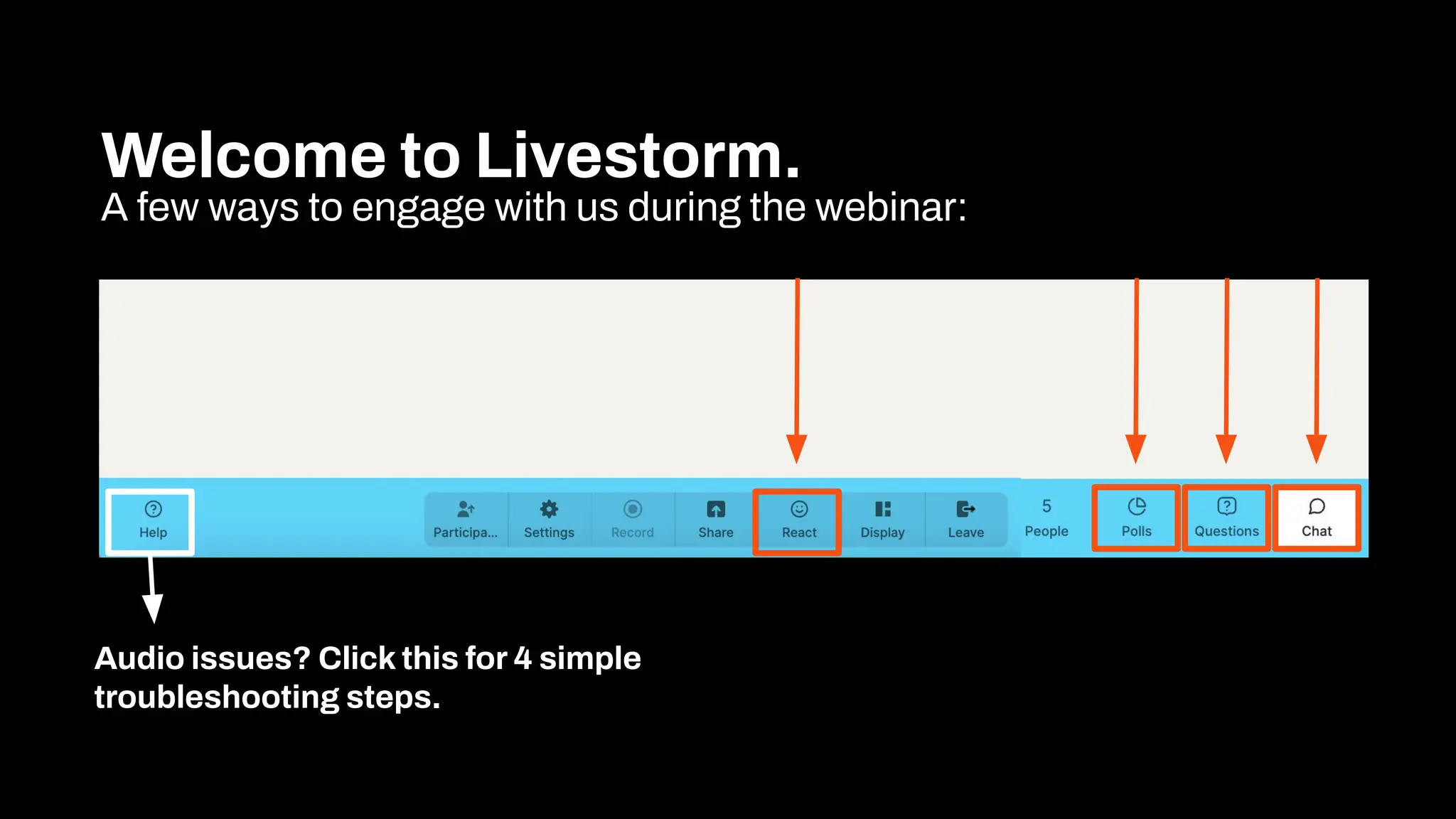
Welcome to Livestorm.
A few ways to engage with us during the webinar:
Audio issues? Click this for 4 simple
troubleshooting steps.
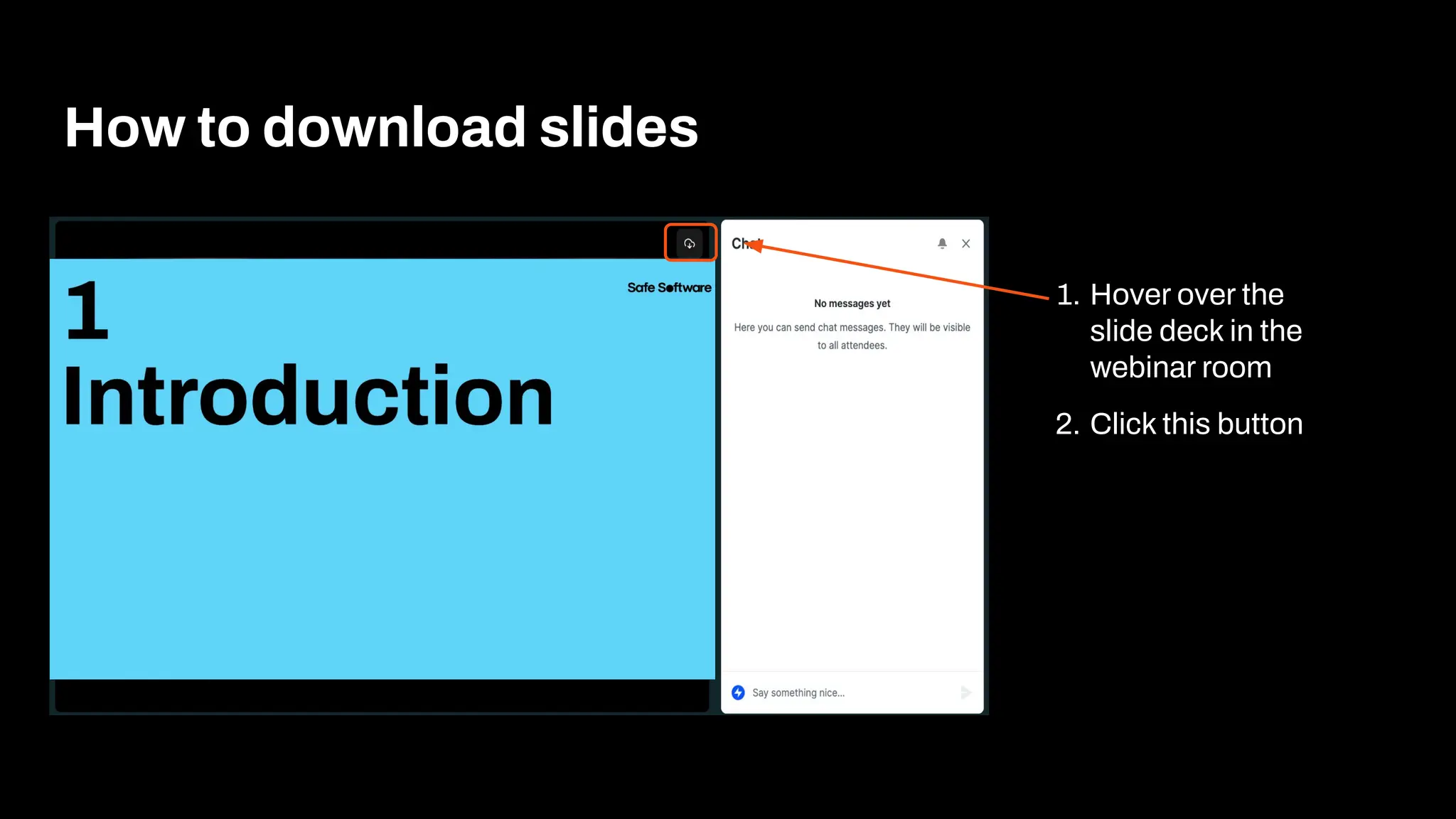
How to download slides
1. Hover over the
slide deck in the
webinar room
2. Click this button
Agenda
1 Introduction to Data Virtualization
2 Data Virtualization 101
3 Create a Data Virtualization API
4 Create a Data Virtualization Endpoint
5 Authoring an Endpoint Workflow
6 Building Better Endpoints
7 Enriching Endpoints
8 Conclusion
9 Resources & Next Steps
10 Q&A
Agenda
1
Introduction
FME’s Data virtualization empowers
your enterprise to deliver real-time,
code-free access to trusted data
across systems.
No duplication, no delays.
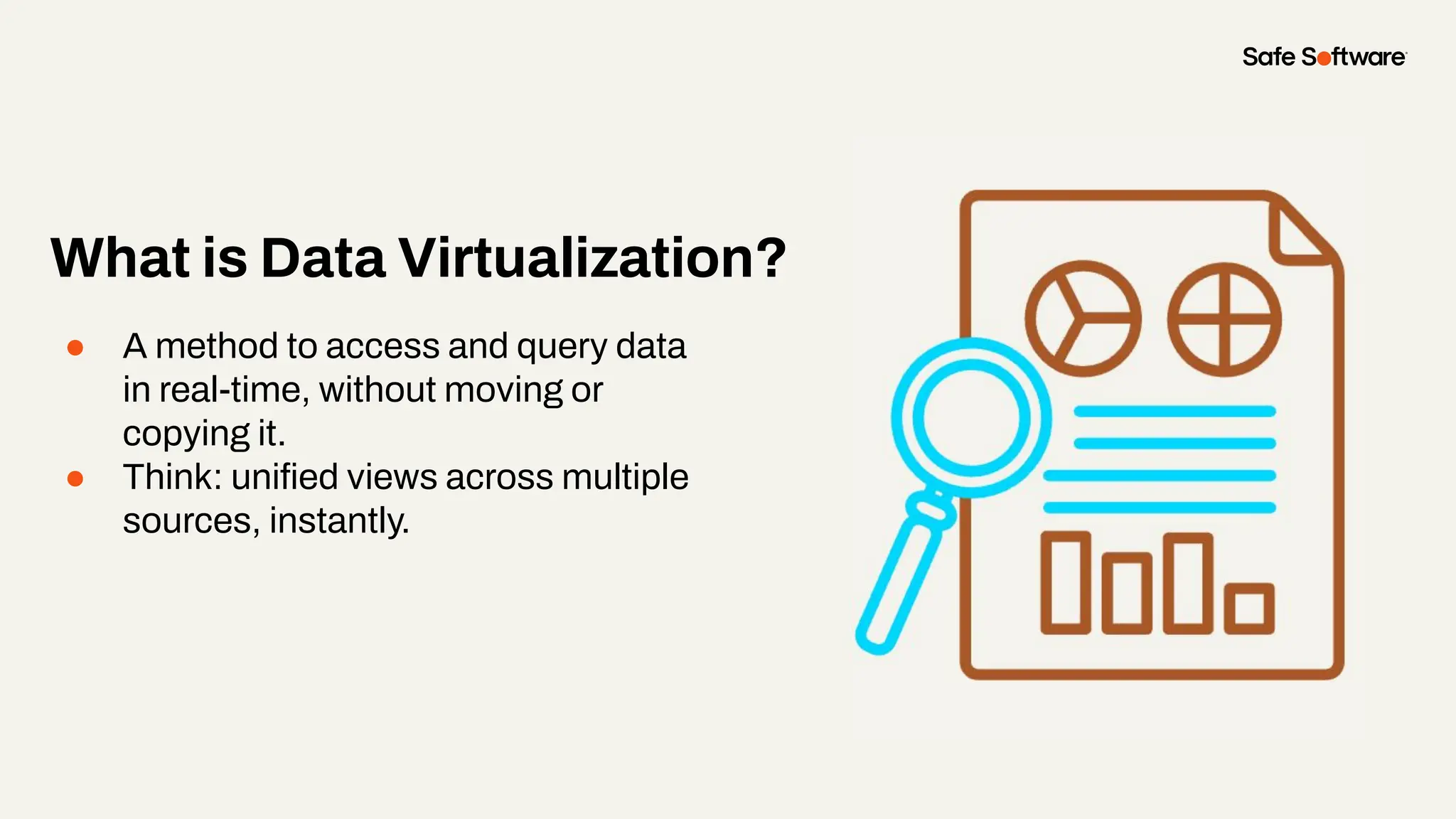
What is Data Virtualization?
● A method to access and query data
in real-time, without moving or
copying it.
● Think: unified views across multiple
sources, instantly.
Common Frustrations Organizations Face
Without Data Virtualization
● Siloed systems and inconsistent data
● Time-consuming data movement and ETL
● Redundant storage costs
● Delayed insights due to refresh cycles
● Complex integrations with multiple tools
Do any of these feel familiar?
You don’t need to wrangle data
manually or wait on an IT team.
With FME’s Data Virtualization,
you can connect, transform, and
access what you need:
on demand.
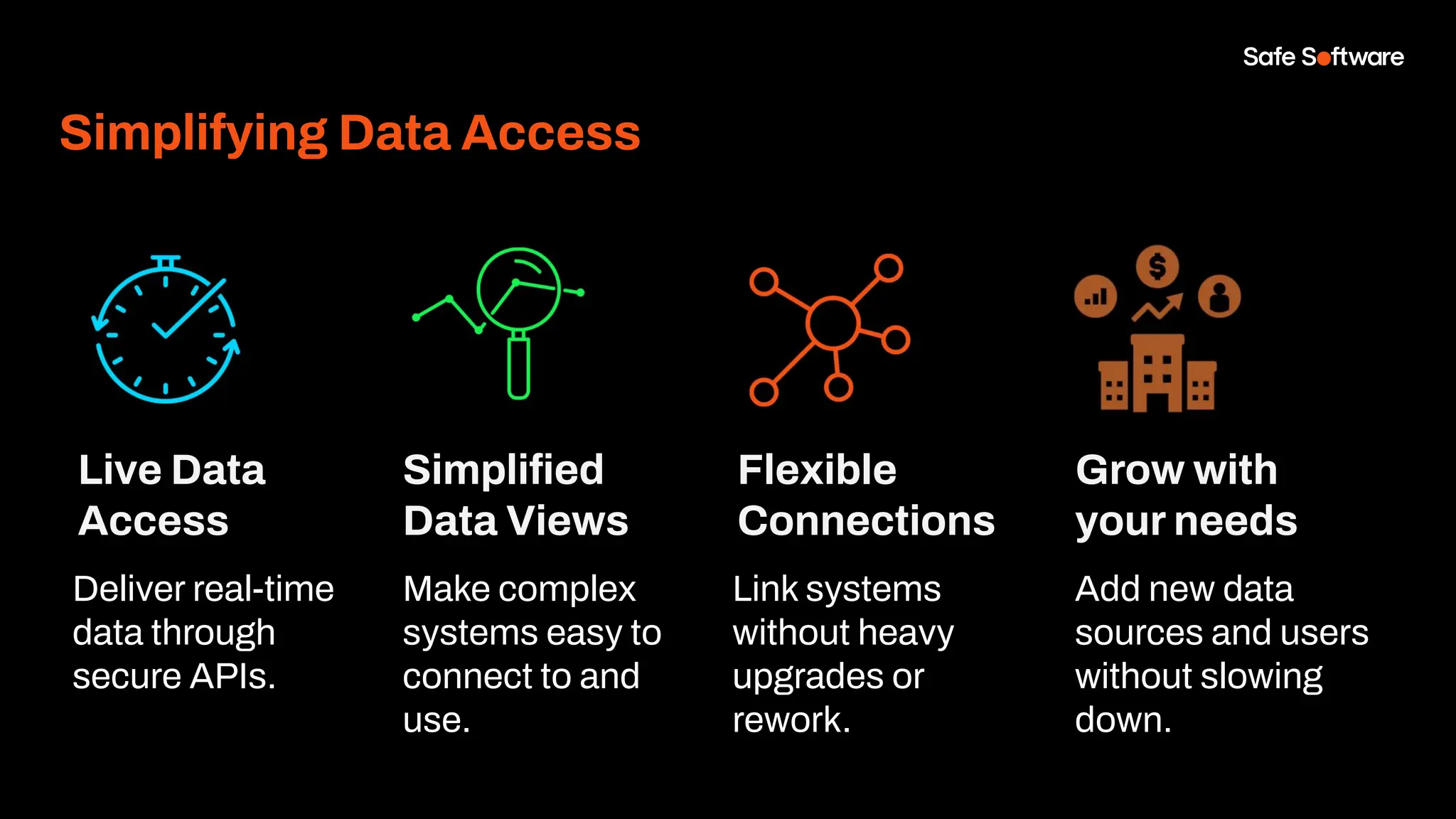
Simplifying Data Access
Live Data
Access
Simplified
Data Views
Flexible
Connections
Grow with
your needs
Deliver real-time
data through
secure APIs.
Make complex
systems easy to
connect to and
use.
Link systems
without heavy
upgrades or
rework.
Add new data
sources and users
without slowing
down.
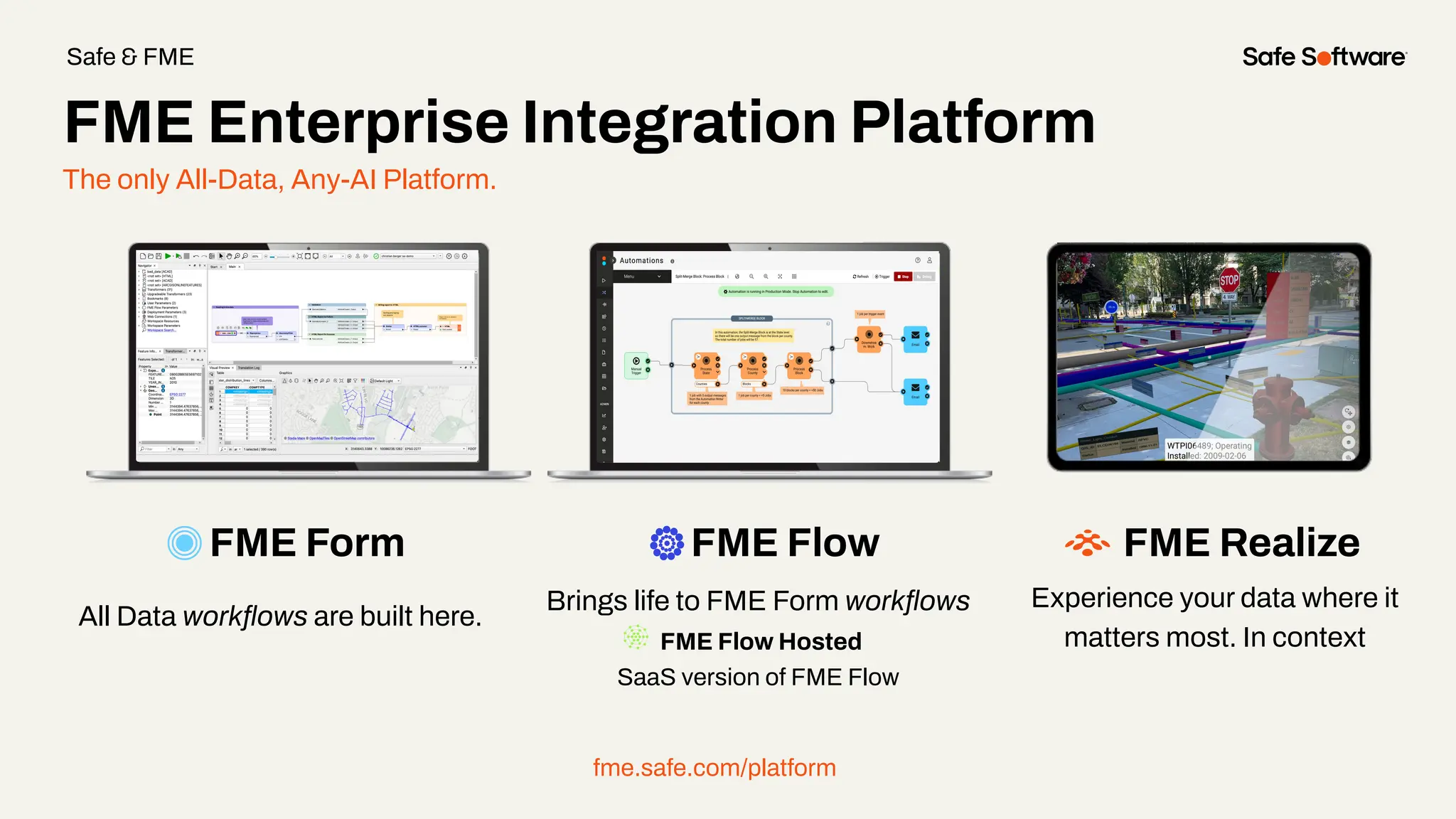
The only All-Data, Any-AI Platform.
FME Form FME Flow
All Data workflows are built here.
Brings life to FME Form workflows
FME Flow Hosted
SaaS version of FME Flow
fme.safe.com/platform
FME Enterprise Integration Platform
Safe & FME
FME Realize
Experience your data where it
matters most. In context
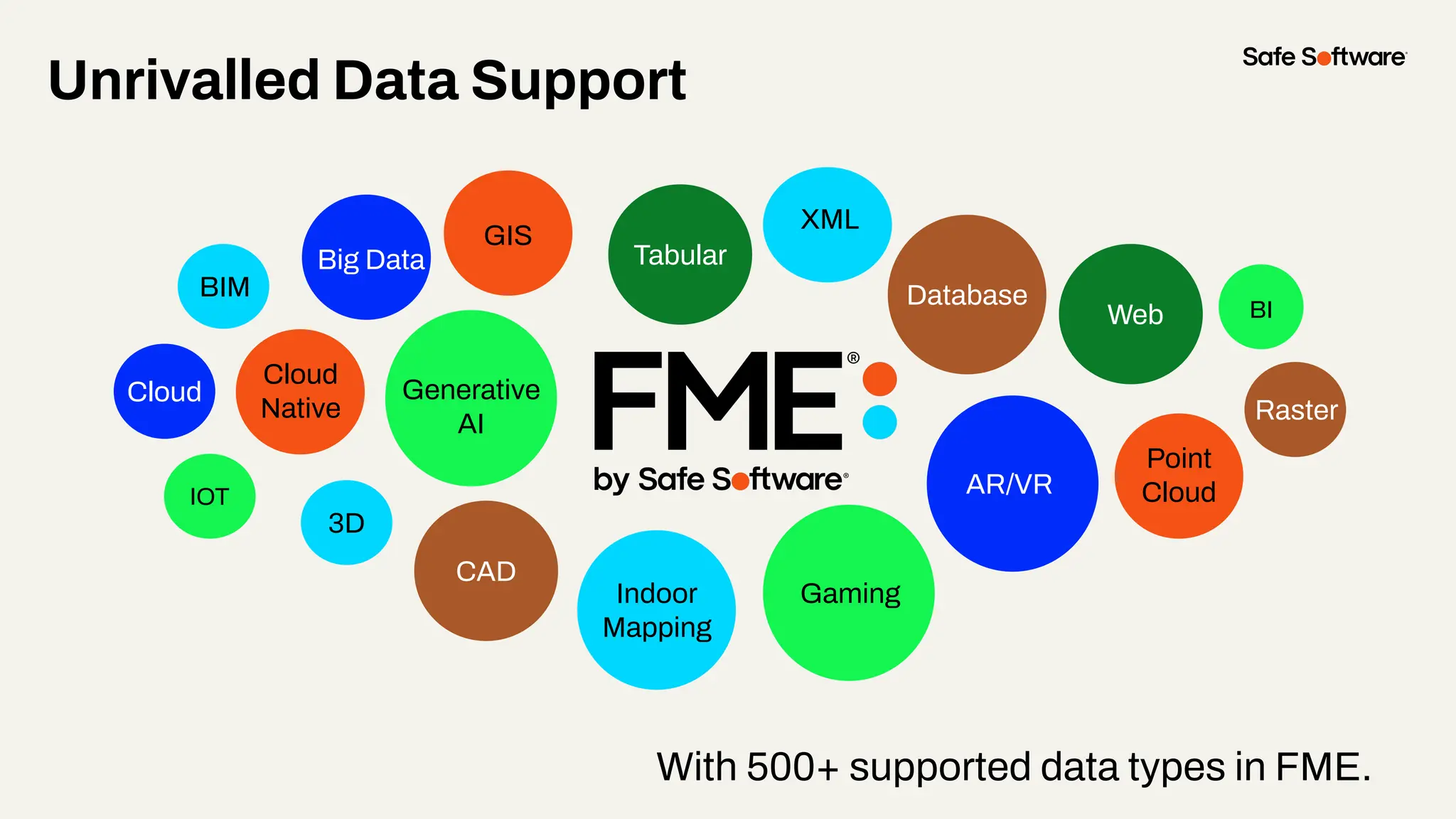
With 500+ supported data types in FME.
Unrivalled Data Support
GIS
CAD
Database
XML
Raster
3D
BIM
Web
Point
Cloud
Cloud
Big Data
IOT
Gaming
BI
Indoor
Mapping
AR/VR
Generative
AI
Cloud
Native
Tabular
2
Data
Virtualization
101
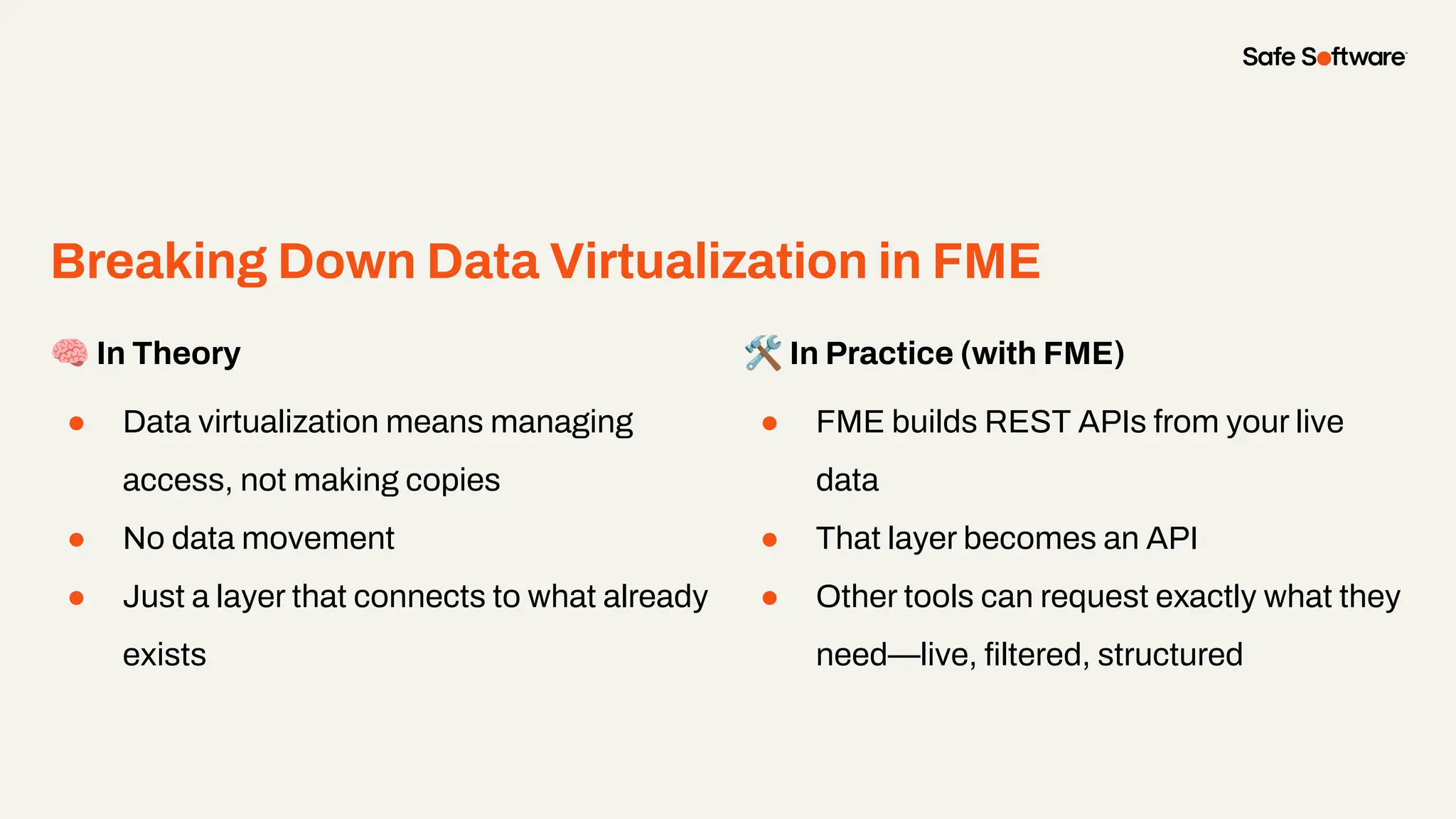
Breaking Down Data Virtualization in FME
🧠 In Theory
● Data virtualization means managing
access, not making copies
● No data movement
● Just a layer that connects to what already
exists
🛠 In Practice (with FME)
● FME builds REST APIs from your live
data
● That layer becomes an API
● Other tools can request exactly what they
need—live, filtered, structured
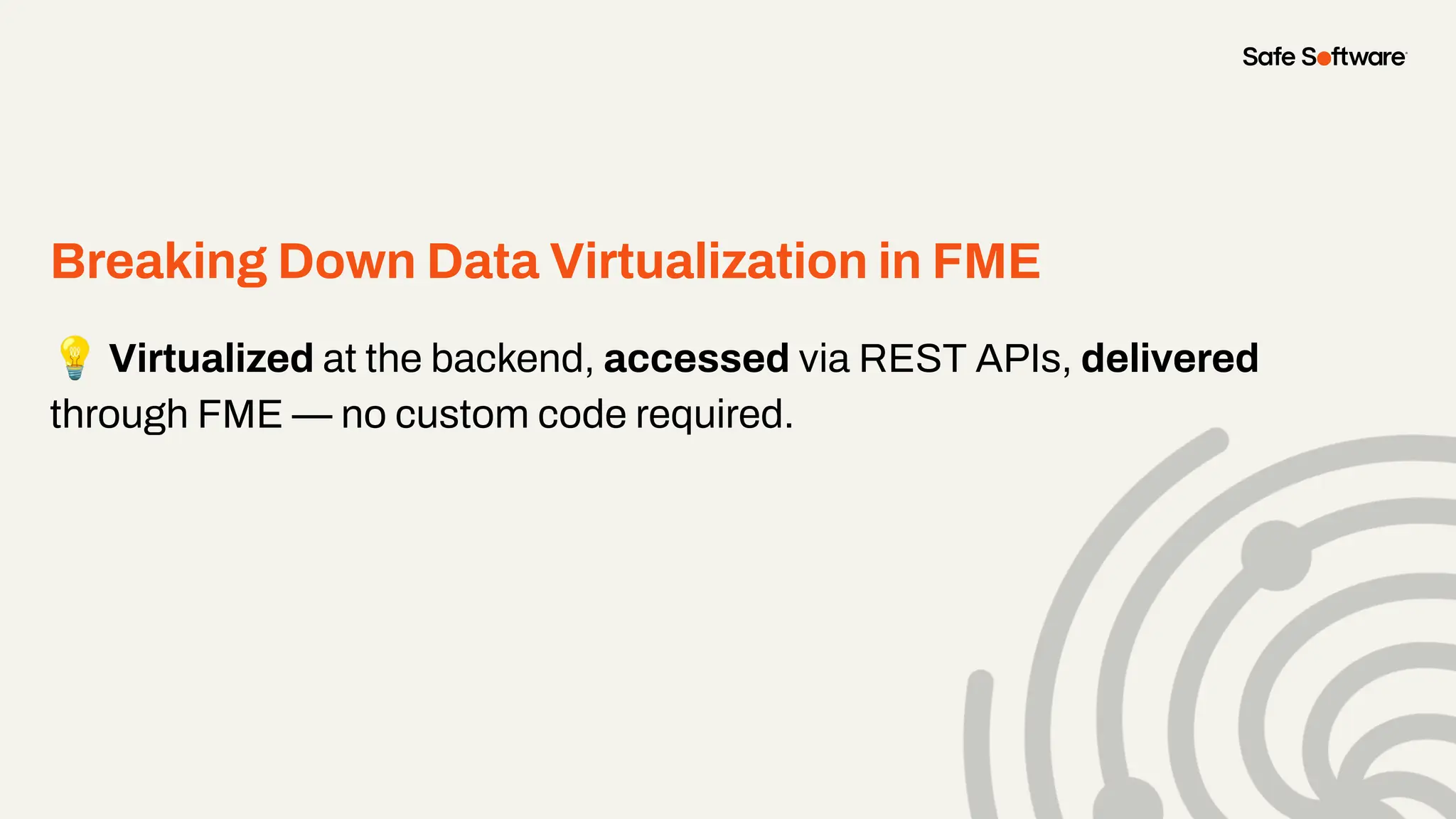
Breaking Down Data Virtualization in FME
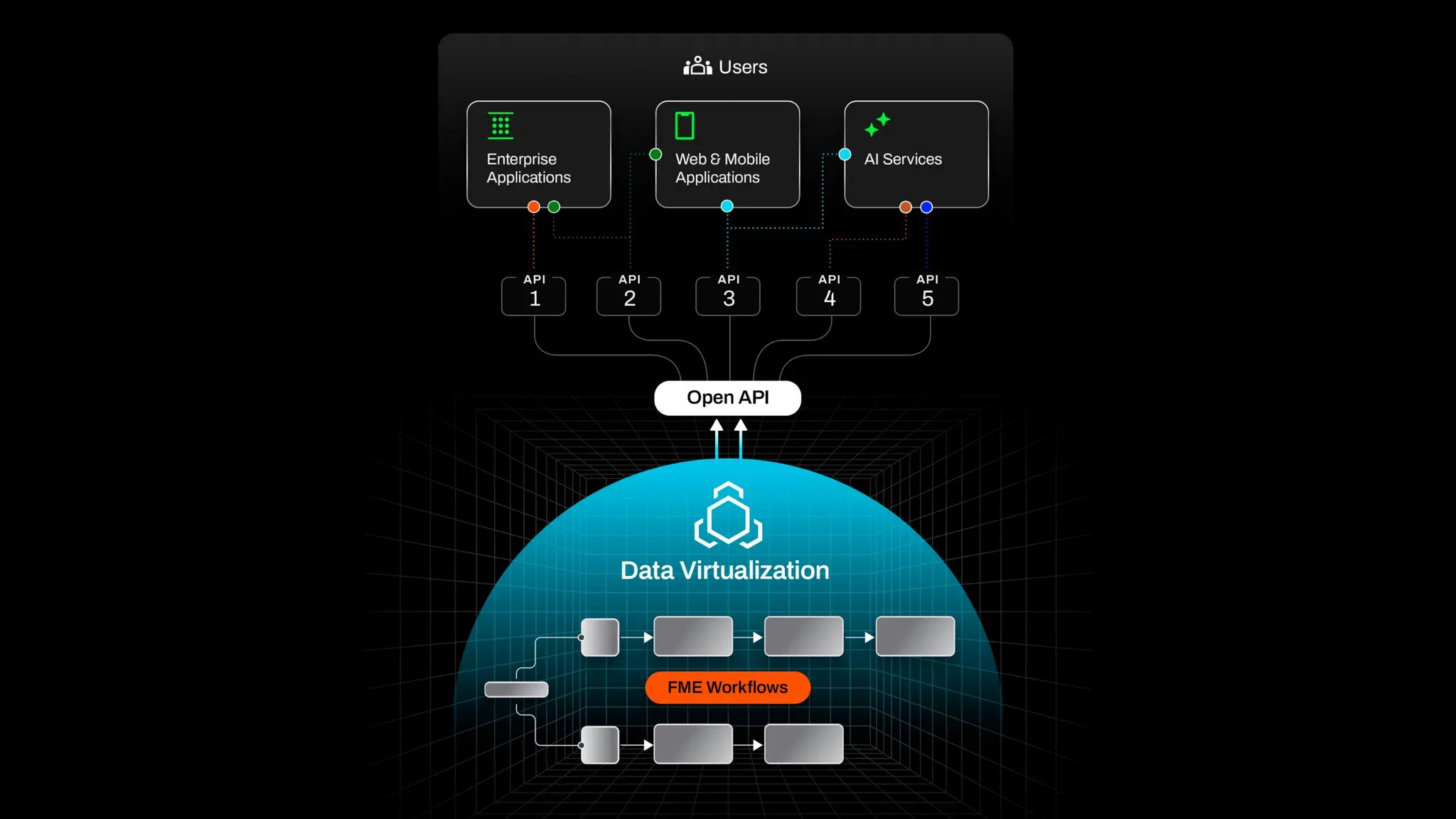
💡 Virtualized at the backend, accessed via REST APIs, delivered
through FME — no custom code required.
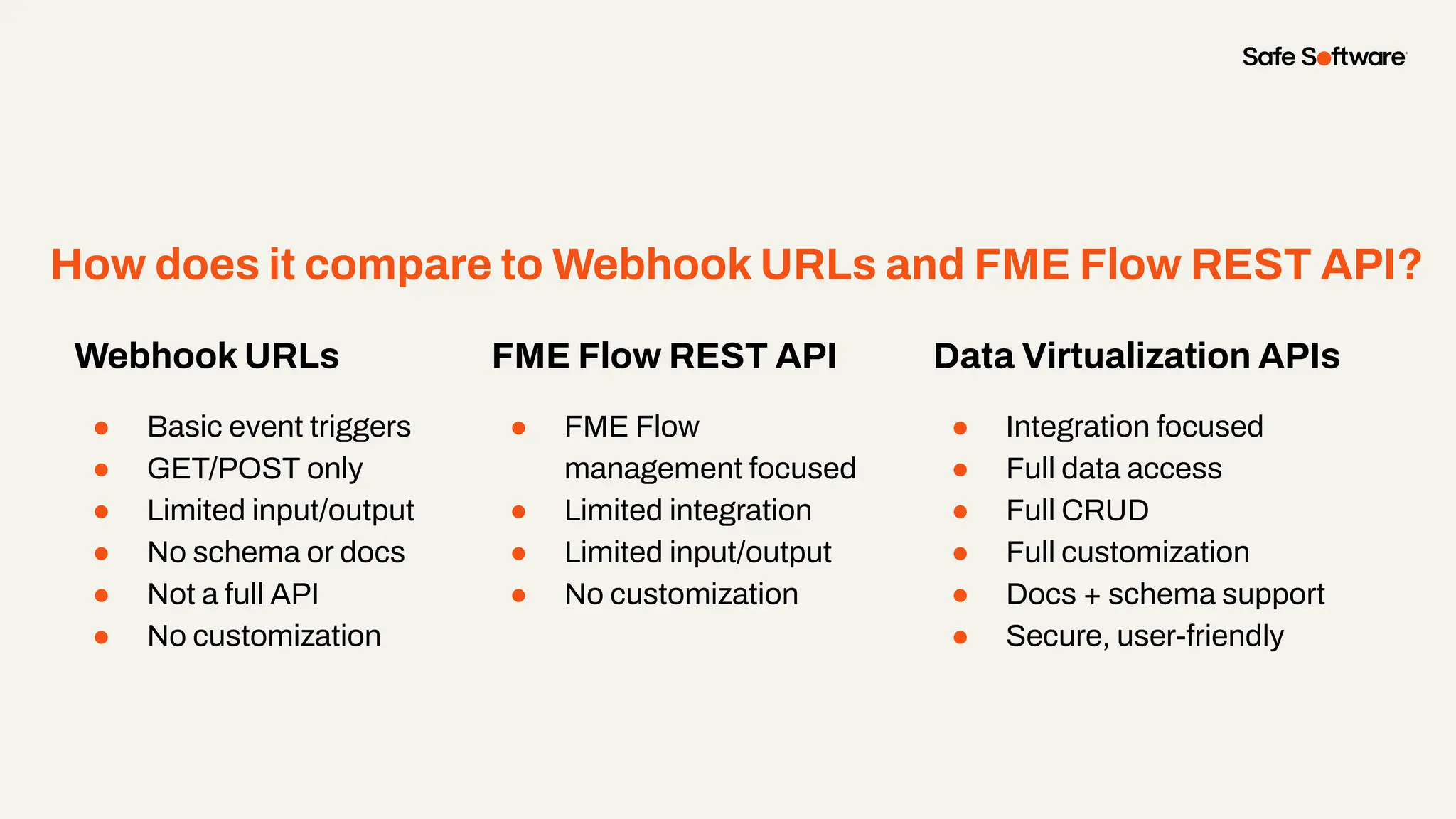
How does it compare to Webhook URLs and FME Flow REST API?
Webhook URLs
● Basic event triggers
● GET/POST only
● Limited input/output
● No schema or docs
● Not a full API
● No customization
FME Flow REST API
● FME Flow
management focused
● Limited integration
● Limited input/output
● No customization
Data Virtualization APIs
● Integration focused
● Full data access
● Full CRUD
● Full customization
● Docs + schema support
● Secure, user-friendly
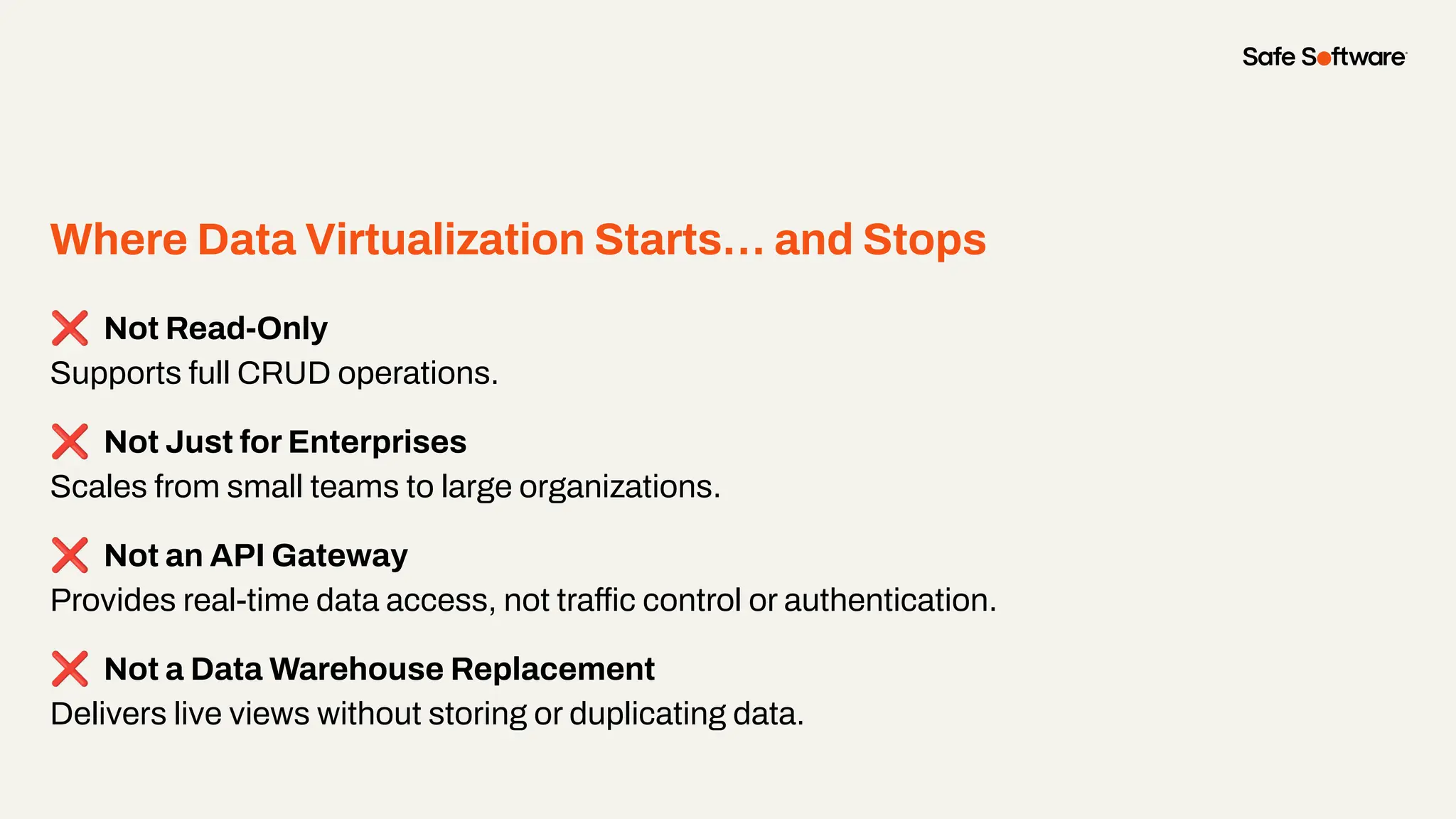
Where Data Virtualization Starts… and Stops
❌ Not Read-Only
Supports full CRUD operations.
❌ Not Just for Enterprises
Scales from small teams to large organizations.
❌ Not an API Gateway
Provides real-time data access, not traffic control or authentication.
❌ Not a Data Warehouse Replacement
Delivers live views without storing or duplicating data.
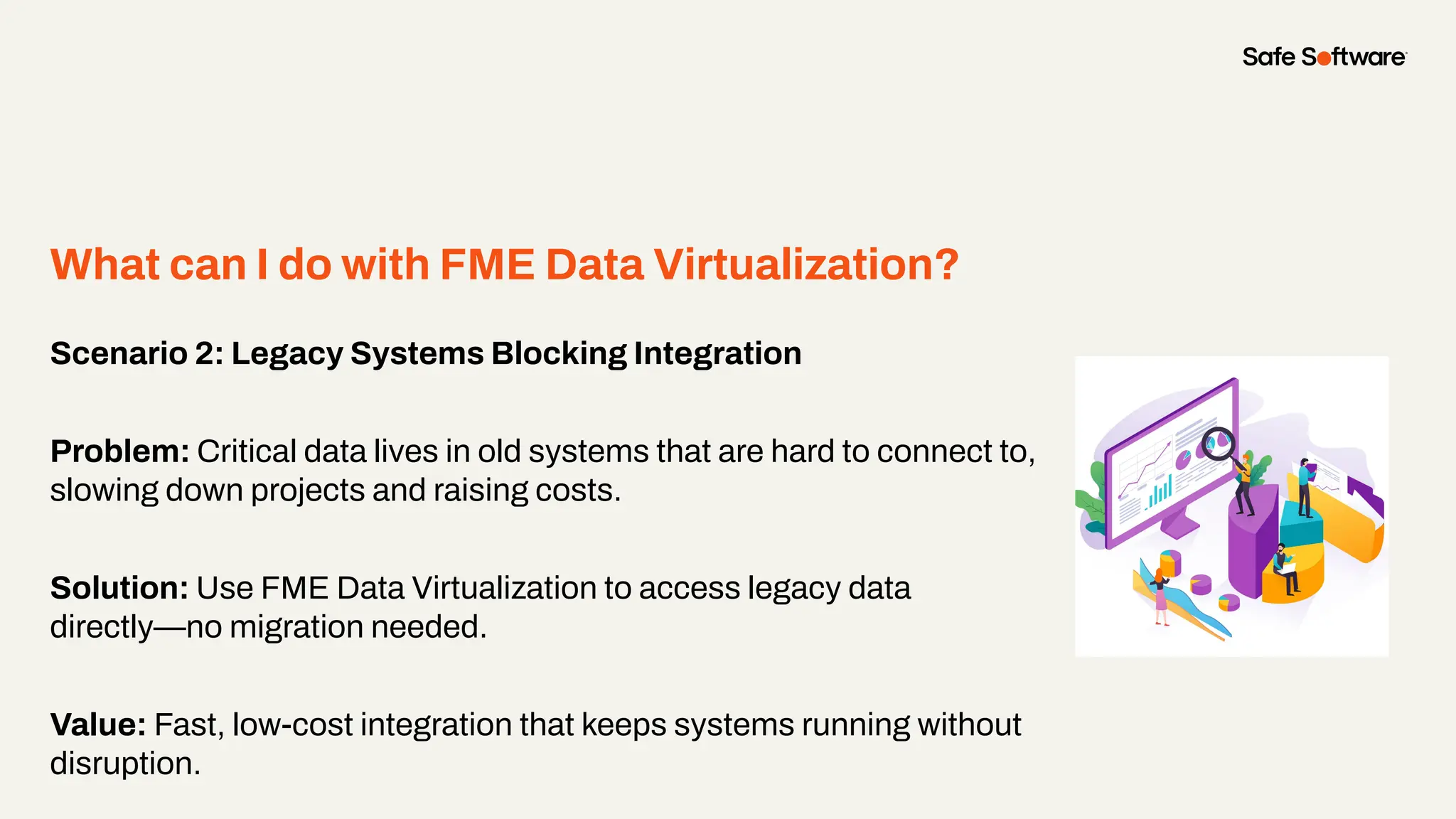
Scenario 2: Legacy Systems Blocking Integration
Problem: Critical data lives in old systems that are hard to connect to,
slowing down projects and raising costs.
Solution: Use FME Data Virtualization to access legacy data
directly—no migration needed.
Value: Fast, low-cost integration that keeps systems running without
disruption.
What can I do with FME Data Virtualization?
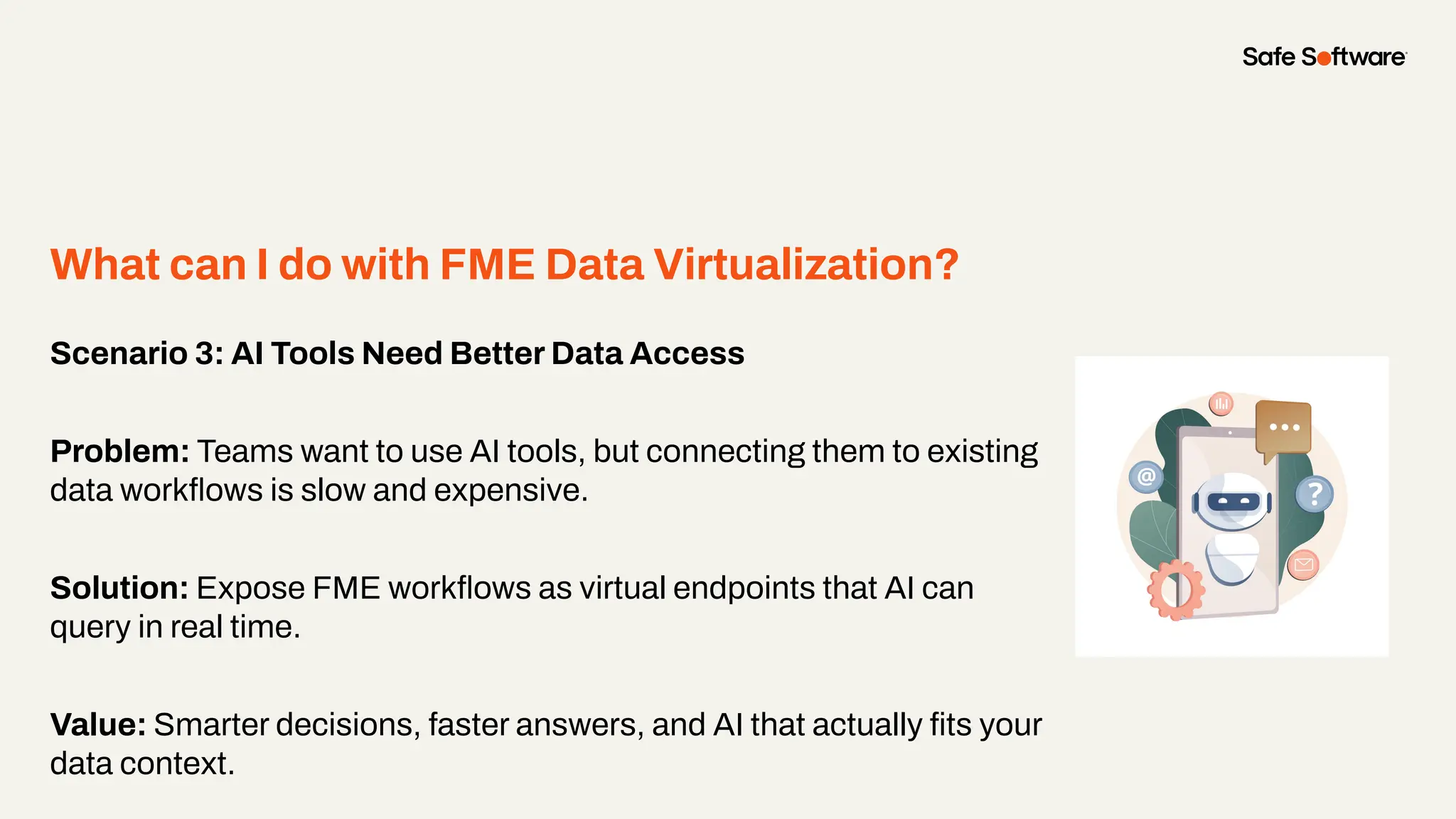
Scenario 3: AI Tools Need Better Data Access
Problem: Teams want to use AI tools, but connecting them to existing
data workflows is slow and expensive.
Solution: Expose FME workflows as virtual endpoints that AI can
query in real time.
Value: Smarter decisions, faster answers, and AI that actually fits your
data context.
What can I do with FME Data Virtualization?
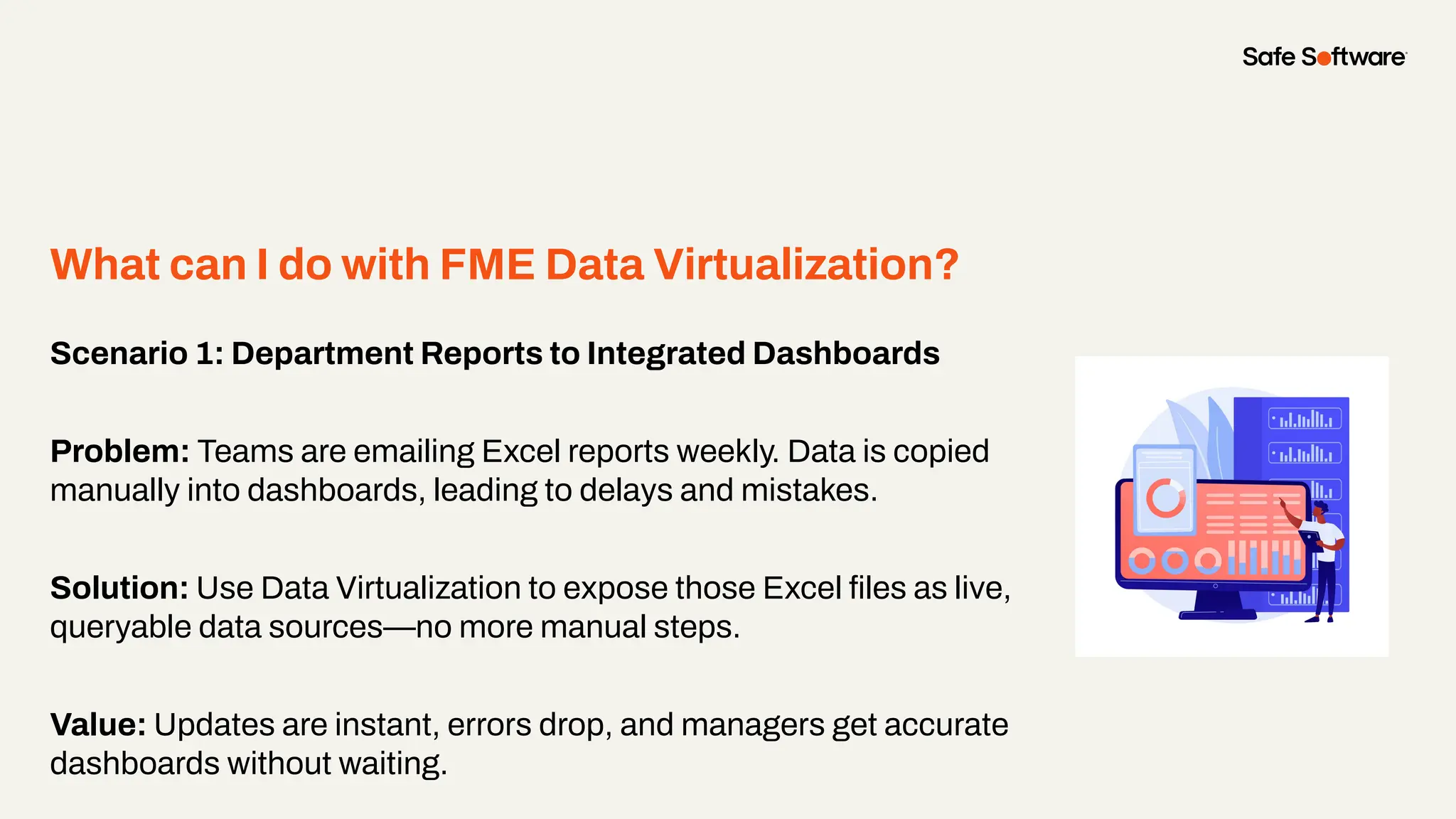
Scenario 1: Department Reports to Integrated Dashboards
Problem: Teams are emailing Excel reports weekly. Data is copied
manually into dashboards, leading to delays and mistakes.
Solution: Use Data Virtualization to expose those Excel files as live,
queryable data sources—no more manual steps.
Value: Updates are instant, errors drop, and managers get accurate
dashboards without waiting.
What can I do with FME Data Virtualization?
Flash
Demo
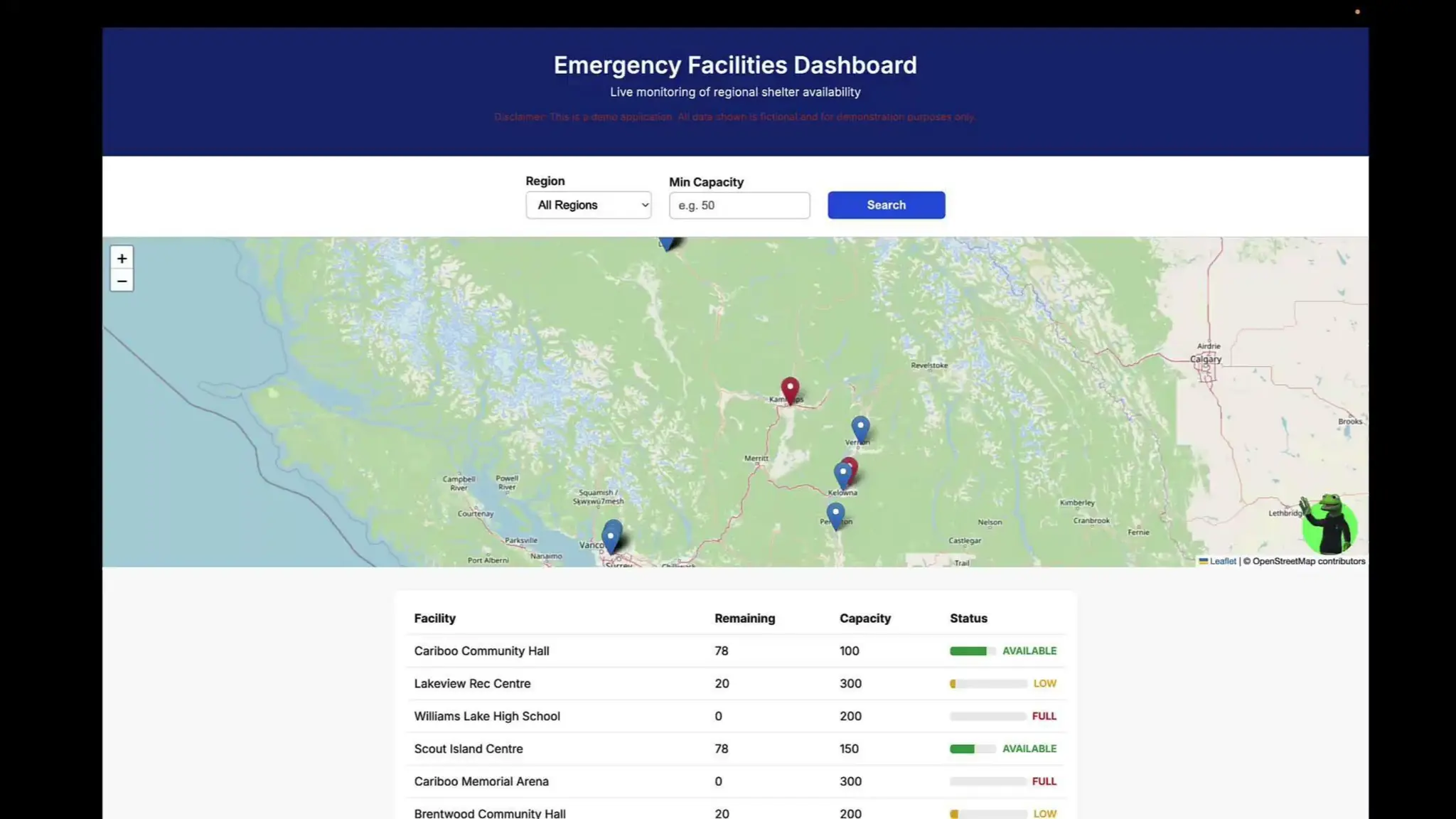
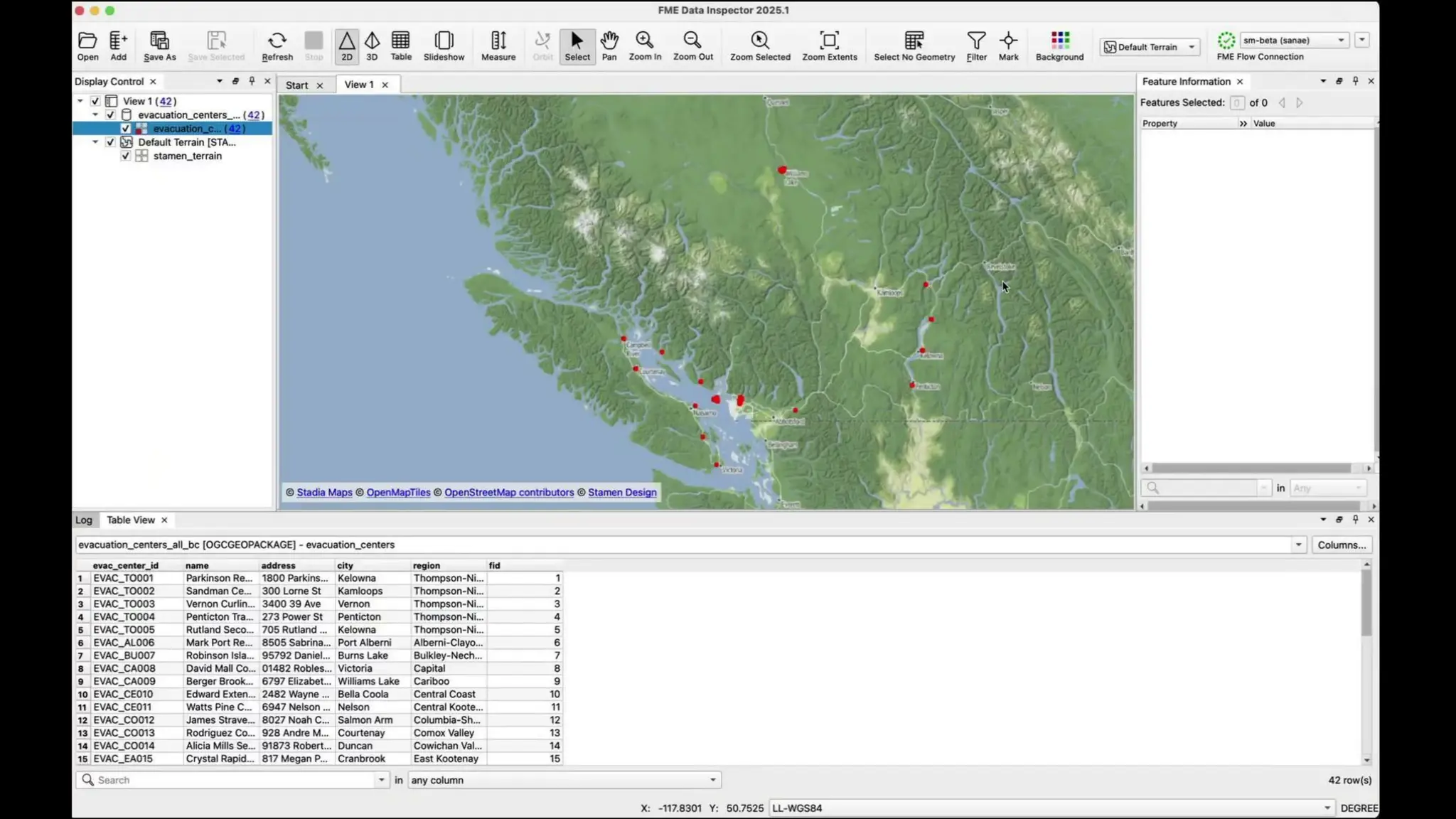
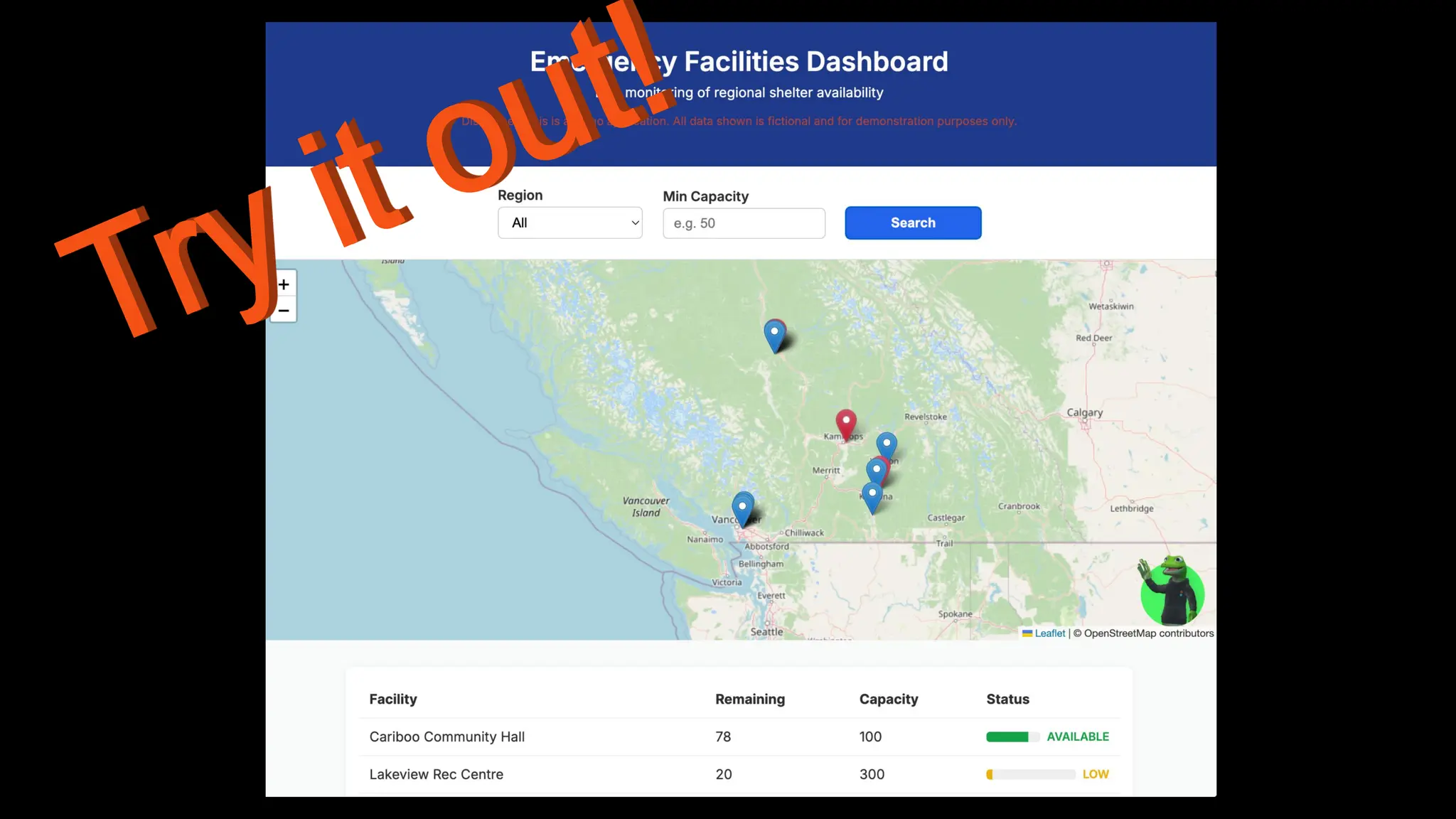
1. Real-time dashboard with region + capacity filters
2. Live API calls backed by Data Virtualization
3. Fully documented in Swagger
4. Powered by a simple FME workspace (Excel + GeoPackage)
Demo: Emergency Facilities Dashboard
3
Creating a Data
Virtualization API
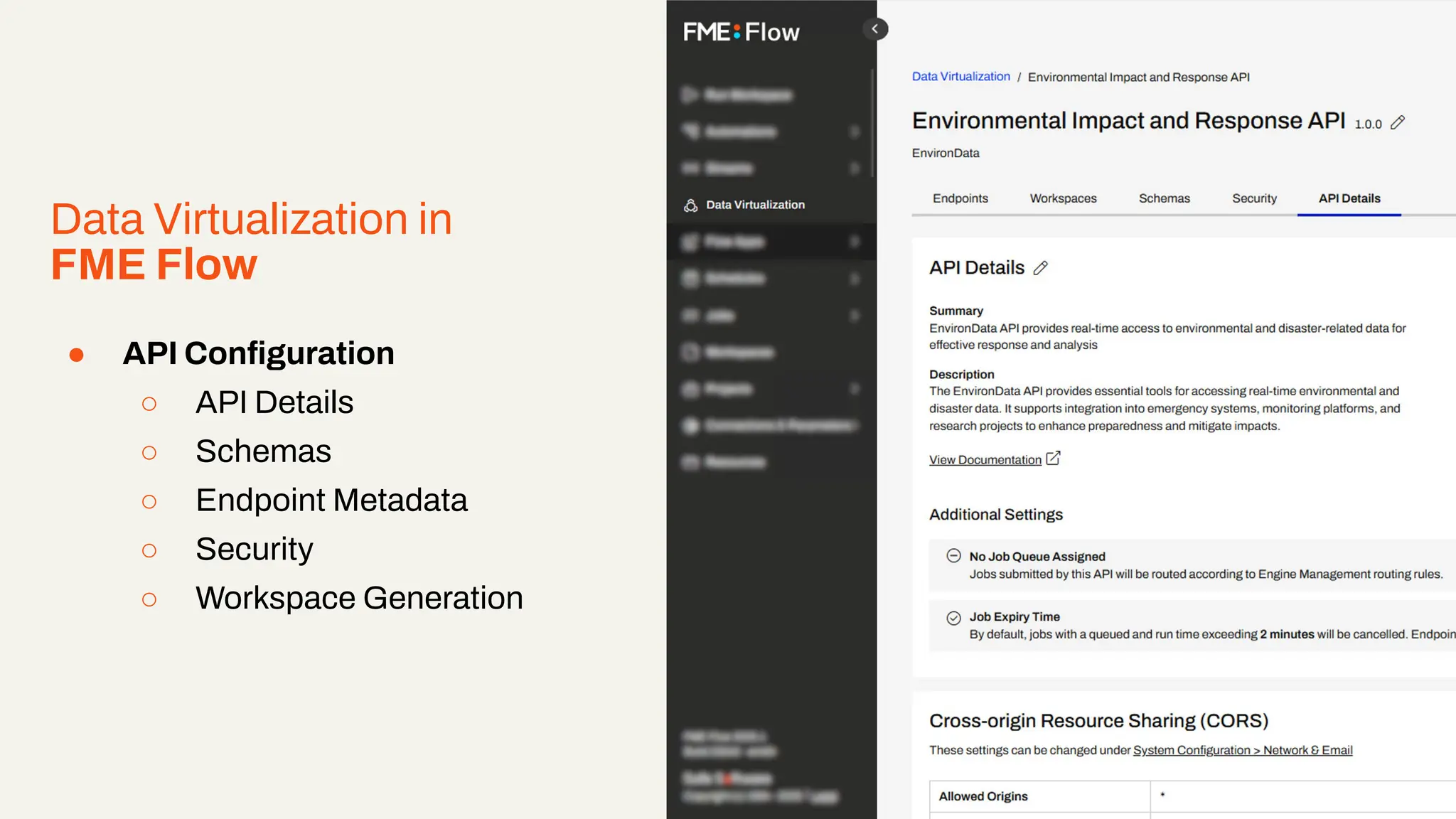
Data Virtualization in
FME Flow
● API Configuration
○ API Details
○ Schemas
○ Endpoint Metadata
○ Security
○ Workspace Generation
Right click and select ‘replace image’ to add an example image from your project.
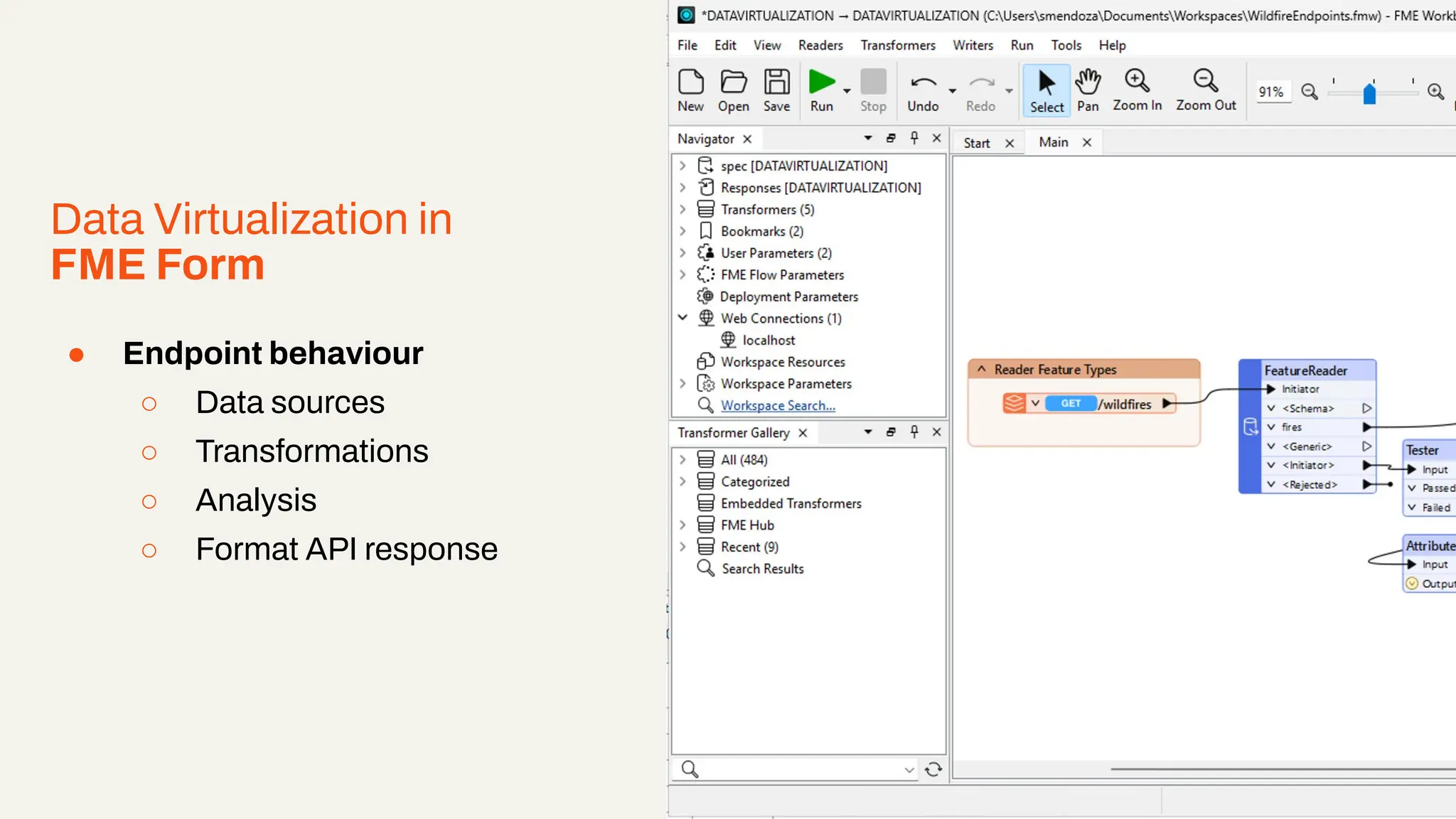
Data Virtualization in
FME Form
● Endpoint behaviour
○ Data sources
○ Transformations
○ Analysis
○ Format API response
Right click and select ‘replace image’ to add an example image from your project.
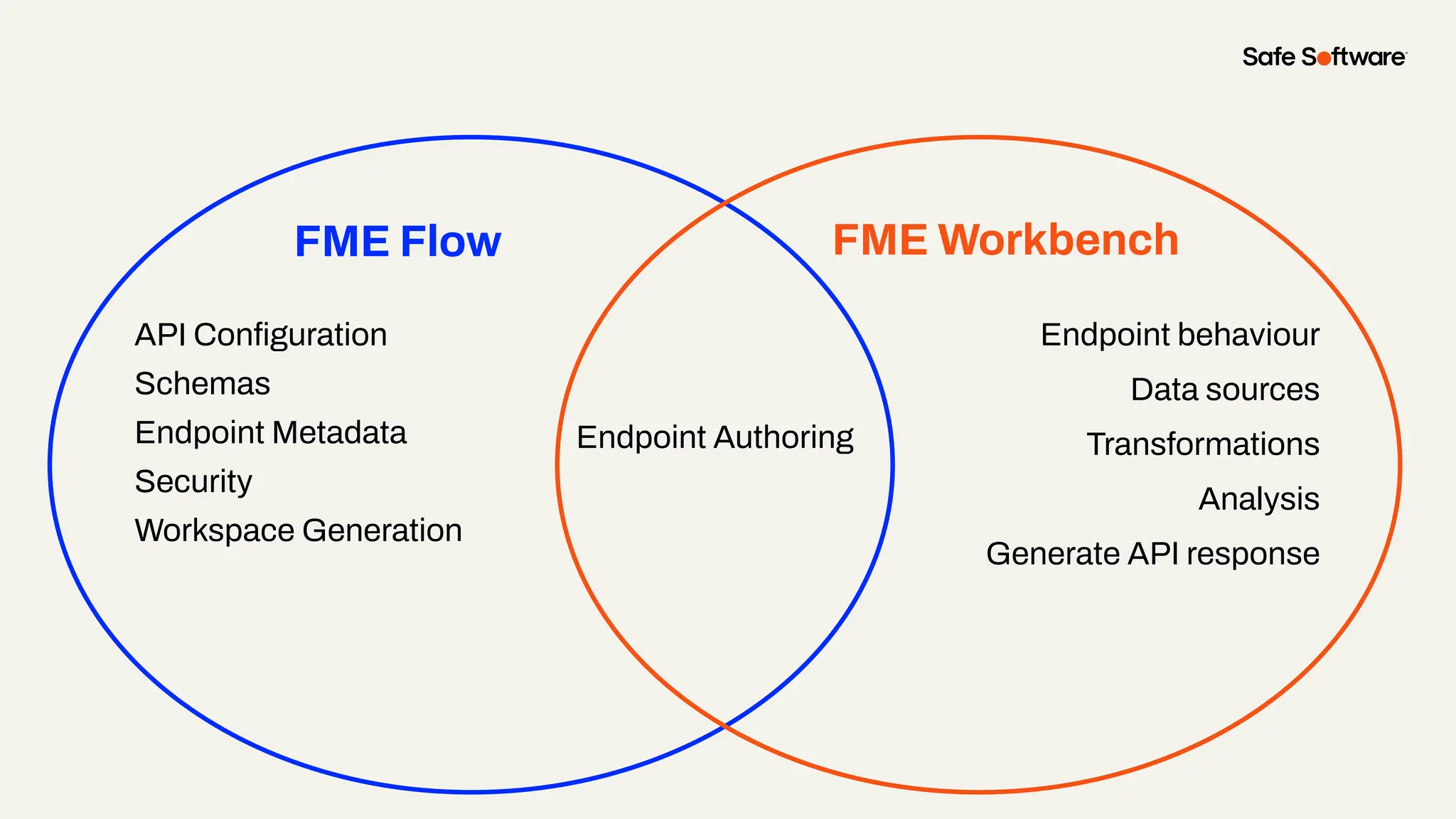
FME Flow
API Configuration
Schemas
Endpoint Metadata
Security
Workspace Generation
FME Workbench
Endpoint behaviour
Data sources
Transformations
Analysis
Generate API response
Endpoint Authoring
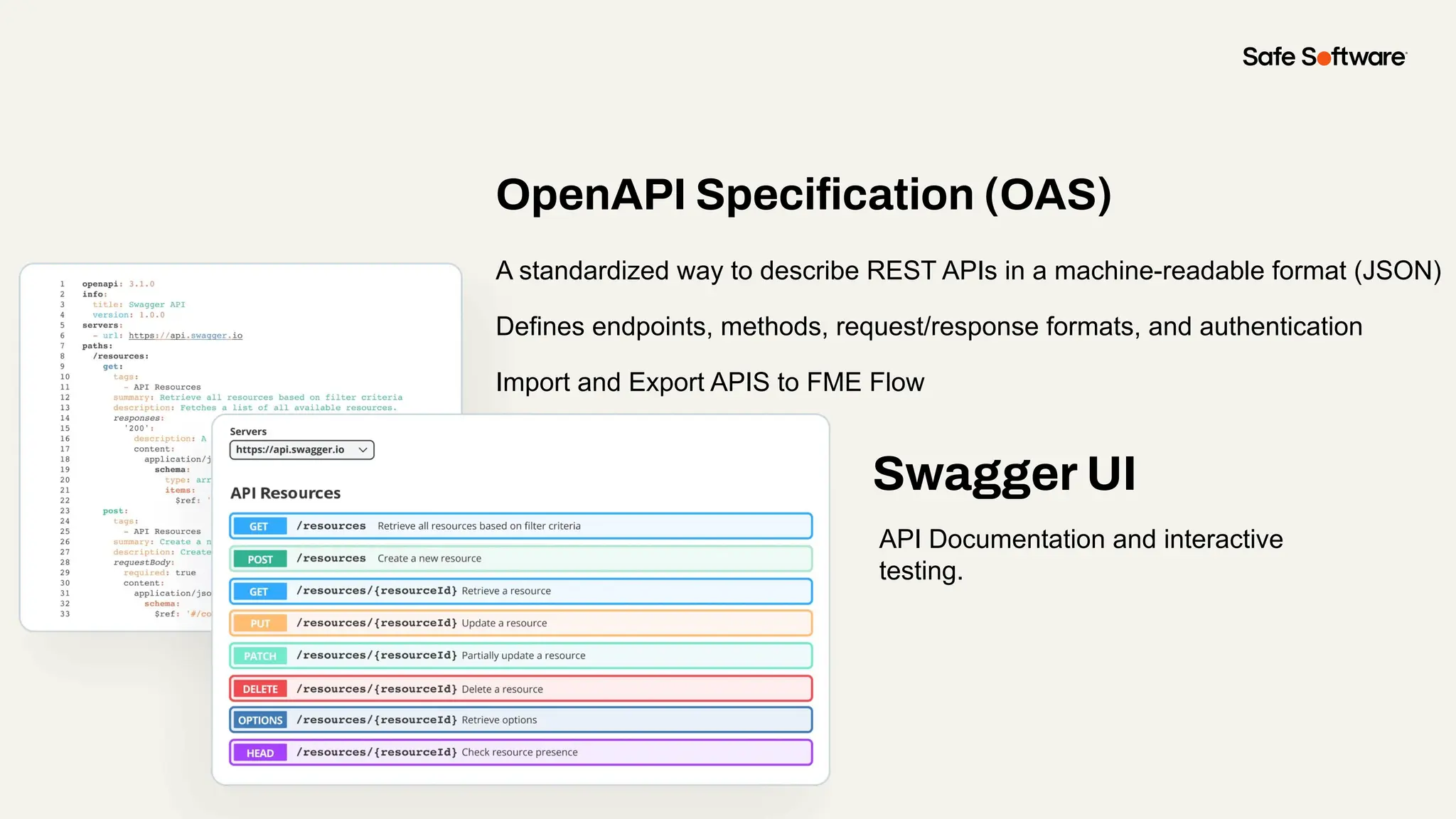
OpenAPI Specification (OAS)
A standardized way to describe REST APIs in a machine-readable format (JSON)
Defines endpoints, methods, request/response formats, and authentication
Import and Export APIS to FME Flow
Swagger UI
API Documentation and interactive
testing.
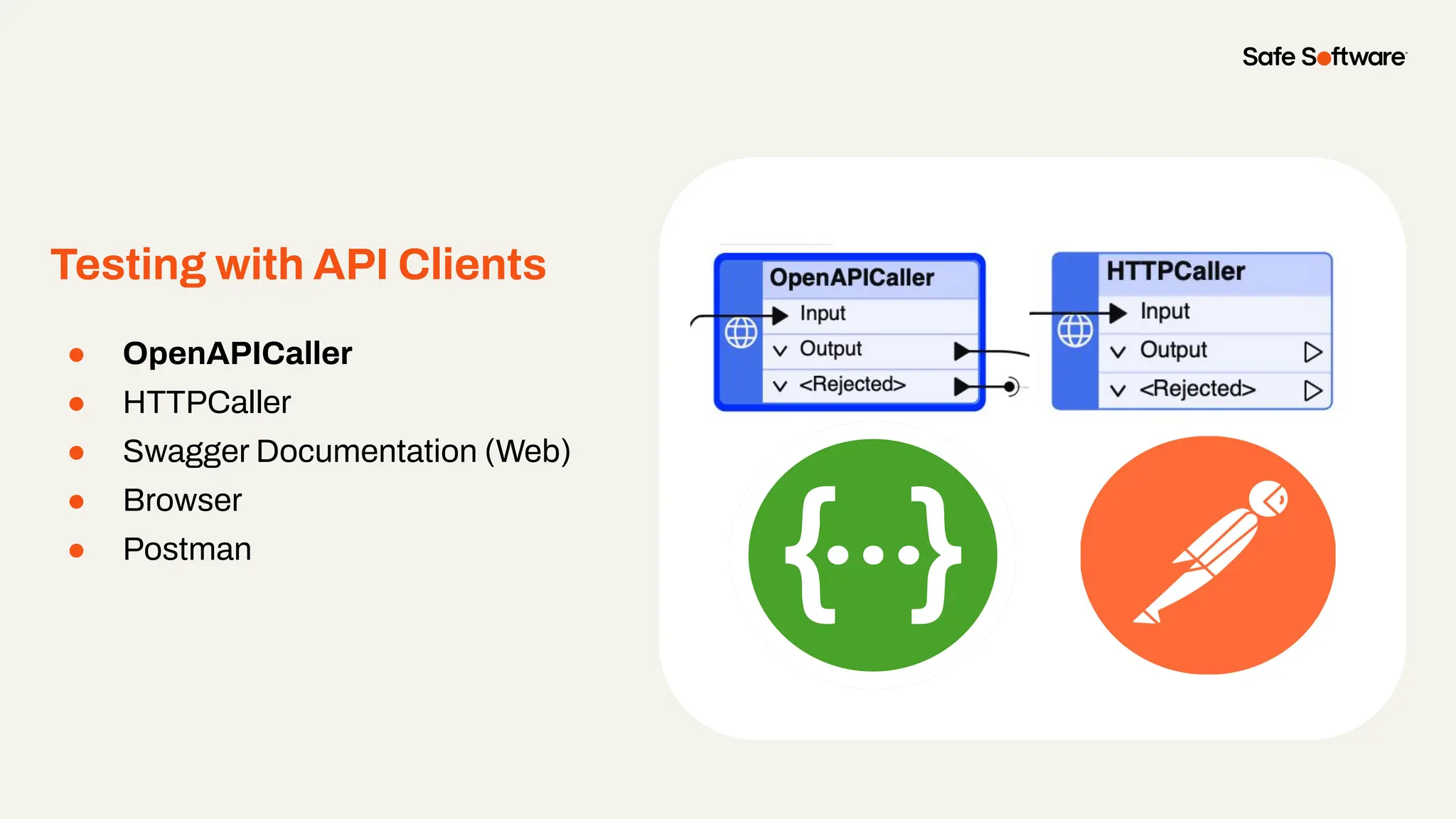
Testing with API Clients
● OpenAPICaller
● HTTPCaller
● Swagger Documentation (Web)
● Browser
● Postman
From Import…
● Import an OpenAPI (OAS) file (JSON)
● Auto-generates structure and methods
● Less manual setup
● Useful for migrating existing APIs
From Scratch…
● Manually define API structure
● Full control over endpoints and
formats
● Ideal for custom APIs
● No existing documentation
required
Creating a Data Virtualization API
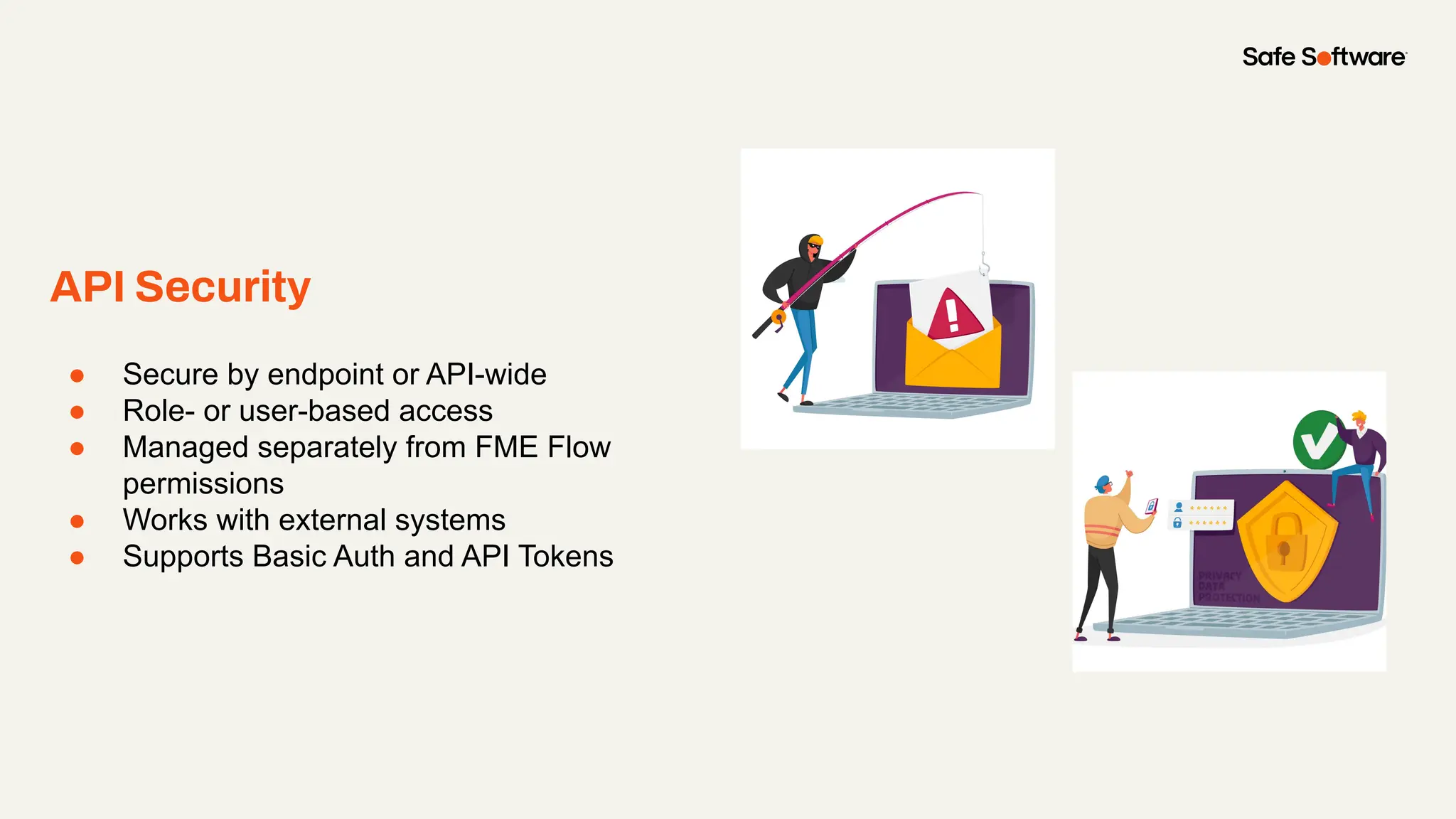
API Security
● Secure by endpoint or API-wide
● Role- or user-based access
● Managed separately from FME Flow
permissions
● Works with external systems
● Supports Basic Auth and API Tokens
Demo
Demo: Creating a Data Virtualization API
1. Imported OpenAPI Specification file (EnvironData.json) to create an API
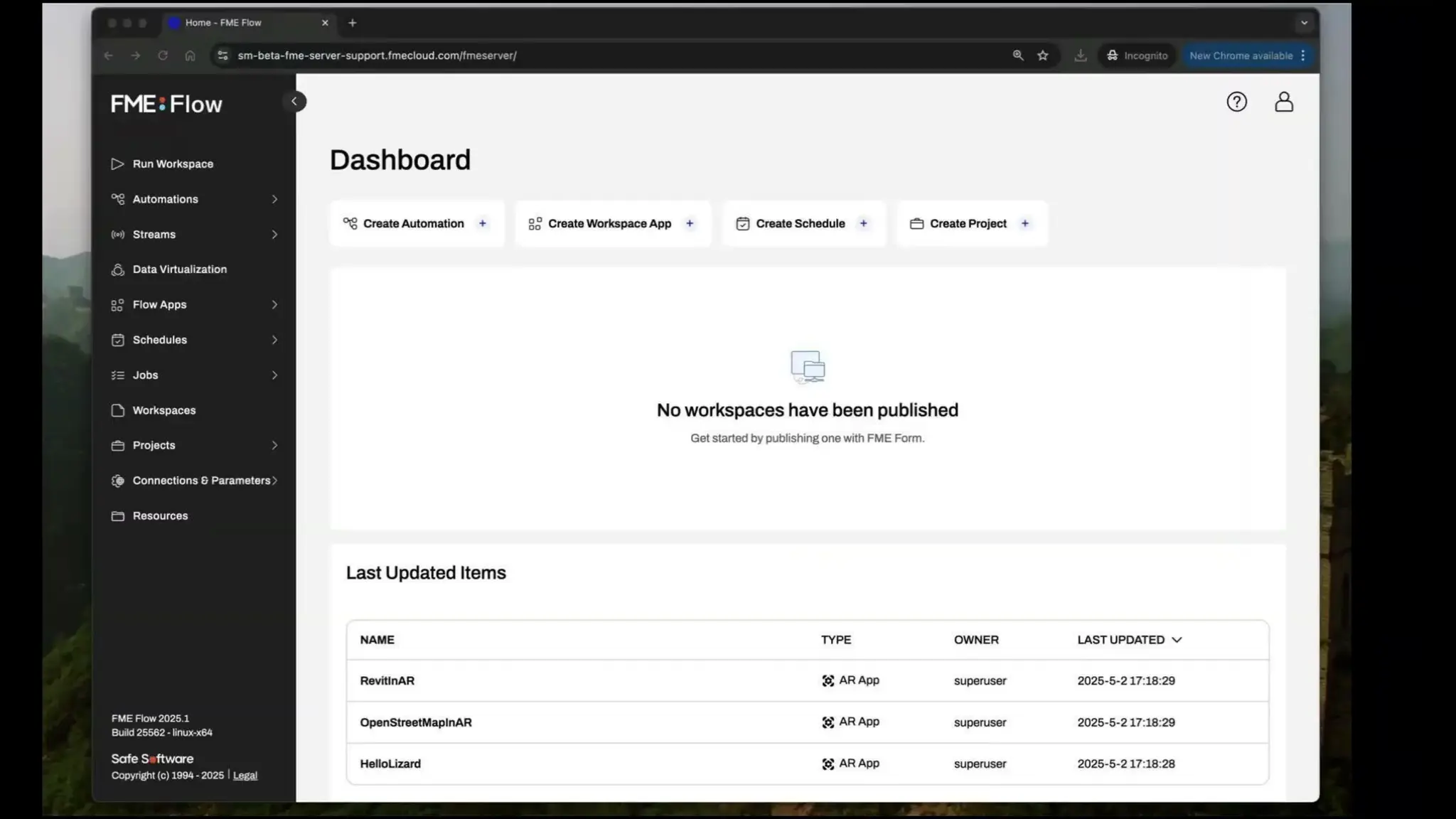
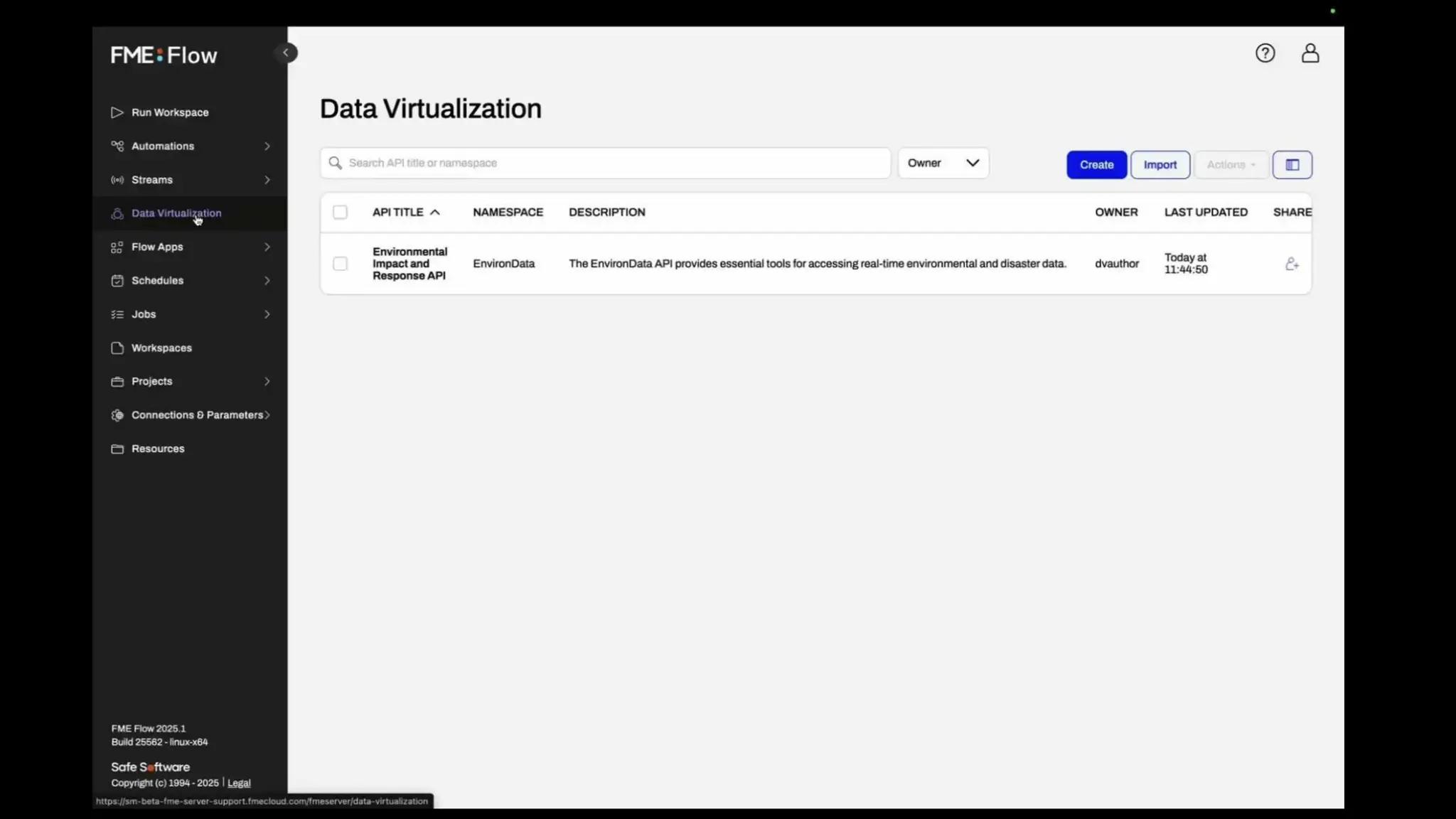
2. Toured the Data VIrtualization Interface in FME Flow
3. Exported the EnvironData API OpenAPI file to use in the FME
Workbench and Postman
Demo: Creating a Data Virtualization API
4
Creating a Data
Virtualization
Endpoint
What is a Data Virtualization API Endpoint?
● Defines how users access your data
● Customize requests, responses, parameters, status codes, headers, schemas, security, and
metadata
● Supports both static and dynamic responses
● Defined in FME Flow, authored in FME Workbench
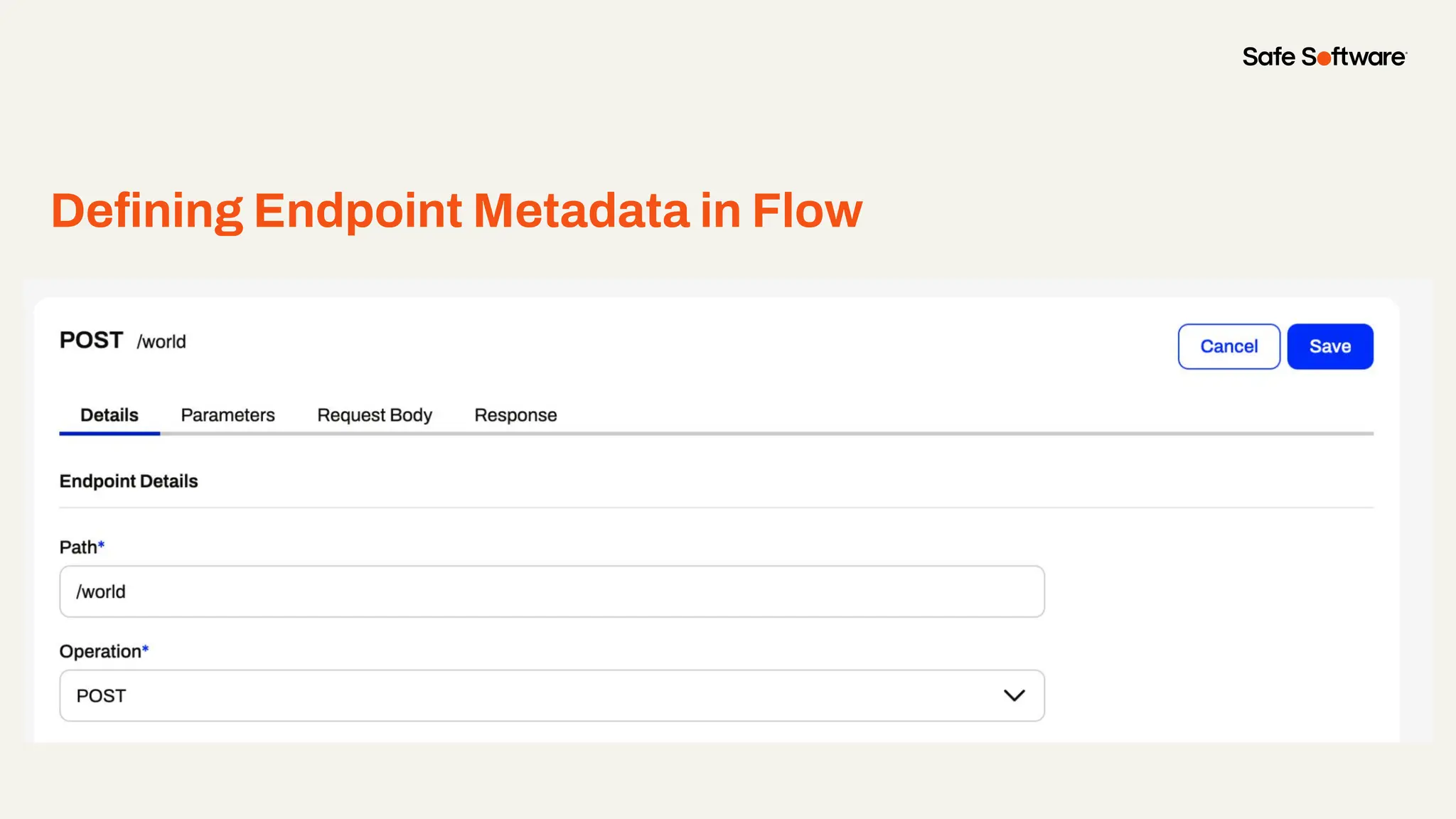
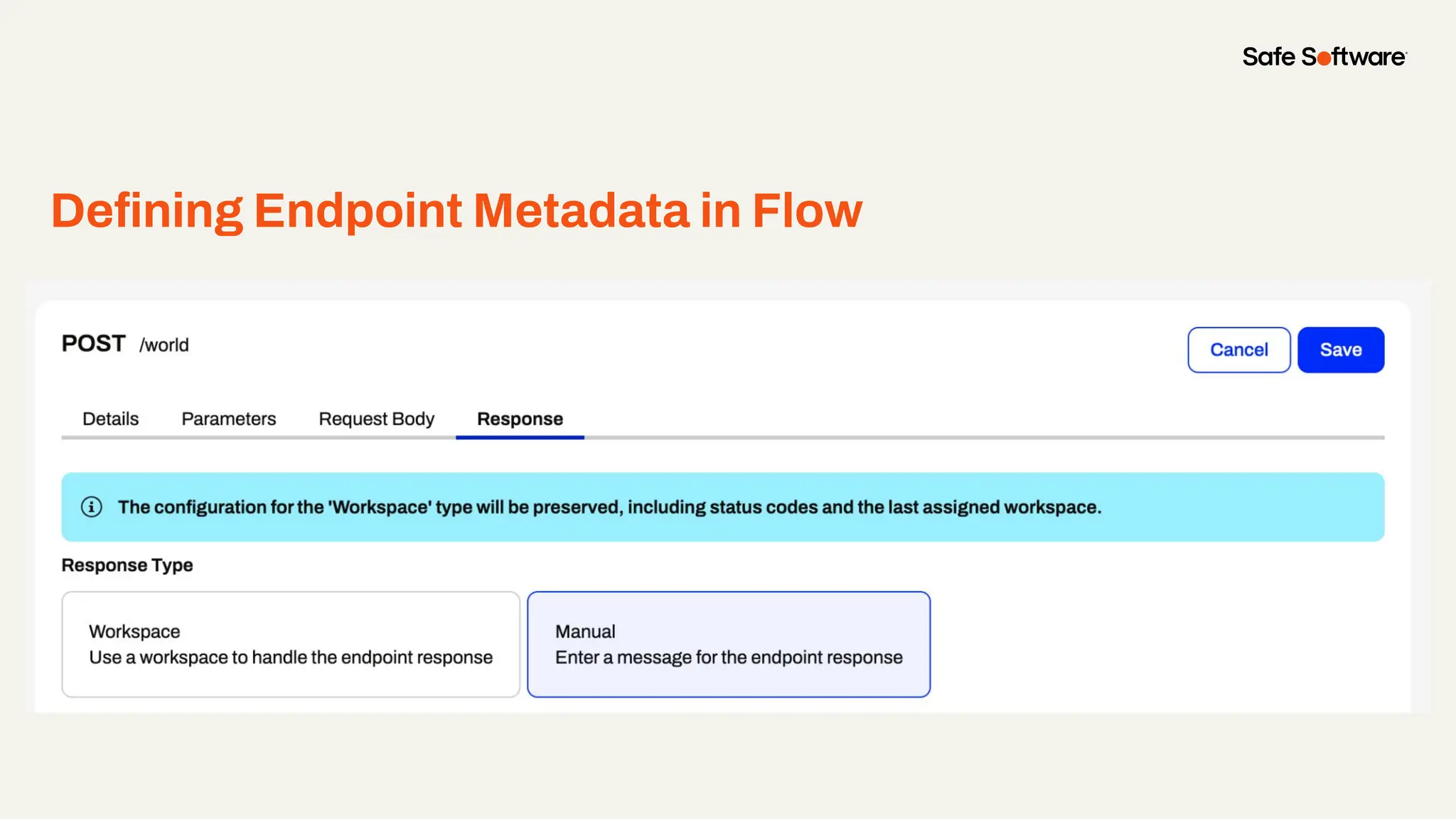
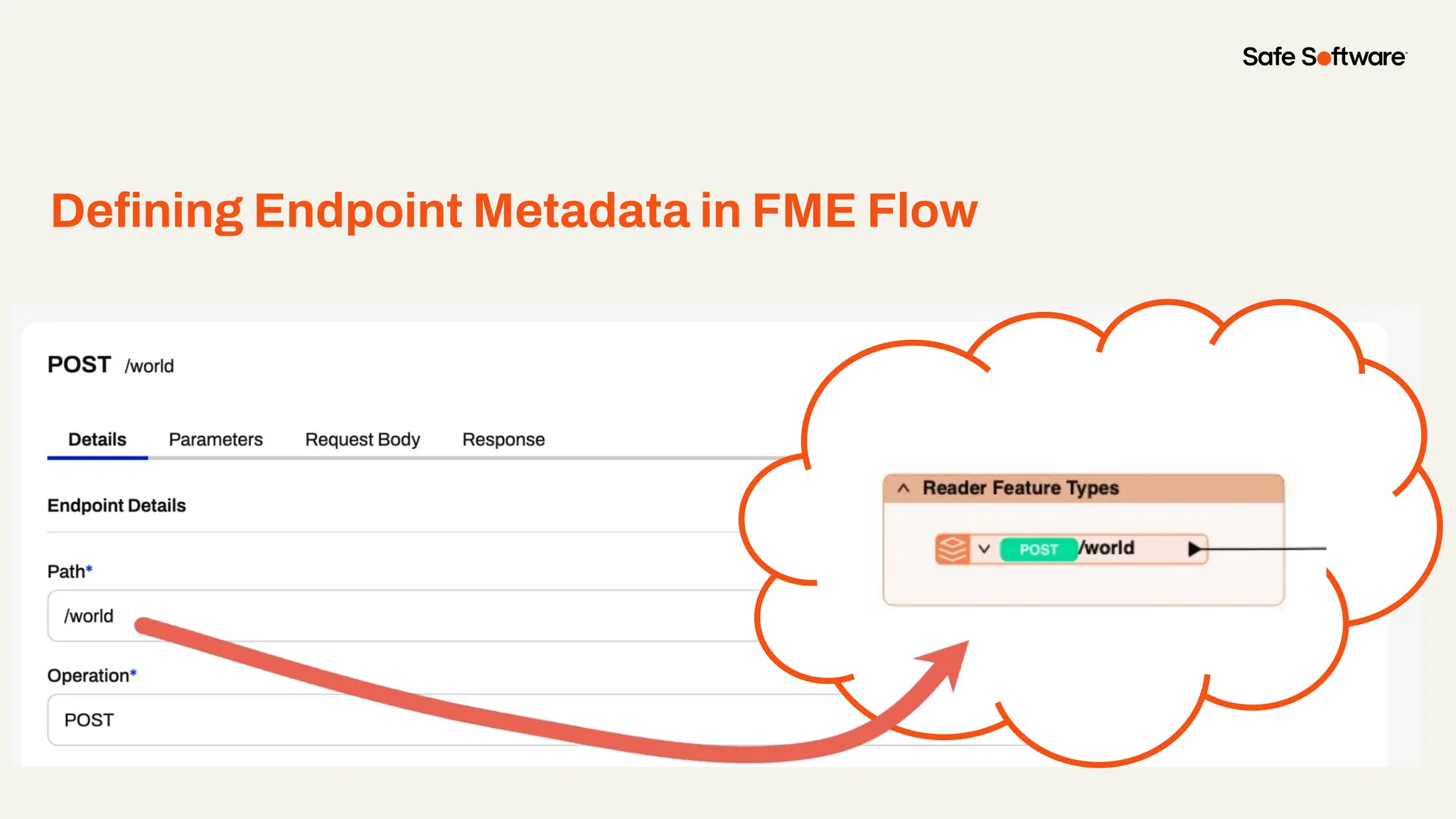
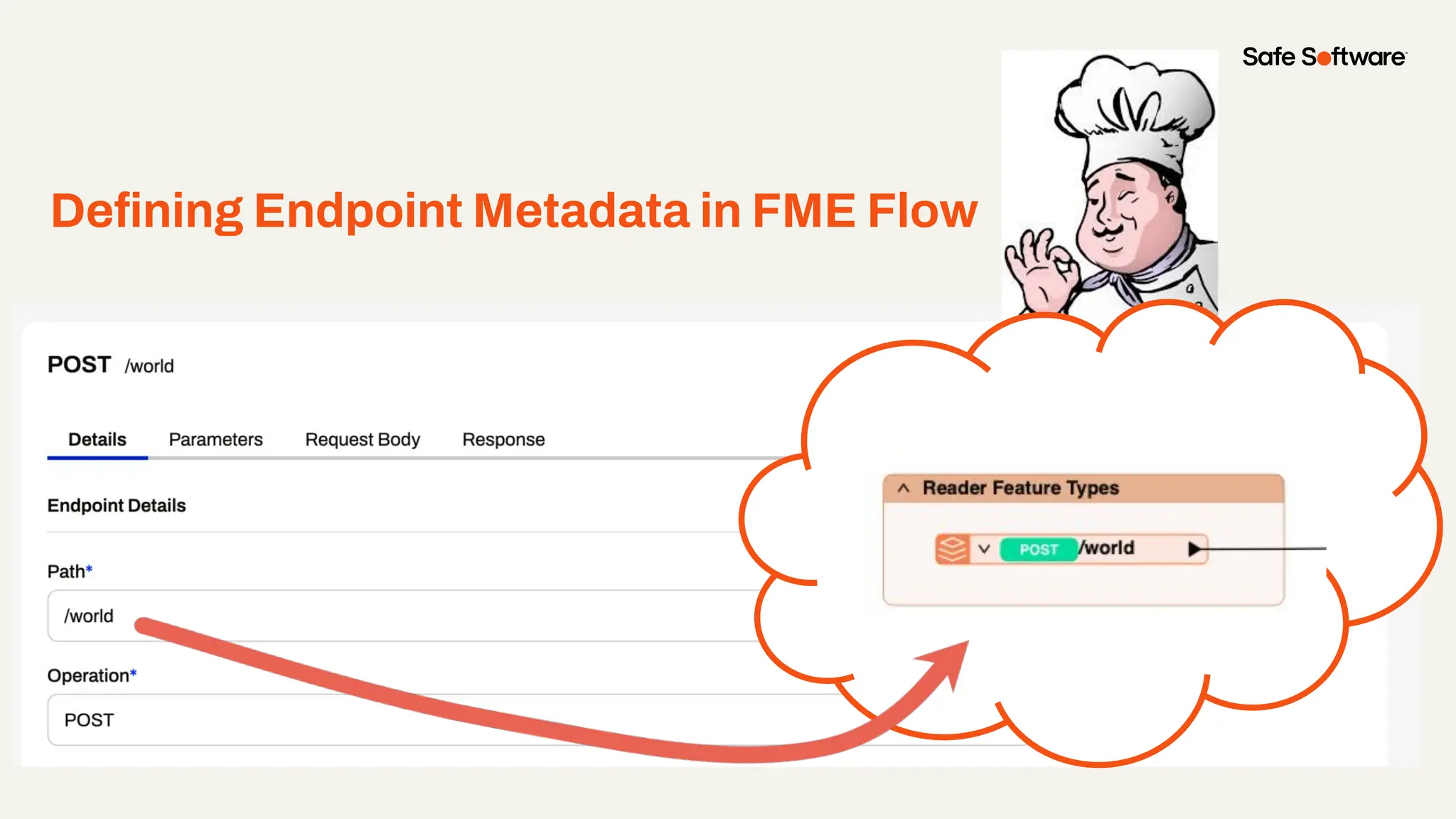
Defining Endpoint Metadata in Flow
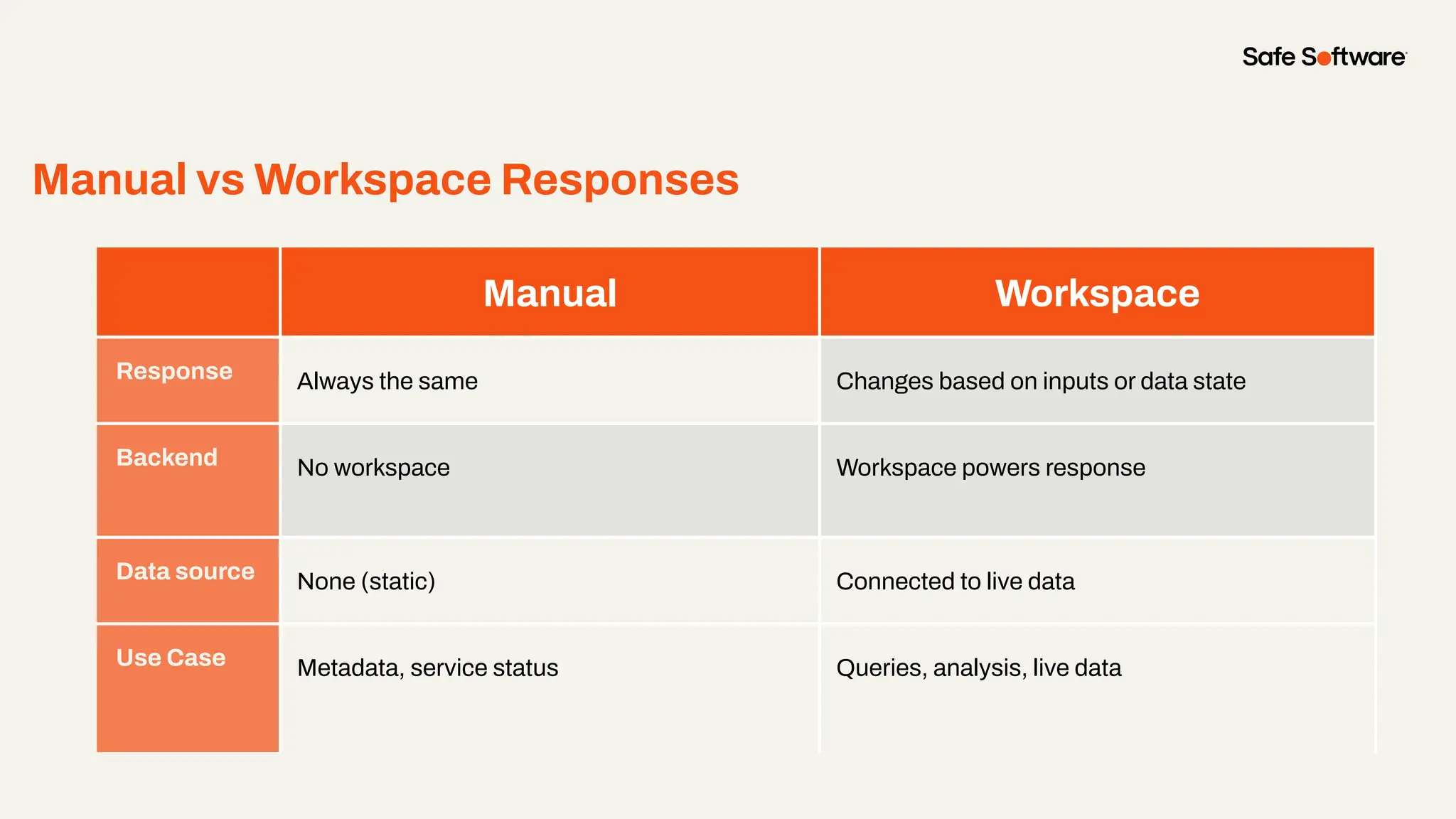
Manual vs Workspace Responses
Manual Workspace
Response Always the same Changes based on inputs or data state
Backend No workspace Workspace powers response
Data source None (static) Connected to live data
Use Case Metadata, service status Queries, analysis, live data
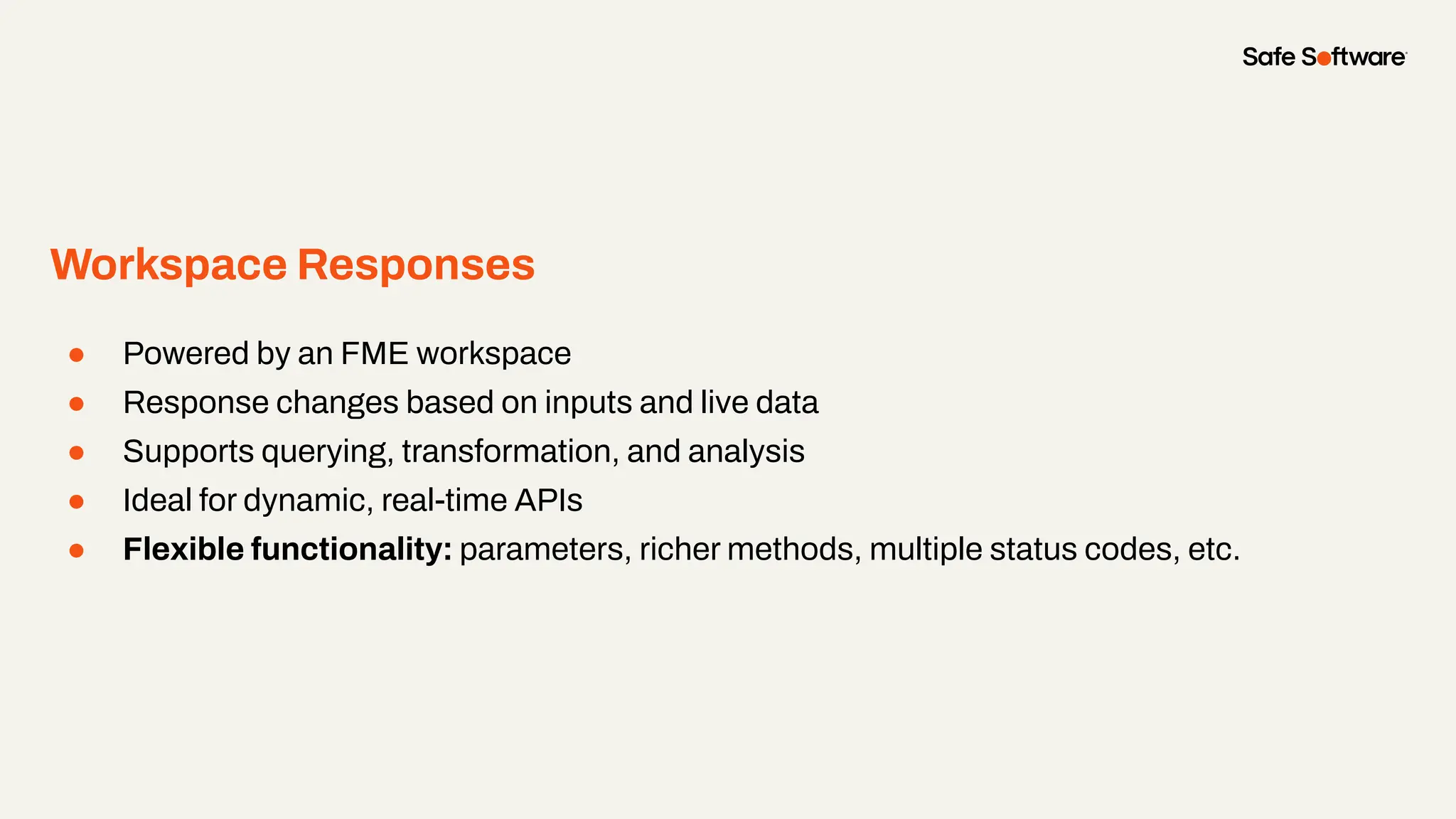
Workspace Responses
● Powered by an FME workspace
● Response changes based on inputs and live data
● Supports querying, transformation, and analysis
● Ideal for dynamic, real-time APIs
● Flexible functionality: parameters, richer methods, multiple status codes, etc.
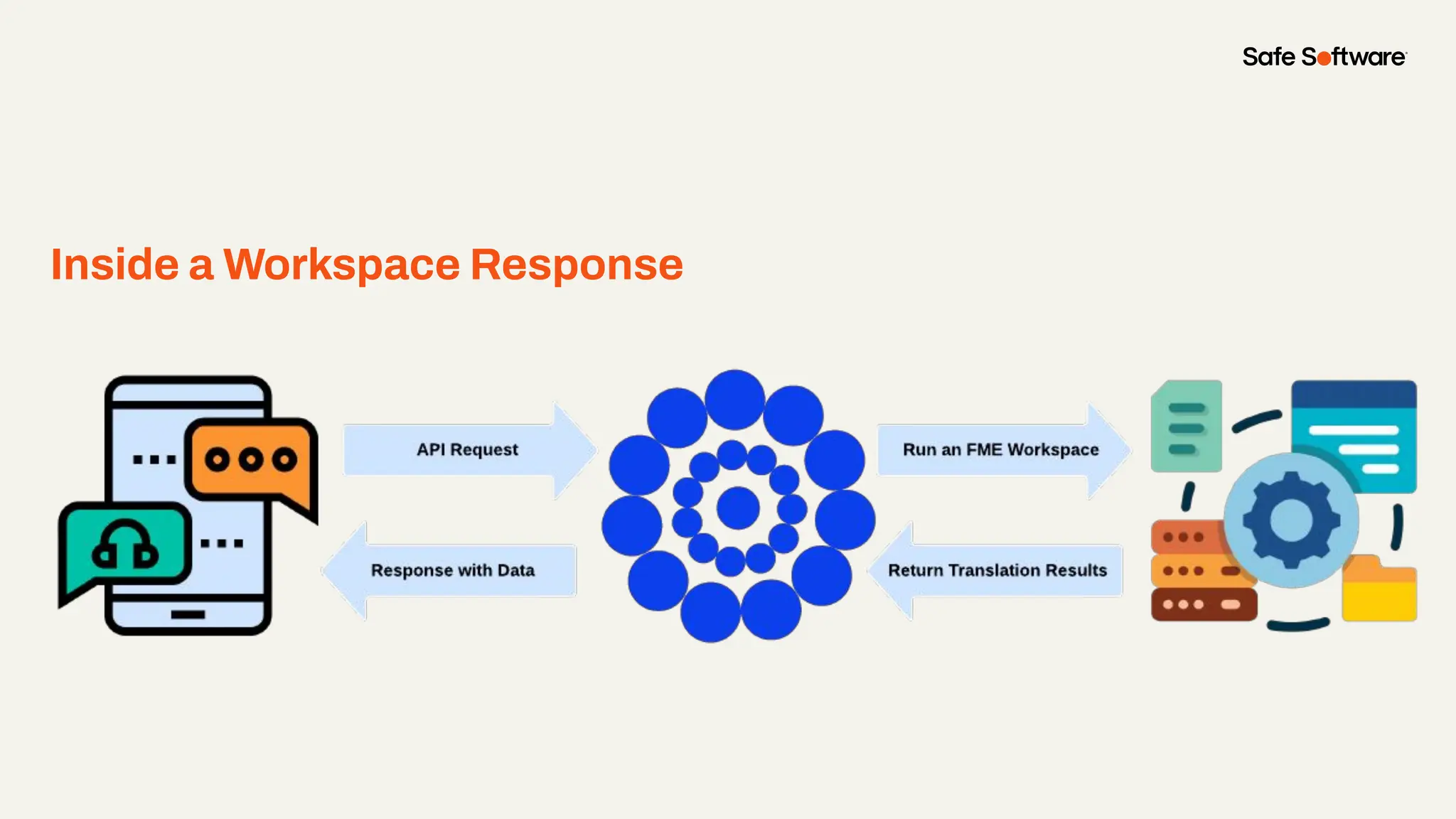
Inside a Workspace Response
5
Authoring an
Endpoint
Workflow
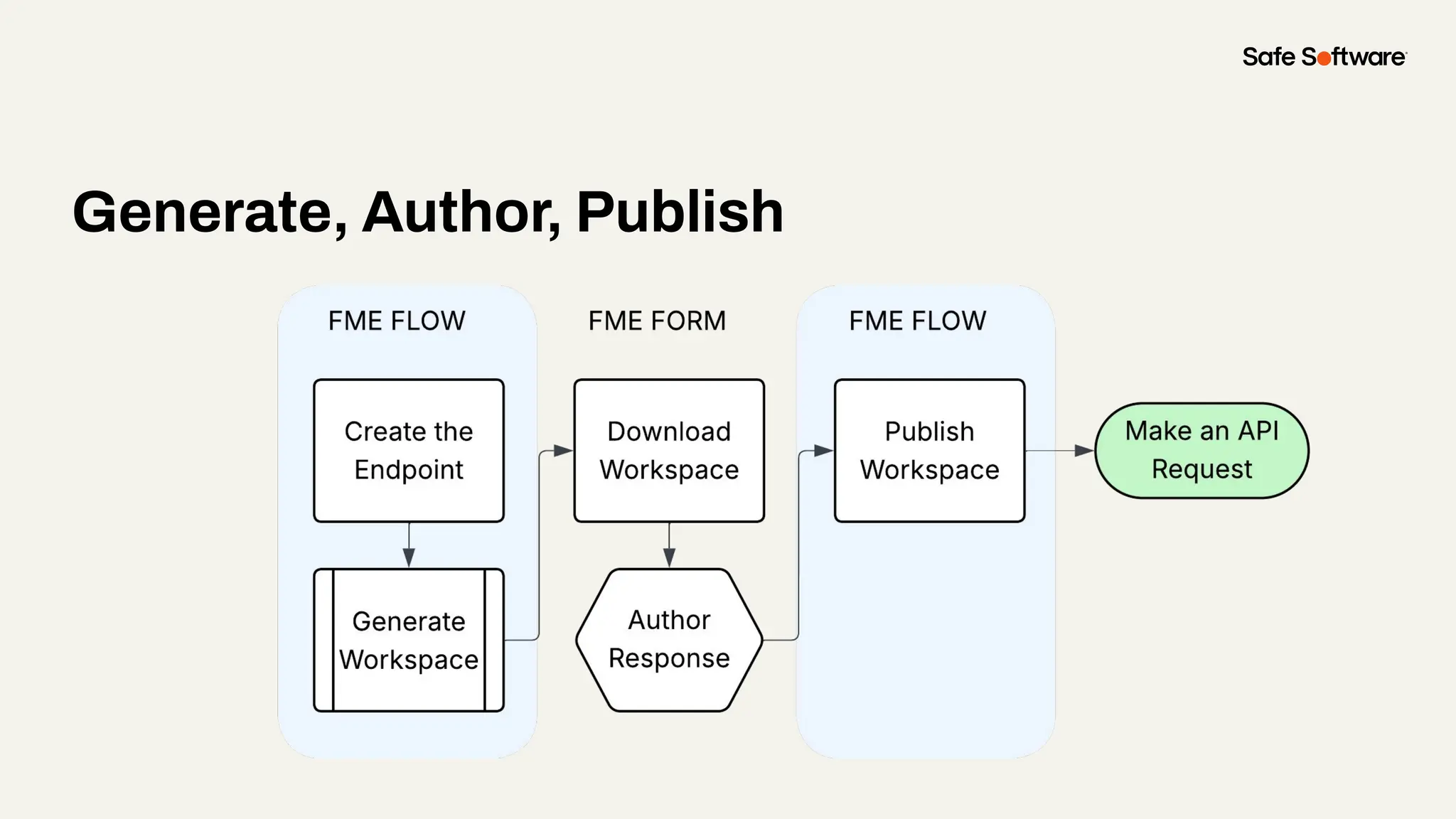
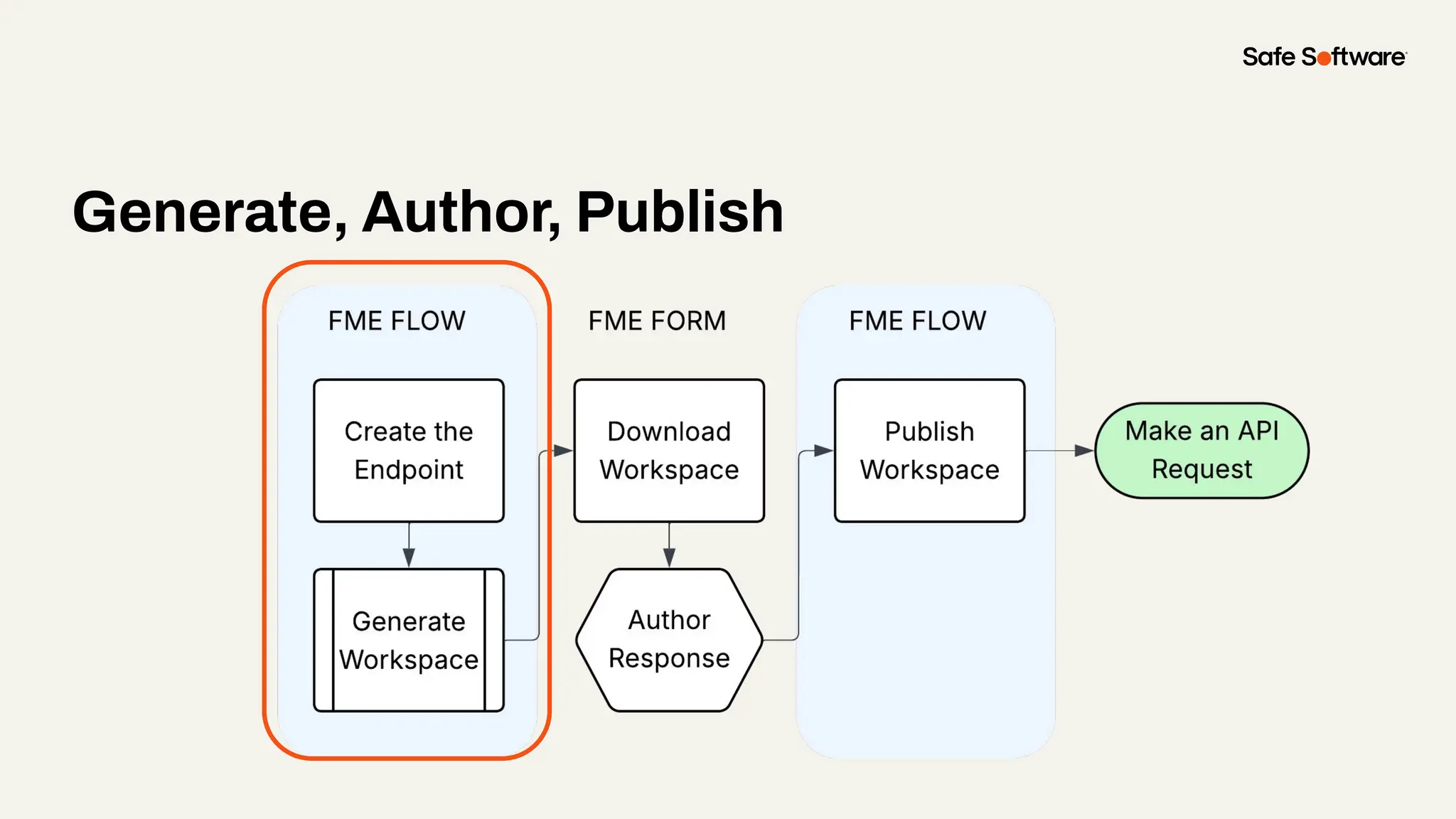
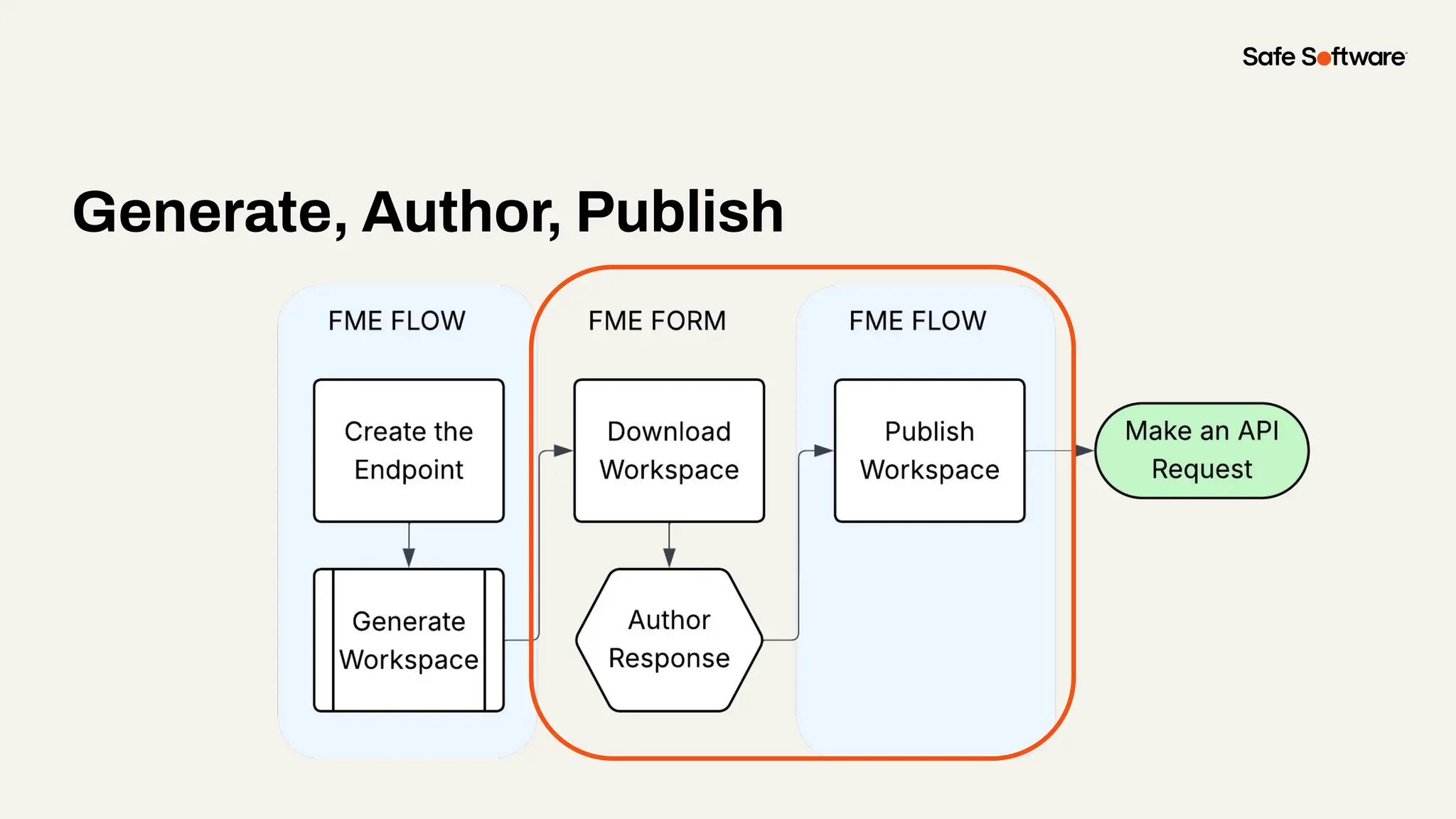
Generate, Author, Publish
Defining Endpoint Metadata in FME Flow
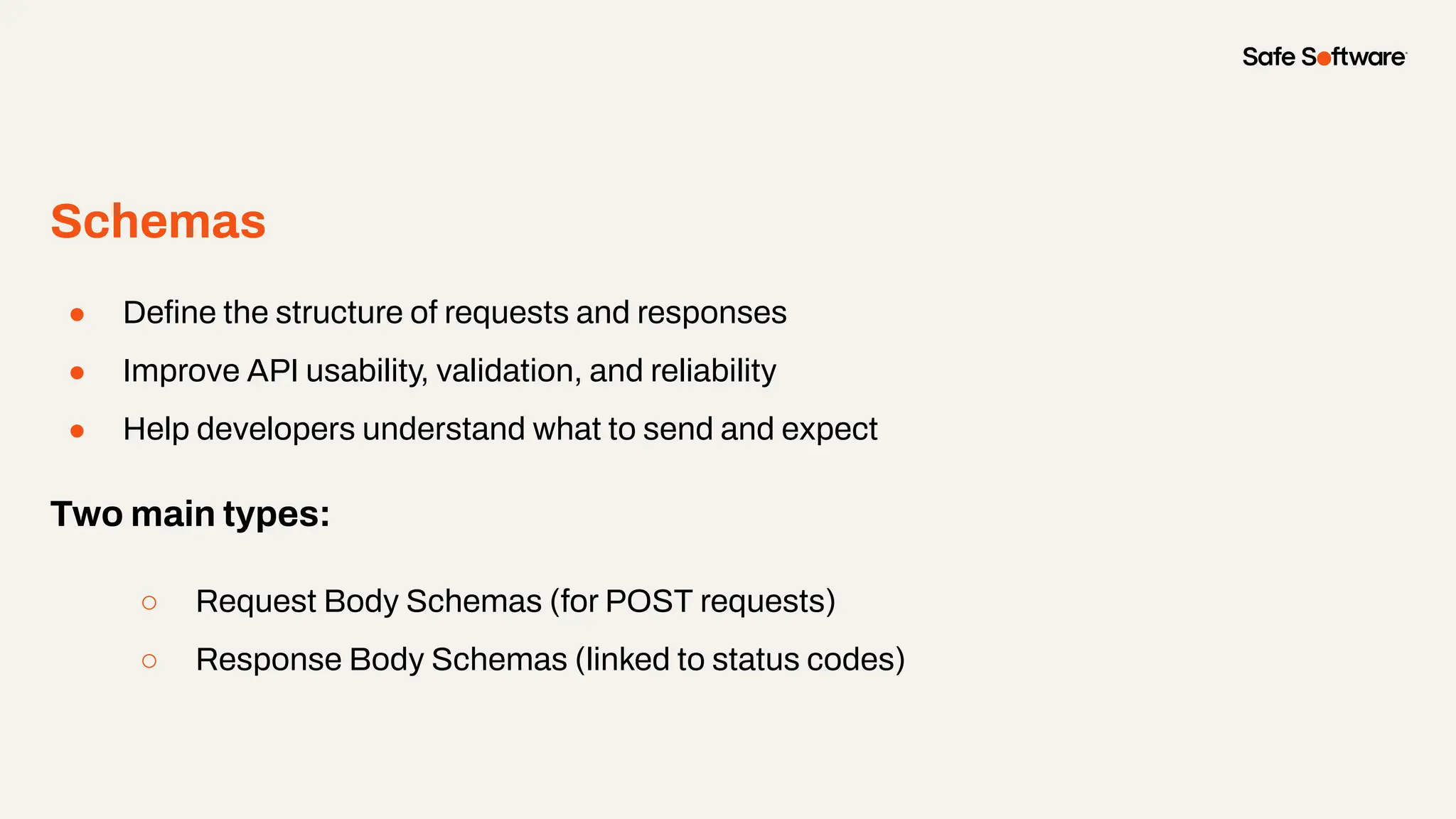
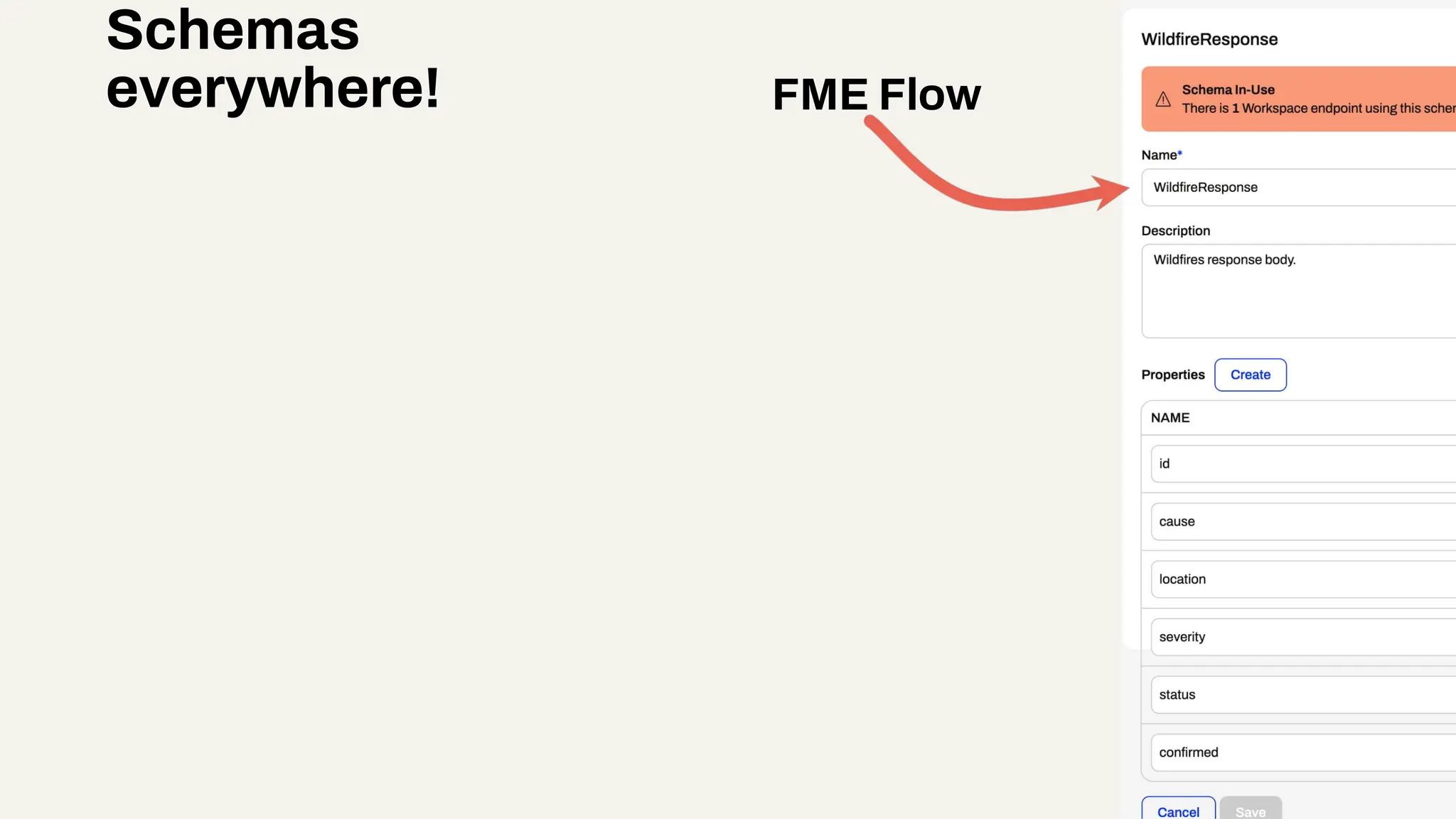
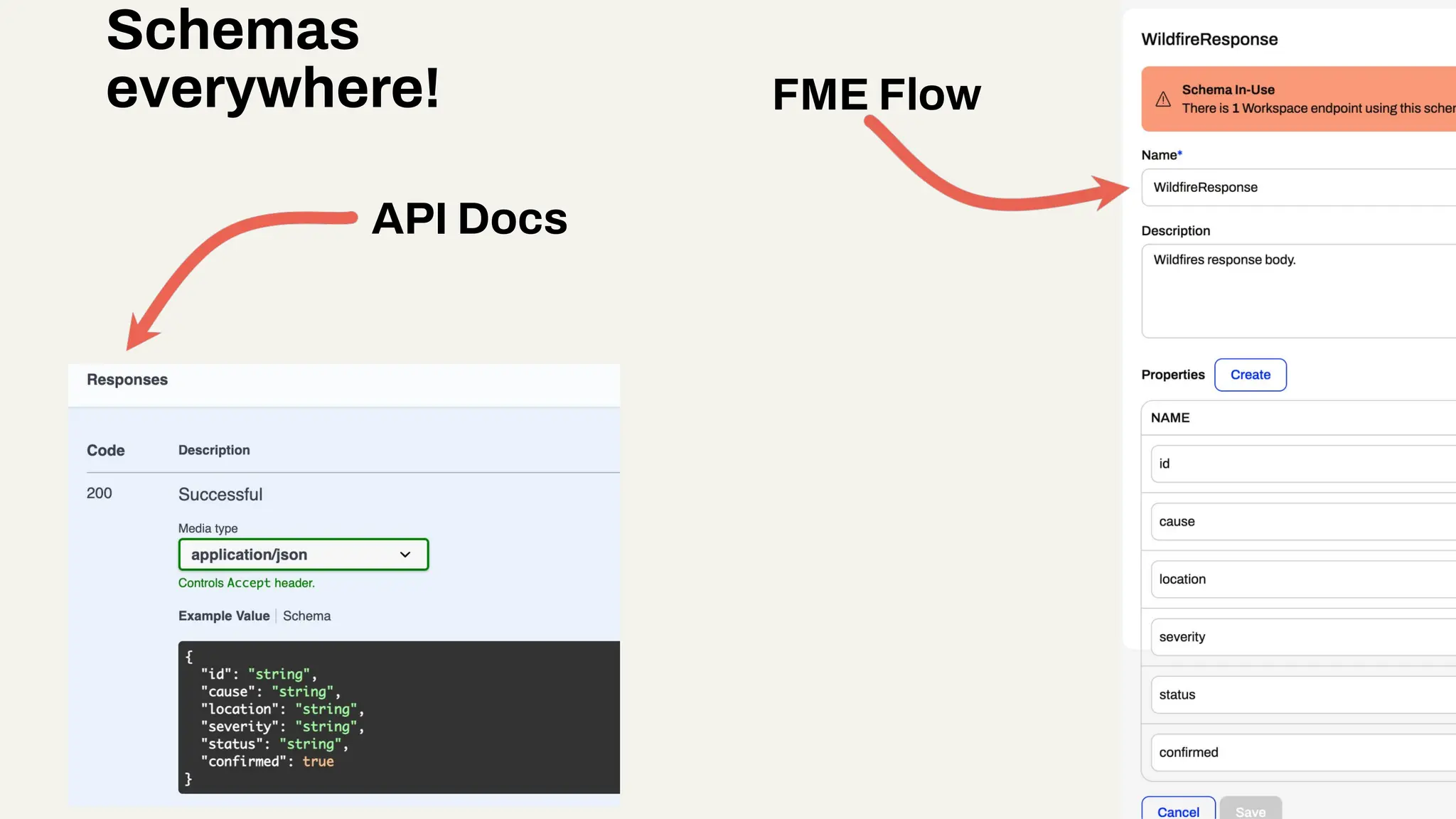
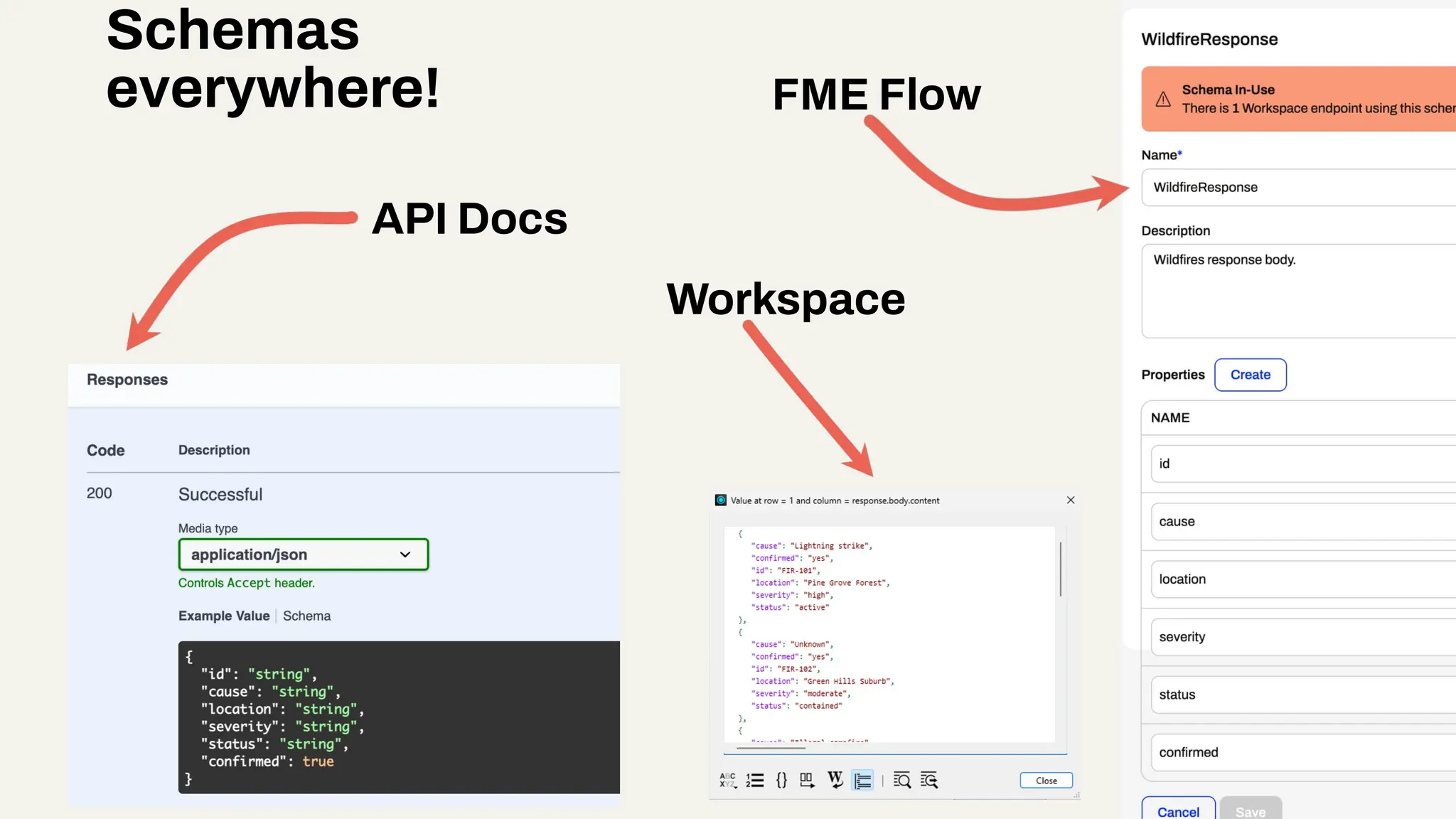
Schemas
● Define the structure of requests and responses
● Improve API usability, validation, and reliability
● Help developers understand what to send and expect
Two main types:
○ Request Body Schemas (for POST requests)
○ Response Body Schemas (linked to status codes)
FME Flow
Schemas
everywhere!
API Docs
FME Flow
Schemas
everywhere!
API Docs
Workspace
FME Flow
Schemas
everywhere!
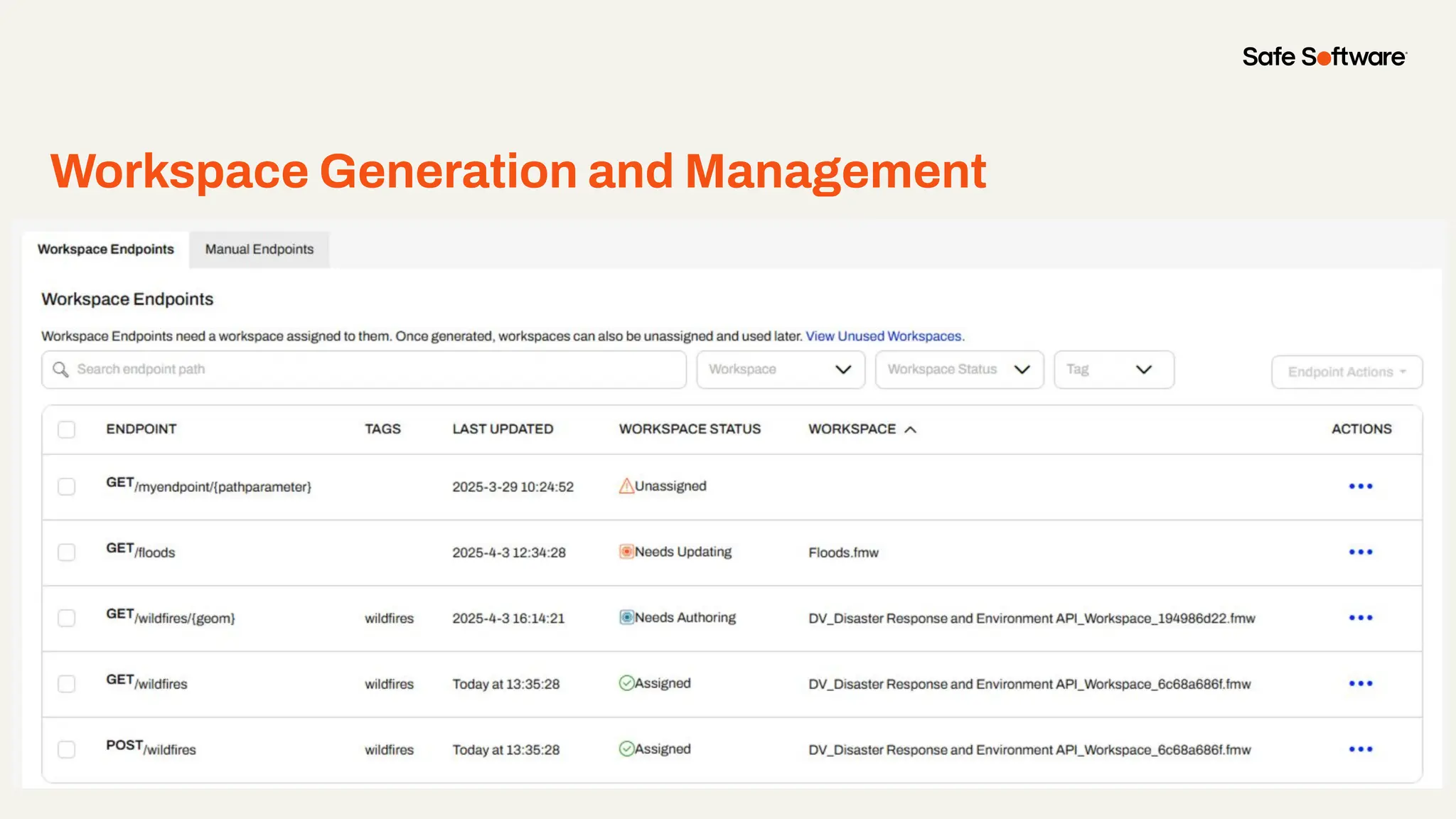
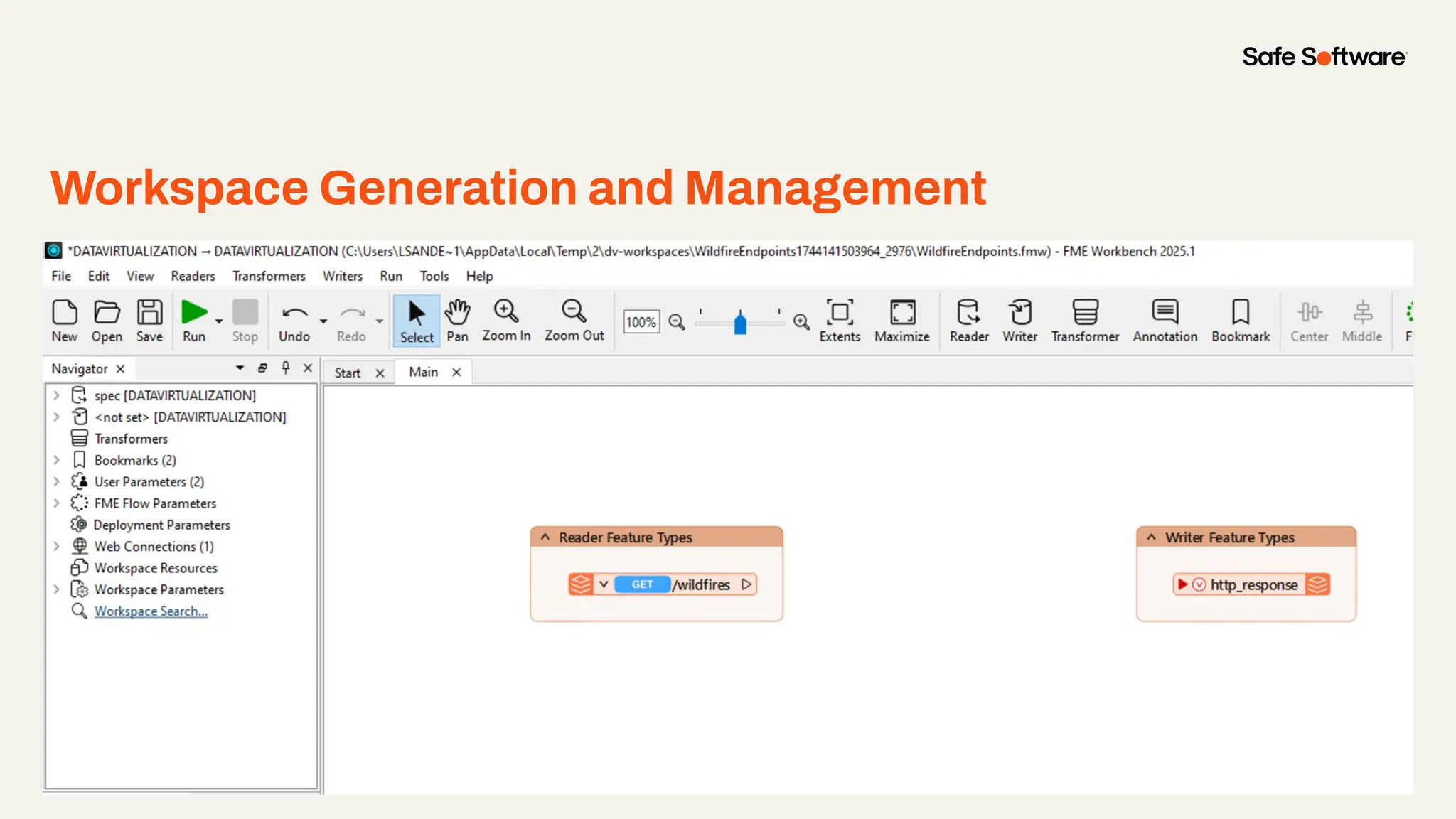
Workspace Generation and Management
Right click and select ‘replace image’ to add an example image from your project.
Generate, Author, Publish
Workspace Generation and Management
Right click and select ‘replace image’ to add an example image from your project.
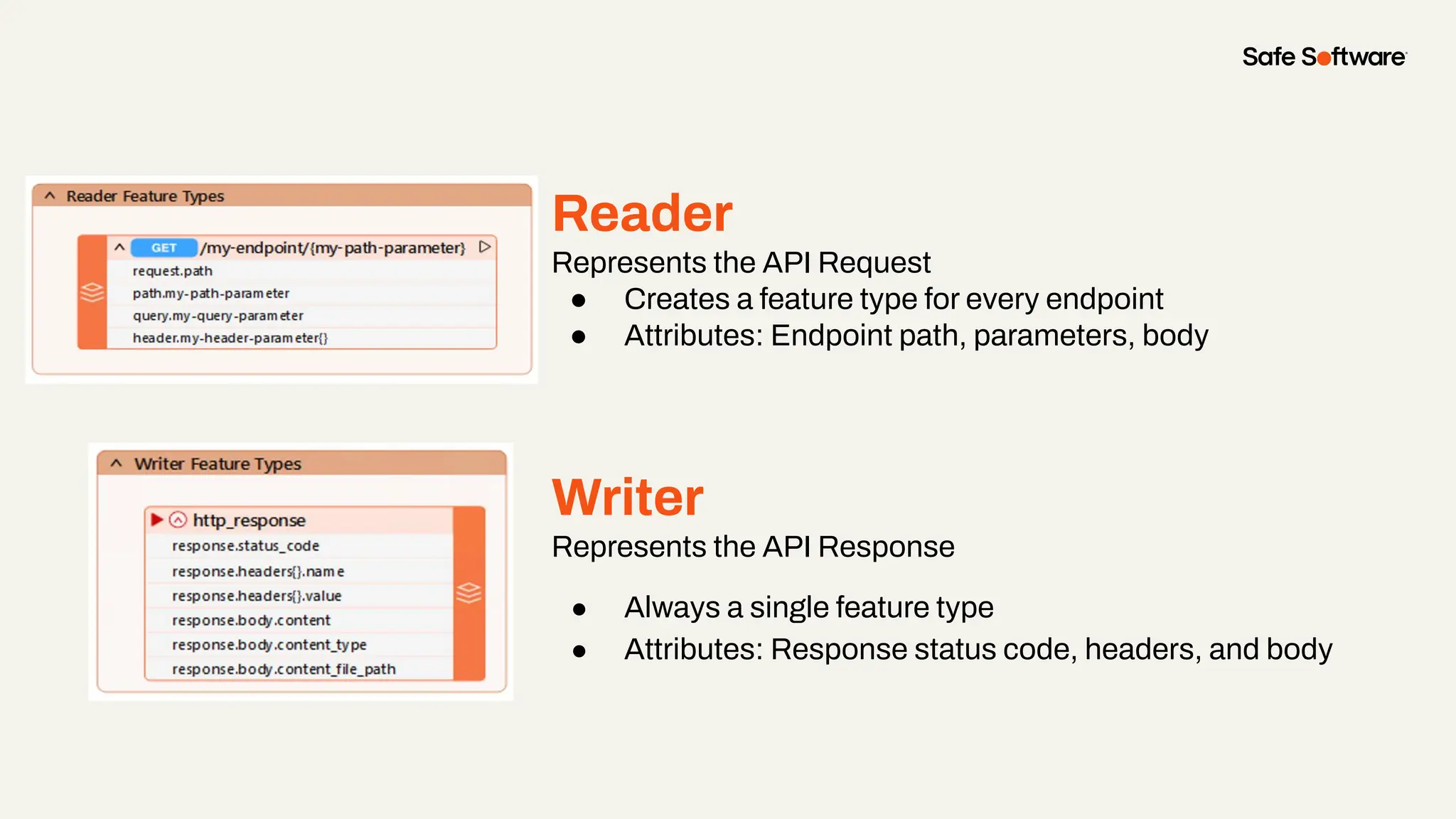
Reader
Represents the API Request
● Creates a feature type for every endpoint
● Attributes: Endpoint path, parameters, body
Writer
Represents the API Response
● Always a single feature type
● Attributes: Response status code, headers, and body
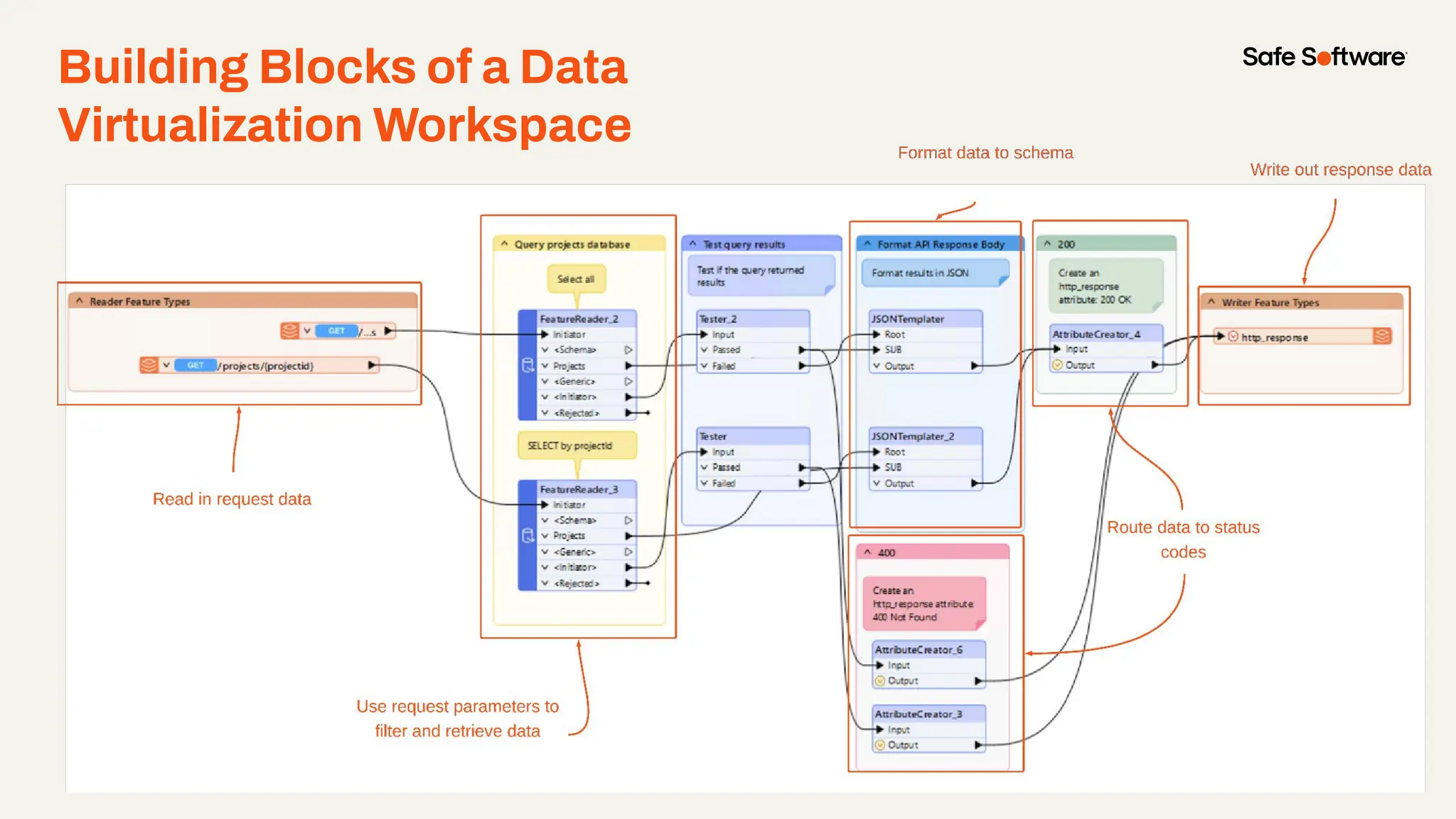
Building Blocks of a Data
Virtualization Workspace
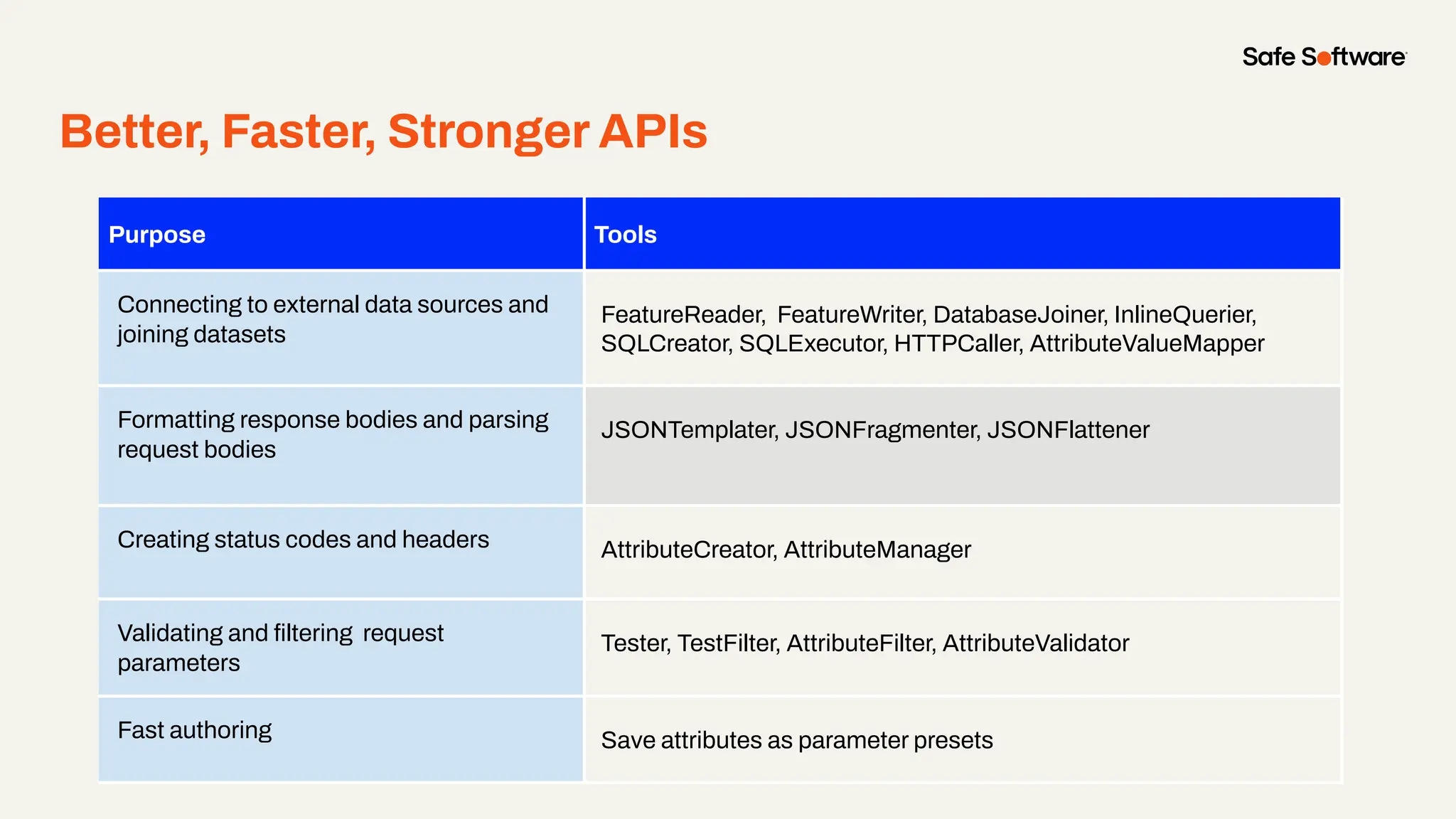
Better, Faster, Stronger APIs
Purpose Tools
Connecting to external data sources and
joining datasets
FeatureReader, FeatureWriter, DatabaseJoiner, InlineQuerier,
SQLCreator, SQLExecutor, HTTPCaller, AttributeValueMapper
Formatting response bodies and parsing
request bodies
JSONTemplater, JSONFragmenter, JSONFlattener
Creating status codes and headers AttributeCreator, AttributeManager
Validating and filtering request
parameters
Tester, TestFilter, AttributeFilter, AttributeValidator
Fast authoring Save attributes as parameter presets
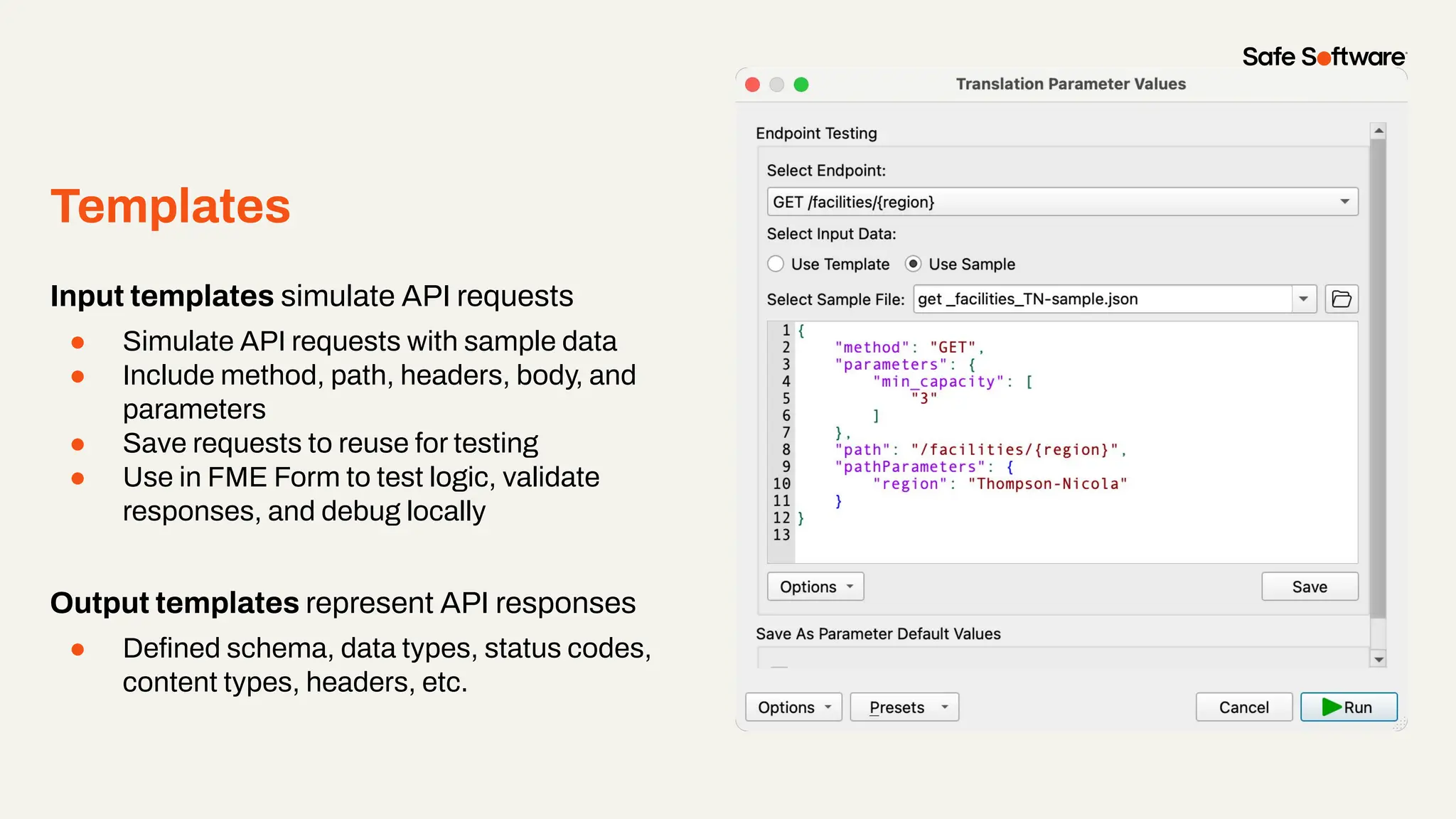
Templates
Input templates simulate API requests
● Simulate API requests with sample data
● Include method, path, headers, body, and
parameters
● Save requests to reuse for testing
● Use in FME Form to test logic, validate
responses, and debug locally
Output templates represent API responses
● Defined schema, data types, status codes,
content types, headers, etc.
Demo
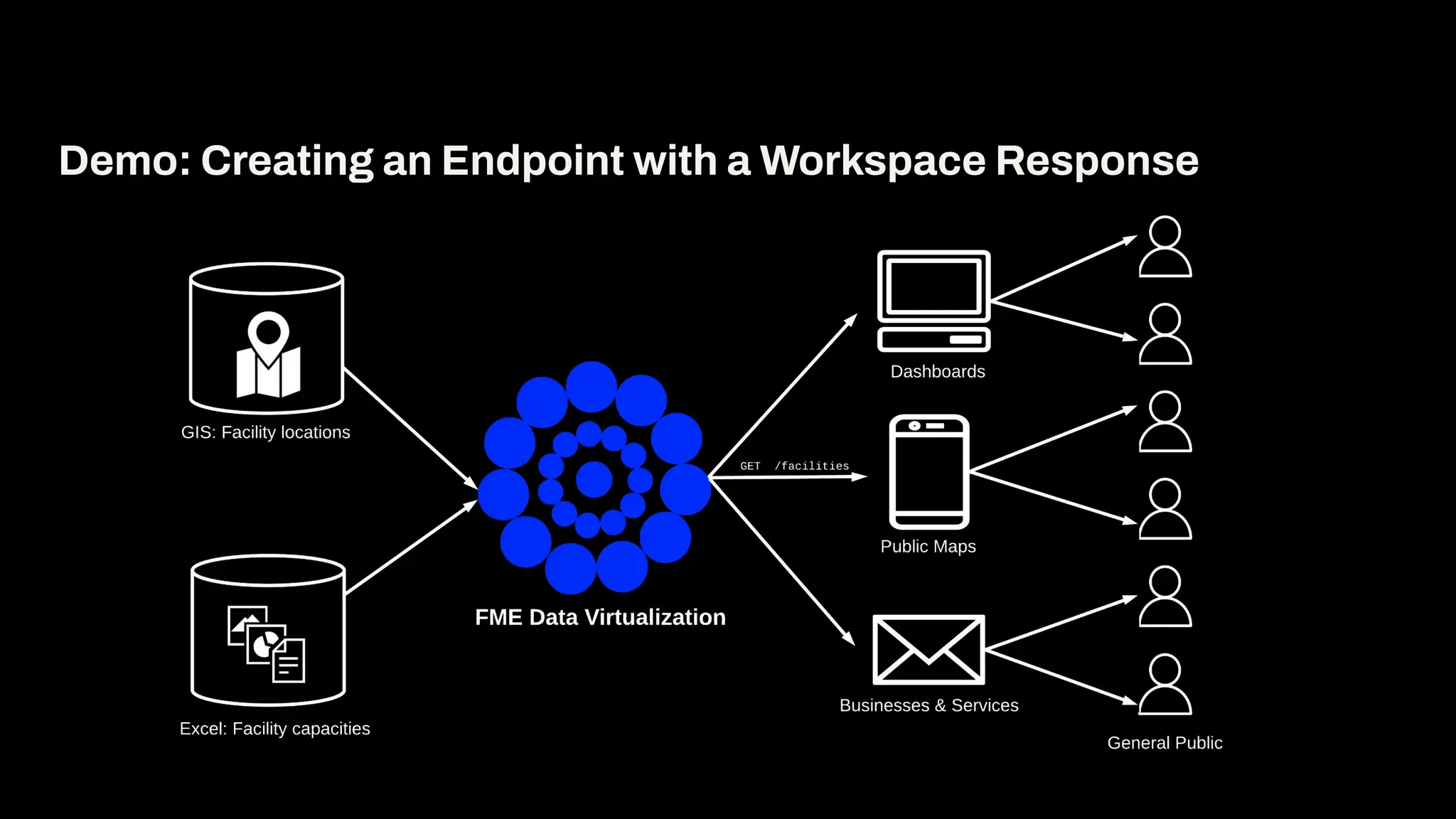
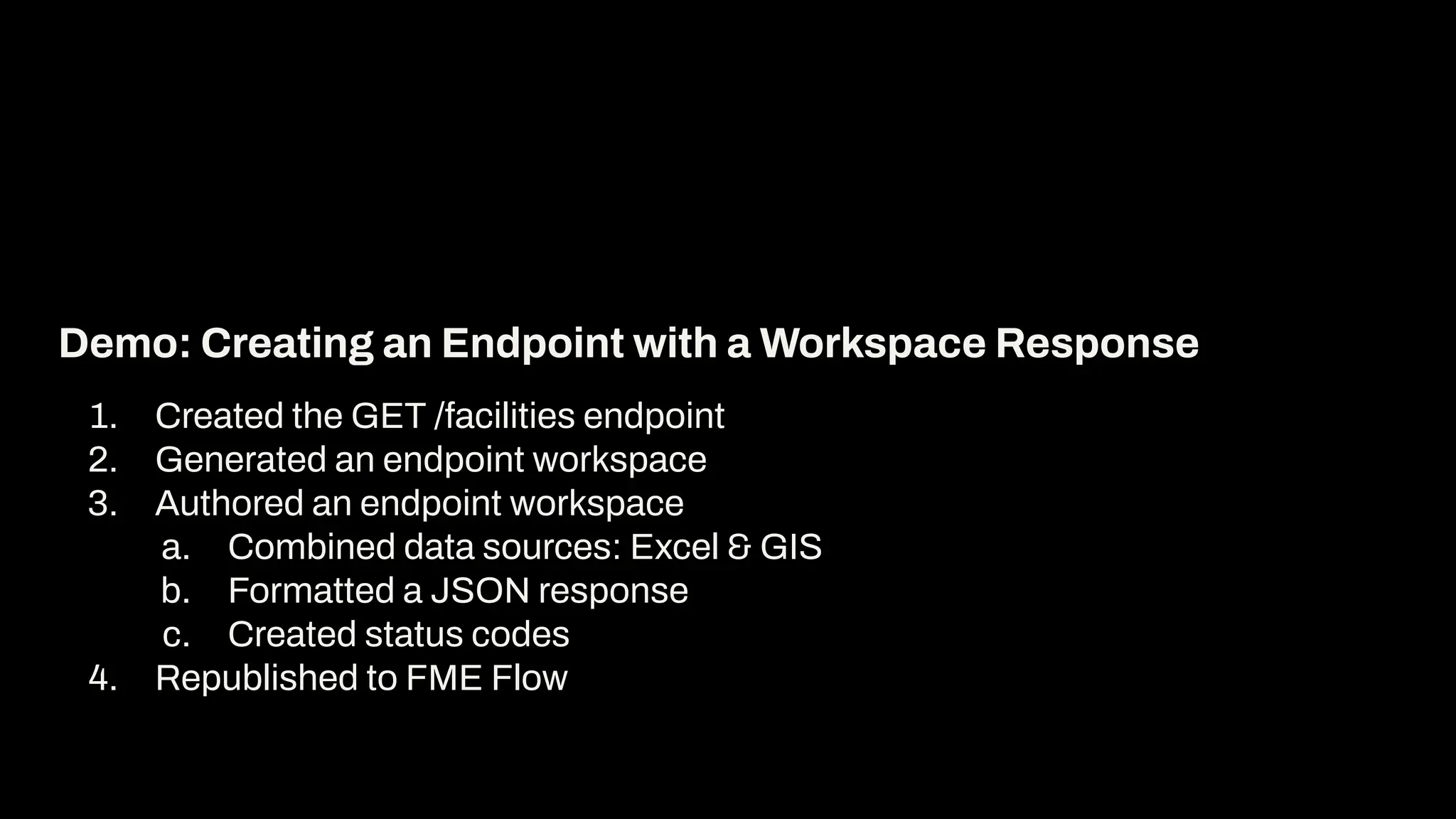
Demo: Creating an Endpoint with a Workspace Response
1. Created the GET /facilities endpoint
2. Generated an endpoint workspace
3. Authored an endpoint workspace
a. Combined data sources: Excel & GIS
b. Formatted a JSON response
c. Created status codes
4. Republished to FME Flow
Demo: Creating an Endpoint with a Workspace Response
6
Building
Better
Endpoints
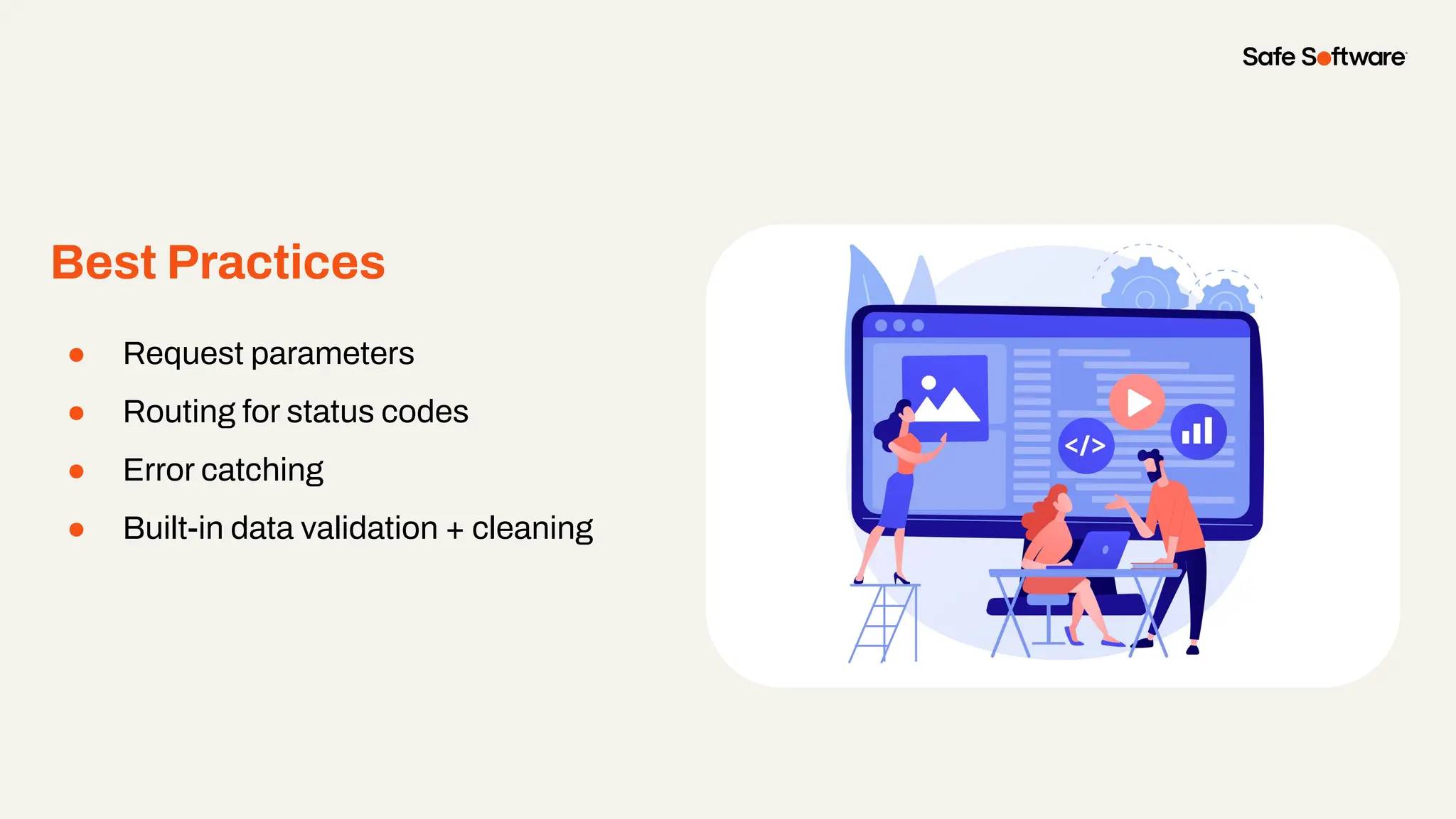
Best Practices
● Request parameters
● Routing for status codes
● Error catching
● Built-in data validation + cleaning
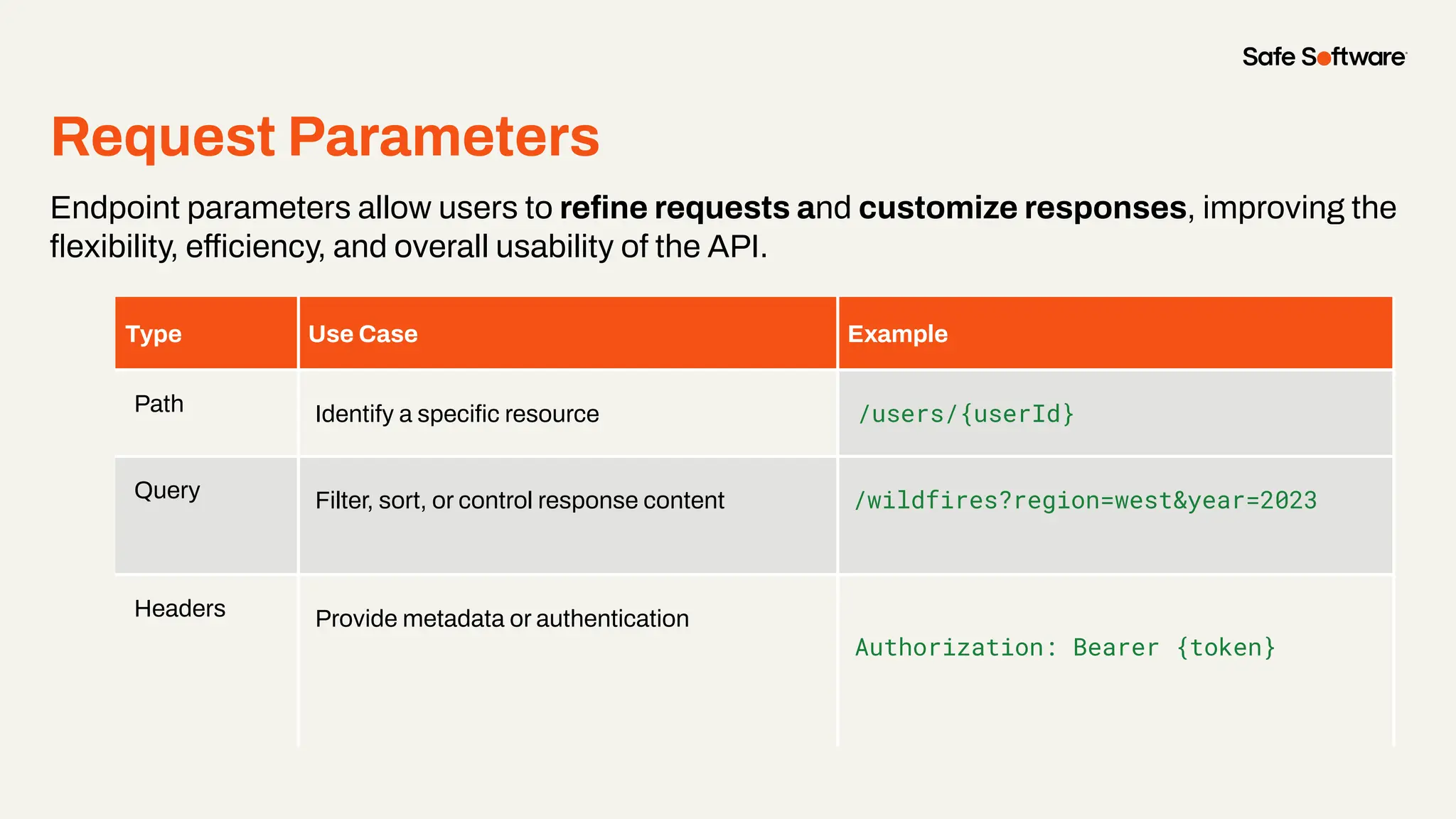
Request Parameters
Endpoint parameters allow users to refine requests and customize responses, improving the
flexibility, efficiency, and overall usability of the API.
Type Use Case Example
Path Identify a specific resource /users/{userId}
Query Filter, sort, or control response content /wildfires?region=west&year=2023
Headers Provide metadata or authentication
Authorization: Bearer {token}
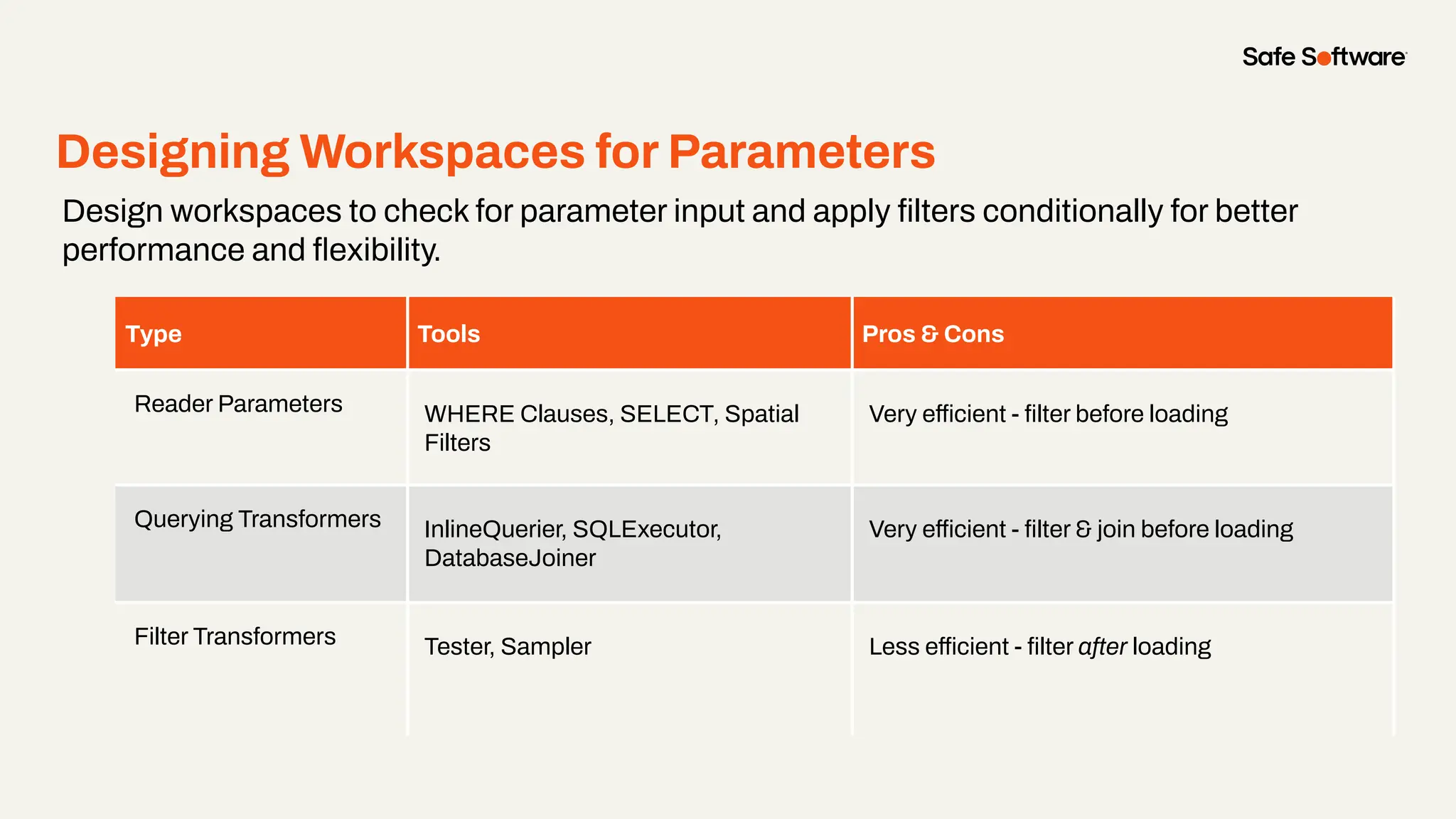
Designing Workspaces for Parameters
Design workspaces to check for parameter input and apply filters conditionally for better
performance and flexibility.
Type Tools Pros & Cons
Reader Parameters WHERE Clauses, SELECT, Spatial
Filters
Very efficient - filter before loading
Querying Transformers InlineQuerier, SQLExecutor,
DatabaseJoiner
Very efficient - filter & join before loading
Filter Transformers Tester, Sampler Less efficient - filter after loading
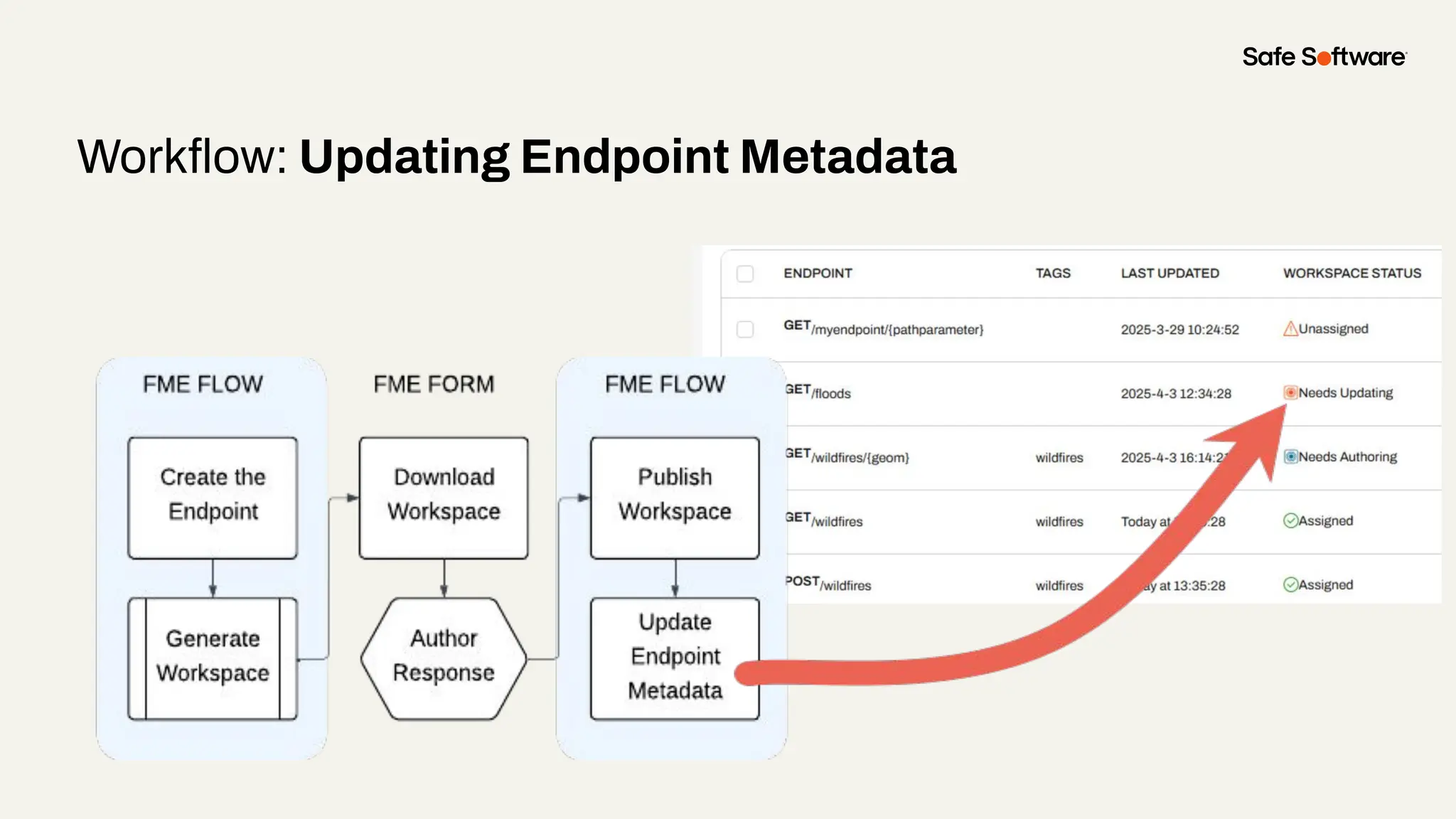
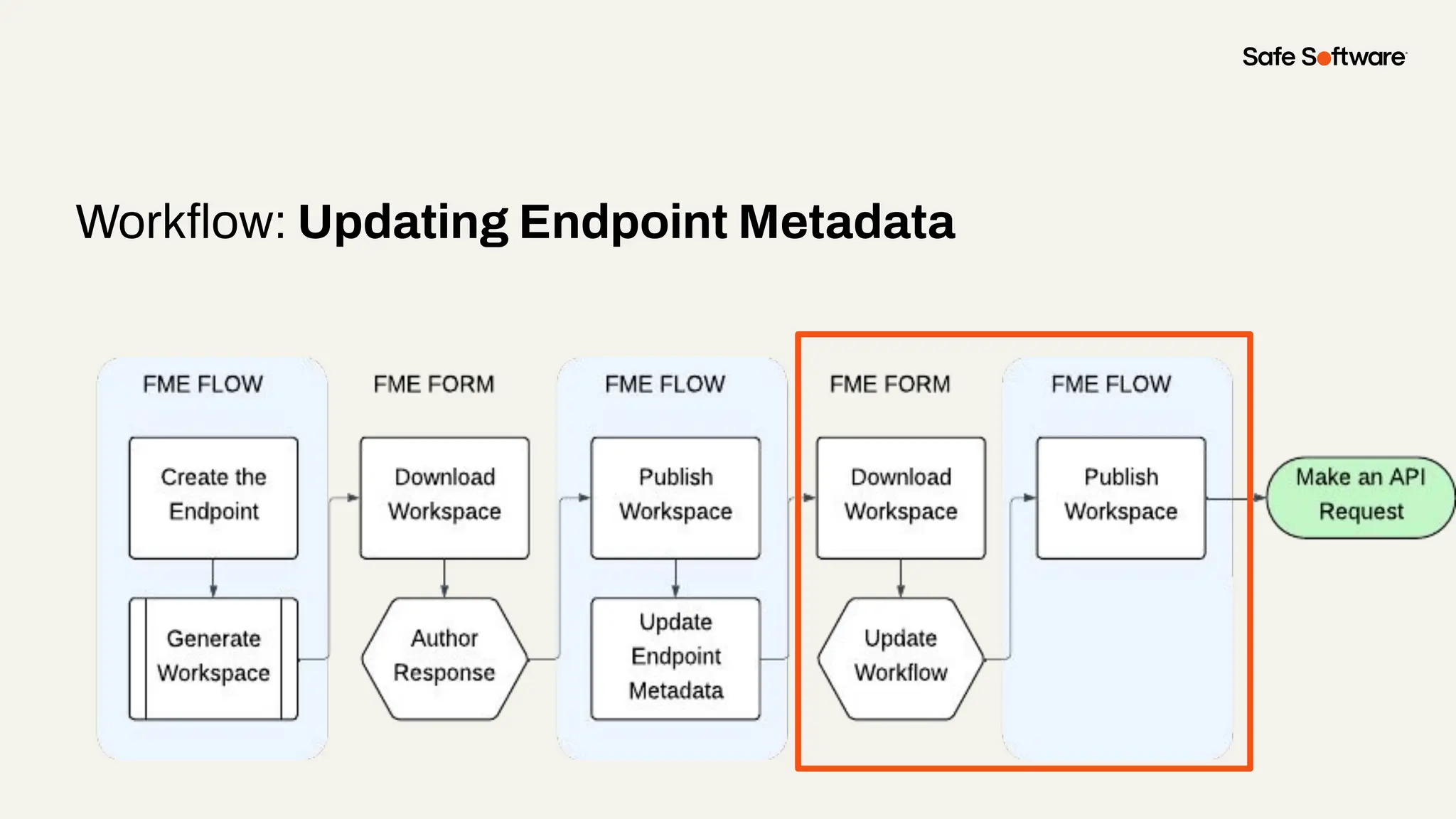
Workflow: Updating Endpoint Metadata
Demo
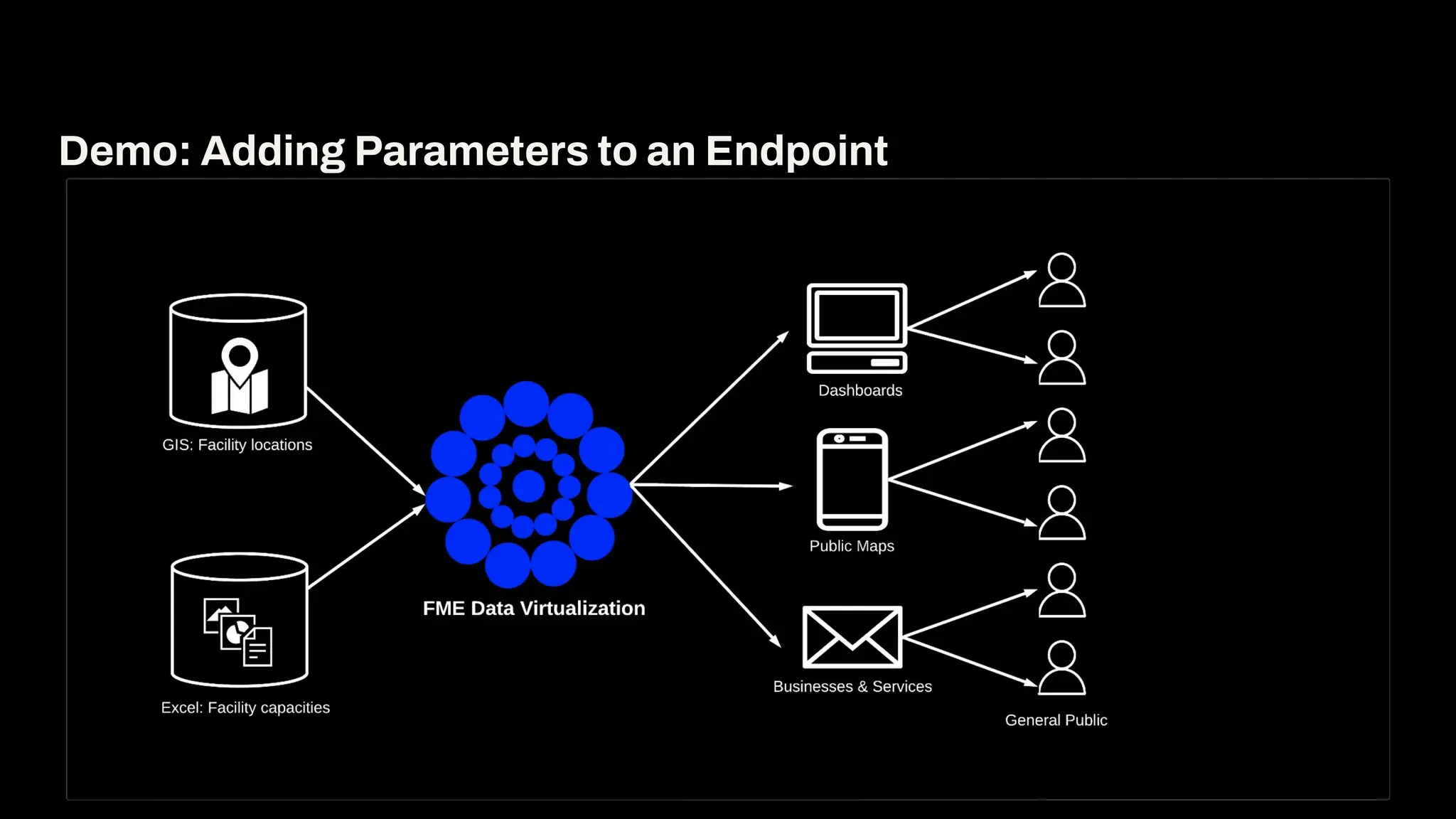
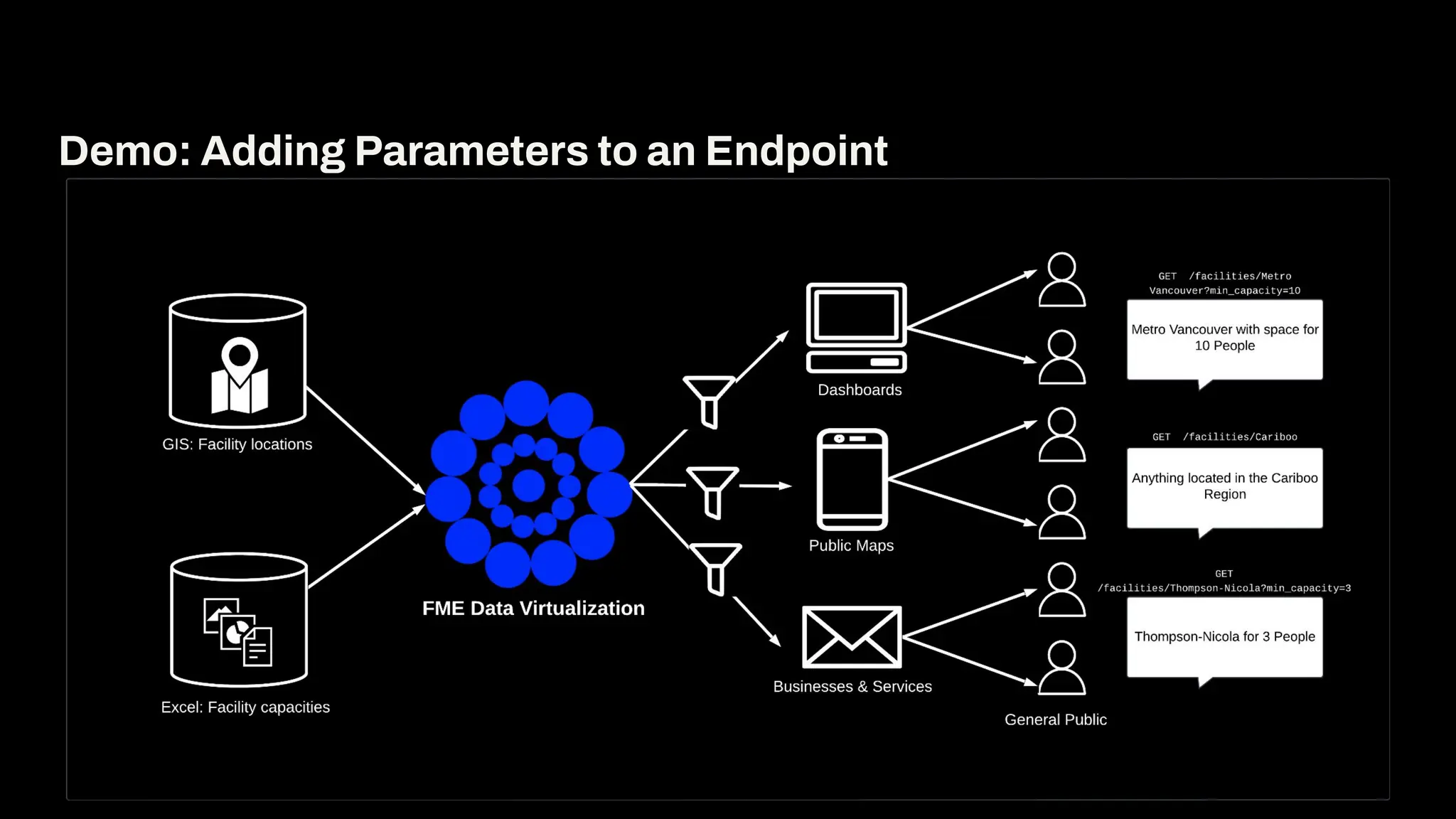
Demo: Adding Parameters to an Endpoint
Demo
1. In FME Flow, updated GET /facilities endpoint to have path and query
parameters (path.region, query.min_capacity)
2. In FME Form, updated the facilities.fmw workflow to filter the Excel and
Geopackage data.
3. Republished to FME Flow
Demo: Adding Parameters to an Endpoint
7
Enriching
Endpoints
Files and Resources
● Accept file uploads (images,
documents, datasets)
● Use multipart/form-data in
requests
● Return files like PDFs, reports, or
shapefiles
● Set content type and filename with
response headers
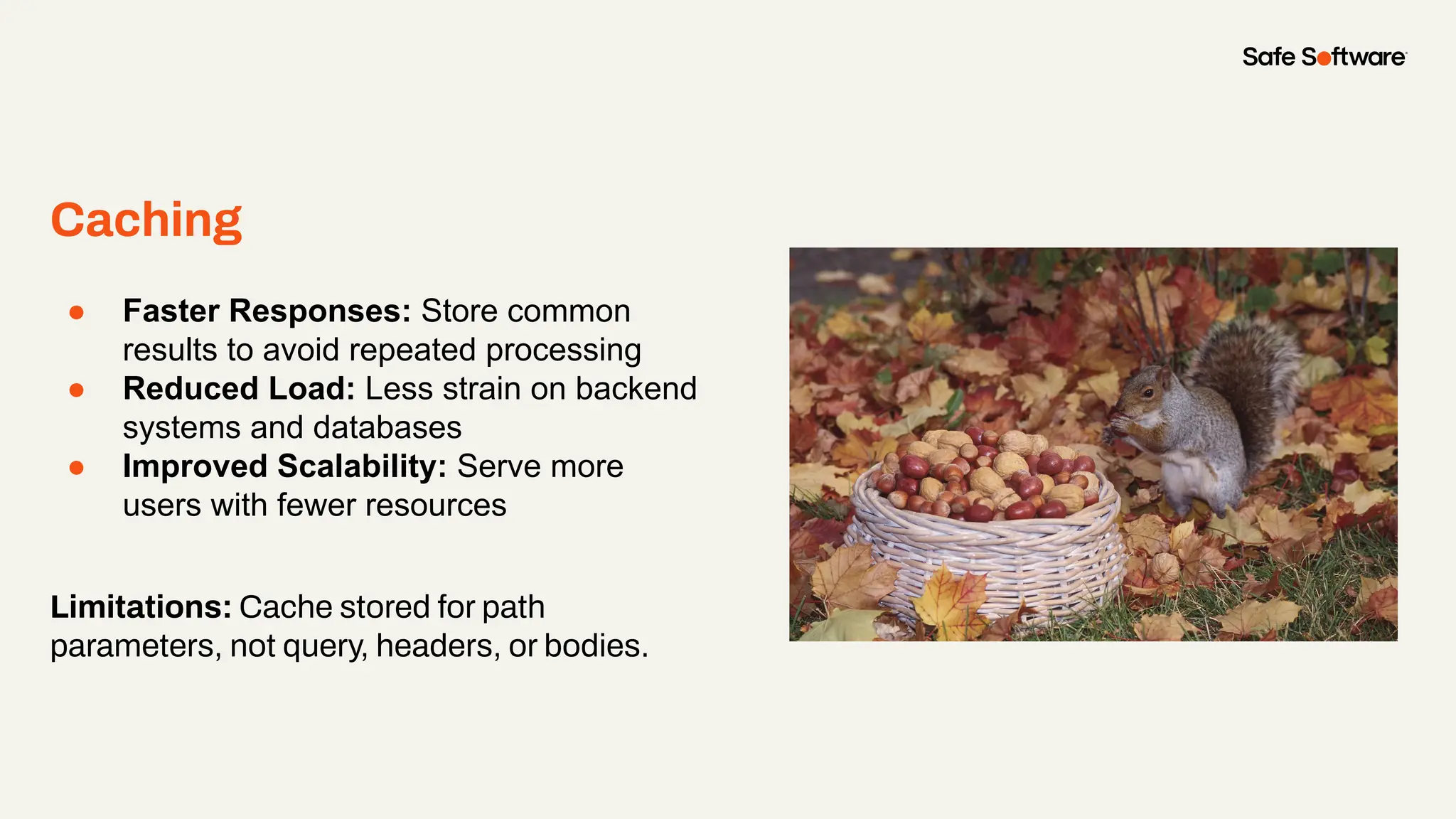
Caching
● Faster Responses: Store common
results to avoid repeated processing
● Reduced Load: Less strain on backend
systems and databases
● Improved Scalability: Serve more
users with fewer resources
Limitations: Cache stored for path
parameters, not query, headers, or bodies.
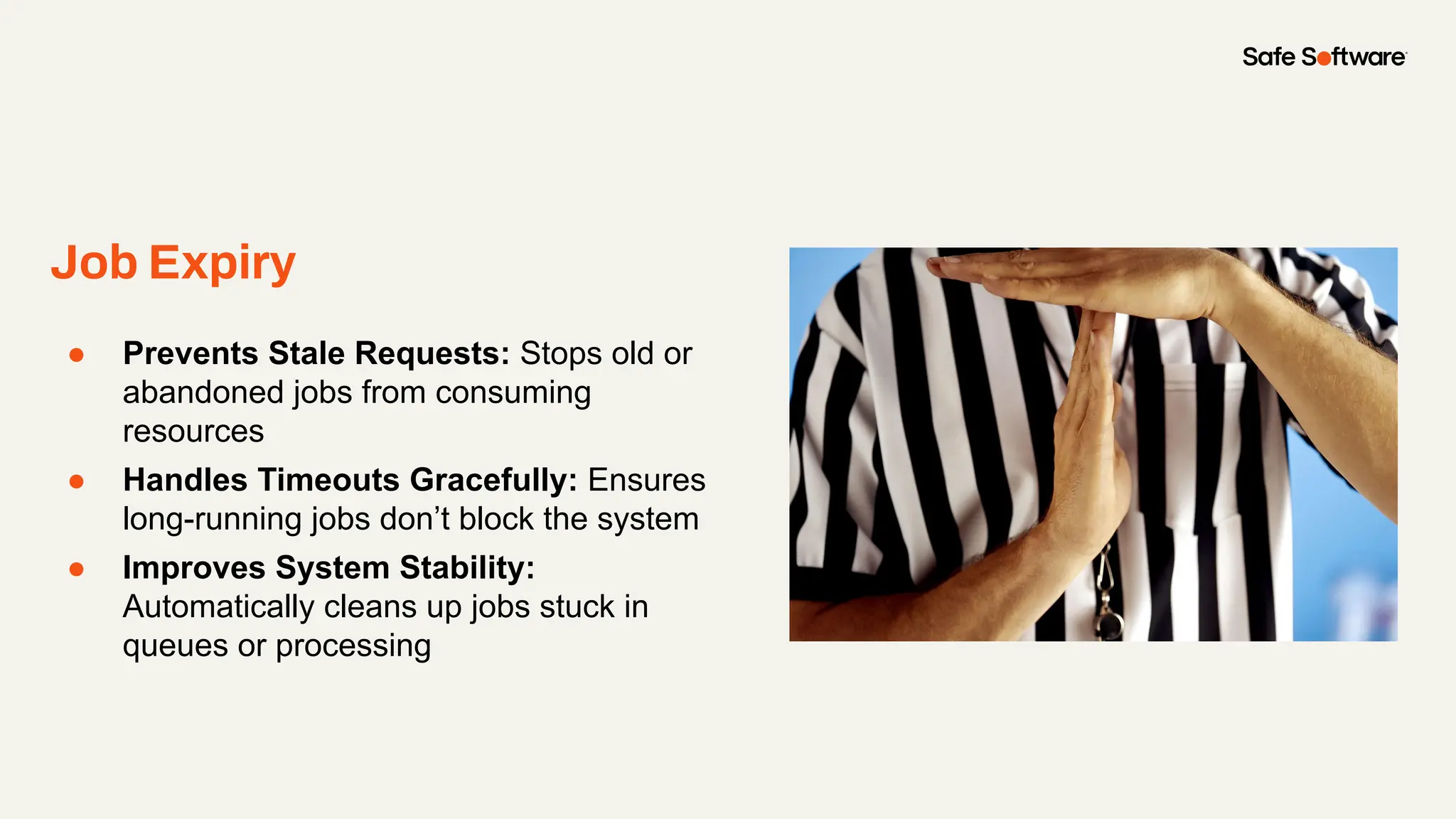
Job Expiry
● Prevents Stale Requests: Stops old or
abandoned jobs from consuming
resources
● Handles Timeouts Gracefully: Ensures
long-running jobs don’t block the system
● Improves System Stability:
Automatically cleans up jobs stuck in
queues or processing
Asynchronous Processing
● Handles Long-Running Tasks:
Processes jobs without blocking the
client
● Improves User Experience: Clients
can check back later or get notified
when complete
● Boosts API Resilience: Prevents
timeouts and reduces strain on Flow
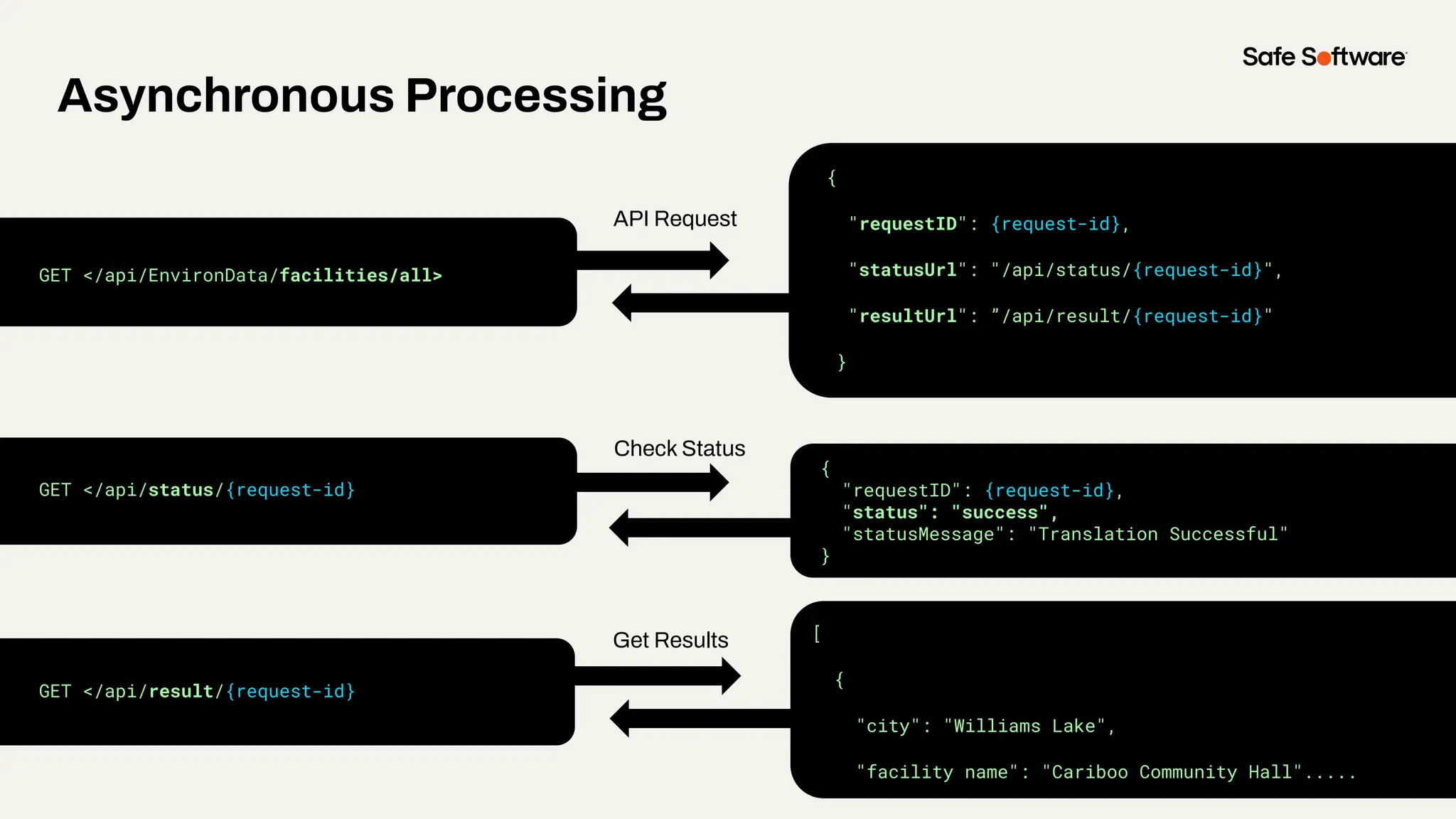
Asynchronous Processing
{
"requestID": {request-id},
"statusUrl": "/api/status/{request-id}",
"resultUrl": ”/api/result/{request-id}"
}
GET </api/EnvironData/facilities/all>
GET </api/status/{request-id}
GET </api/result/{request-id}
{
"requestID": {request-id},
"status": "success",
"statusMessage": "Translation Successful"
}
[
{
"city": "Williams Lake",
"facility name": "Cariboo Community Hall".....
API Request
Check Status
Get Results
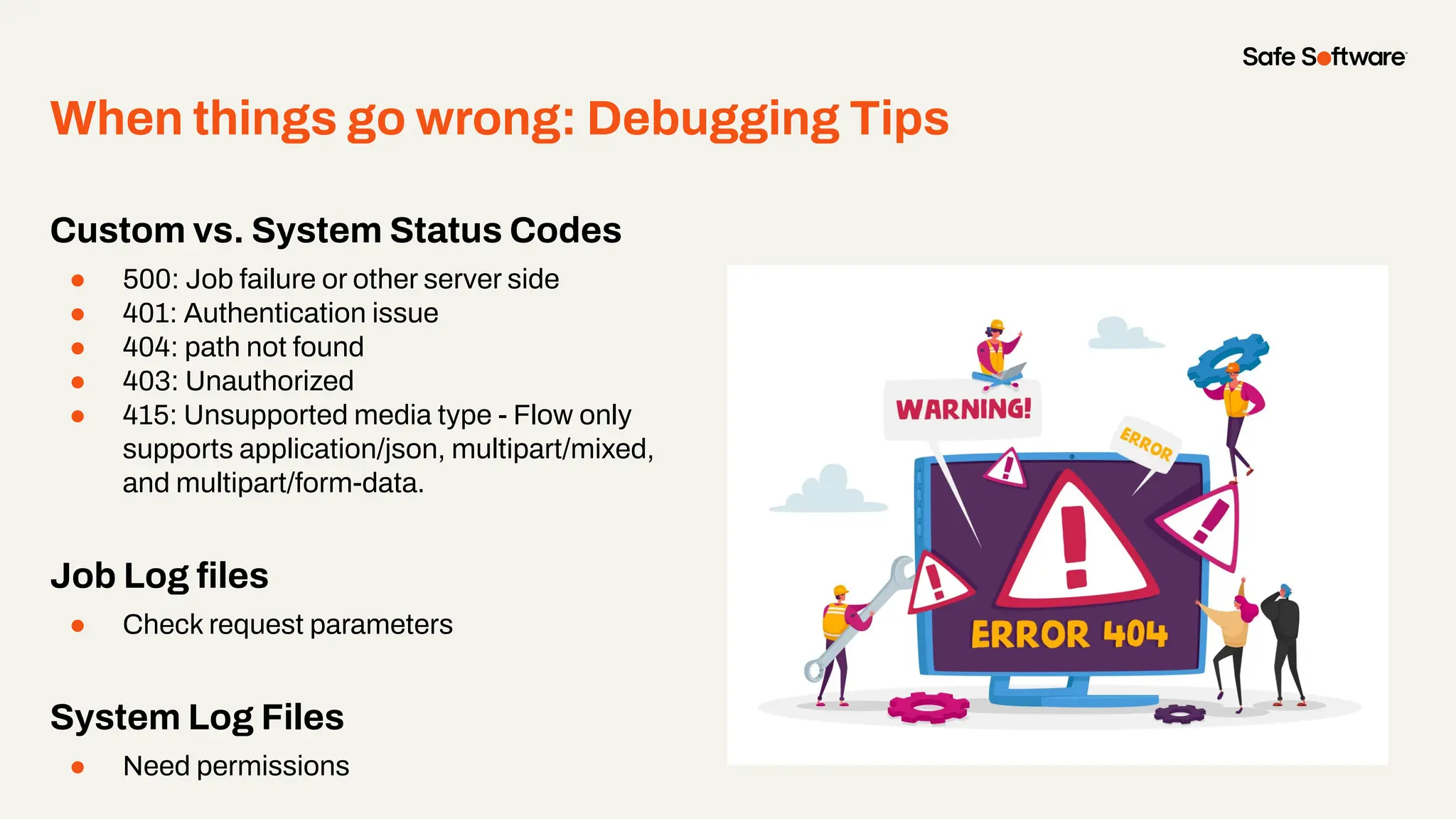
When things go wrong: Debugging Tips
Custom vs. System Status Codes
● 500: Job failure or other server side
● 401: Authentication issue
● 404: path not found
● 403: Unauthorized
● 415: Unsupported media type - Flow only
supports application/json, multipart/mixed,
and multipart/form-data.
Job Log files
● Check request parameters
System Log Files
● Need permissions
8
Conclusion
Summary
Data virtualization delivers a
real-time, unified view of your
data.
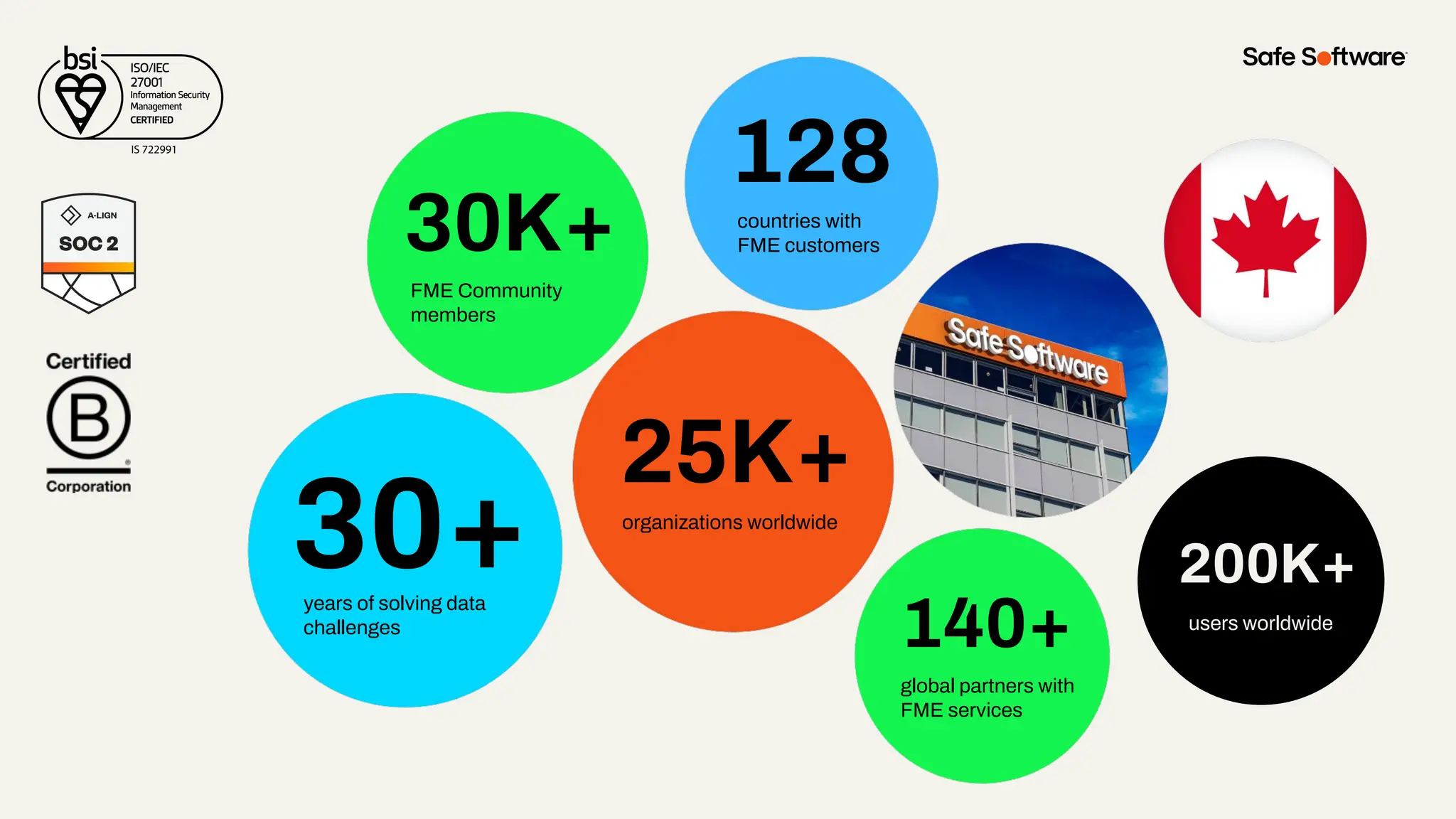
30+
30K+
128
140+
25K+
years of solving data
challenges
FME Community
members
countries with
FME customers
organizations worldwide
global partners with
FME services
200K+
users worldwide
200K+
users worldwide
8
Resources
Data Virtualization
Resources
Learn
● Tutorial: Getting Started with
Data Virtualization
Action
● Download the newest release
2025.1 Beta!
● Share your workflows with us!
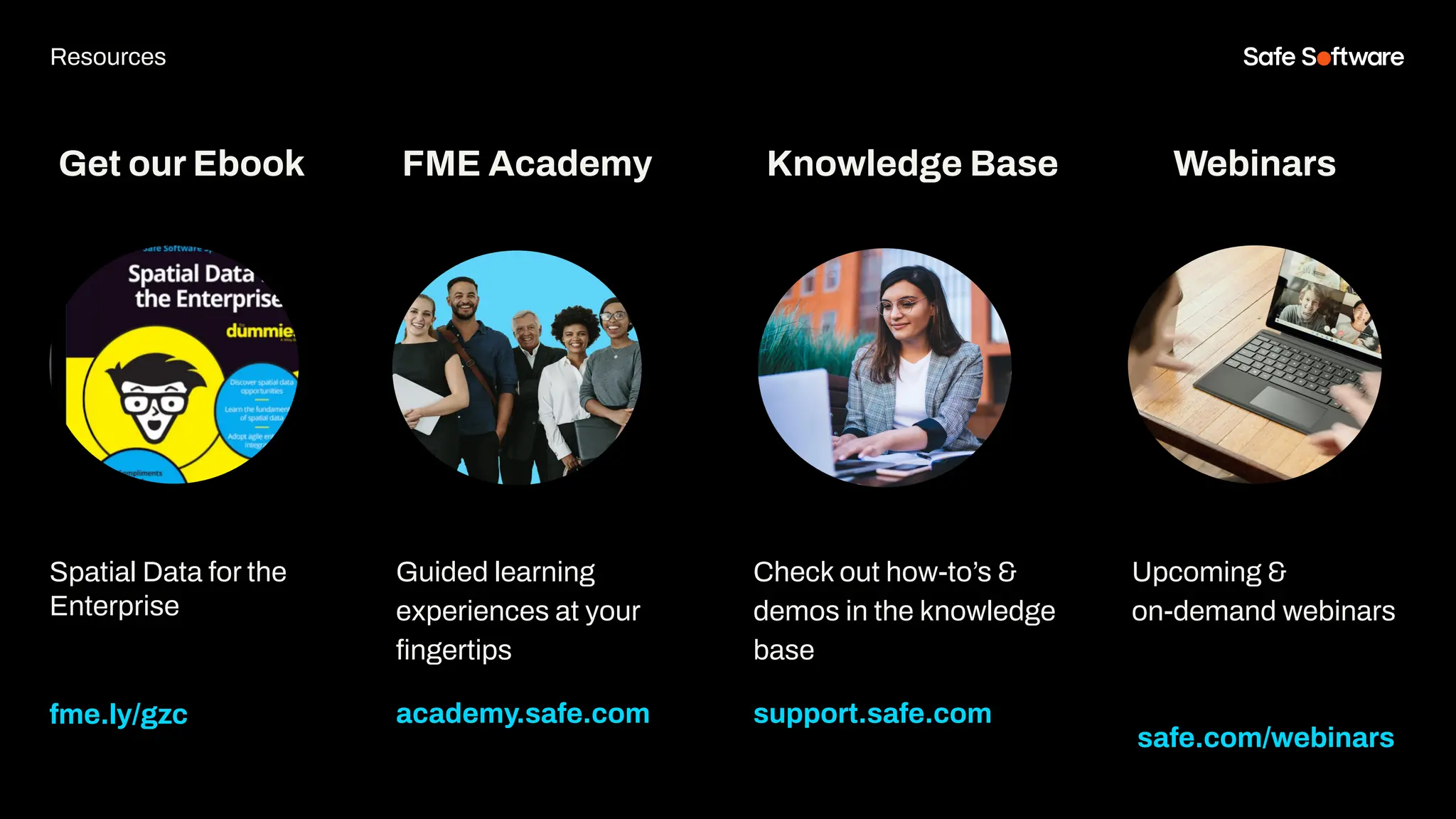
Get our Ebook
Spatial Data for the
Enterprise
fme.ly/gzc
Guided learning
experiences at your
fingertips
academy.safe.com
FME Academy
Resources
Check out how-to’s &
demos in the knowledge
base
support.safe.com
Knowledge Base Webinars
Upcoming &
on-demand webinars
safe.com/webinars
9
Next Steps
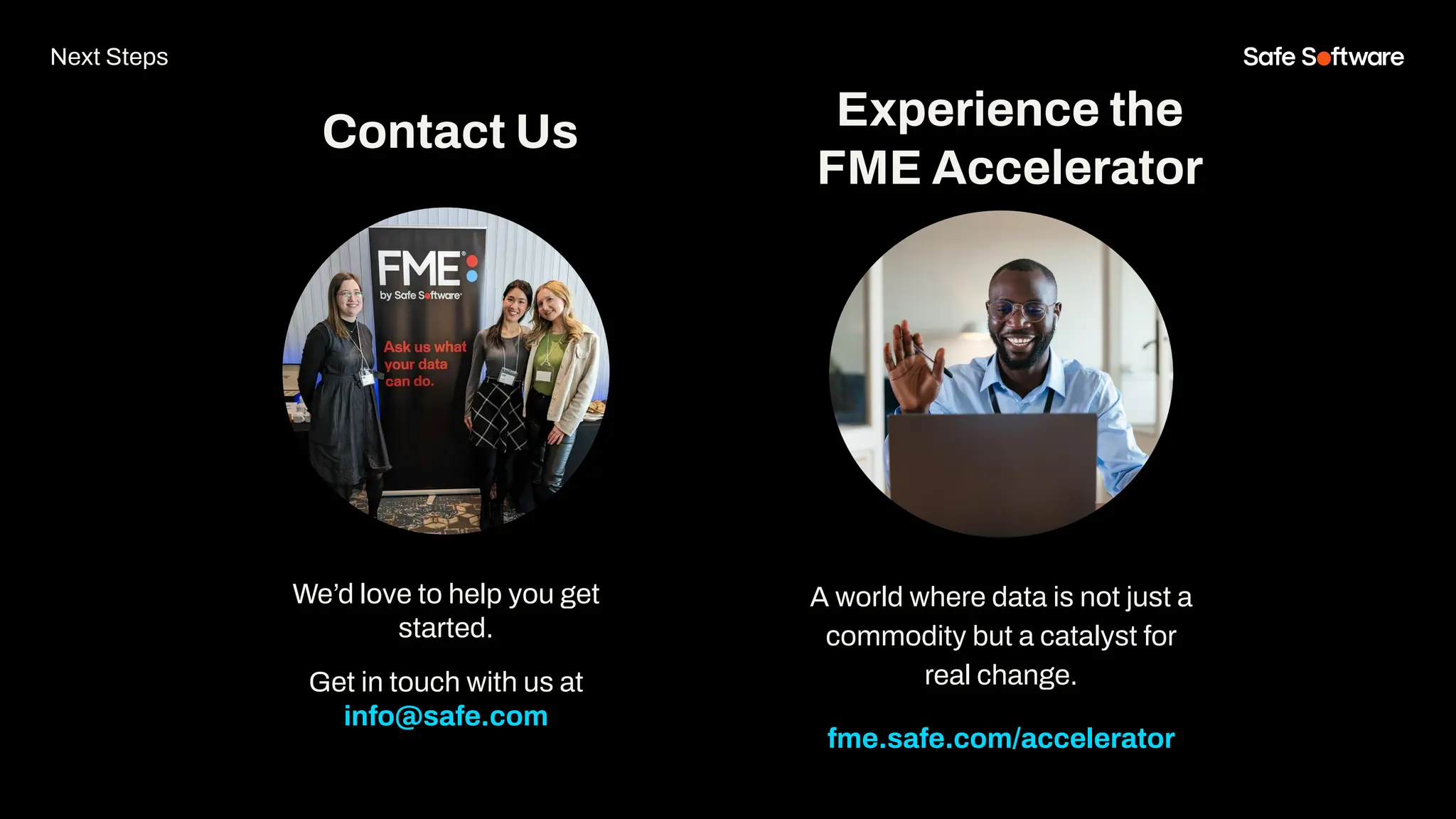
We’d love to help you get
started.
Get in touch with us at
info@safe.com
Experience the
FME Accelerator
Contact Us
A world where data is not just a
commodity but a catalyst for
real change.
fme.safe.com/accelerator
Next Steps
ClaimYour Community Badge &
Dive into the new Community!
● Get community badges for watching
webinars
● community.safe.com
● Today’s code: 18H2MG
Join the Community today!
Next Steps
10
Q&A
ThankYou
Recap of Next Steps
1 Follow us on LinkedIn!
2 Contact us
3 Experience the FME Accelerator
Please fill out our
webinar survey

Data Virtualization: Bringing the Power of FME to Any Application

  • 1.
    This is WhereWe Will Write the Title for our Webinar, Option 1
  • 2.
  • 3.
    Welcome to Livestorm. Afew ways to engage with us during the webinar: Audio issues? Click this for 4 simple troubleshooting steps.
  • 4.
    How to downloadslides 1. Hover over the slide deck in the webinar room 2. Click this button
  • 5.
    Agenda 1 Introduction toData Virtualization 2 Data Virtualization 101 3 Create a Data Virtualization API 4 Create a Data Virtualization Endpoint 5 Authoring an Endpoint Workflow 6 Building Better Endpoints 7 Enriching Endpoints 8 Conclusion 9 Resources & Next Steps 10 Q&A Agenda
  • 6.
  • 7.
    FME’s Data virtualizationempowers your enterprise to deliver real-time, code-free access to trusted data across systems. No duplication, no delays.
  • 8.
    What is DataVirtualization? ● A method to access and query data in real-time, without moving or copying it. ● Think: unified views across multiple sources, instantly.
  • 9.
    Common Frustrations OrganizationsFace Without Data Virtualization ● Siloed systems and inconsistent data ● Time-consuming data movement and ETL ● Redundant storage costs ● Delayed insights due to refresh cycles ● Complex integrations with multiple tools Do any of these feel familiar?
  • 10.
    You don’t needto wrangle data manually or wait on an IT team. With FME’s Data Virtualization, you can connect, transform, and access what you need: on demand.
  • 11.
    Simplifying Data Access LiveData Access Simplified Data Views Flexible Connections Grow with your needs Deliver real-time data through secure APIs. Make complex systems easy to connect to and use. Link systems without heavy upgrades or rework. Add new data sources and users without slowing down.
  • 12.
    The only All-Data,Any-AI Platform. FME Form FME Flow All Data workflows are built here. Brings life to FME Form workflows FME Flow Hosted SaaS version of FME Flow fme.safe.com/platform FME Enterprise Integration Platform Safe & FME FME Realize Experience your data where it matters most. In context
  • 13.
    With 500+ supporteddata types in FME. Unrivalled Data Support GIS CAD Database XML Raster 3D BIM Web Point Cloud Cloud Big Data IOT Gaming BI Indoor Mapping AR/VR Generative AI Cloud Native Tabular
  • 14.
  • 15.
    Breaking Down DataVirtualization in FME 🧠 In Theory ● Data virtualization means managing access, not making copies ● No data movement ● Just a layer that connects to what already exists 🛠 In Practice (with FME) ● FME builds REST APIs from your live data ● That layer becomes an API ● Other tools can request exactly what they need—live, filtered, structured
  • 16.
    Breaking Down DataVirtualization in FME 💡 Virtualized at the backend, accessed via REST APIs, delivered through FME — no custom code required.
  • 18.
    How does itcompare to Webhook URLs and FME Flow REST API? Webhook URLs ● Basic event triggers ● GET/POST only ● Limited input/output ● No schema or docs ● Not a full API ● No customization FME Flow REST API ● FME Flow management focused ● Limited integration ● Limited input/output ● No customization Data Virtualization APIs ● Integration focused ● Full data access ● Full CRUD ● Full customization ● Docs + schema support ● Secure, user-friendly
  • 19.
    Where Data VirtualizationStarts… and Stops ❌ Not Read-Only Supports full CRUD operations. ❌ Not Just for Enterprises Scales from small teams to large organizations. ❌ Not an API Gateway Provides real-time data access, not traffic control or authentication. ❌ Not a Data Warehouse Replacement Delivers live views without storing or duplicating data.
  • 20.
    Scenario 2: LegacySystems Blocking Integration Problem: Critical data lives in old systems that are hard to connect to, slowing down projects and raising costs. Solution: Use FME Data Virtualization to access legacy data directly—no migration needed. Value: Fast, low-cost integration that keeps systems running without disruption. What can I do with FME Data Virtualization?
  • 21.
    Scenario 3: AITools Need Better Data Access Problem: Teams want to use AI tools, but connecting them to existing data workflows is slow and expensive. Solution: Expose FME workflows as virtual endpoints that AI can query in real time. Value: Smarter decisions, faster answers, and AI that actually fits your data context. What can I do with FME Data Virtualization?
  • 22.
    Scenario 1: DepartmentReports to Integrated Dashboards Problem: Teams are emailing Excel reports weekly. Data is copied manually into dashboards, leading to delays and mistakes. Solution: Use Data Virtualization to expose those Excel files as live, queryable data sources—no more manual steps. Value: Updates are instant, errors drop, and managers get accurate dashboards without waiting. What can I do with FME Data Virtualization?
  • 23.
  • 25.
    1. Real-time dashboardwith region + capacity filters 2. Live API calls backed by Data Virtualization 3. Fully documented in Swagger 4. Powered by a simple FME workspace (Excel + GeoPackage) Demo: Emergency Facilities Dashboard
  • 26.
  • 27.
    Data Virtualization in FMEFlow ● API Configuration ○ API Details ○ Schemas ○ Endpoint Metadata ○ Security ○ Workspace Generation Right click and select ‘replace image’ to add an example image from your project.
  • 28.
    Data Virtualization in FMEForm ● Endpoint behaviour ○ Data sources ○ Transformations ○ Analysis ○ Format API response Right click and select ‘replace image’ to add an example image from your project.
  • 29.
    FME Flow API Configuration Schemas EndpointMetadata Security Workspace Generation FME Workbench Endpoint behaviour Data sources Transformations Analysis Generate API response Endpoint Authoring
  • 30.
    OpenAPI Specification (OAS) Astandardized way to describe REST APIs in a machine-readable format (JSON) Defines endpoints, methods, request/response formats, and authentication Import and Export APIS to FME Flow Swagger UI API Documentation and interactive testing.
  • 31.
    Testing with APIClients ● OpenAPICaller ● HTTPCaller ● Swagger Documentation (Web) ● Browser ● Postman
  • 32.
    From Import… ● Importan OpenAPI (OAS) file (JSON) ● Auto-generates structure and methods ● Less manual setup ● Useful for migrating existing APIs From Scratch… ● Manually define API structure ● Full control over endpoints and formats ● Ideal for custom APIs ● No existing documentation required Creating a Data Virtualization API
  • 33.
    API Security ● Secureby endpoint or API-wide ● Role- or user-based access ● Managed separately from FME Flow permissions ● Works with external systems ● Supports Basic Auth and API Tokens
  • 34.
  • 35.
    Demo: Creating aData Virtualization API
  • 37.
    1. Imported OpenAPISpecification file (EnvironData.json) to create an API 2. Toured the Data VIrtualization Interface in FME Flow 3. Exported the EnvironData API OpenAPI file to use in the FME Workbench and Postman Demo: Creating a Data Virtualization API
  • 38.
  • 39.
    What is aData Virtualization API Endpoint? ● Defines how users access your data ● Customize requests, responses, parameters, status codes, headers, schemas, security, and metadata ● Supports both static and dynamic responses ● Defined in FME Flow, authored in FME Workbench
  • 40.
  • 41.
  • 42.
    Manual vs WorkspaceResponses Manual Workspace Response Always the same Changes based on inputs or data state Backend No workspace Workspace powers response Data source None (static) Connected to live data Use Case Metadata, service status Queries, analysis, live data
  • 43.
    Workspace Responses ● Poweredby an FME workspace ● Response changes based on inputs and live data ● Supports querying, transformation, and analysis ● Ideal for dynamic, real-time APIs ● Flexible functionality: parameters, richer methods, multiple status codes, etc.
  • 44.
  • 45.
  • 46.
  • 47.
  • 48.
  • 49.
  • 50.
    Schemas ● Define thestructure of requests and responses ● Improve API usability, validation, and reliability ● Help developers understand what to send and expect Two main types: ○ Request Body Schemas (for POST requests) ○ Response Body Schemas (linked to status codes)
  • 51.
  • 52.
  • 53.
  • 54.
    Workspace Generation andManagement Right click and select ‘replace image’ to add an example image from your project.
  • 55.
  • 56.
    Workspace Generation andManagement Right click and select ‘replace image’ to add an example image from your project.
  • 57.
    Reader Represents the APIRequest ● Creates a feature type for every endpoint ● Attributes: Endpoint path, parameters, body Writer Represents the API Response ● Always a single feature type ● Attributes: Response status code, headers, and body
  • 58.
    Building Blocks ofa Data Virtualization Workspace
  • 59.
    Better, Faster, StrongerAPIs Purpose Tools Connecting to external data sources and joining datasets FeatureReader, FeatureWriter, DatabaseJoiner, InlineQuerier, SQLCreator, SQLExecutor, HTTPCaller, AttributeValueMapper Formatting response bodies and parsing request bodies JSONTemplater, JSONFragmenter, JSONFlattener Creating status codes and headers AttributeCreator, AttributeManager Validating and filtering request parameters Tester, TestFilter, AttributeFilter, AttributeValidator Fast authoring Save attributes as parameter presets
  • 60.
    Templates Input templates simulateAPI requests ● Simulate API requests with sample data ● Include method, path, headers, body, and parameters ● Save requests to reuse for testing ● Use in FME Form to test logic, validate responses, and debug locally Output templates represent API responses ● Defined schema, data types, status codes, content types, headers, etc.
  • 61.
  • 62.
    Demo: Creating anEndpoint with a Workspace Response
  • 64.
    1. Created theGET /facilities endpoint 2. Generated an endpoint workspace 3. Authored an endpoint workspace a. Combined data sources: Excel & GIS b. Formatted a JSON response c. Created status codes 4. Republished to FME Flow Demo: Creating an Endpoint with a Workspace Response
  • 65.
  • 66.
    Best Practices ● Requestparameters ● Routing for status codes ● Error catching ● Built-in data validation + cleaning
  • 67.
    Request Parameters Endpoint parametersallow users to refine requests and customize responses, improving the flexibility, efficiency, and overall usability of the API. Type Use Case Example Path Identify a specific resource /users/{userId} Query Filter, sort, or control response content /wildfires?region=west&year=2023 Headers Provide metadata or authentication Authorization: Bearer {token}
  • 68.
    Designing Workspaces forParameters Design workspaces to check for parameter input and apply filters conditionally for better performance and flexibility. Type Tools Pros & Cons Reader Parameters WHERE Clauses, SELECT, Spatial Filters Very efficient - filter before loading Querying Transformers InlineQuerier, SQLExecutor, DatabaseJoiner Very efficient - filter & join before loading Filter Transformers Tester, Sampler Less efficient - filter after loading
  • 69.
  • 70.
  • 71.
  • 72.
  • 73.
  • 74.
  • 75.
    1. In FMEFlow, updated GET /facilities endpoint to have path and query parameters (path.region, query.min_capacity) 2. In FME Form, updated the facilities.fmw workflow to filter the Excel and Geopackage data. 3. Republished to FME Flow Demo: Adding Parameters to an Endpoint
  • 77.
  • 78.
    Files and Resources ●Accept file uploads (images, documents, datasets) ● Use multipart/form-data in requests ● Return files like PDFs, reports, or shapefiles ● Set content type and filename with response headers
  • 79.
    Caching ● Faster Responses:Store common results to avoid repeated processing ● Reduced Load: Less strain on backend systems and databases ● Improved Scalability: Serve more users with fewer resources Limitations: Cache stored for path parameters, not query, headers, or bodies.
  • 80.
    Job Expiry ● PreventsStale Requests: Stops old or abandoned jobs from consuming resources ● Handles Timeouts Gracefully: Ensures long-running jobs don’t block the system ● Improves System Stability: Automatically cleans up jobs stuck in queues or processing
  • 81.
    Asynchronous Processing ● HandlesLong-Running Tasks: Processes jobs without blocking the client ● Improves User Experience: Clients can check back later or get notified when complete ● Boosts API Resilience: Prevents timeouts and reduces strain on Flow
  • 82.
    Asynchronous Processing { "requestID": {request-id}, "statusUrl":"/api/status/{request-id}", "resultUrl": ”/api/result/{request-id}" } GET </api/EnvironData/facilities/all> GET </api/status/{request-id} GET </api/result/{request-id} { "requestID": {request-id}, "status": "success", "statusMessage": "Translation Successful" } [ { "city": "Williams Lake", "facility name": "Cariboo Community Hall"..... API Request Check Status Get Results
  • 83.
    When things gowrong: Debugging Tips Custom vs. System Status Codes ● 500: Job failure or other server side ● 401: Authentication issue ● 404: path not found ● 403: Unauthorized ● 415: Unsupported media type - Flow only supports application/json, multipart/mixed, and multipart/form-data. Job Log files ● Check request parameters System Log Files ● Need permissions
  • 84.
  • 85.
    Summary Data virtualization deliversa real-time, unified view of your data.
  • 86.
    30+ 30K+ 128 140+ 25K+ years of solvingdata challenges FME Community members countries with FME customers organizations worldwide global partners with FME services 200K+ users worldwide 200K+ users worldwide
  • 87.
  • 88.
    Data Virtualization Resources Learn ● Tutorial:Getting Started with Data Virtualization Action ● Download the newest release 2025.1 Beta! ● Share your workflows with us!
  • 89.
    Get our Ebook SpatialData for the Enterprise fme.ly/gzc Guided learning experiences at your fingertips academy.safe.com FME Academy Resources Check out how-to’s & demos in the knowledge base support.safe.com Knowledge Base Webinars Upcoming & on-demand webinars safe.com/webinars
  • 90.
  • 91.
    We’d love tohelp you get started. Get in touch with us at info@safe.com Experience the FME Accelerator Contact Us A world where data is not just a commodity but a catalyst for real change. fme.safe.com/accelerator Next Steps
  • 92.
    ClaimYour Community Badge& Dive into the new Community! ● Get community badges for watching webinars ● community.safe.com ● Today’s code: 18H2MG Join the Community today! Next Steps
  • 93.
  • 94.
    ThankYou Recap of NextSteps 1 Follow us on LinkedIn! 2 Contact us 3 Experience the FME Accelerator Please fill out our webinar survey