CSS 3 – Overview What is new in CSS 3? Nikolay Kostov Telerik Mobile Development Course mobiledevcourse.telerik.com Technical Trainer http://www.nikolay.it
Table of Contents What is CSS 3? Selectors Fonts Colors Backgrounds  Borders Box Model Animations
What is CSS 3?
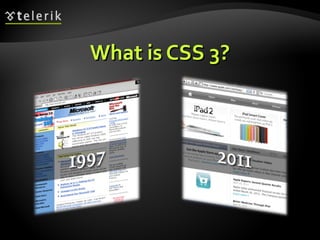
What is CSS 3? Cascading Style Sheets level 3 is the most recent iteration of CSS It is divided into several separate documents called "modules" CSS 3 has not been approved as a specification, but there are already a lot of properties that are supported in various browsers.  The earliest CSS 3 drafts were published in June 1999
Selectors
Attribute Selectors E[foo^="bar"] An  E  element whose "foo" attribute value begins exactly with the string "bar" Example:  a[src ^="https://"] E[foo$="bar"] An  E  element whose "foo" attribute value ends exactly with the string "bar" E[foo*="bar"] An  E  element whose "foo" attribute value contains the substring "bar"
Attribute Selectors Live Demo
Structural Pseudo-classes :root The root of the document E:nth-child(n) An  E  element, the  n-th  child of its parent E:nth-last-child(n) An  E  element, the  n-th  child of its parent, counting from the last on E:nth-of-type(n) An  E  element,  the n-th  sibling of its type
Structural Pseudo-classes (2) E:nth-last-of-type(n) An  E  element, the  n-th  sibling of its type, counting from the last one E:last-child An  E  element, last child of its parent E:first-of-type An  E  element, first sibling of its type E:last-of-type An  E  element, last sibling of its type
Structural Pseudo-classes (3) E:only-child An  E  element, only child of its parent E:only-of-type An  E  element, only sibling of its type E:empty An  E  element that has no children (including text nodes) More detailed descriptions: http://www.w3.org/TR/css3-selectors/#structural-pseudos
Structural Selectors Live Demo
The UI Element States Pseudo-classes E:enabled A user interface element  E  which is enabled E:disabled A user interface element  E  which is disabled E:checked A user interface element  E  which is checked (for instance a radio-button or checkbox) Currently supported only in Opera!
UI Selectors Live Demo
Other CSS 3 Selectors E:target An  E  element being the target of the referring URI E:not(s) An  E  element that does not match simple selector E ~ F An  F  element preceded by an  E  element
Other CSS 3 Selectors Live Demo
Fonts
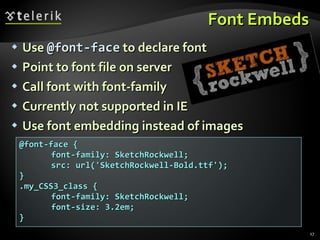
Font Embeds Use  @font-face  to declare font Point to font file on server Call font with font-family Currently not supported in IE Use font embedding instead of images @font-face { font-family: SketchRockwell; src: url('SketchRockwell-Bold.ttf'); } .my_CSS3_class { font-family: SketchRockwell; font-size: 3.2em; }
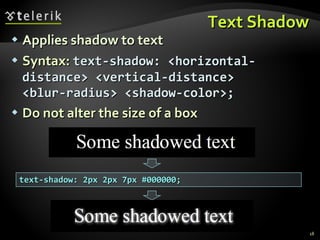
Text Shadow Applies shadow to text Syntax:  text-shadow: <horizontal-distance> <vertical-distance> <blur-radius> <shadow-color>; Do not alter the size of a box text-shadow: 2px 2px 7px #000000;
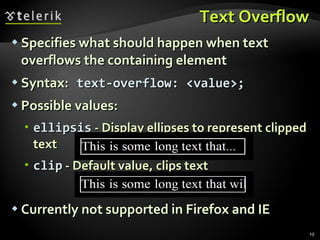
Text Overflow Specifies what should happen when text overflows the containing element Syntax:   text-overflow: <value>; Possible values: ellipsis  - Display ellipses to represent clipped text clip  - Default value, clips text Currently not supported in Firefox and IE
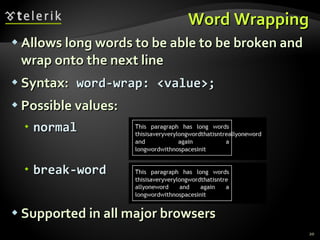
Word Wrapping Allows long words to be able to be broken and wrap onto the next line Syntax:   word-wrap: <value>; Possible values: normal break-word Supported in all major browsers
CSS 3 Fonts Live Demo
Colors
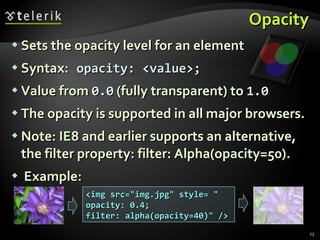
Opacity Sets the opacity level for an element Syntax:   opacity: <value>; Value from  0.0  (fully transparent) to  1.0 The opacity is supported in all major browsers. Note: IE8 and earlier supports an alternative, the filter property: filter: Alpha(opacity=50). Example: <img src=&quot;img.jpg&quot; style= &quot; opacity: 0.4; filter: alpha(opacity=40)&quot; />
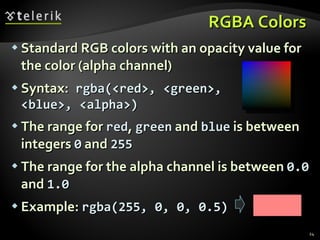
RGBA Colors Standard RGB colors with an opacity value for the color (alpha channel) Syntax:   rgba(<red>, <green>, <blue>, <alpha>) The range for  red ,  green  and  blue  is between integers  0  and  255 The range for the alpha channel is between  0.0  and  1.0 Example:  rgba(255, 0, 0, 0.5)
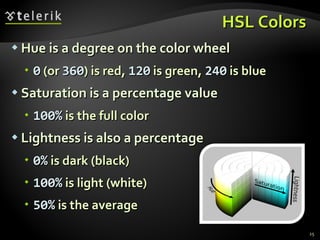
HSL Colors Hue is a degree on the color wheel 0  (or  360 ) is red,  120  is green,  240  is blue Saturation is a percentage value 100%  is the full color Lightness is also a percentage 0%  is dark (black) 100%  is light (white) 50%  is the average
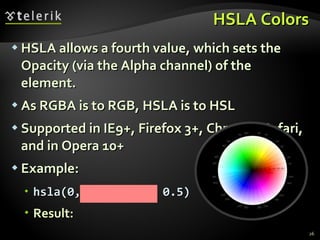
HSLA Colors HSLA allows a fourth value, which sets the Opacity (via the Alpha channel) of the element. As RGBA is to RGB, HSLA is to HSL Supported in IE9+, Firefox 3+, Chrome, Safari, and in Opera 10+ Example: hsla(0, 100%, 50%, 0.5) Result:
CSS 3 Colors Live Demo
Backgrounds
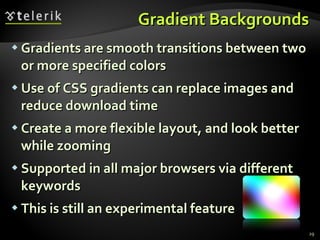
Gradient Backgrounds Gradients are smooth transitions between two or more specified colors Use of CSS gradients can replace images and reduce download time Create a more flexible layout, and look better while zooming Supported in all major browsers via different keywords This is still an experimental feature
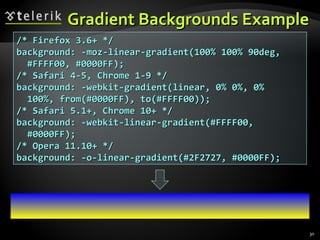
Gradient Backgrounds Example /* Firefox 3.6+ */ background: -moz-linear-gradient(100% 100% 90deg,  #FFFF00, #0000FF); /* Safari 4-5, Chrome 1-9 */ background: -webkit-gradient(linear, 0% 0%, 0%  100%, from(#0000FF), to(#FFFF00)); /* Safari 5.1+, Chrome 10+ */ background: -webkit-linear-gradient(#FFFF00,  #0000FF); /* Opera 11.10+ */ background: -o-linear-gradient(#2F2727, #0000FF);
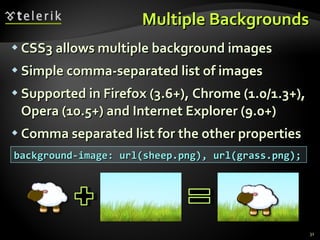
Multiple Backgrounds CSS3 allows multiple background images Simple comma-separated list of images Supported in Firefox (3.6+), Chrome (1.0/1.3+), Opera (10.5+) and Internet Explorer (9.0+) Comma separated list for the other properties background-image: url(sheep.png), url(grass.png);
Backgrounds Live Demo
Borders
Border color Allows you to create cool colored borders Only Firefox supports this type of coloring border: 8px solid #000; -moz-border-bottom-colors: #555 #666 #777 #888 #999 #aaa #bbb #ccc; -moz-border-top-colors: #555 #666 #777 #888 #999 #aaa #bbb #ccc; -moz-border-left-colors: #555 #666 #777 #888 #999 #aaa #bbb #ccc; -moz-border-right-colors: #555 #666 #777 #888 #999 #aaa #bbb #ccc;
Border image Defines an image to be used instead of the normal border of an element Split up into a couple of properties Example: The border-image property has 3 parts: More detailed description: http://css-tricks.com/6883-understanding-border-image / border-image: url(border-image.png) 25% repeat;
Border radius Allows web developers to easily utilize rounder corners in their design elements Widespread browser support Syntax: Example: -moz-border-radius: 15px; border-radius: 15px; background-color: #FF00FF; border-*-*-radius: [ <length> | <%> ][ <length> | <%> ]?
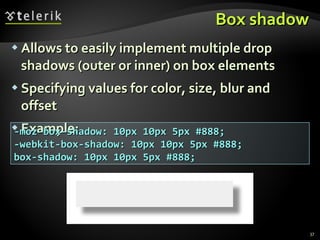
Box shadow Allows to easily implement multiple drop shadows (outer or inner) on box elements Specifying values for color, size, blur and offset Example: -moz-box-shadow: 10px 10px 5px #888; -webkit-box-shadow: 10px 10px 5px #888; box-shadow: 10px 10px 5px #888;
Borders Live Demo
Box Model
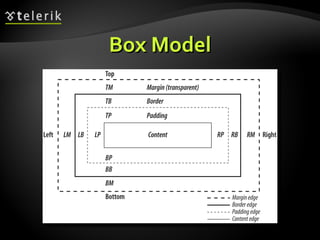
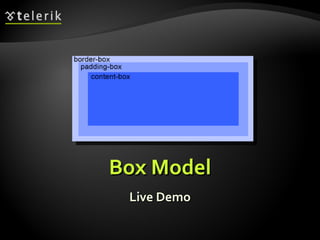
CSS3 box-sizing Determine whether you want an element to render it's borders and padding within its specified width, or outside of it. Possible values: box-sizing: content-box  (default) box width: 288 pixels + 10 pixels padding and 1 pixel border on each side = 300 pixels box-sizing: border-box box width: 300 pixels, including padding and borders
CSS3 box-sizing (Example) Example: Box with total width of 300 px (including paddings and borders) width: 300px; border: 1px solid black; padding: 5px; /* Firefox */ -moz-box-sizing: border-box; /* WebKit */ -webkit-box-sizing: border-box; /* Opera 9.5+, Google Chrome */ box-sizing: border-box;
CSS 3 Flexible Box Model The flexible box model determines the way boxes are distributed inside other boxes and the way they share the available space. New values for &quot;display&quot; property: flexbox inline-flexbox This box model is still under development Still not supported in major browsers
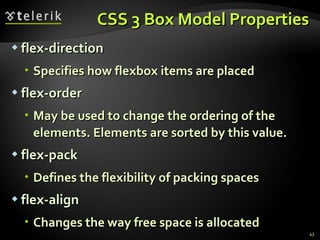
CSS 3 Box Model Properties flex-direction Specifies how flexbox items are placed flex-order May be used to change the ordering of the elements. Elements are sorted by this value. flex-pack Defines the flexibility of packing spaces flex-align Changes the way free space is allocated
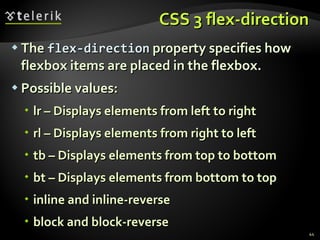
CSS 3 flex-direction The  flex-direction  property specifies how flexbox items are placed in the flexbox. Possible values: lr – Displays elements from left to right rl – Displays elements from right to left tb – Displays elements from top to bottom bt – Displays elements from bottom to top inline and inline-reverse block and block-reverse
Box Model Live Demo
Animations
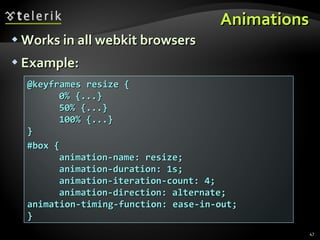
Animations Works in all webkit browsers Example: @keyframes resize { 0% {...} 50% {...} 100% {...} } #box { animation-name: resize; animation-duration: 1s; animation-iteration-count: 4; animation-direction: alternate;  animation-timing-function: ease-in-out; }
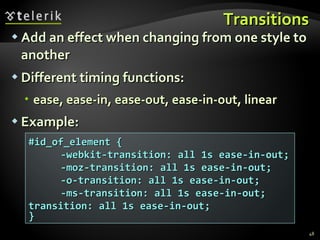
Transitions Add an effect when changing from one style to another Different timing functions: ease, ease-in, ease-out, ease-in-out, linear Example: #id_of_element { -webkit-transition: all 1s ease-in-out;  -moz-transition: all 1s ease-in-out; -o-transition: all 1s ease-in-out; -ms-transition: all 1s ease-in-out;  transition: all 1s ease-in-out; }
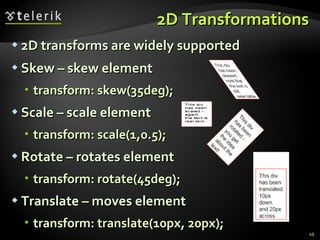
2D Transformations 2D transforms are widely supported Skew – skew element transform: skew(35deg);  Scale – scale element transform: scale(1,0.5);  Rotate – rotates element transform: rotate(45deg); Translate – moves element transform: translate(10px, 20px);
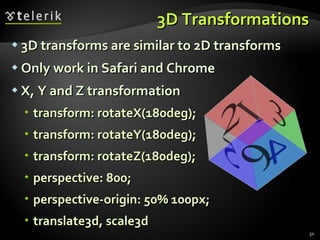
3D Transformations 3D transforms are similar to 2D transforms Only work in Safari and Chrome X, Y and Z transformation transform: rotateX(180deg); transform: rotateY(180deg); transform: rotateZ(180deg); perspective: 800; perspective-origin: 50% 100px; translate3d, scale3d
Animations Live Demo
CSS 3 Questions?
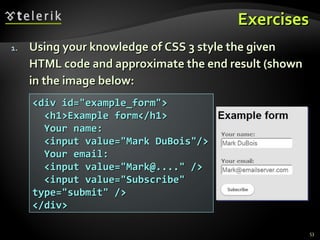
Exercises Using your knowledge of CSS 3 style the given HTML code and approximate the end result (shown in the image below: <div id=&quot;example_form&quot;> <h1>Example form</h1> Your name: <input value=&quot;Mark DuBois&quot;/> Your email: <input value=&quot;Mark@....&quot; /> <input value=&quot;Subscribe&quot; type=&quot;submit&quot; /> </div>
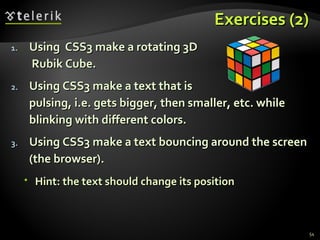
Exercises (2) Using  CSS3 make a rotating 3D  Rubik Cube. Using CSS3 make a text that is  pulsing, i.e. gets bigger, then smaller, etc. while blinking with different colors. Using CSS3 make a text bouncing around the screen (the browser). Hint: the text should change its position
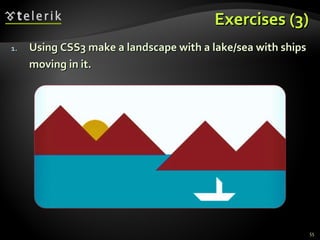
Exercises (3) Using CSS3 make a landscape with a lake/sea with ships moving in it.

CSS3

  • 1.
    CSS 3 –Overview What is new in CSS 3? Nikolay Kostov Telerik Mobile Development Course mobiledevcourse.telerik.com Technical Trainer http://www.nikolay.it
  • 2.
    Table of ContentsWhat is CSS 3? Selectors Fonts Colors Backgrounds Borders Box Model Animations
  • 3.
  • 4.
    What is CSS3? Cascading Style Sheets level 3 is the most recent iteration of CSS It is divided into several separate documents called &quot;modules&quot; CSS 3 has not been approved as a specification, but there are already a lot of properties that are supported in various browsers. The earliest CSS 3 drafts were published in June 1999
  • 5.
  • 6.
    Attribute Selectors E[foo^=&quot;bar&quot;]An E element whose &quot;foo&quot; attribute value begins exactly with the string &quot;bar&quot; Example: a[src ^=&quot;https://&quot;] E[foo$=&quot;bar&quot;] An E element whose &quot;foo&quot; attribute value ends exactly with the string &quot;bar&quot; E[foo*=&quot;bar&quot;] An E element whose &quot;foo&quot; attribute value contains the substring &quot;bar&quot;
  • 7.
  • 8.
    Structural Pseudo-classes :rootThe root of the document E:nth-child(n) An E element, the n-th child of its parent E:nth-last-child(n) An E element, the n-th child of its parent, counting from the last on E:nth-of-type(n) An E element, the n-th sibling of its type
  • 9.
    Structural Pseudo-classes (2)E:nth-last-of-type(n) An E element, the n-th sibling of its type, counting from the last one E:last-child An E element, last child of its parent E:first-of-type An E element, first sibling of its type E:last-of-type An E element, last sibling of its type
  • 10.
    Structural Pseudo-classes (3)E:only-child An E element, only child of its parent E:only-of-type An E element, only sibling of its type E:empty An E element that has no children (including text nodes) More detailed descriptions: http://www.w3.org/TR/css3-selectors/#structural-pseudos
  • 11.
  • 12.
    The UI ElementStates Pseudo-classes E:enabled A user interface element E which is enabled E:disabled A user interface element E which is disabled E:checked A user interface element E which is checked (for instance a radio-button or checkbox) Currently supported only in Opera!
  • 13.
  • 14.
    Other CSS 3Selectors E:target An E element being the target of the referring URI E:not(s) An E element that does not match simple selector E ~ F An F element preceded by an E element
  • 15.
    Other CSS 3Selectors Live Demo
  • 16.
  • 17.
    Font Embeds Use @font-face to declare font Point to font file on server Call font with font-family Currently not supported in IE Use font embedding instead of images @font-face { font-family: SketchRockwell; src: url('SketchRockwell-Bold.ttf'); } .my_CSS3_class { font-family: SketchRockwell; font-size: 3.2em; }
  • 18.
    Text Shadow Appliesshadow to text Syntax: text-shadow: <horizontal-distance> <vertical-distance> <blur-radius> <shadow-color>; Do not alter the size of a box text-shadow: 2px 2px 7px #000000;
  • 19.
    Text Overflow Specifieswhat should happen when text overflows the containing element Syntax: text-overflow: <value>; Possible values: ellipsis - Display ellipses to represent clipped text clip - Default value, clips text Currently not supported in Firefox and IE
  • 20.
    Word Wrapping Allowslong words to be able to be broken and wrap onto the next line Syntax: word-wrap: <value>; Possible values: normal break-word Supported in all major browsers
  • 21.
    CSS 3 FontsLive Demo
  • 22.
  • 23.
    Opacity Sets theopacity level for an element Syntax: opacity: <value>; Value from 0.0 (fully transparent) to 1.0 The opacity is supported in all major browsers. Note: IE8 and earlier supports an alternative, the filter property: filter: Alpha(opacity=50). Example: <img src=&quot;img.jpg&quot; style= &quot; opacity: 0.4; filter: alpha(opacity=40)&quot; />
  • 24.
    RGBA Colors StandardRGB colors with an opacity value for the color (alpha channel) Syntax: rgba(<red>, <green>, <blue>, <alpha>) The range for red , green and blue is between integers 0 and 255 The range for the alpha channel is between 0.0 and 1.0 Example: rgba(255, 0, 0, 0.5)
  • 25.
    HSL Colors Hueis a degree on the color wheel 0 (or 360 ) is red, 120 is green, 240 is blue Saturation is a percentage value 100% is the full color Lightness is also a percentage 0% is dark (black) 100% is light (white) 50% is the average
  • 26.
    HSLA Colors HSLAallows a fourth value, which sets the Opacity (via the Alpha channel) of the element. As RGBA is to RGB, HSLA is to HSL Supported in IE9+, Firefox 3+, Chrome, Safari, and in Opera 10+ Example: hsla(0, 100%, 50%, 0.5) Result:
  • 27.
    CSS 3 ColorsLive Demo
  • 28.
  • 29.
    Gradient Backgrounds Gradientsare smooth transitions between two or more specified colors Use of CSS gradients can replace images and reduce download time Create a more flexible layout, and look better while zooming Supported in all major browsers via different keywords This is still an experimental feature
  • 30.
    Gradient Backgrounds Example/* Firefox 3.6+ */ background: -moz-linear-gradient(100% 100% 90deg, #FFFF00, #0000FF); /* Safari 4-5, Chrome 1-9 */ background: -webkit-gradient(linear, 0% 0%, 0% 100%, from(#0000FF), to(#FFFF00)); /* Safari 5.1+, Chrome 10+ */ background: -webkit-linear-gradient(#FFFF00, #0000FF); /* Opera 11.10+ */ background: -o-linear-gradient(#2F2727, #0000FF);
  • 31.
    Multiple Backgrounds CSS3allows multiple background images Simple comma-separated list of images Supported in Firefox (3.6+), Chrome (1.0/1.3+), Opera (10.5+) and Internet Explorer (9.0+) Comma separated list for the other properties background-image: url(sheep.png), url(grass.png);
  • 32.
  • 33.
  • 34.
    Border color Allowsyou to create cool colored borders Only Firefox supports this type of coloring border: 8px solid #000; -moz-border-bottom-colors: #555 #666 #777 #888 #999 #aaa #bbb #ccc; -moz-border-top-colors: #555 #666 #777 #888 #999 #aaa #bbb #ccc; -moz-border-left-colors: #555 #666 #777 #888 #999 #aaa #bbb #ccc; -moz-border-right-colors: #555 #666 #777 #888 #999 #aaa #bbb #ccc;
  • 35.
    Border image Definesan image to be used instead of the normal border of an element Split up into a couple of properties Example: The border-image property has 3 parts: More detailed description: http://css-tricks.com/6883-understanding-border-image / border-image: url(border-image.png) 25% repeat;
  • 36.
    Border radius Allowsweb developers to easily utilize rounder corners in their design elements Widespread browser support Syntax: Example: -moz-border-radius: 15px; border-radius: 15px; background-color: #FF00FF; border-*-*-radius: [ <length> | <%> ][ <length> | <%> ]?
  • 37.
    Box shadow Allowsto easily implement multiple drop shadows (outer or inner) on box elements Specifying values for color, size, blur and offset Example: -moz-box-shadow: 10px 10px 5px #888; -webkit-box-shadow: 10px 10px 5px #888; box-shadow: 10px 10px 5px #888;
  • 38.
  • 39.
  • 40.
    CSS3 box-sizing Determinewhether you want an element to render it's borders and padding within its specified width, or outside of it. Possible values: box-sizing: content-box (default) box width: 288 pixels + 10 pixels padding and 1 pixel border on each side = 300 pixels box-sizing: border-box box width: 300 pixels, including padding and borders
  • 41.
    CSS3 box-sizing (Example)Example: Box with total width of 300 px (including paddings and borders) width: 300px; border: 1px solid black; padding: 5px; /* Firefox */ -moz-box-sizing: border-box; /* WebKit */ -webkit-box-sizing: border-box; /* Opera 9.5+, Google Chrome */ box-sizing: border-box;
  • 42.
    CSS 3 FlexibleBox Model The flexible box model determines the way boxes are distributed inside other boxes and the way they share the available space. New values for &quot;display&quot; property: flexbox inline-flexbox This box model is still under development Still not supported in major browsers
  • 43.
    CSS 3 BoxModel Properties flex-direction Specifies how flexbox items are placed flex-order May be used to change the ordering of the elements. Elements are sorted by this value. flex-pack Defines the flexibility of packing spaces flex-align Changes the way free space is allocated
  • 44.
    CSS 3 flex-directionThe flex-direction property specifies how flexbox items are placed in the flexbox. Possible values: lr – Displays elements from left to right rl – Displays elements from right to left tb – Displays elements from top to bottom bt – Displays elements from bottom to top inline and inline-reverse block and block-reverse
  • 45.
  • 46.
  • 47.
    Animations Works inall webkit browsers Example: @keyframes resize { 0% {...} 50% {...} 100% {...} } #box { animation-name: resize; animation-duration: 1s; animation-iteration-count: 4; animation-direction: alternate; animation-timing-function: ease-in-out; }
  • 48.
    Transitions Add aneffect when changing from one style to another Different timing functions: ease, ease-in, ease-out, ease-in-out, linear Example: #id_of_element { -webkit-transition: all 1s ease-in-out; -moz-transition: all 1s ease-in-out; -o-transition: all 1s ease-in-out; -ms-transition: all 1s ease-in-out; transition: all 1s ease-in-out; }
  • 49.
    2D Transformations 2Dtransforms are widely supported Skew – skew element transform: skew(35deg); Scale – scale element transform: scale(1,0.5); Rotate – rotates element transform: rotate(45deg); Translate – moves element transform: translate(10px, 20px);
  • 50.
    3D Transformations 3Dtransforms are similar to 2D transforms Only work in Safari and Chrome X, Y and Z transformation transform: rotateX(180deg); transform: rotateY(180deg); transform: rotateZ(180deg); perspective: 800; perspective-origin: 50% 100px; translate3d, scale3d
  • 51.
  • 52.
  • 53.
    Exercises Using yourknowledge of CSS 3 style the given HTML code and approximate the end result (shown in the image below: <div id=&quot;example_form&quot;> <h1>Example form</h1> Your name: <input value=&quot;Mark DuBois&quot;/> Your email: <input value=&quot;Mark@....&quot; /> <input value=&quot;Subscribe&quot; type=&quot;submit&quot; /> </div>
  • 54.
    Exercises (2) Using CSS3 make a rotating 3D Rubik Cube. Using CSS3 make a text that is pulsing, i.e. gets bigger, then smaller, etc. while blinking with different colors. Using CSS3 make a text bouncing around the screen (the browser). Hint: the text should change its position
  • 55.
    Exercises (3) UsingCSS3 make a landscape with a lake/sea with ships moving in it.