CSS 3D transforms
for beginners 🎉
Ayaka Sasaki 2019/1/30
自己紹介
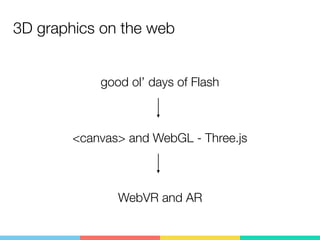
3D graphics on the web
自己紹介
good ol’ days of Flash
<canvas> and WebGL - Three.js
WebVR and AR
自己紹介
but we also have CSS 3D transforms!
3D graphics on the web
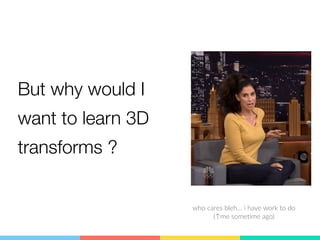
But why would I
want to learn 3D
transforms ?
who cares bleh… i have work to do
(↑me some>me ago)
自己紹介
😏
Look at these
自己紹介
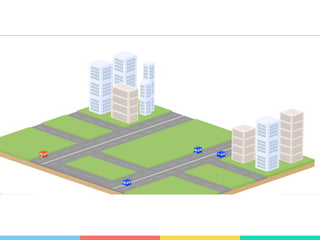
Want to create a
CSS-only city? 🏢
自己紹介
自己紹介
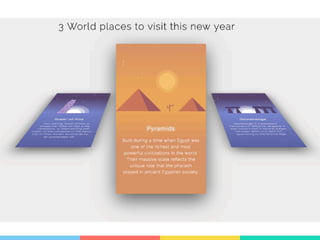
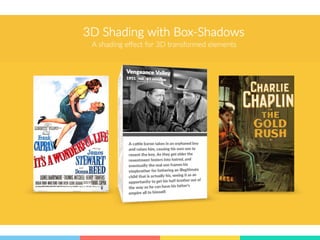
Want to create cool hover
effects? 😎
自己紹介
自己紹介
自己紹介
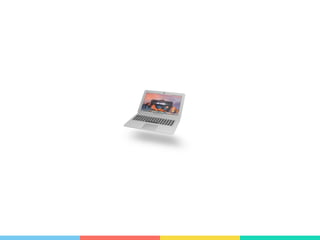
Want to create a buzzing
animation of a mac? 💻
自己紹介
自己紹介
or just a touch of coolness to
your website? 📰
自己紹介
自己紹介
But that looks a bit difficult… 🤔自己紹介
But really…
you only need to know
3 properties
自己紹介
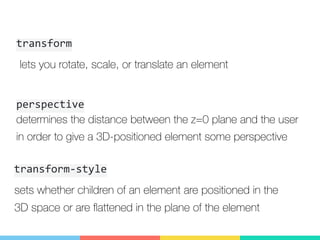
transform
自己紹介
 lets you rotate, scale, or translate an element
determines the distance between the z=0 plane and the user
in order to give a 3D-positioned element some perspective
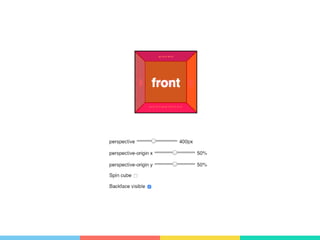
perspective
sets whether children of an element are positioned in the
3D space or are flattened in the plane of the element
transform-style
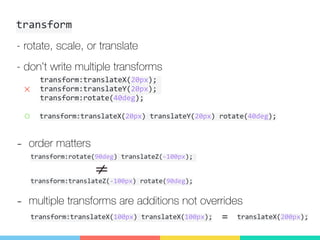
transform
自己紹介
- rotate, scale, or translate
transform:translateX(20px)	translateY(20px)	rotate(40deg);
- don’t write multiple transforms
transform:translateX(20px);	
transform:translateY(20px);	
transform:rotate(40deg);
×
○
- order matters
transform:rotate(90deg)	translateZ(-100px);	
transform:translateZ(-100px)	rotate(90deg);
- multiple transforms are additions not overrides
transform:translateX(100px)	translateX(100px); translateX(200px);=
perspective
自己紹介
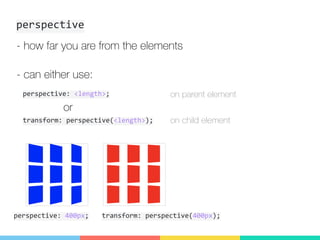
- how far you are from the elements
- can either use:
transform:	perspective(<length>);
perspective:	<length>;
or
on parent element
on child element
perspective:	400px; transform:	perspective(400px);
自己紹介
perspective
自己紹介
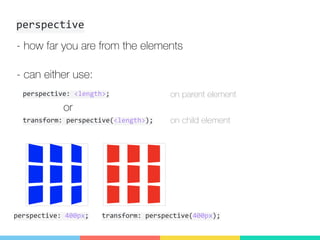
- how far you are from the elements
- can either use:
transform:	perspective(<length>);
perspective:	<length>;
or
on parent element
on child element
perspective:	400px; transform:	perspective(400px);
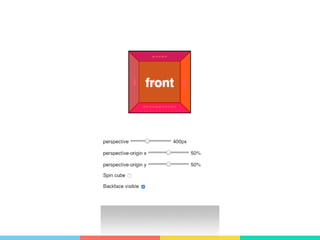
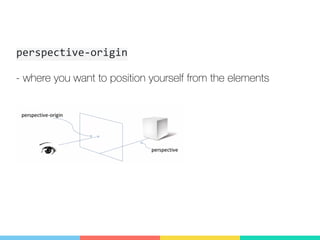
perspective-origin
自己紹介
- where you want to position yourself from the elements
自己紹介
transform-style
自己紹介
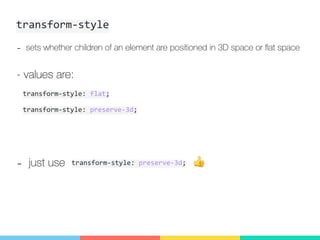
- sets whether children of an element are positioned in 3D space or flat space
- values are:
transform-style:	preserve-3d;
transform-style:	flat;
- just use 👍transform-style:	preserve-3d;
Okay… but how do i actually use
them…
自己紹介
自己紹介
Example: card flip!
Markup
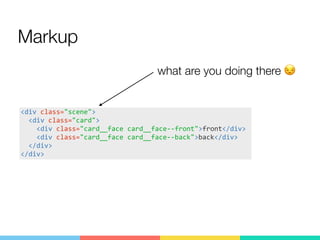
自己紹介<div	class="scene">	
		<div	class="card">	
				<div	class="card__face	card__face--front">front</div>	
				<div	class="card__face	card__face--back">back</div>	
		</div>	
</div>
what are you doing there 😒
Markup
自己紹介
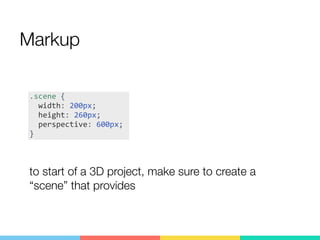
to start of a 3D project, make sure to create a
“scene” that provides
.scene	{	
		width:	200px;	
		height:	260px;	
		perspective:	600px;	
}
Markup
自己紹介
<div	class="scene">	
		<div	class="card">	
				<div	class="card__face	card__face--front">front</div>	
				<div	class="card__face	card__face--back">back</div>	
		</div>	
</div>
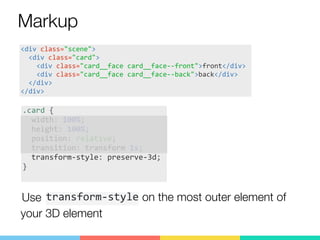
.card	{	
		width:	100%;	
		height:	100%;	
		position:	relative;	
		transition:	transform	1s;	
		transform-style:	preserve-3d;	
}	
Use transform-style on the most outer element of
your 3D element
Markup
自己紹介
<div	class="scene">	
		<div	class="card">	
				<div	class="card__face	card__face--front">front</div>	
				<div	class="card__face	card__face--back">back</div>	
		</div>	
</div>
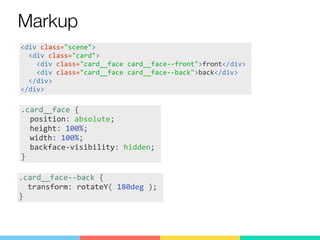
.card__face	{	
		position:	absolute;	
		height:	100%;	
		width:	100%;	
		backface-visibility:	hidden;	
}
.card__face--back	{	
		transform:	rotateY(	180deg	);	
}
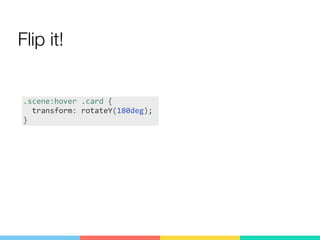
Flip it!
自己紹介
.scene:hover	.card	{	
		transform:	rotateY(180deg);	
}
Ayaka Sasaki


Product Designer / Developer at Eishis Inc.
github.com/ayausaspirit
twitter.com/bagelee
codepen.io/ayausaspirit
自己紹介
Thank you!

CSS 3D transforms for beginners