Donor Management
Needs, Comparison and Pricing
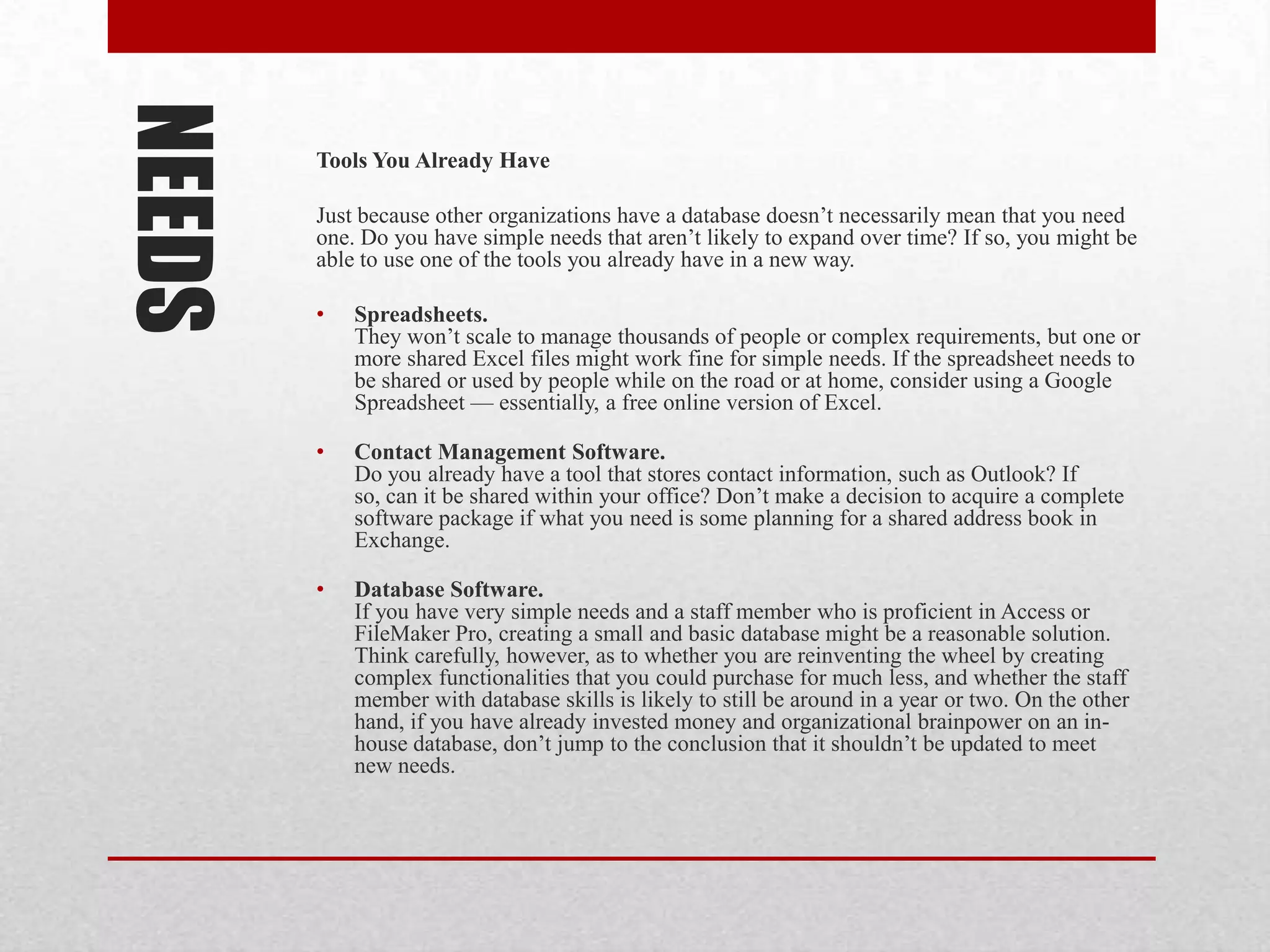
NEEDS   Take Your Needs Seriously

        Constituent data is the lifeblood of most
        organizations. It’s important to think through how
        important this system will be to your
        organization, and budget accordingly.

        A rule of thumb is to spend 0.25 to 0.5 percent of
        your annual budget on a solid constituent
        management system. If you have a $500,000 annual
        budget, this would mean devoting $1,250 to $2,500
        per year to managing your constituent data.

        Don’t assume that the cheapest ways are the best.
NEEDS   Take Your Needs Seriously

        Before you choose a database, think through how you plan to use it.
        The more clearly you can define how you plan to use constituent
        data, the more likely you are to choose a good database for you, and
        use it effectively after you acquire it. Take a bit of time to consider:

        • What types of constituents do you have?
           Who are you going to track in the database?
           Donors, volunteers, board members, community
           partners, vendors, media, business supporters? Others?


        • What do you need to track about each of these constituents?
           How will you interact with them? What information will you
           need to grow the relationship? For example, organizations that
           recruit business sponsors for events need a database that can
           track these cultivation steps. This data is very different from that
           for a simple direct donation mail campaign.
NEEDS   Take Your Needs Seriously

        • What reports and outputs will you need?
          Think through the information you’ll need for
          funders, summaries, mailings, and other lists.


        • How are your needs likely to scale over the next couple of
          years?
          If you have plans for growth, consider investing in a more
          sophisticated database so that you won’t have to go through the
          selection and integration process all over again next year.


        • How will it integrate with other data sources, such as other
          databases, email tools, or information gathered online?
          Do whatever you can to not add new databases that don’t speak
          to the data sources you already have.
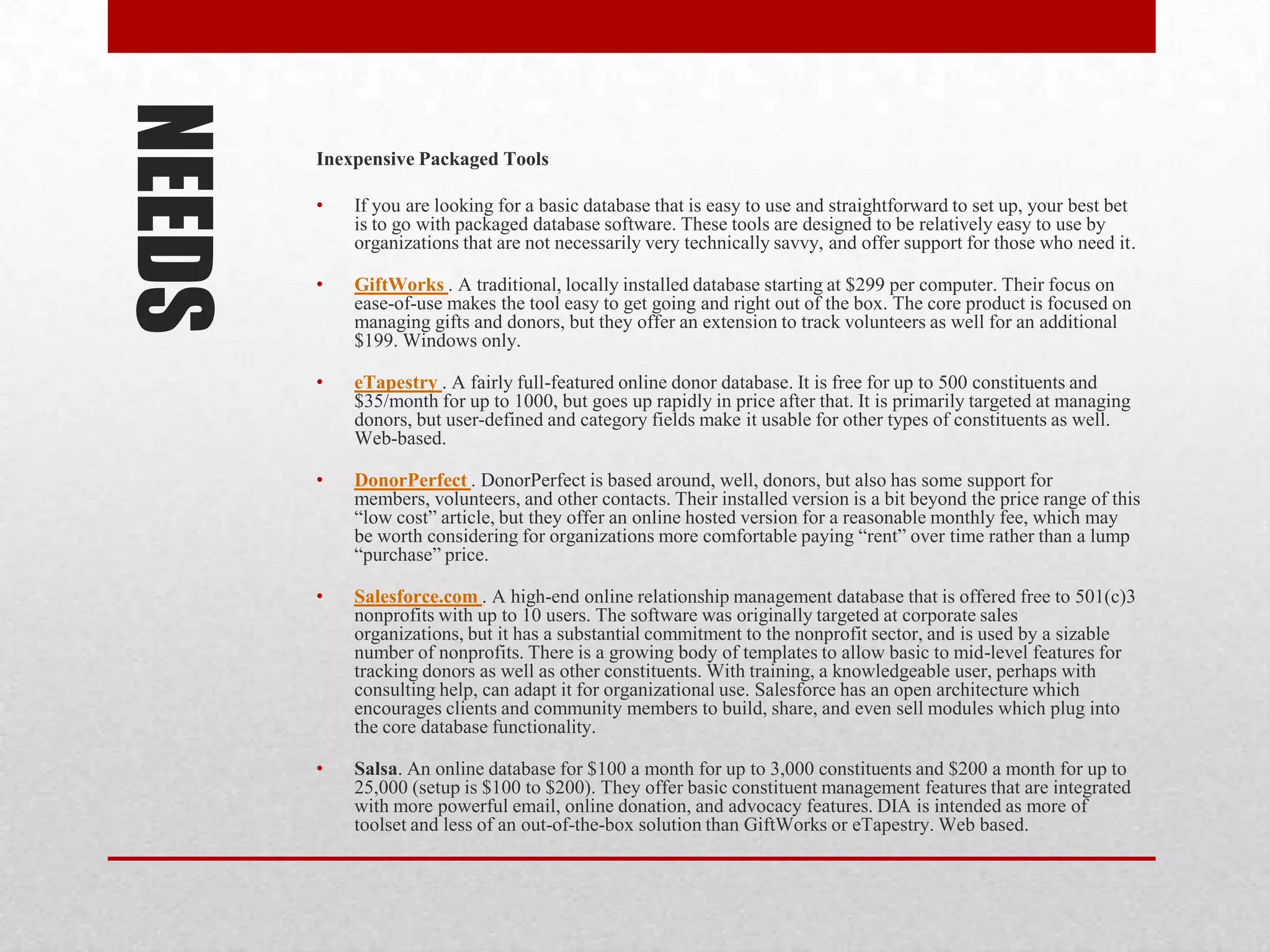
NEEDS   Tools You Already Have

        Just because other organizations have a database doesn’t necessarily mean that you need
        one. Do you have simple needs that aren’t likely to expand over time? If so, you might be
        able to use one of the tools you already have in a new way.

        •   Spreadsheets.
            They won’t scale to manage thousands of people or complex requirements, but one or
            more shared Excel files might work fine for simple needs. If the spreadsheet needs to
            be shared or used by people while on the road or at home, consider using a Google
            Spreadsheet — essentially, a free online version of Excel.

        •   Contact Management Software.
            Do you already have a tool that stores contact information, such as Outlook? If
            so, can it be shared within your office? Don’t make a decision to acquire a complete
            software package if what you need is some planning for a shared address book in
            Exchange.

        •   Database Software.
            If you have very simple needs and a staff member who is proficient in Access or
            FileMaker Pro, creating a small and basic database might be a reasonable solution.
            Think carefully, however, as to whether you are reinventing the wheel by creating
            complex functionalities that you could purchase for much less, and whether the staff
            member with database skills is likely to still be around in a year or two. On the other
            hand, if you have already invested money and organizational brainpower on an in-
            house database, don’t jump to the conclusion that it shouldn’t be updated to meet
            new needs.
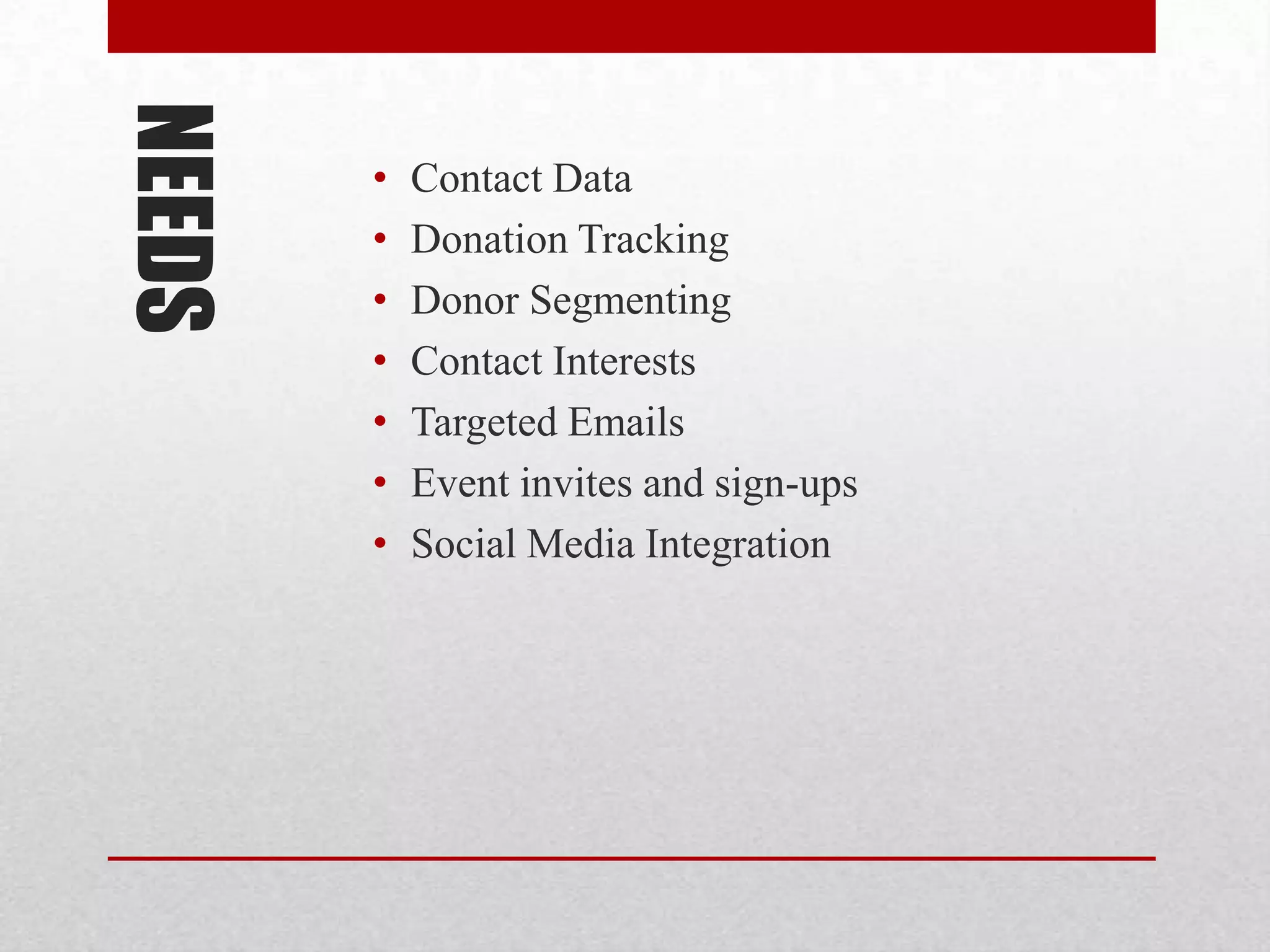
NEEDS   Inexpensive Packaged Tools

        •   If you are looking for a basic database that is easy to use and straightforward to set up, your best bet
            is to go with packaged database software. These tools are designed to be relatively easy to use by
            organizations that are not necessarily very technically savvy, and offer support for those who need it.

        •   GiftWorks . A traditional, locally installed database starting at $299 per computer. Their focus on
            ease-of-use makes the tool easy to get going and right out of the box. The core product is focused on
            managing gifts and donors, but they offer an extension to track volunteers as well for an additional
            $199. Windows only.

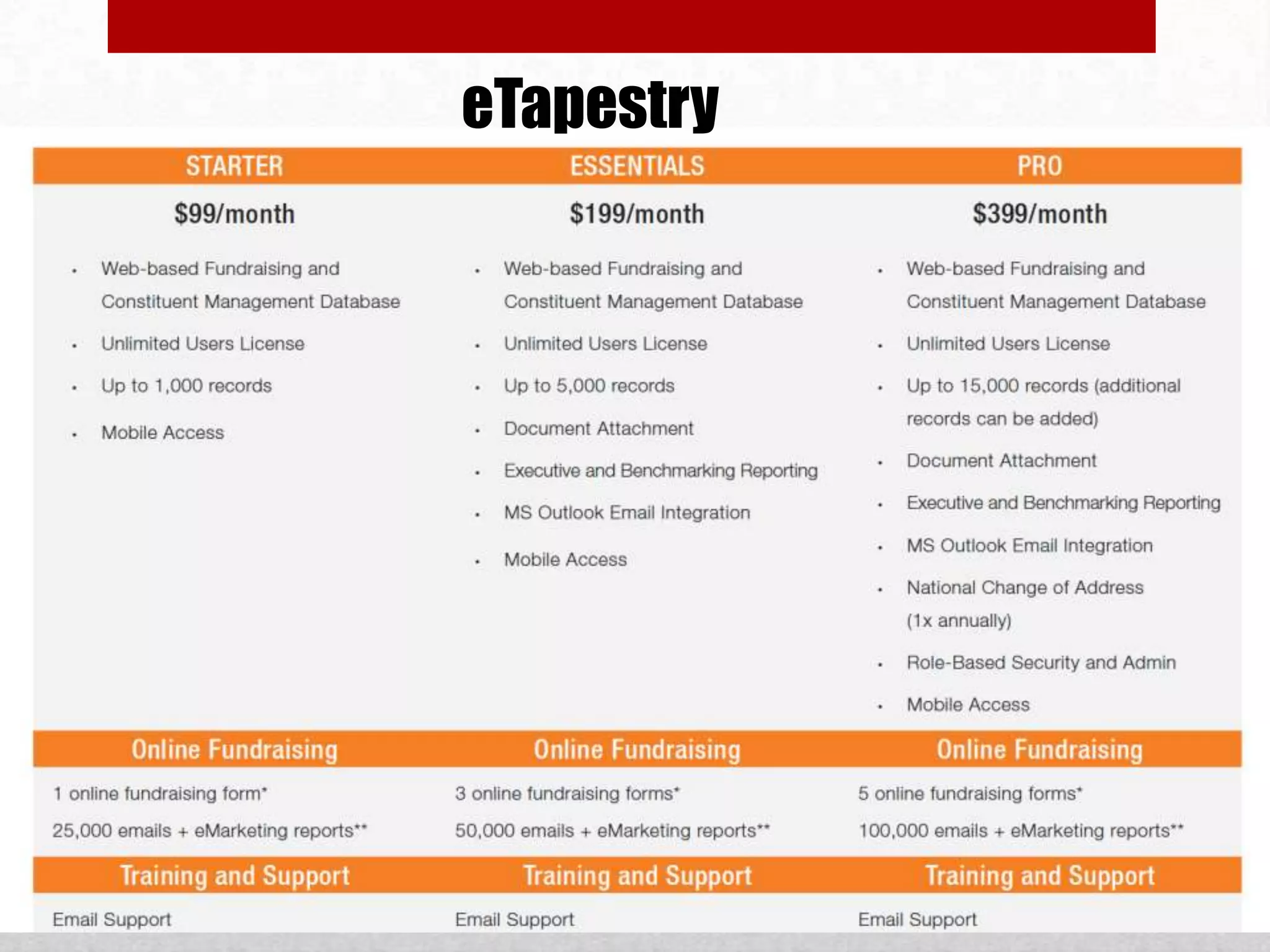
        •   eTapestry . A fairly full-featured online donor database. It is free for up to 500 constituents and
            $35/month for up to 1000, but goes up rapidly in price after that. It is primarily targeted at managing
            donors, but user-defined and category fields make it usable for other types of constituents as well.
            Web-based.

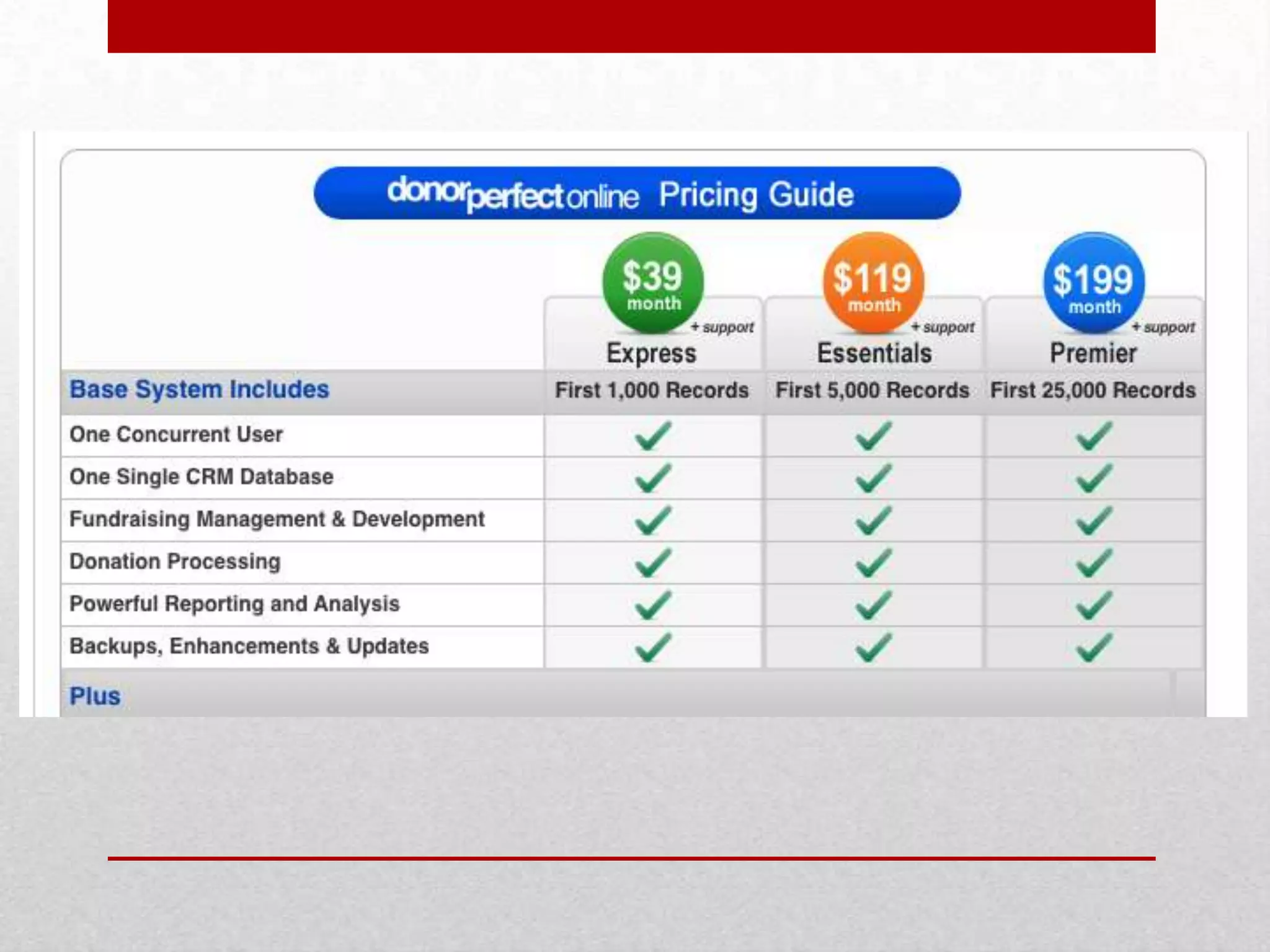
        •   DonorPerfect . DonorPerfect is based around, well, donors, but also has some support for
            members, volunteers, and other contacts. Their installed version is a bit beyond the price range of this
            “low cost” article, but they offer an online hosted version for a reasonable monthly fee, which may
            be worth considering for organizations more comfortable paying “rent” over time rather than a lump
            “purchase” price.

        •   Salesforce.com . A high-end online relationship management database that is offered free to 501(c)3
            nonprofits with up to 10 users. The software was originally targeted at corporate sales
            organizations, but it has a substantial commitment to the nonprofit sector, and is used by a sizable
            number of nonprofits. There is a growing body of templates to allow basic to mid-level features for
            tracking donors as well as other constituents. With training, a knowledgeable user, perhaps with
            consulting help, can adapt it for organizational use. Salesforce has an open architecture which
            encourages clients and community members to build, share, and even sell modules which plug into
            the core database functionality.

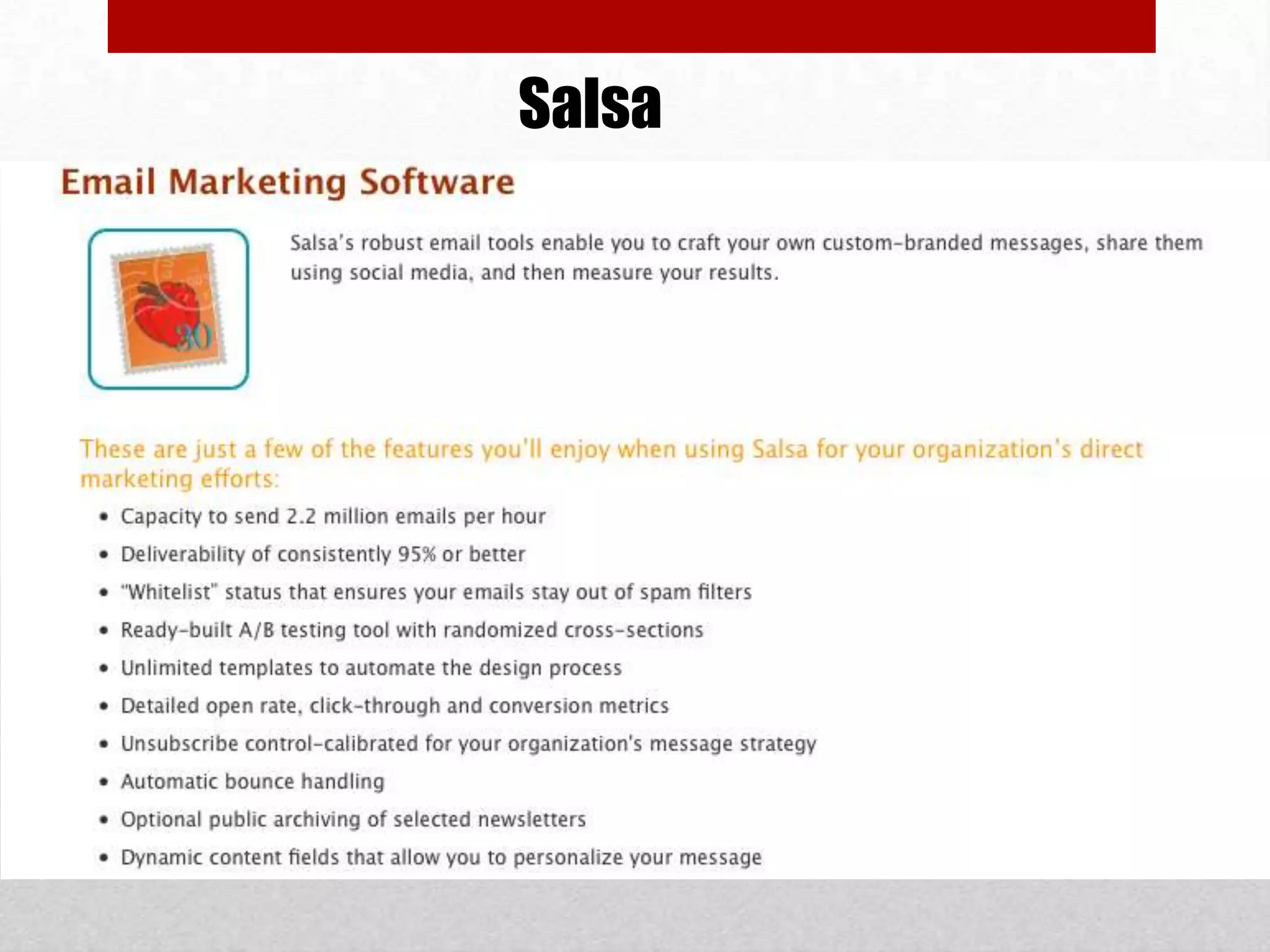
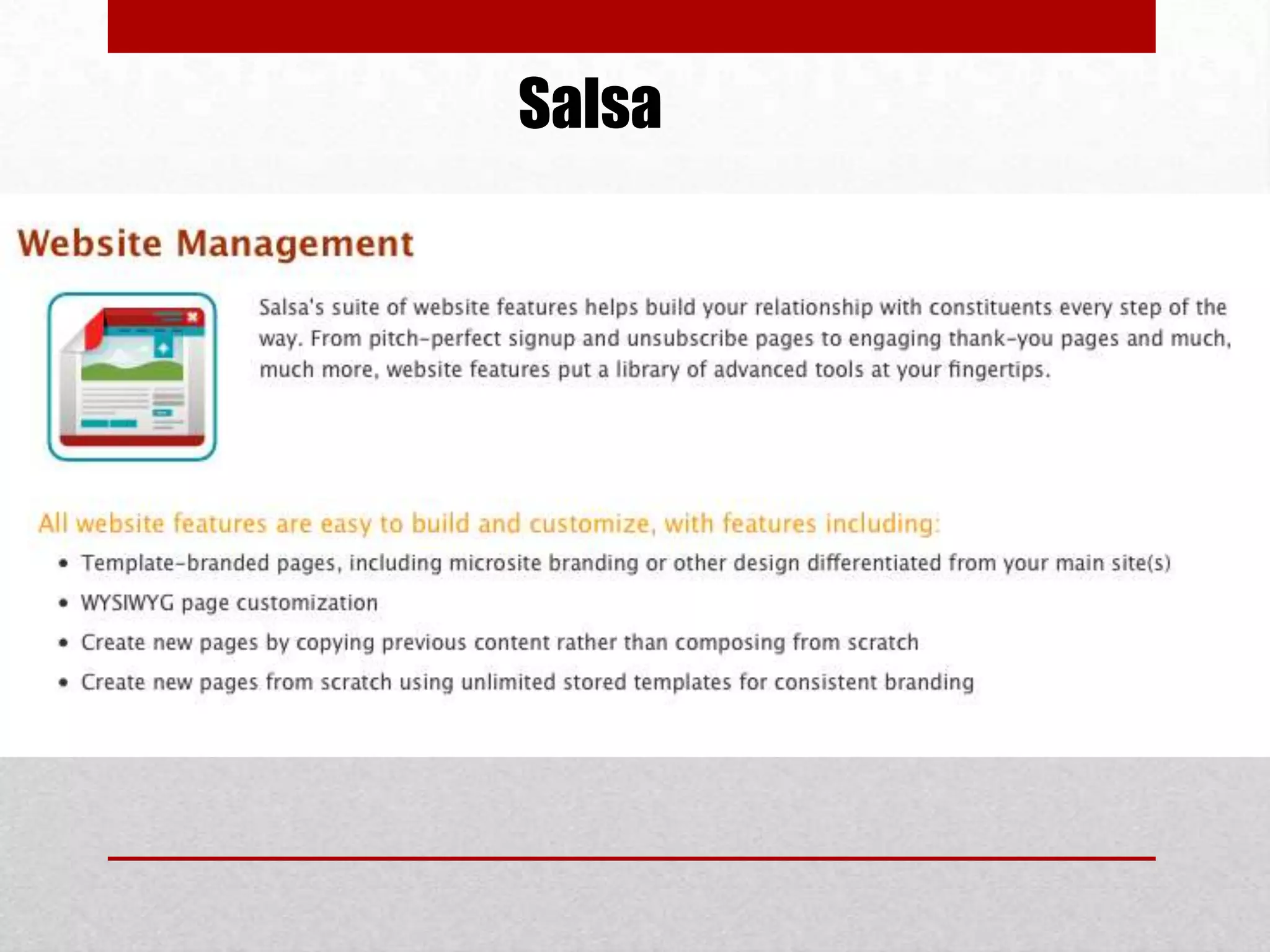
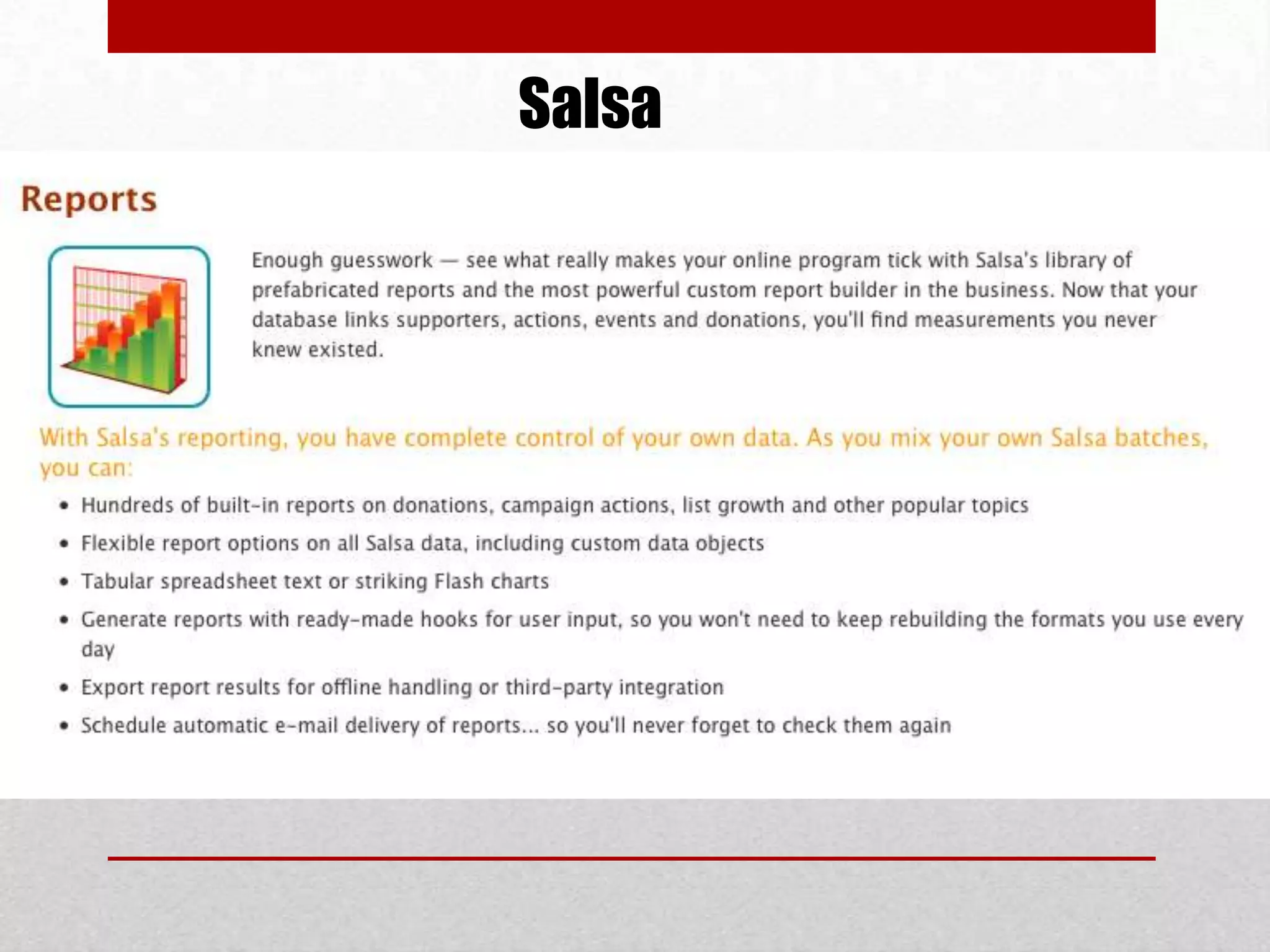
        •   Salsa. An online database for $100 a month for up to 3,000 constituents and $200 a month for up to
            25,000 (setup is $100 to $200). They offer basic constituent management features that are integrated
            with more powerful email, online donation, and advocacy features. DIA is intended as more of
            toolset and less of an out-of-the-box solution than GiftWorks or eTapestry. Web based.
NEEDS
        •   Contact Data
        •   Donation Tracking
        •   Donor Segmenting
        •   Contact Interests
        •   Targeted Emails
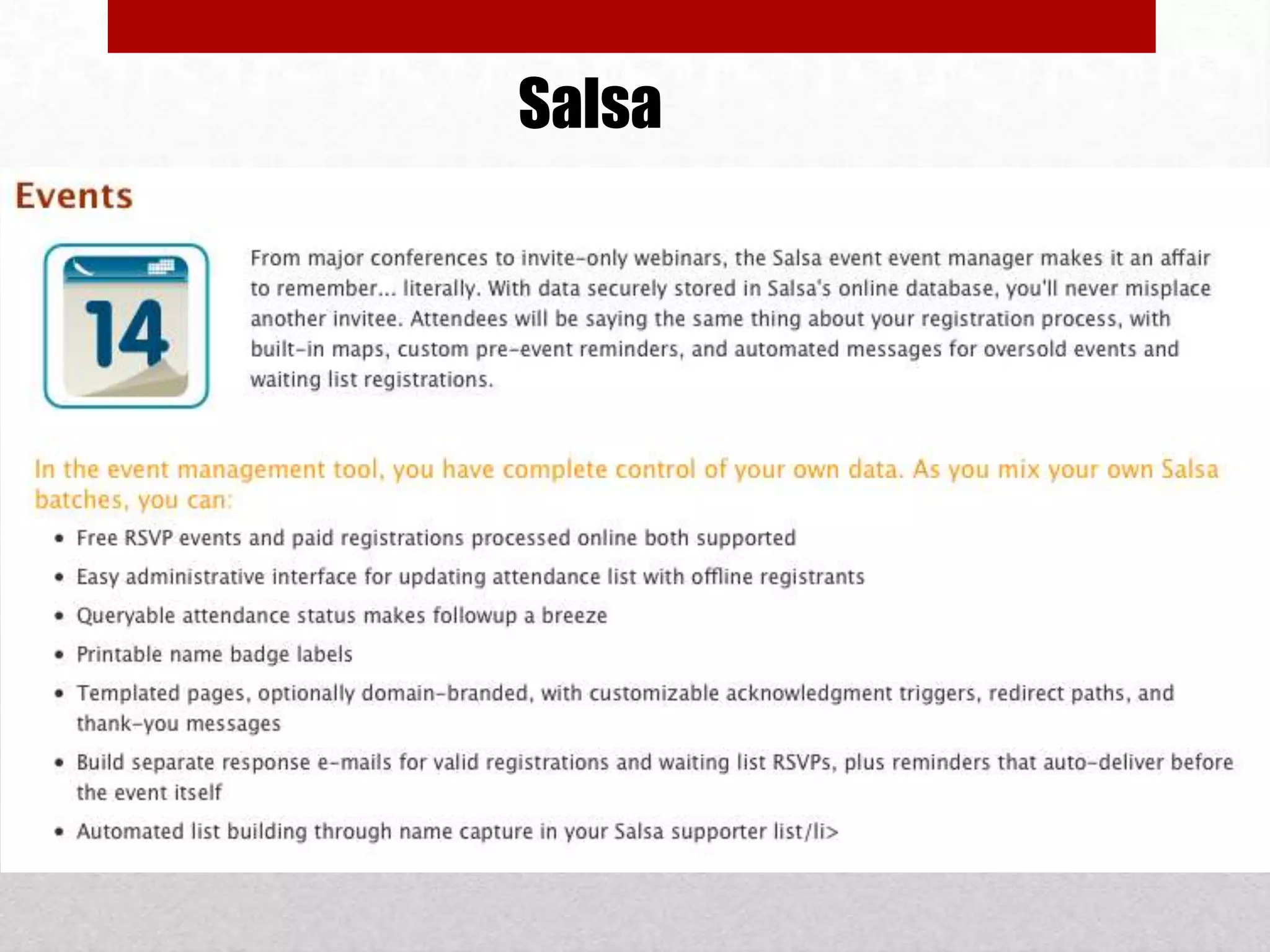
        •   Event invites and sign-ups
        •   Social Media Integration
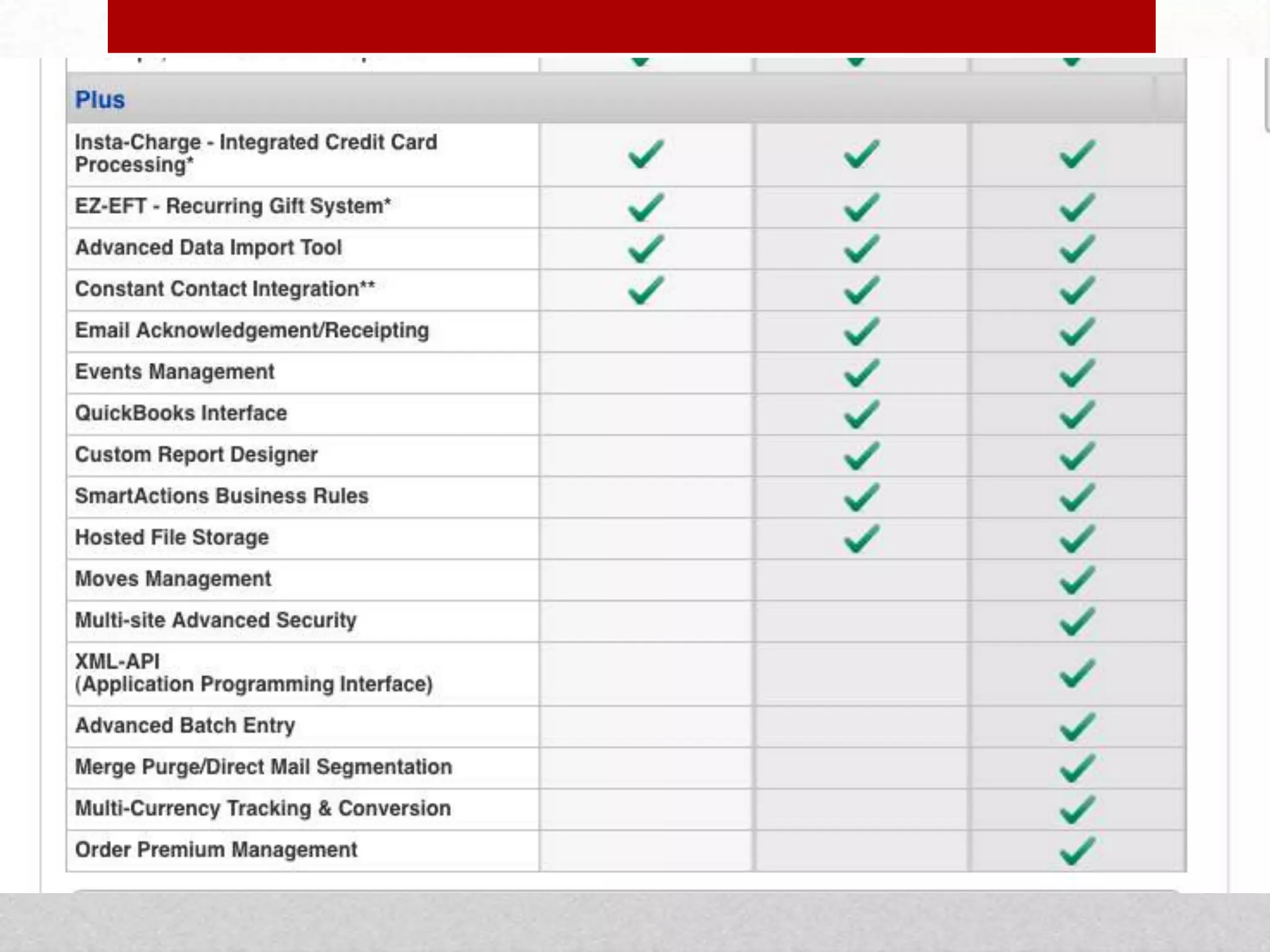
eTapestry
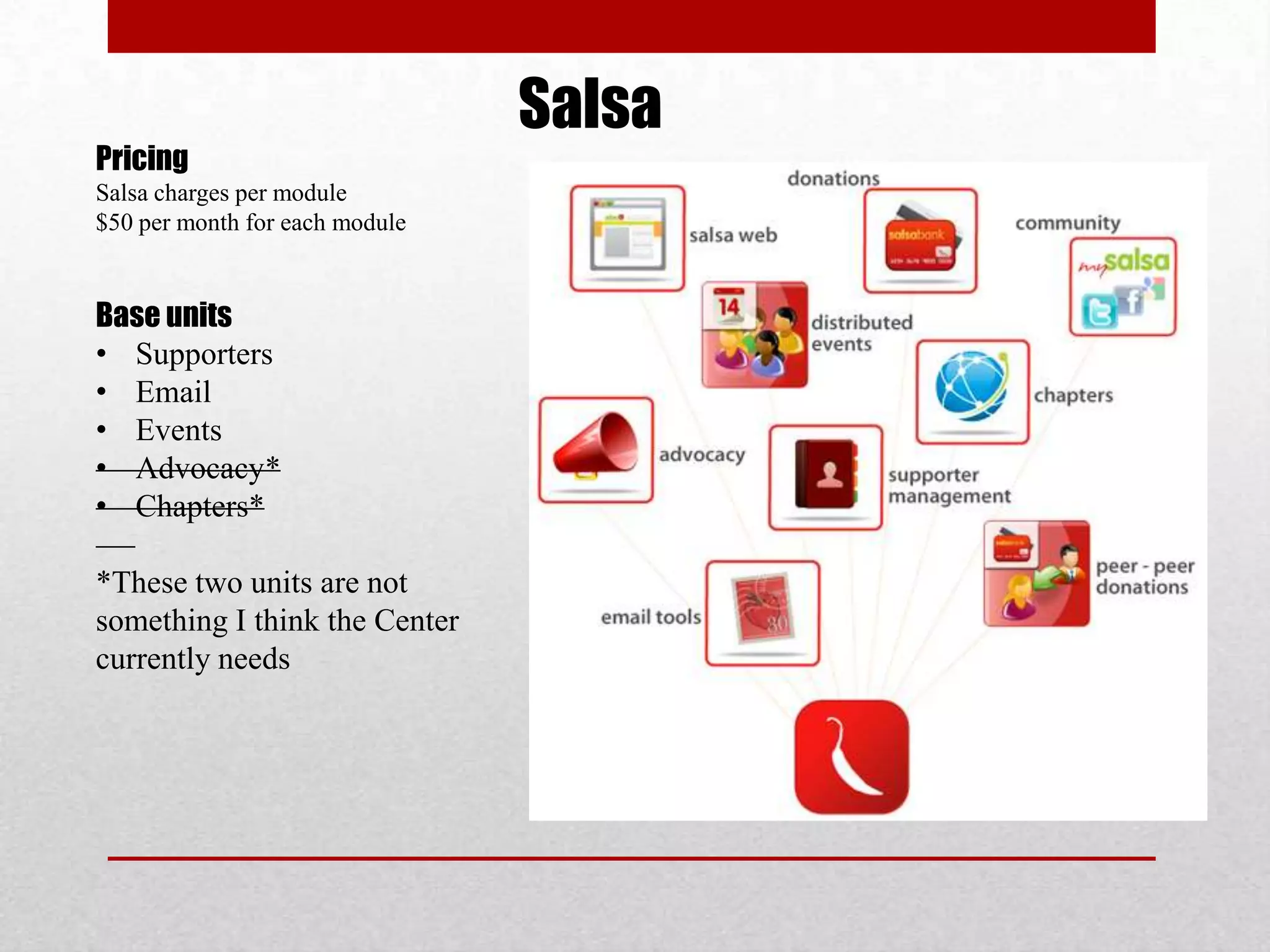
Salsa
Pricing
Salsa charges per module
$50 per month for each module


Base units
• Supporters
• Email
• Events
• Advocacy*
• Chapters*

*These two units are not
something I think the Center
currently needs
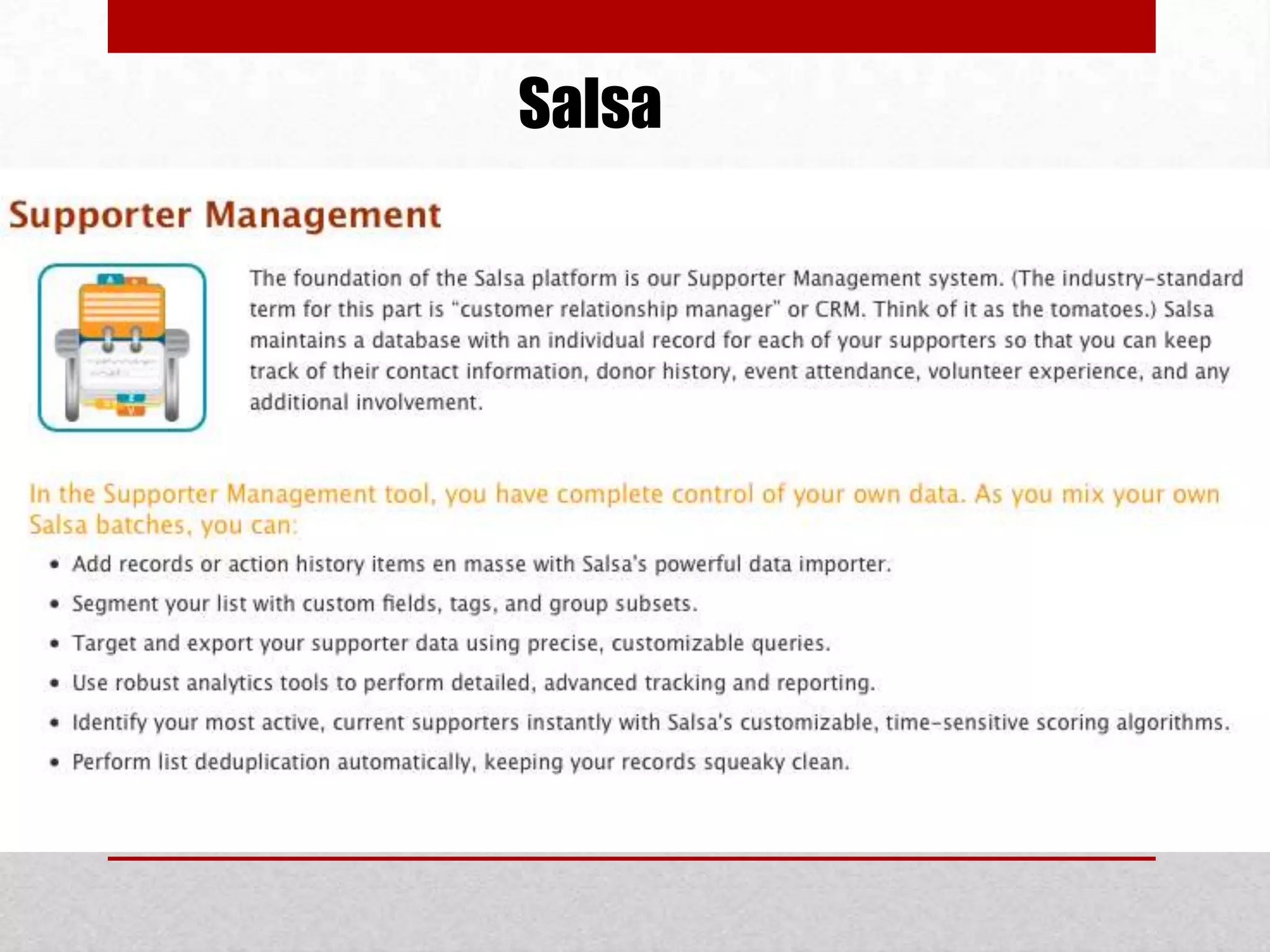
Salsa
Salsa
Salsa
Salsa
Salsa
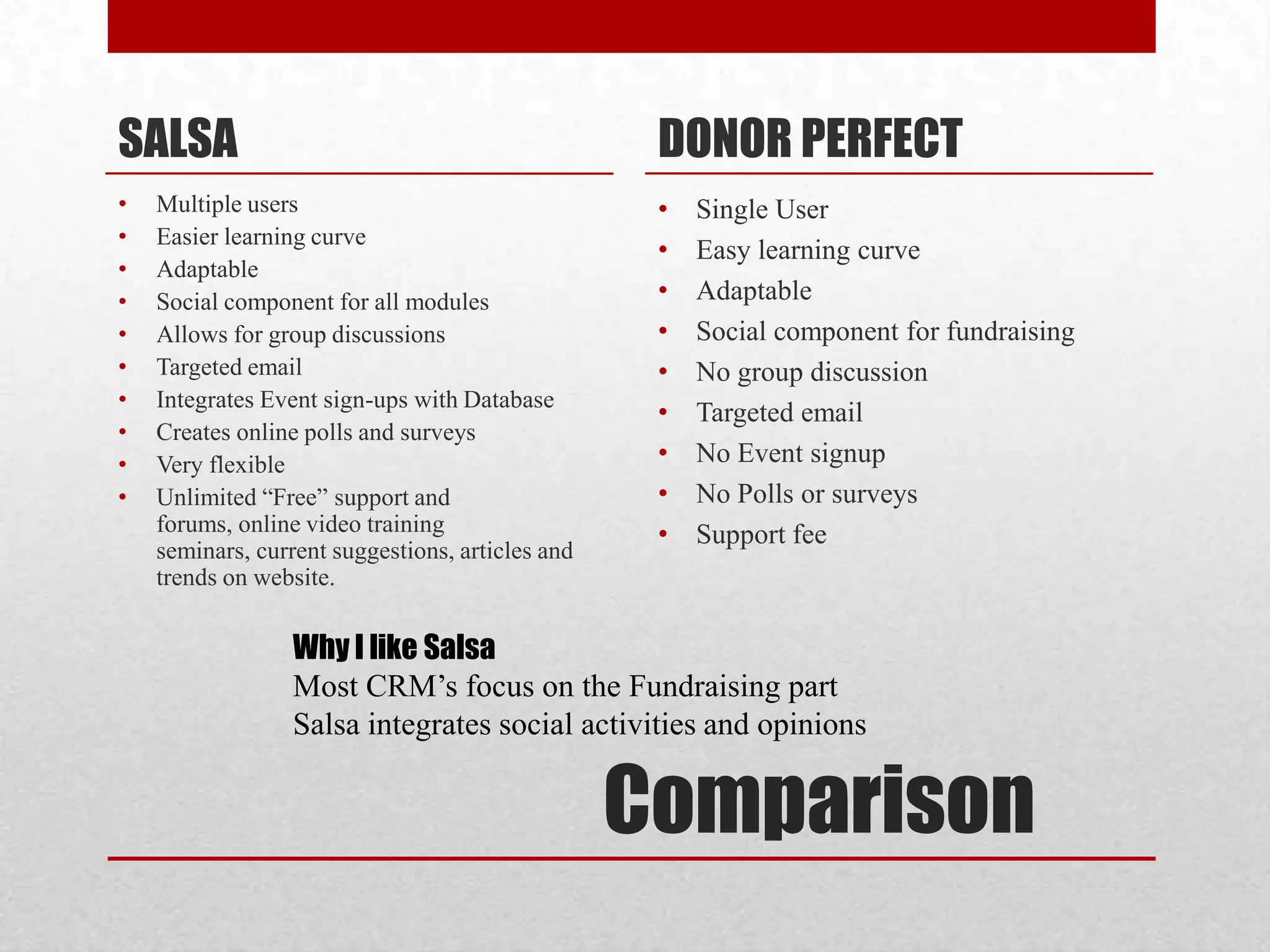
SALSA                                              DONOR PERFECT
•   Multiple users                                 •   Single User
•   Easier learning curve
                                                   •   Easy learning curve
•   Adaptable
•   Social component for all modules               •   Adaptable
•   Allows for group discussions                   •   Social component for fundraising
•   Targeted email                                 •   No group discussion
•   Integrates Event sign-ups with Database
                                                   •   Targeted email
•   Creates online polls and surveys
•   Very flexible                                  •   No Event signup
•   Unlimited “Free” support and                   •   No Polls or surveys
    forums, online video training                  •   Support fee
    seminars, current suggestions, articles and
    trends on website.

                  Why I like Salsa
                  Most CRM’s focus on the Fundraising part
                  Salsa integrates social activities and opinions


                                                  Comparison

CRMS

  • 1.
  • 2.
    NEEDS Take Your Needs Seriously Constituent data is the lifeblood of most organizations. It’s important to think through how important this system will be to your organization, and budget accordingly. A rule of thumb is to spend 0.25 to 0.5 percent of your annual budget on a solid constituent management system. If you have a $500,000 annual budget, this would mean devoting $1,250 to $2,500 per year to managing your constituent data. Don’t assume that the cheapest ways are the best.
  • 3.
    NEEDS Take Your Needs Seriously Before you choose a database, think through how you plan to use it. The more clearly you can define how you plan to use constituent data, the more likely you are to choose a good database for you, and use it effectively after you acquire it. Take a bit of time to consider: • What types of constituents do you have? Who are you going to track in the database? Donors, volunteers, board members, community partners, vendors, media, business supporters? Others? • What do you need to track about each of these constituents? How will you interact with them? What information will you need to grow the relationship? For example, organizations that recruit business sponsors for events need a database that can track these cultivation steps. This data is very different from that for a simple direct donation mail campaign.
  • 4.
    NEEDS Take Your Needs Seriously • What reports and outputs will you need? Think through the information you’ll need for funders, summaries, mailings, and other lists. • How are your needs likely to scale over the next couple of years? If you have plans for growth, consider investing in a more sophisticated database so that you won’t have to go through the selection and integration process all over again next year. • How will it integrate with other data sources, such as other databases, email tools, or information gathered online? Do whatever you can to not add new databases that don’t speak to the data sources you already have.
  • 5.
    NEEDS Tools You Already Have Just because other organizations have a database doesn’t necessarily mean that you need one. Do you have simple needs that aren’t likely to expand over time? If so, you might be able to use one of the tools you already have in a new way. • Spreadsheets. They won’t scale to manage thousands of people or complex requirements, but one or more shared Excel files might work fine for simple needs. If the spreadsheet needs to be shared or used by people while on the road or at home, consider using a Google Spreadsheet — essentially, a free online version of Excel. • Contact Management Software. Do you already have a tool that stores contact information, such as Outlook? If so, can it be shared within your office? Don’t make a decision to acquire a complete software package if what you need is some planning for a shared address book in Exchange. • Database Software. If you have very simple needs and a staff member who is proficient in Access or FileMaker Pro, creating a small and basic database might be a reasonable solution. Think carefully, however, as to whether you are reinventing the wheel by creating complex functionalities that you could purchase for much less, and whether the staff member with database skills is likely to still be around in a year or two. On the other hand, if you have already invested money and organizational brainpower on an in- house database, don’t jump to the conclusion that it shouldn’t be updated to meet new needs.
  • 6.
    NEEDS Inexpensive Packaged Tools • If you are looking for a basic database that is easy to use and straightforward to set up, your best bet is to go with packaged database software. These tools are designed to be relatively easy to use by organizations that are not necessarily very technically savvy, and offer support for those who need it. • GiftWorks . A traditional, locally installed database starting at $299 per computer. Their focus on ease-of-use makes the tool easy to get going and right out of the box. The core product is focused on managing gifts and donors, but they offer an extension to track volunteers as well for an additional $199. Windows only. • eTapestry . A fairly full-featured online donor database. It is free for up to 500 constituents and $35/month for up to 1000, but goes up rapidly in price after that. It is primarily targeted at managing donors, but user-defined and category fields make it usable for other types of constituents as well. Web-based. • DonorPerfect . DonorPerfect is based around, well, donors, but also has some support for members, volunteers, and other contacts. Their installed version is a bit beyond the price range of this “low cost” article, but they offer an online hosted version for a reasonable monthly fee, which may be worth considering for organizations more comfortable paying “rent” over time rather than a lump “purchase” price. • Salesforce.com . A high-end online relationship management database that is offered free to 501(c)3 nonprofits with up to 10 users. The software was originally targeted at corporate sales organizations, but it has a substantial commitment to the nonprofit sector, and is used by a sizable number of nonprofits. There is a growing body of templates to allow basic to mid-level features for tracking donors as well as other constituents. With training, a knowledgeable user, perhaps with consulting help, can adapt it for organizational use. Salesforce has an open architecture which encourages clients and community members to build, share, and even sell modules which plug into the core database functionality. • Salsa. An online database for $100 a month for up to 3,000 constituents and $200 a month for up to 25,000 (setup is $100 to $200). They offer basic constituent management features that are integrated with more powerful email, online donation, and advocacy features. DIA is intended as more of toolset and less of an out-of-the-box solution than GiftWorks or eTapestry. Web based.
  • 7.
    NEEDS • Contact Data • Donation Tracking • Donor Segmenting • Contact Interests • Targeted Emails • Event invites and sign-ups • Social Media Integration
  • 10.
  • 11.
    Salsa Pricing Salsa charges permodule $50 per month for each module Base units • Supporters • Email • Events • Advocacy* • Chapters* *These two units are not something I think the Center currently needs
  • 12.
  • 13.
  • 14.
  • 15.
  • 16.
  • 17.
    SALSA DONOR PERFECT • Multiple users • Single User • Easier learning curve • Easy learning curve • Adaptable • Social component for all modules • Adaptable • Allows for group discussions • Social component for fundraising • Targeted email • No group discussion • Integrates Event sign-ups with Database • Targeted email • Creates online polls and surveys • Very flexible • No Event signup • Unlimited “Free” support and • No Polls or surveys forums, online video training • Support fee seminars, current suggestions, articles and trends on website. Why I like Salsa Most CRM’s focus on the Fundraising part Salsa integrates social activities and opinions Comparison