Creating sustainable solutions with
SharePoint 2013
#SPSSTHLM01
Yuri Burger
January 25th, 2014

SharePoint Saturday

Stockholm
Gold

SharePint

Bronze
Raffle
About me
Yuri Burger

00010010010
00111000001
Reach out

@yuriburger

yurib@delta-n.nl

http://yuriburger.net
Todo
> Sustainable Solutions?

> Developer Considerations
>
>
>

Solution Type
Solution Architecture
Solution Lifecycle

> Questions
Sustainable solutions?
Sustainable Solutions?
> Maximize product revenue
> Business-driven
> Sustainable, not durable
Sustainable VS Durable
Durability is the ability to resist changes.
Sustainability is the ability to embrace changes by renewal, maintenance and
improvements.
Developer considerations
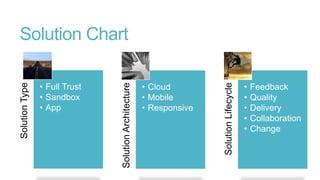
• Cloud
• Mobile
• Responsive

Solution Lifecycle

• Full Trust
• Sandbox
• App

Solution Architecture

Solution Type

Solution Chart
•
•
•
•
•

Feedback
Quality
Delivery
Collaboration
Change
Solution Type
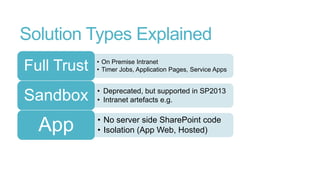
Solution Types Explained
Full Trust

• On Premise Intranet
• Timer Jobs, Application Pages, Service Apps

Sandbox

• Deprecated, but supported in SP2013
• Intranet artefacts e.g.
App

• No server side SharePoint code
• Isolation (App Web, Hosted)
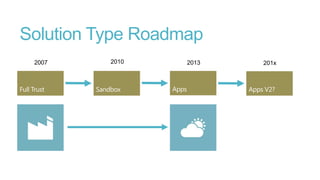
Solution Type Roadmap
2007

2010

2013

201x
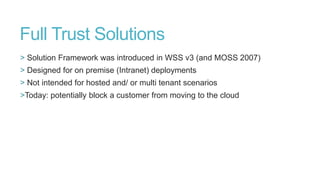
Full Trust Solutions
> Solution Framework was introduced in WSS v3 (and MOSS 2007)
> Designed for on premise (Intranet) deployments
> Not intended for hosted and/ or multi tenant scenarios
>Today: potentially block a customer from moving to the cloud
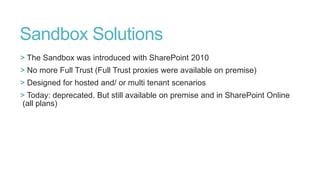
Sandbox Solutions
> The Sandbox was introduced with SharePoint 2010
> No more Full Trust (Full Trust proxies were available on premise)
> Designed for hosted and/ or multi tenant scenarios
> Today: deprecated. But still available on premise and in SharePoint Online
(all plans)
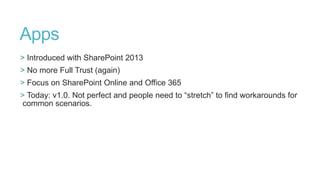
Apps
> Introduced with SharePoint 2013
> No more Full Trust (again)
> Focus on SharePoint Online and Office 365
> Today: v1.0. Not perfect and people need to “stretch” to find workarounds for
common scenarios.
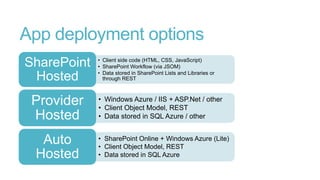
App deployment options
SharePoint
Hosted

Provider
Hosted
Auto
Hosted

• Client side code (HTML, CSS, JavaScript)
• SharePoint Workflow (via JSOM)
• Data stored in SharePoint Lists and Libraries or
through REST

• Windows Azure / IIS + ASP.Net / other
• Client Object Model, REST
• Data stored in SQL Azure / other
• SharePoint Online + Windows Azure (Lite)
• Client Object Model, REST
• Data stored in SQL Azure
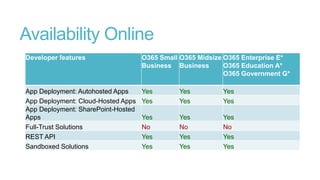
Availability Online
Developer features

O365 Small O365 Midsize O365 Enterprise E*
Business Business
O365 Education A*
O365 Government G*

App Deployment: Autohosted Apps
App Deployment: Cloud-Hosted Apps
App Deployment: SharePoint-Hosted
Apps
Full-Trust Solutions
REST API
Sandboxed Solutions

Yes
Yes

Yes
Yes

Yes
Yes

Yes
No
Yes
Yes

Yes
No
Yes
Yes

Yes
No
Yes
Yes
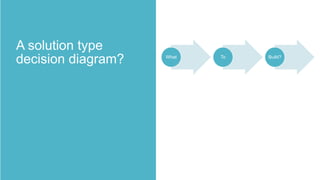
What

To

Build?
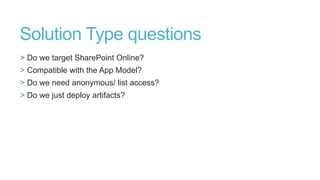
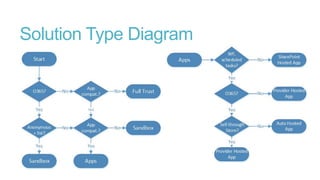
Solution Type questions
> Do we target SharePoint Online?
> Compatible with the App Model?
> Do we need anonymous/ list access?
> Do we just deploy artifacts?
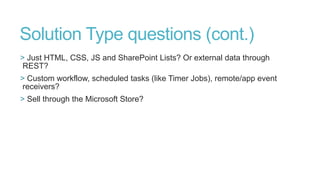
Solution Type questions (cont.)
> Just HTML, CSS, JS and SharePoint Lists? Or external data through
REST?
> Custom workflow, scheduled tasks (like Timer Jobs), remote/app event
receivers?
> Sell through the Microsoft Store?
Solution Type Diagram
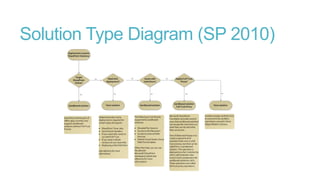
Solution Type Diagram (SP 2010)
Solution Architecture
Why Responsive Design?
> 20+ well known screen sizes for popular (handheld) devices
> Mobile Internet is catching up on Desktop usage and will probably leave it
trailing soon
> Responsive UI design enables Device Dependent User Experience all from a
single HTML codebase
> Offer a Responsive Web (HTML)
Framework
> Based on a grid system (usually)
with columns and rows
> CSS for positioning

> Prebaked CSS classes and media
queries for common scenarios
> Documentation and examples
1200px grid

“standard” 1280px in landscape

“standard” 320px in portrait
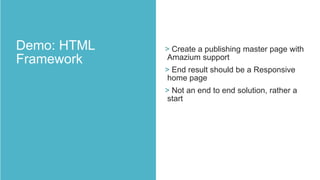
> Create a publishing master page with
Amazium support
> End result should be a Responsive
home page
> Not an end to end solution, rather a
start
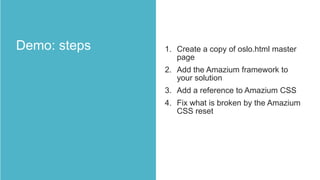
1. Create a copy of oslo.html master
page
2. Add the Amazium framework to
your solution
3. Add a reference to Amazium CSS

4. Fix what is broken by the Amazium
CSS reset
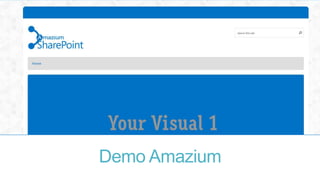
Demo Amazium
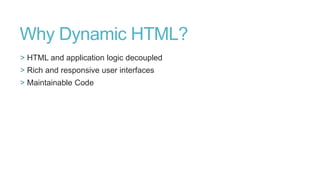
Why Dynamic HTML?
> HTML and application logic decoupled
> Rich and responsive user interfaces
> Maintainable Code
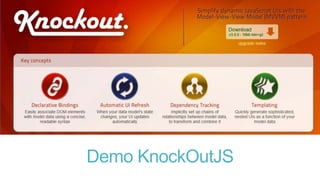
> Declarative bindings

> Dependency tracking
> Support and promote the use of
design patterns (MV* style
programming)
> Simple SharePoint App: display
images from a list (Picture Library)
> Two versions: 1 without “Dynamic
HTML” and 1 version based on
KnockOutJS
> Same functionality, same solution
structure, same “result”
> But with a different approach
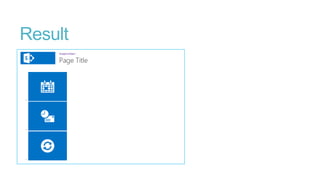
Result
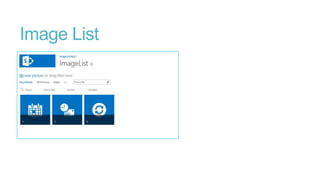
Image List
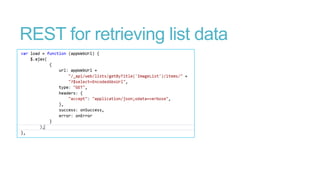
REST for retrieving list data
1. Add KnockOut JS to your solution
(Install-Package KnockOutJS)
2. Add script reference to KnockOut
to your page
3. Setup HTML structure (your View)

4. Create your View Model
5. Apply KnockOut binding
Demo KnockOutJS
Source: http://en.wikipedia.org/wiki/Application_lifecycle_management

Solution Lifecycle Management
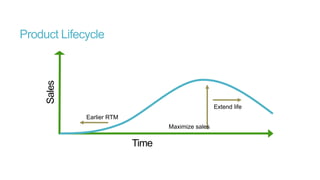
Sales

Product Lifecycle

Extend life
Earlier RTM
Maximize sales

Time
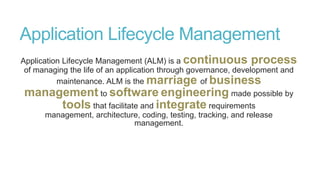
Application Lifecycle Management
Application Lifecycle Management (ALM) is a continuous process
of managing the life of an application through governance, development and
maintenance. ALM is the marriage of business

management to software engineering made possible by
tools that facilitate and integrate requirements
management, architecture, coding, testing, tracking, and release
management.
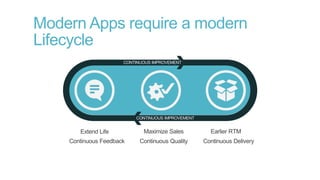
Modern Apps require a modern
Lifecycle
SharePoint 2013 App Model
Apps have a modern lifecycle with continious improvements at their center:
> Continues feedback by Store Feedback and Ratings
> Focus on quality

> High update frequency
Minimal requirements
> Collaboration (version control)
> Change Management (work item mgmt)
> Feedback Management
> Quality Management (autom. Unit tests)

> Delivery Managment (controlled builds)
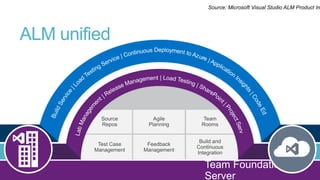
Source: Microsoft Visual Studio ALM Product In

ALM unified
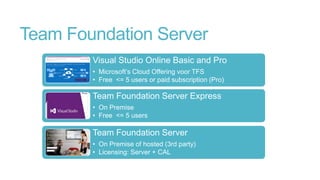
Team Foundation Server
Visual Studio Online Basic and Pro
• Microsoft’s Cloud Offering voor TFS
• Free <= 5 users or paid subscription (Pro)

Team Foundation Server Express
• On Premise
• Free <= 5 users

Team Foundation Server
• On Premise of hosted (3rd party)
• Licensing: Server + CAL
Source: http://en.wikipedia.org/wiki/Application_lifecycle_management

Questions
Please rate this session...

Creating sustainable solutions with SharePoint 2013