1
CRAWLER
From Beginner To Intermediate
Self Introduction
Cheng-Yi, Yu
erinus.startup@gmail.com
• GoGo Realtors Inc.
Technical Consultant
• LifePlus Inc.
Technical Manager
• Freelancer
~ 10 Years
2
DAY 1
3
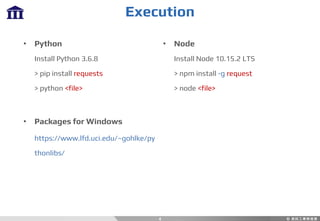
• Python
Install Python 3.6.8
> pip install requests
> python <file>
• Packages for Windows
https://www.lfd.uci.edu/~gohlke/py
thonlibs/
Execution
• Node
Install Node 10.15.2 LTS
> npm install -g request
> node <file>
4
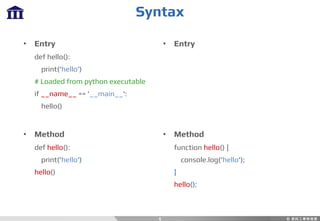
• Entry
def hello():
print('hello’)
# Loaded from python executable
if __name__ == '__main__':
hello()
• Method
def hello():
print('hello')
hello()
• Entry
• Method
function hello() {
console.log('hello');
}
hello();
Syntax
5
Syntax
6
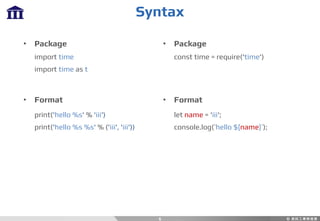
• Package
import time
import time as t
• Format
print('hello %s' % 'iii')
print('hello %s %s' % ('iii', 'iii'))
• Package
const time = require('time')
• Format
let name = 'iii';
console.log(`hello ${name}`);
Syntax
7
• If … else …
if 1 == 0:
…
else:
…
• For Loop
for i in [0, 1, 2, 3]:
…
• If … else …
if (1 == 0) {
...
} else {
…
}
• For Loop
for (let i = 0; i < 4; i++) {
…
}
Syntax
8
• While Loop
while True:
• List
[0, 1, 2, 3]
• Dictionary
{'a': 0, 'b': 1, 'c': 2}
• Tuple
(0, 1, 2)
• While Loop
while (true) { ... }
• Array
[0, 1, 2, 3]
• Object
{a: 0, b: 1, c: 2}
Syntax
9
• List Slice
list[start:end]
list[start:]
list[:end]
• List Creation from For Loop
– Object
[item.attr for obj in list]
– Dictionary
[item[key] for obj in list]
• Array Slice
array.slice(start, end)
array.slice(start)
Syntax
10
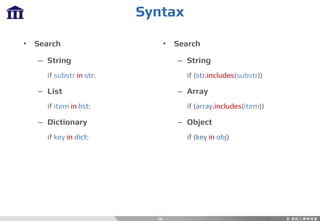
• Search
– String
if substr in str:
– List
if item in list:
– Dictionary
if key in dict:
• Search
– String
if (str.includes(substr))
– Array
if (array.includes(item))
– Object
if (key in obj)
Installation
11
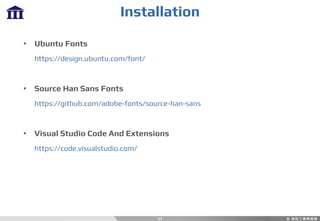
• Ubuntu Fonts
https://design.ubuntu.com/font/
• Source Han Sans Fonts
https://github.com/adobe-fonts/source-han-sans
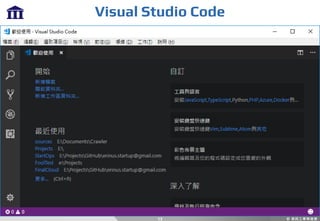
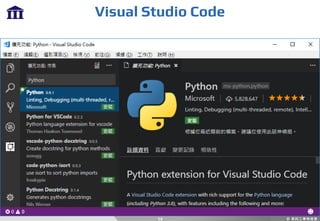
• Visual Studio Code And Extensions
https://code.visualstudio.com/
Installation
12
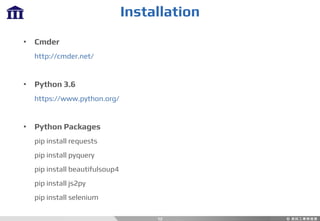
• Cmder
http://cmder.net/
• Python 3.6
https://www.python.org/
• Python Packages
pip install requests
pip install pyquery
pip install beautifulsoup4
pip install js2py
pip install selenium
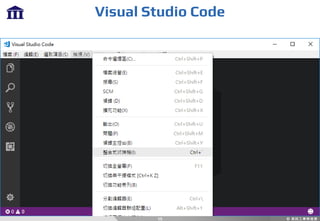
Visual Studio Code
13
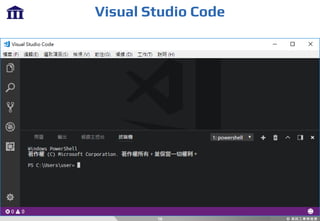
Visual Studio Code
14
Visual Studio Code
15
Visual Studio Code
16
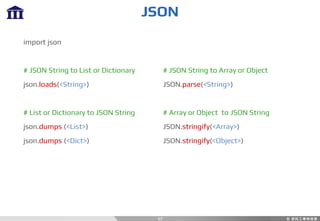
JSON
17
import json
# JSON String to List or Dictionary
json.loads(<String>)
# List or Dictionary to JSON String
json.dumps (<List>)
json.dumps (<Dict>)
# JSON String to Array or Object
JSON.parse(<String>)
# Array or Object to JSON String
JSON.stringify(<Array>)
JSON.stringify(<Object>)
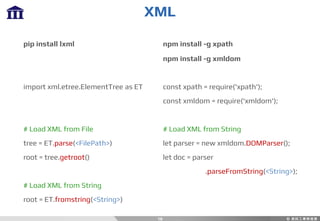
XML
18
pip install lxml
import xml.etree.ElementTree as ET
# Load XML from File
tree = ET.parse(<FilePath>)
root = tree.getroot()
# Load XML from String
root = ET.fromstring(<String>)
npm install -g xpath
npm install -g xmldom
const xpath = require('xpath');
const xmldom = require('xmldom');
# Load XML from String
let parser = new xmldom.DOMParser();
let doc = parser
.parseFromString(<String>);
XML
19
# One Level Search
for node in root:
# Recursive Search
nodes = root.findall(<XPath>)
for node in nodes:
# Search
let nodes = xpath.select(<XPath>, doc);
nodes.forEach(function(node) {
console.log(node.localName);
for (var key in node.attributes) {
let attr = node.attributes[key];
if (attr.constructor.name != 'Attr') {
continue;
}
console.log(attr.name, attr.value);
}
});
URL
20
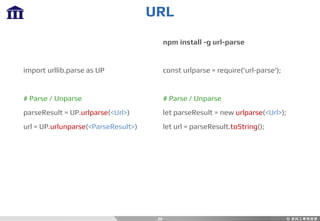
import urllib.parse as UP
# Parse / Unparse
parseResult = UP.urlparse(<Url>)
url = UP.urlunparse(<ParseResult>)
npm install -g url-parse
const urlparse = require('url-parse');
# Parse / Unparse
let parseResult = new urlparse(<Url>);
let url = parseResult.toString();
URL
21
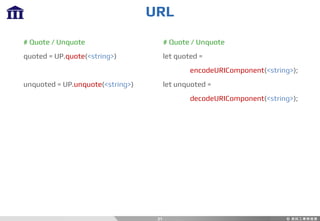
# Quote / Unquote
quoted = UP.quote(<string>)
unquoted = UP.unquote(<string>)
# Quote / Unquote
let quoted =
encodeURIComponent(<string>);
let unquoted =
decodeURIComponent(<string>);
Regex
22
• Start
^
• End
$
• Range
[<Start>-<End>]
• Number
d
• Character
w
• Invisible Character
s
123ABC /^1/
123ABC /5$/
123ABC /^[0-2]/
123ABC /^d/
123ABC /w$/
Tab, Space, Escape, …
Regex: Repeat
23
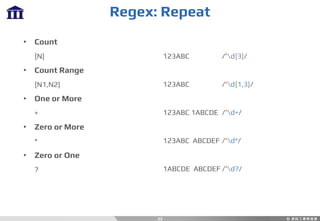
• Count
{N}
• Count Range
{N1,N2}
• One or More
+
• Zero or More
*
• Zero or One
?
123ABC /^d{3}/
123ABC /^d{1,3}/
123ABC 1ABCDE /^d+/
123ABC ABCDEF /^d*/
1ABCDE ABCDEF /^d?/
Python: Regex
24
0987-654-321
[0-9]{4}-[0-9]{3}-[0-9]{3}
[0-9]{4}-[0-9]{3}-[0-9]{3}
d{4}-d{3}-d{3}
d{4}(-d{3})(-d{3})
d{4}(-d{3}){2}
09d{2}(-d{3}){2}
09d{2}(-d{3}){2}
Python: Regex
25
N124644926
w[0-9]{9}
w[0-9]{9}
wd{9}
[A-Z]d{9}
[A-Z]d{9}
Python: Regex
26
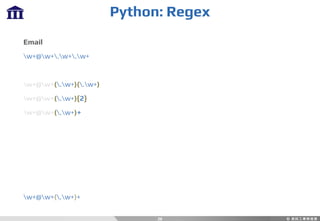
Email
w+@w+.w+.w+
w+@w+(.w+)(.w+)
w+@w+(.w+){2}
w+@w+(.w+)+
w+@w+(.w+)+
Python: Regex
27
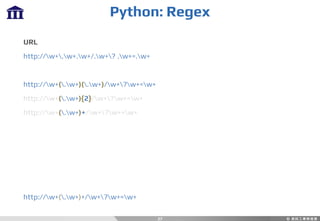
URL
http://w+.w+.w+/.w+? .w+=.w+
http://w+(.w+)(.w+)/w+?w+=w+
http://w+(.w+){2}/w+?w+=w+
http://w+(.w+)+/w+?w+=w+
Regex
28
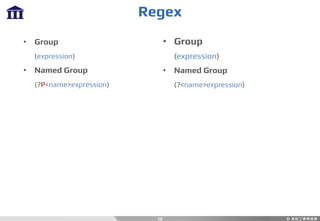
• Group
(expression)
• Named Group
(?P<name>expression)
• Group
(expression)
• Named Group
(?<name>expression)
Regex
29
import re
# Find First Match
match = re.search(<Pattern>, <String>)
# Find All Matches
match = re.findall(<Pattern>, <String>)
# Get Matched Groups
match.group(<Index>)
match.group(<Name>)
const re = /<Pattern>/;
let match = re.exec(<String>);
# Get Matched Groups
match[<Index>]
match.groups[<Name>]
Python: Regex
30
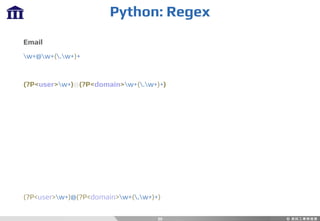
Email
w+@w+(.w+)+
(?P<user>w+)@(?P<domain>w+(.w+)+)
Python: Regex
31
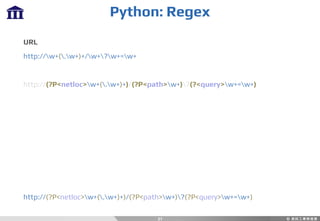
URL
http://w+(.w+)+/w+?w+=w+
http://(?P<netloc>w+(.w+)+)/(?P<path>w+)?(?<query>w+=w+)
http://(?P<netloc>w+(.w+)+)/(?P<path>w+)?(?P<query>w+=w+)
Regex
32
# Split
re.split(<Pattern>, <String>)
# Replace
re.sub(<Pattern>, <Replace>, <String>)
# Split
<String>.split(<Pattern>)
# Replace
<String>.replace(<Pattern>, <Replace>)
Chrome Developer Tools
33
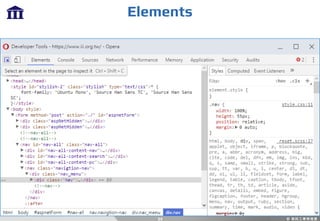
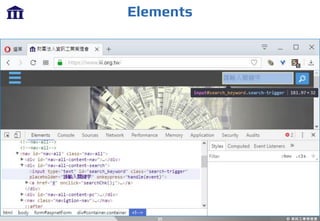
• Elements
See Elements In DOM
Id, Class, Attribute, ...
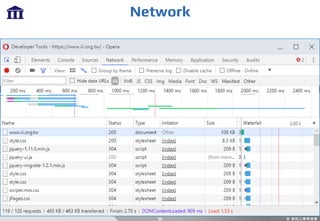
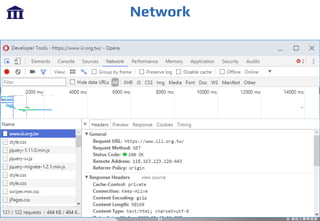
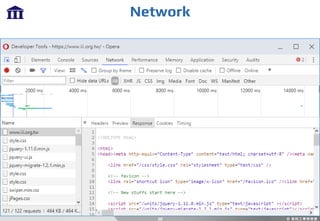
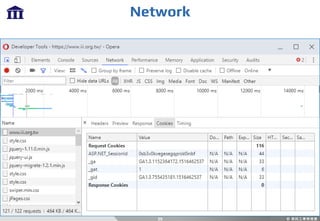
• Network
See Requests, Responses
Urls, Methods, Headers, Cookies, Bodies, ...
Elements
34
Elements
35
Network
36
Network
37
Network
38
Network
39
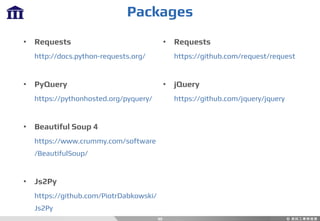
Packages
40
• Requests
http://docs.python-requests.org/
• PyQuery
https://pythonhosted.org/pyquery/
• Beautiful Soup 4
https://www.crummy.com/software
/BeautifulSoup/
• Js2Py
https://github.com/PiotrDabkowski/
Js2Py
• Requests
https://github.com/request/request
• jQuery
https://github.com/jquery/jquery
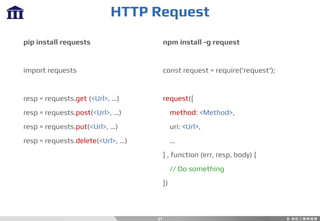
HTTP Request
41
pip install requests
import requests
resp = requests.get (<Url>, …)
resp = requests.post(<Url>, …)
resp = requests.put(<Url>, …)
resp = requests.delete(<Url>, …)
npm install -g request
const request = require('request');
request({
method: <Method>,
uri: <Url>,
…
} , function (err, resp, body) {
// Do something
})
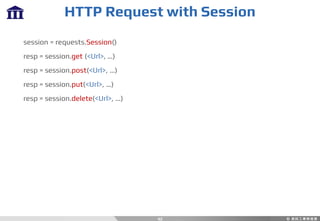
HTTP Request with Session
42
session = requests.Session()
resp = session.get (<Url>, …)
resp = session.post(<Url>, …)
resp = session.put(<Url>, …)
resp = session.delete(<Url>, …)
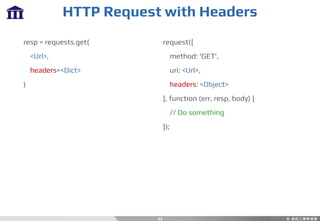
HTTP Request with Headers
43
resp = requests.get(
<Url>,
headers=<Dict>
)
request({
method: 'GET',
uri: <Url>,
headers: <Object>
}, function (err, resp, body) {
// Do something
});
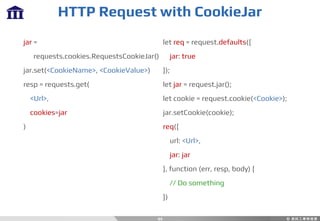
HTTP Request with CookieJar
44
jar =
requests.cookies.RequestsCookieJar()
jar.set(<CookieName>, <CookieValue>)
resp = requests.get(
<Url>,
cookies=jar
)
let req = request.defaults({
jar: true
});
let jar = request.jar();
let cookie = request.cookie(<Cookie>);
jar.setCookie(cookie);
req({
url: <Url>,
jar: jar
}, function (err, resp, body) {
// Do something
})
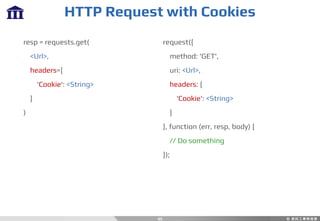
HTTP Request with Cookies
45
request({
method: 'GET',
uri: <Url>,
headers: {
'Cookie': <String>
}
}, function (err, resp, body) {
// Do something
});
resp = requests.get(
<Url>,
headers={
'Cookie': <String>
}
)
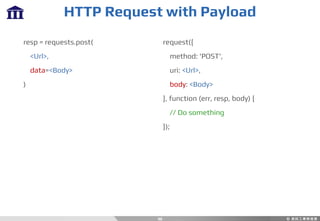
HTTP Request with Payload
46
resp = requests.post(
<Url>,
data=<Body>
)
request({
method: 'POST',
uri: <Url>,
body: <Body>
}, function (err, resp, body) {
// Do something
});
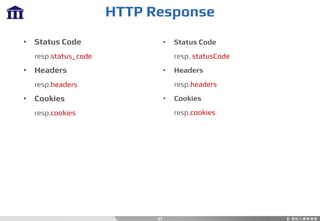
HTTP Response
47
• Status Code
resp.status_code
• Headers
resp.headers
• Cookies
resp.cookies
• Status Code
resp. statusCode
• Headers
resp.headers
• Cookies
resp.cookies
HTTP Response Content
48
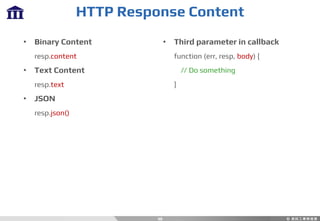
• Binary Content
resp.content
• Text Content
resp.text
• JSON
resp.json()
• Third parameter in callback
function (err, resp, body) {
// Do something
}
DOM Parsing
49
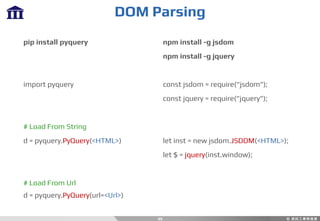
pip install pyquery
import pyquery
# Load From String
d = pyquery.PyQuery(<HTML>)
# Load From Url
d = pyquery.PyQuery(url=<Url>)
npm install -g jsdom
npm install -g jquery
const jsdom = require("jsdom");
const jquery = require("jquery");
let inst = new jsdom.JSDOM(<HTML>);
let $ = jquery(inst.window);
DOM Parsing
50
# Find by CSS Selector
p = d(<Expression>)
# Get HTML From Element
p.html()
# Get Inner Text From Element
p.text()
# Get Value From Element’s Attribute
p.attr[<Name>]
# Find by CSS Selector
p = $(<Expression>)
# Get HTML From Element
p.html()
# Get Inner Text From Element
p.text()
# Get Value From Element’s Attribute
p.attr(<Name>)
Python: Beautiful Soup 4
51
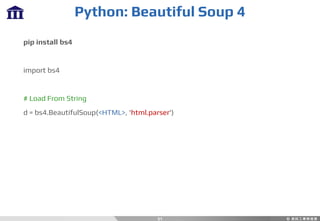
pip install bs4
import bs4
# Load From String
d = bs4.BeautifulSoup(<HTML>, 'html.parser')
Python: Beautiful Soup 4
52
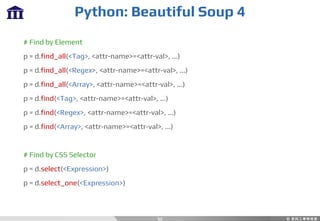
# Find by Element
p = d.find_all(<Tag>, <attr-name>=<attr-val>, ...)
p = d.find_all(<Regex>, <attr-name>=<attr-val>, ...)
p = d.find_all(<Array>, <attr-name>=<attr-val>, ...)
p = d.find(<Tag>, <attr-name>=<attr-val>, ...)
p = d.find(<Regex>, <attr-name>=<attr-val>, ...)
p = d.find(<Array>, <attr-name>=<attr-val>, ...)
# Find by CSS Selector
p = d.select(<Expression>)
p = d.select_one(<Expression>)
Python: Beautiful Soup 4
53
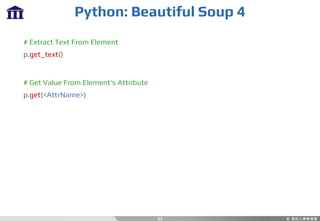
# Extract Text From Element
p.get_text()
# Get Value From Element’s Attribute
p.get(<AttrName>)
Python: Js2Py
54
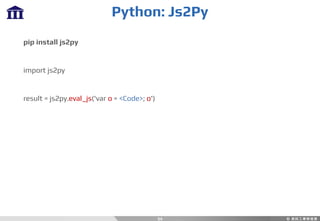
pip install js2py
import js2py
result = js2py.eval_js('var o = <Code>; o')
DAY 2
55
Workshop
56
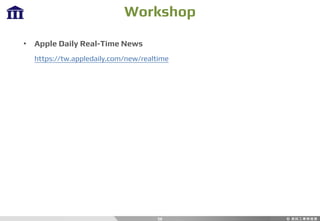
• Apple Daily Real-Time News
https://tw.appledaily.com/new/realtime
Workshop
57
• YouBike Real-Time API
https://data.taipei/dataset/detail/api?id=8ef1626a-892a-4218-8344-
f7ac46e1aa48&rid=ddb80380-f1b3-4f8e-8016-7ed9cba571d5
Workshop
58
• Coolaler Forum
https://www.coolaler.com/
DAY 3
59
60
• Download ChromeDriver
https://sites.google.com/a/chromium.org/chromedriver/
Selenium
Selenium
61
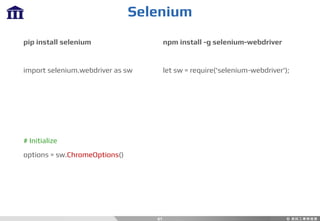
pip install selenium
import selenium.webdriver as sw
# Initialize
options = sw.ChromeOptions()
npm install -g selenium-webdriver
let sw = require('selenium-webdriver');
Selenium
62
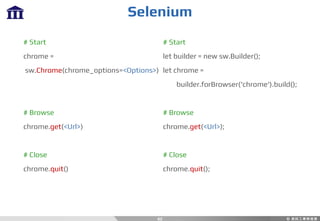
# Start
chrome =
sw.Chrome(chrome_options=<Options>)
# Browse
chrome.get(<Url>)
# Close
chrome.quit()
# Start
let builder = new sw.Builder();
let chrome =
builder.forBrowser('chrome').build();
# Browse
chrome.get(<Url>);
# Close
chrome.quit();
Selenium
63
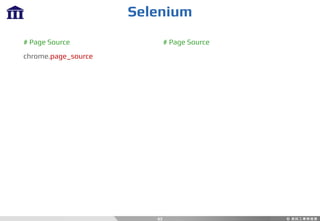
# Page Source
chrome.page_source
# Page Source
Selenium: Page Operation
64
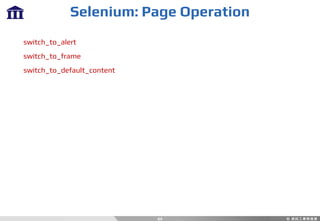
switch_to_alert
switch_to_frame
switch_to_default_content
Selenium: Find Element
65
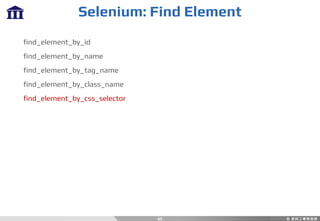
find_element_by_id
find_element_by_name
find_element_by_tag_name
find_element_by_class_name
find_element_by_css_selector
Selenium: Find Elements
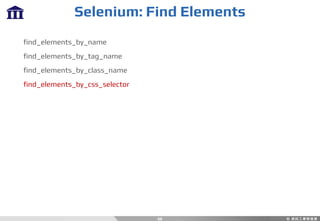
66
find_elements_by_name
find_elements_by_tag_name
find_elements_by_class_name
find_elements_by_css_selector
Selenium: Actions
67
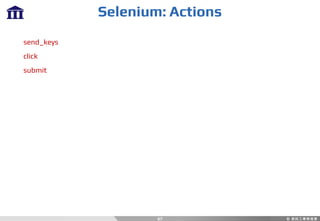
send_keys
click
submit
Selenium: Waits
68
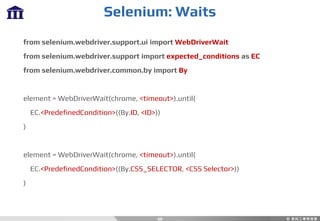
from selenium.webdriver.support.ui import WebDriverWait
from selenium.webdriver.support import expected_conditions as EC
from selenium.webdriver.common.by import By
element = WebDriverWait(chrome, <timeout>).until(
EC.<PredefinedCondition>((By.ID, <ID>))
)
element = WebDriverWait(chrome, <timeout>).until(
EC.<PredefinedCondition>((By.CSS_SELECTOR, <CSS Selector>))
)
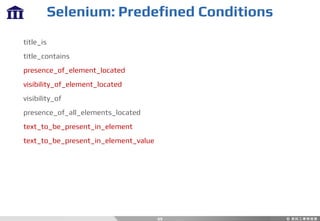
Selenium: Predefined Conditions
69
title_is
title_contains
presence_of_element_located
visibility_of_element_located
visibility_of
presence_of_all_elements_located
text_to_be_present_in_element
text_to_be_present_in_element_value
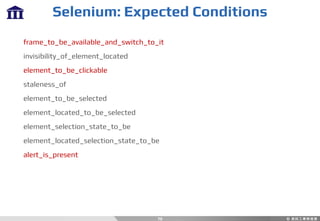
Selenium: Expected Conditions
70
frame_to_be_available_and_switch_to_it
invisibility_of_element_located
element_to_be_clickable
staleness_of
element_to_be_selected
element_located_to_be_selected
element_selection_state_to_be
element_located_selection_state_to_be
alert_is_present
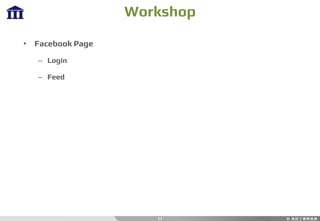
Workshop
71
• Facebook Page
– Login
– Feed
72
THANKS

Crawler 2