Application Development Environments Cornell Notes Application Group Awesome
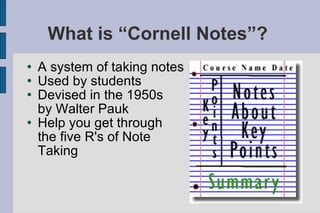
What is “Cornell Notes”?  A system of taking notes Used by students Devised in the 1950s  by Walter Pauk Help you get through the five R's of Note Taking
The five R's of note taking Record Write as much facts as you can during class Reduce After class, summarize what you've just heard Recite Cover the summary column and recall what you just typed Reflect Put what you've just learned into a context Review Spend 10 minutes each week reviewing notes
Features Multiple notebooks Multiple pages Add, delete, next, previous and edit page Add, delete, download and open notebook Show/Hide help
Technical issues JQuery and writing XML Div tags and TinyMCE IIS and permissions JQuery not compatible with TinyMCE TinyMCE loading issue (Try/Catch) Location javascript file (hardcoded) Security Error checking for ASP calls Currently Firefox dependable
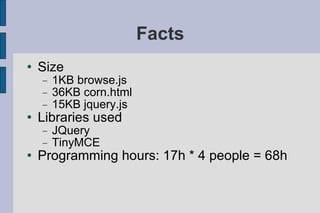
Facts Size 1KB browse.js 36KB corn.html 15KB jquery.js Libraries used JQuery TinyMCE Programming hours: 17h * 4 people = 68h
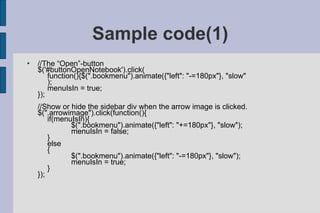
Sample code(1) //The “Open”-button $('#buttonOpenNotebook').click( function(){$(".bookmenu").animate({"left": "-=180px"}, "slow" ); menuIsIn = true; }); //Show or hide the sidebar div when the arrow image is clicked. $(".arrowimage").click(function(){ if(menuIsIn){ $(".bookmenu").animate({"left": "+=180px"}, "slow"); menuIsIn = false; } else { $(".bookmenu").animate({"left": "-=180px"}, "slow"); menuIsIn = true; } });
Sample Code (2) /* Display the specified entry to the textboxes on the page.  * Arguments: ent = the entry to display*/ function displayEntry(ent)  { try { //If tiny is loaded, use .setcontent methods tinyMCE.getInstanceById('Note').setContent(ent.getElementsByTagName("notes")[0 ].firstChild.nodeValue); tinyMCE.getInstanceById('Keywords').setContent(ent.getElementsByTagName("key words")[0].firstChild.nodeValue); tinyMCE.getInstanceById('Summary').setContent(ent.getElementsByTagName("not esummary")[0].firstChild.nodeValue); } catch  { //Otherwise, use standard text area methods $("#Note").val(ent.getElementsByTagName("notes")[0].firstChild.nodeValue); $("#Keywords").val(ent.getElementsByTagName("keywords")[0].firstChild.nodeValu e); $("#Summary").val(ent.getElementsByTagName("notesummary")[0].firstChild.node Value); } //Title field doesn't use tiny, so doesn't need to be in the try catch document.getElementById("Title").value = $("#Title").val(ent.getElementsByTagName("title")[0].firstChild.nodeValue);
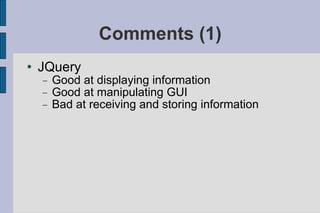
Comments (1) ‏ JQuery Good at displaying information Good at manipulating GUI Bad at receiving and storing information
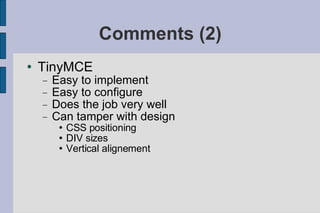
Comments (2) ‏ TinyMCE Easy to implement Easy to configure Does the job very well Can tamper with design CSS positioning DIV sizes Vertical alignement
Comments (3) XML Problems with namespaces
Conclusion Javascript is probably not the best language to use with XML Database might be easier than XML when using Javascript JQuery should be used only for displaying information

Cornell Presentation

  • 1.
    Application Development EnvironmentsCornell Notes Application Group Awesome
  • 2.
    What is “CornellNotes”? A system of taking notes Used by students Devised in the 1950s by Walter Pauk Help you get through the five R's of Note Taking
  • 3.
    The five R'sof note taking Record Write as much facts as you can during class Reduce After class, summarize what you've just heard Recite Cover the summary column and recall what you just typed Reflect Put what you've just learned into a context Review Spend 10 minutes each week reviewing notes
  • 4.
    Features Multiple notebooksMultiple pages Add, delete, next, previous and edit page Add, delete, download and open notebook Show/Hide help
  • 5.
    Technical issues JQueryand writing XML Div tags and TinyMCE IIS and permissions JQuery not compatible with TinyMCE TinyMCE loading issue (Try/Catch) Location javascript file (hardcoded) Security Error checking for ASP calls Currently Firefox dependable
  • 6.
    Facts Size 1KBbrowse.js 36KB corn.html 15KB jquery.js Libraries used JQuery TinyMCE Programming hours: 17h * 4 people = 68h
  • 7.
    Sample code(1) //The“Open”-button $('#buttonOpenNotebook').click( function(){$(".bookmenu").animate({"left": "-=180px"}, "slow" ); menuIsIn = true; }); //Show or hide the sidebar div when the arrow image is clicked. $(".arrowimage").click(function(){ if(menuIsIn){ $(".bookmenu").animate({"left": "+=180px"}, "slow"); menuIsIn = false; } else { $(".bookmenu").animate({"left": "-=180px"}, "slow"); menuIsIn = true; } });
  • 8.
    Sample Code (2)/* Display the specified entry to the textboxes on the page. * Arguments: ent = the entry to display*/ function displayEntry(ent) { try { //If tiny is loaded, use .setcontent methods tinyMCE.getInstanceById('Note').setContent(ent.getElementsByTagName("notes")[0 ].firstChild.nodeValue); tinyMCE.getInstanceById('Keywords').setContent(ent.getElementsByTagName("key words")[0].firstChild.nodeValue); tinyMCE.getInstanceById('Summary').setContent(ent.getElementsByTagName("not esummary")[0].firstChild.nodeValue); } catch { //Otherwise, use standard text area methods $("#Note").val(ent.getElementsByTagName("notes")[0].firstChild.nodeValue); $("#Keywords").val(ent.getElementsByTagName("keywords")[0].firstChild.nodeValu e); $("#Summary").val(ent.getElementsByTagName("notesummary")[0].firstChild.node Value); } //Title field doesn't use tiny, so doesn't need to be in the try catch document.getElementById("Title").value = $("#Title").val(ent.getElementsByTagName("title")[0].firstChild.nodeValue);
  • 9.
    Comments (1) ‏JQuery Good at displaying information Good at manipulating GUI Bad at receiving and storing information
  • 10.
    Comments (2) ‏TinyMCE Easy to implement Easy to configure Does the job very well Can tamper with design CSS positioning DIV sizes Vertical alignement
  • 11.
    Comments (3) XMLProblems with namespaces
  • 12.
    Conclusion Javascript isprobably not the best language to use with XML Database might be easier than XML when using Javascript JQuery should be used only for displaying information