Accounting
course in
jaipur
Career in Accounting
GPS
COMPUTER
ACADEMY
Tally
 Features of Tally
 Accounting
 Inventory Management
 GST & Taxation
 Payroll
 Multi-Currency Support
 Banking
 Data Security
PRACTICAL USES
Practical Uses of Tally
 Maintaining company accounts
 GST filing & returns
 Preparing balance sheet, P&L
 Tracking stock & inventory
 Salary management
SCOPE IN TALLY
Career Opportunities With Tally
Accountant
Tax consultant
GST specialist
Data entry operator
What You Will Learn
 Creating and maintaining company accounts.
 Recording day-to-day business transactions.
 GST calculation and filing through Tally.
 Preparing financial statements like Balance Sheet, Profit & Loss
Account, and Cash Flow.
 Inventory management including stock groups, stock items, and
Godown.
 Payroll management for employee salary and compliance.
 Data security, multi-currency handling, and banking features.
About the Course
The Tally Course at GPS Computer Academy is a career-oriented
program that takes learners step-by-step from the basics of
accounting to advanced Tally features. Unlike traditional classroom
sessions that focus only on theory, this course is designed with hands-
on training sessions where students practice using real business data.
By the end of the course, students are able to create and manage
accounts, record transactions, calculate GST, manage payroll,
prepare balance sheets, and generate business reports effortlessly.
Detailed Course Modules
 1. Fundamentals of Accounting
 Introduction to accounting concepts.
 Double-entry system of bookkeeping.
 Debit and credit rules.
 Journals, ledgers, and trial balance.
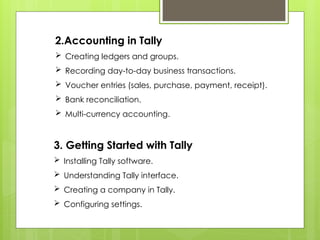
2.Accounting in Tally
 Creating ledgers and groups.
 Recording day-to-day business transactions.
 Voucher entries (sales, purchase, payment, receipt).
 Bank reconciliation.
 Multi-currency accounting.
3. Getting Started with Tally
 Installing Tally software.
 Understanding Tally interface.
 Creating a company in Tally.
 Configuring settings.
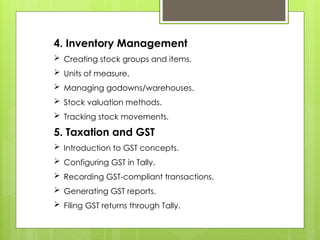
4. Inventory Management
 Creating stock groups and items.
 Units of measure.
 Managing godowns/warehouses.
 Stock valuation methods.
 Tracking stock movements.
5. Taxation and GST
 Introduction to GST concepts.
 Configuring GST in Tally.
 Recording GST-compliant transactions.
 Generating GST reports.
 Filing GST returns through Tally.
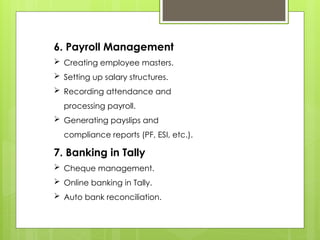
6. Payroll Management
 Creating employee masters.
 Setting up salary structures.
 Recording attendance and
processing payroll.
 Generating payslips and
compliance reports (PF, ESI, etc.).
7. Banking in Tally
 Cheque management.
 Online banking in Tally.
 Auto bank reconciliation.
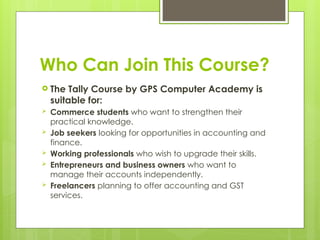
Who Can Join This Course?
 The Tally Course by GPS Computer Academy is
suitable for:
 Commerce students who want to strengthen their
practical knowledge.
 Job seekers looking for opportunities in accounting and
finance.
 Working professionals who wish to upgrade their skills.
 Entrepreneurs and business owners who want to
manage their accounts independently.
 Freelancers planning to offer accounting and GST
services.
Conclusion
 In today’s fast-paced business environment,
accounting knowledge alone is not enough
—practical skills in modern accounting
software like Tally are essential. The Tally
Course in Jaipur by GPS Computer
Academy is designed to equip learners with
the confidence and expertise required to
manage accounts, comply with GST, and
prepare financial reports with accuracy.
Whether you want to build a
successful career in accounting,
get better job opportunities, or
efficiently manage your own
business, this course is the perfect
stepping stone. With expert
guidance, practical learning, and
career-focused training, GPS
Computer Academy ensures that
every student becomes job-ready
and future-ready.
ABOUT ME
 The Tally Course at GPS Computer Academy
is structured to cater to beginners as well as
those with a basic understanding of
accounting. The curriculum covers everything
from fundamental accounting concepts to
advanced features of Tally ERP 9 and Tally.
Students are trained to manage accounts,
inventory, taxation, payroll, and GST, giving
them a complete understanding of how
businesses operate in the real world.
THANKS FOR WATCHING

Complete Accounting course With GPS Computer Academy

  • 1.
    Accounting course in jaipur Career inAccounting GPS COMPUTER ACADEMY
  • 2.
    Tally  Features ofTally  Accounting  Inventory Management  GST & Taxation  Payroll  Multi-Currency Support  Banking  Data Security
  • 3.
    PRACTICAL USES Practical Usesof Tally  Maintaining company accounts  GST filing & returns  Preparing balance sheet, P&L  Tracking stock & inventory  Salary management
  • 4.
    SCOPE IN TALLY CareerOpportunities With Tally Accountant Tax consultant GST specialist Data entry operator
  • 5.
    What You WillLearn  Creating and maintaining company accounts.  Recording day-to-day business transactions.  GST calculation and filing through Tally.  Preparing financial statements like Balance Sheet, Profit & Loss Account, and Cash Flow.  Inventory management including stock groups, stock items, and Godown.  Payroll management for employee salary and compliance.  Data security, multi-currency handling, and banking features.
  • 6.
    About the Course TheTally Course at GPS Computer Academy is a career-oriented program that takes learners step-by-step from the basics of accounting to advanced Tally features. Unlike traditional classroom sessions that focus only on theory, this course is designed with hands- on training sessions where students practice using real business data. By the end of the course, students are able to create and manage accounts, record transactions, calculate GST, manage payroll, prepare balance sheets, and generate business reports effortlessly.
  • 7.
    Detailed Course Modules 1. Fundamentals of Accounting  Introduction to accounting concepts.  Double-entry system of bookkeeping.  Debit and credit rules.  Journals, ledgers, and trial balance.
  • 8.
    2.Accounting in Tally Creating ledgers and groups.  Recording day-to-day business transactions.  Voucher entries (sales, purchase, payment, receipt).  Bank reconciliation.  Multi-currency accounting. 3. Getting Started with Tally  Installing Tally software.  Understanding Tally interface.  Creating a company in Tally.  Configuring settings.
  • 9.
    4. Inventory Management Creating stock groups and items.  Units of measure.  Managing godowns/warehouses.  Stock valuation methods.  Tracking stock movements. 5. Taxation and GST  Introduction to GST concepts.  Configuring GST in Tally.  Recording GST-compliant transactions.  Generating GST reports.  Filing GST returns through Tally.
  • 10.
    6. Payroll Management Creating employee masters.  Setting up salary structures.  Recording attendance and processing payroll.  Generating payslips and compliance reports (PF, ESI, etc.). 7. Banking in Tally  Cheque management.  Online banking in Tally.  Auto bank reconciliation.
  • 11.
    Who Can JoinThis Course?  The Tally Course by GPS Computer Academy is suitable for:  Commerce students who want to strengthen their practical knowledge.  Job seekers looking for opportunities in accounting and finance.  Working professionals who wish to upgrade their skills.  Entrepreneurs and business owners who want to manage their accounts independently.  Freelancers planning to offer accounting and GST services.
  • 12.
    Conclusion  In today’sfast-paced business environment, accounting knowledge alone is not enough —practical skills in modern accounting software like Tally are essential. The Tally Course in Jaipur by GPS Computer Academy is designed to equip learners with the confidence and expertise required to manage accounts, comply with GST, and prepare financial reports with accuracy.
  • 13.
    Whether you wantto build a successful career in accounting, get better job opportunities, or efficiently manage your own business, this course is the perfect stepping stone. With expert guidance, practical learning, and career-focused training, GPS Computer Academy ensures that every student becomes job-ready and future-ready.
  • 14.
    ABOUT ME  TheTally Course at GPS Computer Academy is structured to cater to beginners as well as those with a basic understanding of accounting. The curriculum covers everything from fundamental accounting concepts to advanced features of Tally ERP 9 and Tally. Students are trained to manage accounts, inventory, taxation, payroll, and GST, giving them a complete understanding of how businesses operate in the real world.
  • 15.