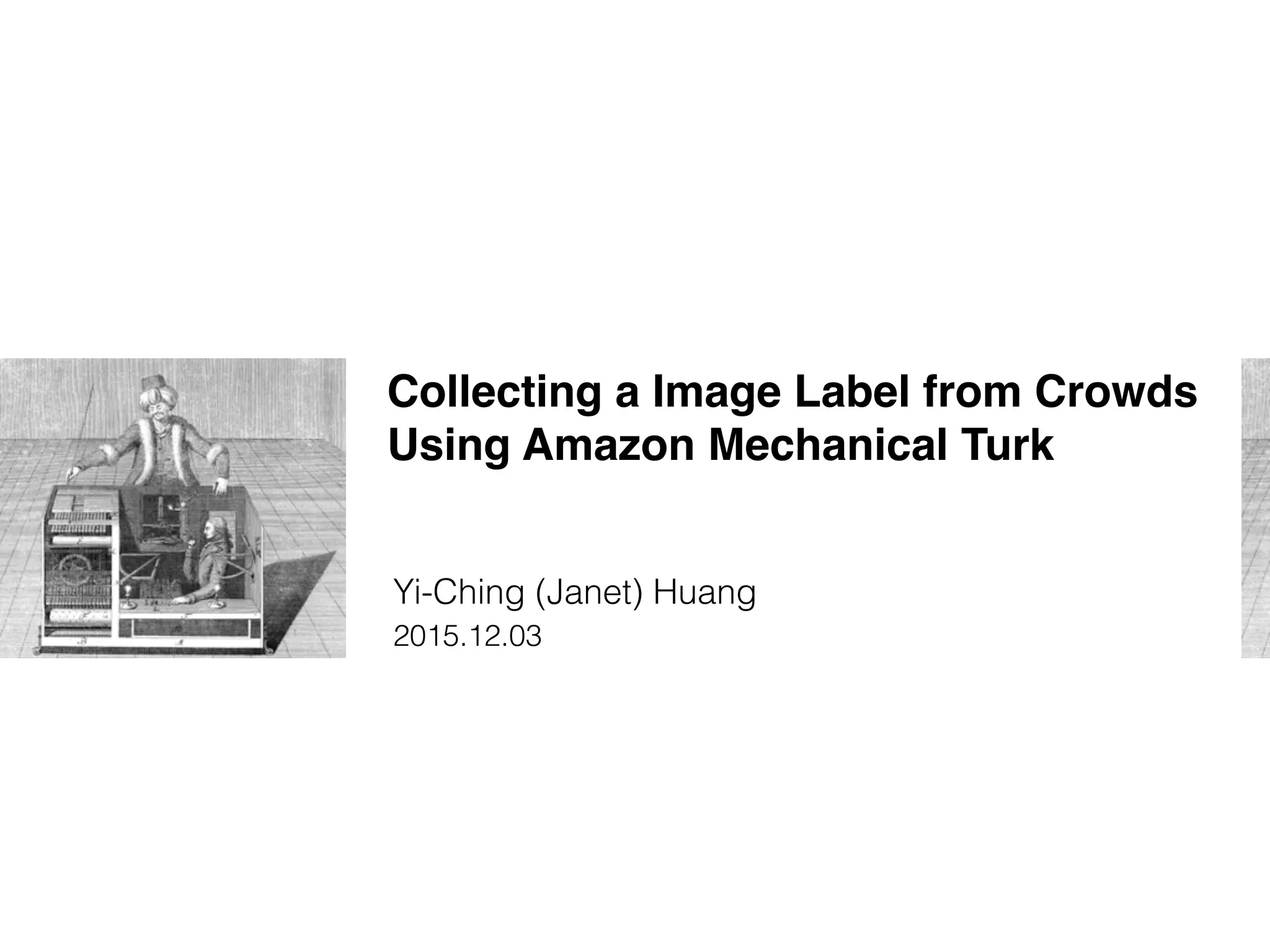
Collecting a Image Label from Crowds
Using Amazon Mechanical Turk
Yi-Ching (Janet) Huang
2015.12.03
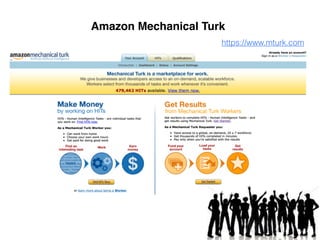
https://www.mturk.com
Amazon Mechanical Turk
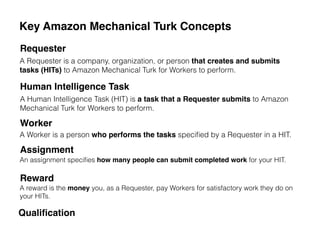
Key Amazon Mechanical Turk Concepts
Requester
Human Intelligence Task
Worker
Assignment
Reward
A Requester is a company, organization, or person that creates and submits
tasks (HITs) to Amazon Mechanical Turk for Workers to perform.
A Human Intelligence Task (HIT) is a task that a Requester submits to Amazon
Mechanical Turk for Workers to perform.
A Worker is a person who performs the tasks specified by a Requester in a HIT.
An assignment specifies how many people can submit completed work for your HIT.
A reward is the money you, as a Requester, pay Workers for satisfactory work they do on
your HITs.
Qualification
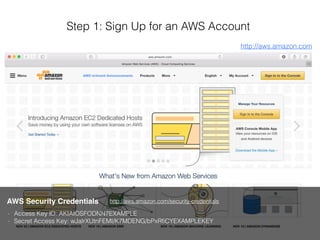
Step 1: Sign Up for an AWS Account
AWS Security Credentials
- Access Key ID: AKIAIOSFODNN7EXAMPLE
- Secret Access Key: wJalrXUtnFEMI/K7MDENG/bPxRfiCYEXAMPLEKEY
http://aws.amazon.com
http://aws.amazon.com/security-credentials
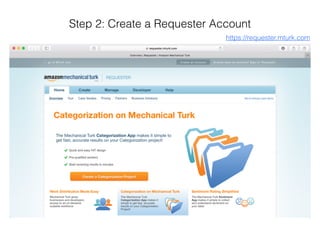
Step 2: Create a Requester Account
https://requester.mturk.com
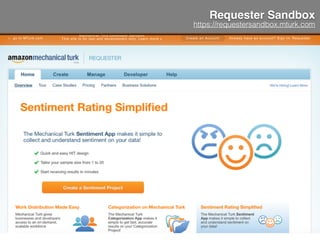
Requester Sandbox
https://requestersandbox.mturk.com
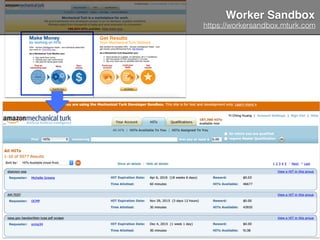
Worker Sandbox
https://workersandbox.mturk.com
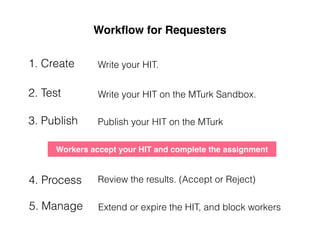
Workflow for Requesters
1. Create
2. Test
3. Publish
5. Manage
Write your HIT.
Write your HIT on the MTurk Sandbox.
Publish your HIT on the MTurk
Workers accept your HIT and complete the assignment
4. Process Review the results. (Accept or Reject)
Extend or expire the HIT, and block workers
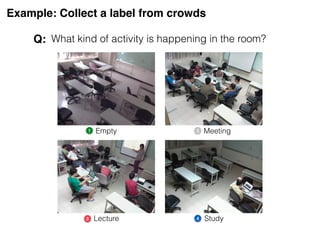
Example: Collect a label from crowds
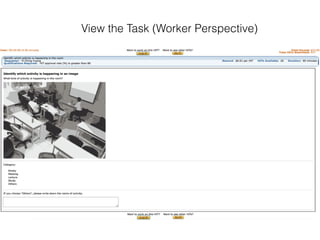
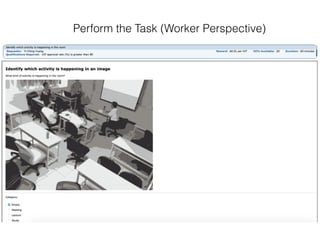
What kind of activity is happening in the room?
1 2
3 4
Empty Meeting
Lecture Study
Q:
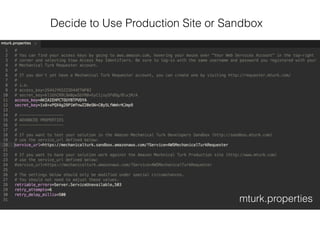
mturk.properties
Decide to Use Production Site or Sandbox
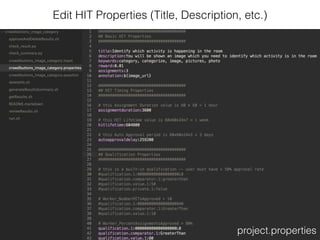
project.properties
Edit HIT Properties (Title, Description, etc.)
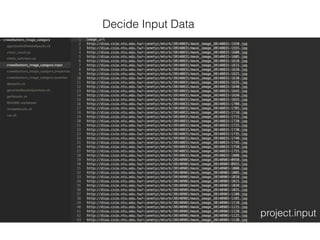
project.input
Decide Input Data
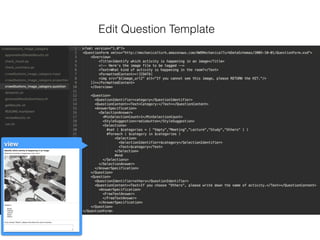
Edit Question Template
view
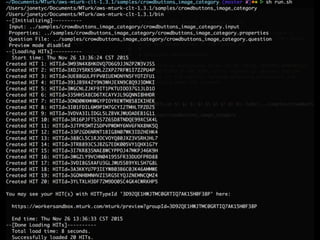
- distribute HITs ([PROJECT].success or [PROJECT].failure)
sh run.sh
- generate the results ([PROJECT].results)
sh getResults.sh
- generate summary of the results ([PROJECT].summary)
sh generateResultsSummary.sh
Distribute HITs and Get Results
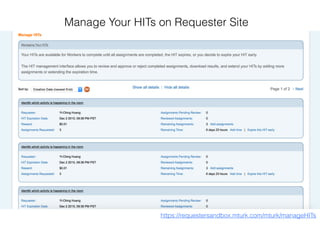
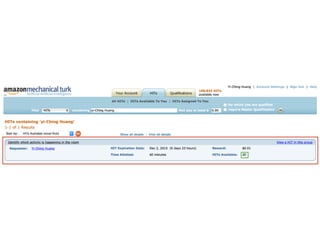
https://requestersandbox.mturk.com/mturk/manageHITs
Manage Your HITs on Requester Site
View the Task (Worker Perspective)
Perform the Task (Worker Perspective)
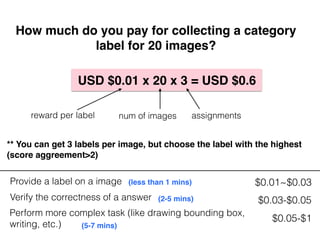
Provide a label on a image $0.01~$0.03
Verify the correctness of a answer $0.03-$0.05
Perform more complex task (like drawing bounding box,
writing, etc.)
$0.05-$1
How much do you pay for collecting a category
label for 20 images?
USD $0.01 x 20 x 3 = USD $0.6
(less than 1 mins)
(5-7 mins)
(2-5 mins)
assignmentsnum of imagesreward per label
** You can get 3 labels per image, but choose the label with the highest
(score aggreement>2)
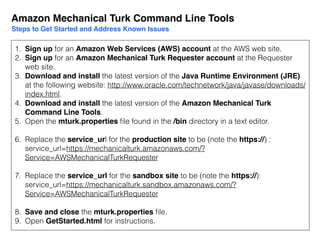
1. Sign up for an Amazon Web Services (AWS) account at the AWS web site.
2. Sign up for an Amazon Mechanical Turk Requester account at the Requester
web site.
3. Download and install the latest version of the Java Runtime Environment (JRE)
at the following website: http://www.oracle.com/technetwork/java/javase/downloads/
index.html.
4. Download and install the latest version of the Amazon Mechanical Turk
Command Line Tools.
5. Open the mturk.properties file found in the /bin directory in a text editor.
6. Replace the service_url for the production site to be (note the https://) :
service_url=https://mechanicalturk.amazonaws.com/?
Service=AWSMechanicalTurkRequester
7. Replace the service_url for the sandbox site to be (note the https://):
service_url=https://mechanicalturk.sandbox.amazonaws.com/?
Service=AWSMechanicalTurkRequester
8. Save and close the mturk.properties file.
9. Open GetStarted.html for instructions.
Amazon Mechanical Turk Command Line Tools
Steps to Get Started and Address Known Issues
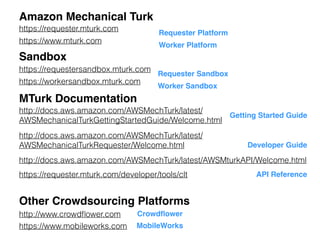
Sandbox
https://www.mturk.com
http://docs.aws.amazon.com/AWSMechTurk/latest/
AWSMechanicalTurkRequester/Welcome.html
https://requestersandbox.mturk.com
https://workersandbox.mturk.com
MTurk Documentation
Amazon Mechanical Turk
https://requester.mturk.com
Other Crowdsourcing Platforms
http://www.crowdflower.com Crowdflower
http://docs.aws.amazon.com/AWSMechTurk/latest/AWSMturkAPI/Welcome.html
Developer Guide
API Reference
Getting Started Guide
http://docs.aws.amazon.com/AWSMechTurk/latest/
AWSMechanicalTurkGettingStartedGuide/Welcome.html
Requester Sandbox
Worker Sandbox
Requester Platform
Worker Platform
https://www.mobileworks.com MobileWorks
https://requester.mturk.com/developer/tools/clt

Collecting a Image Label from Crowds Using Amazon Mechanical Turk

  • 1.
    Collecting a ImageLabel from Crowds Using Amazon Mechanical Turk Yi-Ching (Janet) Huang 2015.12.03
  • 2.
  • 3.
    Key Amazon MechanicalTurk Concepts Requester Human Intelligence Task Worker Assignment Reward A Requester is a company, organization, or person that creates and submits tasks (HITs) to Amazon Mechanical Turk for Workers to perform. A Human Intelligence Task (HIT) is a task that a Requester submits to Amazon Mechanical Turk for Workers to perform. A Worker is a person who performs the tasks specified by a Requester in a HIT. An assignment specifies how many people can submit completed work for your HIT. A reward is the money you, as a Requester, pay Workers for satisfactory work they do on your HITs. Qualification
  • 4.
    Step 1: SignUp for an AWS Account AWS Security Credentials - Access Key ID: AKIAIOSFODNN7EXAMPLE - Secret Access Key: wJalrXUtnFEMI/K7MDENG/bPxRfiCYEXAMPLEKEY http://aws.amazon.com http://aws.amazon.com/security-credentials
  • 5.
    Step 2: Createa Requester Account https://requester.mturk.com
  • 6.
  • 7.
  • 8.
    Workflow for Requesters 1.Create 2. Test 3. Publish 5. Manage Write your HIT. Write your HIT on the MTurk Sandbox. Publish your HIT on the MTurk Workers accept your HIT and complete the assignment 4. Process Review the results. (Accept or Reject) Extend or expire the HIT, and block workers
  • 9.
    Example: Collect alabel from crowds What kind of activity is happening in the room? 1 2 3 4 Empty Meeting Lecture Study Q:
  • 10.
    mturk.properties Decide to UseProduction Site or Sandbox
  • 11.
    project.properties Edit HIT Properties(Title, Description, etc.)
  • 12.
  • 13.
  • 14.
    - distribute HITs([PROJECT].success or [PROJECT].failure) sh run.sh - generate the results ([PROJECT].results) sh getResults.sh - generate summary of the results ([PROJECT].summary) sh generateResultsSummary.sh Distribute HITs and Get Results
  • 16.
  • 18.
    View the Task(Worker Perspective)
  • 19.
    Perform the Task(Worker Perspective)
  • 20.
    Provide a labelon a image $0.01~$0.03 Verify the correctness of a answer $0.03-$0.05 Perform more complex task (like drawing bounding box, writing, etc.) $0.05-$1 How much do you pay for collecting a category label for 20 images? USD $0.01 x 20 x 3 = USD $0.6 (less than 1 mins) (5-7 mins) (2-5 mins) assignmentsnum of imagesreward per label ** You can get 3 labels per image, but choose the label with the highest (score aggreement>2)
  • 21.
    1. Sign upfor an Amazon Web Services (AWS) account at the AWS web site. 2. Sign up for an Amazon Mechanical Turk Requester account at the Requester web site. 3. Download and install the latest version of the Java Runtime Environment (JRE) at the following website: http://www.oracle.com/technetwork/java/javase/downloads/ index.html. 4. Download and install the latest version of the Amazon Mechanical Turk Command Line Tools. 5. Open the mturk.properties file found in the /bin directory in a text editor. 6. Replace the service_url for the production site to be (note the https://) : service_url=https://mechanicalturk.amazonaws.com/? Service=AWSMechanicalTurkRequester 7. Replace the service_url for the sandbox site to be (note the https://): service_url=https://mechanicalturk.sandbox.amazonaws.com/? Service=AWSMechanicalTurkRequester 8. Save and close the mturk.properties file. 9. Open GetStarted.html for instructions. Amazon Mechanical Turk Command Line Tools Steps to Get Started and Address Known Issues
  • 22.
    Sandbox https://www.mturk.com http://docs.aws.amazon.com/AWSMechTurk/latest/ AWSMechanicalTurkRequester/Welcome.html https://requestersandbox.mturk.com https://workersandbox.mturk.com MTurk Documentation Amazon MechanicalTurk https://requester.mturk.com Other Crowdsourcing Platforms http://www.crowdflower.com Crowdflower http://docs.aws.amazon.com/AWSMechTurk/latest/AWSMturkAPI/Welcome.html Developer Guide API Reference Getting Started Guide http://docs.aws.amazon.com/AWSMechTurk/latest/ AWSMechanicalTurkGettingStartedGuide/Welcome.html Requester Sandbox Worker Sandbox Requester Platform Worker Platform https://www.mobileworks.com MobileWorks https://requester.mturk.com/developer/tools/clt