Tomas Gogar (CEO), Petr Baudis (CTO)
February 12, 2019
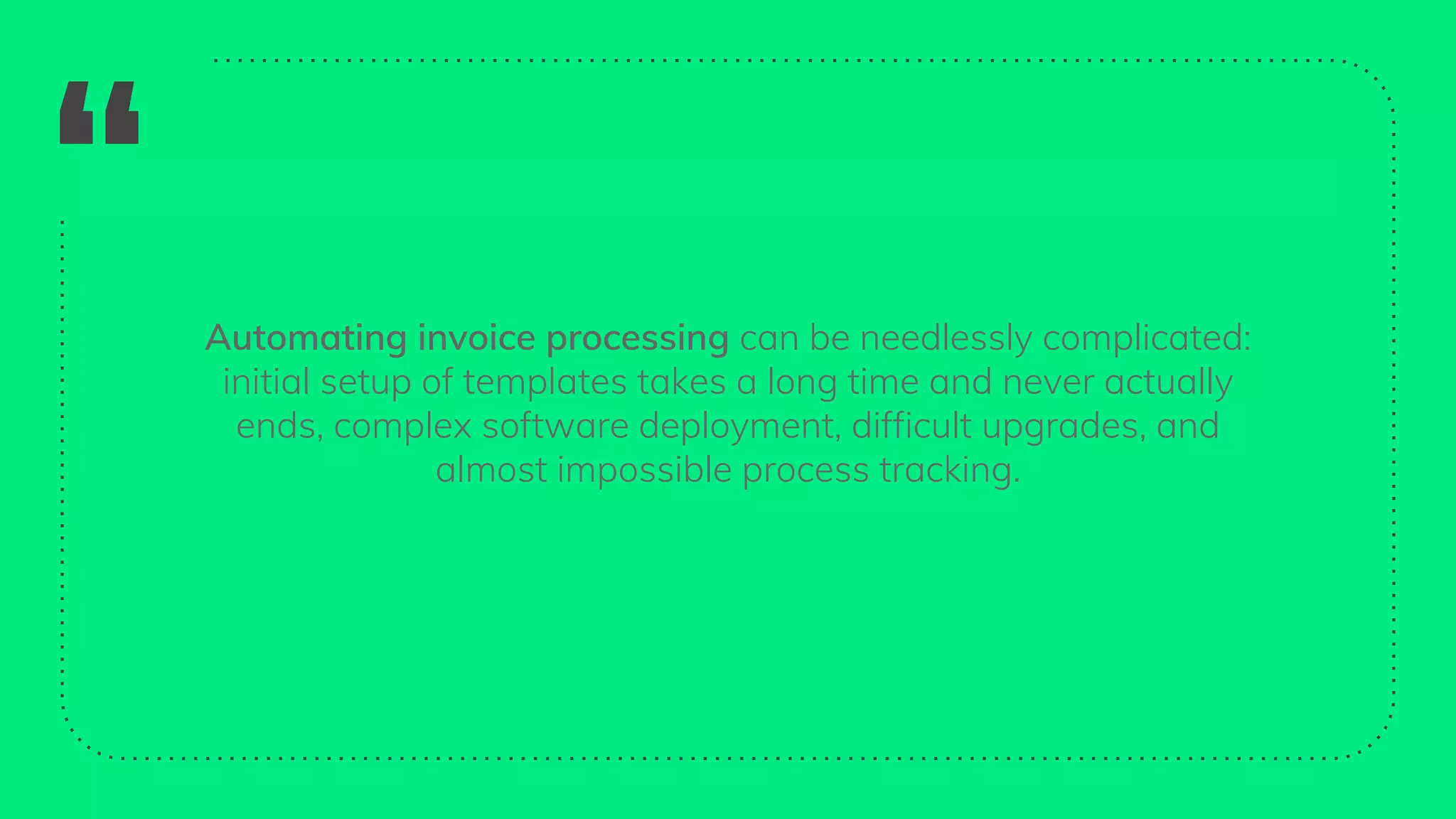
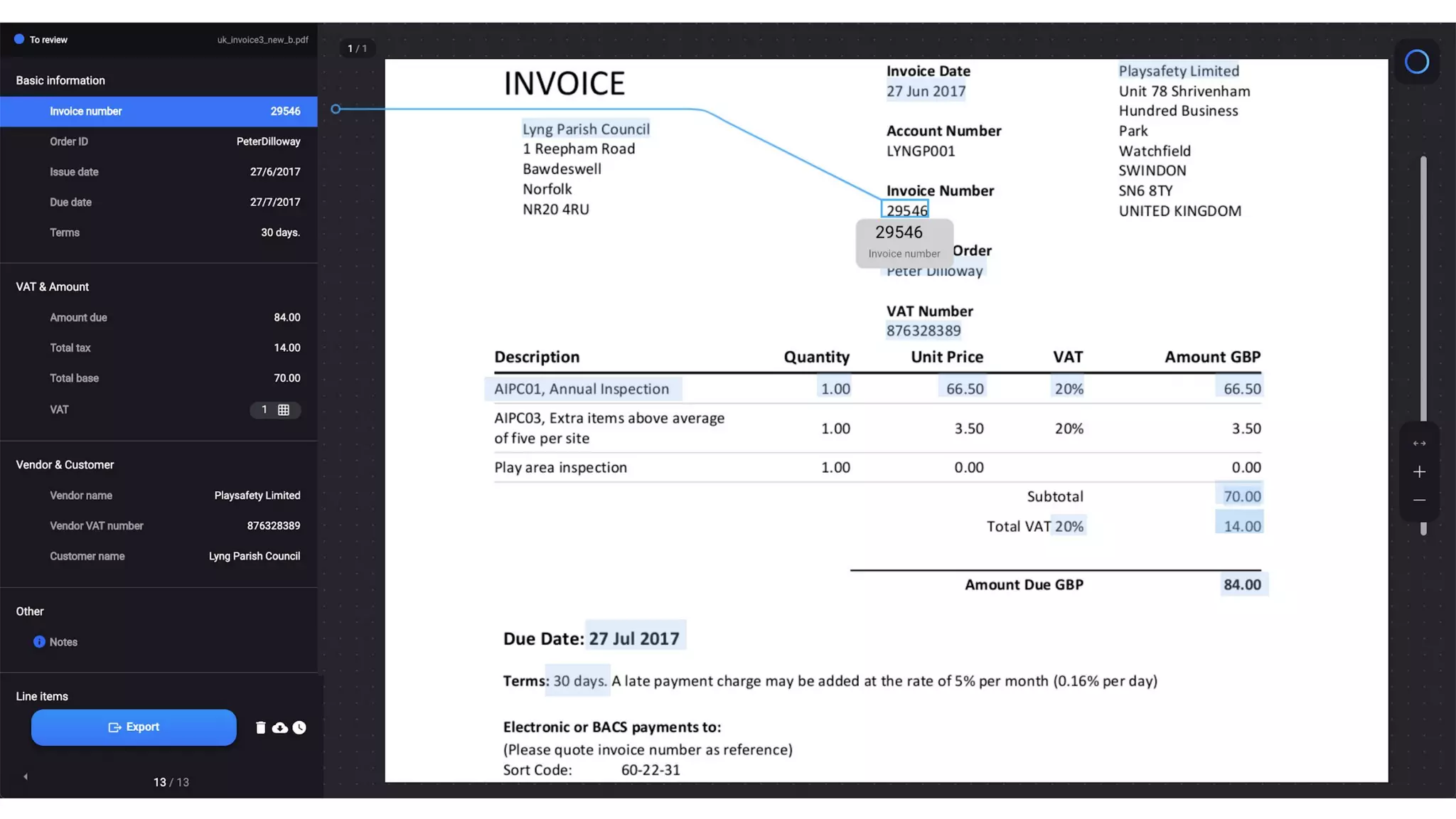
“ Automating invoice processing can be needlessly complicated:
initial setup of templates takes a long time and never actually
ends, complex software deployment, difficult upgrades, and
almost impossible process tracking.
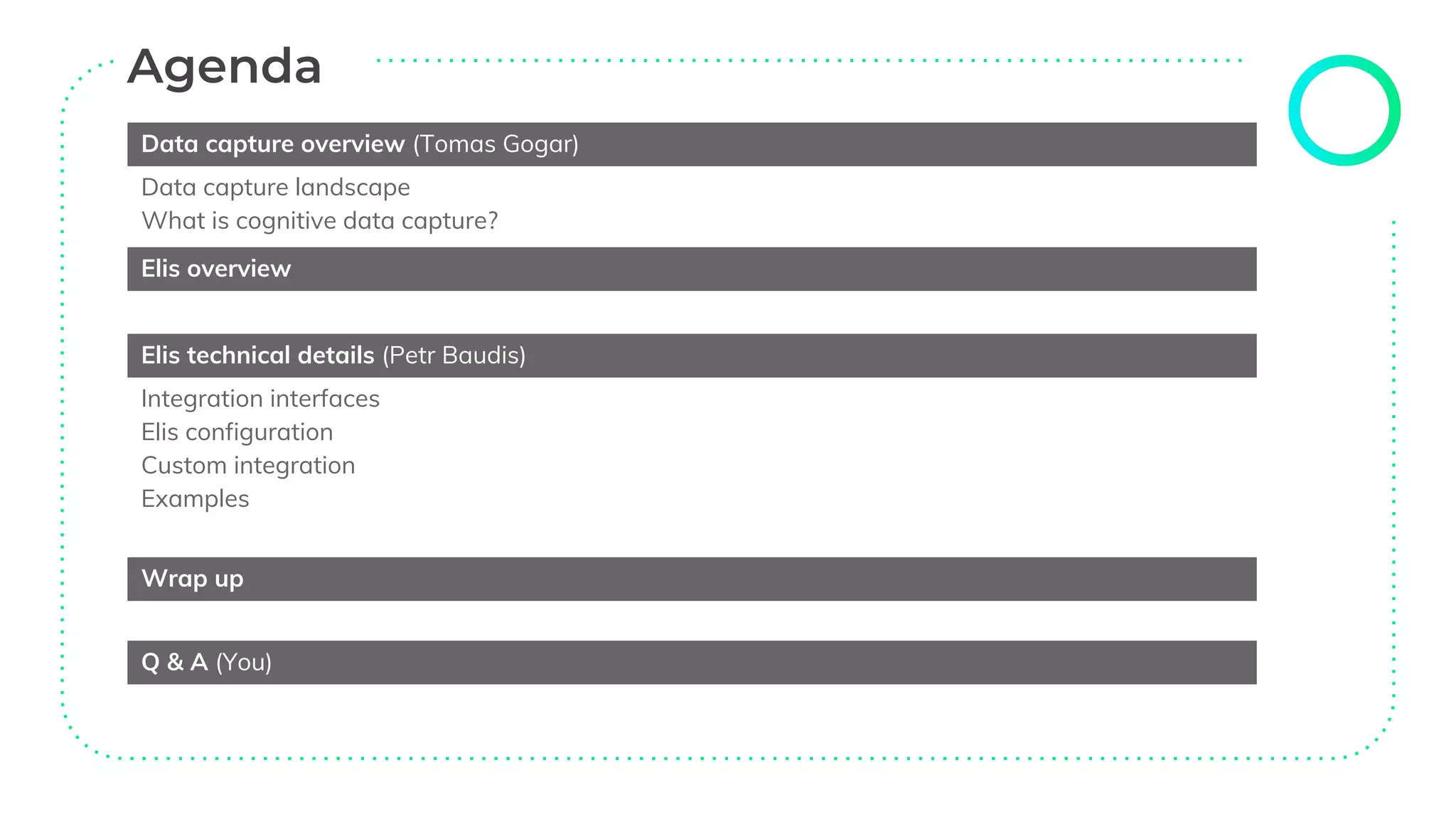
Data capture overview (Tomas Gogar)
Data capture landscape
What is cognitive data capture?
Elis overview
Elis technical details (Petr Baudis)
Integration interfaces
Elis configuration
Custom integration
Examples
Wrap up
Q & A (You)
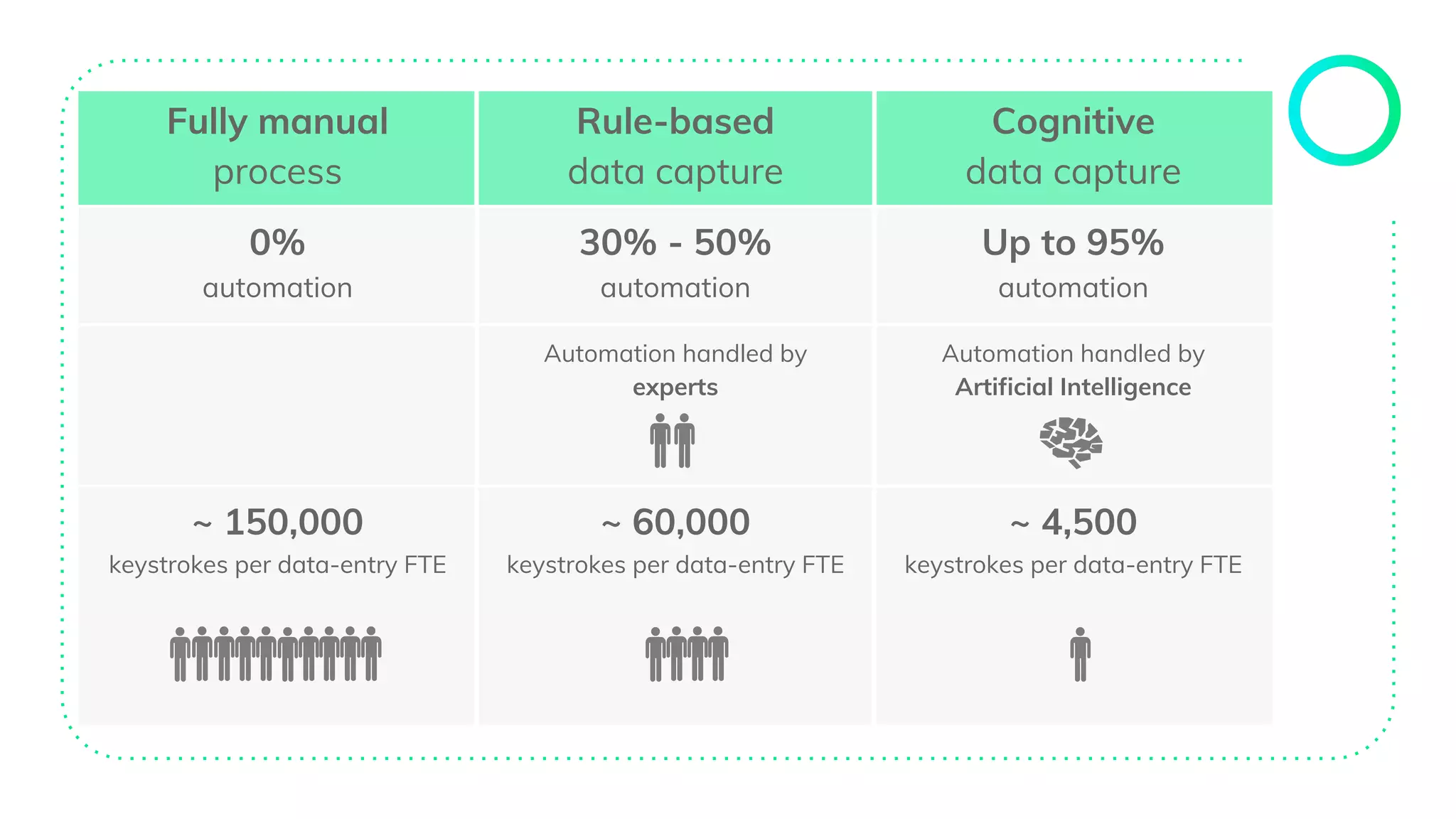
Fully manual
process
Rule-based
data capture
Cognitive
data capture
0%
automation
30% - 50%
automation
Up to 95%
automation
Automation handled by
experts
Automation handled by
Artificial Intelligence
~ 150,000
keystrokes per data-entry FTE
~ 60,000
keystrokes per data-entry FTE
~ 4,500
keystrokes per data-entry FTE
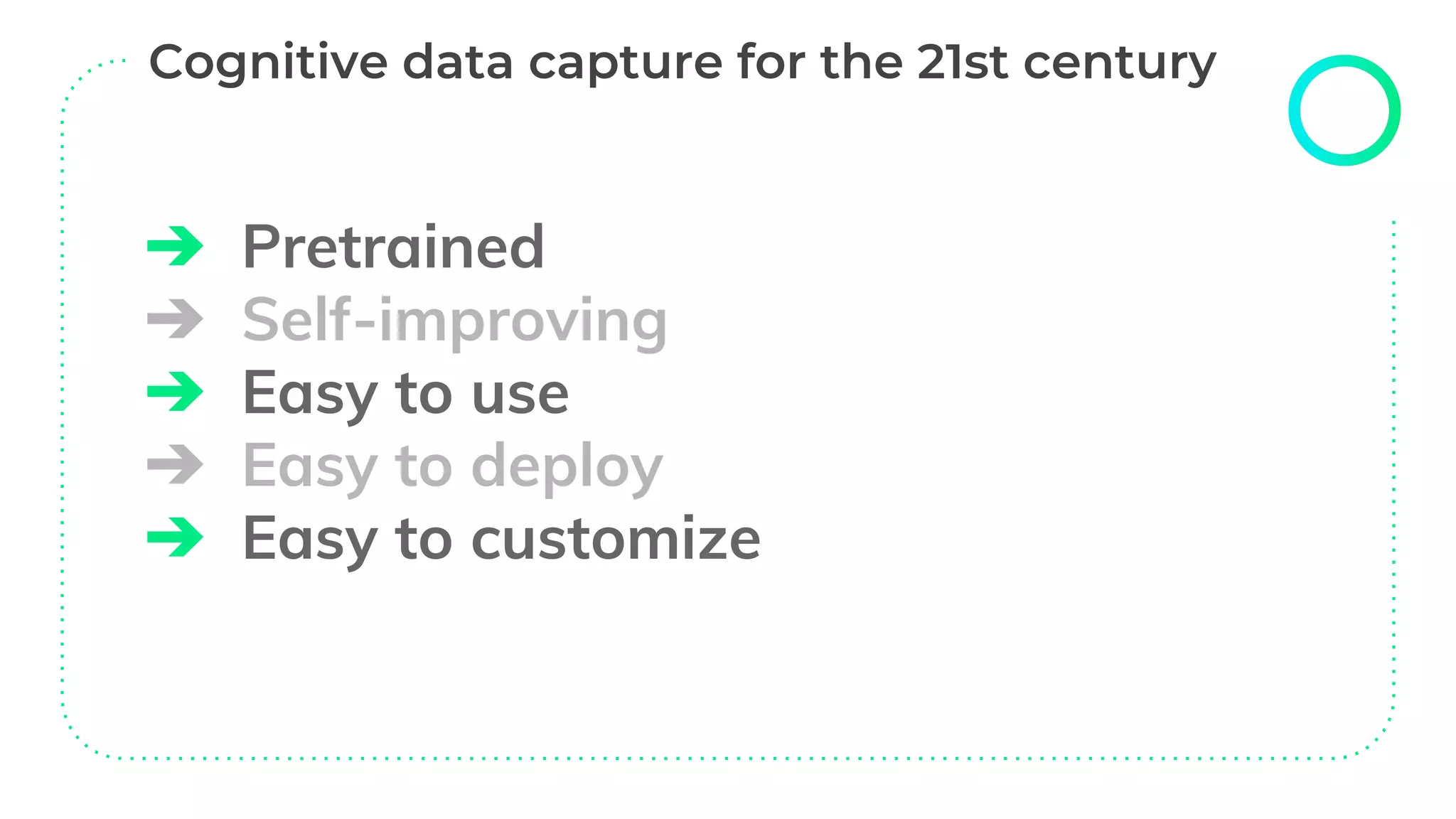
➔ Pretrained
➔ Self-improving
➔ Easy to use
➔ Easy to deploy
➔ Easy to customize
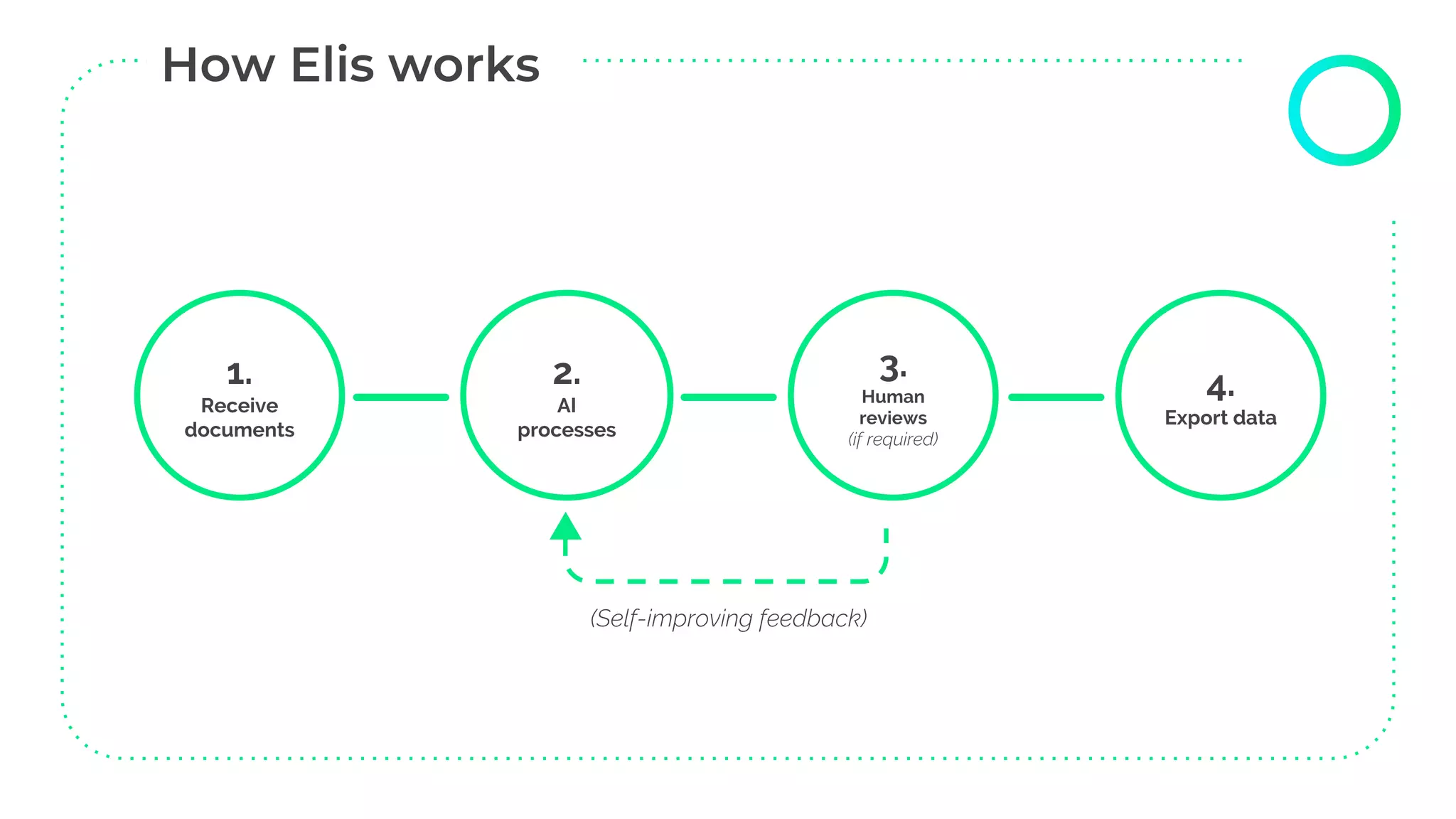
1.
Receive
documents
2.
AI
processes
3.
Human
reviews
(if required)
4.
Export data
(Self-improving feedback)
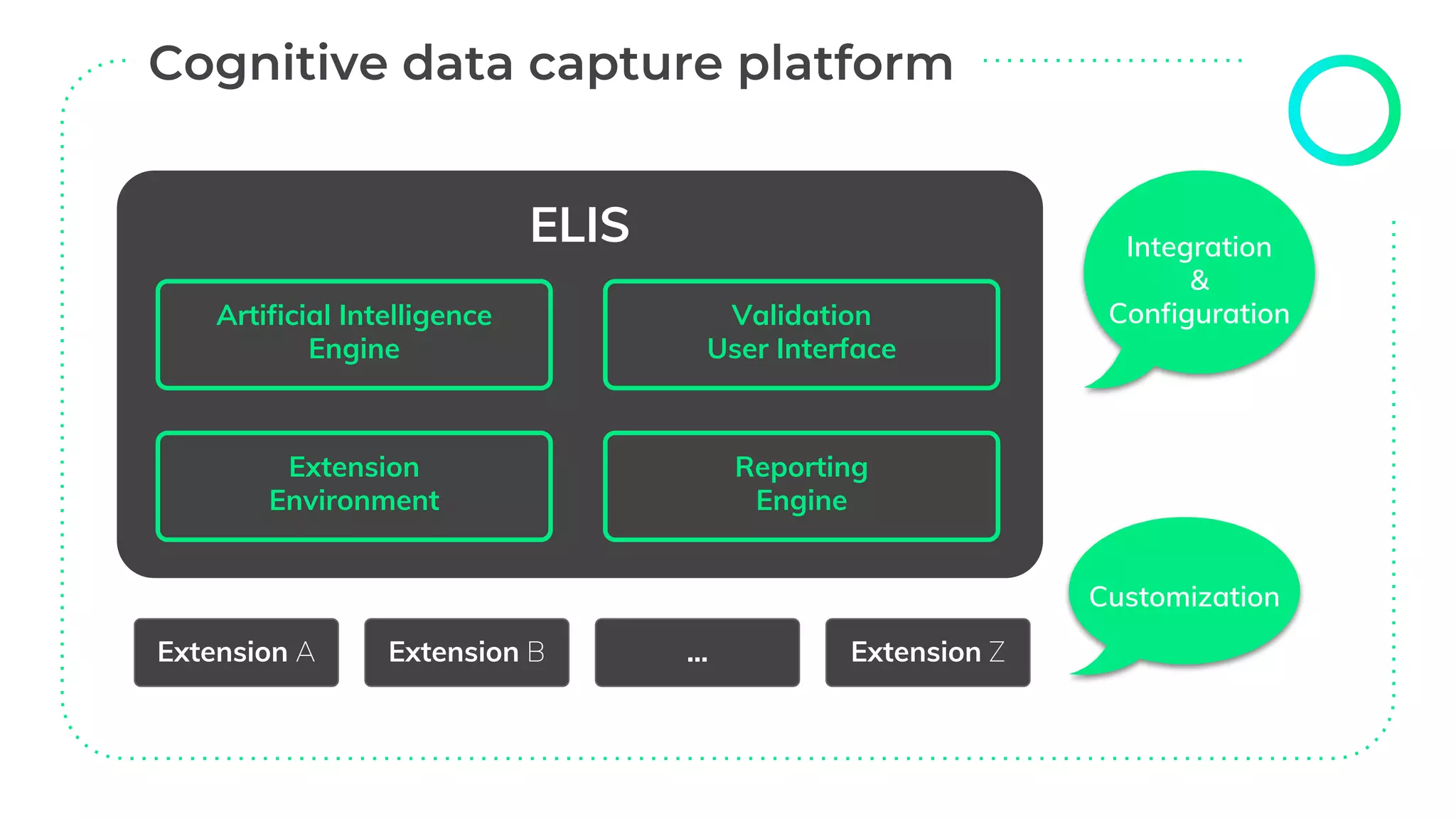
ELIS
Extension A Extension B ... Extension Z
Artificial Intelligence
Engine
Extension
Environment
Reporting
Engine
Validation
User Interface
Integration
&
Configuration
Customization
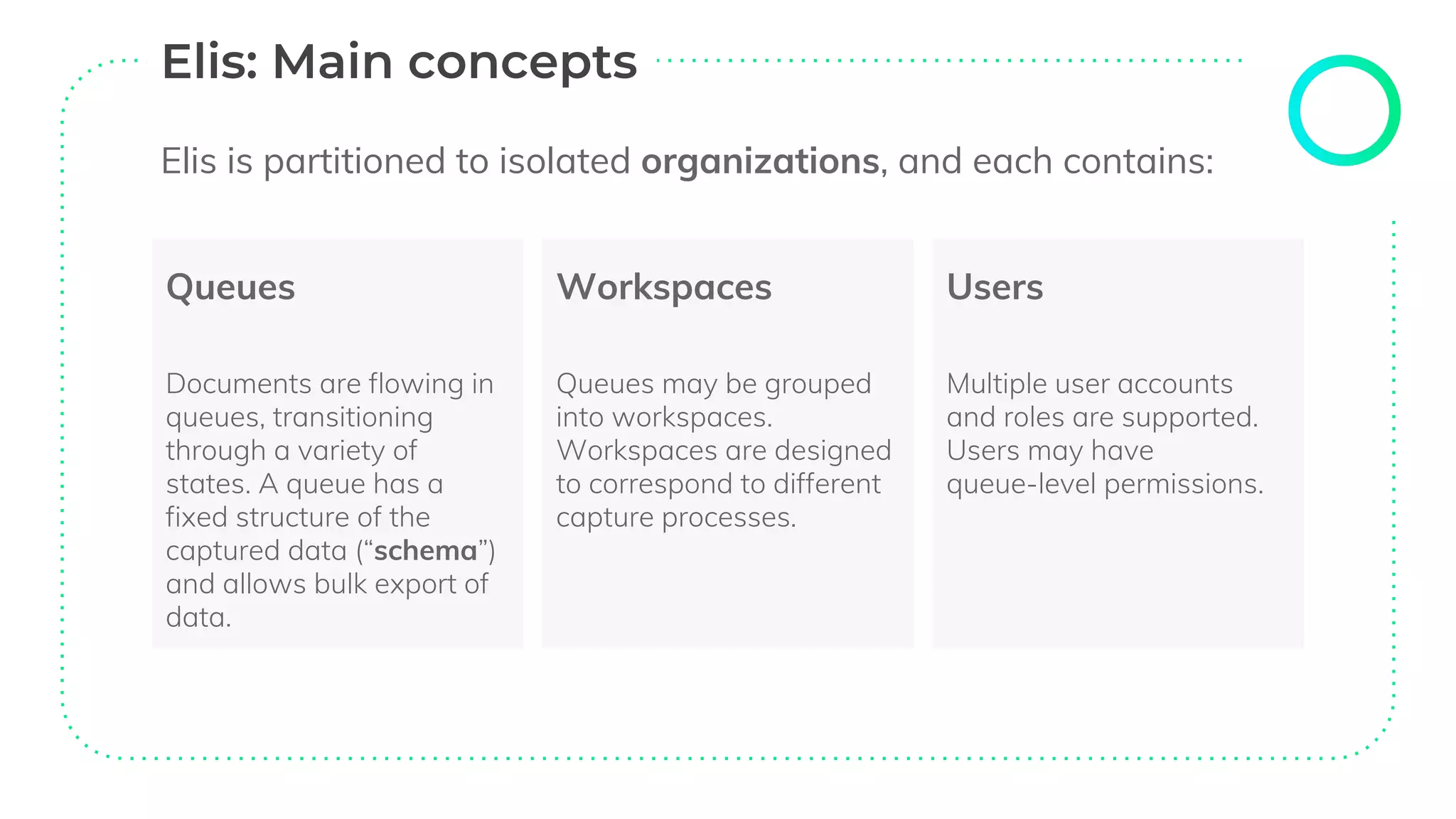
Queues
Documents are flowing in
queues, transitioning
through a variety of
states. A queue has a
fixed structure of the
captured data (“schema”)
and allows bulk export of
data.
Workspaces
Queues may be grouped
into workspaces.
Workspaces are designed
to correspond to different
capture processes.
Users
Multiple user accounts
and roles are supported.
Users may have
queue-level permissions.
Elis is partitioned to isolated organizations, and each contains:
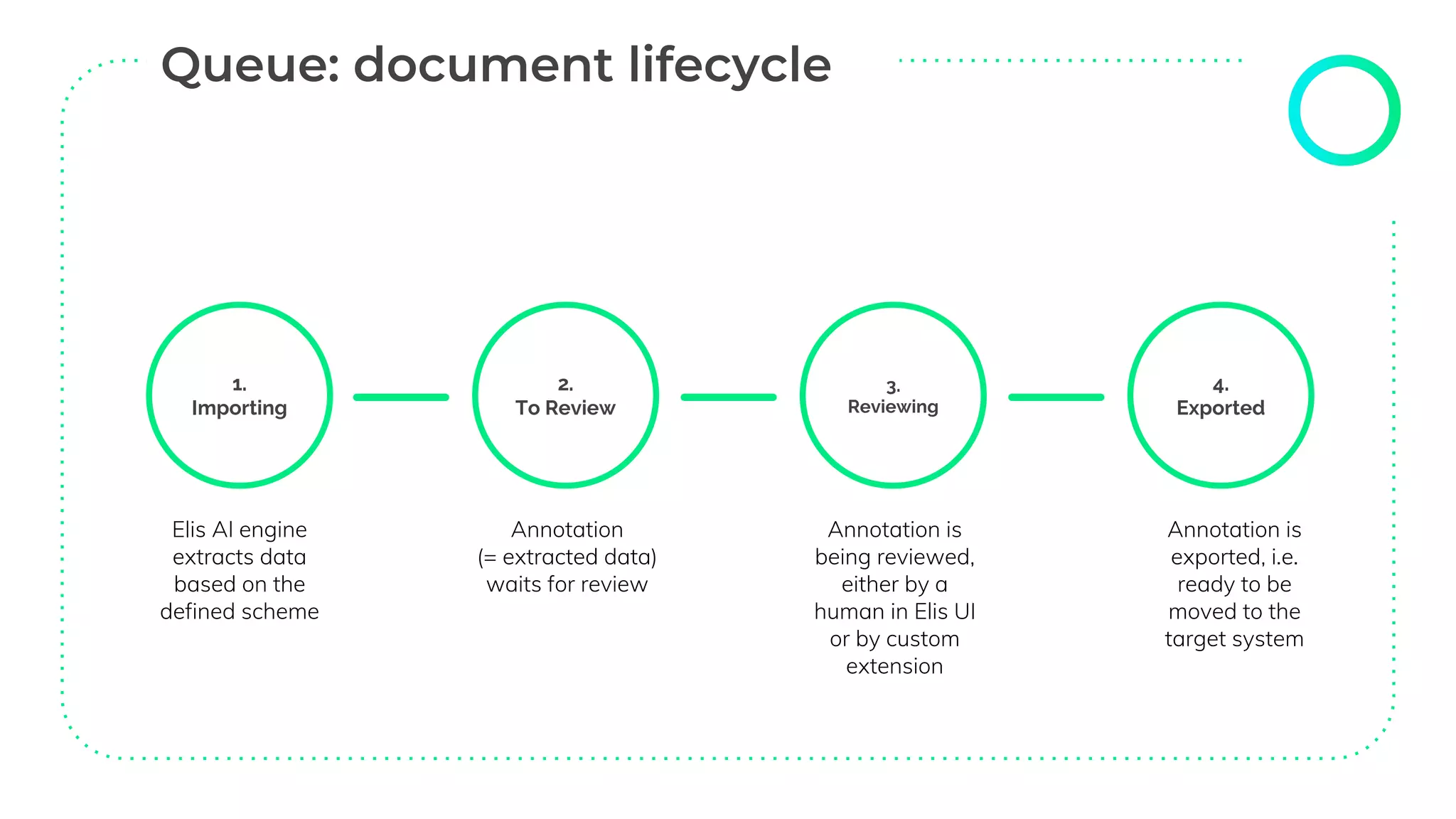
Elis AI engine
extracts data
based on the
defined scheme
Annotation
(= extracted data)
waits for review
Annotation is
being reviewed,
either by a
human in Elis UI
or by custom
extension
Annotation is
exported, i.e.
ready to be
moved to the
target system
1.
Importing
2.
To Review
3.
Reviewing
4.
Exported
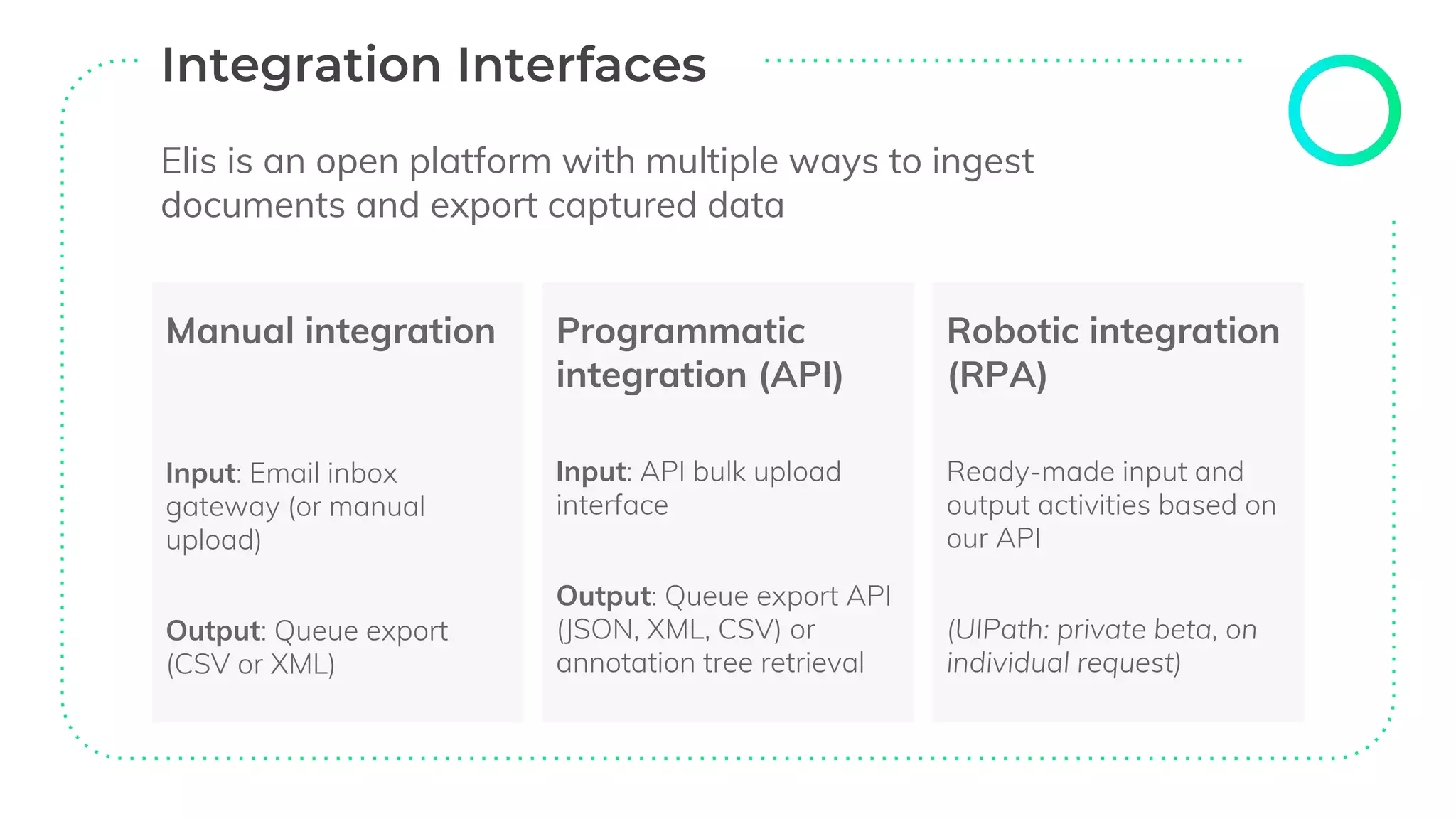
Elis is an open platform with multiple ways to ingest
documents and export captured data
Manual integration
Input: Email inbox
gateway (or manual
upload)
Output: Queue export
(CSV or XML)
Programmatic
integration (API)
Input: API bulk upload
interface
Output: Queue export API
(JSON, XML, CSV) or
annotation tree retrieval
Robotic integration
(RPA)
Ready-made input and
output activities based on
our API
(UIPath: private beta, on
individual request)
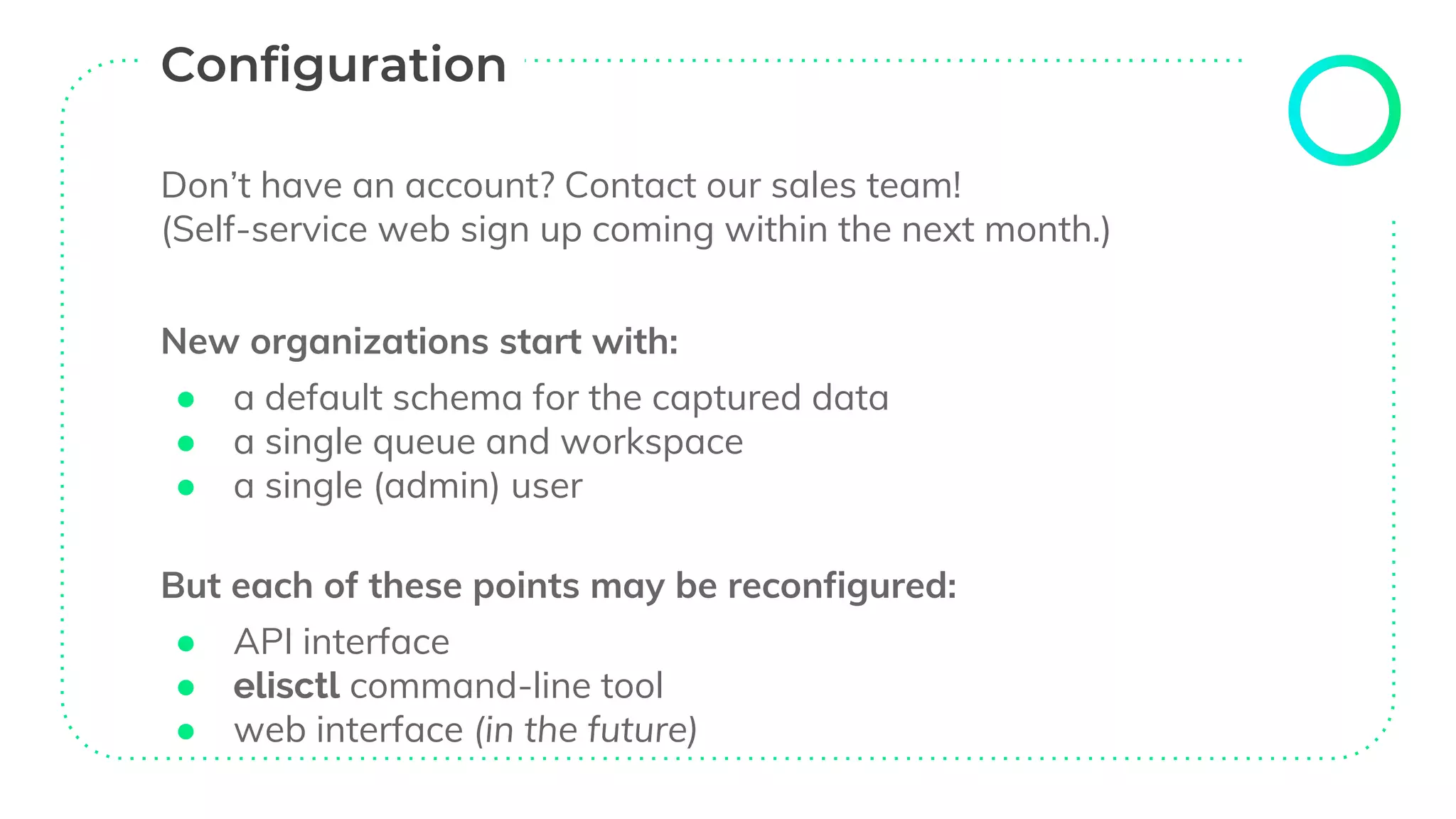
Don’t have an account? Contact our sales team!
(Self-service web sign up coming within the next month.)
New organizations start with:
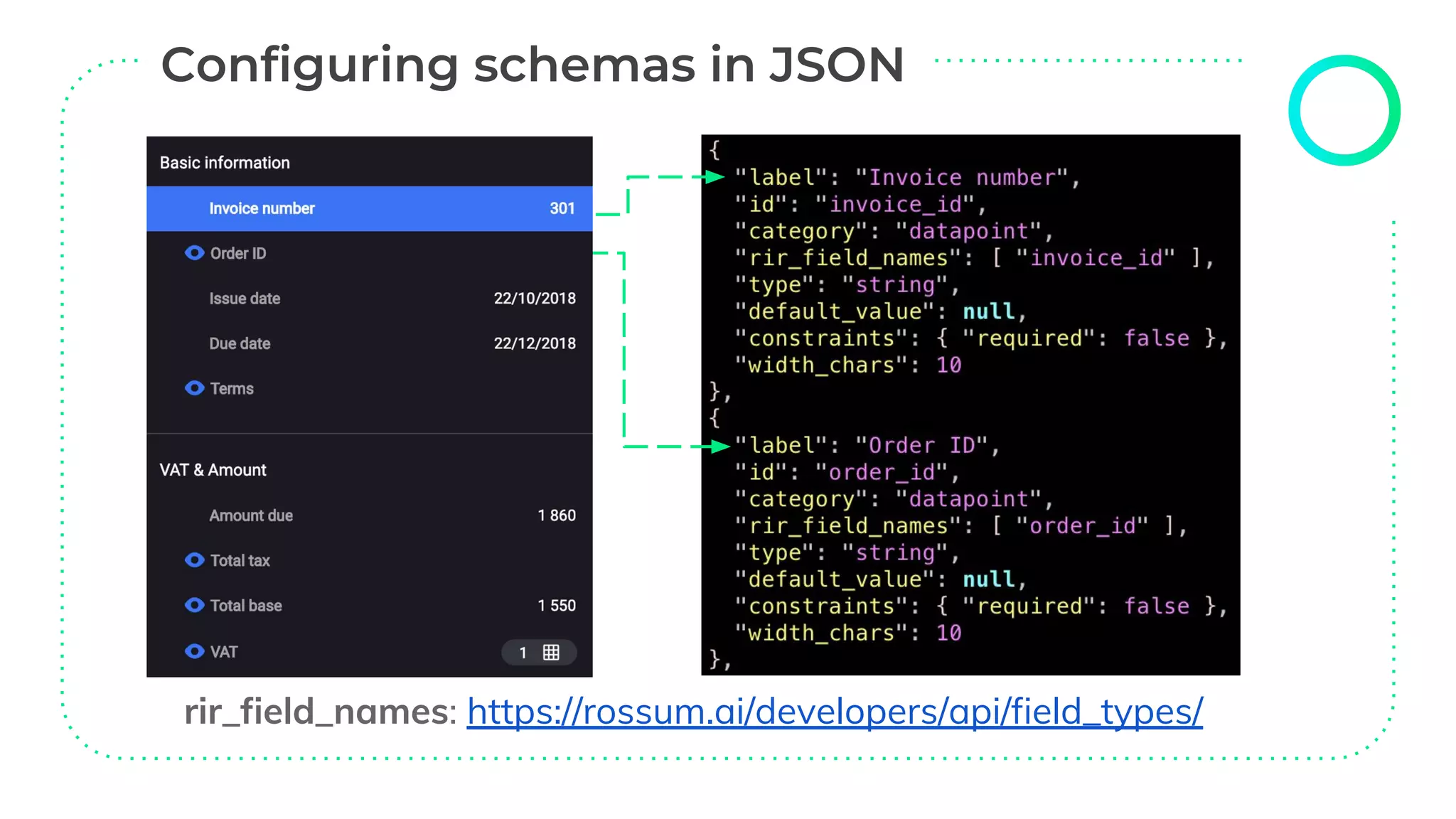
● a default schema for the captured data
● a single queue and workspace
● a single (admin) user
But each of these points may be reconfigured:
● API interface
● elisctl command-line tool
● web interface (in the future)
● Homepage: https://github.com/rossumai/elisctl
● Windows: https://github.com/rossumai/elisctl/releases
● Mac and Linux: sudo pip3 install elisctl
Interactive mode: just run elisctl
Command trees by topic (workspace, queue, schema, user)
Not all features are supported yet - use API for the rest
(we have an overhauled documentation, many examples)
$ elisctl
elis> configure
API URL [https://api.elis.rossum.ai]:
Username: demo-default@elis.rossum.ai
Password: …
rir_field_names: https://rossum.ai/developers/api/field_types/
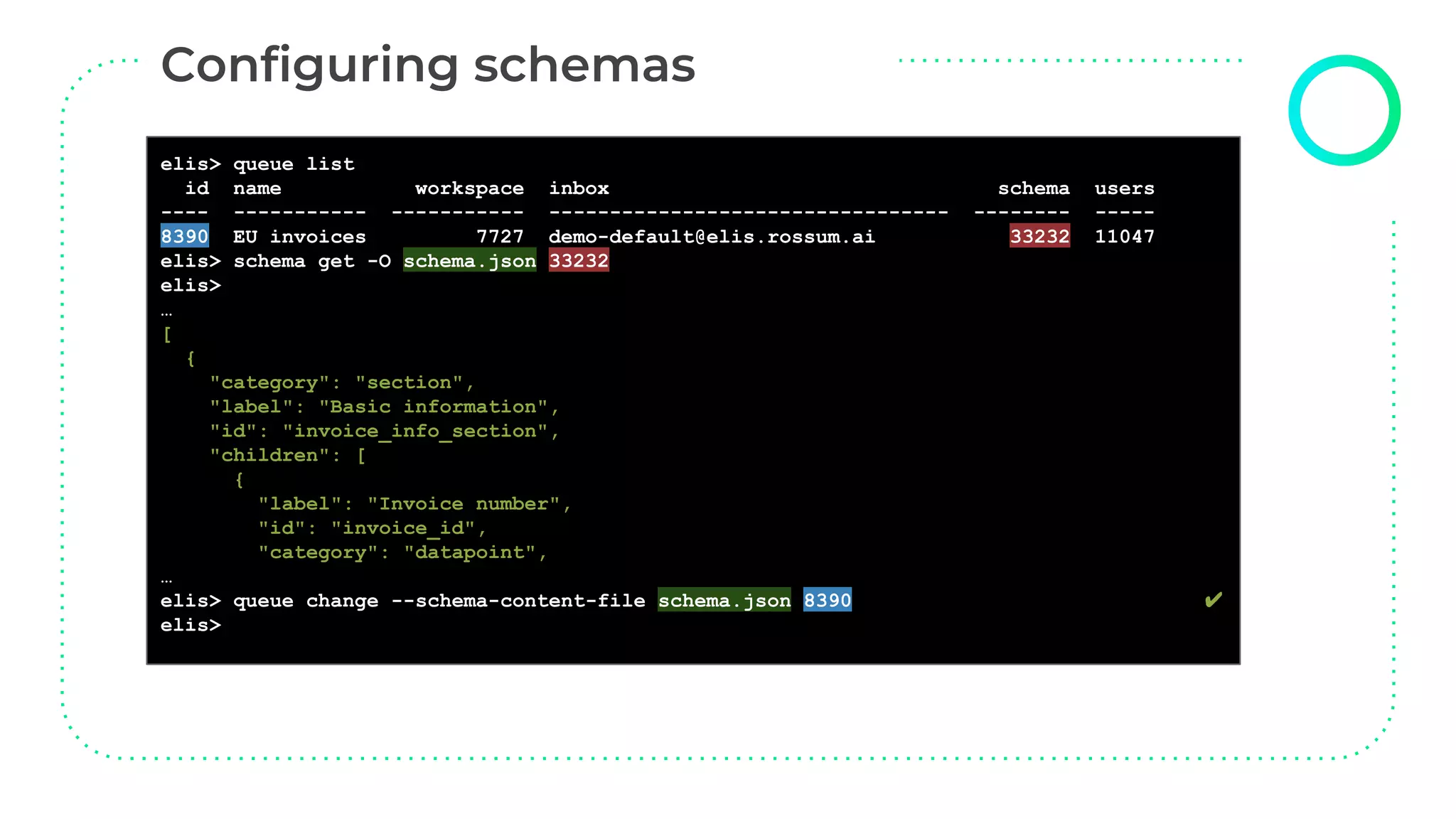
elis> queue list
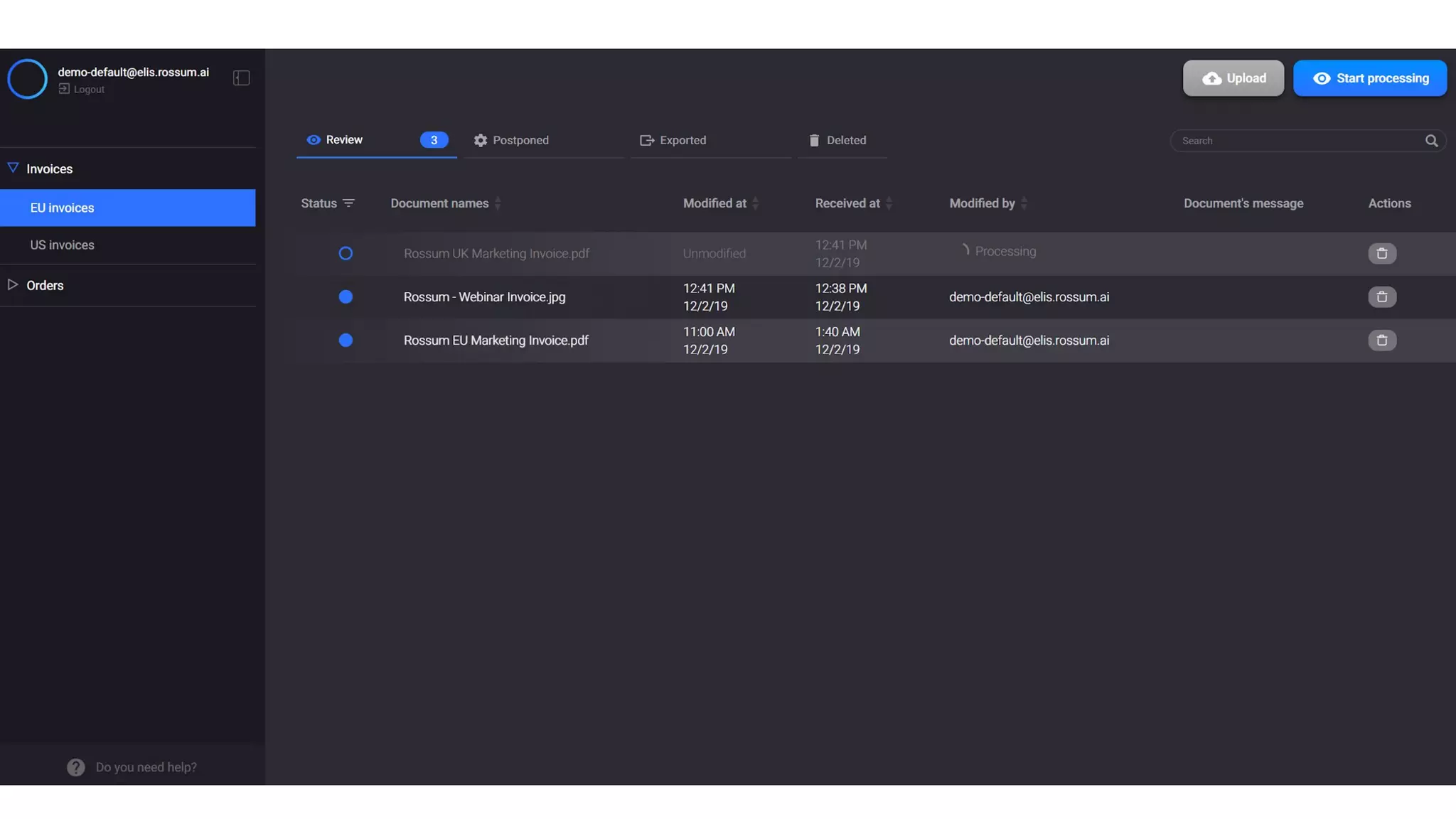
id name workspace inbox schema users
---- ----------- ----------- --------------------------------- -------- -----
8390 EU invoices 7727 demo-default@elis.rossum.ai 33232 11047
elis> schema get -O schema.json 33232
elis>
…
[
{
"category": "section",
"label": "Basic information",
"id": "invoice_info_section",
"children": [
{
"label": "Invoice number",
"id": "invoice_id",
"category": "datapoint",
…
elis> queue change --schema-content-file schema.json 8390 ✔
elis>
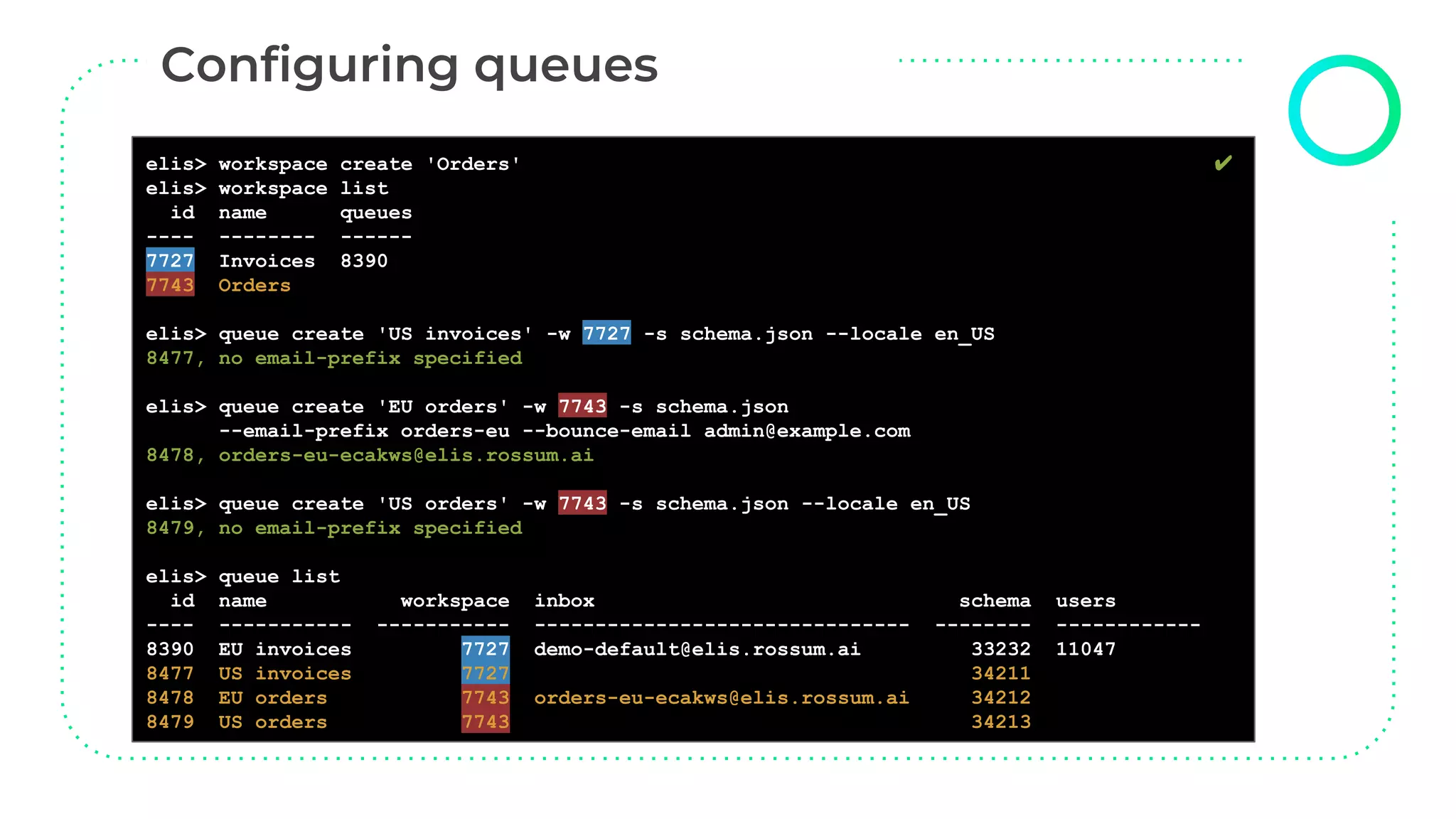
elis> workspace create 'Orders' ✔
elis> workspace list
id name queues
---- -------- ------
7727 Invoices 8390
7743 Orders
elis> queue create 'US invoices' -w 7727 -s schema.json --locale en_US
8477, no email-prefix specified
elis> queue create 'EU orders' -w 7743 -s schema.json
--email-prefix orders-eu --bounce-email admin@example.com
8478, orders-eu-ecakws@elis.rossum.ai
elis> queue create 'US orders' -w 7743 -s schema.json --locale en_US
8479, no email-prefix specified
elis> queue list
id name workspace inbox schema users
---- ----------- ----------- ------------------------------- -------- ------------
8390 EU invoices 7727 demo-default@elis.rossum.ai 33232 11047
8477 US invoices 7727 34211
8478 EU orders 7743 orders-eu-ecakws@elis.rossum.ai 34212
8479 US orders 7743 34213
elisctl user create
elis> user --help
Usage: user [OPTIONS] COMMAND [ARGS]...
Commands:
create Create user. change Change a user.
list List all users. delete Delete a user.
elis> user list
id username groups queues
----- --------------------------- -------- --------
11047 demo-default@elis.rossum.ai admin 8390
elis> user create --help
Usage: user create [OPTIONS] USERNAME
Create user with USERNAME and add him to QUEUES specified by ids.
Options:
-p, --password TEXT Generated, if not specified.
-q, --queue-id INTEGER Queue IDs, which the user will be associated
with.
-g, --group [annotator|admin|viewer]
Permission group. [default: annotator]
-l, --locale [en|cs] UI locale [default: en]
-h, --help Show this message and exit.
elisctl user create
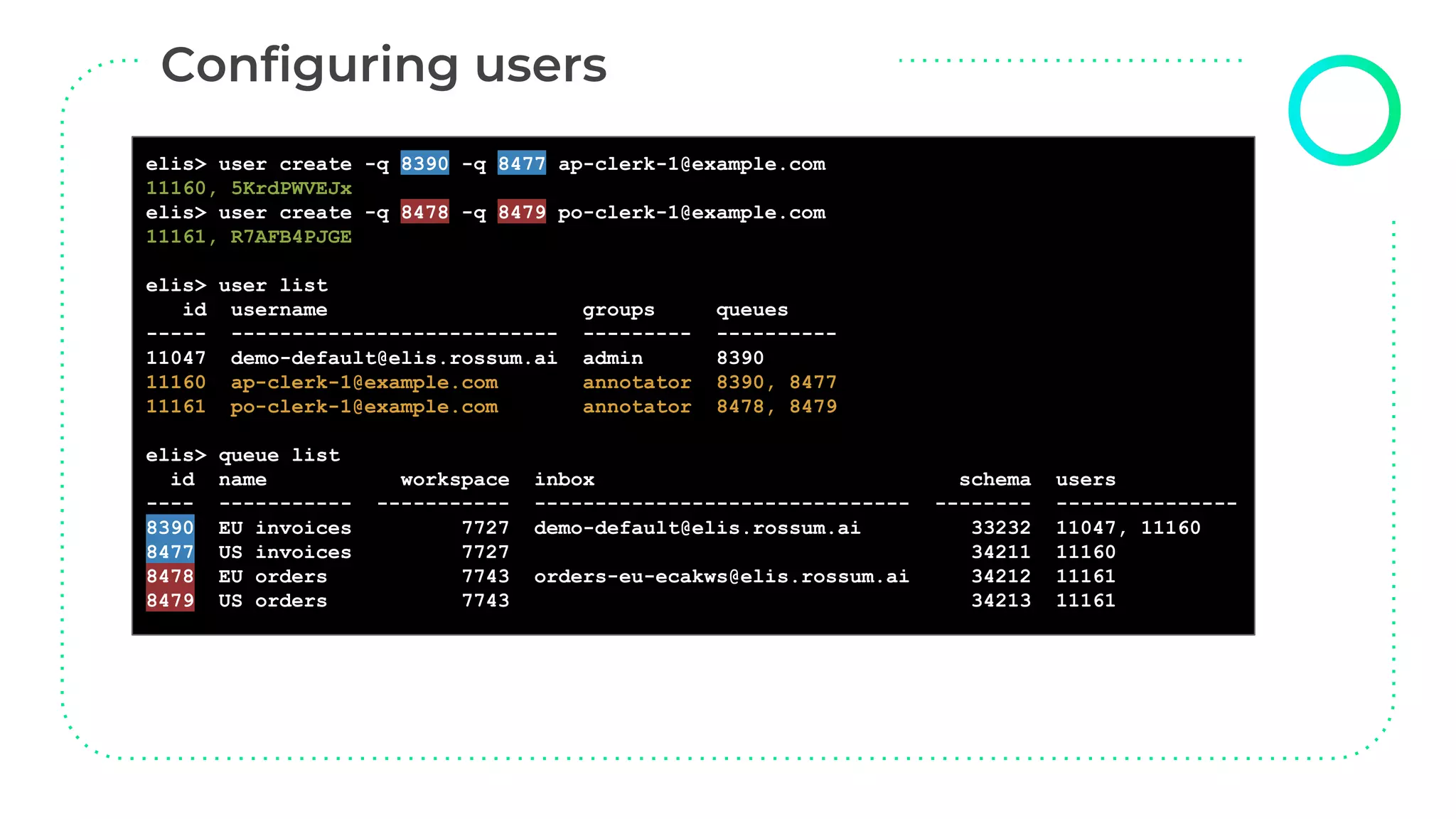
elis> user create -q 8390 -q 8477 ap-clerk-1@example.com
11160, 5KrdPWVEJx
elis> user create -q 8478 -q 8479 po-clerk-1@example.com
11161, R7AFB4PJGE
elis> user list
id username groups queues
----- --------------------------- --------- ----------
11047 demo-default@elis.rossum.ai admin 8390
11160 ap-clerk-1@example.com annotator 8390, 8477
11161 po-clerk-1@example.com annotator 8478, 8479
elis> queue list
id name workspace inbox schema users
---- ----------- ----------- ------------------------------- -------- ---------------
8390 EU invoices 7727 demo-default@elis.rossum.ai 33232 11047, 11160
8477 US invoices 7727 34211 11160
8478 EU orders 7743 orders-eu-ecakws@elis.rossum.ai 34212 11161
8479 US orders 7743 34213 11161
Elis allows custom extensions (external microservices)
- Continuous import and export
- Business rules for automation
- Push interface available (connector webhooks)
Push notifications are sent:
- for each exported document
- for each user action during the verification
https://github.com/rossumai/elis-connector-example-js
https://github.com/rossumai/elis-connector-example-python
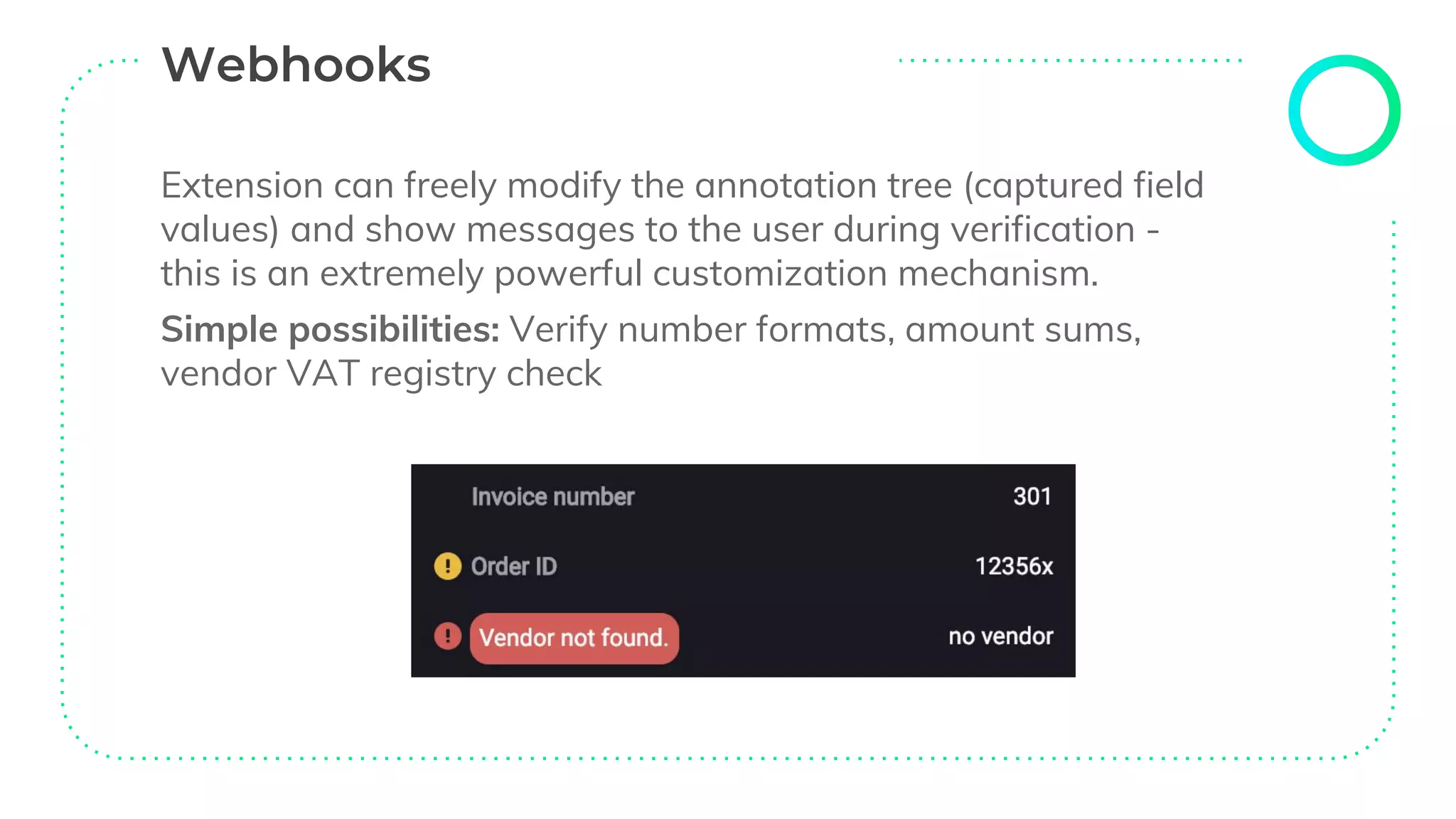
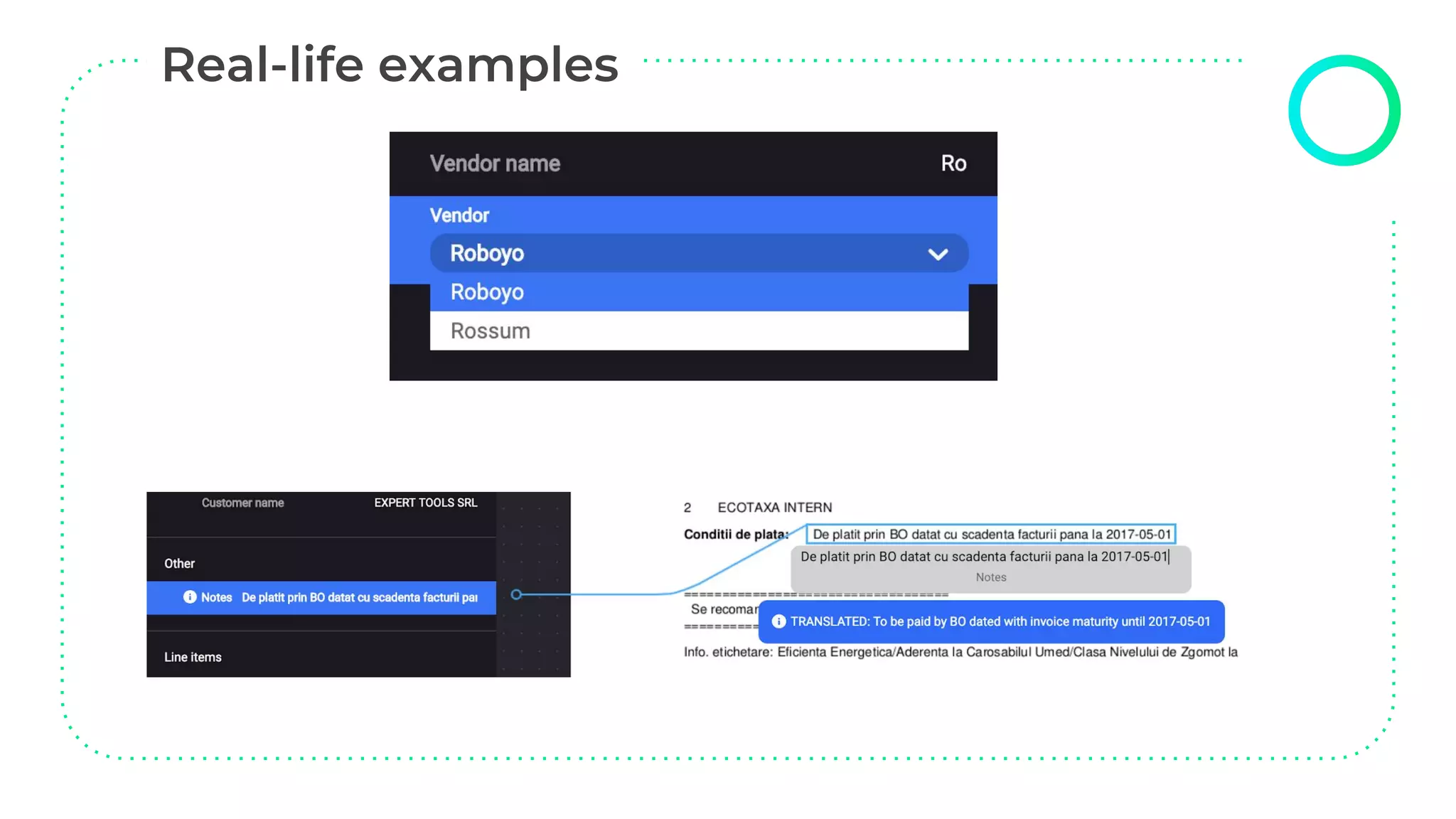
Extension can freely modify the annotation tree (captured field
values) and show messages to the user during verification -
this is an extremely powerful customization mechanism.
Simple possibilities: Verify number formats, amount sums,
vendor VAT registry check
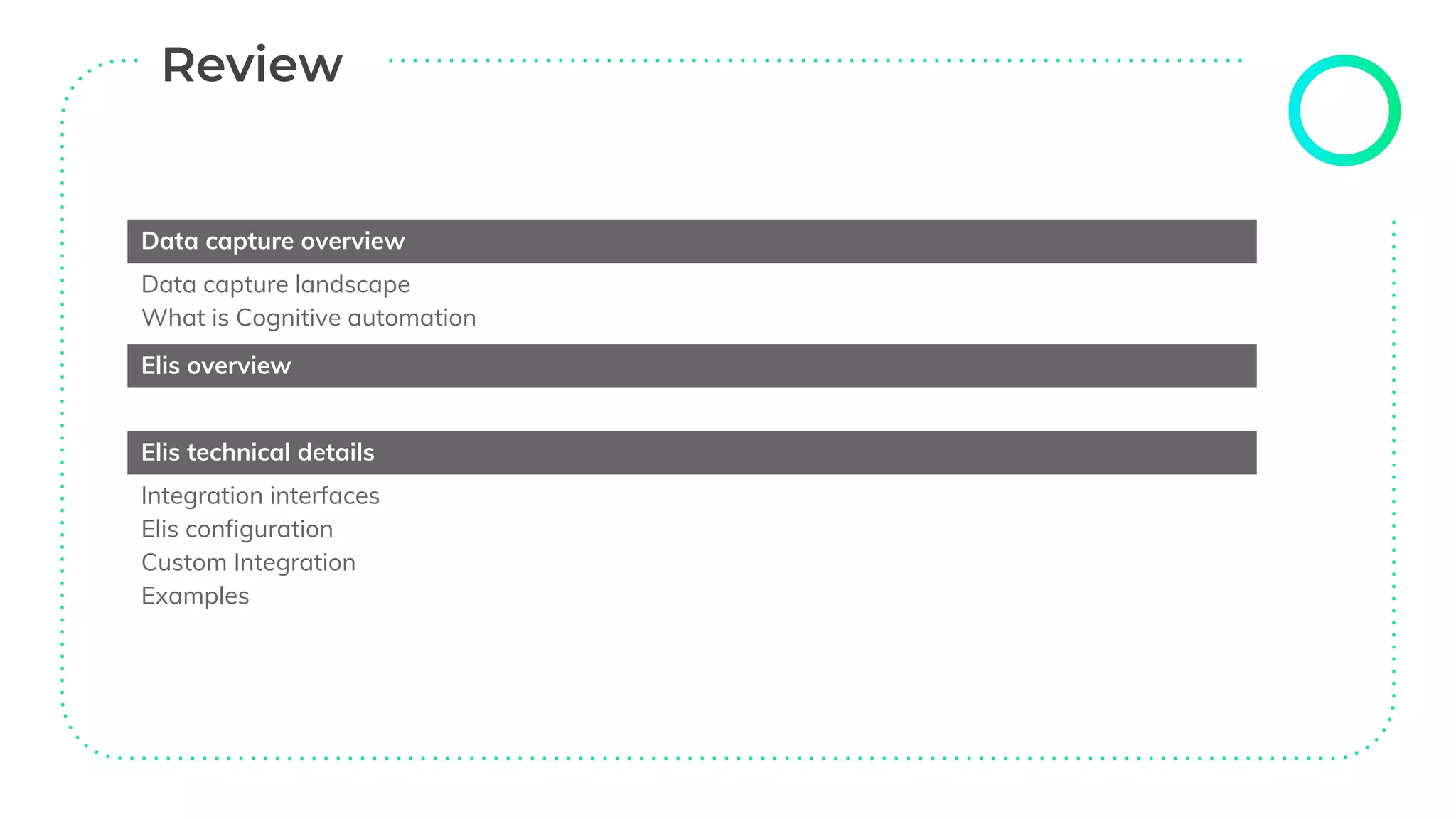
Data capture overview
Data capture landscape
What is Cognitive automation
Elis overview
Elis technical details
Integration interfaces
Elis configuration
Custom Integration
Examples
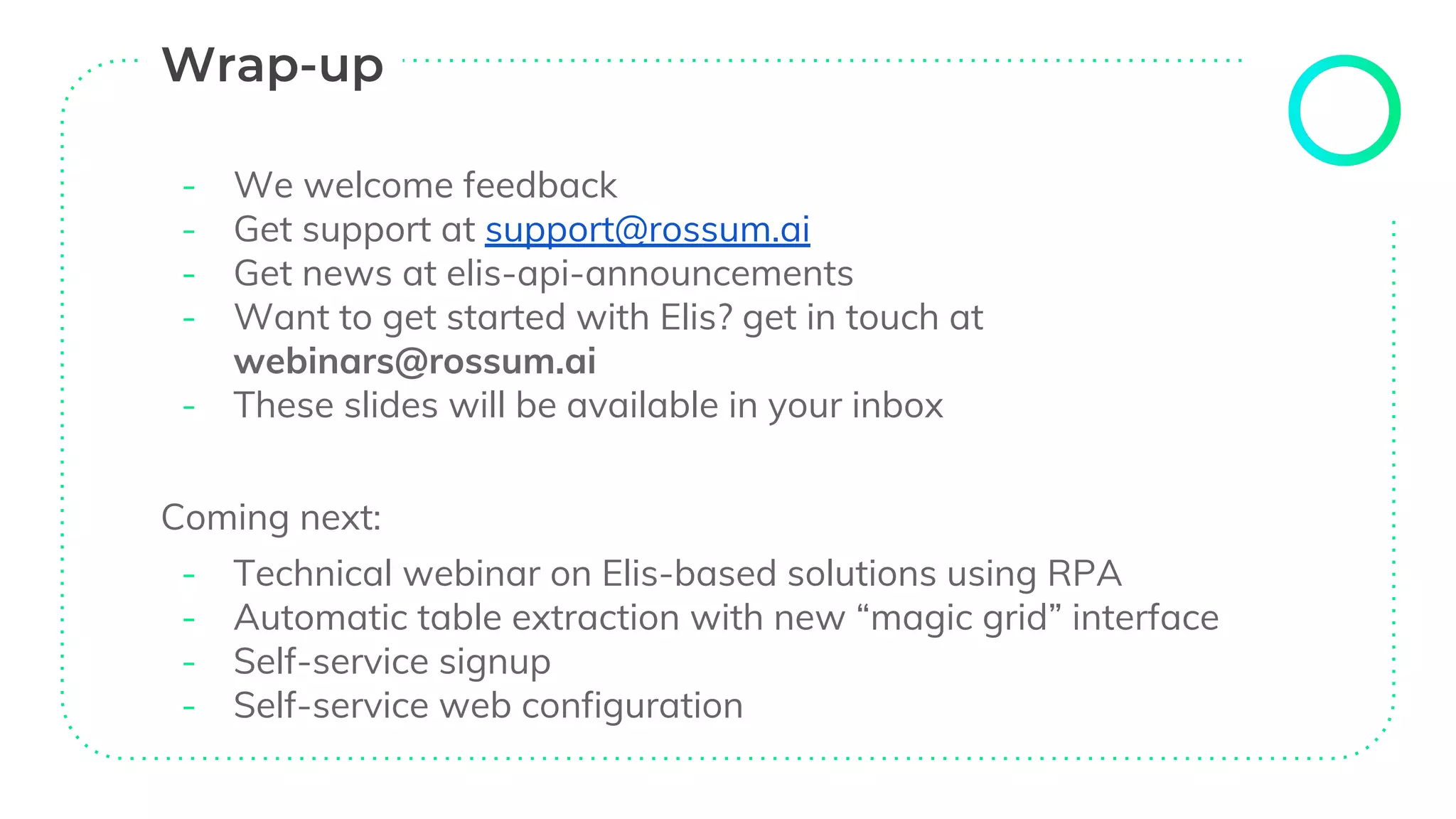
- We welcome feedback
- Get support at support@rossum.ai
- Get news at elis-api-announcements
- Want to get started with Elis? get in touch at
webinars@rossum.ai
- These slides will be available in your inbox
Coming next:
- Technical webinar on Elis-based solutions using RPA
- Automatic table extraction with new “magic grid” interface
- Self-service signup
- Self-service web configuration
Feedback and additional questions:
webinars@rossum.ai

Cognitive data capture with Elis - Rossum's technical webinar

  • 1.
    Tomas Gogar (CEO),Petr Baudis (CTO) February 12, 2019
  • 2.
    “ Automating invoiceprocessing can be needlessly complicated: initial setup of templates takes a long time and never actually ends, complex software deployment, difficult upgrades, and almost impossible process tracking.
  • 3.
    Data capture overview(Tomas Gogar) Data capture landscape What is cognitive data capture? Elis overview Elis technical details (Petr Baudis) Integration interfaces Elis configuration Custom integration Examples Wrap up Q & A (You)
  • 4.
    Fully manual process Rule-based data capture Cognitive datacapture 0% automation 30% - 50% automation Up to 95% automation Automation handled by experts Automation handled by Artificial Intelligence ~ 150,000 keystrokes per data-entry FTE ~ 60,000 keystrokes per data-entry FTE ~ 4,500 keystrokes per data-entry FTE
  • 5.
    ➔ Pretrained ➔ Self-improving ➔Easy to use ➔ Easy to deploy ➔ Easy to customize
  • 6.
  • 9.
    ELIS Extension A ExtensionB ... Extension Z Artificial Intelligence Engine Extension Environment Reporting Engine Validation User Interface Integration & Configuration Customization
  • 10.
    Queues Documents are flowingin queues, transitioning through a variety of states. A queue has a fixed structure of the captured data (“schema”) and allows bulk export of data. Workspaces Queues may be grouped into workspaces. Workspaces are designed to correspond to different capture processes. Users Multiple user accounts and roles are supported. Users may have queue-level permissions. Elis is partitioned to isolated organizations, and each contains:
  • 12.
    Elis AI engine extractsdata based on the defined scheme Annotation (= extracted data) waits for review Annotation is being reviewed, either by a human in Elis UI or by custom extension Annotation is exported, i.e. ready to be moved to the target system 1. Importing 2. To Review 3. Reviewing 4. Exported
  • 13.
    Elis is anopen platform with multiple ways to ingest documents and export captured data Manual integration Input: Email inbox gateway (or manual upload) Output: Queue export (CSV or XML) Programmatic integration (API) Input: API bulk upload interface Output: Queue export API (JSON, XML, CSV) or annotation tree retrieval Robotic integration (RPA) Ready-made input and output activities based on our API (UIPath: private beta, on individual request)
  • 14.
    Don’t have anaccount? Contact our sales team! (Self-service web sign up coming within the next month.) New organizations start with: ● a default schema for the captured data ● a single queue and workspace ● a single (admin) user But each of these points may be reconfigured: ● API interface ● elisctl command-line tool ● web interface (in the future)
  • 15.
    ● Homepage: https://github.com/rossumai/elisctl ●Windows: https://github.com/rossumai/elisctl/releases ● Mac and Linux: sudo pip3 install elisctl Interactive mode: just run elisctl Command trees by topic (workspace, queue, schema, user) Not all features are supported yet - use API for the rest (we have an overhauled documentation, many examples) $ elisctl elis> configure API URL [https://api.elis.rossum.ai]: Username: demo-default@elis.rossum.ai Password: …
  • 16.
  • 17.
    elis> queue list idname workspace inbox schema users ---- ----------- ----------- --------------------------------- -------- ----- 8390 EU invoices 7727 demo-default@elis.rossum.ai 33232 11047 elis> schema get -O schema.json 33232 elis> … [ { "category": "section", "label": "Basic information", "id": "invoice_info_section", "children": [ { "label": "Invoice number", "id": "invoice_id", "category": "datapoint", … elis> queue change --schema-content-file schema.json 8390 ✔ elis>
  • 18.
    elis> workspace create'Orders' ✔ elis> workspace list id name queues ---- -------- ------ 7727 Invoices 8390 7743 Orders elis> queue create 'US invoices' -w 7727 -s schema.json --locale en_US 8477, no email-prefix specified elis> queue create 'EU orders' -w 7743 -s schema.json --email-prefix orders-eu --bounce-email admin@example.com 8478, orders-eu-ecakws@elis.rossum.ai elis> queue create 'US orders' -w 7743 -s schema.json --locale en_US 8479, no email-prefix specified elis> queue list id name workspace inbox schema users ---- ----------- ----------- ------------------------------- -------- ------------ 8390 EU invoices 7727 demo-default@elis.rossum.ai 33232 11047 8477 US invoices 7727 34211 8478 EU orders 7743 orders-eu-ecakws@elis.rossum.ai 34212 8479 US orders 7743 34213
  • 19.
    elisctl user create elis>user --help Usage: user [OPTIONS] COMMAND [ARGS]... Commands: create Create user. change Change a user. list List all users. delete Delete a user. elis> user list id username groups queues ----- --------------------------- -------- -------- 11047 demo-default@elis.rossum.ai admin 8390 elis> user create --help Usage: user create [OPTIONS] USERNAME Create user with USERNAME and add him to QUEUES specified by ids. Options: -p, --password TEXT Generated, if not specified. -q, --queue-id INTEGER Queue IDs, which the user will be associated with. -g, --group [annotator|admin|viewer] Permission group. [default: annotator] -l, --locale [en|cs] UI locale [default: en] -h, --help Show this message and exit.
  • 20.
    elisctl user create elis>user create -q 8390 -q 8477 ap-clerk-1@example.com 11160, 5KrdPWVEJx elis> user create -q 8478 -q 8479 po-clerk-1@example.com 11161, R7AFB4PJGE elis> user list id username groups queues ----- --------------------------- --------- ---------- 11047 demo-default@elis.rossum.ai admin 8390 11160 ap-clerk-1@example.com annotator 8390, 8477 11161 po-clerk-1@example.com annotator 8478, 8479 elis> queue list id name workspace inbox schema users ---- ----------- ----------- ------------------------------- -------- --------------- 8390 EU invoices 7727 demo-default@elis.rossum.ai 33232 11047, 11160 8477 US invoices 7727 34211 11160 8478 EU orders 7743 orders-eu-ecakws@elis.rossum.ai 34212 11161 8479 US orders 7743 34213 11161
  • 21.
    Elis allows customextensions (external microservices) - Continuous import and export - Business rules for automation - Push interface available (connector webhooks) Push notifications are sent: - for each exported document - for each user action during the verification https://github.com/rossumai/elis-connector-example-js https://github.com/rossumai/elis-connector-example-python
  • 22.
    Extension can freelymodify the annotation tree (captured field values) and show messages to the user during verification - this is an extremely powerful customization mechanism. Simple possibilities: Verify number formats, amount sums, vendor VAT registry check
  • 24.
    Data capture overview Datacapture landscape What is Cognitive automation Elis overview Elis technical details Integration interfaces Elis configuration Custom Integration Examples
  • 25.
    - We welcomefeedback - Get support at support@rossum.ai - Get news at elis-api-announcements - Want to get started with Elis? get in touch at webinars@rossum.ai - These slides will be available in your inbox Coming next: - Technical webinar on Elis-based solutions using RPA - Automatic table extraction with new “magic grid” interface - Self-service signup - Self-service web configuration
  • 27.
    Feedback and additionalquestions: webinars@rossum.ai