codeigniter
#codeigniter
Table of Contents
About 1
Chapter 1: Getting started with codeigniter 2
Remarks 2
Versions 2
Examples 2
Installation and Setup 2
Windows Environment 2
Mac Environment 2
Linux Environment 3
GitHub 3
Base URL 3
Remove index.php from URL 3
Database Configuration 4
Set Default Controller 5
AutoLoad Library And Helper 5
Run multiple applications on one CI system 5
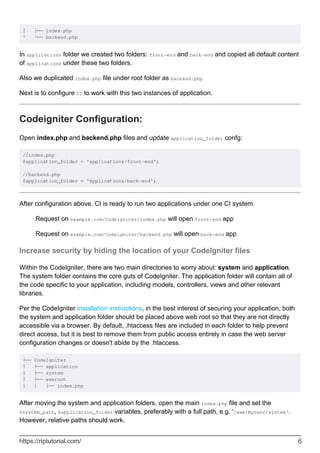
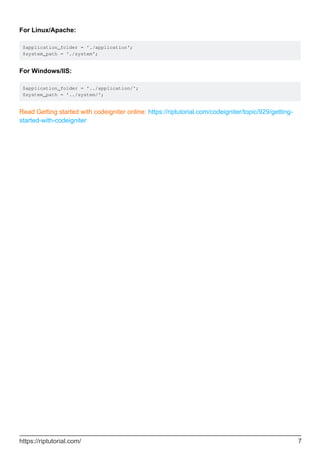
Folder structure: 5
Codeigniter Configuration: 6
Increase security by hiding the location of your CodeIgniter files 6
Chapter 2: Array Helper 8
Introduction 8
Examples 8
Loading this Helper 8
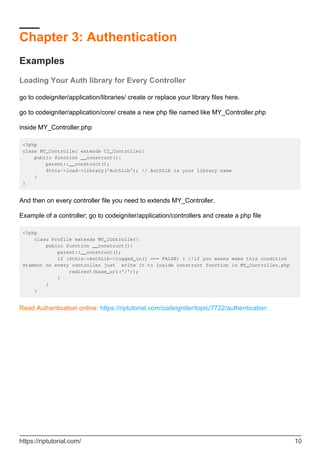
Chapter 3: Authentication 10
Examples 10
Loading Your Auth library for Every Controller 10
Chapter 4: Base url in Codeigniter 11
Examples 11
Setting your base url in Codeigniter 11
Something More About base_url 12
What happens if I don't set base_url ? 12
If I did't set it what will show up? 12
What does this mean http://[::1]/ ?? 12
How to set proper base_url()?? 12
How to use base_url()?? 12
Smart way to setting up the base_url 13
Chapter 5: Calling a model method in a view 14
Introduction 14
Examples 14
Save a method call in a variable 14
Chapter 6: CAPTCHA Helper 15
Examples 15
Loading this Helper 15
create_captcha($data) 15
Using the CAPTCHA helper 15
Complete example 16
Chapter 7: CodeIgniter - Internationalization 18
Introduction 18
Examples 18
Example 18
Chapter 8: Codeigniter Pagination 22
Examples 22
in this section i assume you know to calling helper, in the controller 22
in the view 22
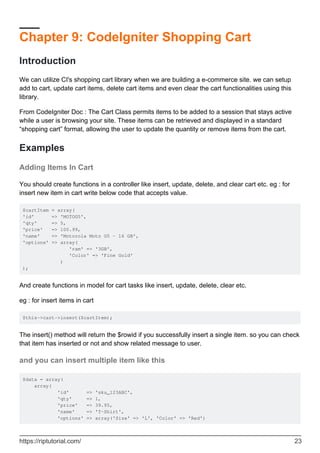
Chapter 9: CodeIgniter Shopping Cart 23
Introduction 23
Examples 23
Adding Items In Cart 23
and you can insert multiple item like this 23
Basic Elements of CI Shopping Cart 24
Display Cart Items 24
Update cart item 25
Delete cart items 25
Chapter 10: Codeigniter Troubleshooting 26
Introduction 26
Examples 26
Troubleshooting 26
Chapter 11: CodeIgniter URI Segment 27
Examples 27
URI Segments: 27
Get last and before last URI segment 27
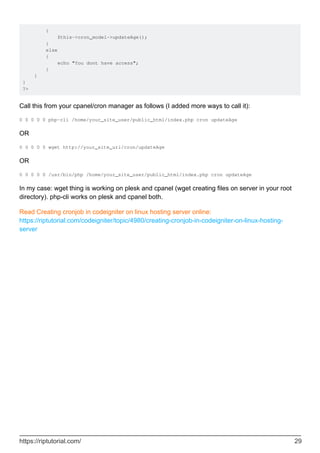
Chapter 12: Creating cronjob in codeigniter on linux hosting server 28
Examples 28
Calling a CodeIgniter controller from cron 28
Cronjob in Codeigniter 28
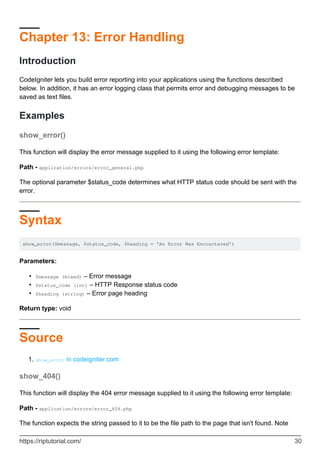
Chapter 13: Error Handling 30
Introduction 30
Examples 30
show_error() 30
Syntax 30
Source 30
show_404() 30
Syntax 31
Source 31
log_message() 31
Syntax 31
There are three message types: 32
Chapter 14: Form Validation 33
Examples 33
Validate Form Example 33
Chapter 15: How to set time zone in CodeIgniter 34
Examples 34
How to set the time zone in CodeIgniter 34
Another way to set timezone in codeigniter 35
Chapter 16: How to use the CI libraries and helper 36
Examples 36
Using libraries and helpers 36
Helper 37
Chapter 17: How to use the CI libraries and helper? 39
Syntax 39
Examples 39
Creating and calling a library 39
Chapter 18: Image/File Uploader In CodeIgniter 40
Remarks 40
Examples 40
Single File/ Image Uploader 40
Chapter 19: Let's start: Hello World 43
Examples 43
A very simple Hello World application 43
Let's use the controller a little more 44
Let's choose our greetings: Hello World or Good Bye World or ...? 45
Chapter 20: Make API in Codeigniter 47
Introduction 47
Examples 47
create the new controller with name API 47
Retrieve some data from API add following function in API controller 47
log in user API for allow access of some private data for perticular user 48
user log out api to destroy the session of loged in user 50
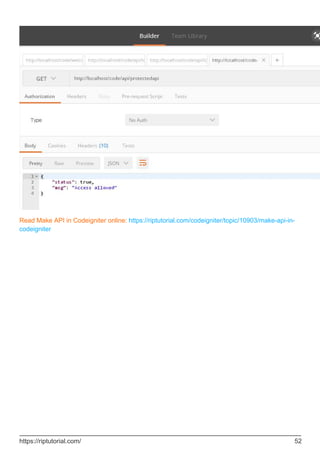
create protected api 51
Chapter 21: Play with English word with INFLECTOR helper 53
Introduction 53
Examples 53
Load inflector helper 53
Make a word singular 53
Check a word has plural 53
Make a word plural 53
Camelized the string 53
Remove / Add delimiter between words 54
Remove delimiter 54
Add Underscore 54
Chapter 22: Query Structure 55
Examples 55
Selecting Data 55
Selecting Data 55
Selecting data with second Optional Parameter 56
Join Tables Using Query Builder 56
Chapter 23: Removing index.php using WAMP and CodeIgniter 57
Examples 57
How to remove the index.php from url's with using wamp and codeigniter 57
Chapter 24: Securing your web application 59
Introduction 59
Syntax 59
Parameters 59
Examples 59
XSS Prevention 59
SQL Injection Prevention 59
Hiding PHP Errors 60
CSRF Prevention 61
Remove Abuse Data from User input 61
XSS Prevention on User Input 61
Chapter 25: Sending Email 63
Remarks 63
Examples 63
Load The Email Library 63
Set Your Email Config Parameters 63
Create Your Email 64
Send Your Email 64
Send An HTML Email 64
Contact Form 65
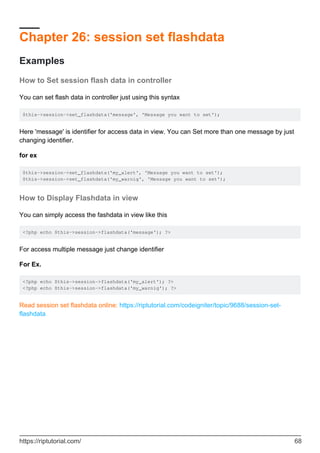
Chapter 26: session set flashdata 68
Examples 68
How to Set session flash data in controller 68
How to Display Flashdata in view 68
Chapter 27: url suffix 69
Examples 69
url suffix 69
Chapter 28: Use of hooks 70
Examples 70
Enabling Hooks 70
Defining a Hook 70
Hook Points 70
pre_system 70
pre_controller 70
post_controller_constructor 71
post_controller 71
display_override 71
cache_override 71
post_system 71
Pre Controller Hook example using CodeIgniter 71
Defining a Hook 72
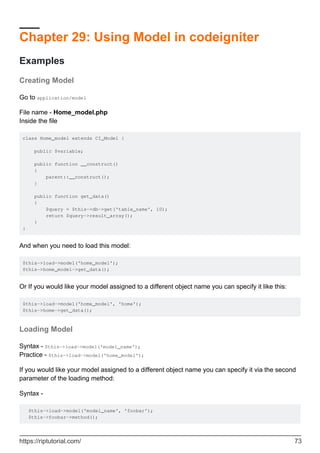
Chapter 29: Using Model in codeigniter 73
Examples 73
Creating Model 73
Loading Model 73
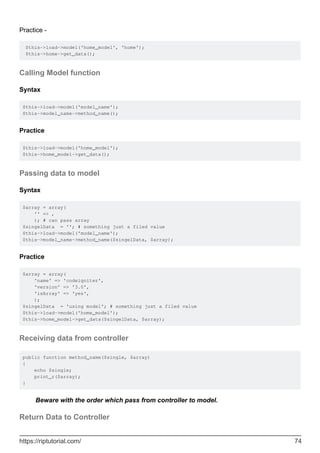
Calling Model function 74
Passing data to model 74
Receiving data from controller 74
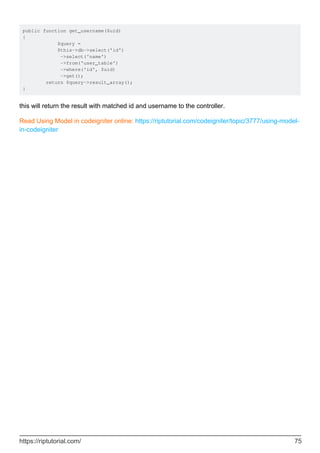
Return Data to Controller 74
Chapter 30: Using Sessions 76
Remarks 76
Examples 76
Creating a Session 76
Handling Session Data 76
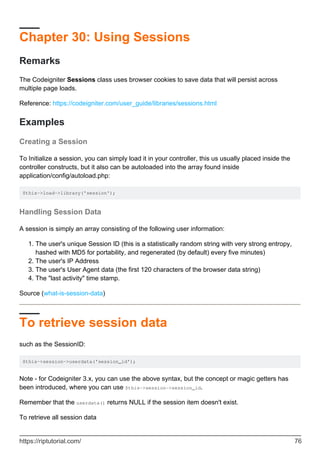
To retrieve session data 76
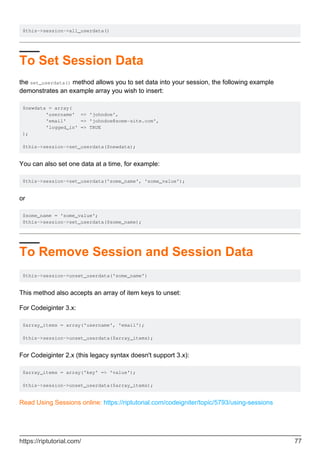
To Set Session Data 77
To Remove Session and Session Data 77
Credits 78
About
You can share this PDF with anyone you feel could benefit from it, downloaded the latest version
from: codeigniter
It is an unofficial and free codeigniter ebook created for educational purposes. All the content is
extracted from Stack Overflow Documentation, which is written by many hardworking individuals at
Stack Overflow. It is neither affiliated with Stack Overflow nor official codeigniter.
The content is released under Creative Commons BY-SA, and the list of contributors to each
chapter are provided in the credits section at the end of this book. Images may be copyright of
their respective owners unless otherwise specified. All trademarks and registered trademarks are
the property of their respective company owners.
Use the content presented in this book at your own risk; it is not guaranteed to be correct nor
accurate, please send your feedback and corrections to info@zzzprojects.com
https://riptutorial.com/ 1
Chapter 1: Getting started with codeigniter
Remarks
CodeIgniter is a MVC framework written in, and for, PHP.
It is lightweight compared to other MVC frameworks out there, at the cost of having less
functionality, e.g. there is no built in authentication system which might be a part of other
frameworks.
CodeIgniter is a good choice of frameworks for those who are starting out with MVC as it doesn't
force any particular standards for naming and structure of code; but it is also suitable for larger
projects where a large range of features contained in other frameworks might not be needed.
Versions
Version Release Date
Version Beta 1.0 2006-02-28
Version 2.0.0 2011-01-28
Version 2.2.0 2014-06-02
Version 3.0.0 2015-03-30
Version 3.1.3 2017-01-09
Version is 3.1.4 2017-03-20
Version is 3.1.5 2017-06-19
Examples
Installation and Setup
Windows Environment
Install XAMPP or WAMP1.
Download and Unzip the package from Codeigniter.com2.
Extract all the document in the server space (htdocs or www directory)3.
https://riptutorial.com/ 2
Mac Environment
Install MAMP1.
Download and Unzip the package from Codeigniter.com2.
Extract all the document in the server space (htdocs)3.
Linux Environment
Download and Unzip the package from Codeigniter.com1.
Place the extracted folder in /var/www (in WAMP) or xampp/htdocs (XAMPP)2.
GitHub
git clone https://github.com/bcit-ci/CodeIgniter.git
If you follow the system correctly, you will get the below screen.
Base URL
Go to application/config/config.php1.
Define base URL as $config['base_url'] = 'http://localhost/path/to/folder';2.
Remove index.php from URL
Apache Configuration
https://riptutorial.com/ 3
go to root1.
create htaccess file2.
Add below code inside it
RewriteEngine on
RewriteCond $1 !^(index.php|assets|image|resources|robots.txt)
RewriteCond %{REQUEST_FILENAME} !-f
RewriteCond %{REQUEST_FILENAME} !-d
RewriteRule ^(.*)$ index.php/$1 [L,QSA]
3.
Note: .htaccess code vary depending on hosting server. In some hosting server (e.g.: Godaddy)
need to use an extra ? in the last line of above code. The following line will be replaced with last
line in applicable case:
RewriteRule ^(.*)$ index.php?/$1 [L,QSA]
Nginx Configuration
Open nginx config file (by default: /etc/nginx/sites-available/default)1.
Add below code inside it
server {
server_name domain.tld;
root /path-to-codeigniter-folder; //you codeigniter path
index index.html index.php;
# set expiration of assets to MAX for caching
location ~* .(ico|css|js|gif|jpe?g|png)(?[0-9]+)?$ {
expires max;
log_not_found off;
}
location / {
# Check if a file or directory index file exists, else route it to index.php.
try_files $uri $uri/ /index.php;
}
location ~* .php$ {
fastcgi_pass 127.0.0.1:9000;
include fastcgi.conf;
}
}
2.
Database Configuration
Go to application/config/database.php1.
Set the following configuration variables.2.
https://riptutorial.com/ 4
Host•
Username•
Password•
Database Name•
Port•
Set Default Controller
Go to application/config/routes.php1.
set the following configuration variable value with your controller name.
default_controller•
2.
AutoLoad Library And Helper
Go to application/config/autoload.php1.
set Auto load value like $autoload['libraries'] = array('database', 'session');2.
set Helper value like $autoload['helper'] = array('url', 'file', 'form', 'html', 'text');3.
Run multiple applications on one CI system
Codeigniter may be configured to run more than one project without duplicating CI core files.
It's possible by splitting CI Application side. For example let's take project of website, which
contains front-end and back-end Content Management System (CMS) applications. In this case CI
folder structure will be like:
Folder structure:
├── Codeigniter
│ ├── applications
│ │ ├─ front-end
│ │ │ ├── views
│ │ │ ├── models
│ │ │ ├── controllers
│ │ │ ├── config
│ │ │ └── ...
│ │ ├─ back-end
│ │ │ ├── views
│ │ │ ├── models
│ │ │ ├── controllers
│ │ │ ├── config
│ │ │ └── ...
│ │ │
│ ├── system
│ │ ├── core
│ │ ├── database
│ │ ├── helpers
│ │ └── ...
│ │
https://riptutorial.com/ 5
│ ├── index.php
└ └── backend.php
In applications folder we created two folders: front-end and back-end and copied all default content
of applications under these two folders.
Also we duplicated index.php file under root folder as backend.php
Next is to configure CI to work with this two instances of application.
Codeigniter Configuration:
Open index.php and backend.php files and update application_folder confg:
//index.php
$application_folder = 'applications/front-end';
//backend.php
$application_folder = 'applications/back-end';
After configuration above, CI is ready to run two applications under one CI system:
Request on example.com/Codeigniter/index.php will open front-end app
Request on example.com/Codeigniter/backend.php will open back-end app
Increase security by hiding the location of your CodeIgniter files
Within the CodeIgniter, there are two main directories to worry about: system and application.
The system folder contains the core guts of CodeIgniter. The application folder will contain all of
the code specific to your application, including models, controllers, views and other relevant
libraries.
Per the CodeIgniter installation instructions, in the best interest of securing your application, both
the system and application folder should be placed above web root so that they are not directly
accessible via a browser. By default, .htaccess files are included in each folder to help prevent
direct access, but it is best to remove them from public access entirely in case the web server
configuration changes or doesn't abide by the .htaccess.
├── CodeIgniter
│ ├── application
│ ├── system
│ ├── wwwroot
│ │ ├── index.php
After moving the system and application folders, open the main index.php file and set the
$system_path, $application_folder variables, preferably with a full path, e.g. ‘/www/MyUser/system‘.
However, relative paths should work.
https://riptutorial.com/ 6
For Linux/Apache:
$application_folder = './application';
$system_path = './system';
For Windows/IIS:
$application_folder = '../application/';
$system_path = '../system/';
Read Getting started with codeigniter online: https://riptutorial.com/codeigniter/topic/929/getting-
started-with-codeigniter
https://riptutorial.com/ 7
Chapter 2: Array Helper
Introduction
The Array Helper file contains functions that assist in working with arrays.
Examples
Loading this Helper
This helper is loaded using the following code:
$this->load->helper('array');
The following functions are available:
element()
Lets you fetch an item from an array. The function tests whether the array index is set and whether
it has a value. If a value exists it is returned. If a value does not exist it returns FALSE, or whatever
you've specified as the default value via the third parameter. Example:
$array = array('color' => 'red', 'shape' => 'round', 'size' => '');
// returns "red"
echo element('color', $array);
// returns NULL
echo element('size', $array, NULL);
random_element()
Takes an array as input and returns a random element from it. Usage example:
$quotes = array(
"I find that the harder I work, the more luck I seem to have. - Thomas Jefferson",
"Don't stay in bed, unless you can make money in bed. - George Burns",
"We didn't lose the game; we just ran out of time. - Vince Lombardi",
"If everything seems under control, you're not going fast enough. - Mario
Andretti",
"Reality is merely an illusion, albeit a very persistent one. - Albert Einstein",
"Chance favors the prepared mind - Louis Pasteur"
);
echo random_element($quotes);
elements()
Lets you fetch a number of items from an array. The function tests whether each of the array
https://riptutorial.com/ 8
indices is set. If an index does not exist it is set to FALSE, or whatever you've specified as the
default value via the third parameter. Example:
$array = array(
'color' => 'red',
'shape' => 'round',
'radius' => '10',
'diameter' => '20'
);
$my_shape = elements(array('color', 'shape', 'height'), $array);
The above will return the following array:
array(
'color' => 'red',
'shape' => 'round',
'height' => FALSE
);
You can set the third parameter to any default value you like:
$my_shape = elements(array('color', 'shape', 'height'), $array, NULL);
The above will return the following array:
array(
'color' => 'red',
'shape' => 'round',
'height' => NULL
);
This is useful when sending the $_POST array to one of your Models. This prevents users from
sending additional POST data to be entered into your tables:
$this->load->model('post_model');
$this->post_model->update(elements(array('id', 'title', 'content'), $_POST));
This ensures that only the id, title and content fields are sent to be updated.
Read Array Helper online: https://riptutorial.com/codeigniter/topic/8068/array-helper
https://riptutorial.com/ 9
Chapter 3: Authentication
Examples
Loading Your Auth library for Every Controller
go to codeigniter/application/libraries/ create or replace your library files here.
go to codeigniter/application/core/ create a new php file named like MY_Controller.php
inside MY_Controller.php
<?php
class MY_Controller extends CI_Controller{
public function __construct(){
parent::__construct();
$this->load->library('AuthLib'); // AuthLib is your library name
}
}
And then on every controller file you need to extends MY_Controller.
Example of a controller; go to codeigniter/application/controllers and create a php file
<?php
class Profile extends MY_Controller{
public function __construct(){
parent::__construct();
if ($this->AuthLib->logged_in() === FALSE) { //if you wanna make this condition
stament on every controller just write it to inside construct function in MY_Controller.php
redirect(base_url('/'));
}
}
}
Read Authentication online: https://riptutorial.com/codeigniter/topic/7722/authentication
https://riptutorial.com/ 10
Chapter 4: Base url in Codeigniter
Examples
Setting your base url in Codeigniter
You will need to set your base URL in application/config/config.php
If it is not set, then CodeIgniter will try to guess the protocol and path to your installation, but due
to the security concerns the hostname will be set to $_SERVER['SERVER_ADDR'] if available, or
localhost otherwise. The auto-detection mechanism exists only for convenience during
development and MUST NOT be used in production!
$config['base_url'] = '';
It should be filed like
$config['base_url'] = 'http://localhost/projectname/';
$config['base_url'] = 'http://www.example.com/';
Always good to use / at end of base_url
When you do not set your base URL you might run into some errors where you can not load your
CSS, images, and other assets items. And also you might have trouble submitting forms as some
users have come across.
Update
If you do not want to set your base URL another way is.
Create a new core file in application/core/MY_Config.php
And paste this code
<?php
class MY_Config extends CI_Config {
public function __construct() {
$this->config =& get_config();
log_message('debug', "Config Class Initialized");
// Set the base_url automatically if none was provided
if ($this->config['base_url'] == '')
{
if (isset($_SERVER['HTTP_HOST']))
https://riptutorial.com/ 11
{
$base_url = isset($_SERVER['HTTPS']) && strtolower($_SERVER['HTTPS']) !==
'off' ? 'https' : 'http';
$base_url .= '://'. $_SERVER['HTTP_HOST'];
$base_url .= str_replace(basename($_SERVER['SCRIPT_NAME']), '',
$_SERVER['SCRIPT_NAME']);
}
else
{
$base_url = 'http://localhost/';
}
$this->set_item('base_url', $base_url);
}
}
}
Something More About base_url
What happens if I don't set base_url ?
You will not get any Impotency error to set this and proceed. You can continue without setting, but
you should know about HTTP header injection
If I did't set it what will show up?
You will get http://[::1]/ instead of your actual URL.
What does this mean http://[::1]/ ??
This is temporary URL which set by CI by Default. This will point the root of your document.
::1 - Server address (localhost) Read More about this
How to set proper base_url()??
Base URL should always point to root of your project folder. (outside application folder)
$config['base_url'] = 'http://localhost/path/to/project'; # If localhost
$config['base_url'] = 'http://stackoverflow.com/'; # If live
$config['base_url'] = 'http://stackoverflow.com/documentation'; # If live & inside subdomain
(assume documentation is subfolder/subdomain)
https://riptutorial.com/ 12
How to use base_url()??
Most common use is to find the right path to your js or css files.
<link rel="stylesheet" href="<?php echo base_url('styles/style.css');?>" />
<script src="<?php echo base_url('vendor/jquery/jquery.min.js');?>"></script>
Adding the code above in your view will produce HTML as below:
<link rel="stylesheet" href="http://localhost/path/to/project/styles/style.css" />
<script src="http://localhost/path/to/project/vendor/jquery/jquery.min.js"></script>
Links
URL Helper1.
Smart way to setting up the base_url
The following lines of code is more smart way to setting up the base_url in codeigniter:
$config['base_url'] = ((isset($_SERVER['HTTPS']) && $_SERVER['HTTPS'] == "on") ? "https" :
"http");
$config['base_url'] .= "://".$_SERVER['HTTP_HOST'];
$config['base_url'] .=
str_replace(basename($_SERVER['SCRIPT_NAME']),"",$_SERVER['SCRIPT_NAME']);
Recommended is
$config['base_url'] = 'https://stackoverflow.com/';
Because everyone knows the hosting space. So if you set like this you can prevent
Injection to your site/host.
Read Base url in Codeigniter online: https://riptutorial.com/codeigniter/topic/3643/base-url-in-
codeigniter
https://riptutorial.com/ 13
Chapter 5: Calling a model method in a view
Introduction
Sometimes is more usefull make a call to a model's method in our view, so this is a way to make it
Examples
Save a method call in a variable
In Controller:
$this->load->model('your_model');
$data['model'] = $this->your_model;
In view:
$model->your_method;
Read Calling a model method in a view online:
https://riptutorial.com/codeigniter/topic/8163/calling-a-model-method-in-a-view
https://riptutorial.com/ 14
Chapter 6: CAPTCHA Helper
Examples
Loading this Helper
This helper is loaded using the following code:
In Controller itself(* can repeat again and again*)
$this->load->helper('captcha');
In config/autoload.php (Load only once)
$autoload['helper'] = array('captcha');
create_captcha($data)
Takes an array of information to generate the CAPTCHA as input and creates the image to your
specifications, returning an array of associative data about the image.
[array]
(
'image' => IMAGE TAG
'time' => TIMESTAMP (in microtime)
'word' => CAPTCHA WORD
)
The "image" is the actual image tag:
<img src="http://example.com/captcha/12345.jpg" width="140" height="50" />
The "time" is the micro timestamp used as the image name without the file extension. It will be a
number like this: 1139612155.3422
The "word" is the word that appears in the captcha image, which if not supplied to the function, will
be a random string.
Using the CAPTCHA helper
Once loaded you can generate a captcha like this:
$vals = array(
'word' => 'Random word',
'img_path' => './captcha/',
'img_url' => 'http://example.com/captcha/',
'font_path' => './path/to/fonts/texb.ttf',
https://riptutorial.com/ 15
'img_width' => '150',
'img_height' => 30,
'expiration' => 7200
);
$cap = create_captcha($vals);
echo $cap['image'];
The captcha function requires the GD image library.•
Only the img_path and img_url are required.•
If a "word" is not supplied, the function will generate a random ASCII string. You might put
together your own word library that you can draw randomly from.
•
If you do not specify a path to a TRUE TYPE font, the native ugly GD font will be used. The
"captcha" folder must be writable (666, or 777)
•
The "expiration" (in seconds) signifies how long an image will remain in the captcha folder
before it will be deleted. The default is two hours.
•
Complete example
Here is an example of usage with a database. On the page where the CAPTCHA will be shown
you'll have something like this:
$this->load->helper('captcha');
$vals = array(
'img_path' => './captcha/',
'img_url' => 'http://example.com/captcha/'
);
$cap = create_captcha($vals);
$data = array(
'captcha_time' => $cap['time'],
'ip_address' => $this->input->ip_address(),
'word' => $cap['word']
);
$query = $this->db->insert_string('captcha', $data);
$this->db->query($query);
echo 'Submit the word you see below:';
echo $cap['image'];
echo '<input type="text" name="captcha" value="" />';
Then, on the page that accepts the submission you'll have something like this:
// First, delete old captchas
$expiration = time()-7200; // Two hour limit
$this->db->query("DELETE FROM captcha WHERE captcha_time < ".$expiration);
// Then see if a captcha exists:
$sql = "SELECT COUNT(*) AS count FROM captcha WHERE word = ? AND ip_address = ? AND
captcha_time > ?";
$binds = array($_POST['captcha'], $this->input->ip_address(), $expiration);
$query = $this->db->query($sql, $binds);
$row = $query->row();
https://riptutorial.com/ 16
if ($row->count == 0)
{
echo "You must submit the word that appears in the image";
}
Read CAPTCHA Helper online: https://riptutorial.com/codeigniter/topic/7902/captcha-helper
https://riptutorial.com/ 17
Chapter 7: CodeIgniter - Internationalization
Introduction
The language class in CodeIgniter provides an easy way to support multiple languages for
internationalization. To some extent, we can use different language files to display text in many
different languages.
Examples
Example
Creating files Language
To create a language file, you must end it with _lang.php. For example, you want to create a
language file for French language, then you must save it with french_lang.php. Within this file you
can store all your language texts in key, value combination in $lang array as shown below.
$lang['key'] = 'val';
Loading Language file
To use any of the language in your application, you must first load the file of that particular
language to retrieve various texts stored in that file. You can use the following code to load the
language file.
$this->lang->load('filename', 'language');
filename : It is the name of file you want to load. Don’t use extension of file here but only name of
file. Language : It is the language set containing it.
Fetching Language Text
$this->lang->line('language_key');
To fetch a line from the language file simply execute the following code. Where language_key is
the key parameter used to fetch value of the key in the loaded language file.
Autoload Languages
If you need some language globally, then you can autoload it in application/config/autoload.php
file as shown below.
| -----------------------------------------------------------------------
| Auto-load Language files
| -----------------------------------------------------------------------
https://riptutorial.com/ 18
| Prototype:
| $autoload['language'] = array('lang1', 'lang2');
|
| NOTE: Do not include the "_lang" part of your file. For example
| "codeigniter_lang.php" would be referenced as array('codeigniter');
|
*/
$autoload['language'] = array();
Simply, pass the different languages to be autoloaded by CodeIgniter.
Create a controller called Lang_controller.php and save it in
application/controller/Lang_controller.php
<?php
class Lang_controller extends CI_Controller {
public function index(){
//Load form helper
$this->load->helper('form');
//Get the selected language
$language = $this->input->post('language');
//Choose language file according to selected lanaguage
if($language == "french")
$this->lang->load('french_lang','french');
else if($language == "german")
$this->lang->load('german_lang','german');
else
$this->lang->load('english_lang','english');
//Fetch the message from language file.
$data['msg'] = $this->lang->line('msg');
$data['language'] = $language;
//Load the view file
$this->load->view('lang_view',$data);
}
}
?>
Create a view file called lang_view.php and save it at application/views/lang_view.php
<!DOCTYPE html>
<html lang = "en">
<head>
<meta charset = "utf-8">
<title>CodeIgniter Internationalization Example</title>
</head>
<body>
<?php
echo form_open('/lang');
?>
<select name = "language" onchange = "javascript:this.form.submit();">
<?php
https://riptutorial.com/ 19
$lang = array('english'=>"English",'french'=>"French",'german'=>"German");
foreach($lang as $key=>$val) {
if($key == $language)
echo "<option value = '".$key."' selected>".$val."</option>";
else
echo "<option value = '".$key."'>".$val."</option>";
}
?>
</select>
<?php
form_close();
echo $msg;
?>
</body>
</html>
Create three folders called English, French, and German in application/language as shown in
the figure below.
Copy the below given code and save it in english_lang.php file in application/language/english
folder.
<?php
$lang['msg'] = "CodeIgniter Internationalization example.";
?>
Copy the below given code and save it in french_lang.php file in application/language/French folder.
https://riptutorial.com/ 20
<?php
$lang['msg'] = "Exemple CodeIgniter internationalisation.";
?>
Copy the below given code and save it in german_lang.php file in application/language/german folder.
<?php
$lang['msg'] = "CodeIgniter Internationalisierung Beispiel.";
?>
Change the routes.php file in application/config/routes.php to add route for the above controller
and add the following line at the end of the file.
$route['lang'] = "Lang_controller";
Execute the following URL in the browser to execute the above example.
http://yoursite.com/index.php/lang
Then Check in Your Browser. Thank you.
Read CodeIgniter - Internationalization online:
https://riptutorial.com/codeigniter/topic/9864/codeigniter---internationalization
https://riptutorial.com/ 21
Chapter 8: Codeigniter Pagination
Examples
in this section i assume you know to calling helper, in the controller
public function house()
{
$config['base_url'] = site_url().'/user/house/';
$config['total_rows'] = $this->houses->select_row_house_design();
$config['per_page'] = 12;
$config['cur_tag_open'] = '<li><a><b>';
$config['cur_tag_close'] = '</li></a></b>';
$config['prev_tag_open'] = '<li>';
$config['prev_tag_close'] = '</li>';
$config['next_tag_open'] = '<li>';
$config['next_tag_close'] = '</li>';
$config['num_tag_open'] = '<li>';
$config['num_tag_close'] = '</li>';
$config['last_tag_open'] = '<li>';
$config['last_tag_close'] = '</li>';
$config['first_tag_open'] = '<li>';
$config['first_tag_close'] = '</li>';
$this->pagination->initialize($config);
$from = $this->uri->segment('3');
$data['design'] = $this->houses->select_all_house_design($config['per_page'],$from);
$title['menu'] = 'house design';
$this->load->view('user/template/header',$title);
$this->load->view('user/house',$data);
$this->load->view('user/template/footer');
}
in the view
pagination->create_links(); ?>
Read Codeigniter Pagination online: https://riptutorial.com/codeigniter/topic/9393/codeigniter-
pagination
https://riptutorial.com/ 22
Chapter 9: CodeIgniter Shopping Cart
Introduction
We can utilize CI's shopping cart library when we are building a e-commerce site. we can setup
add to cart, update cart items, delete cart items and even clear the cart functionalities using this
library.
From CodeIgniter Doc : The Cart Class permits items to be added to a session that stays active
while a user is browsing your site. These items can be retrieved and displayed in a standard
“shopping cart” format, allowing the user to update the quantity or remove items from the cart.
Examples
Adding Items In Cart
You should create functions in a controller like insert, update, delete, and clear cart etc. eg : for
insert new item in cart write below code that accepts value.
$cartItem = array(
'id' => 'MOTOG5',
'qty' => 5,
'price' => 100.99,
'name' => 'Motorola Moto G5 - 16 GB',
'options' => array(
'ram' => '3GB',
'Color' => 'Fine Gold'
)
);
And create functions in model for cart tasks like insert, update, delete, clear etc.
eg : for insert items in cart
$this->cart->insert($cartItem);
The insert() method will return the $rowid if you successfully insert a single item. so you can check
that item has inserted or not and show related message to user.
and you can insert multiple item like this
$data = array(
array(
'id' => 'sku_123ABC',
'qty' => 1,
'price' => 39.95,
'name' => 'T-Shirt',
'options' => array('Size' => 'L', 'Color' => 'Red')
https://riptutorial.com/ 23
),
array(
'id' => 'sku_567ZYX',
'qty' => 1,
'price' => 9.95,
'name' => 'Coffee Mug'
),
array(
'id' => 'sku_965QRS',
'qty' => 1,
'price' => 29.95,
'name' => 'Shot Glass'
)
);
$this->cart->insert($data);
Basic Elements of CI Shopping Cart
As we can add multiple elements in Cart array and then add it to cart session, but there are 4
basic elements which Cart class requires to add data successfully in cart session.
id (string)1.
qty (number)2.
price (number, decimal)3.
name (String)4.
And if you want to add more options regarding product then you can use 5th element which is
"options". you can set array of options in this element.
It will look like this :
$cartItem = array(
'id' => 'MOTOG5',
'qty' => 5,
'price' => 100.99,
'name' => 'Motorola Moto G5 - 16 GB',
'options' => array(
'ram' => '3GB',
'Color' => 'Fine Gold'
)
);
Display Cart Items
You can show cart items by loop through cart or you can display single item from cart.
$cartContents = $this->cart->contents();
This will return an array of cart items so you can loop through this array using foreach loop.
foreach ($cartContents as $items){
echo "ID : ". $items["id"] . "<br>";
https://riptutorial.com/ 24
echo "Name : ". $items["name"] . "<br>";
echo "Quantity : ". $items["qty"] . "<br>";
echo "Price : ". $items["price"] . "<br>";
}
You can format this data as table cell or some div and then show in view.
Update cart item
Rowid : The row ID is a unique identifier that is generated by the cart code when an item is added
to the cart. The reason a unique ID is created is so that identical products with different options
can be managed by the cart.
Every item in cart has a rowid element and by rowid you can update cart item.
$updateItem = array(
'rowid' => 'b99ccdf16028f015540f341130b6d8ec',
'qty' => 3
);
and then below code
$this->cart->update($data);
Delete cart items
By using rowid element you can delete an item from cart. you just have to set item's qty to 0
$deleteItem = array(
'rowid' => 'b99ccdf16028f015540f341130b6d8ec',
'qty' => 0
);
$this->cart->update($data);
this will delete item with this rowid.
Read CodeIgniter Shopping Cart online: https://riptutorial.com/codeigniter/topic/9372/codeigniter-
shopping-cart
https://riptutorial.com/ 25
Chapter 10: Codeigniter Troubleshooting
Introduction
For debugging and troubleshooting in Codeigniter, you can use Profiler, part of Output library
Examples
Troubleshooting
If you find that no matter what you put in your URL only your default page is loading, it might be
that your server does not support the PATH_INFO variable needed to serve search-engine friendly
URLs.
As a first step, open your application/config/config.php file and look for the URI Protocol
information. It will recommend that you try a couple alternate settings.
If it still doesn't work after you've tried this you'll need to force Codeigniter to add a question mark
to your URLs. To do this open your application/config/config.php file and change this:
$config['index_page'] = "index.php";
To this:
$config['index_page'] = "index.php?";
Read Codeigniter Troubleshooting online: https://riptutorial.com/codeigniter/topic/7901/codeigniter-
troubleshooting
https://riptutorial.com/ 26
Chapter 11: CodeIgniter URI Segment
Examples
URI Segments:
For example, please consider the following URI:
http://stackoverflow.com/questions/some-number/how-can-i-do-this/others
Segment allows to retrieve a specific segment form URI string where n is a segment number.
Segments are numbered from left to right. For example, the following code:
$this->uri->segment(n)
Is used to retrieve a specific segment from the URI where n is the segment number.
echo $this->uri->segment(0);//it will print stackoverflow.com
echo $this->uri->segment(1);//it will print questions
echo $this->uri->segment(2);//it will print some-number
echo $this->uri->segment(3);//it will print how-can-i-do-this
echo $this->uri->segment(4);//it will print others
Get last and before last URI segment
Get last segment
echo end($this->uri->segment_array()); //it will print others
Get before last segment
echo $this->uri->segment(count($this->uri->segment_array())-1); //it will print how-can-i-do-
this
More info: [http://stackoverflow.com/questions/9221164/code-igniter-get-before-last-uri-
segment][1]
Read CodeIgniter URI Segment online: https://riptutorial.com/codeigniter/topic/5402/codeigniter-
uri-segment
https://riptutorial.com/ 27
Chapter 12: Creating cronjob in codeigniter
on linux hosting server
Examples
Calling a CodeIgniter controller from cron
// application/controllers/Company_controller.php
<?php
if(!defined('BASEPATH'))
exit('No direct script access allowed');
class Company_controller extends CI_Controller {
public function __construct() {
parent::__construct();
$this->load->model('companies_model');
}
// cron entry would be something like this:
// 1 1 * * * /usr/bin/php [full path to]/index.php company_controller cronCLI AcmeCorp
>/dev/null 2>&1
public function cronCLI($firmName) {
if(php_sapi_name() == 'cli') {
$this->companies_model->doSomeDB_Process($firmName);
} else {
echo 'CLI only';
}
}
}
Cronjob in Codeigniter
<?php if ( ! defined('BASEPATH')) exit('No direct script access allowed');
class Cron extends CI_Controller
{
/**
* This is default constructor of the class
*/
public function __construct()
{
parent::__construct();
$this->load->library('input');
$this->load->model('cron_model');
}
/**
* This function is used to update the age of users automatically
* This function is called by cron job once in a day at midnight 00:00
*/
public function updateAge()
{
// is_cli_request() is provided by default input library of codeigniter
if($this->input->is_cli_request())
https://riptutorial.com/ 28
{
$this->cron_model->updateAge();
}
else
{
echo "You dont have access";
}
}
}
?>
Call this from your cpanel/cron manager as follows (I added more ways to call it):
0 0 0 0 0 php-cli /home/your_site_user/public_html/index.php cron updateAge
OR
0 0 0 0 0 wget http://your_site_url/cron/updateAge
OR
0 0 0 0 0 /usr/bin/php /home/your_site_user/public_html/index.php cron updateAge
In my case: wget thing is working on plesk and cpanel (wget creating files on server in your root
directory). php-cli works on plesk and cpanel both.
Read Creating cronjob in codeigniter on linux hosting server online:
https://riptutorial.com/codeigniter/topic/4980/creating-cronjob-in-codeigniter-on-linux-hosting-
server
https://riptutorial.com/ 29
Chapter 13: Error Handling
Introduction
CodeIgniter lets you build error reporting into your applications using the functions described
below. In addition, it has an error logging class that permits error and debugging messages to be
saved as text files.
Examples
show_error()
This function will display the error message supplied to it using the following error template:
Path - application/errors/error_general.php
The optional parameter $status_code determines what HTTP status code should be sent with the
error.
Syntax
show_error($message, $status_code, $heading = 'An Error Was Encountered')
Parameters:
$message (mixed) – Error message•
$status_code (int) – HTTP Response status code•
$heading (string) – Error page heading•
Return type: void
Source
show_error in codeigniter.com1.
show_404()
This function will display the 404 error message supplied to it using the following error template:
Path - application/errors/error_404.php
The function expects the string passed to it to be the file path to the page that isn't found. Note
https://riptutorial.com/ 30
that CodeIgniter automatically shows 404 messages if controllers are not found.
CodeIgniter automatically logs any show_404() calls. Setting the optional second parameter to
FALSE will skip logging.
Syntax
show_404($page = '', $log_error = TRUE)
Parameters:
$page (string) – URI string•
$log_error (bool) – Whether to log the error•
Return type: void
Source
show_404 in codeigniter.com1.
log_message()
This function lets you write messages to your log files. You must supply one of three "levels" in the
first parameter, indicating what type of message it is (debug, error, info), with the message itself in
the second parameter.
Example:
if ($some_var == "") {
log_message('error', 'Some variable did not contain a value.');
}
else {
log_message('debug', 'Some variable was correctly set');
}
log_message('info', 'The purpose of some variable is to provide some value.');
Syntax
log_message($level, $message);
Parameters:
https://riptutorial.com/ 31
$level (string) – Log level: ‘error’, ‘debug’ or ‘info’•
$message (string) – Message to log•
Return type: void
There are three message types:
Error Messages. These are actual errors, such as PHP errors or user errors.•
Debug Messages. These are messages that assist in debugging. For example, if a class
has been initialized, you could log this as debugging info.
•
Informational Messages. These are the lowest priority messages, simply giving information
regarding some process. CodeIgniter doesn't natively generate any info messages but you
may want to in your application.
•
Note: In order for the log file to actually be written, the "logs" the folder must be
writable. In addition, you must set the "threshold" for logging in
application/config/config.php. You might, for example, only want error messages to be
logged, and not the other two types. If you set it to zero logging will be disabled.
Read Error Handling online: https://riptutorial.com/codeigniter/topic/8699/error-handling
https://riptutorial.com/ 32
Chapter 14: Form Validation
Examples
Validate Form Example
// initialize library
$this->load->library('form_validation');
$this->form_validation->set_rules('username', 'Username', 'required|max_length[20]'); // Add
validation rules for require and max
$this->form_validation->set_rules('password', 'Password', 'required|matches[password]'); //
Validation for the input match
$this->form_validation->set_rules('passconf', 'Password Confirmation', 'required');
$this->form_validation->set_rules('email', 'Email',
'required|valid_email|is_unique[userTable.emailColumn'); // add validation for the email and
check the emailColumn in userTable for unique value
$this->form_validation->set_message('is_unique', 'The %s is already taken, Please use another
%s'); // add message for the is_unique
if ($this->form_validation->run() === FALSE)
{
// fail
}
else
{
// success
}
Link
Read Form Validation online: https://riptutorial.com/codeigniter/topic/7398/form-validation
https://riptutorial.com/ 33
Chapter 15: How to set time zone in
CodeIgniter
Examples
How to set the time zone in CodeIgniter
Placing date_default_timezone_set('Asia/Kolkata'); on config.php above base URL also works.
PHP List of Supported Time Zones
application/config.php
<?php
defined('BASEPATH') OR exit('No direct script access allowed');
date_default_timezone_set('Asia/Kolkata');
Another way I have found useful is if you wish to set a time zone for each user:
Create a MY_Controller.php file.•
Create a column in your user table you can name it timezone or any thing you want to. So
that way, when user selects his time zone, it can can be set to his timezone when login.
•
application/core/MY_Controller.php
<?php
class MY_Controller extends CI_Controller {
public function __construct() {
parent::__construct();
$this->set_timezone();
}
public function set_timezone() {
if ($this->session->userdata('user_id')) {
$this->db->select('timezone');
$this->db->from($this->db->dbprefix . 'user');
$this->db->where('user_id', $this->session->userdata('user_id'));
$query = $this->db->get();
if ($query->num_rows() > 0) {
date_default_timezone_set($query->row()->timezone);
} else {
return false;
}
}
}
}
https://riptutorial.com/ 34
Also, to get the list of time zones in PHP:
$timezones = DateTimeZone::listIdentifiers(DateTimeZone::ALL);
foreach ($timezones as $timezone) {
echo $timezone;
echo "<br />";
}
Another way to set timezone in codeigniter
To set the timezone in Codeigniter by extending date helper is an alternative way. For doing that
need to follow the following two step activity.
Extend date helper with the following function:1.
if ( ! function_exists('now'))
{
/**
* Get "now" time
*
* Returns time() based on the timezone parameter or on the
* "time_reference" setting
*
* @param string
* @return int
*/
function now($timezone = NULL)
{
if (empty($timezone))
{
$timezone = config_item('time_reference');
}
if ($timezone === 'local' OR $timezone === date_default_timezone_get())
{
return time();
}
$datetime = new DateTime('now', new DateTimeZone($timezone));
sscanf($datetime->format('j-n-Y G:i:s'), '%d-%d-%d %d:%d:%d', $day, $month, $year,
$hour, $minute, $second);
return mktime($hour, $minute, $second, $month, $day, $year);
}
}
Now set the timezone as a value of time_reference of config.php like:
$config['time_reference'] = 'Asia/Dhaka';
2.
This is all set for using time zone.
FYI: List of Timezone List is added in the first example.
Read How to set time zone in CodeIgniter online:
https://riptutorial.com/codeigniter/topic/3767/how-to-set-time-zone-in-codeigniter
https://riptutorial.com/ 35
Chapter 16: How to use the CI libraries and
helper
Examples
Using libraries and helpers
The example is for illustration purpose of using libraries and helpers and not a valid code. Do not
copy / paste it on your projects.
HELPER helpers/sendEmail_helper.php
if ( ! function_exists('sendEmail'))
{
function sendEmail($email, $subject, $message, $lang, $cc = null, $file = null) {
$CI =& get_instance();
$mail_config['protocol'] = 'smtp';
$mail_config['smtp_host'] = 'host';
$mail_config['smtp_user'] = 'user';
$mail_config['smtp_pass'] = 'pass';
$mail_config['smtp_port'] = '587';
$mail_config['smtp_timeout'] = 5;
$mail_config['charset'] = 'utf-8';
$mail_config['mailtype'] = 'html';
$mail_config['wrapchars'] = 76;
$mail_config['wordwrap'] = TRUE;
$CI->email->initialize($mail_config);
$CI->email->set_newLine('rn');
if ($lang == "en"){
$CI->email->from('support.en@domain.com', 'English Support');
}else{
$CI->email->from('support.fr@domain.com', 'Support en francais');
}
$CI->email->to($email);
if ($cc != null){
$CI->email->cc($cc);
}
$CI->email->subject($subject);
$CI->email->message($message);
if ($file != null){
$CI->email->attach($file);
}
//$CI->email->print_debugger();
return $CI->email->send();
}
}
LIBRARY libraries/Alerter.php
https://riptutorial.com/ 36
class Alerter {
public function alert_user($user_email, $subject, $message, $lang) {
//load helper
$this->load->helper('sendEmail');
//using helper
sendEmail($user_email, $subject, $message, $lang);
}
public function alert_admin($admin_email, $subject, $message, $lang, $reason){
//load helper
$this->load->helper('sendEmail');
.....
//using helper
sendEmail($admin_email, $subject, $message, $lang);
.....
}
}
CONTROLLER
class Alerts extends CI_Controller {
function __construct() {
parent::__construct();
}
public function send_alert($userid) {
//load library and model
$this->load->library('Alerter');
$this->load->model('alerter_model');
//get user
$user = $this->alerter_model->get_one_by_id($userid);
//using library
$this->Alerter->alert_user($user->email, $subject, $message, $lang);
}
}
Helper
Autoload your helper function. if you use many time in your project
$autoload['helper'] = array('url', 'form');
Use form helper in view
<?php echo form_open('Public/Login/loginAuth'); ?>
<?php
echo "<div class='row'>";
echo "<label for='inputEmail' class='col-lg-2 control-label col-lg-offset-2 col-md-2
control-label col-md-offset-2 col-sm-2 control-label col-sm-offset-2'>Enter Email</label>";
$email = array(
https://riptutorial.com/ 37
"name"=>"email",
"placeholder"=>"Email",
"class"=>"form-control"
);
echo "<div class='col-lg-6 col-md-6 col-sm-6'>";
echo form_error('email');
echo form_input($email)."<br/>";
echo "</div>";
echo "</div>";
echo "<div class='row'>";
echo "<label for='inputPassword' class='col-lg-2 control-label col-lg-offset-2 col-md-2
control-label col-md-offset-2 col-sm-2 control-label col-sm-offset-2'>Enter Password</label>";
$password = array(
"name"=>"password",
"placeholder"=>"Password",
"class"=>"form-control"
);
echo "<div class='col-lg-6 col-md-6 col-sm-6'>";
echo form_error('password');
echo form_password($password)."<br/>";
echo "</div>";
echo "</div>";
echo "<div class='row'>";
$submit = array(
"name"=>"submit",
"value"=>"Submit",
"class"=>"btn btn-primary col-lg-offset-9 col-md-offset-9 col-sm-offset-9 col-xs-offset-9"
);
echo form_submit($submit)."<br/>";
echo "</div>";
?>
Read How to use the CI libraries and helper online:
https://riptutorial.com/codeigniter/topic/3776/how-to-use-the-ci-libraries-and-helper
https://riptutorial.com/ 38
Chapter 17: How to use the CI libraries and
helper?
Syntax
$this->load->library('library_name');1.
$this->library_name->function_name();2.
$this->load->library('cart'); # for helper $this->load->helper('helperName');3.
$this->cart->insert($Array);4.
Examples
Creating and calling a library
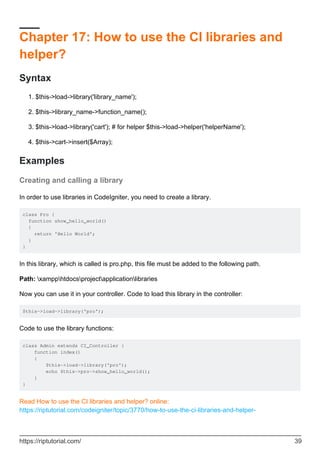
In order to use libraries in CodeIgniter, you need to create a library.
class Pro {
function show_hello_world()
{
return 'Hello World';
}
}
In this library, which is called is pro.php, this file must be added to the following path.
Path: xampphtdocsprojectapplicationlibraries
Now you can use it in your controller. Code to load this library in the controller:
$this->load->library('pro');
Code to use the library functions:
class Admin extends CI_Controller {
function index()
{
$this->load->library('pro');
echo $this->pro->show_hello_world();
}
}
Read How to use the CI libraries and helper? online:
https://riptutorial.com/codeigniter/topic/3770/how-to-use-the-ci-libraries-and-helper-
https://riptutorial.com/ 39
Chapter 18: Image/File Uploader In
CodeIgniter
Remarks
It is not necessary that you have to use the same names for the (Controller,File,Class,ID) or
whatever it might be. All the things what I have used is for the understanding purpose of the
coding flow and my assumptions. It is up to the developer who takes the code and edits the
code/name according to their wish and then host the code and succeed.
Examples
Single File/ Image Uploader
We shall now see how the Image/File Uploading code works in the native CI method with the help
of the forms that has been proposed by the CI way.
File uploading in PHP has Two Scenarios. It is mentioned below as follows.
Single Image/File uploader - This can be saved with the help of the normal variable in the
form attribute. (E.g.) <input type="file" name="image" />
•
Multi-image/File Uploader - This can be saved only with the help of the array variable for the
name in the file type. (E.g.) <input type="file" name="image[]" />.
•
The array variable namely name="profile[]" can also be kept for the single image uploader as well
as the multi-image uploader too.
Hence the Single Image/File Uploader Code in the Native CodeIgnitor format is as
follows:
View Part:
<?php
echo form_open_multipart('employee/addemployee', array('name' => 'addemployee',
'class'=>'form-horizontal'));
?>
<div class="form-group">
<label class="control-label col-sm-4" for="pwd">Profile:</label>
<div class="col-sm-8">
<input type="file" class="" id="profile" name="userimage">
</div>
</div>
<div class="form-group">
<div class="col-sm-offset-2 col-sm-10">
<input type="submit" class="btn btn-primary pull-right" name="save" value="Save
Employee" />
</div>
</div>
https://riptutorial.com/ 40
<?php
echo form_close();
?>
Hence if we submit the form it will be going to the
Employee - Controller and search for the function named addemployee•
If you need the required attribute for the file uploader code you can add up the HTML5
attribute called required to the input tag.
•
Below is the two examples of how to use the required attribute but both the methods are the same
as well.
Method One: <input type="file" name="photo" required="required" />1.
Method Two: <input type="file" name="photo" required />2.
Hence these are the some of the important tips that are to be followed in the view part of the
image/file uploader.
Controller Part:
<?php if ( ! defined('BASEPATH')) exit('No direct script access allowed');
class Employee extends CI_Controller {
function __construct() {
parent::__construct();
$this->load->model('employee_model');
$this->load->helper('url'); //This will load up all the URL parameters from the helper
class
$this->load->helper('form'); //This will load up all the form attributes that are need by
the form.
}
public function addemployee()
{
if($_FILES["userimage"]['name']=='')
{
// Here you can directly redirect to the form page itself with the Error Message
}
else
{
$new_name = time().$_FILES["userimage"]['name']; //This line will be generating
random name for images that are uploaded
$config['upload_path'] = FCPATH ."assets/fileupload/";
$config['allowed_types'] = 'gif|jpg|png';
$config['file_name'] = $new_name;
$this->load->library('upload', $config); //Loads the Uploader Library
$this->upload->initialize($config);
if ( ! $this->upload->do_upload('userimage')) {}
else
{
$data = $this->upload->data(); //This will upload the `image/file` using native
image upload
}
$data_value = array(
'profile'=>$new_name,
https://riptutorial.com/ 41
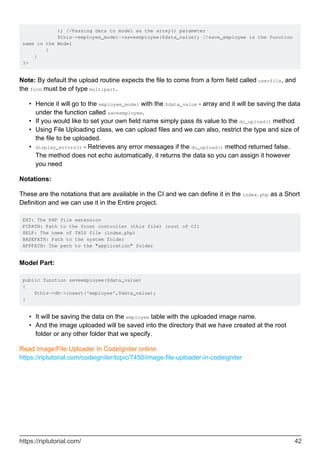
); //Passing data to model as the array() parameter
$this->employee_model->saveemployee($data_value); //save_employee is the function
name in the Model
}
}
?>
Note: By default the upload routine expects the file to come from a form field called userfile, and
the form must be of type multipart.
Hence it will go to the employee_model with the $data_value - array and it will be saving the data
under the function called saveemployee.
•
If you would like to set your own field name simply pass its value to the do_upload() method•
Using File Uploading class, we can upload files and we can also, restrict the type and size of
the file to be uploaded.
•
display_errors() - Retrieves any error messages if the do_upload() method returned false.
The method does not echo automatically, it returns the data so you can assign it however
you need
•
Notations:
These are the notations that are available in the CI and we can define it in the index.php as a Short
Definition and we can use it in the Entire project.
EXT: The PHP file extension
FCPATH: Path to the front controller (this file) (root of CI)
SELF: The name of THIS file (index.php)
BASEPATH: Path to the system folder
APPPATH: The path to the "application" folder
Model Part:
public function saveemployee($data_value)
{
$this->db->insert('employee',$data_value);
}
It will be saving the data on the employee table with the uploaded image name.•
And the image uploaded will be saved into the directory that we have created at the root
folder or any other folder that we specify.
•
Read Image/File Uploader In CodeIgniter online:
https://riptutorial.com/codeigniter/topic/7450/image-file-uploader-in-codeigniter
https://riptutorial.com/ 42
Chapter 19: Let's start: Hello World
Examples
A very simple Hello World application
Starting from a fresh installation of Codeigniter 3, here is a simple way to start with an Hello World
application, to break the ice with this solid PHP framework.
To do this you can start creating the view that we want to be shown for our Hello World app.
We are going to put it in your application folder, here:
In hello_world.php(/application/views/)
<!DOCTYPE html>
<html lang="en">
<head>
<meta charset="utf-8">
<title>Hello World</title>
</head>
<body>
<h1>Hello World!</h1>
</body>
</html>
It's just a simple HTML content.
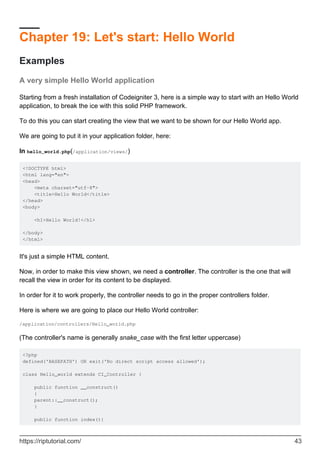
Now, in order to make this view shown, we need a controller. The controller is the one that will
recall the view in order for its content to be displayed.
In order for it to work properly, the controller needs to go in the proper controllers folder.
Here is where we are going to place our Hello World controller:
/application/controllers/Hello_world.php
(The controller's name is generally snake_case with the first letter uppercase)
<?php
defined('BASEPATH') OR exit('No direct script access allowed');
class Hello_world extends CI_Controller {
public function __construct()
{
parent::__construct();
}
public function index(){
https://riptutorial.com/ 43
$this->load->view('hello_world');
}
}
The default function for a controller is the index function.
Now you will be able to see the content of your Hello World page accessing the following address:
http://[your_domain_name]/index.php/hello_world
or, in case you applied the fix using .htaccess (go back to the installation page for the fix)
http://[your_domain_name]/hello_world
(If you are working locally, most likely the address where you'll find your page is:
http://localhost/hello_world)
The URL is actually formed calling your controller class (in this case Hello_world, but using all
lowercase in the URL). In this case it is enough, since we used the index function. If we would
have used a different function name (let's say greetings), we should have used an URL like this:
http://[your_domain_name]/hello_world/greetings
Which is structured as /[controller_name]/[method_name].
Here you go! Your first Codeigniter application is working!
Let's use the controller a little more
Now we'll try going for a little more complex example, using the capabilities of the controller to fill
in the view.
Here is our view: /application/views/hello_world.php
<!DOCTYPE html>
<html lang="en">
<head>
<meta charset="utf-8">
<title>Hello World</title>
</head>
<body>
<h1><?php echo $greetings;?></h1>
</body>
</html>
Now we have a placeholder for our greetings to be displayed.
Here is how we change the controller in order for this to work:
https://riptutorial.com/ 44
<?php
defined('BASEPATH') OR exit('No direct script access allowed');
class Hello_world extends CI_Controller {
public function __construct() {
parent::__construct();
}
public function greetings(){
$data = array('greetings'=>'Hello World');
$this->load->view('hello_world',$data);
}
}
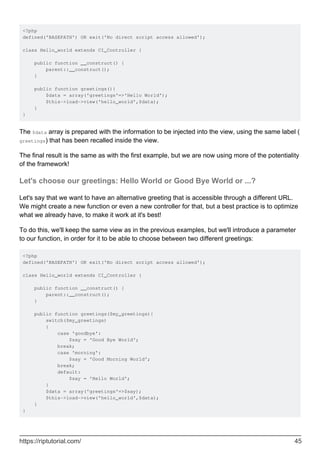
The $data array is prepared with the information to be injected into the view, using the same label (
greetings) that has been recalled inside the view.
The final result is the same as with the first example, but we are now using more of the potentiality
of the framework!
Let's choose our greetings: Hello World or Good Bye World or ...?
Let's say that we want to have an alternative greeting that is accessible through a different URL.
We might create a new function or even a new controller for that, but a best practice is to optimize
what we already have, to make it work at it's best!
To do this, we'll keep the same view as in the previous examples, but we'll introduce a parameter
to our function, in order for it to be able to choose between two different greetings:
<?php
defined('BASEPATH') OR exit('No direct script access allowed');
class Hello_world extends CI_Controller {
public function __construct() {
parent::__construct();
}
public function greetings($my_greetings){
switch($my_greetings)
{
case 'goodbye':
$say = 'Good Bye World';
break;
case 'morning':
$say = 'Good Morning World';
break;
default:
$say = 'Hello World';
}
$data = array('greetings'=>$say);
$this->load->view('hello_world',$data);
}
}
https://riptutorial.com/ 45
Now we have multiple greetings options! In order for them to be visualized, we are going to add
the parameter at the URL, as follows:
http://[your_domain_name]/hello_world/greetings/goodbye
This will show us the message: "Good Bye World".
The structure of the URL is as follows:
http://[your_domain_name]/[controller_name]/[function_name]/[parameter_1]
In this case, in order to get back to our good old "Hello World", it's enough to call the former url,
without parameters:
http://localhost/hello_world/greetings
You can add multiple parameters to your function (for instance, if you need 3 of them):
public function greetings($param1,$param2,$param3)
and they can be filled up using the url as follows:
http://[your_domain_name]/[controller_name]/[function_name]/[param1]/[param2]/[param3]
e.g. http://localhost/hello_world/greetings/goodbye/italian/red
This way you can have parameters passed to you directly from the URL that will affect the content
of what will be shown.
To know more about how to pass parameters through the URL, you might want look into the topic
of routing!
Read Let's start: Hello World online: https://riptutorial.com/codeigniter/topic/2411/let-s-start--hello-
world
https://riptutorial.com/ 46
Chapter 20: Make API in Codeigniter
Introduction
CodeIgniter provide auto initialized Output class which is very useful for creating API and
differents type of documents output like .pdf, .csv, .image, etc...
NOTE :- Codeigniter default document type is HTML change it to application/json, API must be
required type of json
Examples
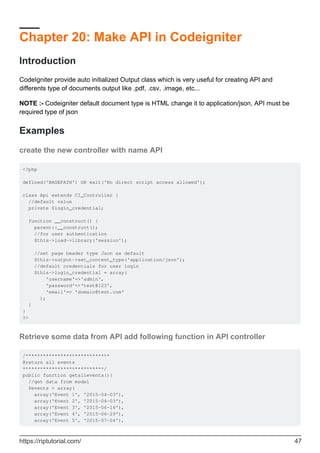
create the new controller with name API
<?php
defined('BASEPATH') OR exit('No direct script access allowed');
class Api extends CI_Controller {
//default value
private $login_credential;
function __construct() {
parent::__construct();
//for user authentication
$this->load->library('session');
//set page header type Json as default
$this->output->set_content_type('application/json');
//default credentials for user login
$this->login_credential = array(
'username'=>'admin',
'password'=>'test@123',
'email'=> 'domain@test.com'
);
}
}
?>
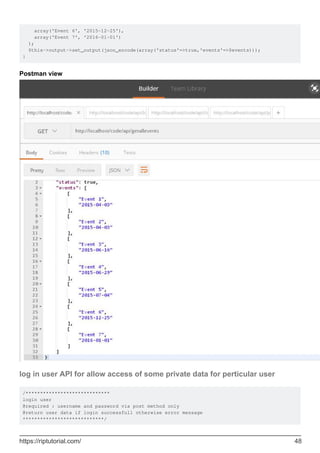
Retrieve some data from API add following function in API controller
/*****************************
@return all events
****************************/
public function getallevents(){
//get data from model
$events = array(
array('Event 1', '2015-04-03'),
array('Event 2', '2015-04-03'),
array('Event 3', '2015-06-16'),
array('Event 4', '2015-06-29'),
array('Event 5', '2015-07-04'),
https://riptutorial.com/ 47
array('Event 6', '2015-12-25'),
array('Event 7', '2016-01-01')
);
$this->output->set_output(json_encode(array('status'=>true,'events'=>$events)));
}
Postman view
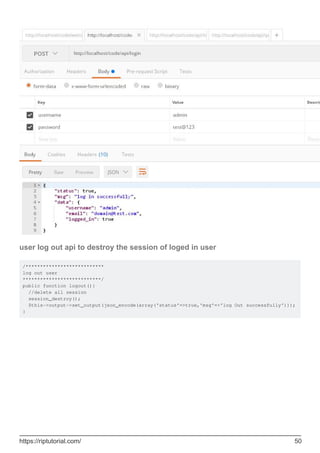
log in user API for allow access of some private data for perticular user
/*****************************
login user
@required : username and password via post method only
@return user data if login successfull otherwise error message
****************************/
https://riptutorial.com/ 48
public function login(){
$username=$this->input->post('username');
$password=$this->input->post('password');
if($username && $password){
//check username and password
if($this->login_credential['username']==$username && $this-
>login_credential['password']==$password){
//set user data to store in session
$userdata = array(
'username' => $this->login_credential['username'],
'email' => $this->login_credential['email'],
'logged_in' => true
);
//set session
$this->session->set_userdata($userdata);
//display log in successfull msg
$this->output->set_output(json_encode(array('status'=>true,'msg'=>'log in
successfully','data'=>$userdata)));
}else{
//wrong username or password
$this->output->set_output(json_encode(array('status'=>false,'msg'=>'invalid Username or
password')));
}
}else{
//when username and password not set
$this->output->set_output(json_encode(array('status'=>false,'msg'=>'provide Username and
password')));
}
}
https://riptutorial.com/ 49
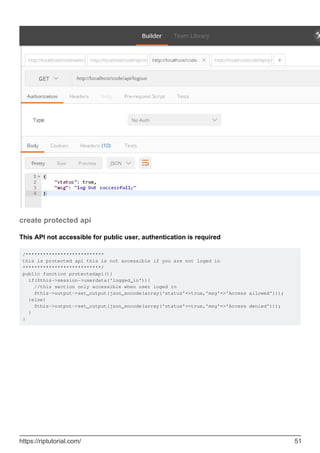
user log out api to destroy the session of loged in user
/***************************
log out user
***************************/
public function logout(){
//delete all session
session_destroy();
$this->output->set_output(json_encode(array('status'=>true,'msg'=>'log Out successfully')));
}
https://riptutorial.com/ 50
create protected api
This API not accessible for public user, authentication is required
/***************************
this is protected api this is not accessible if you are not loged in
***************************/
public function protectedapi(){
if($this->session->userdata('logged_in')){
//this section only accessible when user loged in
$this->output->set_output(json_encode(array('status'=>true,'msg'=>'Access allowed')));
}else{
$this->output->set_output(json_encode(array('status'=>true,'msg'=>'Access denied')));
}
}
https://riptutorial.com/ 51
Read Make API in Codeigniter online: https://riptutorial.com/codeigniter/topic/10903/make-api-in-
codeigniter
https://riptutorial.com/ 52
Chapter 21: Play with English word with
INFLECTOR helper
Introduction
Inflector is a very handy helper to change/convert english word to singular, plural, camel case,
humanize etc. The helper also help to check whether a word has plural version or not.
Examples
Load inflector helper
To use the method of inflector helper, first load the helper like all other helper with the following
code:
$this->load->helper('inflector');
Make a word singular
Function singular($string), convert a plural word to singular. To get perfect result parameter
$string should be a single word. The function will return string.
echo singular("books"); //prints 'book'
Check a word has plural
is_countalbe($string) is use for checking a word has plural form or not. Return type will be boolean
means if the given word has plural form it will return true, otherwise will return false.
is_countable('book'); // Returns TRUE
Make a word plural
For getting plural form of any English word the plural($string) function is handy. Like
singular($string), the function plural($string) also return string result.
echo plural("book"); //prints 'books'
Camelized the string
Camel Case is the practise of writing compound words or phrases where every word begins with
Capital letter, without space between word. The function camelize($string) helps to make a string
https://riptutorial.com/ 53
camelized. It converts a string of words separated by spaces or underscores to camel case.
echo camelize('Mc donald'); //Prints mcDonald
Remove / Add delimiter between words
Remove delimiter
The function humanize($words), takes multiple words separated by underscores and adds spaces
for underscores with capitalized each word.
echo humanize('mac_donald'); // Prints 'Mac Donald'
The function can also replace any declared separator/delimiter. In this case, delimiter will be
second parameter.
echo humanize('mac-donald','-'); // Prints 'Mac Donald'
echo humanize('mac#donald','#'); // Prints 'Mac Donald'
Add Underscore
On the other hand, underscore($words) function replace the space between words with
underscore(_).
echo underscore('Mac Donald'); // Prints 'mac_donald'
Read Play with English word with INFLECTOR helper online:
https://riptutorial.com/codeigniter/topic/8057/play-with-english-word-with-inflector-helper
https://riptutorial.com/ 54
Chapter 22: Query Structure
Examples
Selecting Data
The following functions allow you to build SQL SELECT statements.
$this->db->get()
This runs the selection query and returns the result. Can be used by itself to retrieve all records
from a table:
$query = $this->db->get('tablename'); // Produces: SELECT * FROM tablename
The second and third parameters enable you to set a limit and offset clause:
$query = $this->db->get('tablename', 10, 20);
// Executes: SELECT * FROM tablename LIMIT 20, 10
// (in MySQL. Other databases have slightly different syntax)
Selecting Data
Selecting data with condition
$query = $this->db->select('*')
->from('table_name')
->where('column_name', $value) // Condition
->get();
return $query->result();
Selecting data with multiple conditions
$conditions = array('column_name_1' => $value_1, 'column_name_2' => $value_2);
$query = $this->db->select('*')
->from('table_name')
->where($conditions) // Conditions
->get();
return $query->result();
Select data with condition and limit
$query = $this->db->select('*')
->from('table_name')
->where('column_name', $value) // Condition
->limit(10) // Maximum 10 rows
->get();
https://riptutorial.com/ 55
return $query->result();
Select data with condition, maximum rows and order descending
$query = $this->db->select('*')
->from('table_name')
->where('column_name', $value) // Condition
->limit(10) // Maximum 10 rows
->order_by('id','DESC') // Order data descending
->get();
return $query->result();
Selecting data with second Optional Parameter
Usually we are not using second parameter in select([$select = '*'[, $escape = NULL]]) in
CodeIgniter. If you set it to FALSE, CodeIgniter will not try to protect your field or table names.
In the following example, we are going to select the datetime type field by formatting it using sql
query and set it FALSE (By doing this, we are going to tell CI not to escape the query automatically).
public function getUserInfo($id)
{
$this->db->select('BaseTbl.id, BaseTbl.name, DATE_FORMAT(BaseTbl.createdDtm, "%d-%m-%Y")
AS createdDtm', FALSE); // FALSE is the second optional parameter
$this->db->from('tbl_users as BaseTbl');
$this->db->where('isDeleted', 0);
$this->db->where('BaseTbl.id', $id);
$query = $this->db->get();
return $query->result();
}
If we are not set it to FALSE, it will automatically escapes and break the query.
Join Tables Using Query Builder
Sometimes we need to join multiple tables to get aggregate data in return. here is how we can
achieve the same using CodeIgniter Query Builder / Active Records.
public function getStudentInfo($studentid){
$query = $this->db->select("st.id, st.name, st.class, mk.maths, mk.science")
->from("students as st")
->join("marks as mk", "mk.student_id = st.id", "inner")
->where("st.id", $studentId)
->get();
return $query->result();
}
Here we use join() to join multiple tables and we can change join type in 3rd parameter like "inner",
"left", "right" etc.
Read Query Structure online: https://riptutorial.com/codeigniter/topic/3769/query-structure
https://riptutorial.com/ 56
Chapter 23: Removing index.php using
WAMP and CodeIgniter
Examples
How to remove the index.php from url's with using wamp and codeigniter
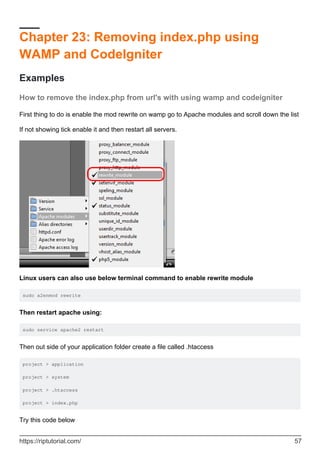
First thing to do is enable the mod rewrite on wamp go to Apache modules and scroll down the list
If not showing tick enable it and then restart all servers.
Linux users can also use below terminal command to enable rewrite module
sudo a2enmod rewrite
Then restart apache using:
sudo service apache2 restart
Then out side of your application folder create a file called .htaccess
project > application
project > system
project > .htaccess
project > index.php
Try this code below
https://riptutorial.com/ 57
Options +FollowSymLinks
RewriteEngine on
RewriteCond $1 !^(index.php|images|robots.txt)
RewriteCond %{REQUEST_FILENAME} !-f
RewriteCond %{REQUEST_FILENAME} !-d
RewriteRule ^(.*)$ ./index.php/$1 [L]
If not here is some more htaccess examples
Then go to the config.php file. Set your base_url and make the index_page blank
$config['base_url'] = ((isset($_SERVER['HTTPS']) && $_SERVER['HTTPS'] == "on") ? "https" :
"http");
$config['base_url'] .= "://".$_SERVER['HTTP_HOST'];
$config['base_url'] .=
str_replace(basename($_SERVER['SCRIPT_NAME']),"",$_SERVER['SCRIPT_NAME']);
$config['index_page'] = '';
Hope this helps you can use the htaccess files from examples for others.
Read Removing index.php using WAMP and CodeIgniter online:
https://riptutorial.com/codeigniter/topic/4340/removing-index-php-using-wamp-and-codeigniter
https://riptutorial.com/ 58
Chapter 24: Securing your web application
Introduction
Remember CodeIgniter is a development Framework. It doesn't strive to make you're application
secure. It merely gives you the tools to do it yourself. If you look at CI's Security page, it pretty
clear they are expecting the developer to understand Application Security and build it into their
application.
If WebApp security is relatively new for you, I would start with OWASP. It might be advantageous
to look at look other frameworks such as Zend or Cake which I believe do more upfront things
Syntax
$freshdata = $this->security->xss_clean($user_input_data);•
Parameters
array of user input blank
insert array of user input in xss_filter($array of user input) Blank
Examples
XSS Prevention
XSS means cross-site scripting. CodeIgniter comes with XSS filtering security. This filter will
prevent any malicious JavaScript code or any other code that attempts to hijack cookie and do
malicious activities. To filter data through the XSS filter, use the xss_clean() method as shown
below.
$data = $this->security->xss_clean($data);
You should use this function only when you are submitting data. The optional second Boolean
parameter can also be used to check image file for XSS attack. This is useful for file upload
facility. If its value is true, means image is safe and not otherwise.
SQL Injection Prevention
SQL injection is an attack made on the database query. In PHP, we use
mysql_real_escape_string() function to prevent this along with other techniques but CodeIgniter
provides inbuilt functions and libraries to prevent this.
https://riptutorial.com/ 59
We can prevent SQL Injection in CodeIgniter in the following three ways −
Escaping Queries•
Query Biding•
Active Record Class•
Escaping Queries
<?php
$username = $this->input->post('username');
$query = 'SELECT * FROM subscribers_tbl WHERE user_name = '.
$this->db->escape($email);
$this->db->query($query);
?>
$this->db->escape() function automatically adds single quotes around the data and determines the
data type so that it can escape only string data.
Query Biding
<?php
$sql = "SELECT * FROM some_table WHERE id = ? AND status = ? AND author = ?";
$this->db->query($sql, array(3, 'live', 'Rick'));
?>
In the above example, the question mark(?) will be replaced by the array in the second parameter
of the query() function. The main advantage of building query this way is that the values are
automatically escaped which produce safe queries. CodeIgniter engine does it for you
automatically, so you do not have to remember it.
Active Record Class
<?php
$this->db->get_where('subscribers_tbl',array('status'=> active','email' =>
'info@arjun.net.in'));
?>
Using active records, query syntax is generated by each database adapter. It also allows safer
queries, since the values escape automatically.
Hiding PHP Errors
In production environment, we often do not want to display any error message to the users. It is
good if it is enabled in the development environment for debugging purposes. These error
messages may contain some information, which we should not show to the site users for security
reasons.
There are three CodeIgniter files related with errors. PHP Error Reporting Level
Different environment requires different levels of error reporting. By default, development will show
https://riptutorial.com/ 60
errors but testing and live will hide them. There is a file called index.php in root directory of
CodeIgniter, which is used for this purpose. If we pass zero as argument to error_reporting()
function then that will hide all the errors.
CSRF Prevention
CSRF stands for cross-site request forgery. You can prevent this attack by enabling an option in
the application/config/config.php file as shown below.
$config['csrf_protection'] = TRUE;
When you create a form using the form_open() function, it will automatically insert a CSRF token in
a hidden field. You can also manually add the CSRF token using the get_csrf_token_name() and
get_csrf_hash() function. As their names suggest, the get_csrf_token_name() function will return the
name of the CSRF token, while get_csrf_hash() will return the hash.
The CSRF token can be regenerated every time for submission or you can also keep it the same
throughout the life of the CSRF cookie. Setting the configuration option ‘csrf_regenerate’ will force
regeneration of the token as shown below.
$config['csrf_regenerate'] = TRUE;
You can whitelist URLs from CSRF protection by setting matches for them in the configuration
array using the key ‘csrf_exclude_uris’ as shown below. You can also use regular expressions.
$config['csrf_exclude_uris'] = array('api/person/add');
Remove Abuse Data from User input
// XSS Filtering
$data = array(
'name'=> '<script>Abuse Data</script>'
);
$data = $this->security->xss_clean($data); // Clean Data
// Escaping Queries
<?php $username = $this->input->post('username'); $query = 'SELECT * FROM subscribers_tbl
WHERE user_name = '. $this->db->escape($email); $this->db->query($query); ?>
XSS Prevention on User Input
Don't rely on any user input. user input everything like <script> tag or any javascript alert(); so
we have to prevent this all data will no run in our browser. so we have to use xss prevention
method to restrict our secure data to kept in hacker hand and also it's developer's responsibility to
user's input validation and solve error by programatically.
so, check this is a example of xss prevention in CodeIgniter.
https://riptutorial.com/ 61
$data = array(
'name' => "<script>alert('abc')</script>",
'email' => "useremail@gmail.com"
);
var_dump($data);
// Print array without xss cleaning/xss filtering
array(2) { ["name"]=> string(29) "" ["email"]=> string(19) "useremail@gmail.com" } // Result
with alert
// now print data after xss filtering
$data = $this->security->xss_clean($data);
var_dump($data);
//Print array without xss cleaning/xss filtering
array(2) { ["name"]=> string(38) "[removed]alert('abc')[removed]" ["email"]=> string(19)
"useremail@gmail.com" } // Result Without alert
so, after added xss_filtering we don't have any issue to run any abuse code which input by user.
and CodeIgniter replace this abuse tag with [removed] keyword.
Read Securing your web application online: https://riptutorial.com/codeigniter/topic/9857/securing-
your-web-application
https://riptutorial.com/ 62
Chapter 25: Sending Email
Remarks
In CodeIgniter 3 you have to include the parameter:
$config['newline'] = "rn";
It just won't work without it.
If you don't care about new lines and you're using CodeIgniter 2 then this config parameter is
optional.
Examples
Load The Email Library
First you need to load the email library.
Do this either in the controller file that will be sending the email:
$this->load->library('email');
Or load it globally in the autoload.php file in the config folder:
$autoload['libraries'] = array('email');
While you're there, you may want to load the email helper if you want to use some of CodeIgniter's
built in shortcuts:
$autoload['helper'] = array('email');
The email helper can be loaded in the Controller file in a similar way to the email library:
$this->load->helper('email');
Set Your Email Config Parameters
Create a new file in the application/config folder named email.php
Set the parameters for sending email. These will load when you send your email.
$config['newline'] = "rn"; //You must use double quotes on this one
$config['protocol'] = 'smtp';
$config['smtp_host'] = 'ssl://smtp.gmail.com'; //Change for your specific needs
https://riptutorial.com/ 63
$config['smtp_port'] = 465; //Change for your specific needs
$config['smtp_user'] = 'test@test.com'; //Change for your specific needs
$config['smtp_pass'] = 'yourpassword'; //Change for your specific needs
$config['charset'] = 'iso-8859-1';
$config['mailtype'] = 'text'; //This can be set as 'html' too
Create Your Email
$this->email->from('accounts@yourwebsite.com', 'Tom Webmaster');
$this->email->to('fred@fake.com', 'Freddie Fakeperson');
$this->email->subject('Your Account Is Active');
$this->email->message('Welcome to our new site!');
In the 'from' method, the first parameter is the email address your are sending from, the second
parameter is the name you'd like the receiver to see.
In the 'to' method, you define who the email is being sent to.
The 'subject' method defines the subject of the email.
The 'message' method defines what will be in the body of your email.
Any of these could be a data that was sent to your site by a user. So you may have a variable in
here that holds posted data. So they may look more like this:
$this->email->to($email, $username);
Send Your Email
$sent = $this->email->send();
//This is optional - but good when you're in a testing environment.
if(isset($sent)){
echo "It sent!";
}else{
echo "It did not send.";
}
Send An HTML Email
But you don't just want a plain text email. You want a pretty html email.
Set your config file as html:
$config['mailtype'] = 'html';
If you want to pass data (like a username for example) to the html email, put them in an array:
$data = array('name' => $name,
https://riptutorial.com/ 64
'email' => $email,
'phone' => $phone,
'date' => $date);
Then when sending, point your 'message' to a view. Then pass your data array to it:
$this->email->message($this->load->view('new_user',$data, true));
In your application/view folder create your view.
In this case it's named 'new_user.php'.
You can style this anyway you'd like. Here's a quick example:
<html>
<head>
<style type='text/css'>
body {background-color: #CCD9F9;
font-family: Verdana, Geneva, sans-serif}
h3 {color:#4C628D}
p {font-weight:bold}
</style>
</head>
<body>
<h3>Hi <?php echo $name;?>,</h3>
<h3>Thanks for contacting us.</h3>
<p>You've taken your first step into a larger world.</p>
<p>We really appreciate your interest.</p>
</body>
</html>
Contact Form
Controller (Pages.php)
public function contact()
{
$this->load->library('email');
$this->load->library('form_validation');
//Set form validation
$this->form_validation->set_rules('name', 'Name',
'trim|required|min_length[4]|max_length[16]');
$this->form_validation->set_rules('email', 'Email',
'trim|required|valid_email|min_length[6]|max_length[60]');
$this->form_validation->set_rules('message', 'Message',
'trim|required|min_length[12]|max_length[200]');
//Run form validation
if ($this->form_validation->run() === FALSE)
https://riptutorial.com/ 65
{
$this->load->view('contact');
} else {
//Get the form data
$name = $this->input->post('name');
$from_email = $this->input->post('email');
$subject = $this->input->post('subject');
$message = $this->input->post('message');
//Web master email
$to_email = 'admin@domain.com'; //Webmaster email, who receive mails
//Mail settings
$config['protocol'] = 'smtp';
$config['smtp_host'] = 'ssl://smtp.gmail.com';
$config['smtp_port'] = '465';
$config['smtp_user'] = 'mail@domain.com'; // Your email address
$config['smtp_pass'] = 'mailpassword'; // Your email account password
$config['mailtype'] = 'html'; // or 'text'
$config['charset'] = 'iso-8859-1';
$config['wordwrap'] = TRUE; //No quotes required
$config['newline'] = "rn"; //Double quotes required
$this->email->initialize($config);
//Send mail with data
$this->email->from($from_email, $name);
$this->email->to($to_email);
$this->email->subject($subject);
$this->email->message($message);
if ($this->email->send())
{
$this->session->set_flashdata('msg','<div class="alert alert-success">Mail
sent!</div>');
redirect('contact');
} else {
$this->session->set_flashdata('msg','<div class="alert alert-danger">Problem in
sending</div>');
$this->load->view('contact');
}
}
Views (contact.php)
<div class="container">
<h2>Contact</h2>
<div class="row">
<div class="col-lg-6">
<?php echo $this->session->flashdata('msg'); ?>
<form action="<?php echo base_url('contact'); ?>" method="post">
<div class="form-group">
<input name="name" placeholder="Your name" type="text" value="<?php echo
set_value('name'); ?>" class="form-control" />
<?php echo form_error('name', '<span class="text-danger">','</span>'); ?>
</div>
<div class="form-group">
https://riptutorial.com/ 66
<input name="email" placeholder="Your e-mail" type="text" value="<?php echo
set_value('email'); ?>" class="form-control" />
<?php echo form_error('email', '<span class="text-danger">','</span>'); ?>
</div>
<div class="form-group">
<input name="subject" placeholder="Subject" type="text" value="<?php echo
set_value('subject'); ?>" class="form-control" />
</div>
<div class="form-group">
<textarea name="message" rows="4" class="form-control" placeholder="Your
message"><?php echo set_value('message'); ?></textarea>
<?php echo form_error('message', '<span class="text-danger">','</span>'); ?>
</div>
<button name="submit" type="submit" class="btn btn-primary" />Send</button>
</form>
</div>
</div>
Read Sending Email online: https://riptutorial.com/codeigniter/topic/5403/sending-email
https://riptutorial.com/ 67
Chapter 26: session set flashdata
Examples
How to Set session flash data in controller
You can set flash data in controller just using this syntax
$this->session->set_flashdata('message', 'Message you want to set');
Here 'message' is identifier for access data in view. You can Set more than one message by just
changing identifier.
for ex
$this->session->set_flashdata('my_alert', 'Message you want to set');
$this->session->set_flashdata('my_warnig', 'Message you want to set');
How to Display Flashdata in view
You can simply access the fashdata in view like this
<?php echo $this->session->flashdata('message'); ?>
For access multiple message just change identifier
For Ex.
<?php echo $this->session->flashdata('my_alert'); ?>
<?php echo $this->session->flashdata('my_warnig'); ?>
Read session set flashdata online: https://riptutorial.com/codeigniter/topic/9688/session-set-
flashdata
https://riptutorial.com/ 68
Chapter 27: url suffix
Examples
url suffix
$config['url_suffix'] = 'html';
change everything you want like html or asp, this is will work after your rwmoving index.php on
config.php
Read url suffix online: https://riptutorial.com/codeigniter/topic/9379/url-suffix
https://riptutorial.com/ 69
Chapter 28: Use of hooks
Examples
Enabling Hooks
The hooks feature can be globally enabled/disabled by setting the following item in the
application/config/config.php file:
$config['enable_hooks'] = TRUE;
Defining a Hook
Hooks are defined in the application/config/hooks.php file. Each hook is specified as an
array with this prototype
$hook['pre_controller'] = array(
'class' => 'MyClass',
'function' => 'Myfunction',
'filename' => 'Myclass.php',
'filepath' => 'hooks',
'params' => array('beer', 'wine', 'snacks')
);
The array index correlates to the name of the particular hook point you want to use. In the above
example, the hook point is pre_controller. A list of hook points is found below. The following items
should be defined in your associative hook array:
class The name of the class you wish to invoke. If you prefer to use a procedural function instead
of a class, leave this item blank.
function The function (or method) name you wish to call.
filename The file name containing your class/function.
file-path The name of the directory containing your script.
params Any parameters you wish to pass to your script. This item is optional.
Hook Points
pre_system
Called very early during system execution. Only the benchmark and hooks class have been
loaded at this point. No routing or other processes have happened.
pre_controller
https://riptutorial.com/ 70
Called immediately prior to any of your controllers being called. All base classes, routing, and
security checks have been done.
post_controller_constructor
Called immediately after your controller is instantiated, but prior to any method calls happening.
post_controller
Called immediately after your controller is fully executed.
display_override
Overrides the _display() method, used to send the finalized page to the web browser at the end of
system execution. This permits you to use your own display methodology. Note that you will need
to reference the CI super-object with $this->CI =& get_instance() and then the finalized data will
be available by calling $this->CI->output->get_output().
cache_override
Enables you to call your own method instead of the _display_cache() method in the Output Library.
This permits you to use your own cache display mechanism.
post_system
Called after the final rendered page is sent to the browser, at the end of system execution after the
finalized data is sent to the browser.
Pre Controller Hook example using CodeIgniter
In application/hooks folder, create a file with name Blocker.php and paste the below code.
<?php
class Blocker {
function Blocker(){
}
/**
* This function used to block the every request except allowed ip address
*/
function requestBlocker(){
if($_SERVER["REMOTE_ADDR"] != "49.248.51.230"){
echo "not allowed";
die;
}
}
}
?>
In application/config/hooks.php, declare the following hook.
https://riptutorial.com/ 71
$hook['pre_controller'] = array(
'class' => 'Blocker',
'function' => 'requestBlocker',
'filename' => 'Blocker.php',
'filepath' => 'hooks',
'params' => ""
);
In application/config/config.php, set following value as true
Defining a Hook
Hooks are defined in application/config/hooks.php file. Each hook is specified as an array with this
prototype:
$hook['pre_controller'] = array(
'class' => 'MyClass',
'function' => 'Myfunction',
'filename' => 'Myclass.php',
'filepath' => 'hooks',
'params' => array('bread', 'wine', 'butter')
);
CLASS- The class that you wish to invoke if it is procedural code leave it as blank.•
FUNCTION- The function name you wish to call.•
FILENAME- The file name containing your class/function.•
FILEPATH- Location of the hook file.•
PARAMS-Additional parameter if needed it is optional•
Read Use of hooks online: https://riptutorial.com/codeigniter/topic/3953/use-of-hooks
https://riptutorial.com/ 72
Chapter 29: Using Model in codeigniter
Examples
Creating Model
Go to application/model
File name - Home_model.php
Inside the file
class Home_model extends CI_Model {
public $variable;
public function __construct()
{
parent::__construct();
}
public function get_data()
{
$query = $this->db->get('table_name', 10);
return $query->result_array();
}
}
And when you need to load this model:
$this->load->model('home_model');
$this->home_model->get_data();
Or If you would like your model assigned to a different object name you can specify it like this:
$this->load->model('home_model', 'home');
$this->home->get_data();
Loading Model
Syntax - $this->load->model('model_name');
Practice - $this->load->model('home_model');
If you would like your model assigned to a different object name you can specify it via the second
parameter of the loading method:
Syntax -
$this->load->model('model_name', 'foobar');
$this->foobar->method();
https://riptutorial.com/ 73
Practice -
$this->load->model('home_model', 'home');
$this->home->get_data();
Calling Model function
Syntax
$this->load->model('model_name');
$this->model_name->method_name();
Practice
$this->load->model('home_model');
$this->home_model->get_data();
Passing data to model
Syntax
$array = array(
'' => ,
); # can pass array
$singelData = ''; # something just a filed value
$this->load->model('model_name');
$this->model_name->method_name($singelData, $array);
Practice
$array = array(
'name' => 'codeigniter',
'version' => '3.0',
'isArray' => 'yes',
);
$singelData = 'using model'; # something just a filed value
$this->load->model('home_model');
$this->home_model->get_data($singelData, $array);
Receiving data from controller
public function method_name($single, $array)
{
echo $single;
print_r($array);
}
Beware with the order which pass from controller to model.
Return Data to Controller
https://riptutorial.com/ 74
public function get_username($uid)
{
$query =
$this->db->select('id')
->select('name')
->from('user_table')
->where('id', $uid)
->get();
return $query->result_array();
}
this will return the result with matched id and username to the controller.
Read Using Model in codeigniter online: https://riptutorial.com/codeigniter/topic/3777/using-model-
in-codeigniter
https://riptutorial.com/ 75
Chapter 30: Using Sessions
Remarks
The Codeigniter Sessions class uses browser cookies to save data that will persist across
multiple page loads.
Reference: https://codeigniter.com/user_guide/libraries/sessions.html
Examples
Creating a Session
To Initialize a session, you can simply load it in your controller, this us usually placed inside the
controller constructs, but it also can be autoloaded into the array found inside
application/config/autoload.php:
$this->load->library('session');
Handling Session Data
A session is simply an array consisting of the following user information:
The user's unique Session ID (this is a statistically random string with very strong entropy,
hashed with MD5 for portability, and regenerated (by default) every five minutes)
1.
The user's IP Address2.
The user's User Agent data (the first 120 characters of the browser data string)3.
The "last activity" time stamp.4.
Source (what-is-session-data)
To retrieve session data
such as the SessionID:
$this->session->userdata('session_id');
Note - for Codeigniter 3.x, you can use the above syntax, but the concept or magic getters has
been introduced, where you can use $this->session->session_id.
Remember that the userdata() returns NULL if the session item doesn't exist.
To retrieve all session data
https://riptutorial.com/ 76
$this->session->all_userdata()
To Set Session Data
the set_userdata() method allows you to set data into your session, the following example
demonstrates an example array you wish to insert:
$newdata = array(
'username' => 'johndoe',
'email' => 'johndoe@some-site.com',
'logged_in' => TRUE
);
$this->session->set_userdata($newdata);
You can also set one data at a time, for example:
$this->session->set_userdata('some_name', 'some_value');
or
$some_name = 'some_value';
$this->session->set_userdata($some_name);
To Remove Session and Session Data
$this->session->unset_userdata('some_name')
This method also accepts an array of item keys to unset:
For Codeiginter 3.x:
$array_items = array('username', 'email');
$this->session->unset_userdata($array_items);
For Codeiginter 2.x (this legacy syntax doesn't support 3.x):
$array_items = array('key' => 'value');
$this->session->unset_userdata($array_items);
Read Using Sessions online: https://riptutorial.com/codeigniter/topic/5793/using-sessions
https://riptutorial.com/ 77
Credits
S.
No
Chapters Contributors
1
Getting started with
codeigniter
Abdulla Nilam, Ariful Islam, BIBIN JOHN, Bilal Ahmad, cfnerd,
Community, emstawicki, gabe3886, karel, Mitul, Prakash,
Shiva127, zur4ik
2 Array Helper Abdulla Nilam, Rana Ghosh
3 Authentication Ahmet Can Boyraz
4
Base url in
Codeigniter
Abdulla Nilam, Adrian P., Ariful Islam, Blubberguy22,
sudopower, wolfgang1983
5
Calling a model
method in a view
Saul
6 CAPTCHA Helper Abdulla Nilam, Rana Ghosh
7
CodeIgniter -
Internationalization
ImBS
8
Codeigniter
Pagination
Muhamad Riyan
9
CodeIgniter
Shopping Cart
Abdulla Nilam, Hemant Sankhla, Muhamad Riyan
10
Codeigniter
Troubleshooting
Abdulla Nilam, ankit suthar, Mahdi Majidzadeh, Rana Ghosh
11
CodeIgniter URI
Segment
Adrian P., Md. Khairul Hasan
12
Creating cronjob in
codeigniter on linux
hosting server
Abdulla Nilam, kishor10d, Tim Duncklee
13 Error Handling Abdulla Nilam, Rana Ghosh
14 Form Validation Abdulla Nilam, ankit suthar, Lucifer MorningStar, Mitul, Murilo
15
How to set time zone
in CodeIgniter
Abdulla Nilam, Ariful Islam, Nadim Sheikh, RamenChef, rap-2-h,
wolfgang1983
How to use the CI16 Abdulla Nilam, Adrian P., karel, Mitul, NAW_AB, shantanu
https://riptutorial.com/ 78
libraries and helper
17
How to use the CI
libraries and helper?
Abdulla Nilam, karel, Yaseen Ahmad
18
Image/File Uploader
In CodeIgniter
Andrey, Hanthony Tagam, Naresh Kumar .P
19
Let's start: Hello
World
Abdulla Nilam, clami219, David, KuroKo3, Shiva127, Vishal
20
Make API in
Codeigniter
Kundan Prasad
21
Play with English
word with
INFLECTOR helper
Ariful Islam
22 Query Structure
abdurRahaman, anju, DogeAmazed, Fabio Widmer, Hemant
Sankhla, kishor10d, MAZux, Rahmat
23
Removing index.php
using WAMP and
CodeIgniter
Ali, Ariful Islam, Gaurav, wolfgang1983
24
Securing your web
application
ankit suthar, BIBIN JOHN, ImBS, moopet
25 Sending Email gabe3886, Lucifer MorningStar, Miles, Rahamathullah MK
26 session set flashdata Gopal Bhuva
27 url suffix Muhamad Riyan
28 Use of hooks
Abdulla Nilam, ankit suthar, kishor10d, liamja, Mitul, Rafiqul
Islam
29
Using Model in
codeigniter
Abdulla Nilam, anju, gabe3886, Lucifer MorningStar, MAZux,
Russ_AB
30 Using Sessions Abdulla Nilam, ElmerCat, Prakash
https://riptutorial.com/ 79

Codeigniter

  • 1.
  • 2.
    Table of Contents About1 Chapter 1: Getting started with codeigniter 2 Remarks 2 Versions 2 Examples 2 Installation and Setup 2 Windows Environment 2 Mac Environment 2 Linux Environment 3 GitHub 3 Base URL 3 Remove index.php from URL 3 Database Configuration 4 Set Default Controller 5 AutoLoad Library And Helper 5 Run multiple applications on one CI system 5 Folder structure: 5 Codeigniter Configuration: 6 Increase security by hiding the location of your CodeIgniter files 6 Chapter 2: Array Helper 8 Introduction 8 Examples 8 Loading this Helper 8 Chapter 3: Authentication 10 Examples 10 Loading Your Auth library for Every Controller 10 Chapter 4: Base url in Codeigniter 11 Examples 11 Setting your base url in Codeigniter 11
  • 3.
    Something More Aboutbase_url 12 What happens if I don't set base_url ? 12 If I did't set it what will show up? 12 What does this mean http://[::1]/ ?? 12 How to set proper base_url()?? 12 How to use base_url()?? 12 Smart way to setting up the base_url 13 Chapter 5: Calling a model method in a view 14 Introduction 14 Examples 14 Save a method call in a variable 14 Chapter 6: CAPTCHA Helper 15 Examples 15 Loading this Helper 15 create_captcha($data) 15 Using the CAPTCHA helper 15 Complete example 16 Chapter 7: CodeIgniter - Internationalization 18 Introduction 18 Examples 18 Example 18 Chapter 8: Codeigniter Pagination 22 Examples 22 in this section i assume you know to calling helper, in the controller 22 in the view 22 Chapter 9: CodeIgniter Shopping Cart 23 Introduction 23 Examples 23 Adding Items In Cart 23 and you can insert multiple item like this 23 Basic Elements of CI Shopping Cart 24
  • 4.
    Display Cart Items24 Update cart item 25 Delete cart items 25 Chapter 10: Codeigniter Troubleshooting 26 Introduction 26 Examples 26 Troubleshooting 26 Chapter 11: CodeIgniter URI Segment 27 Examples 27 URI Segments: 27 Get last and before last URI segment 27 Chapter 12: Creating cronjob in codeigniter on linux hosting server 28 Examples 28 Calling a CodeIgniter controller from cron 28 Cronjob in Codeigniter 28 Chapter 13: Error Handling 30 Introduction 30 Examples 30 show_error() 30 Syntax 30 Source 30 show_404() 30 Syntax 31 Source 31 log_message() 31 Syntax 31 There are three message types: 32 Chapter 14: Form Validation 33 Examples 33 Validate Form Example 33 Chapter 15: How to set time zone in CodeIgniter 34
  • 5.
    Examples 34 How toset the time zone in CodeIgniter 34 Another way to set timezone in codeigniter 35 Chapter 16: How to use the CI libraries and helper 36 Examples 36 Using libraries and helpers 36 Helper 37 Chapter 17: How to use the CI libraries and helper? 39 Syntax 39 Examples 39 Creating and calling a library 39 Chapter 18: Image/File Uploader In CodeIgniter 40 Remarks 40 Examples 40 Single File/ Image Uploader 40 Chapter 19: Let's start: Hello World 43 Examples 43 A very simple Hello World application 43 Let's use the controller a little more 44 Let's choose our greetings: Hello World or Good Bye World or ...? 45 Chapter 20: Make API in Codeigniter 47 Introduction 47 Examples 47 create the new controller with name API 47 Retrieve some data from API add following function in API controller 47 log in user API for allow access of some private data for perticular user 48 user log out api to destroy the session of loged in user 50 create protected api 51 Chapter 21: Play with English word with INFLECTOR helper 53 Introduction 53 Examples 53 Load inflector helper 53
  • 6.
    Make a wordsingular 53 Check a word has plural 53 Make a word plural 53 Camelized the string 53 Remove / Add delimiter between words 54 Remove delimiter 54 Add Underscore 54 Chapter 22: Query Structure 55 Examples 55 Selecting Data 55 Selecting Data 55 Selecting data with second Optional Parameter 56 Join Tables Using Query Builder 56 Chapter 23: Removing index.php using WAMP and CodeIgniter 57 Examples 57 How to remove the index.php from url's with using wamp and codeigniter 57 Chapter 24: Securing your web application 59 Introduction 59 Syntax 59 Parameters 59 Examples 59 XSS Prevention 59 SQL Injection Prevention 59 Hiding PHP Errors 60 CSRF Prevention 61 Remove Abuse Data from User input 61 XSS Prevention on User Input 61 Chapter 25: Sending Email 63 Remarks 63 Examples 63 Load The Email Library 63 Set Your Email Config Parameters 63
  • 7.
    Create Your Email64 Send Your Email 64 Send An HTML Email 64 Contact Form 65 Chapter 26: session set flashdata 68 Examples 68 How to Set session flash data in controller 68 How to Display Flashdata in view 68 Chapter 27: url suffix 69 Examples 69 url suffix 69 Chapter 28: Use of hooks 70 Examples 70 Enabling Hooks 70 Defining a Hook 70 Hook Points 70 pre_system 70 pre_controller 70 post_controller_constructor 71 post_controller 71 display_override 71 cache_override 71 post_system 71 Pre Controller Hook example using CodeIgniter 71 Defining a Hook 72 Chapter 29: Using Model in codeigniter 73 Examples 73 Creating Model 73 Loading Model 73 Calling Model function 74 Passing data to model 74 Receiving data from controller 74
  • 8.
    Return Data toController 74 Chapter 30: Using Sessions 76 Remarks 76 Examples 76 Creating a Session 76 Handling Session Data 76 To retrieve session data 76 To Set Session Data 77 To Remove Session and Session Data 77 Credits 78
  • 9.
    About You can sharethis PDF with anyone you feel could benefit from it, downloaded the latest version from: codeigniter It is an unofficial and free codeigniter ebook created for educational purposes. All the content is extracted from Stack Overflow Documentation, which is written by many hardworking individuals at Stack Overflow. It is neither affiliated with Stack Overflow nor official codeigniter. The content is released under Creative Commons BY-SA, and the list of contributors to each chapter are provided in the credits section at the end of this book. Images may be copyright of their respective owners unless otherwise specified. All trademarks and registered trademarks are the property of their respective company owners. Use the content presented in this book at your own risk; it is not guaranteed to be correct nor accurate, please send your feedback and corrections to info@zzzprojects.com https://riptutorial.com/ 1
  • 10.
    Chapter 1: Gettingstarted with codeigniter Remarks CodeIgniter is a MVC framework written in, and for, PHP. It is lightweight compared to other MVC frameworks out there, at the cost of having less functionality, e.g. there is no built in authentication system which might be a part of other frameworks. CodeIgniter is a good choice of frameworks for those who are starting out with MVC as it doesn't force any particular standards for naming and structure of code; but it is also suitable for larger projects where a large range of features contained in other frameworks might not be needed. Versions Version Release Date Version Beta 1.0 2006-02-28 Version 2.0.0 2011-01-28 Version 2.2.0 2014-06-02 Version 3.0.0 2015-03-30 Version 3.1.3 2017-01-09 Version is 3.1.4 2017-03-20 Version is 3.1.5 2017-06-19 Examples Installation and Setup Windows Environment Install XAMPP or WAMP1. Download and Unzip the package from Codeigniter.com2. Extract all the document in the server space (htdocs or www directory)3. https://riptutorial.com/ 2
  • 11.
    Mac Environment Install MAMP1. Downloadand Unzip the package from Codeigniter.com2. Extract all the document in the server space (htdocs)3. Linux Environment Download and Unzip the package from Codeigniter.com1. Place the extracted folder in /var/www (in WAMP) or xampp/htdocs (XAMPP)2. GitHub git clone https://github.com/bcit-ci/CodeIgniter.git If you follow the system correctly, you will get the below screen. Base URL Go to application/config/config.php1. Define base URL as $config['base_url'] = 'http://localhost/path/to/folder';2. Remove index.php from URL Apache Configuration https://riptutorial.com/ 3
  • 12.
    go to root1. createhtaccess file2. Add below code inside it RewriteEngine on RewriteCond $1 !^(index.php|assets|image|resources|robots.txt) RewriteCond %{REQUEST_FILENAME} !-f RewriteCond %{REQUEST_FILENAME} !-d RewriteRule ^(.*)$ index.php/$1 [L,QSA] 3. Note: .htaccess code vary depending on hosting server. In some hosting server (e.g.: Godaddy) need to use an extra ? in the last line of above code. The following line will be replaced with last line in applicable case: RewriteRule ^(.*)$ index.php?/$1 [L,QSA] Nginx Configuration Open nginx config file (by default: /etc/nginx/sites-available/default)1. Add below code inside it server { server_name domain.tld; root /path-to-codeigniter-folder; //you codeigniter path index index.html index.php; # set expiration of assets to MAX for caching location ~* .(ico|css|js|gif|jpe?g|png)(?[0-9]+)?$ { expires max; log_not_found off; } location / { # Check if a file or directory index file exists, else route it to index.php. try_files $uri $uri/ /index.php; } location ~* .php$ { fastcgi_pass 127.0.0.1:9000; include fastcgi.conf; } } 2. Database Configuration Go to application/config/database.php1. Set the following configuration variables.2. https://riptutorial.com/ 4
  • 13.
    Host• Username• Password• Database Name• Port• Set DefaultController Go to application/config/routes.php1. set the following configuration variable value with your controller name. default_controller• 2. AutoLoad Library And Helper Go to application/config/autoload.php1. set Auto load value like $autoload['libraries'] = array('database', 'session');2. set Helper value like $autoload['helper'] = array('url', 'file', 'form', 'html', 'text');3. Run multiple applications on one CI system Codeigniter may be configured to run more than one project without duplicating CI core files. It's possible by splitting CI Application side. For example let's take project of website, which contains front-end and back-end Content Management System (CMS) applications. In this case CI folder structure will be like: Folder structure: ├── Codeigniter │ ├── applications │ │ ├─ front-end │ │ │ ├── views │ │ │ ├── models │ │ │ ├── controllers │ │ │ ├── config │ │ │ └── ... │ │ ├─ back-end │ │ │ ├── views │ │ │ ├── models │ │ │ ├── controllers │ │ │ ├── config │ │ │ └── ... │ │ │ │ ├── system │ │ ├── core │ │ ├── database │ │ ├── helpers │ │ └── ... │ │ https://riptutorial.com/ 5
  • 14.
    │ ├── index.php └└── backend.php In applications folder we created two folders: front-end and back-end and copied all default content of applications under these two folders. Also we duplicated index.php file under root folder as backend.php Next is to configure CI to work with this two instances of application. Codeigniter Configuration: Open index.php and backend.php files and update application_folder confg: //index.php $application_folder = 'applications/front-end'; //backend.php $application_folder = 'applications/back-end'; After configuration above, CI is ready to run two applications under one CI system: Request on example.com/Codeigniter/index.php will open front-end app Request on example.com/Codeigniter/backend.php will open back-end app Increase security by hiding the location of your CodeIgniter files Within the CodeIgniter, there are two main directories to worry about: system and application. The system folder contains the core guts of CodeIgniter. The application folder will contain all of the code specific to your application, including models, controllers, views and other relevant libraries. Per the CodeIgniter installation instructions, in the best interest of securing your application, both the system and application folder should be placed above web root so that they are not directly accessible via a browser. By default, .htaccess files are included in each folder to help prevent direct access, but it is best to remove them from public access entirely in case the web server configuration changes or doesn't abide by the .htaccess. ├── CodeIgniter │ ├── application │ ├── system │ ├── wwwroot │ │ ├── index.php After moving the system and application folders, open the main index.php file and set the $system_path, $application_folder variables, preferably with a full path, e.g. ‘/www/MyUser/system‘. However, relative paths should work. https://riptutorial.com/ 6
  • 15.
    For Linux/Apache: $application_folder ='./application'; $system_path = './system'; For Windows/IIS: $application_folder = '../application/'; $system_path = '../system/'; Read Getting started with codeigniter online: https://riptutorial.com/codeigniter/topic/929/getting- started-with-codeigniter https://riptutorial.com/ 7
  • 16.
    Chapter 2: ArrayHelper Introduction The Array Helper file contains functions that assist in working with arrays. Examples Loading this Helper This helper is loaded using the following code: $this->load->helper('array'); The following functions are available: element() Lets you fetch an item from an array. The function tests whether the array index is set and whether it has a value. If a value exists it is returned. If a value does not exist it returns FALSE, or whatever you've specified as the default value via the third parameter. Example: $array = array('color' => 'red', 'shape' => 'round', 'size' => ''); // returns "red" echo element('color', $array); // returns NULL echo element('size', $array, NULL); random_element() Takes an array as input and returns a random element from it. Usage example: $quotes = array( "I find that the harder I work, the more luck I seem to have. - Thomas Jefferson", "Don't stay in bed, unless you can make money in bed. - George Burns", "We didn't lose the game; we just ran out of time. - Vince Lombardi", "If everything seems under control, you're not going fast enough. - Mario Andretti", "Reality is merely an illusion, albeit a very persistent one. - Albert Einstein", "Chance favors the prepared mind - Louis Pasteur" ); echo random_element($quotes); elements() Lets you fetch a number of items from an array. The function tests whether each of the array https://riptutorial.com/ 8
  • 17.
    indices is set.If an index does not exist it is set to FALSE, or whatever you've specified as the default value via the third parameter. Example: $array = array( 'color' => 'red', 'shape' => 'round', 'radius' => '10', 'diameter' => '20' ); $my_shape = elements(array('color', 'shape', 'height'), $array); The above will return the following array: array( 'color' => 'red', 'shape' => 'round', 'height' => FALSE ); You can set the third parameter to any default value you like: $my_shape = elements(array('color', 'shape', 'height'), $array, NULL); The above will return the following array: array( 'color' => 'red', 'shape' => 'round', 'height' => NULL ); This is useful when sending the $_POST array to one of your Models. This prevents users from sending additional POST data to be entered into your tables: $this->load->model('post_model'); $this->post_model->update(elements(array('id', 'title', 'content'), $_POST)); This ensures that only the id, title and content fields are sent to be updated. Read Array Helper online: https://riptutorial.com/codeigniter/topic/8068/array-helper https://riptutorial.com/ 9
  • 18.
    Chapter 3: Authentication Examples LoadingYour Auth library for Every Controller go to codeigniter/application/libraries/ create or replace your library files here. go to codeigniter/application/core/ create a new php file named like MY_Controller.php inside MY_Controller.php <?php class MY_Controller extends CI_Controller{ public function __construct(){ parent::__construct(); $this->load->library('AuthLib'); // AuthLib is your library name } } And then on every controller file you need to extends MY_Controller. Example of a controller; go to codeigniter/application/controllers and create a php file <?php class Profile extends MY_Controller{ public function __construct(){ parent::__construct(); if ($this->AuthLib->logged_in() === FALSE) { //if you wanna make this condition stament on every controller just write it to inside construct function in MY_Controller.php redirect(base_url('/')); } } } Read Authentication online: https://riptutorial.com/codeigniter/topic/7722/authentication https://riptutorial.com/ 10
  • 19.
    Chapter 4: Baseurl in Codeigniter Examples Setting your base url in Codeigniter You will need to set your base URL in application/config/config.php If it is not set, then CodeIgniter will try to guess the protocol and path to your installation, but due to the security concerns the hostname will be set to $_SERVER['SERVER_ADDR'] if available, or localhost otherwise. The auto-detection mechanism exists only for convenience during development and MUST NOT be used in production! $config['base_url'] = ''; It should be filed like $config['base_url'] = 'http://localhost/projectname/'; $config['base_url'] = 'http://www.example.com/'; Always good to use / at end of base_url When you do not set your base URL you might run into some errors where you can not load your CSS, images, and other assets items. And also you might have trouble submitting forms as some users have come across. Update If you do not want to set your base URL another way is. Create a new core file in application/core/MY_Config.php And paste this code <?php class MY_Config extends CI_Config { public function __construct() { $this->config =& get_config(); log_message('debug', "Config Class Initialized"); // Set the base_url automatically if none was provided if ($this->config['base_url'] == '') { if (isset($_SERVER['HTTP_HOST'])) https://riptutorial.com/ 11
  • 20.
    { $base_url = isset($_SERVER['HTTPS'])&& strtolower($_SERVER['HTTPS']) !== 'off' ? 'https' : 'http'; $base_url .= '://'. $_SERVER['HTTP_HOST']; $base_url .= str_replace(basename($_SERVER['SCRIPT_NAME']), '', $_SERVER['SCRIPT_NAME']); } else { $base_url = 'http://localhost/'; } $this->set_item('base_url', $base_url); } } } Something More About base_url What happens if I don't set base_url ? You will not get any Impotency error to set this and proceed. You can continue without setting, but you should know about HTTP header injection If I did't set it what will show up? You will get http://[::1]/ instead of your actual URL. What does this mean http://[::1]/ ?? This is temporary URL which set by CI by Default. This will point the root of your document. ::1 - Server address (localhost) Read More about this How to set proper base_url()?? Base URL should always point to root of your project folder. (outside application folder) $config['base_url'] = 'http://localhost/path/to/project'; # If localhost $config['base_url'] = 'http://stackoverflow.com/'; # If live $config['base_url'] = 'http://stackoverflow.com/documentation'; # If live & inside subdomain (assume documentation is subfolder/subdomain) https://riptutorial.com/ 12
  • 21.
    How to usebase_url()?? Most common use is to find the right path to your js or css files. <link rel="stylesheet" href="<?php echo base_url('styles/style.css');?>" /> <script src="<?php echo base_url('vendor/jquery/jquery.min.js');?>"></script> Adding the code above in your view will produce HTML as below: <link rel="stylesheet" href="http://localhost/path/to/project/styles/style.css" /> <script src="http://localhost/path/to/project/vendor/jquery/jquery.min.js"></script> Links URL Helper1. Smart way to setting up the base_url The following lines of code is more smart way to setting up the base_url in codeigniter: $config['base_url'] = ((isset($_SERVER['HTTPS']) && $_SERVER['HTTPS'] == "on") ? "https" : "http"); $config['base_url'] .= "://".$_SERVER['HTTP_HOST']; $config['base_url'] .= str_replace(basename($_SERVER['SCRIPT_NAME']),"",$_SERVER['SCRIPT_NAME']); Recommended is $config['base_url'] = 'https://stackoverflow.com/'; Because everyone knows the hosting space. So if you set like this you can prevent Injection to your site/host. Read Base url in Codeigniter online: https://riptutorial.com/codeigniter/topic/3643/base-url-in- codeigniter https://riptutorial.com/ 13
  • 22.
    Chapter 5: Callinga model method in a view Introduction Sometimes is more usefull make a call to a model's method in our view, so this is a way to make it Examples Save a method call in a variable In Controller: $this->load->model('your_model'); $data['model'] = $this->your_model; In view: $model->your_method; Read Calling a model method in a view online: https://riptutorial.com/codeigniter/topic/8163/calling-a-model-method-in-a-view https://riptutorial.com/ 14
  • 23.
    Chapter 6: CAPTCHAHelper Examples Loading this Helper This helper is loaded using the following code: In Controller itself(* can repeat again and again*) $this->load->helper('captcha'); In config/autoload.php (Load only once) $autoload['helper'] = array('captcha'); create_captcha($data) Takes an array of information to generate the CAPTCHA as input and creates the image to your specifications, returning an array of associative data about the image. [array] ( 'image' => IMAGE TAG 'time' => TIMESTAMP (in microtime) 'word' => CAPTCHA WORD ) The "image" is the actual image tag: <img src="http://example.com/captcha/12345.jpg" width="140" height="50" /> The "time" is the micro timestamp used as the image name without the file extension. It will be a number like this: 1139612155.3422 The "word" is the word that appears in the captcha image, which if not supplied to the function, will be a random string. Using the CAPTCHA helper Once loaded you can generate a captcha like this: $vals = array( 'word' => 'Random word', 'img_path' => './captcha/', 'img_url' => 'http://example.com/captcha/', 'font_path' => './path/to/fonts/texb.ttf', https://riptutorial.com/ 15
  • 24.
    'img_width' => '150', 'img_height'=> 30, 'expiration' => 7200 ); $cap = create_captcha($vals); echo $cap['image']; The captcha function requires the GD image library.• Only the img_path and img_url are required.• If a "word" is not supplied, the function will generate a random ASCII string. You might put together your own word library that you can draw randomly from. • If you do not specify a path to a TRUE TYPE font, the native ugly GD font will be used. The "captcha" folder must be writable (666, or 777) • The "expiration" (in seconds) signifies how long an image will remain in the captcha folder before it will be deleted. The default is two hours. • Complete example Here is an example of usage with a database. On the page where the CAPTCHA will be shown you'll have something like this: $this->load->helper('captcha'); $vals = array( 'img_path' => './captcha/', 'img_url' => 'http://example.com/captcha/' ); $cap = create_captcha($vals); $data = array( 'captcha_time' => $cap['time'], 'ip_address' => $this->input->ip_address(), 'word' => $cap['word'] ); $query = $this->db->insert_string('captcha', $data); $this->db->query($query); echo 'Submit the word you see below:'; echo $cap['image']; echo '<input type="text" name="captcha" value="" />'; Then, on the page that accepts the submission you'll have something like this: // First, delete old captchas $expiration = time()-7200; // Two hour limit $this->db->query("DELETE FROM captcha WHERE captcha_time < ".$expiration); // Then see if a captcha exists: $sql = "SELECT COUNT(*) AS count FROM captcha WHERE word = ? AND ip_address = ? AND captcha_time > ?"; $binds = array($_POST['captcha'], $this->input->ip_address(), $expiration); $query = $this->db->query($sql, $binds); $row = $query->row(); https://riptutorial.com/ 16
  • 25.
    if ($row->count ==0) { echo "You must submit the word that appears in the image"; } Read CAPTCHA Helper online: https://riptutorial.com/codeigniter/topic/7902/captcha-helper https://riptutorial.com/ 17
  • 26.
    Chapter 7: CodeIgniter- Internationalization Introduction The language class in CodeIgniter provides an easy way to support multiple languages for internationalization. To some extent, we can use different language files to display text in many different languages. Examples Example Creating files Language To create a language file, you must end it with _lang.php. For example, you want to create a language file for French language, then you must save it with french_lang.php. Within this file you can store all your language texts in key, value combination in $lang array as shown below. $lang['key'] = 'val'; Loading Language file To use any of the language in your application, you must first load the file of that particular language to retrieve various texts stored in that file. You can use the following code to load the language file. $this->lang->load('filename', 'language'); filename : It is the name of file you want to load. Don’t use extension of file here but only name of file. Language : It is the language set containing it. Fetching Language Text $this->lang->line('language_key'); To fetch a line from the language file simply execute the following code. Where language_key is the key parameter used to fetch value of the key in the loaded language file. Autoload Languages If you need some language globally, then you can autoload it in application/config/autoload.php file as shown below. | ----------------------------------------------------------------------- | Auto-load Language files | ----------------------------------------------------------------------- https://riptutorial.com/ 18
  • 27.
    | Prototype: | $autoload['language']= array('lang1', 'lang2'); | | NOTE: Do not include the "_lang" part of your file. For example | "codeigniter_lang.php" would be referenced as array('codeigniter'); | */ $autoload['language'] = array(); Simply, pass the different languages to be autoloaded by CodeIgniter. Create a controller called Lang_controller.php and save it in application/controller/Lang_controller.php <?php class Lang_controller extends CI_Controller { public function index(){ //Load form helper $this->load->helper('form'); //Get the selected language $language = $this->input->post('language'); //Choose language file according to selected lanaguage if($language == "french") $this->lang->load('french_lang','french'); else if($language == "german") $this->lang->load('german_lang','german'); else $this->lang->load('english_lang','english'); //Fetch the message from language file. $data['msg'] = $this->lang->line('msg'); $data['language'] = $language; //Load the view file $this->load->view('lang_view',$data); } } ?> Create a view file called lang_view.php and save it at application/views/lang_view.php <!DOCTYPE html> <html lang = "en"> <head> <meta charset = "utf-8"> <title>CodeIgniter Internationalization Example</title> </head> <body> <?php echo form_open('/lang'); ?> <select name = "language" onchange = "javascript:this.form.submit();"> <?php https://riptutorial.com/ 19
  • 28.
    $lang = array('english'=>"English",'french'=>"French",'german'=>"German"); foreach($langas $key=>$val) { if($key == $language) echo "<option value = '".$key."' selected>".$val."</option>"; else echo "<option value = '".$key."'>".$val."</option>"; } ?> </select> <?php form_close(); echo $msg; ?> </body> </html> Create three folders called English, French, and German in application/language as shown in the figure below. Copy the below given code and save it in english_lang.php file in application/language/english folder. <?php $lang['msg'] = "CodeIgniter Internationalization example."; ?> Copy the below given code and save it in french_lang.php file in application/language/French folder. https://riptutorial.com/ 20
  • 29.
    <?php $lang['msg'] = "ExempleCodeIgniter internationalisation."; ?> Copy the below given code and save it in german_lang.php file in application/language/german folder. <?php $lang['msg'] = "CodeIgniter Internationalisierung Beispiel."; ?> Change the routes.php file in application/config/routes.php to add route for the above controller and add the following line at the end of the file. $route['lang'] = "Lang_controller"; Execute the following URL in the browser to execute the above example. http://yoursite.com/index.php/lang Then Check in Your Browser. Thank you. Read CodeIgniter - Internationalization online: https://riptutorial.com/codeigniter/topic/9864/codeigniter---internationalization https://riptutorial.com/ 21
  • 30.
    Chapter 8: CodeigniterPagination Examples in this section i assume you know to calling helper, in the controller public function house() { $config['base_url'] = site_url().'/user/house/'; $config['total_rows'] = $this->houses->select_row_house_design(); $config['per_page'] = 12; $config['cur_tag_open'] = '<li><a><b>'; $config['cur_tag_close'] = '</li></a></b>'; $config['prev_tag_open'] = '<li>'; $config['prev_tag_close'] = '</li>'; $config['next_tag_open'] = '<li>'; $config['next_tag_close'] = '</li>'; $config['num_tag_open'] = '<li>'; $config['num_tag_close'] = '</li>'; $config['last_tag_open'] = '<li>'; $config['last_tag_close'] = '</li>'; $config['first_tag_open'] = '<li>'; $config['first_tag_close'] = '</li>'; $this->pagination->initialize($config); $from = $this->uri->segment('3'); $data['design'] = $this->houses->select_all_house_design($config['per_page'],$from); $title['menu'] = 'house design'; $this->load->view('user/template/header',$title); $this->load->view('user/house',$data); $this->load->view('user/template/footer'); } in the view pagination->create_links(); ?> Read Codeigniter Pagination online: https://riptutorial.com/codeigniter/topic/9393/codeigniter- pagination https://riptutorial.com/ 22
  • 31.
    Chapter 9: CodeIgniterShopping Cart Introduction We can utilize CI's shopping cart library when we are building a e-commerce site. we can setup add to cart, update cart items, delete cart items and even clear the cart functionalities using this library. From CodeIgniter Doc : The Cart Class permits items to be added to a session that stays active while a user is browsing your site. These items can be retrieved and displayed in a standard “shopping cart” format, allowing the user to update the quantity or remove items from the cart. Examples Adding Items In Cart You should create functions in a controller like insert, update, delete, and clear cart etc. eg : for insert new item in cart write below code that accepts value. $cartItem = array( 'id' => 'MOTOG5', 'qty' => 5, 'price' => 100.99, 'name' => 'Motorola Moto G5 - 16 GB', 'options' => array( 'ram' => '3GB', 'Color' => 'Fine Gold' ) ); And create functions in model for cart tasks like insert, update, delete, clear etc. eg : for insert items in cart $this->cart->insert($cartItem); The insert() method will return the $rowid if you successfully insert a single item. so you can check that item has inserted or not and show related message to user. and you can insert multiple item like this $data = array( array( 'id' => 'sku_123ABC', 'qty' => 1, 'price' => 39.95, 'name' => 'T-Shirt', 'options' => array('Size' => 'L', 'Color' => 'Red') https://riptutorial.com/ 23
  • 32.
    ), array( 'id' => 'sku_567ZYX', 'qty'=> 1, 'price' => 9.95, 'name' => 'Coffee Mug' ), array( 'id' => 'sku_965QRS', 'qty' => 1, 'price' => 29.95, 'name' => 'Shot Glass' ) ); $this->cart->insert($data); Basic Elements of CI Shopping Cart As we can add multiple elements in Cart array and then add it to cart session, but there are 4 basic elements which Cart class requires to add data successfully in cart session. id (string)1. qty (number)2. price (number, decimal)3. name (String)4. And if you want to add more options regarding product then you can use 5th element which is "options". you can set array of options in this element. It will look like this : $cartItem = array( 'id' => 'MOTOG5', 'qty' => 5, 'price' => 100.99, 'name' => 'Motorola Moto G5 - 16 GB', 'options' => array( 'ram' => '3GB', 'Color' => 'Fine Gold' ) ); Display Cart Items You can show cart items by loop through cart or you can display single item from cart. $cartContents = $this->cart->contents(); This will return an array of cart items so you can loop through this array using foreach loop. foreach ($cartContents as $items){ echo "ID : ". $items["id"] . "<br>"; https://riptutorial.com/ 24
  • 33.
    echo "Name :". $items["name"] . "<br>"; echo "Quantity : ". $items["qty"] . "<br>"; echo "Price : ". $items["price"] . "<br>"; } You can format this data as table cell or some div and then show in view. Update cart item Rowid : The row ID is a unique identifier that is generated by the cart code when an item is added to the cart. The reason a unique ID is created is so that identical products with different options can be managed by the cart. Every item in cart has a rowid element and by rowid you can update cart item. $updateItem = array( 'rowid' => 'b99ccdf16028f015540f341130b6d8ec', 'qty' => 3 ); and then below code $this->cart->update($data); Delete cart items By using rowid element you can delete an item from cart. you just have to set item's qty to 0 $deleteItem = array( 'rowid' => 'b99ccdf16028f015540f341130b6d8ec', 'qty' => 0 ); $this->cart->update($data); this will delete item with this rowid. Read CodeIgniter Shopping Cart online: https://riptutorial.com/codeigniter/topic/9372/codeigniter- shopping-cart https://riptutorial.com/ 25
  • 34.
    Chapter 10: CodeigniterTroubleshooting Introduction For debugging and troubleshooting in Codeigniter, you can use Profiler, part of Output library Examples Troubleshooting If you find that no matter what you put in your URL only your default page is loading, it might be that your server does not support the PATH_INFO variable needed to serve search-engine friendly URLs. As a first step, open your application/config/config.php file and look for the URI Protocol information. It will recommend that you try a couple alternate settings. If it still doesn't work after you've tried this you'll need to force Codeigniter to add a question mark to your URLs. To do this open your application/config/config.php file and change this: $config['index_page'] = "index.php"; To this: $config['index_page'] = "index.php?"; Read Codeigniter Troubleshooting online: https://riptutorial.com/codeigniter/topic/7901/codeigniter- troubleshooting https://riptutorial.com/ 26
  • 35.
    Chapter 11: CodeIgniterURI Segment Examples URI Segments: For example, please consider the following URI: http://stackoverflow.com/questions/some-number/how-can-i-do-this/others Segment allows to retrieve a specific segment form URI string where n is a segment number. Segments are numbered from left to right. For example, the following code: $this->uri->segment(n) Is used to retrieve a specific segment from the URI where n is the segment number. echo $this->uri->segment(0);//it will print stackoverflow.com echo $this->uri->segment(1);//it will print questions echo $this->uri->segment(2);//it will print some-number echo $this->uri->segment(3);//it will print how-can-i-do-this echo $this->uri->segment(4);//it will print others Get last and before last URI segment Get last segment echo end($this->uri->segment_array()); //it will print others Get before last segment echo $this->uri->segment(count($this->uri->segment_array())-1); //it will print how-can-i-do- this More info: [http://stackoverflow.com/questions/9221164/code-igniter-get-before-last-uri- segment][1] Read CodeIgniter URI Segment online: https://riptutorial.com/codeigniter/topic/5402/codeigniter- uri-segment https://riptutorial.com/ 27
  • 36.
    Chapter 12: Creatingcronjob in codeigniter on linux hosting server Examples Calling a CodeIgniter controller from cron // application/controllers/Company_controller.php <?php if(!defined('BASEPATH')) exit('No direct script access allowed'); class Company_controller extends CI_Controller { public function __construct() { parent::__construct(); $this->load->model('companies_model'); } // cron entry would be something like this: // 1 1 * * * /usr/bin/php [full path to]/index.php company_controller cronCLI AcmeCorp >/dev/null 2>&1 public function cronCLI($firmName) { if(php_sapi_name() == 'cli') { $this->companies_model->doSomeDB_Process($firmName); } else { echo 'CLI only'; } } } Cronjob in Codeigniter <?php if ( ! defined('BASEPATH')) exit('No direct script access allowed'); class Cron extends CI_Controller { /** * This is default constructor of the class */ public function __construct() { parent::__construct(); $this->load->library('input'); $this->load->model('cron_model'); } /** * This function is used to update the age of users automatically * This function is called by cron job once in a day at midnight 00:00 */ public function updateAge() { // is_cli_request() is provided by default input library of codeigniter if($this->input->is_cli_request()) https://riptutorial.com/ 28
  • 37.
    { $this->cron_model->updateAge(); } else { echo "You donthave access"; } } } ?> Call this from your cpanel/cron manager as follows (I added more ways to call it): 0 0 0 0 0 php-cli /home/your_site_user/public_html/index.php cron updateAge OR 0 0 0 0 0 wget http://your_site_url/cron/updateAge OR 0 0 0 0 0 /usr/bin/php /home/your_site_user/public_html/index.php cron updateAge In my case: wget thing is working on plesk and cpanel (wget creating files on server in your root directory). php-cli works on plesk and cpanel both. Read Creating cronjob in codeigniter on linux hosting server online: https://riptutorial.com/codeigniter/topic/4980/creating-cronjob-in-codeigniter-on-linux-hosting- server https://riptutorial.com/ 29
  • 38.
    Chapter 13: ErrorHandling Introduction CodeIgniter lets you build error reporting into your applications using the functions described below. In addition, it has an error logging class that permits error and debugging messages to be saved as text files. Examples show_error() This function will display the error message supplied to it using the following error template: Path - application/errors/error_general.php The optional parameter $status_code determines what HTTP status code should be sent with the error. Syntax show_error($message, $status_code, $heading = 'An Error Was Encountered') Parameters: $message (mixed) – Error message• $status_code (int) – HTTP Response status code• $heading (string) – Error page heading• Return type: void Source show_error in codeigniter.com1. show_404() This function will display the 404 error message supplied to it using the following error template: Path - application/errors/error_404.php The function expects the string passed to it to be the file path to the page that isn't found. Note https://riptutorial.com/ 30
  • 39.
    that CodeIgniter automaticallyshows 404 messages if controllers are not found. CodeIgniter automatically logs any show_404() calls. Setting the optional second parameter to FALSE will skip logging. Syntax show_404($page = '', $log_error = TRUE) Parameters: $page (string) – URI string• $log_error (bool) – Whether to log the error• Return type: void Source show_404 in codeigniter.com1. log_message() This function lets you write messages to your log files. You must supply one of three "levels" in the first parameter, indicating what type of message it is (debug, error, info), with the message itself in the second parameter. Example: if ($some_var == "") { log_message('error', 'Some variable did not contain a value.'); } else { log_message('debug', 'Some variable was correctly set'); } log_message('info', 'The purpose of some variable is to provide some value.'); Syntax log_message($level, $message); Parameters: https://riptutorial.com/ 31
  • 40.
    $level (string) –Log level: ‘error’, ‘debug’ or ‘info’• $message (string) – Message to log• Return type: void There are three message types: Error Messages. These are actual errors, such as PHP errors or user errors.• Debug Messages. These are messages that assist in debugging. For example, if a class has been initialized, you could log this as debugging info. • Informational Messages. These are the lowest priority messages, simply giving information regarding some process. CodeIgniter doesn't natively generate any info messages but you may want to in your application. • Note: In order for the log file to actually be written, the "logs" the folder must be writable. In addition, you must set the "threshold" for logging in application/config/config.php. You might, for example, only want error messages to be logged, and not the other two types. If you set it to zero logging will be disabled. Read Error Handling online: https://riptutorial.com/codeigniter/topic/8699/error-handling https://riptutorial.com/ 32
  • 41.
    Chapter 14: FormValidation Examples Validate Form Example // initialize library $this->load->library('form_validation'); $this->form_validation->set_rules('username', 'Username', 'required|max_length[20]'); // Add validation rules for require and max $this->form_validation->set_rules('password', 'Password', 'required|matches[password]'); // Validation for the input match $this->form_validation->set_rules('passconf', 'Password Confirmation', 'required'); $this->form_validation->set_rules('email', 'Email', 'required|valid_email|is_unique[userTable.emailColumn'); // add validation for the email and check the emailColumn in userTable for unique value $this->form_validation->set_message('is_unique', 'The %s is already taken, Please use another %s'); // add message for the is_unique if ($this->form_validation->run() === FALSE) { // fail } else { // success } Link Read Form Validation online: https://riptutorial.com/codeigniter/topic/7398/form-validation https://riptutorial.com/ 33
  • 42.
    Chapter 15: Howto set time zone in CodeIgniter Examples How to set the time zone in CodeIgniter Placing date_default_timezone_set('Asia/Kolkata'); on config.php above base URL also works. PHP List of Supported Time Zones application/config.php <?php defined('BASEPATH') OR exit('No direct script access allowed'); date_default_timezone_set('Asia/Kolkata'); Another way I have found useful is if you wish to set a time zone for each user: Create a MY_Controller.php file.• Create a column in your user table you can name it timezone or any thing you want to. So that way, when user selects his time zone, it can can be set to his timezone when login. • application/core/MY_Controller.php <?php class MY_Controller extends CI_Controller { public function __construct() { parent::__construct(); $this->set_timezone(); } public function set_timezone() { if ($this->session->userdata('user_id')) { $this->db->select('timezone'); $this->db->from($this->db->dbprefix . 'user'); $this->db->where('user_id', $this->session->userdata('user_id')); $query = $this->db->get(); if ($query->num_rows() > 0) { date_default_timezone_set($query->row()->timezone); } else { return false; } } } } https://riptutorial.com/ 34
  • 43.
    Also, to getthe list of time zones in PHP: $timezones = DateTimeZone::listIdentifiers(DateTimeZone::ALL); foreach ($timezones as $timezone) { echo $timezone; echo "<br />"; } Another way to set timezone in codeigniter To set the timezone in Codeigniter by extending date helper is an alternative way. For doing that need to follow the following two step activity. Extend date helper with the following function:1. if ( ! function_exists('now')) { /** * Get "now" time * * Returns time() based on the timezone parameter or on the * "time_reference" setting * * @param string * @return int */ function now($timezone = NULL) { if (empty($timezone)) { $timezone = config_item('time_reference'); } if ($timezone === 'local' OR $timezone === date_default_timezone_get()) { return time(); } $datetime = new DateTime('now', new DateTimeZone($timezone)); sscanf($datetime->format('j-n-Y G:i:s'), '%d-%d-%d %d:%d:%d', $day, $month, $year, $hour, $minute, $second); return mktime($hour, $minute, $second, $month, $day, $year); } } Now set the timezone as a value of time_reference of config.php like: $config['time_reference'] = 'Asia/Dhaka'; 2. This is all set for using time zone. FYI: List of Timezone List is added in the first example. Read How to set time zone in CodeIgniter online: https://riptutorial.com/codeigniter/topic/3767/how-to-set-time-zone-in-codeigniter https://riptutorial.com/ 35
  • 44.
    Chapter 16: Howto use the CI libraries and helper Examples Using libraries and helpers The example is for illustration purpose of using libraries and helpers and not a valid code. Do not copy / paste it on your projects. HELPER helpers/sendEmail_helper.php if ( ! function_exists('sendEmail')) { function sendEmail($email, $subject, $message, $lang, $cc = null, $file = null) { $CI =& get_instance(); $mail_config['protocol'] = 'smtp'; $mail_config['smtp_host'] = 'host'; $mail_config['smtp_user'] = 'user'; $mail_config['smtp_pass'] = 'pass'; $mail_config['smtp_port'] = '587'; $mail_config['smtp_timeout'] = 5; $mail_config['charset'] = 'utf-8'; $mail_config['mailtype'] = 'html'; $mail_config['wrapchars'] = 76; $mail_config['wordwrap'] = TRUE; $CI->email->initialize($mail_config); $CI->email->set_newLine('rn'); if ($lang == "en"){ $CI->email->from('support.en@domain.com', 'English Support'); }else{ $CI->email->from('support.fr@domain.com', 'Support en francais'); } $CI->email->to($email); if ($cc != null){ $CI->email->cc($cc); } $CI->email->subject($subject); $CI->email->message($message); if ($file != null){ $CI->email->attach($file); } //$CI->email->print_debugger(); return $CI->email->send(); } } LIBRARY libraries/Alerter.php https://riptutorial.com/ 36
  • 45.
    class Alerter { publicfunction alert_user($user_email, $subject, $message, $lang) { //load helper $this->load->helper('sendEmail'); //using helper sendEmail($user_email, $subject, $message, $lang); } public function alert_admin($admin_email, $subject, $message, $lang, $reason){ //load helper $this->load->helper('sendEmail'); ..... //using helper sendEmail($admin_email, $subject, $message, $lang); ..... } } CONTROLLER class Alerts extends CI_Controller { function __construct() { parent::__construct(); } public function send_alert($userid) { //load library and model $this->load->library('Alerter'); $this->load->model('alerter_model'); //get user $user = $this->alerter_model->get_one_by_id($userid); //using library $this->Alerter->alert_user($user->email, $subject, $message, $lang); } } Helper Autoload your helper function. if you use many time in your project $autoload['helper'] = array('url', 'form'); Use form helper in view <?php echo form_open('Public/Login/loginAuth'); ?> <?php echo "<div class='row'>"; echo "<label for='inputEmail' class='col-lg-2 control-label col-lg-offset-2 col-md-2 control-label col-md-offset-2 col-sm-2 control-label col-sm-offset-2'>Enter Email</label>"; $email = array( https://riptutorial.com/ 37
  • 46.
    "name"=>"email", "placeholder"=>"Email", "class"=>"form-control" ); echo "<div class='col-lg-6col-md-6 col-sm-6'>"; echo form_error('email'); echo form_input($email)."<br/>"; echo "</div>"; echo "</div>"; echo "<div class='row'>"; echo "<label for='inputPassword' class='col-lg-2 control-label col-lg-offset-2 col-md-2 control-label col-md-offset-2 col-sm-2 control-label col-sm-offset-2'>Enter Password</label>"; $password = array( "name"=>"password", "placeholder"=>"Password", "class"=>"form-control" ); echo "<div class='col-lg-6 col-md-6 col-sm-6'>"; echo form_error('password'); echo form_password($password)."<br/>"; echo "</div>"; echo "</div>"; echo "<div class='row'>"; $submit = array( "name"=>"submit", "value"=>"Submit", "class"=>"btn btn-primary col-lg-offset-9 col-md-offset-9 col-sm-offset-9 col-xs-offset-9" ); echo form_submit($submit)."<br/>"; echo "</div>"; ?> Read How to use the CI libraries and helper online: https://riptutorial.com/codeigniter/topic/3776/how-to-use-the-ci-libraries-and-helper https://riptutorial.com/ 38
  • 47.
    Chapter 17: Howto use the CI libraries and helper? Syntax $this->load->library('library_name');1. $this->library_name->function_name();2. $this->load->library('cart'); # for helper $this->load->helper('helperName');3. $this->cart->insert($Array);4. Examples Creating and calling a library In order to use libraries in CodeIgniter, you need to create a library. class Pro { function show_hello_world() { return 'Hello World'; } } In this library, which is called is pro.php, this file must be added to the following path. Path: xampphtdocsprojectapplicationlibraries Now you can use it in your controller. Code to load this library in the controller: $this->load->library('pro'); Code to use the library functions: class Admin extends CI_Controller { function index() { $this->load->library('pro'); echo $this->pro->show_hello_world(); } } Read How to use the CI libraries and helper? online: https://riptutorial.com/codeigniter/topic/3770/how-to-use-the-ci-libraries-and-helper- https://riptutorial.com/ 39
  • 48.
    Chapter 18: Image/FileUploader In CodeIgniter Remarks It is not necessary that you have to use the same names for the (Controller,File,Class,ID) or whatever it might be. All the things what I have used is for the understanding purpose of the coding flow and my assumptions. It is up to the developer who takes the code and edits the code/name according to their wish and then host the code and succeed. Examples Single File/ Image Uploader We shall now see how the Image/File Uploading code works in the native CI method with the help of the forms that has been proposed by the CI way. File uploading in PHP has Two Scenarios. It is mentioned below as follows. Single Image/File uploader - This can be saved with the help of the normal variable in the form attribute. (E.g.) <input type="file" name="image" /> • Multi-image/File Uploader - This can be saved only with the help of the array variable for the name in the file type. (E.g.) <input type="file" name="image[]" />. • The array variable namely name="profile[]" can also be kept for the single image uploader as well as the multi-image uploader too. Hence the Single Image/File Uploader Code in the Native CodeIgnitor format is as follows: View Part: <?php echo form_open_multipart('employee/addemployee', array('name' => 'addemployee', 'class'=>'form-horizontal')); ?> <div class="form-group"> <label class="control-label col-sm-4" for="pwd">Profile:</label> <div class="col-sm-8"> <input type="file" class="" id="profile" name="userimage"> </div> </div> <div class="form-group"> <div class="col-sm-offset-2 col-sm-10"> <input type="submit" class="btn btn-primary pull-right" name="save" value="Save Employee" /> </div> </div> https://riptutorial.com/ 40
  • 49.
    <?php echo form_close(); ?> Hence ifwe submit the form it will be going to the Employee - Controller and search for the function named addemployee• If you need the required attribute for the file uploader code you can add up the HTML5 attribute called required to the input tag. • Below is the two examples of how to use the required attribute but both the methods are the same as well. Method One: <input type="file" name="photo" required="required" />1. Method Two: <input type="file" name="photo" required />2. Hence these are the some of the important tips that are to be followed in the view part of the image/file uploader. Controller Part: <?php if ( ! defined('BASEPATH')) exit('No direct script access allowed'); class Employee extends CI_Controller { function __construct() { parent::__construct(); $this->load->model('employee_model'); $this->load->helper('url'); //This will load up all the URL parameters from the helper class $this->load->helper('form'); //This will load up all the form attributes that are need by the form. } public function addemployee() { if($_FILES["userimage"]['name']=='') { // Here you can directly redirect to the form page itself with the Error Message } else { $new_name = time().$_FILES["userimage"]['name']; //This line will be generating random name for images that are uploaded $config['upload_path'] = FCPATH ."assets/fileupload/"; $config['allowed_types'] = 'gif|jpg|png'; $config['file_name'] = $new_name; $this->load->library('upload', $config); //Loads the Uploader Library $this->upload->initialize($config); if ( ! $this->upload->do_upload('userimage')) {} else { $data = $this->upload->data(); //This will upload the `image/file` using native image upload } $data_value = array( 'profile'=>$new_name, https://riptutorial.com/ 41
  • 50.
    ); //Passing datato model as the array() parameter $this->employee_model->saveemployee($data_value); //save_employee is the function name in the Model } } ?> Note: By default the upload routine expects the file to come from a form field called userfile, and the form must be of type multipart. Hence it will go to the employee_model with the $data_value - array and it will be saving the data under the function called saveemployee. • If you would like to set your own field name simply pass its value to the do_upload() method• Using File Uploading class, we can upload files and we can also, restrict the type and size of the file to be uploaded. • display_errors() - Retrieves any error messages if the do_upload() method returned false. The method does not echo automatically, it returns the data so you can assign it however you need • Notations: These are the notations that are available in the CI and we can define it in the index.php as a Short Definition and we can use it in the Entire project. EXT: The PHP file extension FCPATH: Path to the front controller (this file) (root of CI) SELF: The name of THIS file (index.php) BASEPATH: Path to the system folder APPPATH: The path to the "application" folder Model Part: public function saveemployee($data_value) { $this->db->insert('employee',$data_value); } It will be saving the data on the employee table with the uploaded image name.• And the image uploaded will be saved into the directory that we have created at the root folder or any other folder that we specify. • Read Image/File Uploader In CodeIgniter online: https://riptutorial.com/codeigniter/topic/7450/image-file-uploader-in-codeigniter https://riptutorial.com/ 42
  • 51.
    Chapter 19: Let'sstart: Hello World Examples A very simple Hello World application Starting from a fresh installation of Codeigniter 3, here is a simple way to start with an Hello World application, to break the ice with this solid PHP framework. To do this you can start creating the view that we want to be shown for our Hello World app. We are going to put it in your application folder, here: In hello_world.php(/application/views/) <!DOCTYPE html> <html lang="en"> <head> <meta charset="utf-8"> <title>Hello World</title> </head> <body> <h1>Hello World!</h1> </body> </html> It's just a simple HTML content. Now, in order to make this view shown, we need a controller. The controller is the one that will recall the view in order for its content to be displayed. In order for it to work properly, the controller needs to go in the proper controllers folder. Here is where we are going to place our Hello World controller: /application/controllers/Hello_world.php (The controller's name is generally snake_case with the first letter uppercase) <?php defined('BASEPATH') OR exit('No direct script access allowed'); class Hello_world extends CI_Controller { public function __construct() { parent::__construct(); } public function index(){ https://riptutorial.com/ 43
  • 52.
    $this->load->view('hello_world'); } } The default functionfor a controller is the index function. Now you will be able to see the content of your Hello World page accessing the following address: http://[your_domain_name]/index.php/hello_world or, in case you applied the fix using .htaccess (go back to the installation page for the fix) http://[your_domain_name]/hello_world (If you are working locally, most likely the address where you'll find your page is: http://localhost/hello_world) The URL is actually formed calling your controller class (in this case Hello_world, but using all lowercase in the URL). In this case it is enough, since we used the index function. If we would have used a different function name (let's say greetings), we should have used an URL like this: http://[your_domain_name]/hello_world/greetings Which is structured as /[controller_name]/[method_name]. Here you go! Your first Codeigniter application is working! Let's use the controller a little more Now we'll try going for a little more complex example, using the capabilities of the controller to fill in the view. Here is our view: /application/views/hello_world.php <!DOCTYPE html> <html lang="en"> <head> <meta charset="utf-8"> <title>Hello World</title> </head> <body> <h1><?php echo $greetings;?></h1> </body> </html> Now we have a placeholder for our greetings to be displayed. Here is how we change the controller in order for this to work: https://riptutorial.com/ 44
  • 53.
    <?php defined('BASEPATH') OR exit('Nodirect script access allowed'); class Hello_world extends CI_Controller { public function __construct() { parent::__construct(); } public function greetings(){ $data = array('greetings'=>'Hello World'); $this->load->view('hello_world',$data); } } The $data array is prepared with the information to be injected into the view, using the same label ( greetings) that has been recalled inside the view. The final result is the same as with the first example, but we are now using more of the potentiality of the framework! Let's choose our greetings: Hello World or Good Bye World or ...? Let's say that we want to have an alternative greeting that is accessible through a different URL. We might create a new function or even a new controller for that, but a best practice is to optimize what we already have, to make it work at it's best! To do this, we'll keep the same view as in the previous examples, but we'll introduce a parameter to our function, in order for it to be able to choose between two different greetings: <?php defined('BASEPATH') OR exit('No direct script access allowed'); class Hello_world extends CI_Controller { public function __construct() { parent::__construct(); } public function greetings($my_greetings){ switch($my_greetings) { case 'goodbye': $say = 'Good Bye World'; break; case 'morning': $say = 'Good Morning World'; break; default: $say = 'Hello World'; } $data = array('greetings'=>$say); $this->load->view('hello_world',$data); } } https://riptutorial.com/ 45
  • 54.
    Now we havemultiple greetings options! In order for them to be visualized, we are going to add the parameter at the URL, as follows: http://[your_domain_name]/hello_world/greetings/goodbye This will show us the message: "Good Bye World". The structure of the URL is as follows: http://[your_domain_name]/[controller_name]/[function_name]/[parameter_1] In this case, in order to get back to our good old "Hello World", it's enough to call the former url, without parameters: http://localhost/hello_world/greetings You can add multiple parameters to your function (for instance, if you need 3 of them): public function greetings($param1,$param2,$param3) and they can be filled up using the url as follows: http://[your_domain_name]/[controller_name]/[function_name]/[param1]/[param2]/[param3] e.g. http://localhost/hello_world/greetings/goodbye/italian/red This way you can have parameters passed to you directly from the URL that will affect the content of what will be shown. To know more about how to pass parameters through the URL, you might want look into the topic of routing! Read Let's start: Hello World online: https://riptutorial.com/codeigniter/topic/2411/let-s-start--hello- world https://riptutorial.com/ 46
  • 55.
    Chapter 20: MakeAPI in Codeigniter Introduction CodeIgniter provide auto initialized Output class which is very useful for creating API and differents type of documents output like .pdf, .csv, .image, etc... NOTE :- Codeigniter default document type is HTML change it to application/json, API must be required type of json Examples create the new controller with name API <?php defined('BASEPATH') OR exit('No direct script access allowed'); class Api extends CI_Controller { //default value private $login_credential; function __construct() { parent::__construct(); //for user authentication $this->load->library('session'); //set page header type Json as default $this->output->set_content_type('application/json'); //default credentials for user login $this->login_credential = array( 'username'=>'admin', 'password'=>'test@123', 'email'=> 'domain@test.com' ); } } ?> Retrieve some data from API add following function in API controller /***************************** @return all events ****************************/ public function getallevents(){ //get data from model $events = array( array('Event 1', '2015-04-03'), array('Event 2', '2015-04-03'), array('Event 3', '2015-06-16'), array('Event 4', '2015-06-29'), array('Event 5', '2015-07-04'), https://riptutorial.com/ 47
  • 56.
    array('Event 6', '2015-12-25'), array('Event7', '2016-01-01') ); $this->output->set_output(json_encode(array('status'=>true,'events'=>$events))); } Postman view log in user API for allow access of some private data for perticular user /***************************** login user @required : username and password via post method only @return user data if login successfull otherwise error message ****************************/ https://riptutorial.com/ 48
  • 57.
    public function login(){ $username=$this->input->post('username'); $password=$this->input->post('password'); if($username&& $password){ //check username and password if($this->login_credential['username']==$username && $this- >login_credential['password']==$password){ //set user data to store in session $userdata = array( 'username' => $this->login_credential['username'], 'email' => $this->login_credential['email'], 'logged_in' => true ); //set session $this->session->set_userdata($userdata); //display log in successfull msg $this->output->set_output(json_encode(array('status'=>true,'msg'=>'log in successfully','data'=>$userdata))); }else{ //wrong username or password $this->output->set_output(json_encode(array('status'=>false,'msg'=>'invalid Username or password'))); } }else{ //when username and password not set $this->output->set_output(json_encode(array('status'=>false,'msg'=>'provide Username and password'))); } } https://riptutorial.com/ 49
  • 58.
    user log outapi to destroy the session of loged in user /*************************** log out user ***************************/ public function logout(){ //delete all session session_destroy(); $this->output->set_output(json_encode(array('status'=>true,'msg'=>'log Out successfully'))); } https://riptutorial.com/ 50
  • 59.
    create protected api ThisAPI not accessible for public user, authentication is required /*************************** this is protected api this is not accessible if you are not loged in ***************************/ public function protectedapi(){ if($this->session->userdata('logged_in')){ //this section only accessible when user loged in $this->output->set_output(json_encode(array('status'=>true,'msg'=>'Access allowed'))); }else{ $this->output->set_output(json_encode(array('status'=>true,'msg'=>'Access denied'))); } } https://riptutorial.com/ 51
  • 60.
    Read Make APIin Codeigniter online: https://riptutorial.com/codeigniter/topic/10903/make-api-in- codeigniter https://riptutorial.com/ 52
  • 61.
    Chapter 21: Playwith English word with INFLECTOR helper Introduction Inflector is a very handy helper to change/convert english word to singular, plural, camel case, humanize etc. The helper also help to check whether a word has plural version or not. Examples Load inflector helper To use the method of inflector helper, first load the helper like all other helper with the following code: $this->load->helper('inflector'); Make a word singular Function singular($string), convert a plural word to singular. To get perfect result parameter $string should be a single word. The function will return string. echo singular("books"); //prints 'book' Check a word has plural is_countalbe($string) is use for checking a word has plural form or not. Return type will be boolean means if the given word has plural form it will return true, otherwise will return false. is_countable('book'); // Returns TRUE Make a word plural For getting plural form of any English word the plural($string) function is handy. Like singular($string), the function plural($string) also return string result. echo plural("book"); //prints 'books' Camelized the string Camel Case is the practise of writing compound words or phrases where every word begins with Capital letter, without space between word. The function camelize($string) helps to make a string https://riptutorial.com/ 53
  • 62.
    camelized. It convertsa string of words separated by spaces or underscores to camel case. echo camelize('Mc donald'); //Prints mcDonald Remove / Add delimiter between words Remove delimiter The function humanize($words), takes multiple words separated by underscores and adds spaces for underscores with capitalized each word. echo humanize('mac_donald'); // Prints 'Mac Donald' The function can also replace any declared separator/delimiter. In this case, delimiter will be second parameter. echo humanize('mac-donald','-'); // Prints 'Mac Donald' echo humanize('mac#donald','#'); // Prints 'Mac Donald' Add Underscore On the other hand, underscore($words) function replace the space between words with underscore(_). echo underscore('Mac Donald'); // Prints 'mac_donald' Read Play with English word with INFLECTOR helper online: https://riptutorial.com/codeigniter/topic/8057/play-with-english-word-with-inflector-helper https://riptutorial.com/ 54
  • 63.
    Chapter 22: QueryStructure Examples Selecting Data The following functions allow you to build SQL SELECT statements. $this->db->get() This runs the selection query and returns the result. Can be used by itself to retrieve all records from a table: $query = $this->db->get('tablename'); // Produces: SELECT * FROM tablename The second and third parameters enable you to set a limit and offset clause: $query = $this->db->get('tablename', 10, 20); // Executes: SELECT * FROM tablename LIMIT 20, 10 // (in MySQL. Other databases have slightly different syntax) Selecting Data Selecting data with condition $query = $this->db->select('*') ->from('table_name') ->where('column_name', $value) // Condition ->get(); return $query->result(); Selecting data with multiple conditions $conditions = array('column_name_1' => $value_1, 'column_name_2' => $value_2); $query = $this->db->select('*') ->from('table_name') ->where($conditions) // Conditions ->get(); return $query->result(); Select data with condition and limit $query = $this->db->select('*') ->from('table_name') ->where('column_name', $value) // Condition ->limit(10) // Maximum 10 rows ->get(); https://riptutorial.com/ 55
  • 64.
    return $query->result(); Select datawith condition, maximum rows and order descending $query = $this->db->select('*') ->from('table_name') ->where('column_name', $value) // Condition ->limit(10) // Maximum 10 rows ->order_by('id','DESC') // Order data descending ->get(); return $query->result(); Selecting data with second Optional Parameter Usually we are not using second parameter in select([$select = '*'[, $escape = NULL]]) in CodeIgniter. If you set it to FALSE, CodeIgniter will not try to protect your field or table names. In the following example, we are going to select the datetime type field by formatting it using sql query and set it FALSE (By doing this, we are going to tell CI not to escape the query automatically). public function getUserInfo($id) { $this->db->select('BaseTbl.id, BaseTbl.name, DATE_FORMAT(BaseTbl.createdDtm, "%d-%m-%Y") AS createdDtm', FALSE); // FALSE is the second optional parameter $this->db->from('tbl_users as BaseTbl'); $this->db->where('isDeleted', 0); $this->db->where('BaseTbl.id', $id); $query = $this->db->get(); return $query->result(); } If we are not set it to FALSE, it will automatically escapes and break the query. Join Tables Using Query Builder Sometimes we need to join multiple tables to get aggregate data in return. here is how we can achieve the same using CodeIgniter Query Builder / Active Records. public function getStudentInfo($studentid){ $query = $this->db->select("st.id, st.name, st.class, mk.maths, mk.science") ->from("students as st") ->join("marks as mk", "mk.student_id = st.id", "inner") ->where("st.id", $studentId) ->get(); return $query->result(); } Here we use join() to join multiple tables and we can change join type in 3rd parameter like "inner", "left", "right" etc. Read Query Structure online: https://riptutorial.com/codeigniter/topic/3769/query-structure https://riptutorial.com/ 56
  • 65.
    Chapter 23: Removingindex.php using WAMP and CodeIgniter Examples How to remove the index.php from url's with using wamp and codeigniter First thing to do is enable the mod rewrite on wamp go to Apache modules and scroll down the list If not showing tick enable it and then restart all servers. Linux users can also use below terminal command to enable rewrite module sudo a2enmod rewrite Then restart apache using: sudo service apache2 restart Then out side of your application folder create a file called .htaccess project > application project > system project > .htaccess project > index.php Try this code below https://riptutorial.com/ 57
  • 66.
    Options +FollowSymLinks RewriteEngine on RewriteCond$1 !^(index.php|images|robots.txt) RewriteCond %{REQUEST_FILENAME} !-f RewriteCond %{REQUEST_FILENAME} !-d RewriteRule ^(.*)$ ./index.php/$1 [L] If not here is some more htaccess examples Then go to the config.php file. Set your base_url and make the index_page blank $config['base_url'] = ((isset($_SERVER['HTTPS']) && $_SERVER['HTTPS'] == "on") ? "https" : "http"); $config['base_url'] .= "://".$_SERVER['HTTP_HOST']; $config['base_url'] .= str_replace(basename($_SERVER['SCRIPT_NAME']),"",$_SERVER['SCRIPT_NAME']); $config['index_page'] = ''; Hope this helps you can use the htaccess files from examples for others. Read Removing index.php using WAMP and CodeIgniter online: https://riptutorial.com/codeigniter/topic/4340/removing-index-php-using-wamp-and-codeigniter https://riptutorial.com/ 58
  • 67.
    Chapter 24: Securingyour web application Introduction Remember CodeIgniter is a development Framework. It doesn't strive to make you're application secure. It merely gives you the tools to do it yourself. If you look at CI's Security page, it pretty clear they are expecting the developer to understand Application Security and build it into their application. If WebApp security is relatively new for you, I would start with OWASP. It might be advantageous to look at look other frameworks such as Zend or Cake which I believe do more upfront things Syntax $freshdata = $this->security->xss_clean($user_input_data);• Parameters array of user input blank insert array of user input in xss_filter($array of user input) Blank Examples XSS Prevention XSS means cross-site scripting. CodeIgniter comes with XSS filtering security. This filter will prevent any malicious JavaScript code or any other code that attempts to hijack cookie and do malicious activities. To filter data through the XSS filter, use the xss_clean() method as shown below. $data = $this->security->xss_clean($data); You should use this function only when you are submitting data. The optional second Boolean parameter can also be used to check image file for XSS attack. This is useful for file upload facility. If its value is true, means image is safe and not otherwise. SQL Injection Prevention SQL injection is an attack made on the database query. In PHP, we use mysql_real_escape_string() function to prevent this along with other techniques but CodeIgniter provides inbuilt functions and libraries to prevent this. https://riptutorial.com/ 59
  • 68.
    We can preventSQL Injection in CodeIgniter in the following three ways − Escaping Queries• Query Biding• Active Record Class• Escaping Queries <?php $username = $this->input->post('username'); $query = 'SELECT * FROM subscribers_tbl WHERE user_name = '. $this->db->escape($email); $this->db->query($query); ?> $this->db->escape() function automatically adds single quotes around the data and determines the data type so that it can escape only string data. Query Biding <?php $sql = "SELECT * FROM some_table WHERE id = ? AND status = ? AND author = ?"; $this->db->query($sql, array(3, 'live', 'Rick')); ?> In the above example, the question mark(?) will be replaced by the array in the second parameter of the query() function. The main advantage of building query this way is that the values are automatically escaped which produce safe queries. CodeIgniter engine does it for you automatically, so you do not have to remember it. Active Record Class <?php $this->db->get_where('subscribers_tbl',array('status'=> active','email' => 'info@arjun.net.in')); ?> Using active records, query syntax is generated by each database adapter. It also allows safer queries, since the values escape automatically. Hiding PHP Errors In production environment, we often do not want to display any error message to the users. It is good if it is enabled in the development environment for debugging purposes. These error messages may contain some information, which we should not show to the site users for security reasons. There are three CodeIgniter files related with errors. PHP Error Reporting Level Different environment requires different levels of error reporting. By default, development will show https://riptutorial.com/ 60
  • 69.
    errors but testingand live will hide them. There is a file called index.php in root directory of CodeIgniter, which is used for this purpose. If we pass zero as argument to error_reporting() function then that will hide all the errors. CSRF Prevention CSRF stands for cross-site request forgery. You can prevent this attack by enabling an option in the application/config/config.php file as shown below. $config['csrf_protection'] = TRUE; When you create a form using the form_open() function, it will automatically insert a CSRF token in a hidden field. You can also manually add the CSRF token using the get_csrf_token_name() and get_csrf_hash() function. As their names suggest, the get_csrf_token_name() function will return the name of the CSRF token, while get_csrf_hash() will return the hash. The CSRF token can be regenerated every time for submission or you can also keep it the same throughout the life of the CSRF cookie. Setting the configuration option ‘csrf_regenerate’ will force regeneration of the token as shown below. $config['csrf_regenerate'] = TRUE; You can whitelist URLs from CSRF protection by setting matches for them in the configuration array using the key ‘csrf_exclude_uris’ as shown below. You can also use regular expressions. $config['csrf_exclude_uris'] = array('api/person/add'); Remove Abuse Data from User input // XSS Filtering $data = array( 'name'=> '<script>Abuse Data</script>' ); $data = $this->security->xss_clean($data); // Clean Data // Escaping Queries <?php $username = $this->input->post('username'); $query = 'SELECT * FROM subscribers_tbl WHERE user_name = '. $this->db->escape($email); $this->db->query($query); ?> XSS Prevention on User Input Don't rely on any user input. user input everything like <script> tag or any javascript alert(); so we have to prevent this all data will no run in our browser. so we have to use xss prevention method to restrict our secure data to kept in hacker hand and also it's developer's responsibility to user's input validation and solve error by programatically. so, check this is a example of xss prevention in CodeIgniter. https://riptutorial.com/ 61
  • 70.
    $data = array( 'name'=> "<script>alert('abc')</script>", 'email' => "useremail@gmail.com" ); var_dump($data); // Print array without xss cleaning/xss filtering array(2) { ["name"]=> string(29) "" ["email"]=> string(19) "useremail@gmail.com" } // Result with alert // now print data after xss filtering $data = $this->security->xss_clean($data); var_dump($data); //Print array without xss cleaning/xss filtering array(2) { ["name"]=> string(38) "[removed]alert('abc')[removed]" ["email"]=> string(19) "useremail@gmail.com" } // Result Without alert so, after added xss_filtering we don't have any issue to run any abuse code which input by user. and CodeIgniter replace this abuse tag with [removed] keyword. Read Securing your web application online: https://riptutorial.com/codeigniter/topic/9857/securing- your-web-application https://riptutorial.com/ 62
  • 71.
    Chapter 25: SendingEmail Remarks In CodeIgniter 3 you have to include the parameter: $config['newline'] = "rn"; It just won't work without it. If you don't care about new lines and you're using CodeIgniter 2 then this config parameter is optional. Examples Load The Email Library First you need to load the email library. Do this either in the controller file that will be sending the email: $this->load->library('email'); Or load it globally in the autoload.php file in the config folder: $autoload['libraries'] = array('email'); While you're there, you may want to load the email helper if you want to use some of CodeIgniter's built in shortcuts: $autoload['helper'] = array('email'); The email helper can be loaded in the Controller file in a similar way to the email library: $this->load->helper('email'); Set Your Email Config Parameters Create a new file in the application/config folder named email.php Set the parameters for sending email. These will load when you send your email. $config['newline'] = "rn"; //You must use double quotes on this one $config['protocol'] = 'smtp'; $config['smtp_host'] = 'ssl://smtp.gmail.com'; //Change for your specific needs https://riptutorial.com/ 63
  • 72.
    $config['smtp_port'] = 465;//Change for your specific needs $config['smtp_user'] = 'test@test.com'; //Change for your specific needs $config['smtp_pass'] = 'yourpassword'; //Change for your specific needs $config['charset'] = 'iso-8859-1'; $config['mailtype'] = 'text'; //This can be set as 'html' too Create Your Email $this->email->from('accounts@yourwebsite.com', 'Tom Webmaster'); $this->email->to('fred@fake.com', 'Freddie Fakeperson'); $this->email->subject('Your Account Is Active'); $this->email->message('Welcome to our new site!'); In the 'from' method, the first parameter is the email address your are sending from, the second parameter is the name you'd like the receiver to see. In the 'to' method, you define who the email is being sent to. The 'subject' method defines the subject of the email. The 'message' method defines what will be in the body of your email. Any of these could be a data that was sent to your site by a user. So you may have a variable in here that holds posted data. So they may look more like this: $this->email->to($email, $username); Send Your Email $sent = $this->email->send(); //This is optional - but good when you're in a testing environment. if(isset($sent)){ echo "It sent!"; }else{ echo "It did not send."; } Send An HTML Email But you don't just want a plain text email. You want a pretty html email. Set your config file as html: $config['mailtype'] = 'html'; If you want to pass data (like a username for example) to the html email, put them in an array: $data = array('name' => $name, https://riptutorial.com/ 64
  • 73.
    'email' => $email, 'phone'=> $phone, 'date' => $date); Then when sending, point your 'message' to a view. Then pass your data array to it: $this->email->message($this->load->view('new_user',$data, true)); In your application/view folder create your view. In this case it's named 'new_user.php'. You can style this anyway you'd like. Here's a quick example: <html> <head> <style type='text/css'> body {background-color: #CCD9F9; font-family: Verdana, Geneva, sans-serif} h3 {color:#4C628D} p {font-weight:bold} </style> </head> <body> <h3>Hi <?php echo $name;?>,</h3> <h3>Thanks for contacting us.</h3> <p>You've taken your first step into a larger world.</p> <p>We really appreciate your interest.</p> </body> </html> Contact Form Controller (Pages.php) public function contact() { $this->load->library('email'); $this->load->library('form_validation'); //Set form validation $this->form_validation->set_rules('name', 'Name', 'trim|required|min_length[4]|max_length[16]'); $this->form_validation->set_rules('email', 'Email', 'trim|required|valid_email|min_length[6]|max_length[60]'); $this->form_validation->set_rules('message', 'Message', 'trim|required|min_length[12]|max_length[200]'); //Run form validation if ($this->form_validation->run() === FALSE) https://riptutorial.com/ 65
  • 74.
    { $this->load->view('contact'); } else { //Getthe form data $name = $this->input->post('name'); $from_email = $this->input->post('email'); $subject = $this->input->post('subject'); $message = $this->input->post('message'); //Web master email $to_email = 'admin@domain.com'; //Webmaster email, who receive mails //Mail settings $config['protocol'] = 'smtp'; $config['smtp_host'] = 'ssl://smtp.gmail.com'; $config['smtp_port'] = '465'; $config['smtp_user'] = 'mail@domain.com'; // Your email address $config['smtp_pass'] = 'mailpassword'; // Your email account password $config['mailtype'] = 'html'; // or 'text' $config['charset'] = 'iso-8859-1'; $config['wordwrap'] = TRUE; //No quotes required $config['newline'] = "rn"; //Double quotes required $this->email->initialize($config); //Send mail with data $this->email->from($from_email, $name); $this->email->to($to_email); $this->email->subject($subject); $this->email->message($message); if ($this->email->send()) { $this->session->set_flashdata('msg','<div class="alert alert-success">Mail sent!</div>'); redirect('contact'); } else { $this->session->set_flashdata('msg','<div class="alert alert-danger">Problem in sending</div>'); $this->load->view('contact'); } } Views (contact.php) <div class="container"> <h2>Contact</h2> <div class="row"> <div class="col-lg-6"> <?php echo $this->session->flashdata('msg'); ?> <form action="<?php echo base_url('contact'); ?>" method="post"> <div class="form-group"> <input name="name" placeholder="Your name" type="text" value="<?php echo set_value('name'); ?>" class="form-control" /> <?php echo form_error('name', '<span class="text-danger">','</span>'); ?> </div> <div class="form-group"> https://riptutorial.com/ 66
  • 75.
    <input name="email" placeholder="Youre-mail" type="text" value="<?php echo set_value('email'); ?>" class="form-control" /> <?php echo form_error('email', '<span class="text-danger">','</span>'); ?> </div> <div class="form-group"> <input name="subject" placeholder="Subject" type="text" value="<?php echo set_value('subject'); ?>" class="form-control" /> </div> <div class="form-group"> <textarea name="message" rows="4" class="form-control" placeholder="Your message"><?php echo set_value('message'); ?></textarea> <?php echo form_error('message', '<span class="text-danger">','</span>'); ?> </div> <button name="submit" type="submit" class="btn btn-primary" />Send</button> </form> </div> </div> Read Sending Email online: https://riptutorial.com/codeigniter/topic/5403/sending-email https://riptutorial.com/ 67
  • 76.
    Chapter 26: sessionset flashdata Examples How to Set session flash data in controller You can set flash data in controller just using this syntax $this->session->set_flashdata('message', 'Message you want to set'); Here 'message' is identifier for access data in view. You can Set more than one message by just changing identifier. for ex $this->session->set_flashdata('my_alert', 'Message you want to set'); $this->session->set_flashdata('my_warnig', 'Message you want to set'); How to Display Flashdata in view You can simply access the fashdata in view like this <?php echo $this->session->flashdata('message'); ?> For access multiple message just change identifier For Ex. <?php echo $this->session->flashdata('my_alert'); ?> <?php echo $this->session->flashdata('my_warnig'); ?> Read session set flashdata online: https://riptutorial.com/codeigniter/topic/9688/session-set- flashdata https://riptutorial.com/ 68
  • 77.
    Chapter 27: urlsuffix Examples url suffix $config['url_suffix'] = 'html'; change everything you want like html or asp, this is will work after your rwmoving index.php on config.php Read url suffix online: https://riptutorial.com/codeigniter/topic/9379/url-suffix https://riptutorial.com/ 69
  • 78.
    Chapter 28: Useof hooks Examples Enabling Hooks The hooks feature can be globally enabled/disabled by setting the following item in the application/config/config.php file: $config['enable_hooks'] = TRUE; Defining a Hook Hooks are defined in the application/config/hooks.php file. Each hook is specified as an array with this prototype $hook['pre_controller'] = array( 'class' => 'MyClass', 'function' => 'Myfunction', 'filename' => 'Myclass.php', 'filepath' => 'hooks', 'params' => array('beer', 'wine', 'snacks') ); The array index correlates to the name of the particular hook point you want to use. In the above example, the hook point is pre_controller. A list of hook points is found below. The following items should be defined in your associative hook array: class The name of the class you wish to invoke. If you prefer to use a procedural function instead of a class, leave this item blank. function The function (or method) name you wish to call. filename The file name containing your class/function. file-path The name of the directory containing your script. params Any parameters you wish to pass to your script. This item is optional. Hook Points pre_system Called very early during system execution. Only the benchmark and hooks class have been loaded at this point. No routing or other processes have happened. pre_controller https://riptutorial.com/ 70
  • 79.
    Called immediately priorto any of your controllers being called. All base classes, routing, and security checks have been done. post_controller_constructor Called immediately after your controller is instantiated, but prior to any method calls happening. post_controller Called immediately after your controller is fully executed. display_override Overrides the _display() method, used to send the finalized page to the web browser at the end of system execution. This permits you to use your own display methodology. Note that you will need to reference the CI super-object with $this->CI =& get_instance() and then the finalized data will be available by calling $this->CI->output->get_output(). cache_override Enables you to call your own method instead of the _display_cache() method in the Output Library. This permits you to use your own cache display mechanism. post_system Called after the final rendered page is sent to the browser, at the end of system execution after the finalized data is sent to the browser. Pre Controller Hook example using CodeIgniter In application/hooks folder, create a file with name Blocker.php and paste the below code. <?php class Blocker { function Blocker(){ } /** * This function used to block the every request except allowed ip address */ function requestBlocker(){ if($_SERVER["REMOTE_ADDR"] != "49.248.51.230"){ echo "not allowed"; die; } } } ?> In application/config/hooks.php, declare the following hook. https://riptutorial.com/ 71
  • 80.
    $hook['pre_controller'] = array( 'class'=> 'Blocker', 'function' => 'requestBlocker', 'filename' => 'Blocker.php', 'filepath' => 'hooks', 'params' => "" ); In application/config/config.php, set following value as true Defining a Hook Hooks are defined in application/config/hooks.php file. Each hook is specified as an array with this prototype: $hook['pre_controller'] = array( 'class' => 'MyClass', 'function' => 'Myfunction', 'filename' => 'Myclass.php', 'filepath' => 'hooks', 'params' => array('bread', 'wine', 'butter') ); CLASS- The class that you wish to invoke if it is procedural code leave it as blank.• FUNCTION- The function name you wish to call.• FILENAME- The file name containing your class/function.• FILEPATH- Location of the hook file.• PARAMS-Additional parameter if needed it is optional• Read Use of hooks online: https://riptutorial.com/codeigniter/topic/3953/use-of-hooks https://riptutorial.com/ 72
  • 81.
    Chapter 29: UsingModel in codeigniter Examples Creating Model Go to application/model File name - Home_model.php Inside the file class Home_model extends CI_Model { public $variable; public function __construct() { parent::__construct(); } public function get_data() { $query = $this->db->get('table_name', 10); return $query->result_array(); } } And when you need to load this model: $this->load->model('home_model'); $this->home_model->get_data(); Or If you would like your model assigned to a different object name you can specify it like this: $this->load->model('home_model', 'home'); $this->home->get_data(); Loading Model Syntax - $this->load->model('model_name'); Practice - $this->load->model('home_model'); If you would like your model assigned to a different object name you can specify it via the second parameter of the loading method: Syntax - $this->load->model('model_name', 'foobar'); $this->foobar->method(); https://riptutorial.com/ 73
  • 82.
    Practice - $this->load->model('home_model', 'home'); $this->home->get_data(); CallingModel function Syntax $this->load->model('model_name'); $this->model_name->method_name(); Practice $this->load->model('home_model'); $this->home_model->get_data(); Passing data to model Syntax $array = array( '' => , ); # can pass array $singelData = ''; # something just a filed value $this->load->model('model_name'); $this->model_name->method_name($singelData, $array); Practice $array = array( 'name' => 'codeigniter', 'version' => '3.0', 'isArray' => 'yes', ); $singelData = 'using model'; # something just a filed value $this->load->model('home_model'); $this->home_model->get_data($singelData, $array); Receiving data from controller public function method_name($single, $array) { echo $single; print_r($array); } Beware with the order which pass from controller to model. Return Data to Controller https://riptutorial.com/ 74
  • 83.
    public function get_username($uid) { $query= $this->db->select('id') ->select('name') ->from('user_table') ->where('id', $uid) ->get(); return $query->result_array(); } this will return the result with matched id and username to the controller. Read Using Model in codeigniter online: https://riptutorial.com/codeigniter/topic/3777/using-model- in-codeigniter https://riptutorial.com/ 75
  • 84.
    Chapter 30: UsingSessions Remarks The Codeigniter Sessions class uses browser cookies to save data that will persist across multiple page loads. Reference: https://codeigniter.com/user_guide/libraries/sessions.html Examples Creating a Session To Initialize a session, you can simply load it in your controller, this us usually placed inside the controller constructs, but it also can be autoloaded into the array found inside application/config/autoload.php: $this->load->library('session'); Handling Session Data A session is simply an array consisting of the following user information: The user's unique Session ID (this is a statistically random string with very strong entropy, hashed with MD5 for portability, and regenerated (by default) every five minutes) 1. The user's IP Address2. The user's User Agent data (the first 120 characters of the browser data string)3. The "last activity" time stamp.4. Source (what-is-session-data) To retrieve session data such as the SessionID: $this->session->userdata('session_id'); Note - for Codeigniter 3.x, you can use the above syntax, but the concept or magic getters has been introduced, where you can use $this->session->session_id. Remember that the userdata() returns NULL if the session item doesn't exist. To retrieve all session data https://riptutorial.com/ 76
  • 85.
    $this->session->all_userdata() To Set SessionData the set_userdata() method allows you to set data into your session, the following example demonstrates an example array you wish to insert: $newdata = array( 'username' => 'johndoe', 'email' => 'johndoe@some-site.com', 'logged_in' => TRUE ); $this->session->set_userdata($newdata); You can also set one data at a time, for example: $this->session->set_userdata('some_name', 'some_value'); or $some_name = 'some_value'; $this->session->set_userdata($some_name); To Remove Session and Session Data $this->session->unset_userdata('some_name') This method also accepts an array of item keys to unset: For Codeiginter 3.x: $array_items = array('username', 'email'); $this->session->unset_userdata($array_items); For Codeiginter 2.x (this legacy syntax doesn't support 3.x): $array_items = array('key' => 'value'); $this->session->unset_userdata($array_items); Read Using Sessions online: https://riptutorial.com/codeigniter/topic/5793/using-sessions https://riptutorial.com/ 77
  • 86.
    Credits S. No Chapters Contributors 1 Getting startedwith codeigniter Abdulla Nilam, Ariful Islam, BIBIN JOHN, Bilal Ahmad, cfnerd, Community, emstawicki, gabe3886, karel, Mitul, Prakash, Shiva127, zur4ik 2 Array Helper Abdulla Nilam, Rana Ghosh 3 Authentication Ahmet Can Boyraz 4 Base url in Codeigniter Abdulla Nilam, Adrian P., Ariful Islam, Blubberguy22, sudopower, wolfgang1983 5 Calling a model method in a view Saul 6 CAPTCHA Helper Abdulla Nilam, Rana Ghosh 7 CodeIgniter - Internationalization ImBS 8 Codeigniter Pagination Muhamad Riyan 9 CodeIgniter Shopping Cart Abdulla Nilam, Hemant Sankhla, Muhamad Riyan 10 Codeigniter Troubleshooting Abdulla Nilam, ankit suthar, Mahdi Majidzadeh, Rana Ghosh 11 CodeIgniter URI Segment Adrian P., Md. Khairul Hasan 12 Creating cronjob in codeigniter on linux hosting server Abdulla Nilam, kishor10d, Tim Duncklee 13 Error Handling Abdulla Nilam, Rana Ghosh 14 Form Validation Abdulla Nilam, ankit suthar, Lucifer MorningStar, Mitul, Murilo 15 How to set time zone in CodeIgniter Abdulla Nilam, Ariful Islam, Nadim Sheikh, RamenChef, rap-2-h, wolfgang1983 How to use the CI16 Abdulla Nilam, Adrian P., karel, Mitul, NAW_AB, shantanu https://riptutorial.com/ 78
  • 87.
    libraries and helper 17 Howto use the CI libraries and helper? Abdulla Nilam, karel, Yaseen Ahmad 18 Image/File Uploader In CodeIgniter Andrey, Hanthony Tagam, Naresh Kumar .P 19 Let's start: Hello World Abdulla Nilam, clami219, David, KuroKo3, Shiva127, Vishal 20 Make API in Codeigniter Kundan Prasad 21 Play with English word with INFLECTOR helper Ariful Islam 22 Query Structure abdurRahaman, anju, DogeAmazed, Fabio Widmer, Hemant Sankhla, kishor10d, MAZux, Rahmat 23 Removing index.php using WAMP and CodeIgniter Ali, Ariful Islam, Gaurav, wolfgang1983 24 Securing your web application ankit suthar, BIBIN JOHN, ImBS, moopet 25 Sending Email gabe3886, Lucifer MorningStar, Miles, Rahamathullah MK 26 session set flashdata Gopal Bhuva 27 url suffix Muhamad Riyan 28 Use of hooks Abdulla Nilam, ankit suthar, kishor10d, liamja, Mitul, Rafiqul Islam 29 Using Model in codeigniter Abdulla Nilam, anju, gabe3886, Lucifer MorningStar, MAZux, Russ_AB 30 Using Sessions Abdulla Nilam, ElmerCat, Prakash https://riptutorial.com/ 79