Security, Administration, and Architecture
from the Ground to the Cloud
About Me…
• Rick Taylor, MCSE, MCT
– Senior Technical Architect for Perficient based in Arizona
– Richard.Taylor@Perficient.com
– Former SharePoint Engineer with Microsoft Business Productivity
Online Services – (SharePoint Online)
– Contributing author on MS Press MOSS 2007 Administrator’s
Companion
Agenda
• Cloud Computing
• What is the Cloud?
• Platform As A Service (PAAS)
–Overview of Windows ―Azure‖
• Software As A Service (SAAS)
–Overview of ―BPOS‖
• Infrastructure As A Service (IAAS)
–Overview of ―Amazon Web Services‖
• Security and Architecture Best Practices
• Administration And Live Demo
Acknowledgements
• Eugenio Pace and Gianpaolo Carraro
http://msdn.microsoft.com/en-
us/library/dd129910.aspx
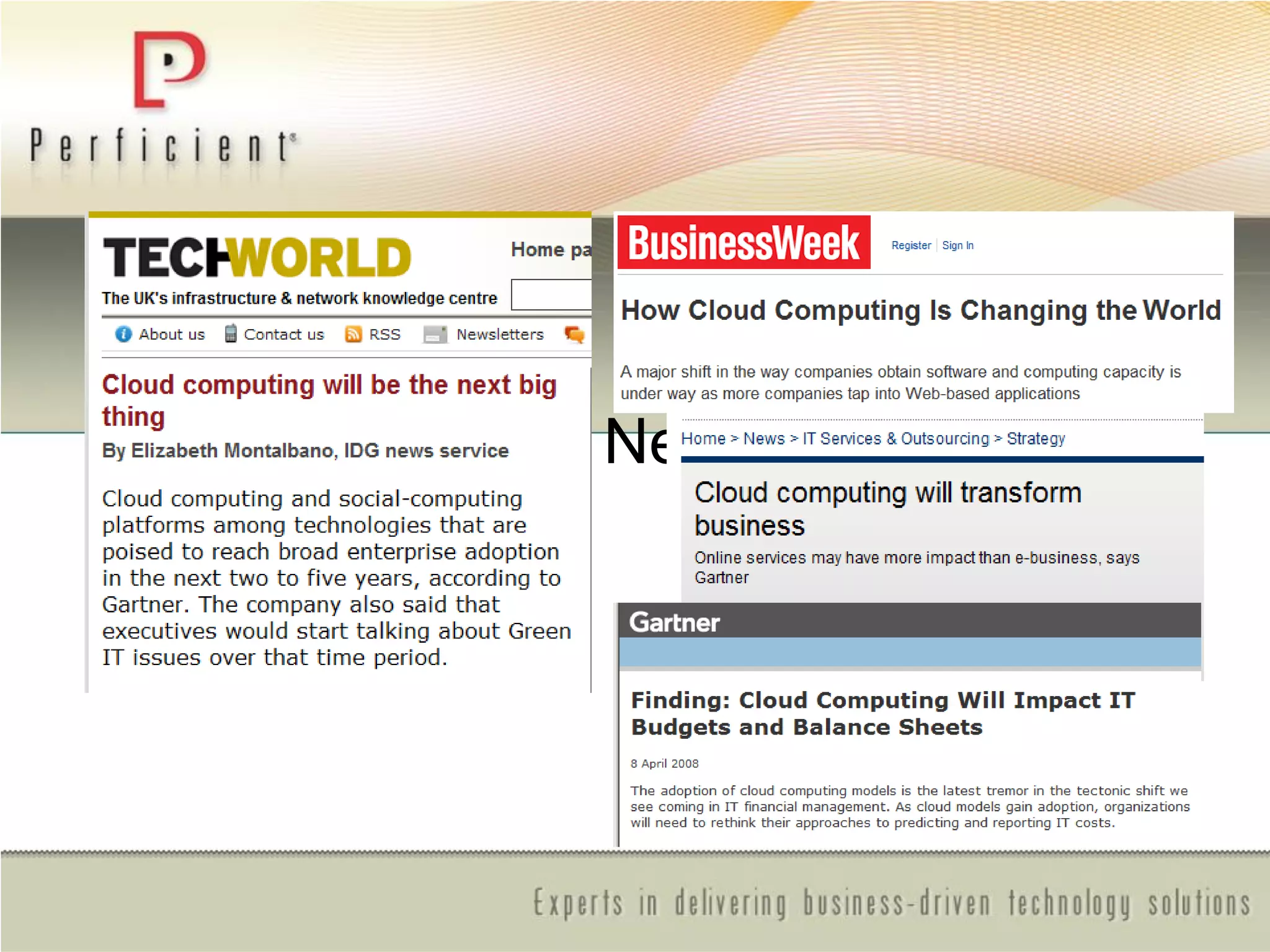
It’s Big. ―The Next Big Thing‖
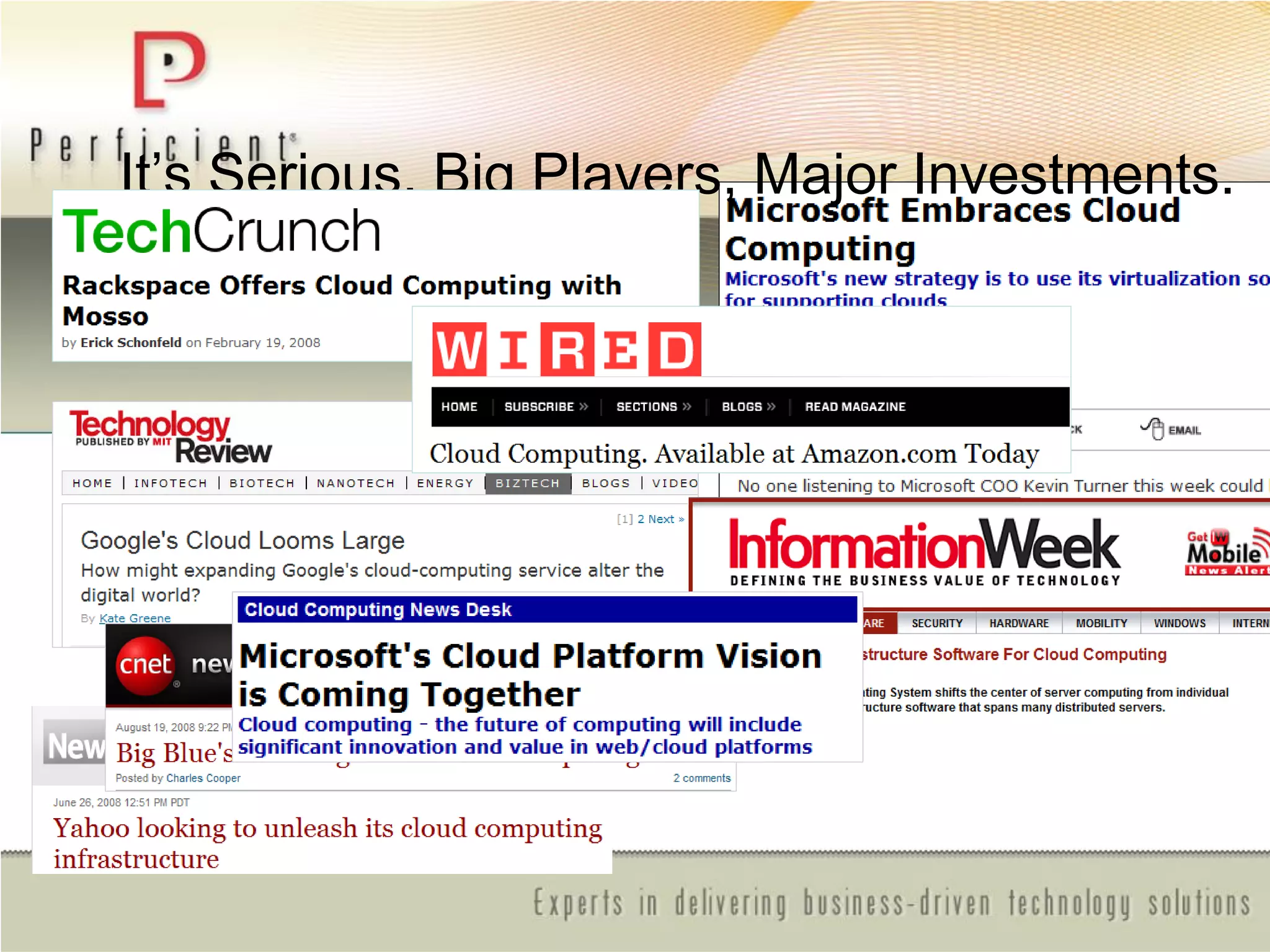
It’s Serious. Big Players, Major Investments.
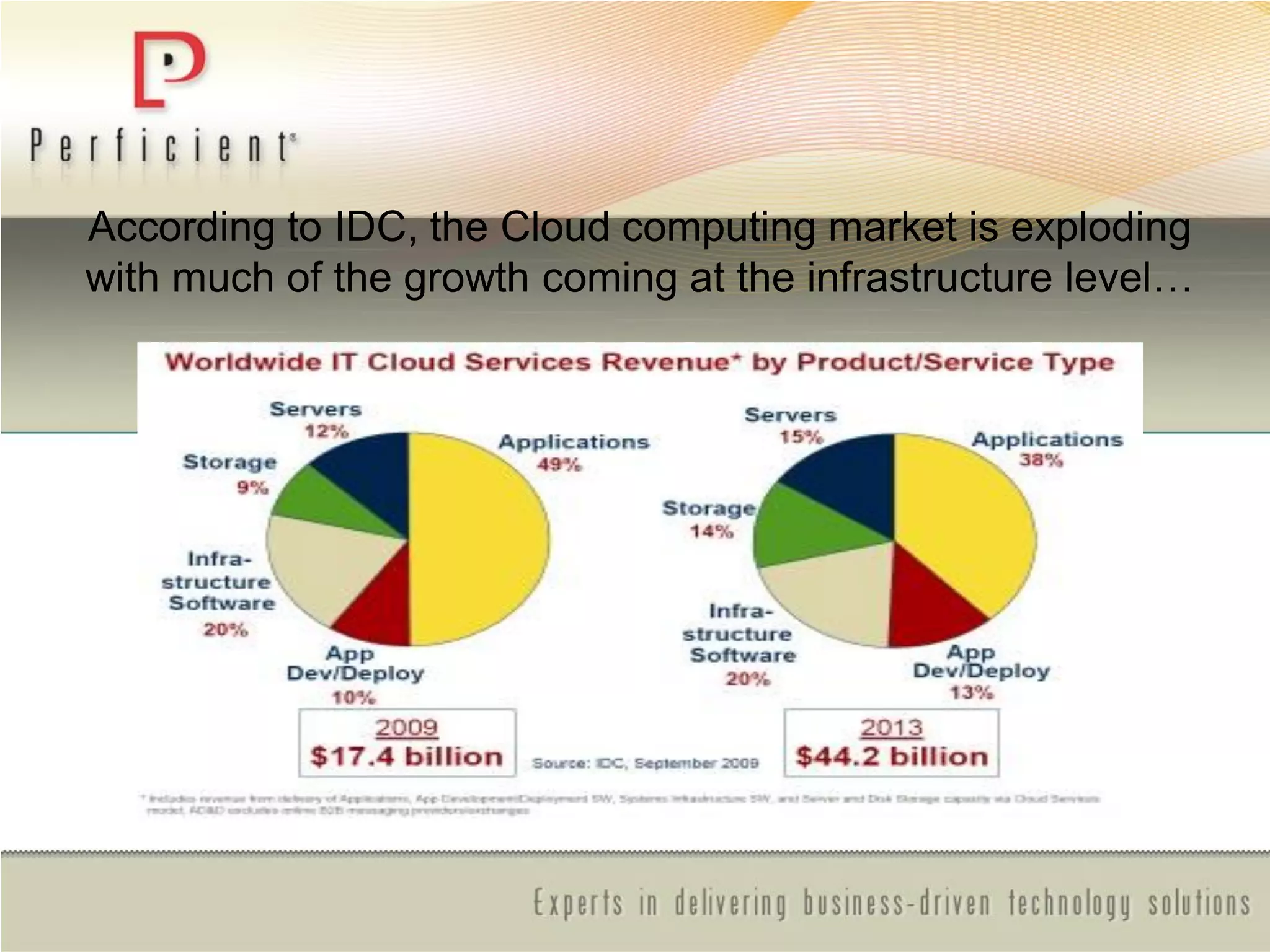
According to IDC, the Cloud computing market is exploding
with much of the growth coming at the infrastructure level…
What is the Cloud?
Cloud Computing refers to both the applications delivered as
services over the Internet and the hardware and systems
software in the datacenters that provide those services.
When a Cloud is made available in a pay-as-you-go manner to
the public, we call it a Public Cloud; the service being sold is
Utility Computing. Current examples of public Utility Computing
include Amazon Web Services, Google, App Engine, and
Microsoft Azure.
The term Private Cloud refers to internal datacenters of a
business or other organization that are not made available to the
public. Thus, Cloud Computing is the sum of SaaS and Utility
Computing, but does not normally include Private Clouds.
Cloud models
There are three major cloud models
– SAAS - Software As A Service – SalesForce, Microsoft BPOS
– PAAS - Platform As A Service – MS Windows Azure
– IAAS - Infrastructure As A Service - AWS, Rackspace
The service being sold is Utility Computing
Utility Computing: pay-as-you-go computing
– Infinite resources
– No up-front cost
– Fine-grained billing (For PAAS and IAAS e.g. hourly)
Benefits of the Cloud?
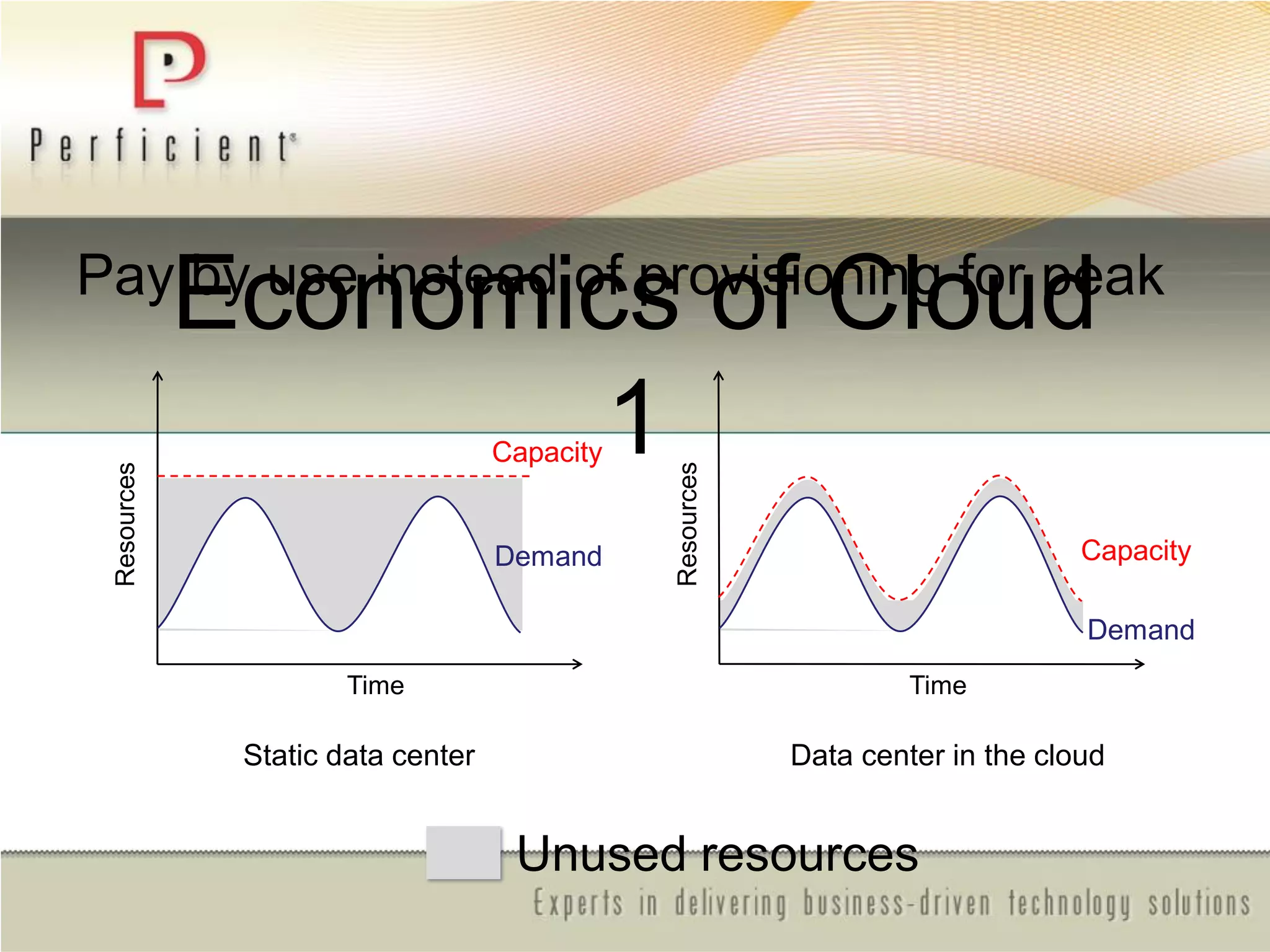
• Pay by use instead of provisioning for peak
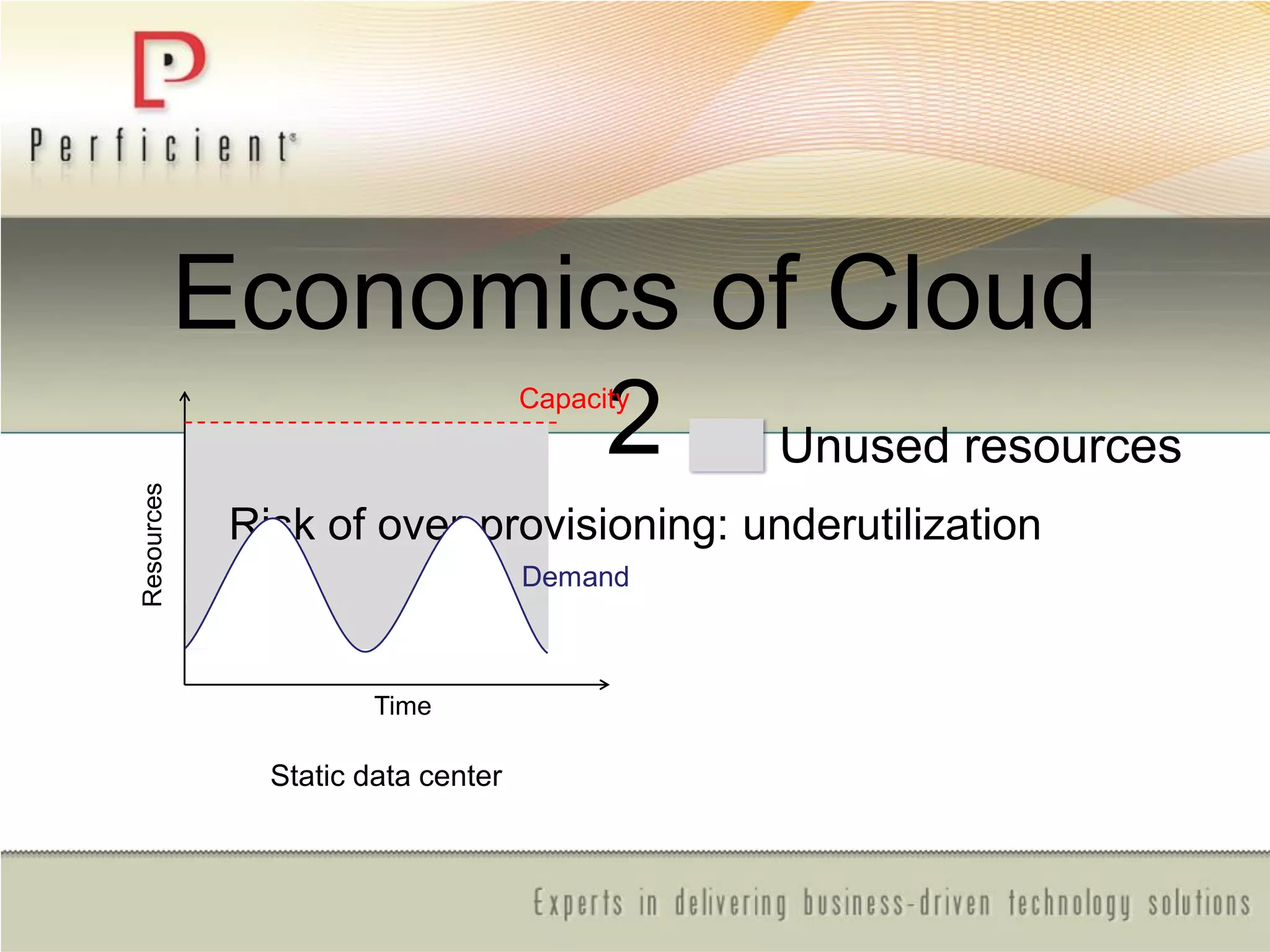
• No Risk of over-provisioning and underutilization
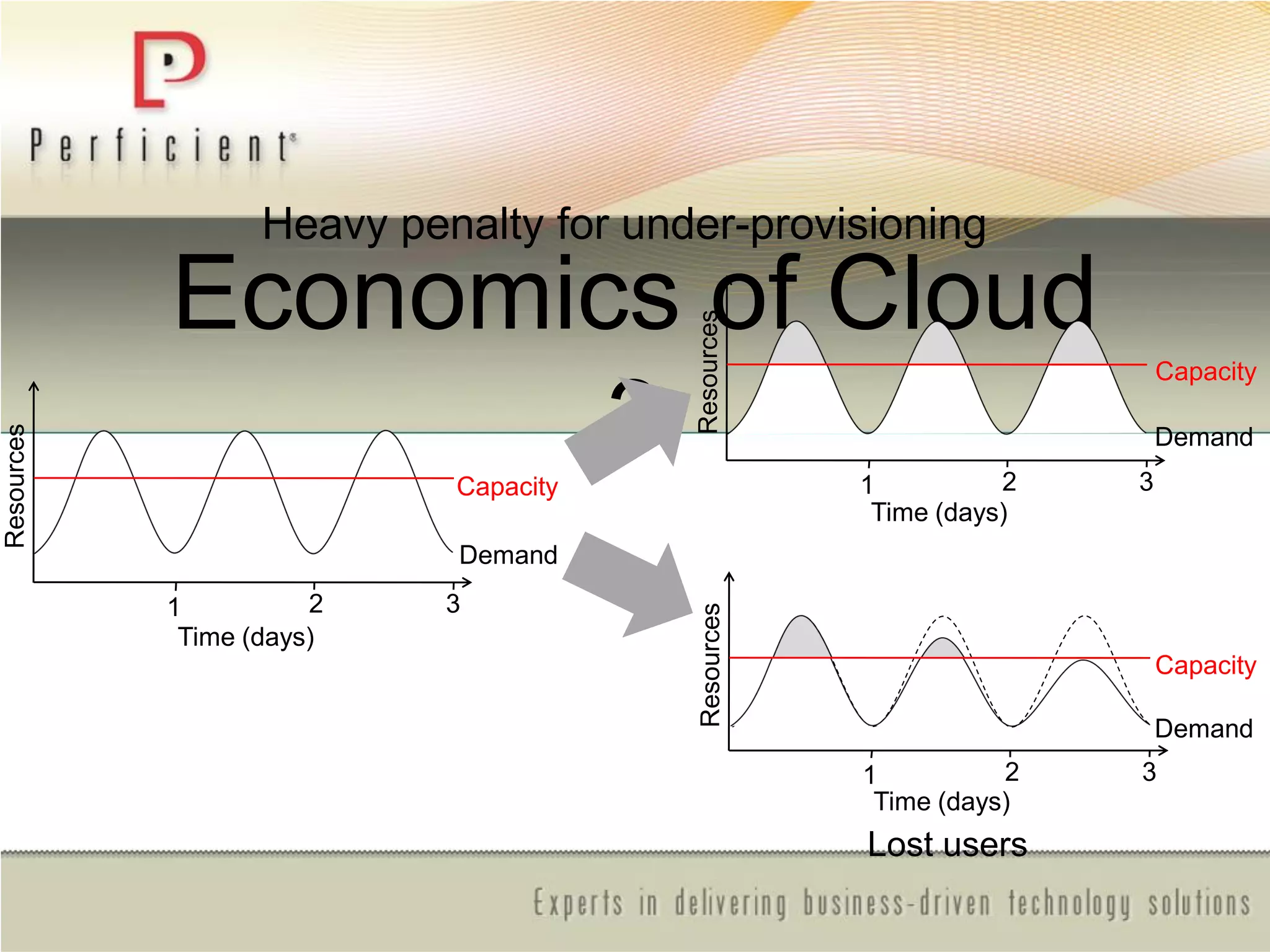
• Experiencing Heavy penalty for under-provisioning
Pay by use instead of provisioning for peak
Economics of Cloud
1
Static data center Data center in the cloud
Unused resources
Demand
Capacity
Time
Resources
Demand
Capacity
TimeResources
Economics of Cloud
2
Risk of over-provisioning: underutilization
Demand
Capacity
Time
Resources
Static data center
Unused resources
Economics of Cloud
3
Heavy penalty for under-provisioning
Resources
Demand
Capacity
Time (days)
1 2 3
Resources
Demand
Capacity
Time (days)
1 2 3
Resources
Demand
Capacity
Time (days)
1 2 3
Lost users
Economics of Cloud - continued
• Leverages LOtSS
• Is not for all businesses
–Not a ―Silver Bullet‖
• Is more than ―Off premises‖
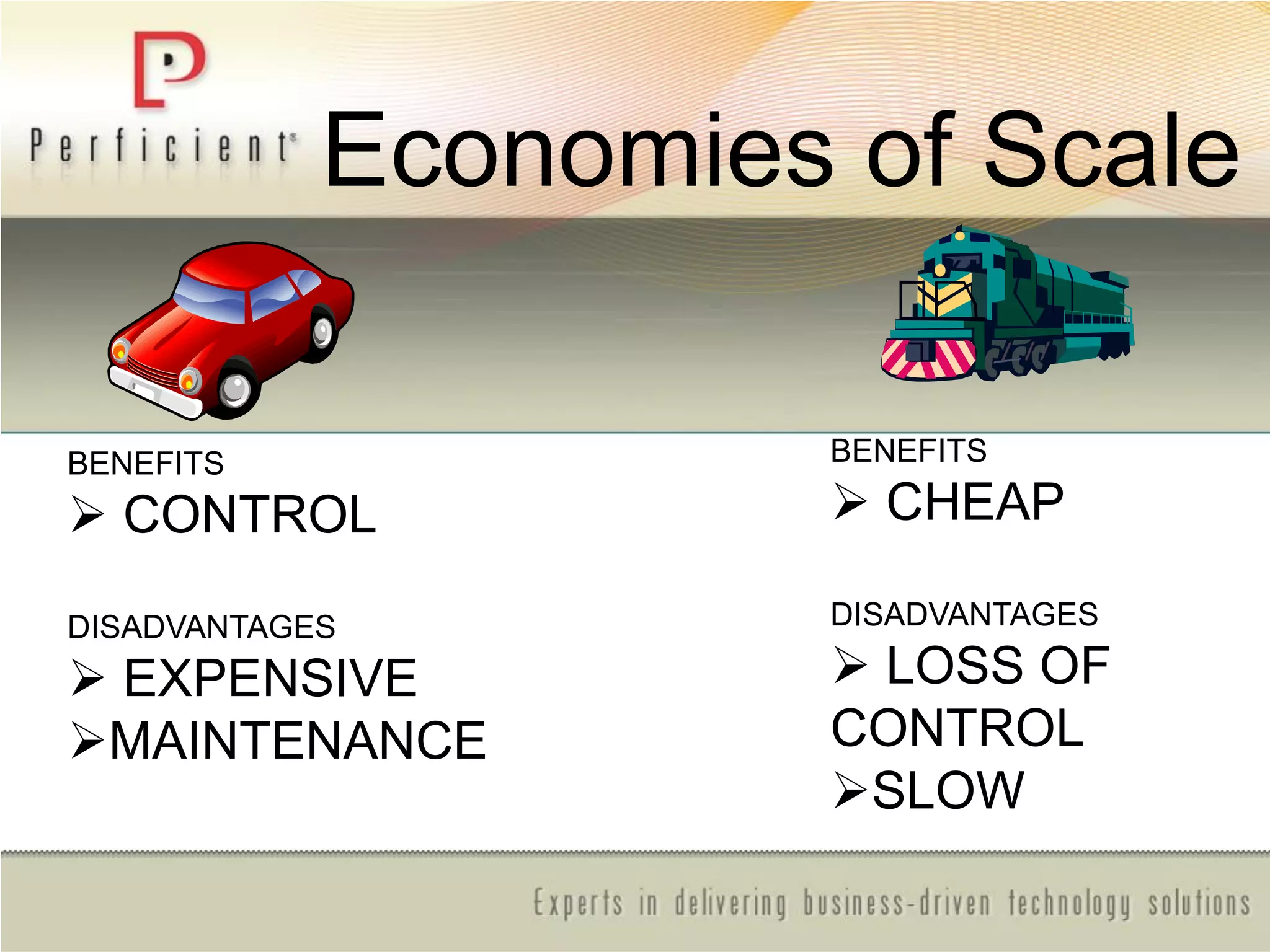
BENEFITS
 CONTROL
DISADVANTAGES
 EXPENSIVE
MAINTENANCE
BENEFITS
 CHEAP
DISADVANTAGES
 LOSS OF
CONTROL
SLOW
Economies of Scale
Cloud Point 1:
• The Cloud is a specialized system with fewer
degrees of freedom than On Premise, but offers
very high economy of scale
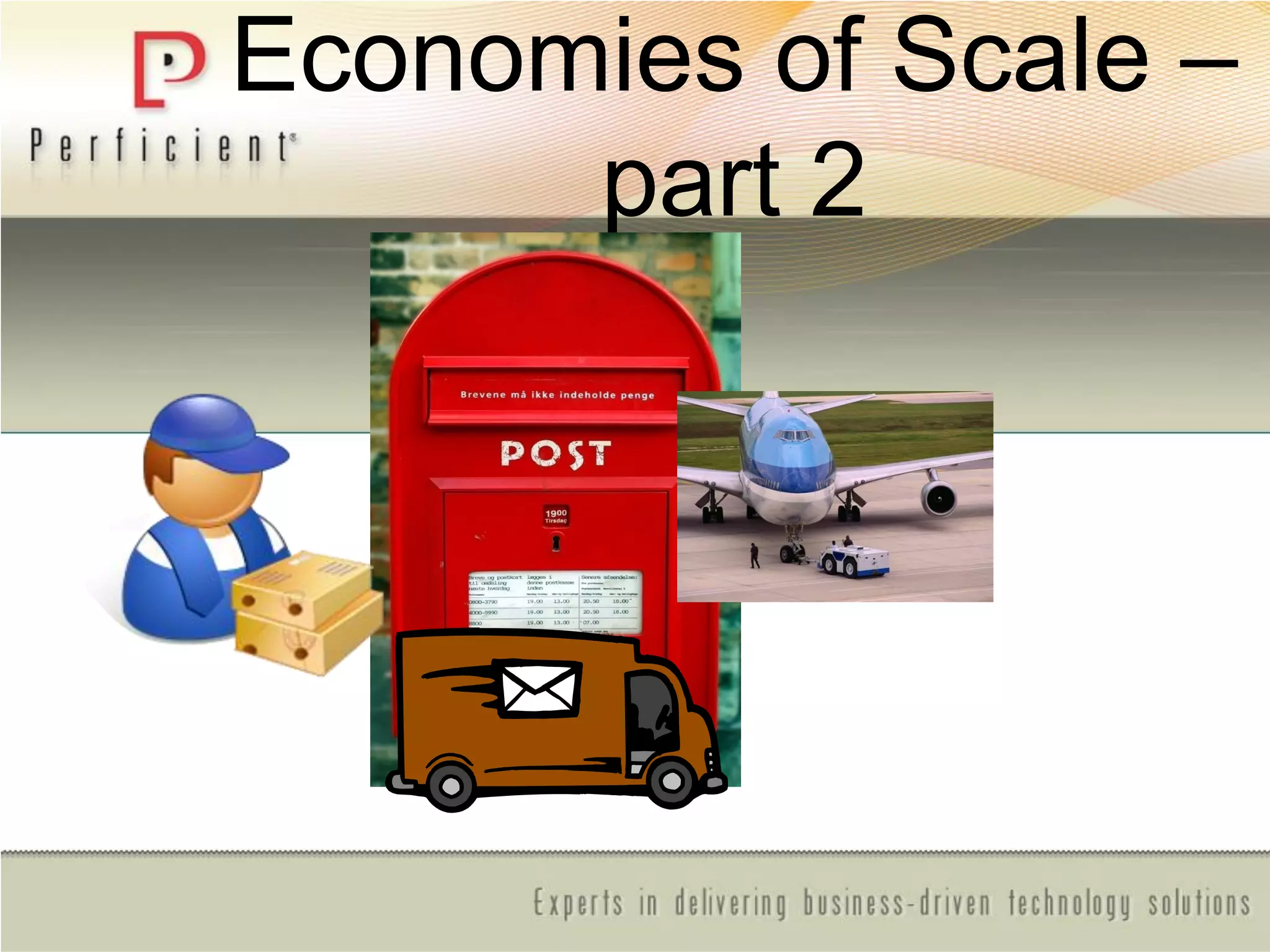
Economies of Scale –
part 2
Cloud Point 2:
• By adopting a hybrid strategy, it is possible to tap
into economy of scale where possible while
maintaining flexibility and agility where necessary
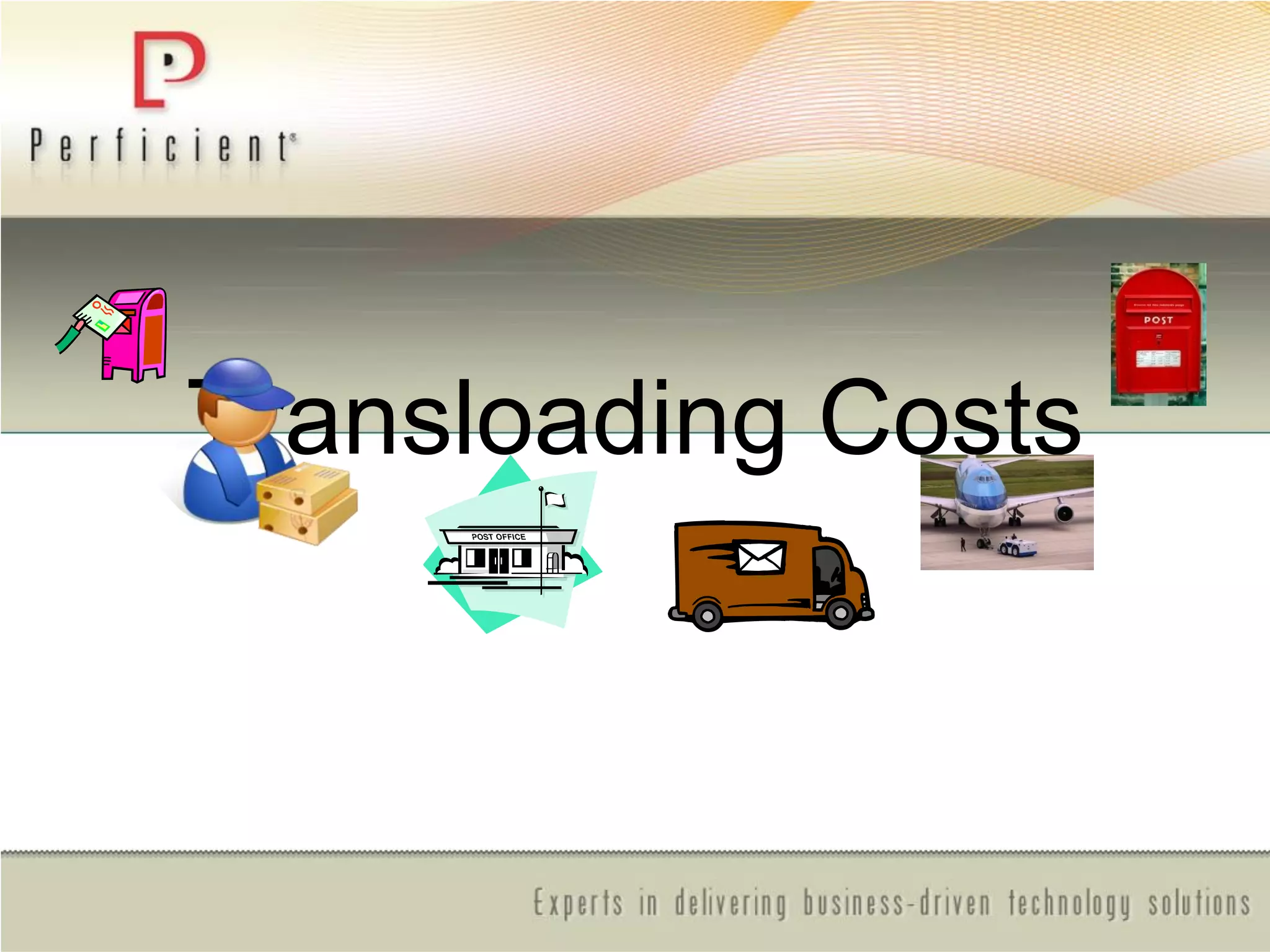
Transloading Costs
Cloud Point 3:
• Lowering transloading cost in the context of
software architecture: localized optimization
through selective specialization (LOtSS)
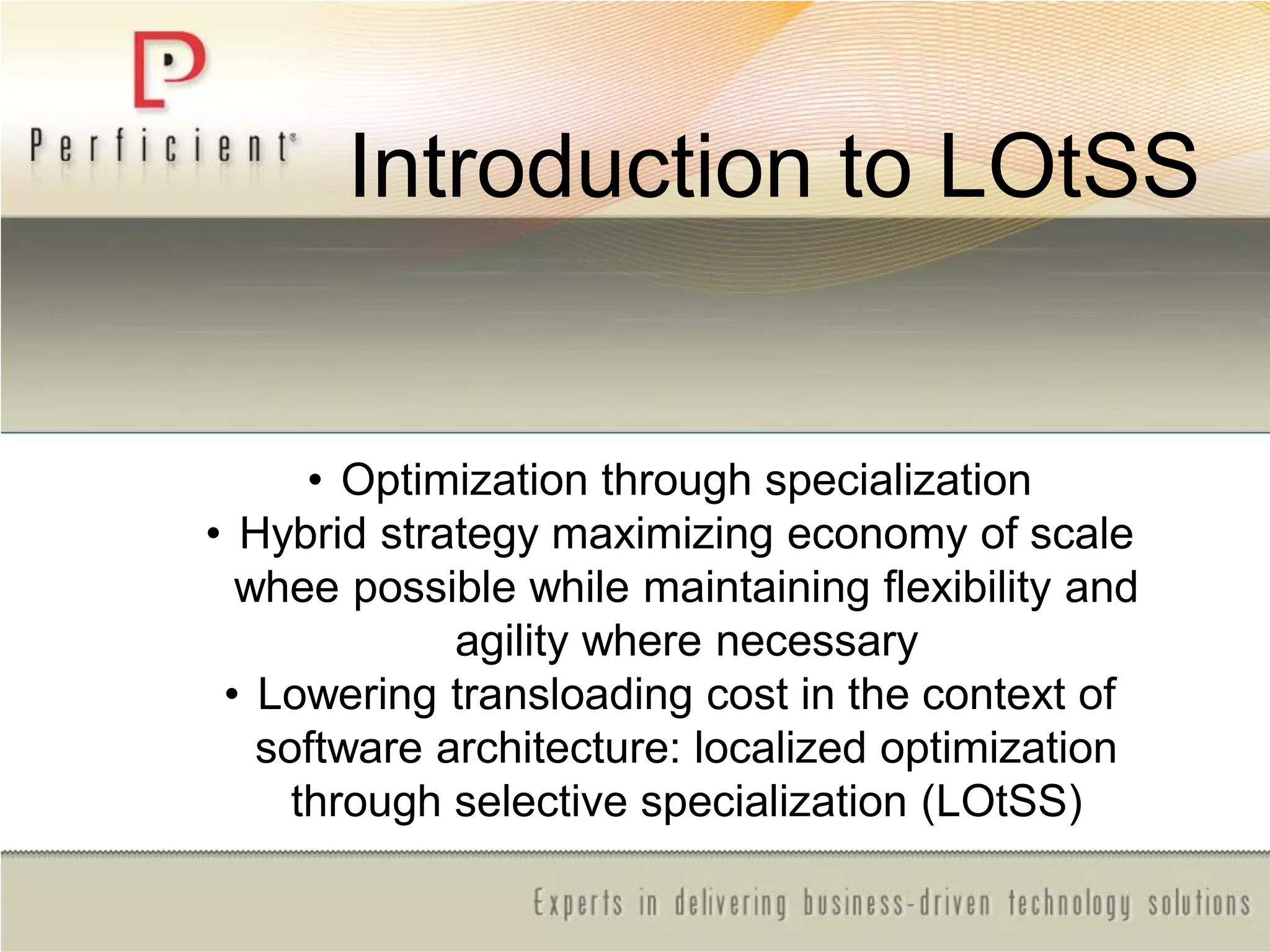
Introduction to LOtSS
• Optimization through specialization
• Hybrid strategy maximizing economy of scale
whee possible while maintaining flexibility and
agility where necessary
• Lowering transloading cost in the context of
software architecture: localized optimization
through selective specialization (LOtSS)
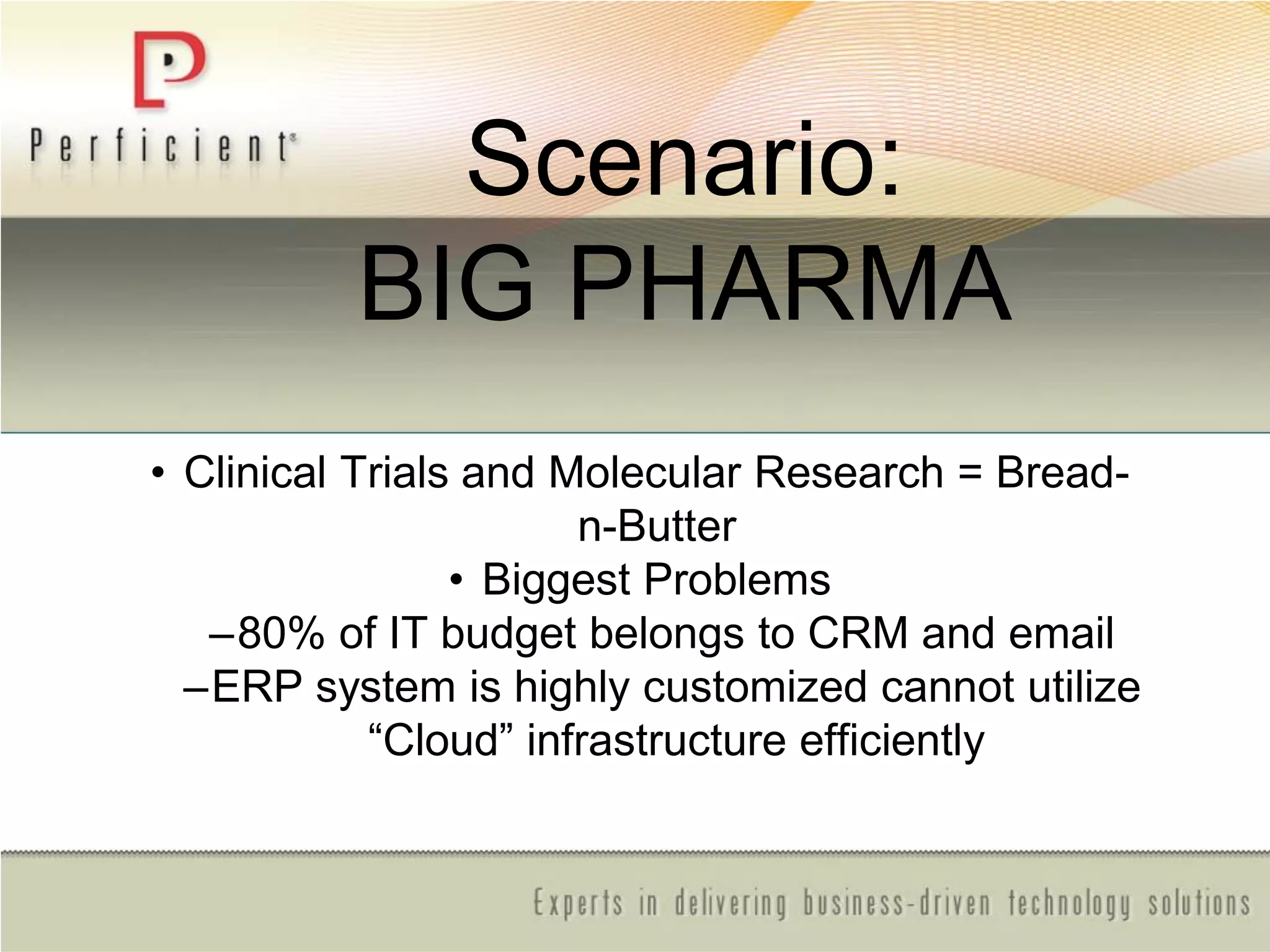
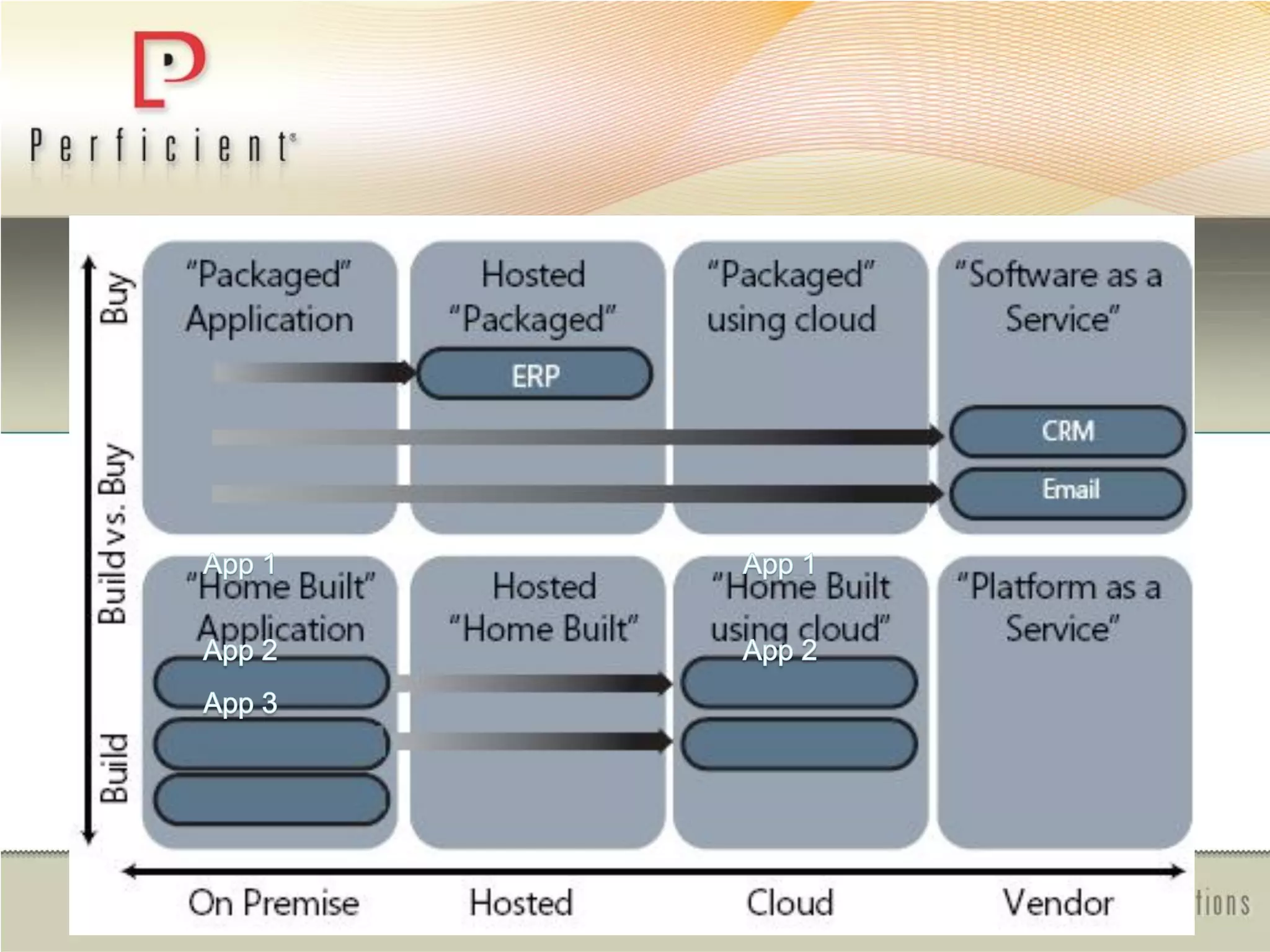
Scenario:
BIG PHARMA
• Clinical Trials and Molecular Research = Bread-
n-Butter
• Biggest Problems
–80% of IT budget belongs to CRM and email
–ERP system is highly customized cannot utilize
―Cloud‖ infrastructure efficiently
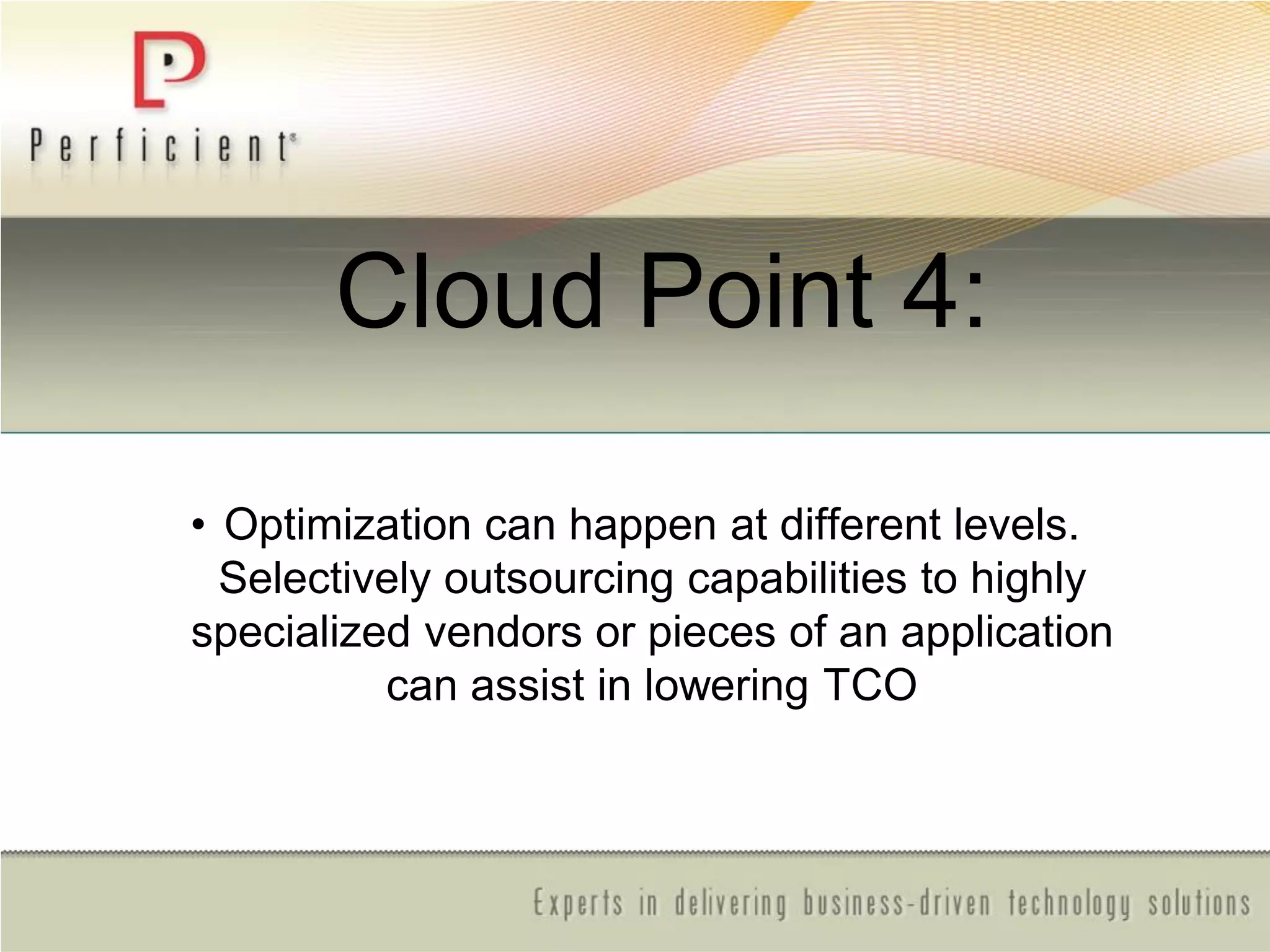
Cloud Point 4:
• Optimization can happen at different levels.
Selectively outsourcing capabilities to highly
specialized vendors or pieces of an application
can assist in lowering TCO
Platform As A
Service (PAAS)
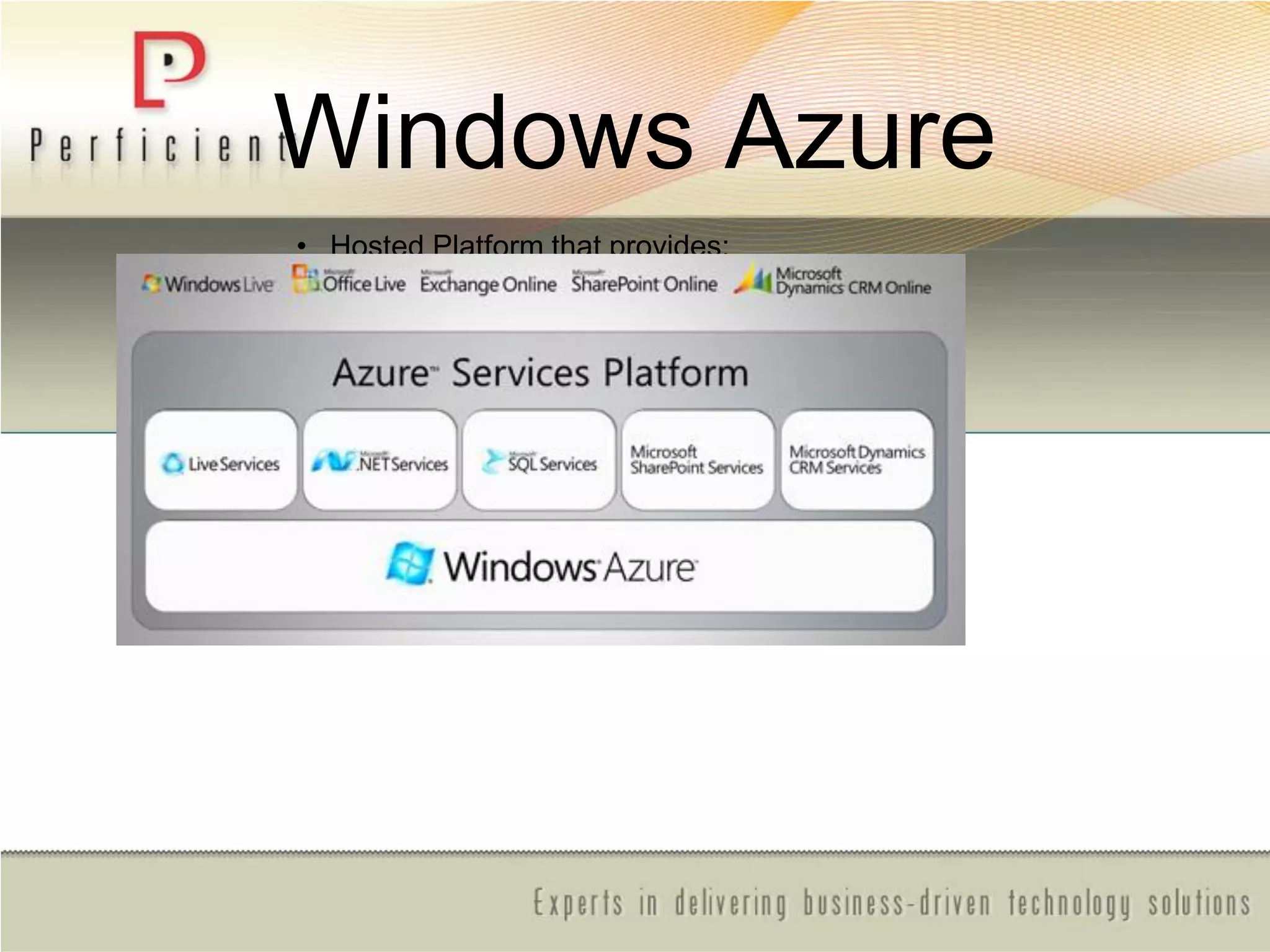
Windows Azure
• Hosted Platform that provides:
– Operating System
– Developer Services
• Compute Power (procs)
• Storage
• Cloud Applications
– Windows Live
– CRM
– Online Services
• SharePoint
• Exchange
Software As A
Service (SAAS)
SharePoint Online
Standard
• Self-service SharePoint site creation with online
discussion areas, shared document and meeting
workspaces, document libraries with version control,
and surveys.
• Out-of-the-box content management features for
documents, records, and Web contents.
• Ability to search SharePoint site content across the
entire organization.
• E-mail alerts when documents and information have
been changed or added to a site.
• Secure Internet access using 128 bit SSL encryption
and antivirus scanning.
• Directory trust with your Microsoft Active Directory®,
providing pass-through authentication.
• Scalable to thousands of sites within an organization,
allowing managers to delegate site creation to others.
• Self-service document restore and data recovery.
• Dedicated servers, networks, and physical space in
Microsoft data centers, providing you with logical and
physical security at 99.9% uptime.
• Upgrades to the most current version of SharePoint,
included at no extra charge.
 Dedicated
 Use of https helps keep internet access secure.
 Forefront anti-virus scanning.
 Shared document and meeting workspaces,
document libraries with version control, seamless
integration with Microsoft Office.
 Standard Templates including Wikis, Blogs, and
Surveys.
 Content management features for documents and
Web content.
 Site search.
 E-mail alerts when documents or other items have
been changed or added to a site.
 Offline access to documents on the service from
Outlook.
 Native RSS feeds for SharePoint libraries and
lists.
 Sign-In tool providing single sign-on capability.
 99.9% scheduled uptime with financially backed
Service Level Agreements.
 Web form and phone based Tier-2 support for IT
Administrators—24/7 for general availability.
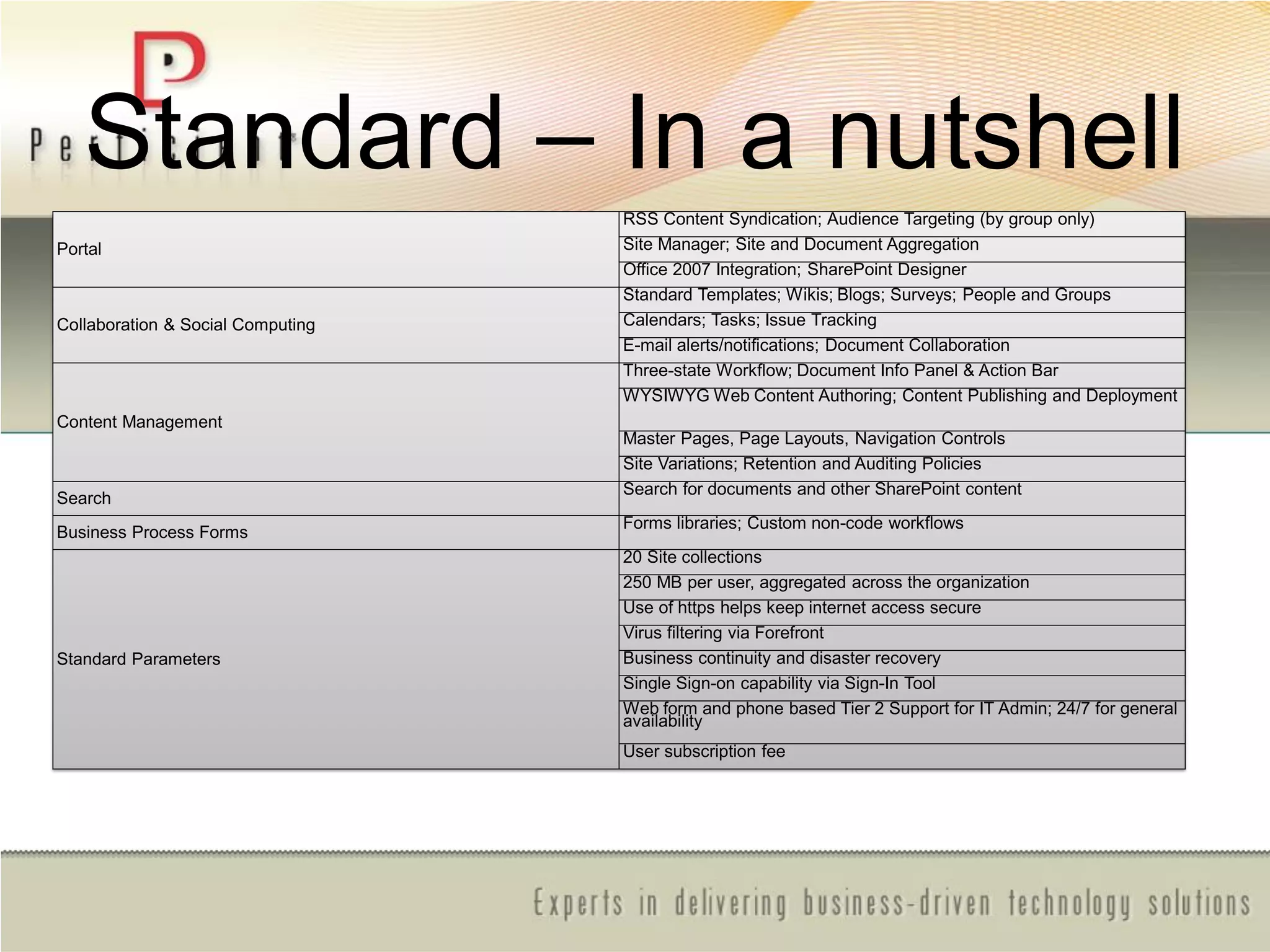
Standard – In a nutshell
Portal
RSS Content Syndication; Audience Targeting (by group only)
Site Manager; Site and Document Aggregation
Office 2007 Integration; SharePoint Designer
Collaboration & Social Computing
Standard Templates; Wikis; Blogs; Surveys; People and Groups
Calendars; Tasks; Issue Tracking
E-mail alerts/notifications; Document Collaboration
Content Management
Three-state Workflow; Document Info Panel & Action Bar
WYSIWYG Web Content Authoring; Content Publishing and Deployment
Master Pages, Page Layouts, Navigation Controls
Site Variations; Retention and Auditing Policies
Search
Search for documents and other SharePoint content
Business Process Forms
Forms libraries; Custom non-code workflows
Standard Parameters
20 Site collections
250 MB per user, aggregated across the organization
Use of https helps keep internet access secure
Virus filtering via Forefront
Business continuity and disaster recovery
Single Sign-on capability via Sign-In Tool
Web form and phone based Tier 2 Support for IT Admin; 24/7 for general
availability
User subscription fee
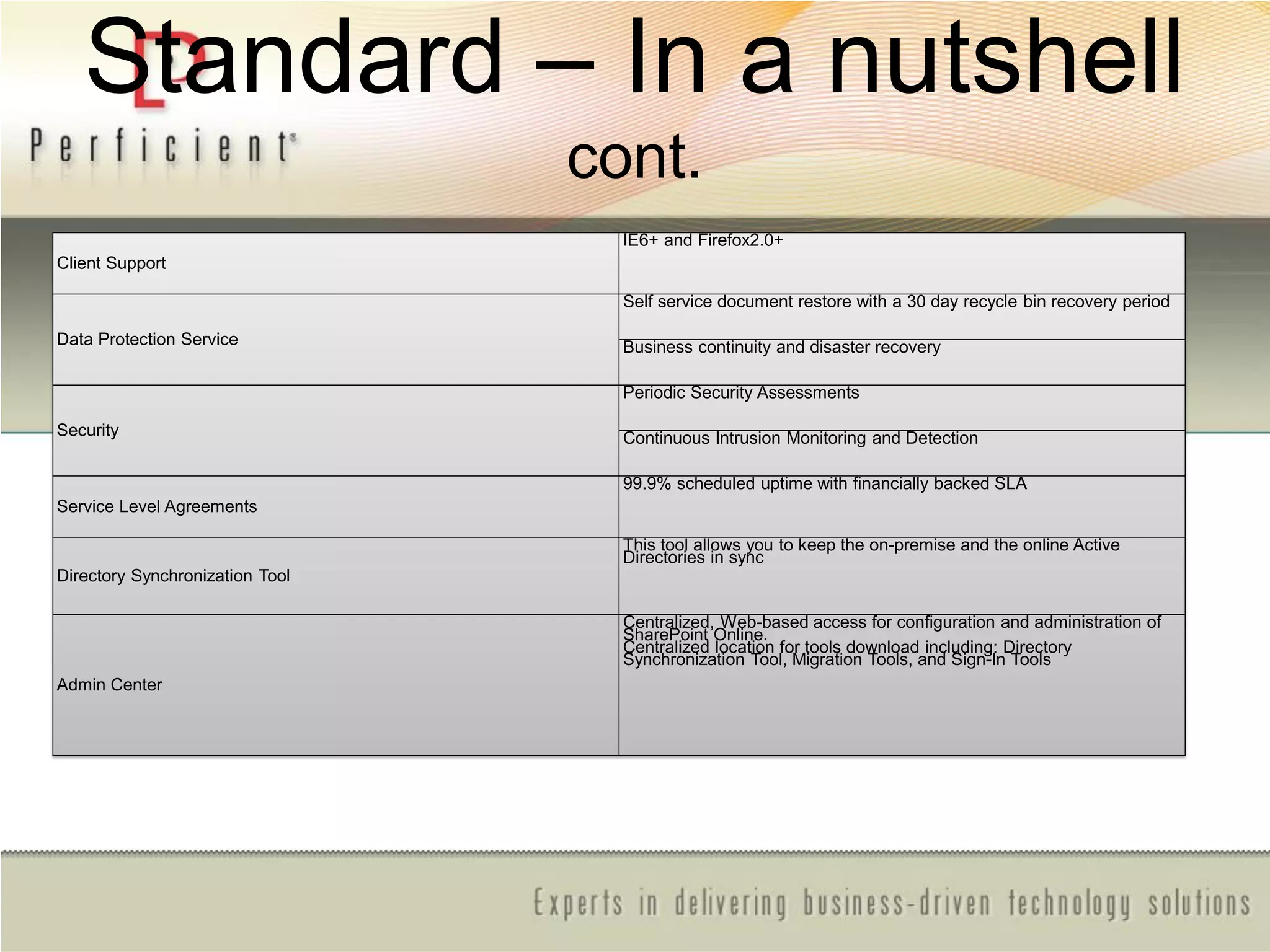
Standard – In a nutshell
cont.
Client Support
IE6+ and Firefox2.0+
Data Protection Service
Self service document restore with a 30 day recycle bin recovery period
Business continuity and disaster recovery
Security
Periodic Security Assessments
Continuous Intrusion Monitoring and Detection
Service Level Agreements
99.9% scheduled uptime with financially backed SLA
Directory Synchronization Tool
This tool allows you to keep the on-premise and the online Active
Directories in sync
Admin Center
Centralized, Web-based access for configuration and administration of
SharePoint Online.
Centralized location for tools download including: Directory
Synchronization Tool, Migration Tools, and Sign-In Tools
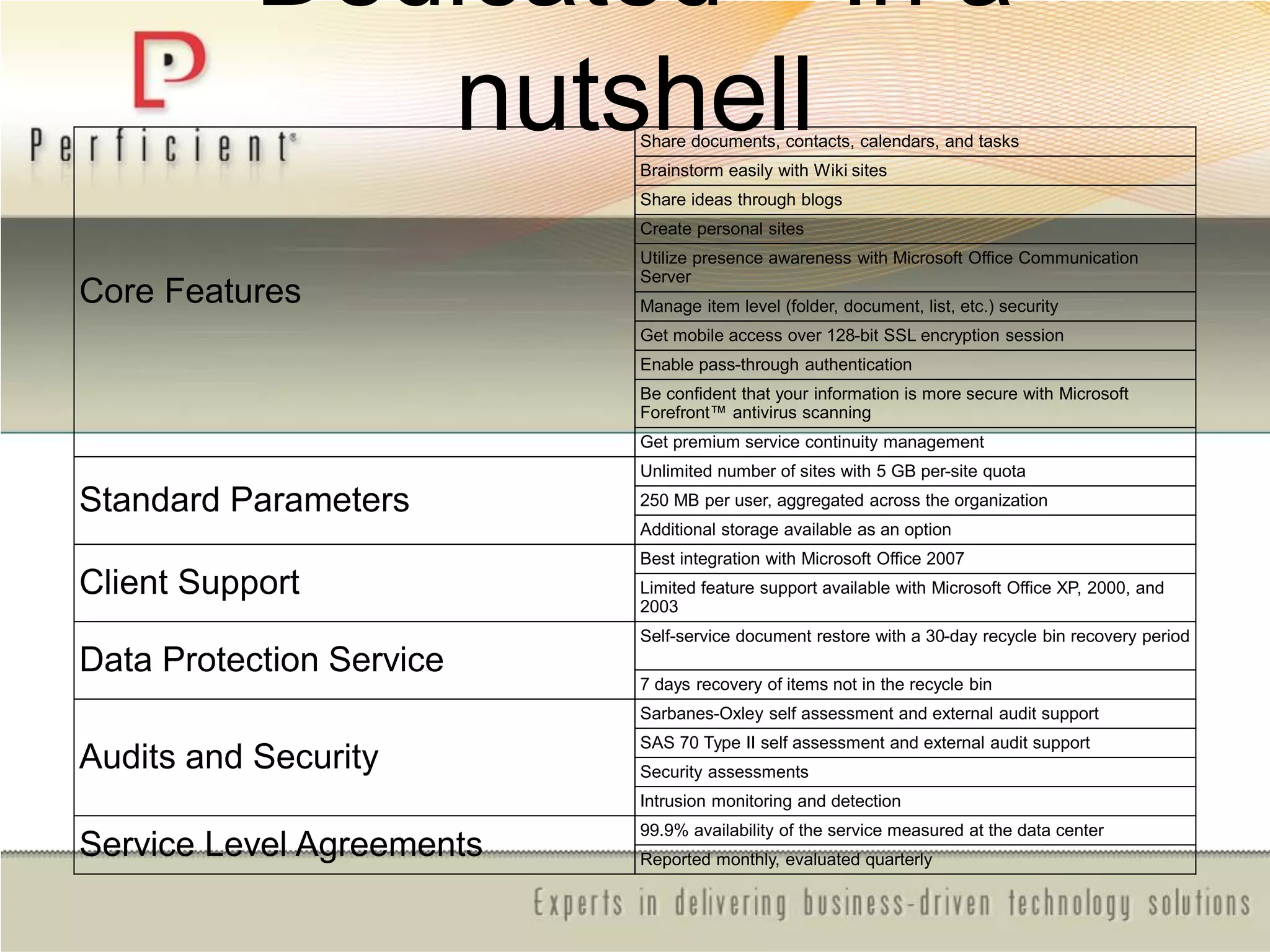
Dedicated – In a
nutshell
Core Features
Share documents, contacts, calendars, and tasks
Brainstorm easily with Wiki sites
Share ideas through blogs
Create personal sites
Utilize presence awareness with Microsoft Office Communication
Server
Manage item level (folder, document, list, etc.) security
Get mobile access over 128-bit SSL encryption session
Enable pass-through authentication
Be confident that your information is more secure with Microsoft
Forefront™ antivirus scanning
Get premium service continuity management
Standard Parameters
Unlimited number of sites with 5 GB per-site quota
250 MB per user, aggregated across the organization
Additional storage available as an option
Client Support
Best integration with Microsoft Office 2007
Limited feature support available with Microsoft Office XP, 2000, and
2003
Data Protection Service
Self-service document restore with a 30-day recycle bin recovery period
7 days recovery of items not in the recycle bin
Audits and Security
Sarbanes-Oxley self assessment and external audit support
SAS 70 Type II self assessment and external audit support
Security assessments
Intrusion monitoring and detection
Service Level Agreements
99.9% availability of the service measured at the data center
Reported monthly, evaluated quarterly
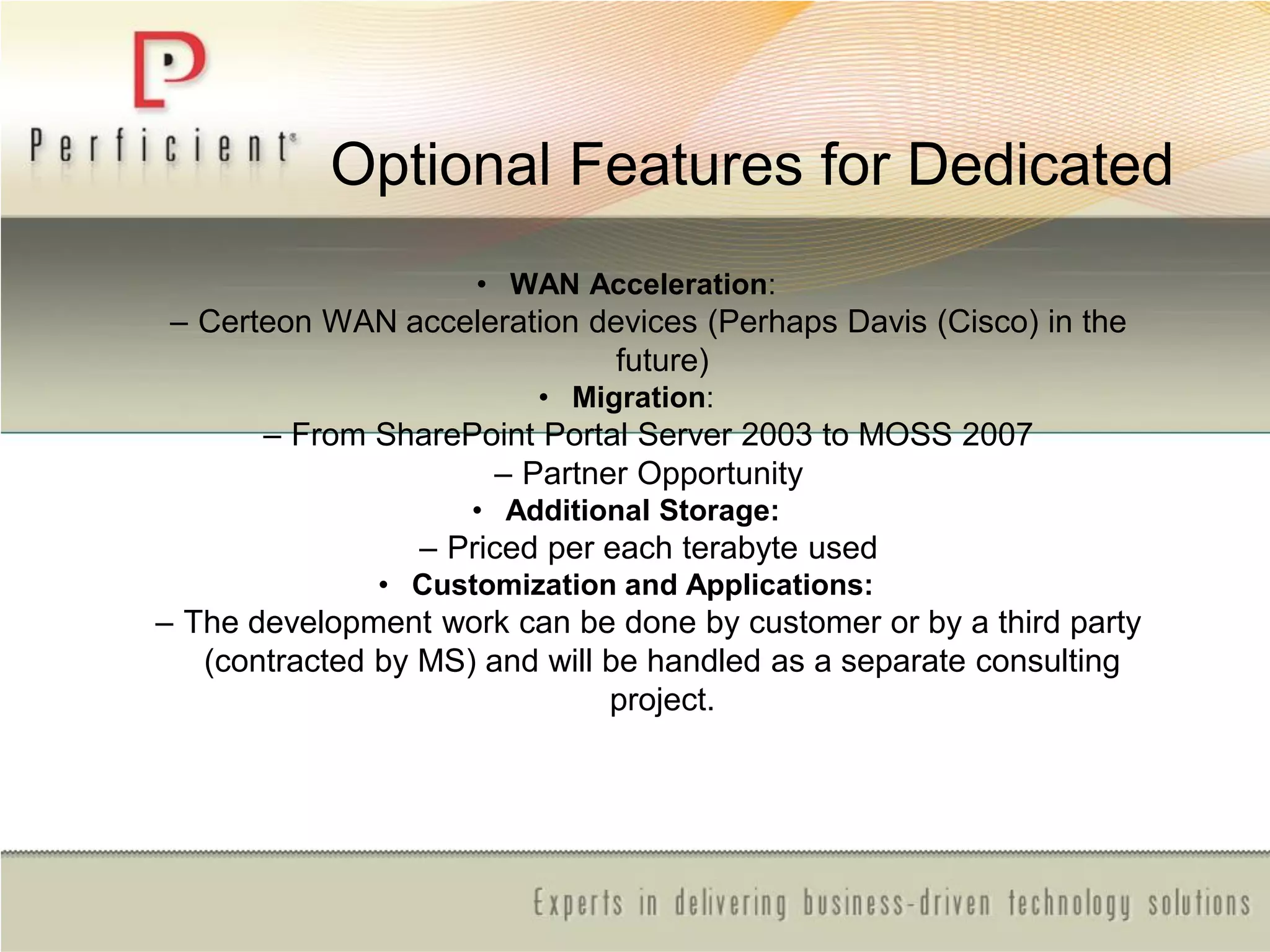
Optional Features for Dedicated
• WAN Acceleration:
– Certeon WAN acceleration devices (Perhaps Davis (Cisco) in the
future)
• Migration:
– From SharePoint Portal Server 2003 to MOSS 2007
– Partner Opportunity
• Additional Storage:
– Priced per each terabyte used
• Customization and Applications:
– The development work can be done by customer or by a third party
(contracted by MS) and will be handled as a separate consulting
project.
Overview of ―Amazon Web
Services‖
• IAAS - Infrastructure As A Service
– Elastic Compute Cloud (EC2)
EC2 introduces a new paradigm for web hosting. By allowing clients to scale their number of
machines up or down within minutes, it offers the capability to create distributed and scalable
applications that run in the cloud.
EC2 is flexible, reliable, secure, and most importantly cheap! By only paying for the resources
that you actually use, you can bring your multi-server application to market much cheaper than
ever before, and maintain an extremely high level of quality and availability.
Amazon Web Services Cloud Infrastructure
• Amazon Machine Image
An Amazon Machine Image (AMI) is a packaged environment that contains a
configured LinuxWindows operating system
• Instance Types
Amazon provides several different instance types of varying compute power.
The small instance runs on a 32-bit system, and both the large and extra-
large instances run on a 64-bit system. They each have different levels of
computing power and hardware resources
Amazon Web Services Security
• Access Key ID
Amazon issues two kinds of Access Key IDs to authenticate requests between instances. Your
public Access Key identifies you as the originator of a request, but is not encrypted. Your Secret
Access Key is used to calculate a specific request signature that authenticates you as the true
user for services that require authentication on your instances. As the name suggests, this key
should be kept private
• X.509 Certificates
Amazon also issues two kinds of X.509 Certificates to digitally sign bundled images in
AWS. The private certificate is used to verify that the signature could only have come from
you. You can request X.509 certificates from the AWS site
Amazon Web Services Security-continued
• Security Groups
Security groups provide functionality similar to a traditional firewall, but
has some additional features. You have the ability to filter traffic based on
IP (a specific address or a subnet), packet types (TCP, UDP or ICMP),
and ports (or a range of ports). You can also grant access to an entire
security group.
Public Access
Amazon also provides the option of completely removing public access to
an instance. This will ensure that you are safe from any outsiders gaining
access to your machine and even prevents DoS attacks
Amazon Web Services Storage
• Simple Storage Service (S3)
Amazon S3 provides a simple web services interface that can be used to
store and retrieve any amount of data, at any time, from anywhere on the
web. It gives any company access to the same highly scalable, reliable, fast,
inexpensive data storage infrastructure that Amazon uses to run its own
global network of web sites. The service aims to maximize benefits of scale
and to pass those benefits on to customer
Security Best Practices
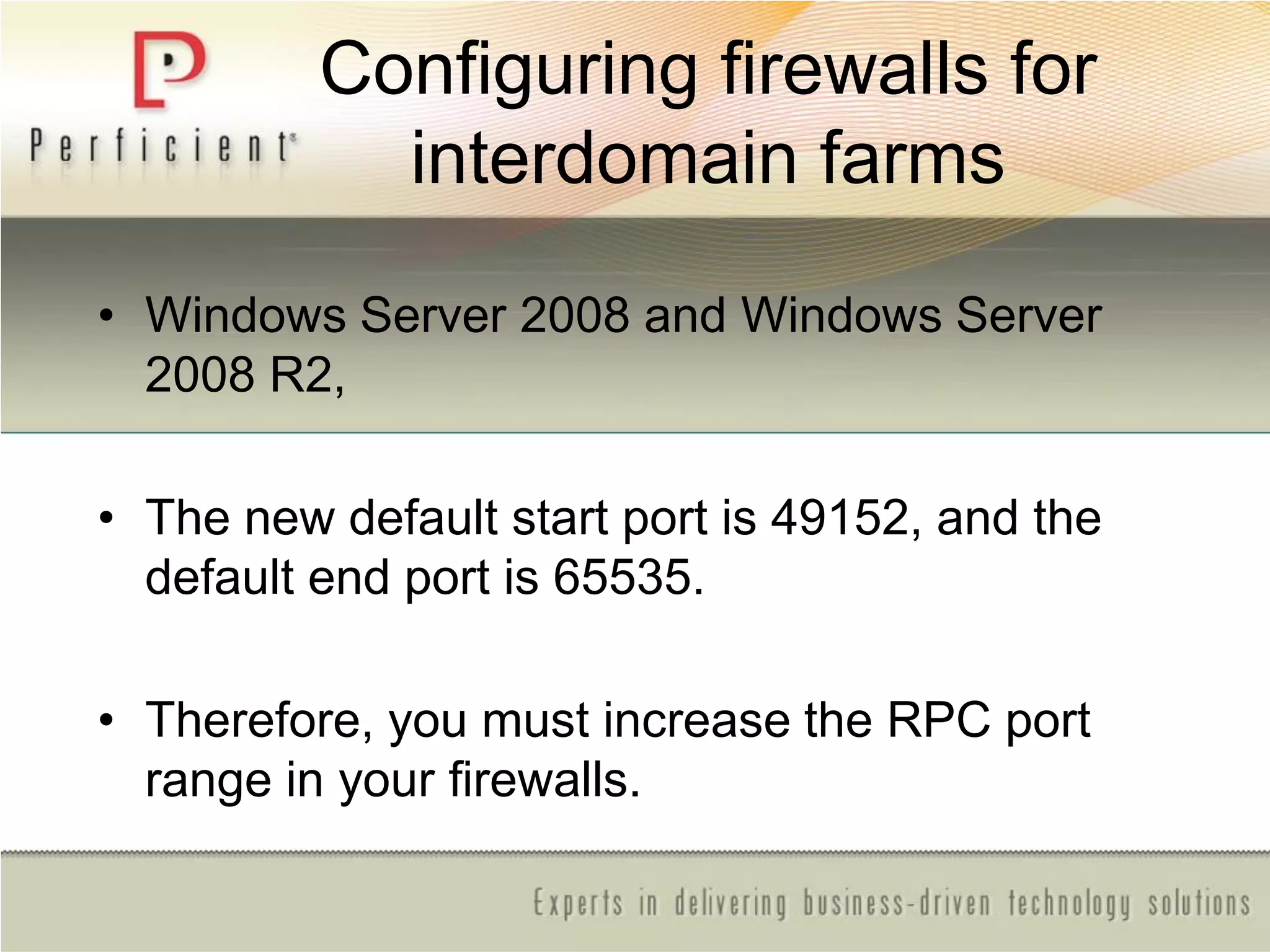
Configuring firewalls for
interdomain farms
• Windows Server 2008 and Windows Server
2008 R2,
• The new default start port is 49152, and the
default end port is 65535.
• Therefore, you must increase the RPC port
range in your firewalls.
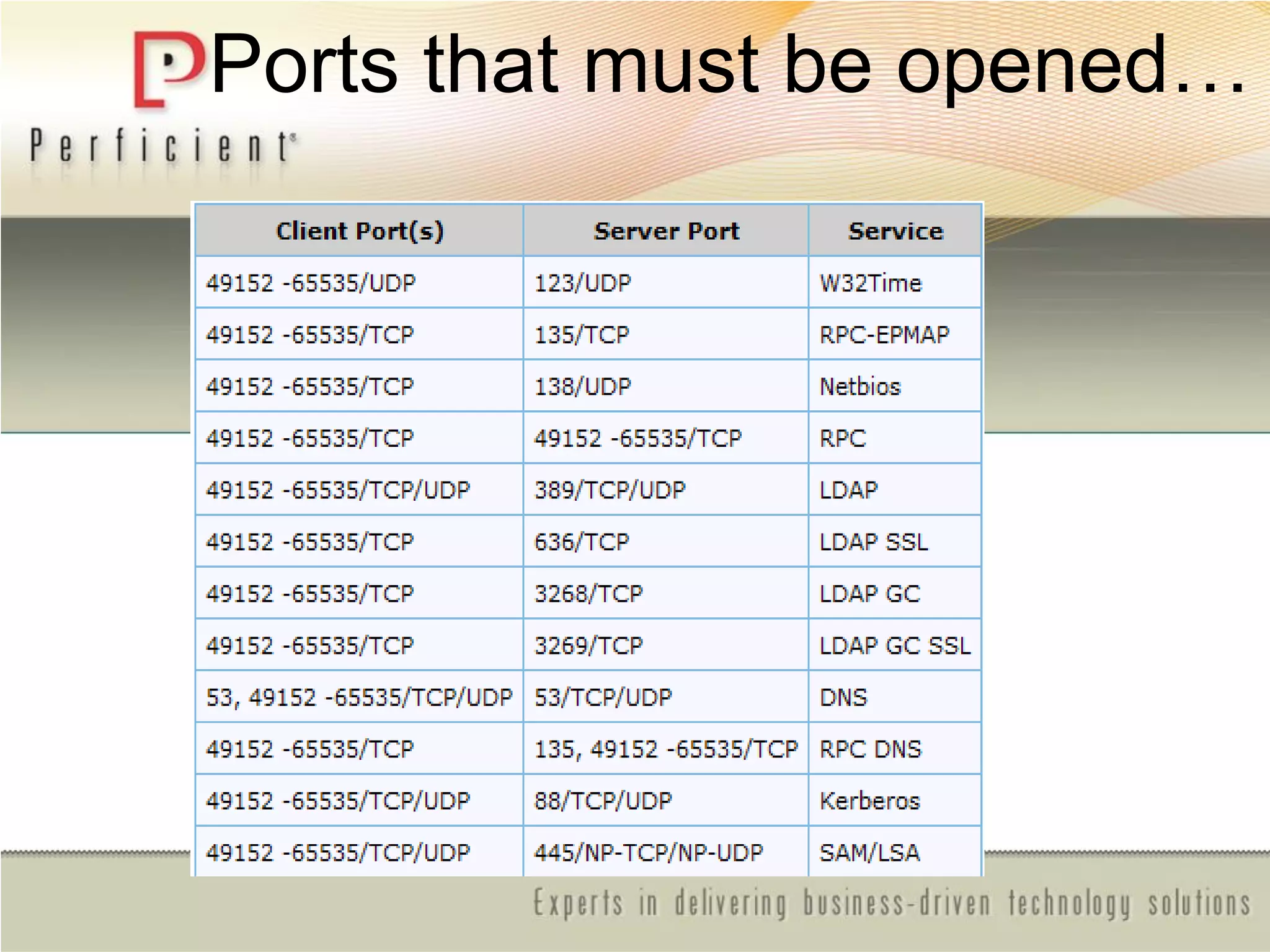
Ports that must be opened…
Thank you for
attending!
Please be sure to fill out your session
evaluation!

Cloud for share point

  • 1.
    Security, Administration, andArchitecture from the Ground to the Cloud
  • 2.
    About Me… • RickTaylor, MCSE, MCT – Senior Technical Architect for Perficient based in Arizona – Richard.Taylor@Perficient.com – Former SharePoint Engineer with Microsoft Business Productivity Online Services – (SharePoint Online) – Contributing author on MS Press MOSS 2007 Administrator’s Companion
  • 3.
    Agenda • Cloud Computing •What is the Cloud? • Platform As A Service (PAAS) –Overview of Windows ―Azure‖ • Software As A Service (SAAS) –Overview of ―BPOS‖ • Infrastructure As A Service (IAAS) –Overview of ―Amazon Web Services‖ • Security and Architecture Best Practices • Administration And Live Demo
  • 4.
    Acknowledgements • Eugenio Paceand Gianpaolo Carraro http://msdn.microsoft.com/en- us/library/dd129910.aspx
  • 5.
    It’s Big. ―TheNext Big Thing‖
  • 6.
    It’s Serious. BigPlayers, Major Investments.
  • 7.
    According to IDC,the Cloud computing market is exploding with much of the growth coming at the infrastructure level…
  • 8.
    What is theCloud? Cloud Computing refers to both the applications delivered as services over the Internet and the hardware and systems software in the datacenters that provide those services. When a Cloud is made available in a pay-as-you-go manner to the public, we call it a Public Cloud; the service being sold is Utility Computing. Current examples of public Utility Computing include Amazon Web Services, Google, App Engine, and Microsoft Azure. The term Private Cloud refers to internal datacenters of a business or other organization that are not made available to the public. Thus, Cloud Computing is the sum of SaaS and Utility Computing, but does not normally include Private Clouds.
  • 9.
    Cloud models There arethree major cloud models – SAAS - Software As A Service – SalesForce, Microsoft BPOS – PAAS - Platform As A Service – MS Windows Azure – IAAS - Infrastructure As A Service - AWS, Rackspace The service being sold is Utility Computing Utility Computing: pay-as-you-go computing – Infinite resources – No up-front cost – Fine-grained billing (For PAAS and IAAS e.g. hourly)
  • 10.
    Benefits of theCloud? • Pay by use instead of provisioning for peak • No Risk of over-provisioning and underutilization • Experiencing Heavy penalty for under-provisioning
  • 11.
    Pay by useinstead of provisioning for peak Economics of Cloud 1 Static data center Data center in the cloud Unused resources Demand Capacity Time Resources Demand Capacity TimeResources
  • 12.
    Economics of Cloud 2 Riskof over-provisioning: underutilization Demand Capacity Time Resources Static data center Unused resources
  • 13.
    Economics of Cloud 3 Heavypenalty for under-provisioning Resources Demand Capacity Time (days) 1 2 3 Resources Demand Capacity Time (days) 1 2 3 Resources Demand Capacity Time (days) 1 2 3 Lost users
  • 14.
    Economics of Cloud- continued • Leverages LOtSS • Is not for all businesses –Not a ―Silver Bullet‖ • Is more than ―Off premises‖
  • 15.
    BENEFITS  CONTROL DISADVANTAGES  EXPENSIVE MAINTENANCE BENEFITS CHEAP DISADVANTAGES  LOSS OF CONTROL SLOW Economies of Scale
  • 16.
    Cloud Point 1: •The Cloud is a specialized system with fewer degrees of freedom than On Premise, but offers very high economy of scale
  • 17.
  • 18.
    Cloud Point 2: •By adopting a hybrid strategy, it is possible to tap into economy of scale where possible while maintaining flexibility and agility where necessary
  • 19.
  • 20.
    Cloud Point 3: •Lowering transloading cost in the context of software architecture: localized optimization through selective specialization (LOtSS)
  • 21.
    Introduction to LOtSS •Optimization through specialization • Hybrid strategy maximizing economy of scale whee possible while maintaining flexibility and agility where necessary • Lowering transloading cost in the context of software architecture: localized optimization through selective specialization (LOtSS)
  • 22.
    Scenario: BIG PHARMA • ClinicalTrials and Molecular Research = Bread- n-Butter • Biggest Problems –80% of IT budget belongs to CRM and email –ERP system is highly customized cannot utilize ―Cloud‖ infrastructure efficiently
  • 24.
    Cloud Point 4: •Optimization can happen at different levels. Selectively outsourcing capabilities to highly specialized vendors or pieces of an application can assist in lowering TCO
  • 25.
  • 26.
    Windows Azure • HostedPlatform that provides: – Operating System – Developer Services • Compute Power (procs) • Storage • Cloud Applications – Windows Live – CRM – Online Services • SharePoint • Exchange
  • 27.
  • 28.
    SharePoint Online Standard • Self-serviceSharePoint site creation with online discussion areas, shared document and meeting workspaces, document libraries with version control, and surveys. • Out-of-the-box content management features for documents, records, and Web contents. • Ability to search SharePoint site content across the entire organization. • E-mail alerts when documents and information have been changed or added to a site. • Secure Internet access using 128 bit SSL encryption and antivirus scanning. • Directory trust with your Microsoft Active Directory®, providing pass-through authentication. • Scalable to thousands of sites within an organization, allowing managers to delegate site creation to others. • Self-service document restore and data recovery. • Dedicated servers, networks, and physical space in Microsoft data centers, providing you with logical and physical security at 99.9% uptime. • Upgrades to the most current version of SharePoint, included at no extra charge.  Dedicated  Use of https helps keep internet access secure.  Forefront anti-virus scanning.  Shared document and meeting workspaces, document libraries with version control, seamless integration with Microsoft Office.  Standard Templates including Wikis, Blogs, and Surveys.  Content management features for documents and Web content.  Site search.  E-mail alerts when documents or other items have been changed or added to a site.  Offline access to documents on the service from Outlook.  Native RSS feeds for SharePoint libraries and lists.  Sign-In tool providing single sign-on capability.  99.9% scheduled uptime with financially backed Service Level Agreements.  Web form and phone based Tier-2 support for IT Administrators—24/7 for general availability.
  • 29.
    Standard – Ina nutshell Portal RSS Content Syndication; Audience Targeting (by group only) Site Manager; Site and Document Aggregation Office 2007 Integration; SharePoint Designer Collaboration & Social Computing Standard Templates; Wikis; Blogs; Surveys; People and Groups Calendars; Tasks; Issue Tracking E-mail alerts/notifications; Document Collaboration Content Management Three-state Workflow; Document Info Panel & Action Bar WYSIWYG Web Content Authoring; Content Publishing and Deployment Master Pages, Page Layouts, Navigation Controls Site Variations; Retention and Auditing Policies Search Search for documents and other SharePoint content Business Process Forms Forms libraries; Custom non-code workflows Standard Parameters 20 Site collections 250 MB per user, aggregated across the organization Use of https helps keep internet access secure Virus filtering via Forefront Business continuity and disaster recovery Single Sign-on capability via Sign-In Tool Web form and phone based Tier 2 Support for IT Admin; 24/7 for general availability User subscription fee
  • 30.
    Standard – Ina nutshell cont. Client Support IE6+ and Firefox2.0+ Data Protection Service Self service document restore with a 30 day recycle bin recovery period Business continuity and disaster recovery Security Periodic Security Assessments Continuous Intrusion Monitoring and Detection Service Level Agreements 99.9% scheduled uptime with financially backed SLA Directory Synchronization Tool This tool allows you to keep the on-premise and the online Active Directories in sync Admin Center Centralized, Web-based access for configuration and administration of SharePoint Online. Centralized location for tools download including: Directory Synchronization Tool, Migration Tools, and Sign-In Tools
  • 31.
    Dedicated – Ina nutshell Core Features Share documents, contacts, calendars, and tasks Brainstorm easily with Wiki sites Share ideas through blogs Create personal sites Utilize presence awareness with Microsoft Office Communication Server Manage item level (folder, document, list, etc.) security Get mobile access over 128-bit SSL encryption session Enable pass-through authentication Be confident that your information is more secure with Microsoft Forefront™ antivirus scanning Get premium service continuity management Standard Parameters Unlimited number of sites with 5 GB per-site quota 250 MB per user, aggregated across the organization Additional storage available as an option Client Support Best integration with Microsoft Office 2007 Limited feature support available with Microsoft Office XP, 2000, and 2003 Data Protection Service Self-service document restore with a 30-day recycle bin recovery period 7 days recovery of items not in the recycle bin Audits and Security Sarbanes-Oxley self assessment and external audit support SAS 70 Type II self assessment and external audit support Security assessments Intrusion monitoring and detection Service Level Agreements 99.9% availability of the service measured at the data center Reported monthly, evaluated quarterly
  • 32.
    Optional Features forDedicated • WAN Acceleration: – Certeon WAN acceleration devices (Perhaps Davis (Cisco) in the future) • Migration: – From SharePoint Portal Server 2003 to MOSS 2007 – Partner Opportunity • Additional Storage: – Priced per each terabyte used • Customization and Applications: – The development work can be done by customer or by a third party (contracted by MS) and will be handled as a separate consulting project.
  • 33.
    Overview of ―AmazonWeb Services‖ • IAAS - Infrastructure As A Service – Elastic Compute Cloud (EC2) EC2 introduces a new paradigm for web hosting. By allowing clients to scale their number of machines up or down within minutes, it offers the capability to create distributed and scalable applications that run in the cloud. EC2 is flexible, reliable, secure, and most importantly cheap! By only paying for the resources that you actually use, you can bring your multi-server application to market much cheaper than ever before, and maintain an extremely high level of quality and availability.
  • 34.
    Amazon Web ServicesCloud Infrastructure • Amazon Machine Image An Amazon Machine Image (AMI) is a packaged environment that contains a configured LinuxWindows operating system • Instance Types Amazon provides several different instance types of varying compute power. The small instance runs on a 32-bit system, and both the large and extra- large instances run on a 64-bit system. They each have different levels of computing power and hardware resources
  • 35.
    Amazon Web ServicesSecurity • Access Key ID Amazon issues two kinds of Access Key IDs to authenticate requests between instances. Your public Access Key identifies you as the originator of a request, but is not encrypted. Your Secret Access Key is used to calculate a specific request signature that authenticates you as the true user for services that require authentication on your instances. As the name suggests, this key should be kept private • X.509 Certificates Amazon also issues two kinds of X.509 Certificates to digitally sign bundled images in AWS. The private certificate is used to verify that the signature could only have come from you. You can request X.509 certificates from the AWS site
  • 36.
    Amazon Web ServicesSecurity-continued • Security Groups Security groups provide functionality similar to a traditional firewall, but has some additional features. You have the ability to filter traffic based on IP (a specific address or a subnet), packet types (TCP, UDP or ICMP), and ports (or a range of ports). You can also grant access to an entire security group. Public Access Amazon also provides the option of completely removing public access to an instance. This will ensure that you are safe from any outsiders gaining access to your machine and even prevents DoS attacks
  • 37.
    Amazon Web ServicesStorage • Simple Storage Service (S3) Amazon S3 provides a simple web services interface that can be used to store and retrieve any amount of data, at any time, from anywhere on the web. It gives any company access to the same highly scalable, reliable, fast, inexpensive data storage infrastructure that Amazon uses to run its own global network of web sites. The service aims to maximize benefits of scale and to pass those benefits on to customer
  • 38.
  • 39.
    Configuring firewalls for interdomainfarms • Windows Server 2008 and Windows Server 2008 R2, • The new default start port is 49152, and the default end port is 65535. • Therefore, you must increase the RPC port range in your firewalls.
  • 40.
    Ports that mustbe opened…
  • 41.
    Thank you for attending! Pleasebe sure to fill out your session evaluation!