Office 365 Best Practices

facebook.com/perficient

linkedin.com/company/perficient

twitter.com/Perficient_MSFT
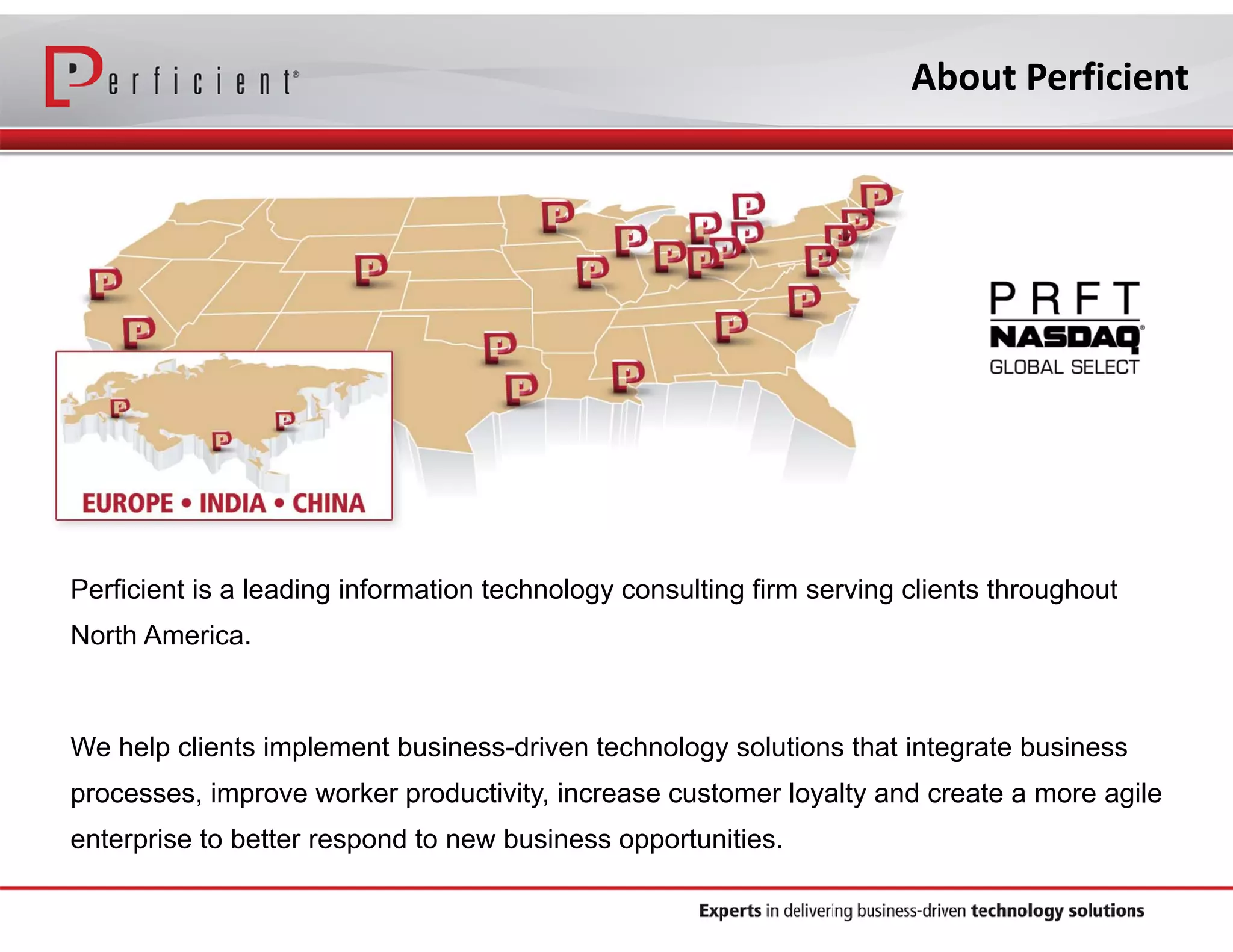
About Perficient

Perficient is a leading information technology consulting firm serving clients throughout
North America.

We help clients implement business-driven technology solutions that integrate business
processes, improve worker productivity, increase customer loyalty and create a more agile
enterprise to better respond to new business opportunities.
Perficient Profile

•

Founded in 1997

•

Public, NASDAQ: PRFT

•

2013 revenue ~$375 million

•

Major market locations throughout North America
•
Atlanta, Boston, Charlotte, Chicago, Cincinnati, Cleveland,
Columbus, Dallas, Denver, Detroit, Fairfax, Houston,
Indianapolis, Los Angeles, Minneapolis, New Orleans, New
York City, Northern California, Philadelphia, Southern
California, St. Louis, Toronto and Washington, D.C.

•

Global delivery centers in China, Europe and India

•

>2,100 colleagues

•

Dedicated solution practices

•

~90% repeat business rate

•

Alliance partnerships with major technology vendors

•

Multiple vendor/industry technology and growth awards
Our Solutions Expertise

BUSINESS SOLUTIONS

TECHNOLOGY SOLUTIONS

Business Intelligence
Business Process Management
Customer Experience and CRM
Enterprise Performance Management
Enterprise Resource Planning
Experience Design (XD)
Management Consulting

Business Integration/SOA
Cloud Services
Commerce
Content Management
Custom Application Development
Education
Information Management
Mobile Platforms
Platform Integration
Portal & Social
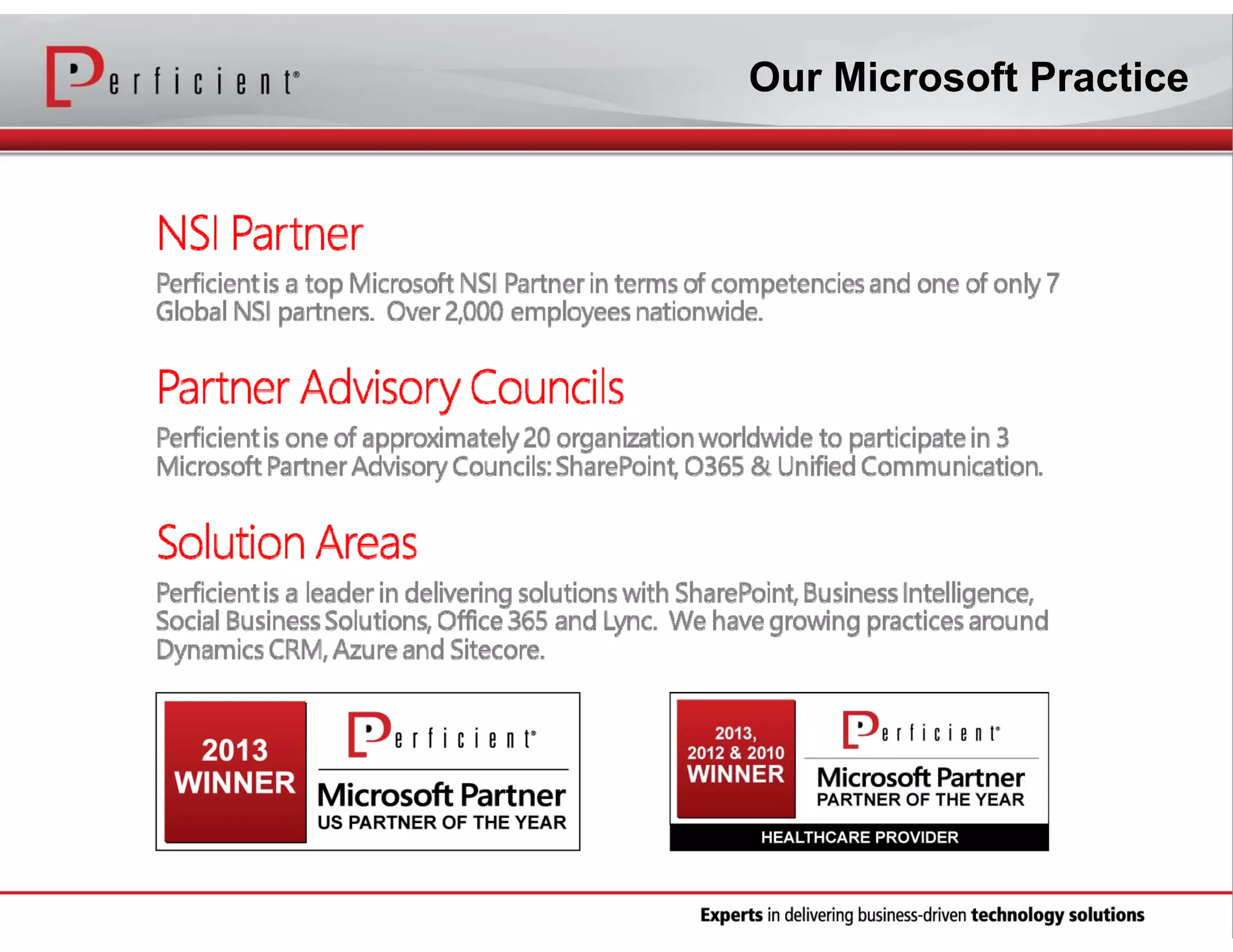
Our Microsoft Practice
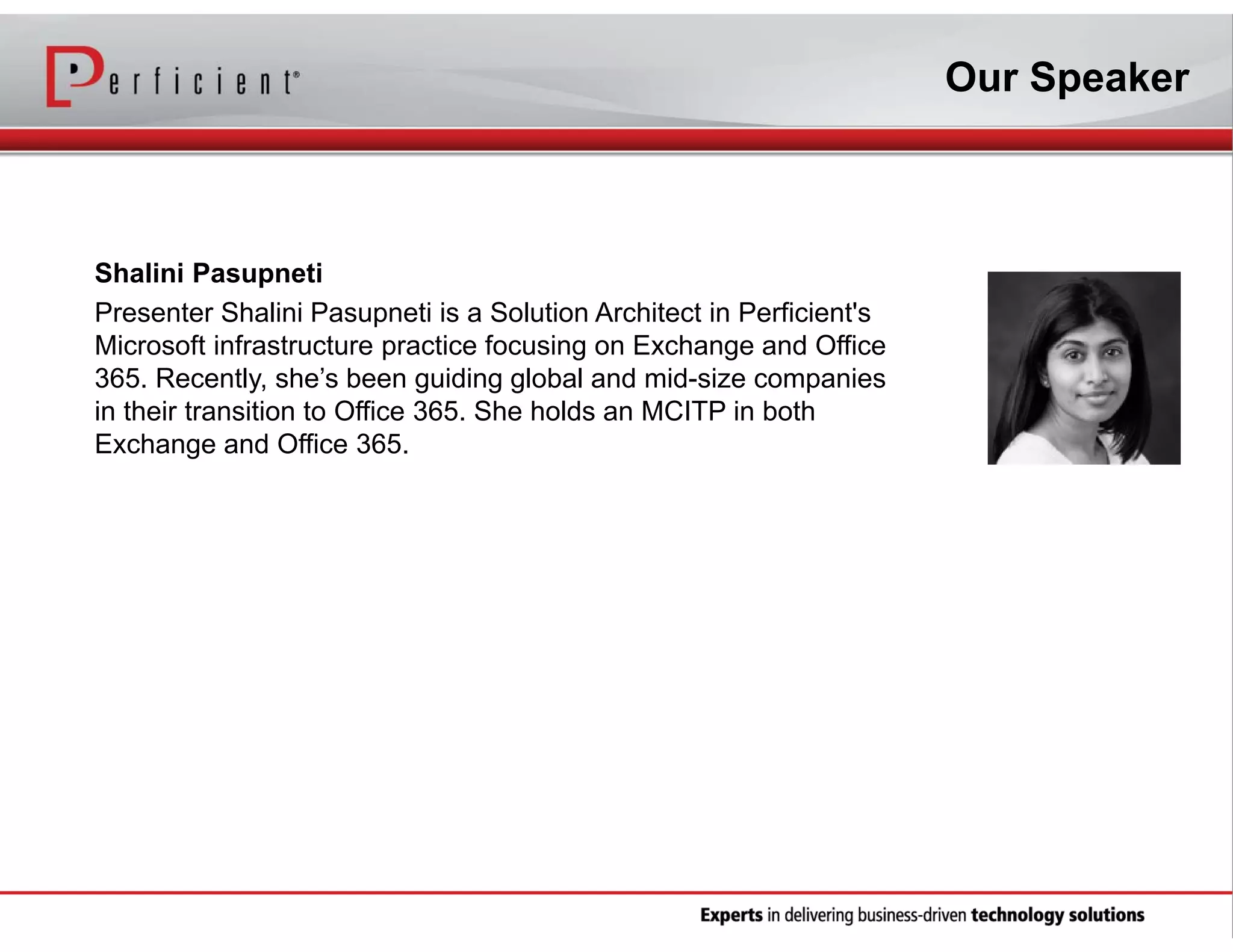
Our Speaker

Shalini Pasupneti
Presenter Shalini Pasupneti is a Solution Architect in Perficient's
Microsoft infrastructure practice focusing on Exchange and Office
365. Recently, she’s been guiding global and mid-size companies
in their transition to Office 365. She holds an MCITP in both
Exchange and Office 365.
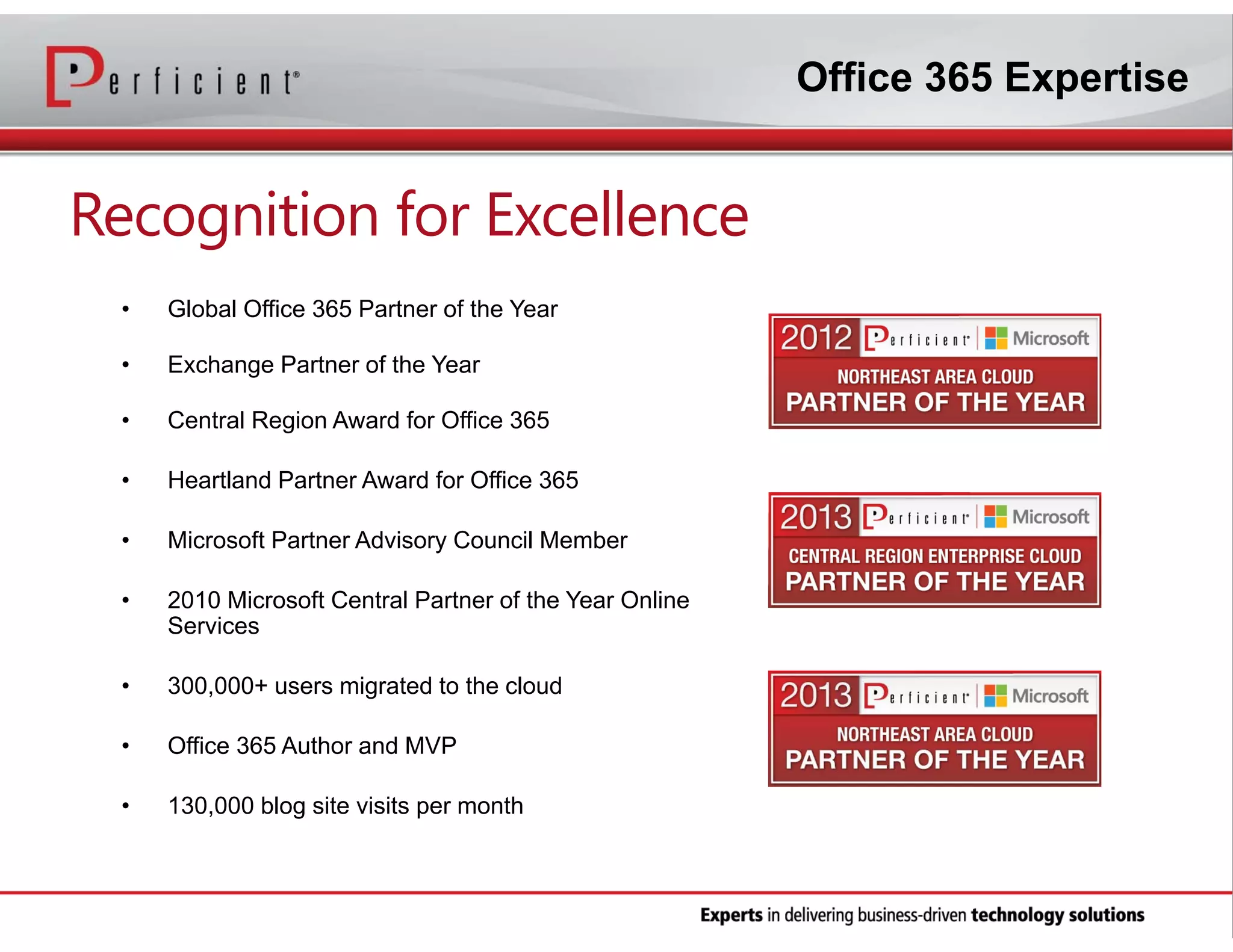
Office 365 Expertise

Recognition for Excellence
•

Global Office 365 Partner of the Year

•

Exchange Partner of the Year

•

Central Region Award for Office 365

•

Heartland Partner Award for Office 365

•

Microsoft Partner Advisory Council Member

•

2010 Microsoft Central Partner of the Year Online
Services

•

300,000+ users migrated to the cloud

•

Office 365 Author and MVP

•

130,000 blog site visits per month
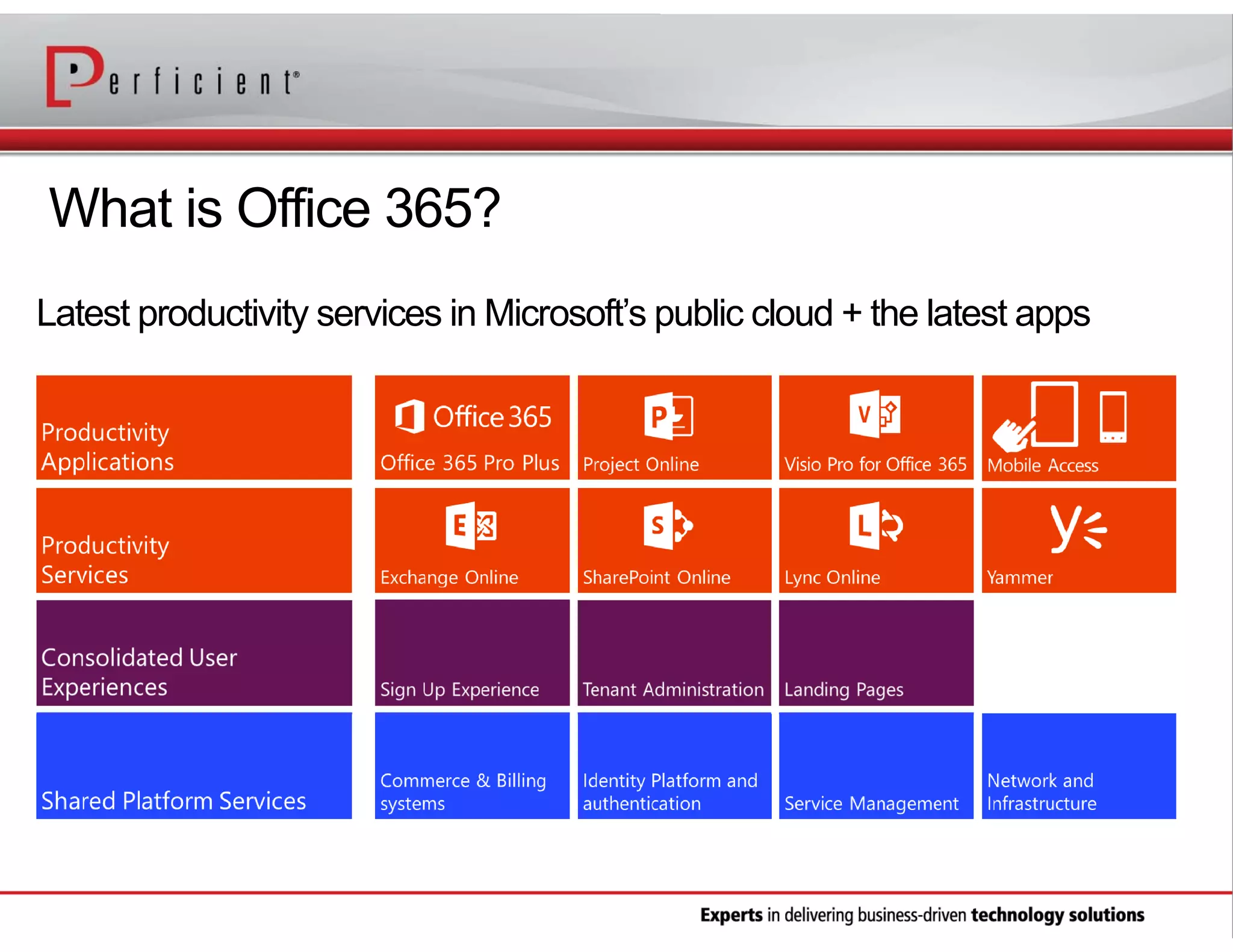
What is Office 365?
Latest productivity services in Microsoft’s public cloud + the latest apps
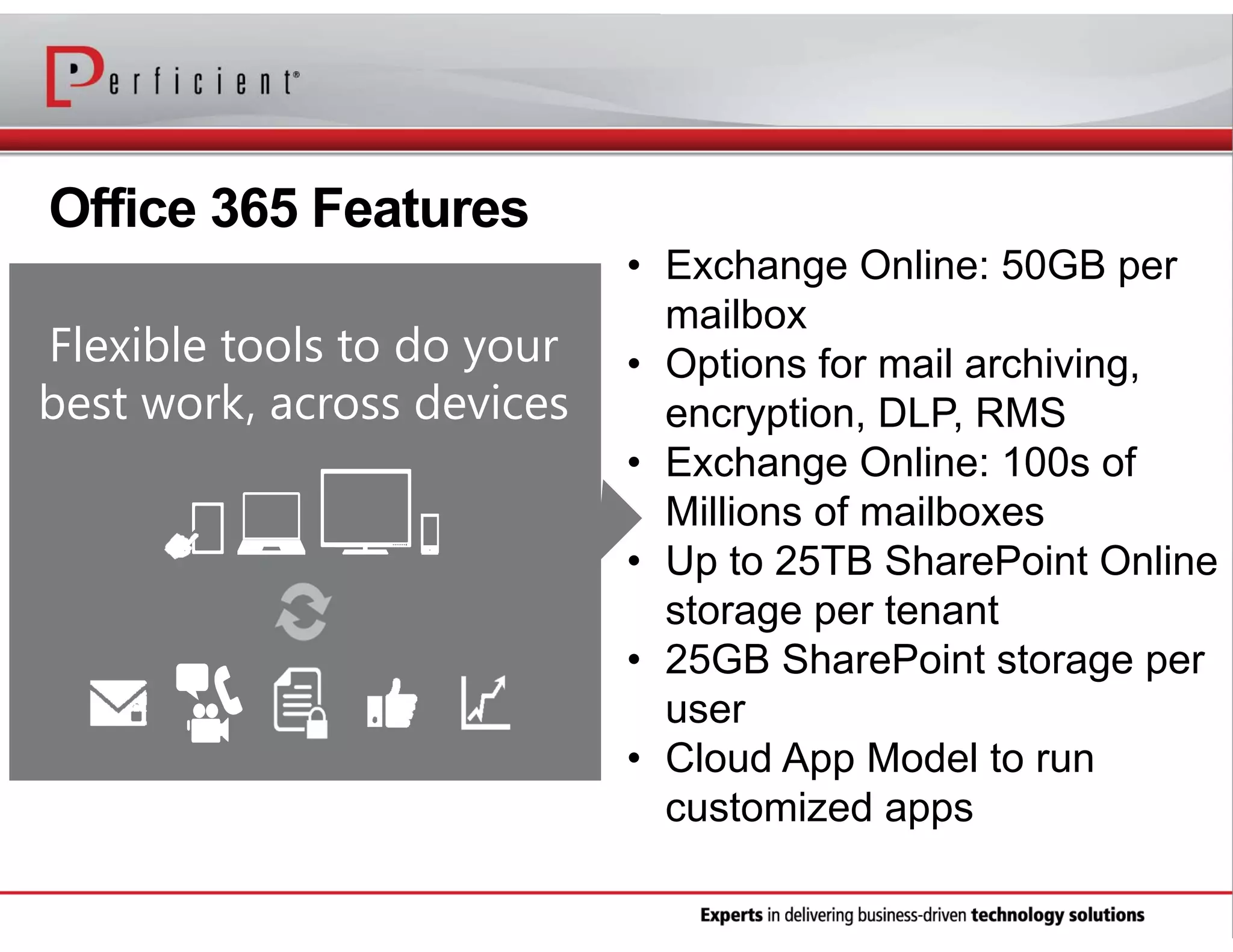
Office 365 Features
Flexible tools to do your
best work, across devices

• Exchange Online: 50GB per
mailbox
• Options for mail archiving,
encryption, DLP, RMS
• Exchange Online: 100s of
Millions of mailboxes
• Up to 25TB SharePoint Online
storage per tenant
• 25GB SharePoint storage per
user
• Cloud App Model to run
customized apps
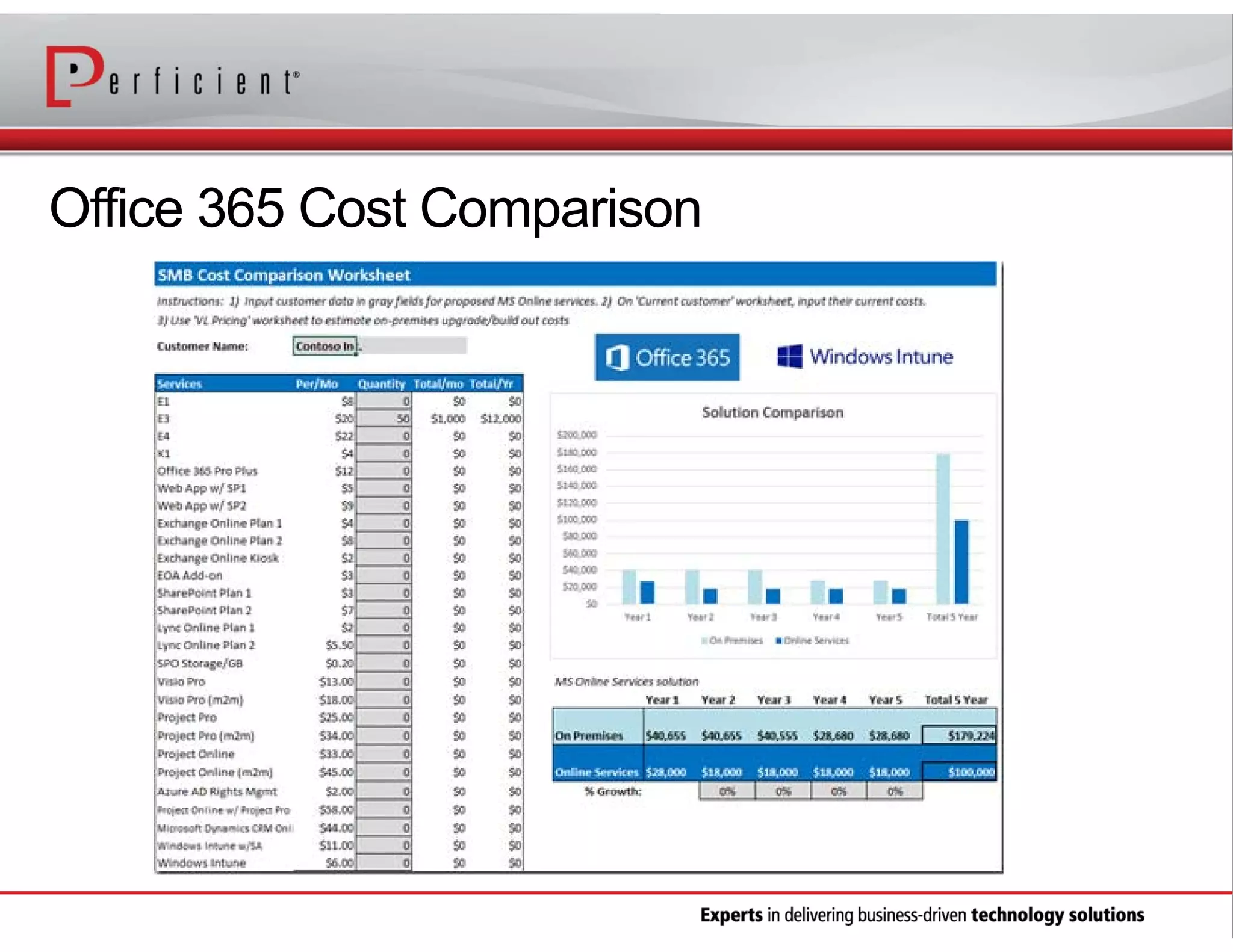
Office 365 Cost Comparison
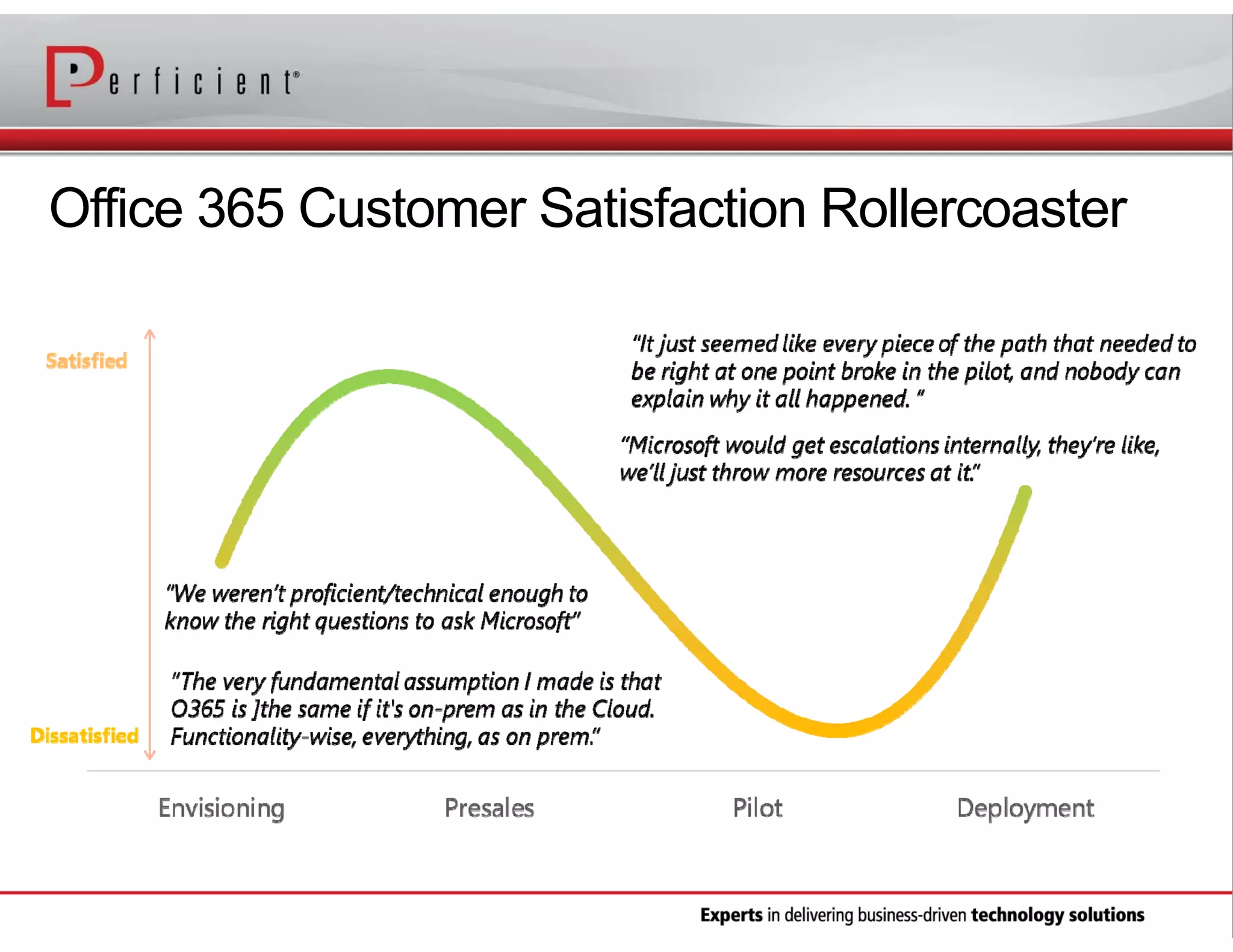
Office 365 Customer Satisfaction Rollercoaster
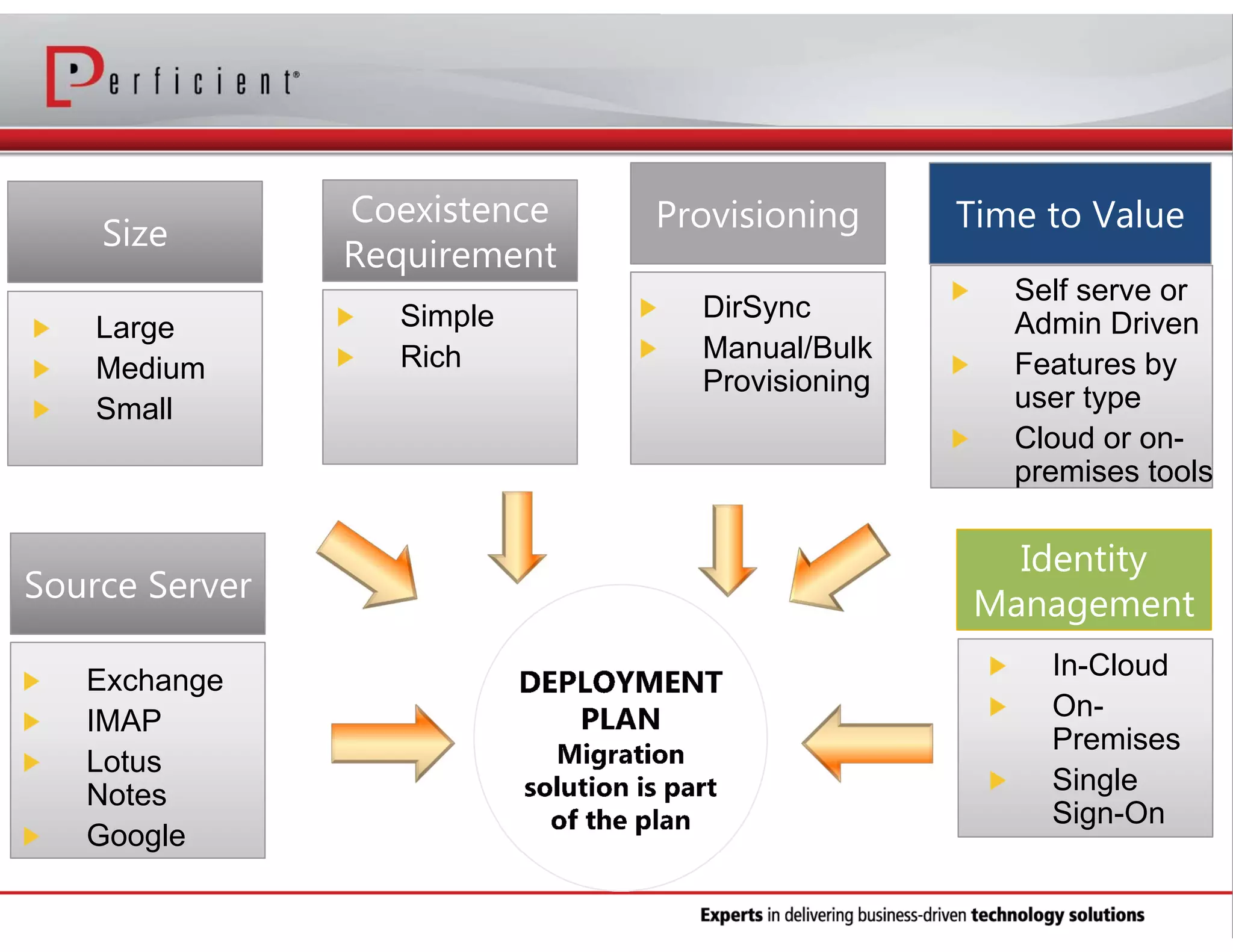
Large
Medium
Small

Exchange
IMAP
Lotus
Notes
Google
12 | Microsoft Confidential

Simple
Rich

DirSync
Manual/Bulk
Provisioning

Self serve or
Admin Driven
Features by
user type
Cloud or onpremises tools

In-Cloud
OnPremises
Single
Sign-On
Organization Readiness
• Office 365 On Ramp Tool
• Active Directory Readiness
• Topology
• IdFix
• AdModify
• Exchange Remote Connectivity Analyzer
https://www.testexchangeconnectivity.com

http://www.stevieg.org/tag/exchange-environment-report/
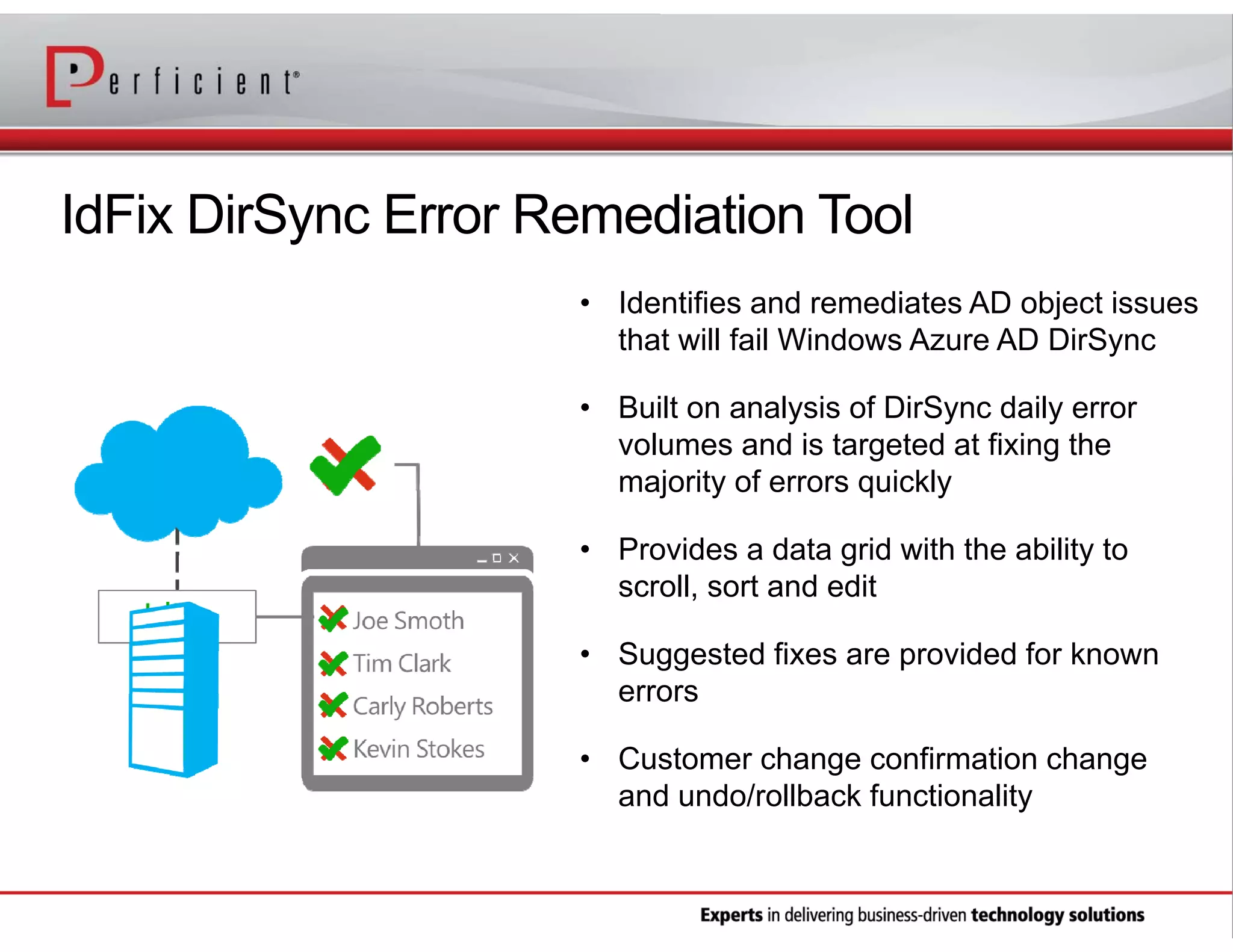
IdFix DirSync Error Remediation Tool
• Identifies and remediates AD object issues
that will fail Windows Azure AD DirSync
• Built on analysis of DirSync daily error
volumes and is targeted at fixing the
majority of errors quickly
• Provides a data grid with the ability to
scroll, sort and edit
• Suggested fixes are provided for known
errors
• Customer change confirmation change
and undo/rollback functionality
Client Readiness
• Do client desktops meet the minimum
requirements?
• What options exist for remediation?
• What version of Office and IE are in use today?
• What applications are in use today in the
organization?
• Is there software deployment solution in place to
deploy necessary Office 365 patches?
• Admin and help desk training
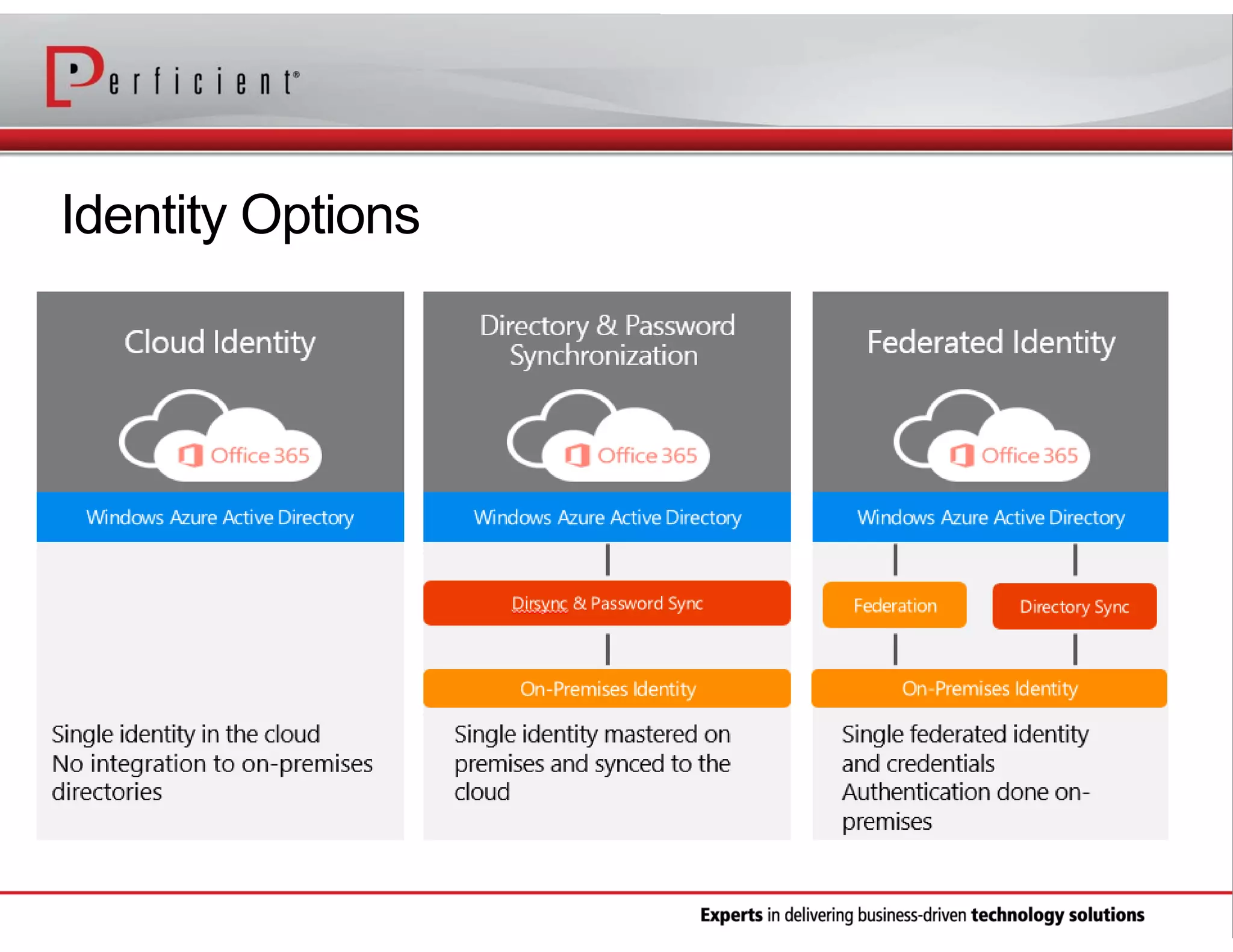
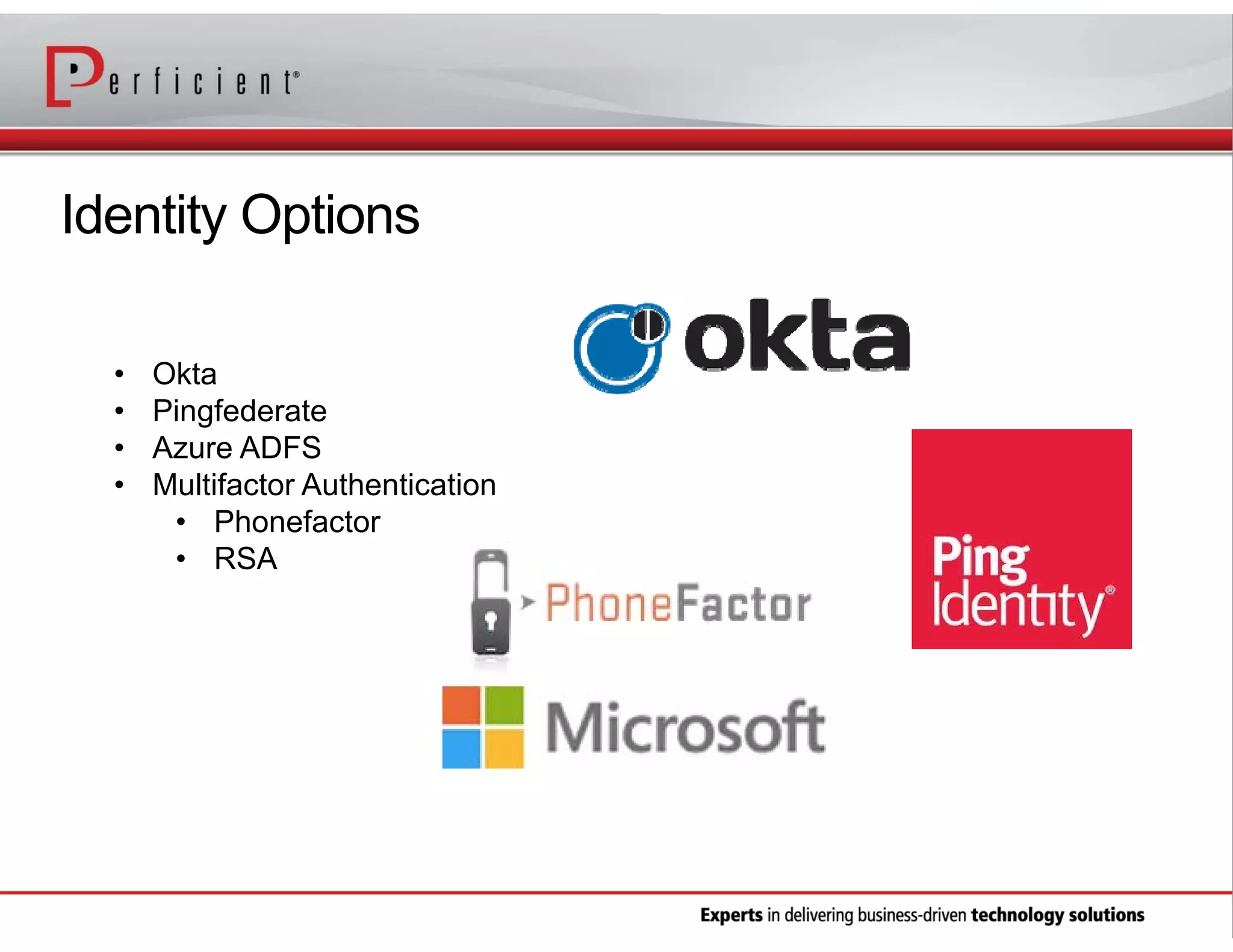
Identity Options
Identity Options
•
•
•
•

Okta
Pingfederate
Azure ADFS
Multifactor Authentication
• Phonefactor
• RSA
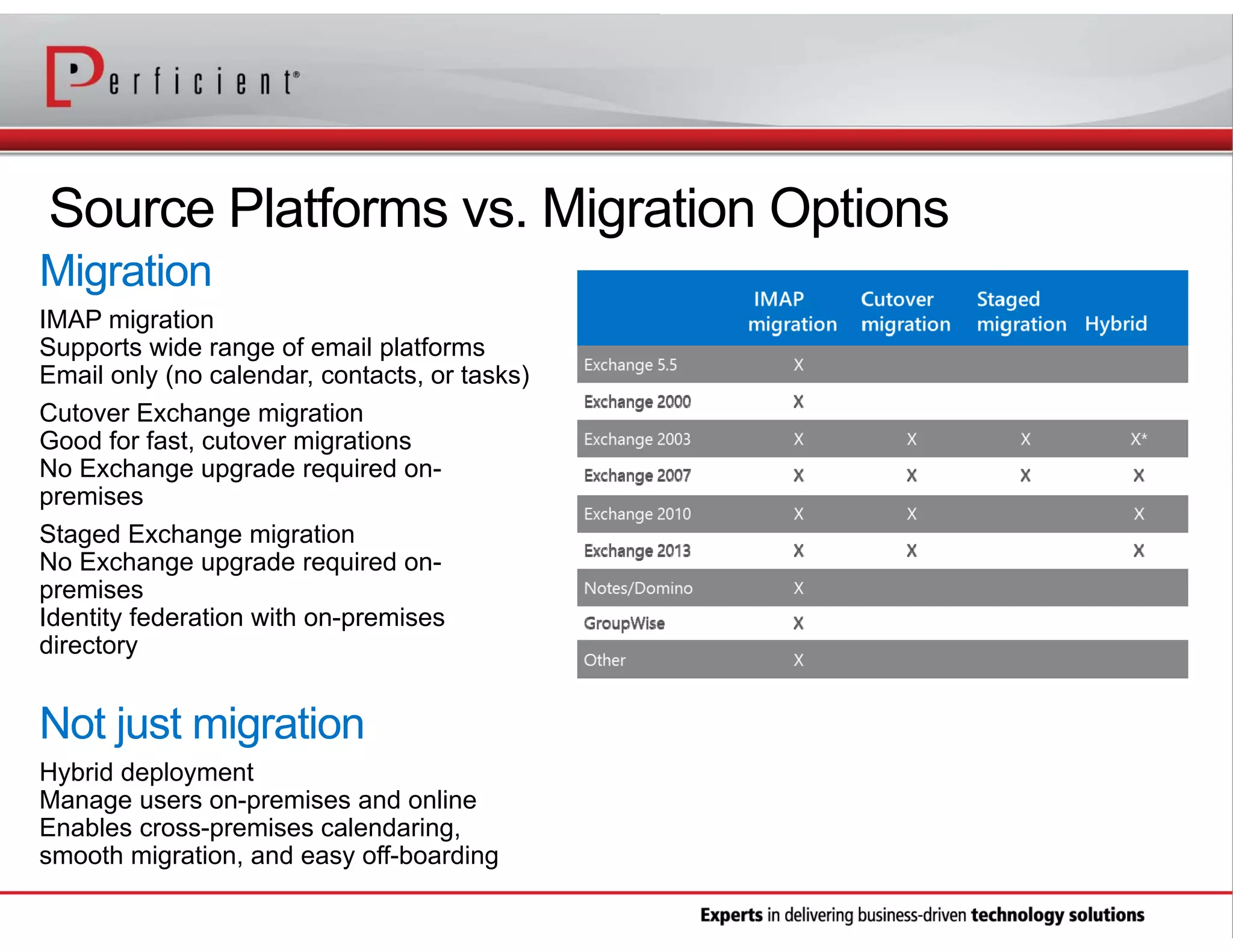
Source Platforms vs. Migration Options
IMAP migration
Supports wide range of email platforms
Email only (no calendar, contacts, or tasks)
Cutover Exchange migration
Good for fast, cutover migrations
No Exchange upgrade required onpremises
Staged Exchange migration
No Exchange upgrade required onpremises
Identity federation with on-premises
directory

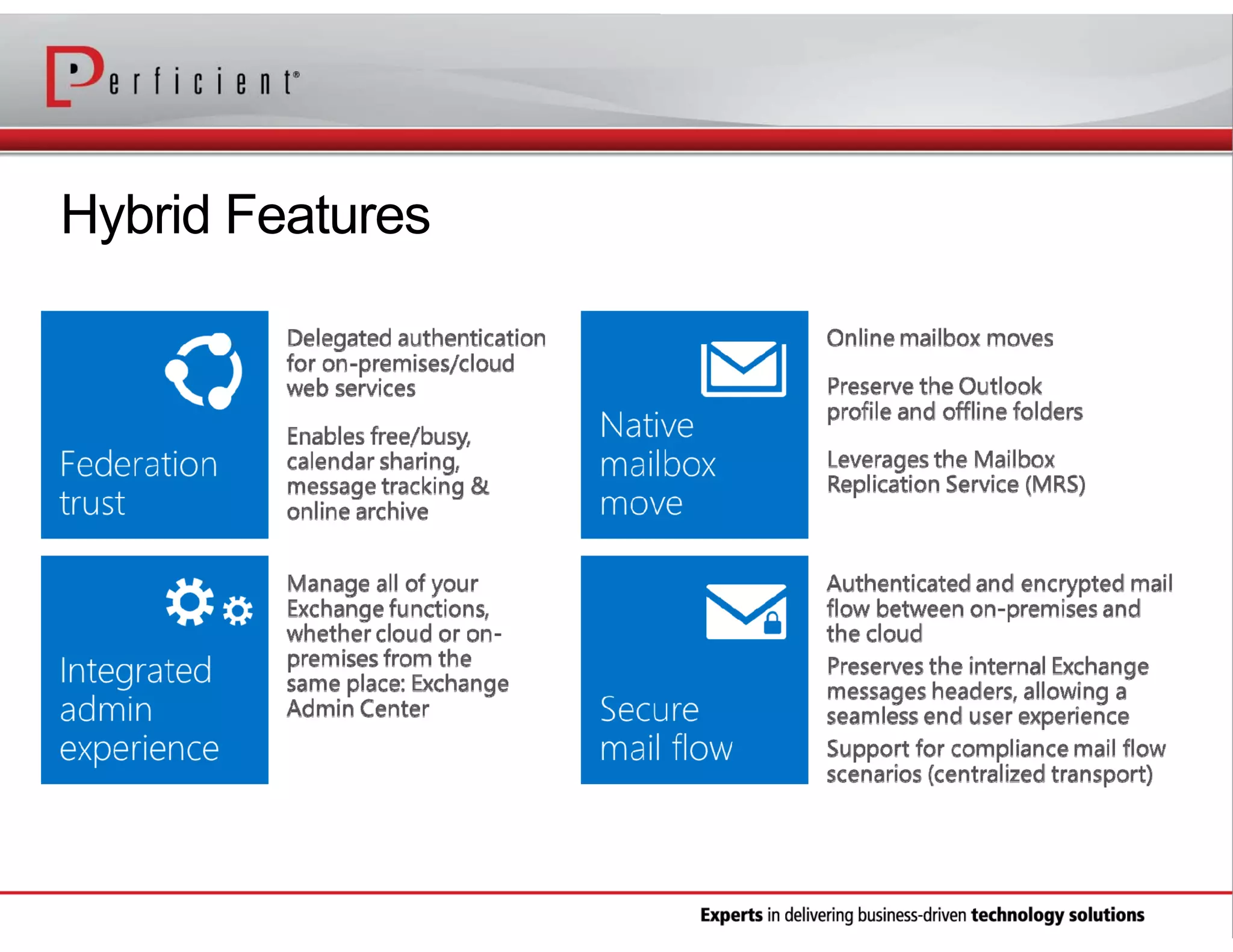
Hybrid deployment
Manage users on-premises and online
Enables cross-premises calendaring,
smooth migration, and easy off-boarding
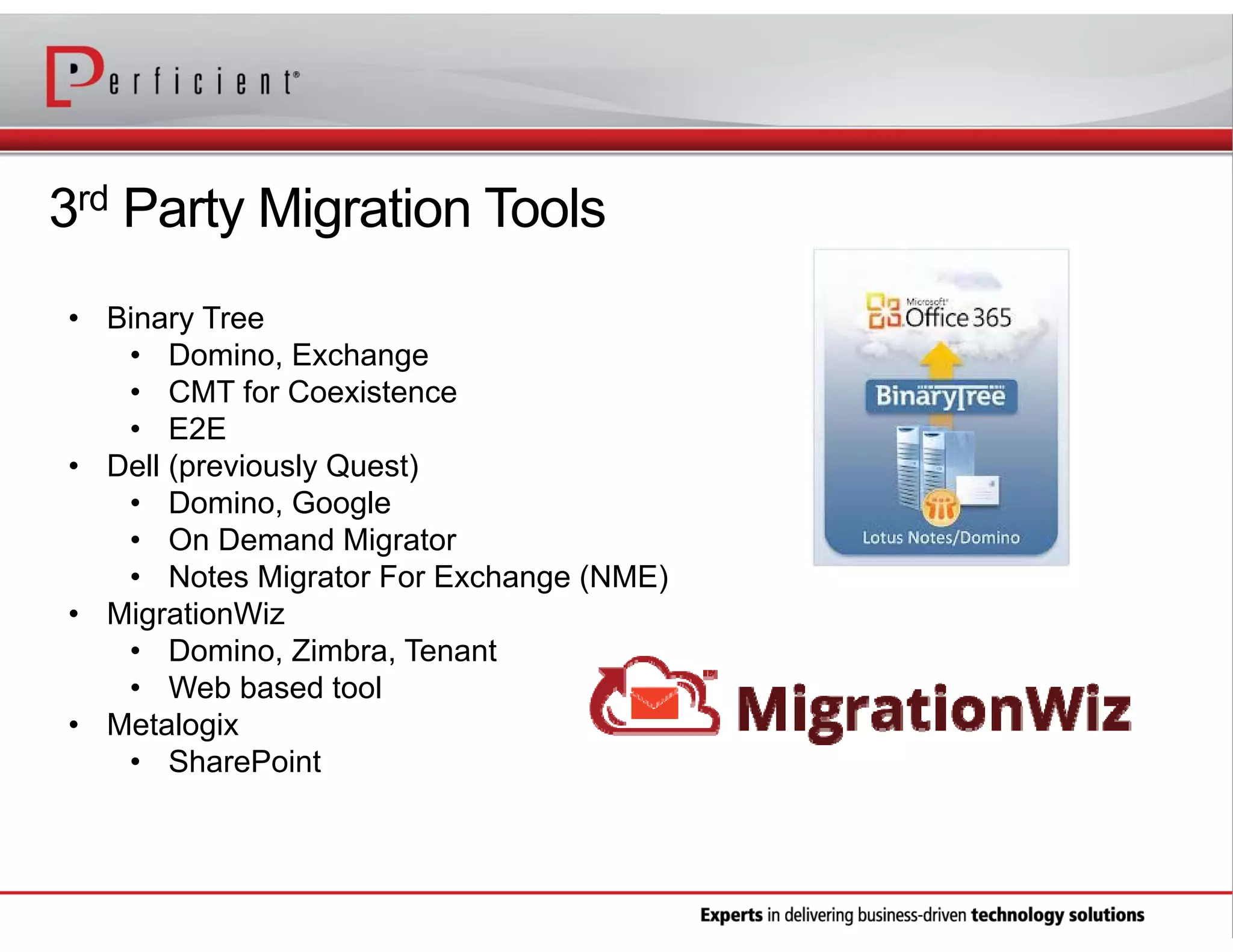
3rd Party Migration Tools
• Binary Tree
• Domino, Exchange
• CMT for Coexistence
• E2E
• Dell (previously Quest)
• Domino, Google
• On Demand Migrator
• Notes Migrator For Exchange (NME)
• MigrationWiz
• Domino, Zimbra, Tenant
• Web based tool
• Metalogix
• SharePoint
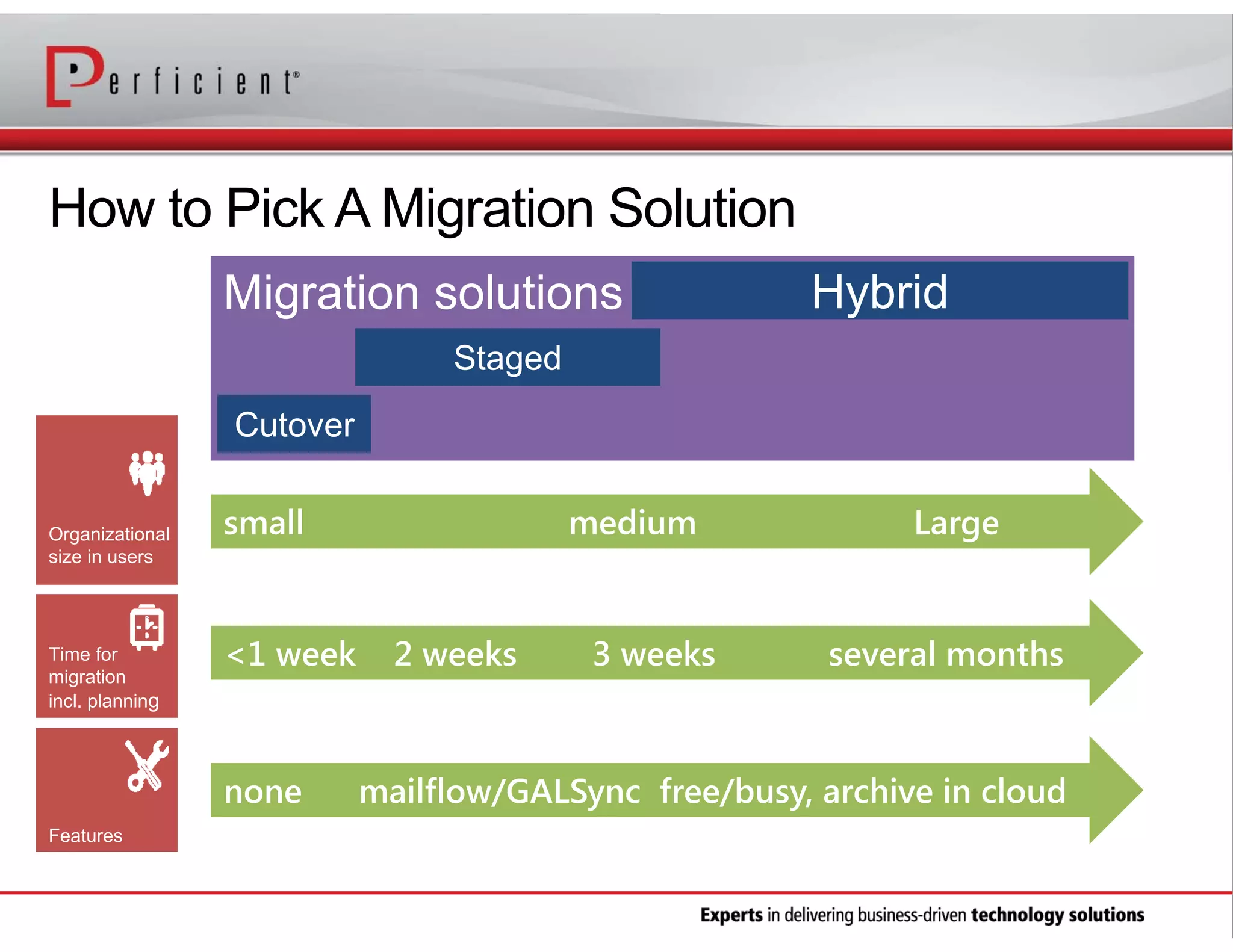
How to Pick A Migration Solution
Migration solutions

Hybrid

Staged
Cutover
Organizational
size in users

Time for
migration
incl. planning

small

<1 week

none
Features

medium

2 weeks

3 weeks

Large

several months

mailflow/GALSync free/busy, archive in cloud
Hybrid Features
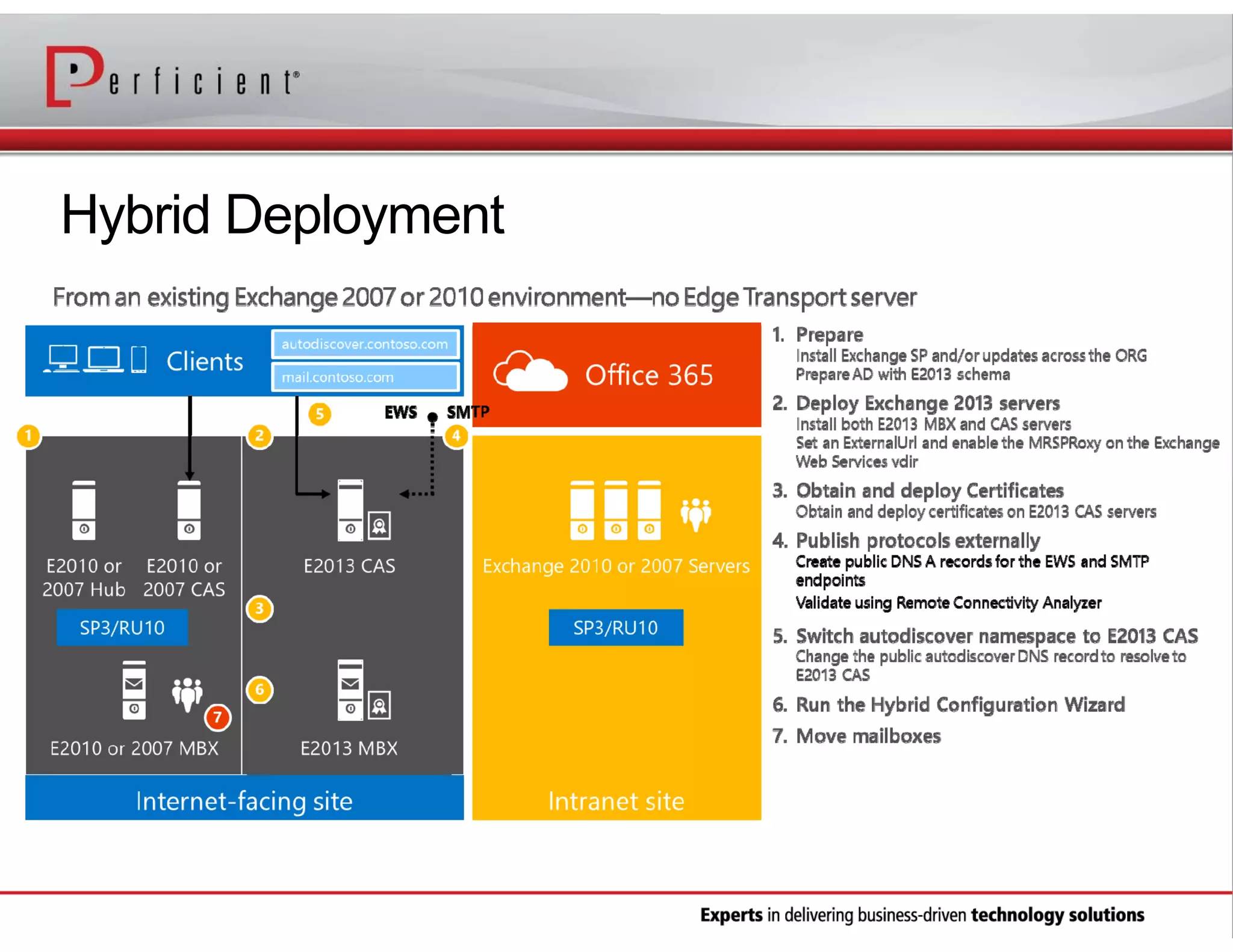
Hybrid Deployment
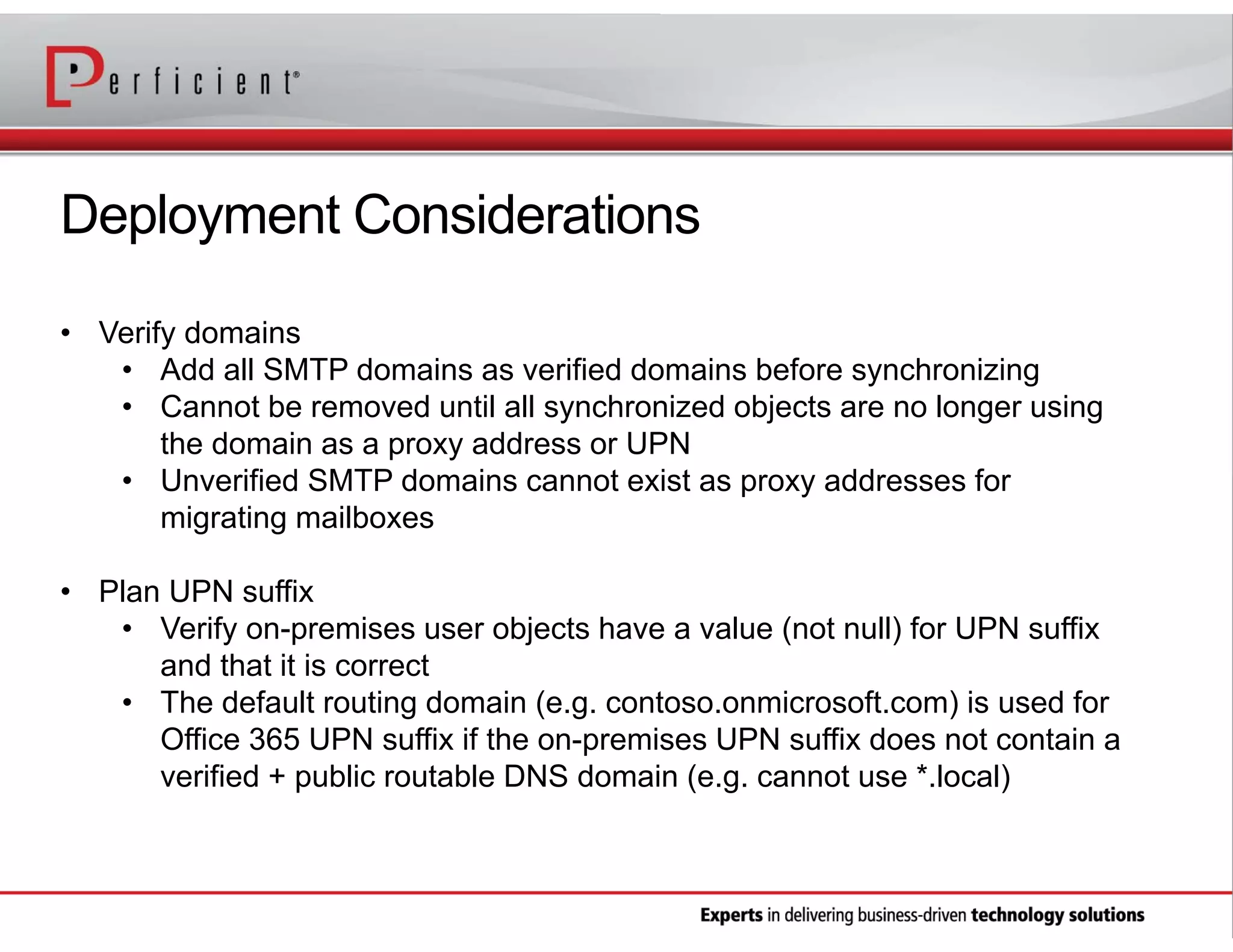
Deployment Considerations
• Verify domains
• Add all SMTP domains as verified domains before synchronizing
• Cannot be removed until all synchronized objects are no longer using
the domain as a proxy address or UPN
• Unverified SMTP domains cannot exist as proxy addresses for
migrating mailboxes
• Plan UPN suffix
• Verify on-premises user objects have a value (not null) for UPN suffix
and that it is correct
• The default routing domain (e.g. contoso.onmicrosoft.com) is used for
Office 365 UPN suffix if the on-premises UPN suffix does not contain a
verified + public routable DNS domain (e.g. cannot use *.local)
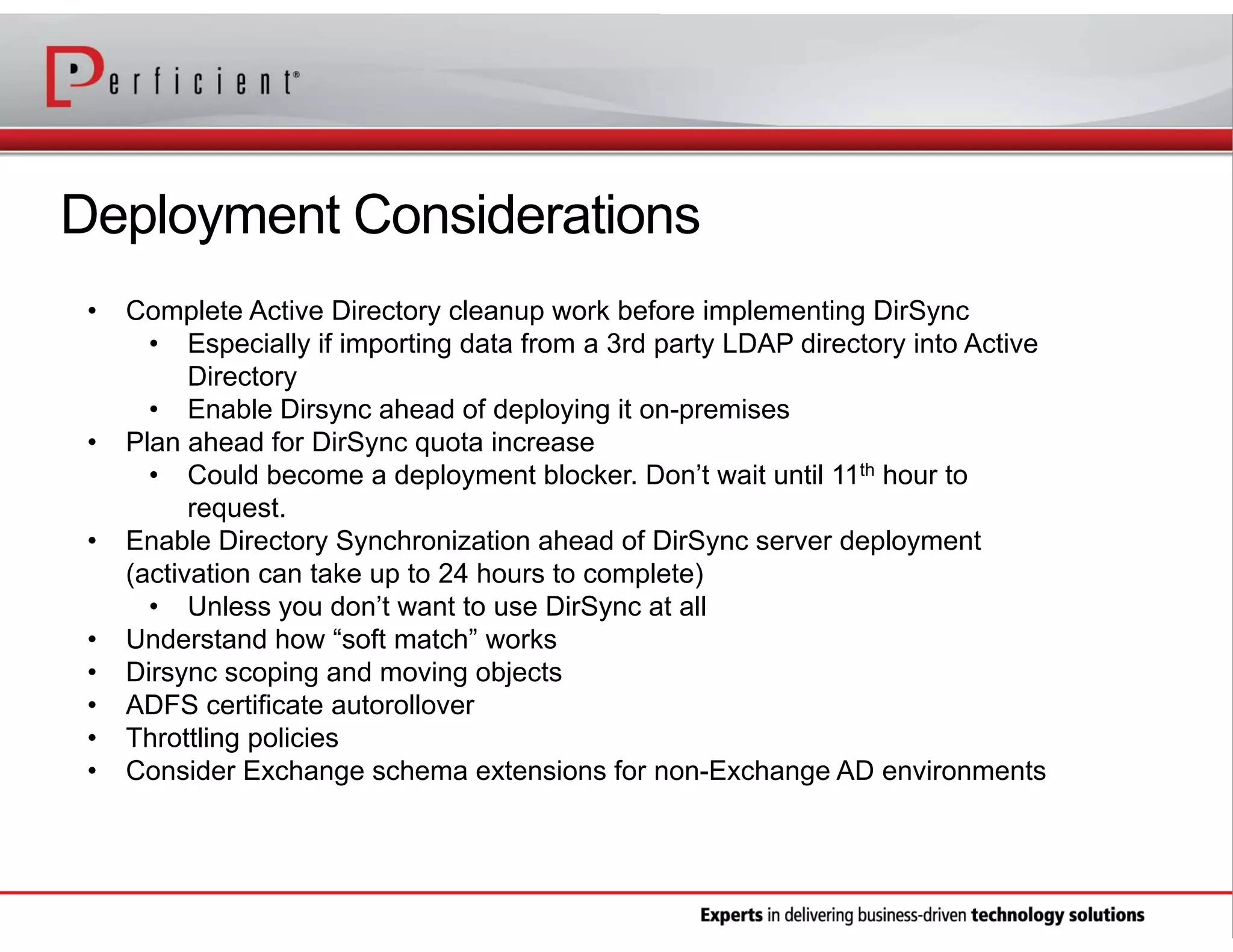
Deployment Considerations
•

•

•

•
•
•
•
•

Complete Active Directory cleanup work before implementing DirSync
• Especially if importing data from a 3rd party LDAP directory into Active
Directory
• Enable Dirsync ahead of deploying it on-premises
Plan ahead for DirSync quota increase
• Could become a deployment blocker. Don’t wait until 11th hour to
request.
Enable Directory Synchronization ahead of DirSync server deployment
(activation can take up to 24 hours to complete)
• Unless you don’t want to use DirSync at all
Understand how “soft match” works
Dirsync scoping and moving objects
ADFS certificate autorollover
Throttling policies
Consider Exchange schema extensions for non-Exchange AD environments
Hybrid Deployment Considerations
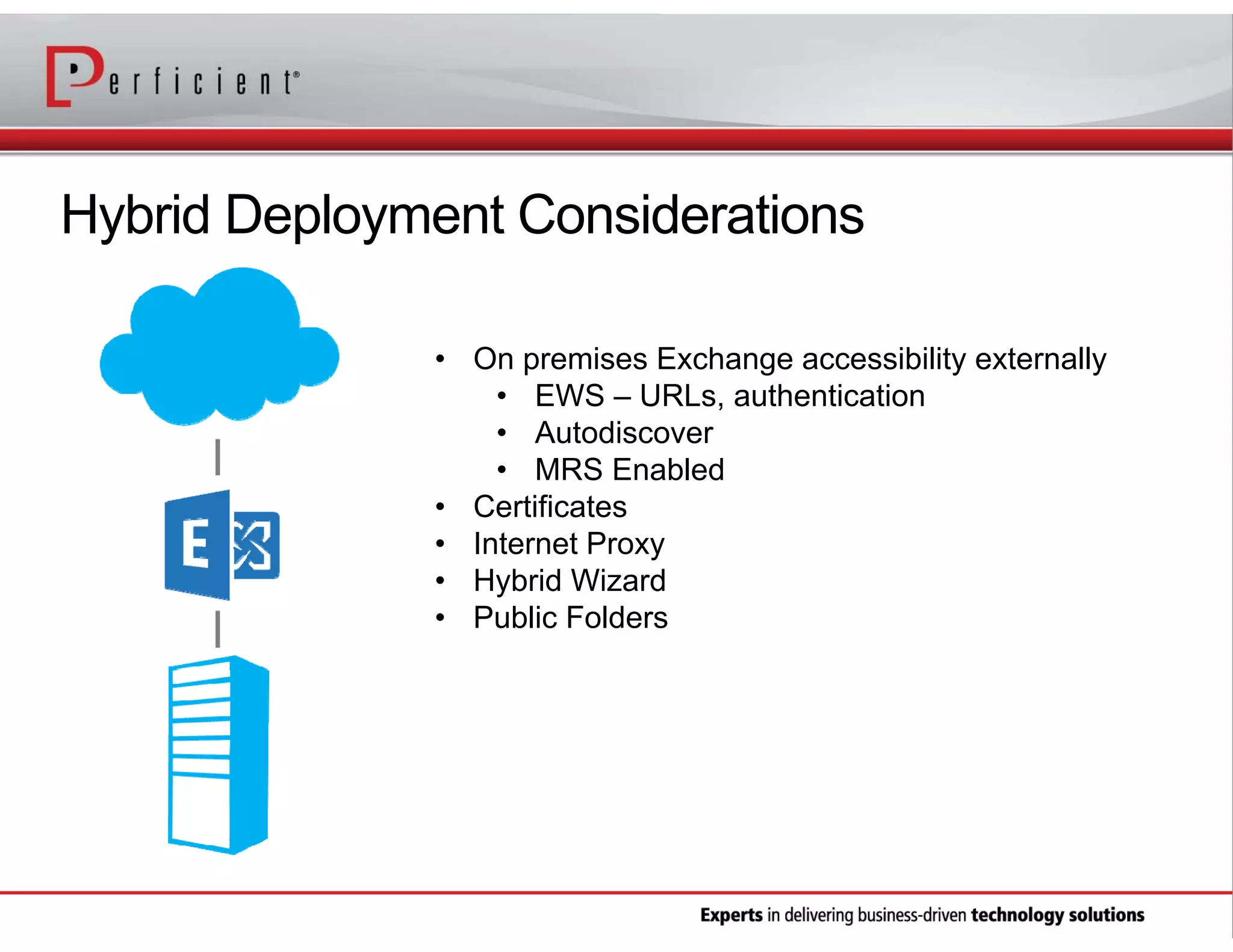
• On premises Exchange accessibility externally
• EWS – URLs, authentication
• Autodiscover
• MRS Enabled
• Certificates
• Internet Proxy
• Hybrid Wizard
• Public Folders
PowerShell is Your Friend!
•
•
•
•
•

Mailbox usage and size statistics reports
Mailboxes with large items
License users in bulk
Delegate users
Migration statistics

• Get-connectionbyclienttypedetailreport
• Get-stalemailboxreport
• Get-lastlogonstats
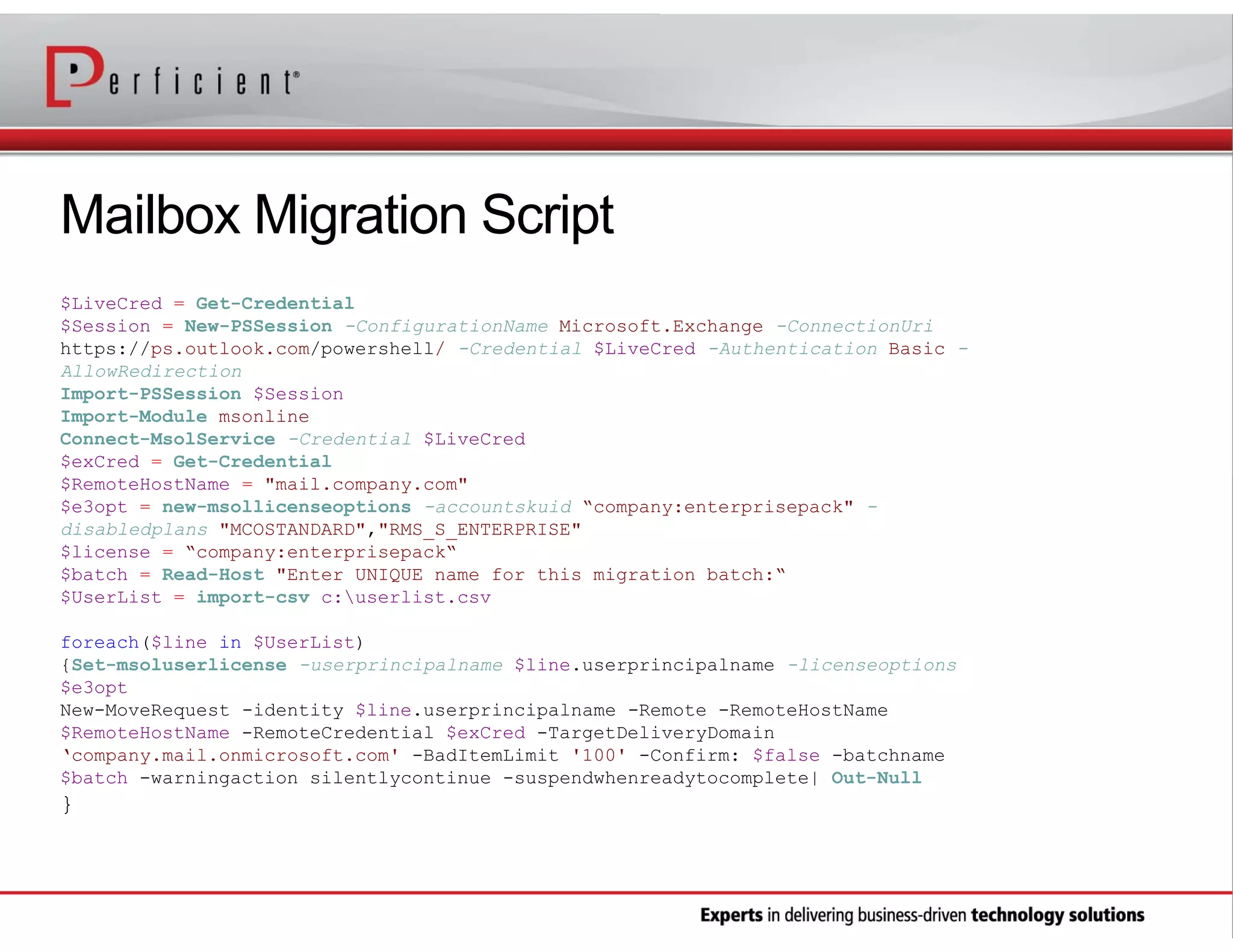
Mailbox Migration Script
$LiveCred = Get-Credential
$Session = New-PSSession -ConfigurationName Microsoft.Exchange -ConnectionUri
https://ps.outlook.com/powershell/ -Credential $LiveCred -Authentication Basic AllowRedirection
Import-PSSession $Session
Import-Module msonline
Connect-MsolService -Credential $LiveCred
$exCred = Get-Credential
$RemoteHostName = "mail.company.com"
$e3opt = new-msollicenseoptions -accountskuid “company:enterprisepack" disabledplans "MCOSTANDARD","RMS_S_ENTERPRISE"
$license = “company:enterprisepack“
$batch = Read-Host "Enter UNIQUE name for this migration batch:“
$UserList = import-csv c:userlist.csv
foreach($line in $UserList)
{Set-msoluserlicense -userprincipalname $line.userprincipalname -licenseoptions
$e3opt
New-MoveRequest -identity $line.userprincipalname -Remote -RemoteHostName
$RemoteHostName -RemoteCredential $exCred -TargetDeliveryDomain
‘company.mail.onmicrosoft.com' -BadItemLimit '100' -Confirm: $false -batchname
$batch -warningaction silentlycontinue -suspendwhenreadytocomplete| Out-Null

}
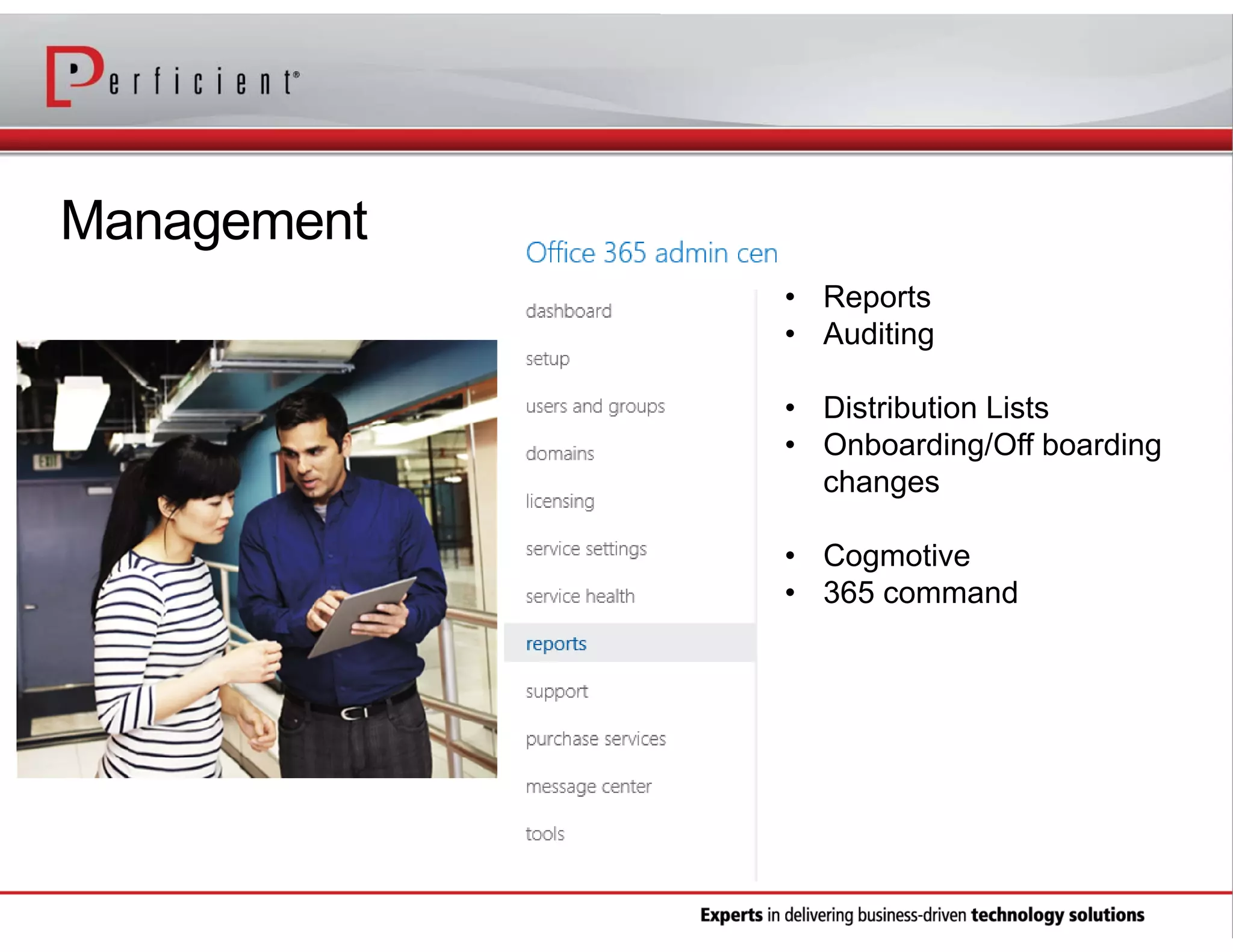
Management
• Reports
• Auditing
• Distribution Lists
• Onboarding/Off boarding
changes
• Cogmotive
• 365 command
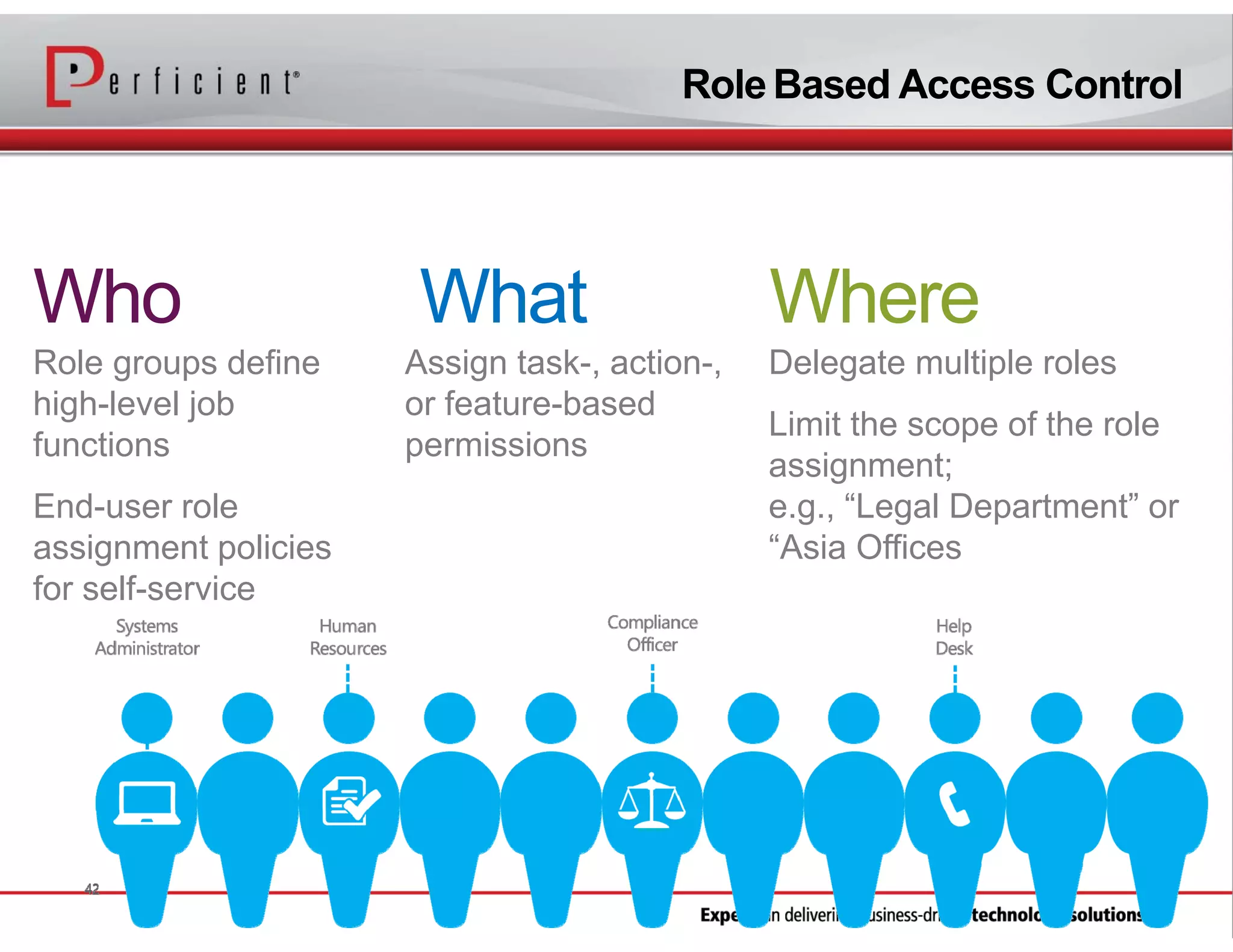
Role Based Access Control

Who
Role groups define
high-level job
functions
End-user role
assignment policies
for self-service

What
Assign task-, action-,
or feature-based
permissions

Where
Delegate multiple roles
Limit the scope of the role
assignment;
e.g., “Legal Department” or
“Asia Offices
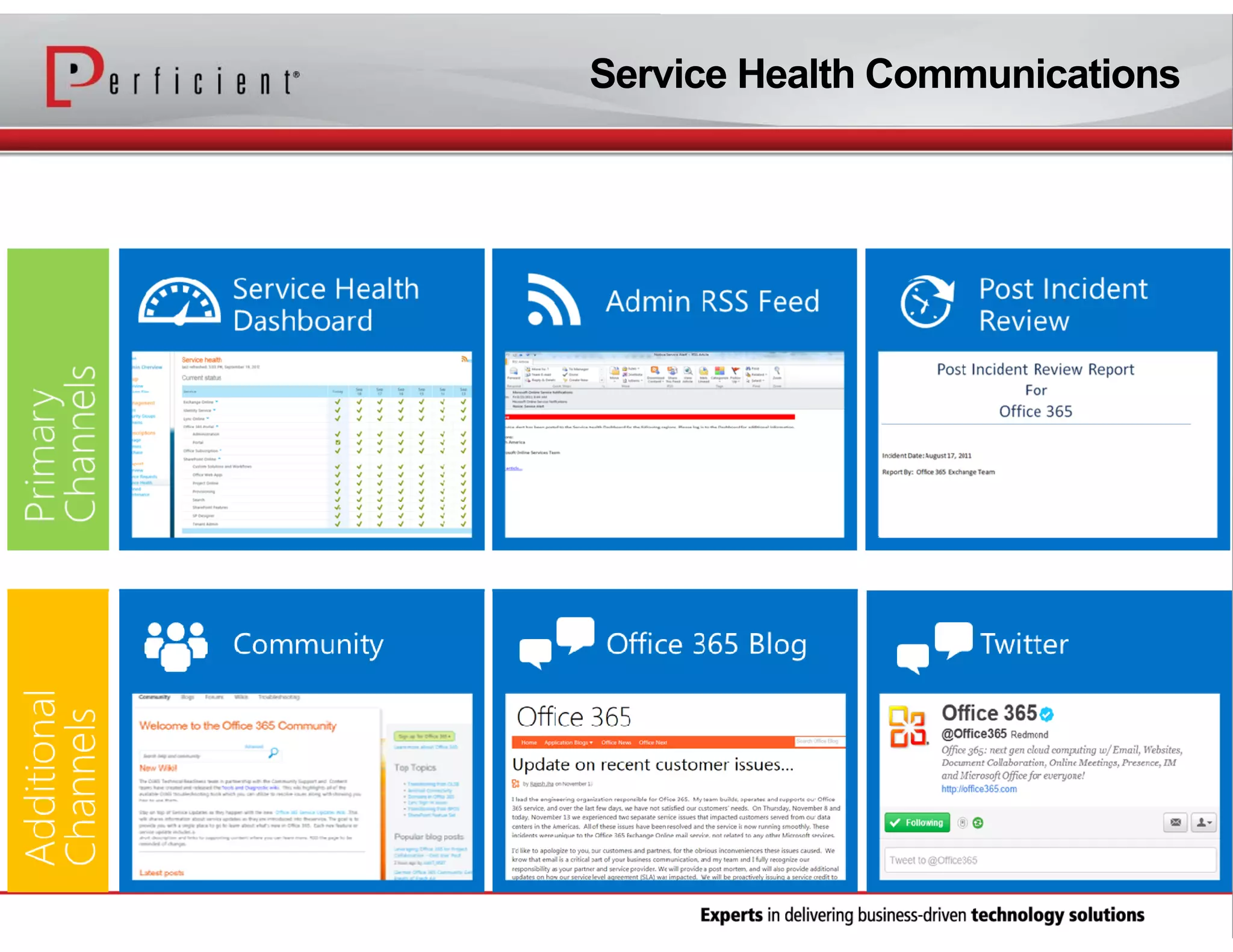
Service Health Communications
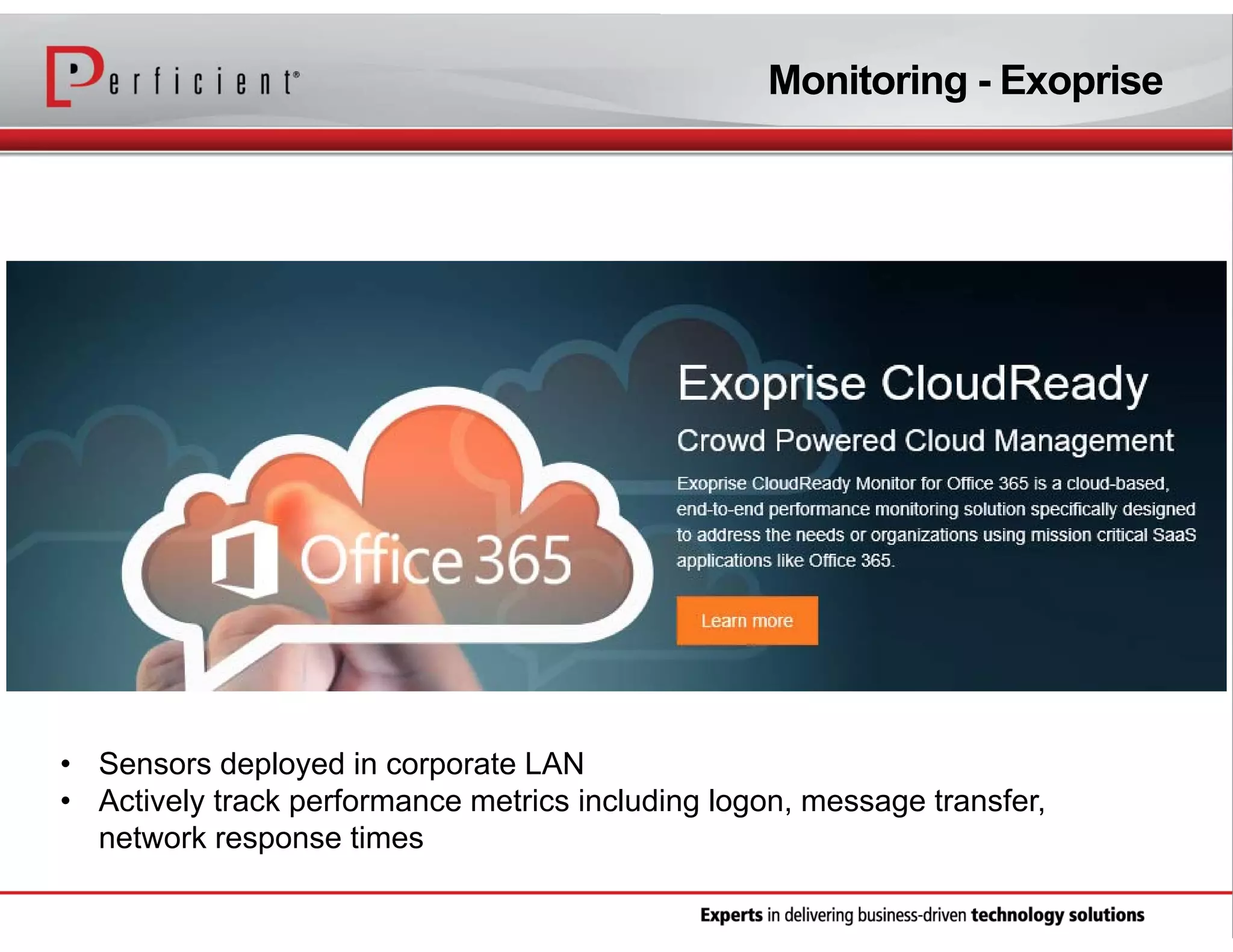
Monitoring - Exoprise

• Sensors deployed in corporate LAN
• Actively track performance metrics including logon, message transfer,
network response times
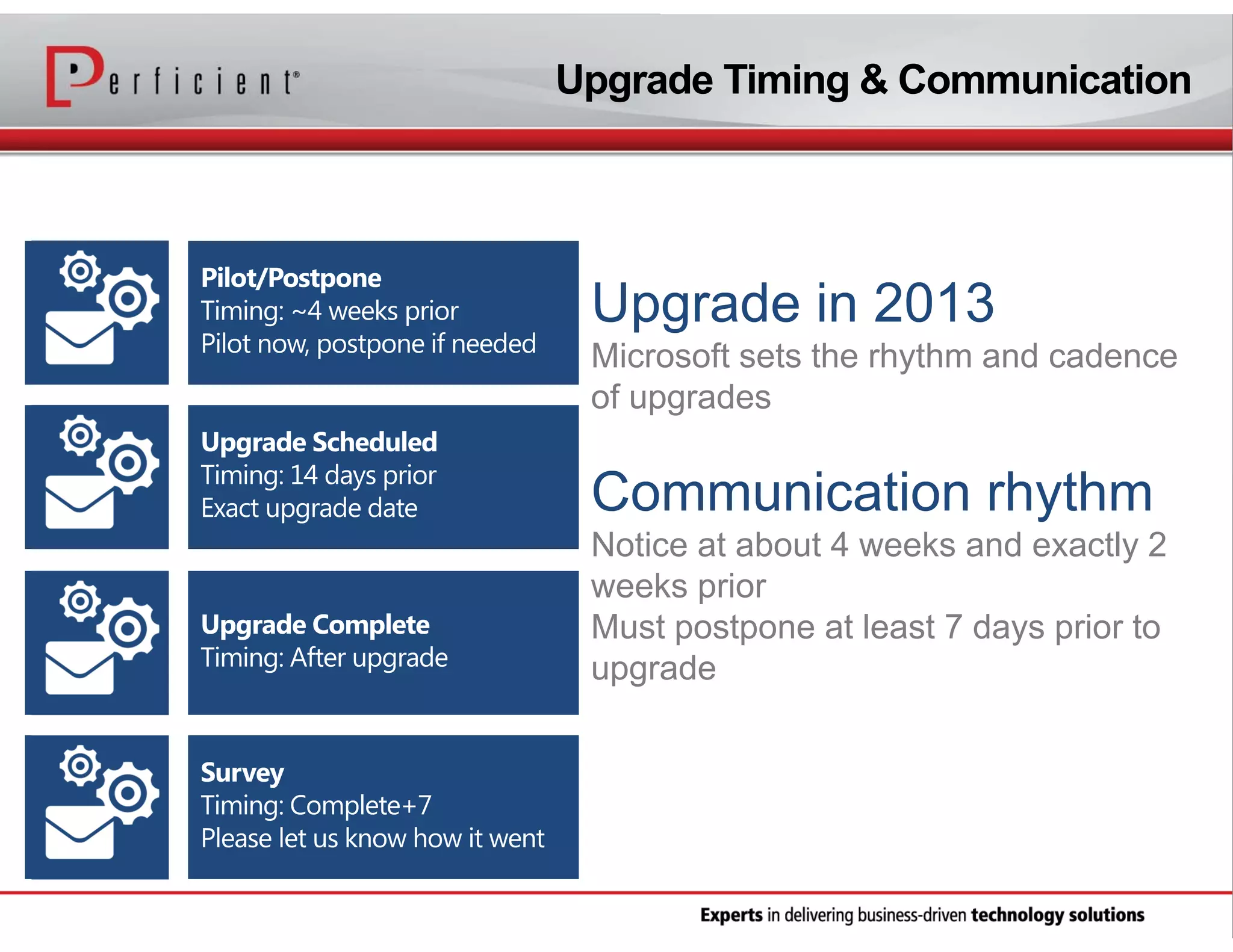
Upgrade Timing & Communication

Microsoft sets the rhythm and cadence
of upgrades

Notice at about 4 weeks and exactly 2
weeks prior
Must postpone at least 7 days prior to
upgrade
Connect with Perficient

SharePoint Hybrid
Scenarios That Make
Sense
bit.ly/1mD2T7M

Best practices When Migrating to Office 365

  • 1.
    Office 365 BestPractices facebook.com/perficient linkedin.com/company/perficient twitter.com/Perficient_MSFT
  • 2.
    About Perficient Perficient is aleading information technology consulting firm serving clients throughout North America. We help clients implement business-driven technology solutions that integrate business processes, improve worker productivity, increase customer loyalty and create a more agile enterprise to better respond to new business opportunities.
  • 3.
    Perficient Profile • Founded in1997 • Public, NASDAQ: PRFT • 2013 revenue ~$375 million • Major market locations throughout North America • Atlanta, Boston, Charlotte, Chicago, Cincinnati, Cleveland, Columbus, Dallas, Denver, Detroit, Fairfax, Houston, Indianapolis, Los Angeles, Minneapolis, New Orleans, New York City, Northern California, Philadelphia, Southern California, St. Louis, Toronto and Washington, D.C. • Global delivery centers in China, Europe and India • >2,100 colleagues • Dedicated solution practices • ~90% repeat business rate • Alliance partnerships with major technology vendors • Multiple vendor/industry technology and growth awards
  • 4.
    Our Solutions Expertise BUSINESSSOLUTIONS TECHNOLOGY SOLUTIONS Business Intelligence Business Process Management Customer Experience and CRM Enterprise Performance Management Enterprise Resource Planning Experience Design (XD) Management Consulting Business Integration/SOA Cloud Services Commerce Content Management Custom Application Development Education Information Management Mobile Platforms Platform Integration Portal & Social
  • 5.
  • 6.
    Our Speaker Shalini Pasupneti PresenterShalini Pasupneti is a Solution Architect in Perficient's Microsoft infrastructure practice focusing on Exchange and Office 365. Recently, she’s been guiding global and mid-size companies in their transition to Office 365. She holds an MCITP in both Exchange and Office 365.
  • 7.
    Office 365 Expertise Recognitionfor Excellence • Global Office 365 Partner of the Year • Exchange Partner of the Year • Central Region Award for Office 365 • Heartland Partner Award for Office 365 • Microsoft Partner Advisory Council Member • 2010 Microsoft Central Partner of the Year Online Services • 300,000+ users migrated to the cloud • Office 365 Author and MVP • 130,000 blog site visits per month
  • 8.
    What is Office365? Latest productivity services in Microsoft’s public cloud + the latest apps
  • 9.
    Office 365 Features Flexibletools to do your best work, across devices • Exchange Online: 50GB per mailbox • Options for mail archiving, encryption, DLP, RMS • Exchange Online: 100s of Millions of mailboxes • Up to 25TB SharePoint Online storage per tenant • 25GB SharePoint storage per user • Cloud App Model to run customized apps
  • 10.
    Office 365 CostComparison
  • 11.
    Office 365 CustomerSatisfaction Rollercoaster
  • 12.
    Large Medium Small Exchange IMAP Lotus Notes Google 12 | MicrosoftConfidential Simple Rich DirSync Manual/Bulk Provisioning Self serve or Admin Driven Features by user type Cloud or onpremises tools In-Cloud OnPremises Single Sign-On
  • 13.
    Organization Readiness • Office365 On Ramp Tool • Active Directory Readiness • Topology • IdFix • AdModify • Exchange Remote Connectivity Analyzer https://www.testexchangeconnectivity.com http://www.stevieg.org/tag/exchange-environment-report/
  • 14.
    IdFix DirSync ErrorRemediation Tool • Identifies and remediates AD object issues that will fail Windows Azure AD DirSync • Built on analysis of DirSync daily error volumes and is targeted at fixing the majority of errors quickly • Provides a data grid with the ability to scroll, sort and edit • Suggested fixes are provided for known errors • Customer change confirmation change and undo/rollback functionality
  • 15.
    Client Readiness • Doclient desktops meet the minimum requirements? • What options exist for remediation? • What version of Office and IE are in use today? • What applications are in use today in the organization? • Is there software deployment solution in place to deploy necessary Office 365 patches? • Admin and help desk training
  • 16.
  • 17.
  • 18.
    Source Platforms vs.Migration Options IMAP migration Supports wide range of email platforms Email only (no calendar, contacts, or tasks) Cutover Exchange migration Good for fast, cutover migrations No Exchange upgrade required onpremises Staged Exchange migration No Exchange upgrade required onpremises Identity federation with on-premises directory Hybrid deployment Manage users on-premises and online Enables cross-premises calendaring, smooth migration, and easy off-boarding
  • 19.
    3rd Party MigrationTools • Binary Tree • Domino, Exchange • CMT for Coexistence • E2E • Dell (previously Quest) • Domino, Google • On Demand Migrator • Notes Migrator For Exchange (NME) • MigrationWiz • Domino, Zimbra, Tenant • Web based tool • Metalogix • SharePoint
  • 20.
    How to PickA Migration Solution Migration solutions Hybrid Staged Cutover Organizational size in users Time for migration incl. planning small <1 week none Features medium 2 weeks 3 weeks Large several months mailflow/GALSync free/busy, archive in cloud
  • 21.
  • 22.
  • 23.
    Deployment Considerations • Verifydomains • Add all SMTP domains as verified domains before synchronizing • Cannot be removed until all synchronized objects are no longer using the domain as a proxy address or UPN • Unverified SMTP domains cannot exist as proxy addresses for migrating mailboxes • Plan UPN suffix • Verify on-premises user objects have a value (not null) for UPN suffix and that it is correct • The default routing domain (e.g. contoso.onmicrosoft.com) is used for Office 365 UPN suffix if the on-premises UPN suffix does not contain a verified + public routable DNS domain (e.g. cannot use *.local)
  • 24.
    Deployment Considerations • • • • • • • • Complete ActiveDirectory cleanup work before implementing DirSync • Especially if importing data from a 3rd party LDAP directory into Active Directory • Enable Dirsync ahead of deploying it on-premises Plan ahead for DirSync quota increase • Could become a deployment blocker. Don’t wait until 11th hour to request. Enable Directory Synchronization ahead of DirSync server deployment (activation can take up to 24 hours to complete) • Unless you don’t want to use DirSync at all Understand how “soft match” works Dirsync scoping and moving objects ADFS certificate autorollover Throttling policies Consider Exchange schema extensions for non-Exchange AD environments
  • 25.
    Hybrid Deployment Considerations •On premises Exchange accessibility externally • EWS – URLs, authentication • Autodiscover • MRS Enabled • Certificates • Internet Proxy • Hybrid Wizard • Public Folders
  • 26.
    PowerShell is YourFriend! • • • • • Mailbox usage and size statistics reports Mailboxes with large items License users in bulk Delegate users Migration statistics • Get-connectionbyclienttypedetailreport • Get-stalemailboxreport • Get-lastlogonstats
  • 27.
    Mailbox Migration Script $LiveCred= Get-Credential $Session = New-PSSession -ConfigurationName Microsoft.Exchange -ConnectionUri https://ps.outlook.com/powershell/ -Credential $LiveCred -Authentication Basic AllowRedirection Import-PSSession $Session Import-Module msonline Connect-MsolService -Credential $LiveCred $exCred = Get-Credential $RemoteHostName = "mail.company.com" $e3opt = new-msollicenseoptions -accountskuid “company:enterprisepack" disabledplans "MCOSTANDARD","RMS_S_ENTERPRISE" $license = “company:enterprisepack“ $batch = Read-Host "Enter UNIQUE name for this migration batch:“ $UserList = import-csv c:userlist.csv foreach($line in $UserList) {Set-msoluserlicense -userprincipalname $line.userprincipalname -licenseoptions $e3opt New-MoveRequest -identity $line.userprincipalname -Remote -RemoteHostName $RemoteHostName -RemoteCredential $exCred -TargetDeliveryDomain ‘company.mail.onmicrosoft.com' -BadItemLimit '100' -Confirm: $false -batchname $batch -warningaction silentlycontinue -suspendwhenreadytocomplete| Out-Null }
  • 28.
    Management • Reports • Auditing •Distribution Lists • Onboarding/Off boarding changes • Cogmotive • 365 command
  • 29.
    Role Based AccessControl Who Role groups define high-level job functions End-user role assignment policies for self-service What Assign task-, action-, or feature-based permissions Where Delegate multiple roles Limit the scope of the role assignment; e.g., “Legal Department” or “Asia Offices
  • 30.
  • 31.
    Monitoring - Exoprise •Sensors deployed in corporate LAN • Actively track performance metrics including logon, message transfer, network response times
  • 32.
    Upgrade Timing &Communication Microsoft sets the rhythm and cadence of upgrades Notice at about 4 weeks and exactly 2 weeks prior Must postpone at least 7 days prior to upgrade
  • 34.
    Connect with Perficient SharePointHybrid Scenarios That Make Sense bit.ly/1mD2T7M