






















Clean Code JavaScriptReadable, reusable, and refactorable JavaScript code
@rizafahmi
Clean Code
what
is
Best Practices
some
Tooling
some
Clean Code
what
is
“Any fool can write code that a
computer can understand. Good
programmers write code that humans
can understand.” 


—Martin Fowler
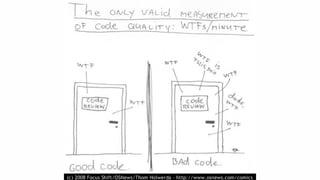
How to measure
code quality?
“Working code isn’t necessarily
good code. Your code also needs
to be easy to read, understand,
and modify.”
— Brandon Gregory
Clean Coderecap
Write code for human
Quality means easy to read,
understand, and modify
Best Practices
some
“There are only two hard things in
Computer Science: cache
invalidation and naming things.”
— Martin Fowler
Variables
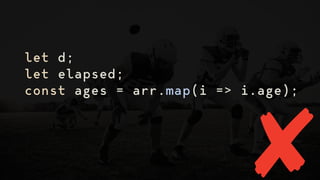
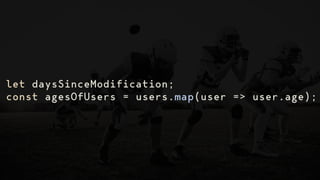
Intention-revealing,
searchable names
let d;
let elapsed;
const ages = arr.map(i => i.age);
let daysSinceModification;
const agesOfUsers = users.map(user => user.age);
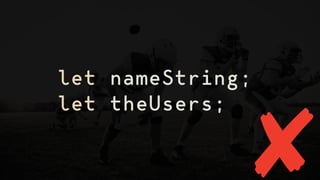
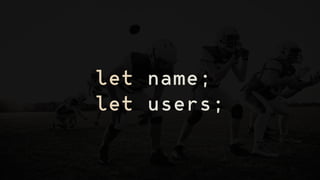
Meaningful distinctions and don't
add extra, unnecessary nouns
let nameString;
let theUsers;
let name;
let users;
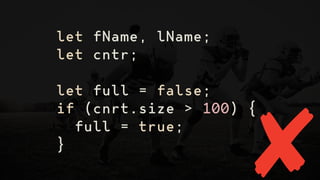
Easy to pronounce
let fName, lName;
let cntr;
let full = false;
if (cnrt.size > 100) {
full = true;
}
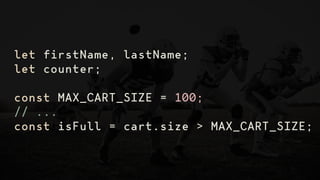
let firstName, lastName;
let counter;
const MAX_CART_SIZE = 100;
// ...
const isFull = cart.size > MAX_CART_SIZE;
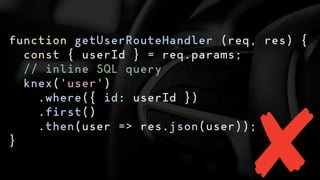
Functions
“Functions should do one thing.
They should do it well. They should
do it only.” — Robert C. Martin
function getUserRouteHandler (req, res) {
const { userId } = req.params;
// inline SQL query
knex('user')
.where({ id: userId })
.first()
.then(user => res.json(user));
}
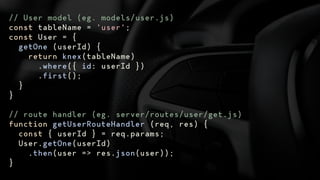
// User model (eg. models/user.js)
const tableName = 'user';
const User = {
getOne (userId) {
return knex(tableName)
.where({ id: userId })
.first();
}
}
// route handler (eg. server/routes/user/get.js)
function getUserRouteHandler (req, res) {
const { userId } = req.params;
User.getOne(userId)
.then(user => res.json(user));
}
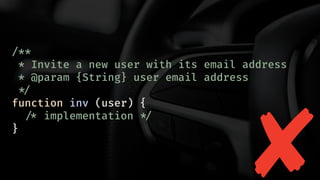
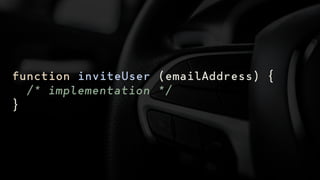
Use long, descriptive names
/**
* Invite a new user with its email address
* @param {String} user email address
!*/
function inv (user) {
!/* implementation !*/
}
function inviteUser (emailAddress) {
/* implementation */
}
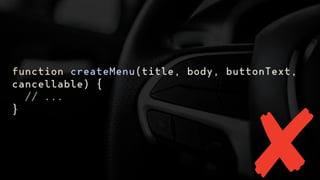
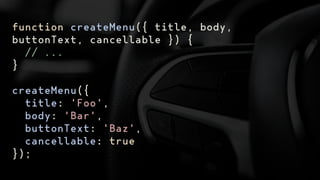
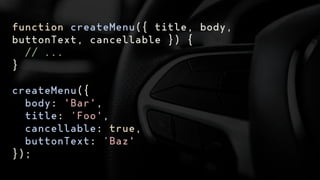
Avoid long argument list
function createMenu(title, body, buttonText,
cancellable) {
// ...
}
function createMenu({ title, body,
buttonText, cancellable }) {
// ...
}
createMenu({
title: 'Foo',
body: 'Bar',
buttonText: 'Baz',
cancellable: true
});
function createMenu({ title, body,
buttonText, cancellable }) {
// ...
}
createMenu({
body: 'Bar',
title: ‘Foo',
cancellable: true,
buttonText: ‘Baz'
});
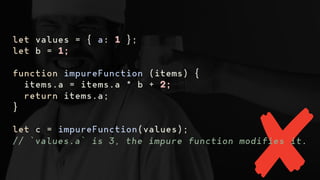
Reduce side effect
let values = { a: 1 };
let b = 1;
function impureFunction (items) {
items.a = items.a * b + 2;
return items.a;
}
let c = impureFunction(values);
// `values.a` is 3, the impure function modifies it.
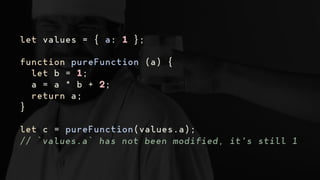
let values = { a: 1 };
function pureFunction (a) {
let b = 1;
a = a * b + 2;
return a;
}
let c = pureFunction(values.a);
// `values.a` has not been modified, it's still 1
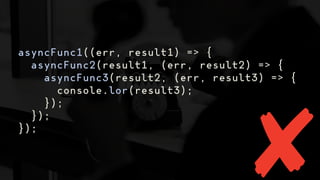
Avoid callbacks
asyncFunc1((err, result1) => {
asyncFunc2(result1, (err, result2) => {
asyncFunc3(result2, (err, result3) => {
console.lor(result3);
});
});
});
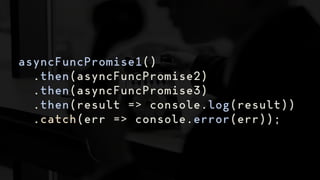
asyncFuncPromise1()
.then(asyncFuncPromise2)
.then(asyncFuncPromise3)
.then(result => console.log(result))
.catch(err => console.error(err));
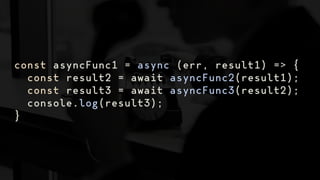
const asyncFunc1 = async (err, result1) => {
const result2 = await asyncFunc2(result1);
const result3 = await asyncFunc3(result2);
console.log(result3);
}
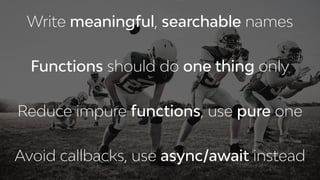
Best Practicesrecap
Write meaningful, searchable names
Functions should do one thing only
Avoid callbacks, use async/await instead
Reduce impure functions, use pure one
Tooling
some
eslint
Tool that analyzes source code to
flag programming errors, bugs,
stylistic errors, and suspicious
constructs.
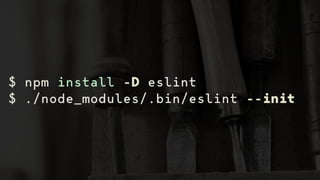
$ npm install -D eslint
$ ./node_modules/.bin/eslint --init
{
"env": {
"browser": true,
"commonjs": true,
"es6": true
},
"extends": "eslint:recommended",
"parserOptions": {
"ecmaVersion": 2018,
"sourceType": "module"
},
"rules": {
"indent": [
"error",
2
],
"linebreak-style": [
"error",
"unix"
],
"quotes": [
"error",
"single"
],
"semi": [
"error",
"always"
]
}
}
.eslintrc.json
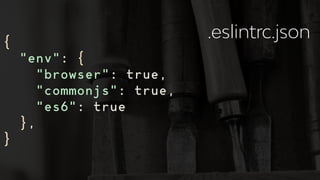
{
"env": {
"browser": true,
"commonjs": true,
"es6": true
},
}
.eslintrc.json
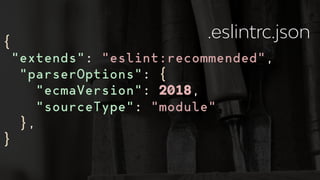
{
"extends": "eslint:recommended",
"parserOptions": {
"ecmaVersion": 2018,
"sourceType": "module"
},
}
.eslintrc.json
{
"rules": {
"indent": [
"error",
2
],
"linebreak-style": [
"error",
"unix"
],
"quotes": [
"error",
"single"
],
"semi": [
"error",
"always"
]
}
}
.eslintrc.json
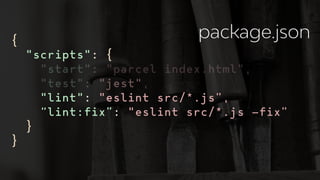
{
"scripts": {
"start": "parcel index.html",
"test": "jest",
"lint": "eslint src/*.js”,
“lint:fix”: "eslint src/*.js —fix”
}
}
package.json
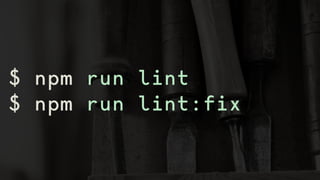
$ npm run lint
$ npm run lint:fix
prettier
Opinionated code formatter.
$ npm install -D prettier
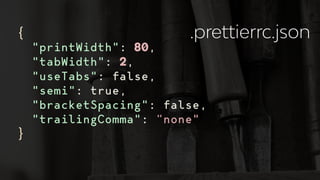
{
"printWidth": 80,
"tabWidth": 2,
"useTabs": false,
"semi": true,
"bracketSpacing": false,
"trailingComma": “none"
}
.prettierrc.json
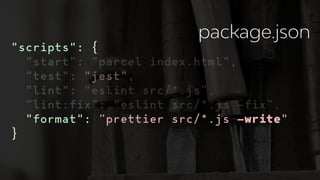
"scripts": {
"start": "parcel index.html",
"test": "jest",
"lint": "eslint src/*.js”,
“lint:fix”: "eslint src/*.js —fix”,
"format": “prettier src/*.js —write"
}
package.json
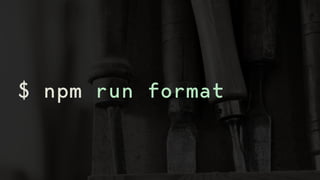
$ npm run format
husky
Git hooks made easy. To prevent
bad commit, push and more!
lint-staged
Run linters on git staged files.
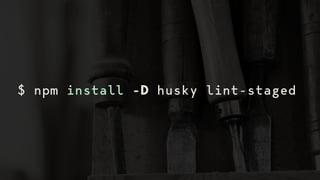
$ npm install -D husky lint-staged
{
"husky": {
"hooks": {
"pre-commit": "lint-staged"
}
},
"lint-staged": {
"*.js": [
"npm run lint:fix",
"npm run format",
"git add"
]
},
}
package.json
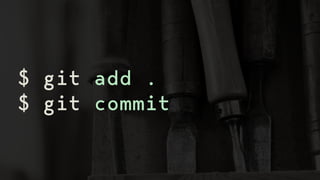
$ git add .
$ git commit
Toolingrecap
Use eslint for flag programming error
Use prettier for consistent formatting
Use husky and lint-staged for enforcing
code quality
@rizafahmi
@rizafahmi22

Clean Code JavaScript