PROGRAMMING
LANGUAGE C++
Input/Output
Statements
Guided by Dr. DO Thi Lien
Input/Output
Statements
1
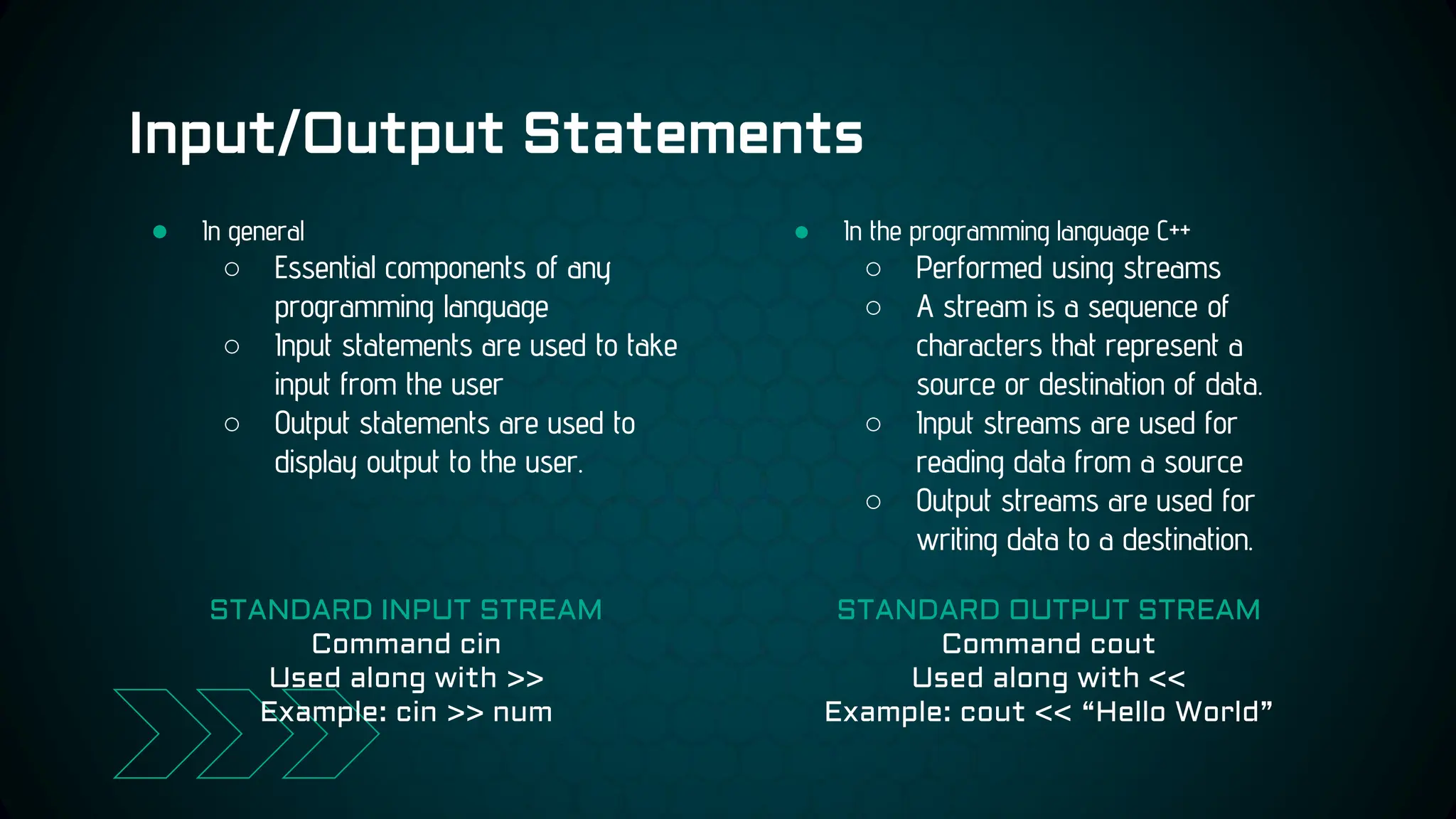
Input/Output Statements
● In the programming language C++
○ Performed using streams
○ A stream is a sequence of
characters that represent a
source or destination of data.
○ Input streams are used for
reading data from a source
○ Output streams are used for
writing data to a destination.
● In general
○ Essential components of any
programming language
○ Input statements are used to take
input from the user
○ Output statements are used to
display output to the user.
STANDARD INPUT STREAM
Command cin
Used along with >>
Example: cin >> num
STANDARD OUTPUT STREAM
Command cout
Used along with <<
Example: cout << “Hello World”
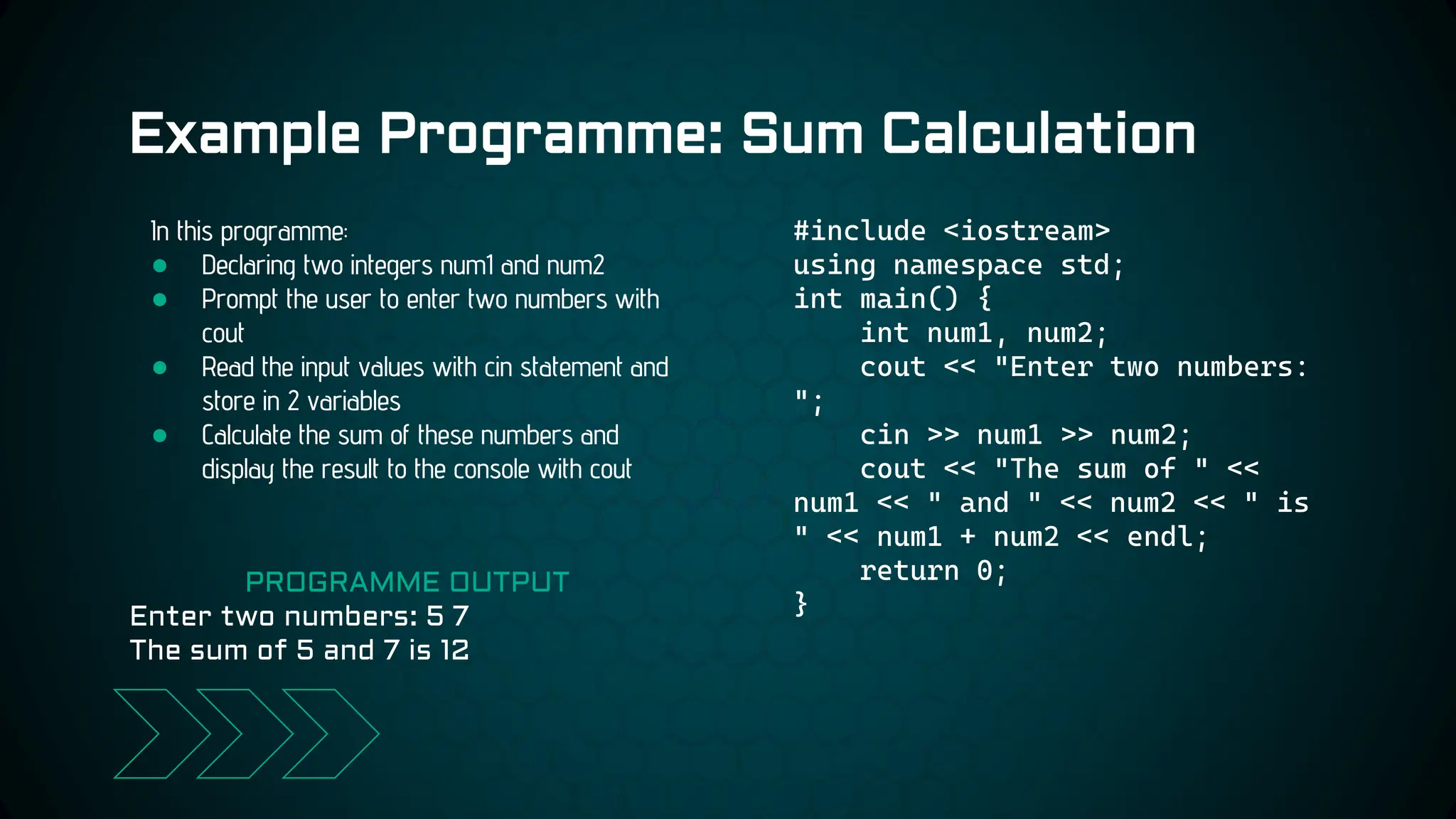
Example Programme: Sum Calculation
#include <iostream>
using namespace std;
int main() {
int num1, num2;
cout << "Enter two numbers:
";
cin >> num1 >> num2;
cout << "The sum of " <<
num1 << " and " << num2 << " is
" << num1 + num2 << endl;
return 0;
}
In this programme:
● Declaring two integers num1 and num2
● Prompt the user to enter two numbers with
cout
● Read the input values with cin statement and
store in 2 variables
● Calculate the sum of these numbers and
display the result to the console with cout
PROGRAMME OUTPUT
Enter two numbers: 5 7
The sum of 5 and 7 is 12
Basic use of the
Statements
2
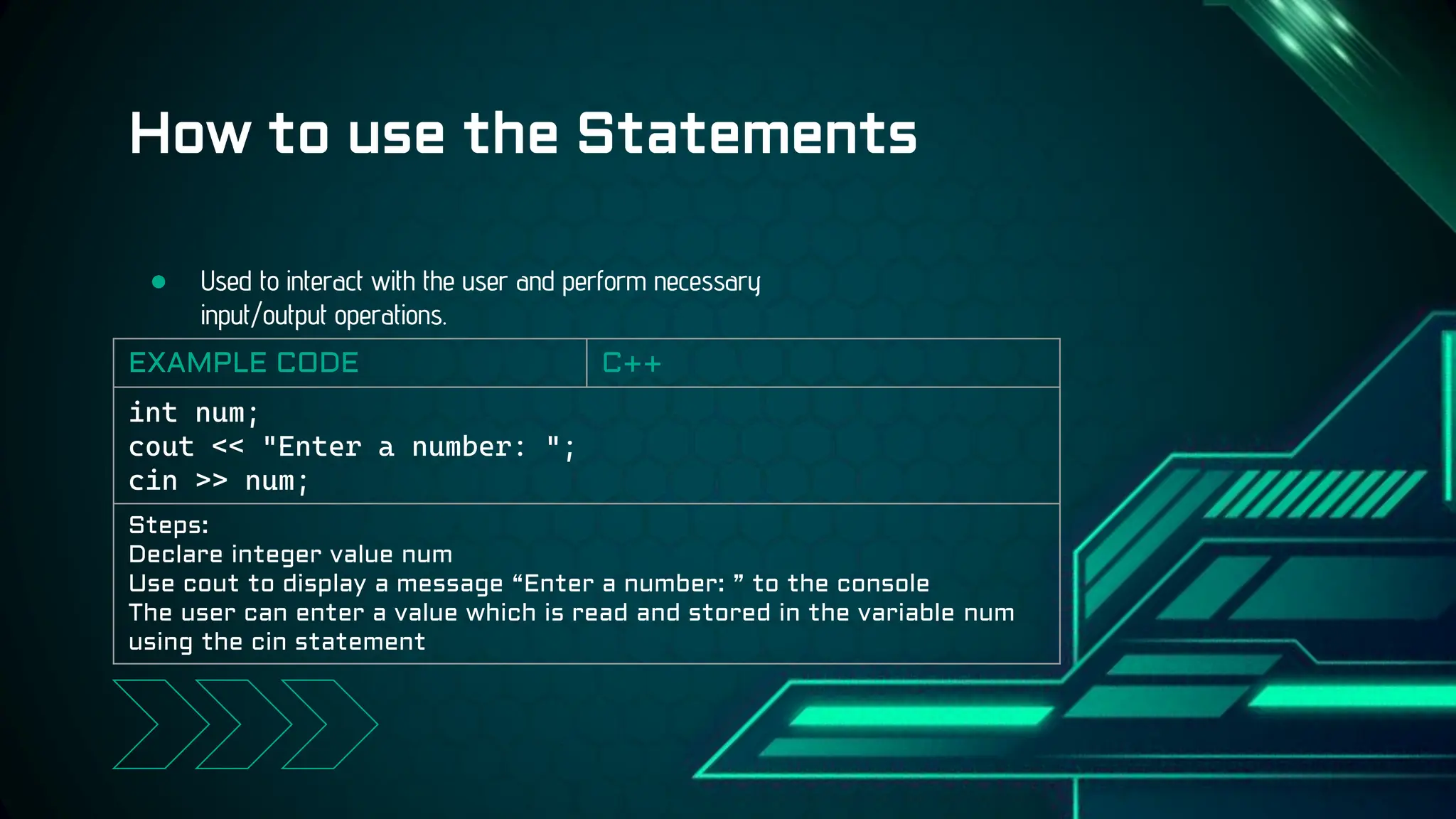
● Used to interact with the user and perform necessary
input/output operations.
How to use the Statements
EXAMPLE CODE C++
int num;
cout << "Enter a number: ";
cin >> num;
Steps:
Declare integer value num
Use cout to display a message “Enter a number: ” to the console
The user can enter a value which is read and stored in the variable num
using the cin statement
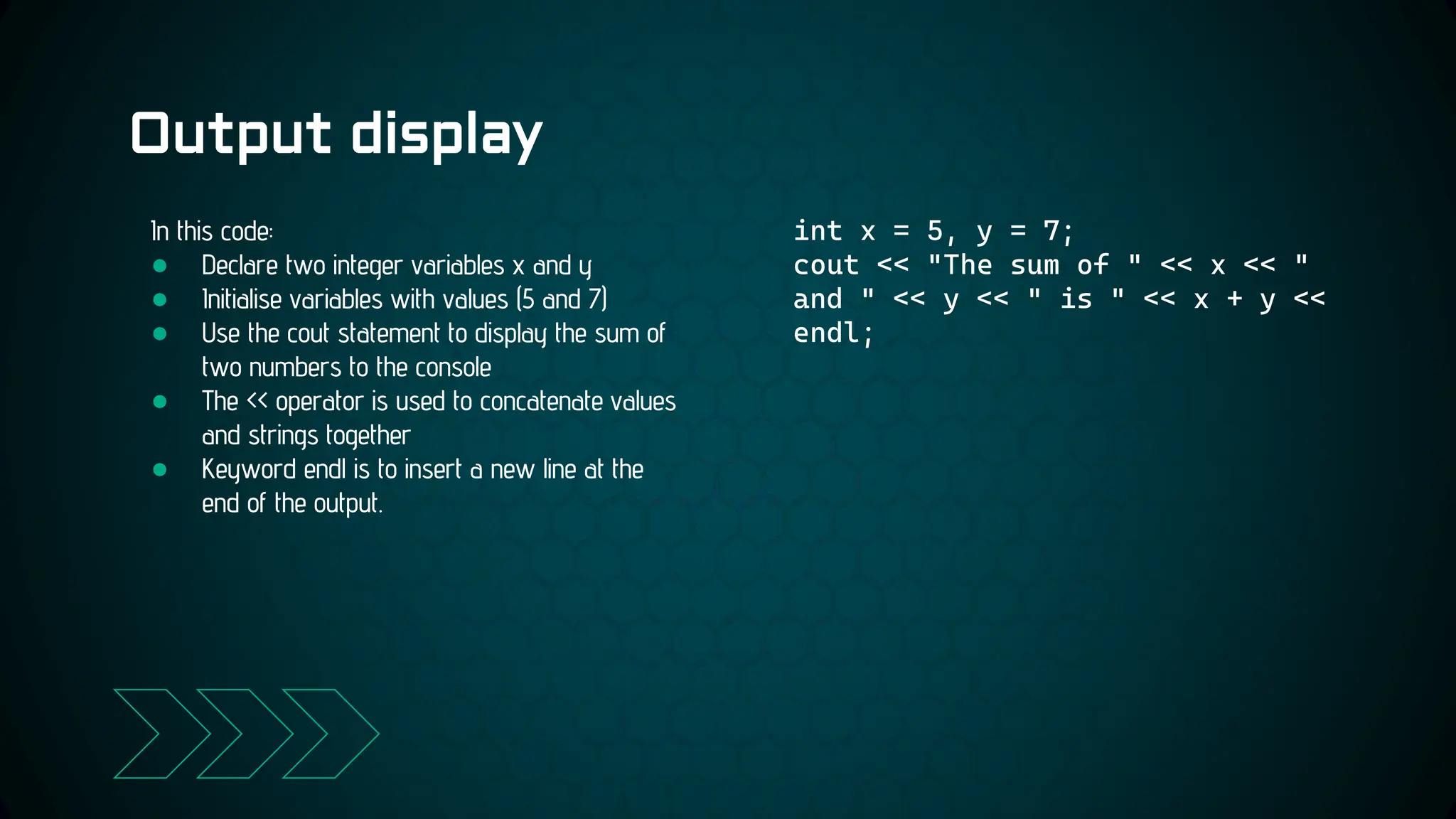
Output display
int x = 5, y = 7;
cout << "The sum of " << x << "
and " << y << " is " << x + y <<
endl;
In this code:
● Declare two integer variables x and y
● Initialise variables with values (5 and 7)
● Use the cout statement to display the sum of
two numbers to the console
● The << operator is used to concatenate values
and strings together
● Keyword endl is to insert a new line at the
end of the output.
File reading
and writing 3
A super strength of C++ that C does not have
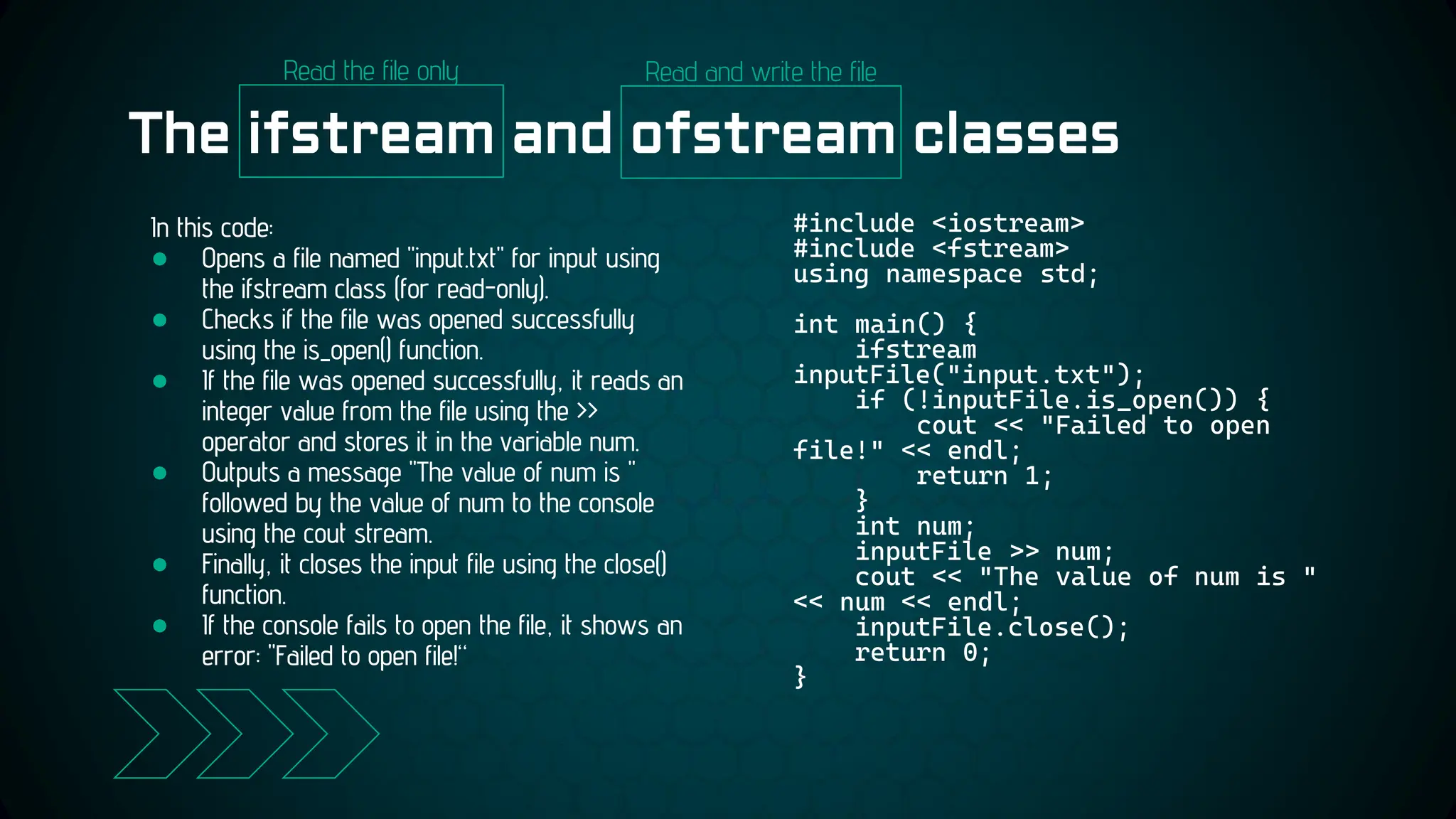
The ifstream and ofstream classes
#include <iostream>
#include <fstream>
using namespace std;
int main() {
ifstream
inputFile("input.txt");
if (!inputFile.is_open()) {
cout << "Failed to open
file!" << endl;
return 1;
}
int num;
inputFile >> num;
cout << "The value of num is "
<< num << endl;
inputFile.close();
return 0;
}
In this code:
● Opens a file named "input.txt" for input using
the ifstream class (for read-only).
● Checks if the file was opened successfully
using the is_open() function.
● If the file was opened successfully, it reads an
integer value from the file using the >>
operator and stores it in the variable num.
● Outputs a message "The value of num is "
followed by the value of num to the console
using the cout stream.
● Finally, it closes the input file using the close()
function.
● If the console fails to open the file, it shows an
error: "Failed to open file!“
Read the file only Read and write the file
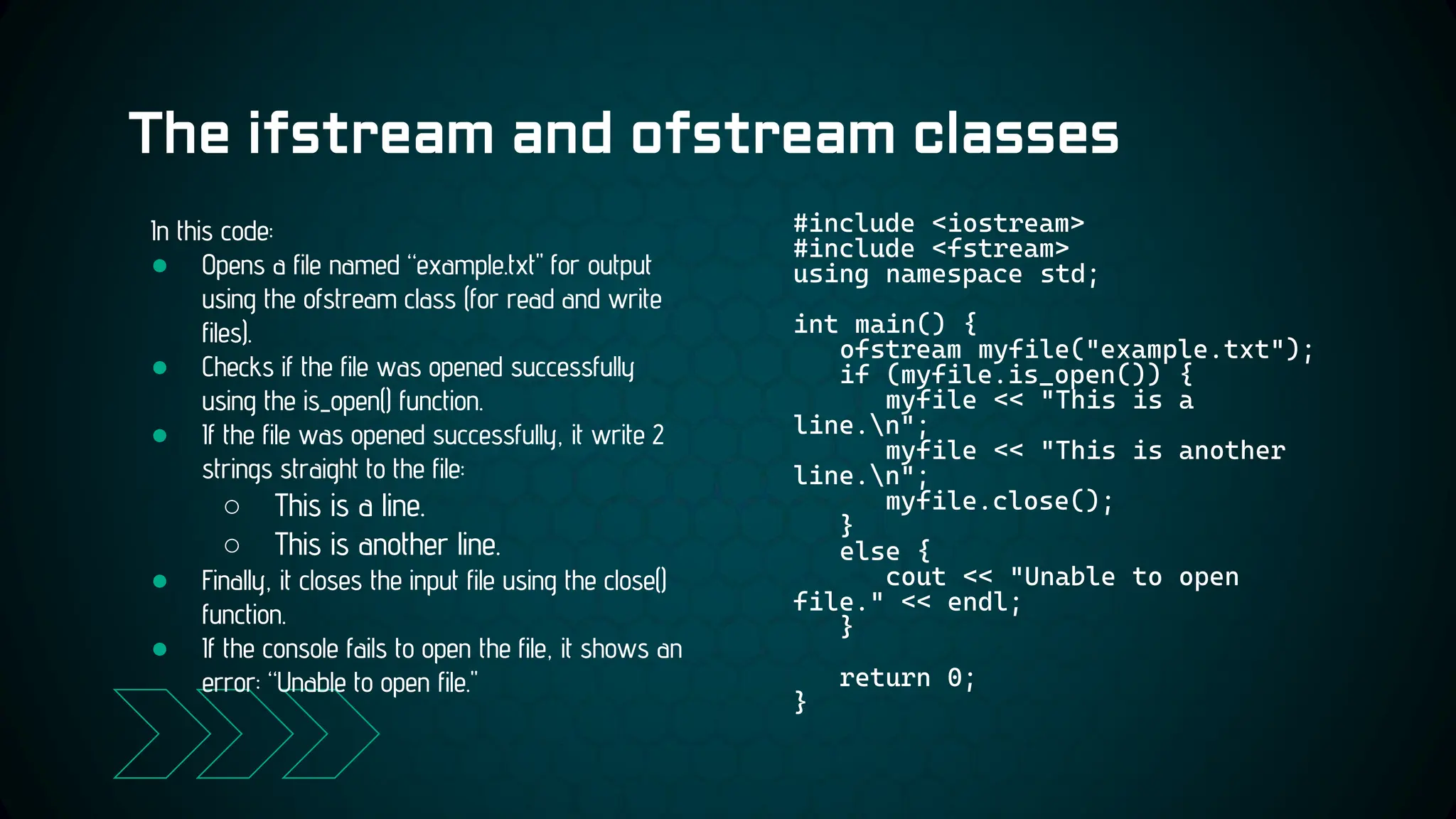
The ifstream and ofstream classes
#include <iostream>
#include <fstream>
using namespace std;
int main() {
ofstream myfile("example.txt");
if (myfile.is_open()) {
myfile << "This is a
line.n";
myfile << "This is another
line.n";
myfile.close();
}
else {
cout << "Unable to open
file." << endl;
}
return 0;
}
In this code:
● Opens a file named “example.txt" for output
using the ofstream class (for read and write
files).
● Checks if the file was opened successfully
using the is_open() function.
● If the file was opened successfully, it write 2
strings straight to the file:
○ This is a line.
○ This is another line.
● Finally, it closes the input file using the close()
function.
● If the console fails to open the file, it shows an
error: “Unable to open file."
Reading and
writing strings
4
An improvement of the string processing commands in C
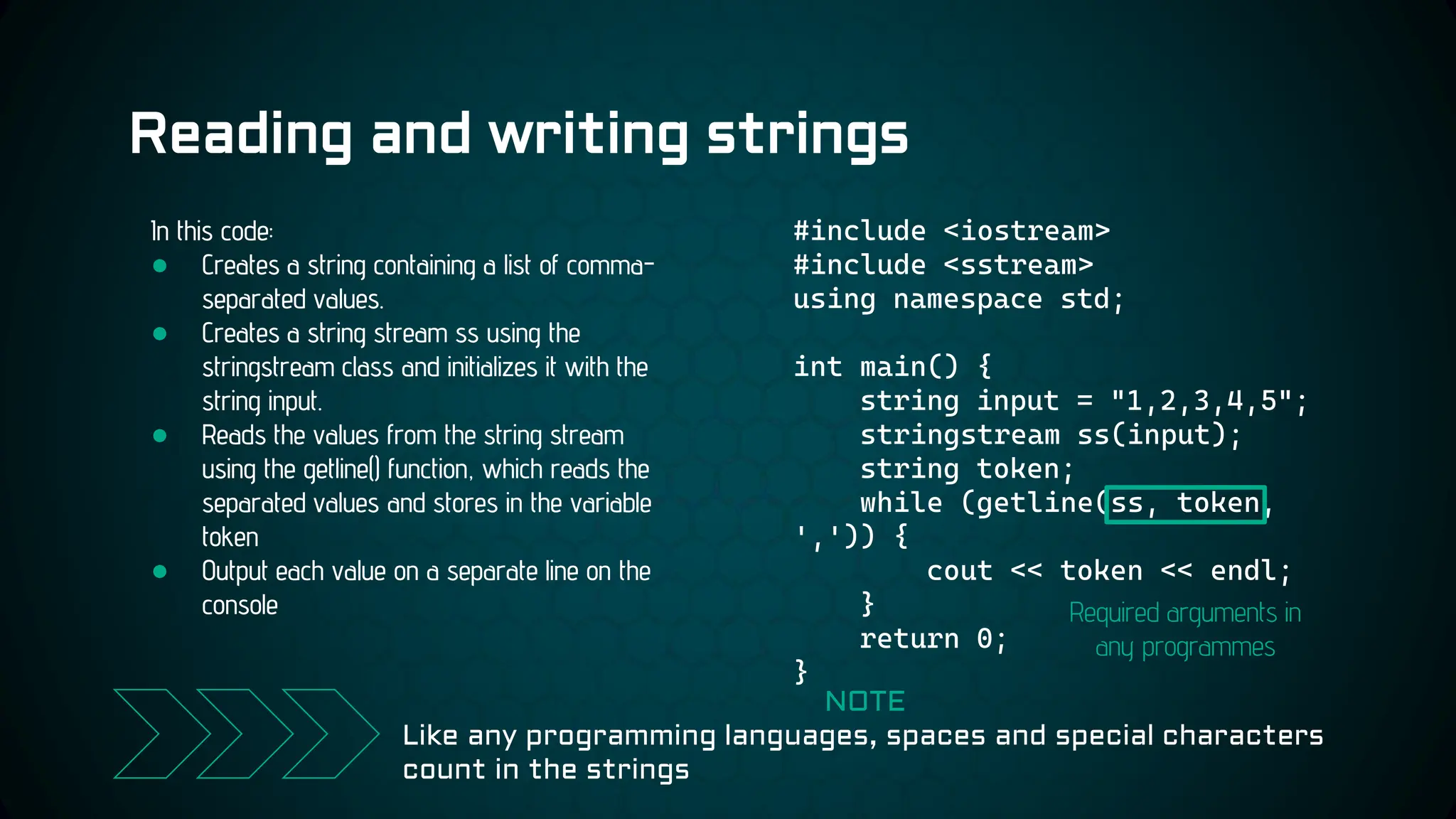
Reading and writing strings
#include <iostream>
#include <sstream>
using namespace std;
int main() {
string input = "1,2,3,4,5";
stringstream ss(input);
string token;
while (getline(ss, token,
',')) {
cout << token << endl;
}
return 0;
}
In this code:
● Creates a string containing a list of comma-
separated values.
● Creates a string stream ss using the
stringstream class and initializes it with the
string input.
● Reads the values from the string stream
using the getline() function, which reads the
separated values and stores in the variable
token
● Output each value on a separate line on the
console
NOTE
Like any programming languages, spaces and special characters
count in the strings
Required arguments in
any programmes
Formatted
outputs
5 Another super-strength of the programming
language C++
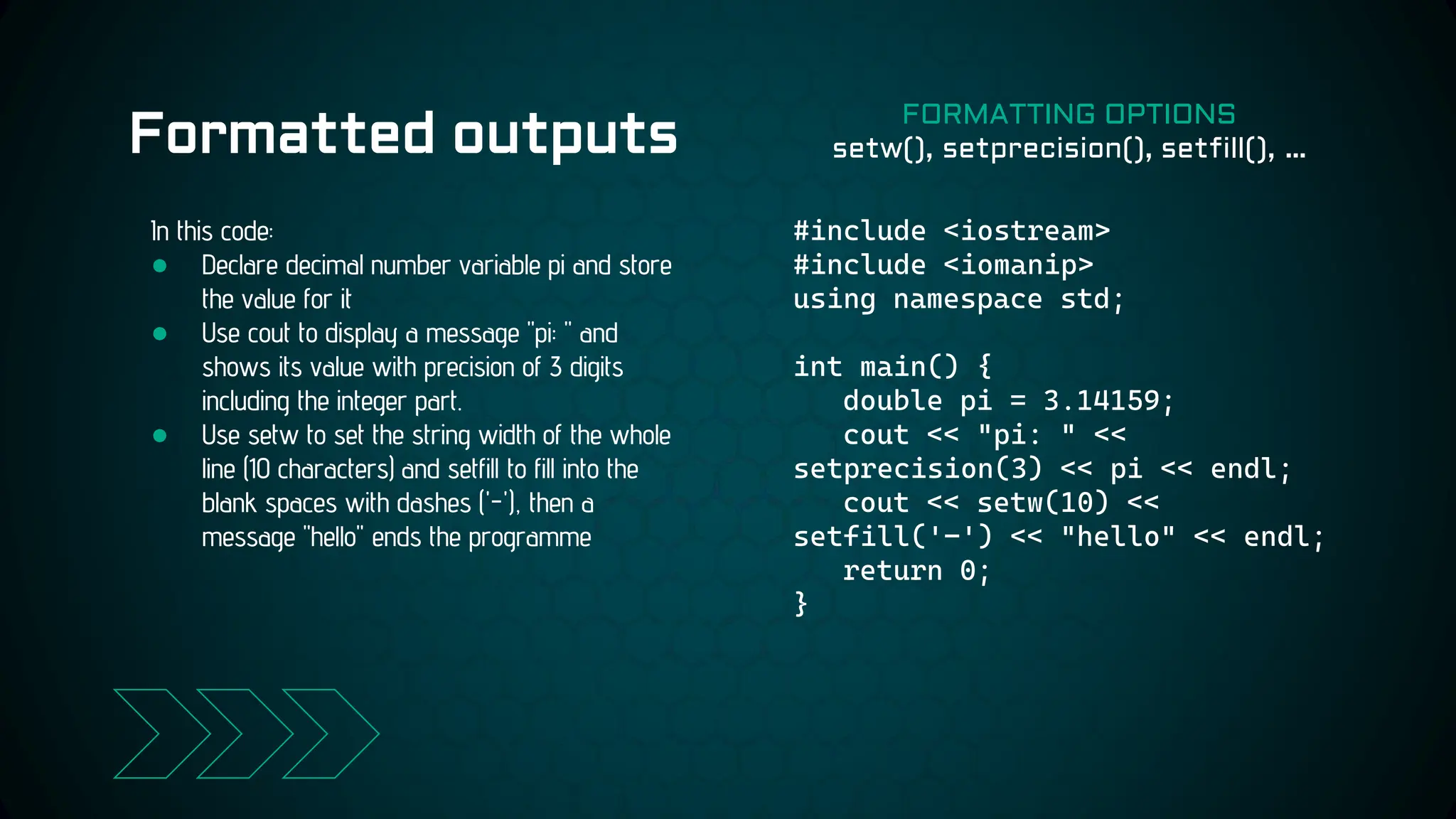
Formatted outputs
#include <iostream>
#include <iomanip>
using namespace std;
int main() {
double pi = 3.14159;
cout << "pi: " <<
setprecision(3) << pi << endl;
cout << setw(10) <<
setfill('-') << "hello" << endl;
return 0;
}
In this code:
● Declare decimal number variable pi and store
the value for it
● Use cout to display a message "pi: " and
shows its value with precision of 3 digits
including the integer part.
● Use setw to set the string width of the whole
line (10 characters) and setfill to fill into the
blank spaces with dashes ('-'), then a
message "hello" ends the programme
FORMATTING OPTIONS
setw(), setprecision(), setfill(), …
● Input/output statements are fundamental components
of C++ programming language
● I/O statements allow users to interact with the
program and provide necessary inputs and outputs to
and from the program.
● I/O statements in C++ also help users to process data
from text files, which thing C does not have
● Input/output statements are used to interact with the
user and perform necessary input/output operations in
C++
Conclusion
LIVE
CODING
QUESTIONS
& ANSWERS
CREDITS: This presentation template was created by Slidesgo,
including icons by Flaticon, and infographics & images by
Freepik
THANK YOU FOR
YOUR ATTENTION
CREDITS: This presentation template was created by Slidesgo,
including icons by Flaticon, and infographics & images by
Freepik
CREDITS
Guiding Lecturer
Dr. DO Thi Lien
Posts & Telecommunications Institute of Technology
Hanoi Campus
Please keep this slide for attribution
Our Team
B22DCDT178
• PHAM Nhu Linh
B22DCDT179
• VU Ngoc Linh
B22DCVT310
• TRINH Dieu Linh
B22DCVT343
• NGUYEN Cong
Minh
B22DCVT419
• BUI Khac Quan
B22DCVT333
• VU Duc Manh
B22DCVT450
• PHUNG Duc Tai
B22DCVT517
• PHUNG Tuan
Thanh

clc02_cpp_presentation_edit3 (1) 1.pptx

  • 1.
  • 2.
  • 3.
    Input/Output Statements ● Inthe programming language C++ ○ Performed using streams ○ A stream is a sequence of characters that represent a source or destination of data. ○ Input streams are used for reading data from a source ○ Output streams are used for writing data to a destination. ● In general ○ Essential components of any programming language ○ Input statements are used to take input from the user ○ Output statements are used to display output to the user. STANDARD INPUT STREAM Command cin Used along with >> Example: cin >> num STANDARD OUTPUT STREAM Command cout Used along with << Example: cout << “Hello World”
  • 4.
    Example Programme: SumCalculation #include <iostream> using namespace std; int main() { int num1, num2; cout << "Enter two numbers: "; cin >> num1 >> num2; cout << "The sum of " << num1 << " and " << num2 << " is " << num1 + num2 << endl; return 0; } In this programme: ● Declaring two integers num1 and num2 ● Prompt the user to enter two numbers with cout ● Read the input values with cin statement and store in 2 variables ● Calculate the sum of these numbers and display the result to the console with cout PROGRAMME OUTPUT Enter two numbers: 5 7 The sum of 5 and 7 is 12
  • 5.
    Basic use ofthe Statements 2
  • 6.
    ● Used tointeract with the user and perform necessary input/output operations. How to use the Statements EXAMPLE CODE C++ int num; cout << "Enter a number: "; cin >> num; Steps: Declare integer value num Use cout to display a message “Enter a number: ” to the console The user can enter a value which is read and stored in the variable num using the cin statement
  • 7.
    Output display int x= 5, y = 7; cout << "The sum of " << x << " and " << y << " is " << x + y << endl; In this code: ● Declare two integer variables x and y ● Initialise variables with values (5 and 7) ● Use the cout statement to display the sum of two numbers to the console ● The << operator is used to concatenate values and strings together ● Keyword endl is to insert a new line at the end of the output.
  • 8.
    File reading and writing3 A super strength of C++ that C does not have
  • 9.
    The ifstream andofstream classes #include <iostream> #include <fstream> using namespace std; int main() { ifstream inputFile("input.txt"); if (!inputFile.is_open()) { cout << "Failed to open file!" << endl; return 1; } int num; inputFile >> num; cout << "The value of num is " << num << endl; inputFile.close(); return 0; } In this code: ● Opens a file named "input.txt" for input using the ifstream class (for read-only). ● Checks if the file was opened successfully using the is_open() function. ● If the file was opened successfully, it reads an integer value from the file using the >> operator and stores it in the variable num. ● Outputs a message "The value of num is " followed by the value of num to the console using the cout stream. ● Finally, it closes the input file using the close() function. ● If the console fails to open the file, it shows an error: "Failed to open file!“ Read the file only Read and write the file
  • 10.
    The ifstream andofstream classes #include <iostream> #include <fstream> using namespace std; int main() { ofstream myfile("example.txt"); if (myfile.is_open()) { myfile << "This is a line.n"; myfile << "This is another line.n"; myfile.close(); } else { cout << "Unable to open file." << endl; } return 0; } In this code: ● Opens a file named “example.txt" for output using the ofstream class (for read and write files). ● Checks if the file was opened successfully using the is_open() function. ● If the file was opened successfully, it write 2 strings straight to the file: ○ This is a line. ○ This is another line. ● Finally, it closes the input file using the close() function. ● If the console fails to open the file, it shows an error: “Unable to open file."
  • 11.
    Reading and writing strings 4 Animprovement of the string processing commands in C
  • 12.
    Reading and writingstrings #include <iostream> #include <sstream> using namespace std; int main() { string input = "1,2,3,4,5"; stringstream ss(input); string token; while (getline(ss, token, ',')) { cout << token << endl; } return 0; } In this code: ● Creates a string containing a list of comma- separated values. ● Creates a string stream ss using the stringstream class and initializes it with the string input. ● Reads the values from the string stream using the getline() function, which reads the separated values and stores in the variable token ● Output each value on a separate line on the console NOTE Like any programming languages, spaces and special characters count in the strings Required arguments in any programmes
  • 13.
    Formatted outputs 5 Another super-strengthof the programming language C++
  • 14.
    Formatted outputs #include <iostream> #include<iomanip> using namespace std; int main() { double pi = 3.14159; cout << "pi: " << setprecision(3) << pi << endl; cout << setw(10) << setfill('-') << "hello" << endl; return 0; } In this code: ● Declare decimal number variable pi and store the value for it ● Use cout to display a message "pi: " and shows its value with precision of 3 digits including the integer part. ● Use setw to set the string width of the whole line (10 characters) and setfill to fill into the blank spaces with dashes ('-'), then a message "hello" ends the programme FORMATTING OPTIONS setw(), setprecision(), setfill(), …
  • 15.
    ● Input/output statementsare fundamental components of C++ programming language ● I/O statements allow users to interact with the program and provide necessary inputs and outputs to and from the program. ● I/O statements in C++ also help users to process data from text files, which thing C does not have ● Input/output statements are used to interact with the user and perform necessary input/output operations in C++ Conclusion
  • 16.
  • 17.
  • 18.
    CREDITS: This presentationtemplate was created by Slidesgo, including icons by Flaticon, and infographics & images by Freepik THANK YOU FOR YOUR ATTENTION
  • 19.
    CREDITS: This presentationtemplate was created by Slidesgo, including icons by Flaticon, and infographics & images by Freepik CREDITS Guiding Lecturer Dr. DO Thi Lien Posts & Telecommunications Institute of Technology Hanoi Campus Please keep this slide for attribution
  • 20.
    Our Team B22DCDT178 • PHAMNhu Linh B22DCDT179 • VU Ngoc Linh B22DCVT310 • TRINH Dieu Linh B22DCVT343 • NGUYEN Cong Minh B22DCVT419 • BUI Khac Quan B22DCVT333 • VU Duc Manh B22DCVT450 • PHUNG Duc Tai B22DCVT517 • PHUNG Tuan Thanh