WIREFRAMING WORKSHOP
with jenny chisnell
CINCINNATI USER ENJOYMENT MEETUP
09.27.15
i’m jenny chisnell.
WIREFRAMING is…
creating simple diagrams
that show sample content
(i.e., its arrangement and prominence)
on a web page or app
- IN OTHER WORDS -
A wireframe is just a very basic layout made
up of just lines and colorless boxes/circles.
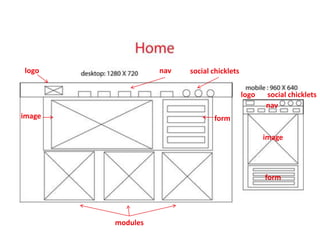
logo
formimage
modules
social chickletsnav
logo social chicklets
nav
image
form
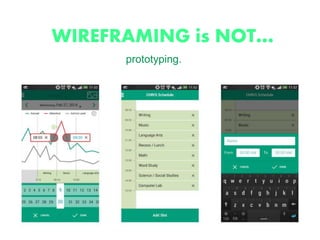
WIREFRAMING is NOT…
prototyping.
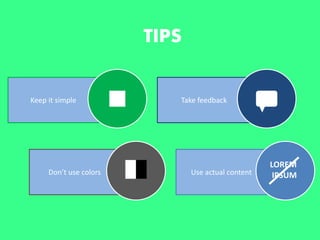
TIPS
Keep it simple Take feedback
Use actual contentDon’t use colors
LOREM
IPSUM
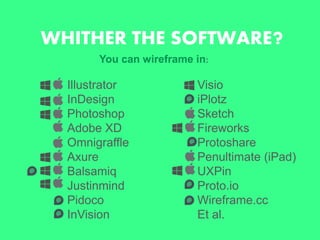
WHITHER THE SOFTWARE?
Illustrator
InDesign
Photoshop
Adobe XD
Omnigraffle
Axure
Balsamiq
Justinmind
Pidoco
InVision
Visio
iPlotz
Sketch
Fireworks
Protoshare
Penultimate (iPad)
UXPin
Proto.io
Wireframe.cc
Et al.
You can wireframe in:
WHAT WE’LL USE TODAY:
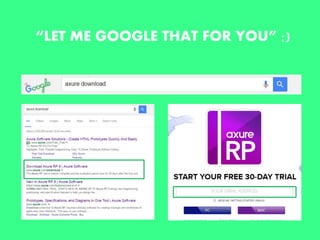
“LET ME GOOGLE THAT FOR YOU” ;)
INTO AXURE!
you will learn
EXERCISE 1:
“adaptive view”
grid set-up
guides
“pages” panel
widgets & their basic properties
align & distribute
widget stacking order
common keyboard shortcuts
EXERCISE 2:
a handful of interactive features
EXERCISE 1
(reverse engineer a wireframe)
- ten mins -
EXERCISE 2
(interactivity)
- follow along -
WIREFRAMING WORKSHOP
with jenny chisnell
- finis! -
jennychisnell@gmail.com
twitter: @jenny_chisnell
LinkedIn: Jenny Chisnell

chisnell wireframing workshop

Editor's Notes

  • #2 Slides match my outfit – not intentional, lol
  • #3 Quick bio—started in UX 2 and a half years ago as a remote apprentice at a UX startup (content strat), hired into a B2B agency for UX research/strat, and recruited to HCI now for content strat but I do a to of design. Design is my real passion, and while my studies and experience currently qualify me to work more with words than with visuals, I’ve been assiduously pursuing my goal to be a UI Designer. Actually moving to NYC soon. So, in the 18 months I worked at gyro, I worked with wireframes on an almost daily basis. Etc. Etc.
  • #4 Without the distractions of colors, typeface choices or text, wireframing lets you plan the layout and interaction of your interface HOW MANY HAVE EXTENSIVE EXPERIENCE – HOW MANY HAVE NEVER
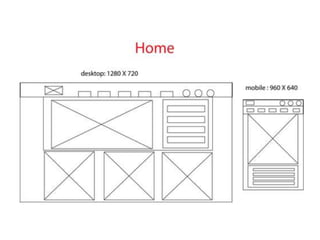
  • #5 Sample wireframe featuring desktop and mobile views, including dimensions
  • #6 I could tell, without ever having seen this image before, what the components were probably meant to represent (although annotations are also helpful, when working on an official project). We see logo, images, navigation, social icons, a form, and then to the right we have the same elements rearranged on mobile view). It’s clear due to the elements included that this is probably a landing page for a marketing campaign.
  • #8 Simple: use simple shapes, reuse elements Feedback: early and often
  • #9 NOT AN EXHAUSTIVE LIST. Many of these are as good, if not better, for prototyping…Adobe Creative Suite, for e.g. InVision makes your Sketch or Photoshop wireframes/prototypes interactive. Many have limited free trials.
  • #10 RP stands for “Rapid Prototyping”
  • #13 -Pick a homepage from any website you desire -”reverse engineer” a VERY SIMPLE wireframe for it, using some of what we just learned
  • #14 Show “finished product” version first