Chapter 2
Elementary Programming
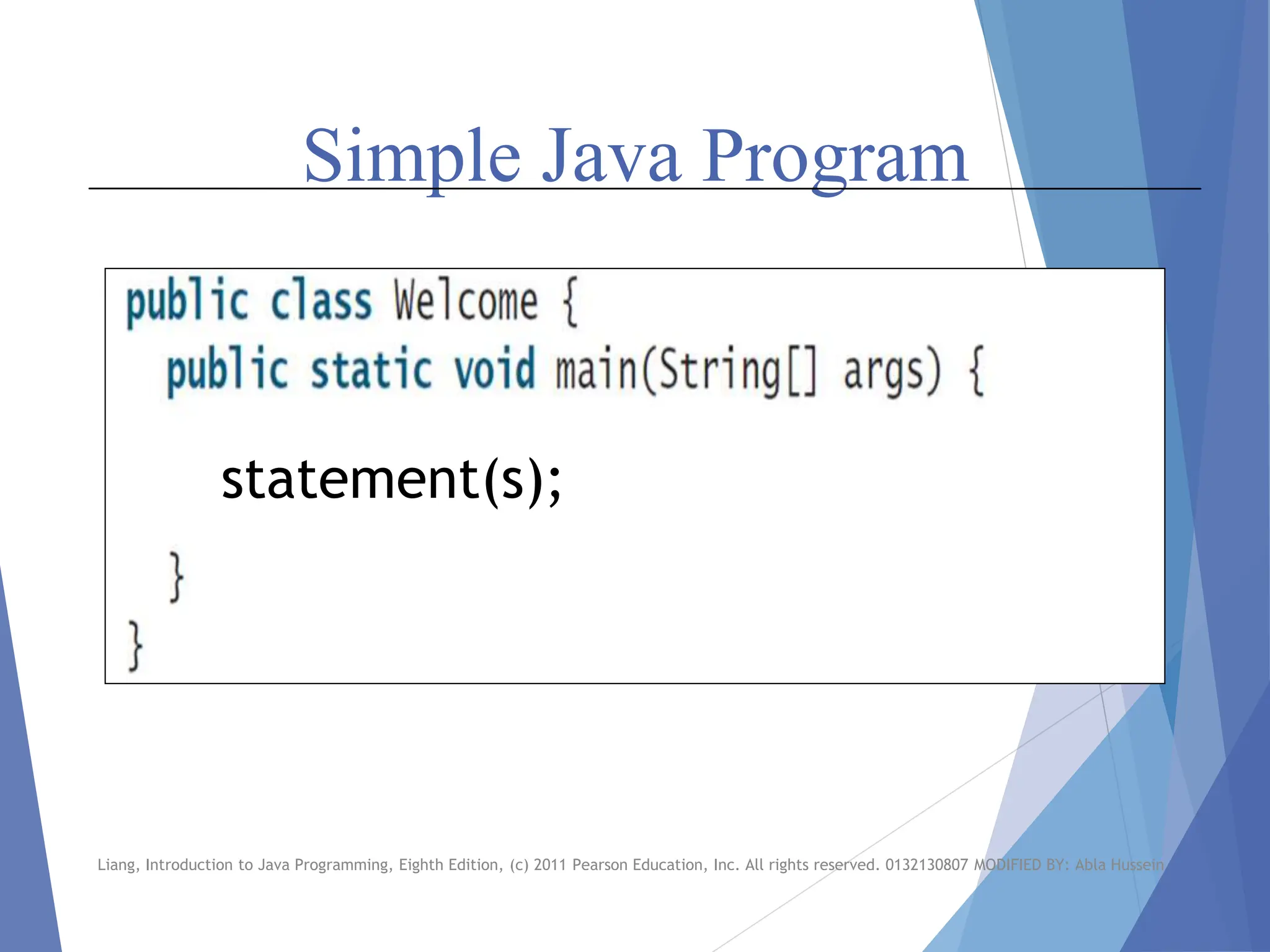
Simple Java Program
statement(s);
Liang, Introduction to Java Programming, Eighth Edition, (c) 2011 Pearson Education, Inc. All rights reserved. 0132130807 MODIFIED BY: Abla Hussein
Java Reserved Keywords
 Reserved words, or keywords, have a specific
meaning to the compiler and cannot be used for
other purposes in the program. For example, when
the compiler sees the word class, it understands that
the word after class is the name for the class.
 public, static, void, main, String, void, print (Reserved words)
Liang, Introduction to Java Programming, Eighth Edition, (c) 2011 Pearson Education, Inc. All rights reserved. 0132130807 MODIFIED BY: Abla Hussein
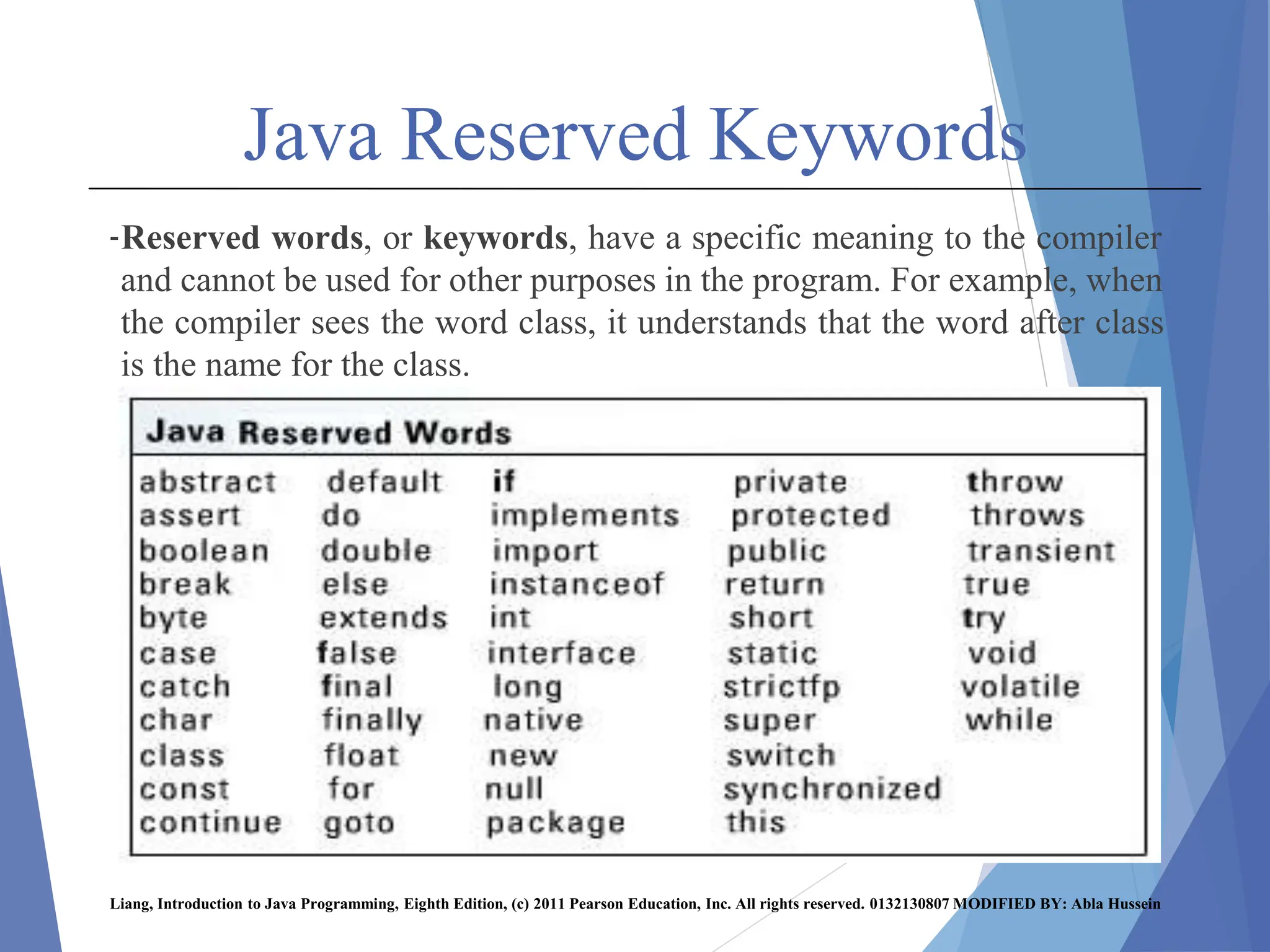
Java Reserved Keywords
-Reserved words, or keywords, have a specific meaning to the compiler
and cannot be used for other purposes in the program. For example, when
the compiler sees the word class, it understands that the word after class
is the name for the class.
Liang, Introduction to Java Programming, Eighth Edition, (c) 2011 Pearson Education, Inc. All rights reserved. 0132130807 MODIFIED BY: Abla Hussein
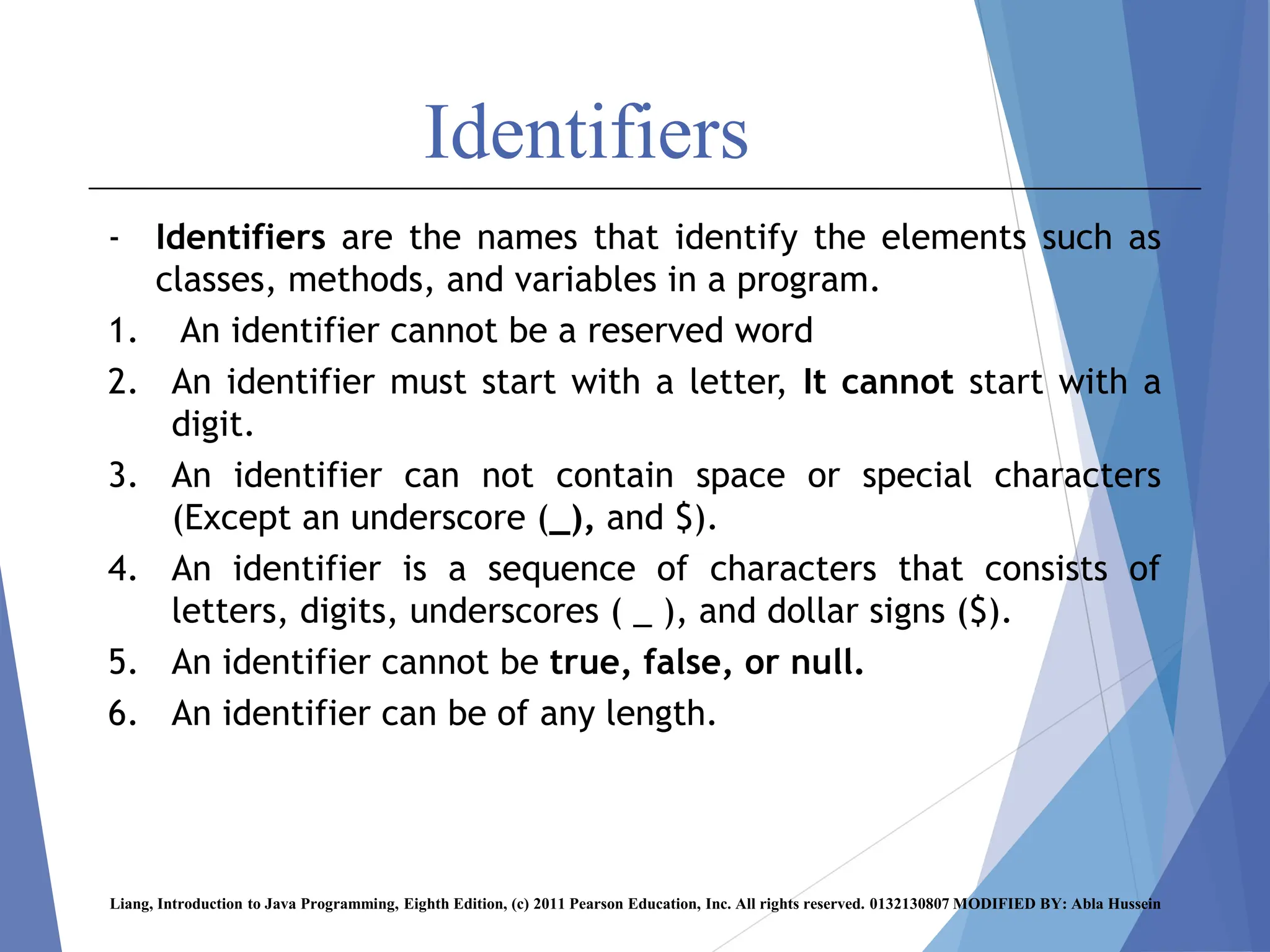
Identifiers
- Identifiers are the names that identify the elements such as
classes, methods, and variables in a program.
1. An identifier cannot be a reserved word
2. An identifier must start with a letter, It cannot start with a
digit.
3. An identifier can not contain space or special characters
(Except an underscore (_), and $).
4. An identifier is a sequence of characters that consists of
letters, digits, underscores ( _ ), and dollar signs ($).
5. An identifier cannot be true, false, or null.
6. An identifier can be of any length.
Liang, Introduction to Java Programming, Eighth Edition, (c) 2011 Pearson Education, Inc. All rights reserved. 0132130807 MODIFIED BY: Abla Hussein
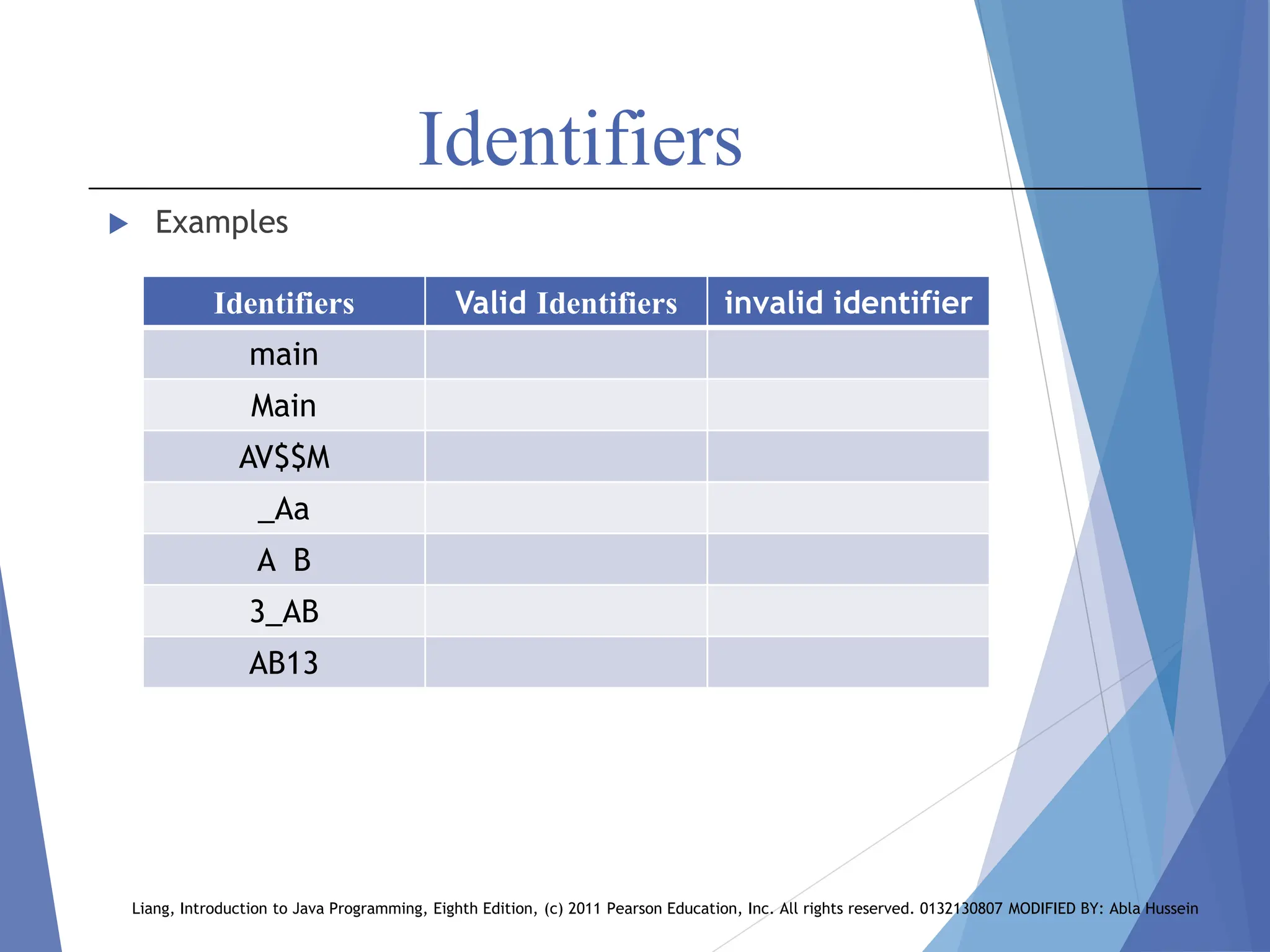
Identifiers
 Examples
Liang, Introduction to Java Programming, Eighth Edition, (c) 2011 Pearson Education, Inc. All rights reserved. 0132130807 MODIFIED BY: Abla Hussein
invalid identifier
Valid Identifiers
Identifiers
main
Main
AV$$M
_Aa
A B
3_AB
AB13
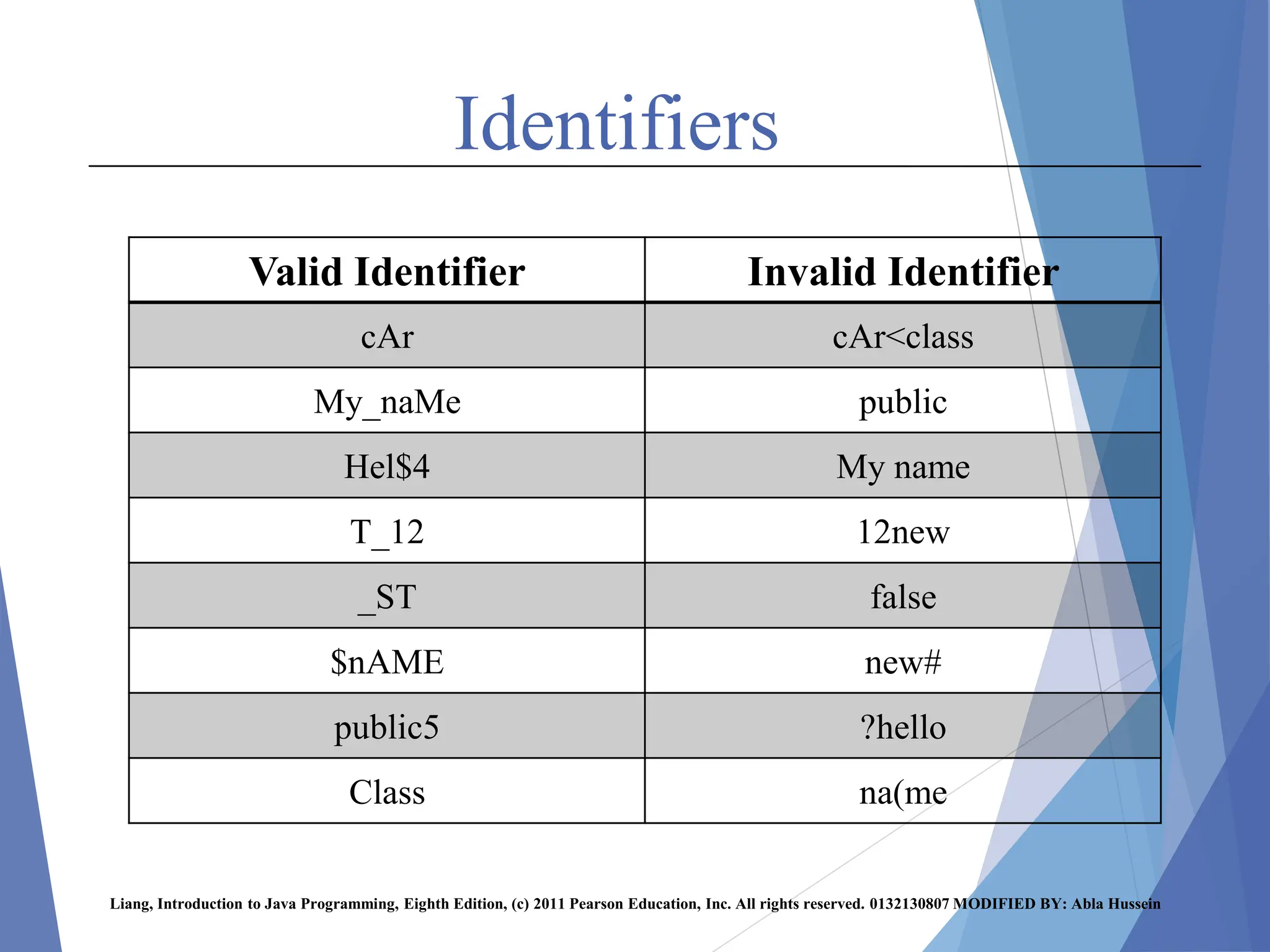
Identifiers
Liang, Introduction to Java Programming, Eighth Edition, (c) 2011 Pearson Education, Inc. All rights reserved. 0132130807 MODIFIED BY: Abla Hussein
Invalid Identifier
Valid Identifier
cAr<class
cAr
public
My_naMe
My name
Hel$4
12new
T_12
false
_ST
new#
$nAME
?hello
public5
na(me
Class
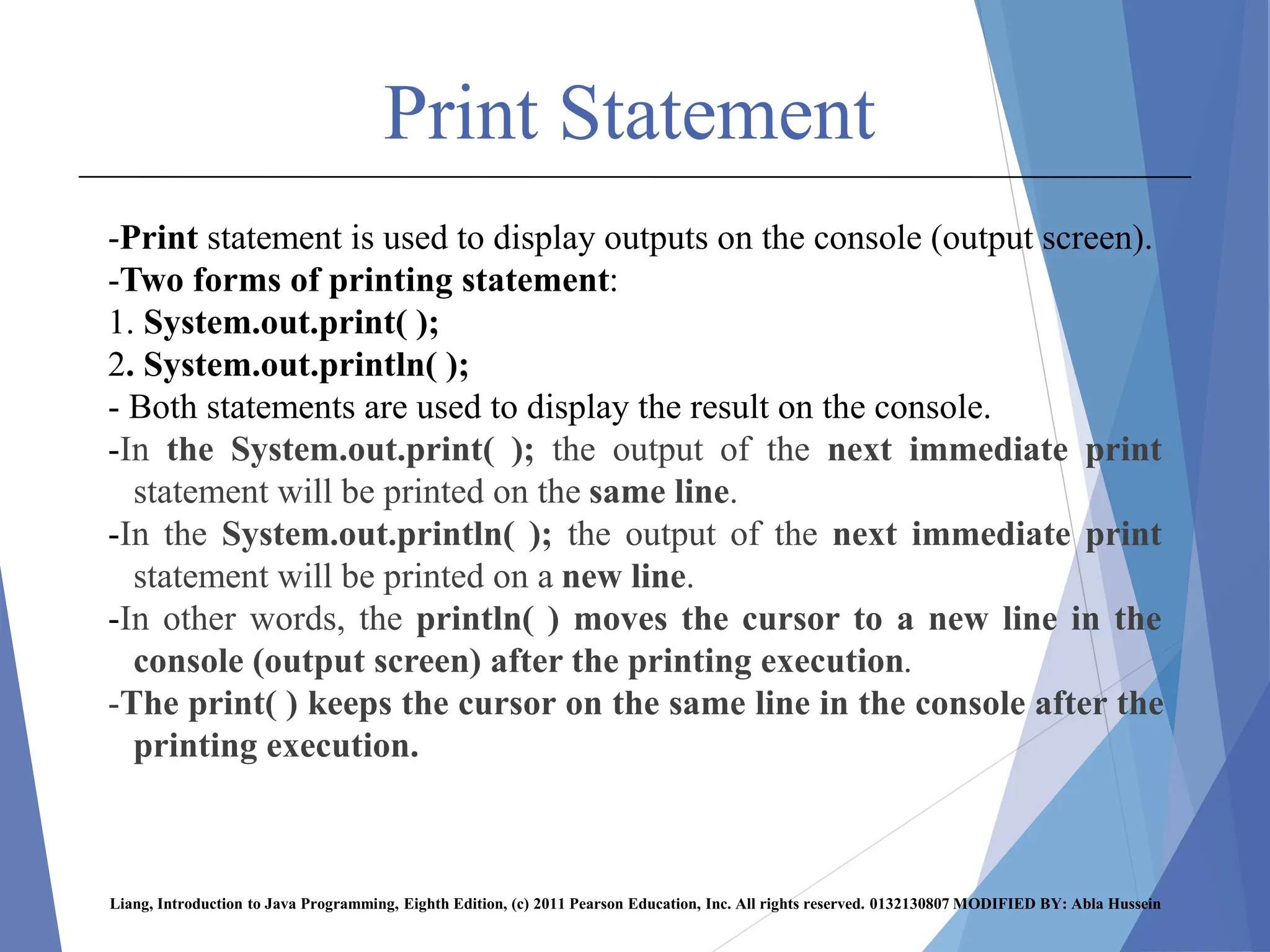
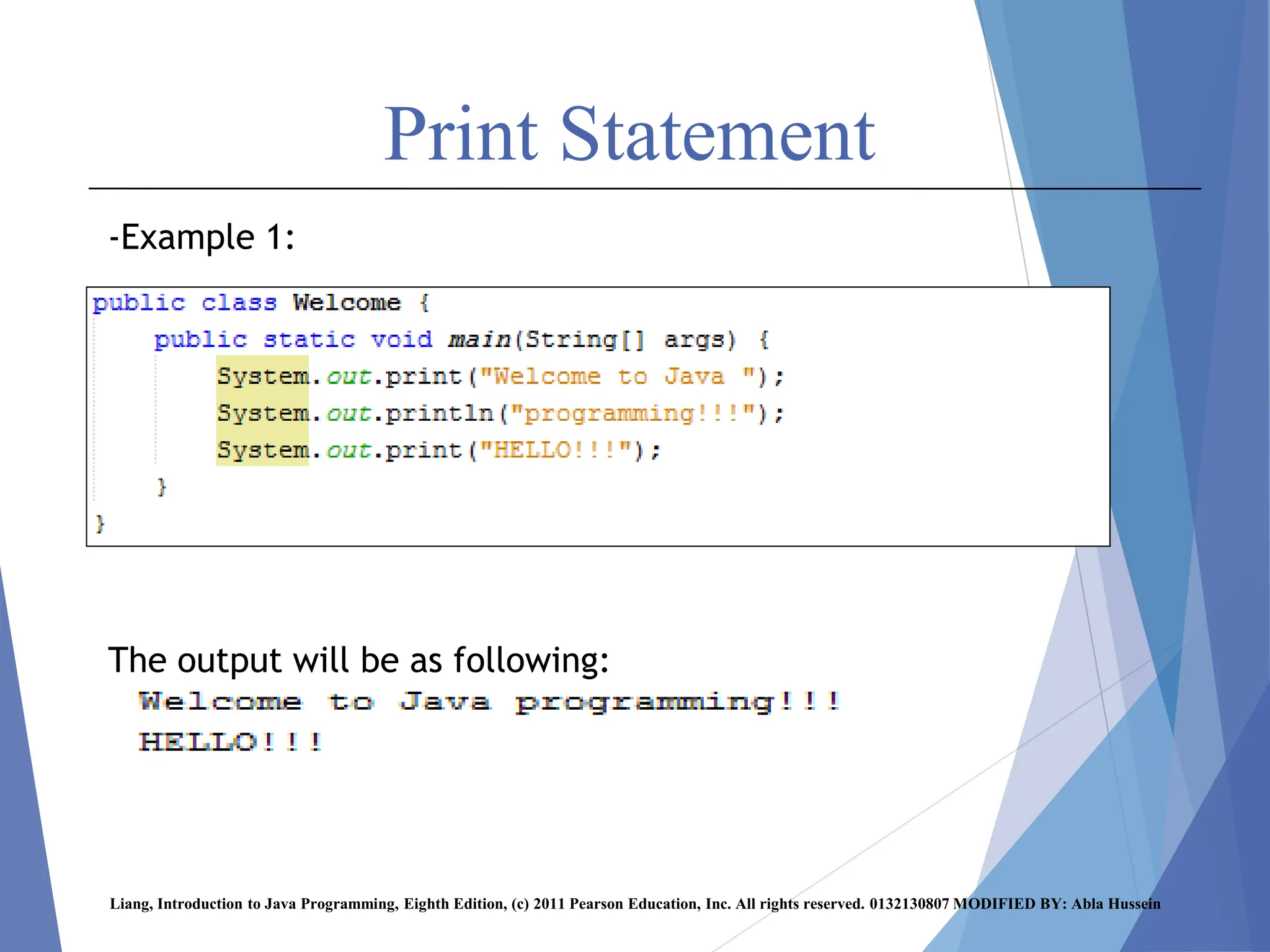
Print Statement
-Print statement is used to display outputs on the console (output screen).
-Two forms of printing statement:
1. System.out.print( );
2. System.out.println( );
- Both statements are used to display the result on the console.
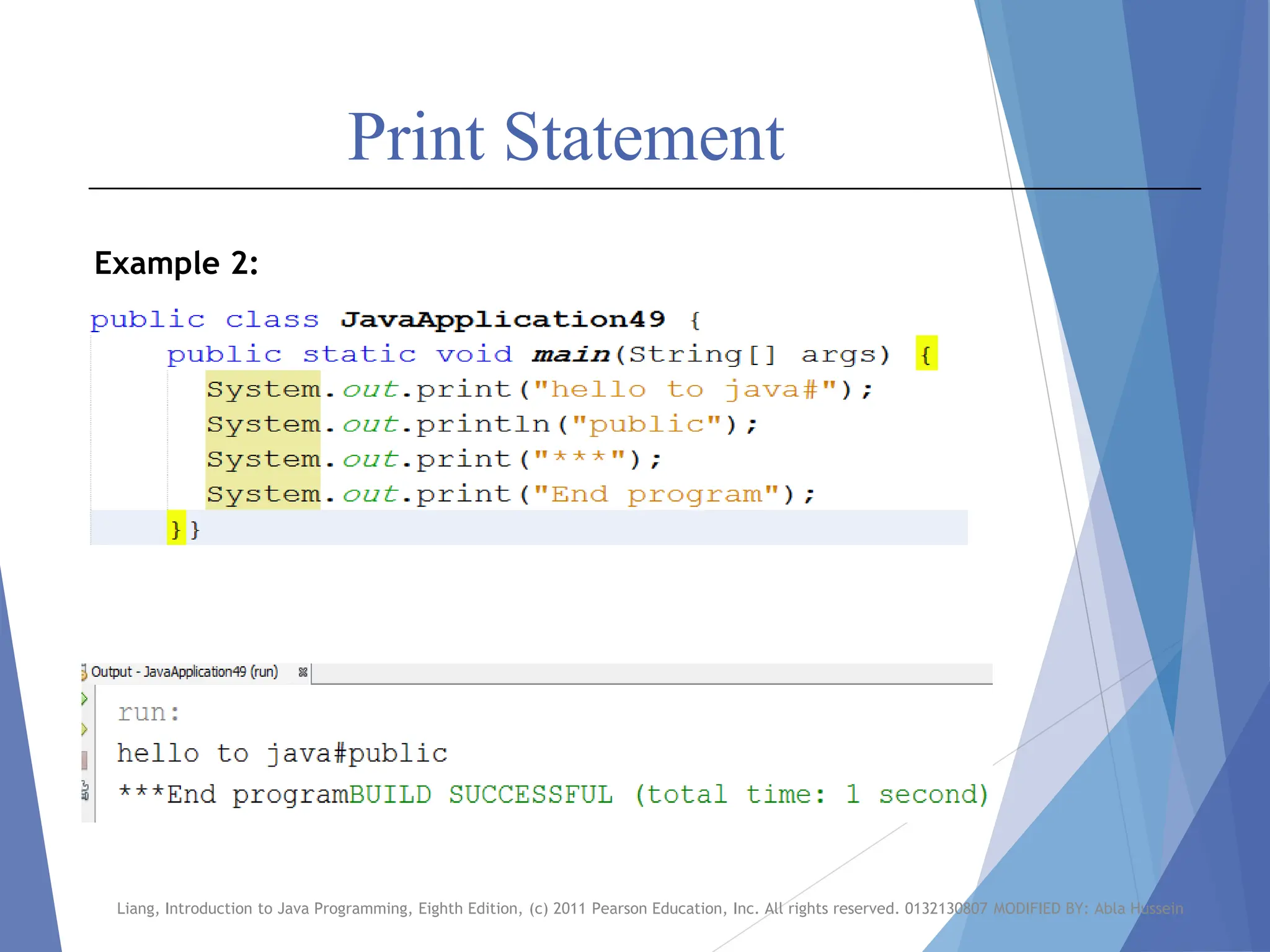
-In the System.out.print( ); the output of the next immediate print
statement will be printed on the same line.
-In the System.out.println( ); the output of the next immediate print
statement will be printed on a new line.
-In other words, the println( ) moves the cursor to a new line in the
console (output screen) after the printing execution.
-The print( ) keeps the cursor on the same line in the console after the
printing execution.
Liang, Introduction to Java Programming, Eighth Edition, (c) 2011 Pearson Education, Inc. All rights reserved. 0132130807 MODIFIED BY: Abla Hussein
Print Statement
-Example 1:
The output will be as following:
Liang, Introduction to Java Programming, Eighth Edition, (c) 2011 Pearson Education, Inc. All rights reserved. 0132130807 MODIFIED BY: Abla Hussein
Print Statement
Liang, Introduction to Java Programming, Eighth Edition, (c) 2011 Pearson Education, Inc. All rights reserved. 0132130807 MODIFIED BY: Abla Hussein
Example 2:
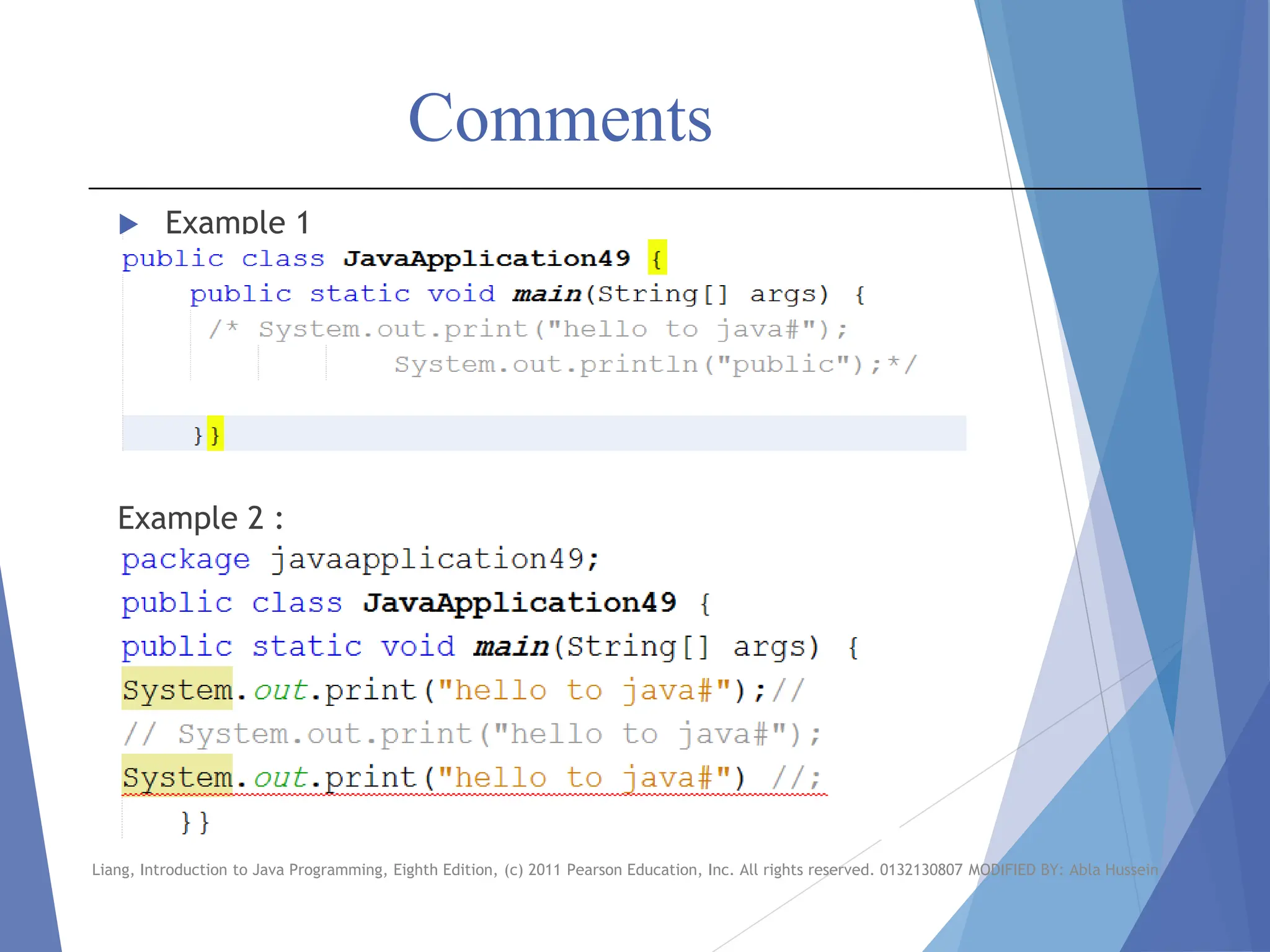
Comments
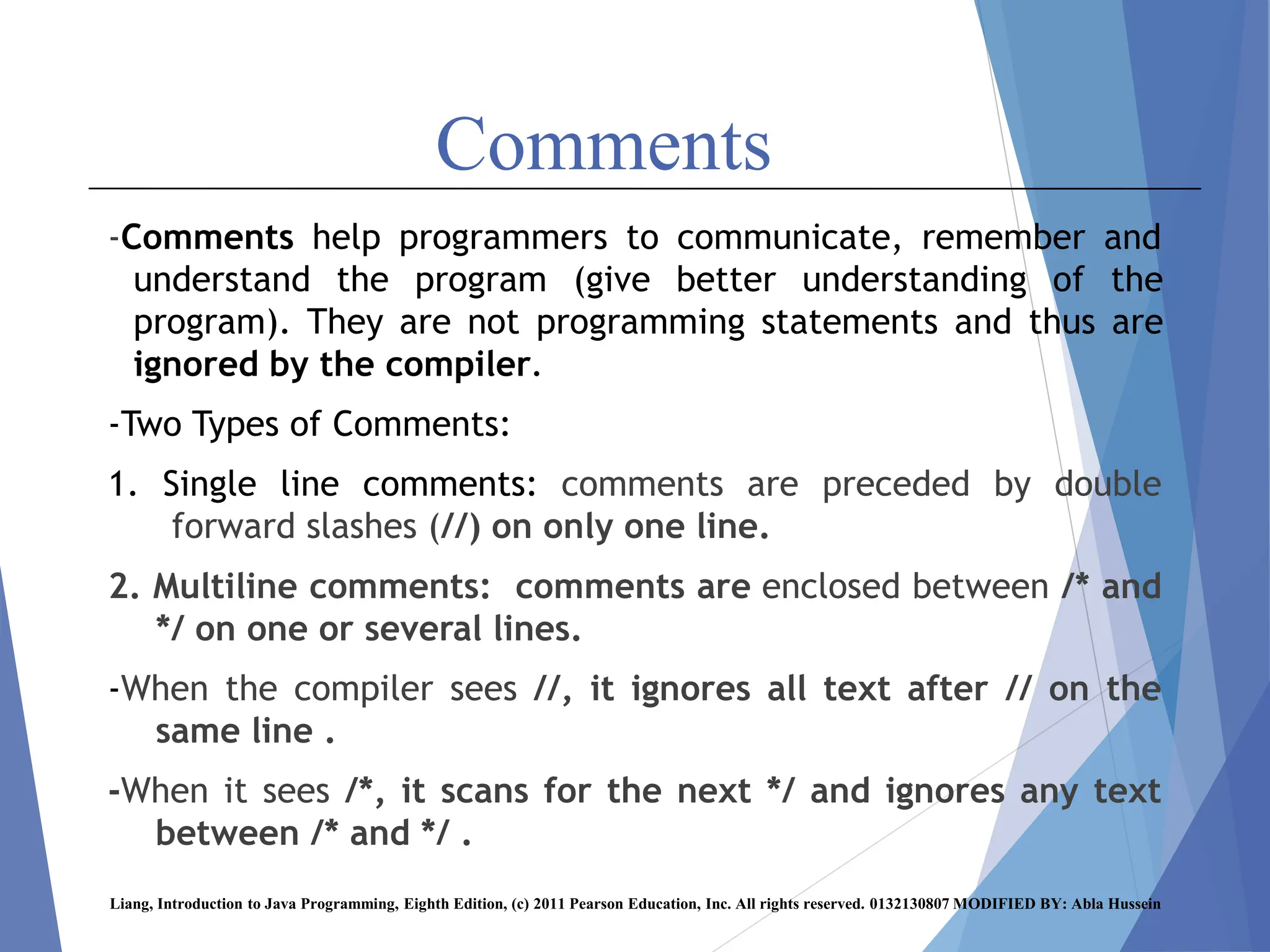
-Comments help programmers to communicate, remember and
understand the program (give better understanding of the
program). They are not programming statements and thus are
ignored by the compiler.
-Two Types of Comments:
1. Single line comments: comments are preceded by double
forward slashes (//) on only one line.
2. Multiline comments: comments are enclosed between /* and
*/ on one or several lines.
-When the compiler sees //, it ignores all text after // on the
same line .
-When it sees /*, it scans for the next */ and ignores any text
between /* and */ .
Liang, Introduction to Java Programming, Eighth Edition, (c) 2011 Pearson Education, Inc. All rights reserved. 0132130807 MODIFIED BY: Abla Hussein
Comments
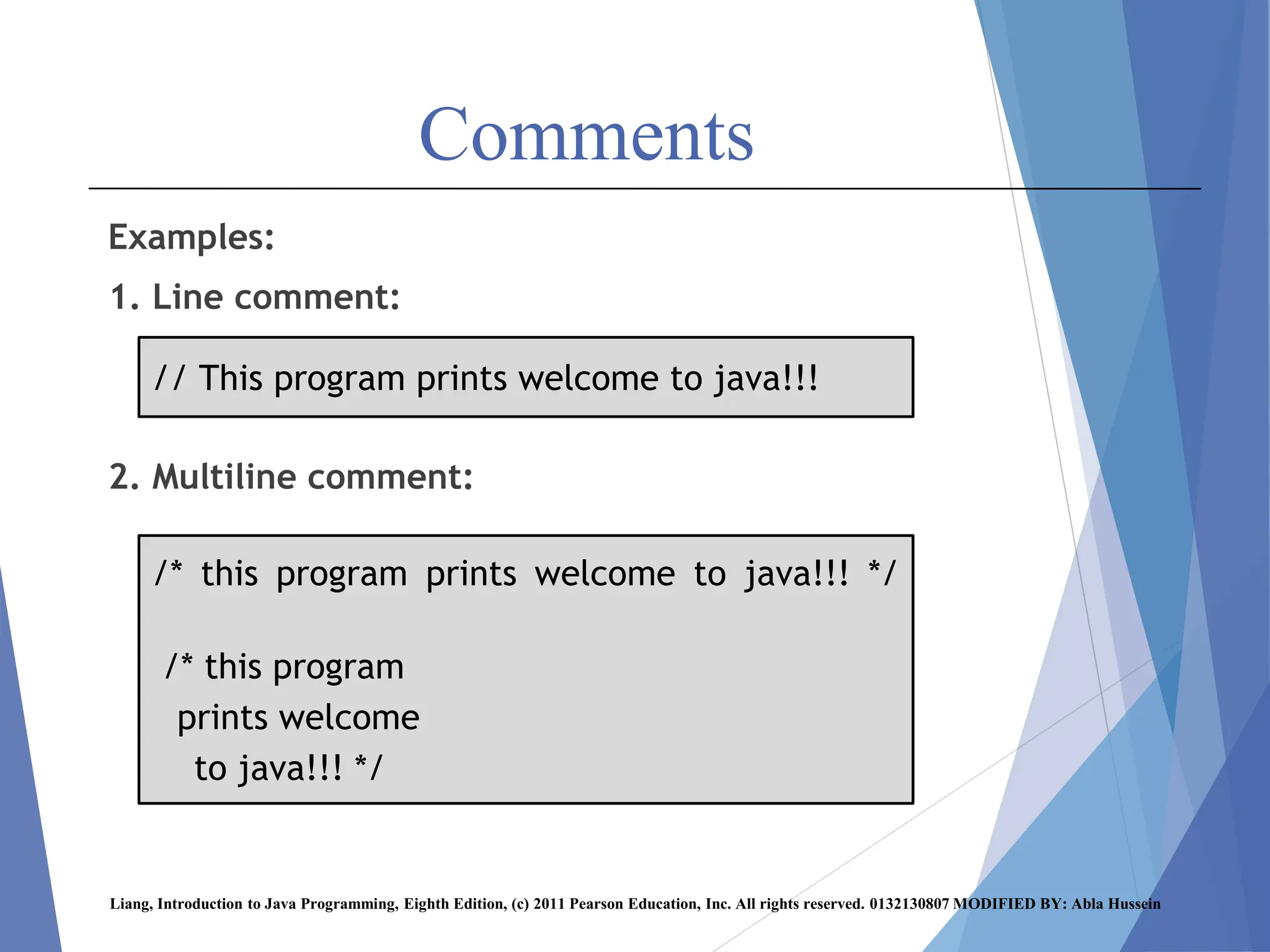
Examples:
1. Line comment:
2. Multiline comment:
Liang, Introduction to Java Programming, Eighth Edition, (c) 2011 Pearson Education, Inc. All rights reserved. 0132130807 MODIFIED BY: Abla Hussein
/* this program prints welcome to java!!! */
/* this program
prints welcome
to java!!! */
// This program prints welcome to java!!!
Comments
 Example 1
Example 2 :
Liang, Introduction to Java Programming, Eighth Edition, (c) 2011 Pearson Education, Inc. All rights reserved. 0132130807 MODIFIED BY: Abla Hussein
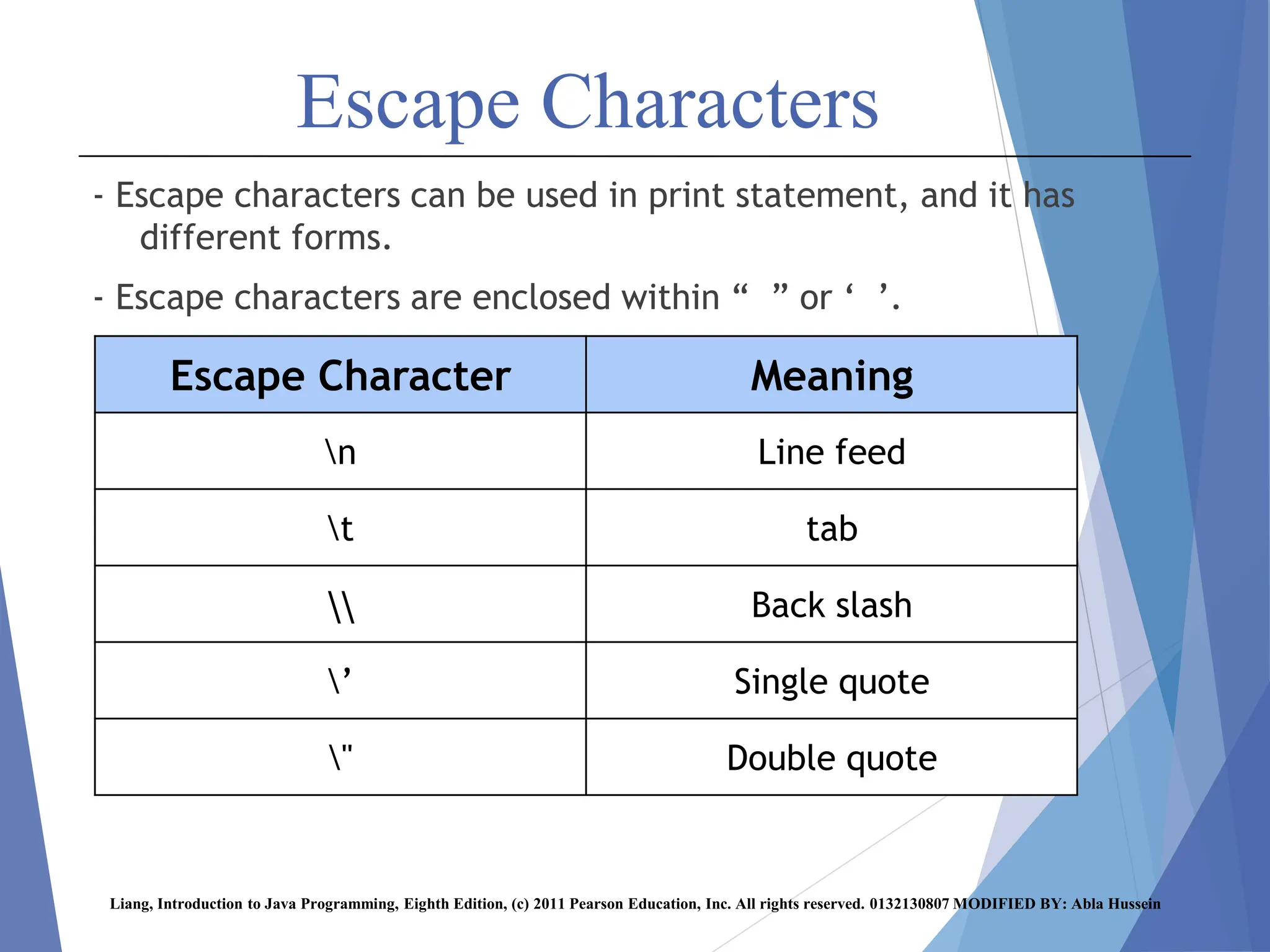
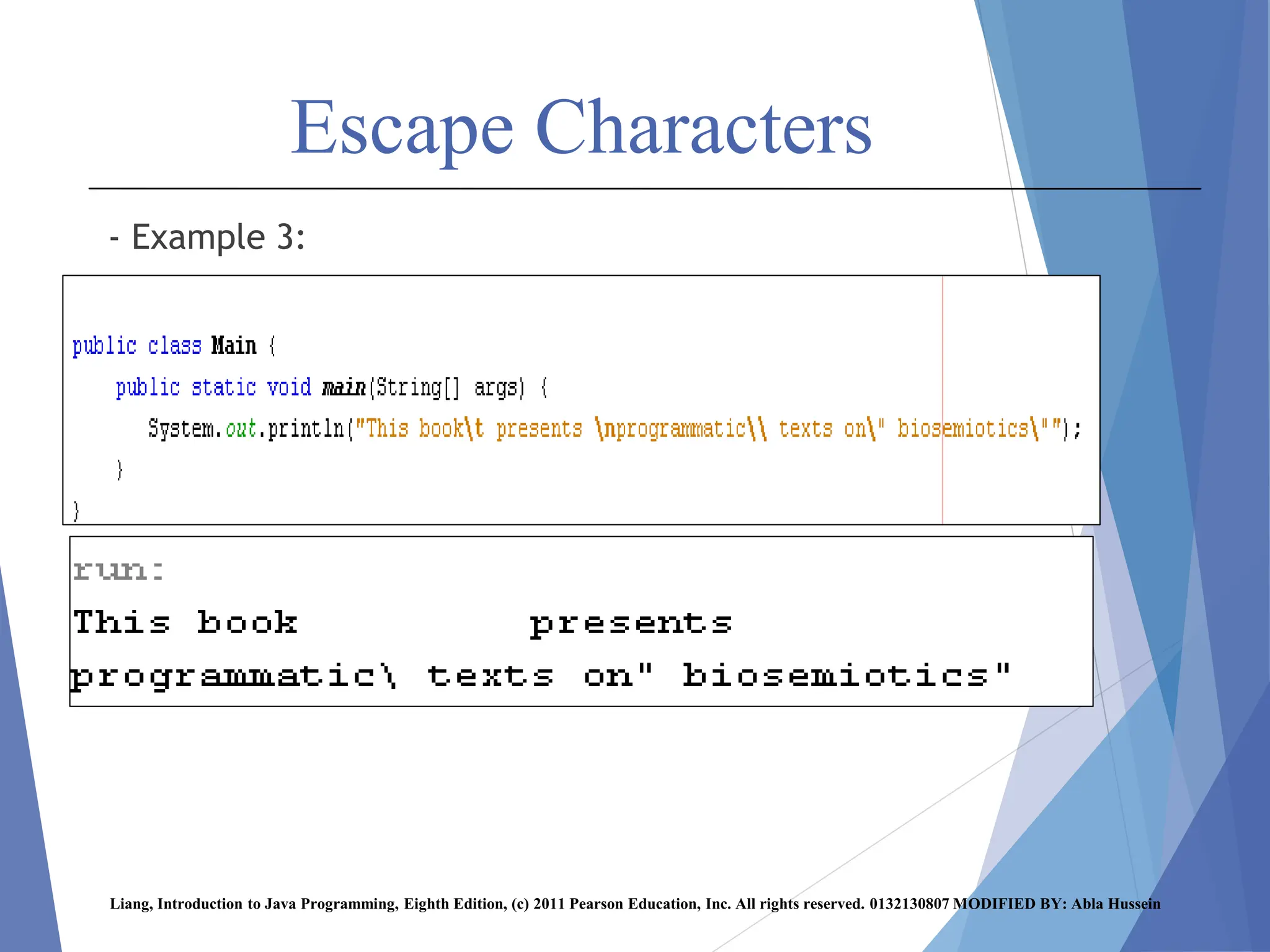
Escape Characters
- Escape characters can be used in print statement, and it has
different forms.
- Escape characters are enclosed within “ ” or ‘ ’.
Liang, Introduction to Java Programming, Eighth Edition, (c) 2011 Pearson Education, Inc. All rights reserved. 0132130807 MODIFIED BY: Abla Hussein
Meaning
Escape Character
Line feed
n
tab
t
Back slash


Single quote
’
Double quote
"
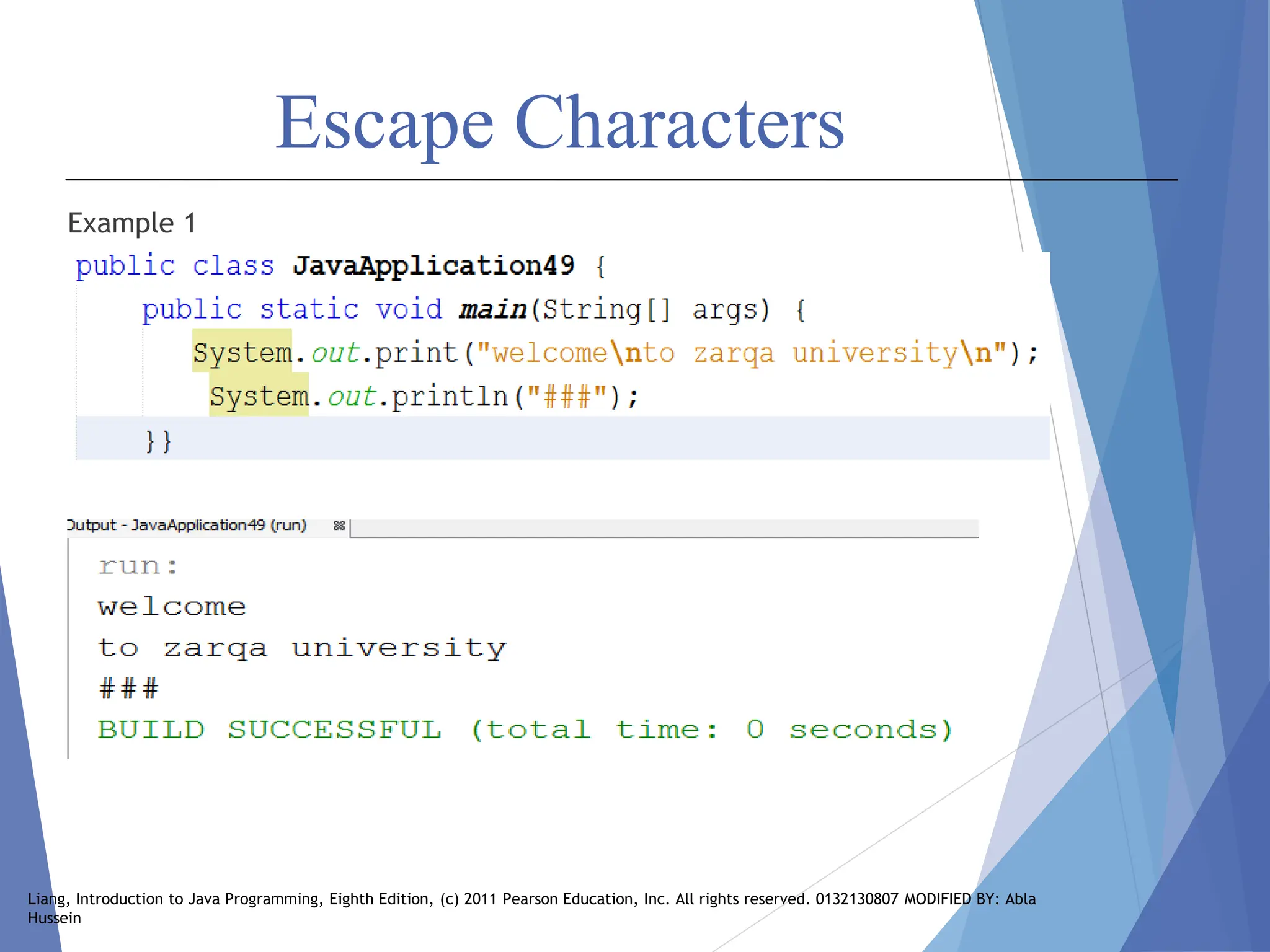
Escape Characters
Example 1
Liang, Introduction to Java Programming, Eighth Edition, (c) 2011 Pearson Education, Inc. All rights reserved. 0132130807 MODIFIED BY: Abla
Hussein
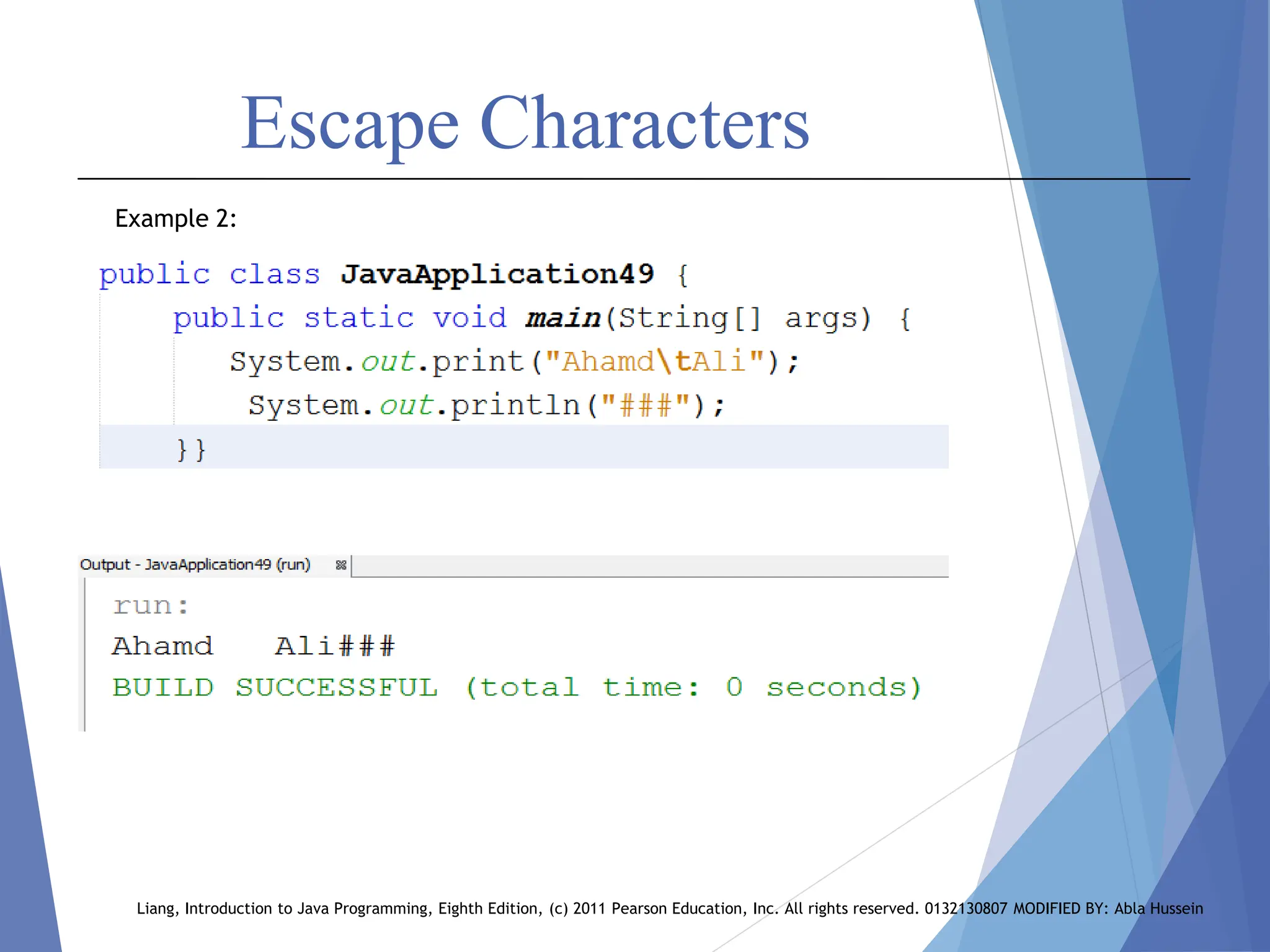
Escape Characters
Liang, Introduction to Java Programming, Eighth Edition, (c) 2011 Pearson Education, Inc. All rights reserved. 0132130807 MODIFIED BY: Abla Hussein
Example 2:
Escape Characters
- Example 3:
Liang, Introduction to Java Programming, Eighth Edition, (c) 2011 Pearson Education, Inc. All rights reserved. 0132130807 MODIFIED BY: Abla Hussein
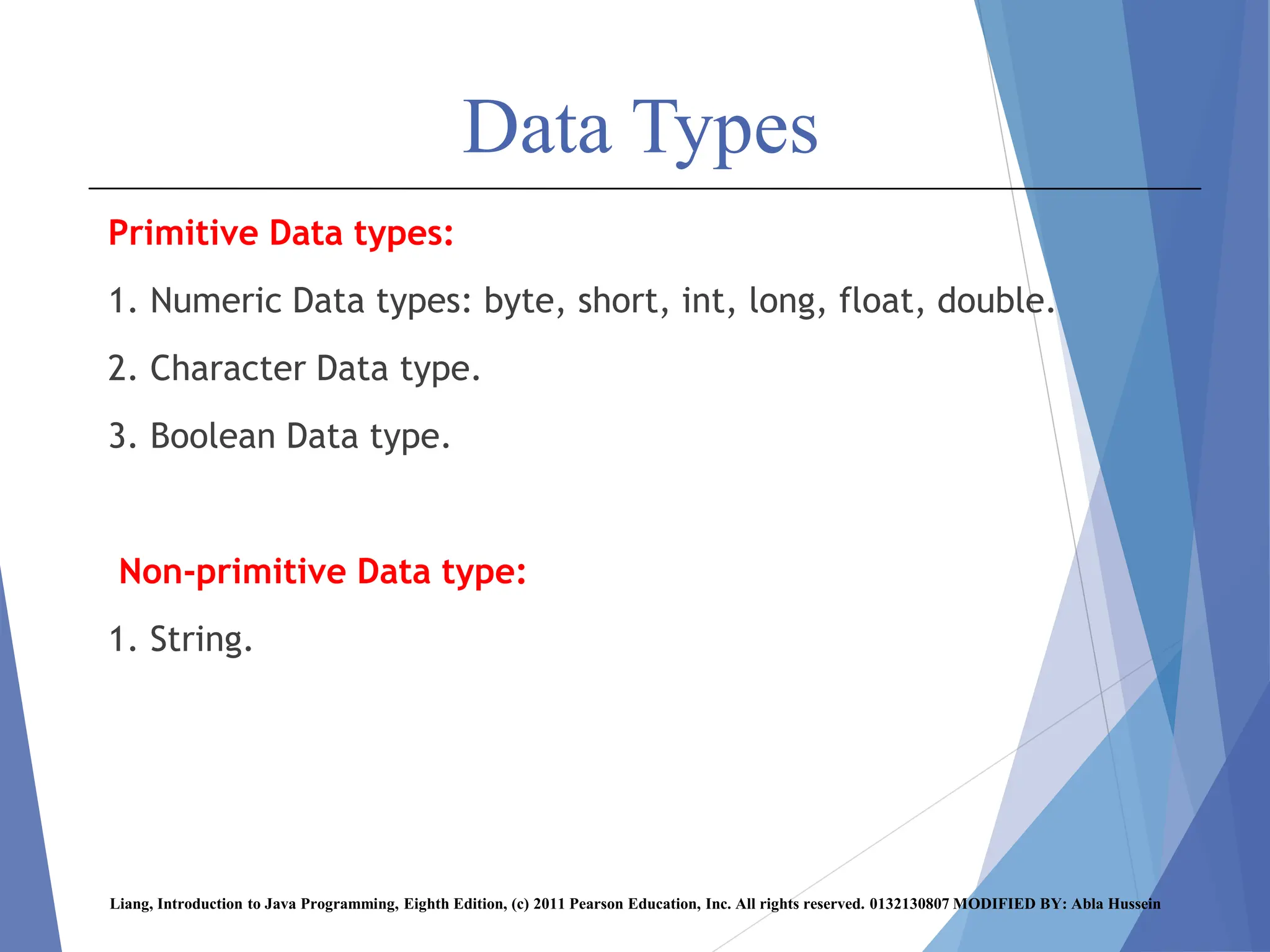
Data Types
Primitive Data types:
1. Numeric Data types: byte, short, int, long, float, double.
2. Character Data type.
3. Boolean Data type.
Non-primitive Data type:
1. String.
Liang, Introduction to Java Programming, Eighth Edition, (c) 2011 Pearson Education, Inc. All rights reserved. 0132130807 MODIFIED BY: Abla Hussein
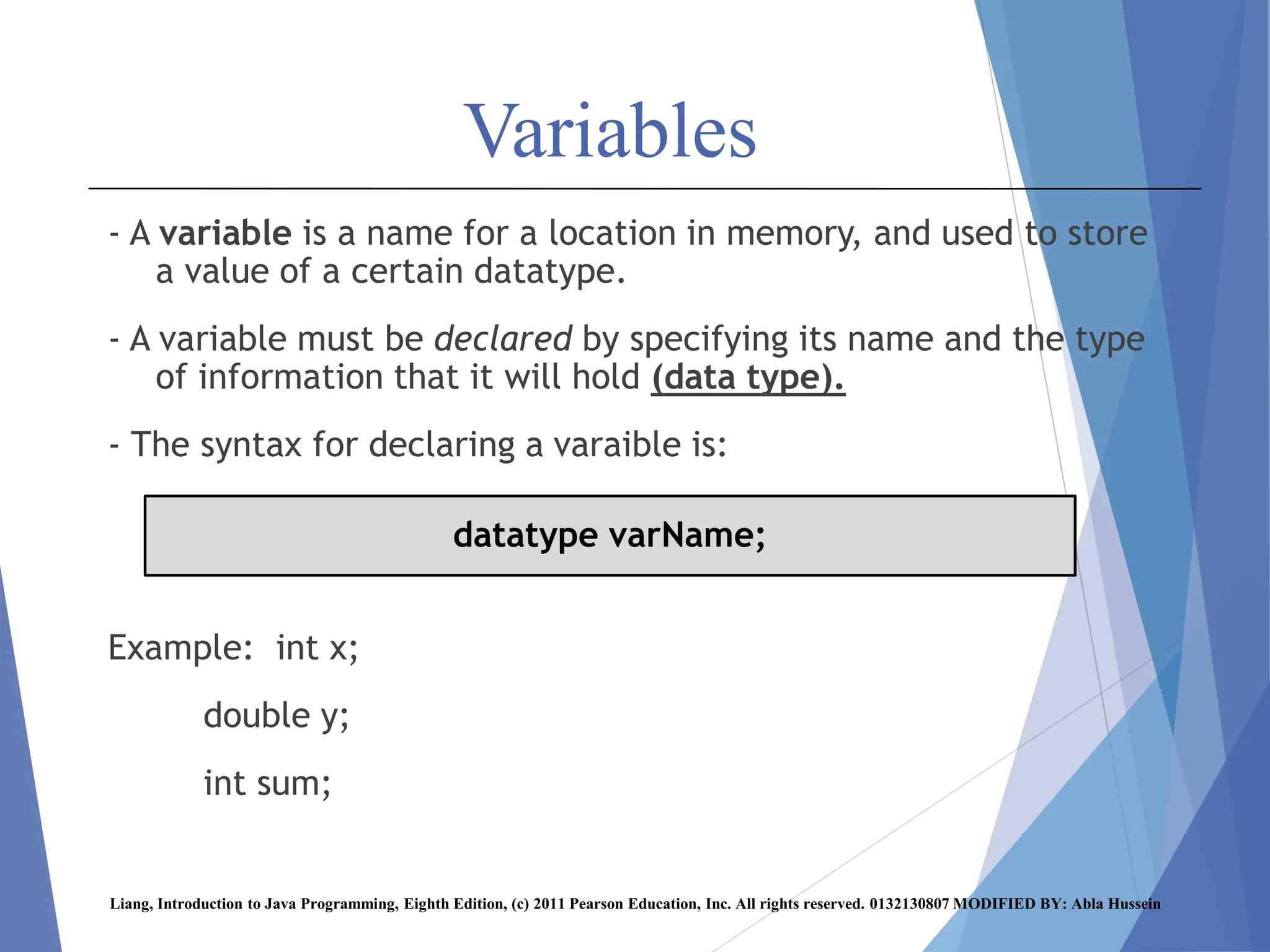
Variables
- A variable is a name for a location in memory, and used to store
a value of a certain datatype.
- A variable must be declared by specifying its name and the type
of information that it will hold (data type).
- The syntax for declaring a varaible is:
Example: int x;
double y;
int sum;
Liang, Introduction to Java Programming, Eighth Edition, (c) 2011 Pearson Education, Inc. All rights reserved. 0132130807 MODIFIED BY: Abla Hussein
datatype varName;
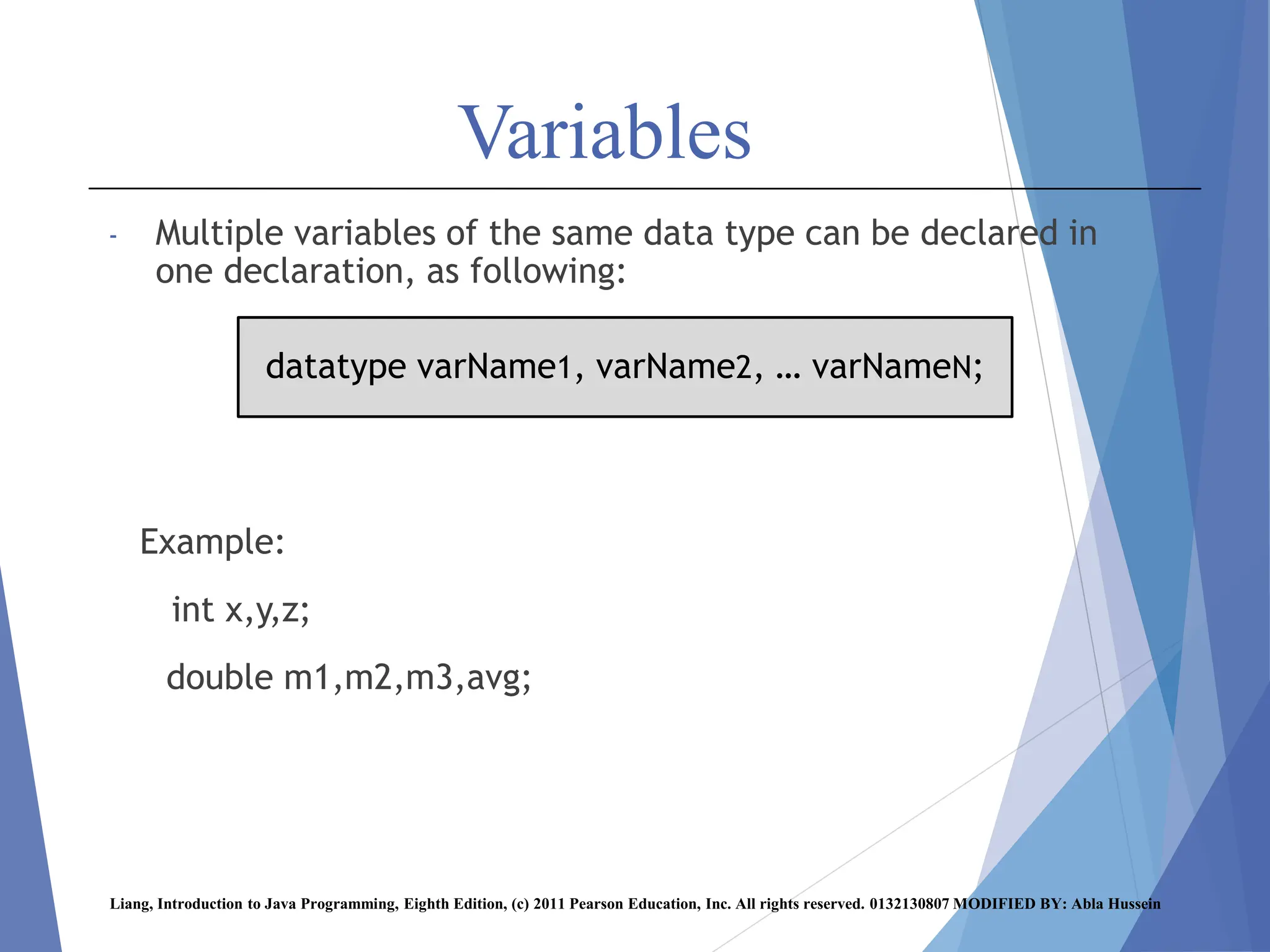
Variables
- Multiple variables of the same data type can be declared in
one declaration, as following:
Example:
int x,y,z;
double m1,m2,m3,avg;
Liang, Introduction to Java Programming, Eighth Edition, (c) 2011 Pearson Education, Inc. All rights reserved. 0132130807 MODIFIED BY: Abla Hussein
datatype varName1, varName2, … varNameN;
Variables
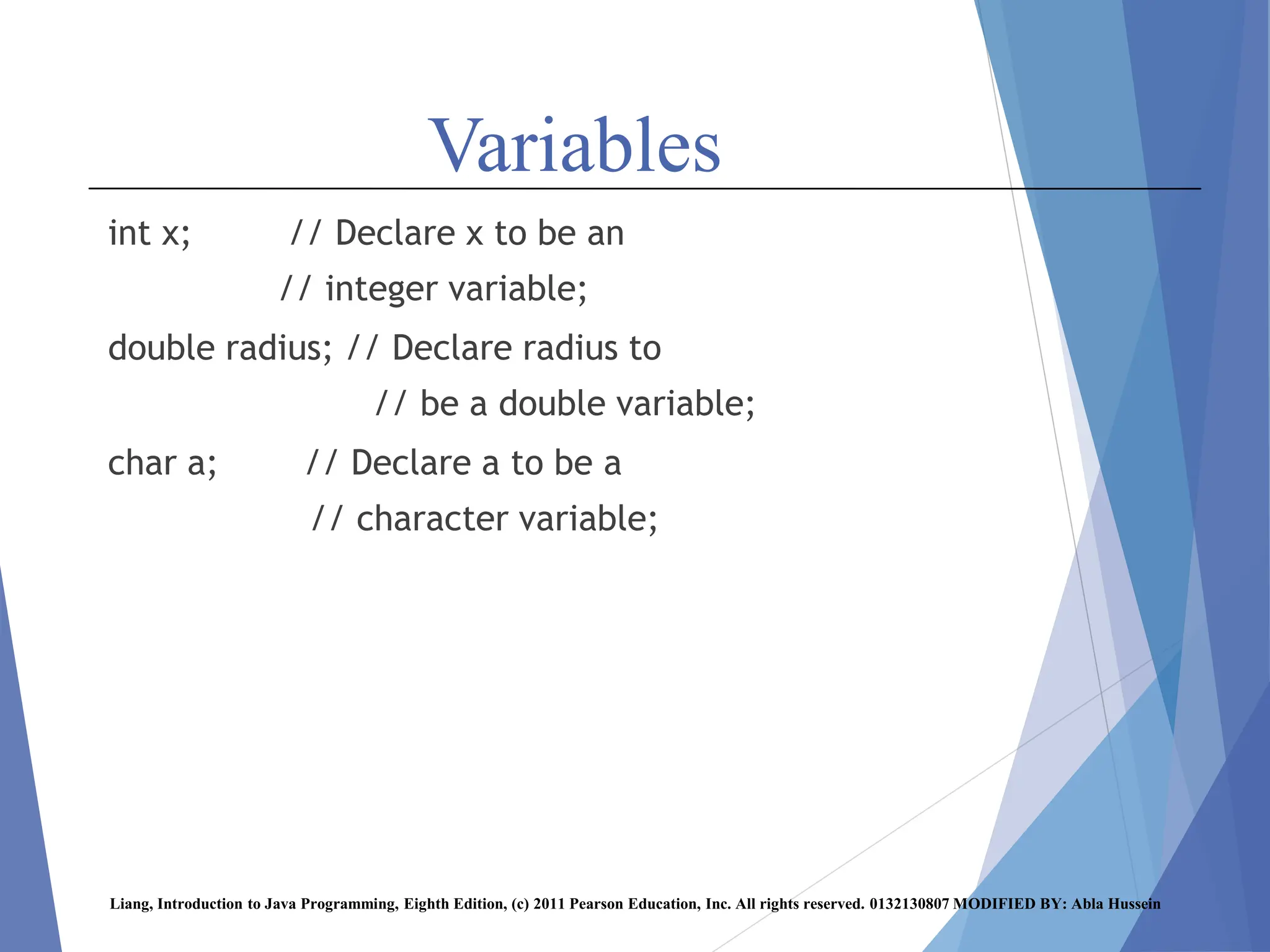
int x; // Declare x to be an
// integer variable;
double radius; // Declare radius to
// be a double variable;
char a; // Declare a to be a
// character variable;
Liang, Introduction to Java Programming, Eighth Edition, (c) 2011 Pearson Education, Inc. All rights reserved. 0132130807 MODIFIED BY: Abla Hussein
Assignment Statement
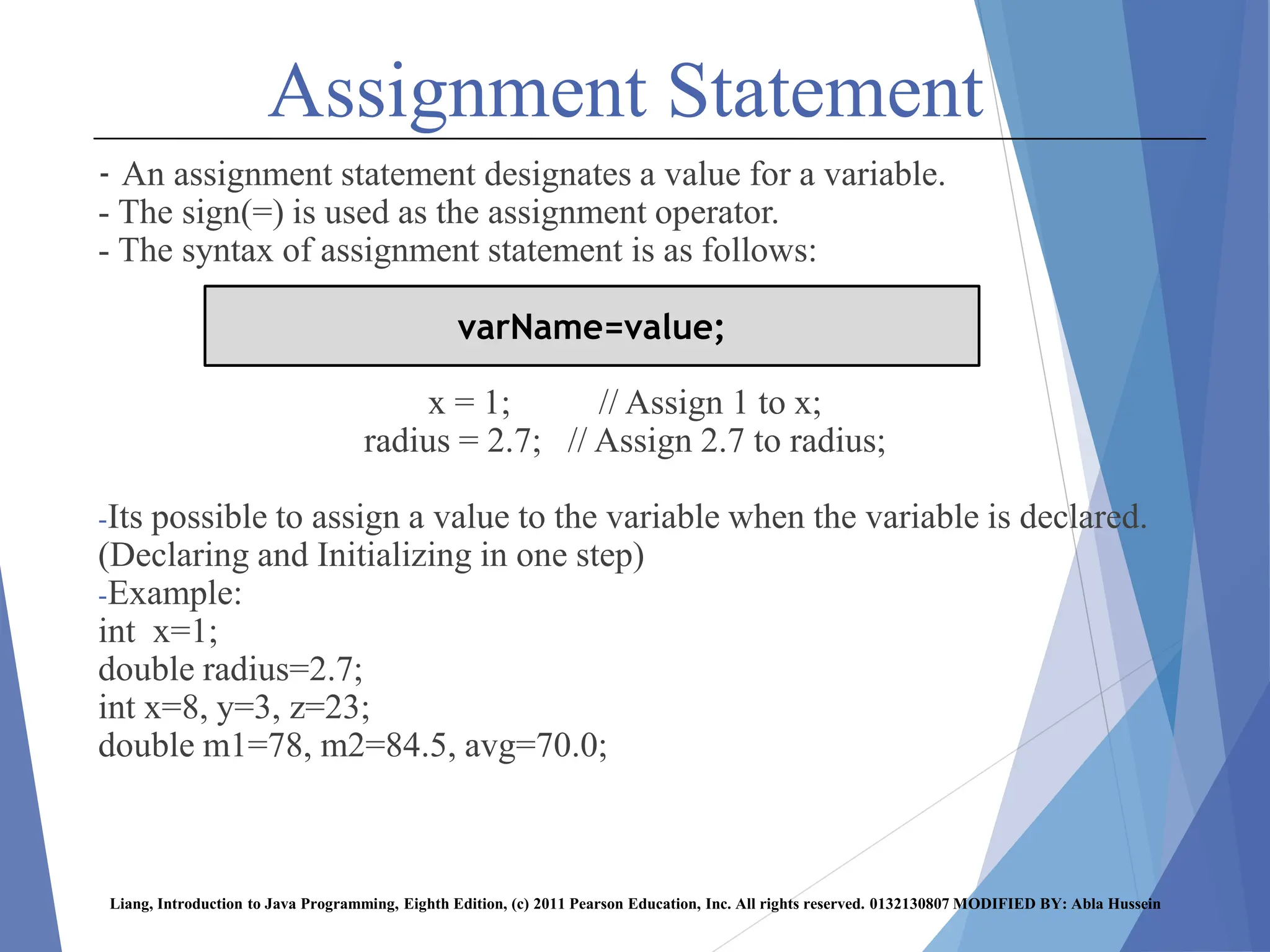
- An assignment statement designates a value for a variable.
- The sign(=) is used as the assignment operator.
- The syntax of assignment statement is as follows:
x = 1; // Assign 1 to x;
radius = 2.7; // Assign 2.7 to radius;
-Its possible to assign a value to the variable when the variable is declared.
(Declaring and Initializing in one step)
-Example:
int x=1;
double radius=2.7;
int x=8, y=3, z=23;
double m1=78, m2=84.5, avg=70.0;
Liang, Introduction to Java Programming, Eighth Edition, (c) 2011 Pearson Education, Inc. All rights reserved. 0132130807 MODIFIED BY: Abla Hussein
varName=value;
Numeric Data Types
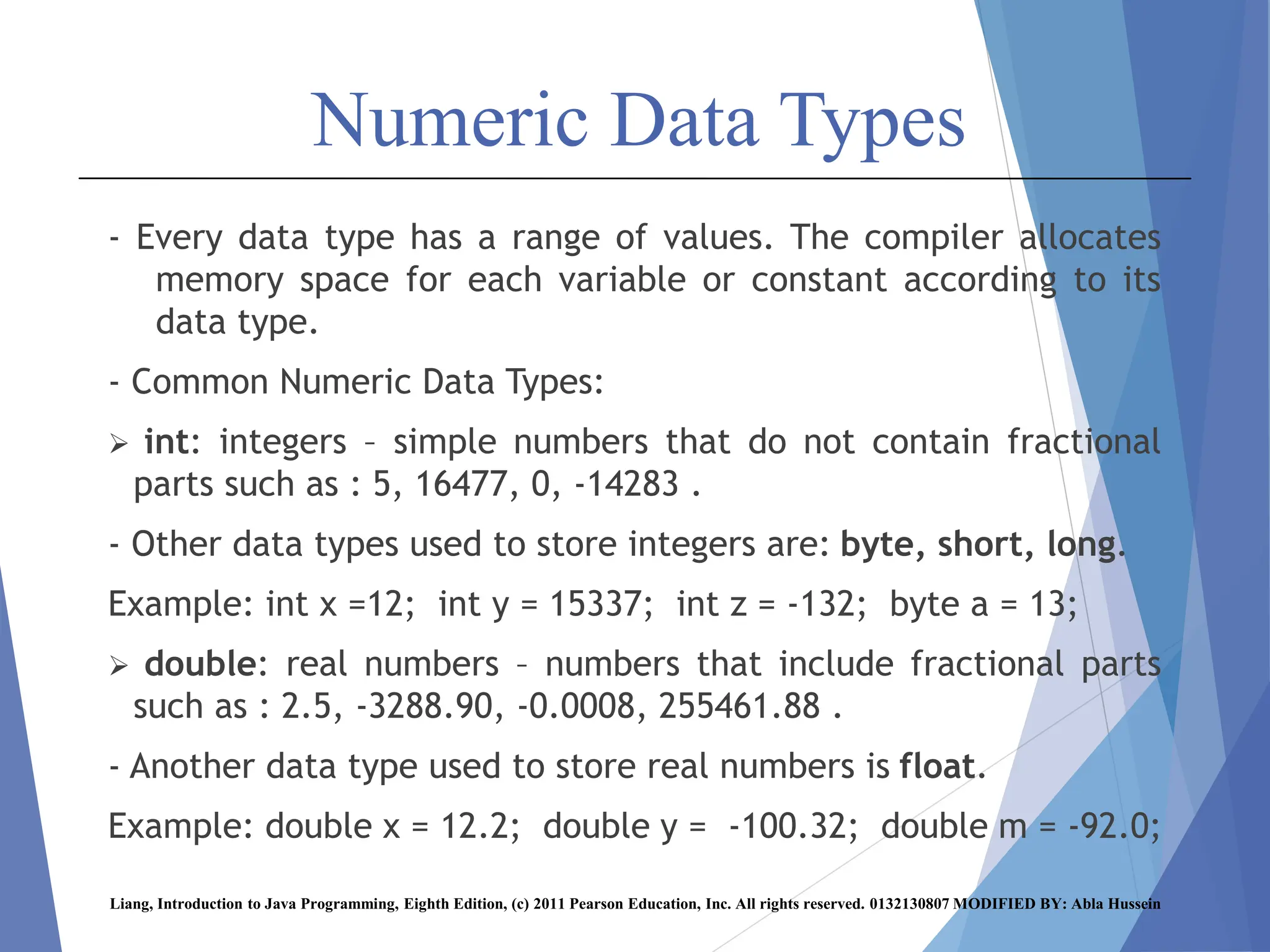
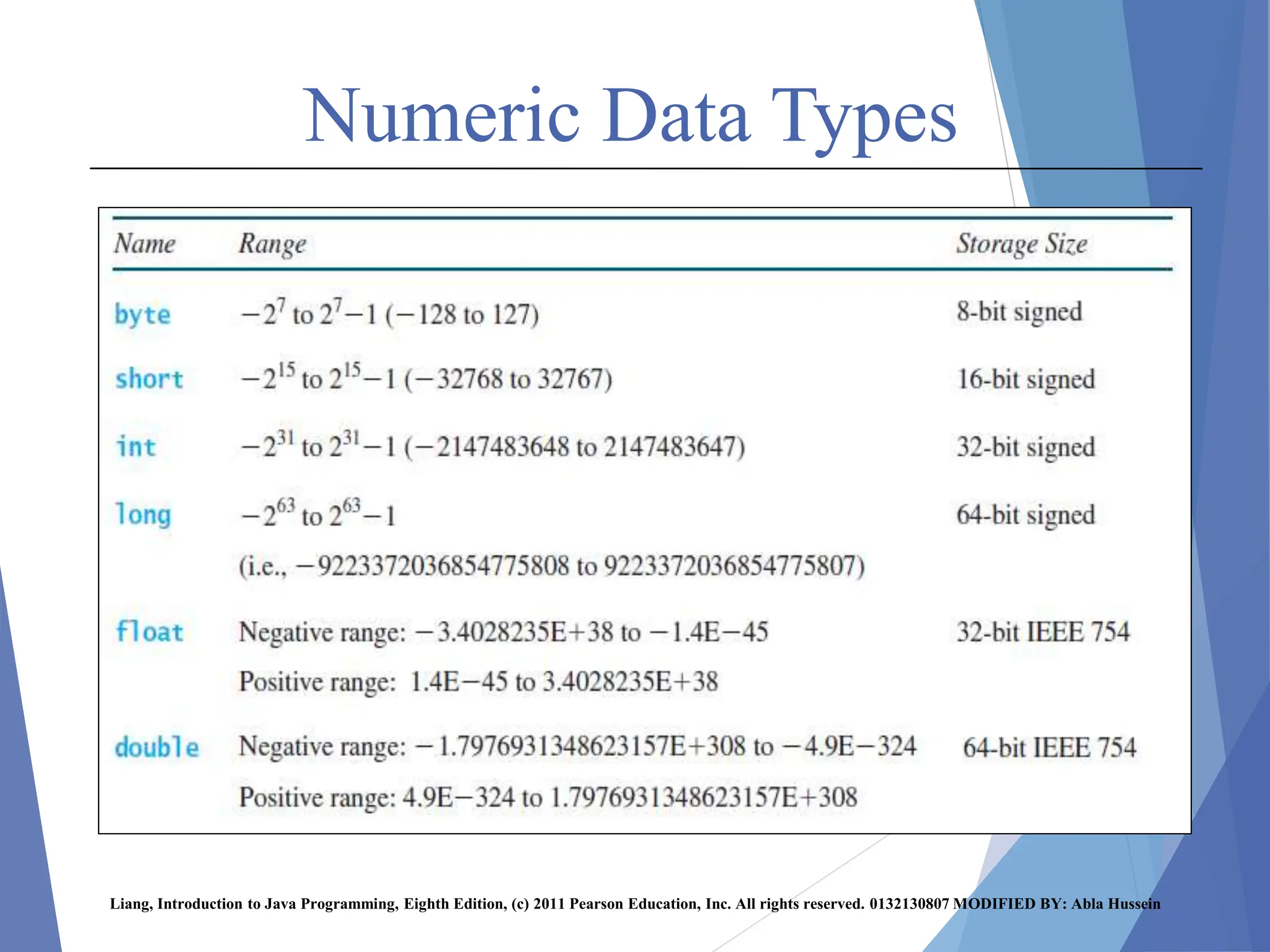
- Every data type has a range of values. The compiler allocates
memory space for each variable or constant according to its
data type.
- Common Numeric Data Types:
 int: integers – simple numbers that do not contain fractional
parts such as : 5, 16477, 0, -14283 .
- Other data types used to store integers are: byte, short, long.
Example: int x =12; int y = 15337; int z = -132; byte a = 13;
 double: real numbers – numbers that include fractional parts
such as : 2.5, -3288.90, -0.0008, 255461.88 .
- Another data type used to store real numbers is float.
Example: double x = 12.2; double y = -100.32; double m = -92.0;
Liang, Introduction to Java Programming, Eighth Edition, (c) 2011 Pearson Education, Inc. All rights reserved. 0132130807 MODIFIED BY: Abla Hussein
Numeric Data Types
Liang, Introduction to Java Programming, Eighth Edition, (c) 2011 Pearson Education, Inc. All rights reserved. 0132130807 MODIFIED BY: Abla Hussein
Numeric Data Types
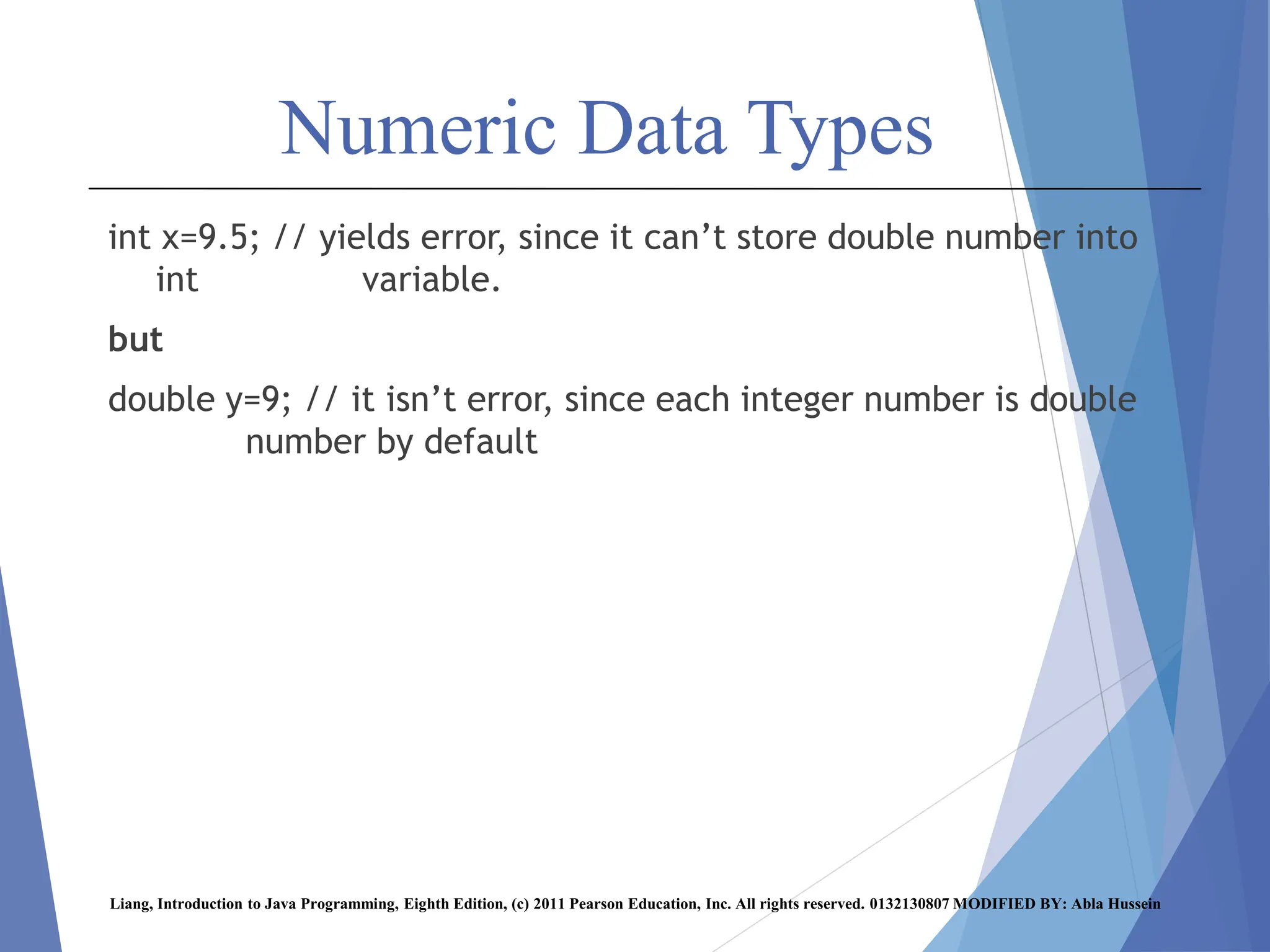
int x=9.5; // yields error, since it can’t store double number into
int variable.
but
double y=9; // it isn’t error, since each integer number is double
number by default
Liang, Introduction to Java Programming, Eighth Edition, (c) 2011 Pearson Education, Inc. All rights reserved. 0132130807 MODIFIED BY: Abla Hussein
Numeric Data Types
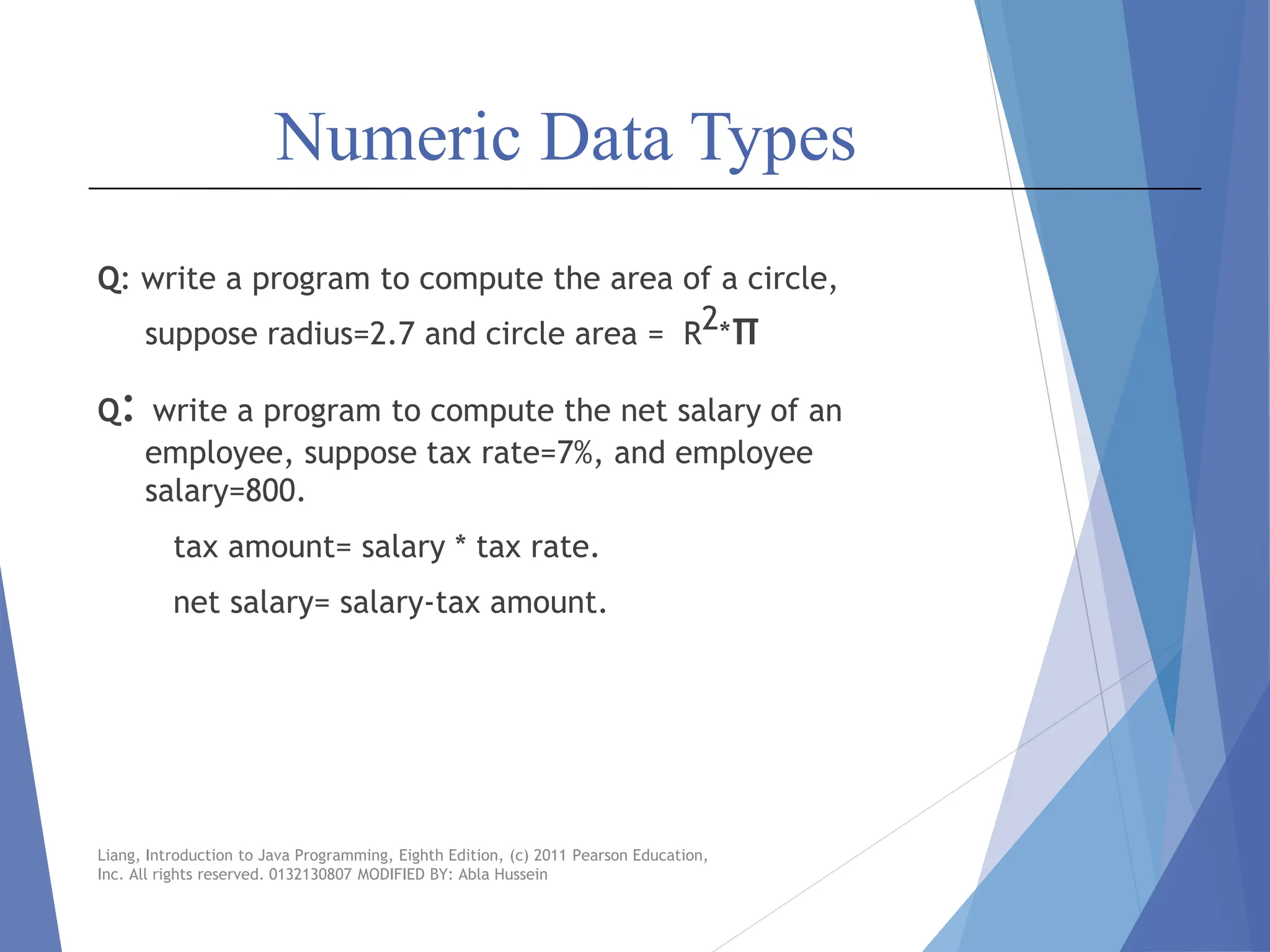
Q: write a program to compute the area of a circle,
suppose radius=2.7 and circle area = R2*π
Q: write a program to compute the net salary of an
employee, suppose tax rate=7%, and employee
salary=800.
tax amount= salary * tax rate.
net salary= salary-tax amount.
Liang, Introduction to Java Programming, Eighth Edition, (c) 2011 Pearson Education,
Inc. All rights reserved. 0132130807 MODIFIED BY: Abla Hussein
Constants
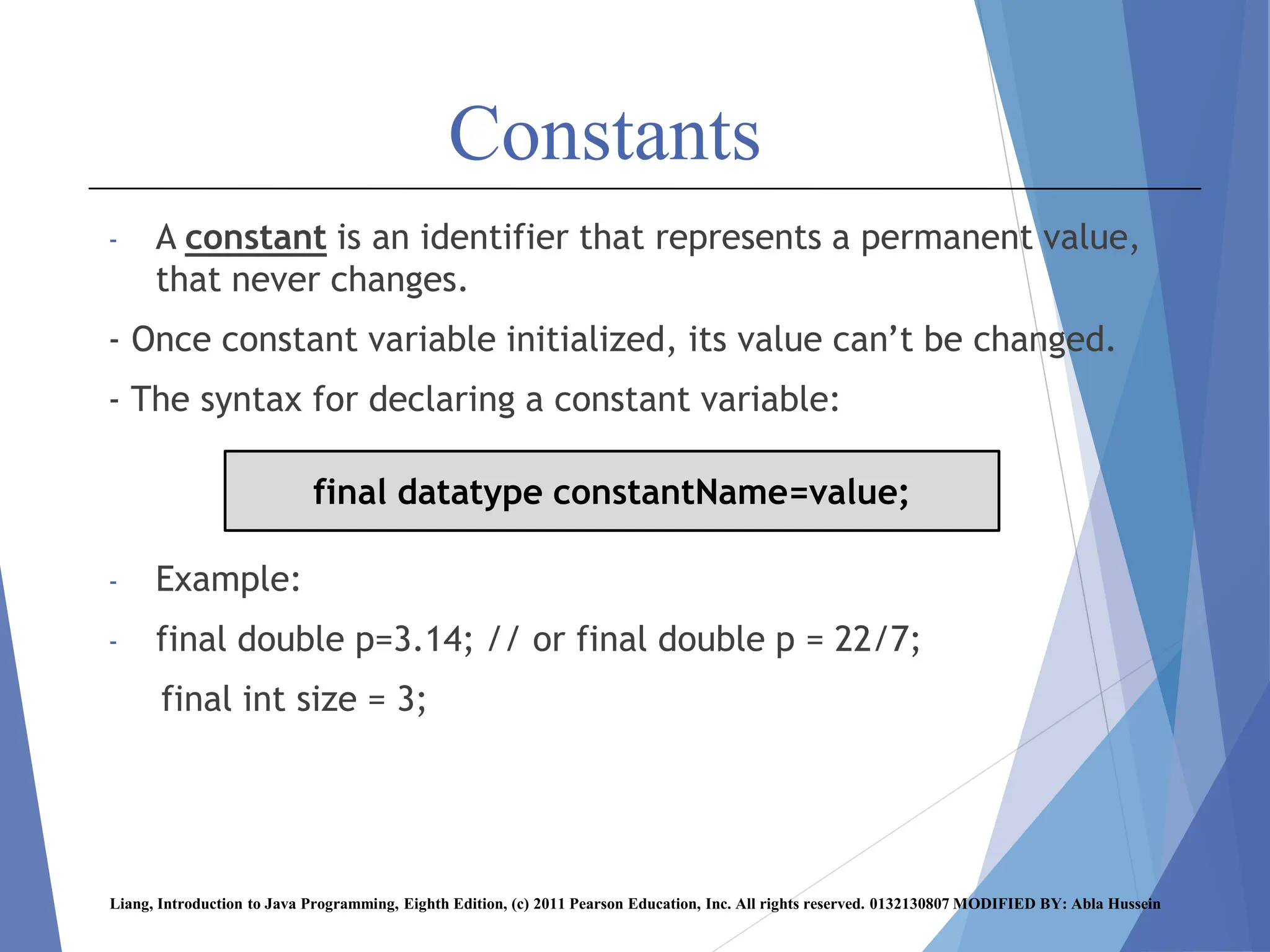
- A constant is an identifier that represents a permanent value,
that never changes.
- Once constant variable initialized, its value can’t be changed.
- The syntax for declaring a constant variable:
- Example:
- final double p=3.14; // or final double p = 22/7;
final int size = 3;
Liang, Introduction to Java Programming, Eighth Edition, (c) 2011 Pearson Education, Inc. All rights reserved. 0132130807 MODIFIED BY: Abla Hussein
final datatype constantName=value;
Numeric Operators
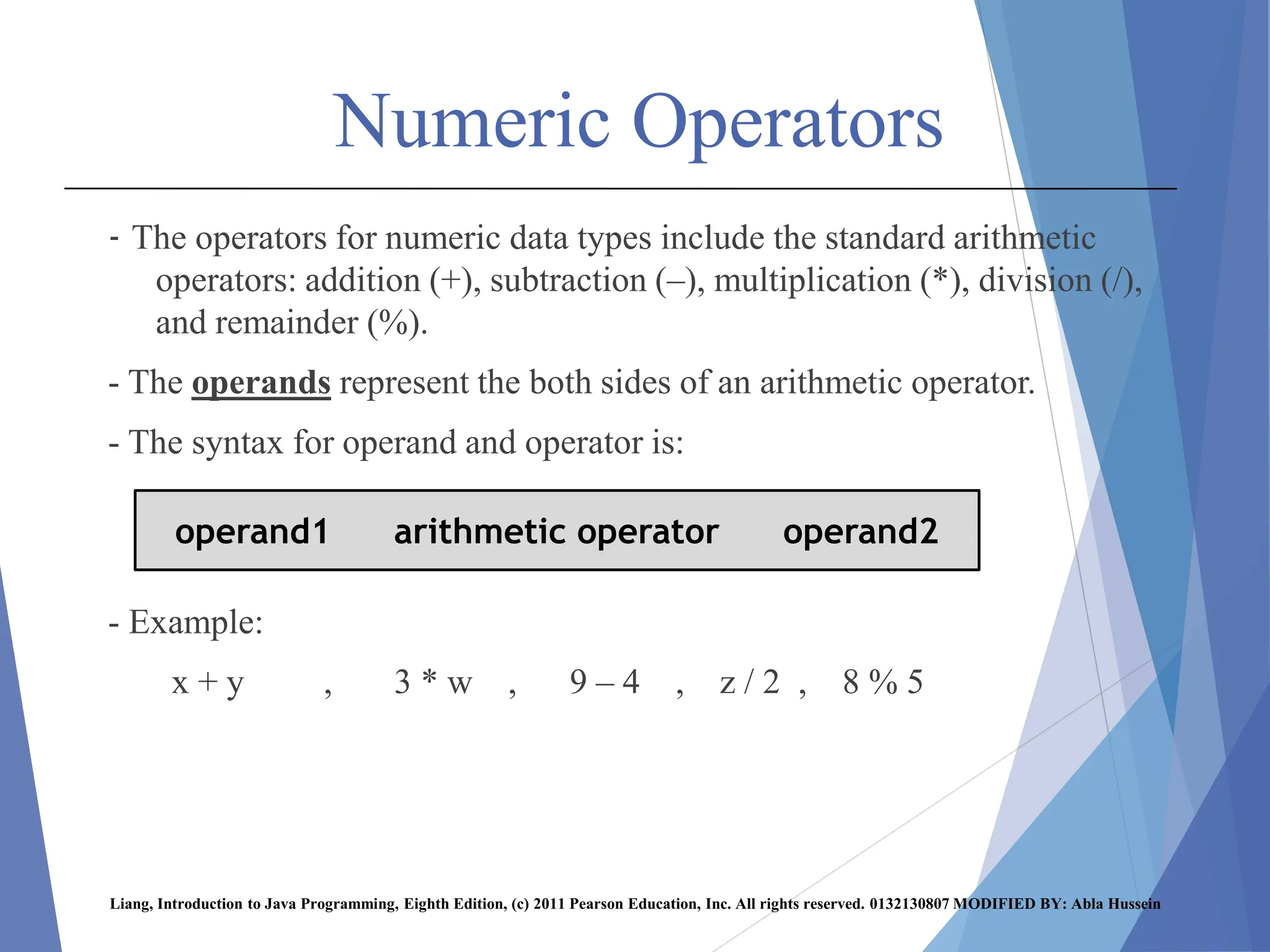
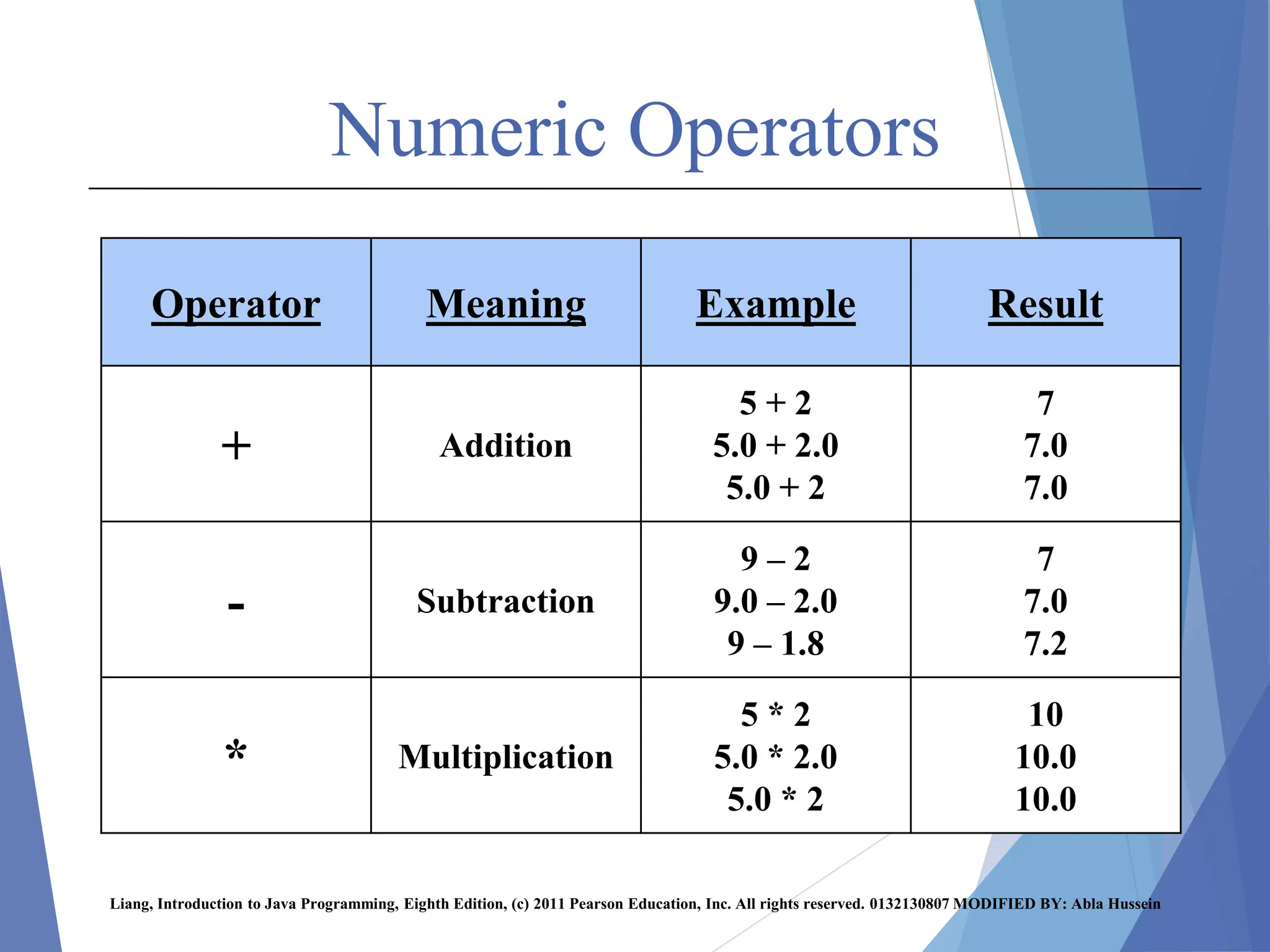
- The operators for numeric data types include the standard arithmetic
operators: addition (+), subtraction (–), multiplication (*), division (/),
and remainder (%).
- The operands represent the both sides of an arithmetic operator.
- The syntax for operand and operator is:
- Example:
x + y , 3 * w , 9 – 4 , z / 2 , 8 % 5
Liang, Introduction to Java Programming, Eighth Edition, (c) 2011 Pearson Education, Inc. All rights reserved. 0132130807 MODIFIED BY: Abla Hussein
operand1 arithmetic operator operand2
Numeric Operators
Result
Example
Meaning
Operator
7
7.0
7.0
5 + 2
5.0 + 2.0
5.0 + 2
Addition
+
7
7.0
7.2
9 – 2
9.0 – 2.0
9 – 1.8
Subtraction
-
10
10.0
10.0
5 * 2
5.0 * 2.0
5.0 * 2
Multiplication
*
Liang, Introduction to Java Programming, Eighth Edition, (c) 2011 Pearson Education, Inc. All rights reserved. 0132130807 MODIFIED BY: Abla Hussein
Numeric Operators
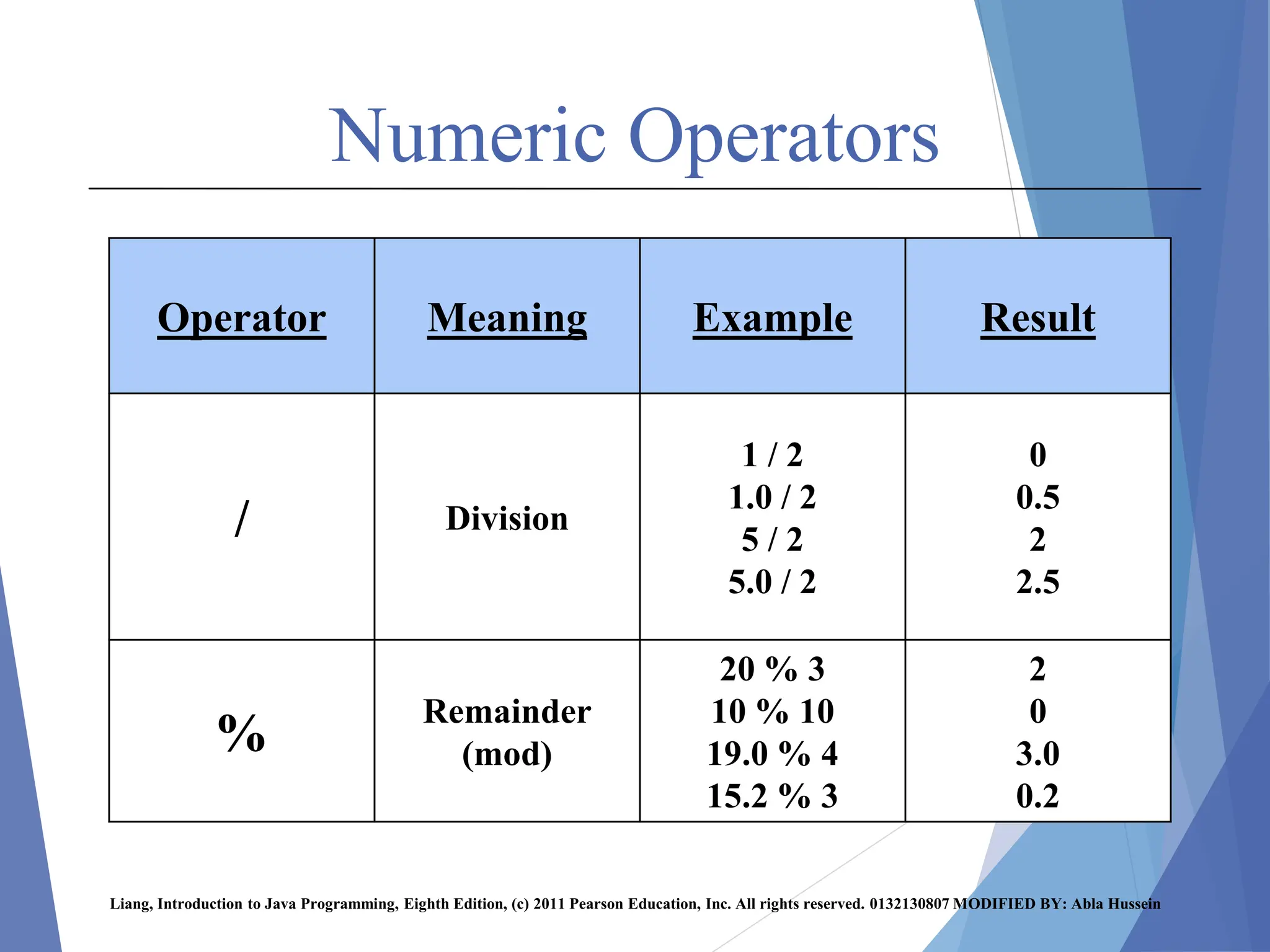
Result
Example
Meaning
Operator
0
0.5
2
2.5
1 / 2
1.0 / 2
5 / 2
5.0 / 2
Division
/
2
0
3.0
0.2
20 % 3
10 % 10
19.0 % 4
15.2 % 3
Remainder
(mod)
%
Liang, Introduction to Java Programming, Eighth Edition, (c) 2011 Pearson Education, Inc. All rights reserved. 0132130807 MODIFIED BY: Abla Hussein
Examples
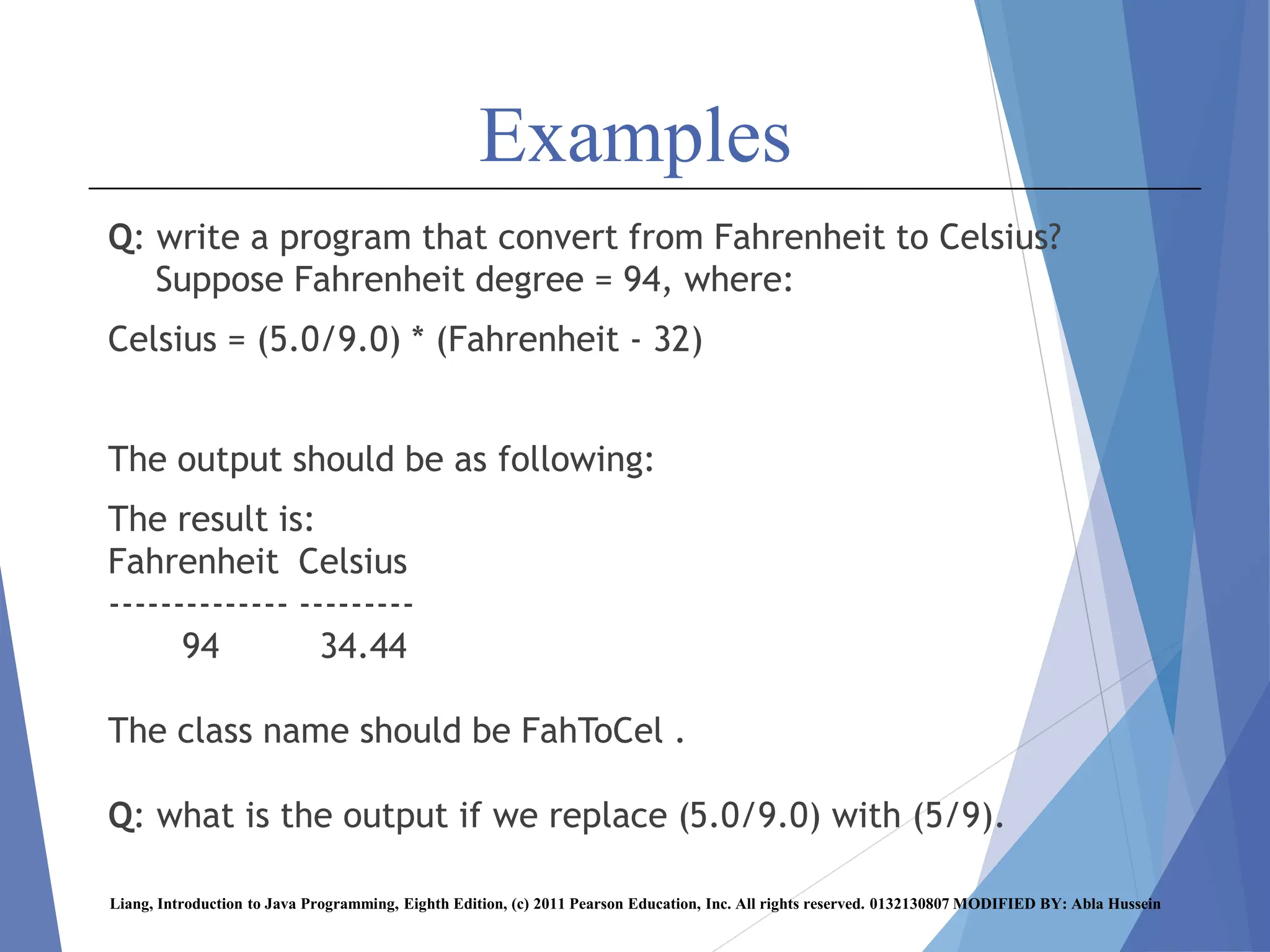
Q: write a program that convert from Fahrenheit to Celsius?
Suppose Fahrenheit degree = 94, where:
Celsius = (5.0/9.0) * (Fahrenheit - 32)
The output should be as following:
The result is:
Fahrenheit Celsius
-------------- ---------
94 34.44
The class name should be FahToCel .
Q: what is the output if we replace (5.0/9.0) with (5/9).
Liang, Introduction to Java Programming, Eighth Edition, (c) 2011 Pearson Education, Inc. All rights reserved. 0132130807 MODIFIED BY: Abla Hussein
Numeric Operators
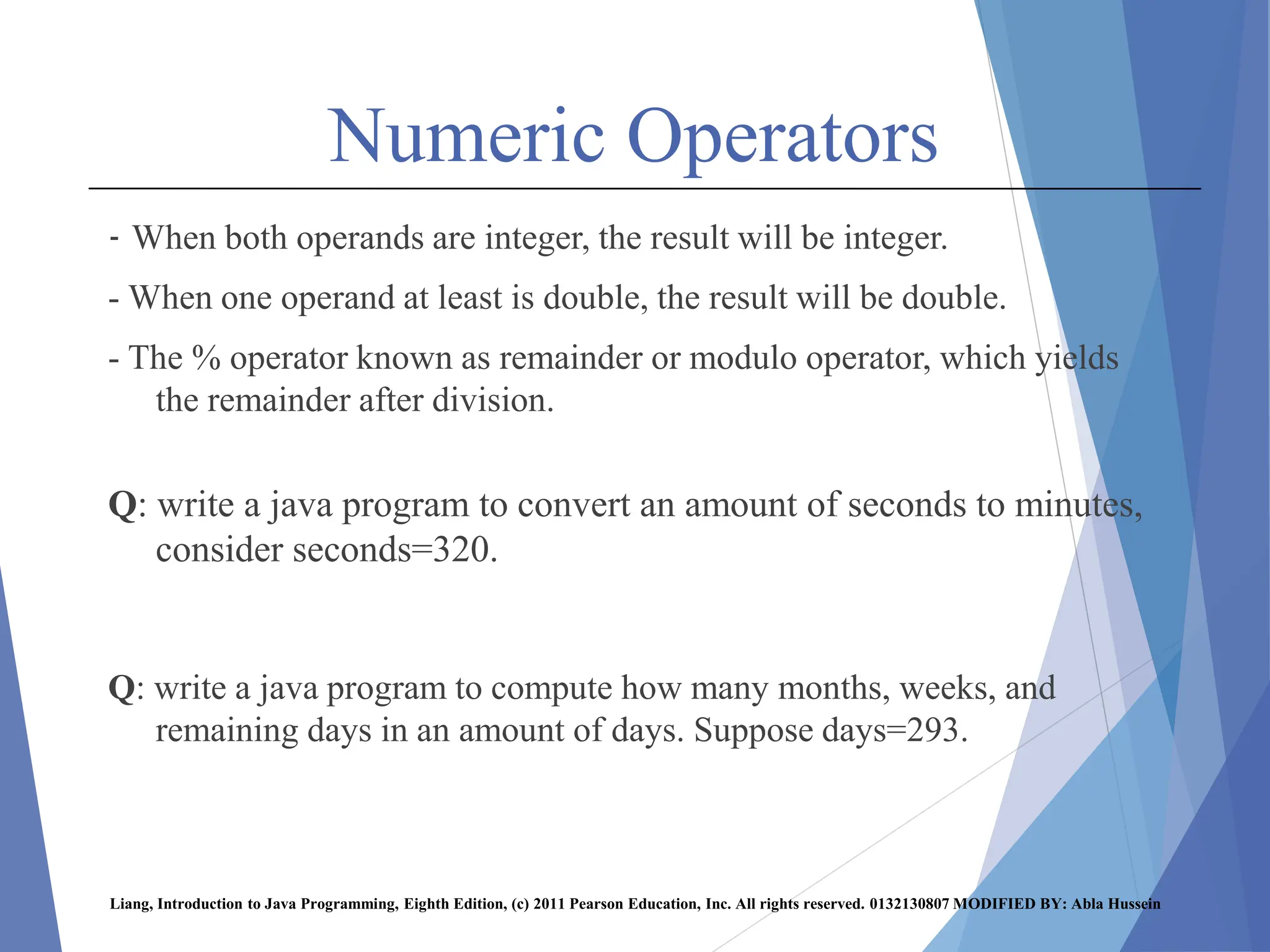
- When both operands are integer, the result will be integer.
- When one operand at least is double, the result will be double.
- The % operator known as remainder or modulo operator, which yields
the remainder after division.
Q: write a java program to convert an amount of seconds to minutes,
consider seconds=320.
Q: write a java program to compute how many months, weeks, and
remaining days in an amount of days. Suppose days=293.
Liang, Introduction to Java Programming, Eighth Edition, (c) 2011 Pearson Education, Inc. All rights reserved. 0132130807 MODIFIED BY: Abla Hussein
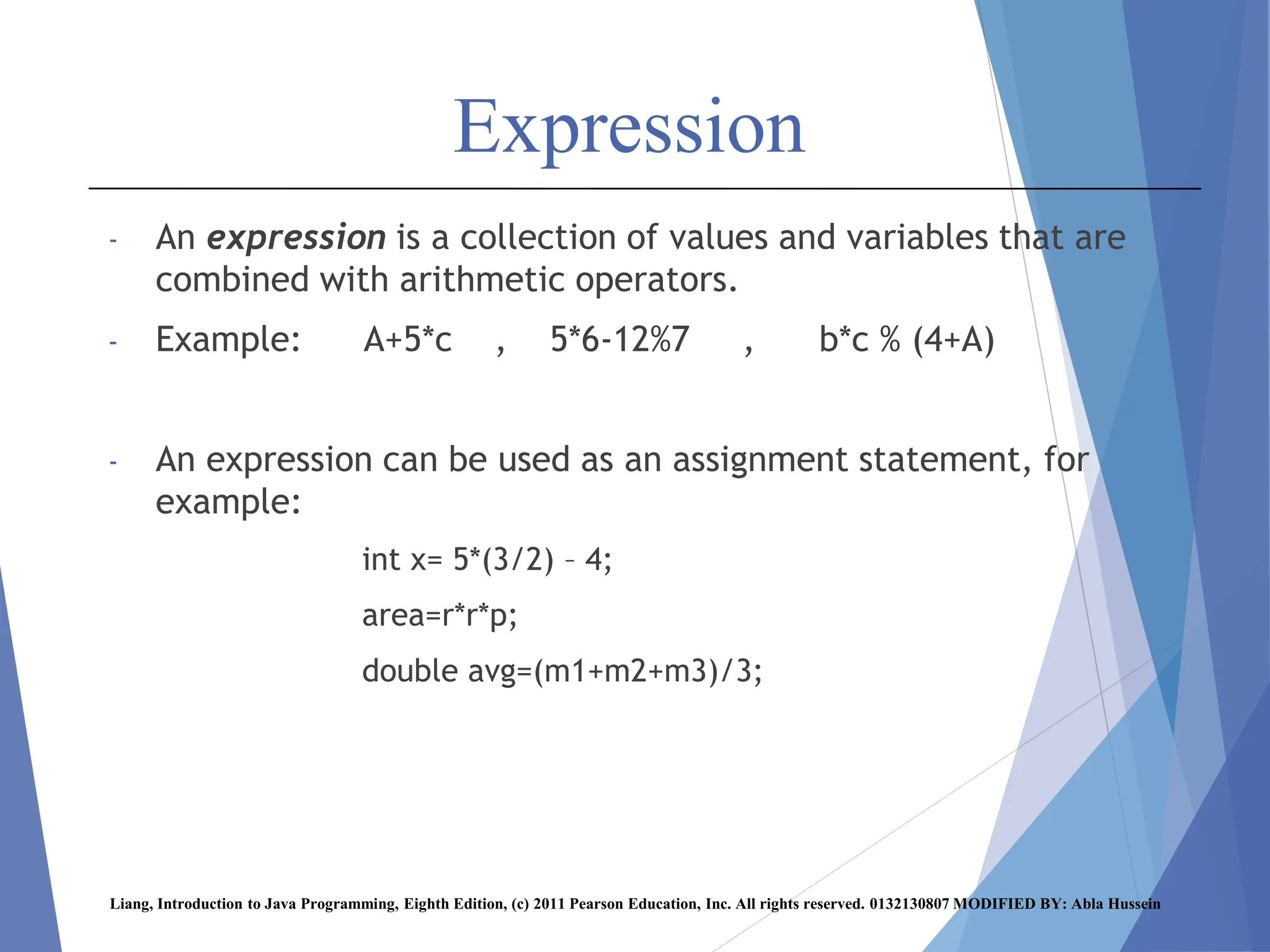
Expression
- An expression is a collection of values and variables that are
combined with arithmetic operators.
- Example: A+5*c , 5*6-12%7 , b*c % (4+A)
- An expression can be used as an assignment statement, for
example:
int x= 5*(3/2) – 4;
area=r*r*p;
double avg=(m1+m2+m3)/3;
Liang, Introduction to Java Programming, Eighth Edition, (c) 2011 Pearson Education, Inc. All rights reserved. 0132130807 MODIFIED BY: Abla Hussein
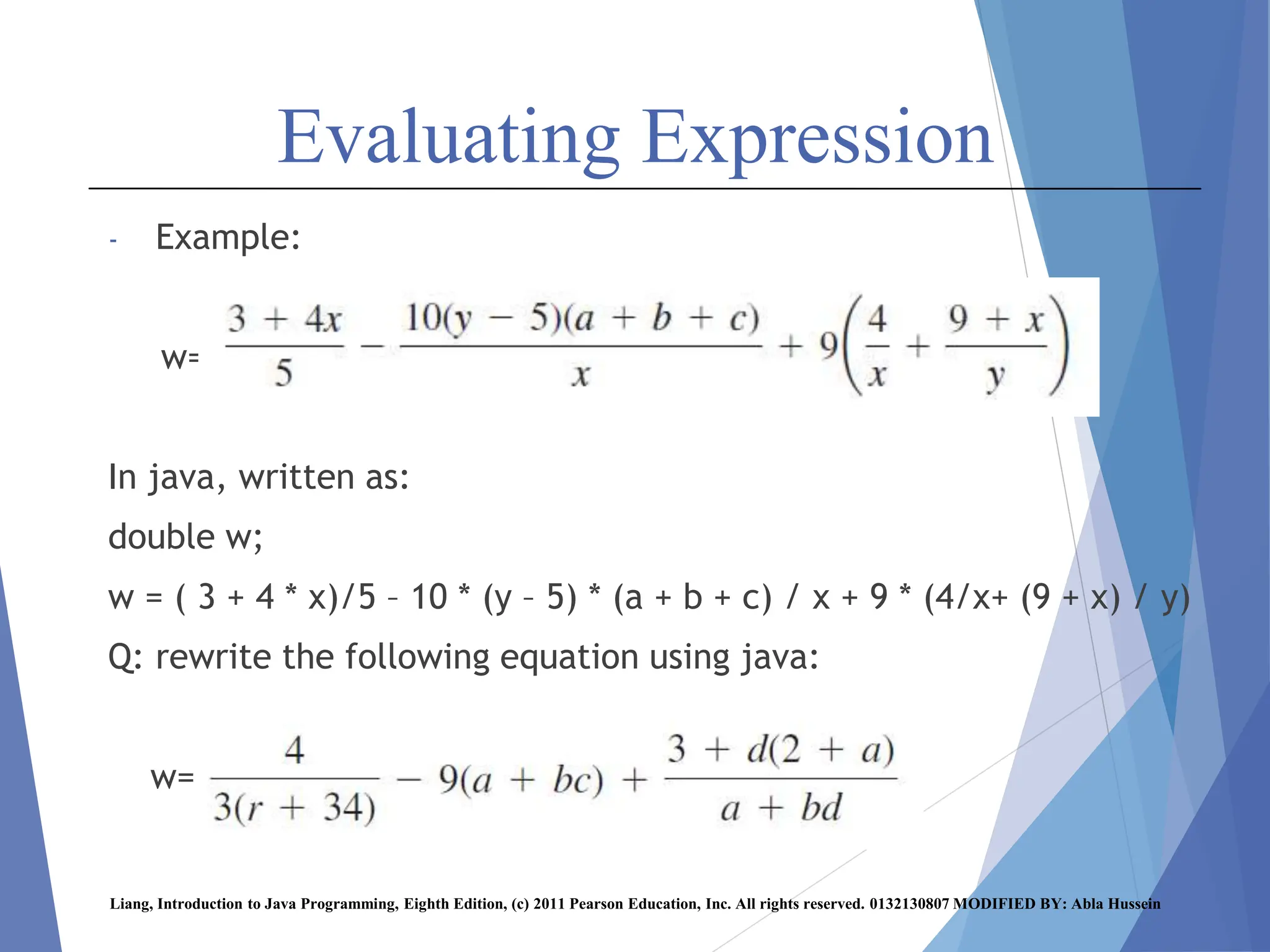
Evaluating Expression
- Example:
w=
In java, written as:
double w;
w = ( 3 + 4 * x)/5 – 10 * (y – 5) * (a + b + c) / x + 9 * (4/x+ (9 + x) / y)
Q: rewrite the following equation using java:
w=
Liang, Introduction to Java Programming, Eighth Edition, (c) 2011 Pearson Education, Inc. All rights reserved. 0132130807 MODIFIED BY: Abla Hussein
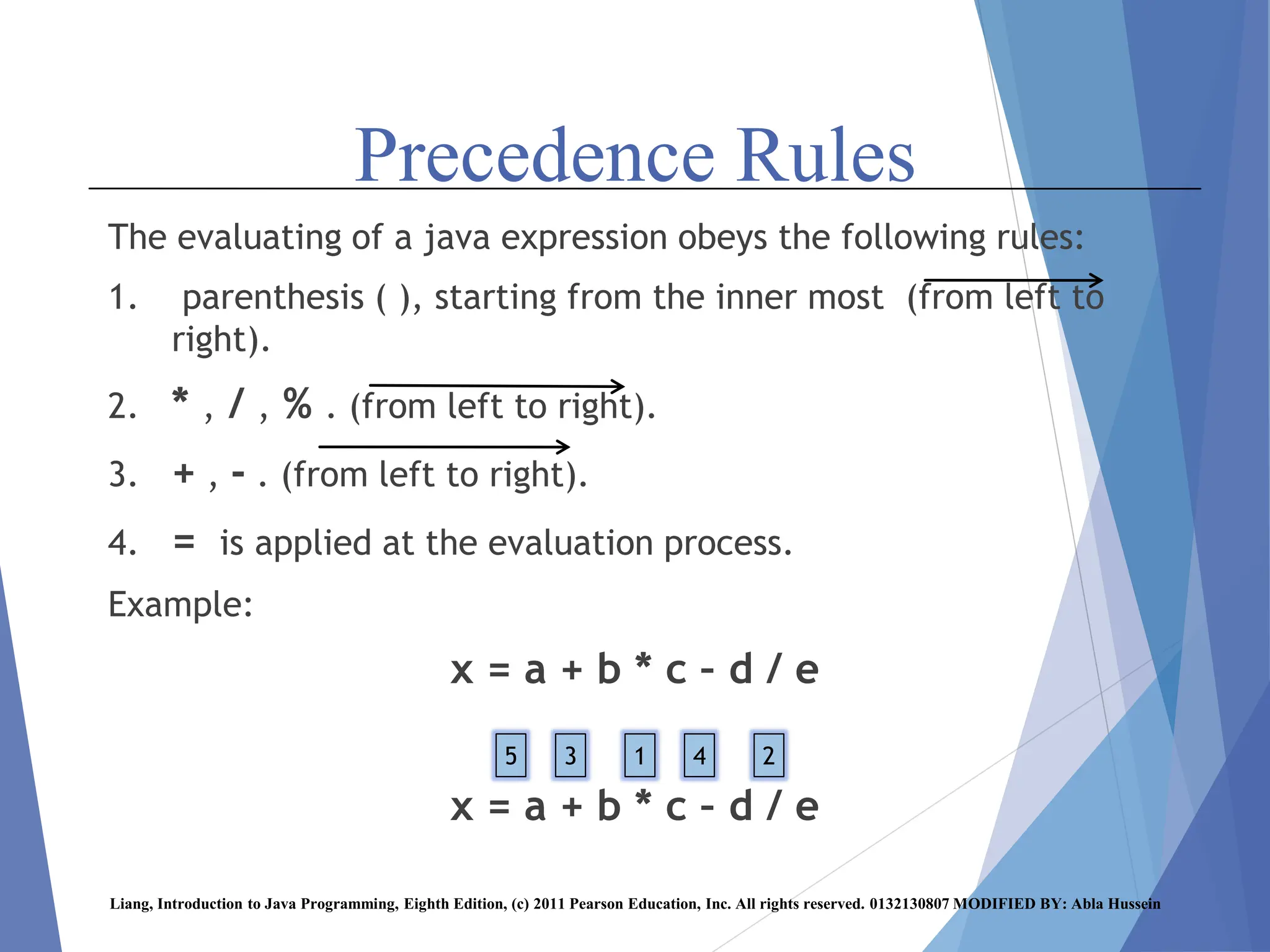
Precedence Rules
The evaluating of a java expression obeys the following rules:
1. parenthesis ( ), starting from the inner most (from left to
right).
2. * , / , % . (from left to right).
3. + , - . (from left to right).
4. = is applied at the evaluation process.
Example:
x = a + b * c – d / e
Liang, Introduction to Java Programming, Eighth Edition, (c) 2011 Pearson Education, Inc. All rights reserved. 0132130807 MODIFIED BY: Abla Hussein
1 2
4
3
5
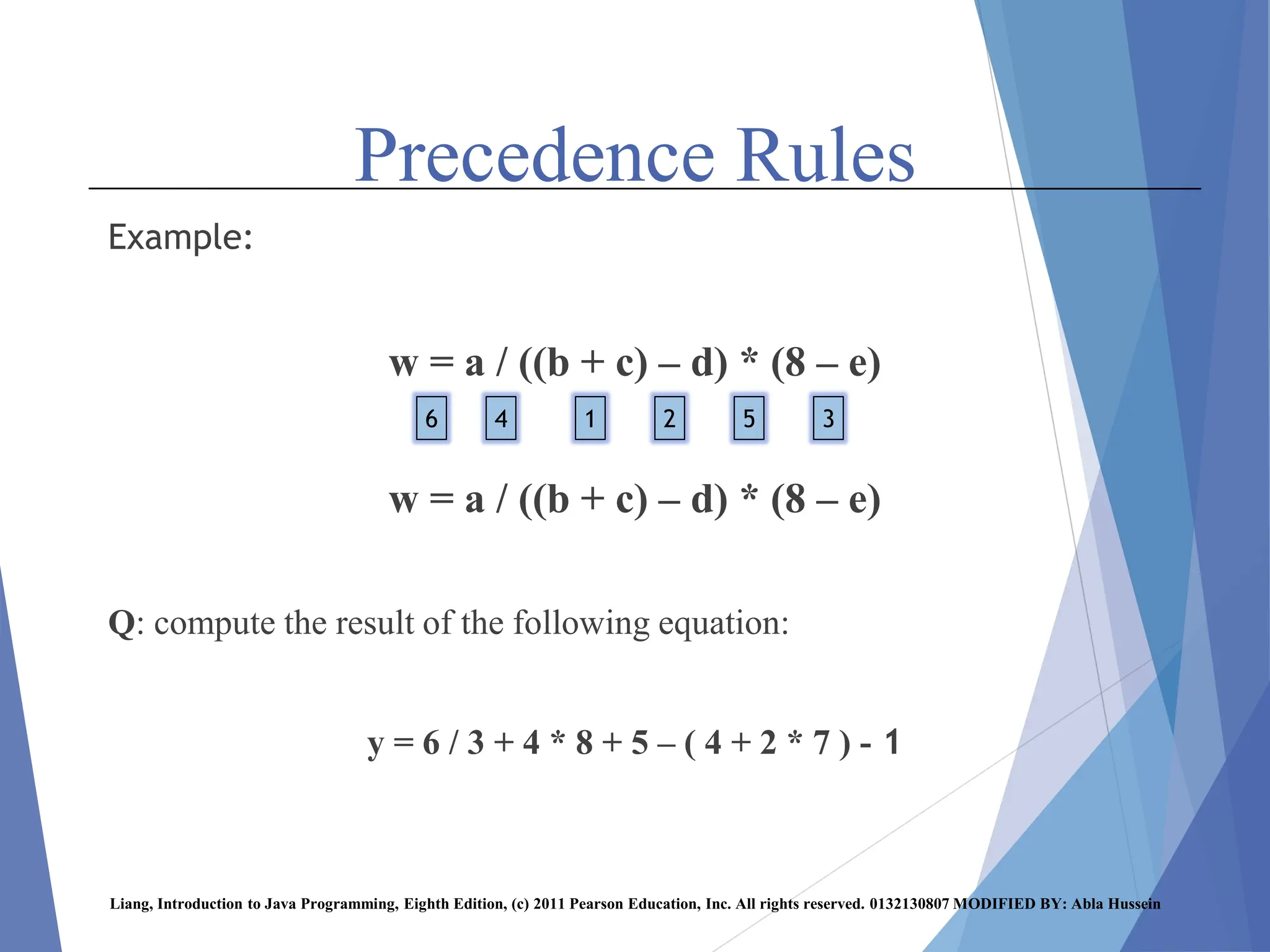
Precedence Rules
Example:
w = a / ((b + c) – d) * (8 – e)
Q: compute the result of the following equation:
y = 6 / 3 + 4 * 8 + 5 – ( 4 + 2 * 7 ) - 1
Liang, Introduction to Java Programming, Eighth Edition, (c) 2011 Pearson Education, Inc. All rights reserved. 0132130807 MODIFIED BY: Abla Hussein
1 2
4 3
5
6
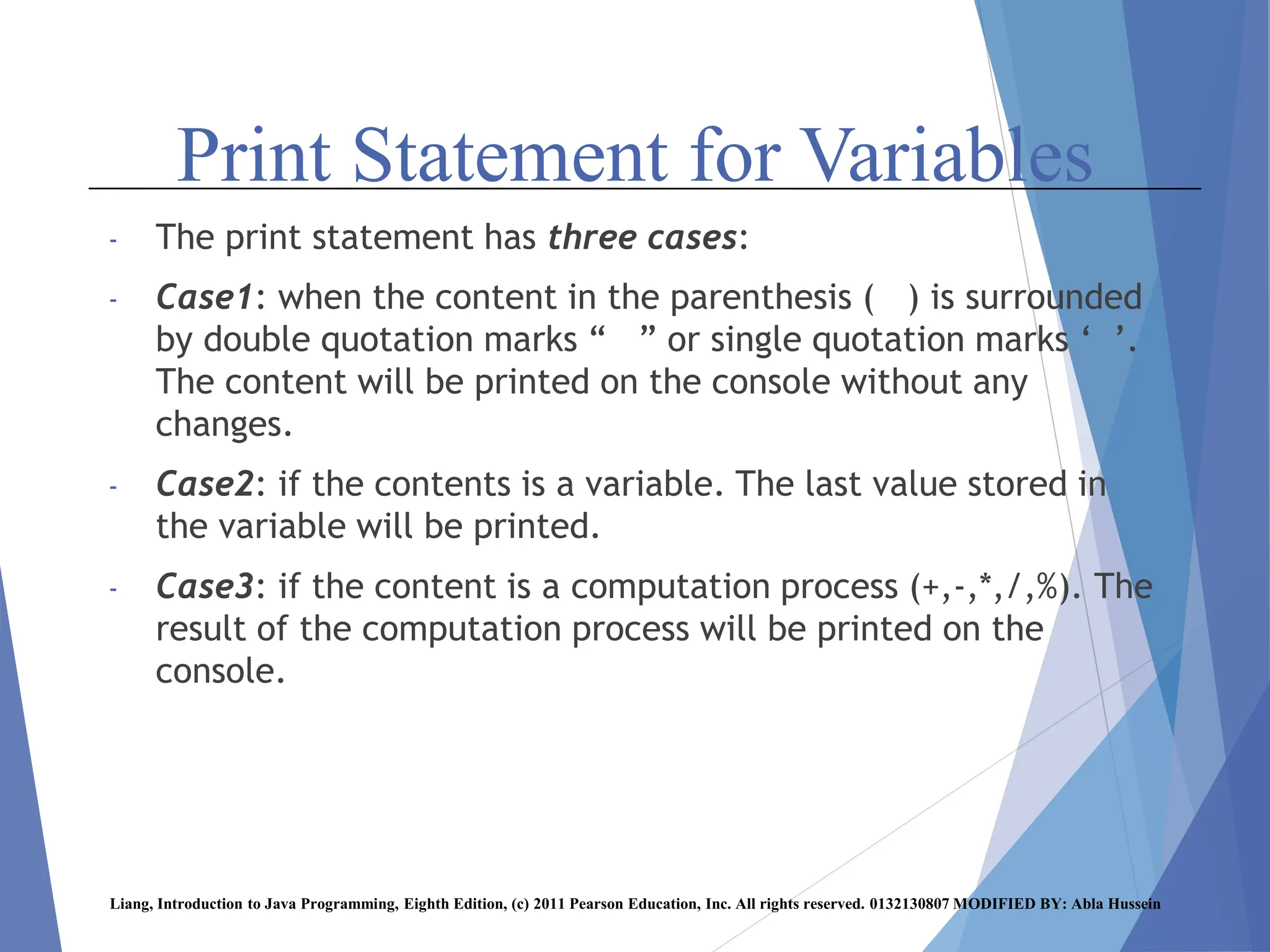
Print Statement for Variables
- The print statement has three cases:
- Case1: when the content in the parenthesis ( ) is surrounded
by double quotation marks “ ” or single quotation marks ‘ ’.
The content will be printed on the console without any
changes.
- Case2: if the contents is a variable. The last value stored in
the variable will be printed.
- Case3: if the content is a computation process (+,-,*,/,%). The
result of the computation process will be printed on the
console.
Liang, Introduction to Java Programming, Eighth Edition, (c) 2011 Pearson Education, Inc. All rights reserved. 0132130807 MODIFIED BY: Abla Hussein
Print Statement for Variables
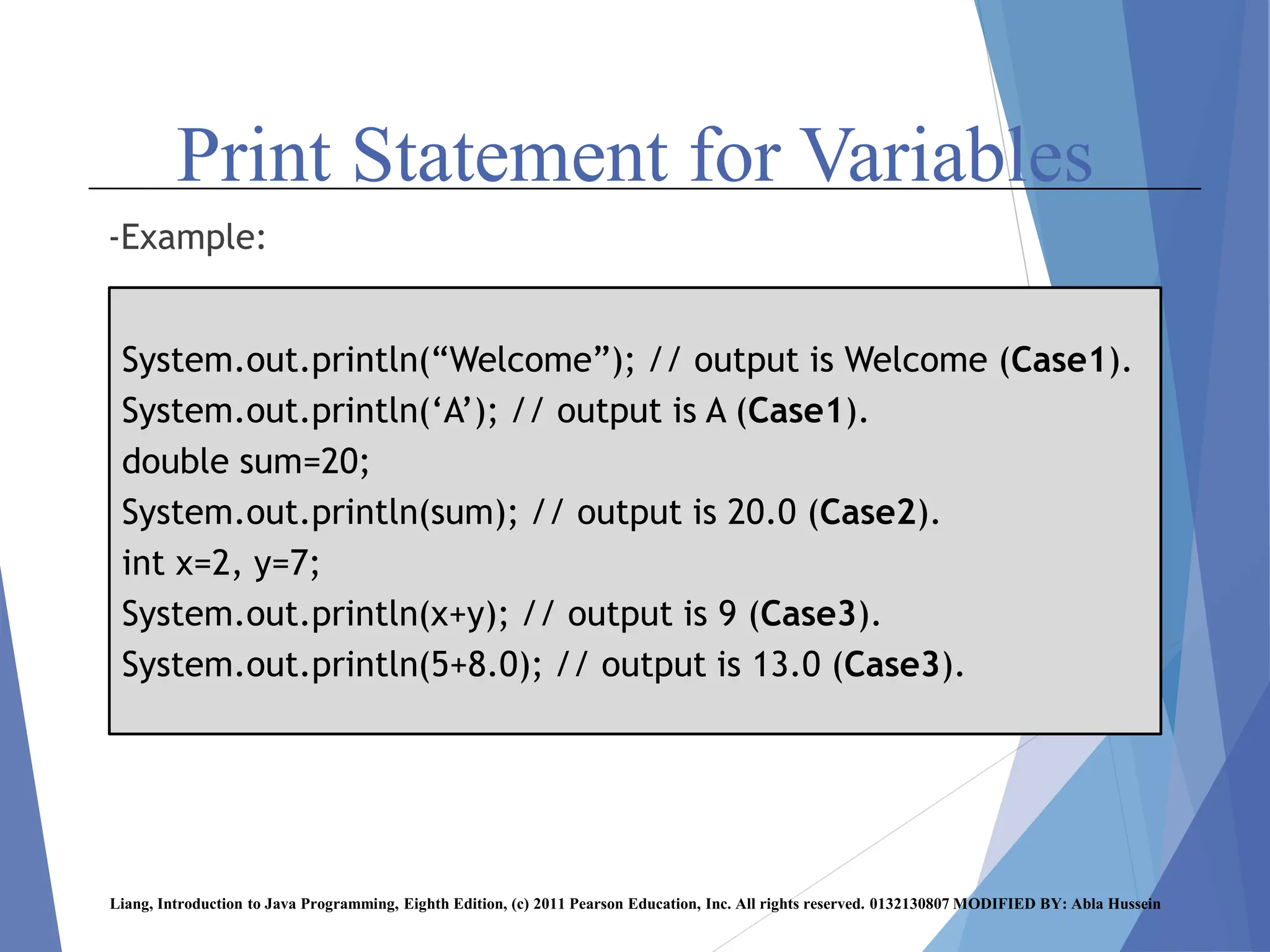
-Example:
Liang, Introduction to Java Programming, Eighth Edition, (c) 2011 Pearson Education, Inc. All rights reserved. 0132130807 MODIFIED BY: Abla Hussein
System.out.println(“Welcome”); // output is Welcome (Case1).
System.out.println(‘A’); // output is A (Case1).
double sum=20;
System.out.println(sum); // output is 20.0 (Case2).
int x=2, y=7;
System.out.println(x+y); // output is 9 (Case3).
System.out.println(5+8.0); // output is 13.0 (Case3).
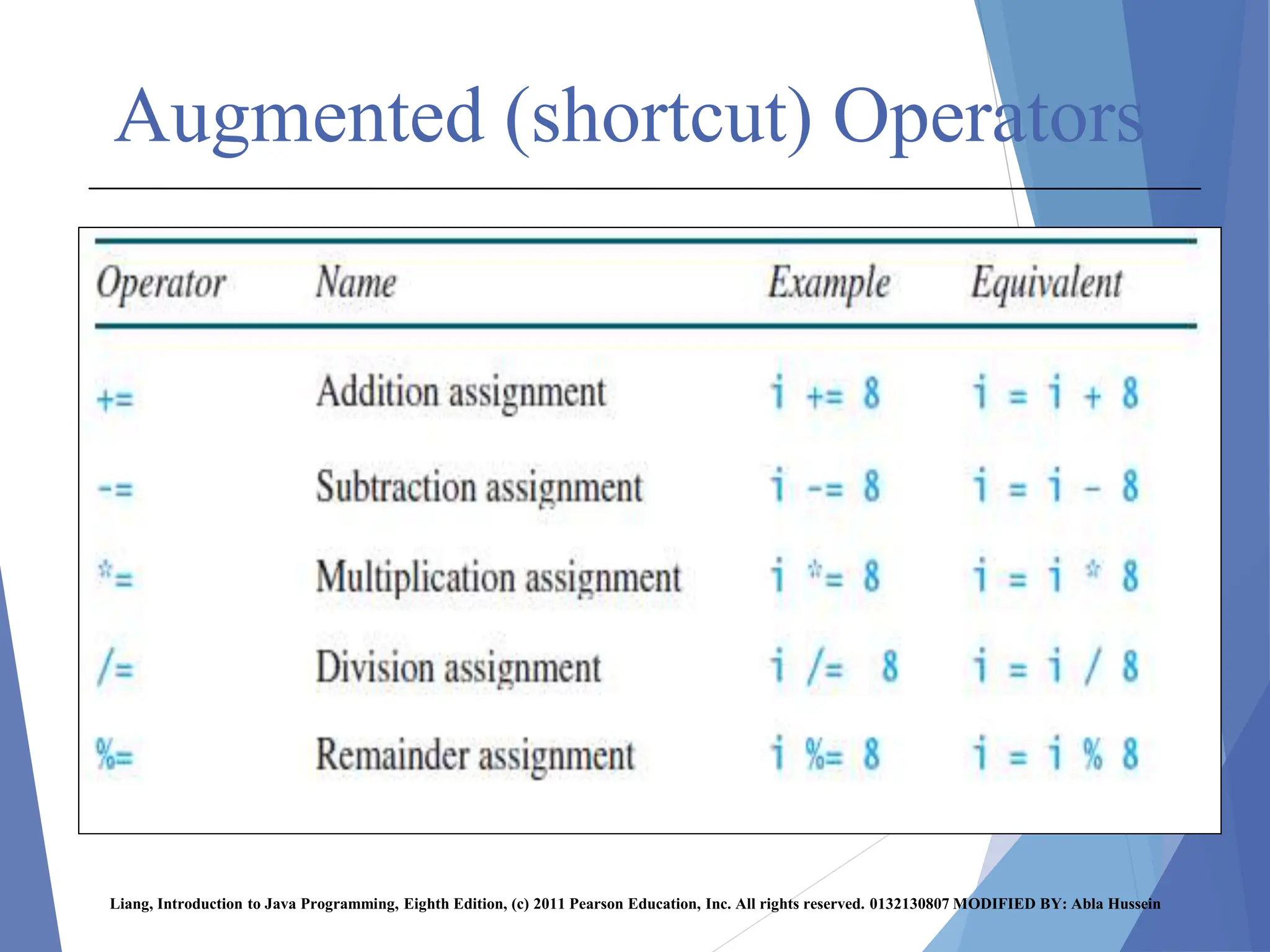
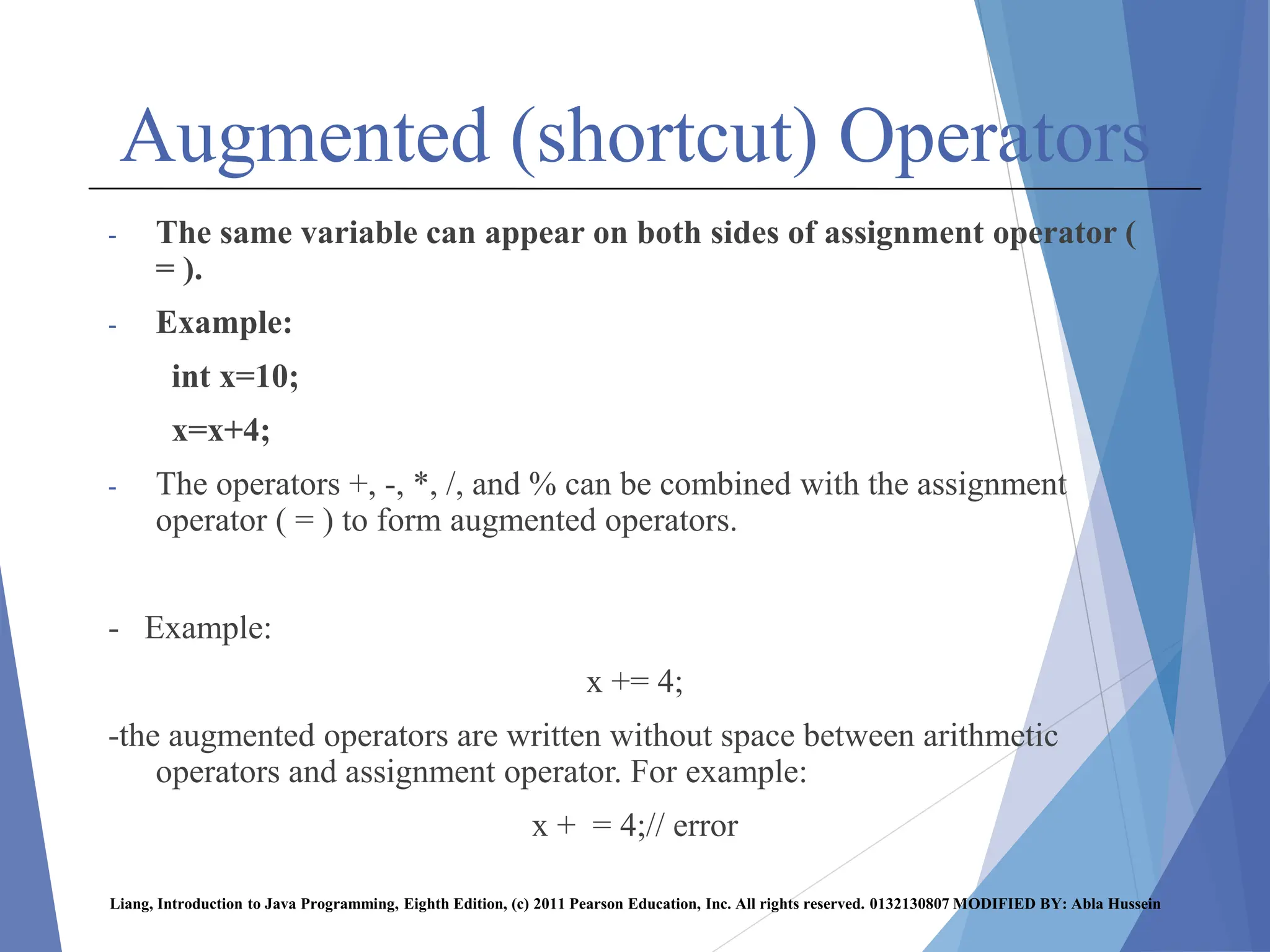
Augmented (shortcut) Operators
- The same variable can appear on both sides of assignment operator (
= ).
- Example:
int x=10;
x=x+4;
- The operators +, -, *, /, and % can be combined with the assignment
operator ( = ) to form augmented operators.
- Example:
x += 4;
-the augmented operators are written without space between arithmetic
operators and assignment operator. For example:
x + = 4;// error
Liang, Introduction to Java Programming, Eighth Edition, (c) 2011 Pearson Education, Inc. All rights reserved. 0132130807 MODIFIED BY: Abla Hussein
Augmented (shortcut) Operators
Liang, Introduction to Java Programming, Eighth Edition, (c) 2011 Pearson Education, Inc. All rights reserved. 0132130807 MODIFIED BY: Abla Hussein
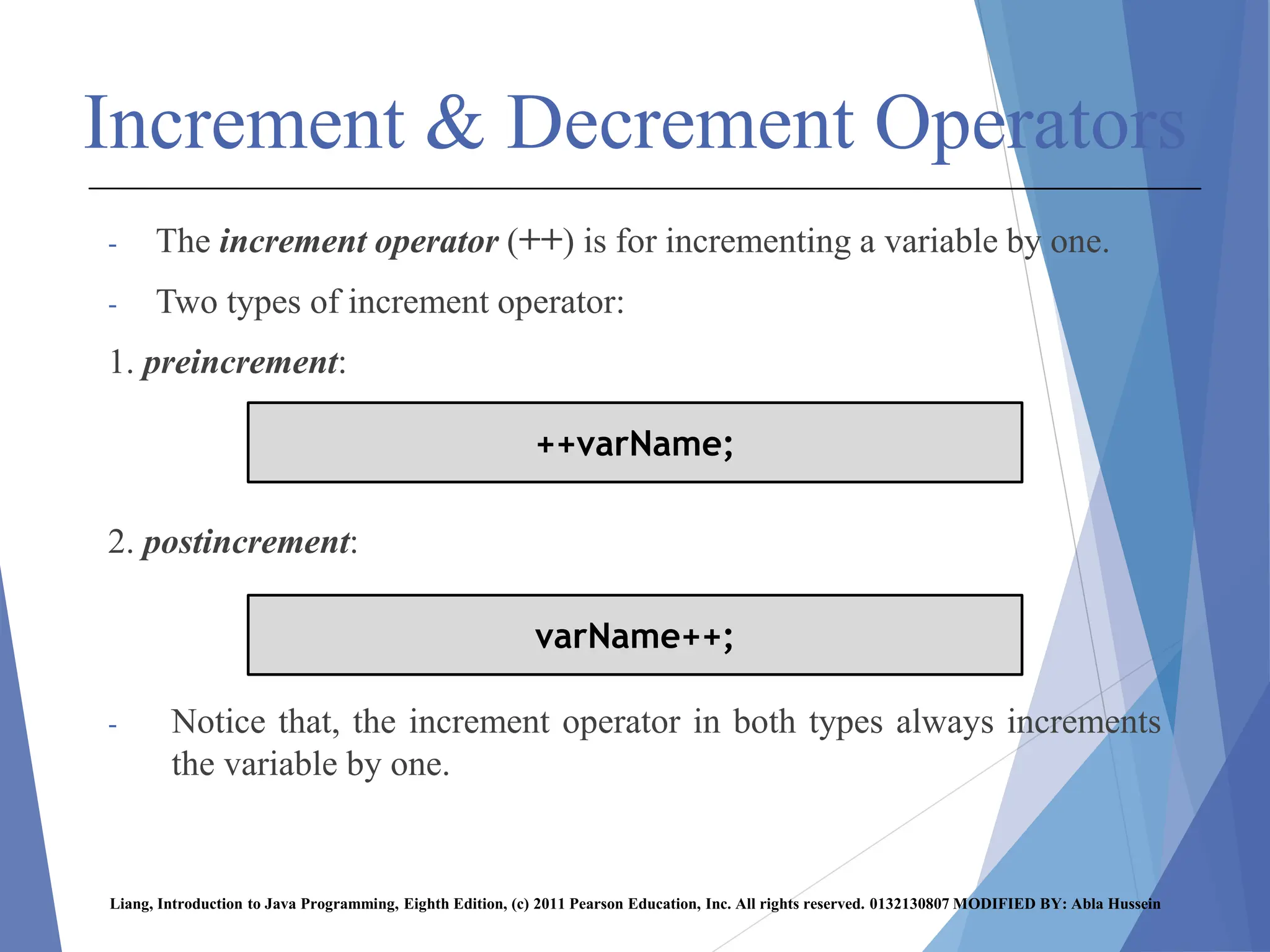
Increment & Decrement Operators
- The increment operator (++) is for incrementing a variable by one.
- Two types of increment operator:
1. preincrement:
2. postincrement:
- Notice that, the increment operator in both types always increments
the variable by one.
Liang, Introduction to Java Programming, Eighth Edition, (c) 2011 Pearson Education, Inc. All rights reserved. 0132130807 MODIFIED BY: Abla Hussein
++varName;
varName++;
Increment & Decrement Operators
Liang, Introduction to Java Programming, Eighth Edition, (c) 2011 Pearson Education, Inc. All rights reserved. 0132130807 MODIFIED BY: Abla Hussein
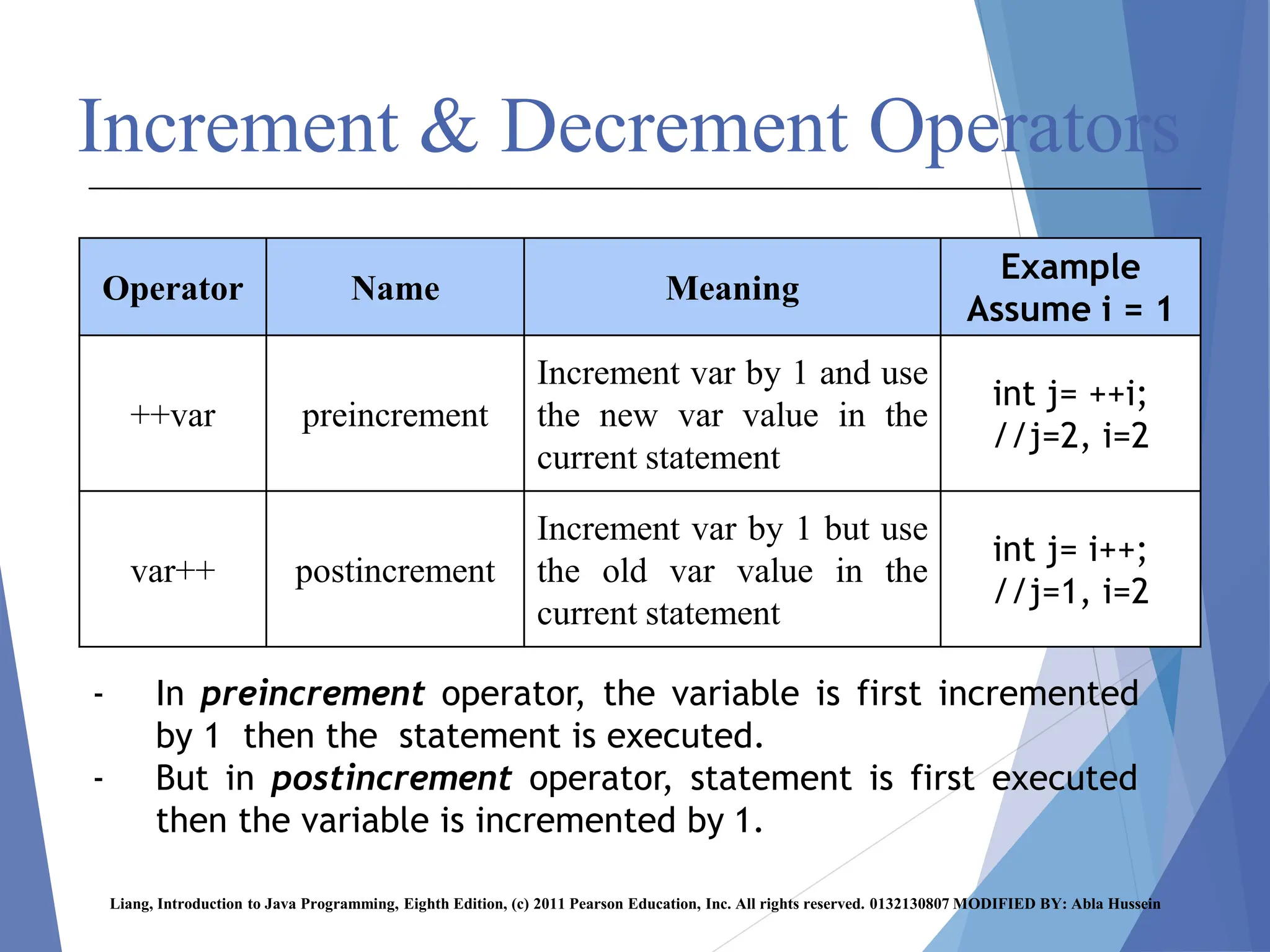
Example
Assume i = 1
Meaning
Name
Operator
int j= ++i;
//j=2, i=2
Increment var by 1 and use
the new var value in the
current statement
preincrement
++var
int j= i++;
//j=1, i=2
Increment var by 1 but use
the old var value in the
current statement
postincrement
var++
- In preincrement operator, the variable is first incremented
by 1 then the statement is executed.
- But in postincrement operator, statement is first executed
then the variable is incremented by 1.
Increment & Decrement Operators
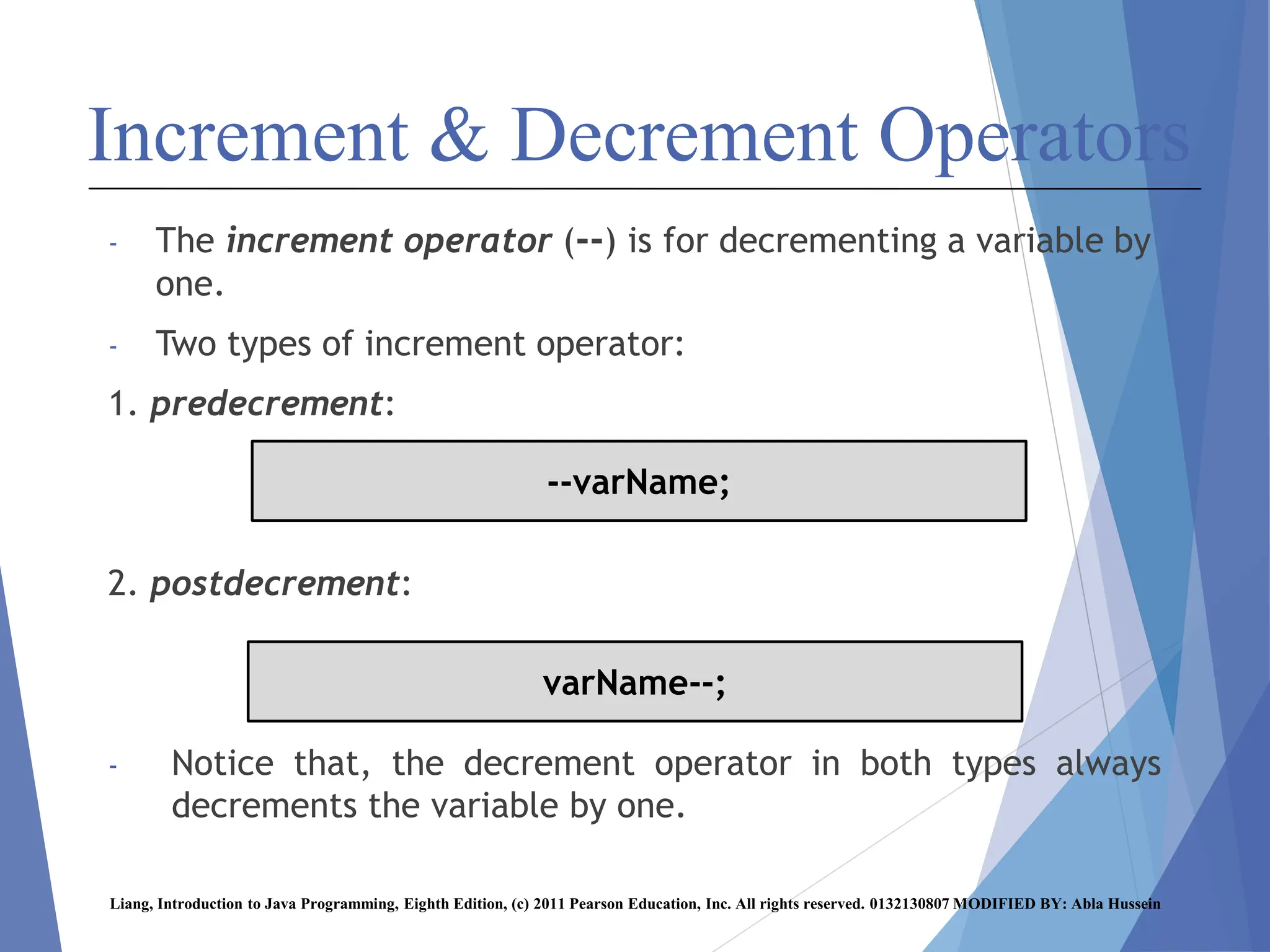
- The increment operator (--) is for decrementing a variable by
one.
- Two types of increment operator:
1. predecrement:
2. postdecrement:
- Notice that, the decrement operator in both types always
decrements the variable by one.
Liang, Introduction to Java Programming, Eighth Edition, (c) 2011 Pearson Education, Inc. All rights reserved. 0132130807 MODIFIED BY: Abla Hussein
--varName;
varName--;
Increment & Decrement Operators
Liang, Introduction to Java Programming, Eighth Edition, (c) 2011 Pearson Education, Inc. All rights reserved. 0132130807 MODIFIED BY: Abla Hussein
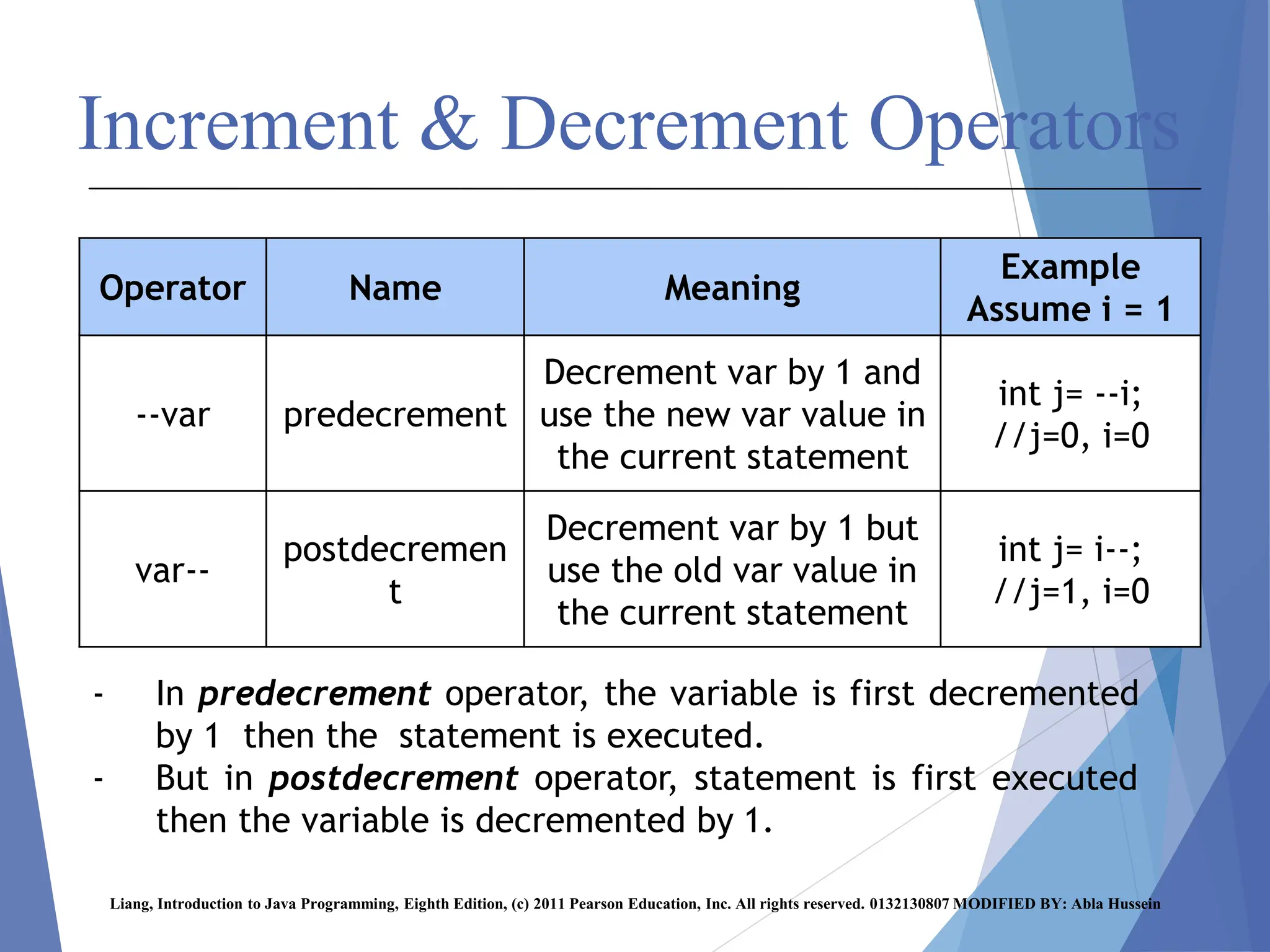
Example
Assume i = 1
Meaning
Name
Operator
int j= --i;
//j=0, i=0
Decrement var by 1 and
use the new var value in
the current statement
predecrement
--var
int j= i--;
//j=1, i=0
Decrement var by 1 but
use the old var value in
the current statement
postdecremen
t
var--
- In predecrement operator, the variable is first decremented
by 1 then the statement is executed.
- But in postdecrement operator, statement is first executed
then the variable is decremented by 1.
Increment & Decrement Operators
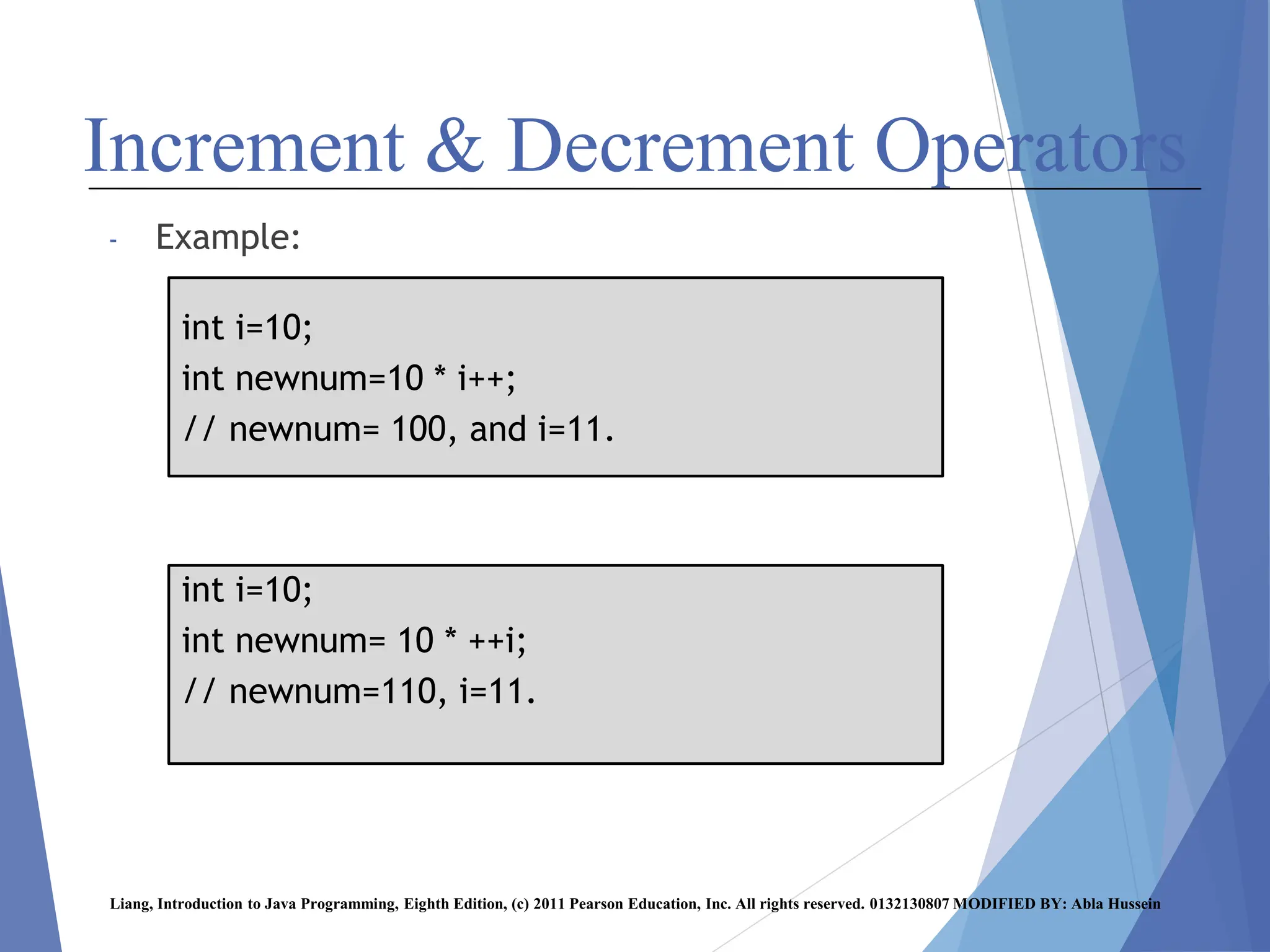
- Example:
Liang, Introduction to Java Programming, Eighth Edition, (c) 2011 Pearson Education, Inc. All rights reserved. 0132130807 MODIFIED BY: Abla Hussein
int i=10;
int newnum=10 * i++;
// newnum= 100, and i=11.
int i=10;
int newnum= 10 * ++i;
// newnum=110, i=11.
Increment & Decrement Operators
Liang, Introduction to Java Programming, Eighth Edition, (c) 2011 Pearson Education, Inc. All rights reserved. 0132130807 MODIFIED BY: Abla Hussein
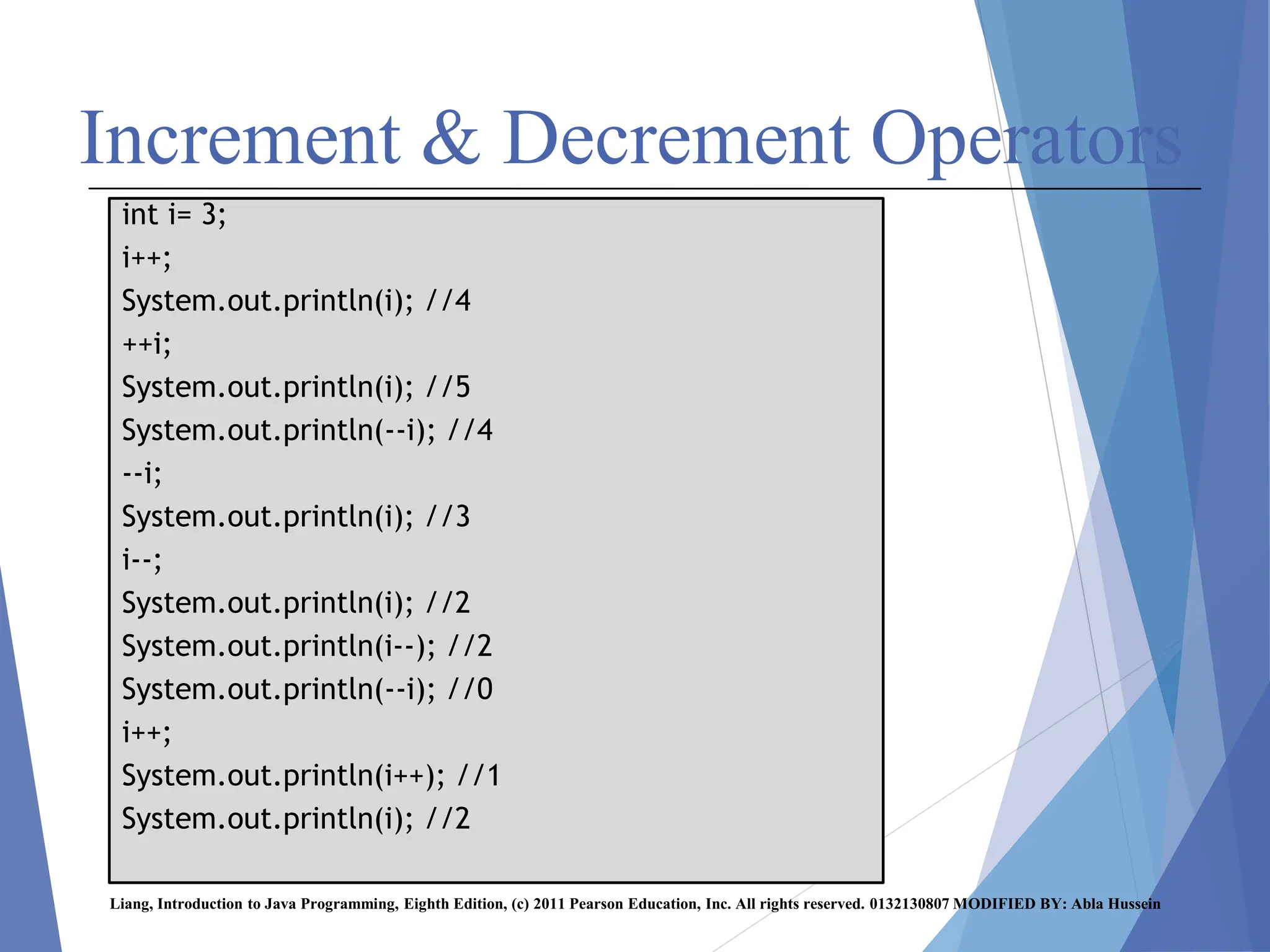
int i= 3;
i++;
System.out.println(i); //4
++i;
System.out.println(i); //5
System.out.println(--i); //4
--i;
System.out.println(i); //3
i--;
System.out.println(i); //2
System.out.println(i--); //2
System.out.println(--i); //0
i++;
System.out.println(i++); //1
System.out.println(i); //2
Numeric Data Type Casting
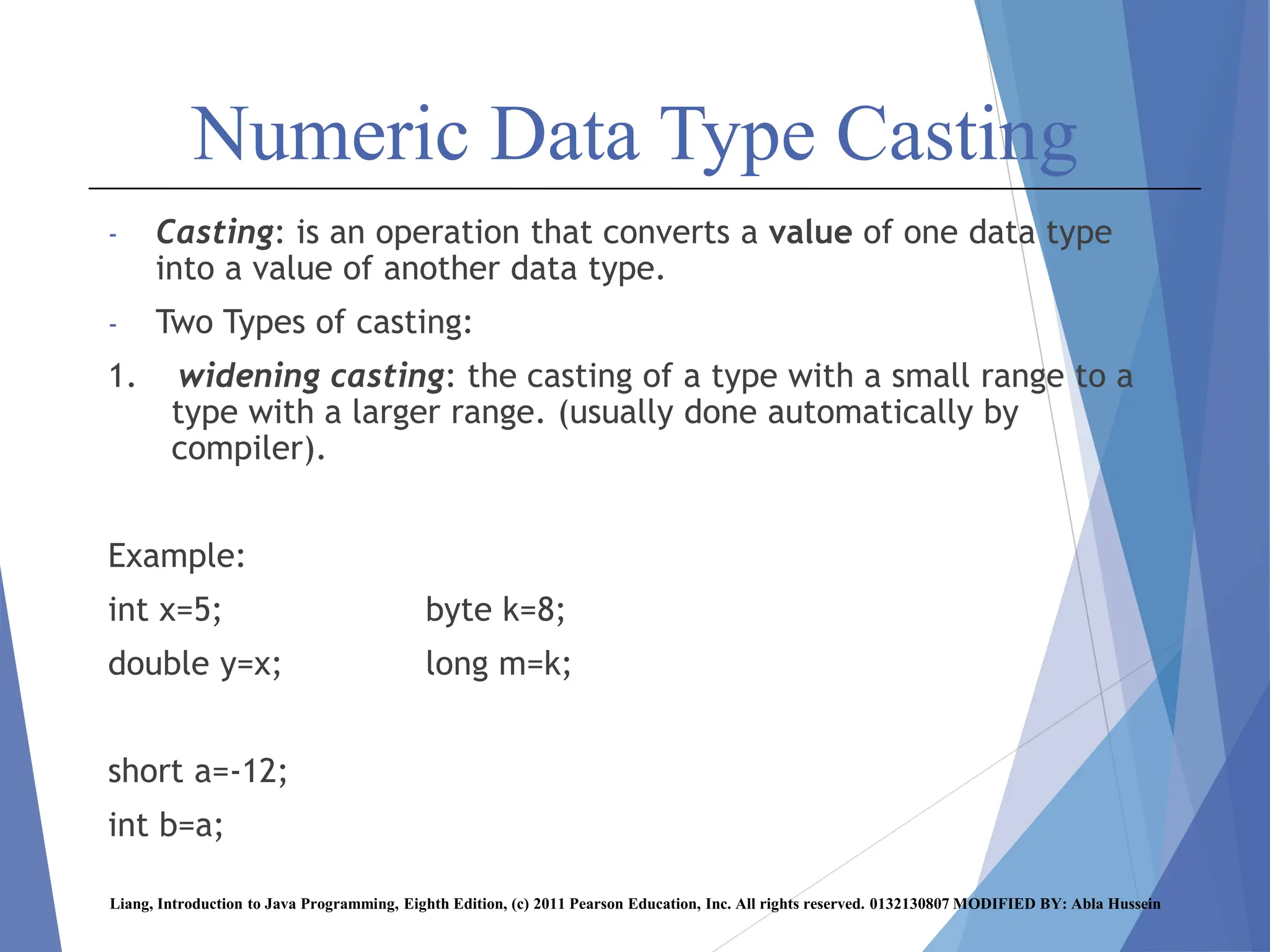
- Casting: is an operation that converts a value of one data type
into a value of another data type.
- Two Types of casting:
1. widening casting: the casting of a type with a small range to a
type with a larger range. (usually done automatically by
compiler).
Example:
int x=5; byte k=8;
double y=x; long m=k;
short a=-12;
int b=a;
Liang, Introduction to Java Programming, Eighth Edition, (c) 2011 Pearson Education, Inc. All rights reserved. 0132130807 MODIFIED BY: Abla Hussein
Numeric Data Type Casting
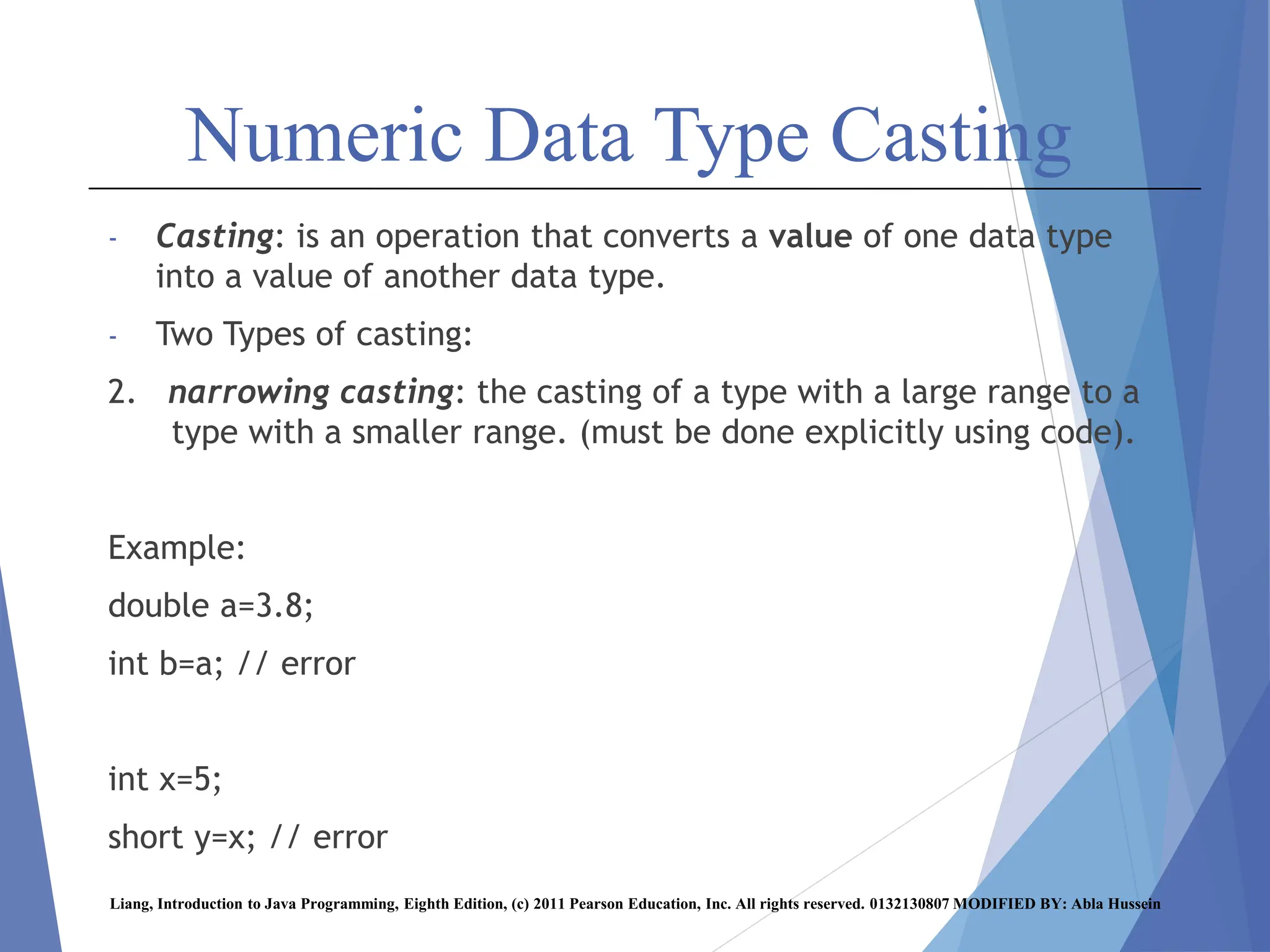
- Casting: is an operation that converts a value of one data type
into a value of another data type.
- Two Types of casting:
2. narrowing casting: the casting of a type with a large range to a
type with a smaller range. (must be done explicitly using code).
Example:
double a=3.8;
int b=a; // error
int x=5;
short y=x; // error
Liang, Introduction to Java Programming, Eighth Edition, (c) 2011 Pearson Education, Inc. All rights reserved. 0132130807 MODIFIED BY: Abla Hussein
Numeric Data Type Casting
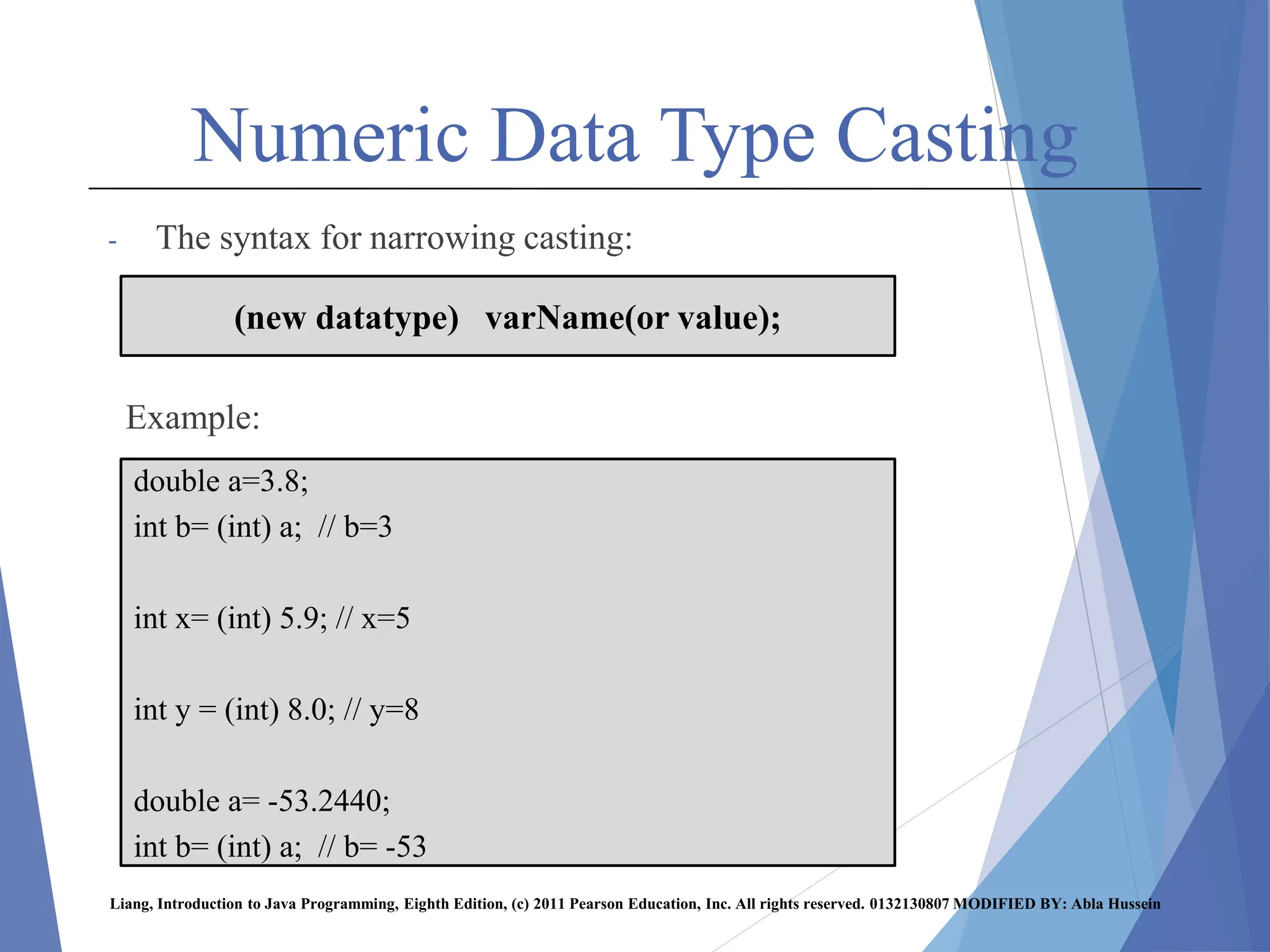
- The syntax for narrowing casting:
Example:
Liang, Introduction to Java Programming, Eighth Edition, (c) 2011 Pearson Education, Inc. All rights reserved. 0132130807 MODIFIED BY: Abla Hussein
(new datatype) varName(or value);
double a=3.8;
int b= (int) a; // b=3
int x= (int) 5.9; // x=5
int y = (int) 8.0; // y=8
double a= -53.2440;
int b= (int) a; // b= -53
Numeric Data Type Casting
Note that:
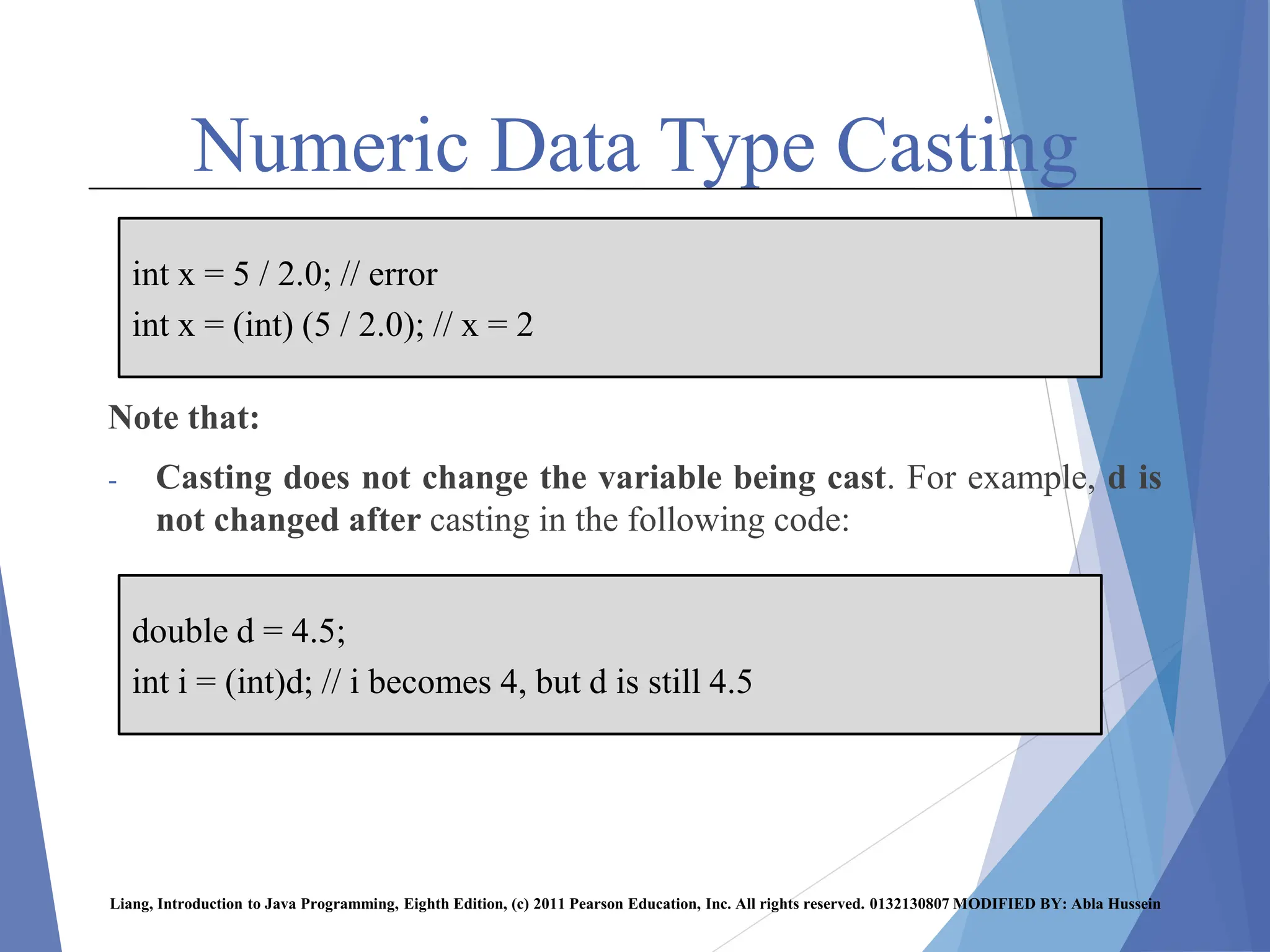
- Casting does not change the variable being cast. For example, d is
not changed after casting in the following code:
Liang, Introduction to Java Programming, Eighth Edition, (c) 2011 Pearson Education, Inc. All rights reserved. 0132130807 MODIFIED BY: Abla Hussein
int x = 5 / 2.0; // error
int x = (int) (5 / 2.0); // x = 2
double d = 4.5;
int i = (int)d; // i becomes 4, but d is still 4.5
Numeric Data Type Casting
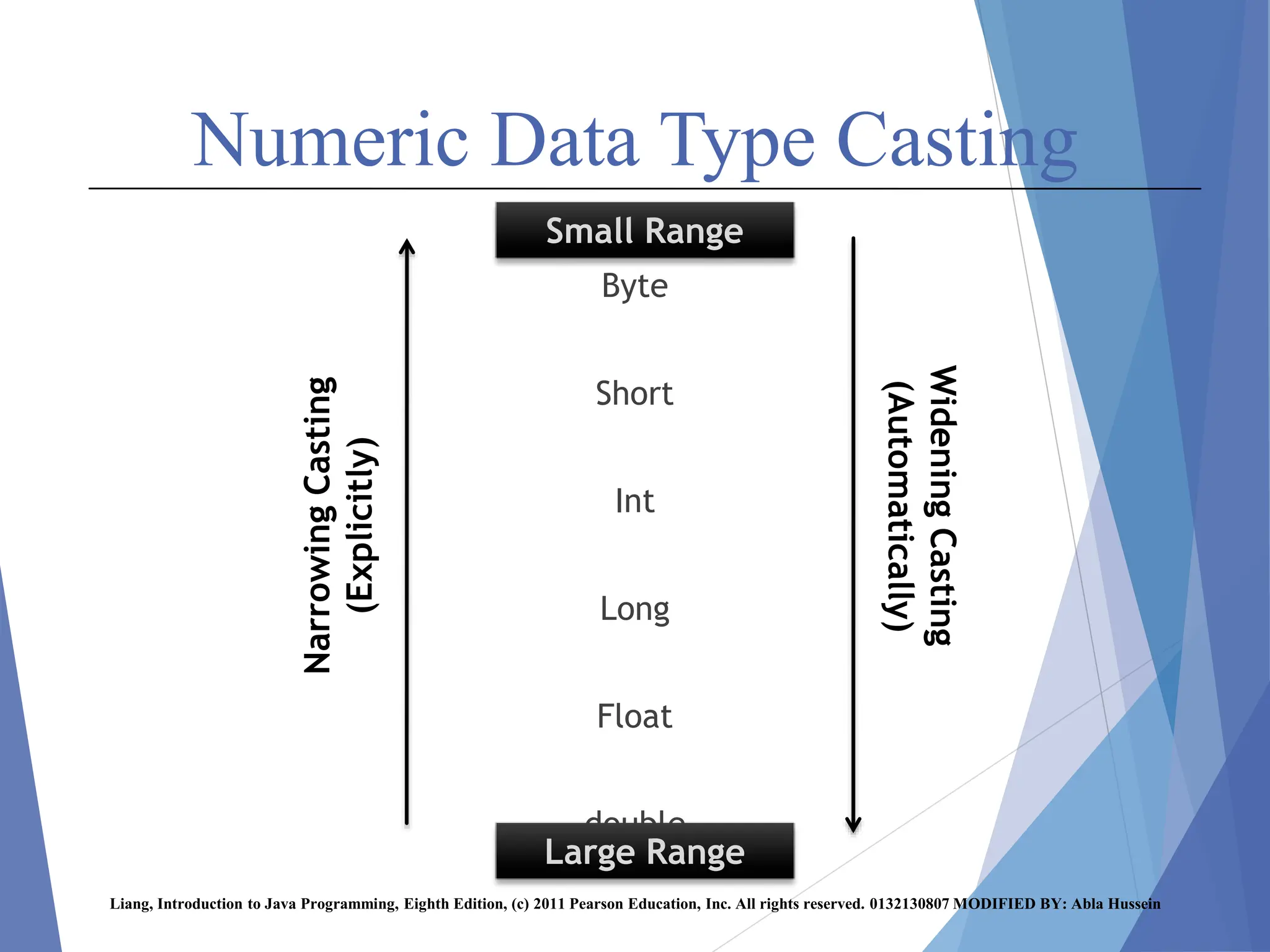
Byte
Short
Int
Long
Float
double
Liang, Introduction to Java Programming, Eighth Edition, (c) 2011 Pearson Education, Inc. All rights reserved. 0132130807 MODIFIED BY: Abla Hussein
Small Range
Large Range
Narrowing
Casting
(Explicitly)
Widening
Casting
(Automatically)
Numeric Data Type Casting
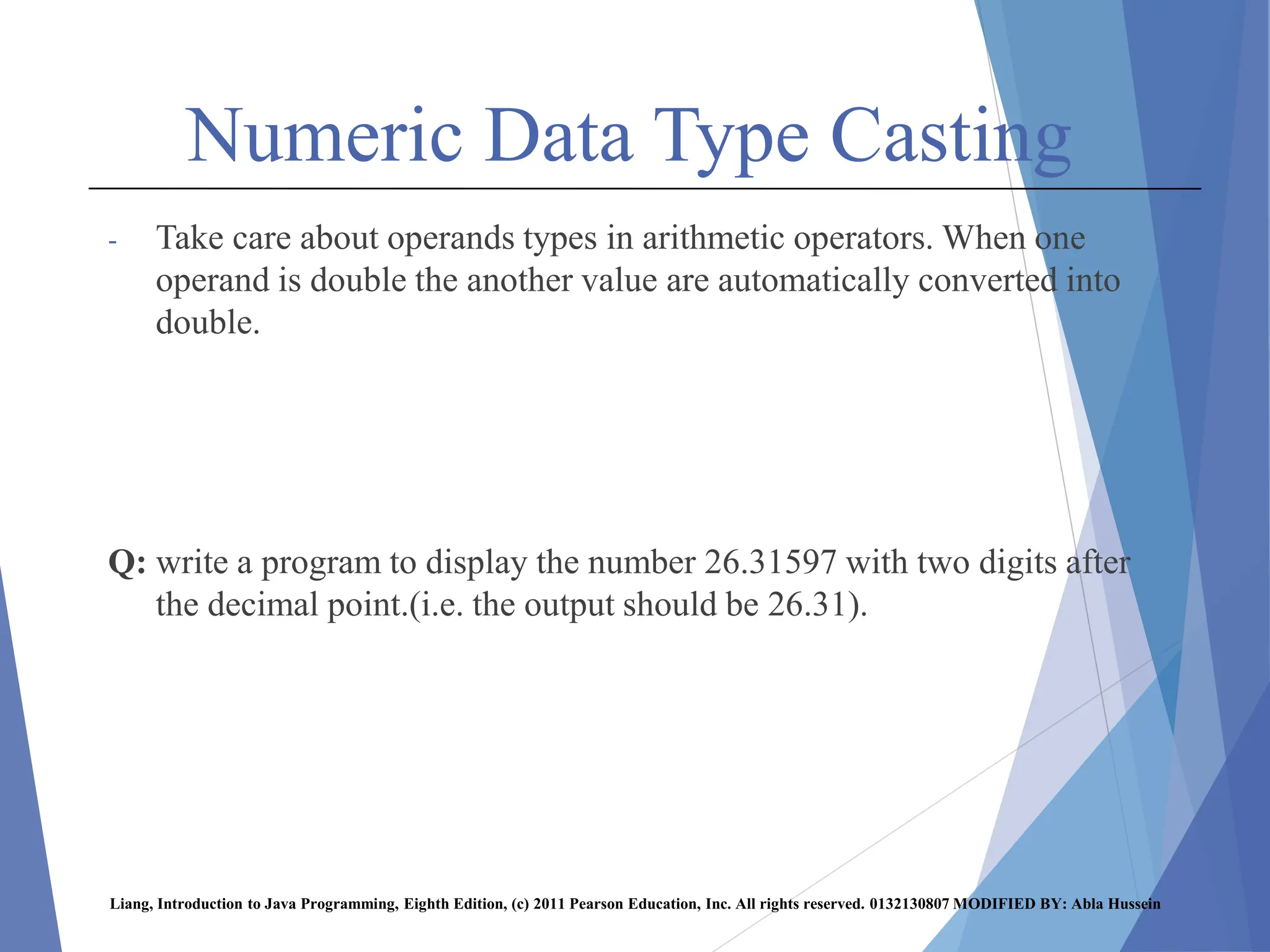
- Take care about operands types in arithmetic operators. When one
operand is double the another value are automatically converted into
double.
Q: write a program to display the number 26.31597 with two digits after
the decimal point.(i.e. the output should be 26.31).
Liang, Introduction to Java Programming, Eighth Edition, (c) 2011 Pearson Education, Inc. All rights reserved. 0132130807 MODIFIED BY: Abla Hussein
Precedence Rules
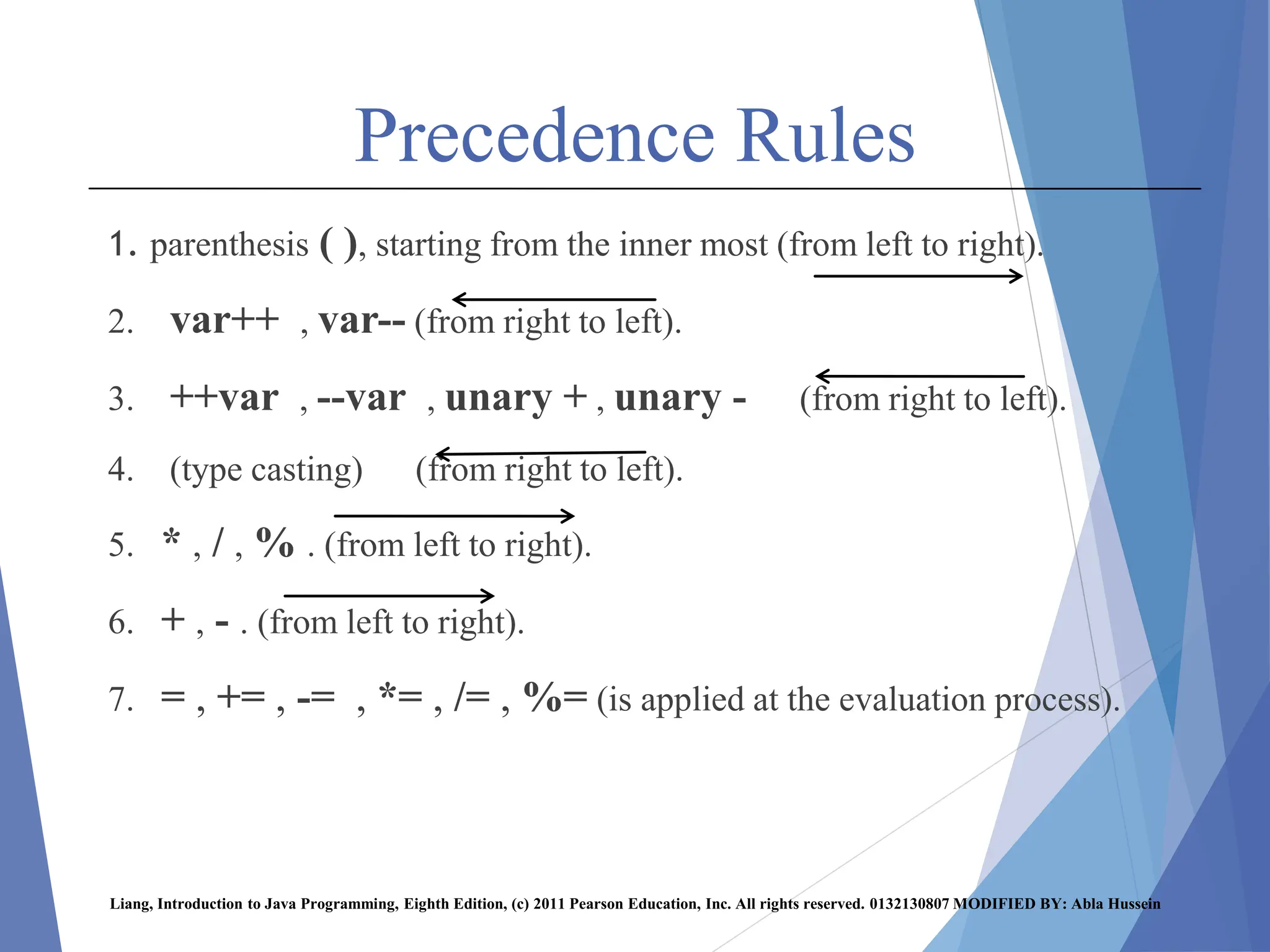
1. parenthesis ( ), starting from the inner most (from left to right).
2. var++ , var-- (from right to left).
3. ++var , --var , unary + , unary - (from right to left).
4. (type casting) (from right to left).
5. * , / , % . (from left to right).
6. + , - . (from left to right).
7. = , += , -= , *= , /= , %= (is applied at the evaluation process).
Liang, Introduction to Java Programming, Eighth Edition, (c) 2011 Pearson Education, Inc. All rights reserved. 0132130807 MODIFIED BY: Abla Hussein
Precedence Rules
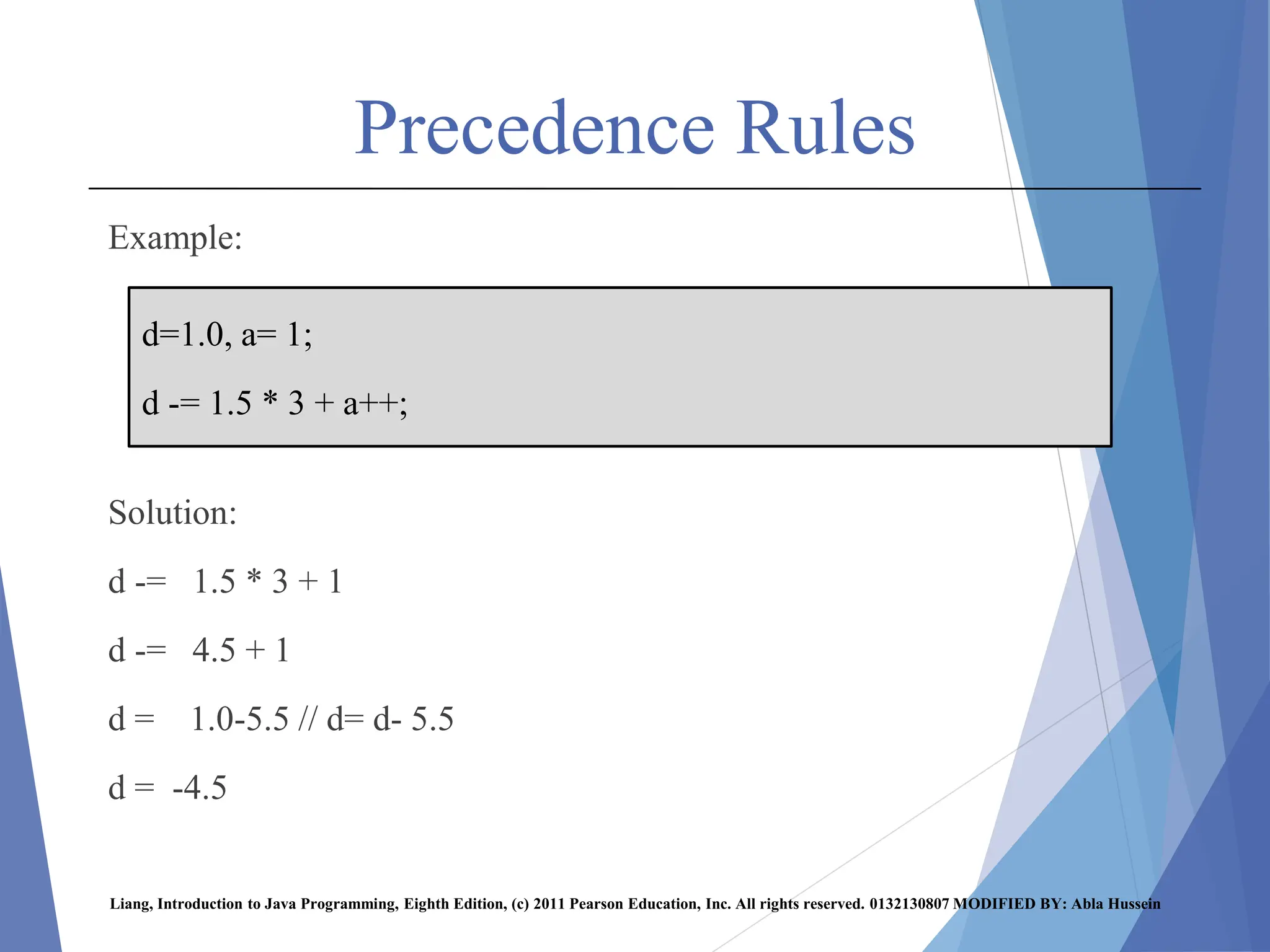
Example:
Solution:
d -= 1.5 * 3 + 1
d -= 4.5 + 1
d = 1.0-5.5 // d= d- 5.5
d = -4.5
Liang, Introduction to Java Programming, Eighth Edition, (c) 2011 Pearson Education, Inc. All rights reserved. 0132130807 MODIFIED BY: Abla Hussein
d=1.0, a= 1;
d -= 1.5 * 3 + a++;
Precedence Rules
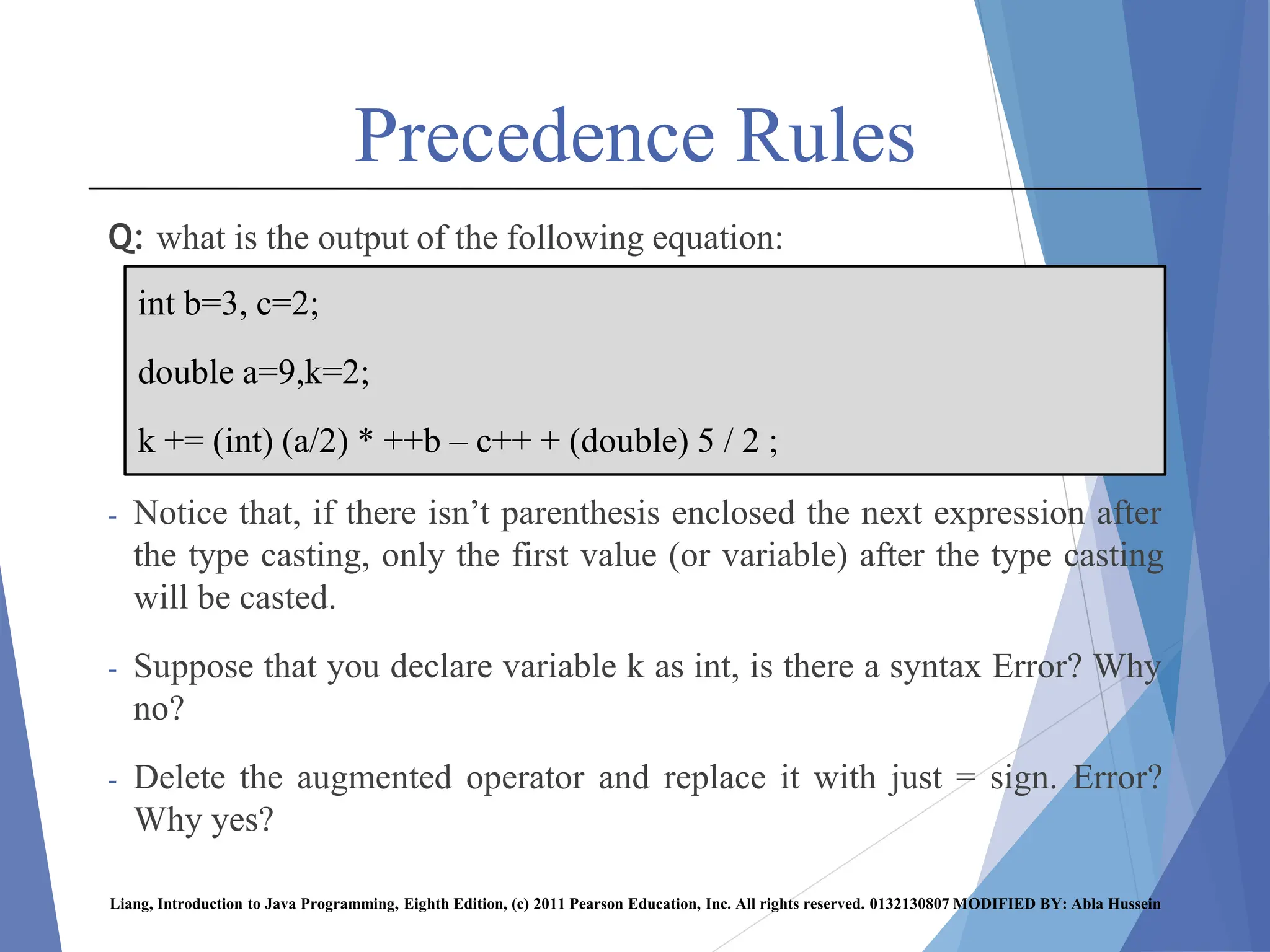
Q: what is the output of the following equation:
- Notice that, if there isn’t parenthesis enclosed the next expression after
the type casting, only the first value (or variable) after the type casting
will be casted.
- Suppose that you declare variable k as int, is there a syntax Error? Why
no?
- Delete the augmented operator and replace it with just = sign. Error?
Why yes?
Liang, Introduction to Java Programming, Eighth Edition, (c) 2011 Pearson Education, Inc. All rights reserved. 0132130807 MODIFIED BY: Abla Hussein
int b=3, c=2;
double a=9,k=2;
k += (int) (a/2) * ++b – c++ + (double) 5 / 2 ;

chap4.pptx ffdddfdfdfddddddffffffffffffff

  • 1.
  • 2.
    Simple Java Program statement(s); Liang,Introduction to Java Programming, Eighth Edition, (c) 2011 Pearson Education, Inc. All rights reserved. 0132130807 MODIFIED BY: Abla Hussein
  • 3.
    Java Reserved Keywords Reserved words, or keywords, have a specific meaning to the compiler and cannot be used for other purposes in the program. For example, when the compiler sees the word class, it understands that the word after class is the name for the class.  public, static, void, main, String, void, print (Reserved words) Liang, Introduction to Java Programming, Eighth Edition, (c) 2011 Pearson Education, Inc. All rights reserved. 0132130807 MODIFIED BY: Abla Hussein
  • 4.
    Java Reserved Keywords -Reservedwords, or keywords, have a specific meaning to the compiler and cannot be used for other purposes in the program. For example, when the compiler sees the word class, it understands that the word after class is the name for the class. Liang, Introduction to Java Programming, Eighth Edition, (c) 2011 Pearson Education, Inc. All rights reserved. 0132130807 MODIFIED BY: Abla Hussein
  • 5.
    Identifiers - Identifiers arethe names that identify the elements such as classes, methods, and variables in a program. 1. An identifier cannot be a reserved word 2. An identifier must start with a letter, It cannot start with a digit. 3. An identifier can not contain space or special characters (Except an underscore (_), and $). 4. An identifier is a sequence of characters that consists of letters, digits, underscores ( _ ), and dollar signs ($). 5. An identifier cannot be true, false, or null. 6. An identifier can be of any length. Liang, Introduction to Java Programming, Eighth Edition, (c) 2011 Pearson Education, Inc. All rights reserved. 0132130807 MODIFIED BY: Abla Hussein
  • 6.
    Identifiers  Examples Liang, Introductionto Java Programming, Eighth Edition, (c) 2011 Pearson Education, Inc. All rights reserved. 0132130807 MODIFIED BY: Abla Hussein invalid identifier Valid Identifiers Identifiers main Main AV$$M _Aa A B 3_AB AB13
  • 7.
    Identifiers Liang, Introduction toJava Programming, Eighth Edition, (c) 2011 Pearson Education, Inc. All rights reserved. 0132130807 MODIFIED BY: Abla Hussein Invalid Identifier Valid Identifier cAr<class cAr public My_naMe My name Hel$4 12new T_12 false _ST new# $nAME ?hello public5 na(me Class
  • 8.
    Print Statement -Print statementis used to display outputs on the console (output screen). -Two forms of printing statement: 1. System.out.print( ); 2. System.out.println( ); - Both statements are used to display the result on the console. -In the System.out.print( ); the output of the next immediate print statement will be printed on the same line. -In the System.out.println( ); the output of the next immediate print statement will be printed on a new line. -In other words, the println( ) moves the cursor to a new line in the console (output screen) after the printing execution. -The print( ) keeps the cursor on the same line in the console after the printing execution. Liang, Introduction to Java Programming, Eighth Edition, (c) 2011 Pearson Education, Inc. All rights reserved. 0132130807 MODIFIED BY: Abla Hussein
  • 9.
    Print Statement -Example 1: Theoutput will be as following: Liang, Introduction to Java Programming, Eighth Edition, (c) 2011 Pearson Education, Inc. All rights reserved. 0132130807 MODIFIED BY: Abla Hussein
  • 10.
    Print Statement Liang, Introductionto Java Programming, Eighth Edition, (c) 2011 Pearson Education, Inc. All rights reserved. 0132130807 MODIFIED BY: Abla Hussein Example 2:
  • 11.
    Comments -Comments help programmersto communicate, remember and understand the program (give better understanding of the program). They are not programming statements and thus are ignored by the compiler. -Two Types of Comments: 1. Single line comments: comments are preceded by double forward slashes (//) on only one line. 2. Multiline comments: comments are enclosed between /* and */ on one or several lines. -When the compiler sees //, it ignores all text after // on the same line . -When it sees /*, it scans for the next */ and ignores any text between /* and */ . Liang, Introduction to Java Programming, Eighth Edition, (c) 2011 Pearson Education, Inc. All rights reserved. 0132130807 MODIFIED BY: Abla Hussein
  • 12.
    Comments Examples: 1. Line comment: 2.Multiline comment: Liang, Introduction to Java Programming, Eighth Edition, (c) 2011 Pearson Education, Inc. All rights reserved. 0132130807 MODIFIED BY: Abla Hussein /* this program prints welcome to java!!! */ /* this program prints welcome to java!!! */ // This program prints welcome to java!!!
  • 13.
    Comments  Example 1 Example2 : Liang, Introduction to Java Programming, Eighth Edition, (c) 2011 Pearson Education, Inc. All rights reserved. 0132130807 MODIFIED BY: Abla Hussein
  • 14.
    Escape Characters - Escapecharacters can be used in print statement, and it has different forms. - Escape characters are enclosed within “ ” or ‘ ’. Liang, Introduction to Java Programming, Eighth Edition, (c) 2011 Pearson Education, Inc. All rights reserved. 0132130807 MODIFIED BY: Abla Hussein Meaning Escape Character Line feed n tab t Back slash Single quote ’ Double quote "
  • 15.
    Escape Characters Example 1 Liang,Introduction to Java Programming, Eighth Edition, (c) 2011 Pearson Education, Inc. All rights reserved. 0132130807 MODIFIED BY: Abla Hussein
  • 16.
    Escape Characters Liang, Introductionto Java Programming, Eighth Edition, (c) 2011 Pearson Education, Inc. All rights reserved. 0132130807 MODIFIED BY: Abla Hussein Example 2:
  • 17.
    Escape Characters - Example3: Liang, Introduction to Java Programming, Eighth Edition, (c) 2011 Pearson Education, Inc. All rights reserved. 0132130807 MODIFIED BY: Abla Hussein
  • 18.
    Data Types Primitive Datatypes: 1. Numeric Data types: byte, short, int, long, float, double. 2. Character Data type. 3. Boolean Data type. Non-primitive Data type: 1. String. Liang, Introduction to Java Programming, Eighth Edition, (c) 2011 Pearson Education, Inc. All rights reserved. 0132130807 MODIFIED BY: Abla Hussein
  • 19.
    Variables - A variableis a name for a location in memory, and used to store a value of a certain datatype. - A variable must be declared by specifying its name and the type of information that it will hold (data type). - The syntax for declaring a varaible is: Example: int x; double y; int sum; Liang, Introduction to Java Programming, Eighth Edition, (c) 2011 Pearson Education, Inc. All rights reserved. 0132130807 MODIFIED BY: Abla Hussein datatype varName;
  • 20.
    Variables - Multiple variablesof the same data type can be declared in one declaration, as following: Example: int x,y,z; double m1,m2,m3,avg; Liang, Introduction to Java Programming, Eighth Edition, (c) 2011 Pearson Education, Inc. All rights reserved. 0132130807 MODIFIED BY: Abla Hussein datatype varName1, varName2, … varNameN;
  • 21.
    Variables int x; //Declare x to be an // integer variable; double radius; // Declare radius to // be a double variable; char a; // Declare a to be a // character variable; Liang, Introduction to Java Programming, Eighth Edition, (c) 2011 Pearson Education, Inc. All rights reserved. 0132130807 MODIFIED BY: Abla Hussein
  • 22.
    Assignment Statement - Anassignment statement designates a value for a variable. - The sign(=) is used as the assignment operator. - The syntax of assignment statement is as follows: x = 1; // Assign 1 to x; radius = 2.7; // Assign 2.7 to radius; -Its possible to assign a value to the variable when the variable is declared. (Declaring and Initializing in one step) -Example: int x=1; double radius=2.7; int x=8, y=3, z=23; double m1=78, m2=84.5, avg=70.0; Liang, Introduction to Java Programming, Eighth Edition, (c) 2011 Pearson Education, Inc. All rights reserved. 0132130807 MODIFIED BY: Abla Hussein varName=value;
  • 23.
    Numeric Data Types -Every data type has a range of values. The compiler allocates memory space for each variable or constant according to its data type. - Common Numeric Data Types:  int: integers – simple numbers that do not contain fractional parts such as : 5, 16477, 0, -14283 . - Other data types used to store integers are: byte, short, long. Example: int x =12; int y = 15337; int z = -132; byte a = 13;  double: real numbers – numbers that include fractional parts such as : 2.5, -3288.90, -0.0008, 255461.88 . - Another data type used to store real numbers is float. Example: double x = 12.2; double y = -100.32; double m = -92.0; Liang, Introduction to Java Programming, Eighth Edition, (c) 2011 Pearson Education, Inc. All rights reserved. 0132130807 MODIFIED BY: Abla Hussein
  • 24.
    Numeric Data Types Liang,Introduction to Java Programming, Eighth Edition, (c) 2011 Pearson Education, Inc. All rights reserved. 0132130807 MODIFIED BY: Abla Hussein
  • 25.
    Numeric Data Types intx=9.5; // yields error, since it can’t store double number into int variable. but double y=9; // it isn’t error, since each integer number is double number by default Liang, Introduction to Java Programming, Eighth Edition, (c) 2011 Pearson Education, Inc. All rights reserved. 0132130807 MODIFIED BY: Abla Hussein
  • 26.
    Numeric Data Types Q:write a program to compute the area of a circle, suppose radius=2.7 and circle area = R2*π Q: write a program to compute the net salary of an employee, suppose tax rate=7%, and employee salary=800. tax amount= salary * tax rate. net salary= salary-tax amount. Liang, Introduction to Java Programming, Eighth Edition, (c) 2011 Pearson Education, Inc. All rights reserved. 0132130807 MODIFIED BY: Abla Hussein
  • 27.
    Constants - A constantis an identifier that represents a permanent value, that never changes. - Once constant variable initialized, its value can’t be changed. - The syntax for declaring a constant variable: - Example: - final double p=3.14; // or final double p = 22/7; final int size = 3; Liang, Introduction to Java Programming, Eighth Edition, (c) 2011 Pearson Education, Inc. All rights reserved. 0132130807 MODIFIED BY: Abla Hussein final datatype constantName=value;
  • 28.
    Numeric Operators - Theoperators for numeric data types include the standard arithmetic operators: addition (+), subtraction (–), multiplication (*), division (/), and remainder (%). - The operands represent the both sides of an arithmetic operator. - The syntax for operand and operator is: - Example: x + y , 3 * w , 9 – 4 , z / 2 , 8 % 5 Liang, Introduction to Java Programming, Eighth Edition, (c) 2011 Pearson Education, Inc. All rights reserved. 0132130807 MODIFIED BY: Abla Hussein operand1 arithmetic operator operand2
  • 29.
    Numeric Operators Result Example Meaning Operator 7 7.0 7.0 5 +2 5.0 + 2.0 5.0 + 2 Addition + 7 7.0 7.2 9 – 2 9.0 – 2.0 9 – 1.8 Subtraction - 10 10.0 10.0 5 * 2 5.0 * 2.0 5.0 * 2 Multiplication * Liang, Introduction to Java Programming, Eighth Edition, (c) 2011 Pearson Education, Inc. All rights reserved. 0132130807 MODIFIED BY: Abla Hussein
  • 30.
    Numeric Operators Result Example Meaning Operator 0 0.5 2 2.5 1 /2 1.0 / 2 5 / 2 5.0 / 2 Division / 2 0 3.0 0.2 20 % 3 10 % 10 19.0 % 4 15.2 % 3 Remainder (mod) % Liang, Introduction to Java Programming, Eighth Edition, (c) 2011 Pearson Education, Inc. All rights reserved. 0132130807 MODIFIED BY: Abla Hussein
  • 31.
    Examples Q: write aprogram that convert from Fahrenheit to Celsius? Suppose Fahrenheit degree = 94, where: Celsius = (5.0/9.0) * (Fahrenheit - 32) The output should be as following: The result is: Fahrenheit Celsius -------------- --------- 94 34.44 The class name should be FahToCel . Q: what is the output if we replace (5.0/9.0) with (5/9). Liang, Introduction to Java Programming, Eighth Edition, (c) 2011 Pearson Education, Inc. All rights reserved. 0132130807 MODIFIED BY: Abla Hussein
  • 32.
    Numeric Operators - Whenboth operands are integer, the result will be integer. - When one operand at least is double, the result will be double. - The % operator known as remainder or modulo operator, which yields the remainder after division. Q: write a java program to convert an amount of seconds to minutes, consider seconds=320. Q: write a java program to compute how many months, weeks, and remaining days in an amount of days. Suppose days=293. Liang, Introduction to Java Programming, Eighth Edition, (c) 2011 Pearson Education, Inc. All rights reserved. 0132130807 MODIFIED BY: Abla Hussein
  • 33.
    Expression - An expressionis a collection of values and variables that are combined with arithmetic operators. - Example: A+5*c , 5*6-12%7 , b*c % (4+A) - An expression can be used as an assignment statement, for example: int x= 5*(3/2) – 4; area=r*r*p; double avg=(m1+m2+m3)/3; Liang, Introduction to Java Programming, Eighth Edition, (c) 2011 Pearson Education, Inc. All rights reserved. 0132130807 MODIFIED BY: Abla Hussein
  • 34.
    Evaluating Expression - Example: w= Injava, written as: double w; w = ( 3 + 4 * x)/5 – 10 * (y – 5) * (a + b + c) / x + 9 * (4/x+ (9 + x) / y) Q: rewrite the following equation using java: w= Liang, Introduction to Java Programming, Eighth Edition, (c) 2011 Pearson Education, Inc. All rights reserved. 0132130807 MODIFIED BY: Abla Hussein
  • 35.
    Precedence Rules The evaluatingof a java expression obeys the following rules: 1. parenthesis ( ), starting from the inner most (from left to right). 2. * , / , % . (from left to right). 3. + , - . (from left to right). 4. = is applied at the evaluation process. Example: x = a + b * c – d / e x = a + b * c – d / e Liang, Introduction to Java Programming, Eighth Edition, (c) 2011 Pearson Education, Inc. All rights reserved. 0132130807 MODIFIED BY: Abla Hussein 1 2 4 3 5
  • 36.
    Precedence Rules Example: w =a / ((b + c) – d) * (8 – e) w = a / ((b + c) – d) * (8 – e) Q: compute the result of the following equation: y = 6 / 3 + 4 * 8 + 5 – ( 4 + 2 * 7 ) - 1 Liang, Introduction to Java Programming, Eighth Edition, (c) 2011 Pearson Education, Inc. All rights reserved. 0132130807 MODIFIED BY: Abla Hussein 1 2 4 3 5 6
  • 37.
    Print Statement forVariables - The print statement has three cases: - Case1: when the content in the parenthesis ( ) is surrounded by double quotation marks “ ” or single quotation marks ‘ ’. The content will be printed on the console without any changes. - Case2: if the contents is a variable. The last value stored in the variable will be printed. - Case3: if the content is a computation process (+,-,*,/,%). The result of the computation process will be printed on the console. Liang, Introduction to Java Programming, Eighth Edition, (c) 2011 Pearson Education, Inc. All rights reserved. 0132130807 MODIFIED BY: Abla Hussein
  • 38.
    Print Statement forVariables -Example: Liang, Introduction to Java Programming, Eighth Edition, (c) 2011 Pearson Education, Inc. All rights reserved. 0132130807 MODIFIED BY: Abla Hussein System.out.println(“Welcome”); // output is Welcome (Case1). System.out.println(‘A’); // output is A (Case1). double sum=20; System.out.println(sum); // output is 20.0 (Case2). int x=2, y=7; System.out.println(x+y); // output is 9 (Case3). System.out.println(5+8.0); // output is 13.0 (Case3).
  • 39.
    Augmented (shortcut) Operators -The same variable can appear on both sides of assignment operator ( = ). - Example: int x=10; x=x+4; - The operators +, -, *, /, and % can be combined with the assignment operator ( = ) to form augmented operators. - Example: x += 4; -the augmented operators are written without space between arithmetic operators and assignment operator. For example: x + = 4;// error Liang, Introduction to Java Programming, Eighth Edition, (c) 2011 Pearson Education, Inc. All rights reserved. 0132130807 MODIFIED BY: Abla Hussein
  • 40.
    Augmented (shortcut) Operators Liang,Introduction to Java Programming, Eighth Edition, (c) 2011 Pearson Education, Inc. All rights reserved. 0132130807 MODIFIED BY: Abla Hussein
  • 41.
    Increment & DecrementOperators - The increment operator (++) is for incrementing a variable by one. - Two types of increment operator: 1. preincrement: 2. postincrement: - Notice that, the increment operator in both types always increments the variable by one. Liang, Introduction to Java Programming, Eighth Edition, (c) 2011 Pearson Education, Inc. All rights reserved. 0132130807 MODIFIED BY: Abla Hussein ++varName; varName++;
  • 42.
    Increment & DecrementOperators Liang, Introduction to Java Programming, Eighth Edition, (c) 2011 Pearson Education, Inc. All rights reserved. 0132130807 MODIFIED BY: Abla Hussein Example Assume i = 1 Meaning Name Operator int j= ++i; //j=2, i=2 Increment var by 1 and use the new var value in the current statement preincrement ++var int j= i++; //j=1, i=2 Increment var by 1 but use the old var value in the current statement postincrement var++ - In preincrement operator, the variable is first incremented by 1 then the statement is executed. - But in postincrement operator, statement is first executed then the variable is incremented by 1.
  • 43.
    Increment & DecrementOperators - The increment operator (--) is for decrementing a variable by one. - Two types of increment operator: 1. predecrement: 2. postdecrement: - Notice that, the decrement operator in both types always decrements the variable by one. Liang, Introduction to Java Programming, Eighth Edition, (c) 2011 Pearson Education, Inc. All rights reserved. 0132130807 MODIFIED BY: Abla Hussein --varName; varName--;
  • 44.
    Increment & DecrementOperators Liang, Introduction to Java Programming, Eighth Edition, (c) 2011 Pearson Education, Inc. All rights reserved. 0132130807 MODIFIED BY: Abla Hussein Example Assume i = 1 Meaning Name Operator int j= --i; //j=0, i=0 Decrement var by 1 and use the new var value in the current statement predecrement --var int j= i--; //j=1, i=0 Decrement var by 1 but use the old var value in the current statement postdecremen t var-- - In predecrement operator, the variable is first decremented by 1 then the statement is executed. - But in postdecrement operator, statement is first executed then the variable is decremented by 1.
  • 45.
    Increment & DecrementOperators - Example: Liang, Introduction to Java Programming, Eighth Edition, (c) 2011 Pearson Education, Inc. All rights reserved. 0132130807 MODIFIED BY: Abla Hussein int i=10; int newnum=10 * i++; // newnum= 100, and i=11. int i=10; int newnum= 10 * ++i; // newnum=110, i=11.
  • 46.
    Increment & DecrementOperators Liang, Introduction to Java Programming, Eighth Edition, (c) 2011 Pearson Education, Inc. All rights reserved. 0132130807 MODIFIED BY: Abla Hussein int i= 3; i++; System.out.println(i); //4 ++i; System.out.println(i); //5 System.out.println(--i); //4 --i; System.out.println(i); //3 i--; System.out.println(i); //2 System.out.println(i--); //2 System.out.println(--i); //0 i++; System.out.println(i++); //1 System.out.println(i); //2
  • 47.
    Numeric Data TypeCasting - Casting: is an operation that converts a value of one data type into a value of another data type. - Two Types of casting: 1. widening casting: the casting of a type with a small range to a type with a larger range. (usually done automatically by compiler). Example: int x=5; byte k=8; double y=x; long m=k; short a=-12; int b=a; Liang, Introduction to Java Programming, Eighth Edition, (c) 2011 Pearson Education, Inc. All rights reserved. 0132130807 MODIFIED BY: Abla Hussein
  • 48.
    Numeric Data TypeCasting - Casting: is an operation that converts a value of one data type into a value of another data type. - Two Types of casting: 2. narrowing casting: the casting of a type with a large range to a type with a smaller range. (must be done explicitly using code). Example: double a=3.8; int b=a; // error int x=5; short y=x; // error Liang, Introduction to Java Programming, Eighth Edition, (c) 2011 Pearson Education, Inc. All rights reserved. 0132130807 MODIFIED BY: Abla Hussein
  • 49.
    Numeric Data TypeCasting - The syntax for narrowing casting: Example: Liang, Introduction to Java Programming, Eighth Edition, (c) 2011 Pearson Education, Inc. All rights reserved. 0132130807 MODIFIED BY: Abla Hussein (new datatype) varName(or value); double a=3.8; int b= (int) a; // b=3 int x= (int) 5.9; // x=5 int y = (int) 8.0; // y=8 double a= -53.2440; int b= (int) a; // b= -53
  • 50.
    Numeric Data TypeCasting Note that: - Casting does not change the variable being cast. For example, d is not changed after casting in the following code: Liang, Introduction to Java Programming, Eighth Edition, (c) 2011 Pearson Education, Inc. All rights reserved. 0132130807 MODIFIED BY: Abla Hussein int x = 5 / 2.0; // error int x = (int) (5 / 2.0); // x = 2 double d = 4.5; int i = (int)d; // i becomes 4, but d is still 4.5
  • 51.
    Numeric Data TypeCasting Byte Short Int Long Float double Liang, Introduction to Java Programming, Eighth Edition, (c) 2011 Pearson Education, Inc. All rights reserved. 0132130807 MODIFIED BY: Abla Hussein Small Range Large Range Narrowing Casting (Explicitly) Widening Casting (Automatically)
  • 52.
    Numeric Data TypeCasting - Take care about operands types in arithmetic operators. When one operand is double the another value are automatically converted into double. Q: write a program to display the number 26.31597 with two digits after the decimal point.(i.e. the output should be 26.31). Liang, Introduction to Java Programming, Eighth Edition, (c) 2011 Pearson Education, Inc. All rights reserved. 0132130807 MODIFIED BY: Abla Hussein
  • 53.
    Precedence Rules 1. parenthesis( ), starting from the inner most (from left to right). 2. var++ , var-- (from right to left). 3. ++var , --var , unary + , unary - (from right to left). 4. (type casting) (from right to left). 5. * , / , % . (from left to right). 6. + , - . (from left to right). 7. = , += , -= , *= , /= , %= (is applied at the evaluation process). Liang, Introduction to Java Programming, Eighth Edition, (c) 2011 Pearson Education, Inc. All rights reserved. 0132130807 MODIFIED BY: Abla Hussein
  • 54.
    Precedence Rules Example: Solution: d -=1.5 * 3 + 1 d -= 4.5 + 1 d = 1.0-5.5 // d= d- 5.5 d = -4.5 Liang, Introduction to Java Programming, Eighth Edition, (c) 2011 Pearson Education, Inc. All rights reserved. 0132130807 MODIFIED BY: Abla Hussein d=1.0, a= 1; d -= 1.5 * 3 + a++;
  • 55.
    Precedence Rules Q: whatis the output of the following equation: - Notice that, if there isn’t parenthesis enclosed the next expression after the type casting, only the first value (or variable) after the type casting will be casted. - Suppose that you declare variable k as int, is there a syntax Error? Why no? - Delete the augmented operator and replace it with just = sign. Error? Why yes? Liang, Introduction to Java Programming, Eighth Edition, (c) 2011 Pearson Education, Inc. All rights reserved. 0132130807 MODIFIED BY: Abla Hussein int b=3, c=2; double a=9,k=2; k += (int) (a/2) * ++b – c++ + (double) 5 / 2 ;