1. This document describes how to enable and disable hard disk drive (HDD) passwords on Dell client systems using the Client Configuration Toolkit (CCTK).
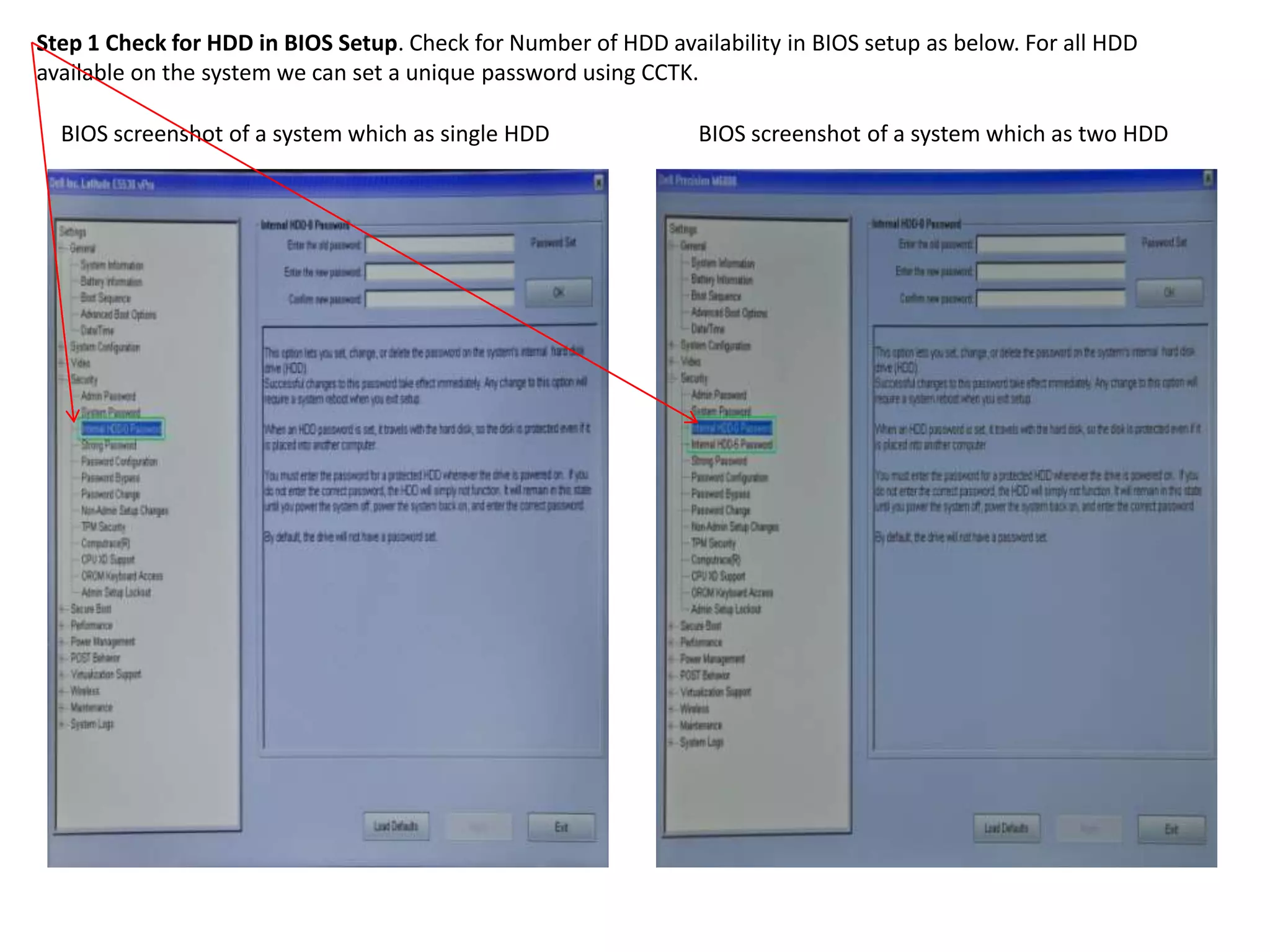
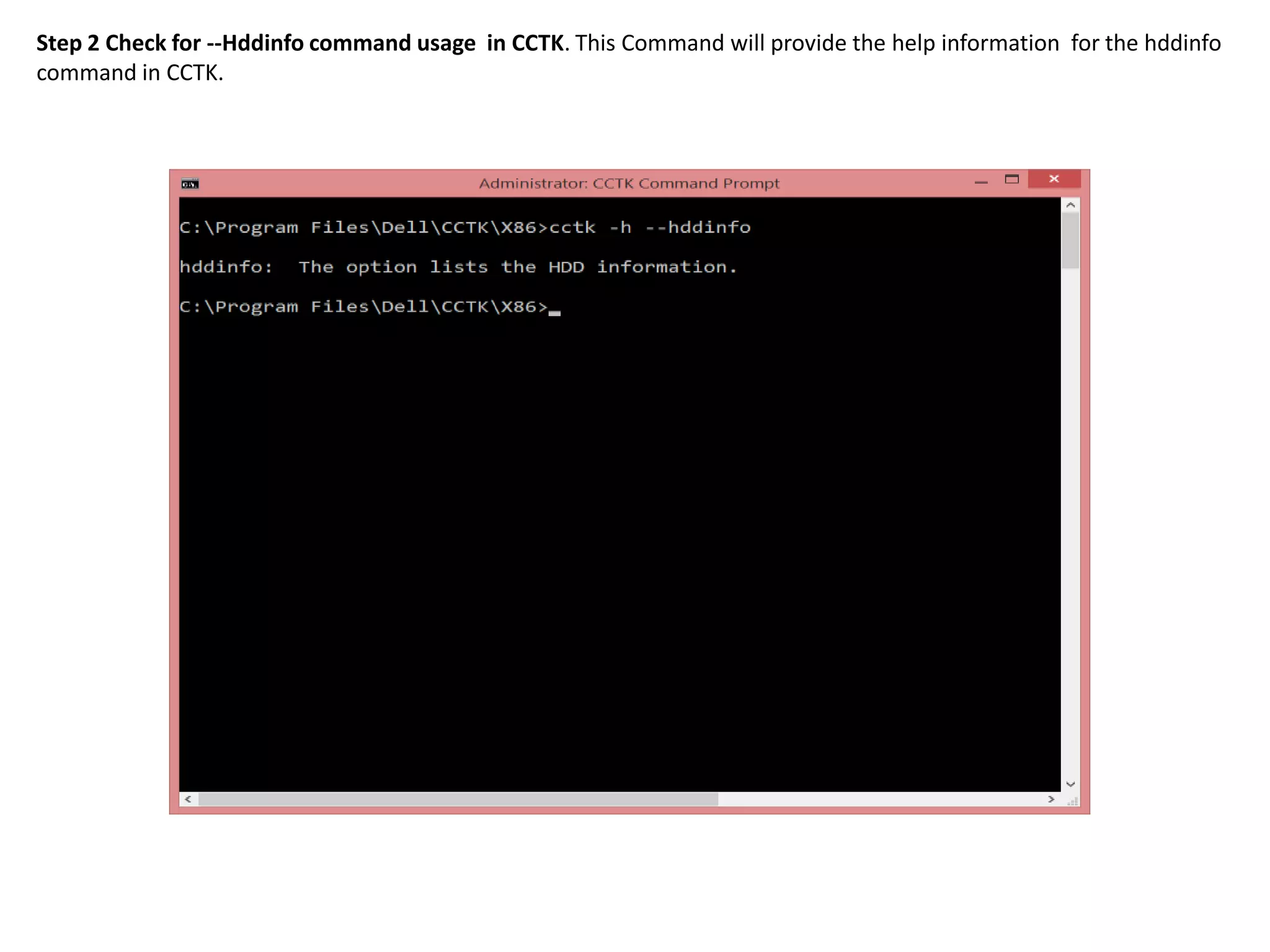
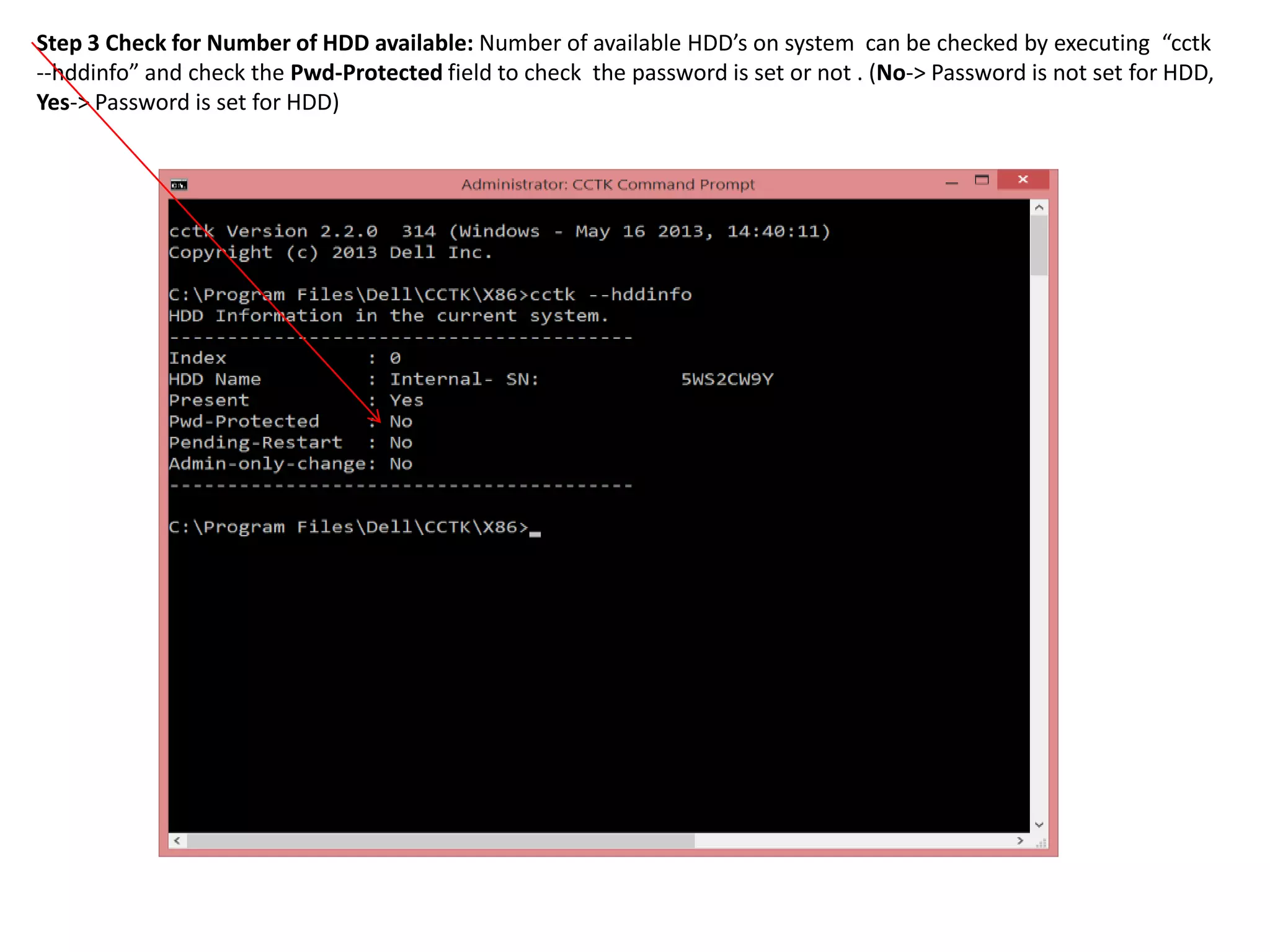
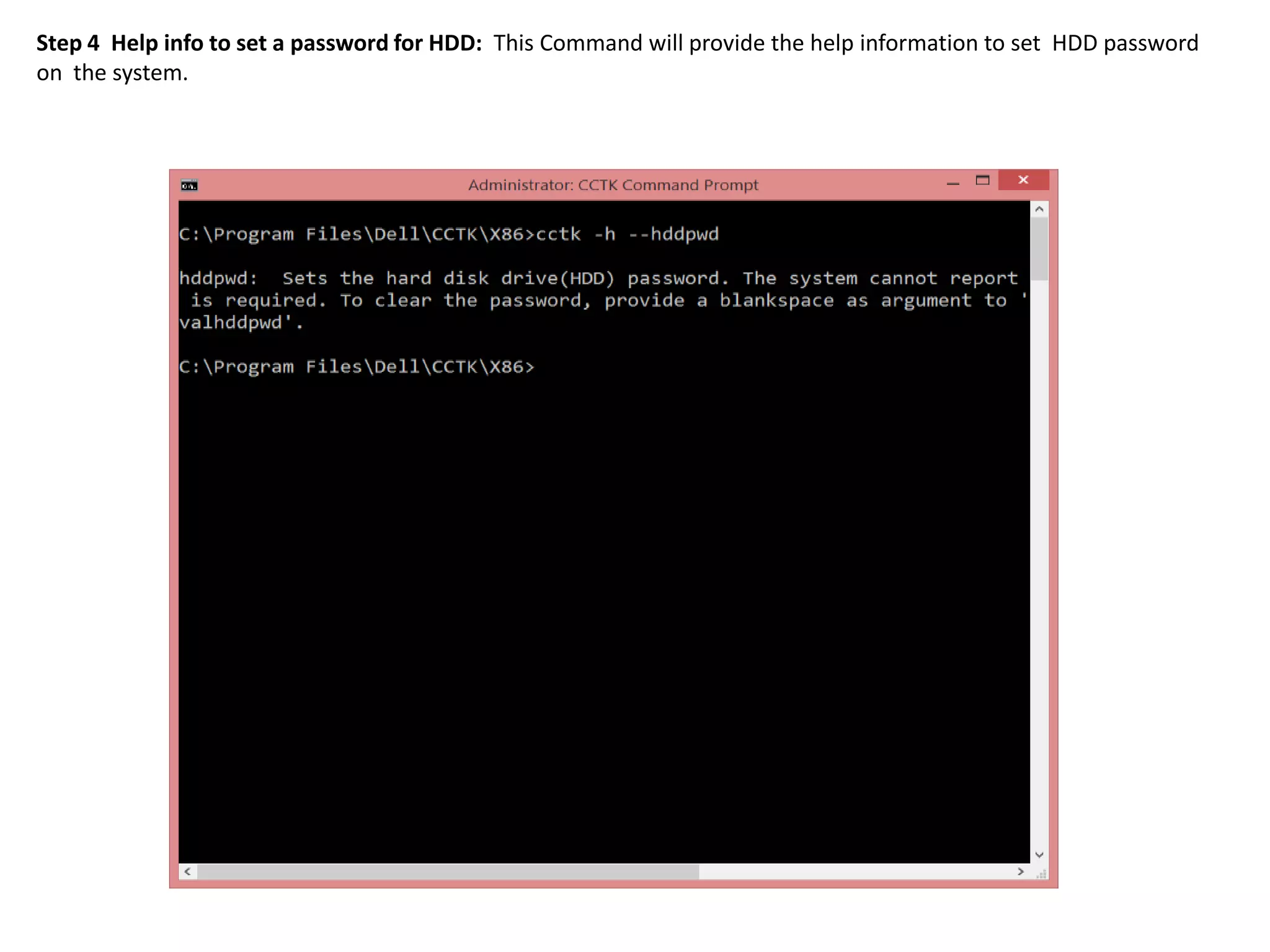
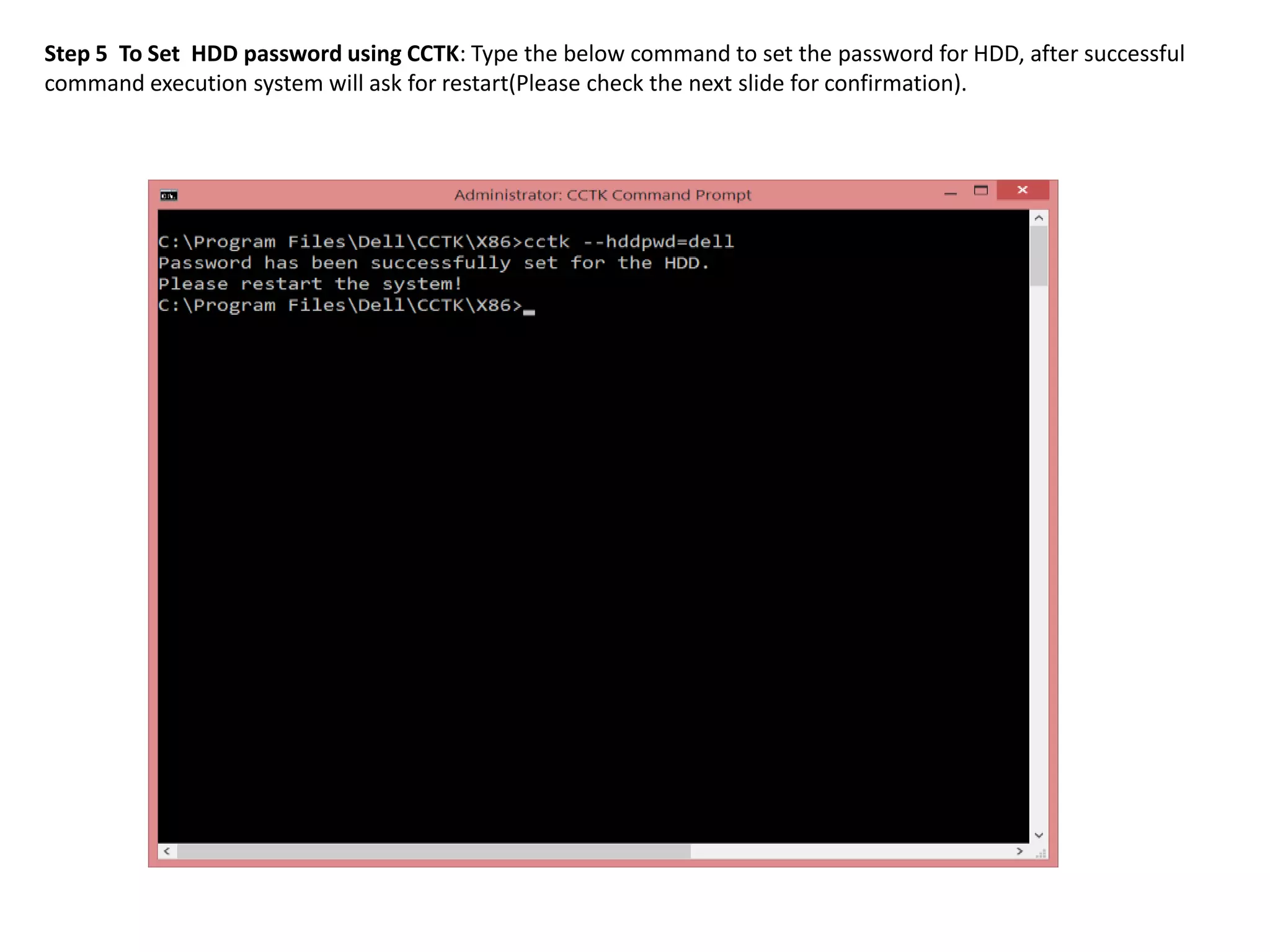
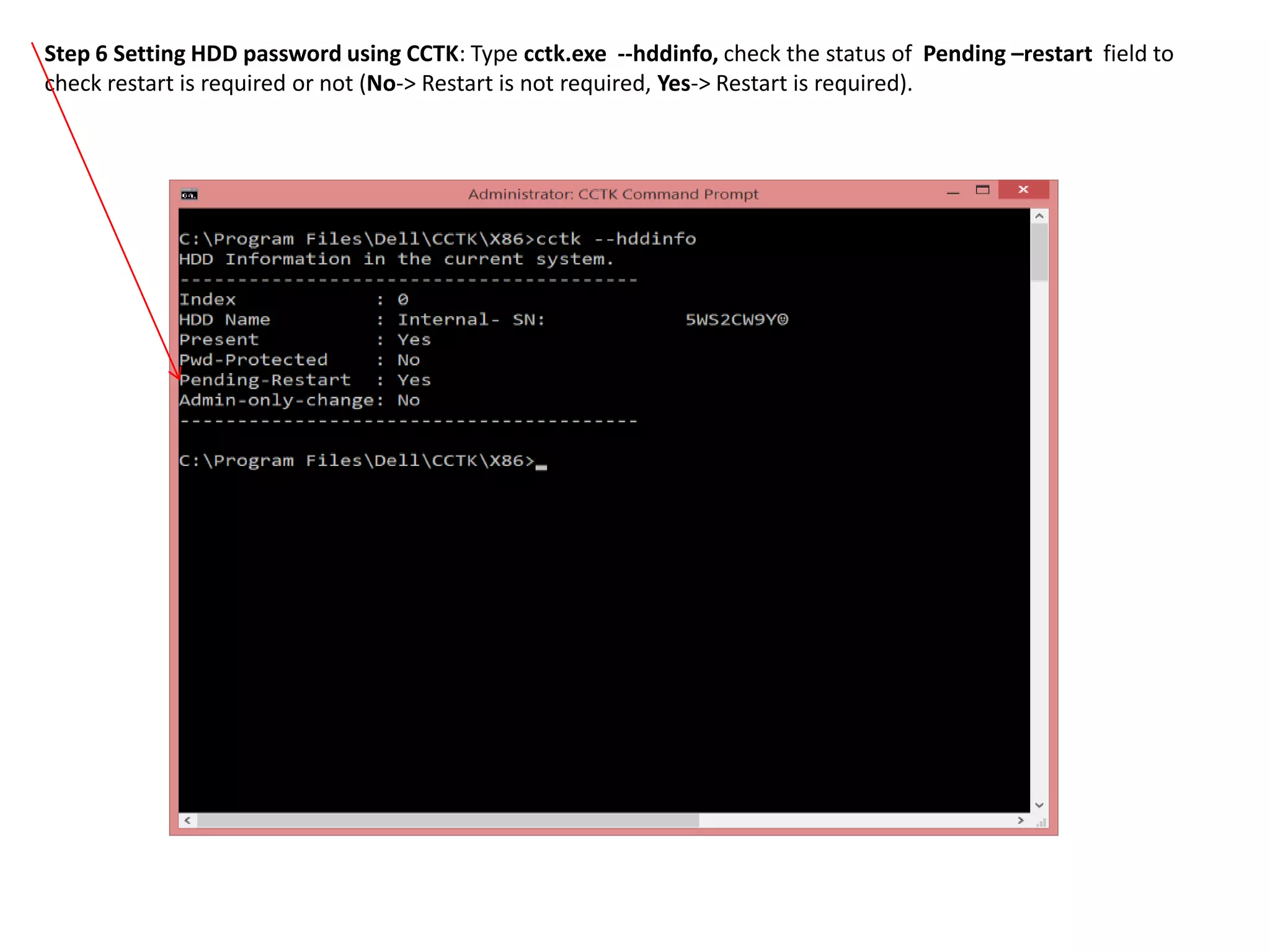
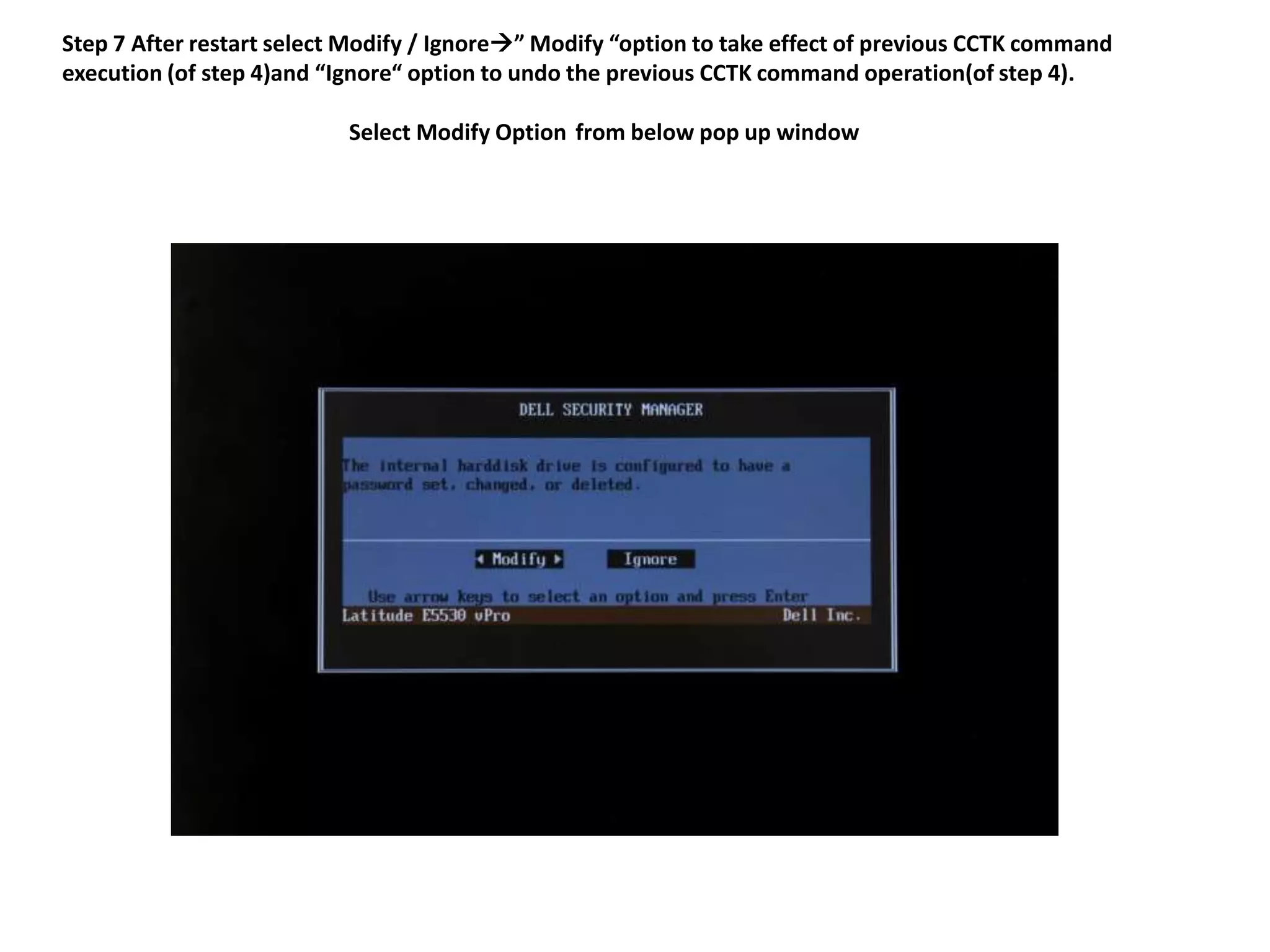
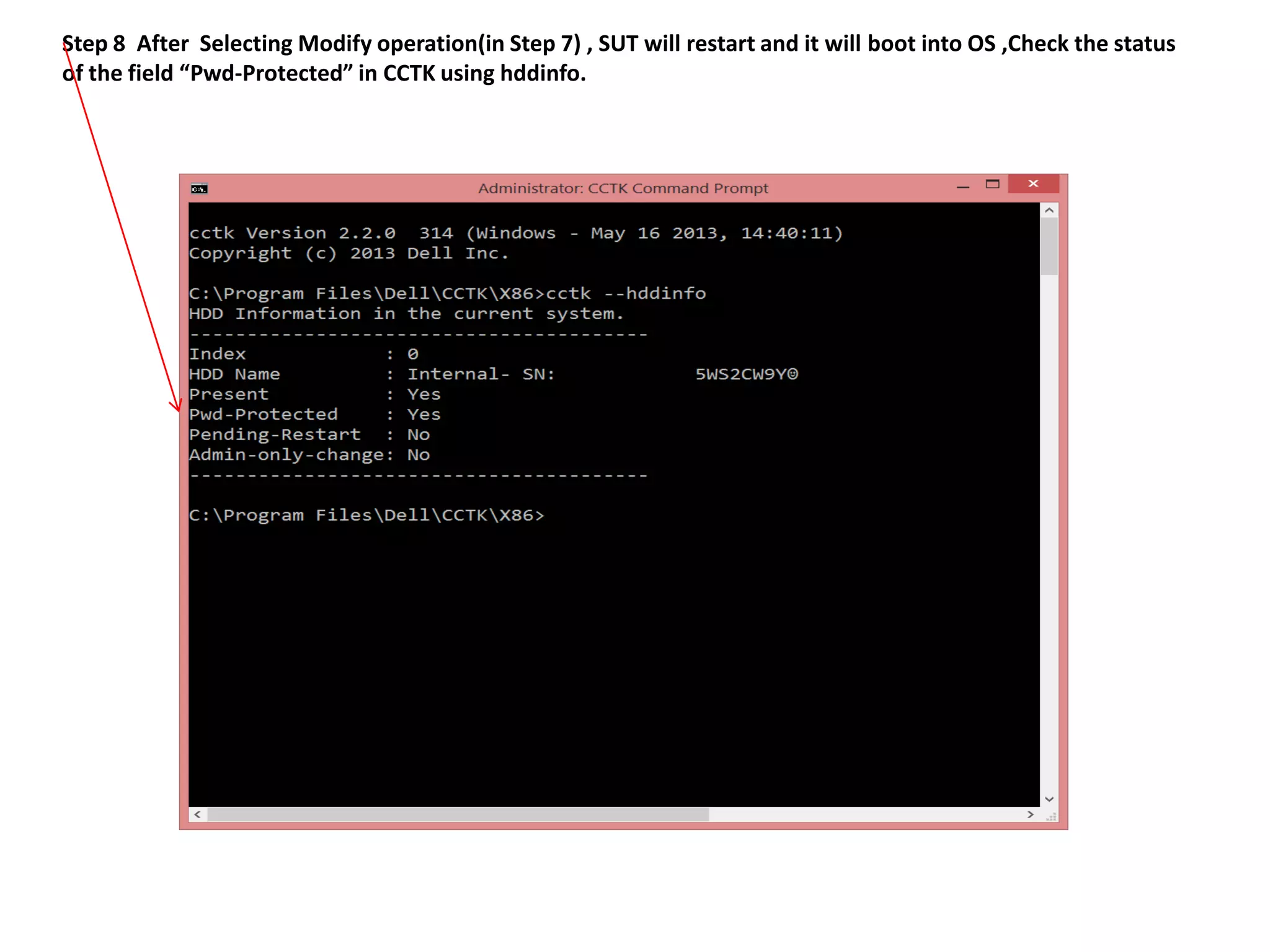
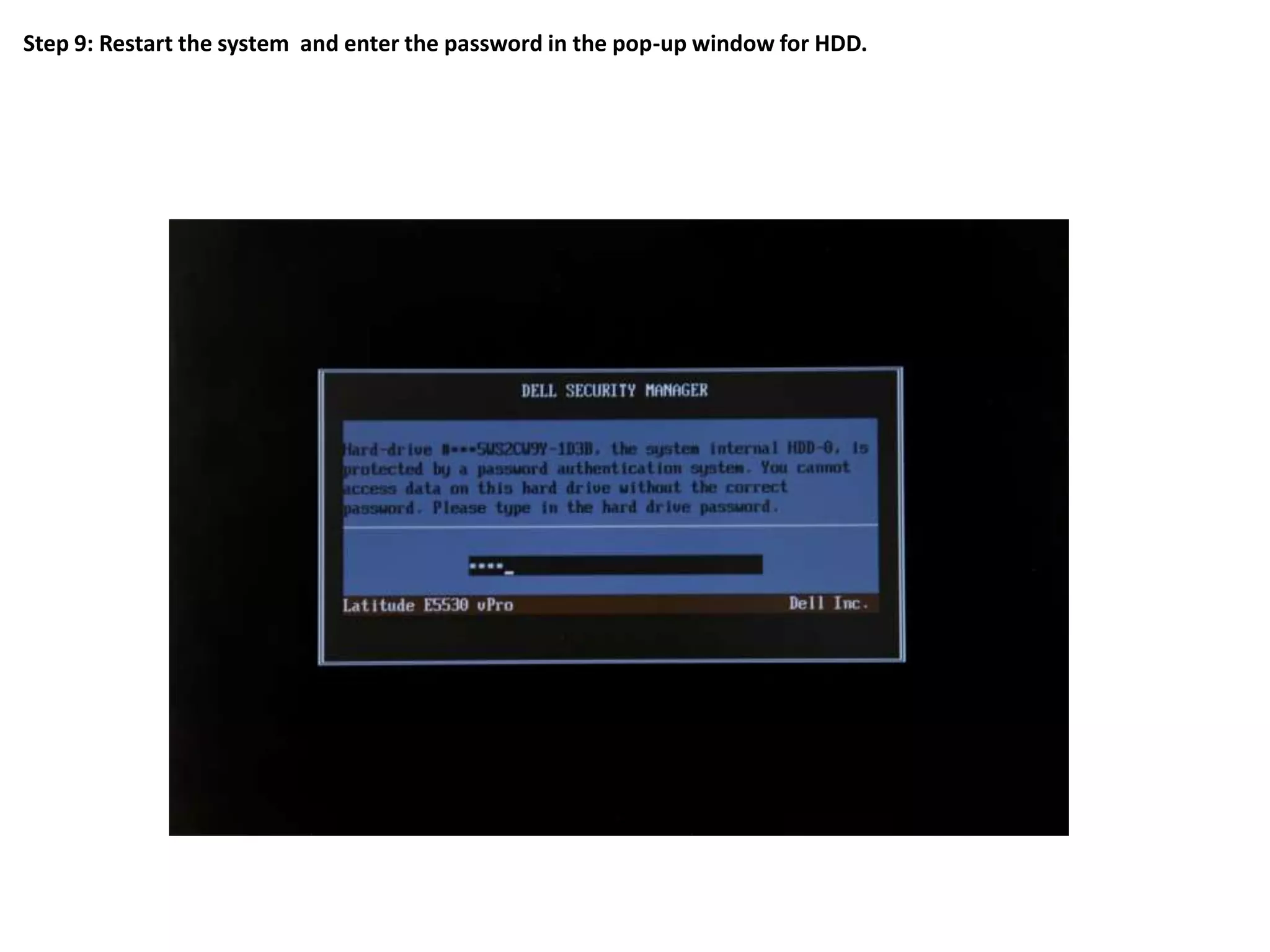
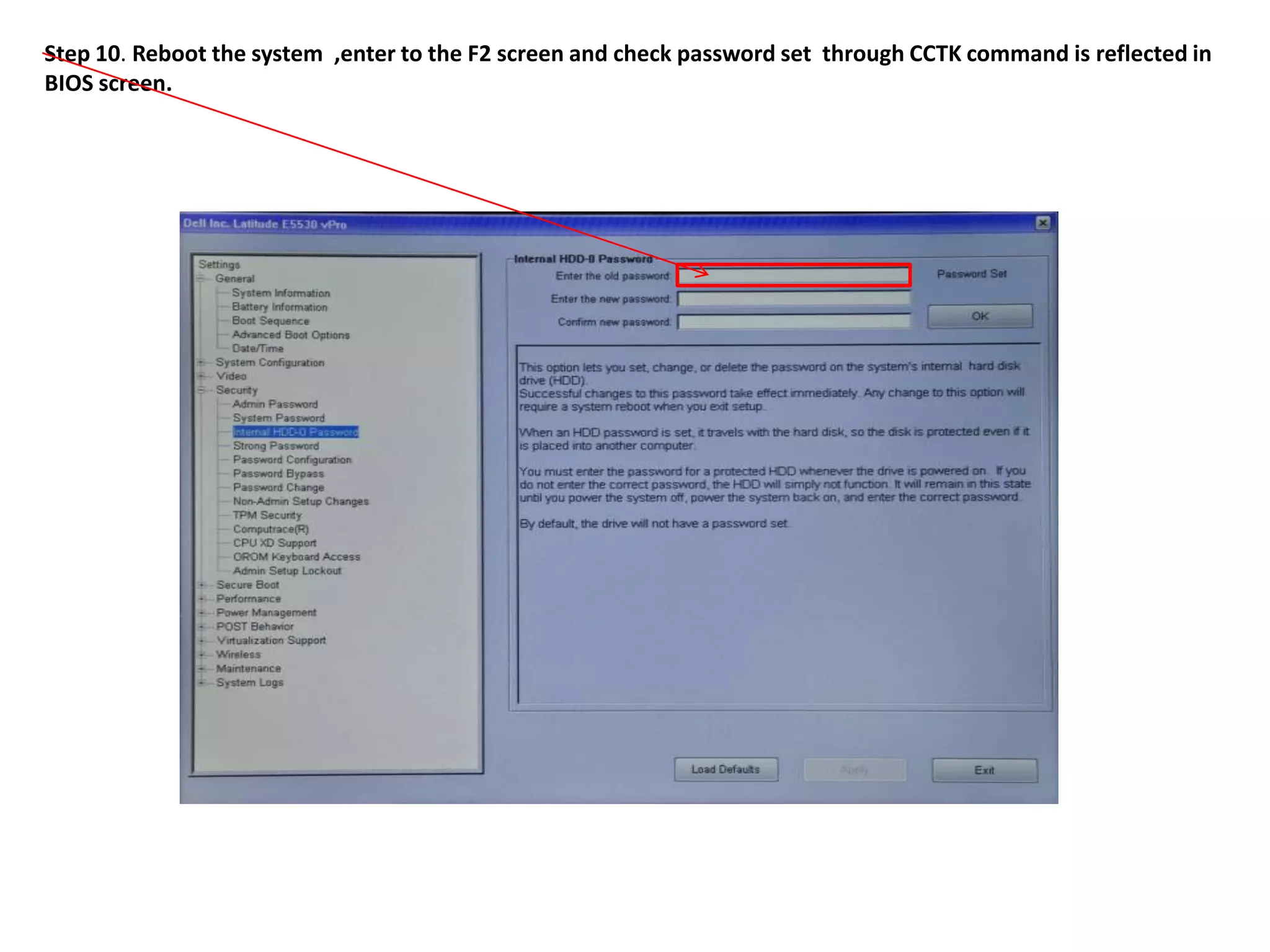
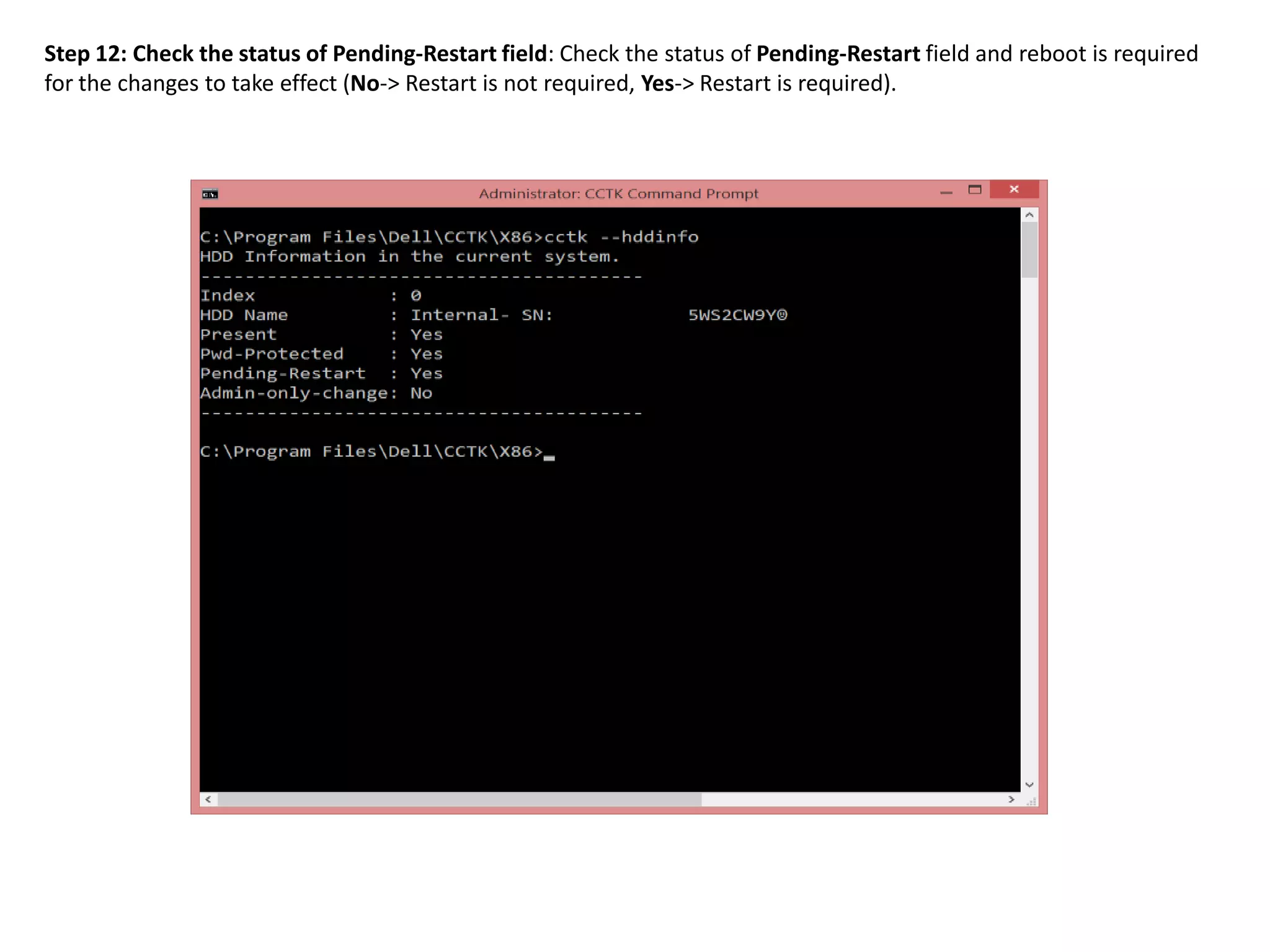
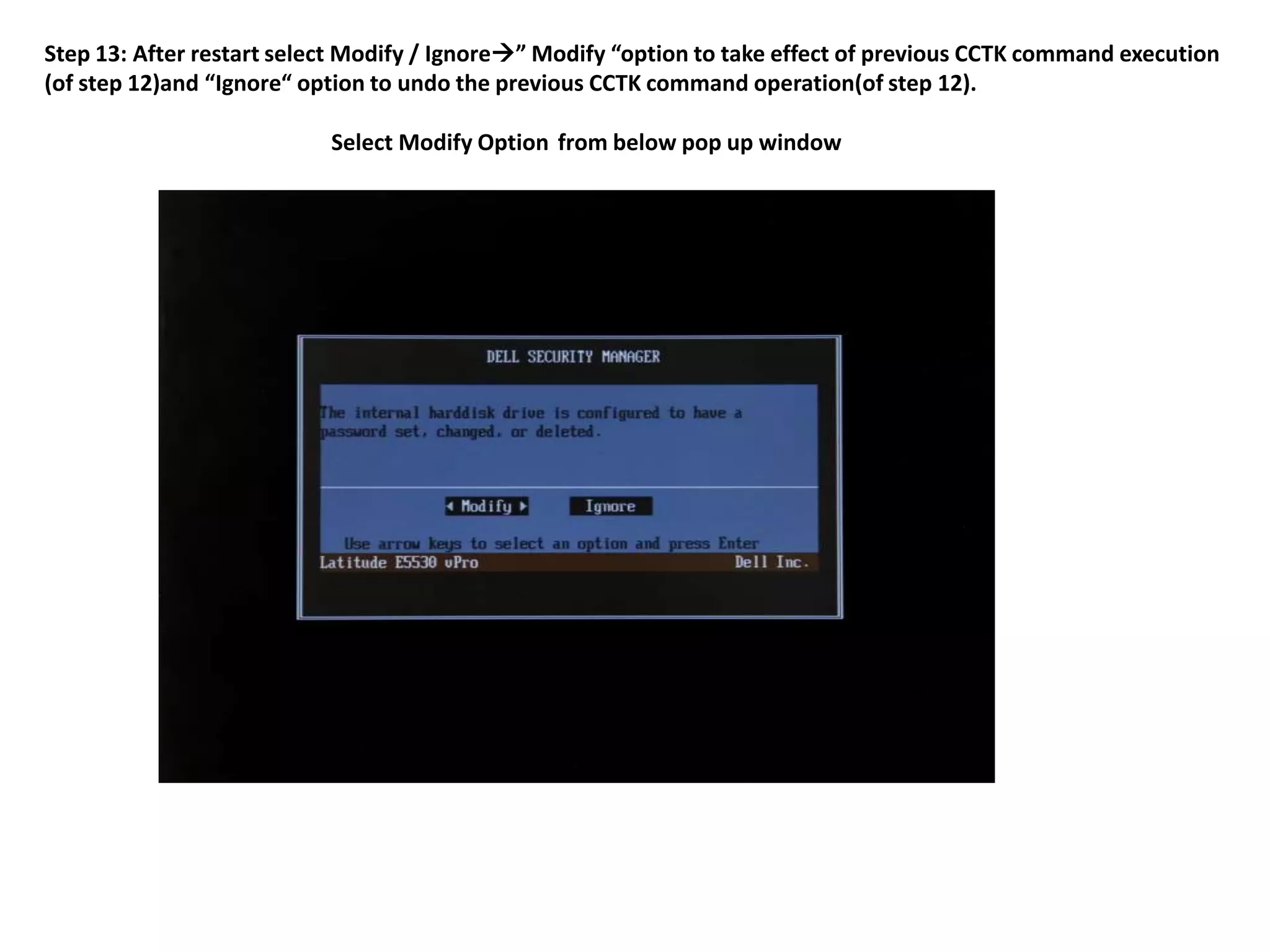
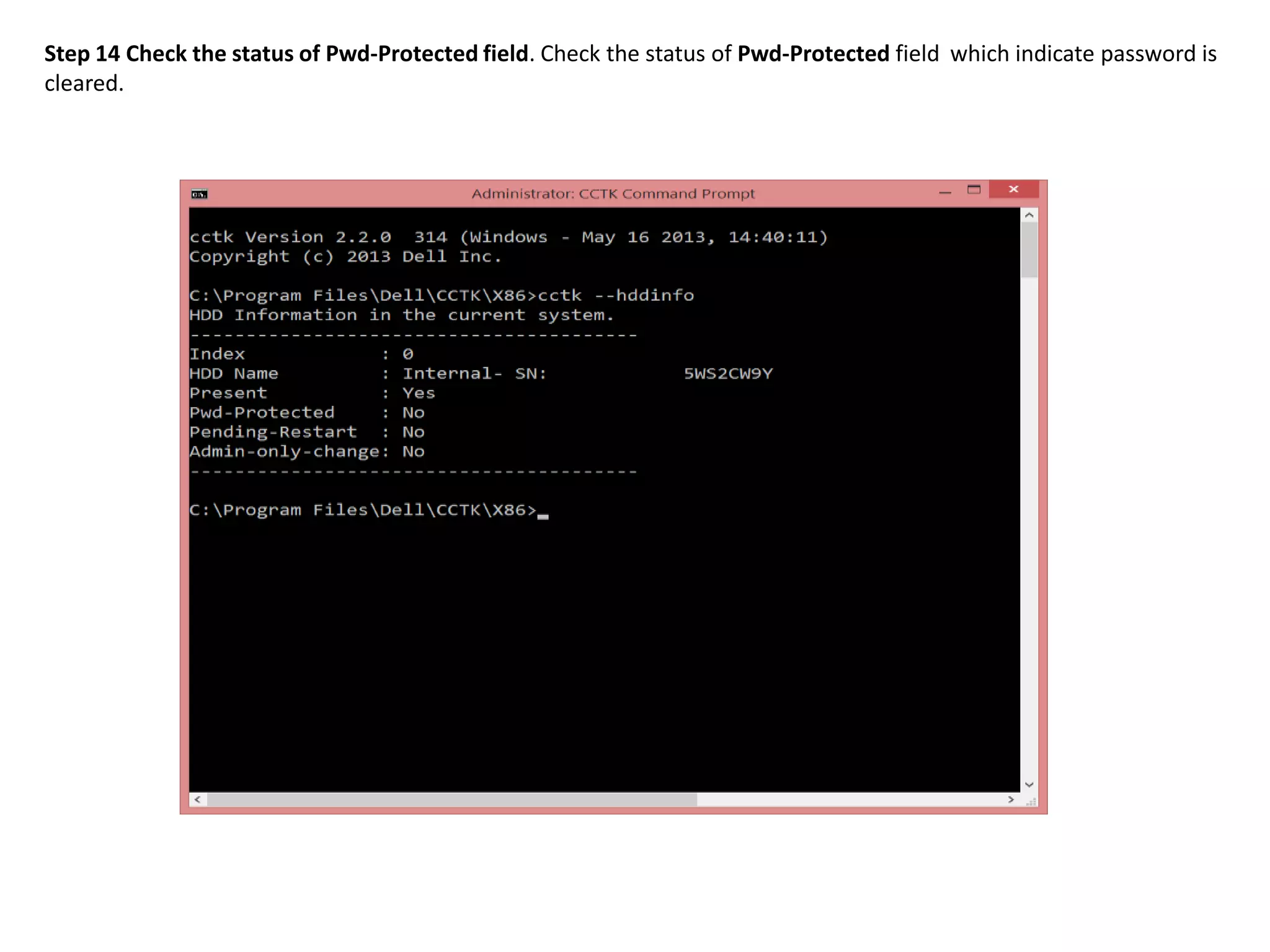
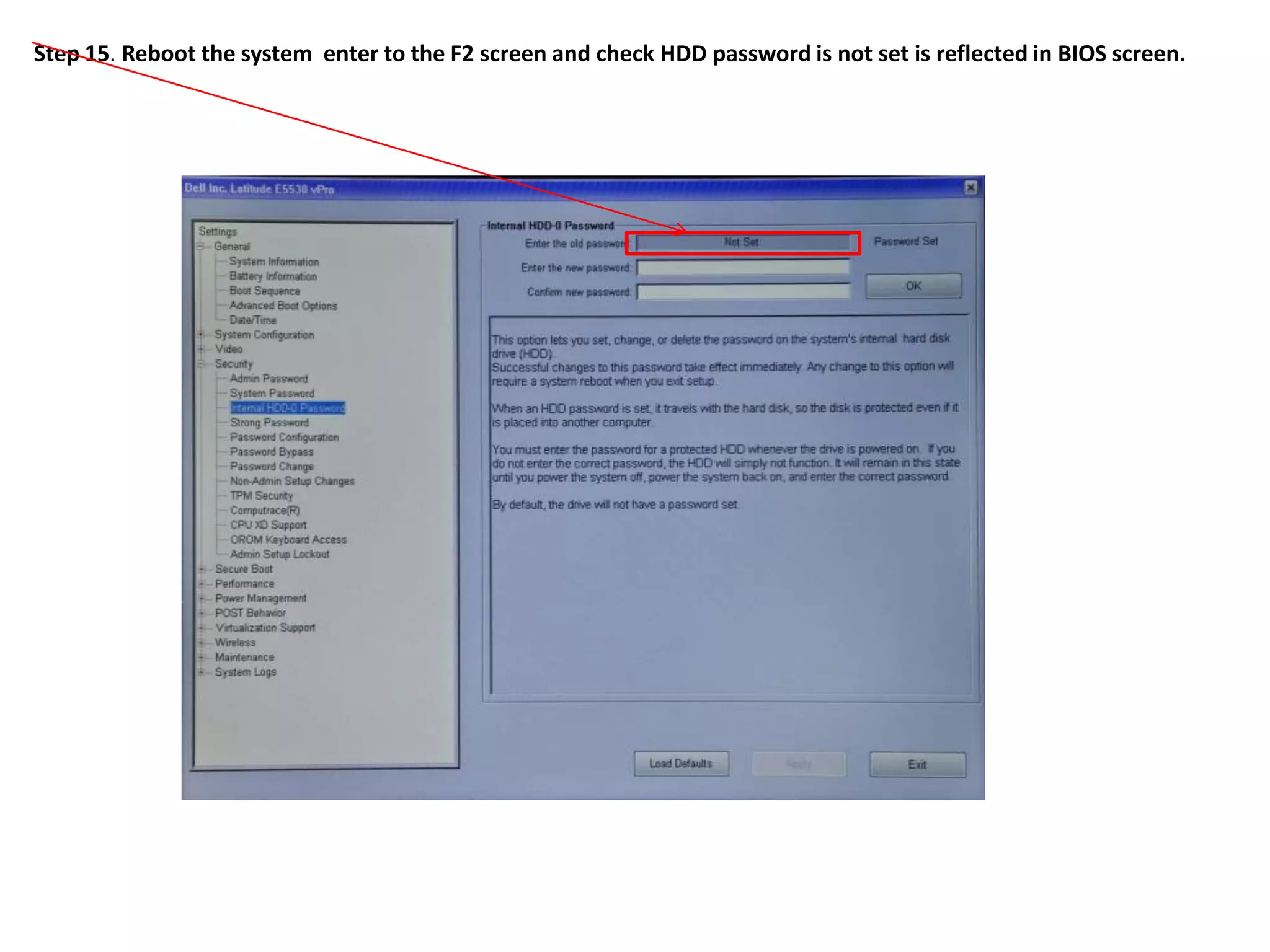
2. The steps include checking for HDD availability in the BIOS, using the "hddinfo" and "hddpwd" CCTK commands to view HDD details and set passwords, rebooting the system for changes to take effect, and verifying passwords are set properly in the BIOS and through additional CCTK commands.
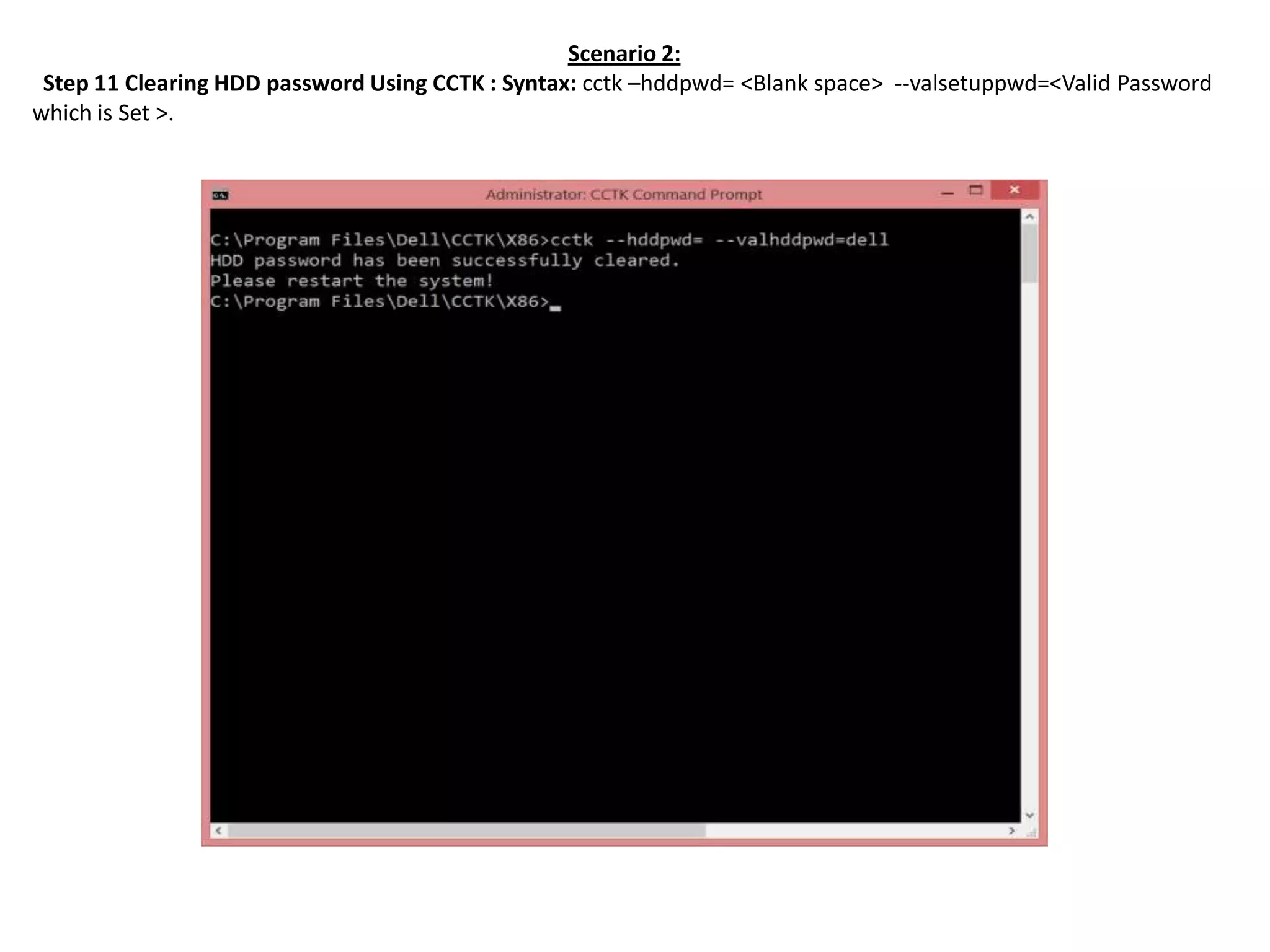
3. The process to clear an HDD password uses the "hddpwd=" CCTK command along with the valid password that was previously set.


![Coded Agents – with UiPath SDK + LangGraph [Virtual Hands-on Workshop]](https://cdn.slidesharecdn.com/ss_thumbnails/codedagentsdeck-251215155422-5497c599-thumbnail.jpg?width=640&height=640&fit=bounds)
![Vibe Coding vs. Spec-Driven Development [Free Meetup]](https://cdn.slidesharecdn.com/ss_thumbnails/vibecodingvsspecdrivendevelopment-251209105622-43f455e7-thumbnail.jpg?width=640&height=640&fit=bounds)


