CBSE 12 Result 2018
How Can You Check
Your Result?
Top 5 Ways to Get Your
CBSE 12th
Result Soon!
Through Official Site
Through Indiaresults.com
Through a Phone Call
Through SMS
Through Digi locker Site
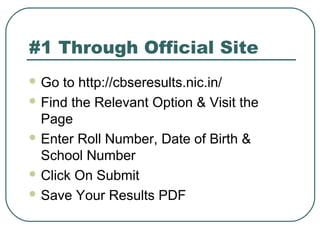
#1 Through Official Site
 Go to http://cbseresults.nic.in/
 Find the Relevant Option & Visit the
Page
 Enter Roll Number, Date of Birth &
School Number
 Click On Submit
 Save Your Results PDF
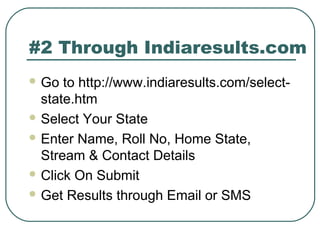
#2 Through Indiaresults.com
 Go to http://www.indiaresults.com/select-
state.htm
 Select Your State
 Enter Name, Roll No, Home State,
Stream & Contact Details
 Click On Submit
 Get Results through Email or SMS
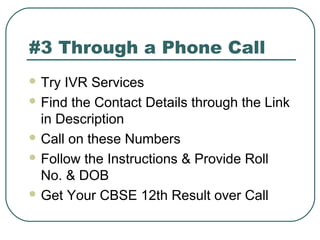
#3 Through a Phone Call
 Try IVR Services
 Find the Contact Details through the Link
in Description
 Call on these Numbers
 Follow the Instructions & Provide Roll
No. & DOB
 Get Your CBSE 12th Result over Call
#4 Through SMS
 Follow the Link in Description
 Note Down the Numbers to Send SMS
 Send SMS in the format - CBSE 12[roll
no.]
 Verify the Details before Sending
 Get Your CBSE 12 Result 2018 over
SMS
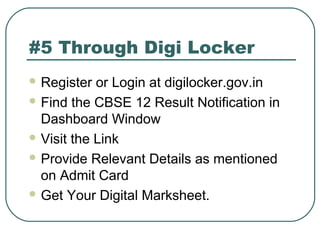
#5 Through Digi Locker
 Register or Login at digilocker.gov.in
 Find the CBSE 12 Result Notification in
Dashboard Window
 Visit the Link
 Provide Relevant Details as mentioned
on Admit Card
 Get Your Digital Marksheet.
#5 Through Digi Locker
 Register or Login at digilocker.gov.in
 Find the CBSE 12 Result Notification in
Dashboard Window
 Visit the Link
 Provide Relevant Details as mentioned
on Admit Card
 Get Your Digital Marksheet.
Did the Information
Helped You?
Still have
doubts?
Visit Here!
Thank You for
Watching!

Cbse 12 results

  • 1.
    CBSE 12 Result2018 How Can You Check Your Result?
  • 2.
    Top 5 Waysto Get Your CBSE 12th Result Soon! Through Official Site Through Indiaresults.com Through a Phone Call Through SMS Through Digi locker Site
  • 3.
    #1 Through OfficialSite  Go to http://cbseresults.nic.in/  Find the Relevant Option & Visit the Page  Enter Roll Number, Date of Birth & School Number  Click On Submit  Save Your Results PDF
  • 4.
    #2 Through Indiaresults.com Go to http://www.indiaresults.com/select- state.htm  Select Your State  Enter Name, Roll No, Home State, Stream & Contact Details  Click On Submit  Get Results through Email or SMS
  • 5.
    #3 Through aPhone Call  Try IVR Services  Find the Contact Details through the Link in Description  Call on these Numbers  Follow the Instructions & Provide Roll No. & DOB  Get Your CBSE 12th Result over Call
  • 6.
    #4 Through SMS Follow the Link in Description  Note Down the Numbers to Send SMS  Send SMS in the format - CBSE 12[roll no.]  Verify the Details before Sending  Get Your CBSE 12 Result 2018 over SMS
  • 7.
    #5 Through DigiLocker  Register or Login at digilocker.gov.in  Find the CBSE 12 Result Notification in Dashboard Window  Visit the Link  Provide Relevant Details as mentioned on Admit Card  Get Your Digital Marksheet.
  • 8.
    #5 Through DigiLocker  Register or Login at digilocker.gov.in  Find the CBSE 12 Result Notification in Dashboard Window  Visit the Link  Provide Relevant Details as mentioned on Admit Card  Get Your Digital Marksheet.
  • 9.
    Did the Information HelpedYou? Still have doubts? Visit Here!
  • 10.

Editor's Notes

  • #3 One of the best reasons to use PowerPoint is the ability it gives you to present content in a qualitatively different way through the use of graphics, charts, animation, and even video or audio. We all learn differently and a presentation using PowerPoint can help those who are Visual as well as Auditory learners
  • #4 Too much text distracts your audience and can be difficult to read.
  • #5 Too much text distracts your audience and can be difficult to read.
  • #6 Too much text distracts your audience and can be difficult to read.
  • #7 Too much text distracts your audience and can be difficult to read.
  • #8 Too much text distracts your audience and can be difficult to read.
  • #9 Too much text distracts your audience and can be difficult to read.