Your Interactive Guide
to the Digital World
Discovering
Computers
Chapter One
Basic Introduction to
Computer
Objectives Overview
Discovering Computers : Chapter 1 2
Objectives Overview
3
Discovering Computers : Chapter 1
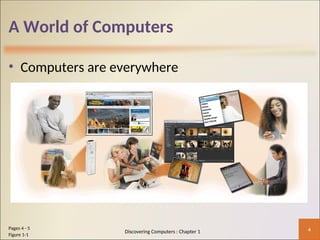
A World of Computers
• Computers are everywhere
4
Pages 4 - 5
Figure 1-1
Discovering Computers : Chapter 1
What Is a Computer?
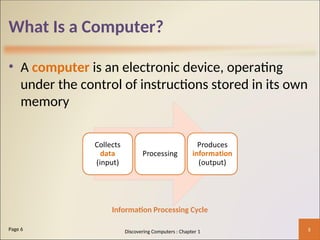
• A computer is an electronic device, operating
under the control of instructions stored in its own
memory
5
Page 6
Information Processing Cycle
Discovering Computers : Chapter 1
What Is a Computer?
6
Page 6
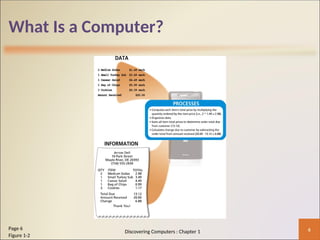
Figure 1-2
Discovering Computers : Chapter 1
The Components of a Computer
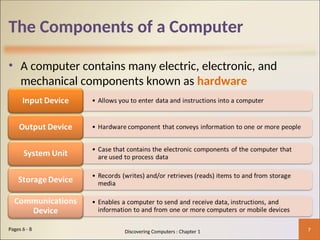
• A computer contains many electric, electronic, and
mechanical components known as hardware
7
Pages 6 - 8 Discovering Computers : Chapter 1
The Components of a Computer
8
Page 7
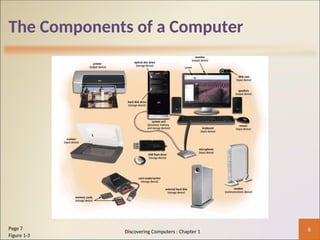
Figure 1-3
Discovering Computers : Chapter 1
Advantages and Disadvantages
of Using Computers
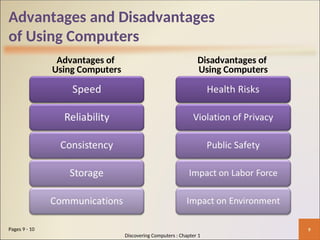
Advantages of
Using Computers
Disadvantages of
Using Computers
9
Pages 9 - 10
Discovering Computers : Chapter 1
Advantages and Disadvantages
of Using Computers
• Green computing involves reducing the electricity
consumed and environmental waste generated when
using a computer
• Strategies include:
– Recycling
– Regulating manufacturing processes
– Extending the life of computers
– Immediately donating or properly disposing of replaced computers
10
Page 10 Discovering Computers : Chapter 1
Networks and the Internet
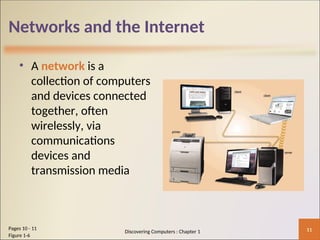
• A network is a
collection of computers
and devices connected
together, often
wirelessly, via
communications
devices and
transmission media
11
Pages 10 - 11
Figure 1-6
Discovering Computers : Chapter 1
Networks and the Internet
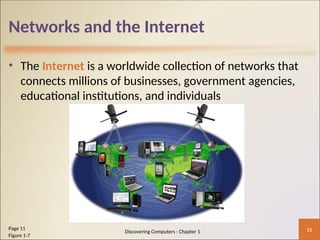
• The Internet is a worldwide collection of networks that
connects millions of businesses, government agencies,
educational institutions, and individuals
12
Page 11
Figure 1-7
Discovering Computers : Chapter 1
Networks and the Internet
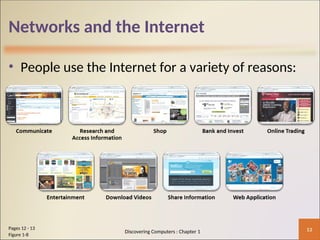
• People use the Internet for a variety of reasons:
13
Pages 12 - 13
Figure 1-8
Discovering Computers : Chapter 1
Networks and the Internet
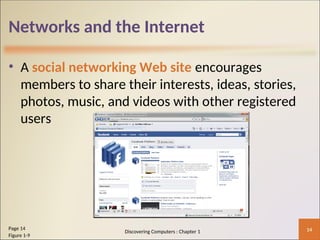
• A social networking Web site encourages
members to share their interests, ideas, stories,
photos, music, and videos with other registered
users
14
Page 14
Figure 1-9
Discovering Computers : Chapter 1
Computer Software
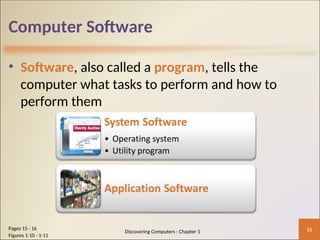
• Software, also called a program, tells the
computer what tasks to perform and how to
perform them
15
Pages 15 - 16
Figures 1-10 - 1-11
Discovering Computers : Chapter 1
Computer Software
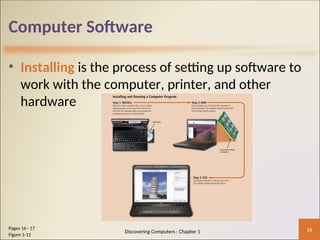
• Installing is the process of setting up software to
work with the computer, printer, and other
hardware
16
Pages 16 - 17
Figure 1-12
Discovering Computers : Chapter 1
Computer Software
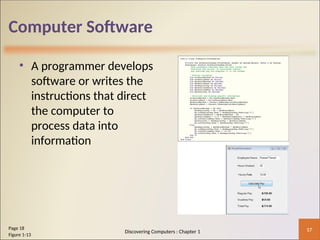
• A programmer develops
software or writes the
instructions that direct
the computer to
process data into
information
17
Page 18
Figure 1-13
Discovering Computers : Chapter 1
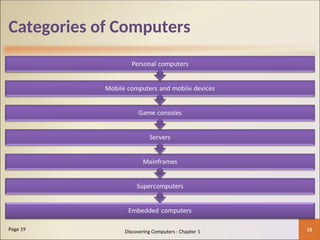
Categories of Computers
18
Page 19 Discovering Computers : Chapter 1
Personal Computers
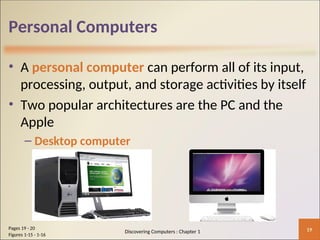
• A personal computer can perform all of its input,
processing, output, and storage activities by itself
• Two popular architectures are the PC and the
Apple
– Desktop computer
19
Pages 19 - 20
Figures 1-15 - 1-16
Discovering Computers : Chapter 1
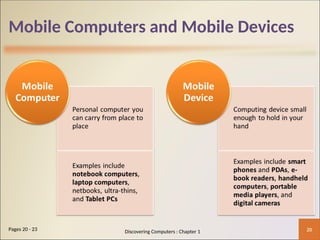
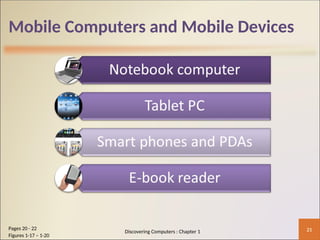
Mobile Computers and Mobile Devices
20
Pages 20 - 23 Discovering Computers : Chapter 1
Mobile Computers and Mobile Devices
21
Pages 20 - 22
Figures 1-17 – 1-20
Discovering Computers : Chapter 1
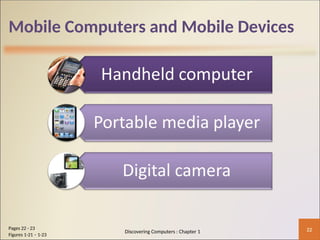
Mobile Computers and Mobile Devices
22
Pages 22 - 23
Figures 1-21 – 1-23
Discovering Computers : Chapter 1
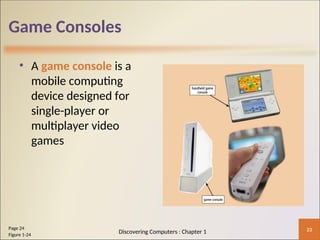
Game Consoles
• A game console is a
mobile computing
device designed for
single-player or
multiplayer video
games
23
Page 24
Figure 1-24
Discovering Computers : Chapter 1
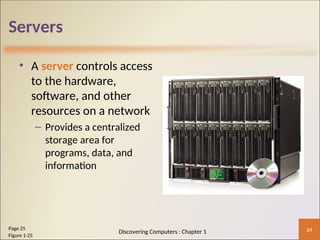
Servers
• A server controls access
to the hardware,
software, and other
resources on a network
– Provides a centralized
storage area for
programs, data, and
information
24
Page 25
Figure 1-25
Discovering Computers : Chapter 1
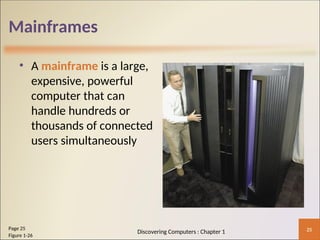
Mainframes
• A mainframe is a large,
expensive, powerful
computer that can
handle hundreds or
thousands of connected
users simultaneously
25
Page 25
Figure 1-26
Discovering Computers : Chapter 1
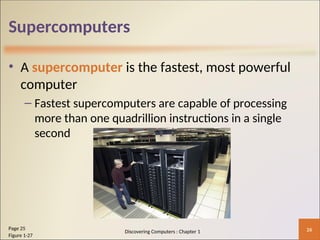
Supercomputers
• A supercomputer is the fastest, most powerful
computer
– Fastest supercomputers are capable of processing
more than one quadrillion instructions in a single
second
26
Page 25
Figure 1-27
Discovering Computers : Chapter 1
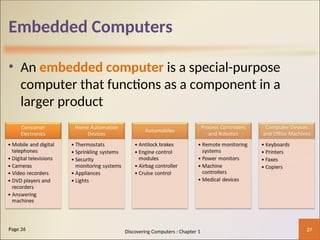
Embedded Computers
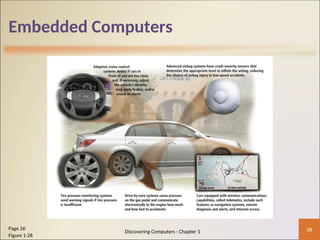
• An embedded computer is a special-purpose
computer that functions as a component in a
larger product
27
Page 26 Discovering Computers : Chapter 1
Embedded Computers
28
Page 26
Figure 1-28
Discovering Computers : Chapter 1
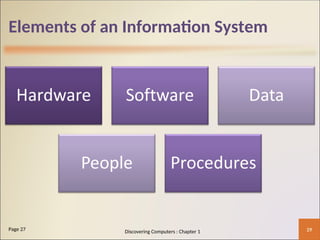
Elements of an Information System
29
Page 27 Discovering Computers : Chapter 1
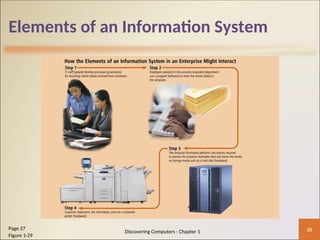
Elements of an Information System
30
Page 27
Figure 1-29
Discovering Computers : Chapter 1
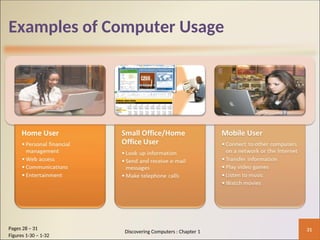
Examples of Computer Usage
31
Pages 28 – 31
Figures 1-30 – 1-32
Discovering Computers : Chapter 1
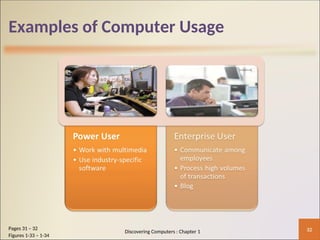
Examples of Computer Usage
32
Pages 31 – 32
Figures 1-33 – 1-34
Discovering Computers : Chapter 1
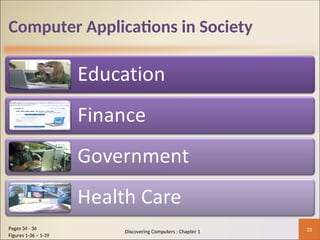
Computer Applications in Society
33
Pages 34 - 36
Figures 1-36 – 1-39
Discovering Computers : Chapter 1
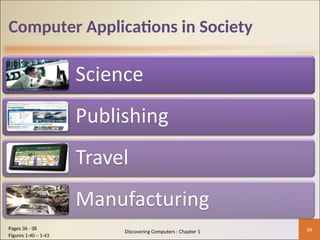
Computer Applications in Society
34
Pages 36 - 38
Figures 1-40 – 1-43
Discovering Computers : Chapter 1
Summary
35
Page 39 Discovering Computers : Chapter 1

C01-INTRODUCTION TO COMPUTER CHAPTER 1.P

  • 1.
    Your Interactive Guide tothe Digital World Discovering Computers Chapter One Basic Introduction to Computer
  • 2.
  • 3.
  • 4.
    A World ofComputers • Computers are everywhere 4 Pages 4 - 5 Figure 1-1 Discovering Computers : Chapter 1
  • 5.
    What Is aComputer? • A computer is an electronic device, operating under the control of instructions stored in its own memory 5 Page 6 Information Processing Cycle Discovering Computers : Chapter 1
  • 6.
    What Is aComputer? 6 Page 6 Figure 1-2 Discovering Computers : Chapter 1
  • 7.
    The Components ofa Computer • A computer contains many electric, electronic, and mechanical components known as hardware 7 Pages 6 - 8 Discovering Computers : Chapter 1
  • 8.
    The Components ofa Computer 8 Page 7 Figure 1-3 Discovering Computers : Chapter 1
  • 9.
    Advantages and Disadvantages ofUsing Computers Advantages of Using Computers Disadvantages of Using Computers 9 Pages 9 - 10 Discovering Computers : Chapter 1
  • 10.
    Advantages and Disadvantages ofUsing Computers • Green computing involves reducing the electricity consumed and environmental waste generated when using a computer • Strategies include: – Recycling – Regulating manufacturing processes – Extending the life of computers – Immediately donating or properly disposing of replaced computers 10 Page 10 Discovering Computers : Chapter 1
  • 11.
    Networks and theInternet • A network is a collection of computers and devices connected together, often wirelessly, via communications devices and transmission media 11 Pages 10 - 11 Figure 1-6 Discovering Computers : Chapter 1
  • 12.
    Networks and theInternet • The Internet is a worldwide collection of networks that connects millions of businesses, government agencies, educational institutions, and individuals 12 Page 11 Figure 1-7 Discovering Computers : Chapter 1
  • 13.
    Networks and theInternet • People use the Internet for a variety of reasons: 13 Pages 12 - 13 Figure 1-8 Discovering Computers : Chapter 1
  • 14.
    Networks and theInternet • A social networking Web site encourages members to share their interests, ideas, stories, photos, music, and videos with other registered users 14 Page 14 Figure 1-9 Discovering Computers : Chapter 1
  • 15.
    Computer Software • Software,also called a program, tells the computer what tasks to perform and how to perform them 15 Pages 15 - 16 Figures 1-10 - 1-11 Discovering Computers : Chapter 1
  • 16.
    Computer Software • Installingis the process of setting up software to work with the computer, printer, and other hardware 16 Pages 16 - 17 Figure 1-12 Discovering Computers : Chapter 1
  • 17.
    Computer Software • Aprogrammer develops software or writes the instructions that direct the computer to process data into information 17 Page 18 Figure 1-13 Discovering Computers : Chapter 1
  • 18.
    Categories of Computers 18 Page19 Discovering Computers : Chapter 1
  • 19.
    Personal Computers • Apersonal computer can perform all of its input, processing, output, and storage activities by itself • Two popular architectures are the PC and the Apple – Desktop computer 19 Pages 19 - 20 Figures 1-15 - 1-16 Discovering Computers : Chapter 1
  • 20.
    Mobile Computers andMobile Devices 20 Pages 20 - 23 Discovering Computers : Chapter 1
  • 21.
    Mobile Computers andMobile Devices 21 Pages 20 - 22 Figures 1-17 – 1-20 Discovering Computers : Chapter 1
  • 22.
    Mobile Computers andMobile Devices 22 Pages 22 - 23 Figures 1-21 – 1-23 Discovering Computers : Chapter 1
  • 23.
    Game Consoles • Agame console is a mobile computing device designed for single-player or multiplayer video games 23 Page 24 Figure 1-24 Discovering Computers : Chapter 1
  • 24.
    Servers • A servercontrols access to the hardware, software, and other resources on a network – Provides a centralized storage area for programs, data, and information 24 Page 25 Figure 1-25 Discovering Computers : Chapter 1
  • 25.
    Mainframes • A mainframeis a large, expensive, powerful computer that can handle hundreds or thousands of connected users simultaneously 25 Page 25 Figure 1-26 Discovering Computers : Chapter 1
  • 26.
    Supercomputers • A supercomputeris the fastest, most powerful computer – Fastest supercomputers are capable of processing more than one quadrillion instructions in a single second 26 Page 25 Figure 1-27 Discovering Computers : Chapter 1
  • 27.
    Embedded Computers • Anembedded computer is a special-purpose computer that functions as a component in a larger product 27 Page 26 Discovering Computers : Chapter 1
  • 28.
    Embedded Computers 28 Page 26 Figure1-28 Discovering Computers : Chapter 1
  • 29.
    Elements of anInformation System 29 Page 27 Discovering Computers : Chapter 1
  • 30.
    Elements of anInformation System 30 Page 27 Figure 1-29 Discovering Computers : Chapter 1
  • 31.
    Examples of ComputerUsage 31 Pages 28 – 31 Figures 1-30 – 1-32 Discovering Computers : Chapter 1
  • 32.
    Examples of ComputerUsage 32 Pages 31 – 32 Figures 1-33 – 1-34 Discovering Computers : Chapter 1
  • 33.
    Computer Applications inSociety 33 Pages 34 - 36 Figures 1-36 – 1-39 Discovering Computers : Chapter 1
  • 34.
    Computer Applications inSociety 34 Pages 36 - 38 Figures 1-40 – 1-43 Discovering Computers : Chapter 1
  • 35.
    Summary 35 Page 39 DiscoveringComputers : Chapter 1