Building APIs the Serverless
Way
by Tessa Mero
Nov 6th, 2019 - Serverless Computing, London
The content of this presentation is proprietary information of Cloudinary. It is not intended to be distributed to any third party without the written
consent of Cloudinary. © 2019 Cloudinary inc.
@tessamero
Oh hai
● Developer Advocate at
Cloudinary
● Developer, Teacher, Advocate
● Community Leader
○ Past: Joomla, PHP
○ Current: API, Vue.js, JAMStack,
DevRel
● Gamer + Mom
● Cooking (<3 Korean food!)
@tessamero
Topics
● What is Serverless?
● Using Serverless
technologies to create an
API - End Result?
● Technologies Used
● Demo
● Resources
@tessamero
What are we building?
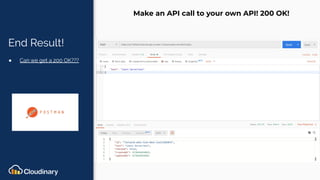
End Result!
● Can we get a 200 OK???
Make an API call to your own API! 200 OK!
What do you
need?
● We have an API!
● Prerequisites
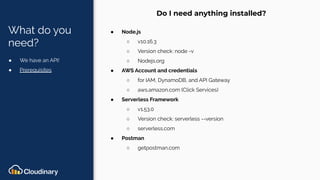
Do I need anything installed?
● Node.js
○ v10.16.3
○ Version check: node -v
○ Nodejs.org
● AWS Account and credentials
○ for IAM, DynamoDB, and API Gateway
○ aws.amazon.com (Click Services)
● Serverless Framework
○ v1.53.0
○ Version check: serverless --version
○ serverless.com
● Postman
○ getpostman.com
What is Serverless?
What is
Serverless?
● No Servers!
● Cost
● Scale
● Time
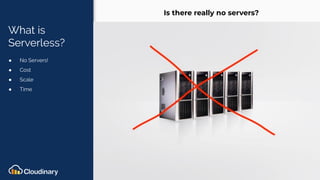
Is there really no servers?
Technologies Used
Technologies
Used
● Serverless
Serverless Framework -First original serverless
framework. The most popular on Github with 30k stars
https://serverless.com
Technologies
Used
● Serverless
● IAM
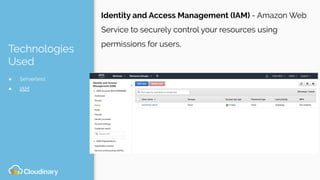
Identity and Access Management (IAM) - Amazon Web
Service to securely control your resources using
permissions for users.
Technologies
Used
● Serverless
● IAM
● DynamoDB
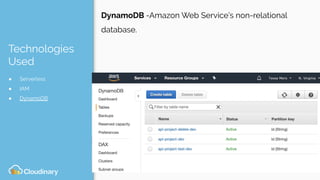
DynamoDB -Amazon Web Service’s non-relational
database.
Technologies
Used
● Serverless
● IAM
● DynamoDB
● API Gateway
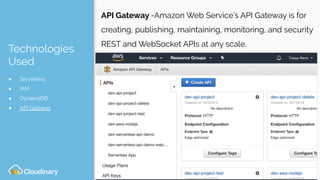
API Gateway -Amazon Web Service’s API Gateway is for
creating, publishing, maintaining, monitoring, and security
REST and WebSocket APIs at any scale.
Technologies
Used
● Serverless
● IAM
● DynamoDB
● API Gateway
● Postman
Postman - Postman is a collaboration platform for API development.
Postman's features simplify each step of building an API and streamline
collaboration so you can create better APIs—faster.
https://www.getpostman.com/
Demo
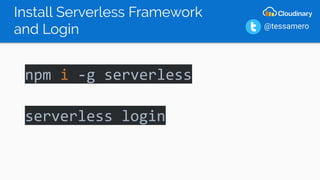
Install Serverless Framework
and Login
npm i -g serverless
serverless login
@tessamero
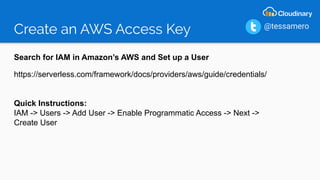
Create an AWS Access Key
Search for IAM in Amazon’s AWS and Set up a User
https://serverless.com/framework/docs/providers/aws/guide/credentials/
Quick Instructions:
IAM -> Users -> Add User -> Enable Programmatic Access -> Next ->
Create User
@tessamero
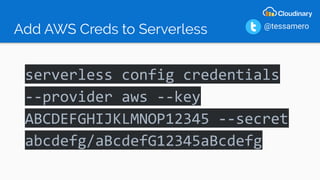
Add AWS Creds to Serverless
serverless config credentials
--provider aws --key
ABCDEFGHIJKLMNOP12345 --secret
abcdefg/aBcdefG12345aBcdefg
@tessamero
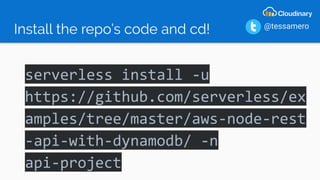
Install the repo’s code and cd!
serverless install -u
https://github.com/serverless/ex
amples/tree/master/aws-node-rest
-api-with-dynamodb/ -n
api-project
@tessamero
Install Node
npm install
@tessamero
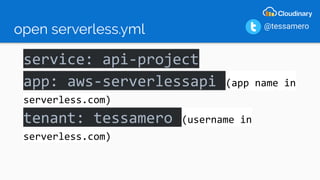
open serverless.yml
service: api-project
app: aws-serverlessapi (app name in
serverless.com)
tenant: tessamero (username in
serverless.com)
@tessamero
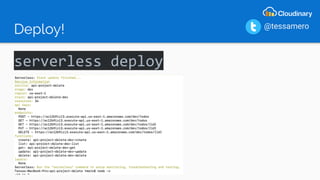
Deploy!
serverless deploy
@tessamero
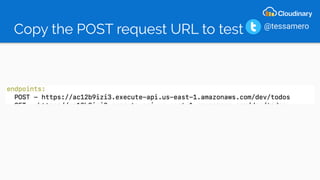
Copy the POST request URL to test @tessamero
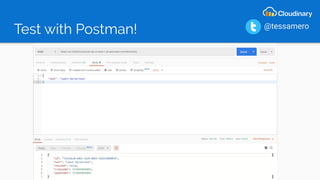
Test with Postman! @tessamero
Looking into the Code
Looking into
the Code
● File Structure
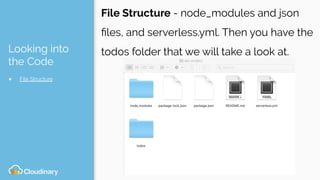
File Structure - node_modules and json
files, and serverless.yml. Then you have the
todos folder that we will take a look at.
Looking into
the Code
● File Structure
● Serverless.yml file
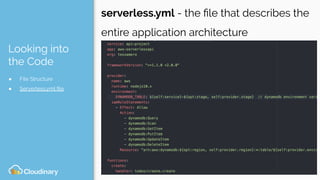
serverless.yml - the file that describes the
entire application architecture
Looking into
the Code
● File Structure
● Serverless.yml file
● todos folder
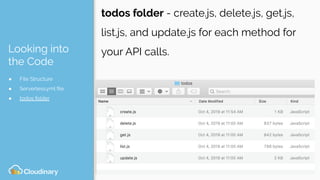
todos folder - create.js, delete.js, get.js,
list.js, and update.js for each method for
your API calls.
Looking into
the Code
● File Structure
● Serverless.yml file
● todos folder
● create.js file
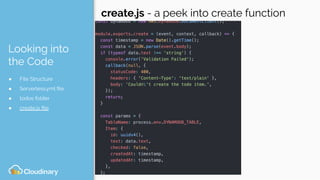
create.js - a peek into create function
Looking into
the Code
● File Structure
● Serverless.yml file
● todos folder
● create.js file
● delete.js file
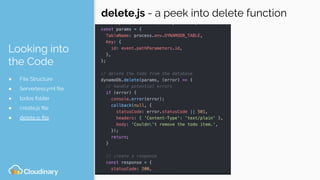
delete.js - a peek into delete function
Looking into
the Code
● File Structure
● Serverless.yml file
● todos folder
● create.js file
● delete.js file
● get.js
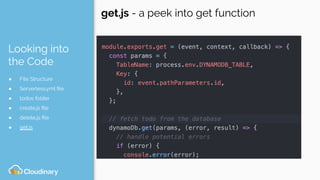
get.js - a peek into get function
Looking into
the Code
● File Structure
● Serverless.yml file
● todos folder
● create.js file
● delete.js file
● get.js
● list.js
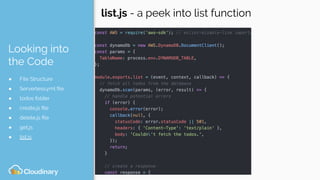
list.js - a peek into list function
Looking into
the Code
● File Structure
● Serverless.yml file
● todos folder
● create.js file
● delete.js file
● get.js
● list.js
● update.js
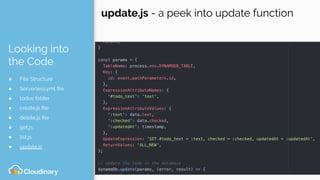
update.js - a peek into update function
Resources:
The Serverless Revolution: Why and How The Movement Will Allow Teams to
Deploy with More Velocity and Confidence, by Ravi Lachhman
Serverless’s Sample Integration with AWS, Serverless GitHub
Anatomy of a Serverless Yaml file, by Richard Keller
List of Resources on Serverless and JAMstack, by css-tricks.com
Ready for the next level of this talk? David Reno’s talk at 2:55 PM in this room for
more goodies!
<< end
● Twitter: https://twitter.com/tessamero
● Email.: tessa.mero@cloudinary.com
● Slides: https://slideshare.net/tessa99
THANK YOU!
@tessamero

Building APIs the serverless way

  • 1.
    Building APIs theServerless Way by Tessa Mero Nov 6th, 2019 - Serverless Computing, London The content of this presentation is proprietary information of Cloudinary. It is not intended to be distributed to any third party without the written consent of Cloudinary. © 2019 Cloudinary inc. @tessamero
  • 2.
    Oh hai ● DeveloperAdvocate at Cloudinary ● Developer, Teacher, Advocate ● Community Leader ○ Past: Joomla, PHP ○ Current: API, Vue.js, JAMStack, DevRel ● Gamer + Mom ● Cooking (<3 Korean food!) @tessamero
  • 3.
    Topics ● What isServerless? ● Using Serverless technologies to create an API - End Result? ● Technologies Used ● Demo ● Resources @tessamero
  • 4.
    What are webuilding?
  • 5.
    End Result! ● Canwe get a 200 OK??? Make an API call to your own API! 200 OK!
  • 6.
    What do you need? ●We have an API! ● Prerequisites Do I need anything installed? ● Node.js ○ v10.16.3 ○ Version check: node -v ○ Nodejs.org ● AWS Account and credentials ○ for IAM, DynamoDB, and API Gateway ○ aws.amazon.com (Click Services) ● Serverless Framework ○ v1.53.0 ○ Version check: serverless --version ○ serverless.com ● Postman ○ getpostman.com
  • 7.
  • 8.
    What is Serverless? ● NoServers! ● Cost ● Scale ● Time Is there really no servers?
  • 9.
  • 10.
    Technologies Used ● Serverless Serverless Framework-First original serverless framework. The most popular on Github with 30k stars https://serverless.com
  • 11.
    Technologies Used ● Serverless ● IAM Identityand Access Management (IAM) - Amazon Web Service to securely control your resources using permissions for users.
  • 12.
    Technologies Used ● Serverless ● IAM ●DynamoDB DynamoDB -Amazon Web Service’s non-relational database.
  • 13.
    Technologies Used ● Serverless ● IAM ●DynamoDB ● API Gateway API Gateway -Amazon Web Service’s API Gateway is for creating, publishing, maintaining, monitoring, and security REST and WebSocket APIs at any scale.
  • 14.
    Technologies Used ● Serverless ● IAM ●DynamoDB ● API Gateway ● Postman Postman - Postman is a collaboration platform for API development. Postman's features simplify each step of building an API and streamline collaboration so you can create better APIs—faster. https://www.getpostman.com/
  • 15.
  • 16.
    Install Serverless Framework andLogin npm i -g serverless serverless login @tessamero
  • 17.
    Create an AWSAccess Key Search for IAM in Amazon’s AWS and Set up a User https://serverless.com/framework/docs/providers/aws/guide/credentials/ Quick Instructions: IAM -> Users -> Add User -> Enable Programmatic Access -> Next -> Create User @tessamero
  • 18.
    Add AWS Credsto Serverless serverless config credentials --provider aws --key ABCDEFGHIJKLMNOP12345 --secret abcdefg/aBcdefG12345aBcdefg @tessamero
  • 19.
    Install the repo’scode and cd! serverless install -u https://github.com/serverless/ex amples/tree/master/aws-node-rest -api-with-dynamodb/ -n api-project @tessamero
  • 20.
  • 21.
    open serverless.yml service: api-project app:aws-serverlessapi (app name in serverless.com) tenant: tessamero (username in serverless.com) @tessamero
  • 22.
  • 23.
    Copy the POSTrequest URL to test @tessamero
  • 24.
  • 25.
  • 26.
    Looking into the Code ●File Structure File Structure - node_modules and json files, and serverless.yml. Then you have the todos folder that we will take a look at.
  • 27.
    Looking into the Code ●File Structure ● Serverless.yml file serverless.yml - the file that describes the entire application architecture
  • 28.
    Looking into the Code ●File Structure ● Serverless.yml file ● todos folder todos folder - create.js, delete.js, get.js, list.js, and update.js for each method for your API calls.
  • 29.
    Looking into the Code ●File Structure ● Serverless.yml file ● todos folder ● create.js file create.js - a peek into create function
  • 30.
    Looking into the Code ●File Structure ● Serverless.yml file ● todos folder ● create.js file ● delete.js file delete.js - a peek into delete function
  • 31.
    Looking into the Code ●File Structure ● Serverless.yml file ● todos folder ● create.js file ● delete.js file ● get.js get.js - a peek into get function
  • 32.
    Looking into the Code ●File Structure ● Serverless.yml file ● todos folder ● create.js file ● delete.js file ● get.js ● list.js list.js - a peek into list function
  • 33.
    Looking into the Code ●File Structure ● Serverless.yml file ● todos folder ● create.js file ● delete.js file ● get.js ● list.js ● update.js update.js - a peek into update function
  • 34.
    Resources: The Serverless Revolution:Why and How The Movement Will Allow Teams to Deploy with More Velocity and Confidence, by Ravi Lachhman Serverless’s Sample Integration with AWS, Serverless GitHub Anatomy of a Serverless Yaml file, by Richard Keller List of Resources on Serverless and JAMstack, by css-tricks.com Ready for the next level of this talk? David Reno’s talk at 2:55 PM in this room for more goodies!
  • 35.
    << end ● Twitter:https://twitter.com/tessamero ● Email.: tessa.mero@cloudinary.com ● Slides: https://slideshare.net/tessa99 THANK YOU! @tessamero