Build 12-Factor Apps with Docker
John Zaccone
@JohnZaccone
#CloudNativeLondon
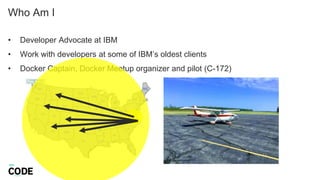
Who Am I
• Developer Advocate at IBM
• Work with developers at some of IBM’s oldest clients
• Docker Captain, Docker Meetup organizer and pilot (C-172)
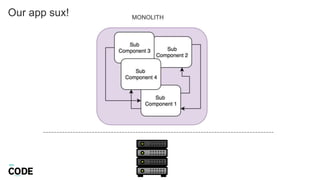
Our app sux! MONOLITH
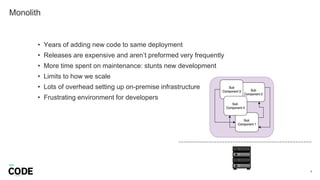
Monolith
4
• Years of adding new code to same deployment
• Releases are expensive and aren’t preformed very frequently
• More time spent on maintenance: stunts new development
• Limits to how we scale
• Lots of overhead setting up on-premise infrastructure
• Frustrating environment for developers
…let’s use Docker!
We need to transform our old legacy app…
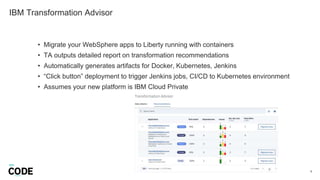
IBM Transformation Advisor
6
• Migrate your WebSphere apps to Liberty running with containers
• TA outputs detailed report on transformation recommendations
• Automatically generates artifacts for Docker, Kubernetes, Jenkins
• “Click button” deployment to trigger Jenkins jobs, CI/CD to Kubernetes environment
• Assumes your new platform is IBM Cloud Private
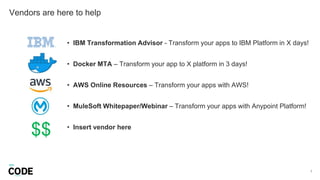
Vendors are here to help
7
• IBM Transformation Advisor - Transform your apps to IBM Platform in X days!
• Docker MTA – Transform your app to X platform in 3 days!
• AWS Online Resources – Transform your apps with AWS!
• MuleSoft Whitepaper/Webinar – Transform your apps with Anypoint Platform!
• Insert vendor here
$$
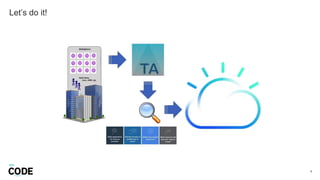
Let’s do it!
8
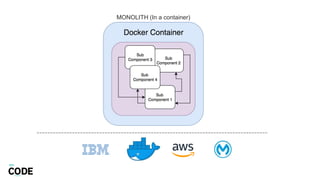
MONOLITH (In a container)
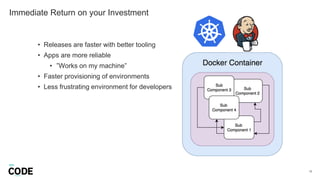
Immediate Return on your Investment
10
• Releases are faster with better tooling
• Apps are more reliable
• ”Works on my machine”
• Faster provisioning of environments
• Less frustrating environment for developers
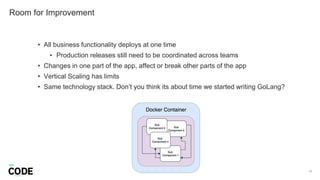
Room for Improvement
11
• All business functionality deploys at one time
• Production releases still need to be coordinated across teams
• Changes in one part of the app, affect or break other parts of the app
• Vertical Scaling has limits
• Same technology stack. Don’t you think its about time we started writing GoLang?
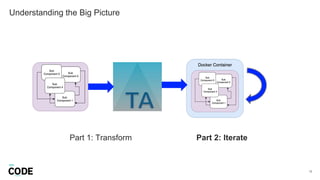
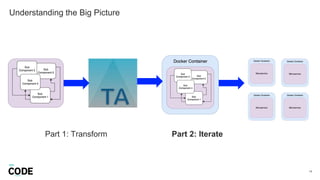
Understanding the Big Picture
12
Part 1: Transform Part 2: Iterate
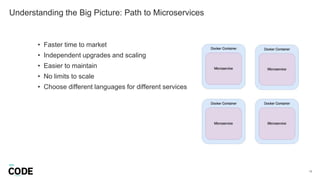
Understanding the Big Picture: Path to Microservices
13
• Faster time to market
• Independent upgrades and scaling
• Easier to maintain
• No limits to scale
• Choose different languages for different services
Understanding the Big Picture
14
Part 1: Transform Part 2: Iterate
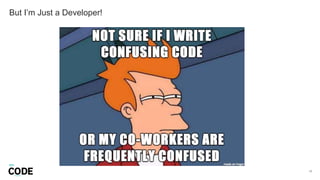
But I’m Just a Developer!
17
18
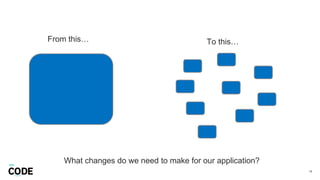
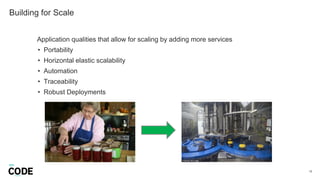
From this… To this…
What changes do we need to make for our application?
Building for Scale
19
Application qualities that allow for scaling by adding more services
• Portability
• Horizontal elastic scalability
• Automation
• Traceability
• Robust Deployments
Portability
20
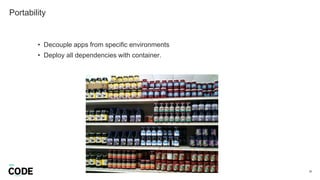
• Decouple apps from specific environments
• Deploy all dependencies with container.
Horizontal Scalability
21
• Elastic scaling based on demand by increasing number of replicas of your application
• Avoid overhead spent on “sizing” and rewriting code to support concurrency.
• Make scaling an automated, reliable operation that is done the same way across your apps
Automation
22
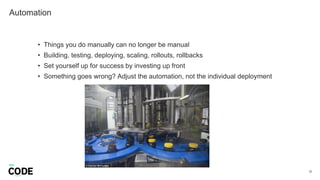
• Things you do manually can no longer be manual
• Building, testing, deploying, scaling, rollouts, rollbacks
• Set yourself up for success by investing up front
• Something goes wrong? Adjust the automation, not the individual deployment
Traceability
23
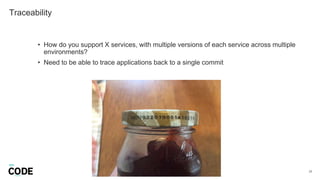
• How do you support X services, with multiple versions of each service across multiple
environments?
• Need to be able to trace applications back to a single commit
Robust Deployments
24
• Many services, many environments, many opportunities for things to go wrong
• Design for failure. Graceful shutdown
• Support elastic scaling: Fast startup
Building for Scale
26
Portability
Horizontal scalability
Automation
Traceability
Robust deployments
What is 12 Factor?
27
• Industry best practices for building modern, scalable, maintainable software-
as-a-service apps.
• Created by developers of the Heroku platform who have witnessed the
scalability of thousands of apps
• https://12factor.net
Use 12-Factor as a Checklist
28
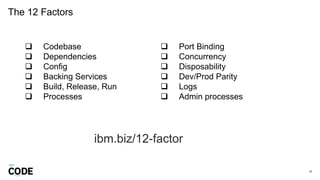
The 12 Factors
29
 Codebase
 Dependencies
 Config
 Backing Services
 Build, Release, Run
 Processes
 Port Binding
 Concurrency
 Disposability
 Dev/Prod Parity
 Logs
 Admin processes
ibm.biz/12-factor
…and don’ts!
Do’s…
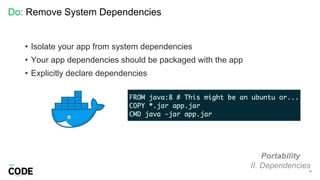
Do: Remove System Dependencies
31
Portability
II. Dependencies
• Isolate your app from system dependencies
• Your app dependencies should be packaged with the app
• Explicitly declare dependencies
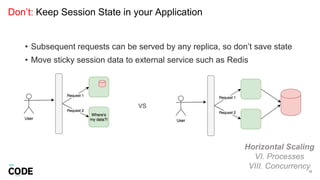
Don’t: Keep Session State in your Application
32
Horizontal Scaling
VI. Processes
VIII. Concurrency
• Subsequent requests can be served by any replica, so don’t save state
• Move sticky session data to external service such as Redis
VS
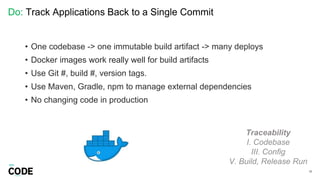
Do: Track Applications Back to a Single Commit
33
Traceability
I. Codebase
III. Config
V. Build, Release Run
• One codebase -> one immutable build artifact -> many deploys
• Docker images work really well for build artifacts
• Use Git #, build #, version tags.
• Use Maven, Gradle, npm to manage external dependencies
• No changing code in production
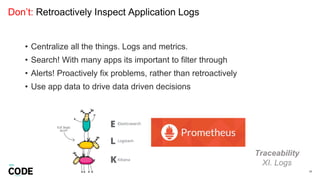
Don’t: Retroactively Inspect Application Logs
34
Traceability
XI. Logs
• Centralize all the things. Logs and metrics.
• Search! With many apps its important to filter through
• Alerts! Proactively fix problems, rather than retroactively
• Use app data to drive data driven decisions
Do: Treat Processes as First Class Citizens
35
Horizontal Scalability
V. Processes
VIII. Concurrency
• Create processes (apps) to handle a specific workload type
• Scale horizontally by adding more processes
• Processes are stateless and share nothing
• Docker: Really is just a process running in isolation
• Kubernetes: Scales your app by creating more pods aka containers aka
processes
• Don’t manage processes within your app (writing PID files)
Do: Fast Startups and Graceful Shutdowns
37
Robust Deployments
IX. Disposability
• Failure by design: be able to rollout and rollback quickly
• No multiple minute startups
• Clean up requests before shutting down
Don’t: Treat One-off Admin Processes Special
38
All
XII. Admin Processes
• Admin processes should follow the same practices as your long-running
processes (your apps)
• Explicit and isolated dependencies
• Tracked to single source of change
• Keep in same source code repo is tightly coupled to an application
Do: Decrease the Gap Between Development and Production
39
Portability
X. Dev/Prod Parity
• Time gap: time it takes for developed code to be released into production
• Personnel gap: Are your developers overseeing code in production?
• Tools gap: Using SQLite in dev and PostreSQL in production
The 12 Factors Github Example
40
ibm.biz/12-factor
Ecosytem Tools
41
Vendors ARE here to help
42
Questions
43
john.zaccone@ibm.com
@JohnZaccone
ibm.biz/12-factor

Build 12-Factor apps with Docker

  • 1.
    Build 12-Factor Appswith Docker John Zaccone @JohnZaccone #CloudNativeLondon
  • 2.
    Who Am I •Developer Advocate at IBM • Work with developers at some of IBM’s oldest clients • Docker Captain, Docker Meetup organizer and pilot (C-172)
  • 3.
    Our app sux!MONOLITH
  • 4.
    Monolith 4 • Years ofadding new code to same deployment • Releases are expensive and aren’t preformed very frequently • More time spent on maintenance: stunts new development • Limits to how we scale • Lots of overhead setting up on-premise infrastructure • Frustrating environment for developers
  • 5.
    …let’s use Docker! Weneed to transform our old legacy app…
  • 6.
    IBM Transformation Advisor 6 •Migrate your WebSphere apps to Liberty running with containers • TA outputs detailed report on transformation recommendations • Automatically generates artifacts for Docker, Kubernetes, Jenkins • “Click button” deployment to trigger Jenkins jobs, CI/CD to Kubernetes environment • Assumes your new platform is IBM Cloud Private
  • 7.
    Vendors are hereto help 7 • IBM Transformation Advisor - Transform your apps to IBM Platform in X days! • Docker MTA – Transform your app to X platform in 3 days! • AWS Online Resources – Transform your apps with AWS! • MuleSoft Whitepaper/Webinar – Transform your apps with Anypoint Platform! • Insert vendor here $$
  • 8.
  • 9.
    MONOLITH (In acontainer)
  • 10.
    Immediate Return onyour Investment 10 • Releases are faster with better tooling • Apps are more reliable • ”Works on my machine” • Faster provisioning of environments • Less frustrating environment for developers
  • 11.
    Room for Improvement 11 •All business functionality deploys at one time • Production releases still need to be coordinated across teams • Changes in one part of the app, affect or break other parts of the app • Vertical Scaling has limits • Same technology stack. Don’t you think its about time we started writing GoLang?
  • 12.
    Understanding the BigPicture 12 Part 1: Transform Part 2: Iterate
  • 13.
    Understanding the BigPicture: Path to Microservices 13 • Faster time to market • Independent upgrades and scaling • Easier to maintain • No limits to scale • Choose different languages for different services
  • 14.
    Understanding the BigPicture 14 Part 1: Transform Part 2: Iterate
  • 15.
    But I’m Justa Developer! 17
  • 16.
    18 From this… Tothis… What changes do we need to make for our application?
  • 17.
    Building for Scale 19 Applicationqualities that allow for scaling by adding more services • Portability • Horizontal elastic scalability • Automation • Traceability • Robust Deployments
  • 18.
    Portability 20 • Decouple appsfrom specific environments • Deploy all dependencies with container.
  • 19.
    Horizontal Scalability 21 • Elasticscaling based on demand by increasing number of replicas of your application • Avoid overhead spent on “sizing” and rewriting code to support concurrency. • Make scaling an automated, reliable operation that is done the same way across your apps
  • 20.
    Automation 22 • Things youdo manually can no longer be manual • Building, testing, deploying, scaling, rollouts, rollbacks • Set yourself up for success by investing up front • Something goes wrong? Adjust the automation, not the individual deployment
  • 21.
    Traceability 23 • How doyou support X services, with multiple versions of each service across multiple environments? • Need to be able to trace applications back to a single commit
  • 22.
    Robust Deployments 24 • Manyservices, many environments, many opportunities for things to go wrong • Design for failure. Graceful shutdown • Support elastic scaling: Fast startup
  • 23.
    Building for Scale 26 Portability Horizontalscalability Automation Traceability Robust deployments
  • 24.
    What is 12Factor? 27 • Industry best practices for building modern, scalable, maintainable software- as-a-service apps. • Created by developers of the Heroku platform who have witnessed the scalability of thousands of apps • https://12factor.net
  • 25.
    Use 12-Factor asa Checklist 28
  • 26.
    The 12 Factors 29 Codebase  Dependencies  Config  Backing Services  Build, Release, Run  Processes  Port Binding  Concurrency  Disposability  Dev/Prod Parity  Logs  Admin processes ibm.biz/12-factor
  • 27.
  • 28.
    Do: Remove SystemDependencies 31 Portability II. Dependencies • Isolate your app from system dependencies • Your app dependencies should be packaged with the app • Explicitly declare dependencies
  • 29.
    Don’t: Keep SessionState in your Application 32 Horizontal Scaling VI. Processes VIII. Concurrency • Subsequent requests can be served by any replica, so don’t save state • Move sticky session data to external service such as Redis VS
  • 30.
    Do: Track ApplicationsBack to a Single Commit 33 Traceability I. Codebase III. Config V. Build, Release Run • One codebase -> one immutable build artifact -> many deploys • Docker images work really well for build artifacts • Use Git #, build #, version tags. • Use Maven, Gradle, npm to manage external dependencies • No changing code in production
  • 31.
    Don’t: Retroactively InspectApplication Logs 34 Traceability XI. Logs • Centralize all the things. Logs and metrics. • Search! With many apps its important to filter through • Alerts! Proactively fix problems, rather than retroactively • Use app data to drive data driven decisions
  • 32.
    Do: Treat Processesas First Class Citizens 35 Horizontal Scalability V. Processes VIII. Concurrency • Create processes (apps) to handle a specific workload type • Scale horizontally by adding more processes • Processes are stateless and share nothing • Docker: Really is just a process running in isolation • Kubernetes: Scales your app by creating more pods aka containers aka processes • Don’t manage processes within your app (writing PID files)
  • 33.
    Do: Fast Startupsand Graceful Shutdowns 37 Robust Deployments IX. Disposability • Failure by design: be able to rollout and rollback quickly • No multiple minute startups • Clean up requests before shutting down
  • 34.
    Don’t: Treat One-offAdmin Processes Special 38 All XII. Admin Processes • Admin processes should follow the same practices as your long-running processes (your apps) • Explicit and isolated dependencies • Tracked to single source of change • Keep in same source code repo is tightly coupled to an application
  • 35.
    Do: Decrease theGap Between Development and Production 39 Portability X. Dev/Prod Parity • Time gap: time it takes for developed code to be released into production • Personnel gap: Are your developers overseeing code in production? • Tools gap: Using SQLite in dev and PostreSQL in production
  • 36.
    The 12 FactorsGithub Example 40 ibm.biz/12-factor
  • 37.
  • 38.
    Vendors ARE hereto help 42
  • 39.

Editor's Notes

  • #4 Working with some of IBMs clients I get a lot of clients with monolithic applications running on premise
  • #5 Codebases >10 years old. Developers keep adding more and more code the same application Cutting a releases for these large applications are big event. Coordination between teams, code freezes, manual end-to-end testing. Since these releases are so expensive, they don’t happen that frequenty It would be much nicer if we could release more frequently to keep up with the competition We also Spend a lot time on maintenance Scaling is limited in that it is pretty static. At one time, and elasticity We spend a lot of time setting up on-prem infrastructure Which affects production and non-production environments. Devs requesting VMs turnaround Developers competition is fierce
  • #6 My job is to help these client fix some of these problems To do that we show them a path forward to transform their applications using modern technologies such as Docker and Kubernetes. So, containerizing their applications using docker and deploy onto an IBM platform that is based on Kubernetes
  • #7 Focused on our websphere customers
  • #8 Turns out there is a lot of opportunity here The demand is high, lots of people with old apps out there looking to figure out how to develop business value faster And lots of vendors with platforms looking for customers! Vendors will help you get you on their platform for free by providing you with online resources and tools to help you get faster
  • #10 Here is the outcome Our monolithic application now runs inside a container running on platform X Containers doesn’t magically solve all your problems People get here because the want to adopt technology for technologies sake Vendors like IBM are not helping
  • #11  enables using container-central tools like kubernetes and container plugins for Jenkins Apps are more reliable, docker solves the ”works on my machine” syndrome “Click button” infrastructure must faster to provision. Self-service for developers Developers are less frustrated, because the time we save by using tools, not fixing bugs and not waiting for environments can be spent on writing code And also because of most updated technology
  • #12 But we still have rooms for improvement. All of our code deploys at the same time, so releases still require the same amount of coordination and care Modularity is still an issue. Changes Our business functionality is expanded by adding code to the same monolith Production releases still require great care and coordination Modularity is an issue here. One app can have unexpected implications in other parts of the application When scaling our app based on demand, this is still a manual process of figuring out “sizing” and deciding what the underlying infrastructure should be. And scaling this way has its limits, and you will run into problems with a large amount of traffic Developers want to play with new technologies, new programming languages such as golang. And you should let them! They are the ones that are going to discover more lazy ways (more efficient) to solve problems and with this scenario, we don’t have a environment to support that experimentation
  • #15 By the way, the story that I’m telling today is a story of modernizing legacy applications, but the meat of what I want to talk about applies to anyone wishing to run software, whether
  • #16 Microsevices is buzzy 100s lines of code We all can’t be Netflix so what is a more practical way to microservices
  • #17 So a more practical approach to microservices Break your app up into pieces. Your app is huge, its unmanageable. Your developers can no longer understand how the whole thing works. Because you don’t understand it you change something which was tightly coupled to something else that you didn’t know about. And you end up breaking it. So break it up into still relatively large pieces, but into pieces that are small enough that individual teams can own and completely understand a single service and how their service fits into the larger picture. The best way to collaborate between teams that own different services is through automated testing. Remove ambiguity that occurs in every conversation you have ever had. If you consume a service, write tests to declare your expectations, and allow the owner of the service to run tests to validate the expectations on every build And finally, what really defines microservices, is that you can deploy each one of your services independently of each other. A common antipattern is if a organization to break things apart, but then do releases the same way. Where everything is released at thes same tiem. Trust your automated tests, release things independently, and build mechanisms for recovering quickly when things go wrong, such as an automated rollback. This is something we will talk aobut a little later on.
  • #20 Allowing applications to scale should follow these characteristics
  • #21 Why? Microservices requires lots of environments to be created X environments for X services Managing system dependencies on each environment will be impossible Instead, package dependencies with your app, remove any system dependencies. Then your application will be truly portable
  • #22 Horizontal > vertical scaling But real concerns: time spent sizing and setting up infrastructure Also being able to scale on demand quickly. Also, changing code to scale Adding support for concurrency retroactivelty Horizontal scaling is simpler, reliable, less upfront design: Handy for many services
  • #23 Applies to any scenario where you need to scale Its simple, automate everything. Especially things that happen for each service Easy to start with manual for a few services, but will quickly become unmanageable If something goes wrong, adjust the automation not the individual process or deployment
  • #24 X services running in X environments. When something goes wrong, what app has the problem, what instance is that app running on, which container. Tracing back to a single change of code
  • #25 More opportunity for things to go wrong And to allow for elastic scaling.
  • #26 Reuse automation across applications Lower the barrier to new technology Even if you aren’t open to that idea, I would still recommend the generic approach because the community support around these tools is incredible powerful and it will ultimately make your life easier
  • #27 So these application characteristics: portability, horizontal scalability, automation, traceability, robust deplyoments, solving problems generically, This is my own version of a summary of 12-factors. These are not specific to any tooling.
  • #29 12-factor as a checklist. Checklists are fun 12-factor is a really good place to start. Accepted industry-wide
  • #30 Here are the items of 12-factor. Checkout the github Cover the most frequently do’s and don’t
  • #32 This is how we make our applications portable. Remove system dependencies Instead – ship dependencies with application Avoid accidental injection with isolation Example: dependencies to a directory on a local filesystem or dependency to a specific language runtime Explicitly declare dependencies. This makes it manageable and I can look it up Docker provides with with a Dockerfile JZ: describe process from dockerfile to container Container runs in isolation JZ: explain container abstraction replacing system abstraction
  • #33 We can’t scale horizontally if we have state inside our application Example: HTTPSession JZ: “overview of diagram” Move session state to redis. Time series with expiry Robust deployments: fast recover
  • #34 Traceability is extremely important Correlate to a single change in your code repository One codebase > one build > many deploys Environmental difference: configuration Docker images are a really good for build artifacts: immutable, sharing and tagging (git hash or release tag) Anti patterns: > one code repository go into a single application deploy Use Dependency management tools to keep changes controlled .Don’t use “latest” because this causes changes happening outside your repository to affect your application. Of course: never change code in production, it bypasses are immutable build process and we can no longer track it
  • #35 Traditional way: write logs to disk Doesn’t work well for distributed services JZ: “figure out which app, ssh into it, get the logs” Instead: Use log forwarder to centralize our log view, nice UI + search Create alerts! Proactive. Data driven design. Don’t rotate logs
  • #36 Idea borrow from Unix. Process types are created for different workloads. Increase # of processes to scale Because Processes are stateless and share nothing scaling out by adding more processes is a simple and reliable operation Same for your application. Apps to serve different business functionality. More traffic, increase # of instances of your app This is horizontal scaling For this to work, of course your apps need to be stateless and share nothing Docker is just processes running in isolation Kubernetes is a process manager Kubernetes will scale by adding more pods, aka containers, aka processes for your application (literally!) Don’t manage processes within your application or container Let kubernetes be the “process manager” Kubernetes will send SIGTERM to shutdown Test by using ctrl+ c
  • #37  Use environment variables for configuration Avoid language specific files Environment variables injected using K8s Same way across your applications and you can share configuration between your apps as well Logs to standard out Use log forwarer to centralize Instead of saving logs to disk Developer benefit Detach resources that would otherwise be collocated with an application deployment Connections to a database should not live or die with the deployment of you application Connect to these services using a URL, hostname password whatever This lets you easily swap out different services by changing the url Standardize operations. K8s makes it easy to make scale, run and shutdown applications Decouple configuration, logs and connections from the app, Allow us to solve these problems in a standard way using a tool like kubernetes
  • #38 Failure can happen more frequently - expect apps to fail so we Low startup times Also support quick elastic scaling based on traffic No multi minute startups. JEE6 in a container Startup ~ 2 seconds. Newer version of JEE Graceful shutdown Remove from load balancer, finish active requests, persist data Kubernetes does this for you
  • #39 Example: database migration scripts These live in local directory Fine at first, but eventually tracking changes becomes harder and you’ll have problems with inconsistency Same care as long running applications Explicitly define and isolate dependencies Track to a single codebase Often times, keep in same codebase as a long-running app to keep in synch
  • #40 When people think about dev/prod parity, they think about infrastructure as code, immutable docker images to solve problems like environmental drift and “works on my machine”. This slide actually addresses a set of other gaps that can happen between your dev and prod environments So ask yourself these questions, and think about how to minimize these gaps
  • #41 Lets use this as a checklist!
  • #42 So kind of the point of this presentation is to get past “adopting technology for technology sake”. Moving to microservices, and some of the best practices you need to implement for your applications to fit within a microservice architecture. But its actually really really hard to write micro-service applications that follow 12-factor best practices without these tools. In fact, I would argue that you are just creating more work for yourself, because you have a ton of problems you need to solve when trying to adopt mirco-services on cloud platform X, that you are better off with staying with your monolithic application if you aren’t willing to adopt some of these open source projects.