Reactive Programming
Introduction to the notion of BLoC
Didier Boelens – Flutter LDN – 21 JAN 2019
This is Reactive Programming
• Think of a way of writing your application where parts
• do not care about the others (or to the strict minimum)
• only know what they are asked to do
• Grab data from a bag
• Deliver data to a bag
• Might not know where precisely these bags are located
• Do not know what will happen to the data they deliver
• Do not know if the data they deliver will be used (as such, at all, when and by whom)
• Do not know where the data they grab comes from
• could be moved or interchanged with no or very little changes to the code
• Think of an application which mainly responds to events
Reactive Programming?
Very simplified:
“It is programming with Asynchronous Data Streams”
or
“Do something (= React) when an Event is triggered”
Short refresh on the notion of Streams
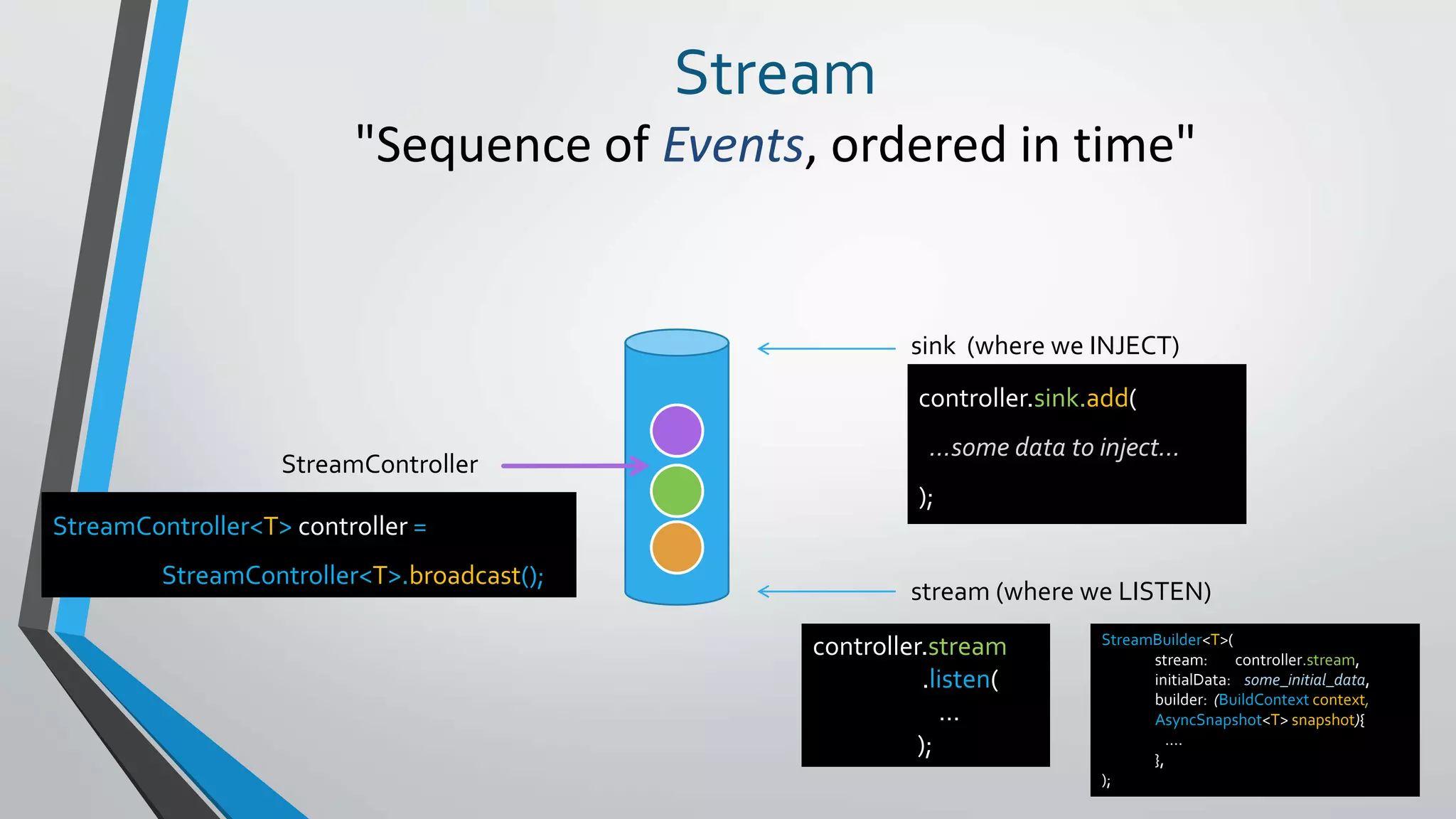
Stream
"Sequence of Events, ordered in time"
sink (where we INJECT)
stream (where we LISTEN)
StreamController
StreamController<T> controller =
StreamController<T>.broadcast();
controller.sink.add(
…some data to inject…
);
controller.stream
.listen(
…
);
StreamBuilder<T>(
stream: controller.stream,
initialData: some_initial_data,
builder: (BuildContext context,
AsyncSnapshot<T> snapshot){
….
},
);
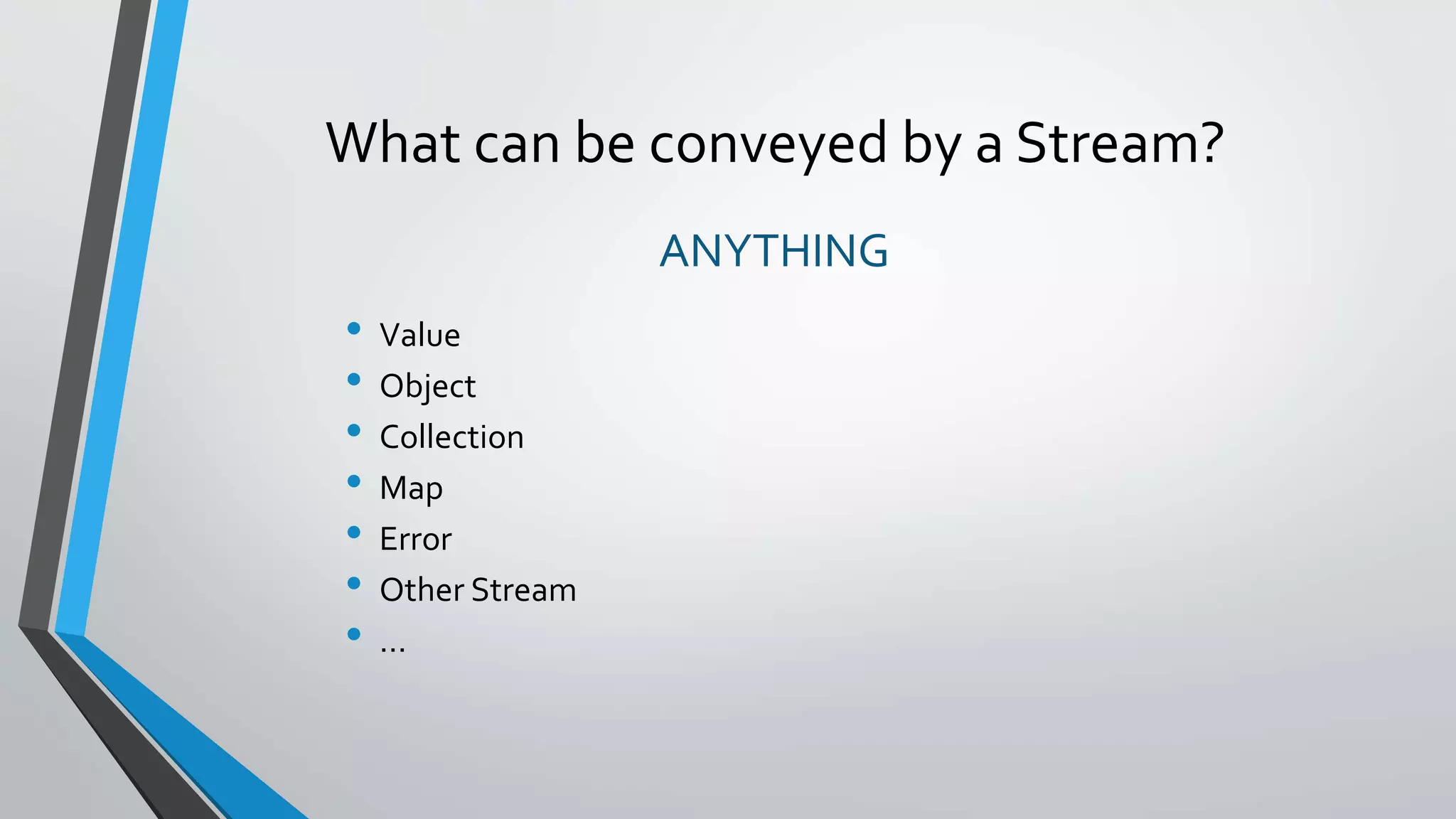
What can be conveyed by a Stream?
ANYTHING
• Value
• Object
• Collection
• Map
• Error
• Other Stream
• …
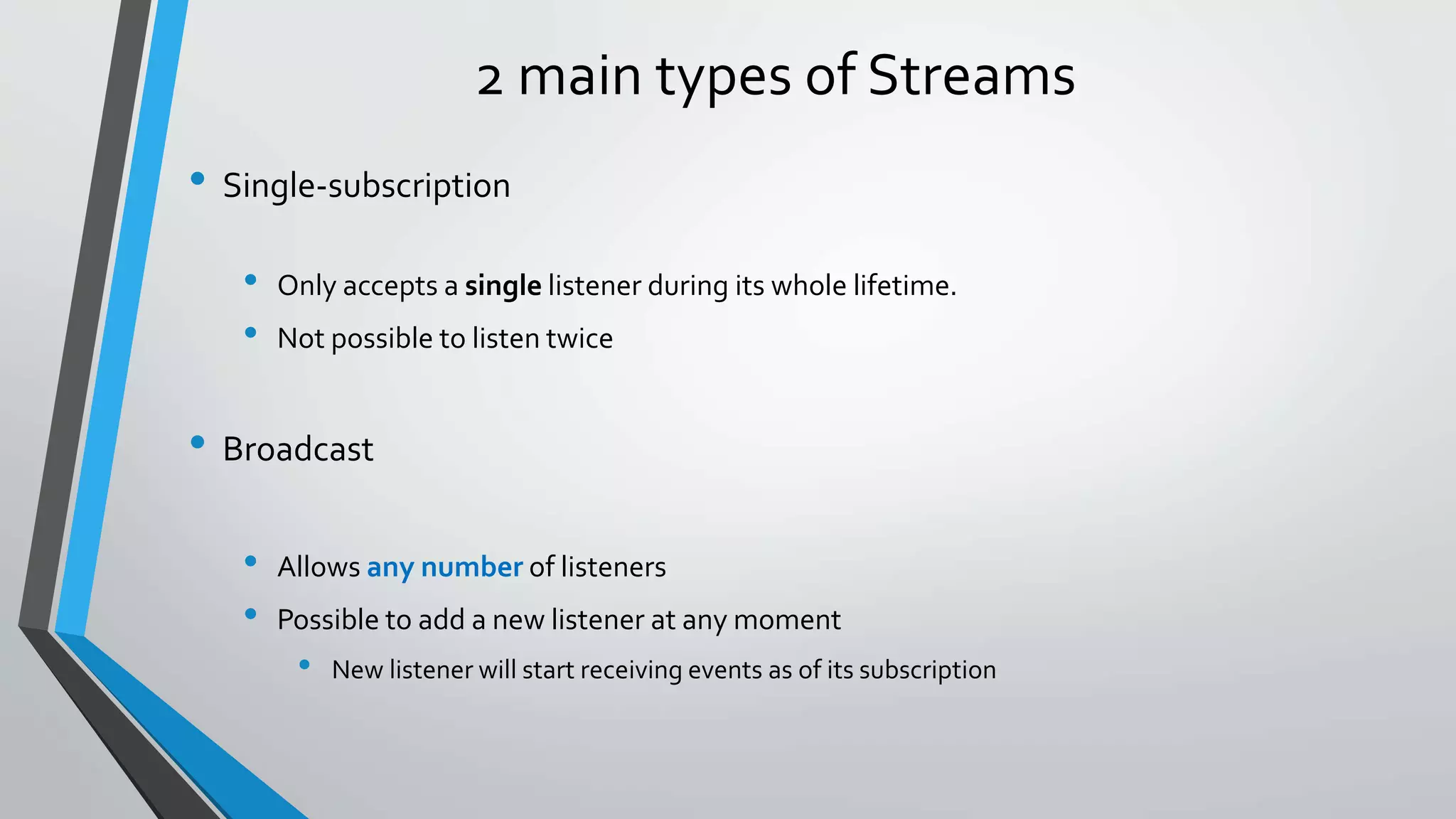
2 main types of Streams
• Single-subscription
• Only accepts a single listener during its whole lifetime.
• Not possible to listen twice
• Broadcast
• Allows any number of listeners
• Possible to add a new listener at any moment
• New listener will start receiving events as of its subscription
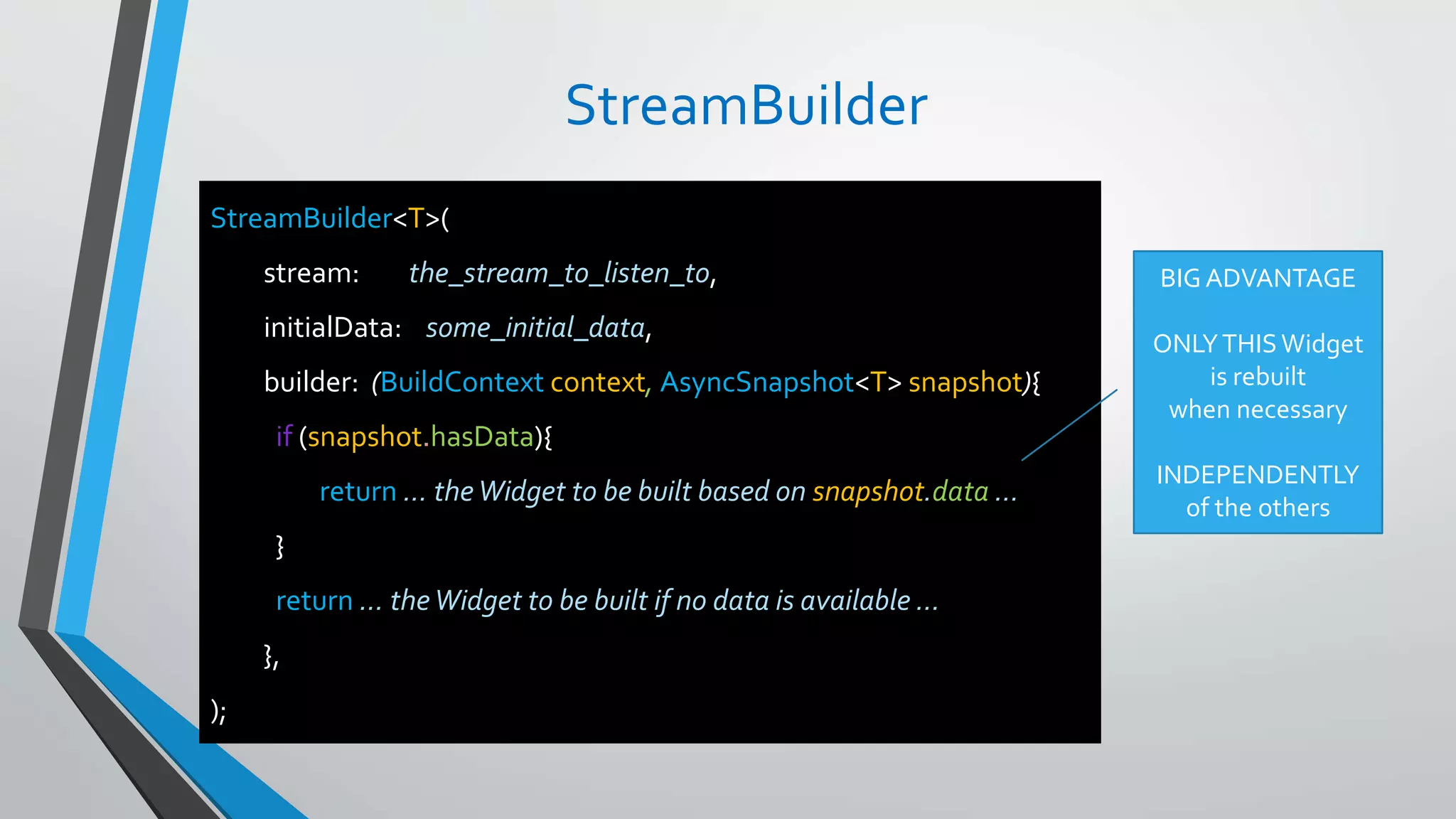
StreamBuilder
StreamBuilder<T>(
stream: the_stream_to_listen_to,
initialData: some_initial_data,
builder: (BuildContext context, AsyncSnapshot<T> snapshot){
if (snapshot.hasData){
return … theWidget to be built based on snapshot.data …
}
return … theWidget to be built if no data is available …
},
);
BIG ADVANTAGE
ONLYTHISWidget
is rebuilt
when necessary
INDEPENDENTLY
of the others
Notion of BLoC
Business Logic Component
"Kind of placeholder"
• Where to handle some Business Logic
• Accessible through Streams
• Independent
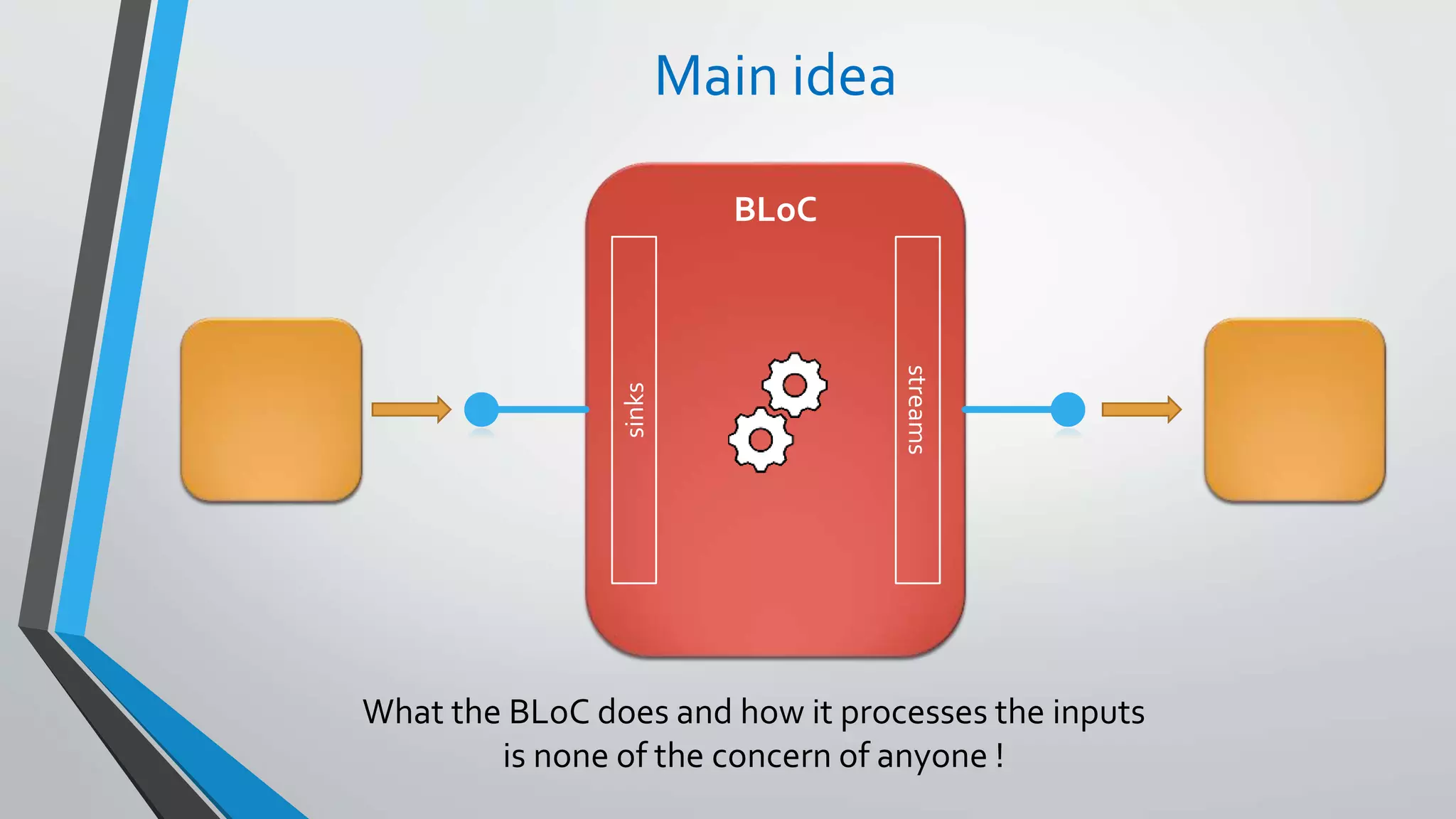
Main idea
BLoC
sinks
streams
What the BLoC does and how it processes the inputs
is none of the concern of anyone !
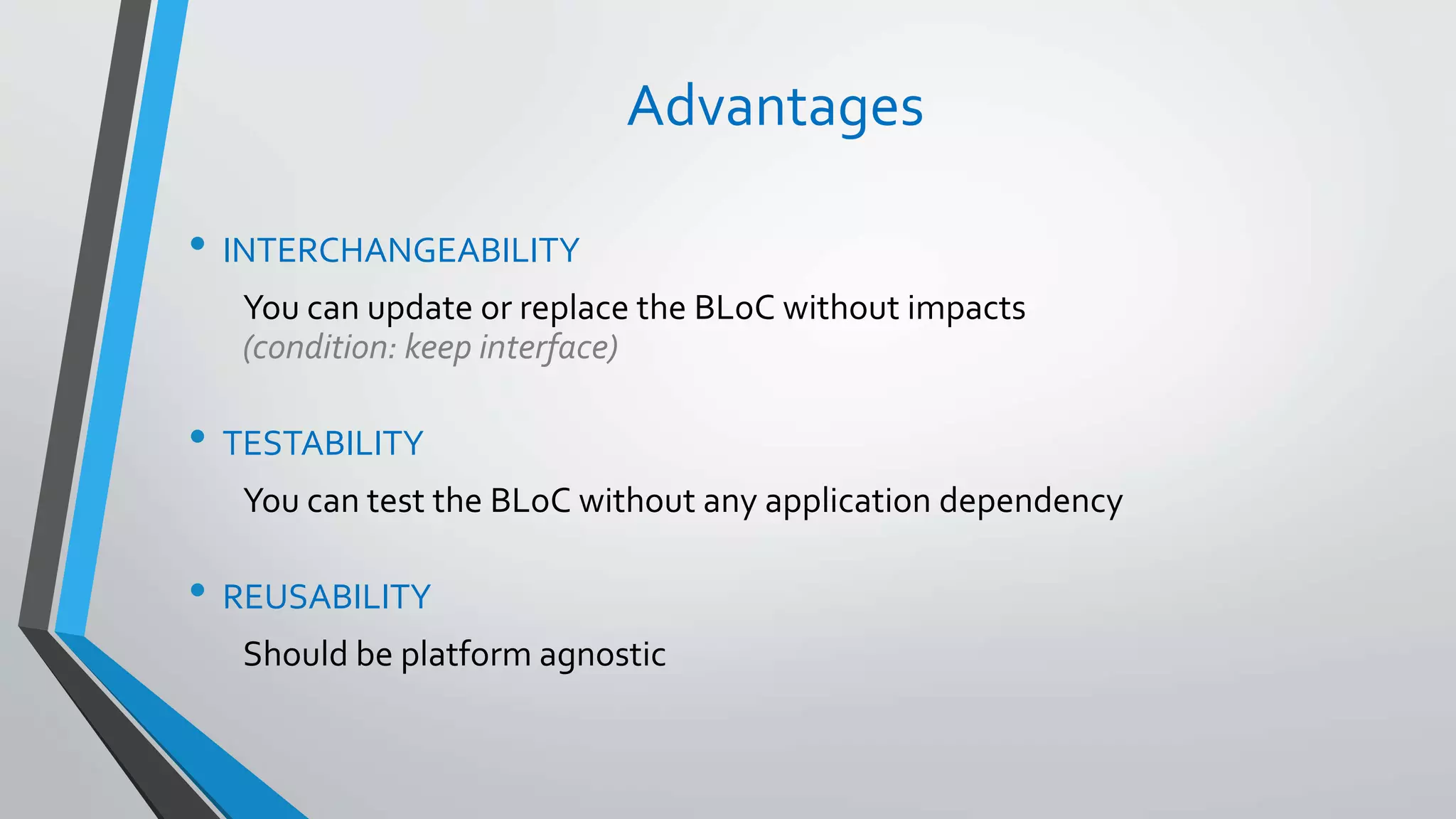
Advantages
• INTERCHANGEABILITY
You can update or replace the BLoC without impacts
(condition: keep interface)
• TESTABILITY
You can test the BLoC without any application dependency
• REUSABILITY
Should be platform agnostic
Personal Note
• In theory, only exposes Sinks and Streams
• However nothing really prevents from also exposing
• Getters / Setters
• Methods
Example of complex flow
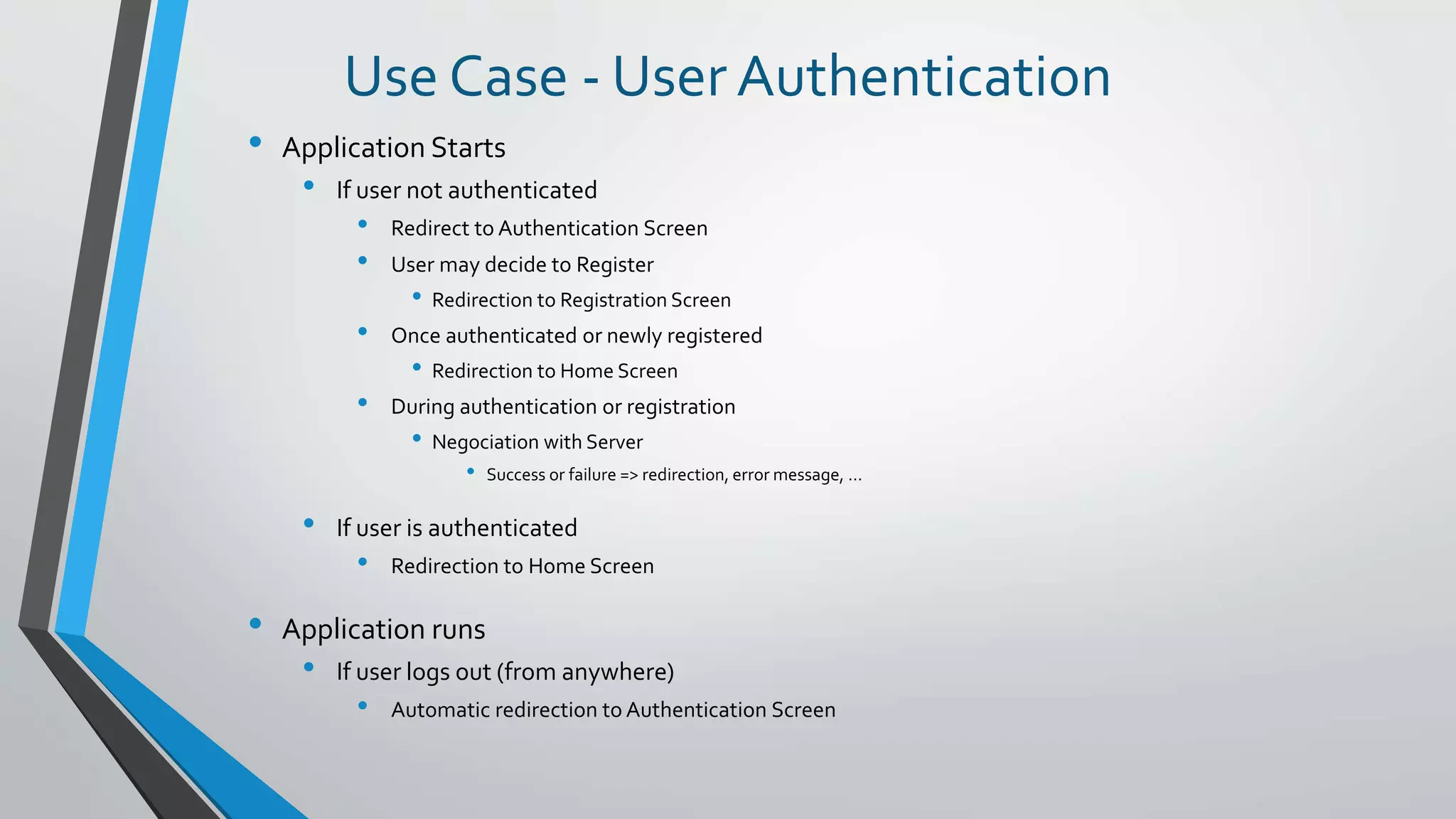
Use Case - User Authentication
• Application Starts
• If user not authenticated
• Redirect to Authentication Screen
• User may decide to Register
• Redirection to Registration Screen
• Once authenticated or newly registered
• Redirection to Home Screen
• During authentication or registration
• Negociation with Server
• Success or failure => redirection, error message, …
• If user is authenticated
• Redirection to Home Screen
• Application runs
• If user logs out (from anywhere)
• Automatic redirection to Authentication Screen
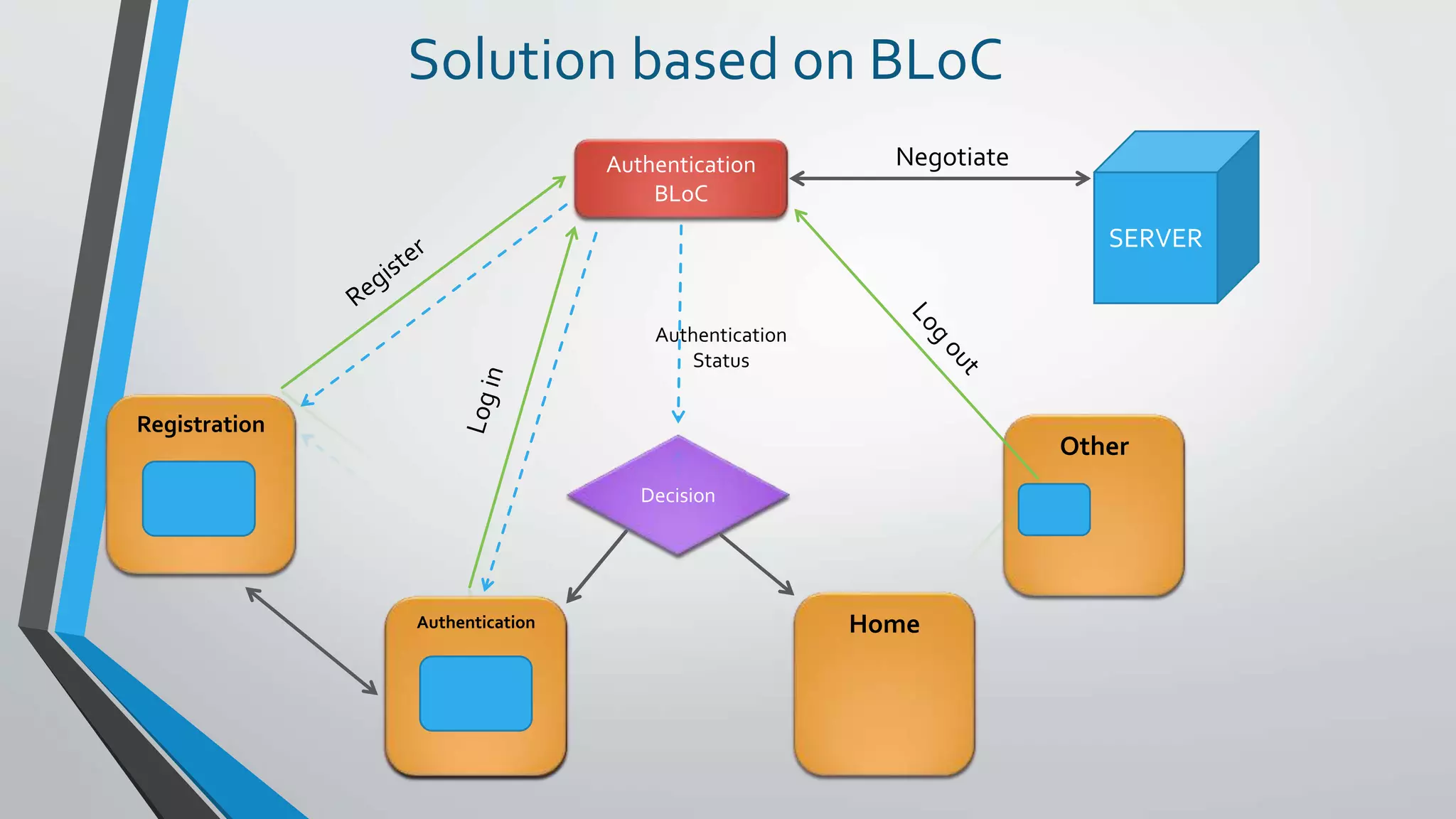
Authentication
BLoC
Decision
Authentication
Registration
Home
Other
SERVER
Negotiate
Solution based on BLoC
Authentication
Status
Authentication
How ?
Authentication BLoC
Log In
Register
Log Out
Authentication Status
Action Status
Decision
Authentication
Registration
Other
Authentication
Registration
[ … ]
[ … ]
sinks
streams
SERVER
How to instantiate a BLoC ?
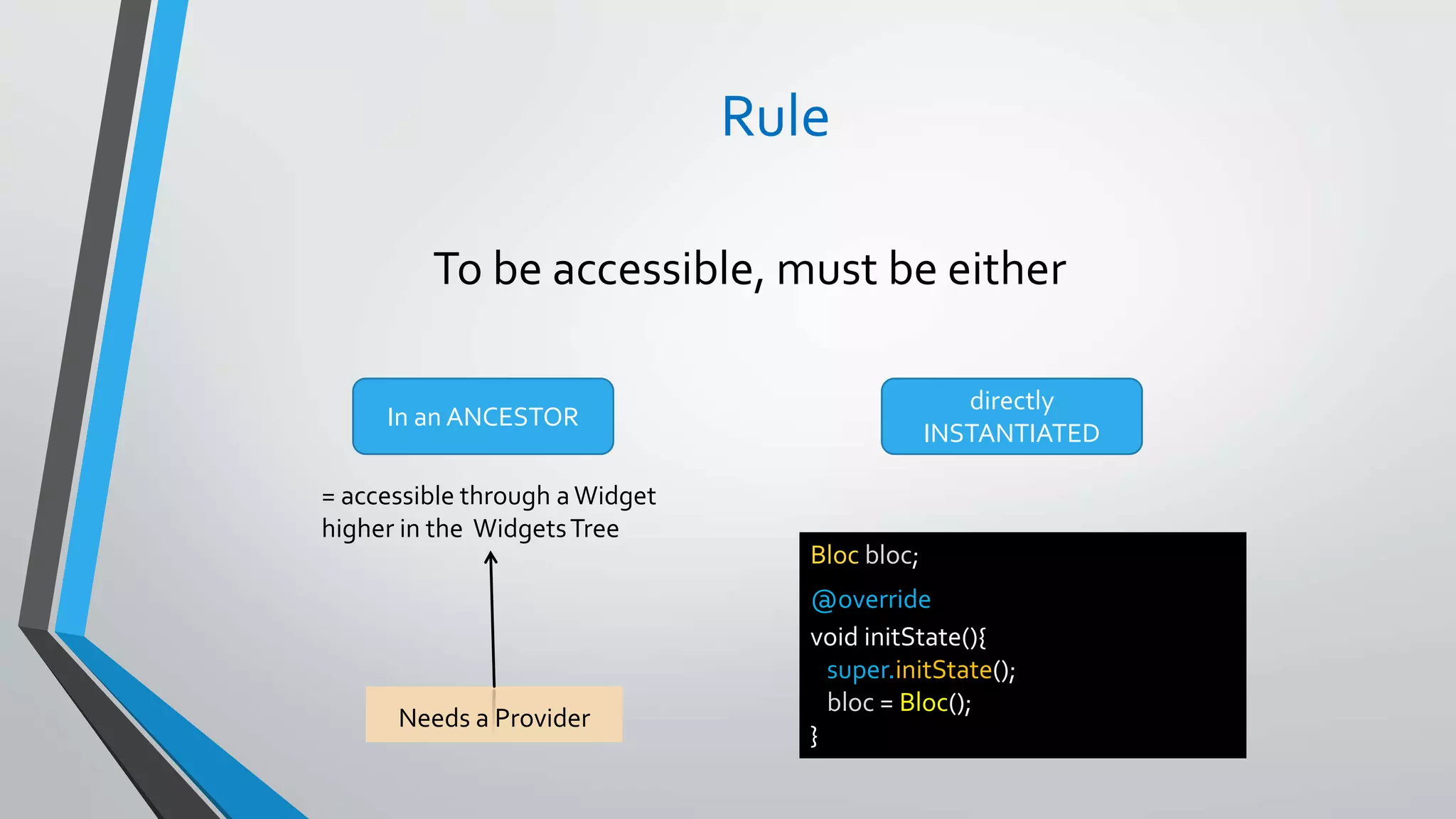
Rule
To be accessible, must be either
In an ANCESTOR
= accessible through a Widget
higher in the WidgetsTree
Needs a Provider
directly
INSTANTIATED
Bloc bloc;
@override
void initState(){
super.initState();
bloc = Bloc();
}
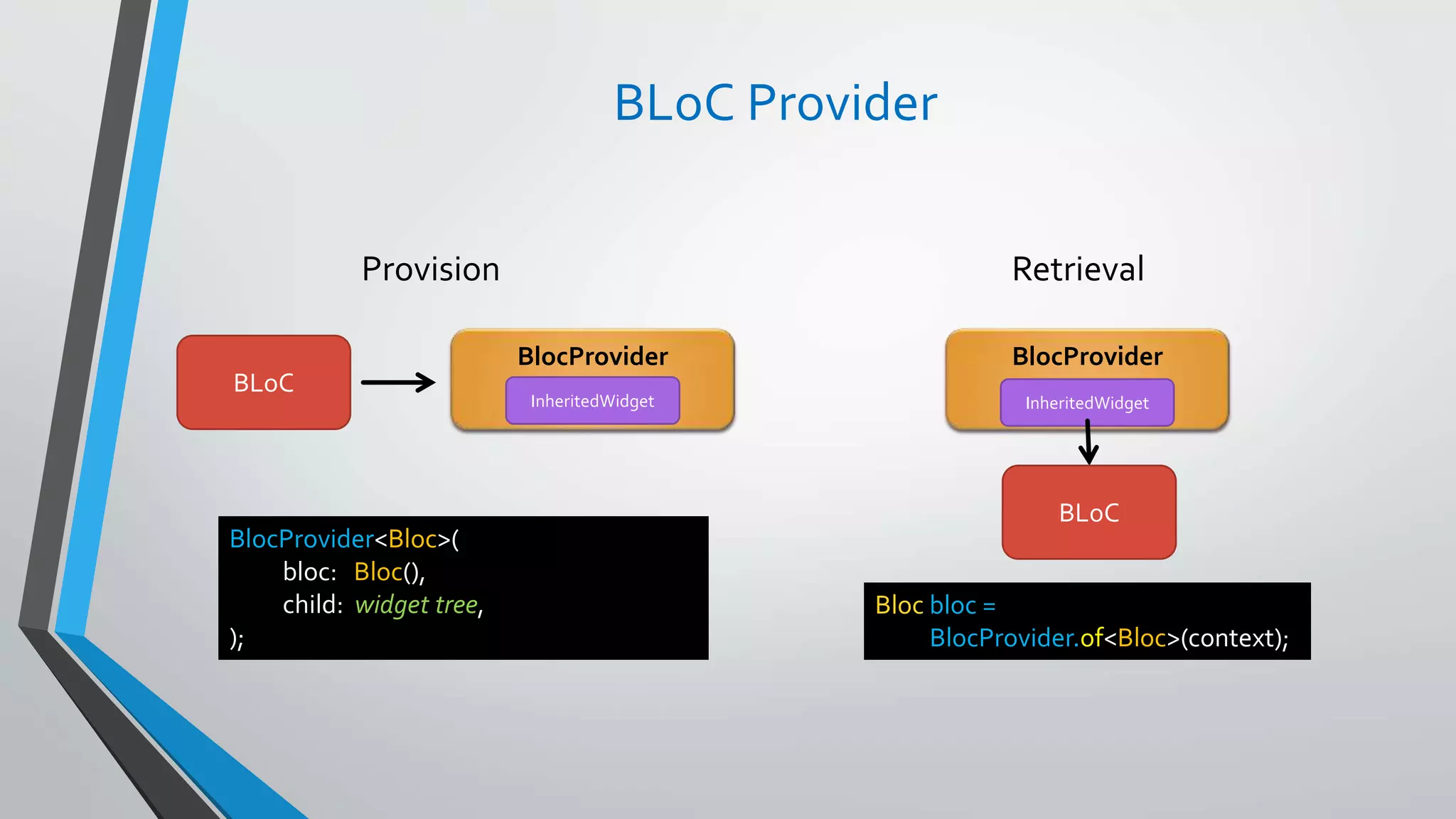
BLoC Provider
BlocProvider
BLoC
BlocProvider
Provision Retrieval
BlocProvider<Bloc>(
bloc: Bloc(),
child: widget tree,
);
Bloc bloc =
BlocProvider.of<Bloc>(context);
InheritedWidget InheritedWidget
BLoC
Where to position a BLoC ?
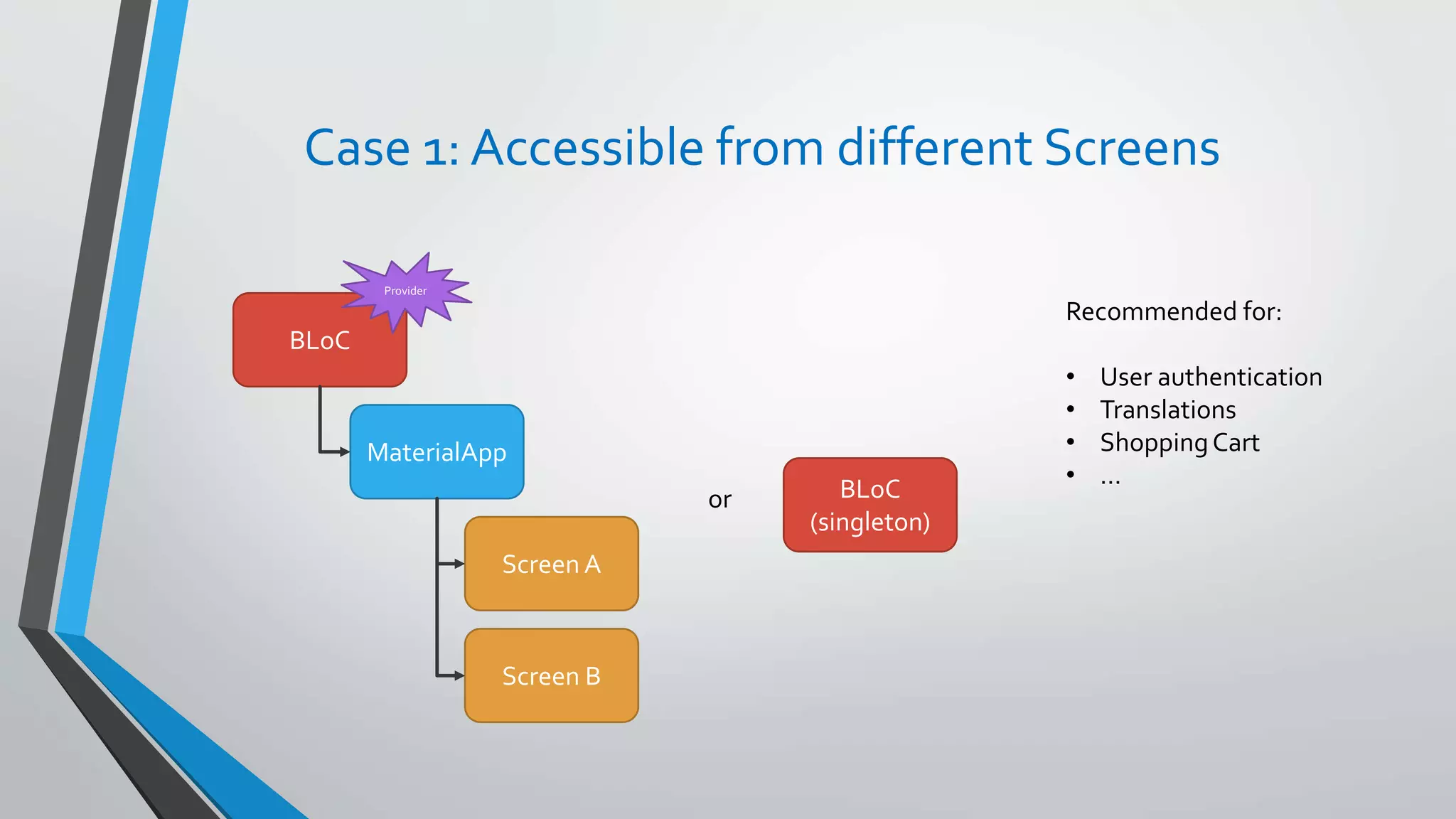
Case 1: Accessible from different Screens
BLoC
MaterialApp
Screen A
Screen B
or BLoC
(singleton)
Recommended for:
• User authentication
• Translations
• ShoppingCart
• …
Provider
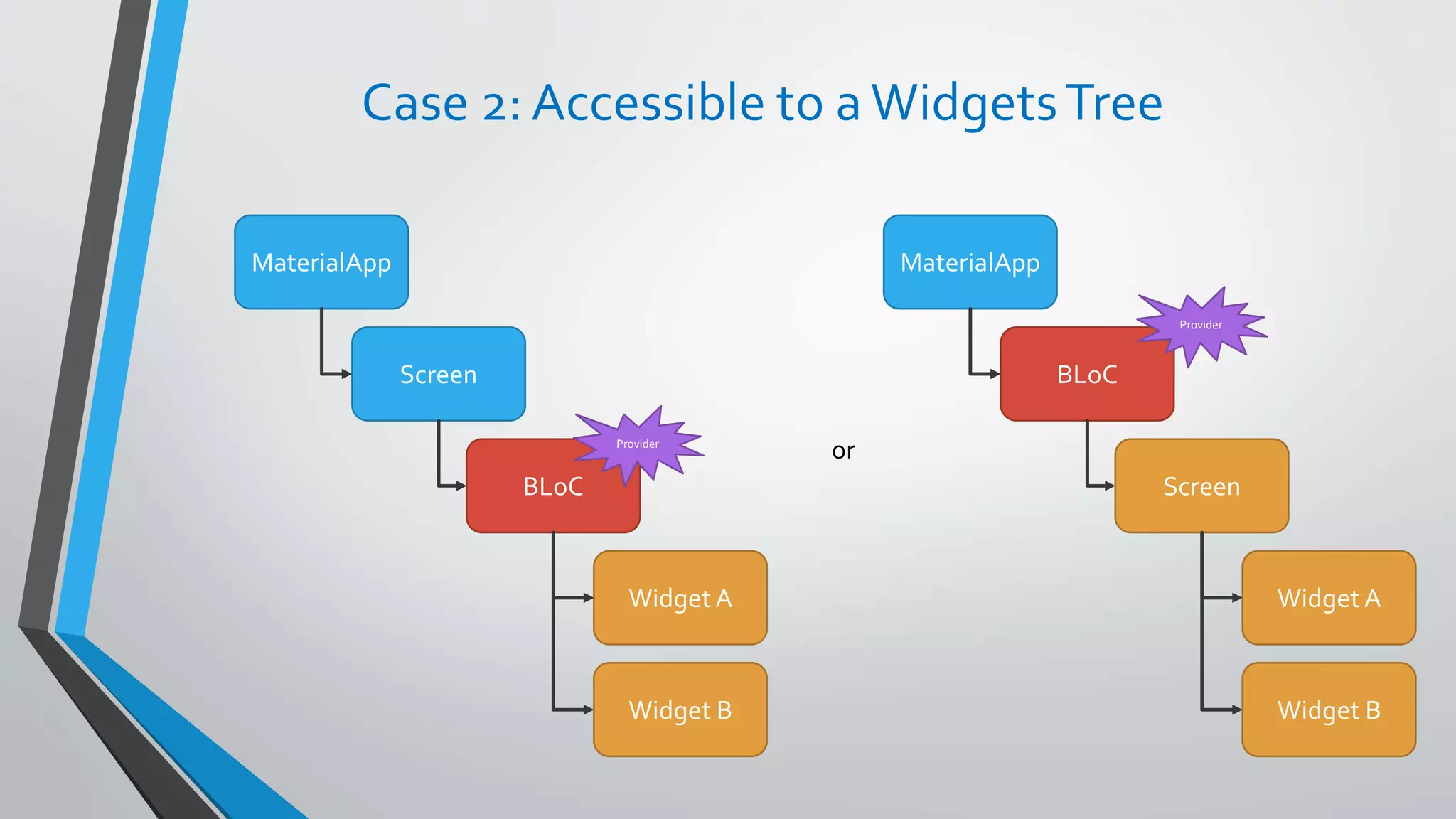
Case 2: Accessible to a WidgetsTree
MaterialApp
Screen
BLoC
Widget A
Widget B
MaterialApp
BLoC
Screen
Widget A
Widget B
orProvider
Provider
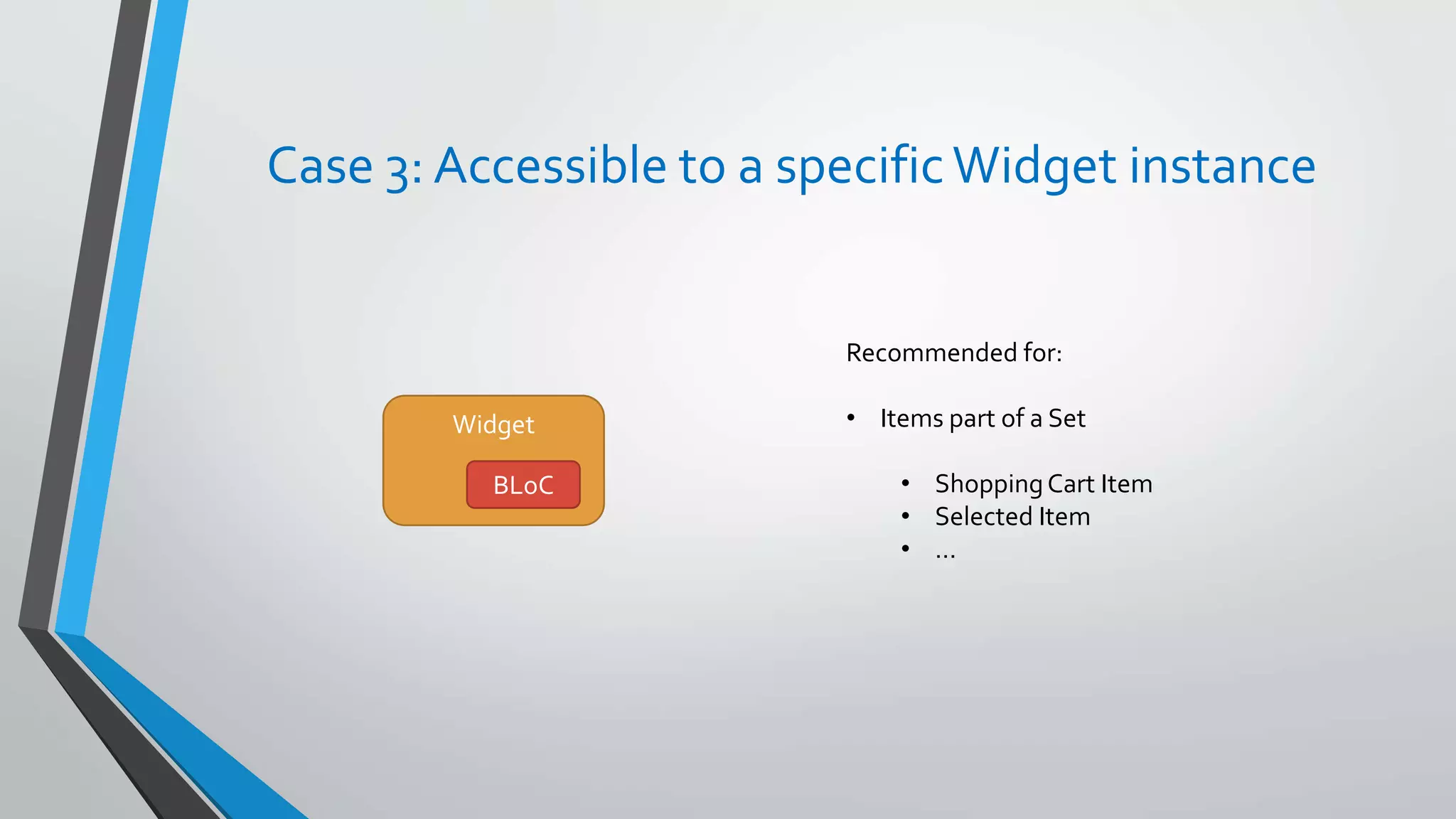
Case 3: Accessible to a specificWidget instance
Widget
BLoC
Recommended for:
• Items part of a Set
• ShoppingCart Item
• Selected Item
• …
Practical Examples
Practical Example 1
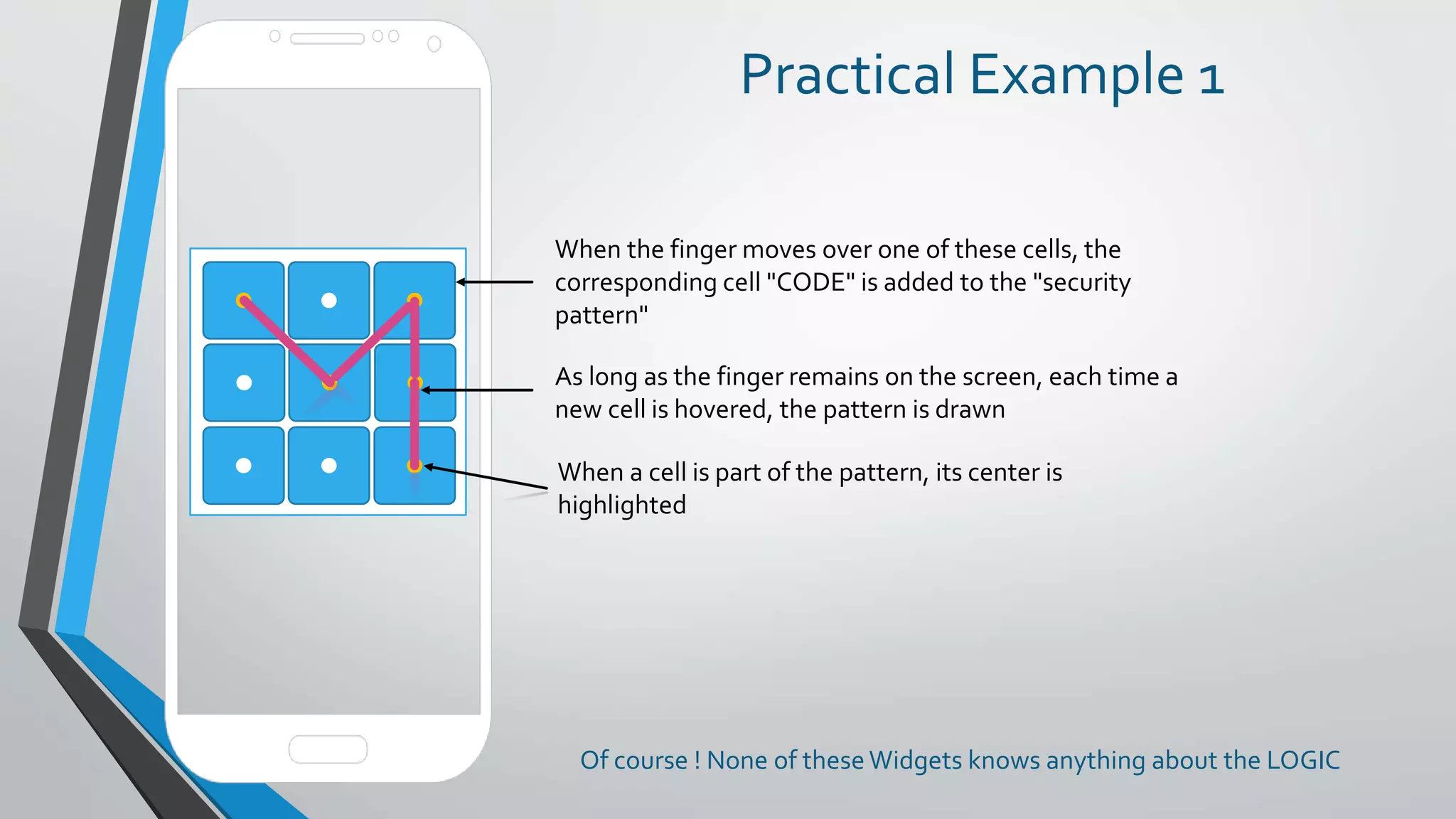
When the finger moves over one of these cells, the
corresponding cell "CODE" is added to the "security
pattern"
As long as the finger remains on the screen, each time a
new cell is hovered, the pattern is drawn
When a cell is part of the pattern, its center is
highlighted
Of course ! None of theseWidgets knows anything about the LOGIC
Architecture
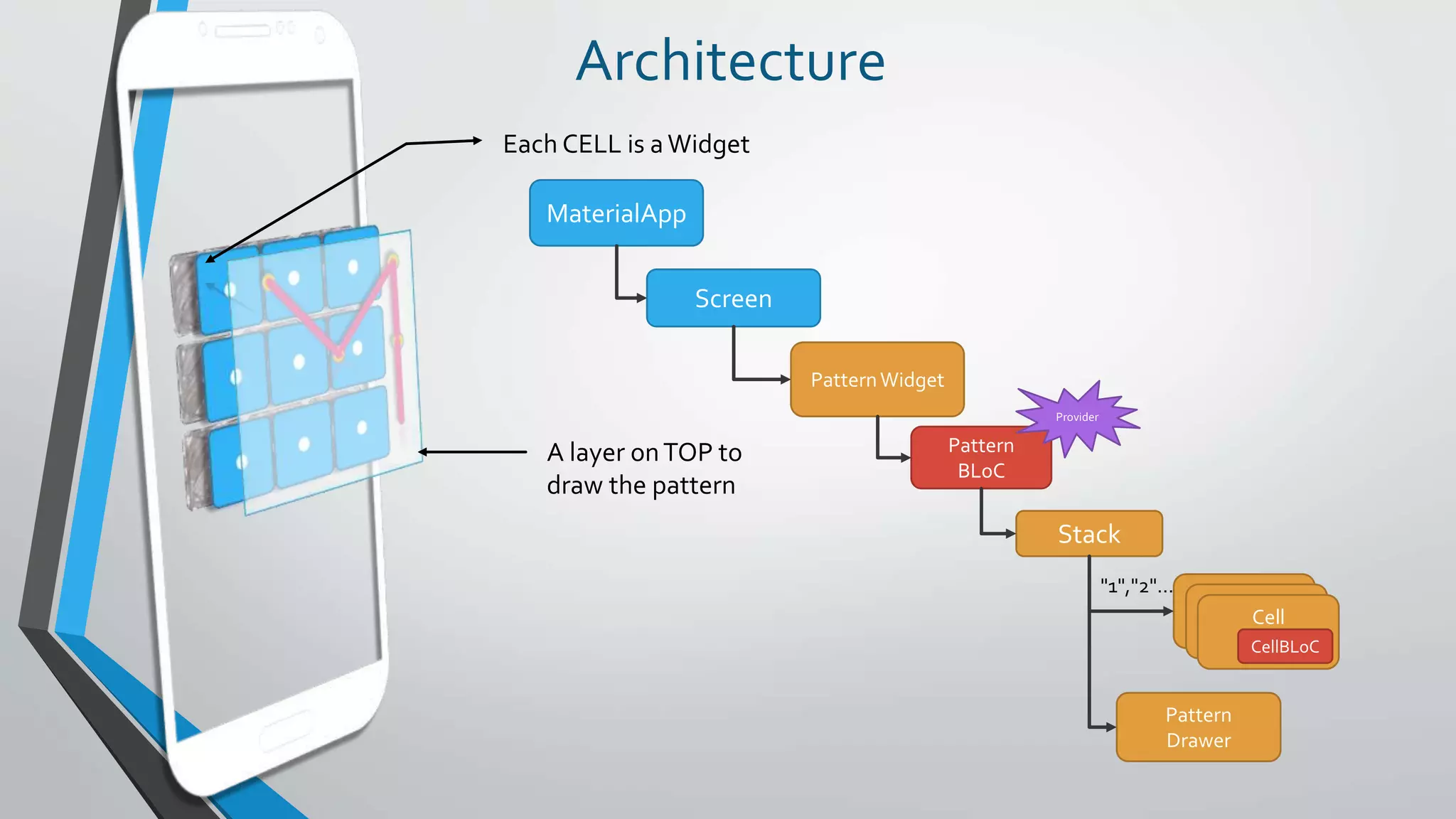
Each CELL is a Widget
A layer onTOP to
draw the pattern
MaterialApp
Screen
PatternWidget
Stack
Cell
BLoC
Cell
BLoC
Cell
CellBLoC
Pattern
Drawer
Pattern
BLoC
Provider
"1","2"…
Design
PatternBLoC
sinks
streams
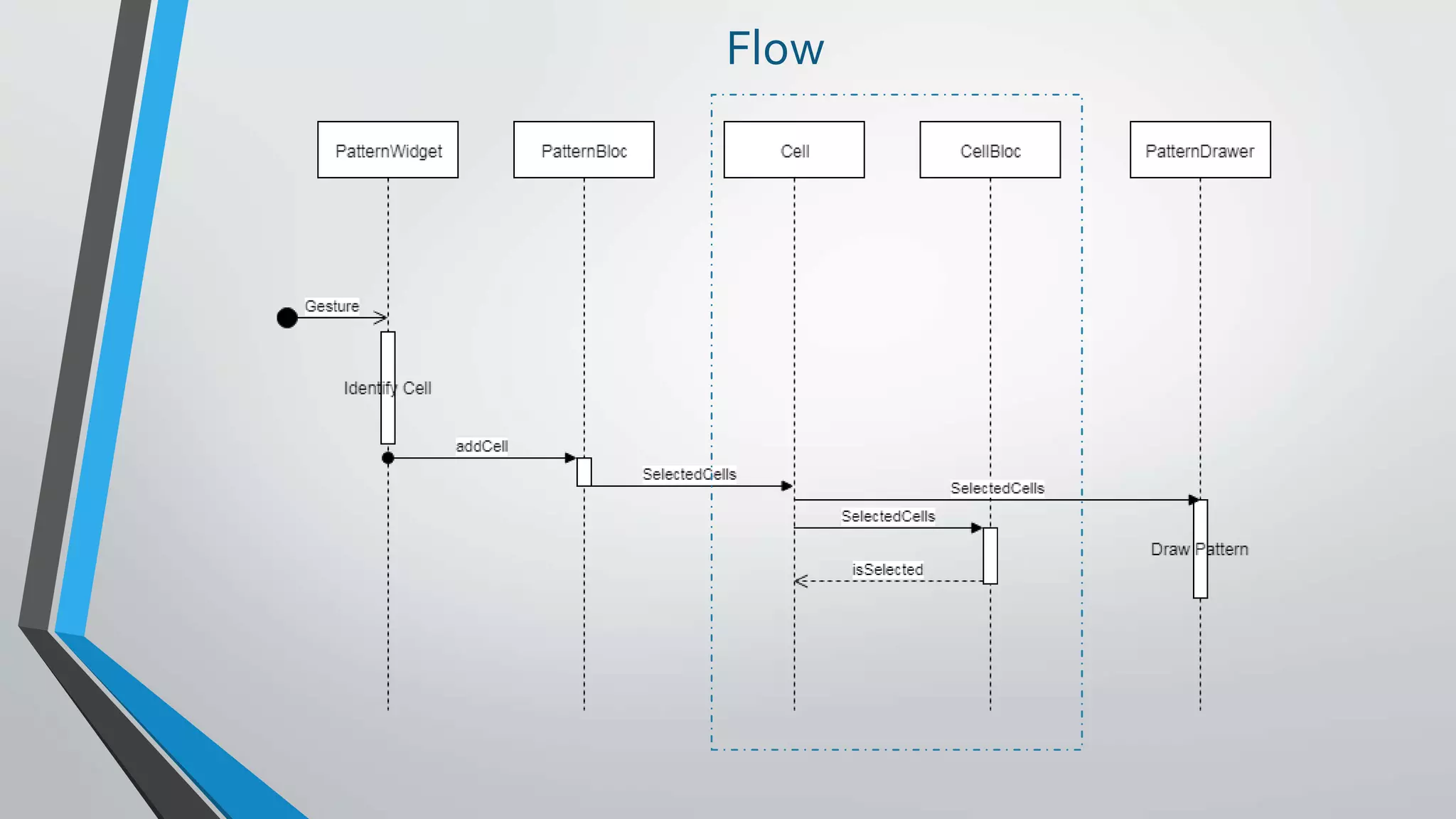
SelectedCells[]addCell
Cell
CellBLoC
Each Cell only knows
• Its cell number
CellBloc tells Cell when
THAT Cell is part of the
pattern
When a Cell is part of
the pattern
it changes its center
color
PatternDrawer
Responsible for
drawing the pattern
based on the
Selected Cells.
PatternWidget
Responsible for
handling the
Gestures
CellBLoC
sinks
SelectedCells[]
streams
isSelected
Flow
Demo
Practical Example 2
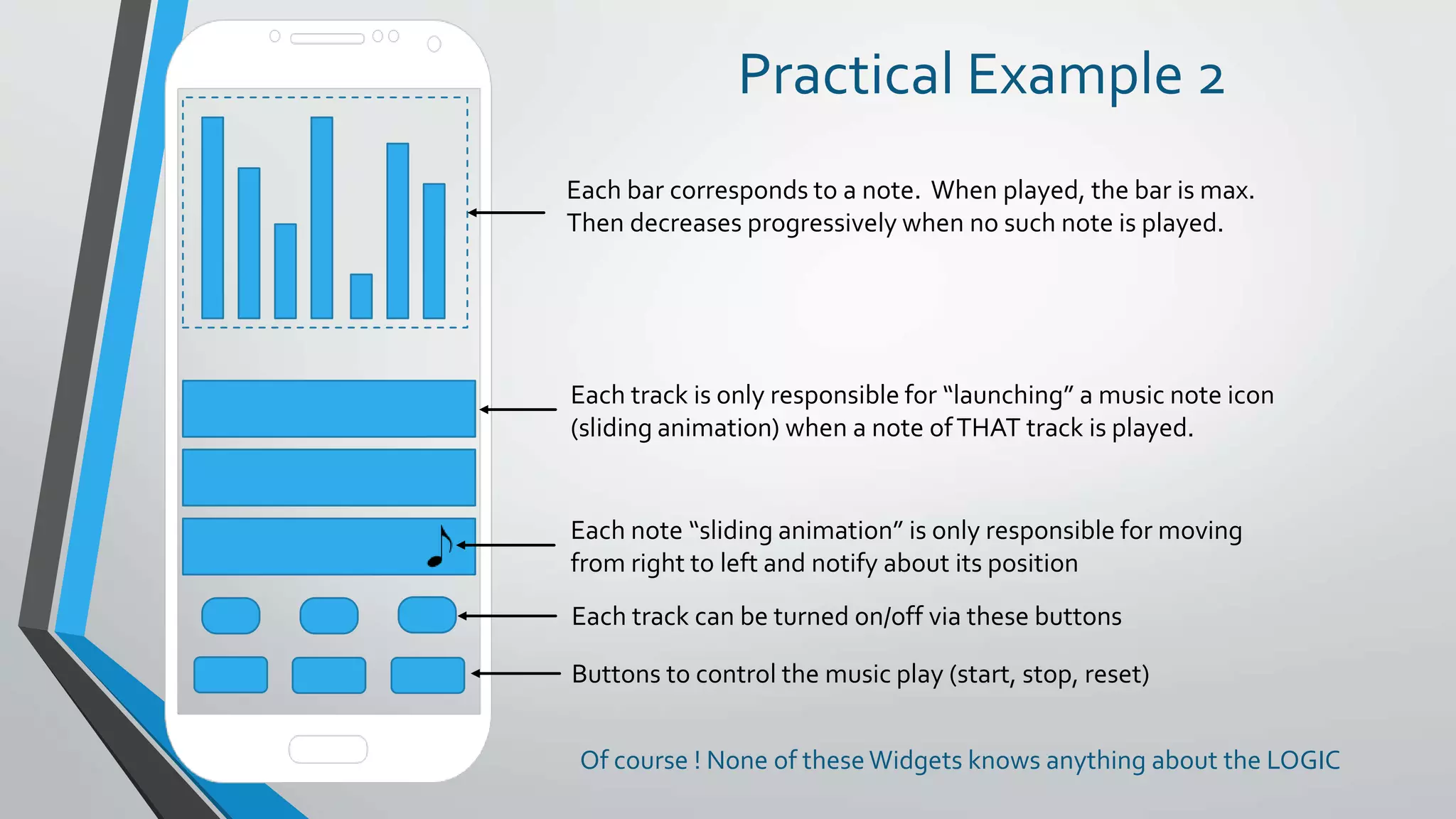
Each bar corresponds to a note. When played, the bar is max.
Then decreases progressively when no such note is played.
Each track is only responsible for “launching” a music note icon
(sliding animation) when a note ofTHAT track is played.
Each note “sliding animation” is only responsible for moving
from right to left and notify about its position
Each track can be turned on/off via these buttons
Buttons to control the music play (start, stop, reset)
Of course ! None of theseWidgets knows anything about the LOGIC
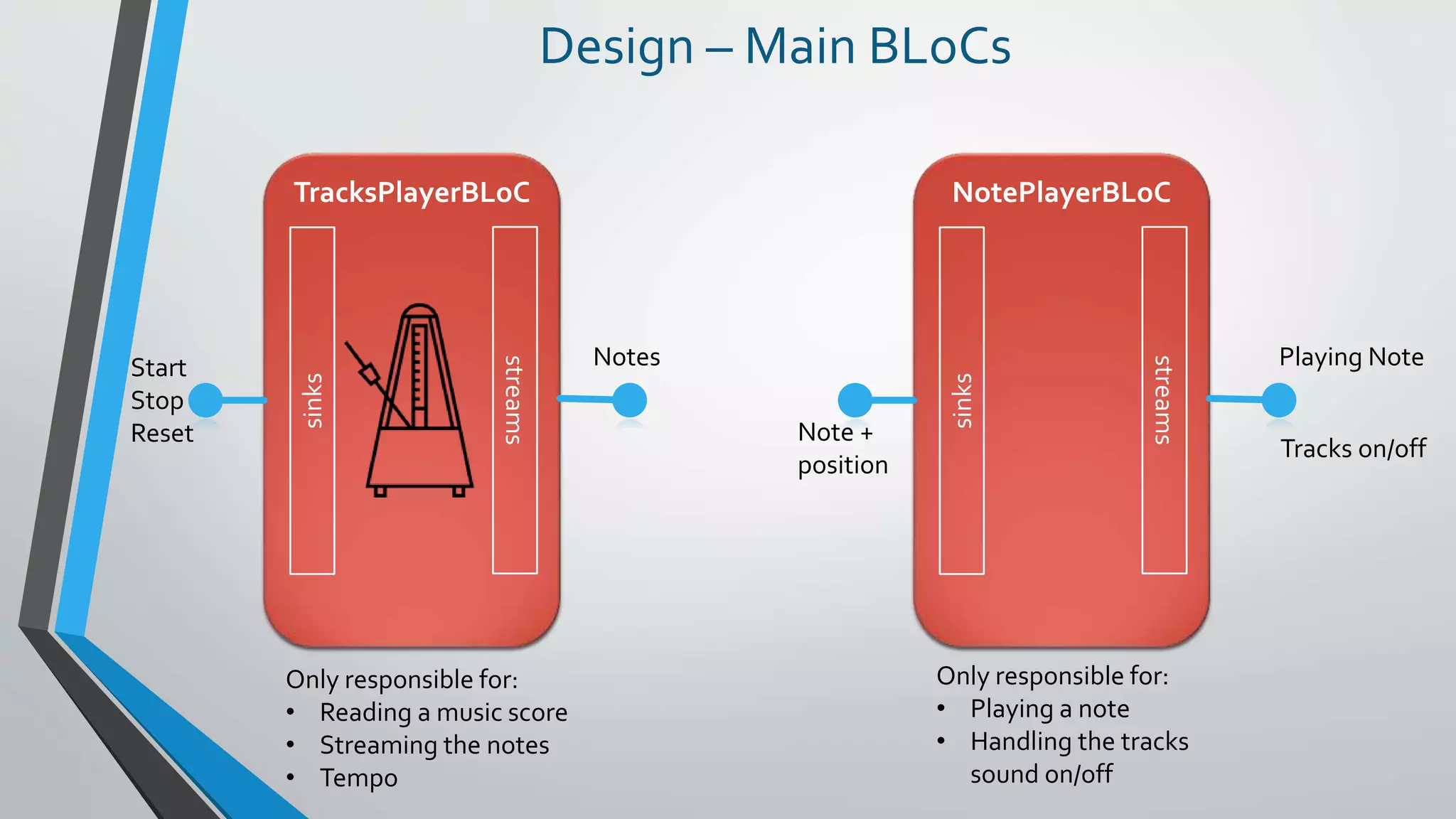
TracksPlayerBLoC
Design – Main BLoCs
sinks
streams
Start
Stop
Reset
Notes
Only responsible for:
• Reading a music score
• Streaming the notes
• Tempo
NotePlayerBLoC
sinks
streams
Note +
position
Playing Note
Only responsible for:
• Playing a note
• Handling the tracks
sound on/off
Tracks on/off
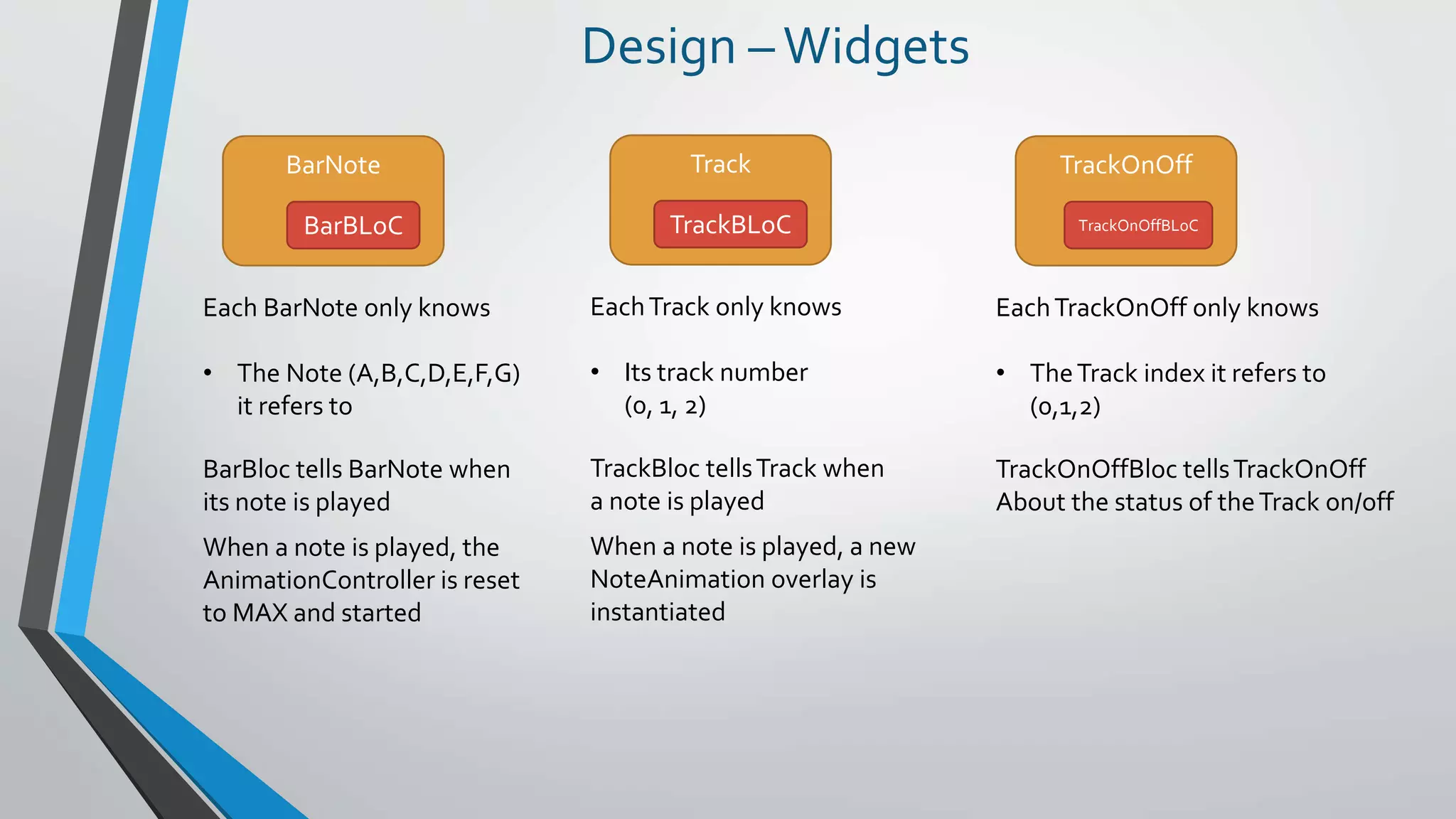
Design –Widgets
BarNote
BarBLoC
Each BarNote only knows
• The Note (A,B,C,D,E,F,G)
it refers to
BarBloc tells BarNote when
its note is played
When a note is played, the
AnimationController is reset
to MAX and started
Track
TrackBLoC
EachTrack only knows
• Its track number
(0, 1, 2)
TrackBloc tellsTrack when
a note is played
When a note is played, a new
NoteAnimation overlay is
instantiated
TrackOnOff
TrackOnOffBLoC
EachTrackOnOff only knows
• TheTrack index it refers to
(0,1,2)
TrackOnOffBloc tellsTrackOnOff
About the status of theTrack on/off
Architecture
TracksPlayer
BLoC
MaterialApp
NotePlayer
BLoC
Track
TrackBLoC
Track
TrackBLoC
Track
TrackBLoC
TrackOnOff
TrackOnOffBLoC
TrackOnOff
TrackOnOffBLoC
TrackOnOff
TrackOnOffBLoC
BarNote
BarBLoC
BarNote
BarBLoC
BarNote
BarBLoC
BarNote
BarBLoC
BarNote
BarBLoC
BarNote
BarBLoC
BarNote
BarBLoC
"A","B","C",…
0, 1, 2
0, 1, 2
Page
NoteAnimation
Provider
Provider
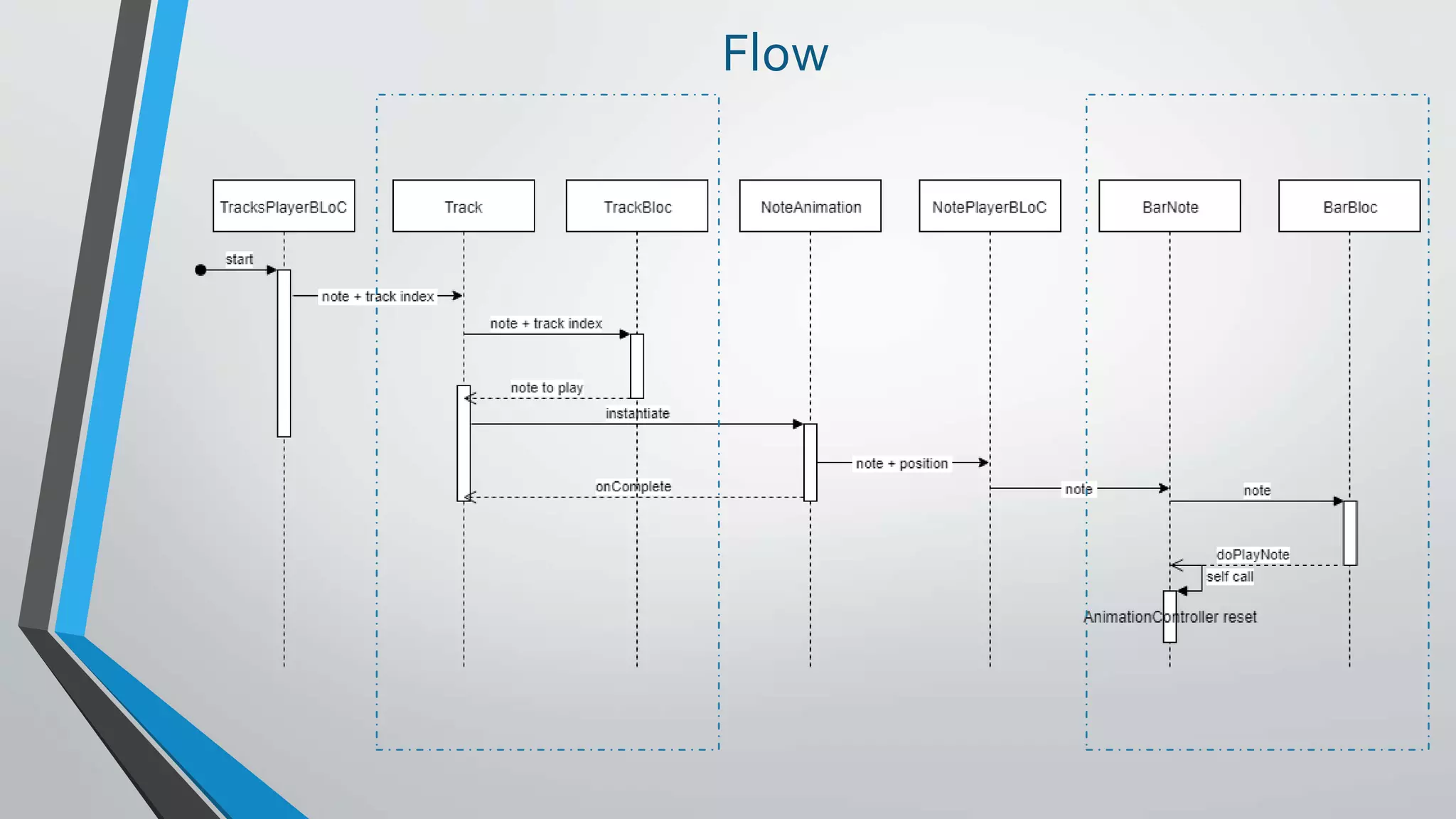
Flow
Demo
Who am I ?
Didier Boelens
• Pseudo: boeledi
• GitHub: https://github.com/boeledi
• Twitter: @DidierBoelens
• Medium: https://medium.com/flutter-community
• Blog: http://www.didierboelens.com
• Packages: flutter_range_slider, flutter_reactive_button

Bloc Pattern - Practical Use Cases - Flutter London - 21JAN2019

  • 1.
    Reactive Programming Introduction tothe notion of BLoC Didier Boelens – Flutter LDN – 21 JAN 2019
  • 2.
    This is ReactiveProgramming • Think of a way of writing your application where parts • do not care about the others (or to the strict minimum) • only know what they are asked to do • Grab data from a bag • Deliver data to a bag • Might not know where precisely these bags are located • Do not know what will happen to the data they deliver • Do not know if the data they deliver will be used (as such, at all, when and by whom) • Do not know where the data they grab comes from • could be moved or interchanged with no or very little changes to the code • Think of an application which mainly responds to events
  • 3.
    Reactive Programming? Very simplified: “Itis programming with Asynchronous Data Streams” or “Do something (= React) when an Event is triggered”
  • 4.
    Short refresh onthe notion of Streams
  • 5.
    Stream "Sequence of Events,ordered in time" sink (where we INJECT) stream (where we LISTEN) StreamController StreamController<T> controller = StreamController<T>.broadcast(); controller.sink.add( …some data to inject… ); controller.stream .listen( … ); StreamBuilder<T>( stream: controller.stream, initialData: some_initial_data, builder: (BuildContext context, AsyncSnapshot<T> snapshot){ …. }, );
  • 6.
    What can beconveyed by a Stream? ANYTHING • Value • Object • Collection • Map • Error • Other Stream • …
  • 7.
    2 main typesof Streams • Single-subscription • Only accepts a single listener during its whole lifetime. • Not possible to listen twice • Broadcast • Allows any number of listeners • Possible to add a new listener at any moment • New listener will start receiving events as of its subscription
  • 8.
    StreamBuilder StreamBuilder<T>( stream: the_stream_to_listen_to, initialData: some_initial_data, builder:(BuildContext context, AsyncSnapshot<T> snapshot){ if (snapshot.hasData){ return … theWidget to be built based on snapshot.data … } return … theWidget to be built if no data is available … }, ); BIG ADVANTAGE ONLYTHISWidget is rebuilt when necessary INDEPENDENTLY of the others
  • 9.
  • 10.
    Business Logic Component "Kindof placeholder" • Where to handle some Business Logic • Accessible through Streams • Independent
  • 11.
    Main idea BLoC sinks streams What theBLoC does and how it processes the inputs is none of the concern of anyone !
  • 12.
    Advantages • INTERCHANGEABILITY You canupdate or replace the BLoC without impacts (condition: keep interface) • TESTABILITY You can test the BLoC without any application dependency • REUSABILITY Should be platform agnostic
  • 13.
    Personal Note • Intheory, only exposes Sinks and Streams • However nothing really prevents from also exposing • Getters / Setters • Methods
  • 14.
  • 15.
    Use Case -User Authentication • Application Starts • If user not authenticated • Redirect to Authentication Screen • User may decide to Register • Redirection to Registration Screen • Once authenticated or newly registered • Redirection to Home Screen • During authentication or registration • Negociation with Server • Success or failure => redirection, error message, … • If user is authenticated • Redirection to Home Screen • Application runs • If user logs out (from anywhere) • Automatic redirection to Authentication Screen
  • 16.
  • 17.
    How ? Authentication BLoC LogIn Register Log Out Authentication Status Action Status Decision Authentication Registration Other Authentication Registration [ … ] [ … ] sinks streams SERVER
  • 18.
  • 19.
    Rule To be accessible,must be either In an ANCESTOR = accessible through a Widget higher in the WidgetsTree Needs a Provider directly INSTANTIATED Bloc bloc; @override void initState(){ super.initState(); bloc = Bloc(); }
  • 20.
    BLoC Provider BlocProvider BLoC BlocProvider Provision Retrieval BlocProvider<Bloc>( bloc:Bloc(), child: widget tree, ); Bloc bloc = BlocProvider.of<Bloc>(context); InheritedWidget InheritedWidget BLoC
  • 21.
  • 22.
    Case 1: Accessiblefrom different Screens BLoC MaterialApp Screen A Screen B or BLoC (singleton) Recommended for: • User authentication • Translations • ShoppingCart • … Provider
  • 23.
    Case 2: Accessibleto a WidgetsTree MaterialApp Screen BLoC Widget A Widget B MaterialApp BLoC Screen Widget A Widget B orProvider Provider
  • 24.
    Case 3: Accessibleto a specificWidget instance Widget BLoC Recommended for: • Items part of a Set • ShoppingCart Item • Selected Item • …
  • 25.
  • 26.
    Practical Example 1 Whenthe finger moves over one of these cells, the corresponding cell "CODE" is added to the "security pattern" As long as the finger remains on the screen, each time a new cell is hovered, the pattern is drawn When a cell is part of the pattern, its center is highlighted Of course ! None of theseWidgets knows anything about the LOGIC
  • 27.
    Architecture Each CELL isa Widget A layer onTOP to draw the pattern MaterialApp Screen PatternWidget Stack Cell BLoC Cell BLoC Cell CellBLoC Pattern Drawer Pattern BLoC Provider "1","2"…
  • 28.
    Design PatternBLoC sinks streams SelectedCells[]addCell Cell CellBLoC Each Cell onlyknows • Its cell number CellBloc tells Cell when THAT Cell is part of the pattern When a Cell is part of the pattern it changes its center color PatternDrawer Responsible for drawing the pattern based on the Selected Cells. PatternWidget Responsible for handling the Gestures CellBLoC sinks SelectedCells[] streams isSelected
  • 29.
  • 30.
  • 31.
    Practical Example 2 Eachbar corresponds to a note. When played, the bar is max. Then decreases progressively when no such note is played. Each track is only responsible for “launching” a music note icon (sliding animation) when a note ofTHAT track is played. Each note “sliding animation” is only responsible for moving from right to left and notify about its position Each track can be turned on/off via these buttons Buttons to control the music play (start, stop, reset) Of course ! None of theseWidgets knows anything about the LOGIC
  • 32.
    TracksPlayerBLoC Design – MainBLoCs sinks streams Start Stop Reset Notes Only responsible for: • Reading a music score • Streaming the notes • Tempo NotePlayerBLoC sinks streams Note + position Playing Note Only responsible for: • Playing a note • Handling the tracks sound on/off Tracks on/off
  • 33.
    Design –Widgets BarNote BarBLoC Each BarNoteonly knows • The Note (A,B,C,D,E,F,G) it refers to BarBloc tells BarNote when its note is played When a note is played, the AnimationController is reset to MAX and started Track TrackBLoC EachTrack only knows • Its track number (0, 1, 2) TrackBloc tellsTrack when a note is played When a note is played, a new NoteAnimation overlay is instantiated TrackOnOff TrackOnOffBLoC EachTrackOnOff only knows • TheTrack index it refers to (0,1,2) TrackOnOffBloc tellsTrackOnOff About the status of theTrack on/off
  • 34.
  • 35.
  • 36.
  • 37.
    Who am I? Didier Boelens • Pseudo: boeledi • GitHub: https://github.com/boeledi • Twitter: @DidierBoelens • Medium: https://medium.com/flutter-community • Blog: http://www.didierboelens.com • Packages: flutter_range_slider, flutter_reactive_button