Between a Block and a Hard Place
Let’s master modern WordPress - a world of blocks
Rob Stinson
PRODUCT MARKETING MANAGER, WP ENGINE
@rob_stino
Agenda
THE THINGS WE
WILL COVER
1. The future of WordPress “themeing”
2. Custom Collections (Block Patterns)
3. Custom blocks (live coding FTW!)
1.
The Future of WordPress
Themeing
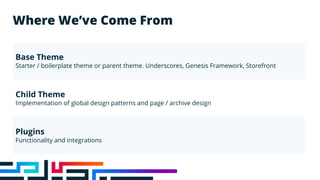
Where We’ve Come From
Base Theme
Starter / boilerplate theme or parent theme. Underscores, Genesis Framework, Storefront
Child Theme
Implementation of global design patterns and page / archive design
Plugins
Functionality and integrations
Where We’re Going
Base Full-site Editing (FSE) Theme
Far simpler / more light weight than traditional themes
Block Patterns
Implementation of global design patterns and page/archive design
Custom Blocks
Functionality and integrations
Plugins
Functionality & integrations
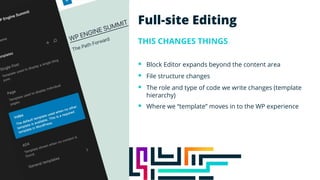
Full-site Editing
THIS CHANGES THINGS
§ Block Editor expands beyond the content area
§ File structure changes
§ The role and type of code we write changes (template
hierarchy)
§ Where we “template” moves in to the WP experience
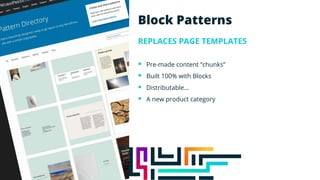
Block Patterns
REPLACES PAGE TEMPLATES
§ Pre-made content “chunks”
§ Built 100% with Blocks
§ Distributable…
§ A new product category
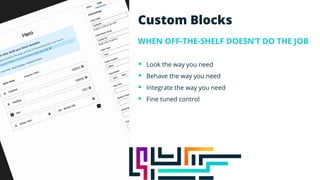
Custom Blocks
WHEN OFF-THE-SHELF DOESN’T DO THE JOB
§ Look the way you need
§ Behave the way you need
§ Integrate the way you need
§ Fine tuned control
Change Isn’t Easy!
Let’s Make It Easier Then
:)
2.
Custom Collections
(Block Patterns)
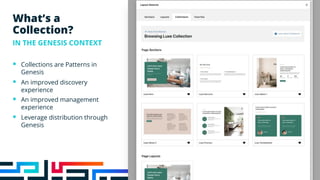
What’s a
Collection?
IN THE GENESIS CONTEXT
§ Collections are Patterns in
Genesis
§ An improved discovery
experience
§ An improved management
experience
§ Leverage distribution through
Genesis
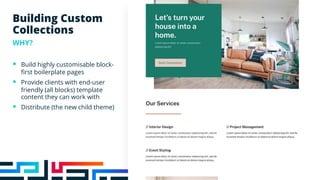
Building Custom
Collections
WHY?
§ Build highly customisable block-
first boilerplate pages
§ Provide clients with end-user
friendly (all blocks) template
content they can work with
§ Distribute (the new child theme)
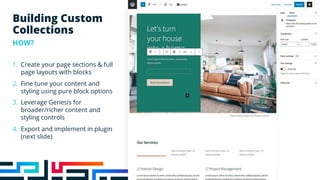
Building Custom
Collections
HOW?
1. Create your page sections & full
page layouts with blocks
2. Fine tune your content and
styling using pure block options
3. Leverage Genesis for
broader/richer content and
styling controls
4. Export and implement in plugin
(next slide)
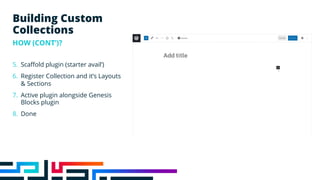
5. Scaffold plugin (starter avail’)
6. Register Collection and it’s Layouts
& Sections
7. Active plugin alongside Genesis
Blocks plugin
8. Done
Building Custom
Collections
HOW (CONT’)?
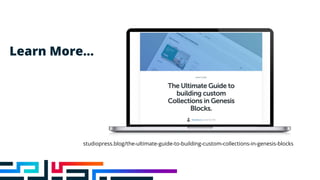
Learn More…
studiopress.blog/the-ultimate-guide-to-building-custom-collections-in-genesis-blocks
3.
Custom Blocks
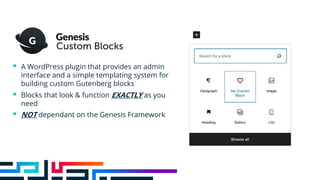
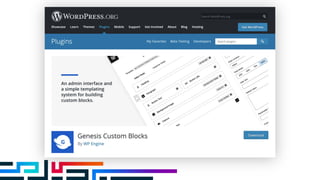
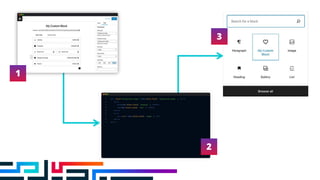
§ A WordPress plugin that provides an admin
interface and a simple templating system for
building custom Gutenberg blocks
§ Blocks that look & function EXACTLY as you
need
§ NOT dependant on the Genesis Framework
1
2
3
To cover this area exactly:
Size & Rotation
Height = 3”
Width = 4.3”
Position
X-position = 0.5”
Y-position = 0.5”
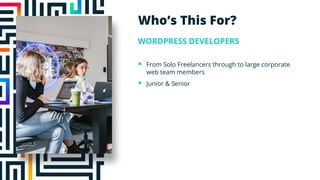
Who’s This For?
WORDPRESS DEVELOPERS
§ From Solo Freelancers through to large corporate
web team members
§ Junior & Senior
To cover this area exactly:
Size & Rotation
Height = 3”
Width = 4.3”
Position
X-position = 0.5”
Y-position = 0.5”
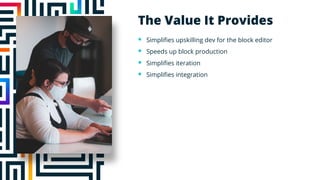
The Value It Provides
§ Simplifies upskilling dev for the block editor
§ Speeds up block production
§ Simplifies iteration
§ Simplifies integration
Options vs Decisions
Enough Talk!
Let’s Build Something!
wpengine.com/genesis
Thank You
Rob Stinson
PRODUCT MARKETING MANAGER, WP ENGINE
@rob_stino
Between a Block & a Hard Place

Between a Block & a Hard Place

  • 2.
    Between a Blockand a Hard Place Let’s master modern WordPress - a world of blocks Rob Stinson PRODUCT MARKETING MANAGER, WP ENGINE @rob_stino
  • 3.
    Agenda THE THINGS WE WILLCOVER 1. The future of WordPress “themeing” 2. Custom Collections (Block Patterns) 3. Custom blocks (live coding FTW!)
  • 4.
    1. The Future ofWordPress Themeing
  • 5.
    Where We’ve ComeFrom Base Theme Starter / boilerplate theme or parent theme. Underscores, Genesis Framework, Storefront Child Theme Implementation of global design patterns and page / archive design Plugins Functionality and integrations
  • 6.
    Where We’re Going BaseFull-site Editing (FSE) Theme Far simpler / more light weight than traditional themes Block Patterns Implementation of global design patterns and page/archive design Custom Blocks Functionality and integrations Plugins Functionality & integrations
  • 7.
    Full-site Editing THIS CHANGESTHINGS § Block Editor expands beyond the content area § File structure changes § The role and type of code we write changes (template hierarchy) § Where we “template” moves in to the WP experience
  • 8.
    Block Patterns REPLACES PAGETEMPLATES § Pre-made content “chunks” § Built 100% with Blocks § Distributable… § A new product category
  • 9.
    Custom Blocks WHEN OFF-THE-SHELFDOESN’T DO THE JOB § Look the way you need § Behave the way you need § Integrate the way you need § Fine tuned control
  • 10.
  • 11.
    Let’s Make ItEasier Then :)
  • 12.
  • 13.
    What’s a Collection? IN THEGENESIS CONTEXT § Collections are Patterns in Genesis § An improved discovery experience § An improved management experience § Leverage distribution through Genesis
  • 14.
    Building Custom Collections WHY? § Buildhighly customisable block- first boilerplate pages § Provide clients with end-user friendly (all blocks) template content they can work with § Distribute (the new child theme)
  • 15.
    Building Custom Collections HOW? 1. Createyour page sections & full page layouts with blocks 2. Fine tune your content and styling using pure block options 3. Leverage Genesis for broader/richer content and styling controls 4. Export and implement in plugin (next slide)
  • 16.
    5. Scaffold plugin(starter avail’) 6. Register Collection and it’s Layouts & Sections 7. Active plugin alongside Genesis Blocks plugin 8. Done Building Custom Collections HOW (CONT’)?
  • 17.
  • 18.
  • 19.
    § A WordPressplugin that provides an admin interface and a simple templating system for building custom Gutenberg blocks § Blocks that look & function EXACTLY as you need § NOT dependant on the Genesis Framework
  • 21.
  • 22.
    To cover thisarea exactly: Size & Rotation Height = 3” Width = 4.3” Position X-position = 0.5” Y-position = 0.5” Who’s This For? WORDPRESS DEVELOPERS § From Solo Freelancers through to large corporate web team members § Junior & Senior
  • 23.
    To cover thisarea exactly: Size & Rotation Height = 3” Width = 4.3” Position X-position = 0.5” Y-position = 0.5” The Value It Provides § Simplifies upskilling dev for the block editor § Speeds up block production § Simplifies iteration § Simplifies integration
  • 24.
  • 25.
  • 26.
  • 27.
    Thank You Rob Stinson PRODUCTMARKETING MANAGER, WP ENGINE @rob_stino