
Docker Orchestration on Azure with Rancher
Who am I?
Cloud Solution Architect
@ Xylos ICT
Started in IT about 15 years ago
Heterogeneous Background
Focused on Business Outcome
about.kvaes.be @kvaes blog.kvaes.be
Karim Vaes
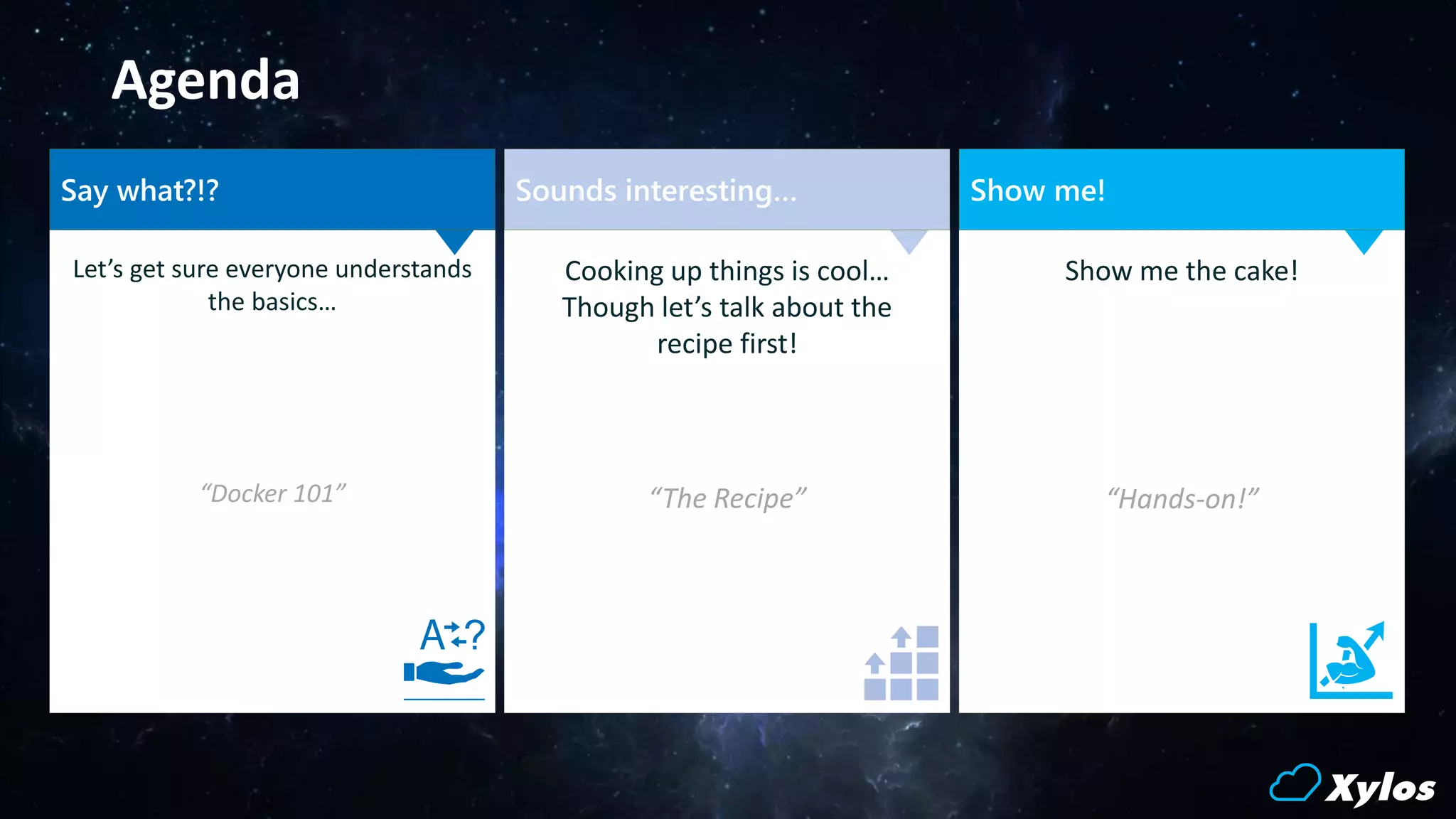
Agenda
Let’s get sure everyone understands
the basics…
“Docker 101”
Show me the cake!
“Hands-on!”
Cooking up things is cool…
Though let’s talk about the
recipe first!
“The Recipe”
Sounds interesting… Show me!Say what?!?
Say what?!?
aka “Docker 101”
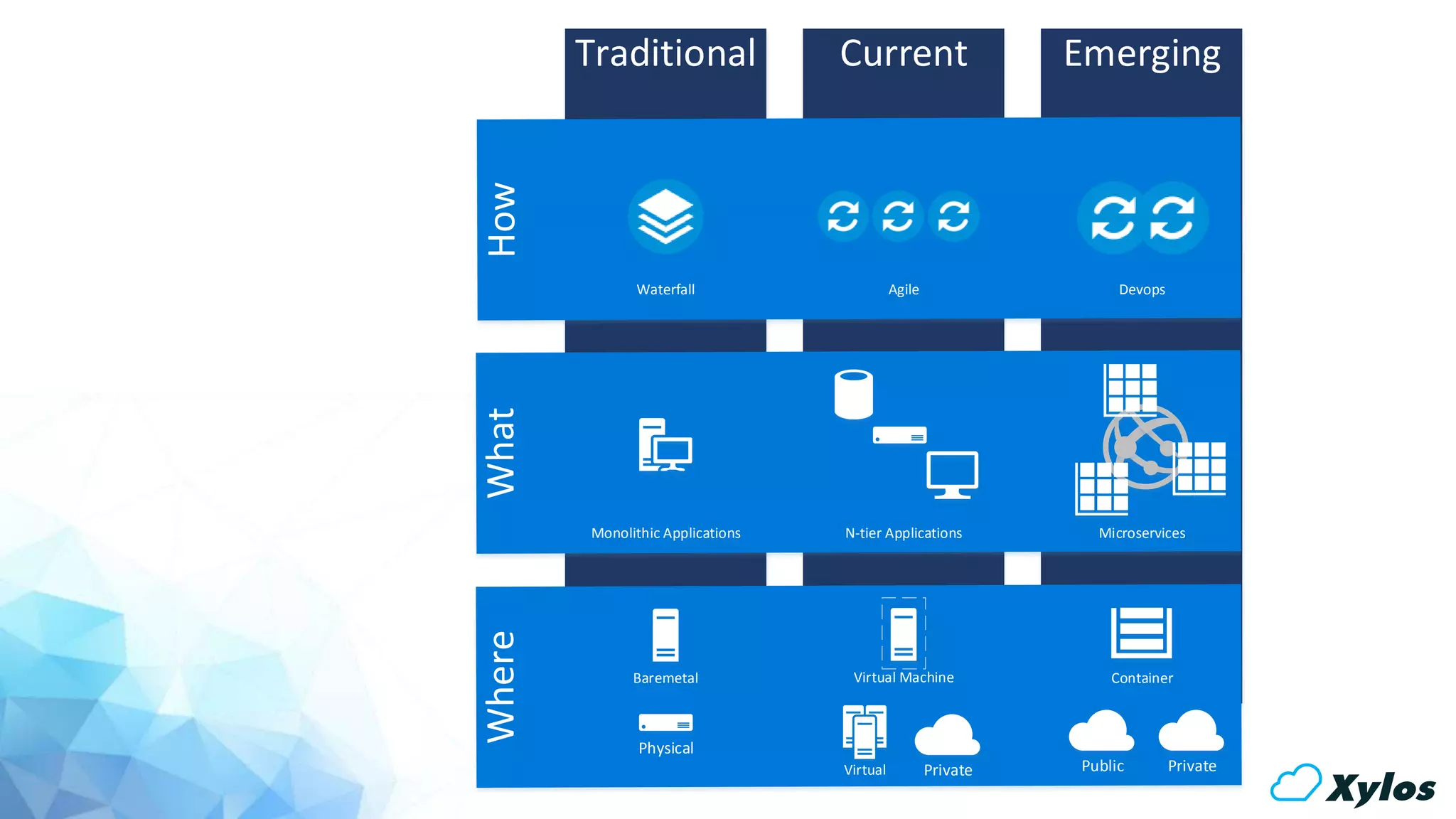
Traditional Current Emerging
Virtual Public Private
Container
Physical
Baremetal Virtual Machine
Private
N-tier Applications MicroservicesMonolithic Applications
Agile DevopsWaterfall
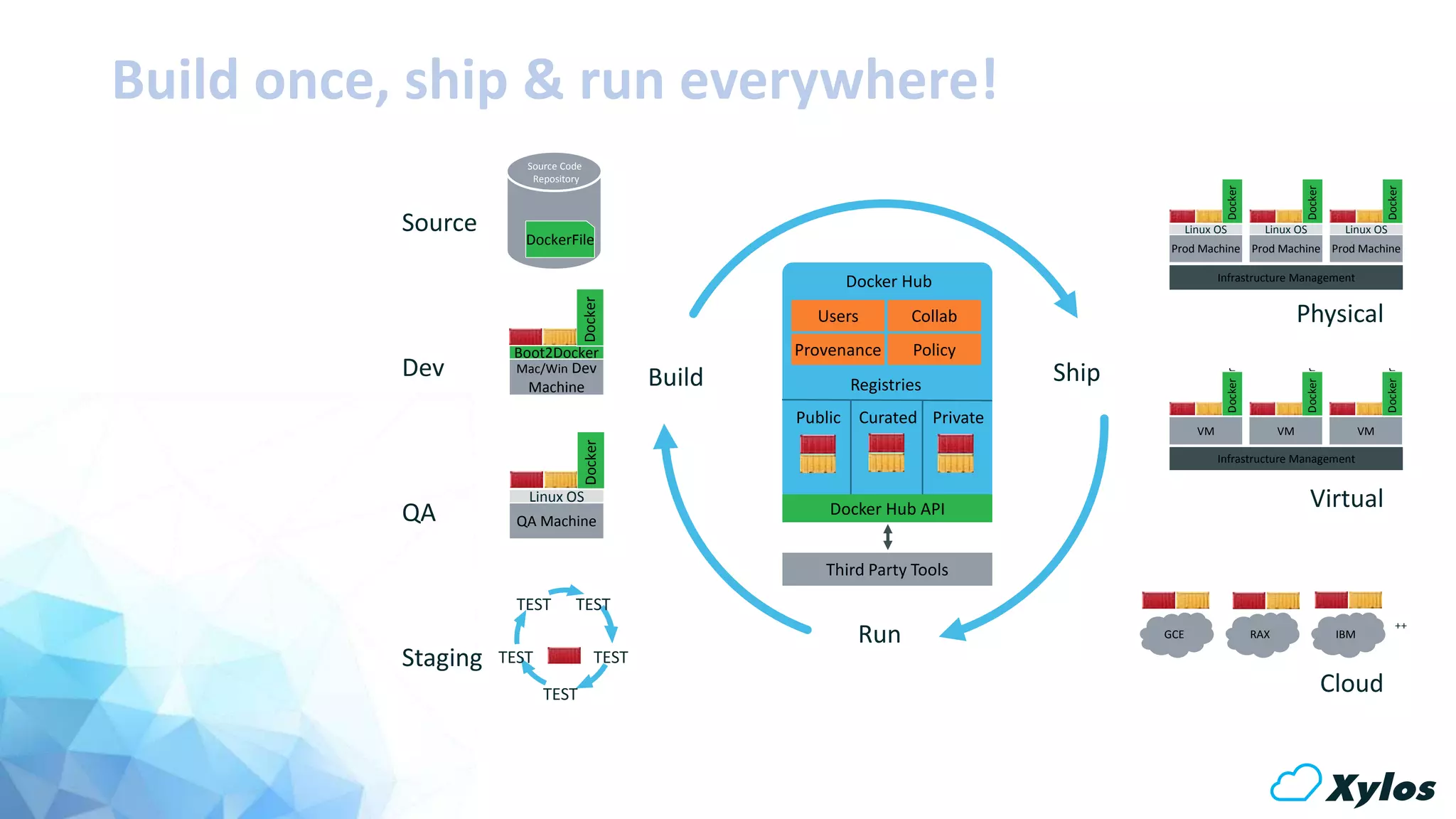
Build Ship
Run
Dev
QA
Source
Staging
Physical
Virtual
Cloud
Infrastructure Management
DockerFile
Source Code
Repository
TESTTEST
TESTTEST
TEST
GCE RAX IBM
Mac/Win Dev
Machine
Boot2Docker
Docker
Analytics
DB
Prod Machine
Linux OS
DockerDocker
++
Users Collab
Provenance Policy
Docker Hub
Registries
Public Curated Private
Docker Hub API
Third Party Tools
Prod Machine
Linux OS
DockerDocker
Prod Machine
Linux OS
DockerDocker
VM
DockerDocker
VM
DockerDocker
VM
DockerDocker
QA Machine
Linux OS
DockerDocker
Build once, ship & run everywhere!
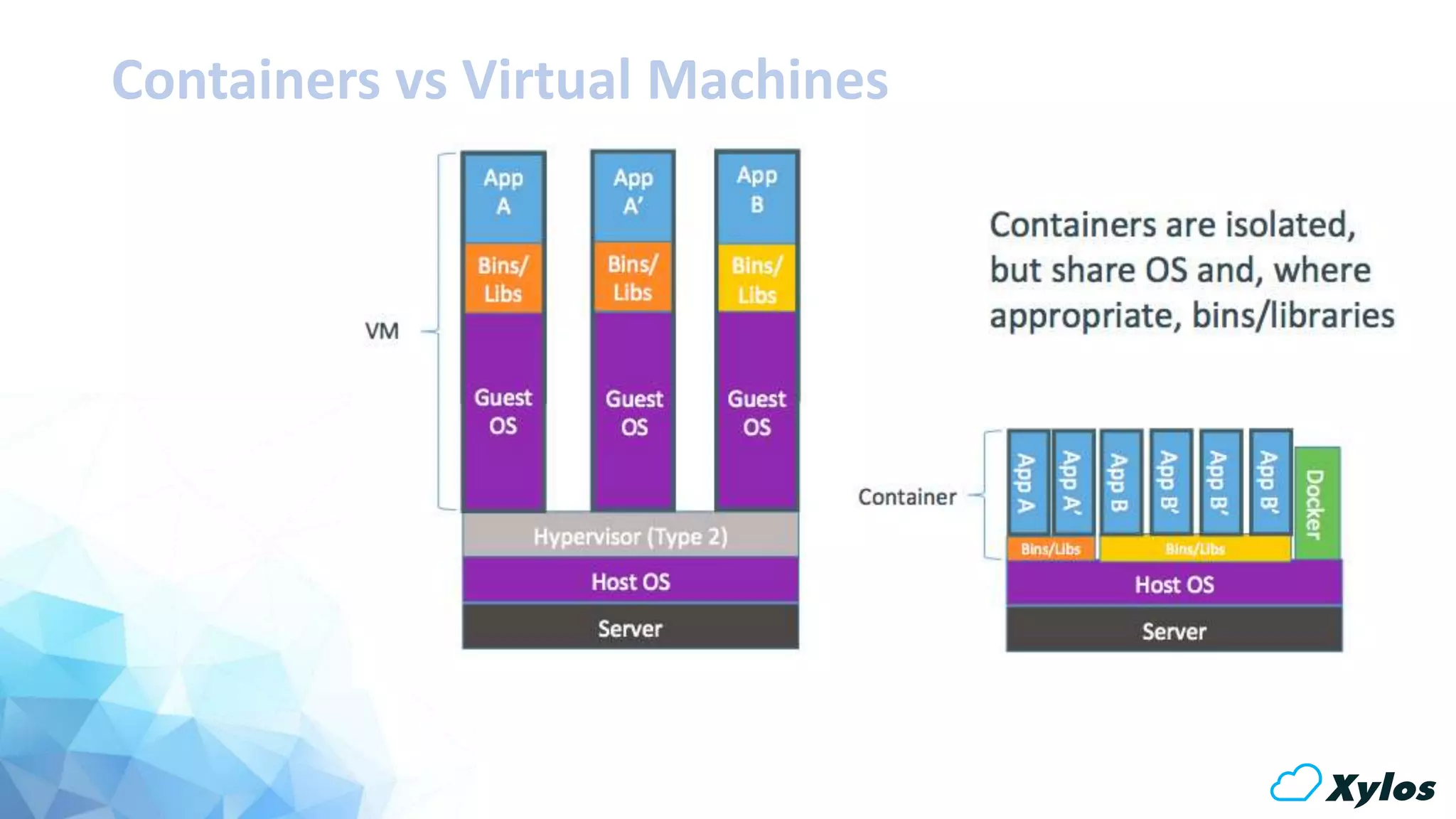
Containers vs Virtual Machines
Sample Dockerfile
# Pull the latest batch script
ENV HOME /root
COPY testblog.sh /data/bin/
COPY testblogcron /data/bin/
COPY startcron.sh /data/bin/
# Setup 755 on the scripts
RUN chmod 755 /data/bin/*.sh
# Setup Cron Job
RUN cat /data/bin/testblogcron >> /etc/crontab
# Setup Cron Log
RUN touch /var/log/testblog.log
# Define default command.
CMD ["/data/bin/startcron.sh"]
#
# BlogTest Dockerfile
#
# Source : https://bitbucket.org/kvaes/docker-testblog/
# Author : Karim Vaes
# Use Ubuntu 10.04 as a base
FROM ubuntu:10.04
# First let's do some updates!
RUN apt-get update && apt-get -y upgrade
# Install cron
RUN apt-get -y install cron
# Let's prep the directory
RUN mkdir -p /data/bin
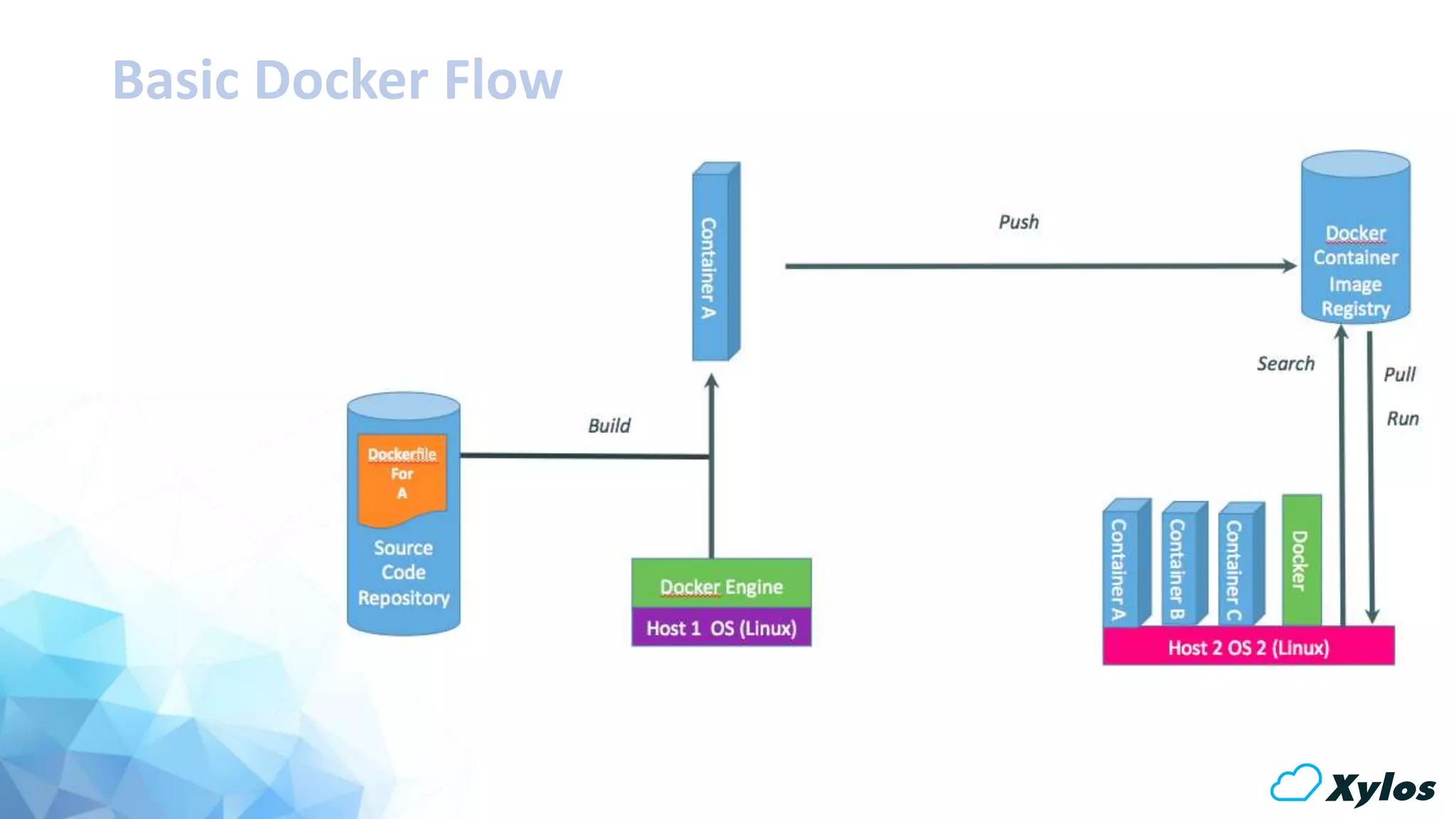
Basic Docker Flow
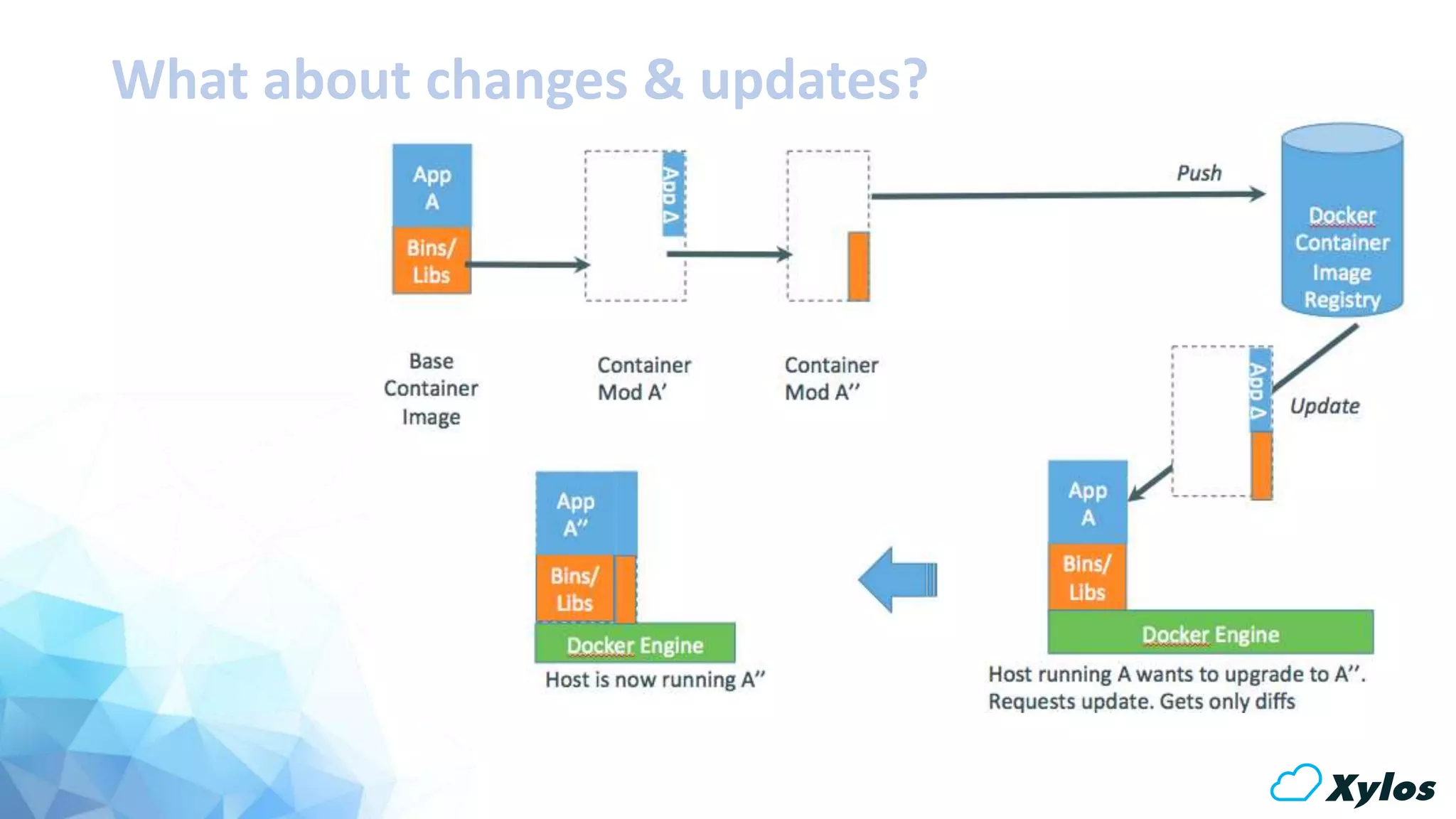
What about changes & updates?
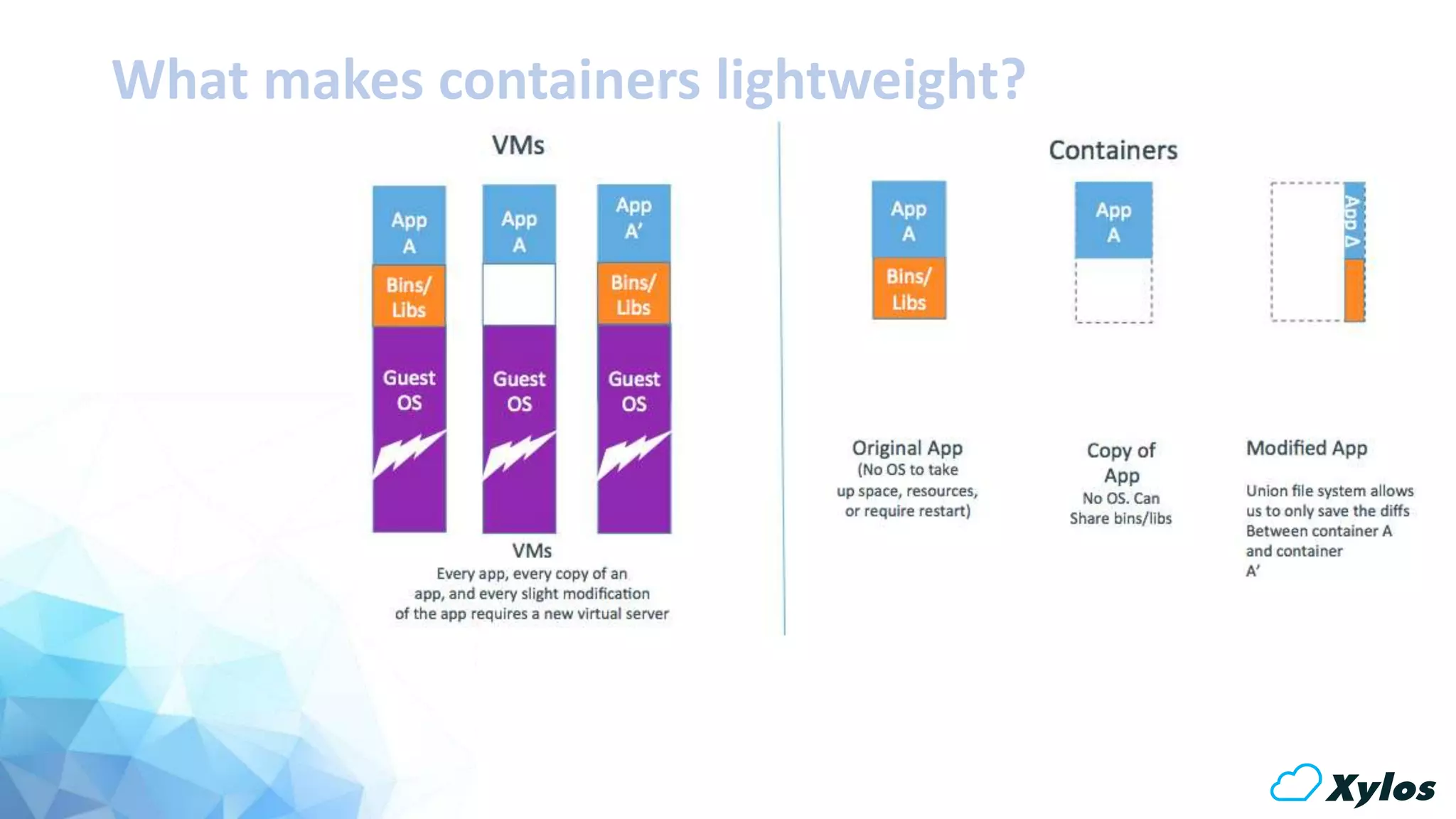
What makes containers lightweight?
Sounds Interesting…
aka “The Recipe”
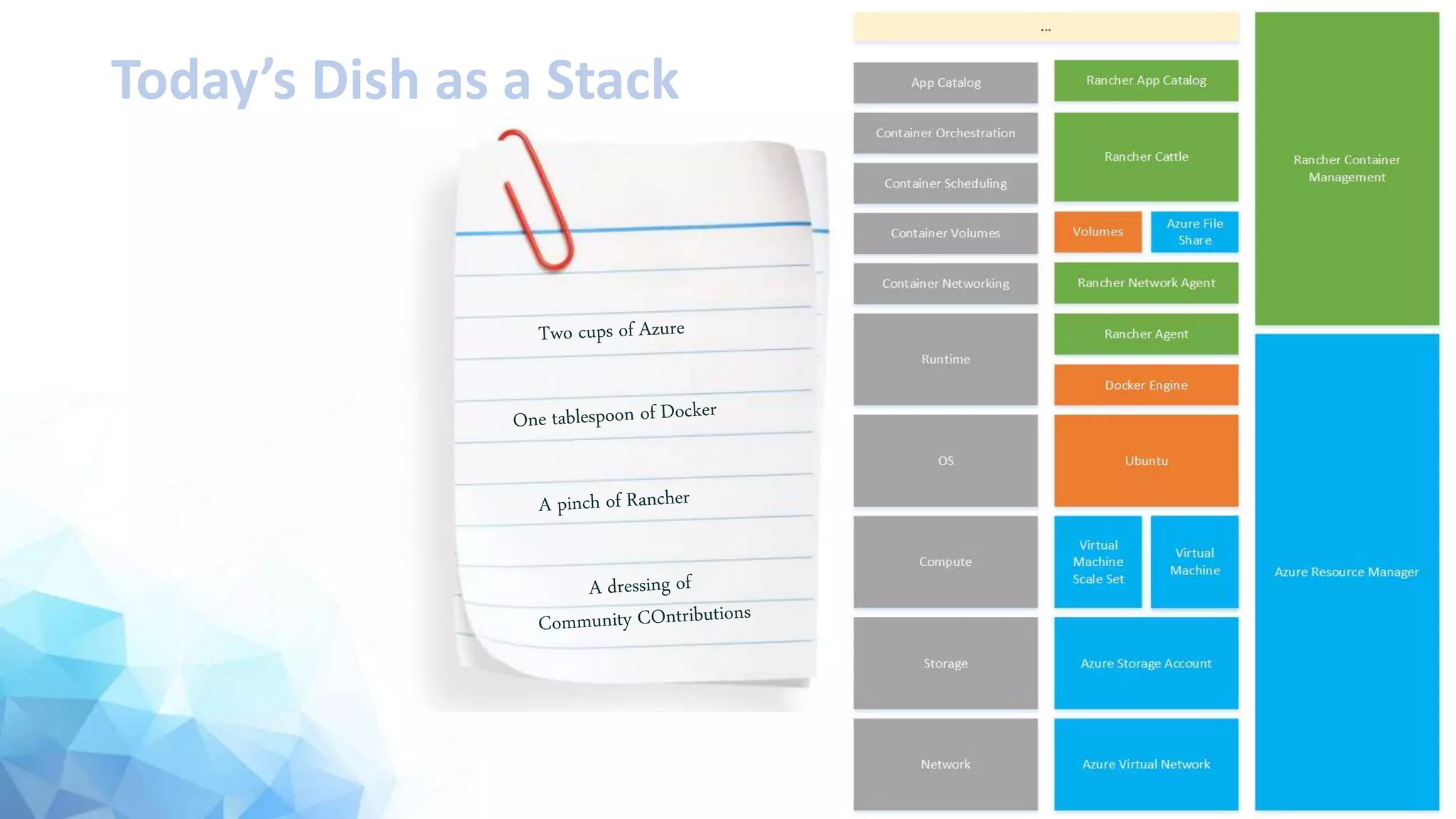
The Recipe for today’s dish!
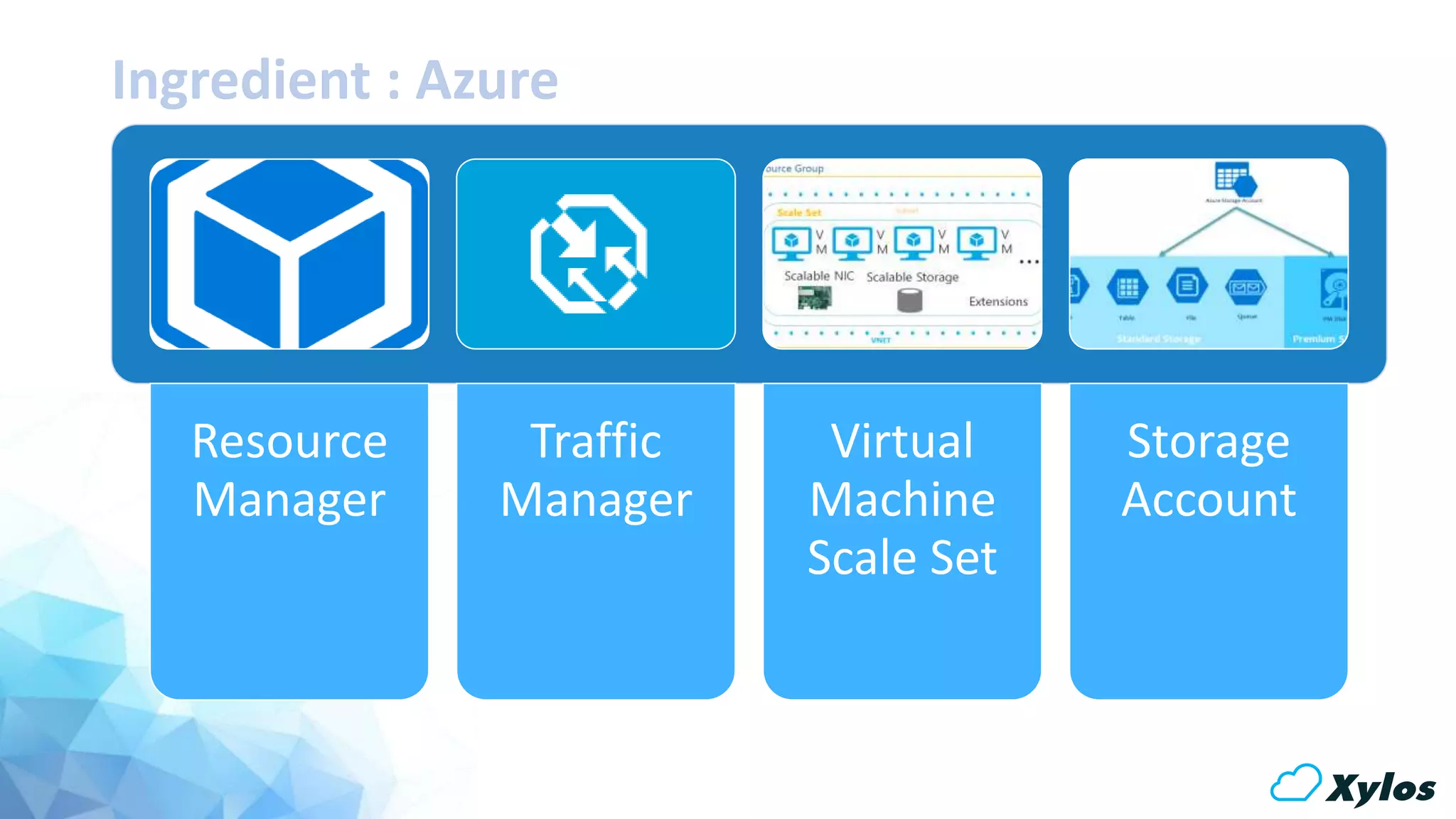
Ingredient : Azure
Resource
Manager
Traffic
Manager
Virtual
Machine
Scale Set
Storage
Account
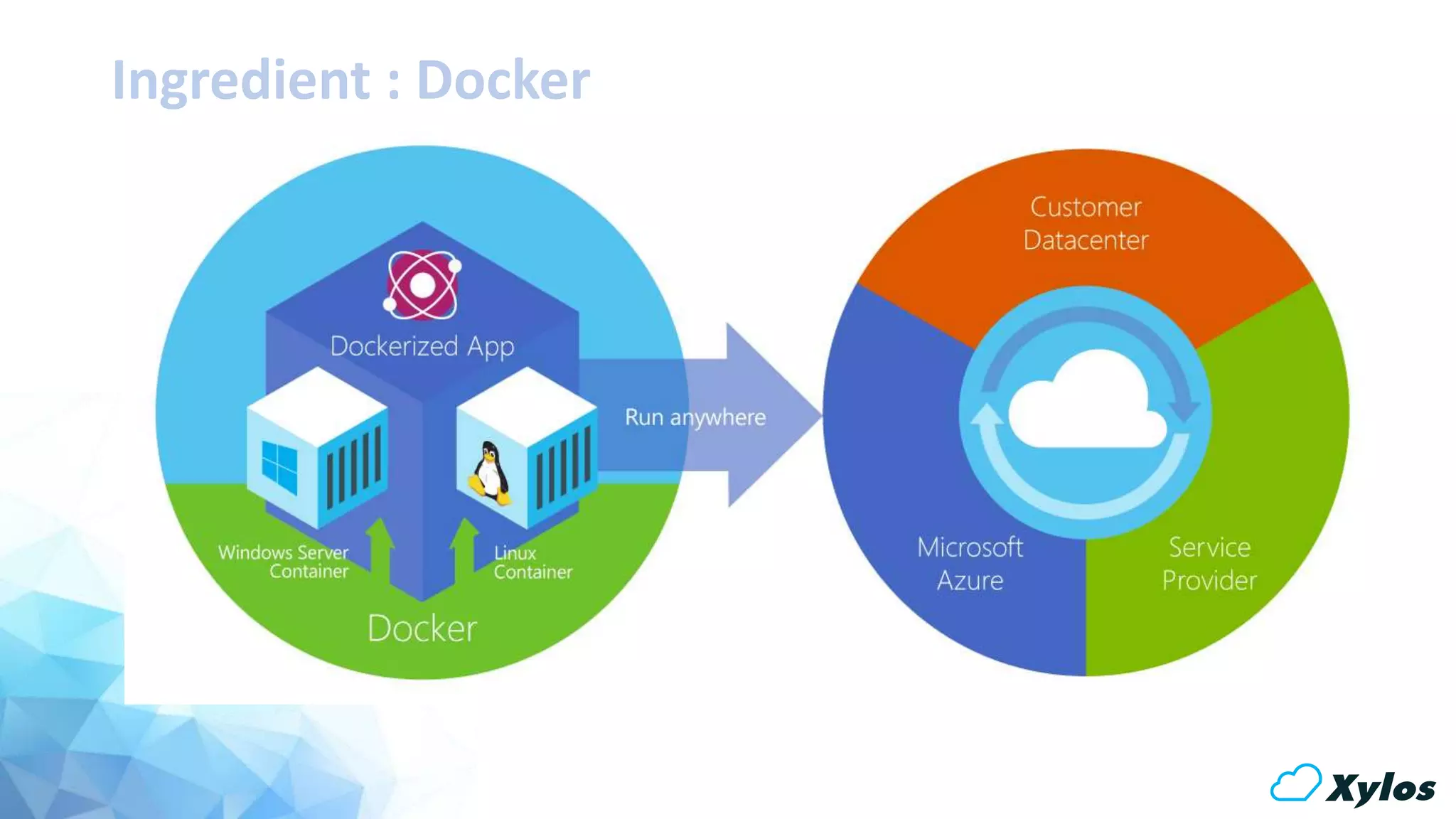
Ingredient : Docker
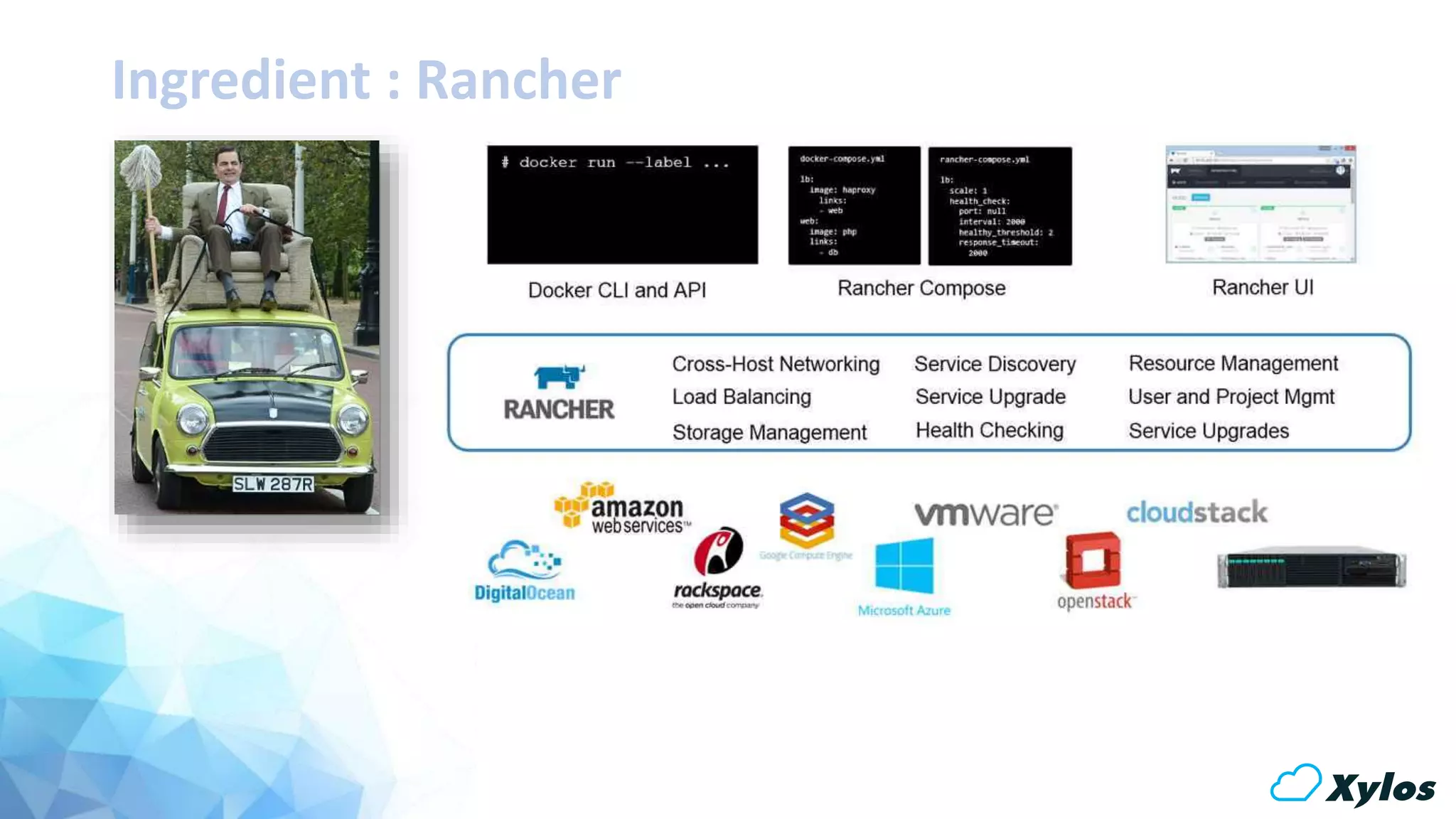
Ingredient : Rancher
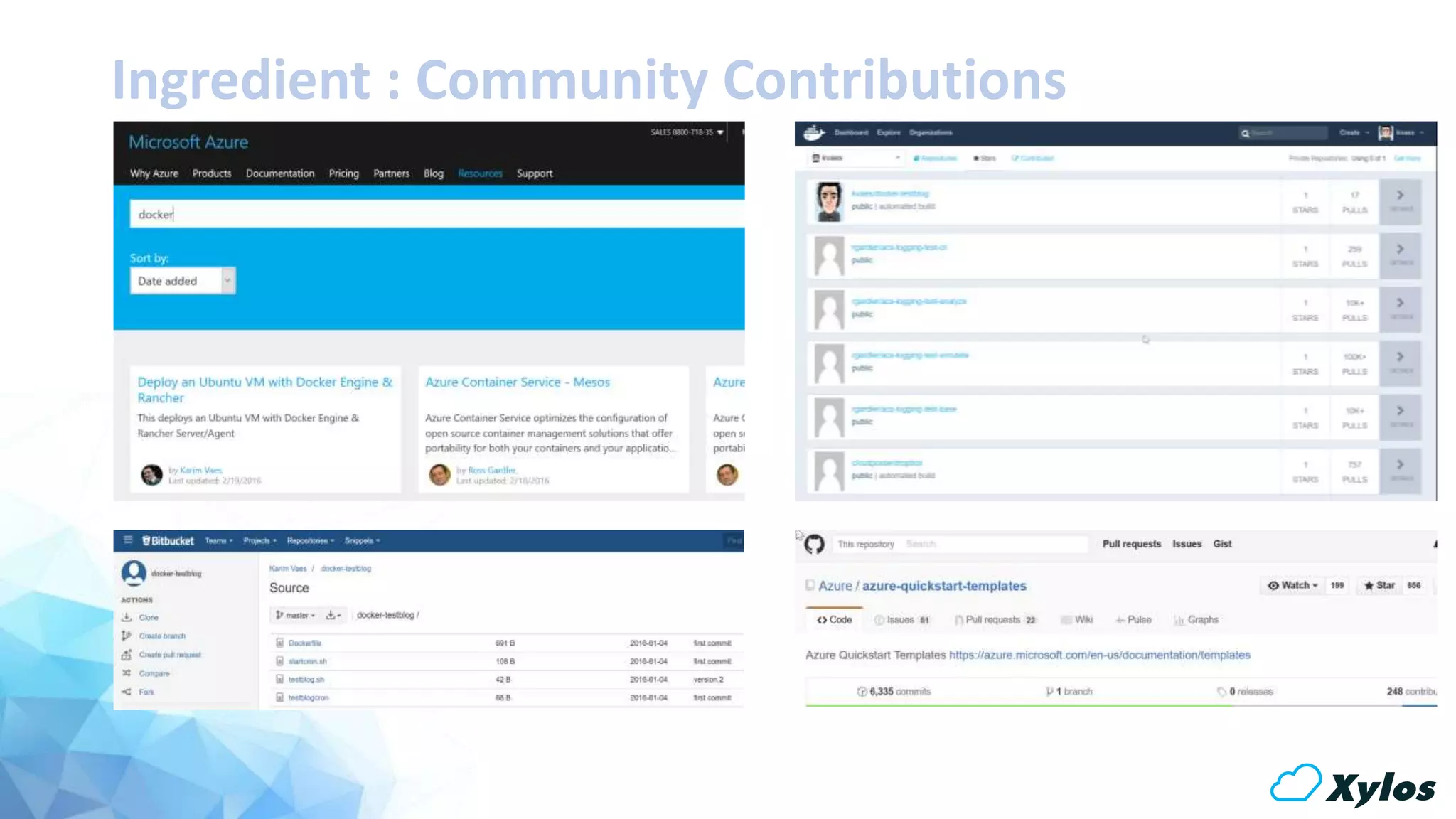
Ingredient : Community Contributions
Today’s Dish as a Stack
Show me!
aka “Hands-on”
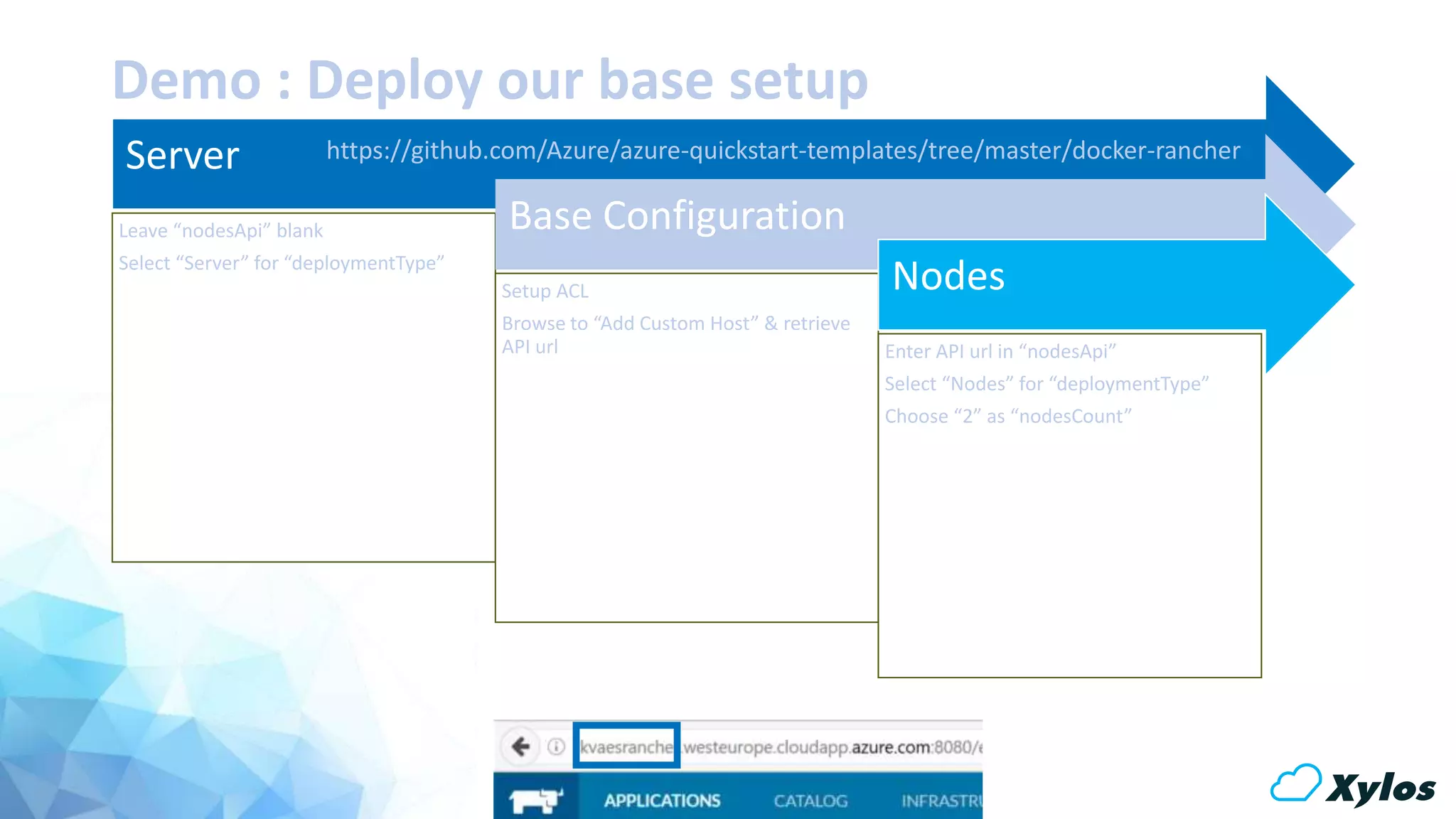
Demo : Deploy our base setup
Server
Leave “nodesApi” blank
Select “Server” for “deploymentType”
Base Configuration
Setup ACL
Browse to “Add Custom Host” & retrieve
API url
Nodes
Enter API url in “nodesApi”
Select “Nodes” for “deploymentType”
Choose “2” as “nodesCount”
https://github.com/Azure/azure-quickstart-templates/tree/master/docker-rancher
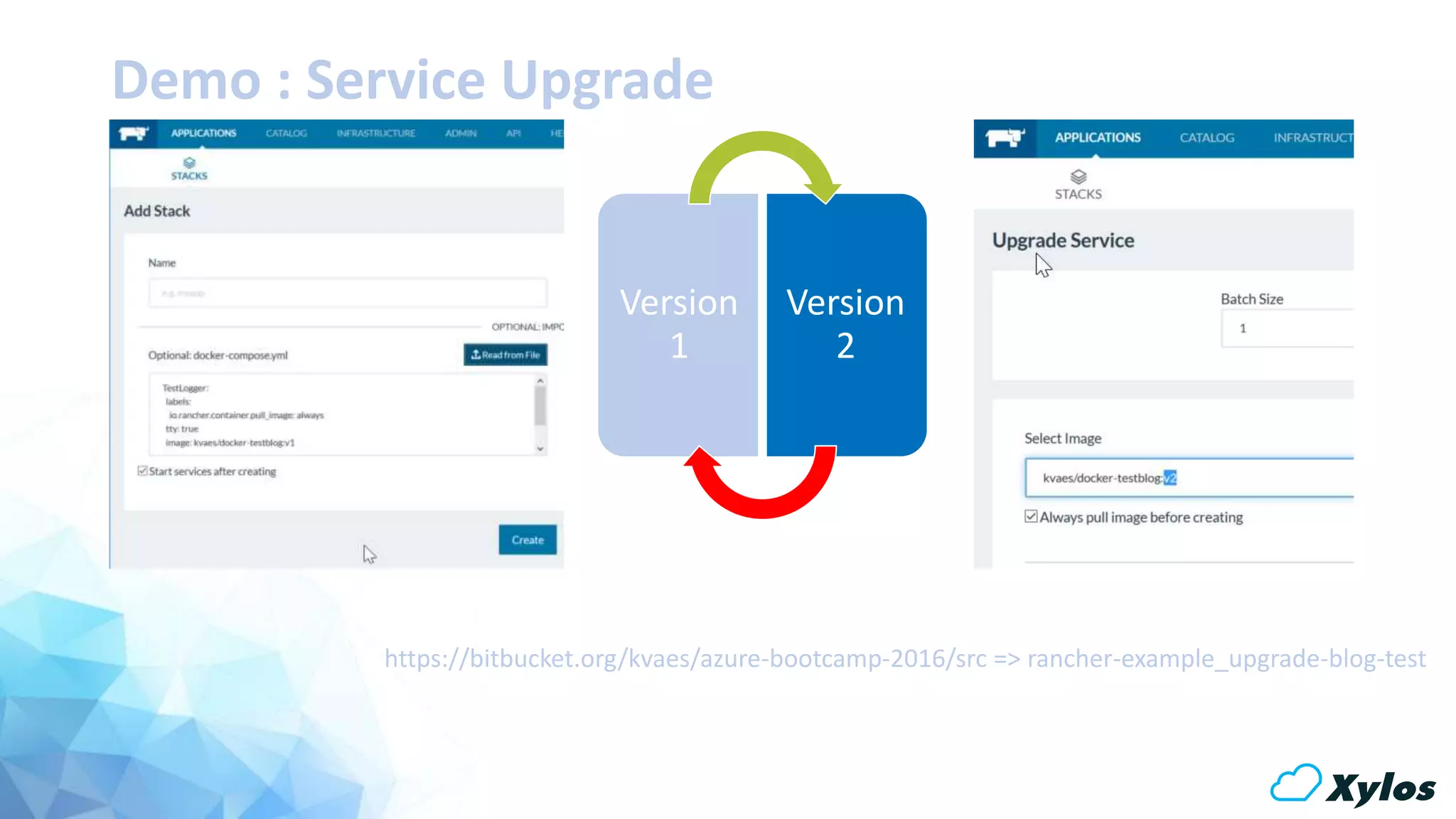
Demo : Service Upgrade
Version
1
Version
2
https://bitbucket.org/kvaes/azure-bootcamp-2016/src => rancher-example_upgrade-blog-test
Demo : Cross-Region/Host Networking
Demo : Cross-Region Networking
[Sidenote : the Azure quickstart deployment was a single region]
Demo : Service Scaling with a Shared Storage Account
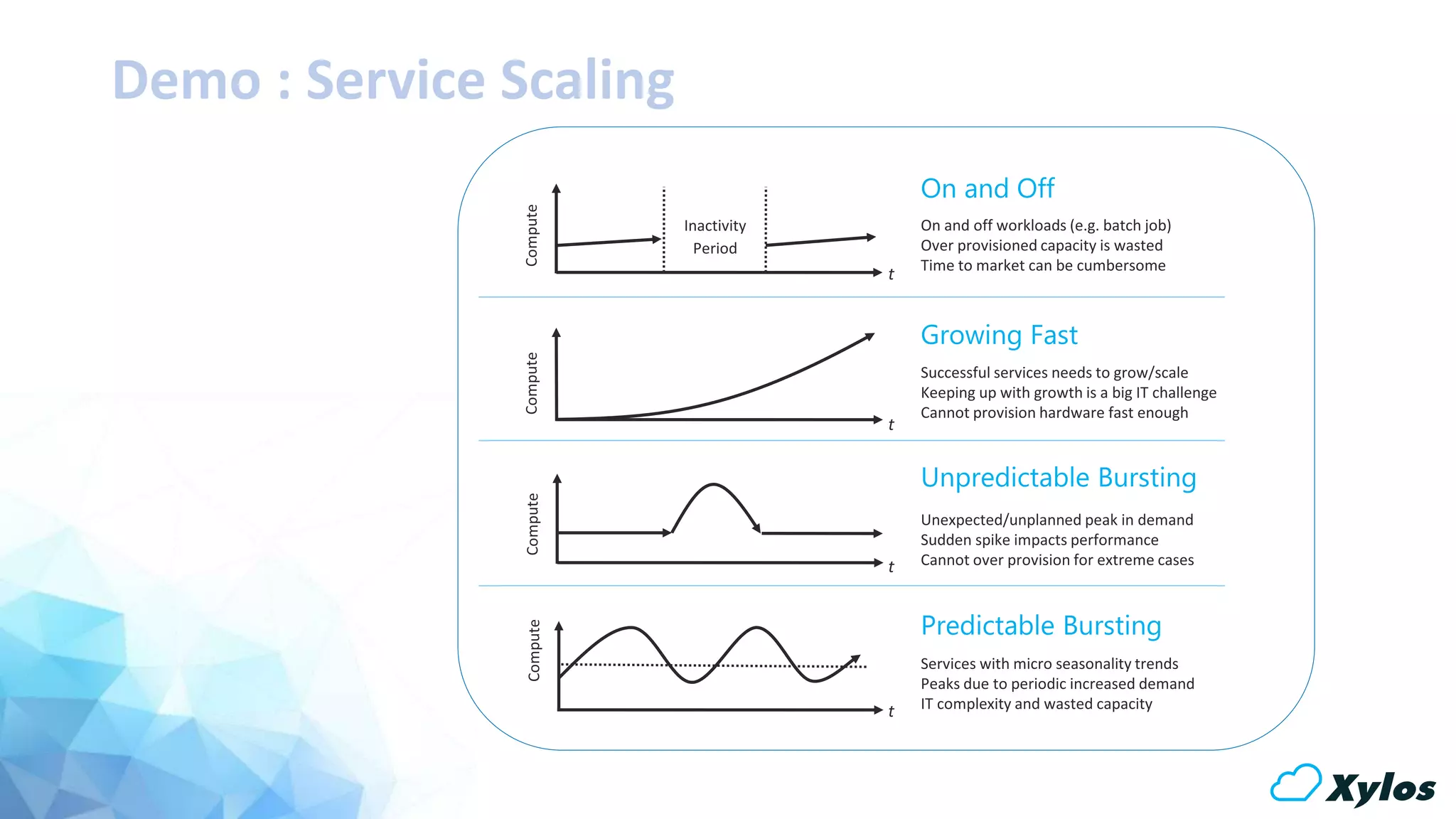
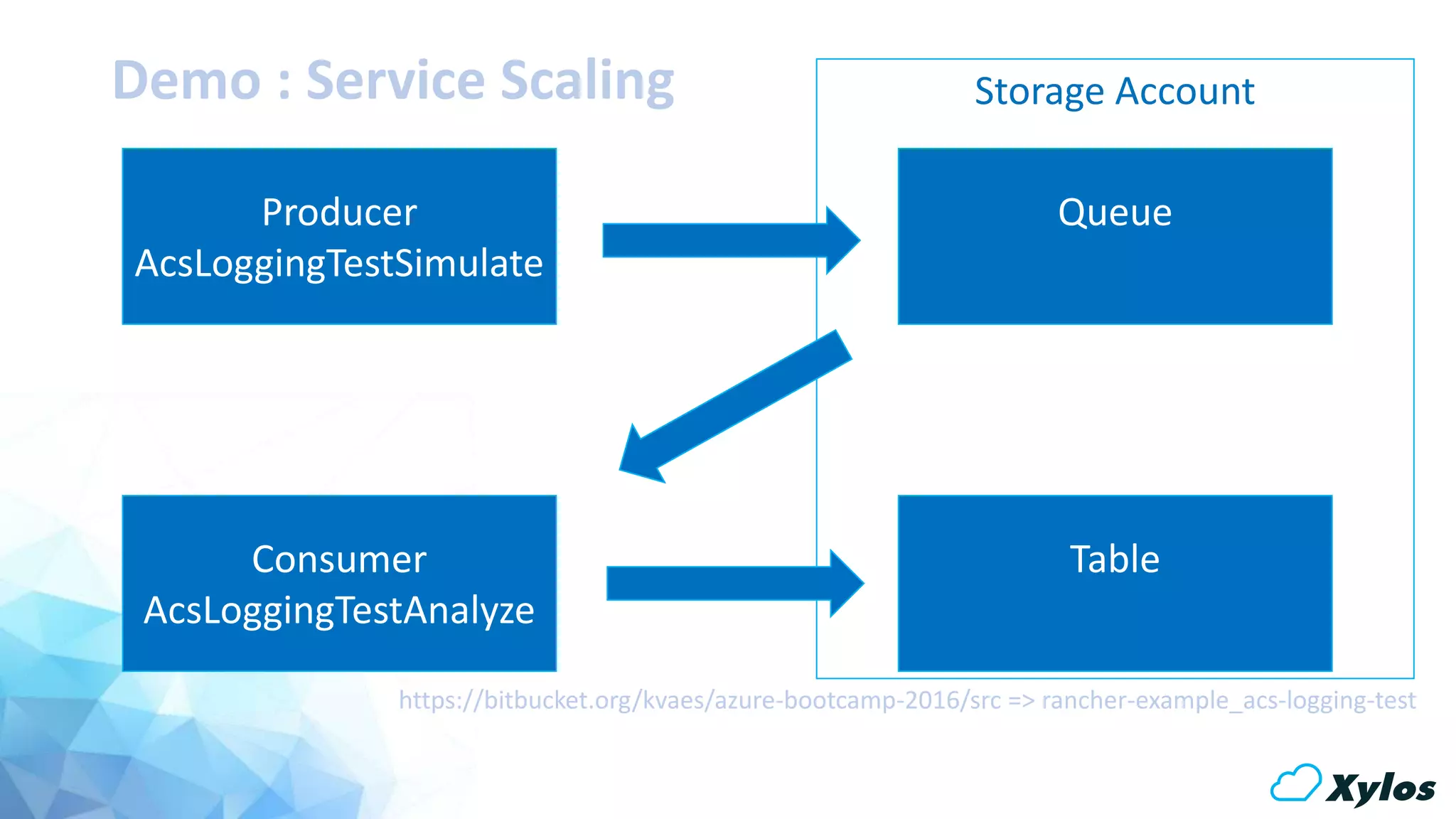
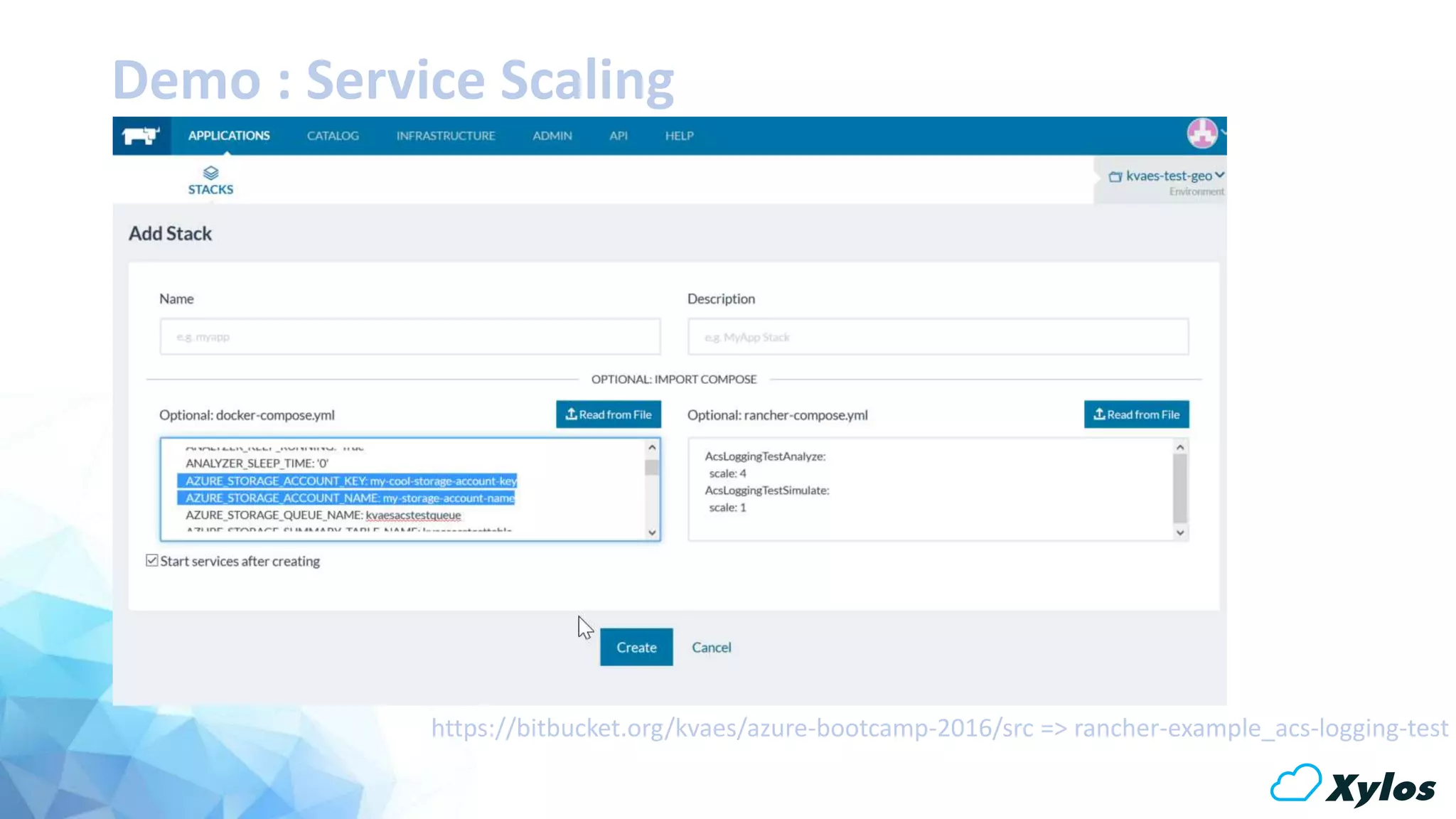
Demo : Service Scaling
Producer
AcsLoggingTestSimulate
Consumer
AcsLoggingTestAnalyze
Queue
Table
Storage Account
https://bitbucket.org/kvaes/azure-bootcamp-2016/src => rancher-example_acs-logging-test
Demo : Service Scaling
https://bitbucket.org/kvaes/azure-bootcamp-2016/src => rancher-example_acs-logging-test
Demo : Azure AutoScaling
Demo : Azure Autoscaling
[Sidenote: No Azure Quickstart templates available yet for Rancher & VMSS...]
Demo : Docker Volume Plugin for Azure File Storage
Volumes? #wtf
#
# OfxParser Dockerfile
#
# Source : https://bitbucket.org/kvaes/docker-ofxparser/
# Author : Karim Vaes
# Use Ubuntu 10.04 as a base
FROM ubuntu:10.04
# First let's do some updates!
RUN apt-get update && apt-get -y upgrade
# Install PHP5-cli, cron
RUN apt-get -y install php5-cli cron
# Let's prep the OfxParser install
RUN mkdir -p /ofx/bin && mkdir -p /ofx/in && mkdir -p
/ofx/out
# Pull the latest ofxparser source
ENV HOME /root
COPY config.php /ofx/bin/
COPY csv2oxf.php /ofx/bin/
COPY ofxcron /ofx/bin/
COPY parser.php /ofx/bin/
COPY startcron.sh /ofx/bin/
# Chmod 755 to scripts
RUN chmod 755 /ofx/bin/*.sh
# Setup Cron Job
RUN cat /ofx/bin/ofxcron >> /etc/crontab
# Setup Cron Log
RUN touch /var/log/ofx.log
# Setup Volumes
VOLUME ["/ofx/in"]
VOLUME ["/ofx/out"]
# Define default command.
CMD ["/ofx/bin/startcron.sh"]
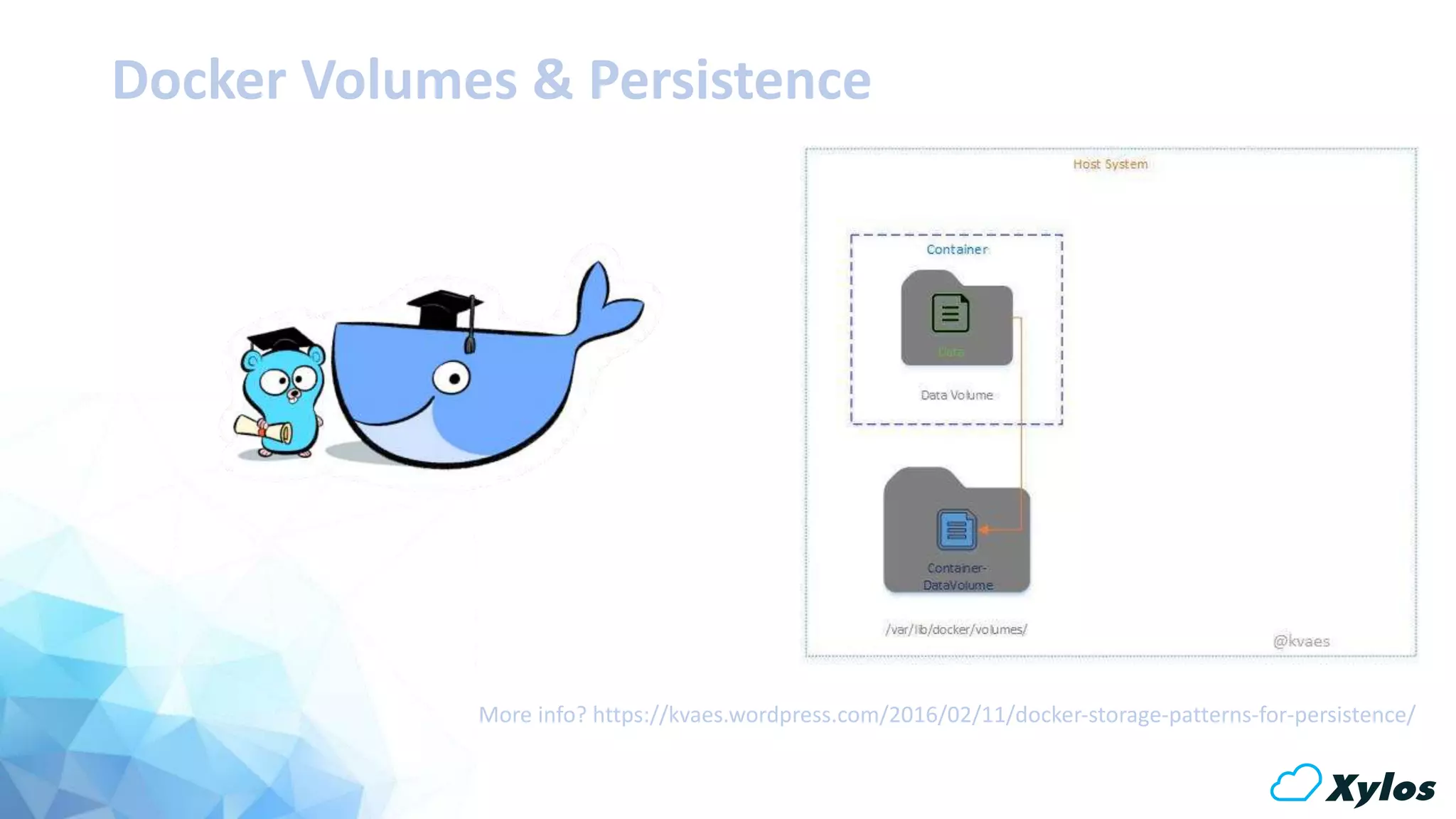
Docker Volumes & Persistence
More info? https://kvaes.wordpress.com/2016/02/11/docker-storage-patterns-for-persistence/
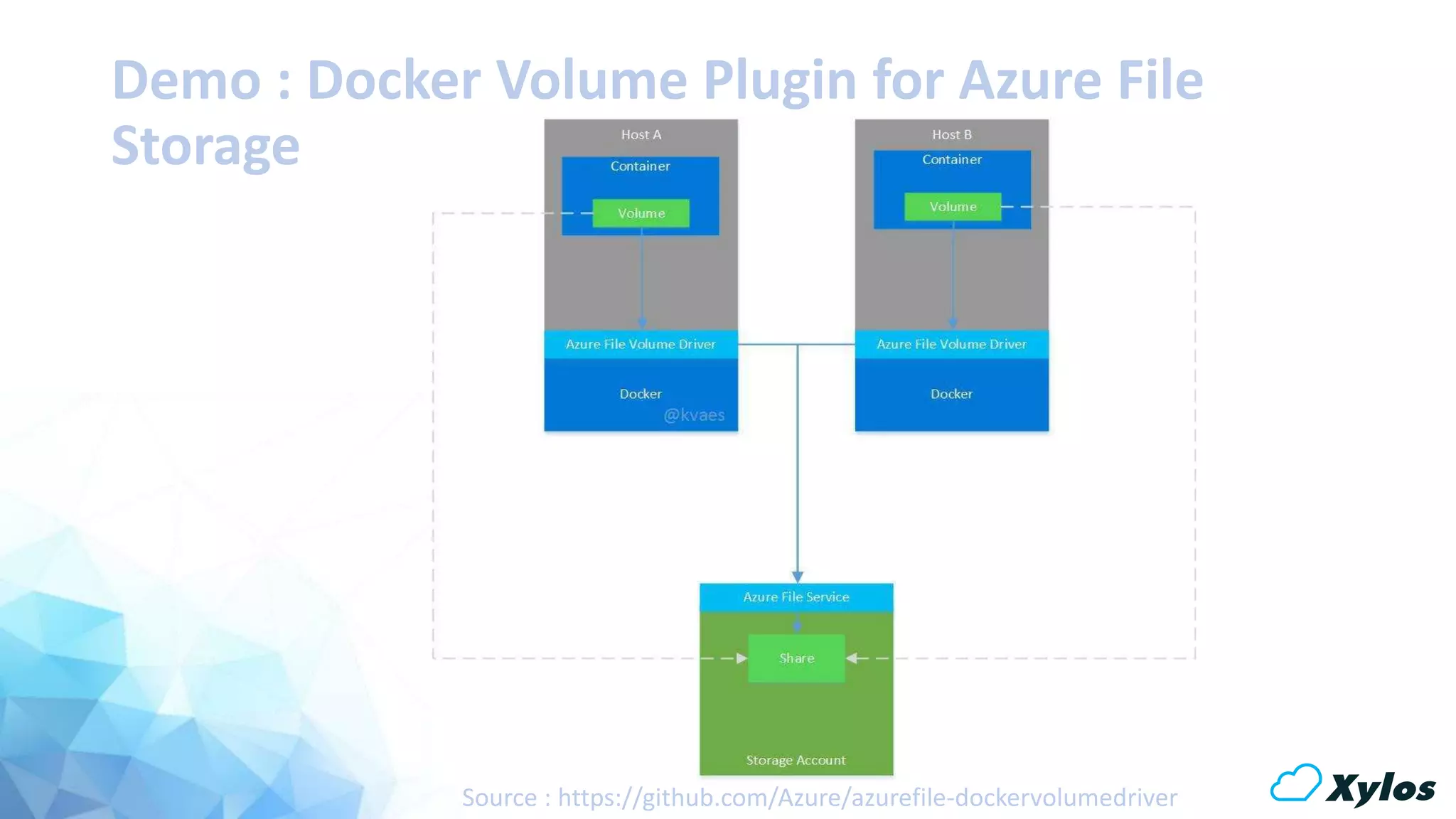
Demo : Docker Volume Plugin for Azure File
Storage
Source : https://github.com/Azure/azurefile-dockervolumedriver
Demo : Docker Volume Plugin for Azure File
Storage
wget https://bitbucket.org/kvaes/azure-scriptbin/raw/888d4ff75d84839c8643fe0d9c49d95cd41c9a39/azurefile-dockervolumedriver/azurefile.sh
./azurefilebuild.sh my-storage-account-name my-storage-account-key
sudo docker volume create --name azure_volume-d azurefile-oshare=docker
azure_volume
docker run -i -t -v azure_volume:/data busybox
cd /data/
touch karim vaes docker with azure file storage test
ls -la
exit
docker run -i -t -v azure_volume:/data ubuntu
cd /data/
ls -la
mkdir testdirectory
echo "my little cloud storage share" > whoot.txt
exit
docker run -i -t -v azure_volume:/data busybox
cat /data/whoot.txt
exit
Source : https://kvaes.wordpress.com/2016/03/23/docker-azure-testdriving-the-azure-file-storage-volume-driver/
[Sidenote: Rancher currently does not support “options” for volume drivers]
[pending feature request]
One last thing…
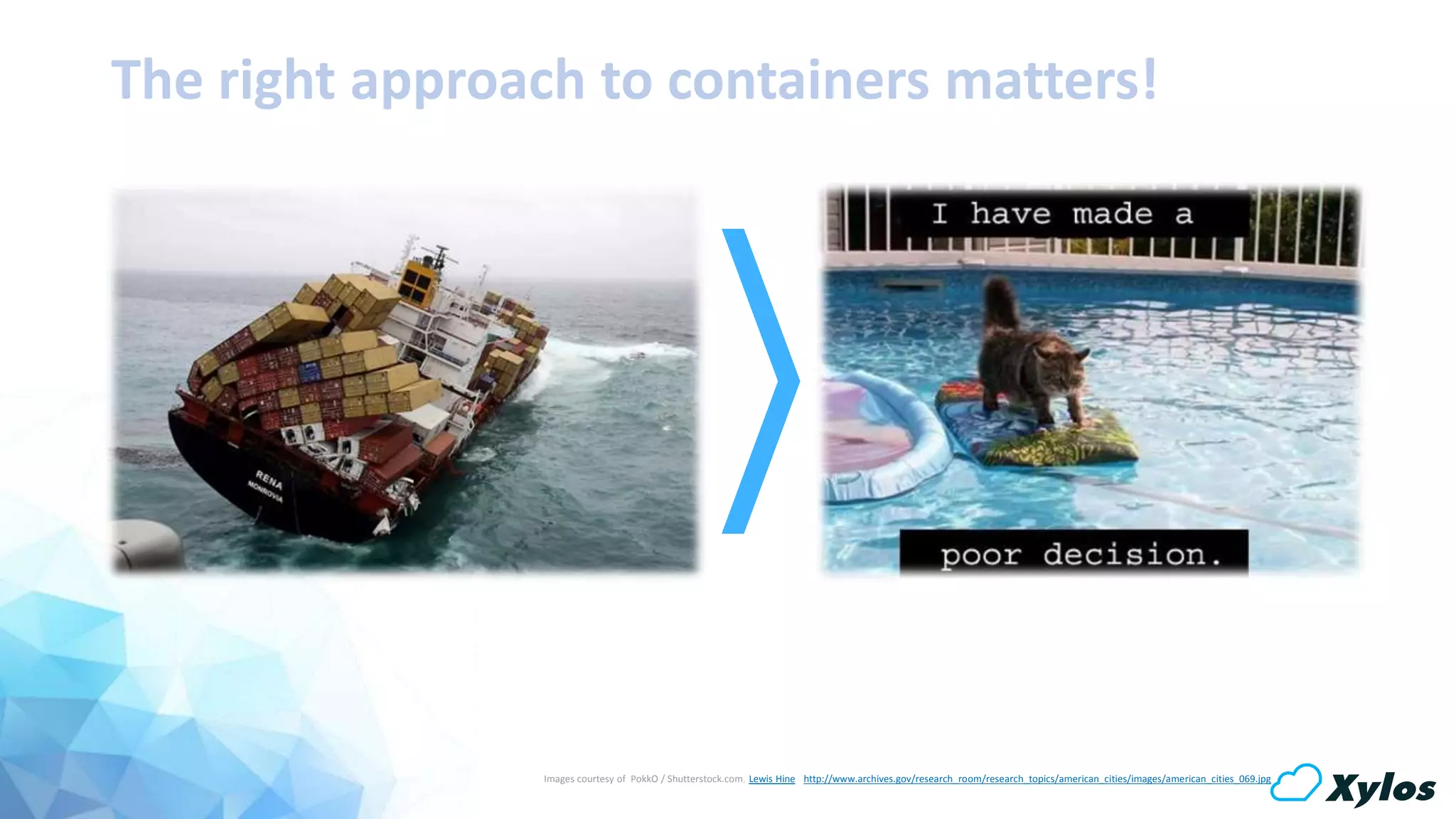
Images courtesy of PokkO / Shutterstock.com, Lewis Hine - http://www.archives.gov/research_room/research_topics/american_cities/images/american_cities_069.jpg
The right approach to containers matters!
“Any questions I can help you with?”
Thank you for your time!
Xylos Cloud ServicesXylos Cloud Services

Azure Bootcamp 2016 - Docker Orchestration on Azure with Rancher

  • 1.
    Docker Orchestration onAzure with Rancher
  • 2.
    Who am I? CloudSolution Architect @ Xylos ICT Started in IT about 15 years ago Heterogeneous Background Focused on Business Outcome about.kvaes.be @kvaes blog.kvaes.be Karim Vaes
  • 3.
    Agenda Let’s get sureeveryone understands the basics… “Docker 101” Show me the cake! “Hands-on!” Cooking up things is cool… Though let’s talk about the recipe first! “The Recipe” Sounds interesting… Show me!Say what?!?
  • 4.
  • 5.
    Traditional Current Emerging VirtualPublic Private Container Physical Baremetal Virtual Machine Private N-tier Applications MicroservicesMonolithic Applications Agile DevopsWaterfall
  • 6.
    Build Ship Run Dev QA Source Staging Physical Virtual Cloud Infrastructure Management InfrastructureManagement DockerFile Source Code Repository TESTTEST TESTTEST TEST GCE RAX IBM Mac/Win Dev Machine Boot2Docker Docker Analytics DB Prod Machine Linux OS DockerDocker ++ Users Collab Provenance Policy Docker Hub Registries Public Curated Private Docker Hub API Third Party Tools Prod Machine Linux OS DockerDocker Prod Machine Linux OS DockerDocker VM DockerDocker VM DockerDocker VM DockerDocker QA Machine Linux OS DockerDocker Build once, ship & run everywhere!
  • 7.
  • 8.
    Sample Dockerfile # Pullthe latest batch script ENV HOME /root COPY testblog.sh /data/bin/ COPY testblogcron /data/bin/ COPY startcron.sh /data/bin/ # Setup 755 on the scripts RUN chmod 755 /data/bin/*.sh # Setup Cron Job RUN cat /data/bin/testblogcron >> /etc/crontab # Setup Cron Log RUN touch /var/log/testblog.log # Define default command. CMD ["/data/bin/startcron.sh"] # # BlogTest Dockerfile # # Source : https://bitbucket.org/kvaes/docker-testblog/ # Author : Karim Vaes # Use Ubuntu 10.04 as a base FROM ubuntu:10.04 # First let's do some updates! RUN apt-get update && apt-get -y upgrade # Install cron RUN apt-get -y install cron # Let's prep the directory RUN mkdir -p /data/bin
  • 9.
  • 10.
  • 11.
  • 12.
  • 13.
    The Recipe fortoday’s dish!
  • 14.
  • 15.
  • 16.
  • 17.
  • 18.
  • 19.
  • 20.
    Demo : Deployour base setup
  • 21.
    Demo : Deployour base setup Server Leave “nodesApi” blank Select “Server” for “deploymentType” Base Configuration Setup ACL Browse to “Add Custom Host” & retrieve API url Nodes Enter API url in “nodesApi” Select “Nodes” for “deploymentType” Choose “2” as “nodesCount” https://github.com/Azure/azure-quickstart-templates/tree/master/docker-rancher
  • 22.
  • 23.
    Demo : ServiceUpgrade Version 1 Version 2 https://bitbucket.org/kvaes/azure-bootcamp-2016/src => rancher-example_upgrade-blog-test
  • 24.
  • 25.
    Demo : Cross-RegionNetworking [Sidenote : the Azure quickstart deployment was a single region]
  • 26.
    Demo : ServiceScaling with a Shared Storage Account
  • 27.
  • 28.
    Demo : ServiceScaling Producer AcsLoggingTestSimulate Consumer AcsLoggingTestAnalyze Queue Table Storage Account https://bitbucket.org/kvaes/azure-bootcamp-2016/src => rancher-example_acs-logging-test
  • 29.
    Demo : ServiceScaling https://bitbucket.org/kvaes/azure-bootcamp-2016/src => rancher-example_acs-logging-test
  • 30.
    Demo : AzureAutoScaling
  • 31.
    Demo : AzureAutoscaling [Sidenote: No Azure Quickstart templates available yet for Rancher & VMSS...]
  • 32.
    Demo : DockerVolume Plugin for Azure File Storage
  • 33.
    Volumes? #wtf # # OfxParserDockerfile # # Source : https://bitbucket.org/kvaes/docker-ofxparser/ # Author : Karim Vaes # Use Ubuntu 10.04 as a base FROM ubuntu:10.04 # First let's do some updates! RUN apt-get update && apt-get -y upgrade # Install PHP5-cli, cron RUN apt-get -y install php5-cli cron # Let's prep the OfxParser install RUN mkdir -p /ofx/bin && mkdir -p /ofx/in && mkdir -p /ofx/out # Pull the latest ofxparser source ENV HOME /root COPY config.php /ofx/bin/ COPY csv2oxf.php /ofx/bin/ COPY ofxcron /ofx/bin/ COPY parser.php /ofx/bin/ COPY startcron.sh /ofx/bin/ # Chmod 755 to scripts RUN chmod 755 /ofx/bin/*.sh # Setup Cron Job RUN cat /ofx/bin/ofxcron >> /etc/crontab # Setup Cron Log RUN touch /var/log/ofx.log # Setup Volumes VOLUME ["/ofx/in"] VOLUME ["/ofx/out"] # Define default command. CMD ["/ofx/bin/startcron.sh"]
  • 34.
    Docker Volumes &Persistence More info? https://kvaes.wordpress.com/2016/02/11/docker-storage-patterns-for-persistence/
  • 35.
    Demo : DockerVolume Plugin for Azure File Storage Source : https://github.com/Azure/azurefile-dockervolumedriver
  • 36.
    Demo : DockerVolume Plugin for Azure File Storage wget https://bitbucket.org/kvaes/azure-scriptbin/raw/888d4ff75d84839c8643fe0d9c49d95cd41c9a39/azurefile-dockervolumedriver/azurefile.sh ./azurefilebuild.sh my-storage-account-name my-storage-account-key sudo docker volume create --name azure_volume-d azurefile-oshare=docker azure_volume docker run -i -t -v azure_volume:/data busybox cd /data/ touch karim vaes docker with azure file storage test ls -la exit docker run -i -t -v azure_volume:/data ubuntu cd /data/ ls -la mkdir testdirectory echo "my little cloud storage share" > whoot.txt exit docker run -i -t -v azure_volume:/data busybox cat /data/whoot.txt exit Source : https://kvaes.wordpress.com/2016/03/23/docker-azure-testdriving-the-azure-file-storage-volume-driver/ [Sidenote: Rancher currently does not support “options” for volume drivers] [pending feature request]
  • 37.
  • 38.
    Images courtesy ofPokkO / Shutterstock.com, Lewis Hine - http://www.archives.gov/research_room/research_topics/american_cities/images/american_cities_069.jpg The right approach to containers matters!
  • 39.
    “Any questions Ican help you with?”
  • 40.
    Thank you foryour time!
  • 41.