AWS solution for ABC
Corporation
What is Cloud Computing
"Cloud Computing“ refers to the on-demand delivery of IT resources and applications via the Internet with
pay-as-you-go pricing. Consumed “as a Service”, it provides a simple way to access servers, storage,
databases and a broad set of application services over the Internet.
How is it different
 Trade capital expense for variable expense
 Benefit from economies of scale
 Stop guessing capacity
 Increase speed and agility
 No infrastructure to maintain
 Go global in minutes
Similarities
 User Experience
 Control – Users, applications, data
 Application stack for developers
 Technology framework
Financial considerations
 PAYG - No upfront costs. Pay per service for time
used
 Cheaper – benefit from economies of scale
 Reduced TCO
 OPEX v CAPEX
 Flexible Pricing models – On demand , Reserve,
Spot
Core functionality on AWS
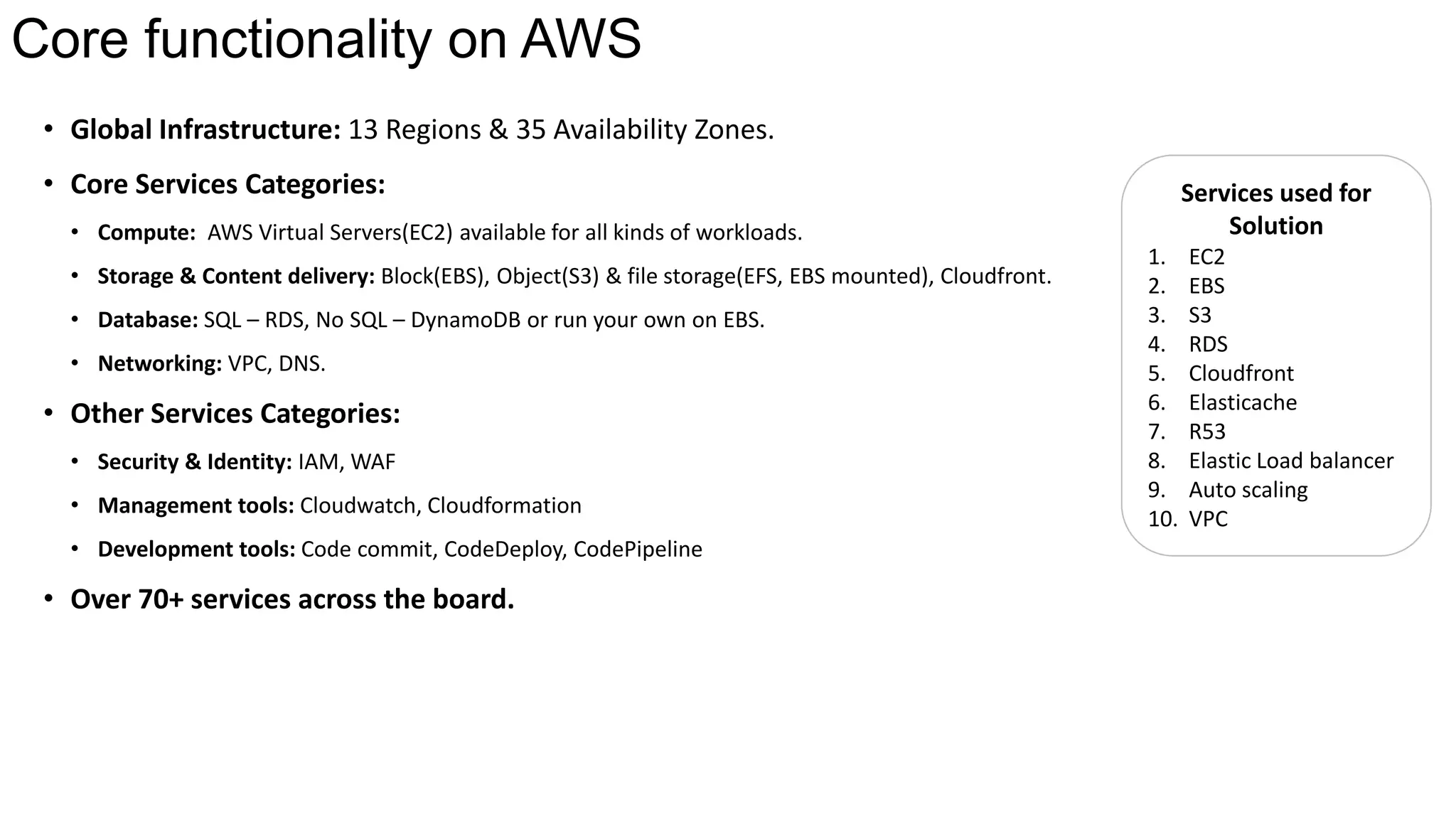
• Global Infrastructure: 13 Regions & 35 Availability Zones.
• Core Services Categories:
• Compute: AWS Virtual Servers(EC2) available for all kinds of workloads.
• Storage & Content delivery: Block(EBS), Object(S3) & file storage(EFS, EBS mounted), Cloudfront.
• Database: SQL – RDS, No SQL – DynamoDB or run your own on EBS.
• Networking: VPC, DNS.
• Other Services Categories:
• Security & Identity: IAM, WAF
• Management tools: Cloudwatch, Cloudformation
• Development tools: Code commit, CodeDeploy, CodePipeline
• Over 70+ services across the board.
Services used for
Solution
1. EC2
2. EBS
3. S3
4. RDS
5. Cloudfront
6. Elasticache
7. R53
8. Elastic Load balancer
9. Auto scaling
10. VPC
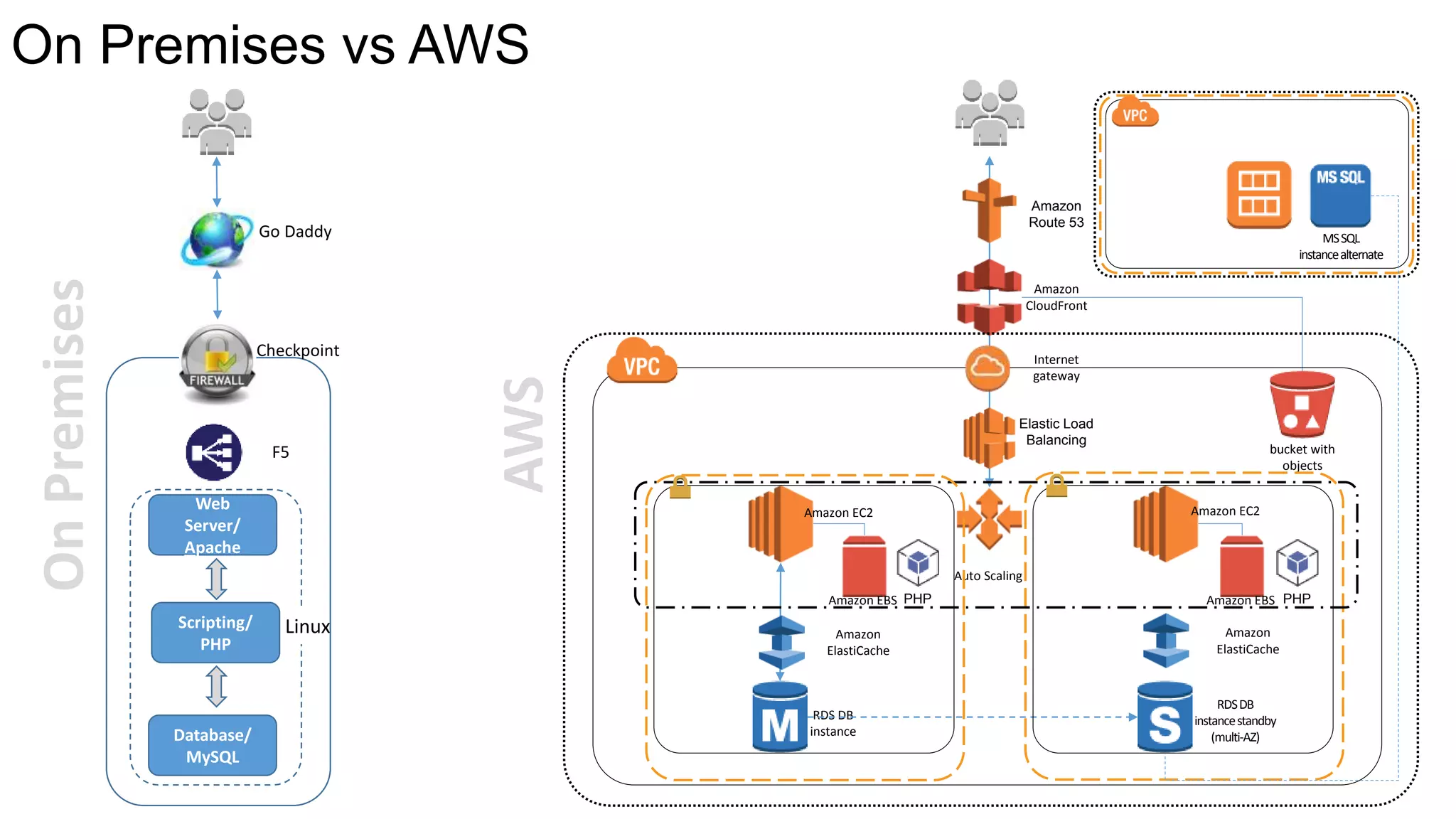
On Premises vs AWS
Web
Server/
Apache
Linux
Go Daddy
F5
Checkpoint
Database/
MySQL
Scripting/
PHP
OnPremises
AWS
Amazon EBS
bucket with
objects
Amazon
CloudFront
Elastic Load
Balancing
Amazon
Route 53
Amazon EC2 Amazon EC2
Amazon EBS
Auto Scaling
RDS DB
instance
RDSDB
instancestandby
(multi-AZ)
Amazon
ElastiCache
Amazon
ElastiCache
PHP PHP
Internet
gateway
MSSQL
instancealternate
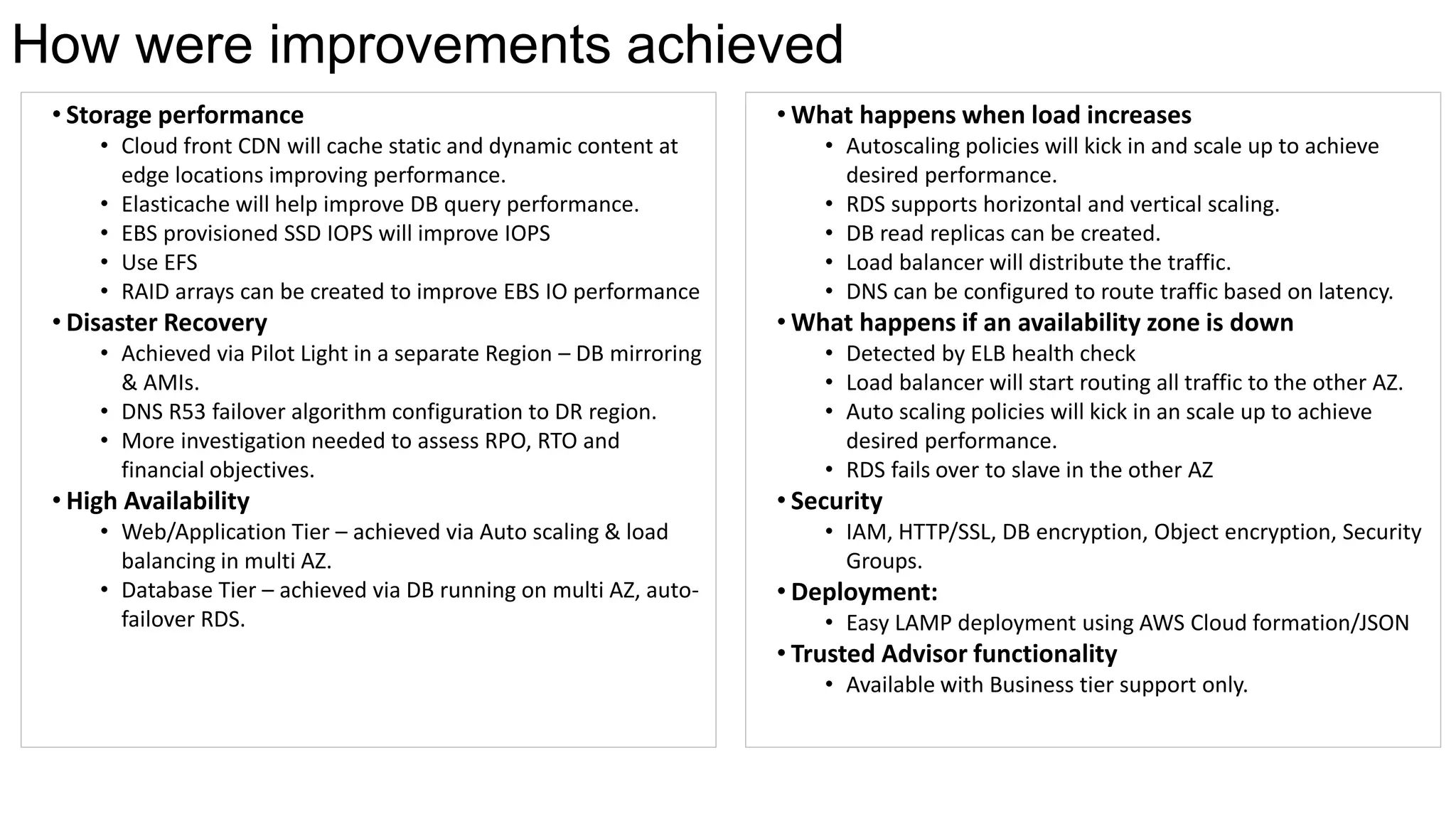
• Storage performance
• Cloud front CDN will cache static and dynamic content at
edge locations improving performance.
• Elasticache will help improve DB query performance.
• EBS provisioned SSD IOPS will improve IOPS
• Use EFS
• RAID arrays can be created to improve EBS IO performance
• Disaster Recovery
• Achieved via Pilot Light in a separate Region – DB mirroring
& AMIs.
• DNS R53 failover algorithm configuration to DR region.
• More investigation needed to assess RPO, RTO and
financial objectives.
• High Availability
• Web/Application Tier – achieved via Auto scaling & load
balancing in multi AZ.
• Database Tier – achieved via DB running on multi AZ, auto-
failover RDS.
How were improvements achieved
• What happens when load increases
• Autoscaling policies will kick in and scale up to achieve
desired performance.
• RDS supports horizontal and vertical scaling.
• DB read replicas can be created.
• Load balancer will distribute the traffic.
• DNS can be configured to route traffic based on latency.
• What happens if an availability zone is down
• Detected by ELB health check
• Load balancer will start routing all traffic to the other AZ.
• Auto scaling policies will kick in an scale up to achieve
desired performance.
• RDS fails over to slave in the other AZ
• Security
• IAM, HTTP/SSL, DB encryption, Object encryption, Security
Groups.
• Deployment:
• Easy LAMP deployment using AWS Cloud formation/JSON
• Trusted Advisor functionality
• Available with Business tier support only.
Questions

AWS Public Cloud solution for ABC Corporation

  • 1.
    AWS solution forABC Corporation
  • 2.
    What is CloudComputing "Cloud Computing“ refers to the on-demand delivery of IT resources and applications via the Internet with pay-as-you-go pricing. Consumed “as a Service”, it provides a simple way to access servers, storage, databases and a broad set of application services over the Internet. How is it different  Trade capital expense for variable expense  Benefit from economies of scale  Stop guessing capacity  Increase speed and agility  No infrastructure to maintain  Go global in minutes Similarities  User Experience  Control – Users, applications, data  Application stack for developers  Technology framework Financial considerations  PAYG - No upfront costs. Pay per service for time used  Cheaper – benefit from economies of scale  Reduced TCO  OPEX v CAPEX  Flexible Pricing models – On demand , Reserve, Spot
  • 3.
    Core functionality onAWS • Global Infrastructure: 13 Regions & 35 Availability Zones. • Core Services Categories: • Compute: AWS Virtual Servers(EC2) available for all kinds of workloads. • Storage & Content delivery: Block(EBS), Object(S3) & file storage(EFS, EBS mounted), Cloudfront. • Database: SQL – RDS, No SQL – DynamoDB or run your own on EBS. • Networking: VPC, DNS. • Other Services Categories: • Security & Identity: IAM, WAF • Management tools: Cloudwatch, Cloudformation • Development tools: Code commit, CodeDeploy, CodePipeline • Over 70+ services across the board. Services used for Solution 1. EC2 2. EBS 3. S3 4. RDS 5. Cloudfront 6. Elasticache 7. R53 8. Elastic Load balancer 9. Auto scaling 10. VPC
  • 4.
    On Premises vsAWS Web Server/ Apache Linux Go Daddy F5 Checkpoint Database/ MySQL Scripting/ PHP OnPremises AWS Amazon EBS bucket with objects Amazon CloudFront Elastic Load Balancing Amazon Route 53 Amazon EC2 Amazon EC2 Amazon EBS Auto Scaling RDS DB instance RDSDB instancestandby (multi-AZ) Amazon ElastiCache Amazon ElastiCache PHP PHP Internet gateway MSSQL instancealternate
  • 5.
    • Storage performance •Cloud front CDN will cache static and dynamic content at edge locations improving performance. • Elasticache will help improve DB query performance. • EBS provisioned SSD IOPS will improve IOPS • Use EFS • RAID arrays can be created to improve EBS IO performance • Disaster Recovery • Achieved via Pilot Light in a separate Region – DB mirroring & AMIs. • DNS R53 failover algorithm configuration to DR region. • More investigation needed to assess RPO, RTO and financial objectives. • High Availability • Web/Application Tier – achieved via Auto scaling & load balancing in multi AZ. • Database Tier – achieved via DB running on multi AZ, auto- failover RDS. How were improvements achieved • What happens when load increases • Autoscaling policies will kick in and scale up to achieve desired performance. • RDS supports horizontal and vertical scaling. • DB read replicas can be created. • Load balancer will distribute the traffic. • DNS can be configured to route traffic based on latency. • What happens if an availability zone is down • Detected by ELB health check • Load balancer will start routing all traffic to the other AZ. • Auto scaling policies will kick in an scale up to achieve desired performance. • RDS fails over to slave in the other AZ • Security • IAM, HTTP/SSL, DB encryption, Object encryption, Security Groups. • Deployment: • Easy LAMP deployment using AWS Cloud formation/JSON • Trusted Advisor functionality • Available with Business tier support only.
  • 6.

Editor's Notes

  • #4 How is it different Ownership - No infrastructure to own or maintain. XaaS – Consumed as Services. Elastic - Scales up/down both horizontally & vertically. Fast Provisioniing – Quick Time to market. Availability – Distributed, redundant and fault tolerant. Secure – Security at various levels. Compliant - Performance - Connectivity - Internet or dedicated line to required. Financial considerations PAYG - No upfront costs. Pay per service for time used Cheaper – benefit from economies of scale OPEX v CAPEX Predictable - helps with financial planning Similarities User Experience Control – Users, applications, data
  • #5 You are responsible for - Hardware Software - OS & applications Networking Security