ARI 309
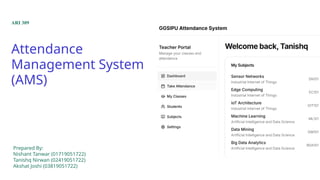
Attendance
Management System
(AMS)
Prepared By:
Nishant Tanwar (01719051722)
Tanishq Nirwan (02419051722)
Akshat Joshi (03819051722)
Project Overview
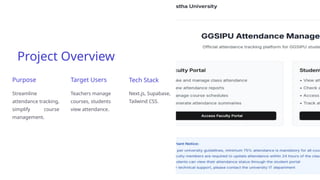
Purpose
Streamline
attendance tracking,
simplify course
management.
Target Users
Teachers manage
courses, students
view attendance.
Tech Stack
Next.js, Supabase,
Tailwind CSS.
User Roles and Access
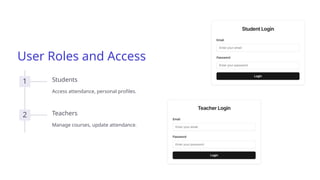
1 Students
Access attendance, personal profiles.
2 Teachers
Manage courses, update attendance.
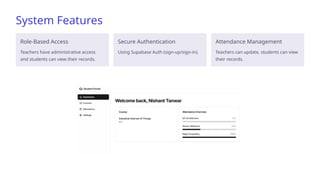
System Features
Role-Based Access
Teachers have administrative access
and students can view their records.
Secure Authentication
Using Supabase Auth (sign-up/sign-in).
Attendance Management
Teachers can update, students can view
their records.
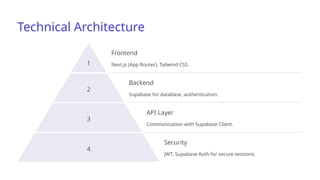
Technical Architecture
1
Frontend
Next.js (App Router), Tailwind CSS.
2
Backend
Supabase for database, authentication.
3
API Layer
Communication with Supabase Client.
4
Security
JWT, Supabase Auth for secure sessions.
Student's Portal
Dashboard
It shows the course enrolled in and attendence
overview.
Courses
Students can enrol in their respective branches
for that particular semester.
Attendence Overview
A proper attendence record can be accessed by
the students with their semester classes,
showing attendance percentage and the
classes attended and missed by the students.
The data refreshes everytime new entry is
made by the teachers.
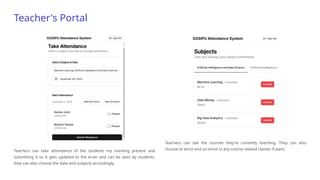
Teacher's Portal
Teachers can take attendance of the students my marking present and
submitting it so it gets updated to the erver and can be seen by students,
they can also choose the date and subjects accordingly.
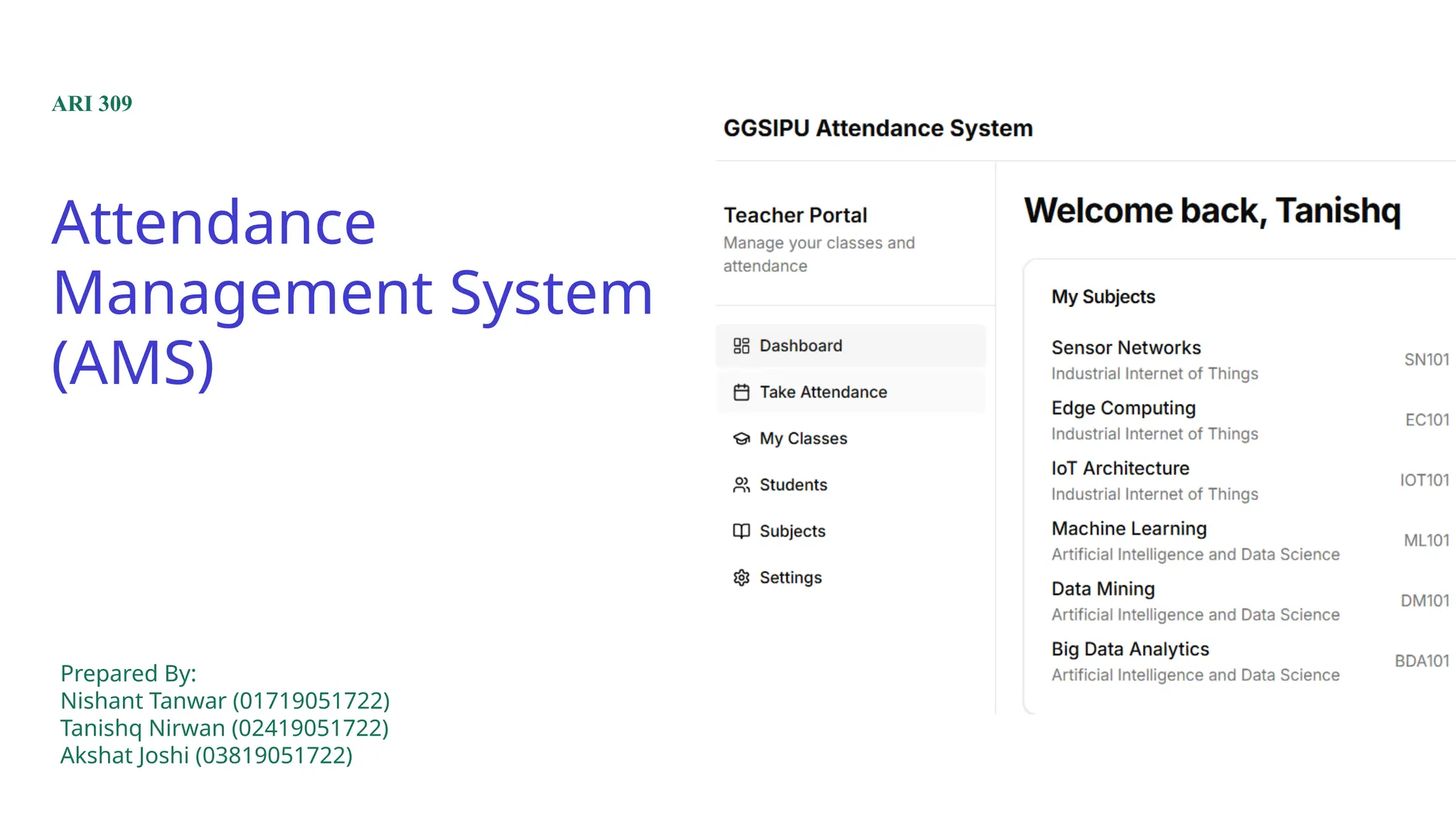
Teachers can see the courses they're currently teaching. They can also
choose to enrol and un-enrol in any course related classes if want.
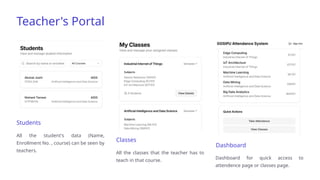
Teacher's Portal
Students
All the student's data (Name,
Enrollment No. , course) can be seen by
teachers.
Classes
All the classes that the teacher has to
teach in that course.
Dashboard
Dashboard for quick access to
attendence page or classes page.
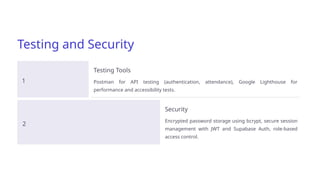
Testing and Security
1
Testing Tools
Postman for API testing (authentication, attendance), Google Lighthouse for
performance and accessibility tests.
2
Security
Encrypted password storage using bcrypt, secure session
management with JWT and Supabase Auth, role-based
access control.
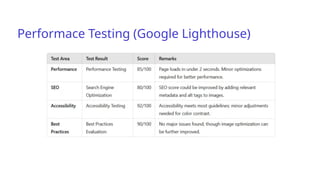
Performace Testing (Google Lighthouse)
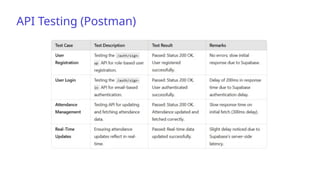
API Testing (Postman)
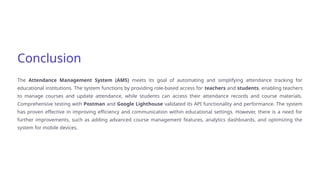
Conclusion
The Attendance Management System (AMS) meets its goal of automating and simplifying attendance tracking for
educational institutions. The system functions by providing role-based access for teachers and students, enabling teachers
to manage courses and update attendance, while students can access their attendance records and course materials.
Comprehensive testing with Postman and Google Lighthouse validated its API functionality and performance. The system
has proven effective in improving efficiency and communication within educational settings. However, there is a need for
further improvements, such as adding advanced course management features, analytics dashboards, and optimizing the
system for mobile devices.

Attendance Management System Presentation

  • 1.
    ARI 309 Attendance Management System (AMS) PreparedBy: Nishant Tanwar (01719051722) Tanishq Nirwan (02419051722) Akshat Joshi (03819051722)
  • 2.
    Project Overview Purpose Streamline attendance tracking, simplifycourse management. Target Users Teachers manage courses, students view attendance. Tech Stack Next.js, Supabase, Tailwind CSS.
  • 3.
    User Roles andAccess 1 Students Access attendance, personal profiles. 2 Teachers Manage courses, update attendance.
  • 4.
    System Features Role-Based Access Teachershave administrative access and students can view their records. Secure Authentication Using Supabase Auth (sign-up/sign-in). Attendance Management Teachers can update, students can view their records.
  • 5.
    Technical Architecture 1 Frontend Next.js (AppRouter), Tailwind CSS. 2 Backend Supabase for database, authentication. 3 API Layer Communication with Supabase Client. 4 Security JWT, Supabase Auth for secure sessions.
  • 6.
    Student's Portal Dashboard It showsthe course enrolled in and attendence overview. Courses Students can enrol in their respective branches for that particular semester. Attendence Overview A proper attendence record can be accessed by the students with their semester classes, showing attendance percentage and the classes attended and missed by the students. The data refreshes everytime new entry is made by the teachers.
  • 7.
    Teacher's Portal Teachers cantake attendance of the students my marking present and submitting it so it gets updated to the erver and can be seen by students, they can also choose the date and subjects accordingly. Teachers can see the courses they're currently teaching. They can also choose to enrol and un-enrol in any course related classes if want.
  • 8.
    Teacher's Portal Students All thestudent's data (Name, Enrollment No. , course) can be seen by teachers. Classes All the classes that the teacher has to teach in that course. Dashboard Dashboard for quick access to attendence page or classes page.
  • 9.
    Testing and Security 1 TestingTools Postman for API testing (authentication, attendance), Google Lighthouse for performance and accessibility tests. 2 Security Encrypted password storage using bcrypt, secure session management with JWT and Supabase Auth, role-based access control.
  • 10.
  • 11.
  • 12.
    Conclusion The Attendance ManagementSystem (AMS) meets its goal of automating and simplifying attendance tracking for educational institutions. The system functions by providing role-based access for teachers and students, enabling teachers to manage courses and update attendance, while students can access their attendance records and course materials. Comprehensive testing with Postman and Google Lighthouse validated its API functionality and performance. The system has proven effective in improving efficiency and communication within educational settings. However, there is a need for further improvements, such as adding advanced course management features, analytics dashboards, and optimizing the system for mobile devices.