



Lino Schildenfeld 2nd December 2015
APEX 5 – Printing
What are my report printing options?
www.apexRnD.co.nz
lschilde.blogspot.com
@LinoSchilde
lschilde@apexRnD.co.nz
Lino Schildenfeld
APEX R&D manager for NZ and AU
10 years+ Oracle experience
APEX Blogger and enthusiast
NZ APEX meetup organizer
About me
Oracle Application Express 5
What are my printing options?
apex.oracle.comapex.world
APEX Print capability and printing options
Printing Alternatives
Summary
Reporting
Most common requirement for modern applications
Can be classified by:
Complexity and formats
Templates and data handling
Data types
Modification requirements
Delivery methods and scheduling
Run in database or externally
Will drive your choices…….
APEX reporting
Good reporting support
Classic or Interactive reports
Images, links, pivoting, computation, highlighting…...
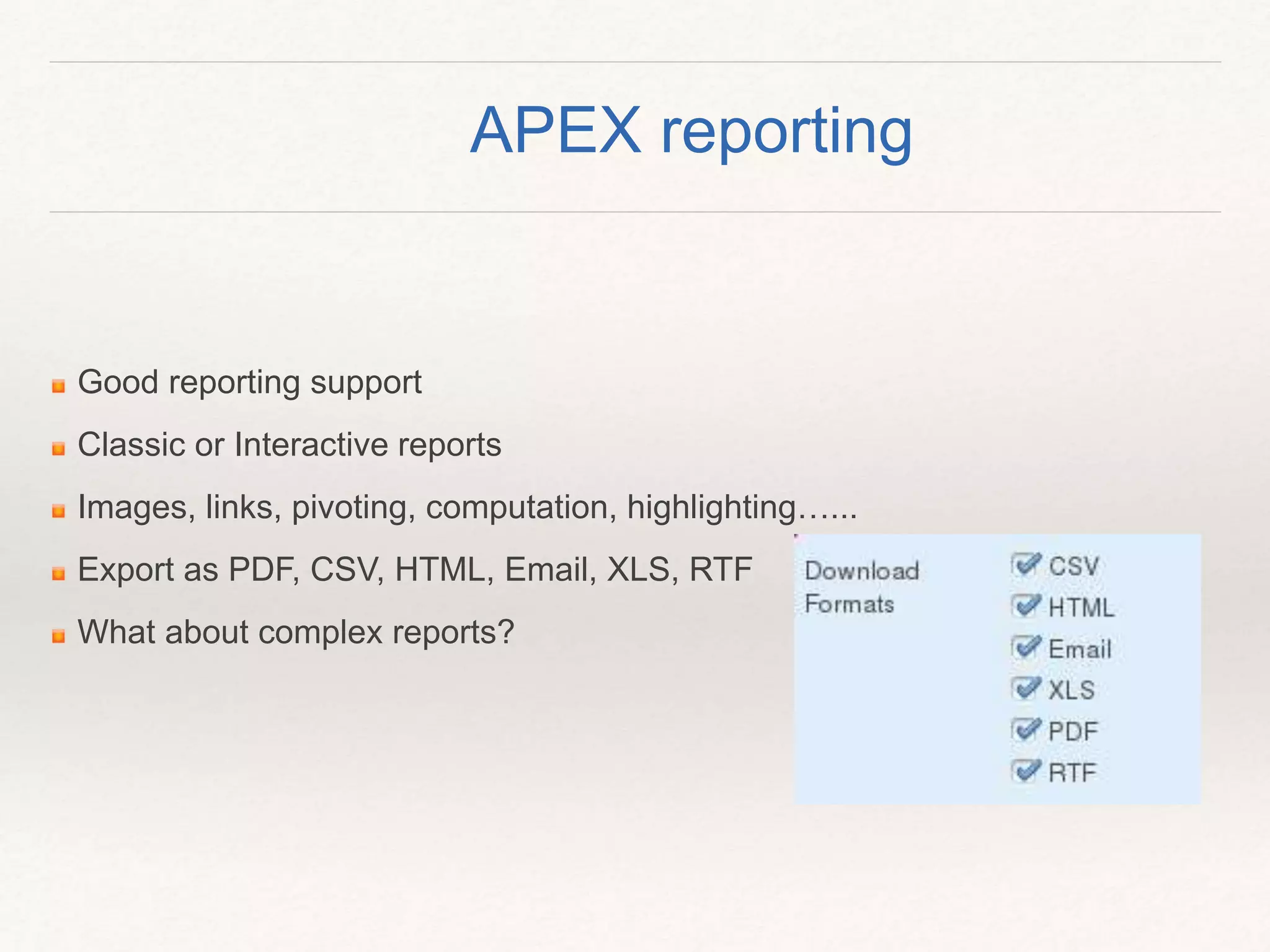
Export as PDF, CSV, HTML, Email, XLS, RTF
What about complex reports?
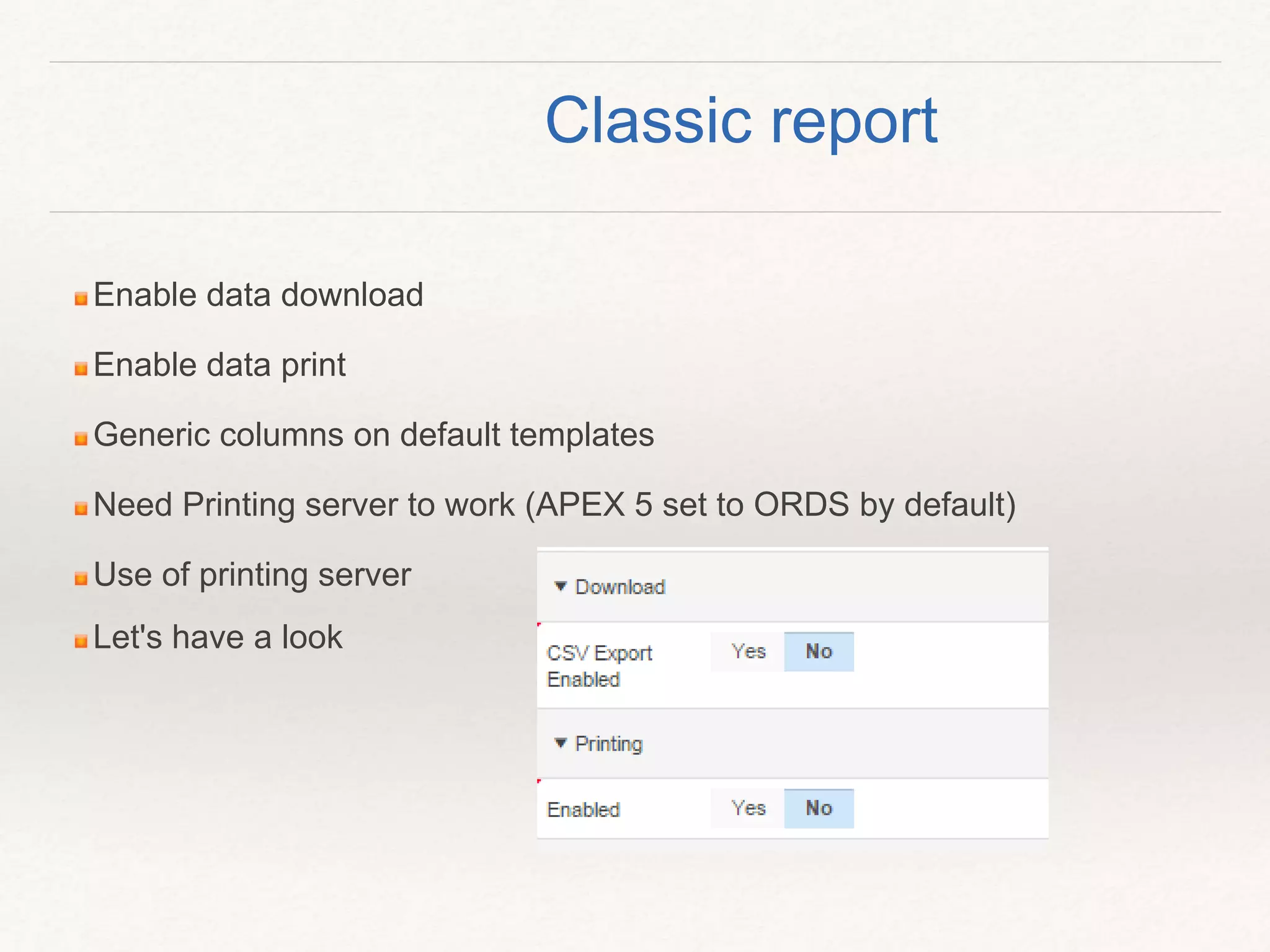
Enable data download
Enable data print
Generic columns on default templates
Need Printing server to work (APEX 5 set to ORDS by default)
Use of printing server
Let's have a look
Classic report
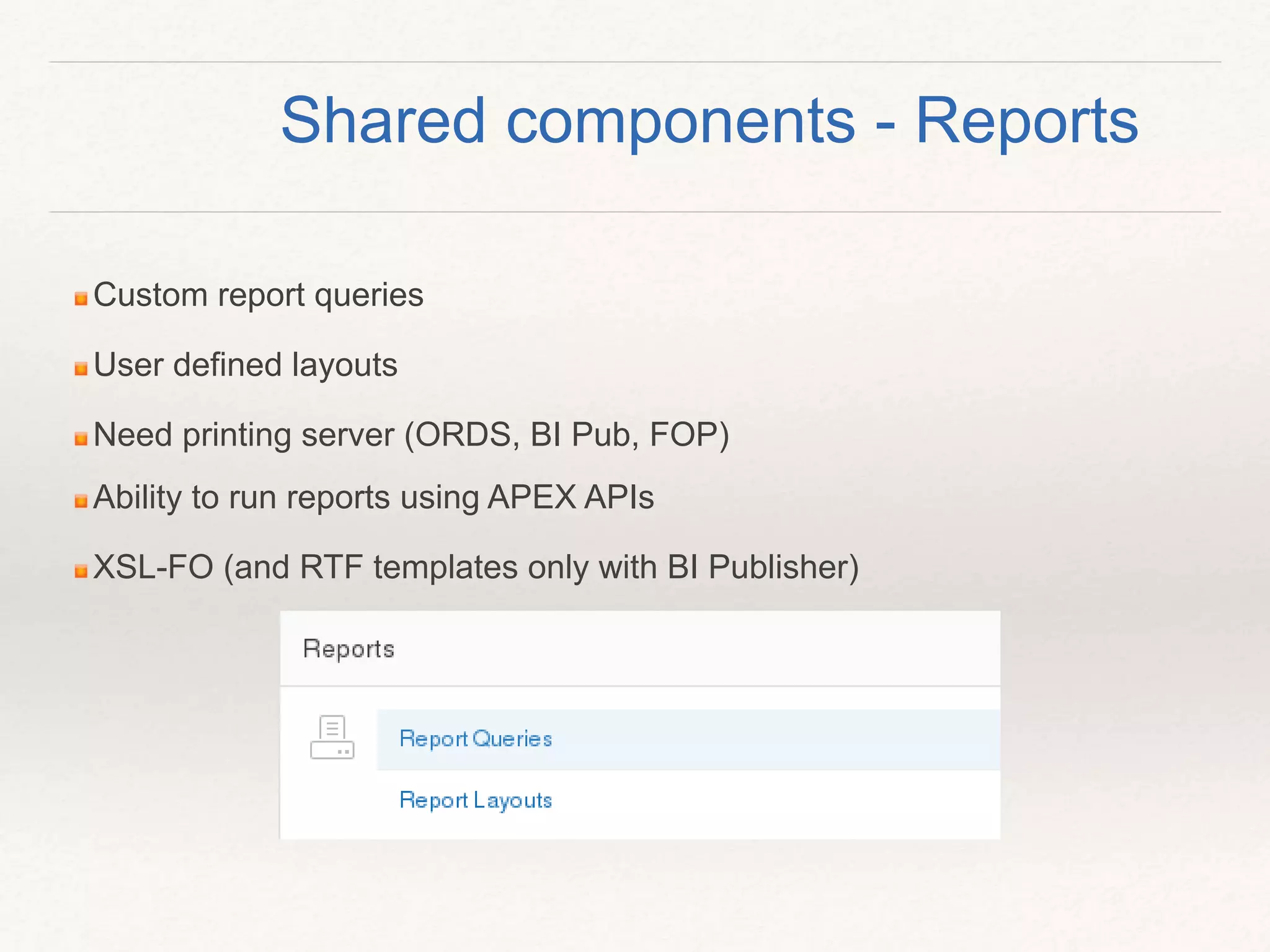
Custom report queries
User defined layouts
Need printing server (ORDS, BI Pub, FOP)
Ability to run reports using APEX APIs
XSL-FO (and RTF templates only with BI Publisher)
Shared components - Reports
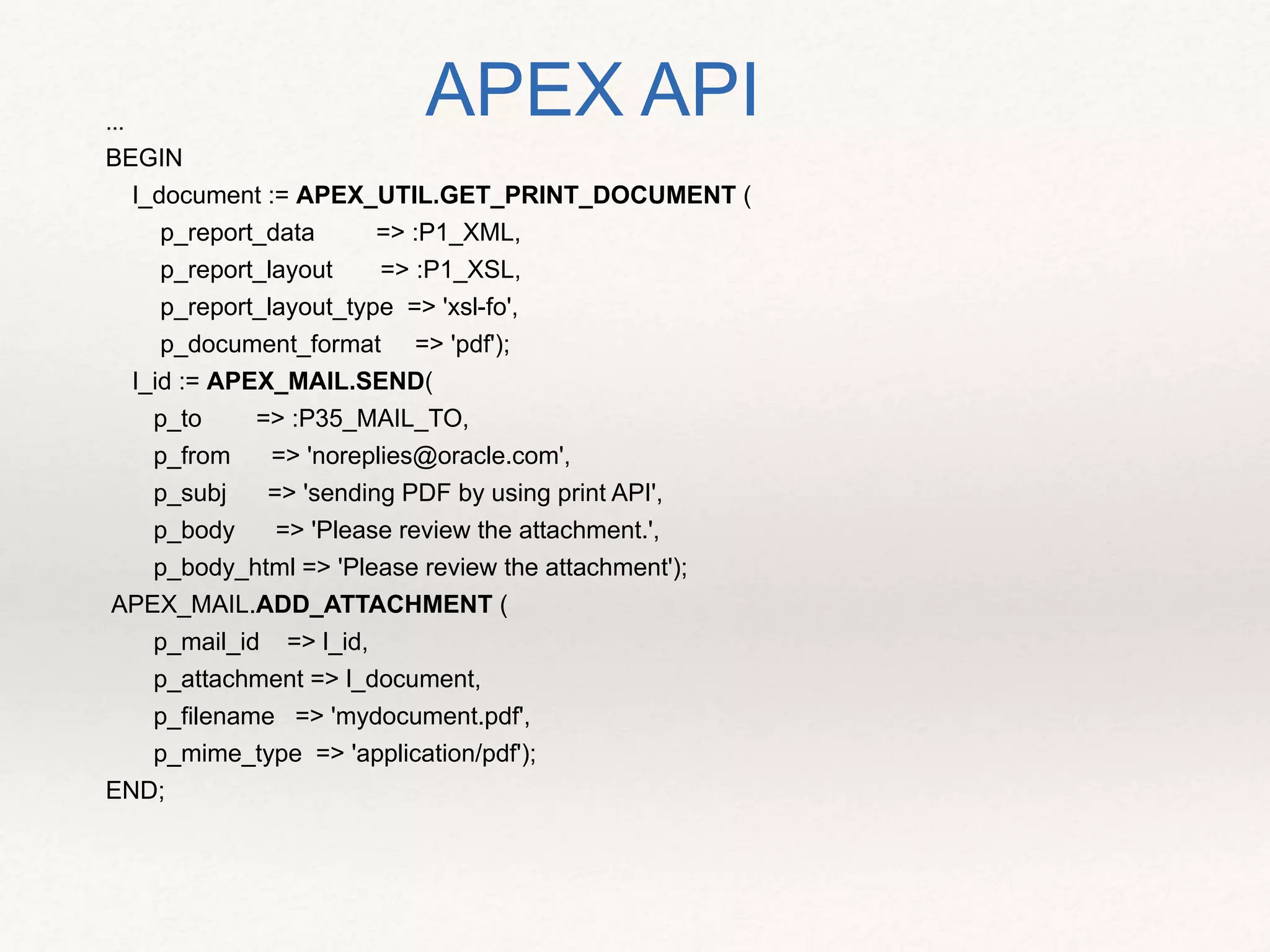
...
BEGIN
l_document := APEX_UTIL.GET_PRINT_DOCUMENT (
p_report_data => :P1_XML,
p_report_layout => :P1_XSL,
p_report_layout_type => 'xsl-fo',
p_document_format => 'pdf');
l_id := APEX_MAIL.SEND(
p_to => :P35_MAIL_TO,
p_from => 'noreplies@oracle.com',
p_subj => 'sending PDF by using print API',
p_body => 'Please review the attachment.',
p_body_html => 'Please review the attachment');
APEX_MAIL.ADD_ATTACHMENT (
p_mail_id => l_id,
p_attachment => l_document,
p_filename => 'mydocument.pdf',
p_mime_type => 'application/pdf');
END;
APEX API
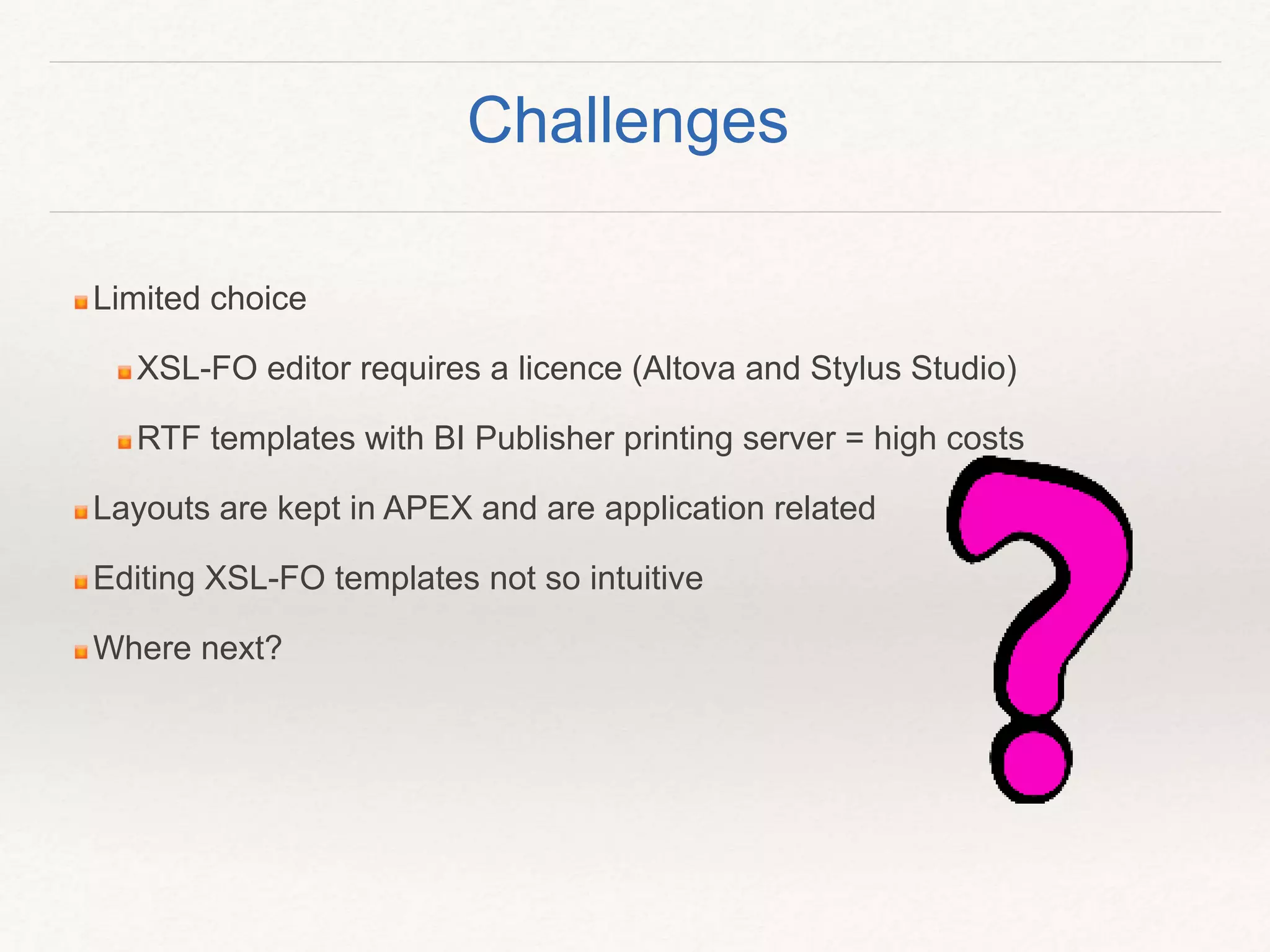
Limited choice
XSL-FO editor requires a licence (Altova and Stylus Studio)
RTF templates with BI Publisher printing server = high costs
Layouts are kept in APEX and are application related
Editing XSL-FO templates not so intuitive
Where next?
Challenges
Option 1. APEX Plugins
Example “Reports 2 PDF” by Anton Scheffer
Completely PL/SQL based
Uses report region source to generate PDFs
Great replacement if no access to FOP server or ORDS
DEMO
APEX Plugins
Supports pagination
Easy to setup and run
Needed an update to work in APEX 5
Not ideal for more complex data types
Can be used for simplest requirements
Can be used as development tool on APEX 4.2
APEX Plugins – overview
APEX Print capability and printing options
Printing Alternatives
Summary
Option 2. PL/PDF
Installation and getting it run is easy
Completely PL/SQL based, one of oldest tools around
Offers different packages for PDF and Office files
Create reports line by line, update existing files or adding new
pages
Word templates support (NEW)
Supports complex data types, PDF encryption and digital
signature
DEMO
PL/PDF
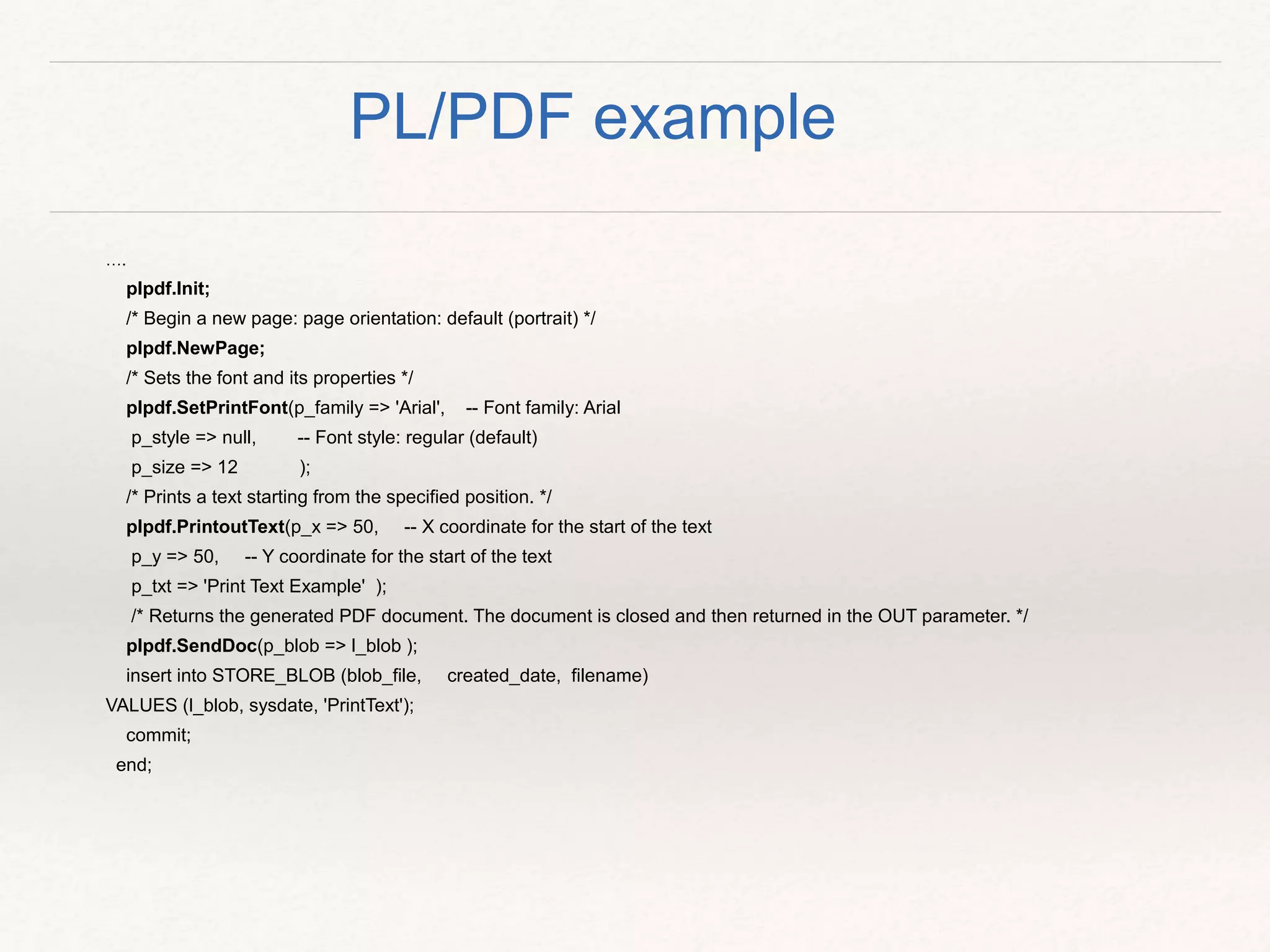
….
plpdf.Init;
/* Begin a new page: page orientation: default (portrait) */
plpdf.NewPage;
/* Sets the font and its properties */
plpdf.SetPrintFont(p_family => 'Arial', -- Font family: Arial
p_style => null, -- Font style: regular (default)
p_size => 12 );
/* Prints a text starting from the specified position. */
plpdf.PrintoutText(p_x => 50, -- X coordinate for the start of the text
p_y => 50, -- Y coordinate for the start of the text
p_txt => 'Print Text Example' );
/* Returns the generated PDF document. The document is closed and then returned in the OUT parameter. */
plpdf.SendDoc(p_blob => l_blob );
insert into STORE_BLOB (blob_file, created_date, filename)
VALUES (l_blob, sysdate, 'PrintText');
commit;
end;
PL/PDF example
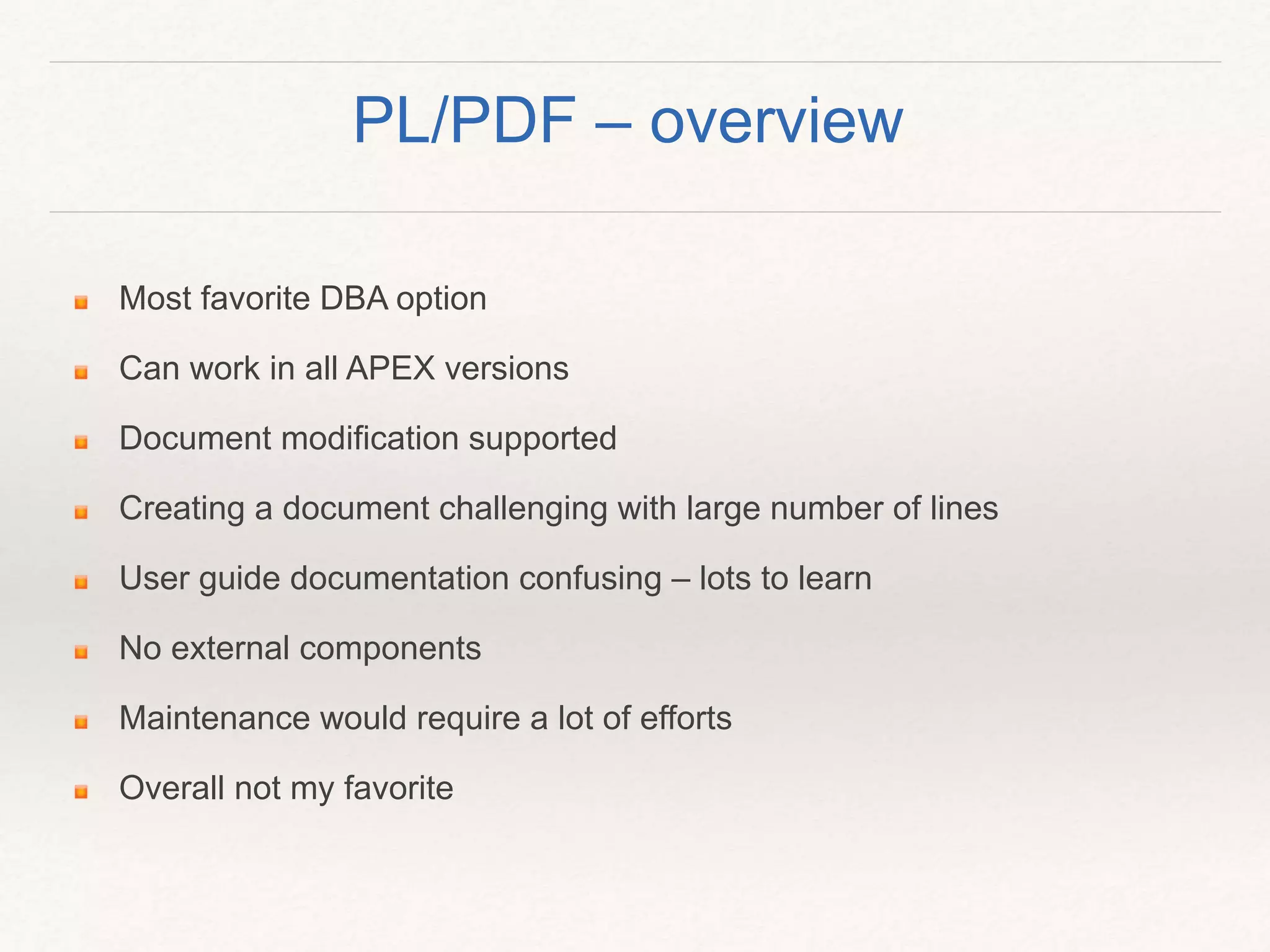
Most favorite DBA option
Can work in all APEX versions
Document modification supported
Creating a document challenging with large number of lines
User guide documentation confusing – lots to learn
No external components
Maintenance would require a lot of efforts
Overall not my favorite
PL/PDF – overview
Option 3. JRXML2PDF
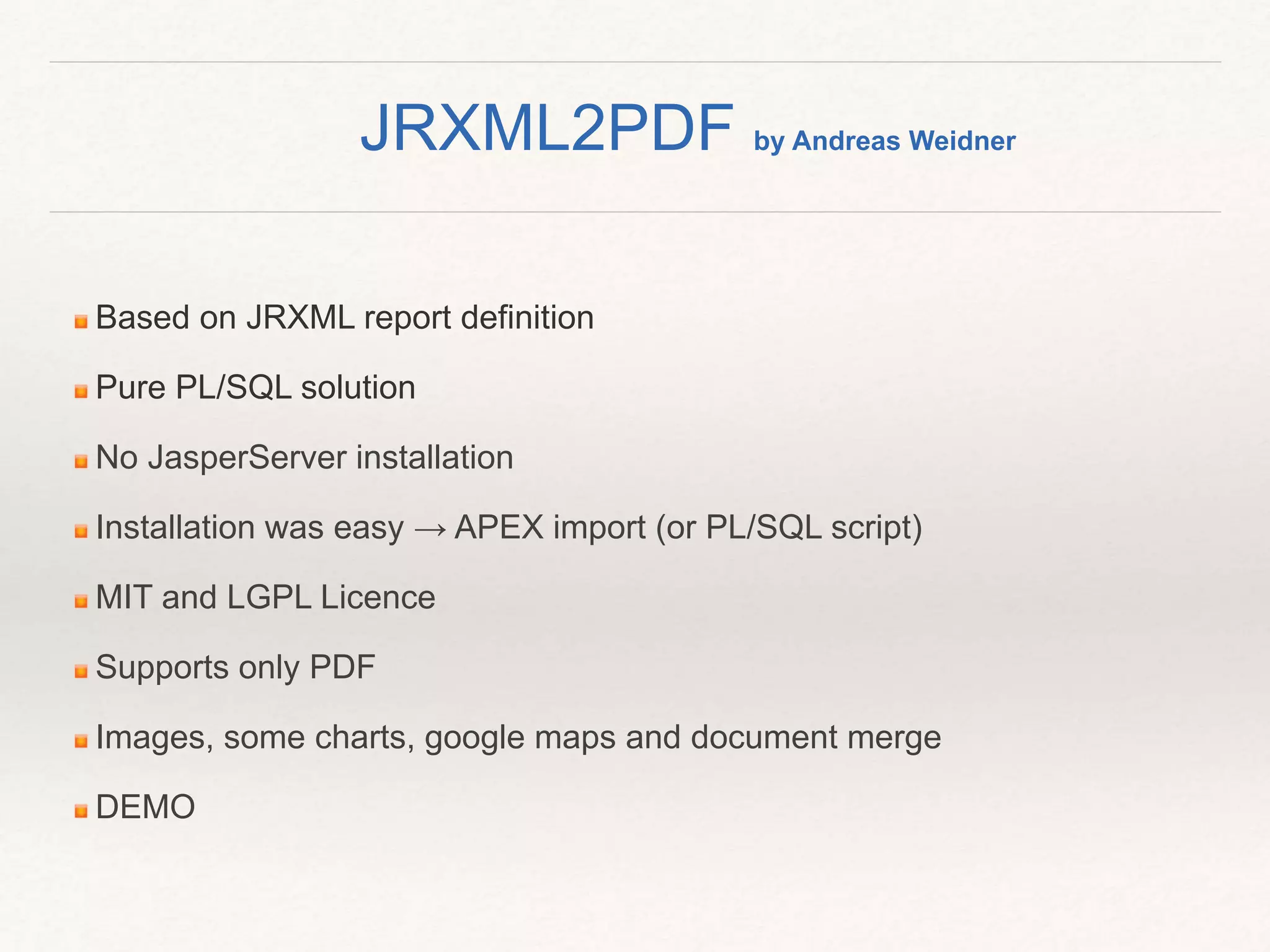
Based on JRXML report definition
Pure PL/SQL solution
No JasperServer installation
Installation was easy → APEX import (or PL/SQL script)
MIT and LGPL Licence
Supports only PDF
Images, some charts, google maps and document merge
DEMO
JRXML2PDF by Andreas Weidner
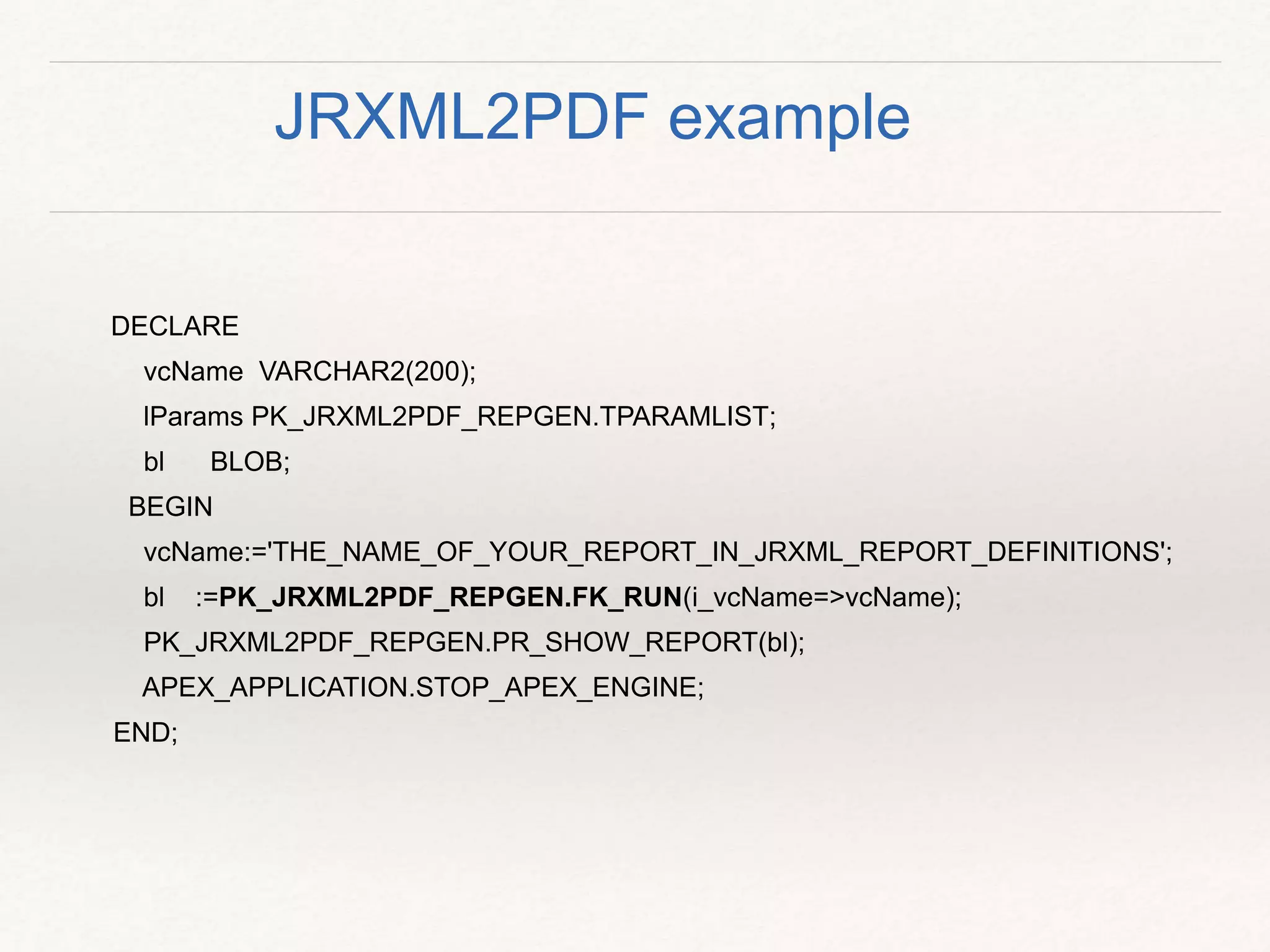
DECLARE
vcName VARCHAR2(200);
lParams PK_JRXML2PDF_REPGEN.TPARAMLIST;
bl BLOB;
BEGIN
vcName:='THE_NAME_OF_YOUR_REPORT_IN_JRXML_REPORT_DEFINITIONS';
bl :=PK_JRXML2PDF_REPGEN.FK_RUN(i_vcName=>vcName);
PK_JRXML2PDF_REPGEN.PR_SHOW_REPORT(bl);
APEX_APPLICATION.STOP_APEX_ENGINE;
END;
JRXML2PDF example
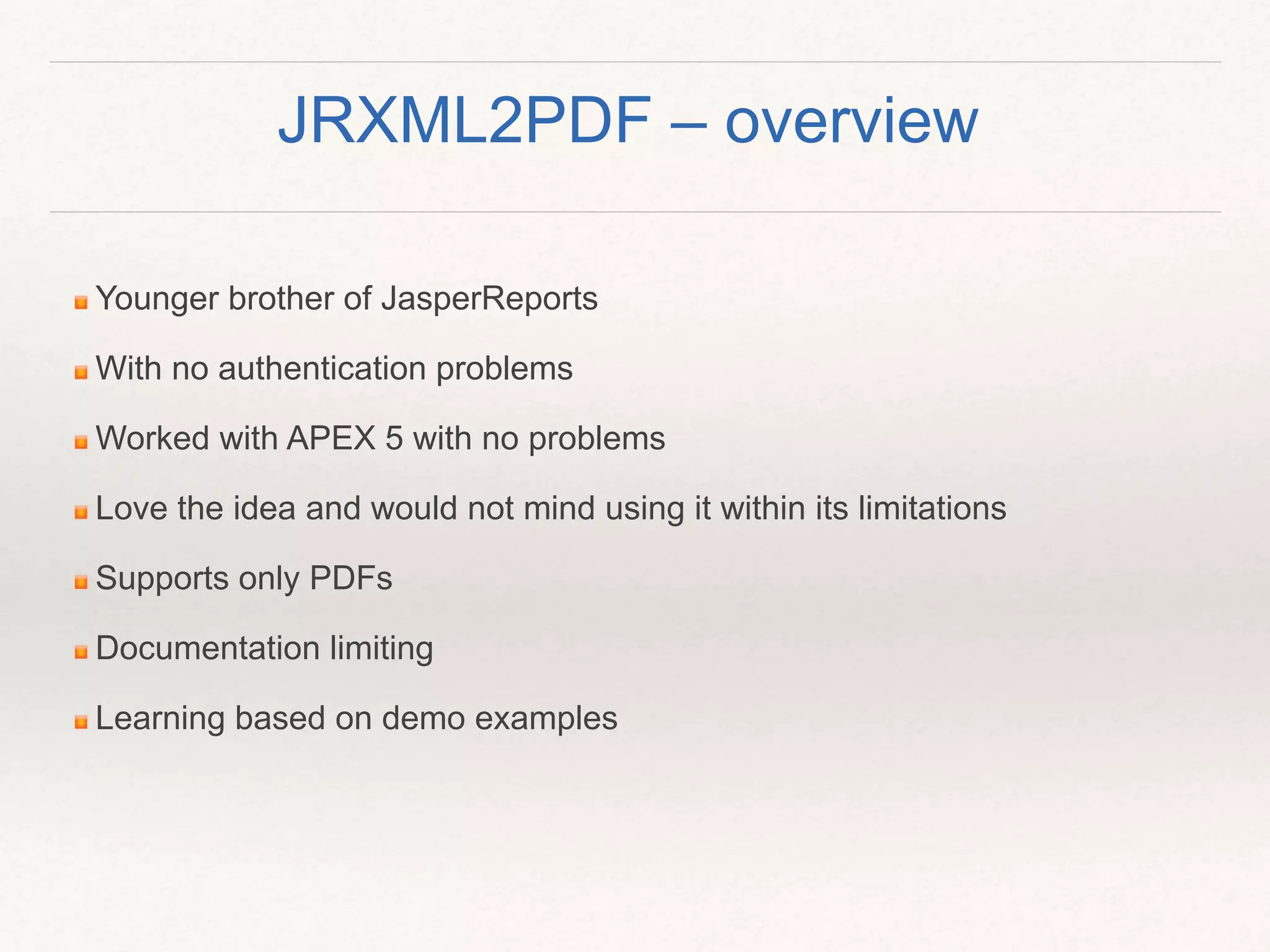
Younger brother of JasperReports
With no authentication problems
Worked with APEX 5 with no problems
Love the idea and would not mind using it within its limitations
Supports only PDFs
Documentation limiting
Learning based on demo examples
JRXML2PDF – overview
Option 4. JASPER REPORTS
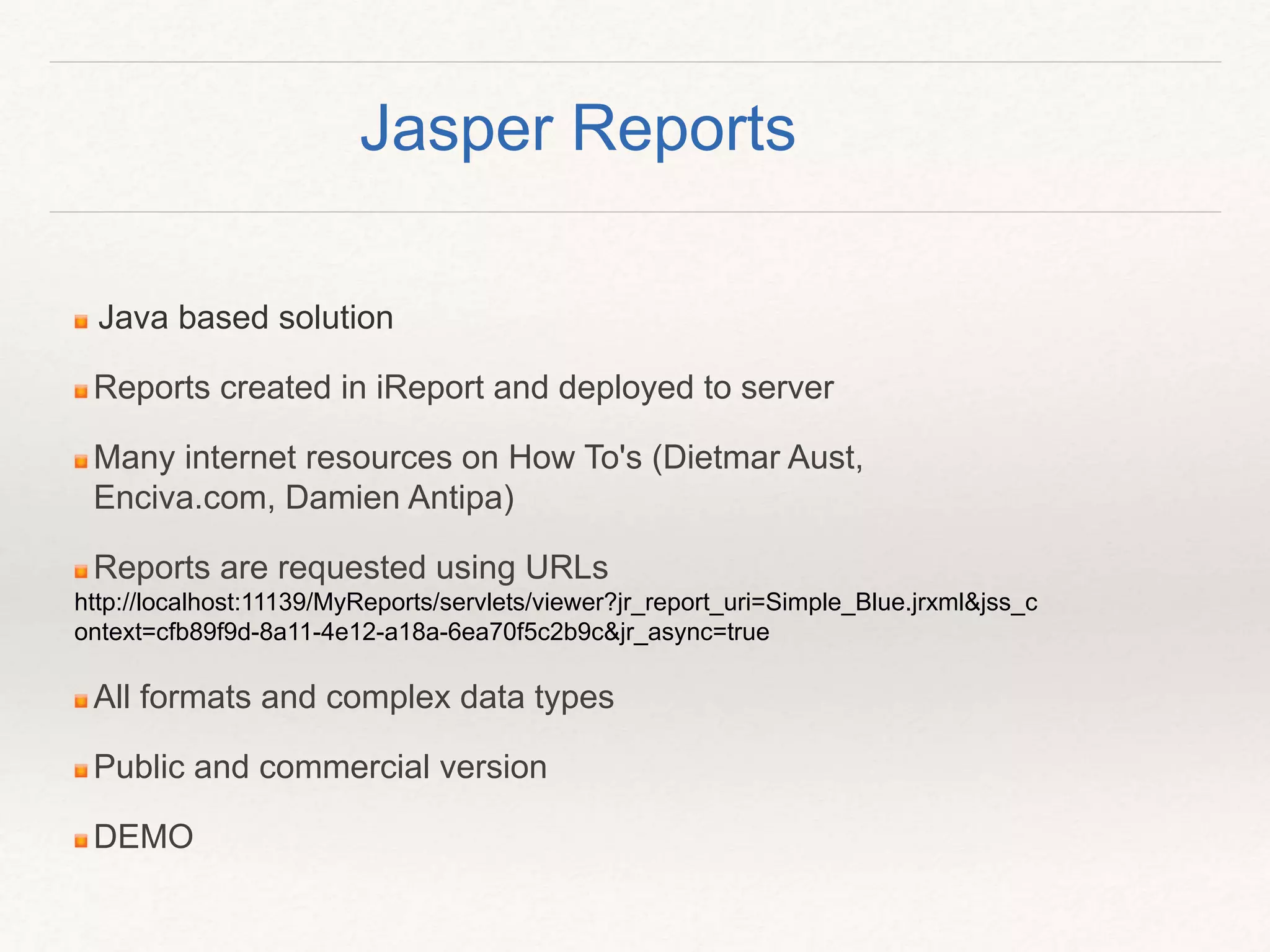
Java based solution
Reports created in iReport and deployed to server
Many internet resources on How To's (Dietmar Aust,
Enciva.com, Damien Antipa)
Reports are requested using URLs
http://localhost:11139/MyReports/servlets/viewer?jr_report_uri=Simple_Blue.jrxml&jss_c
ontext=cfb89f9d-8a11-4e12-a18a-6ea70f5c2b9c&jr_async=true
All formats and complex data types
Public and commercial version
DEMO
Jasper Reports
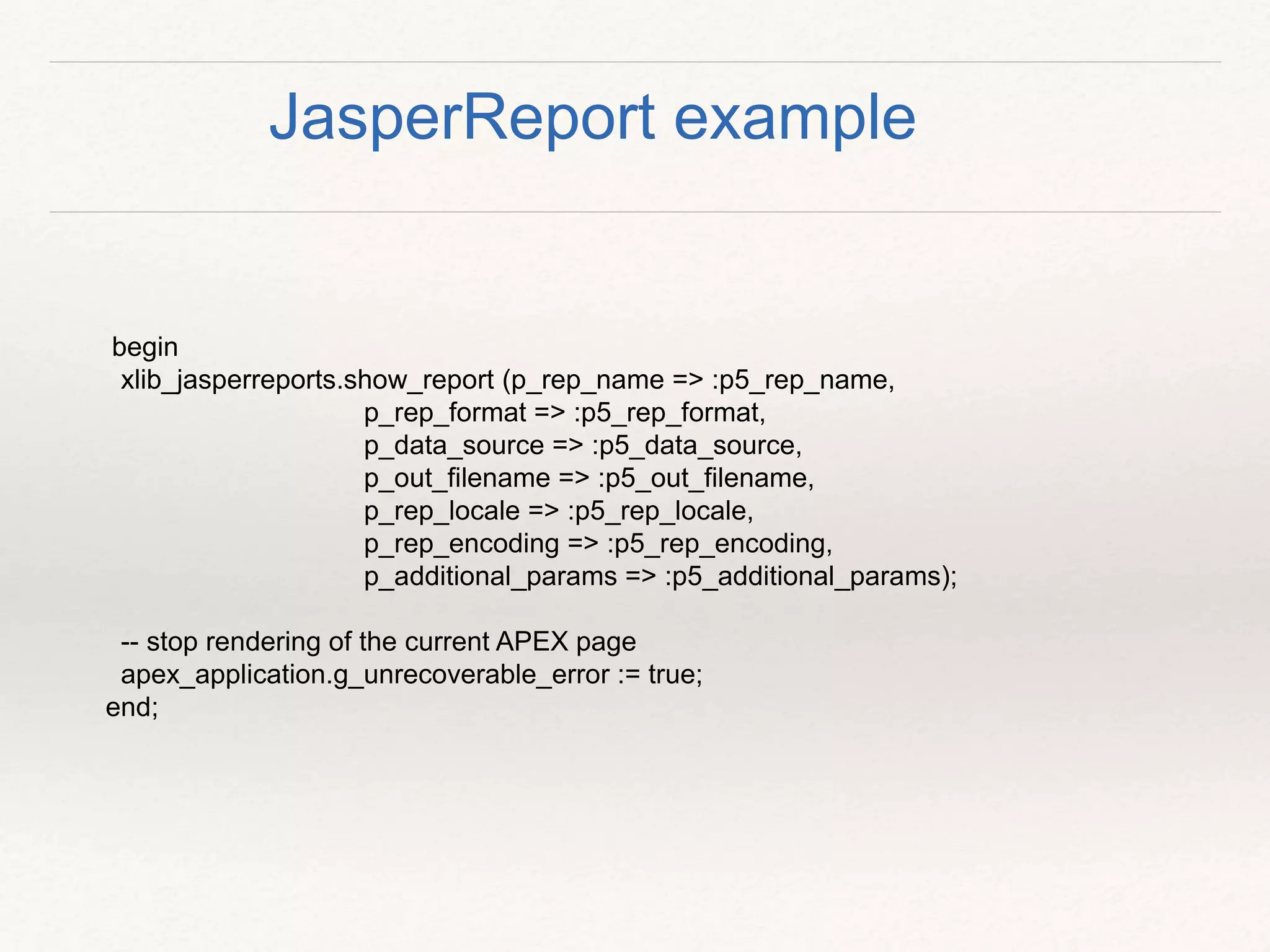
begin
xlib_jasperreports.show_report (p_rep_name => :p5_rep_name,
p_rep_format => :p5_rep_format,
p_data_source => :p5_data_source,
p_out_filename => :p5_out_filename,
p_rep_locale => :p5_rep_locale,
p_rep_encoding => :p5_rep_encoding,
p_additional_params => :p5_additional_params);
-- stop rendering of the current APEX page
apex_application.g_unrecoverable_error := true;
end;
JasperReport example
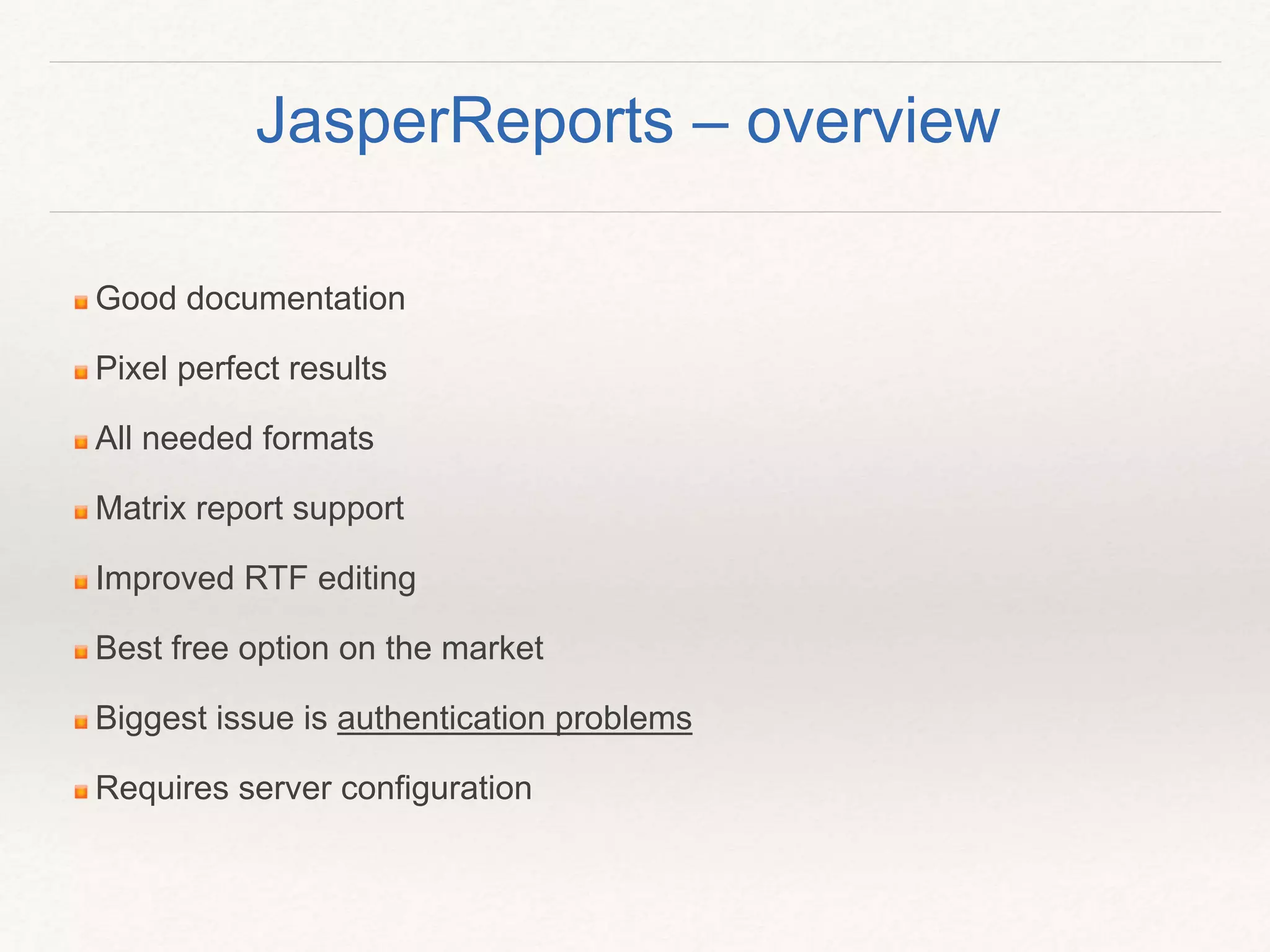
Good documentation
Pixel perfect results
All needed formats
Matrix report support
Improved RTF editing
Best free option on the market
Biggest issue is authentication problems
Requires server configuration
JasperReports – overview
Option 5. DOXXY
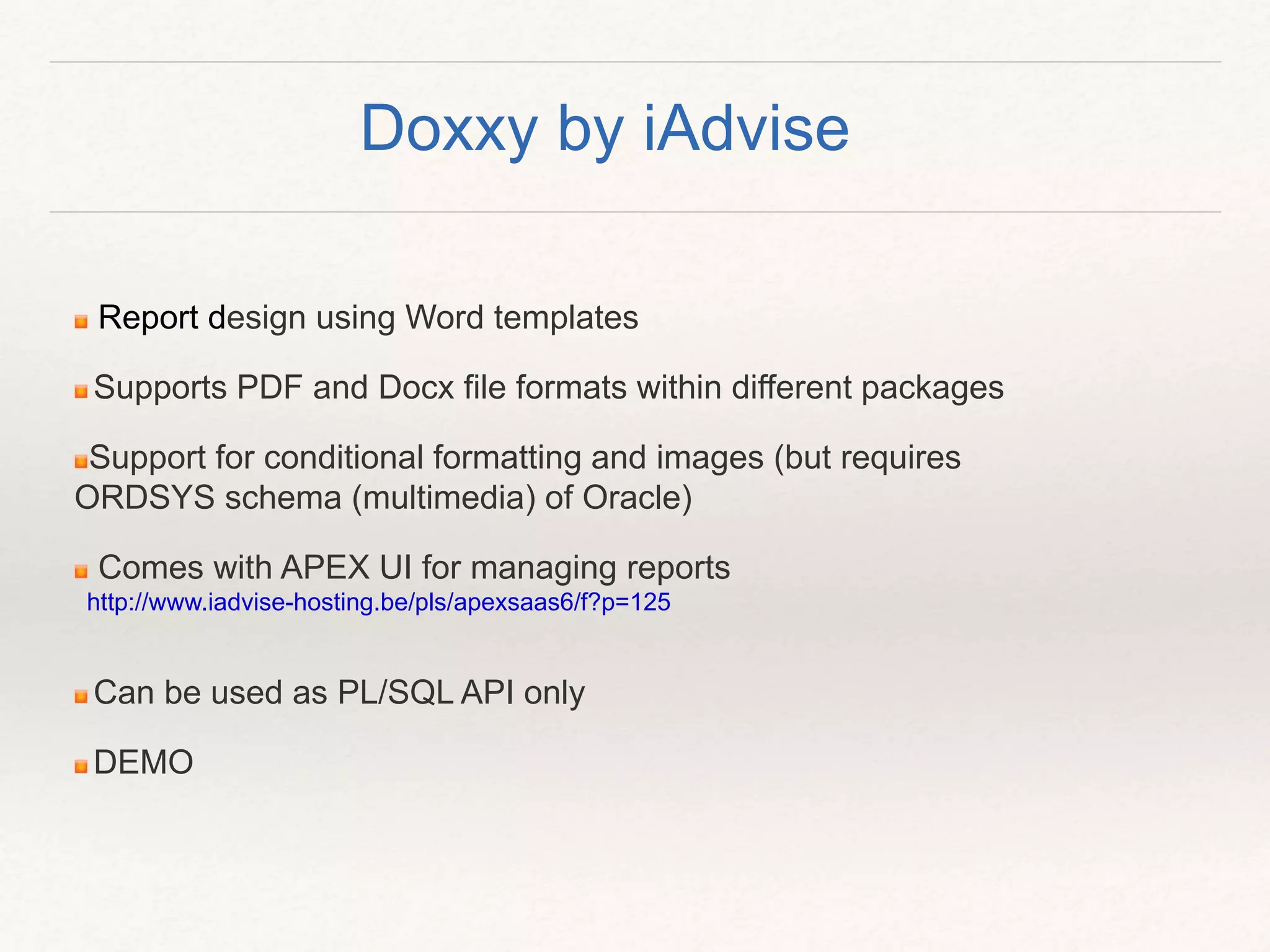
Report design using Word templates
Supports PDF and Docx file formats within different packages
Support for conditional formatting and images (but requires
ORDSYS schema (multimedia) of Oracle)
Comes with APEX UI for managing reports
http://www.iadvise-hosting.be/pls/apexsaas6/f?p=125
Can be used as PL/SQL API only
DEMO
Doxxy by iAdvise
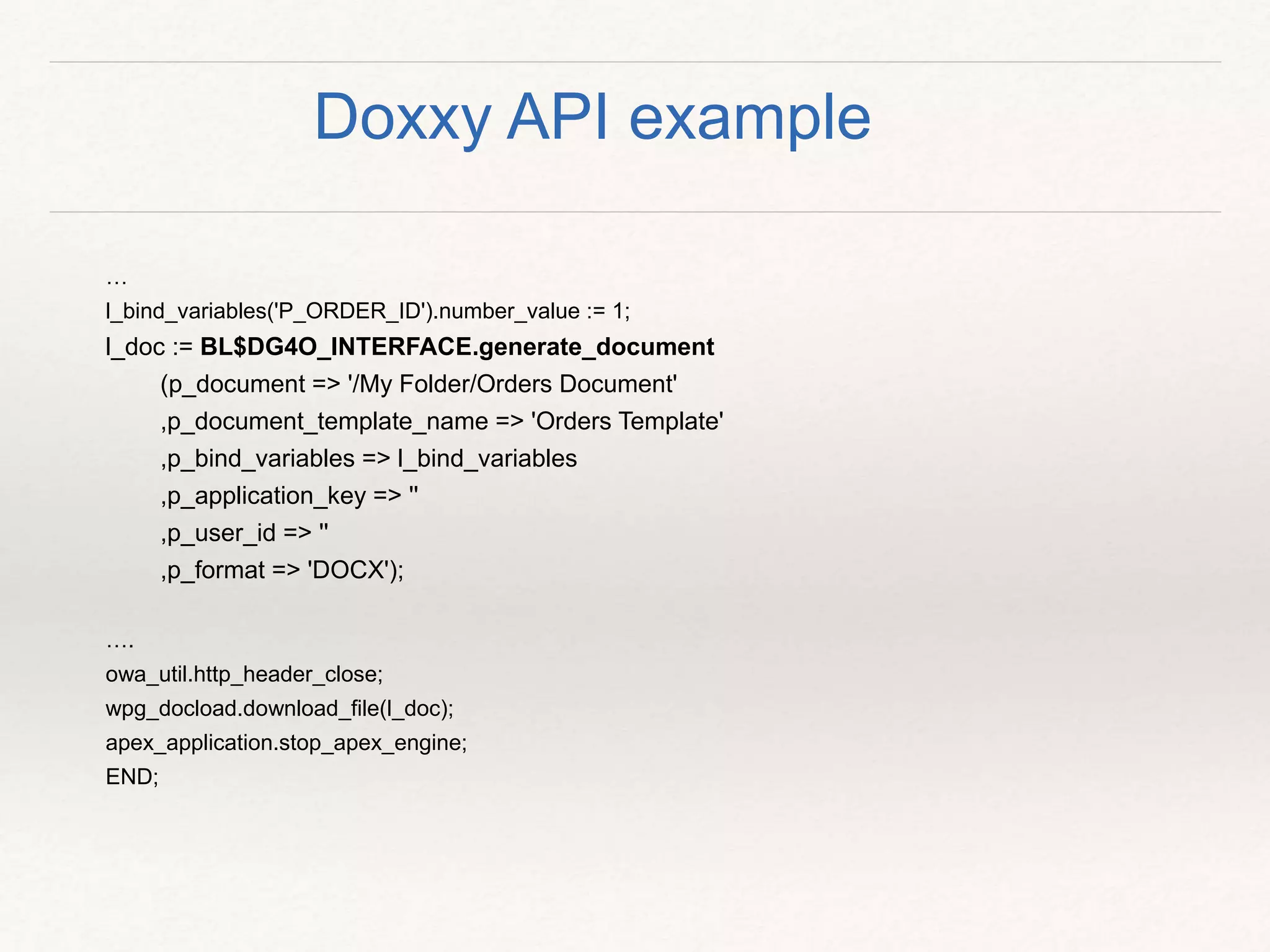
…
l_bind_variables('P_ORDER_ID').number_value := 1;
l_doc := BL$DG4O_INTERFACE.generate_document
(p_document => '/My Folder/Orders Document'
,p_document_template_name => 'Orders Template'
,p_bind_variables => l_bind_variables
,p_application_key => ''
,p_user_id => ''
,p_format => 'DOCX');
….
owa_util.http_header_close;
wpg_docload.download_file(l_doc);
apex_application.stop_apex_engine;
END;
Doxxy API example
Good documentation
Data and templates are kept separate
Limited output formats – PDF and Docx
Installation only using APEX application import
Complex data types could be a challenge
DEMO did not work in Firefox?! - team working on fix
Installation in my own schema did not work for me
Doxxy – overview
Option 6. BI Publisher
Professional reporting tool
Supports all output formats
Ability to schedule, save and email reports
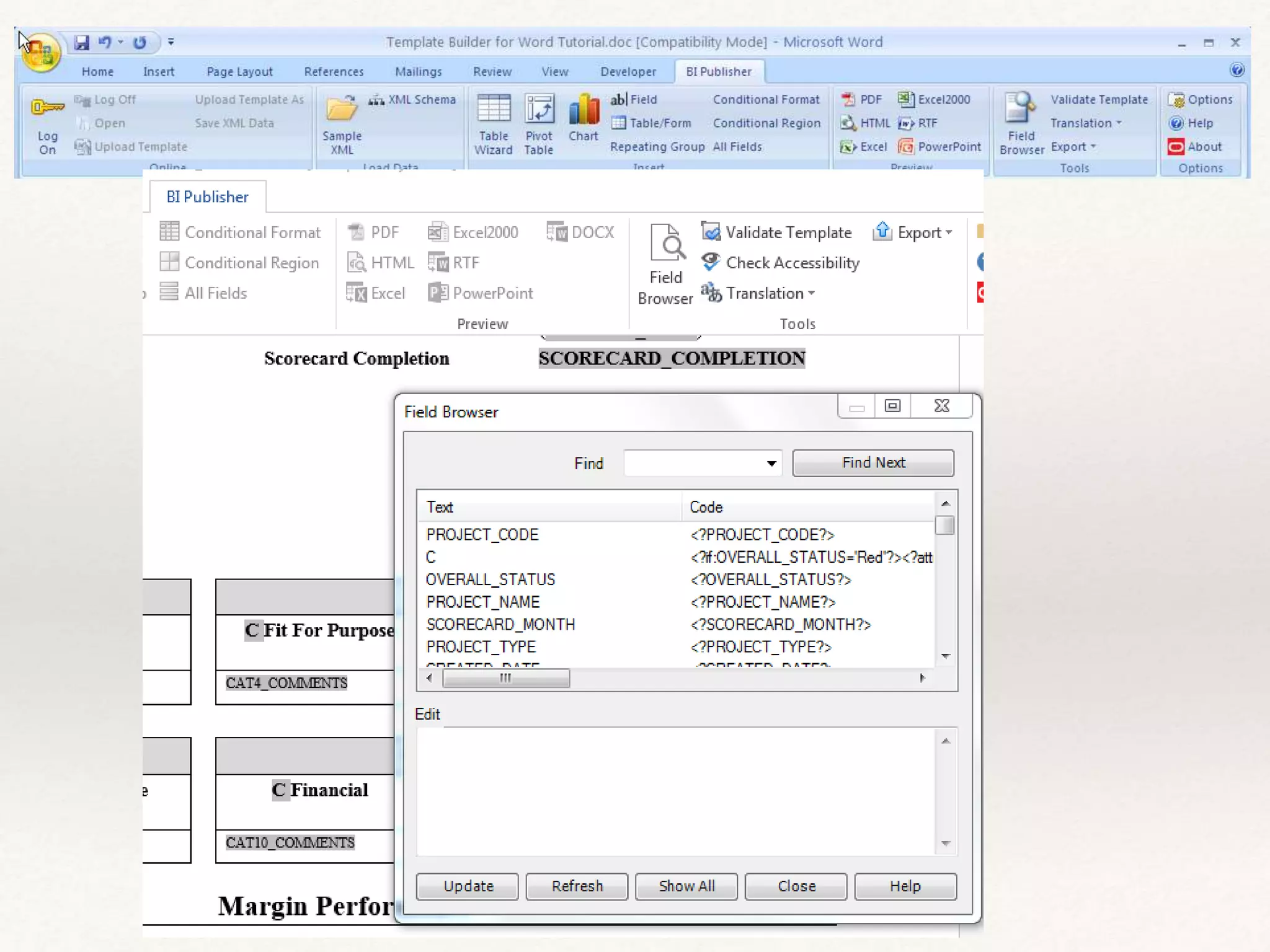
Templates are built using MS Word and BI Publisher extension
Used as print server
Rendering reports using links, direct PL/SQL and SOAP
webservice
DEMO
All mighty BI Publisher
Click to add Text
Good documentation including many white-papers how to
integrate it with APEX
Easy to design templates
Best reporting package
Templates are highly sensitive to Word extension versions that
can be a huge problem
Most expensive option of all
BI Publisher – overview
Option 7. ApexOfficePrint
PL/SQL solution
Comes as APEX Plugin and PL/SQL API
Supports PDF, HTML and Office formats (.docx, rtf, .xlsx, .ppt)
Only solution that offers printing 'as service'
Multiple report data sources
Templates created using Word, Excel and PowerPoint
Multiple template source supported (on server, workspace
images or table)
ApexOfficePrint by APEX R&D
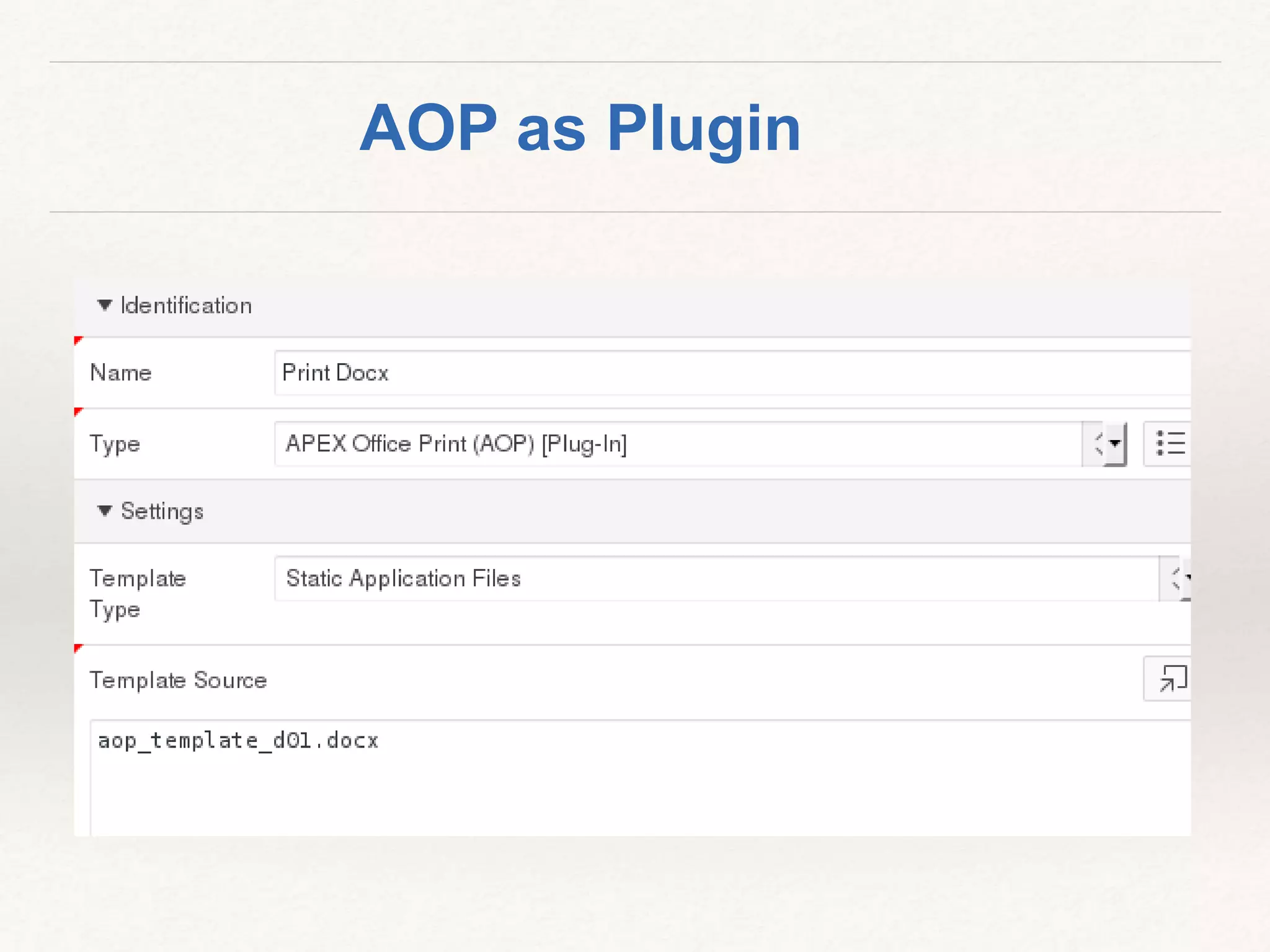
AOP as Plugin
Good documentation
Easy to use and pick up
Package options to choose from (as service or local server)
With automatic template check ability
Rendering of reports using APEX plugin or PL/SQL API
Support for most data types images, barcodes, charts and
formulas
Optimized for performance
AOP – overview
www.apexofficeprint.com
❖ APEX Print capability and printing options
❖ Printing Alternatives
❖ Summary
Click to add Text
Q&A
www.apexRnD.co.nz
lschilde.blogspot.com
@LinoSchilde
lschilde@apexRnD.co.nz
Click to add Text

Apex RnD APEX 5 - Printing

  • 1.
    Lino Schildenfeld 2ndDecember 2015 APEX 5 – Printing What are my report printing options? www.apexRnD.co.nz lschilde.blogspot.com @LinoSchilde lschilde@apexRnD.co.nz
  • 2.
    Lino Schildenfeld APEX R&Dmanager for NZ and AU 10 years+ Oracle experience APEX Blogger and enthusiast NZ APEX meetup organizer About me
  • 3.
    Oracle Application Express5 What are my printing options? apex.oracle.comapex.world
  • 4.
    APEX Print capabilityand printing options Printing Alternatives Summary
  • 5.
    Reporting Most common requirementfor modern applications Can be classified by: Complexity and formats Templates and data handling Data types Modification requirements Delivery methods and scheduling Run in database or externally Will drive your choices…….
  • 6.
    APEX reporting Good reportingsupport Classic or Interactive reports Images, links, pivoting, computation, highlighting…... Export as PDF, CSV, HTML, Email, XLS, RTF What about complex reports?
  • 7.
    Enable data download Enabledata print Generic columns on default templates Need Printing server to work (APEX 5 set to ORDS by default) Use of printing server Let's have a look Classic report
  • 8.
    Custom report queries Userdefined layouts Need printing server (ORDS, BI Pub, FOP) Ability to run reports using APEX APIs XSL-FO (and RTF templates only with BI Publisher) Shared components - Reports
  • 9.
    ... BEGIN l_document := APEX_UTIL.GET_PRINT_DOCUMENT( p_report_data => :P1_XML, p_report_layout => :P1_XSL, p_report_layout_type => 'xsl-fo', p_document_format => 'pdf'); l_id := APEX_MAIL.SEND( p_to => :P35_MAIL_TO, p_from => 'noreplies@oracle.com', p_subj => 'sending PDF by using print API', p_body => 'Please review the attachment.', p_body_html => 'Please review the attachment'); APEX_MAIL.ADD_ATTACHMENT ( p_mail_id => l_id, p_attachment => l_document, p_filename => 'mydocument.pdf', p_mime_type => 'application/pdf'); END; APEX API
  • 10.
    Limited choice XSL-FO editorrequires a licence (Altova and Stylus Studio) RTF templates with BI Publisher printing server = high costs Layouts are kept in APEX and are application related Editing XSL-FO templates not so intuitive Where next? Challenges
  • 11.
  • 12.
    Example “Reports 2PDF” by Anton Scheffer Completely PL/SQL based Uses report region source to generate PDFs Great replacement if no access to FOP server or ORDS DEMO APEX Plugins
  • 13.
    Supports pagination Easy tosetup and run Needed an update to work in APEX 5 Not ideal for more complex data types Can be used for simplest requirements Can be used as development tool on APEX 4.2 APEX Plugins – overview
  • 14.
    APEX Print capabilityand printing options Printing Alternatives Summary
  • 15.
  • 16.
    Installation and gettingit run is easy Completely PL/SQL based, one of oldest tools around Offers different packages for PDF and Office files Create reports line by line, update existing files or adding new pages Word templates support (NEW) Supports complex data types, PDF encryption and digital signature DEMO PL/PDF
  • 17.
    …. plpdf.Init; /* Begin anew page: page orientation: default (portrait) */ plpdf.NewPage; /* Sets the font and its properties */ plpdf.SetPrintFont(p_family => 'Arial', -- Font family: Arial p_style => null, -- Font style: regular (default) p_size => 12 ); /* Prints a text starting from the specified position. */ plpdf.PrintoutText(p_x => 50, -- X coordinate for the start of the text p_y => 50, -- Y coordinate for the start of the text p_txt => 'Print Text Example' ); /* Returns the generated PDF document. The document is closed and then returned in the OUT parameter. */ plpdf.SendDoc(p_blob => l_blob ); insert into STORE_BLOB (blob_file, created_date, filename) VALUES (l_blob, sysdate, 'PrintText'); commit; end; PL/PDF example
  • 18.
    Most favorite DBAoption Can work in all APEX versions Document modification supported Creating a document challenging with large number of lines User guide documentation confusing – lots to learn No external components Maintenance would require a lot of efforts Overall not my favorite PL/PDF – overview
  • 19.
  • 20.
    Based on JRXMLreport definition Pure PL/SQL solution No JasperServer installation Installation was easy → APEX import (or PL/SQL script) MIT and LGPL Licence Supports only PDF Images, some charts, google maps and document merge DEMO JRXML2PDF by Andreas Weidner
  • 21.
    DECLARE vcName VARCHAR2(200); lParams PK_JRXML2PDF_REPGEN.TPARAMLIST; blBLOB; BEGIN vcName:='THE_NAME_OF_YOUR_REPORT_IN_JRXML_REPORT_DEFINITIONS'; bl :=PK_JRXML2PDF_REPGEN.FK_RUN(i_vcName=>vcName); PK_JRXML2PDF_REPGEN.PR_SHOW_REPORT(bl); APEX_APPLICATION.STOP_APEX_ENGINE; END; JRXML2PDF example
  • 22.
    Younger brother ofJasperReports With no authentication problems Worked with APEX 5 with no problems Love the idea and would not mind using it within its limitations Supports only PDFs Documentation limiting Learning based on demo examples JRXML2PDF – overview
  • 23.
  • 24.
    Java based solution Reportscreated in iReport and deployed to server Many internet resources on How To's (Dietmar Aust, Enciva.com, Damien Antipa) Reports are requested using URLs http://localhost:11139/MyReports/servlets/viewer?jr_report_uri=Simple_Blue.jrxml&jss_c ontext=cfb89f9d-8a11-4e12-a18a-6ea70f5c2b9c&jr_async=true All formats and complex data types Public and commercial version DEMO Jasper Reports
  • 25.
    begin xlib_jasperreports.show_report (p_rep_name =>:p5_rep_name, p_rep_format => :p5_rep_format, p_data_source => :p5_data_source, p_out_filename => :p5_out_filename, p_rep_locale => :p5_rep_locale, p_rep_encoding => :p5_rep_encoding, p_additional_params => :p5_additional_params); -- stop rendering of the current APEX page apex_application.g_unrecoverable_error := true; end; JasperReport example
  • 26.
    Good documentation Pixel perfectresults All needed formats Matrix report support Improved RTF editing Best free option on the market Biggest issue is authentication problems Requires server configuration JasperReports – overview
  • 27.
  • 28.
    Report design usingWord templates Supports PDF and Docx file formats within different packages Support for conditional formatting and images (but requires ORDSYS schema (multimedia) of Oracle) Comes with APEX UI for managing reports http://www.iadvise-hosting.be/pls/apexsaas6/f?p=125 Can be used as PL/SQL API only DEMO Doxxy by iAdvise
  • 29.
    … l_bind_variables('P_ORDER_ID').number_value := 1; l_doc:= BL$DG4O_INTERFACE.generate_document (p_document => '/My Folder/Orders Document' ,p_document_template_name => 'Orders Template' ,p_bind_variables => l_bind_variables ,p_application_key => '' ,p_user_id => '' ,p_format => 'DOCX'); …. owa_util.http_header_close; wpg_docload.download_file(l_doc); apex_application.stop_apex_engine; END; Doxxy API example
  • 30.
    Good documentation Data andtemplates are kept separate Limited output formats – PDF and Docx Installation only using APEX application import Complex data types could be a challenge DEMO did not work in Firefox?! - team working on fix Installation in my own schema did not work for me Doxxy – overview
  • 31.
    Option 6. BIPublisher
  • 32.
    Professional reporting tool Supportsall output formats Ability to schedule, save and email reports Templates are built using MS Word and BI Publisher extension Used as print server Rendering reports using links, direct PL/SQL and SOAP webservice DEMO All mighty BI Publisher
  • 33.
  • 34.
    Good documentation includingmany white-papers how to integrate it with APEX Easy to design templates Best reporting package Templates are highly sensitive to Word extension versions that can be a huge problem Most expensive option of all BI Publisher – overview
  • 35.
  • 36.
    PL/SQL solution Comes asAPEX Plugin and PL/SQL API Supports PDF, HTML and Office formats (.docx, rtf, .xlsx, .ppt) Only solution that offers printing 'as service' Multiple report data sources Templates created using Word, Excel and PowerPoint Multiple template source supported (on server, workspace images or table) ApexOfficePrint by APEX R&D
  • 37.
  • 38.
    Good documentation Easy touse and pick up Package options to choose from (as service or local server) With automatic template check ability Rendering of reports using APEX plugin or PL/SQL API Support for most data types images, barcodes, charts and formulas Optimized for performance AOP – overview
  • 39.
  • 40.
    ❖ APEX Printcapability and printing options ❖ Printing Alternatives ❖ Summary
  • 41.
  • 42.
  • 43.

Editor's Notes

  • #2 (Hi all, I am Lino and today we will explore what is new with APEX 5.0)
  • #8 Support for Desktop and Mobile User Interfaces Fully Accessible Customizable dimensions and positioning Dialog pages can branch to full pages (close dialog and standard branch) or to other dialog pages (e.g. wizard) Dialog pages can open other dialogs (stacked dialogs) Create Application and Create Page wizards allow to optionally create form pages as modal, i.e. report and form, list view and form, master-detail open forms as modal dialogs Form pages created with close dialog process – allows same form to be opened from different parents without requiring complex branching Dynamic actions on parent pages created to refresh content after closing of modal dialog form
  • #9 Support for Desktop and Mobile User Interfaces Fully Accessible Customizable dimensions and positioning Dialog pages can branch to full pages (close dialog and standard branch) or to other dialog pages (e.g. wizard) Dialog pages can open other dialogs (stacked dialogs) Create Application and Create Page wizards allow to optionally create form pages as modal, i.e. report and form, list view and form, master-detail open forms as modal dialogs Form pages created with close dialog process – allows same form to be opened from different parents without requiring complex branching Dynamic actions on parent pages created to refresh content after closing of modal dialog form
  • #40 www.apexofficeprint.com