#8 This is a Safe Harbor slide!
If you are *not* an Oracle employee this slide should be deleted.
For Oracle employees the Safe Harbor slide must be used if your presentation covers material affected by Oracle’s Revenue Recognition Policy
#9 Introduction to Application Express to provide some base understanding of what APEX is and how it is architected.
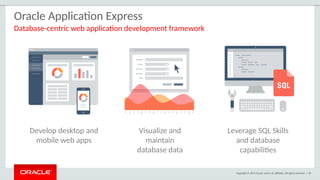
#10 Used to build desktop and mobile applications for the Oracle Database.
Quickly build reports, forms, charts, calendars, etc. on top of the data in your database
IT Developers and “citizen-developers” who know a little SQL can readily build applications.
Application Express can also take advantage of the large majority of Oracle Database features.
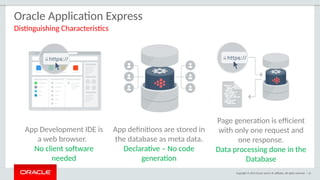
#11 Simply use a web browser and the URL to access the development environment, or the URL and user credentials to run the application
You don’t need any client software
Declarative framework stores application definitions in Oracle database tables within the APEX Engine
No need for file-based compilation or code generation
All of the data (page) processing is performed by PL/SQL acting directly on the data schemas in the Oracle Database.
Therefore, very efficient as data manipulated directly in the database and results sent back as HTML pages
#12 At the core of Application Express is an engine that provides a variety of fundamental application capabilities and operations. Application authentication, page/object-level access control, database interaction (queries/updates etc), form validation, session management and protection, and more is available as standard components that can be utilised from every application without custom development.
Application objects such as forms, reports, charts, navigation etc are defined declaratively, enabling applications to be functionally complete in a short period of time, increasing agility in application development.
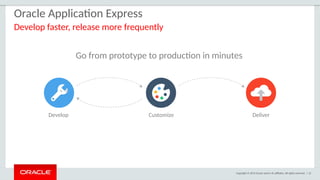
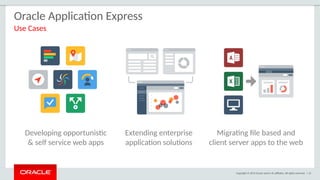
#13 Widely used to rapidly build applications that are needed ASAP to meet changing business requirements and maximize competitive advantage.
Primarily designed to be used by all employees / partners / customers rather than back-office systems.
Used for extending COTS Software to streamline for your business processes or meet organization specific requirements
Webify spreadsheets and MS Access applications to provide true multi-user, secure, robust, “single-source of truth” applications.
Also commonly used to modernizing old legacy client-server applications
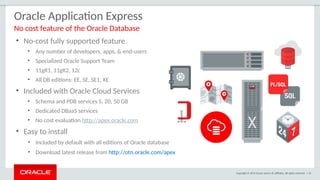
#14 Oracle Application Express is a feature of the Oracle Database with no licensing costs for development or deployment of Application Express applications.
The Oracle Database Maintenance Agreement also covers support for Application Express.
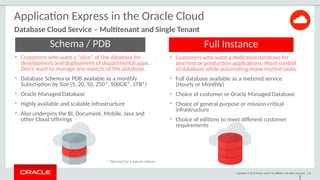
When you sign up for the ODCS – Schema Service you are provided with a slice of the Oracle Database with Application Express as the development environment (already pre-configured and ready to start developing with)
Application Express is released more frequently than the Oracle DB so important to get the latest version of Oracle Application Express from OTN.
#15 Schema Servicer Underpins
BI Service (APEX)
Documents
Mobile Cloud Service
Developer Service
Java SaaS Extension
Planning and Budgeting
Developer
Messaging (just infrastructure DB)
Data (just infrastructure DB)
Process
Integration
Social Network
Application Builder (formerly known as Breeze)
Enterprise Performance Reporting (formerly known as Financial Reporting)
Data Enrichment
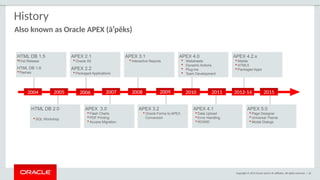
#16 Originally named HTML DB when first released over 10 years ago.
Application Express is released approximately once a year.
See Statement of Direction for future direction on OTN under Learn More
[http://www.oracle.com/technetwork/developer-tools/apex/application-express/apex-sod-087560.html]
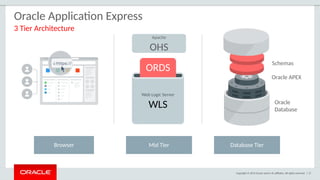
#17 Simple architecture where page requests and submissions made from the browser are tunnelled through the mid-tier to execute in the Oracle Database and returned as HTML responses to the browser.
No data manipulation or processing is performed in the mid-tier, instead the APEX engine (inside the Oracle DB) accepts the page, and interacts with the data schemas in the DB.
The mid-tier can be either the preferred Oracle REST Data Services (ORDS) running in a Java Server {either Oracle Web-Logic Server (WLS), Oracle Glassfish, or Tomcat} or Oracle Embedded PL/SQL Gateway (EPG) which is part of the Oracle DB, or Oracle HTTP Server (OHS) with mod_plsql.
It is common for OHS to be installed in front of ORDS to act as a proxy and serve images.
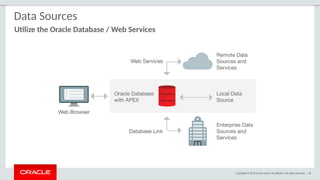
#18 Application Express is best suited to being co-located with the data it is maintaining / reporting on.
You can also integrate into a SOA environment by consuming Web Services (both REST and SOAP) or utilize DB Links to other databases.
If using ORDS you can also emit Web Services from the Oracle Database.
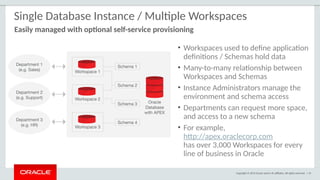
#19 There is a many-to-many relationship between workspaces and schemas
Within your organization you can have a single Oracle Database support many departments with each having their own workspaces where they build applications
Each of these workspaces can be granted access to one or more schemas as appropriate
DBAs manage the infrastructure <--> Departments responsible for building their own applications
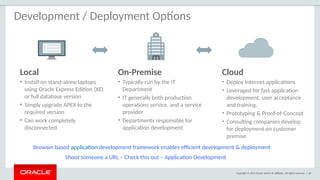
#20 Given APEX can run ‘anywhere you can install the Oracle Database’ you have great flexibility Simply provide the appropriate URL to develop / run applications
Import an APEX application into any other Oracle Database where you have the same version or later of Application Express installed
Start developing on your laptop running Oracle XE or on the cloud and then simply export the application
Deploy on the Oracle Database Cloud Service and then once your application gets wide utilization move it to your private cloud.
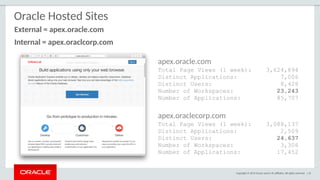
#21 These statistics show just how active these services are on a weekly basis.
The external “development-only” service has over 20,000 workspaces running in a single instance of APEX.
The internal service is accessed by approx 20% of Oracle’s workforce each week
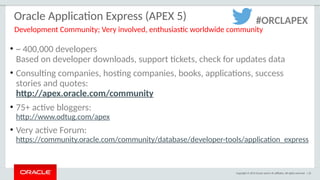
#22 There are a large number of consulting companies, and bloggers around the world.
APEX has one of the most active OTN Forums where you can get your questions answered.
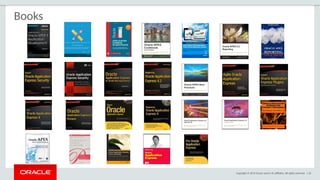
#23 The number of books on APEX is impressive for a single Oracle tool
This number continues to grow with several new books in the pipeline for APEX 5
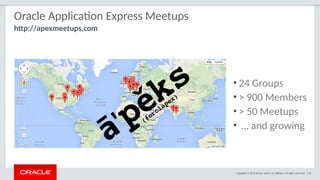
#24 There are a number of APEX Meetup groups around the world.
If there is not a meetup in your area, consider starting your own group!
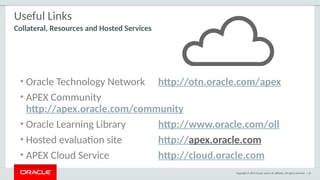
#25 These are the primary URLs you need to get more information on Oracle Application Express!
#26 Overview of the major APEX Components – What is included in the tool at a high level
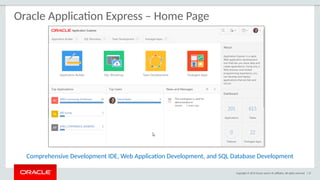
#27 Home page where developers can get an overview of current development activity and access the major product components
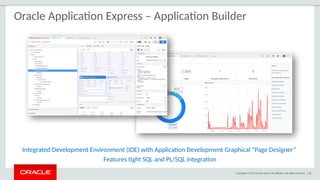
#28 Developers will spend the majority of their time in the Application Builder defining, enhancing and maintaining applications.
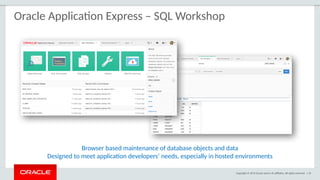
#29 SQL Workshop is sometimes the only means developers can maintain DB objects as they may not have direct access to the schema(s) via SQL*Net, especially if they are using a hosted service.
The functionality available through SQL Workshop is a subset of SQL Developer and is designed specifically for developers to be able to maintain their DB objects.
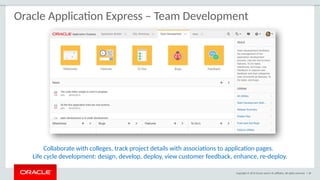
#30 Team Development provides the ability to manage the full lifecycle of your application development.
Features, To-Dos, and Bugs can be assigned to specific applications and pages.
Feedback allows developers to easily gather comments, enhancements, and bugs directly from their user community and includes important session state information to assist the developers with diagnosis.
Team Development is used extensively by the APEX Development Team to manage the development of new releases of Application Express which itself is built with APEX.
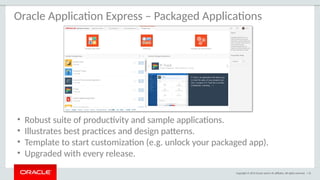
#31 Install with just a few clicks and start using or “unlock” and customize to meet specific needs.
When “locked” then fully supported by Oracle Support and can upgrade as new releases made available.
Use the apps as learning tools to understand how to implement specific functionality and utilize within your own applications.
There are over 30 plug-ins across all of the apps which you can easily use in your own applications.
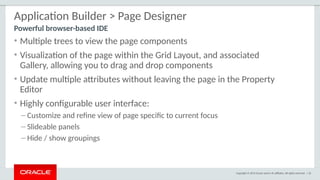
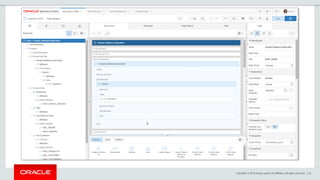
#32 Page Designer revolutionizes the way developers can enhance and maintain page definitions within Application Express.
The left panes has numerous trees to show the rendering, dynamic actions, processes and shared components.
The middle pane includes the Grid Layout and Gallery where you can easily drag and drop new components
The right pane holds the Property Editor where you can update any of the select4ed components’ attributes, without needing to bring up a separate page
For text sections used to enter SQL, HTML, CSS or text you can pop-up the Code Editor which includes find/replace, auto-completion and even SQL validation
There are numerous ways you can customize the user interface to make it easier to concentrate on the sections you are currently working on.
#33 Design Principles
Create new elements using drag & drop or menu shortcuts
Update multiple page elements at once
Utilize “Undo” and “Redo” to revert changes made
“Save” and “Run” commits all pending changes to database
Left Panel
Rendering, Processing and Shared Components grouped in an accordion in the left panel instead of horizontally across the page
Dynamic Actions introduced as a new grouping
Create, move and duplicate elements using drag & drop or the improved context sensitive menus
All element types can be deleted directly from the tree
Click on one or more elements to highlight elements in the Grid Layout and to populate common element details in the Property Editor
Central Panel
Grid Layout: Create, move, copy and delete components using drag and drop
Gallery: shows components that can be dragged into the page
Messages: Display errors and warnings associated with changes made
Page Search: Allows performing a page search.
Help: Displays context sensitive help based on the current focus
Property Editor - Right Panel
Displays the details for the currently selected element(s)
Bulk editing of common properties when multiple elements are selected
Improved usability for defining properties, including
instant input feedback
cascading context sensitive selections
easier definition of common property types
Improves productivity by making the definition of elements easier and more intuitive
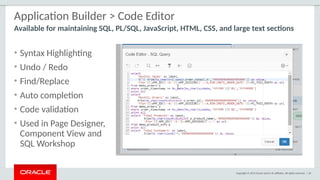
#34 The Code Editor provides many of the features of advanced editors, such as syntax highlighting, undo and redo, and find / replace functions.
However it also includes ‘auto completion’ and ‘code validation’, which obtain valid database object names from the data dictionary of your underlying schema(s).
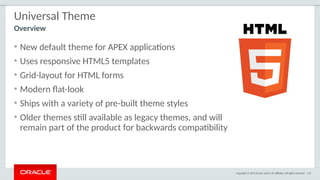
#35 Rather than having numerous themes with a large number of templates in each, there is just a single desktop theme and a consolidated number of templates.
With the Universal Theme it is now quicker and easier to build beautiful, responsive, elegant applications out-of-the-box.
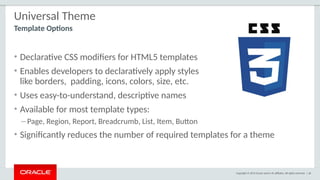
#36 Rather than having a large array of different templates, and developers needing to define new templates, to meet how a page is displayed - now you can declaratively select different template options to easily meet your layout requirements.
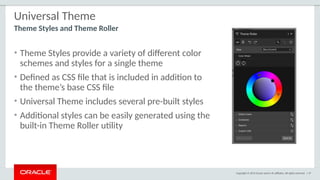
#37 Theme Styles allow a single theme to have various color schemes.
Developers can readily define different color schemes and modify certain display characteristics, such as button and item rounding using Theme Roller.
Hey can then readily save the style and apply it to their application without needing to write any CSS.
Developers can even allow end-users to select different styles as shown in P-Track Administration.
#38 Breakdown of major feature functions within APEX
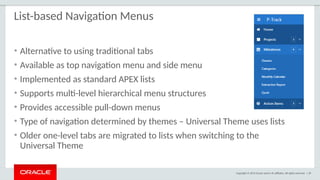
#39 APEX 5 introduces the ability to define Navigation Lists
Multi level drop-down menus can be based on either static or dynamic lists.
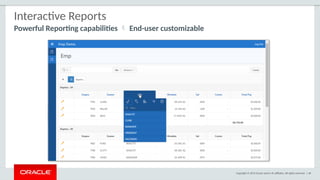
#40 Developers define the base report using a SQL statement.
Then end-user have can readily manipulate the data displayed to meet their own reporting requirements.
They can add filters, computations, aggregations, highlights and breaks.
End users can also define charts, group-by and pivot reports based on the data.
The Oracle Database option Audit Vault replaced 300 reports with just 30 Interactive Reports, yet provided a huge increase in reporting features.
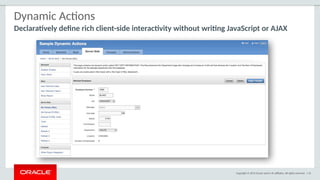
#41 Not every developer is an expert in JavaScript and AJAX, in fact the majority do not have that skillset.
However, Dynamic Actions allow anyone to *declaratively* define client side behaviors.
Rather than writing numerous lines of JS, developers can simply enter conditions, specify the actions, and then select the elements affected.
Behind the scenes the APEX engine generates the required JS and AJAX to implement the desired behavior.
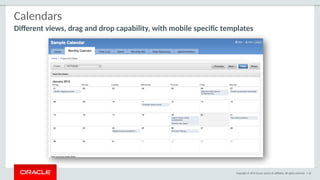
#42 The built-in Calendar region is based on FullCalendar.
You can define duration based events and use drag and drop to update the underlying table directly from the calendar.
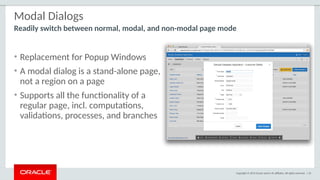
#43 Customizable dimensions and positioning
Dialog pages can branch to full pages (close dialog and standard branch) or to other dialog pages (e.g. wizard)
Dialog pages can open other dialogs (stacked dialogs)
Dynamic actions on parent pages created to refresh content after closing of modal dialog form
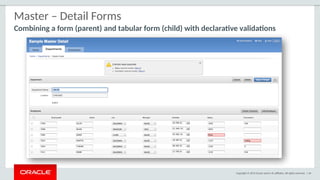
#44 Declaratively define Master-Detail pages.
The current Statement of Direction for APEX 5.1 includes the ability to extend this model to cover Master-Detail-Detail and Parent-Child-Grandchild relationships declaratively as well.
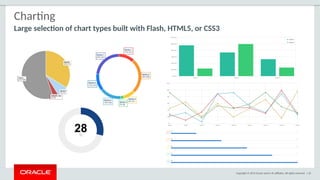
#45 The built in charting capabilities are developed by AnyCharts and use “Flash-preferred” – If flash is not avilable, such as on an iPad, then they will render in HTML5.
For Mobile applications the AnyChart regions are always presented using HTML5.
There is also a range of different charting plug-ins available through the Packaged Apps.
Install the Sample Reporting Application to review the majority of these plug-ins and implement them into your own application as required.
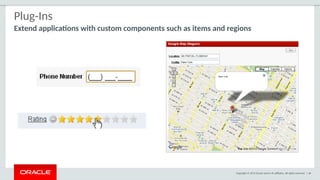
#46 Plug-ins allow you to readily incorporate custom item types, regions, authentication, authorization, and dynamic actions.
There are a number provided by the APEX Development Team, and over 150 developed by developers from the APEX Community.
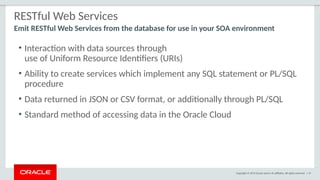
#47 For those using Oracle REST Data Services (ORDS) to serve their APEX Pages, then you can also use ORDS to emit Web Services from the Database.
#48 Websheets are similar to WIKIs in that they are designed for end-users to collaborate on content.
However, Websheets also includes the ability to define reports, and incorporate SQL that runs on the underlying Database schema(s).
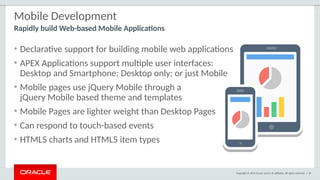
#50 Developers can build mobile Web-based applications just as easily as they can build Desktop applications from the Application Builder.
A single application can support both Desktop and Mobile user interfaces.
The jQUery Mobile framework allows APEX applications to run on any mobile browser and any size form factor
While desktop pages can be run on a mobile device the user experience is not always optimal.
Desktop pages are generally much heavier (= takes longer to load) and do not respond to touch events like tap , swipe and orientation changes
The Mobile UI includes numerous special HTML5 components such as Lists, reports, and even item sub-types
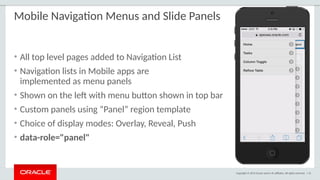
#51 Navigation Menus are displayed as Panels and take up minimal space
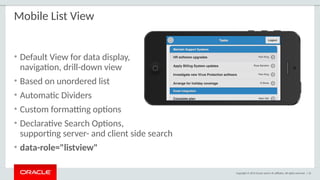
#52 List Views are very popular on mobile devices as show a small amount of information very clearly.
Also given each row is a suitable size it is easy to select the correct record with the primary pointing device on mobile devices = Index Finger
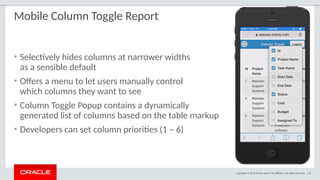
#53 If run on narrow devices (cell phone in portrait) will generally only show some of the columns.
If same page run on tablet in landscape will show many more items.
Developers can define which columns disappear last (Priority 1) through to disappear first (Priority 6)
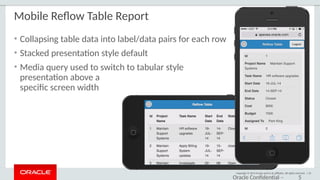
#54 If the display is too narrow to display the report data it will automatically switch to displaying multiple rows for each record so that users can still easily read each row on a narrow device.
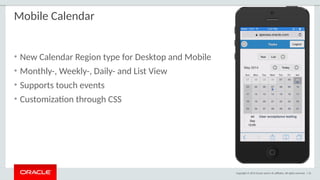
#55 The calendar page rendering is different between desktop and mobile user interfaces.
The mobile display closely mimics native calendars on mobile devices and are intuitive for end-users to use.
The blue dots indicate dates which have records.
Clicking on one of those dates lists the records below the calendar.
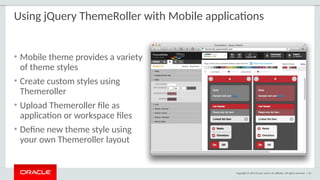
#56 Application Express 5 only includes a single Mobile theme which is blue.
Using jQuery ThemeRoller developers can readily define new color schemes and implement them into their APEX application.
#57 Details on Security Features provided to help harden APEX applications
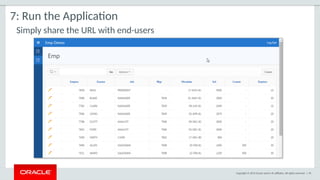
#63 If you are not giving a demo, or is this for non-technical audiences then this Pseudo Demo flow gives an idea of how easy it is to create, run and enhance apps.
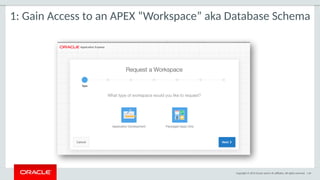
#64 You do not need any client software – simply a web browser and URL to access the development environment and also to run applications
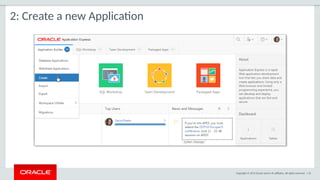
#65 Once you are logged into the Application Builder you can quickly start building Web applications
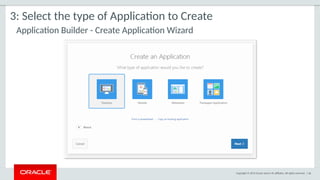
#66 The most common choices are Desktop or Mobile applications.
Developers and “power-users” also use the ‘From a Spreadsheet’ to take a spreadsheet and generate a table in the Oracle Database and a report and form based on that new table.
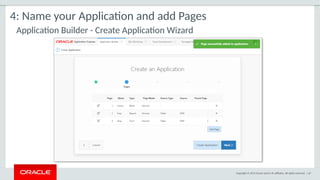
#67 Within the wizard you can add any number of pages to your initial application design before generating the application
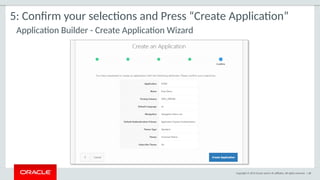
#68 All wizards include a summary screen you should check to ensure the details are correct before completing the wizard.
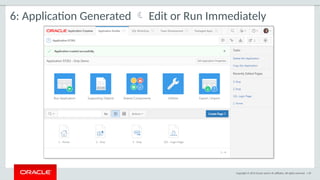
#69 Once you complete the ‘Create App Wizard’ the application is available in Application Builder allowing you to enhance it further or run it immediately
#70 When you run an application it opens a new tab / window in your browser.
You can readily share that URL with the end-users together with their user credentials and they can start using the application.
End-Users also don’t require any client tools to run APEX applications just a Web browser.
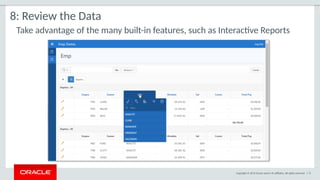
#71 The wizards generate many application components for you.
Interactive Reports are simple for developers to define – Simply enter a SQL Statement
Yet provide a range of capabilities for the end-user to manipulate the way the data is displayed.
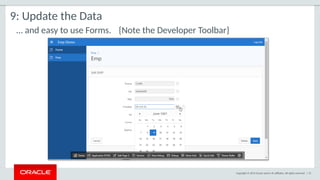
#72 The forms generated include all the enterable columns and additional capabilities such as date pickers for date columns and built-in validations for number columns.
The Developer Toolbar is not displayed to end-users, but only to developers who run the application from the Application Builder.
This toolbar allows developers to readily jump back into the application definition, review the session state data, or debugging information, or even initiate Theme Roller where they can change the color scheme used in their app
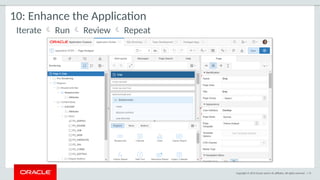
#73 From the Developer Toolbar a developer can readily jump directly back into a specific page, make some changes, and then run the page again.
They don’t need to generate or compile any files – just edit > run > review > repeat as often as necessary
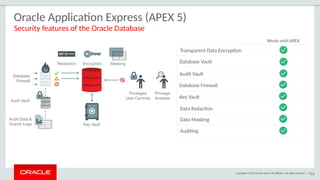
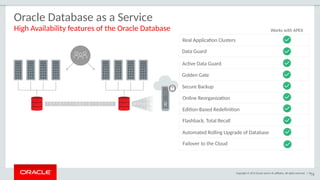
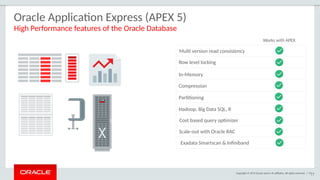
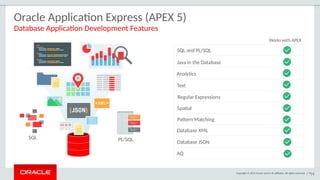
#74 Given Application Express lives inside the Oracle Database it can readily utilize other Database features
#75 Oracle Database 12c provides multi-layered security spanning preventive, detective, and administrative controls. This includes transparent data encryption, data redaction, data masking, privileged user controls, privilege usage analysis, conditional auditing and real application security. Combined with Oracle Audit Vault and Database Firewall, Oracle Database 12c provides unprecedented controls to help organizations address existing and emerging security and compliance requirements.
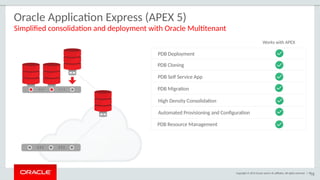
#78 A new feature of Oracle Database 12c, Oracle Multitenant, delivers a new architecture that allows a multitenant container database to hold many pluggable databases (PDBs). An existing database can simply be adopted with no application changes required.
#80 Application Express is critical to Oracle’s own business practices.
The following are some of the examples of how APEX is used by Oracle itself.
#81 The Oracle Store and Partner Store [http://partner.oracle.com] are two great examples of APEX applications running on the Internet.
The Oracle Store handles orders for over 150 countries and can be shown in 13 languages.
When you choose a country different business rules are invoked within the ordering process.
The APEX application interfaces with over 12 major back-office systems such as Manufacturing & Distribution, Marketing, EBS, etc.
#82 The Oracle Learning Library provides a wealth of training collateral for Oracle customers.
The application includes an extensive set of administrative screens to allow content owners to upload and maintain various types of content and links.
#83 Arguably one of the most used applications within Oracle – this APEX applications allows any Oracle employee to search the organization to find contacts, etc.
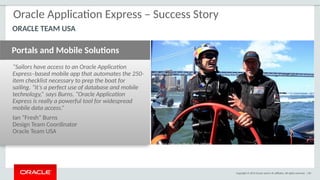
#84 Since Oracle first started an America’s Cup team with BMW Oracle Racing right thru to the latest ORACLE TEAM USA which successfully defended the America’s Cup In SF (2104)
Application Express has been used extensively by the teams to help manage the large volumes of data, and complex processes, they deal with to race these high performance yachts.
http://www.oracle.com/technetwork/issue-archive/2013/13-sep/o53oracle-teamusa-1996101.html
http://www.oracle.com/us/corporate/customers/customersearch/oracle-team-usa-1-exadata-cs-2076612.html?ssSourceSiteId=otnen
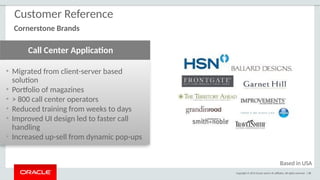
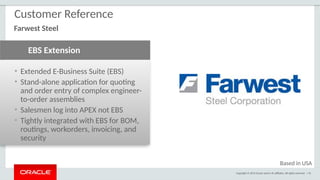
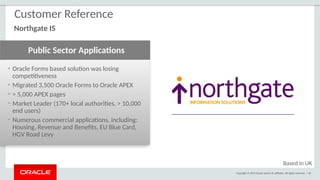
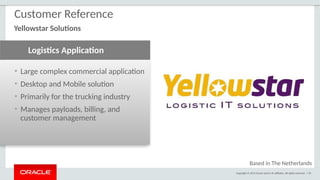
#85 The following provides just a few of the many customers who are using APEX to gain competitive advantage
#95 Used extensively; with a long successful history > 10 years-old
Rather than being a tool that grows from the ground-up thru developer word-of-mouth, increasingly Corporate Architects are using APEX as a strategic tool being pushed down to their development communities
#96 Given APEX is released approximately once a year, as new trends arise, APEX can quickly adopt these best (proven) trends
Most organizations have sizable teams of developers with SQL / Oracle Database skills.
These people can readily start building APEX applications given how easy and quick it is for them to learn how APEX works.


![Copyright © 2015 Oracle and/or its affiliates. All rights reserved. | 48
Websheets
Allow end-users to build / maintain WIKI like pages with database capabilities
• Database enabled WIKI
• Annotations
(easily add files, links,
notes, and tags)
• Use [[SQL ]] tag
• Presentation mode
• Multi user](https://image.slidesharecdn.com/apex-overview-157752-250804122351-5178a253/85/Oracle-Apex-overview-for-the-starter-user-43-320.jpg)
![Copyright © 2015 Oracle and/or its affiliates. All rights reserved. | 81
http://shop.oracle.com
Oracle Store [Internet Application]](https://image.slidesharecdn.com/apex-overview-157752-250804122351-5178a253/85/Oracle-Apex-overview-for-the-starter-user-76-320.jpg)
![Copyright © 2015 Oracle and/or its affiliates. All rights reserved. | 82
http://www.oracle.com/oll
Oracle Learning Library [Internet Application]](https://image.slidesharecdn.com/apex-overview-157752-250804122351-5178a253/85/Oracle-Apex-overview-for-the-starter-user-77-320.jpg)
![Copyright © 2015 Oracle and/or its affiliates. All rights reserved. | 83
ARIA People
HR Directory [Internal Only – Intranet Application]
• Nightly download of HR data
• Employees can update profile, upload
picture, add links ...
• Used to contact employees, see Org.
Chart, etc.
• Average ~ 1.5 million
page views / day
( > 50 page views / sec for hours )
• Median execution time of
0.04 seconds](https://image.slidesharecdn.com/apex-overview-157752-250804122351-5178a253/85/Oracle-Apex-overview-for-the-starter-user-78-320.jpg)