Angular
Universal:
How to Build
Angular SEO
Friendly App?
Introduction
What is Angular SEO?
Why Angular SEO and why is it
important?
Two approaches to making your
app SEO friendly:
➡Setting Titles and Metadata
➡Using Angular Universal
Github Repository of the demo
application


Wondering where you can learn about
Angular SEO and build Angular SEO
friendly app? We are here to help you. A
few days back we received a query on
how to make an Angular application
SEO friendly and that made us write
this tutorial.


Topics covered in this tutorial:
What is
Angular SEO?
SEO means Search Engine
Optimization. It is used to get your
Web application on top of the
user’s search list on search engines.
In order to get your application on
one of the top searches, there are
certain things we need to add to
our application which we would
discuss in detail further in our blog.
What is the
Importance of
Angular SEO?
Searchers put their trust in search
engines for giving the best results
possible and reaching one of the top spots
on search results gives your application a
reliable approach. SEO helps you increase
your online visibility and online traffic to
your web application. It also increases the
chances to provide the services for your
website to a greater number of people
Why settle for better when you have the
best?
Contact Bacancy and hire Angular
developer from us to build a high-
performance application. We assure you
of the dedication of our top-notch
developers and code quality.
How to Build
Angular SEO
Friendly App?
updateTag()
addTag()
removeTag()
getTag()
addTags()
getTags()
removeTagElement()
Following are the ways you can make your
Angular website SEO friendly. Let’s discuss
them in detail.


1. Setting Titles and Metadata


Angular provides a Meta service for
changing titles and metadata on web
applications. Search Engine crawls through
this data to give effective search results.
There are various meta service methods-
Angular also checks the duplication
of meta tags, If a meta tag already
exists it will not allow you to add it.


Create a Standard Angular
Application with meta service


Step 1
Create a new Angular application
with the following command


ng new angular-meta-service


Run the application with the following
command
ng serve


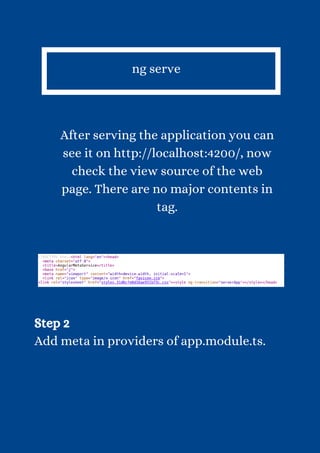
After serving the application you can
see it on http://localhost:4200/, now
check the view source of the web
page. There are no major contents in
tag.


Step 2
Add meta in providers of app.module.ts.
import { NgModule } from
'@angular/core';
import { BrowserModule, Meta } from
'@angular/platform-browser';
import { AppRoutingModule } from
'./app-routing.module';
import { AppComponent } from
'./app.component';
@NgModule({
declarations: [ AppComponent ],
imports: [ BrowserModule,
AppRoutingModule ],
providers: [ Meta ], bootstrap:
[AppComponent]
})
export class AppModule { }
To add a new tag we use the
addTag() method in Angular, let’s
implement addTag() in
app.components.ts.


import { Component } from
'@angular/core';
import { Meta } from
"@angular/platform-browser";
@Component({
selector: 'app-root',
templateUrl: './app.component.html',
styleUrls: ['./app.component.css']
})
export class AppComponent {
title = 'angular-universal';
constructor(private
metaService:Meta){
this.addTag();
}
addTag(){
this.metaService.addTags([
{ name: 'description',
content: 'Article Description'
},
{ name: 'robots', content:
'index,follow' },
{ property: 'og:title', content:
'Content Title' }
]);
}
}
Step 3
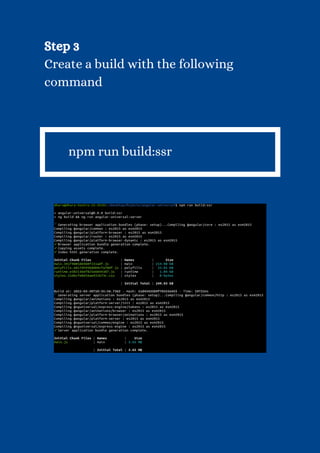
Create a build with the following
command


npm run build:ssr
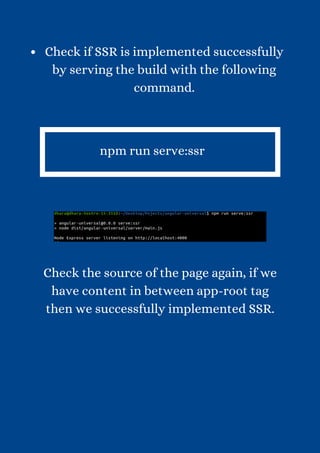
Check if SSR is implemented successfully
by serving the build with the following
command.


npm run serve:ssr


Check the source of the page again, if we
have content in between app-root tag
then we successfully implemented SSR.
Github
Repository:
angular-seo
Feel free to clone the repository and
play around with the code. Here’s
the source code: angular-seo
So, this was about what is Angular
SEO and how can you build Angular
SEO friendly app. Here, we have
discussed two approaches. You can
try anyone that suits your Angular
application best.
Conclusion
Do you like to explore in-depth
Angular technology? YES? Okay, then
we have got something for you! Visit
the Angular tutorials page and add
our blogs to your daily routine to
learn more! We are here to help you
with your queries. Write us back if
you have any questions, suggestions,
or feedback.
Thank You!
https://www.bacancytechnology.com/

Angular Universal How to Build Angular SEO Friendly App.pdf

  • 1.
  • 2.
  • 3.
    What is AngularSEO? Why Angular SEO and why is it important? Two approaches to making your app SEO friendly: ➡Setting Titles and Metadata ➡Using Angular Universal Github Repository of the demo application Wondering where you can learn about Angular SEO and build Angular SEO friendly app? We are here to help you. A few days back we received a query on how to make an Angular application SEO friendly and that made us write this tutorial. Topics covered in this tutorial:
  • 4.
  • 5.
    SEO means SearchEngine Optimization. It is used to get your Web application on top of the user’s search list on search engines. In order to get your application on one of the top searches, there are certain things we need to add to our application which we would discuss in detail further in our blog.
  • 6.
    What is the Importanceof Angular SEO?
  • 7.
    Searchers put theirtrust in search engines for giving the best results possible and reaching one of the top spots on search results gives your application a reliable approach. SEO helps you increase your online visibility and online traffic to your web application. It also increases the chances to provide the services for your website to a greater number of people Why settle for better when you have the best? Contact Bacancy and hire Angular developer from us to build a high- performance application. We assure you of the dedication of our top-notch developers and code quality.
  • 8.
    How to Build AngularSEO Friendly App?
  • 9.
    updateTag() addTag() removeTag() getTag() addTags() getTags() removeTagElement() Following are theways you can make your Angular website SEO friendly. Let’s discuss them in detail. 1. Setting Titles and Metadata Angular provides a Meta service for changing titles and metadata on web applications. Search Engine crawls through this data to give effective search results. There are various meta service methods-
  • 10.
    Angular also checksthe duplication of meta tags, If a meta tag already exists it will not allow you to add it. Create a Standard Angular Application with meta service Step 1 Create a new Angular application with the following command ng new angular-meta-service Run the application with the following command
  • 11.
    ng serve After servingthe application you can see it on http://localhost:4200/, now check the view source of the web page. There are no major contents in tag. Step 2 Add meta in providers of app.module.ts.
  • 12.
    import { NgModule} from '@angular/core'; import { BrowserModule, Meta } from '@angular/platform-browser'; import { AppRoutingModule } from './app-routing.module'; import { AppComponent } from './app.component'; @NgModule({ declarations: [ AppComponent ], imports: [ BrowserModule, AppRoutingModule ], providers: [ Meta ], bootstrap: [AppComponent] }) export class AppModule { }
  • 13.
    To add anew tag we use the addTag() method in Angular, let’s implement addTag() in app.components.ts. import { Component } from '@angular/core'; import { Meta } from "@angular/platform-browser"; @Component({ selector: 'app-root', templateUrl: './app.component.html', styleUrls: ['./app.component.css'] })
  • 14.
    export class AppComponent{ title = 'angular-universal'; constructor(private metaService:Meta){ this.addTag(); } addTag(){ this.metaService.addTags([ { name: 'description', content: 'Article Description' }, { name: 'robots', content: 'index,follow' }, { property: 'og:title', content: 'Content Title' } ]); } }
  • 15.
    Step 3 Create abuild with the following command npm run build:ssr
  • 16.
    Check if SSRis implemented successfully by serving the build with the following command. npm run serve:ssr Check the source of the page again, if we have content in between app-root tag then we successfully implemented SSR.
  • 18.
  • 19.
    Feel free toclone the repository and play around with the code. Here’s the source code: angular-seo So, this was about what is Angular SEO and how can you build Angular SEO friendly app. Here, we have discussed two approaches. You can try anyone that suits your Angular application best.
  • 20.
  • 21.
    Do you liketo explore in-depth Angular technology? YES? Okay, then we have got something for you! Visit the Angular tutorials page and add our blogs to your daily routine to learn more! We are here to help you with your queries. Write us back if you have any questions, suggestions, or feedback.
  • 22.