Software IndustrySultan Ahmed Sagor
Angular 7
A framework for Presentation Layer
Software IndustrySultan Ahmed Sagor
7
Software IndustrySultan Ahmed Sagor
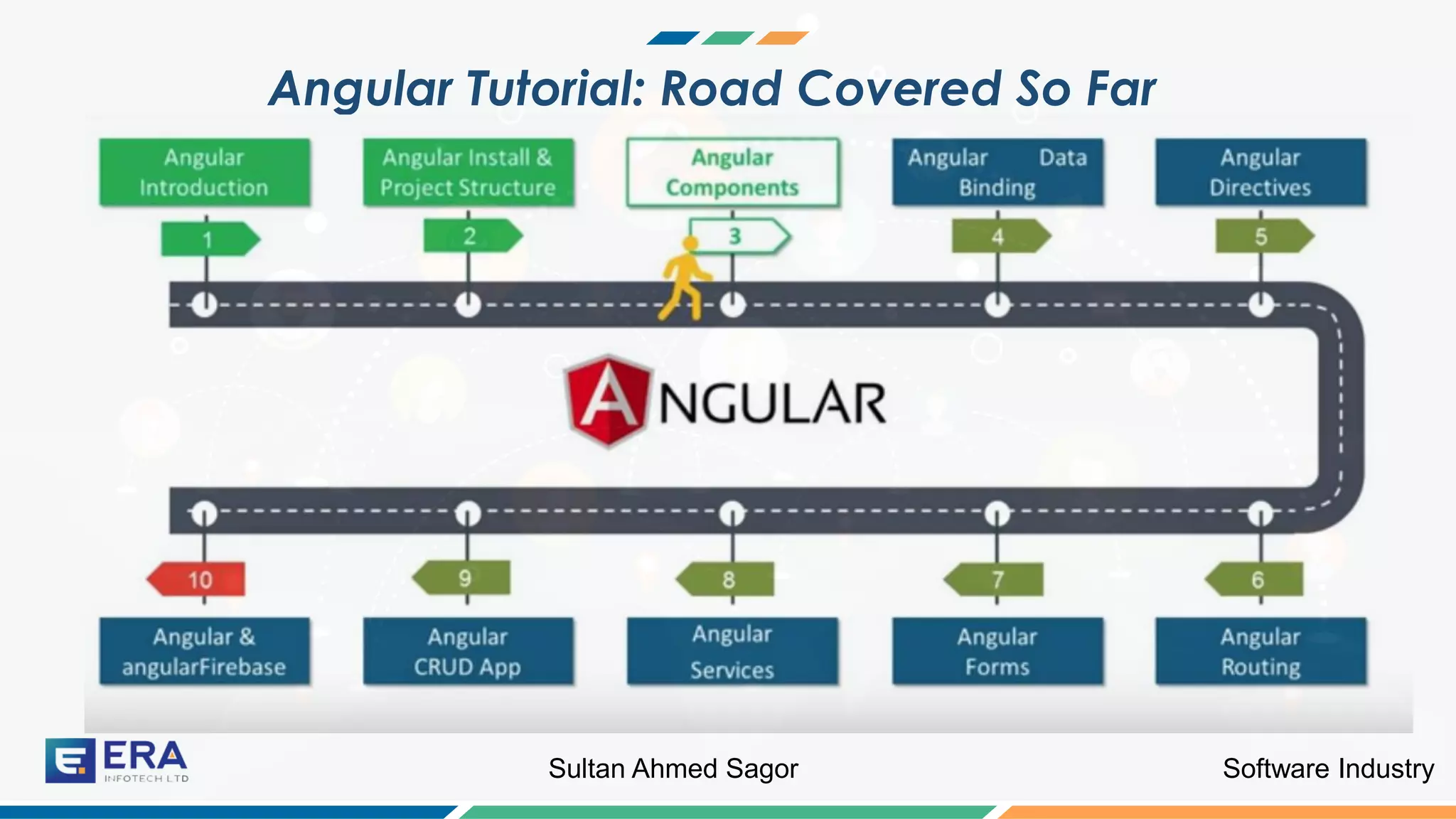
Angular Tutorial: Road Covered So Far
Software IndustrySultan Ahmed Sagor
What are Components ?
Now we will discuss components in details
Software IndustrySultan Ahmed Sagor
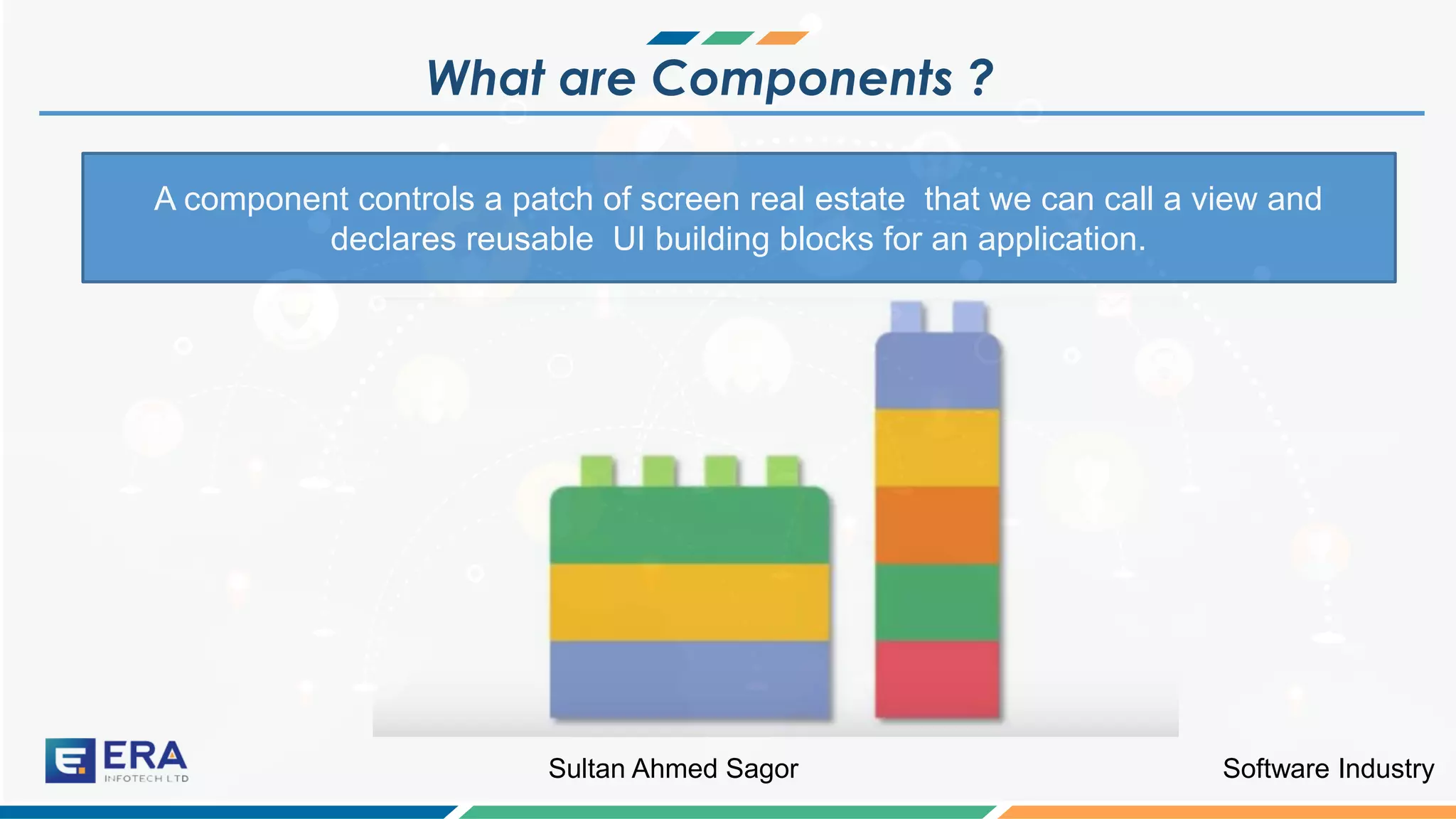
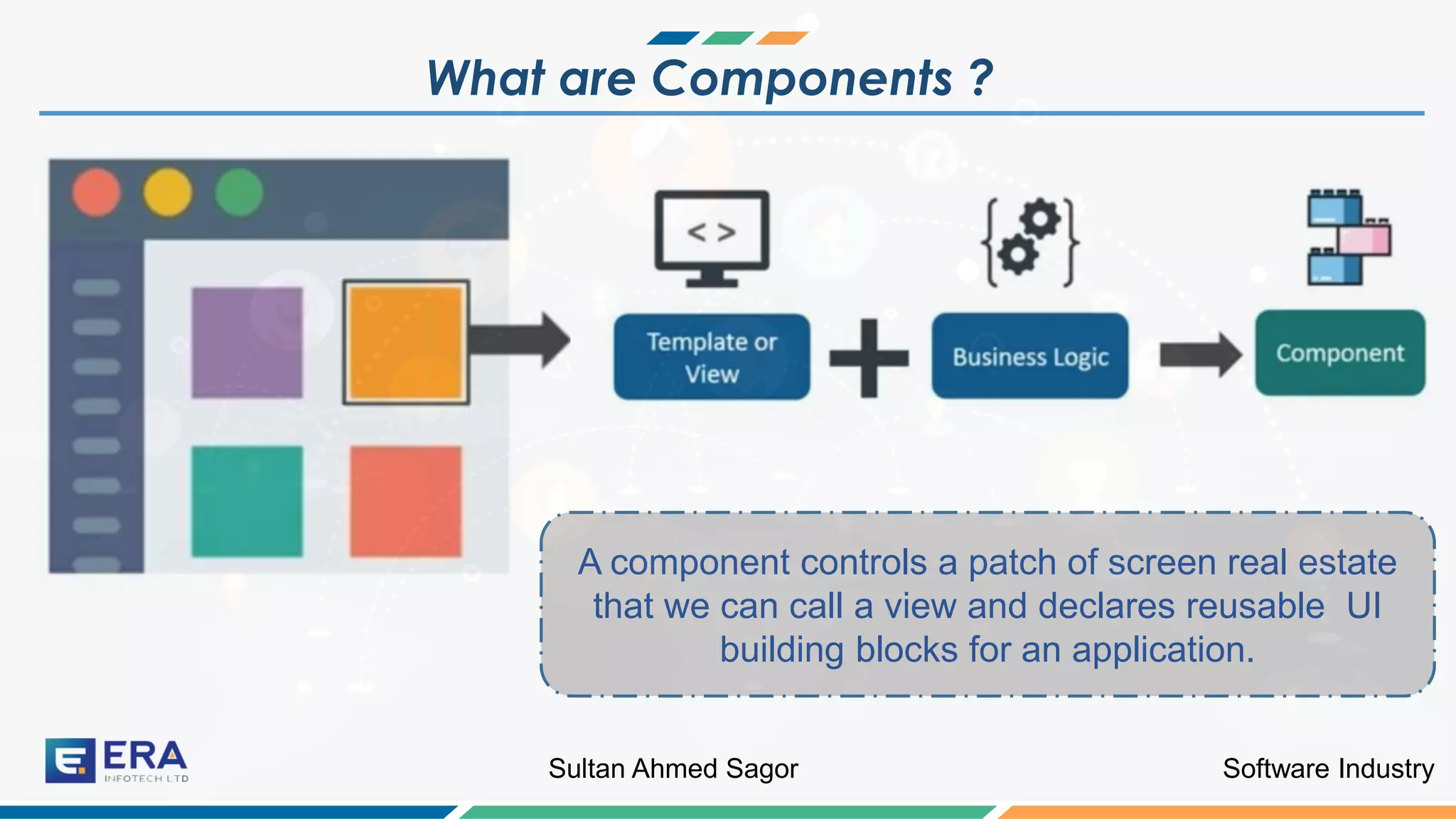
What are Components ?
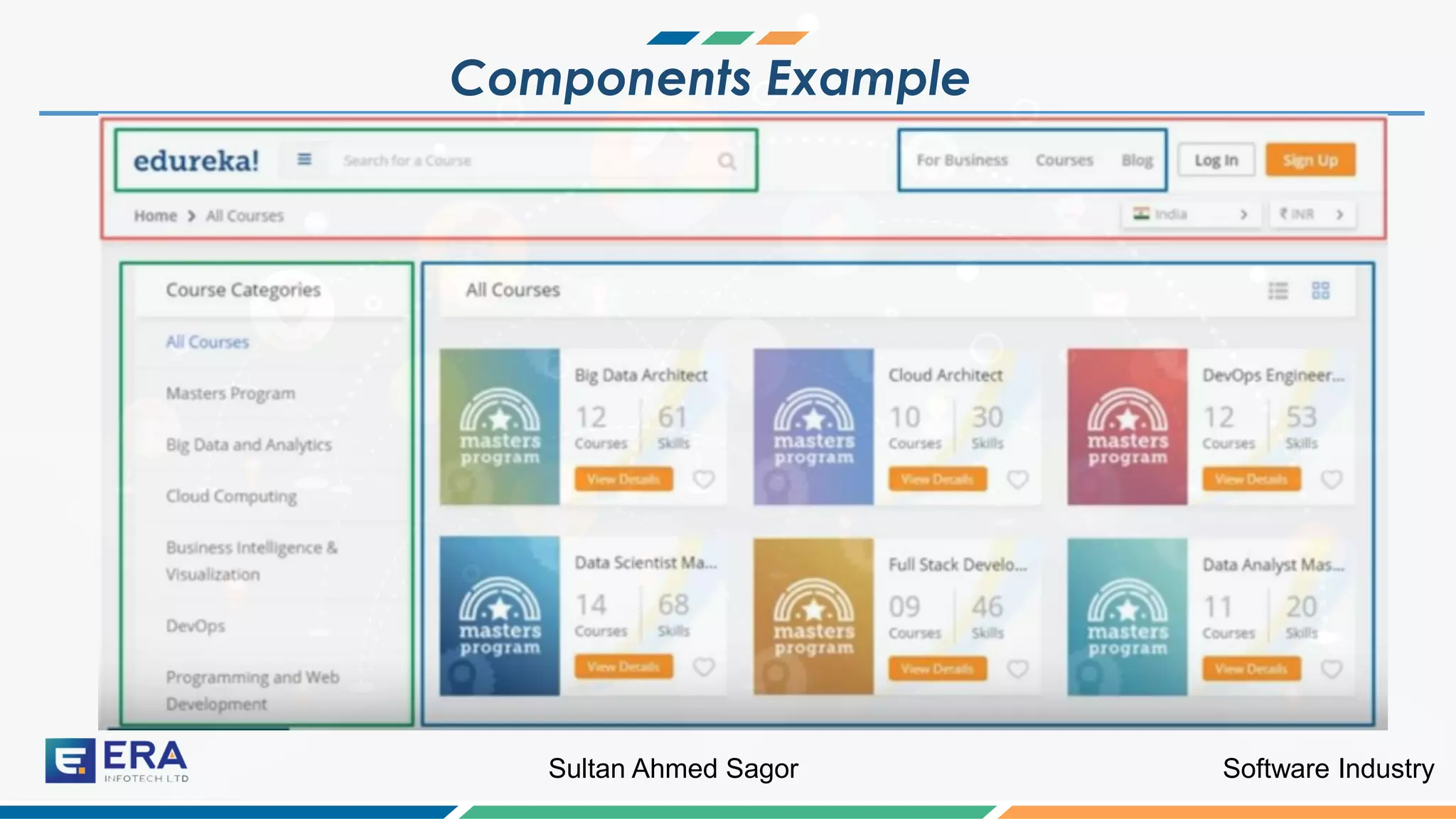
A component controls a patch of screen real estate that we can call a view and
declares reusable UI building blocks for an application.
Software IndustrySultan Ahmed Sagor
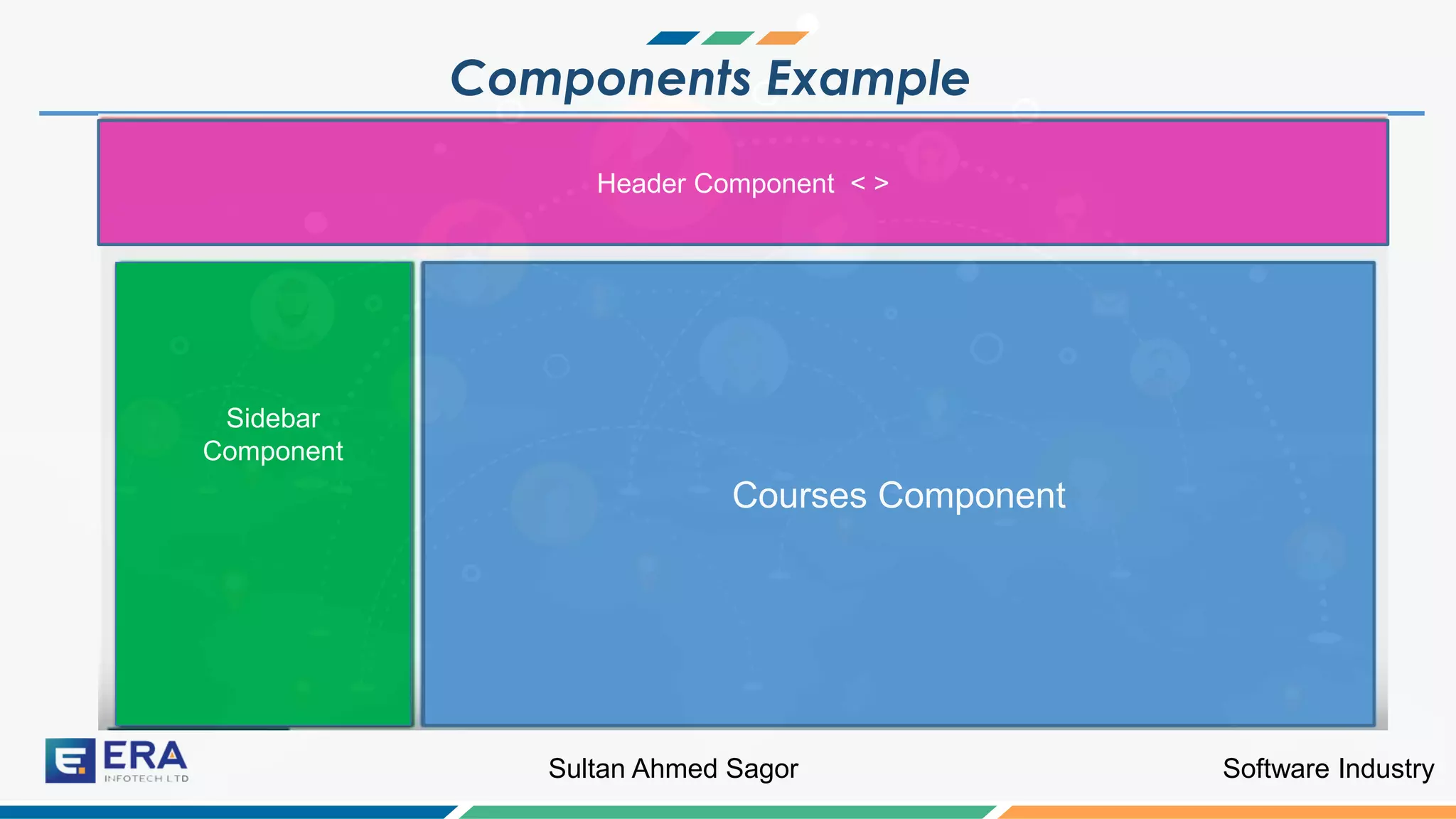
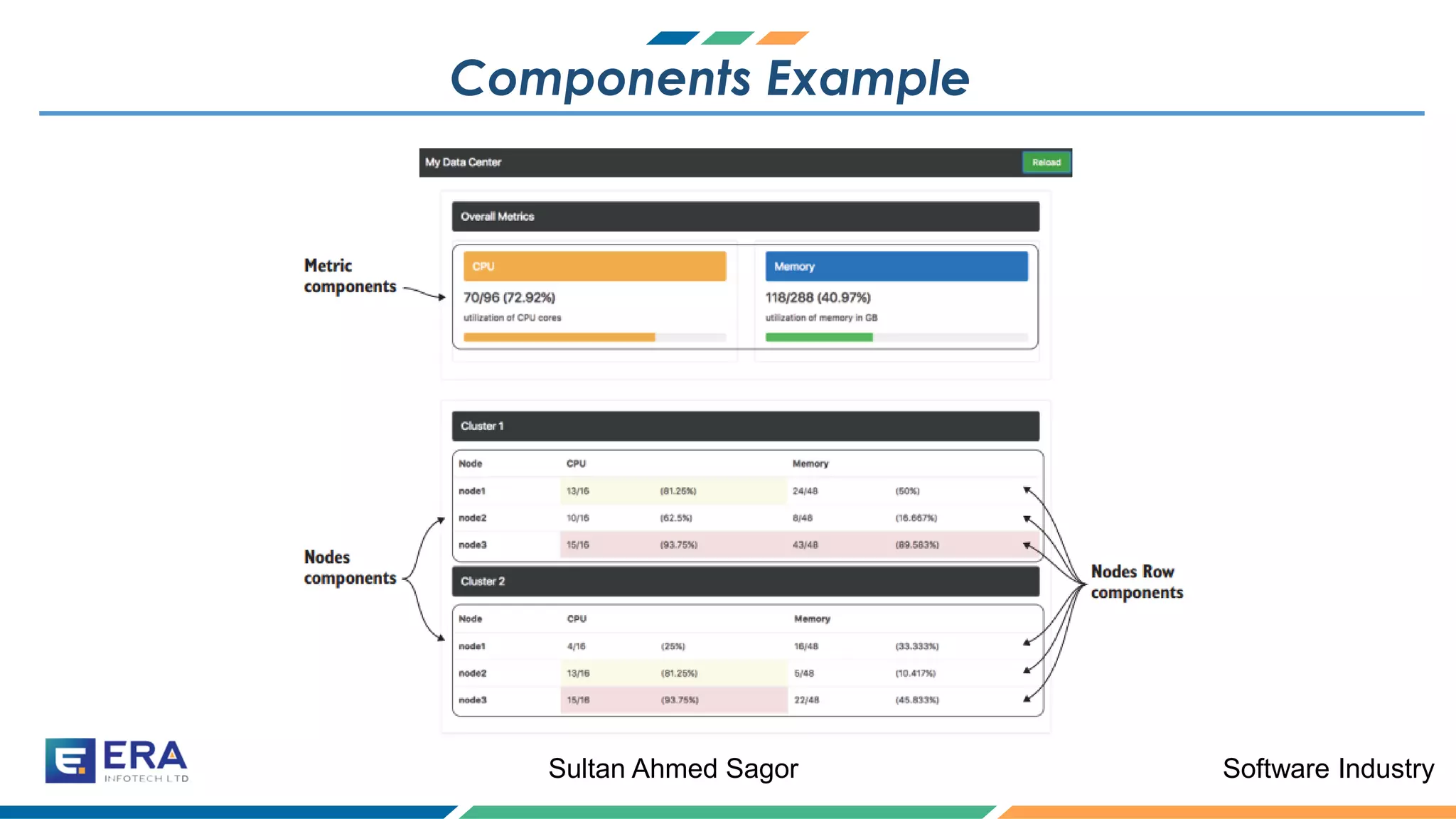
Components Example
Software IndustrySultan Ahmed Sagor
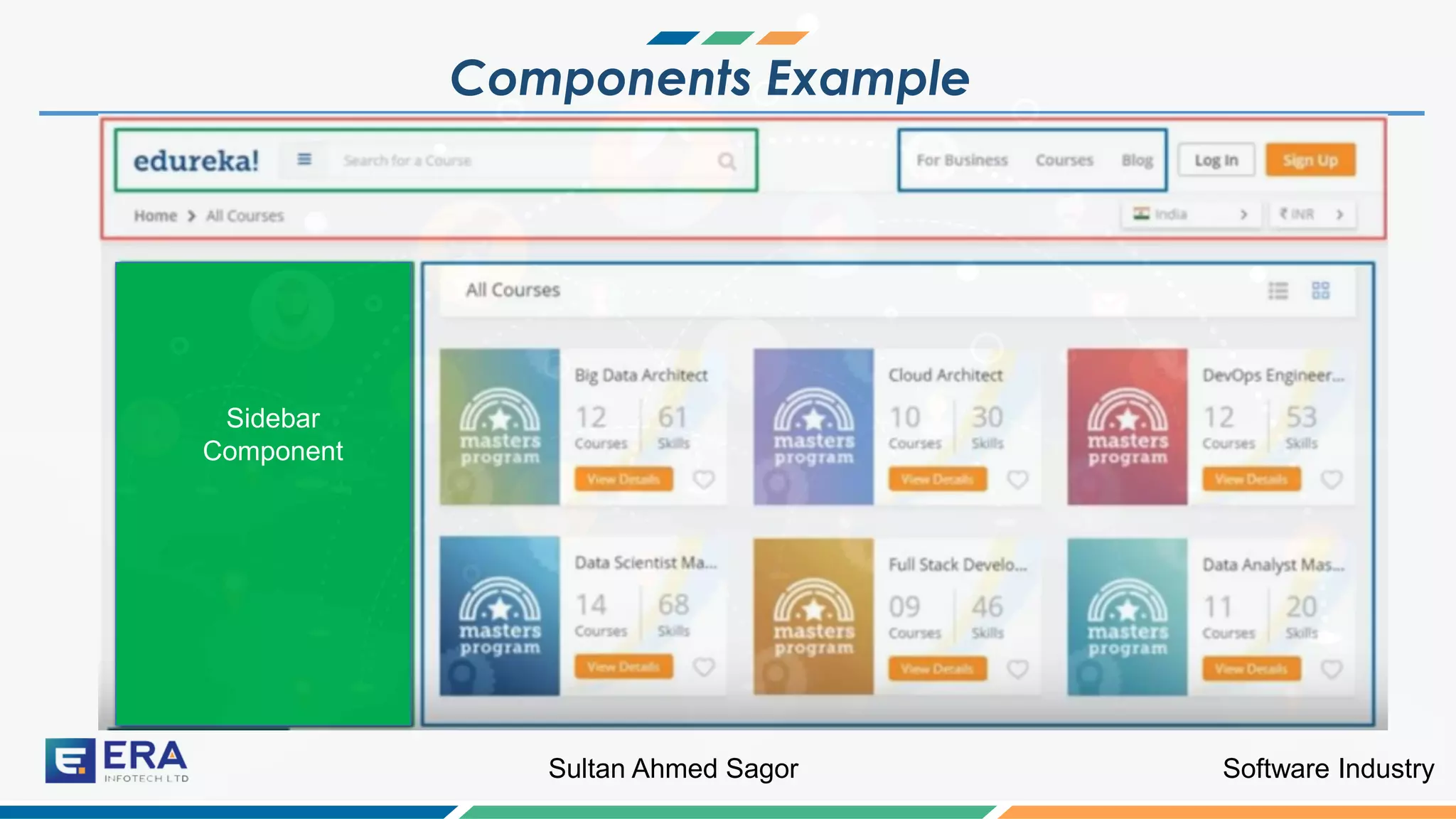
Components Example
Sidebar
Component
Software IndustrySultan Ahmed Sagor
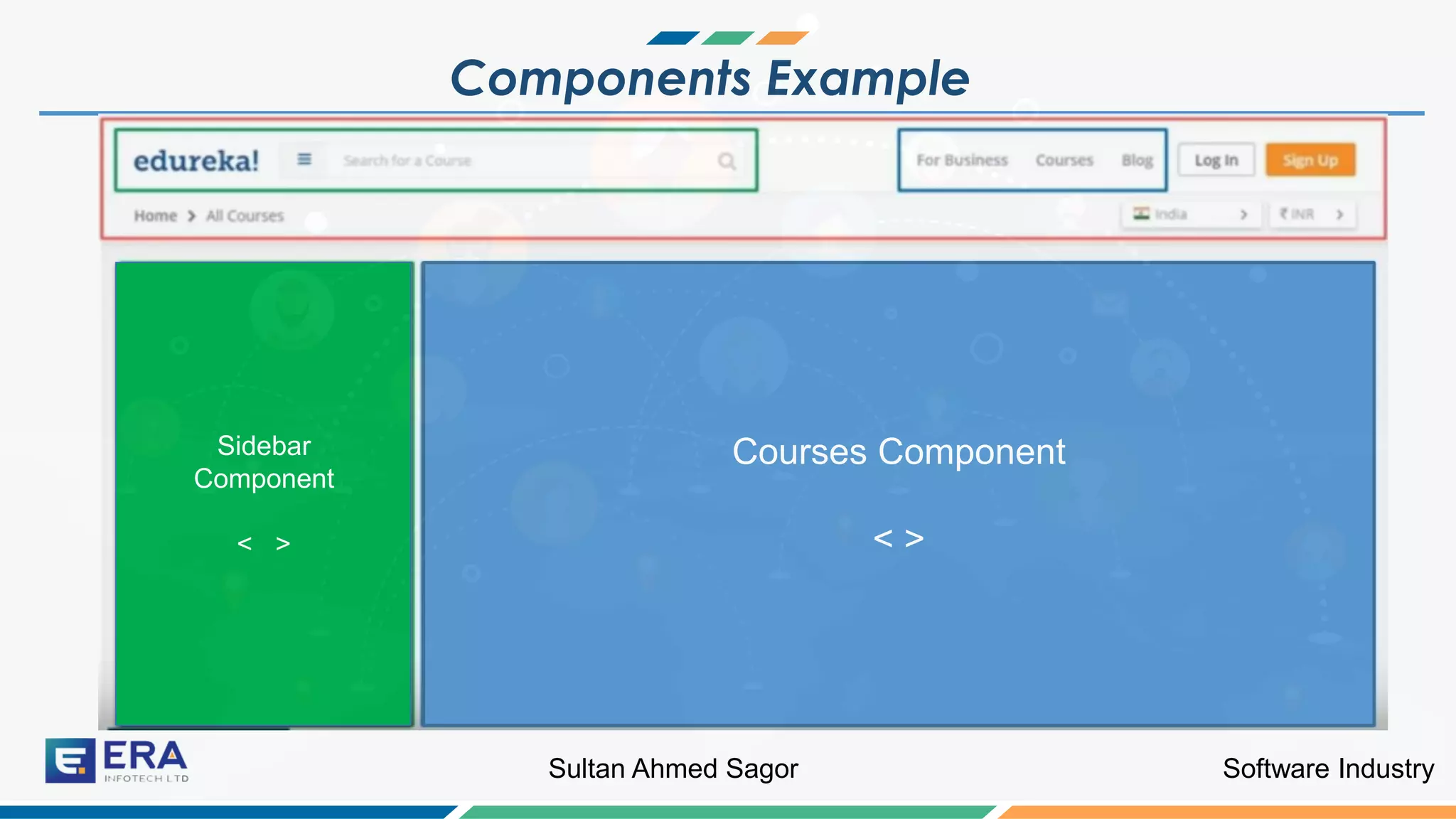
Components Example
Sidebar
Component
< >
Courses Component
< >
Software IndustrySultan Ahmed Sagor
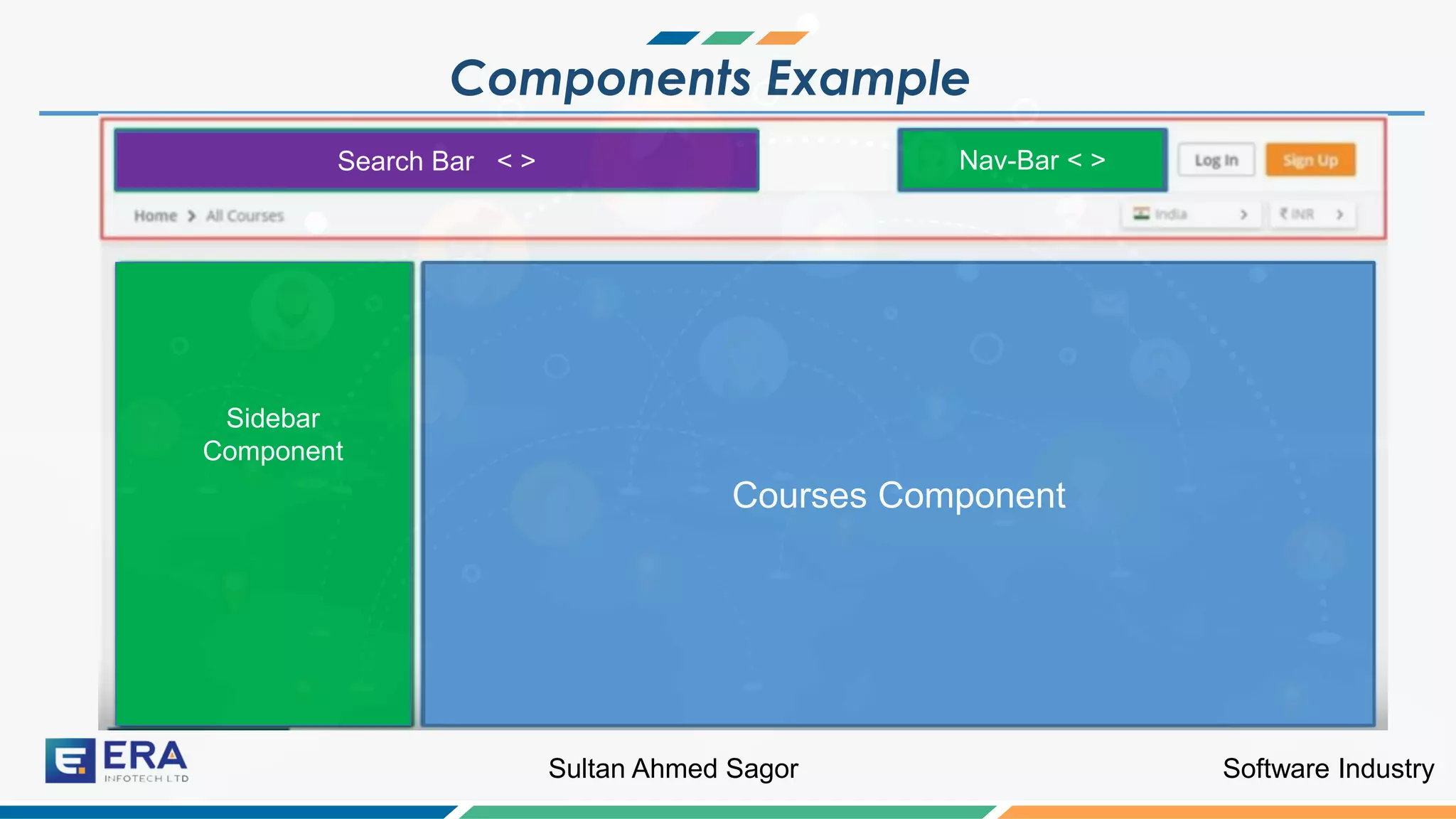
Components Example
Sidebar
Component
Courses Component
Search Bar < > Nav-Bar < >
Software IndustrySultan Ahmed Sagor
Components Example
Sidebar
Component
Courses Component
Search Bar < > Nav-Bar < >
Header Component < >
Software IndustrySultan Ahmed Sagor
Components Example
Sidebar
Component
Software IndustrySultan Ahmed Sagor
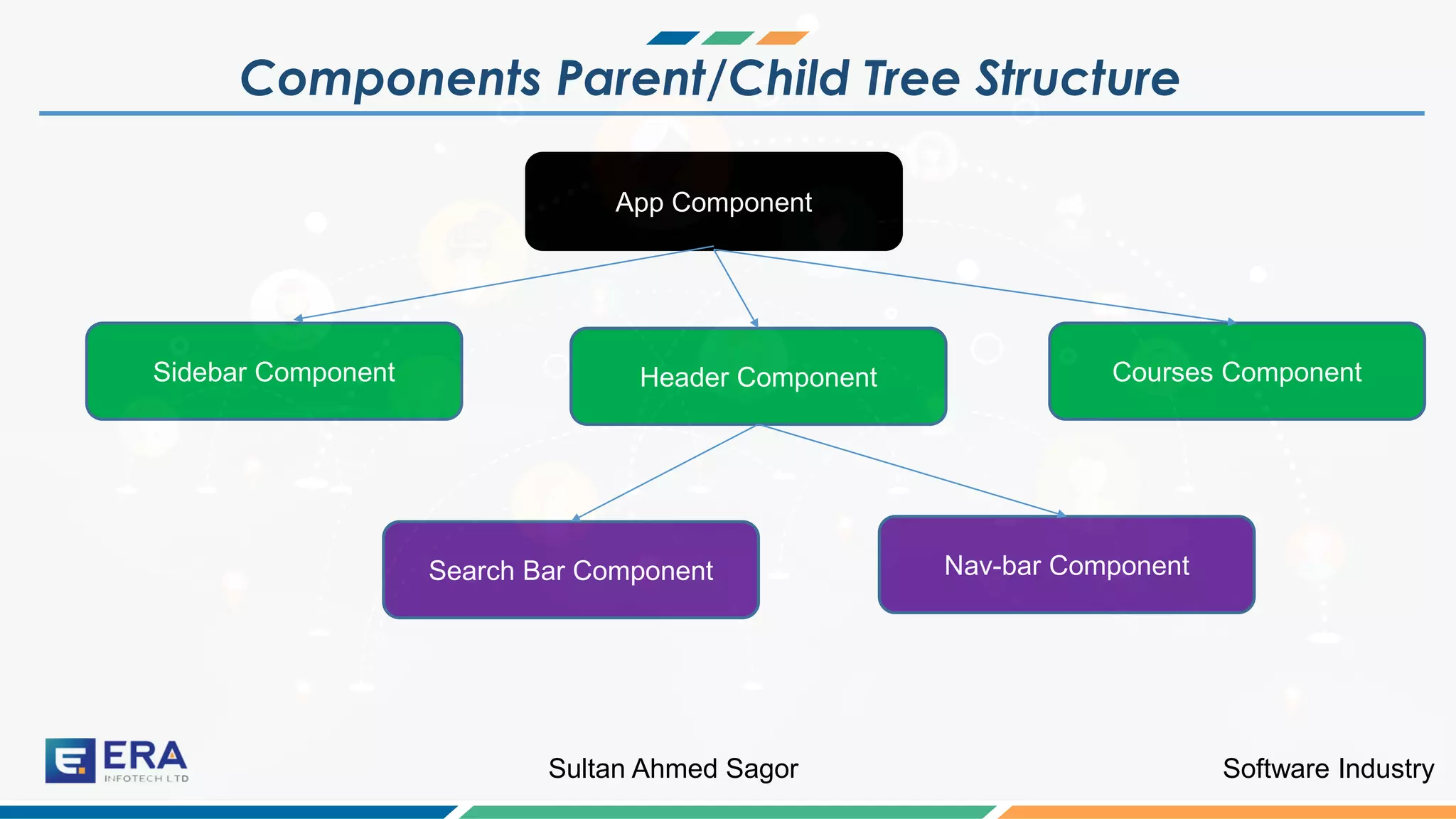
Components Parent/Child Tree Structure
Sidebar
Component
App Component
Sidebar Component Header Component Courses Component
Search Bar Component Nav-bar Component
Software IndustrySultan Ahmed Sagor
What are Components ?
A component controls a patch of screen real estate
that we can call a view and declares reusable UI
building blocks for an application.
Software IndustrySultan Ahmed Sagor
Creating a Component ?
Now we will discuss how to create
components
Software IndustrySultan Ahmed Sagor
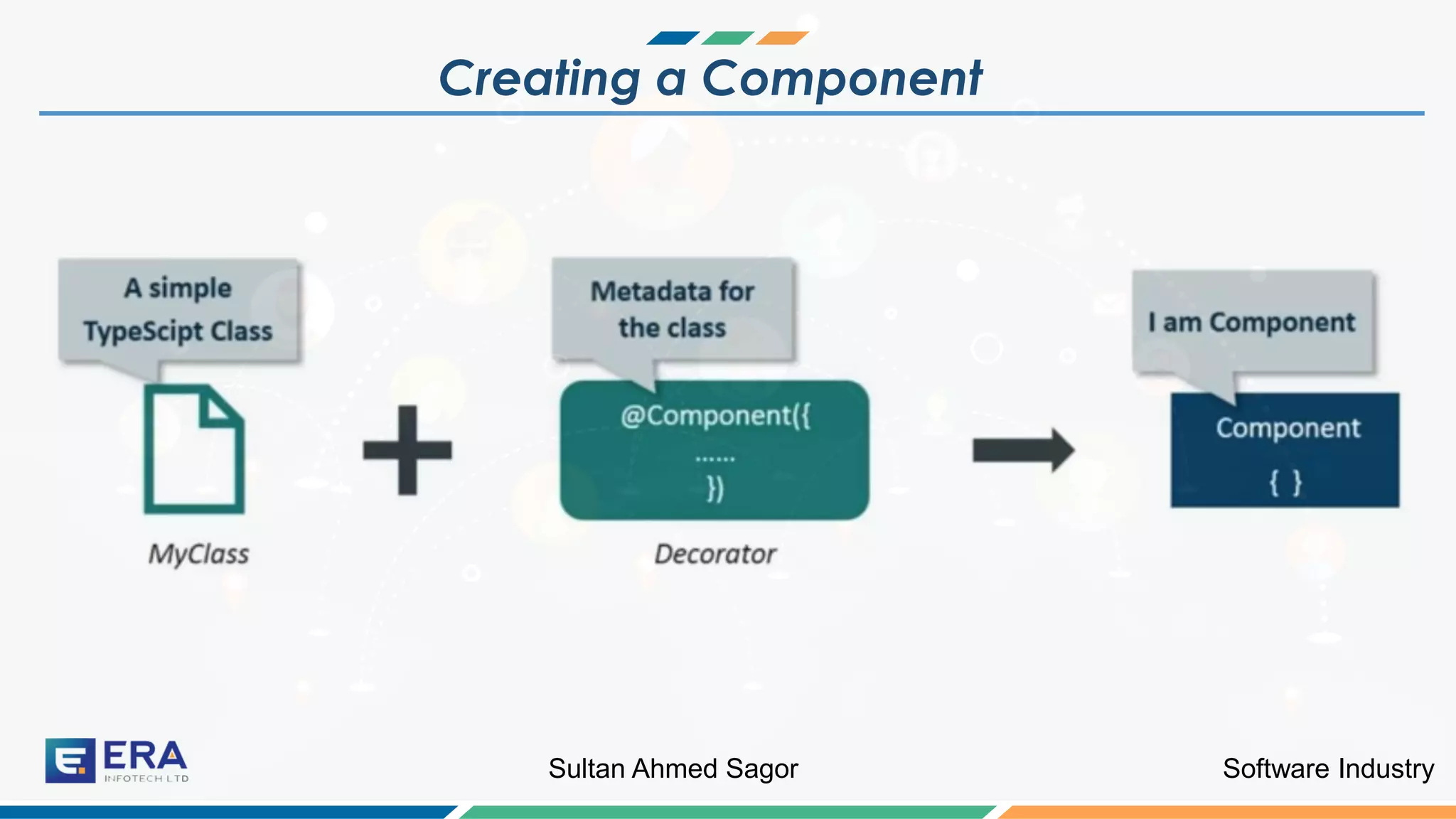
Creating a Component
Software IndustrySultan Ahmed Sagor
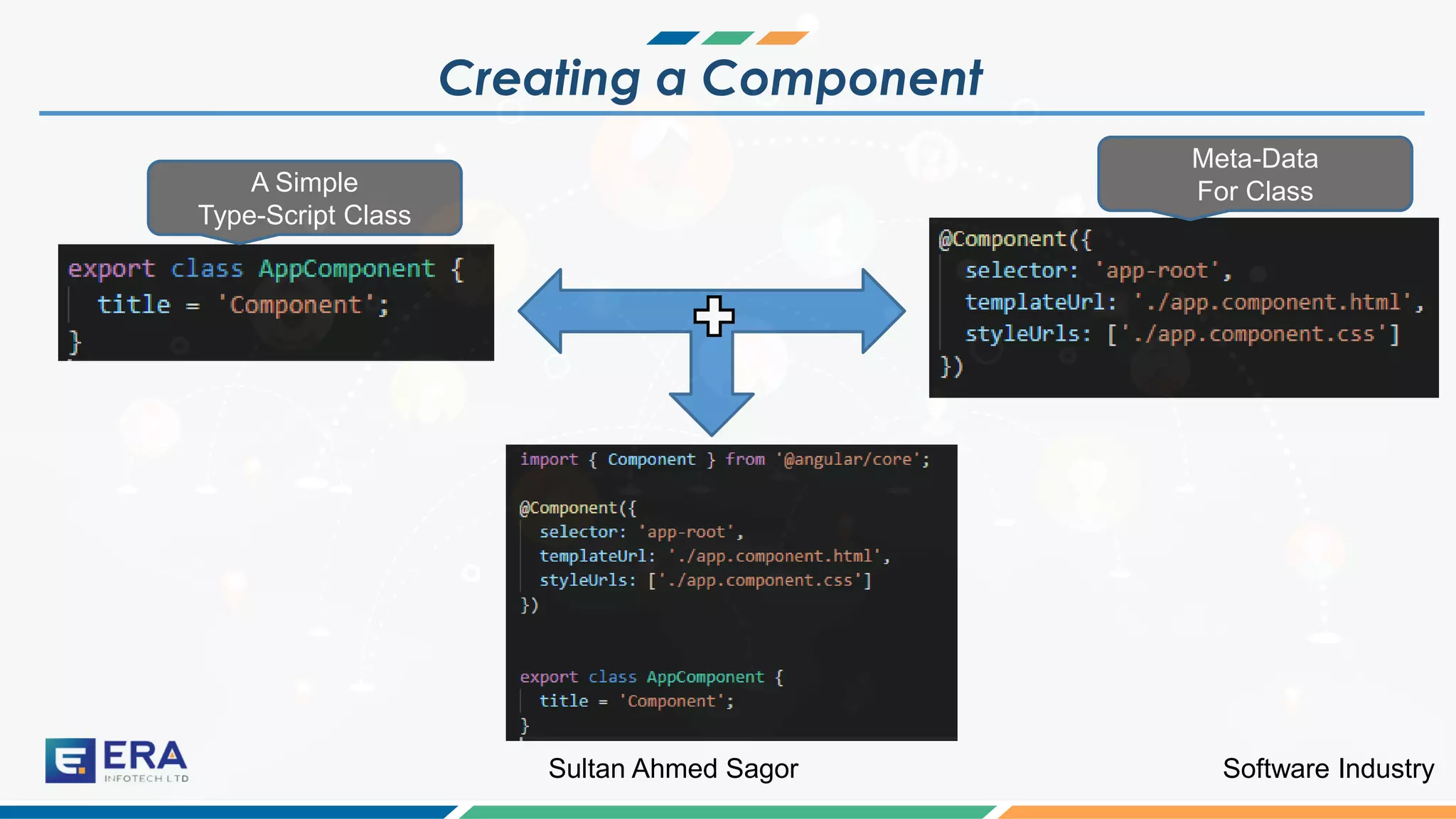
Creating a Component
A Simple
Type-Script Class
Meta-Data
For Class
Software IndustrySultan Ahmed Sagor
AppComponent: The Root Component ?
Angular is not just a framework.
Software IndustrySultan Ahmed Sagor
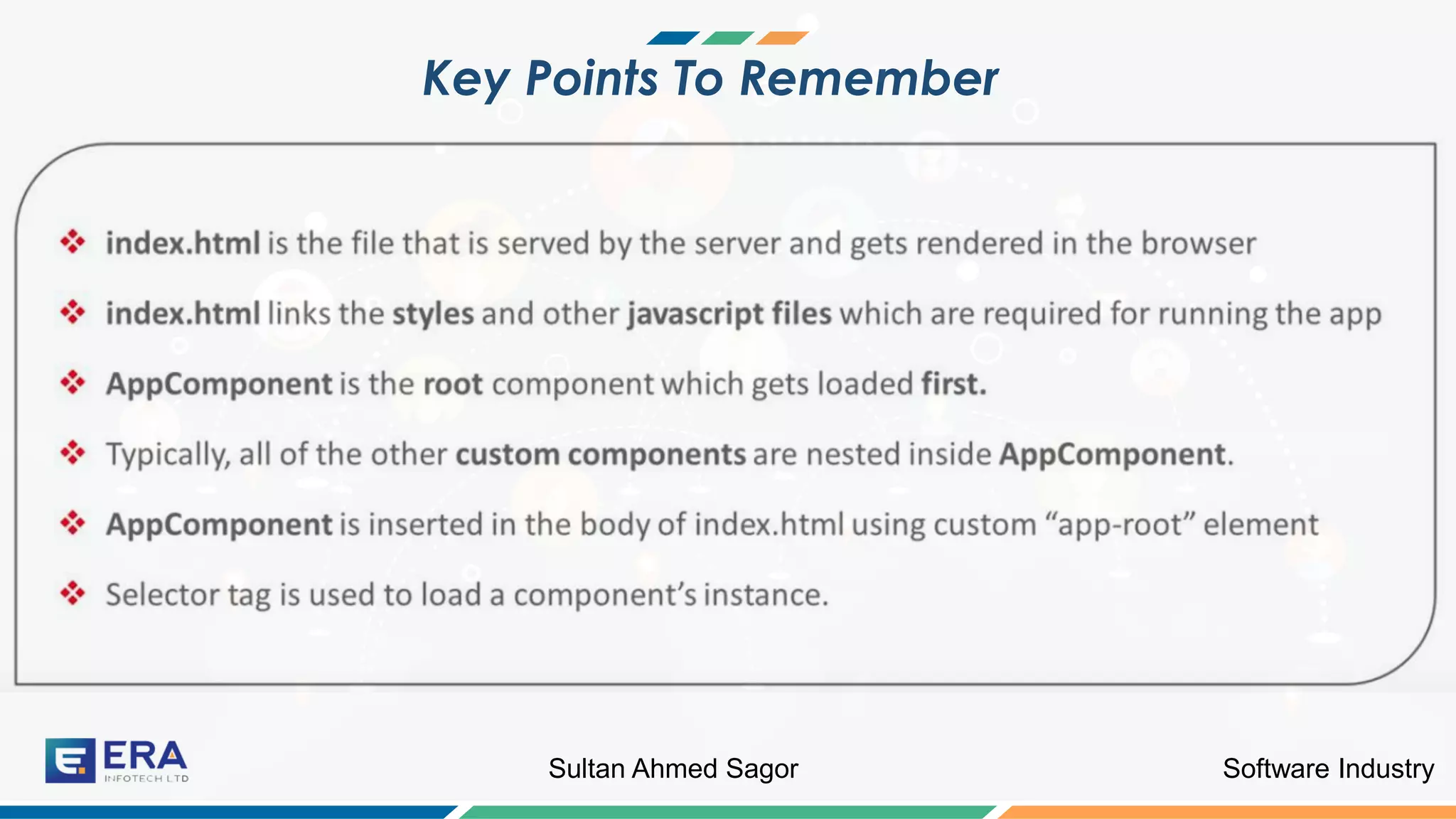
Key Points To Remember
Software IndustrySultan Ahmed Sagor
Angular App Bootstrapping
Let us know some basic staffs
Software IndustrySultan Ahmed Sagor
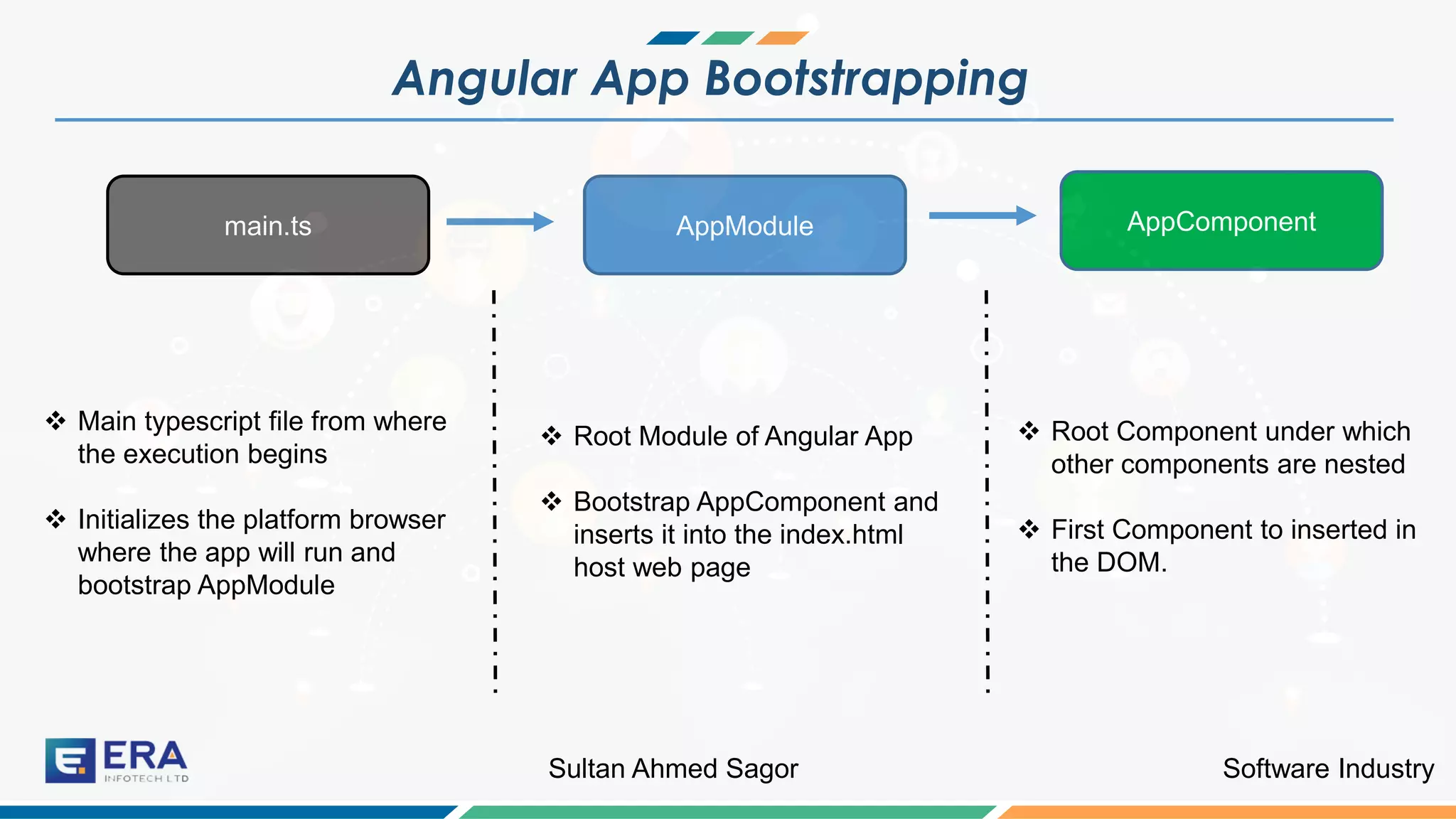
Angular App Bootstrapping
main.ts AppModule AppComponent
❖ Main typescript file from where
the execution begins
❖ Initializes the platform browser
where the app will run and
bootstrap AppModule
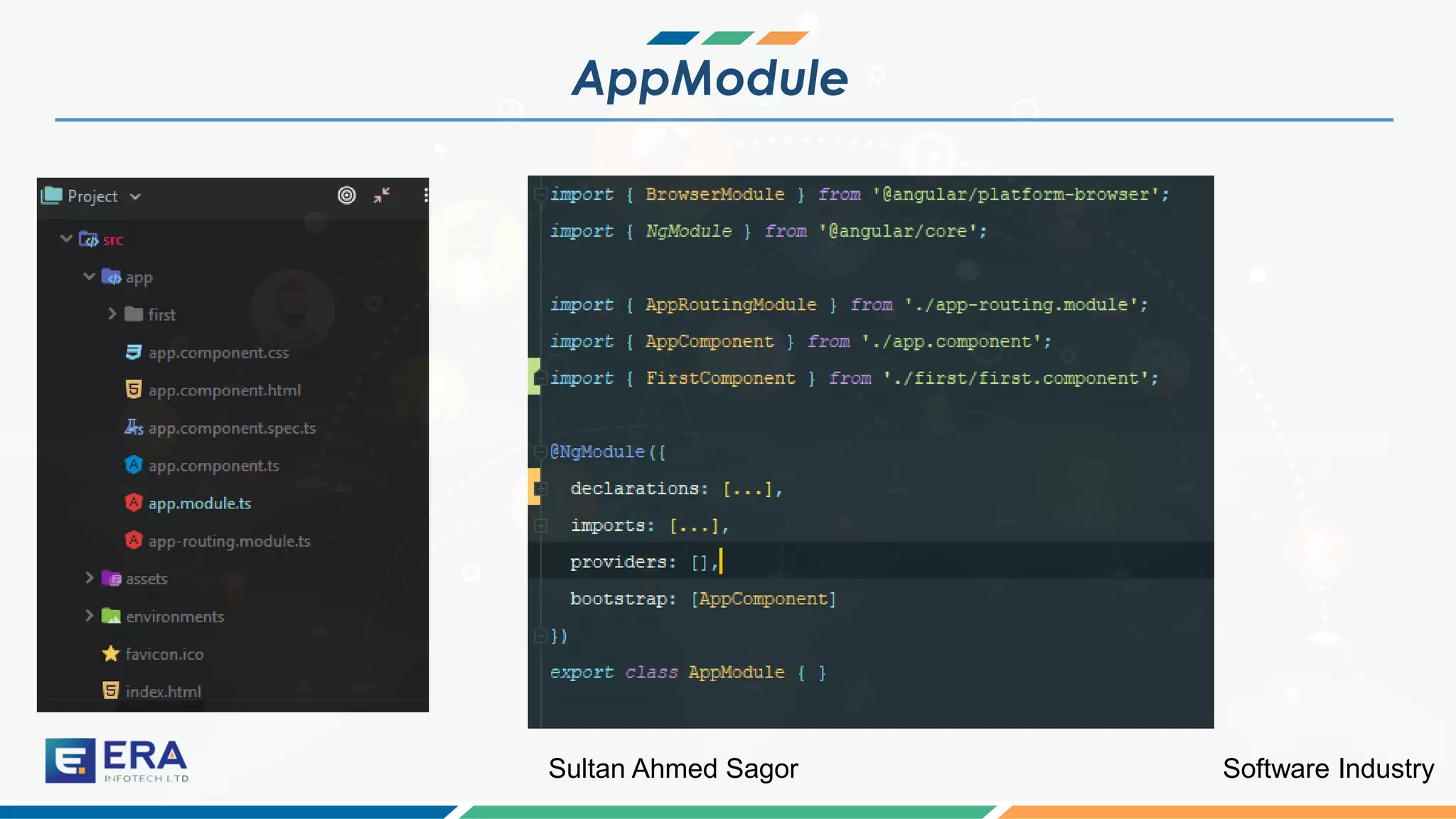
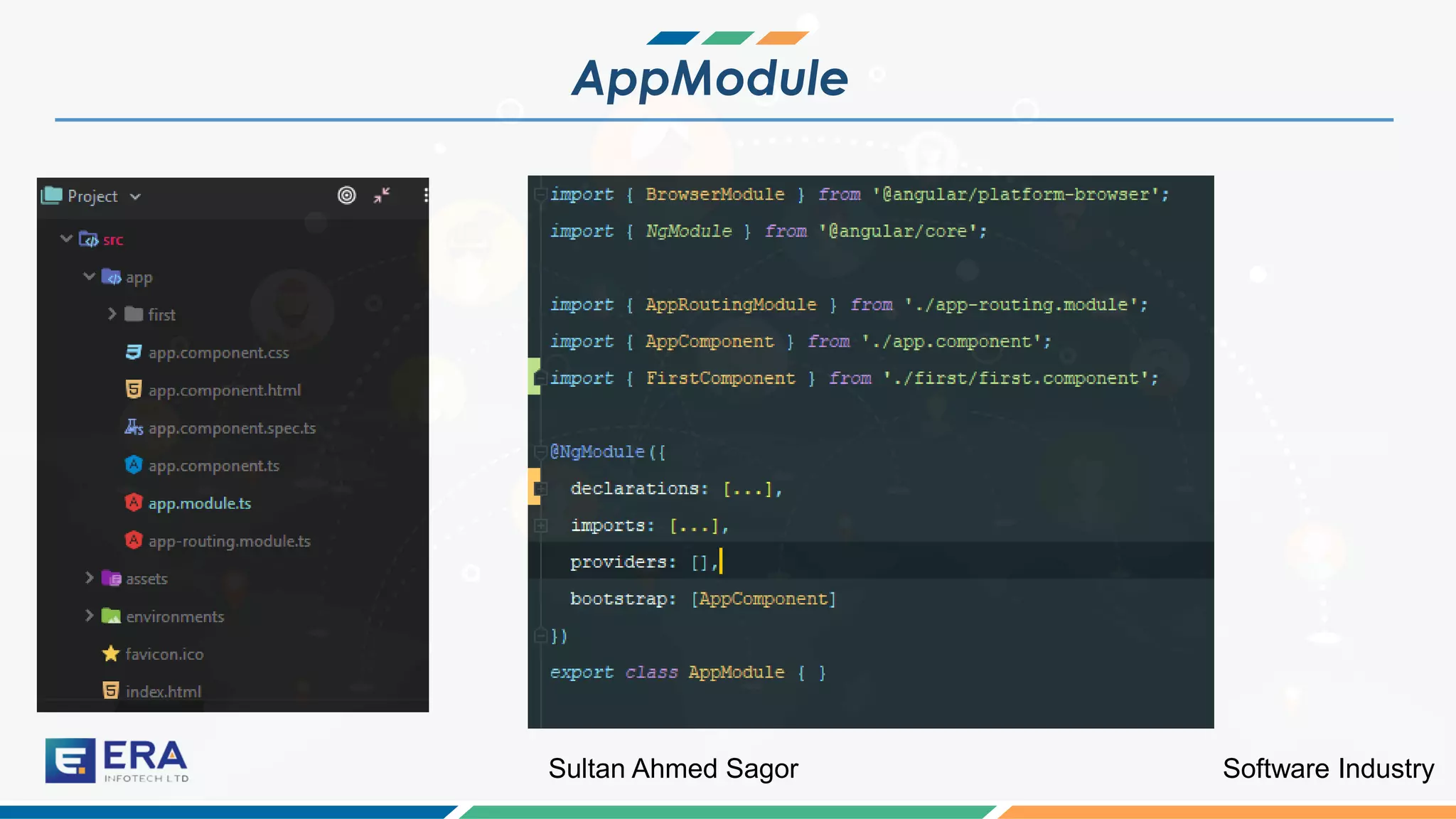
❖ Root Module of Angular App
❖ Bootstrap AppComponent and
inserts it into the index.html
host web page
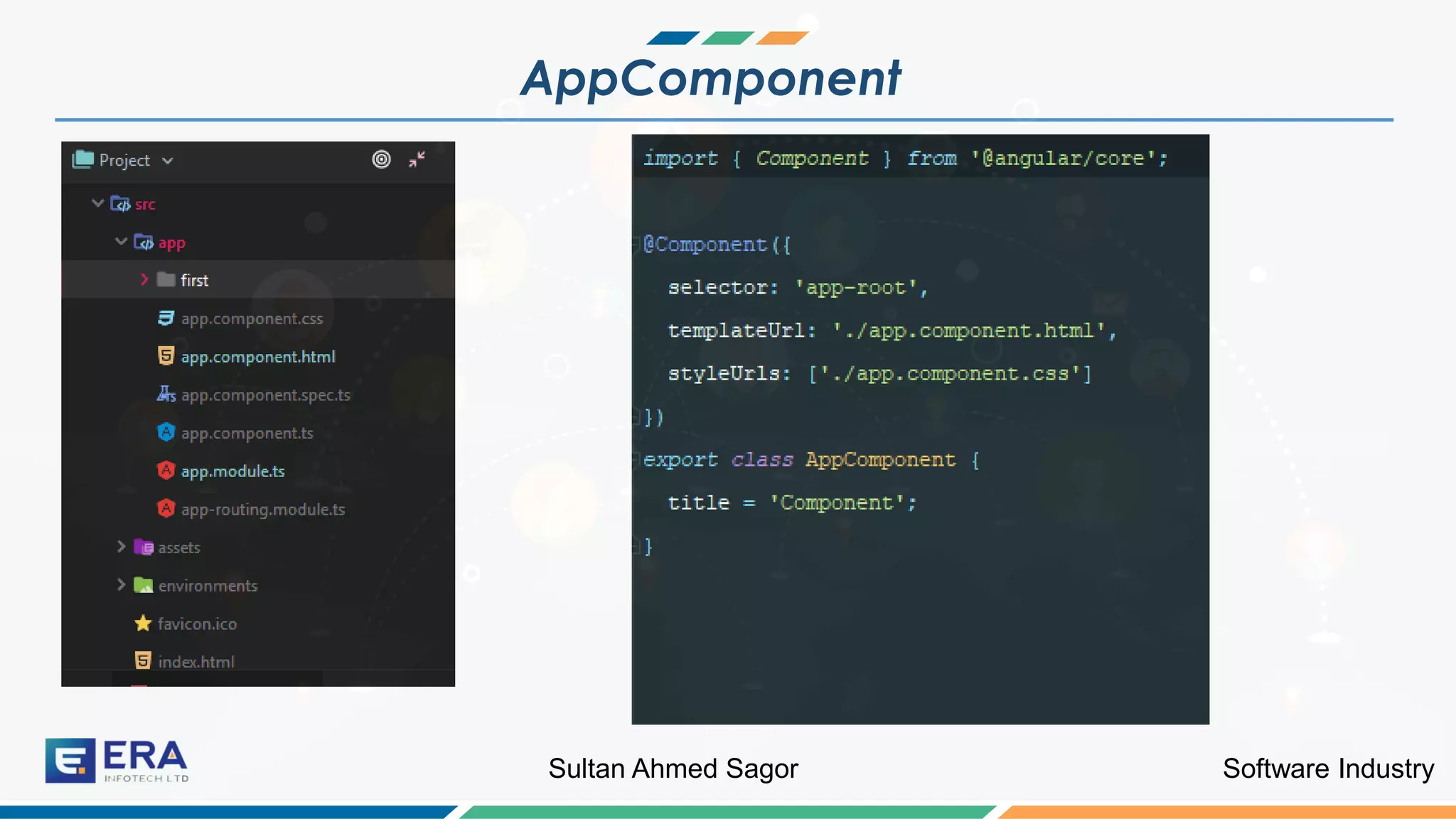
❖ Root Component under which
other components are nested
❖ First Component to inserted in
the DOM.
Software IndustrySultan Ahmed Sagor
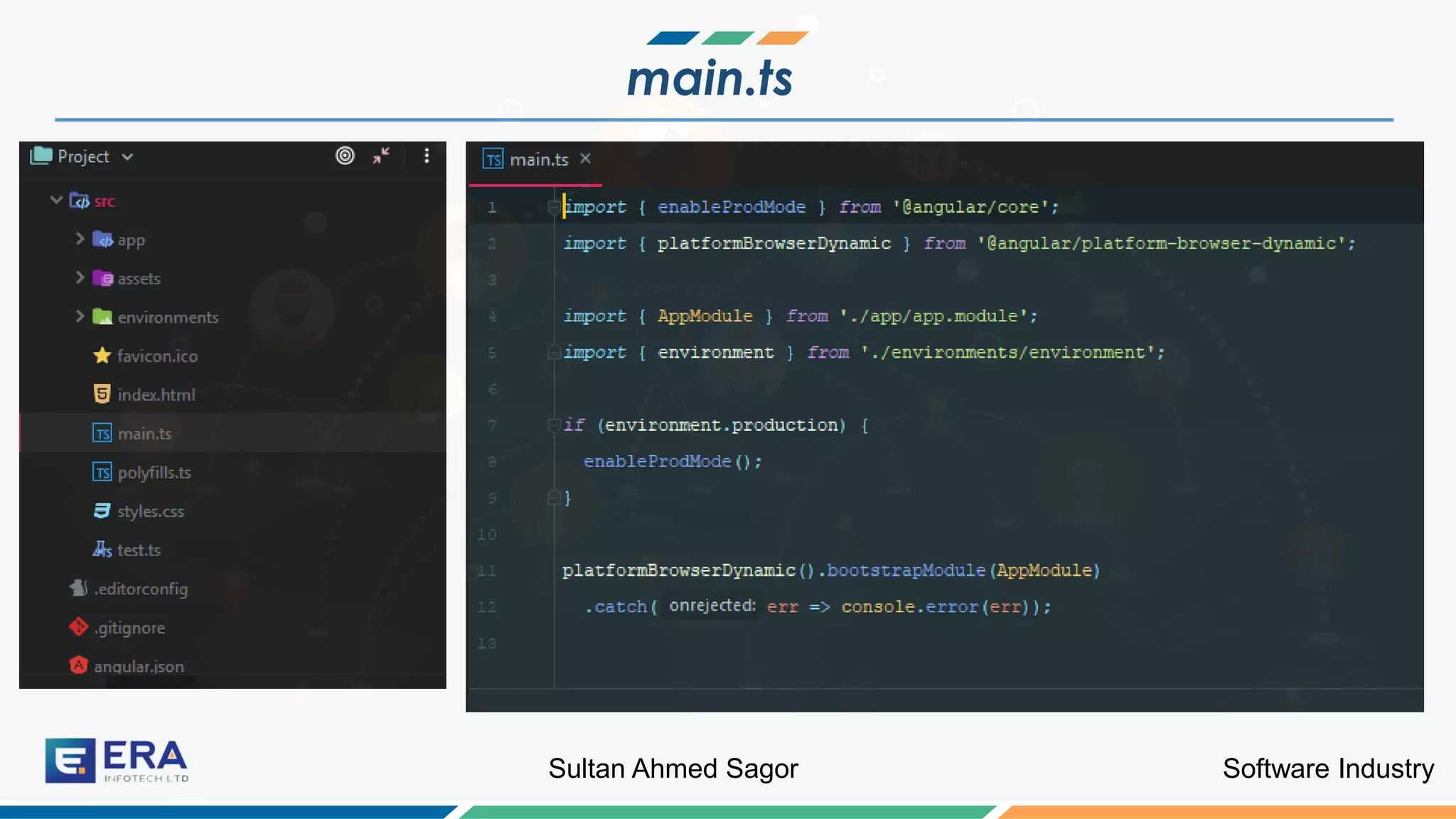
main.ts
Software IndustrySultan Ahmed Sagor
AppModule
Software IndustrySultan Ahmed Sagor
AppModule
Software IndustrySultan Ahmed Sagor
AppComponent
Software IndustrySultan Ahmed Sagor
Why Angular Apps Are Bootstrapped
Lets discuss
Software IndustrySultan Ahmed Sagor
Why Angular App is bootstrapped
❖ Allow us to write Angular App that can be hosted on other environments
❖ Import the platform based Applications
❖ For example,
❖ @angular/platform-browser-dynamic is used for running the app on
browser.
Angular is not only a framework for creating WEB-only Applications
Software IndustrySultan Ahmed Sagor
Application Specification
Let us do some practical
Software IndustrySultan Ahmed Sagor
Tour Of Heroes
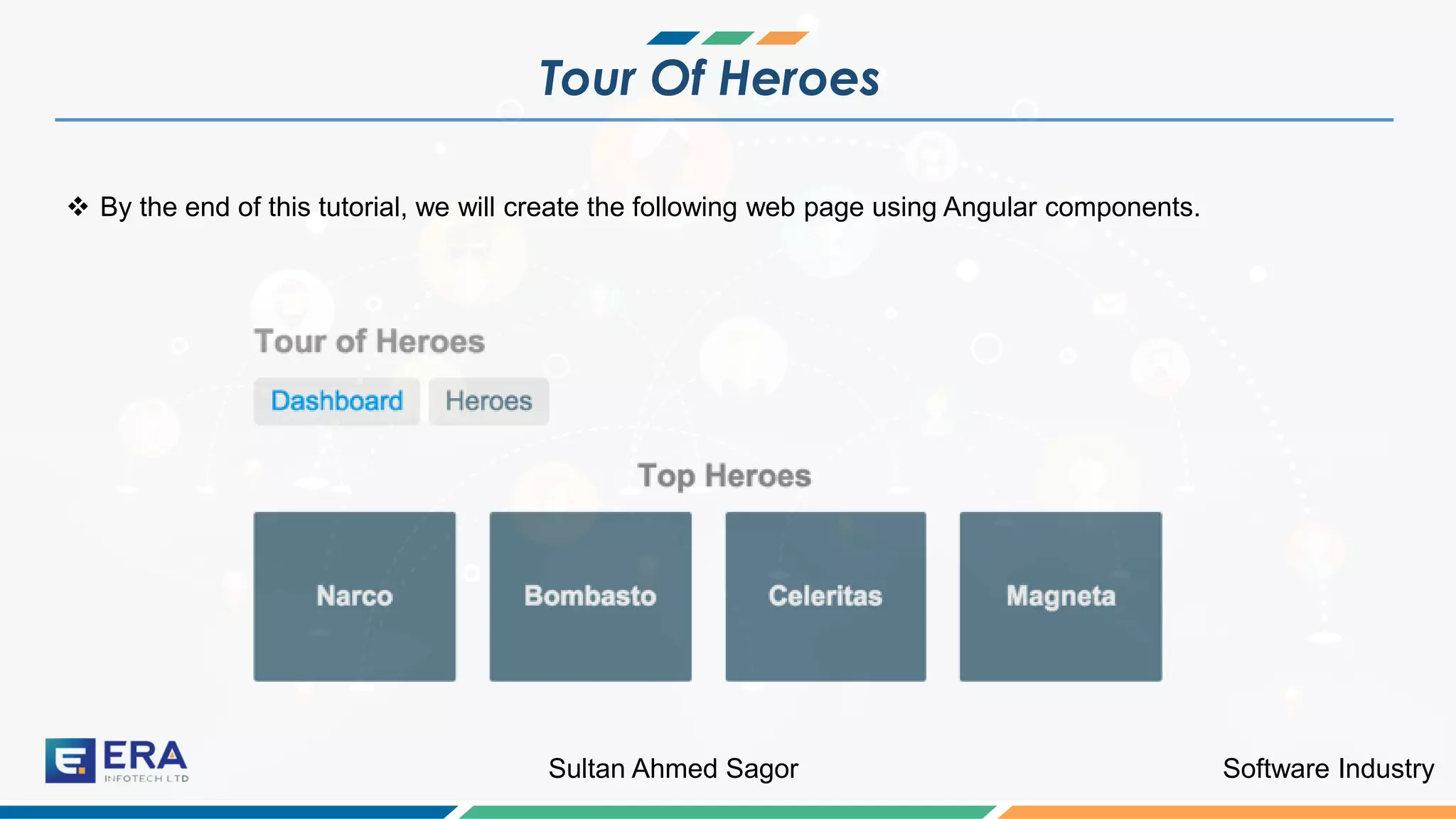
❖ By the end of this tutorial, we will create the following web page using Angular components.
Software IndustrySultan Ahmed Sagor
Tour Of Heroes
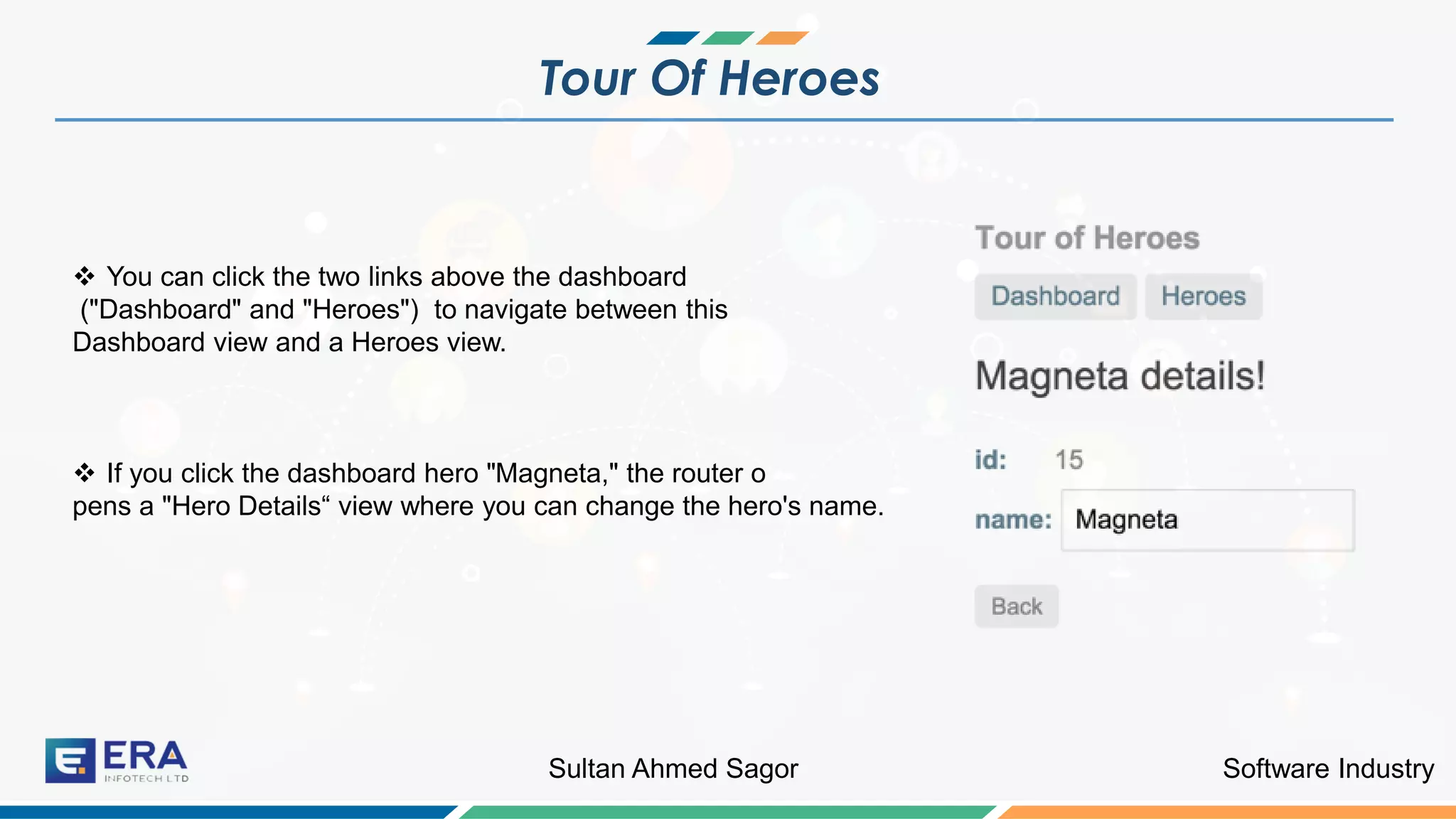
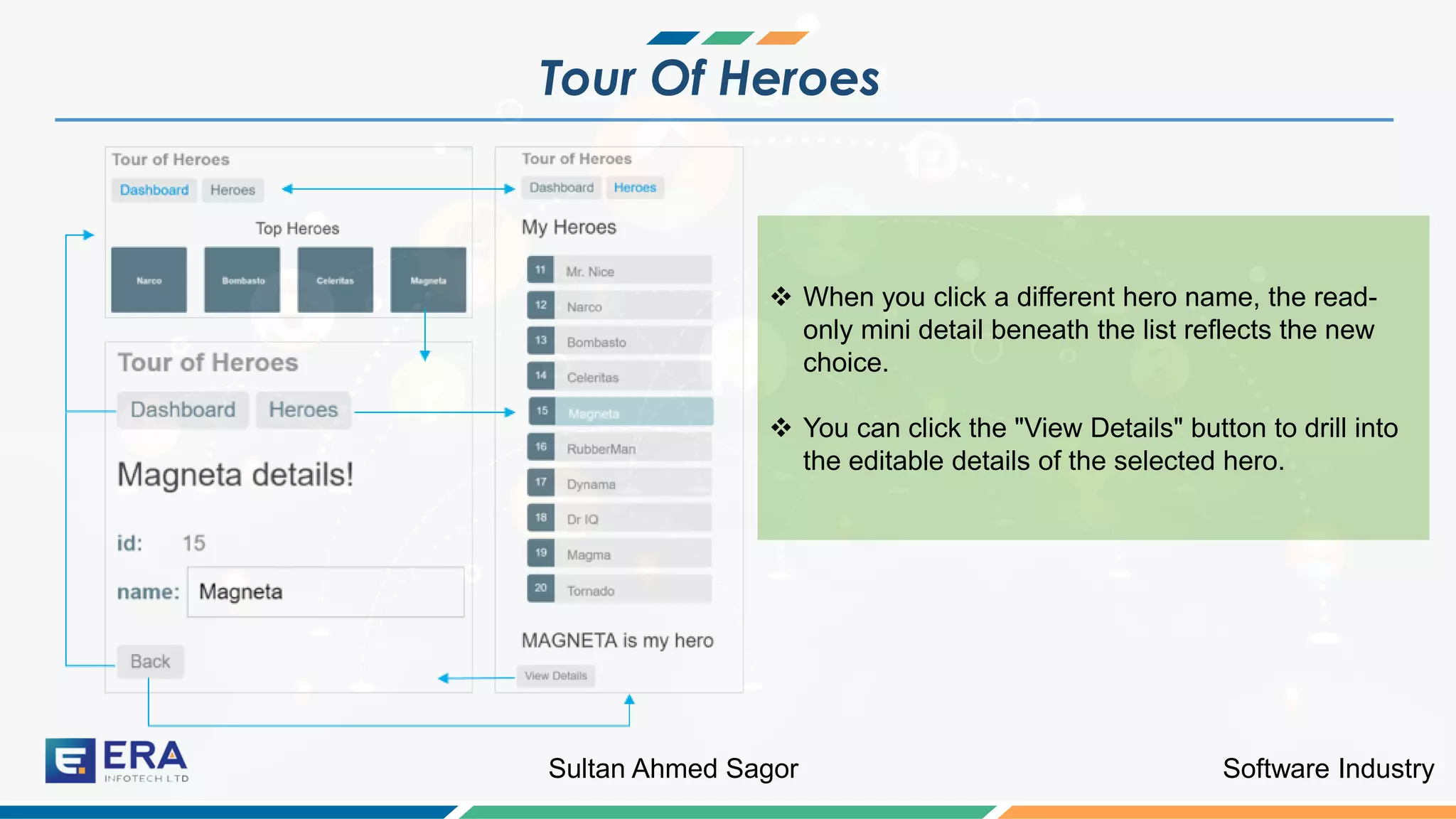
❖ You can click the two links above the dashboard
("Dashboard" and "Heroes") to navigate between this
Dashboard view and a Heroes view.
❖ If you click the dashboard hero "Magneta," the router o
pens a "Hero Details“ view where you can change the hero's name.
Software IndustrySultan Ahmed Sagor
Tour Of Heroes
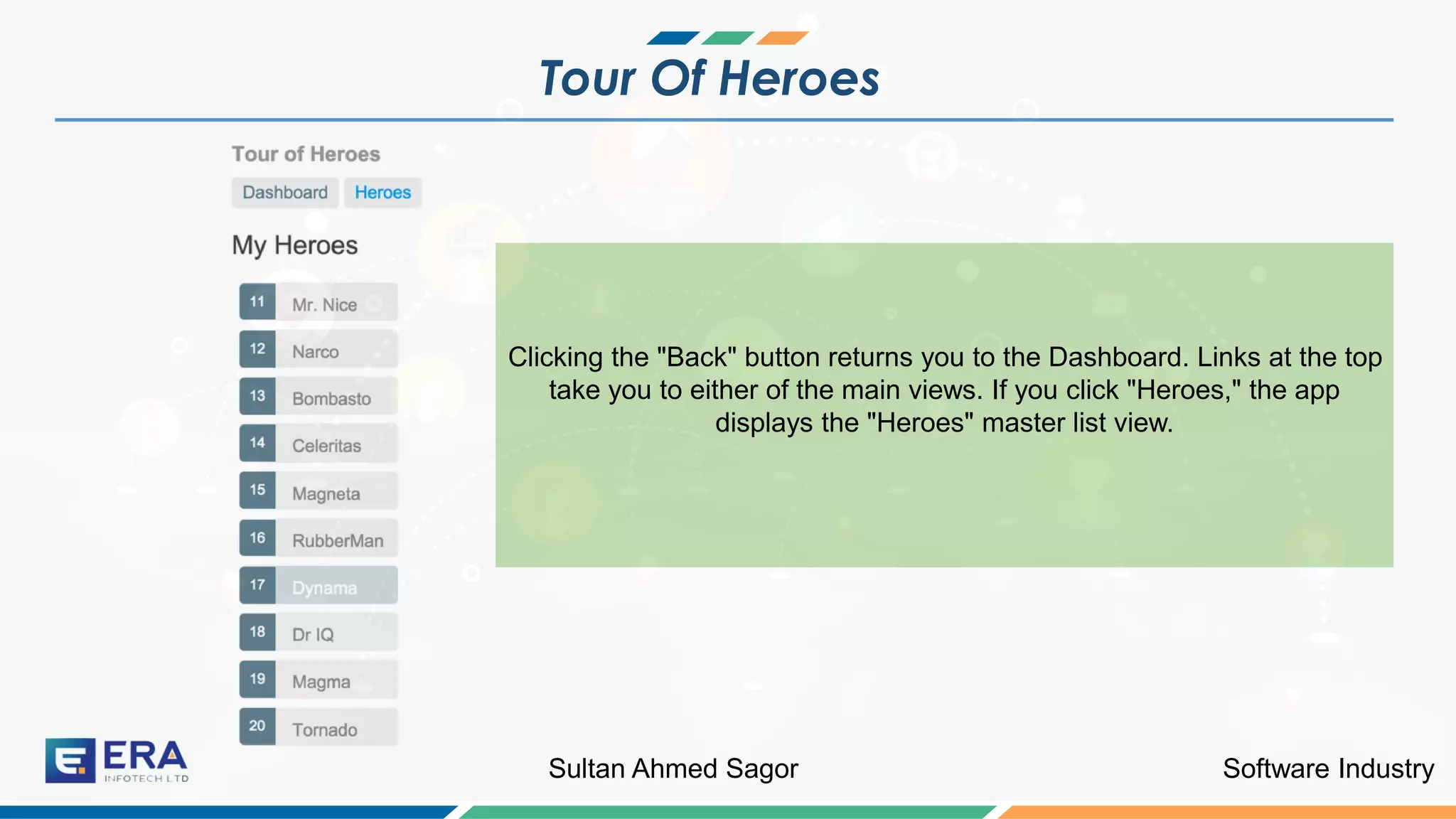
Clicking the "Back" button returns you to the Dashboard. Links at the top
take you to either of the main views. If you click "Heroes," the app
displays the "Heroes" master list view.
Software IndustrySultan Ahmed Sagor
Tour Of Heroes
❖ When you click a different hero name, the read-
only mini detail beneath the list reflects the new
choice.
❖ You can click the "View Details" button to drill into
the editable details of the selected hero.
Software IndustrySultan Ahmed Sagor
Tour Of Heroes Demo
Let us do develop the application
Software IndustrySultan Ahmed Sagor
Tour Of Heroes
❖ Let us create a Hero component.
❖ Command of creating hero component:
❖ ng generate component heroes
❖ As a result, the following classes/html file will be created:
❖ heroes.component.ts
❖
Software IndustrySultan Ahmed Sagor
heroes.component.ts
import { Component, OnInit } from '@angular/core';
@Component({
selector: 'app-heroes',
templateUrl: './heroes.component.html',
styleUrls: ['./heroes.component.css']
})
export class HeroesComponent implements OnInit {
hero: Hero = { id: 1, name: 'Windstorm' };
constructor() { }
ngOnInit() { }
}
Software IndustrySultan Ahmed Sagor
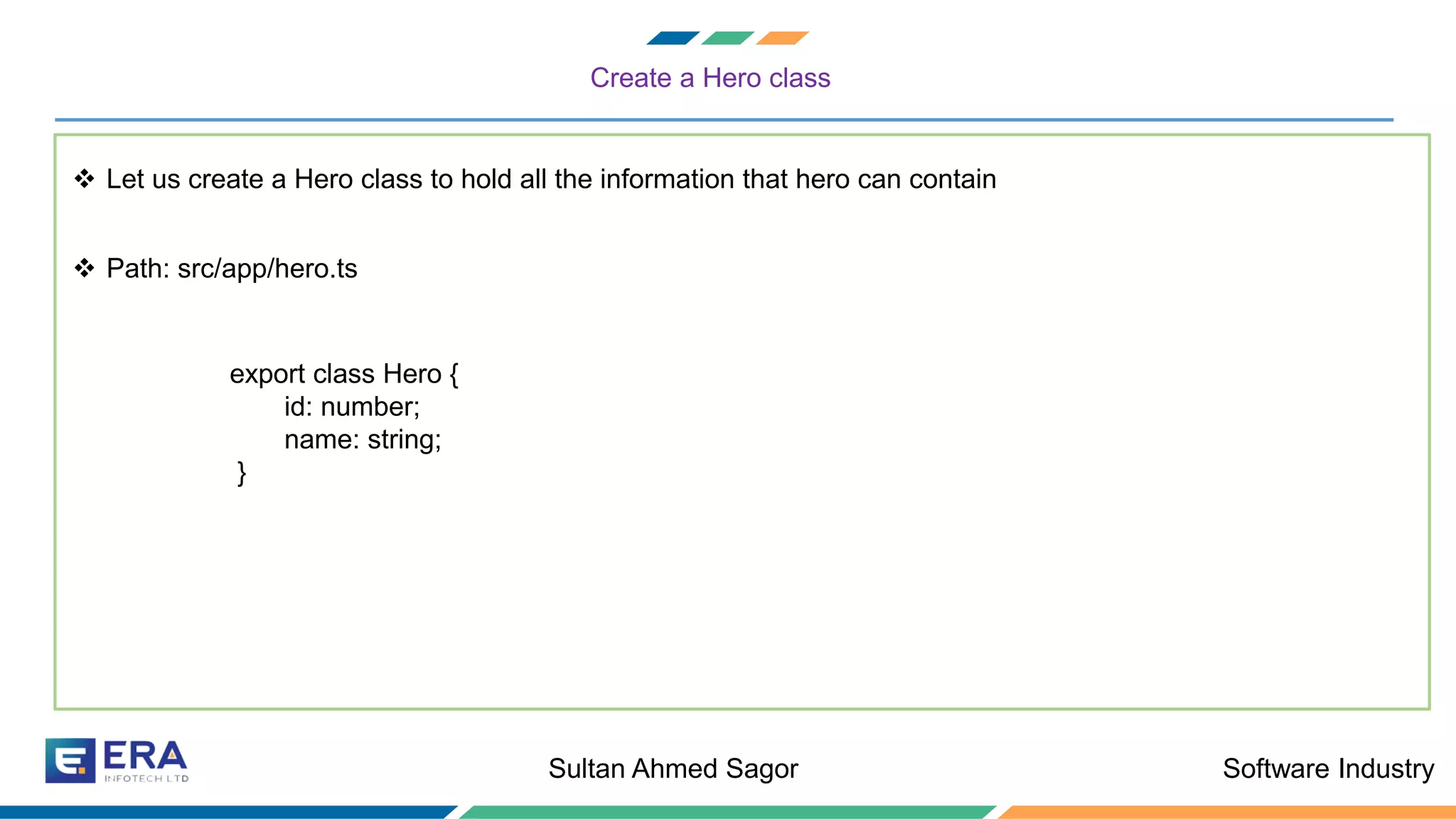
Create a Hero class
❖ Let us create a Hero class to hold all the information that hero can contain
❖ Path: src/app/hero.ts
export class Hero {
id: number;
name: string;
}
Software IndustrySultan Ahmed Sagor
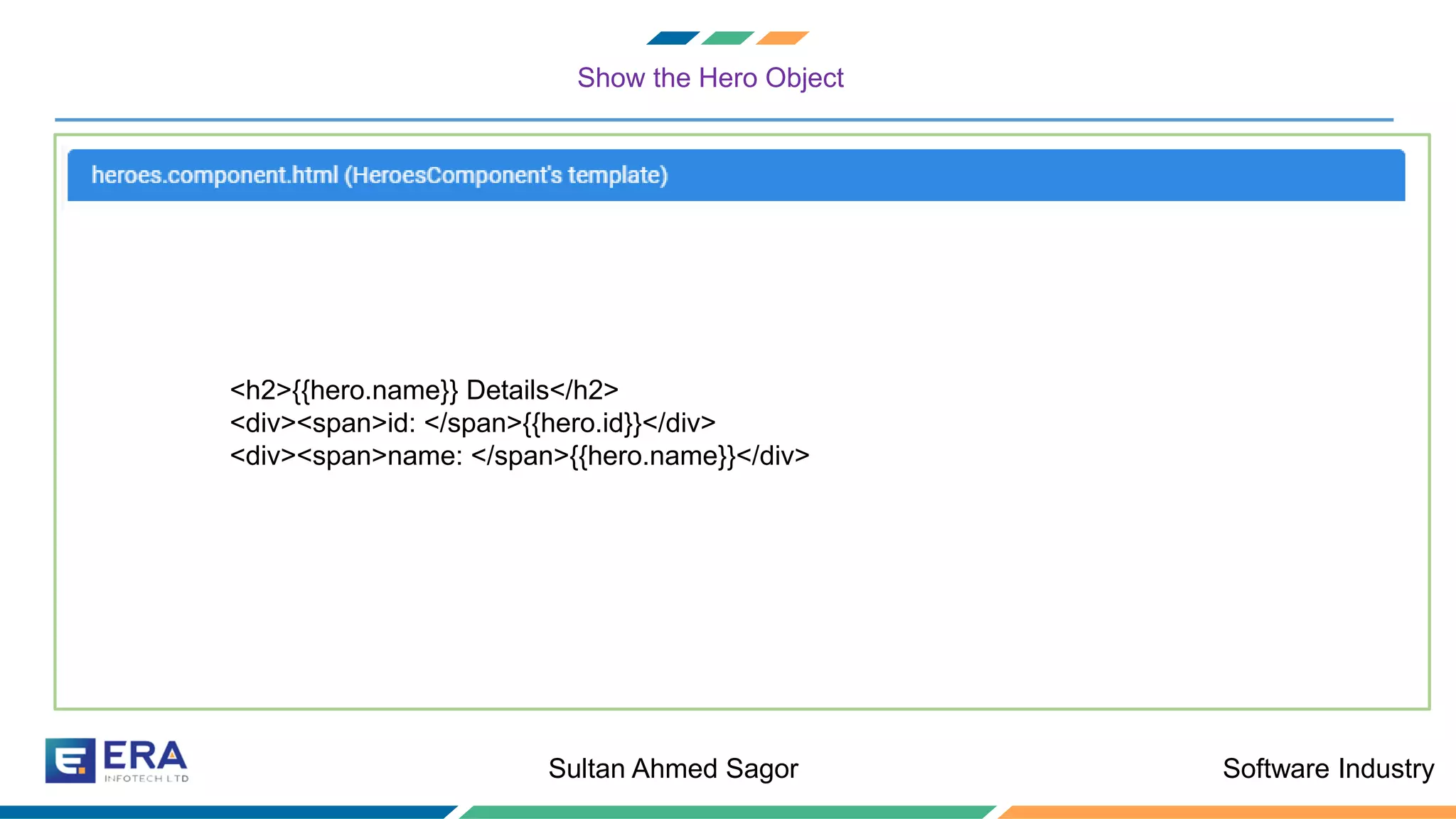
Show the Hero Object
❖ Let us create a Hero class to hold all the information that hero can contain
<h2>{{hero.name}} Details</h2>
<div><span>id: </span>{{hero.id}}</div>
<div><span>name: </span>{{hero.name}}</div>
Software IndustrySultan Ahmed Sagor
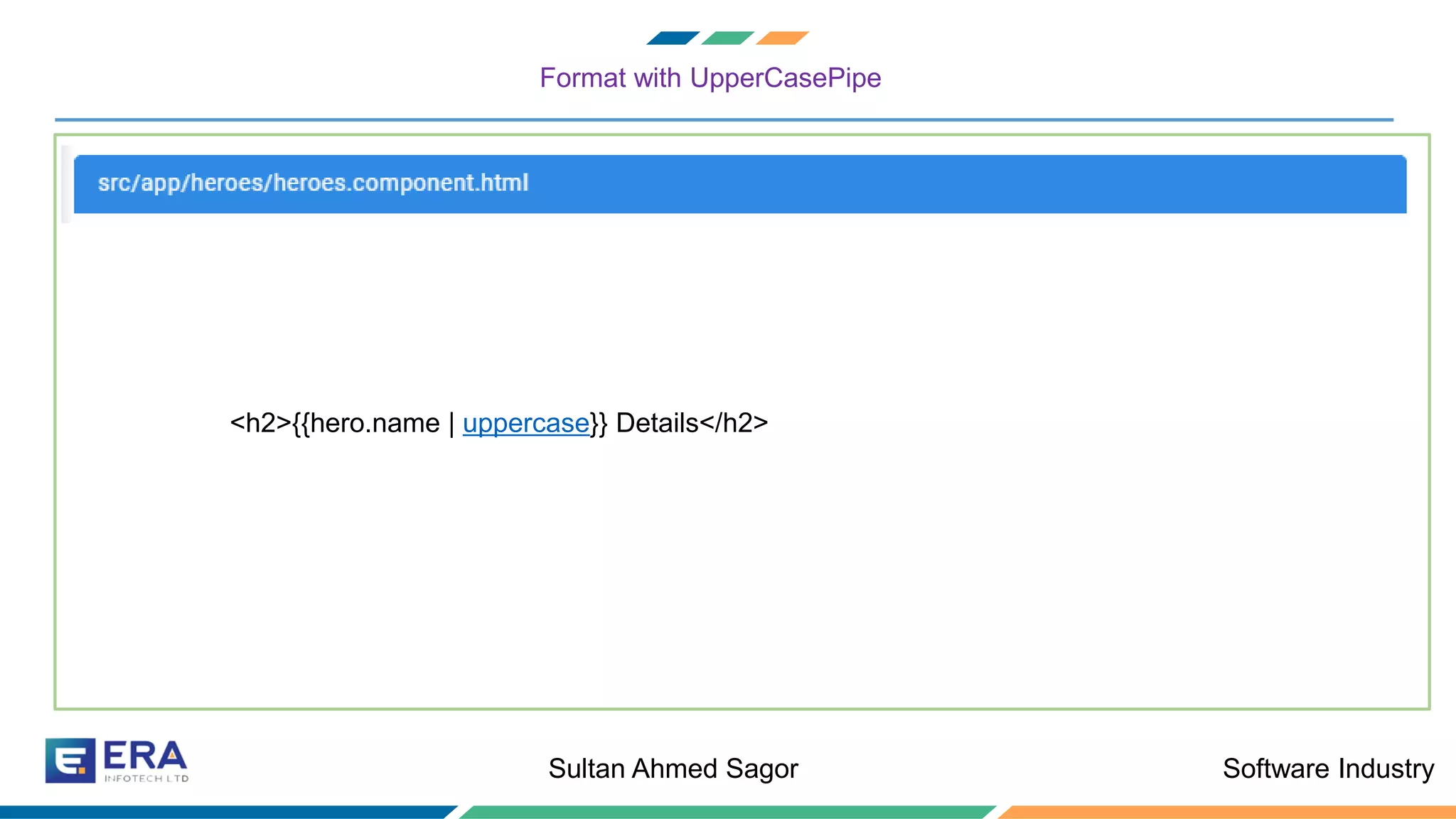
Format with UpperCasePipe
❖ Let us create a Hero class to hold all the information that hero can contain
<h2>{{hero.name | uppercase}} Details</h2>
Software IndustrySultan Ahmed Sagor
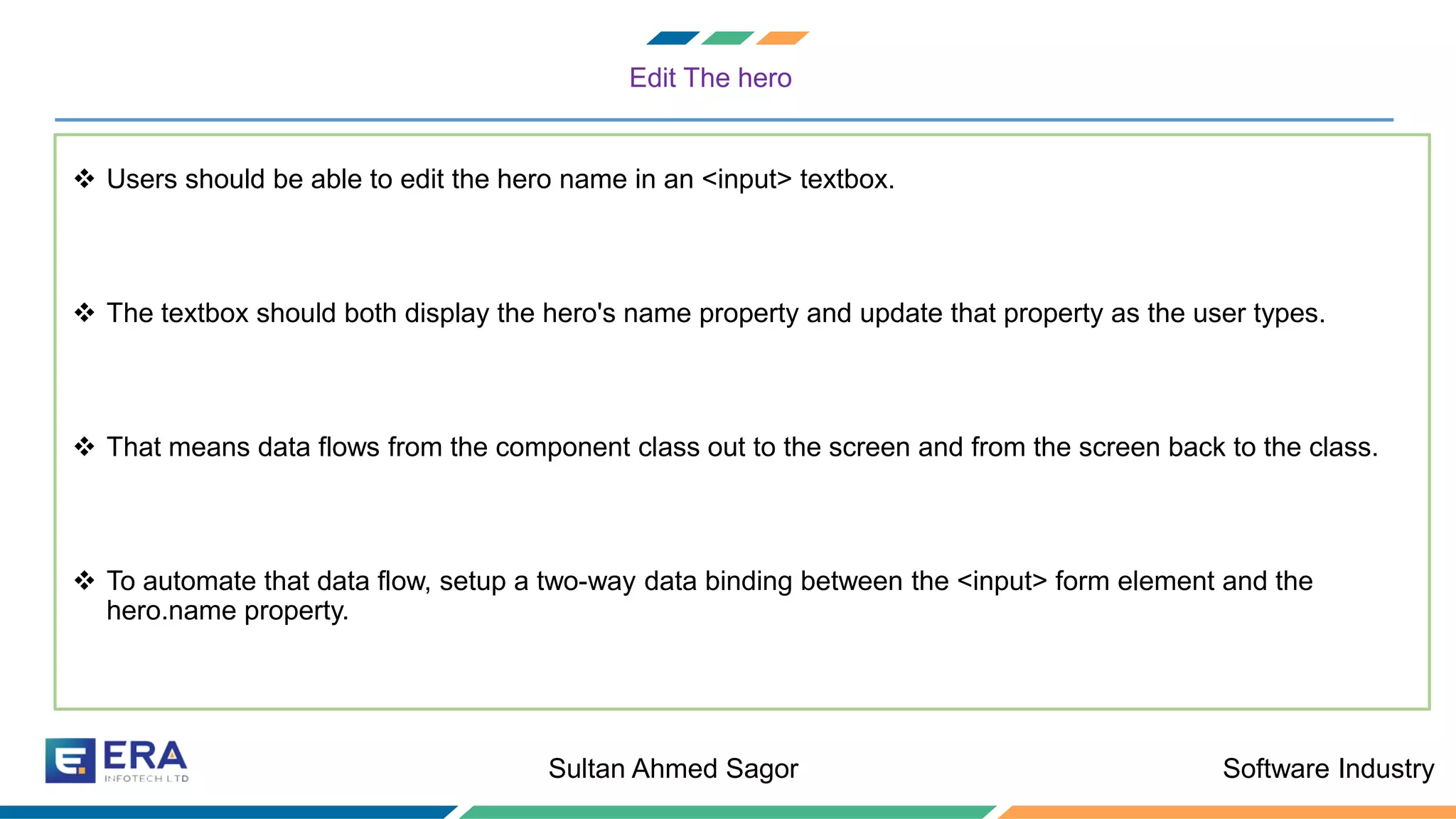
Edit The hero
❖ Users should be able to edit the hero name in an <input> textbox.
❖ The textbox should both display the hero's name property and update that property as the user types.
❖ That means data flows from the component class out to the screen and from the screen back to the class.
❖ To automate that data flow, setup a two-way data binding between the <input> form element and the
hero.name property.
Software IndustrySultan Ahmed Sagor
Two-Way Binding
<div>
<label>name:
<input [(ngModel)]="hero.name" placeholder="name"/>
</label>
</div>
Software IndustrySultan Ahmed Sagor
The missing FormsModule
❖ Notice that the app stopped working when you added [(ngModel)].
❖ To see the error, open the browser development tools and look in the console for a message like
Software IndustrySultan Ahmed Sagor
AppModule
❖ Angular needs to know how the pieces of your application fit together and what other files and libraries the
app requires. This information is called metadata.
❖ Some of the metadata is in the @Component decorators that you added to your component classes. Other
critical metadata is in @NgModule decorators.
❖ The most important @NgModule decorator annotates the top-level AppModule class.
❖ The Angular CLI generated an AppModule class in src/app/app.module.ts when it created the project. This is
where you opt-in to the FormsModule.
Software IndustrySultan Ahmed Sagor
Import FormsModule
❖ Open AppModule (app.module.ts) and import the FormsModule symbol from the @angular/forms library.
import { FormsModule } from '@angular/forms'; // <-- NgModel lives here
❖ Thenn add FormsModule to the @NgModule metadata's imports array, which contains a list of external modules that the app
needs.
imports: [
BrowserModule,
FormsModule
],
Software IndustrySultan Ahmed Sagor
Declare the HeroesComponent
❖ Every component must be declared in exactly one NgModule.
❖ You didn't declare the HeroesComponent. So why did the application work?
❖ It worked because the Angular CLI declared HeroesComponent in the AppModule when it generated that component
❖ Open src/app/app.module.ts and find HeroesComponent imported near the top.
Software IndustrySultan Ahmed Sagor
Declare the HeroesComponent
import { HeroesComponent } from './heroes/heroes.component';
❖ The HeroesComponent is declared in the @NgModule.declarations array.
declarations: [
AppComponent,
HeroesComponent
],
Software IndustrySultan Ahmed Sagor
Any
question?
Software IndustrySultan Ahmed Sagor
Thank You

Angular components

  • 1.
    Software IndustrySultan AhmedSagor Angular 7 A framework for Presentation Layer
  • 2.
  • 3.
  • 4.
    Software IndustrySultan AhmedSagor Angular Tutorial: Road Covered So Far
  • 5.
    Software IndustrySultan AhmedSagor What are Components ? Now we will discuss components in details
  • 6.
    Software IndustrySultan AhmedSagor What are Components ? A component controls a patch of screen real estate that we can call a view and declares reusable UI building blocks for an application.
  • 7.
    Software IndustrySultan AhmedSagor Components Example
  • 8.
    Software IndustrySultan AhmedSagor Components Example Sidebar Component
  • 9.
    Software IndustrySultan AhmedSagor Components Example Sidebar Component < > Courses Component < >
  • 10.
    Software IndustrySultan AhmedSagor Components Example Sidebar Component Courses Component Search Bar < > Nav-Bar < >
  • 11.
    Software IndustrySultan AhmedSagor Components Example Sidebar Component Courses Component Search Bar < > Nav-Bar < > Header Component < >
  • 12.
    Software IndustrySultan AhmedSagor Components Example Sidebar Component
  • 13.
    Software IndustrySultan AhmedSagor Components Parent/Child Tree Structure Sidebar Component App Component Sidebar Component Header Component Courses Component Search Bar Component Nav-bar Component
  • 14.
    Software IndustrySultan AhmedSagor What are Components ? A component controls a patch of screen real estate that we can call a view and declares reusable UI building blocks for an application.
  • 15.
    Software IndustrySultan AhmedSagor Creating a Component ? Now we will discuss how to create components
  • 16.
    Software IndustrySultan AhmedSagor Creating a Component
  • 17.
    Software IndustrySultan AhmedSagor Creating a Component A Simple Type-Script Class Meta-Data For Class
  • 18.
    Software IndustrySultan AhmedSagor AppComponent: The Root Component ? Angular is not just a framework.
  • 19.
    Software IndustrySultan AhmedSagor Key Points To Remember
  • 20.
    Software IndustrySultan AhmedSagor Angular App Bootstrapping Let us know some basic staffs
  • 21.
    Software IndustrySultan AhmedSagor Angular App Bootstrapping main.ts AppModule AppComponent ❖ Main typescript file from where the execution begins ❖ Initializes the platform browser where the app will run and bootstrap AppModule ❖ Root Module of Angular App ❖ Bootstrap AppComponent and inserts it into the index.html host web page ❖ Root Component under which other components are nested ❖ First Component to inserted in the DOM.
  • 22.
  • 23.
  • 24.
  • 25.
  • 26.
    Software IndustrySultan AhmedSagor Why Angular Apps Are Bootstrapped Lets discuss
  • 27.
    Software IndustrySultan AhmedSagor Why Angular App is bootstrapped ❖ Allow us to write Angular App that can be hosted on other environments ❖ Import the platform based Applications ❖ For example, ❖ @angular/platform-browser-dynamic is used for running the app on browser. Angular is not only a framework for creating WEB-only Applications
  • 28.
    Software IndustrySultan AhmedSagor Application Specification Let us do some practical
  • 29.
    Software IndustrySultan AhmedSagor Tour Of Heroes ❖ By the end of this tutorial, we will create the following web page using Angular components.
  • 30.
    Software IndustrySultan AhmedSagor Tour Of Heroes ❖ You can click the two links above the dashboard ("Dashboard" and "Heroes") to navigate between this Dashboard view and a Heroes view. ❖ If you click the dashboard hero "Magneta," the router o pens a "Hero Details“ view where you can change the hero's name.
  • 31.
    Software IndustrySultan AhmedSagor Tour Of Heroes Clicking the "Back" button returns you to the Dashboard. Links at the top take you to either of the main views. If you click "Heroes," the app displays the "Heroes" master list view.
  • 32.
    Software IndustrySultan AhmedSagor Tour Of Heroes ❖ When you click a different hero name, the read- only mini detail beneath the list reflects the new choice. ❖ You can click the "View Details" button to drill into the editable details of the selected hero.
  • 33.
    Software IndustrySultan AhmedSagor Tour Of Heroes Demo Let us do develop the application
  • 34.
    Software IndustrySultan AhmedSagor Tour Of Heroes ❖ Let us create a Hero component. ❖ Command of creating hero component: ❖ ng generate component heroes ❖ As a result, the following classes/html file will be created: ❖ heroes.component.ts ❖
  • 35.
    Software IndustrySultan AhmedSagor heroes.component.ts import { Component, OnInit } from '@angular/core'; @Component({ selector: 'app-heroes', templateUrl: './heroes.component.html', styleUrls: ['./heroes.component.css'] }) export class HeroesComponent implements OnInit { hero: Hero = { id: 1, name: 'Windstorm' }; constructor() { } ngOnInit() { } }
  • 36.
    Software IndustrySultan AhmedSagor Create a Hero class ❖ Let us create a Hero class to hold all the information that hero can contain ❖ Path: src/app/hero.ts export class Hero { id: number; name: string; }
  • 37.
    Software IndustrySultan AhmedSagor Show the Hero Object ❖ Let us create a Hero class to hold all the information that hero can contain <h2>{{hero.name}} Details</h2> <div><span>id: </span>{{hero.id}}</div> <div><span>name: </span>{{hero.name}}</div>
  • 38.
    Software IndustrySultan AhmedSagor Format with UpperCasePipe ❖ Let us create a Hero class to hold all the information that hero can contain <h2>{{hero.name | uppercase}} Details</h2>
  • 39.
    Software IndustrySultan AhmedSagor Edit The hero ❖ Users should be able to edit the hero name in an <input> textbox. ❖ The textbox should both display the hero's name property and update that property as the user types. ❖ That means data flows from the component class out to the screen and from the screen back to the class. ❖ To automate that data flow, setup a two-way data binding between the <input> form element and the hero.name property.
  • 40.
    Software IndustrySultan AhmedSagor Two-Way Binding <div> <label>name: <input [(ngModel)]="hero.name" placeholder="name"/> </label> </div>
  • 41.
    Software IndustrySultan AhmedSagor The missing FormsModule ❖ Notice that the app stopped working when you added [(ngModel)]. ❖ To see the error, open the browser development tools and look in the console for a message like
  • 42.
    Software IndustrySultan AhmedSagor AppModule ❖ Angular needs to know how the pieces of your application fit together and what other files and libraries the app requires. This information is called metadata. ❖ Some of the metadata is in the @Component decorators that you added to your component classes. Other critical metadata is in @NgModule decorators. ❖ The most important @NgModule decorator annotates the top-level AppModule class. ❖ The Angular CLI generated an AppModule class in src/app/app.module.ts when it created the project. This is where you opt-in to the FormsModule.
  • 43.
    Software IndustrySultan AhmedSagor Import FormsModule ❖ Open AppModule (app.module.ts) and import the FormsModule symbol from the @angular/forms library. import { FormsModule } from '@angular/forms'; // <-- NgModel lives here ❖ Thenn add FormsModule to the @NgModule metadata's imports array, which contains a list of external modules that the app needs. imports: [ BrowserModule, FormsModule ],
  • 44.
    Software IndustrySultan AhmedSagor Declare the HeroesComponent ❖ Every component must be declared in exactly one NgModule. ❖ You didn't declare the HeroesComponent. So why did the application work? ❖ It worked because the Angular CLI declared HeroesComponent in the AppModule when it generated that component ❖ Open src/app/app.module.ts and find HeroesComponent imported near the top.
  • 45.
    Software IndustrySultan AhmedSagor Declare the HeroesComponent import { HeroesComponent } from './heroes/heroes.component'; ❖ The HeroesComponent is declared in the @NgModule.declarations array. declarations: [ AppComponent, HeroesComponent ],
  • 46.
    Software IndustrySultan AhmedSagor Any question?
  • 47.