NativeScript and Angular 2,
Sitting in a Tree
Jen Looper (Telerik DevRel)
@jenlooper
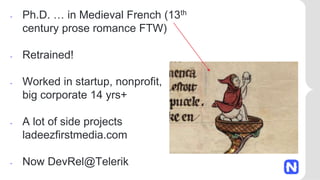
• Ph.D. … in Medieval French (13th
century prose romance FTW)
• Retrained!
• Worked in startup, nonprofit,
big corporate 14 yrs+
• A lot of side projects
ladeezfirstmedia.com
• Now DevRel@Telerik
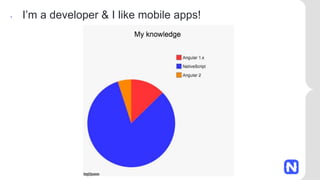
• I’m a developer & I like mobile apps!
I like NativeScript
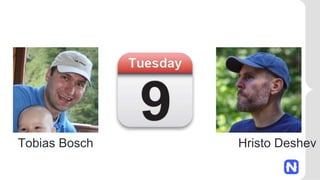
Tobias Bosch Hristo Deshev
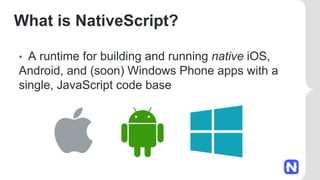
What is NativeScript?
• A runtime for building and running native iOS,
Android, and (soon) Windows Phone apps with a
single, JavaScript code base
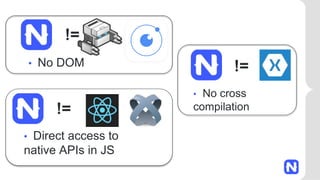
• No cross
compilation
!=
• Direct access to
native APIs in JS
!=
!=
• No DOM
Why NativeScript?
• Skills reuse
• JavaScript and CSS
• Angular2
• Code reuse
• npm modules, 3rd-party iOS and Android libraries
• Easily use native APIs
• No wrappers to access native APIs
• Use native UI elements
• Open source!
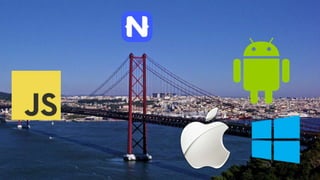
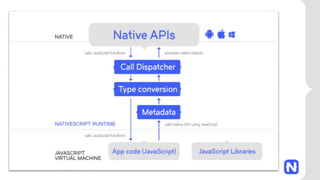
• Bridge
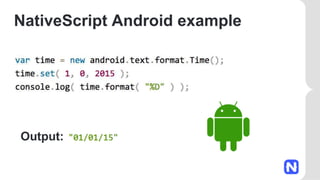
NativeScript Android example
Output:
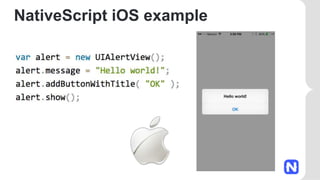
NativeScript iOS example
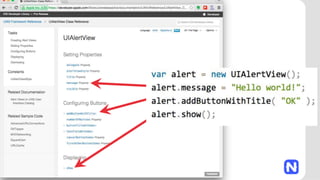
How does this even?
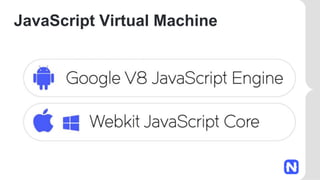
JavaScript Virtual Machine
But…who wants to write native iOS or
Android code?
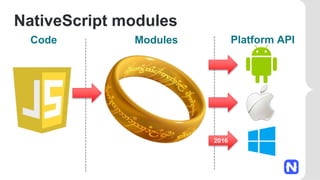
NativeScript modules
Code Modules Platform API
2016
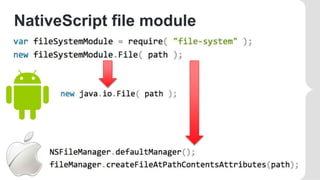
NativeScript file module
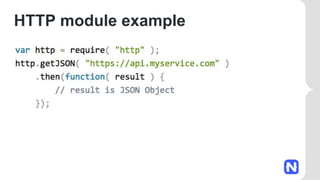
HTTP module example
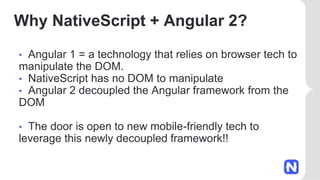
Why NativeScript + Angular 2?
• Angular 1 = a technology that relies on browser tech to
manipulate the DOM.
• NativeScript has no DOM to manipulate
• Angular 2 decoupled the Angular framework from the
DOM
• The door is open to new mobile-friendly tech to
leverage this newly decoupled framework!!
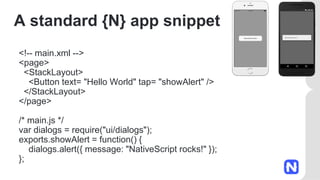
A standard {N} app snippet
<!-- main.xml -->
<page>
<StackLayout>
<Button text= "Hello World" tap= "showAlert" />
</StackLayout>
</page>
/* main.js */
var dialogs = require("ui/dialogs");
exports.showAlert = function() {
dialogs.alert({ message: "NativeScript rocks!" });
};
Same functionality, {N} + ng2
// main.ts
import {nativeScriptBootstrap} from "nativescript-angular/application";
import {Component, View} from "angular2/angular2";
import {dialogs} from "ui/dialogs";
@Component({})
@View({
directives: [],
template: `
<stack-layout>
<button
(tap)="showAlert()"
text="Hello World"></button>
</stack-layout>
`
})
class HelloPage {
showAlert() {
dialogs.alert({ message: "NativeScript rocks!" });
}
}
export function loaded() {
nativeScriptBootstrap(HelloPage, []);
}
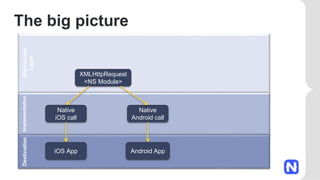
Destination
Implementation
Abstraction
Layer
The big picture
XMLHttpRequest
<NS Module>
Native
iOS call
Native
Android call
iOS App Android App
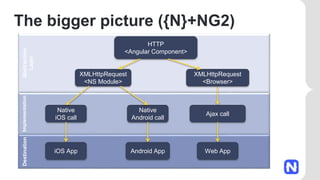
Destination
Implementation
Abstraction
Layer
The bigger picture ({N}+NG2)
HTTP
<Angular Component>
XMLHttpRequest
<NS Module>
Native
iOS call
Native
Android call
Ajax call
iOS App Android App Web App
XMLHttpRequest
<Browser>
One syntax for all
Attribute Binding: [attribute]
Event Binding: (event)
Intercepting input: #idhandler
Conditions: *ng-if="expression"
Loops: *ng-for="expression"
Styling: [class.style1]="expression"
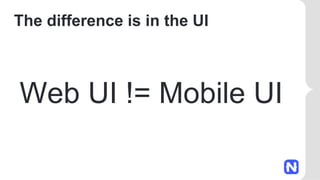
The difference is in the UI
Web UI != Mobile UI
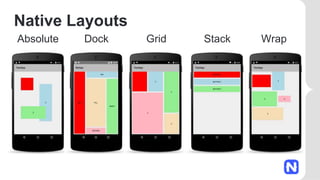
Native Layouts
Absolute Dock Grid Stack Wrap
Let’s take it for a spin!
Use a template to create a sample app:
$ tns create myNewAngularApp --template
https://github.com/NativeScript/template-hello-world-ng
$ tns emulate ios
Clone a repo:
TodoMVC – git clone
https://github.com/NativeScript/sample-ng-todomvc
$ npm install
$ tns platform add ios
$ tns emulate ios
PocketRave
https://github.com/jlooper/pocketrave-app
Learn more & enjoy!
NativeScript.org
NativeScript Slack Community
http://bit.ly/nativescript-slack
Really useful article: http://bit.ly/n-ng2
@nativescript
@jenlooper

Angular 2 and NativeScript

  • 1.
    NativeScript and Angular2, Sitting in a Tree Jen Looper (Telerik DevRel) @jenlooper
  • 2.
    • Ph.D. …in Medieval French (13th century prose romance FTW) • Retrained! • Worked in startup, nonprofit, big corporate 14 yrs+ • A lot of side projects ladeezfirstmedia.com • Now DevRel@Telerik
  • 3.
    • I’m adeveloper & I like mobile apps!
  • 4.
  • 6.
  • 8.
    What is NativeScript? •A runtime for building and running native iOS, Android, and (soon) Windows Phone apps with a single, JavaScript code base
  • 10.
    • No cross compilation != •Direct access to native APIs in JS != != • No DOM
  • 11.
    Why NativeScript? • Skillsreuse • JavaScript and CSS • Angular2 • Code reuse • npm modules, 3rd-party iOS and Android libraries • Easily use native APIs • No wrappers to access native APIs • Use native UI elements • Open source!
  • 12.
  • 13.
  • 14.
  • 16.
  • 17.
  • 19.
    But…who wants towrite native iOS or Android code?
  • 21.
  • 22.
  • 23.
  • 24.
    Why NativeScript +Angular 2? • Angular 1 = a technology that relies on browser tech to manipulate the DOM. • NativeScript has no DOM to manipulate • Angular 2 decoupled the Angular framework from the DOM • The door is open to new mobile-friendly tech to leverage this newly decoupled framework!!
  • 25.
    A standard {N}app snippet <!-- main.xml --> <page> <StackLayout> <Button text= "Hello World" tap= "showAlert" /> </StackLayout> </page> /* main.js */ var dialogs = require("ui/dialogs"); exports.showAlert = function() { dialogs.alert({ message: "NativeScript rocks!" }); };
  • 26.
    Same functionality, {N}+ ng2 // main.ts import {nativeScriptBootstrap} from "nativescript-angular/application"; import {Component, View} from "angular2/angular2"; import {dialogs} from "ui/dialogs"; @Component({}) @View({ directives: [], template: ` <stack-layout> <button (tap)="showAlert()" text="Hello World"></button> </stack-layout> ` }) class HelloPage { showAlert() { dialogs.alert({ message: "NativeScript rocks!" }); } } export function loaded() { nativeScriptBootstrap(HelloPage, []); }
  • 27.
    Destination Implementation Abstraction Layer The big picture XMLHttpRequest <NSModule> Native iOS call Native Android call iOS App Android App
  • 28.
    Destination Implementation Abstraction Layer The bigger picture({N}+NG2) HTTP <Angular Component> XMLHttpRequest <NS Module> Native iOS call Native Android call Ajax call iOS App Android App Web App XMLHttpRequest <Browser>
  • 29.
    One syntax forall Attribute Binding: [attribute] Event Binding: (event) Intercepting input: #idhandler Conditions: *ng-if="expression" Loops: *ng-for="expression" Styling: [class.style1]="expression"
  • 30.
    The difference isin the UI Web UI != Mobile UI
  • 31.
  • 32.
    Let’s take itfor a spin! Use a template to create a sample app: $ tns create myNewAngularApp --template https://github.com/NativeScript/template-hello-world-ng $ tns emulate ios
  • 33.
    Clone a repo: TodoMVC– git clone https://github.com/NativeScript/sample-ng-todomvc $ npm install $ tns platform add ios $ tns platform add ios $ tns emulate ios PocketRave https://github.com/jlooper/pocketrave-app
  • 34.
    Learn more &enjoy! NativeScript.org NativeScript Slack Community http://bit.ly/nativescript-slack Really useful article: http://bit.ly/n-ng2 @nativescript @jenlooper