Fundamentals, Functionality & Syntax
By, Travis van der Font
February 7, 2017
What is Angular 2?
Angular is a development platform for
building mobile and desktop web
applications.
It's a platform.
It's no longer framework.
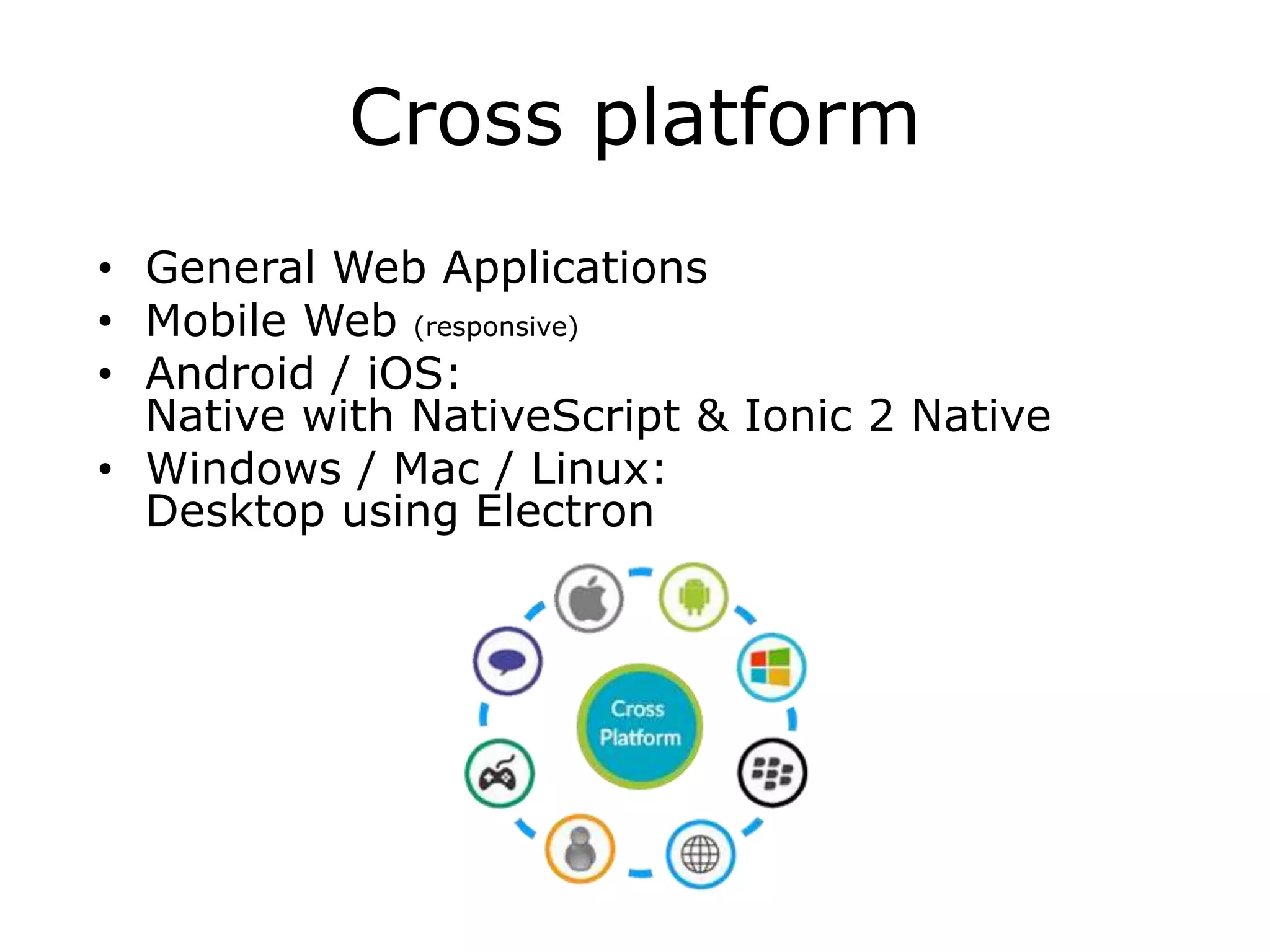
Cross platform
• General Web Applications
• Mobile Web (responsive)
• Android / iOS:
Native with NativeScript & Ionic 2 Native
• Windows / Mac / Linux:
Desktop using Electron
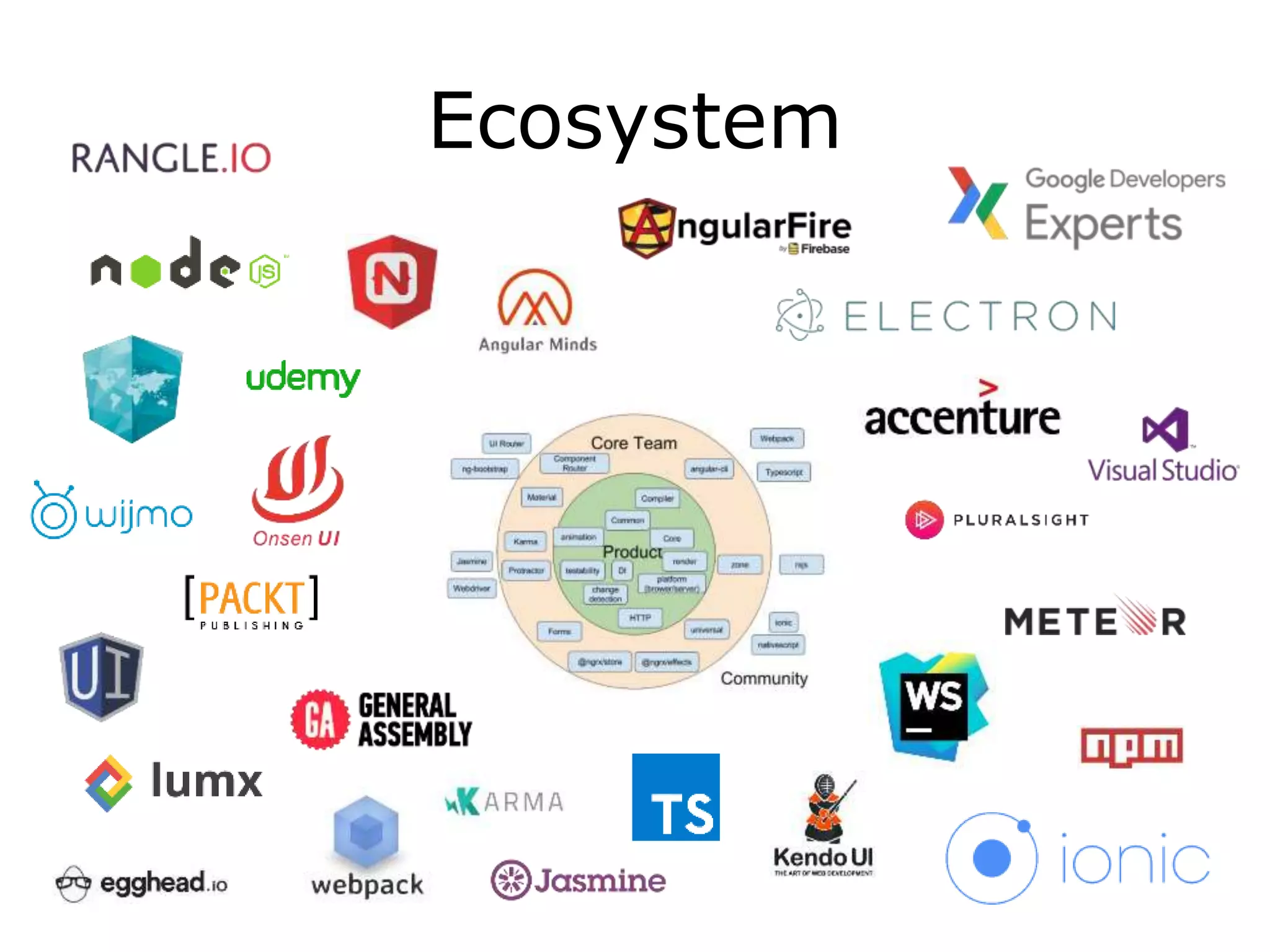
Ecosystem
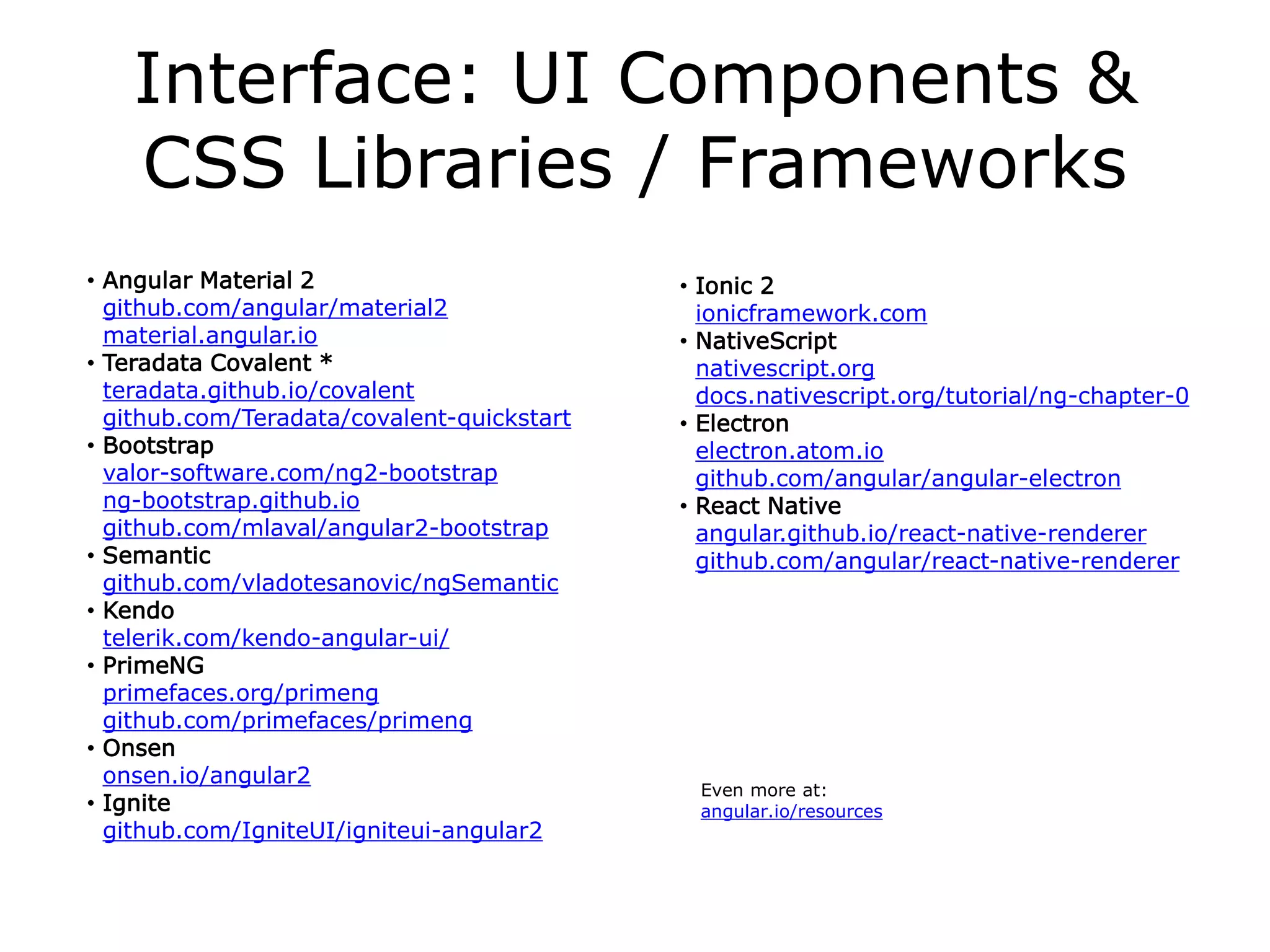
Interface: UI Components &
CSS Libraries / Frameworks
• Angular Material 2
github.com/angular/material2
material.angular.io
• Teradata Covalent *
teradata.github.io/covalent
github.com/Teradata/covalent-quickstart
• Bootstrap
valor-software.com/ng2-bootstrap
ng-bootstrap.github.io
github.com/mlaval/angular2-bootstrap
• Semantic
github.com/vladotesanovic/ngSemantic
• Kendo
telerik.com/kendo-angular-ui/
• PrimeNG
primefaces.org/primeng
github.com/primefaces/primeng
• Onsen
onsen.io/angular2
• Ignite
github.com/IgniteUI/igniteui-angular2
• Ionic 2
ionicframework.com
• NativeScript
nativescript.org
docs.nativescript.org/tutorial/ng-chapter-0
• Electron
electron.atom.io
github.com/angular/angular-electron
• React Native
angular.github.io/react-native-renderer
github.com/angular/react-native-renderer
Even more at:
angular.io/resources
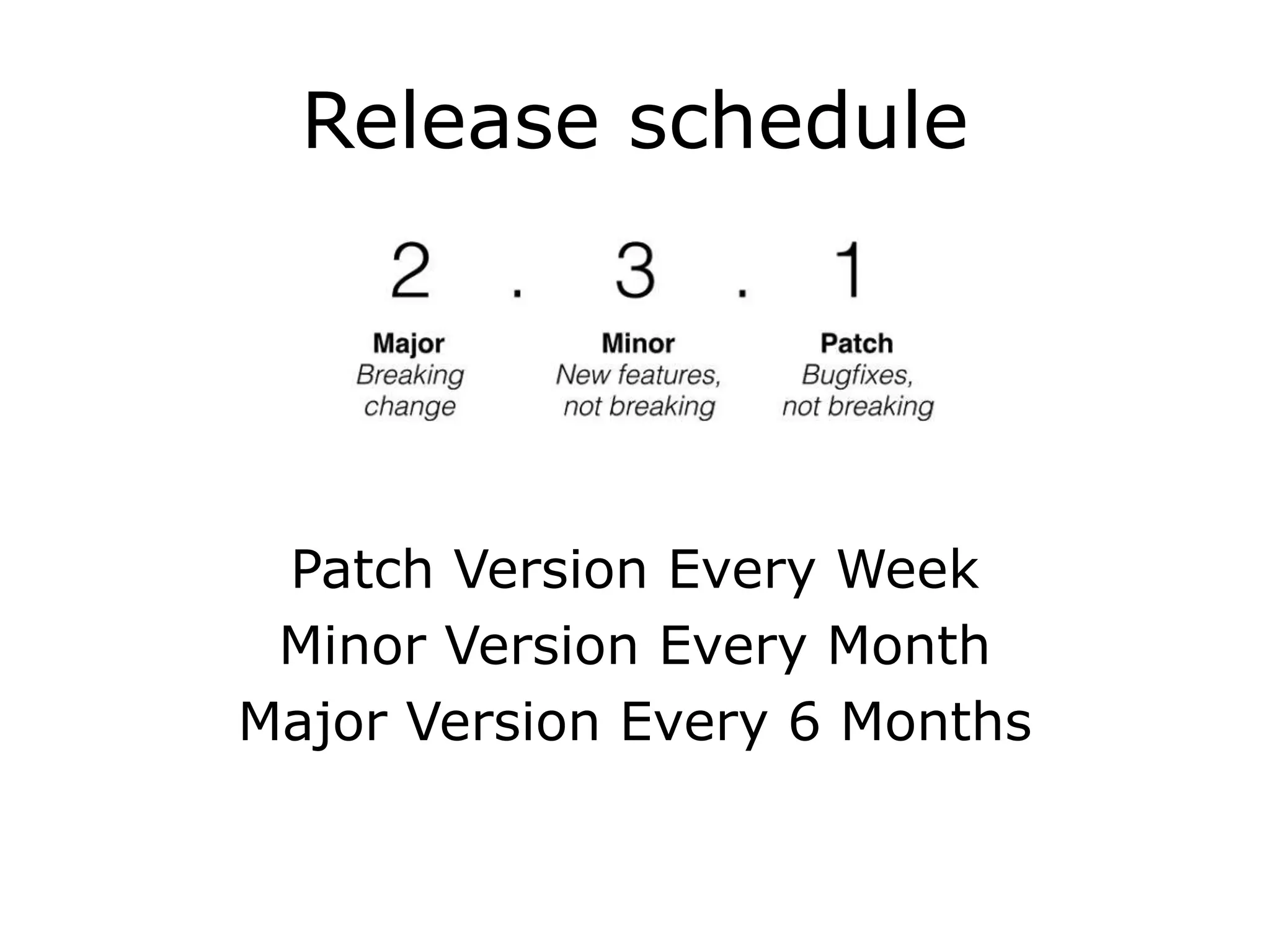
Release schedule
Patch Version Every Week
Minor Version Every Month
Major Version Every 6 Months
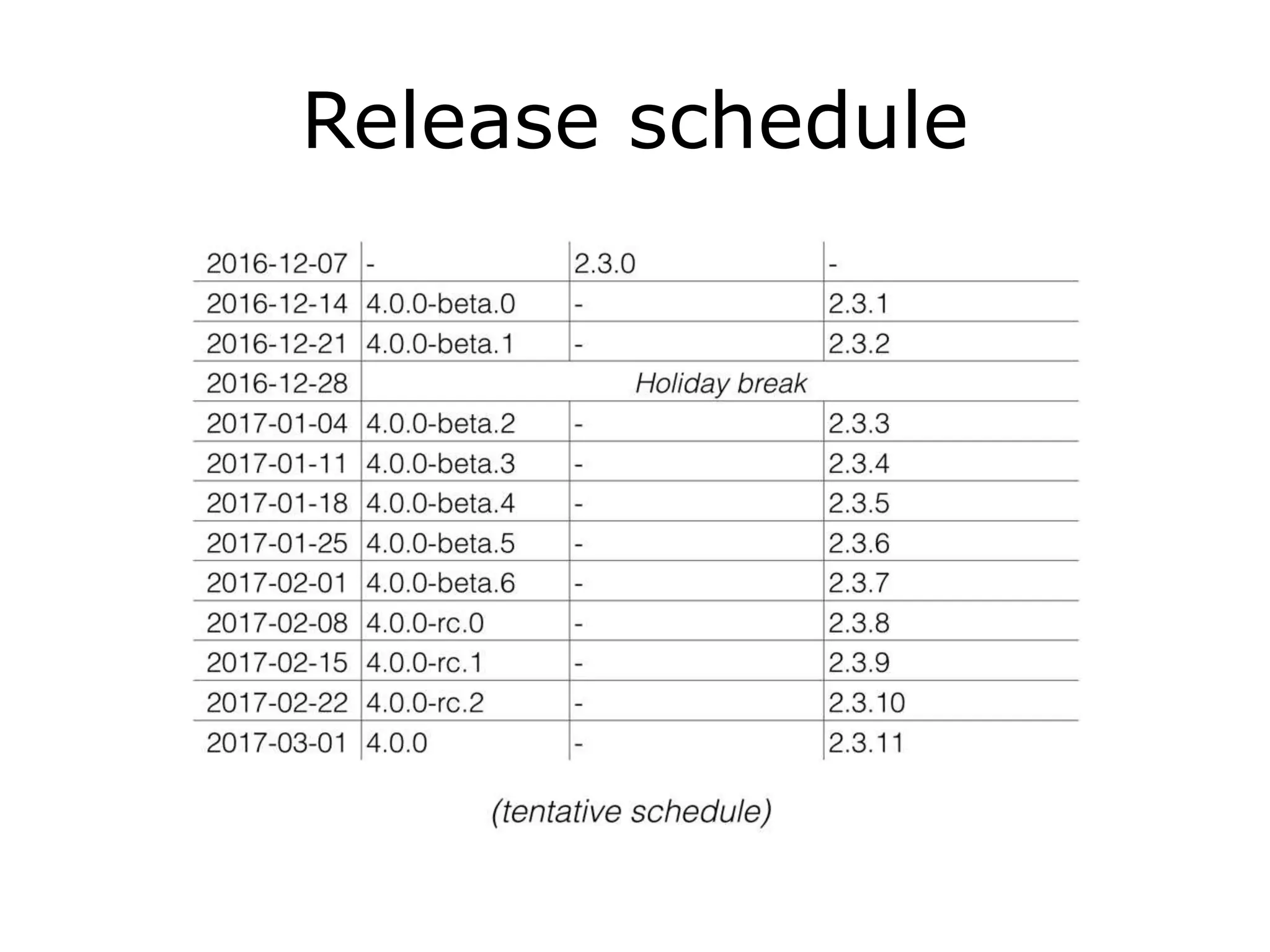
Release schedule
So what does this look like?
Release schedule
Release schedule
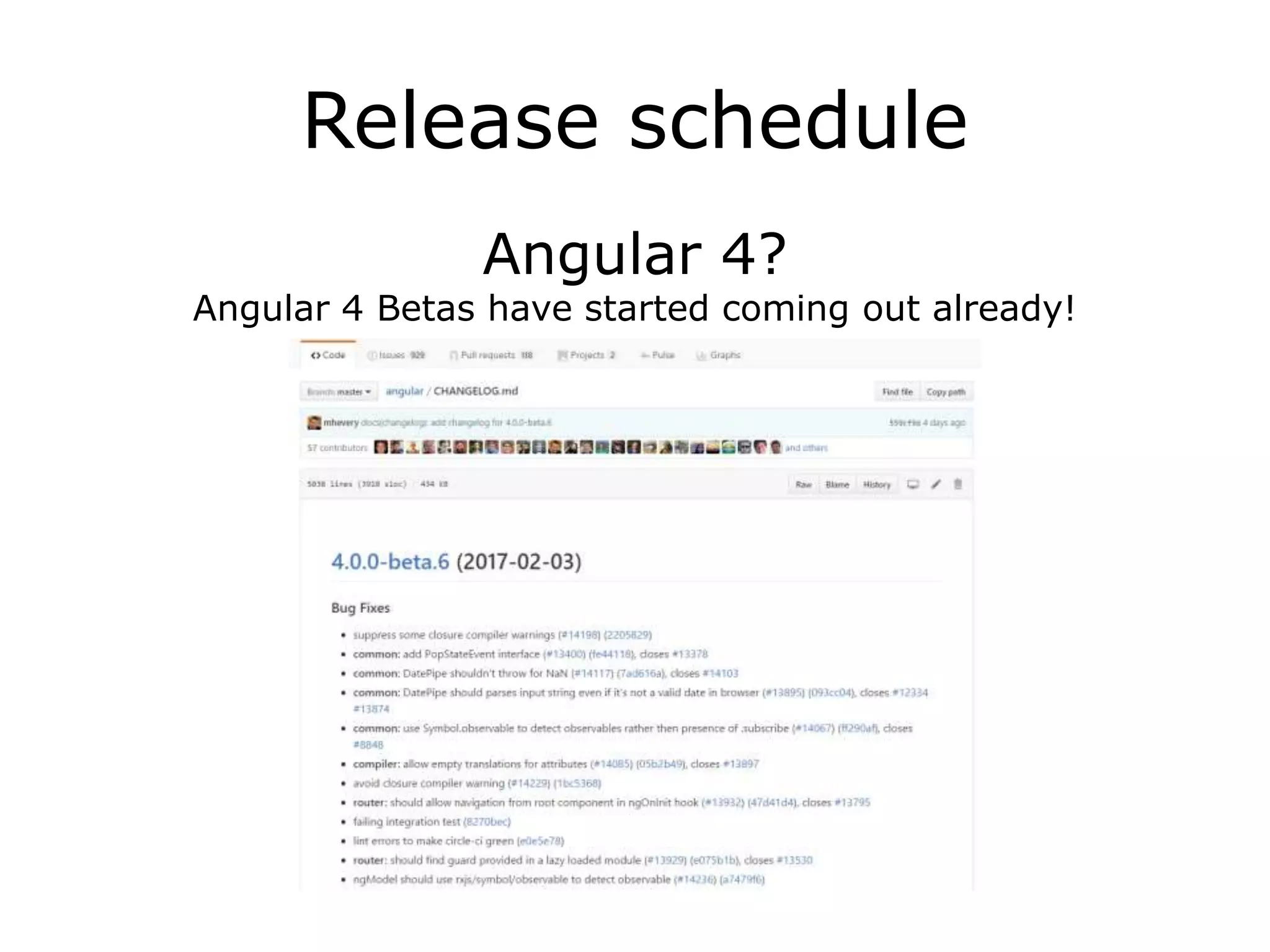
Angular 4?
Angular 4 Betas have started coming out already!
Release schedule
What about Angular 3?!
There won’t be any Angular 3.
Right now the Angular Router
version is using the 3.x space
already, and is not in sync
with the rest of Angular, which
is still at 2.x.
So, the easiest way to bring
Angular back into sync is by
skipping version 3, and
jumping directly onto version
Release schedule
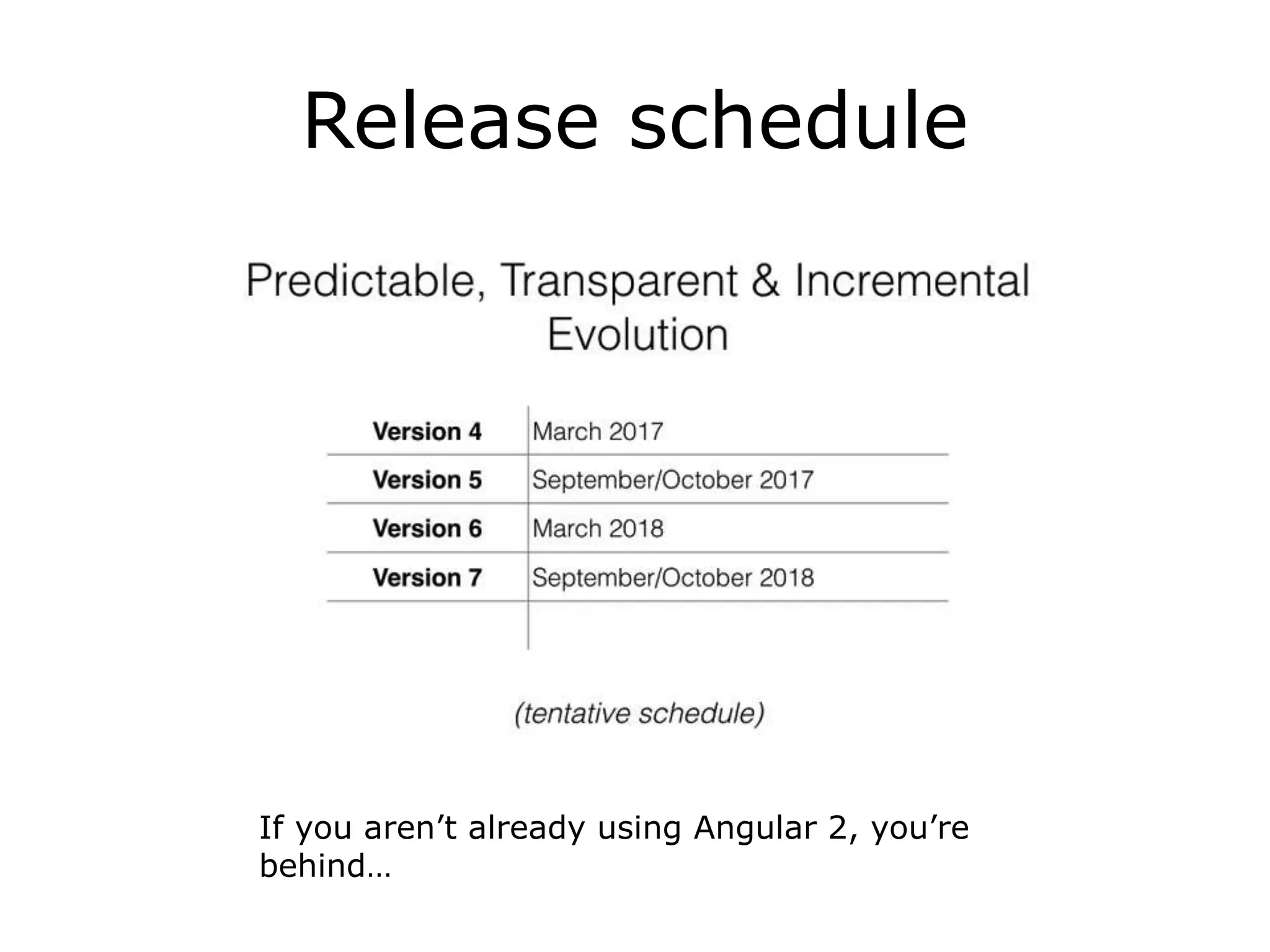
If you aren’t already using Angular 2, you’re
behind…
Angular 2 is not a version
upgrade, but a complete
rewriteThe primary differences in Angular 2 over Angular 1 are:
• Mobile development – desktop development is much easier when mobile performance issues are handled first
• Modularity – much core functionality has moved to modules, producing a lighter, faster core
• Modern browsers only – reducing the need for browser compatibility workarounds
• Angular 2 recommends the use of Microsoft's TypeScript language, which introduces the following
improvements:
• Class-based Object Oriented Programming
• Static Typing
• Generics
• Lambdas
• TypeScript is a superset of ES6, and is backwards compatible with ECMAScript 5 (i.e.: JavaScript). Angular 2
also includes the benefits of ES6:
• Iterators
• For / of loops
• Python-style generators
• Reflection
• Improved dependency injection – bindings make it possible for dependencies to be named
• Dynamic loading
• Asynchronous template compilation
• Simpler Routing
• Diary.js logging – measures where time is spent, to identify bottlenecks[25]
• Replacing controllers and $scope with components and directives – a component is a directive with a template
• Reactive programming support using RxJS
• Removals:
• No more $apply or $scope
• No more repeated digest cycles
• No more watchers (unidirectional data flow)
• 40+ directives were removed (not needed anymore)
Source: en.wikipedia.org/wiki/AngularJS#Angular_2
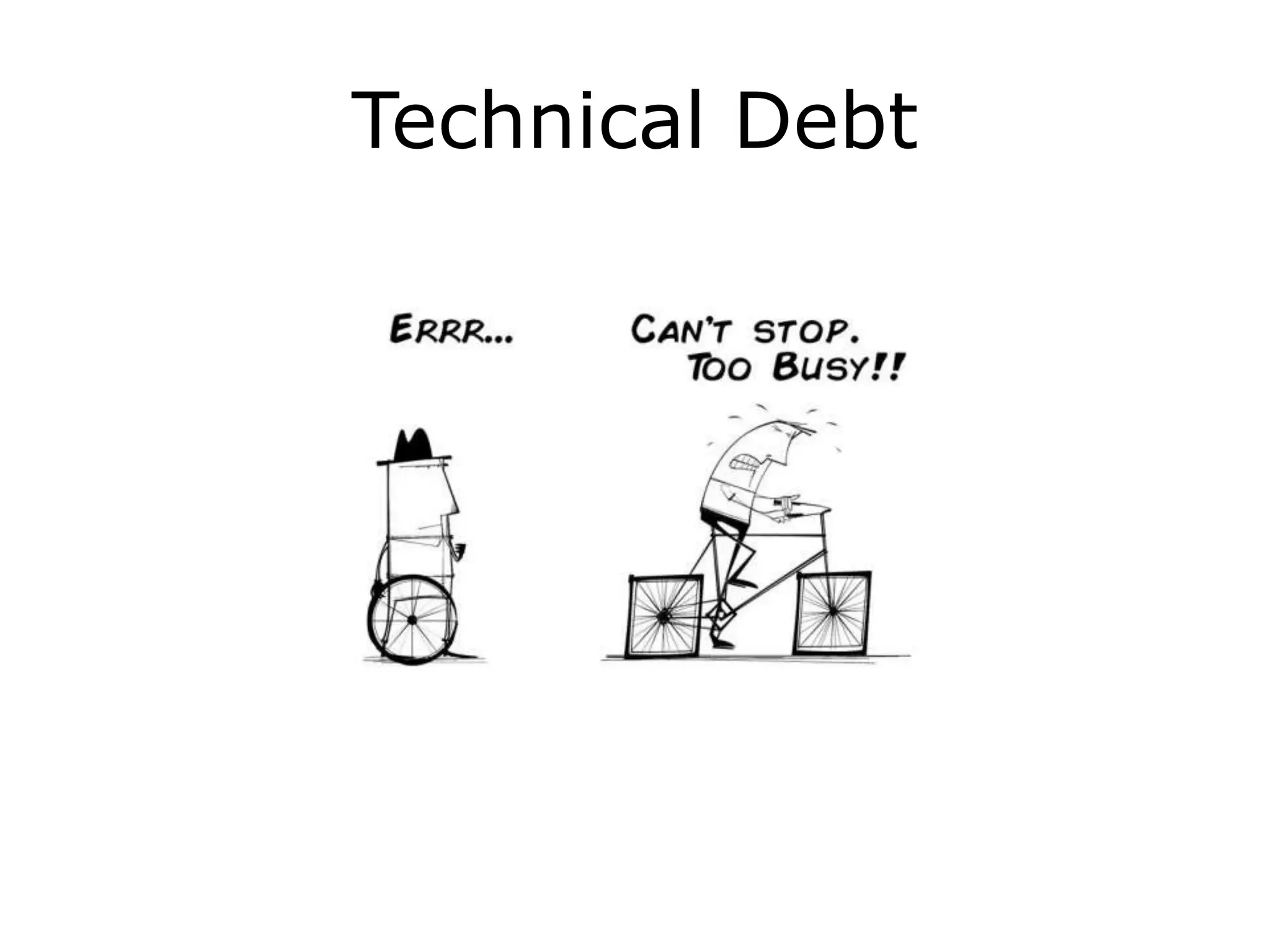
Technical Debt
From Angular 1 to Angular 2
• Mapping Angular 1 Concepts to Angular 2:
At a high level, ng2 Components are ng1 directives.
• Reduce or eliminate your use of two-way data-binding in
favor of a one-way data flow by reducing $scope changes
that pass data between directives and instead use services
to pass your data around.
• Integrate the use of TypeScript within your Angular 1
application
• ng-metadata: Angular 2 decorators for Angular 1.x
github.com/ngParty/ng-metadata
• UpgradeAdapter: Allows Angular 1 and Angular 2+ to co-
exist in a single application
From Angular 1 to Angular 2
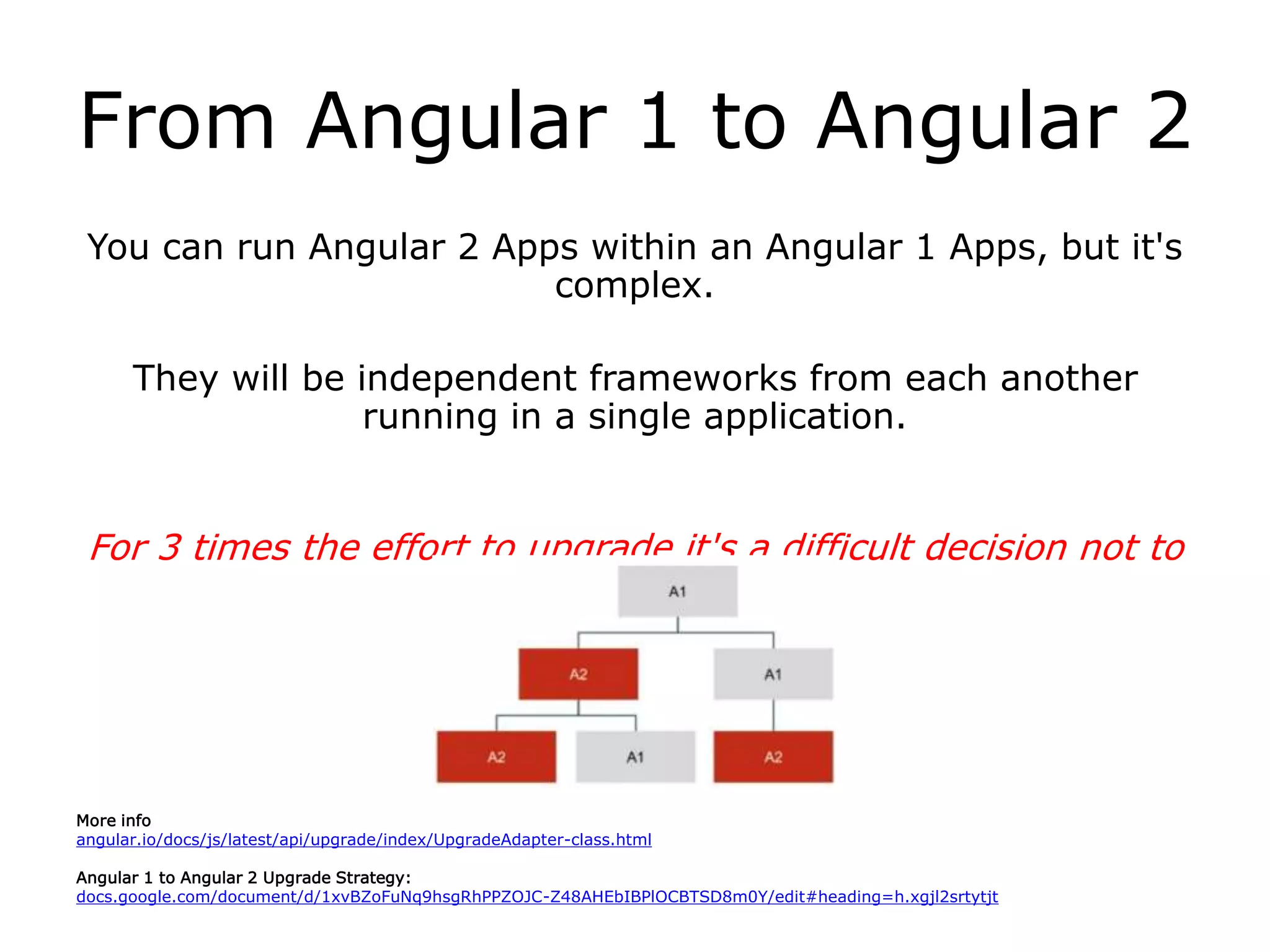
You can run Angular 2 Apps within an Angular 1 Apps, but it's
complex.
They will be independent frameworks from each another
running in a single application.
For 3 times the effort to upgrade it's a difficult decision not to
re-write.
More info
angular.io/docs/js/latest/api/upgrade/index/UpgradeAdapter-class.html
Angular 1 to Angular 2 Upgrade Strategy:
docs.google.com/document/d/1xvBZoFuNq9hsgRhPPZOJC-Z48AHEbIBPlOCBTSD8m0Y/edit#heading=h.xgjl2srtytjt
Problems?
• Many UI Kits still don't support Angular 2 (Foundation 6 / Flat UI)
• Too many Build System changes
• 3rd party library compatibility
• TypeScript requires type definitions for every library
• Libraries without NG2 Updates:
github.com/blueimp/jQuery-File-Upload/blob/master/angularjs.html
github.com/danialfarid/ng-file-upload
github.com/patrickmarabeas/ng-fittext.js
• Libraries being rewritten – still lacking full features:
ngmap.github.io
• Complex for beginners and requires direct knowledge of
Typescript & MVC
• Environment Setup
Benefits
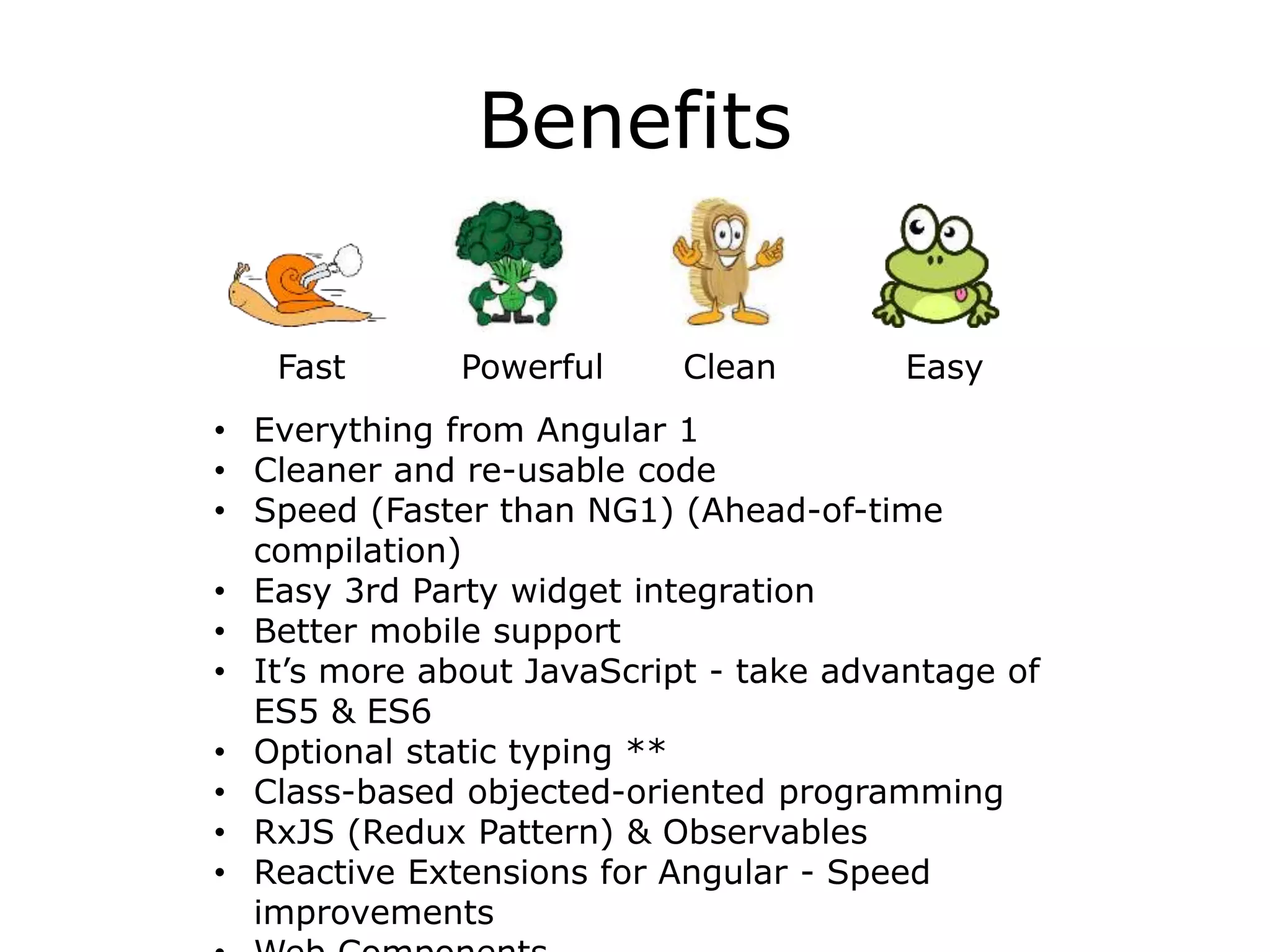
Fast Powerful Clean Easy
• Everything from Angular 1
• Cleaner and re-usable code
• Speed (Faster than NG1) (Ahead-of-time
compilation)
• Easy 3rd Party widget integration
• Better mobile support
• It’s more about JavaScript - take advantage of
ES5 & ES6
• Optional static typing **
• Class-based objected-oriented programming
• RxJS (Redux Pattern) & Observables
• Reactive Extensions for Angular - Speed
improvements
Support
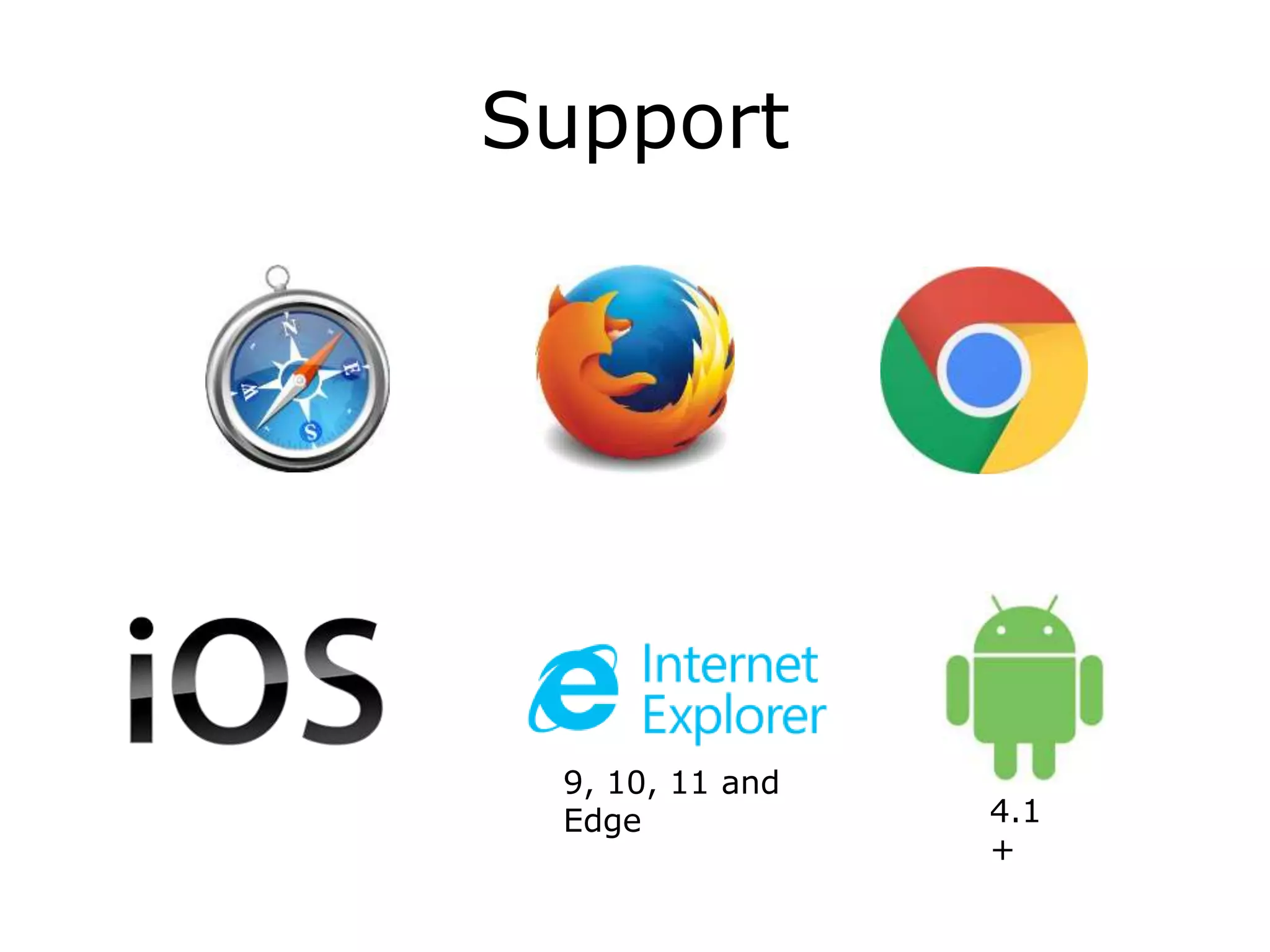
9, 10, 11 and
Edge 4.1
+
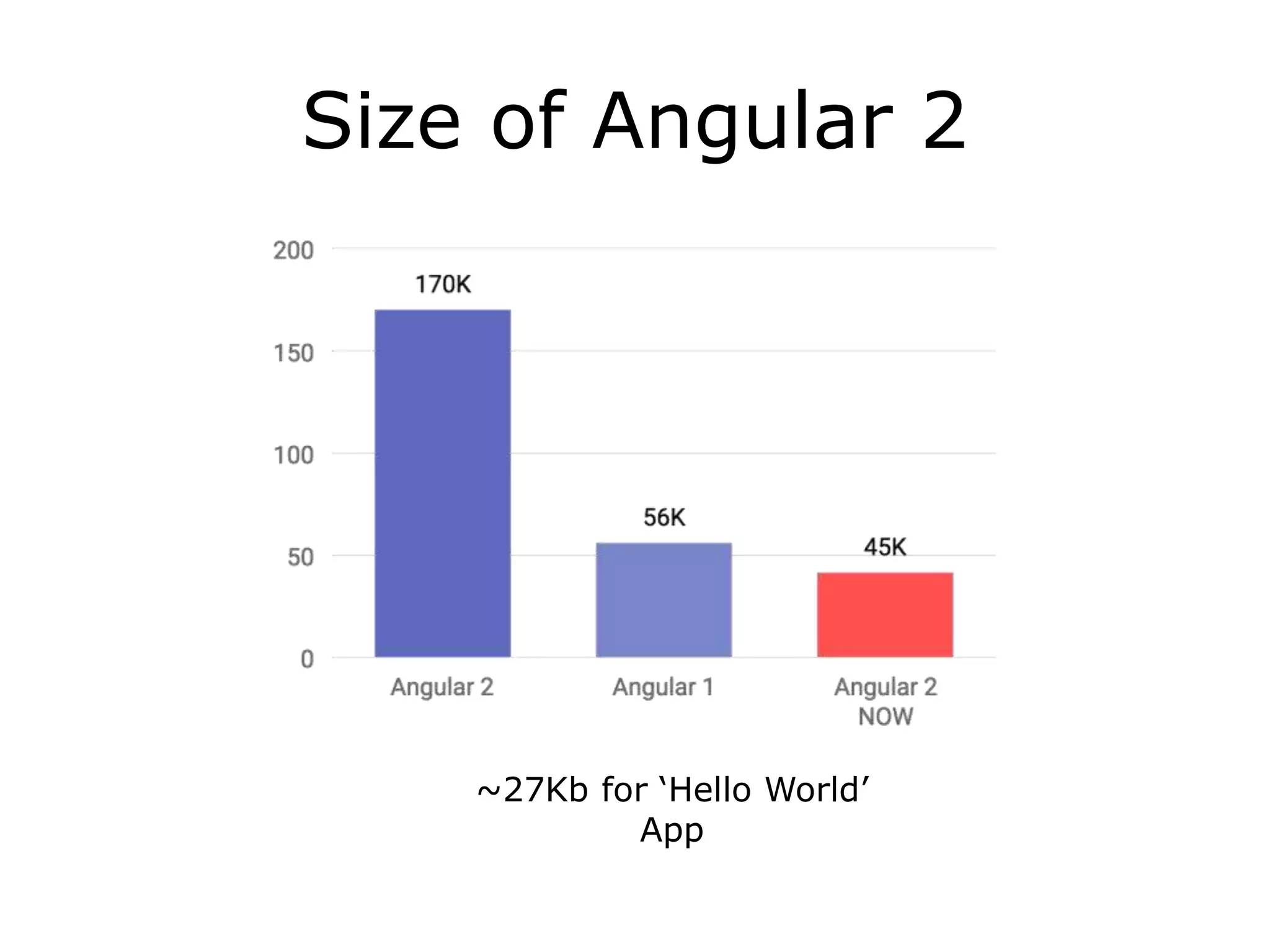
Size of Angular 2
~27Kb for ‘Hello World’
App
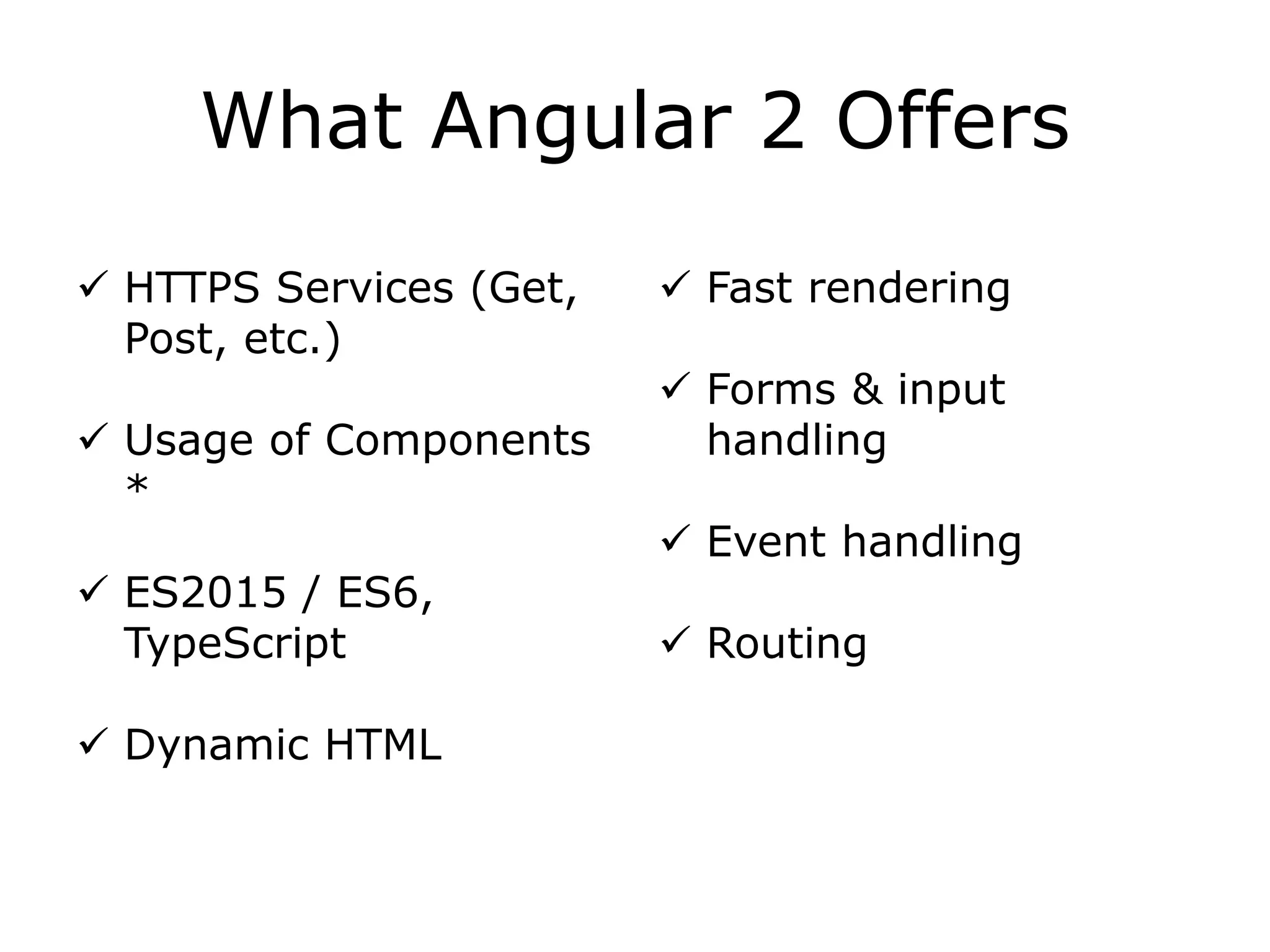
What Angular 2 Offers
 HTTPS Services (Get,
Post, etc.)
 Usage of Components
*
 ES2015 / ES6,
TypeScript
 Dynamic HTML
 Fast rendering
 Forms & input
handling
 Event handling
 Routing
AoT
Angular 1 is a sophisticated HTML compiler that generates code
at runtime.
Angular 2 has this option too: it can generate the code at
runtime, or just in time (JIT). In this case the compilation
happens while the application is being bootstrapped.
However, it also has another option: it can run the compiler as
part of application’s build, or ahead of time (AoT) offline.
Why would you want AoT?
AoT
Compiling your application ahead of time is beneficial for the following
reasons:
• We no longer have to ship the compiler to the client. And so it happens,
the compiler is the largest part of the framework. So it has a positive
effect on the download size.
• Since the compiled app doesn’t have any HTML, and instead has the
generated TypeScript code, the TypeScript compiler can analyze it to
produce type errors. In other words, your templates are type safe.
• Bundlers (e.g., WebPack, Rollup) can tree shake away everything that is
not used in the application. This means that you no longer have to
create 50-line node modules to reduce the download size of your
application. The bundler will figure out which components are used, and
the rest will be removed from the bundle.
• Finally, since the most expensive step in the bootstrap of your
application is compilation, compiling ahead of time can significantly
improve the bootstrap time.
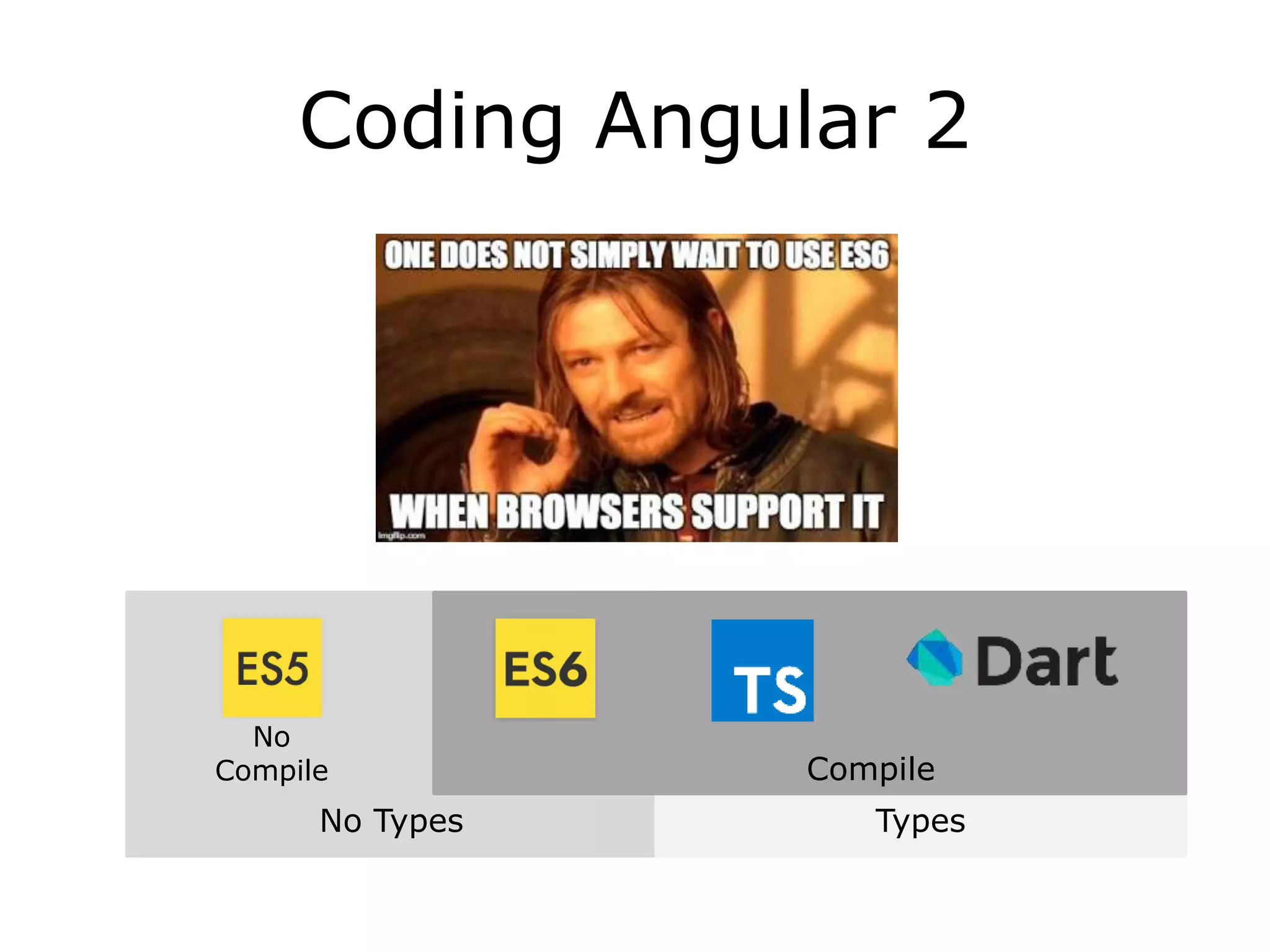
No Types Types
Coding Angular 2
Compile
No
Compile
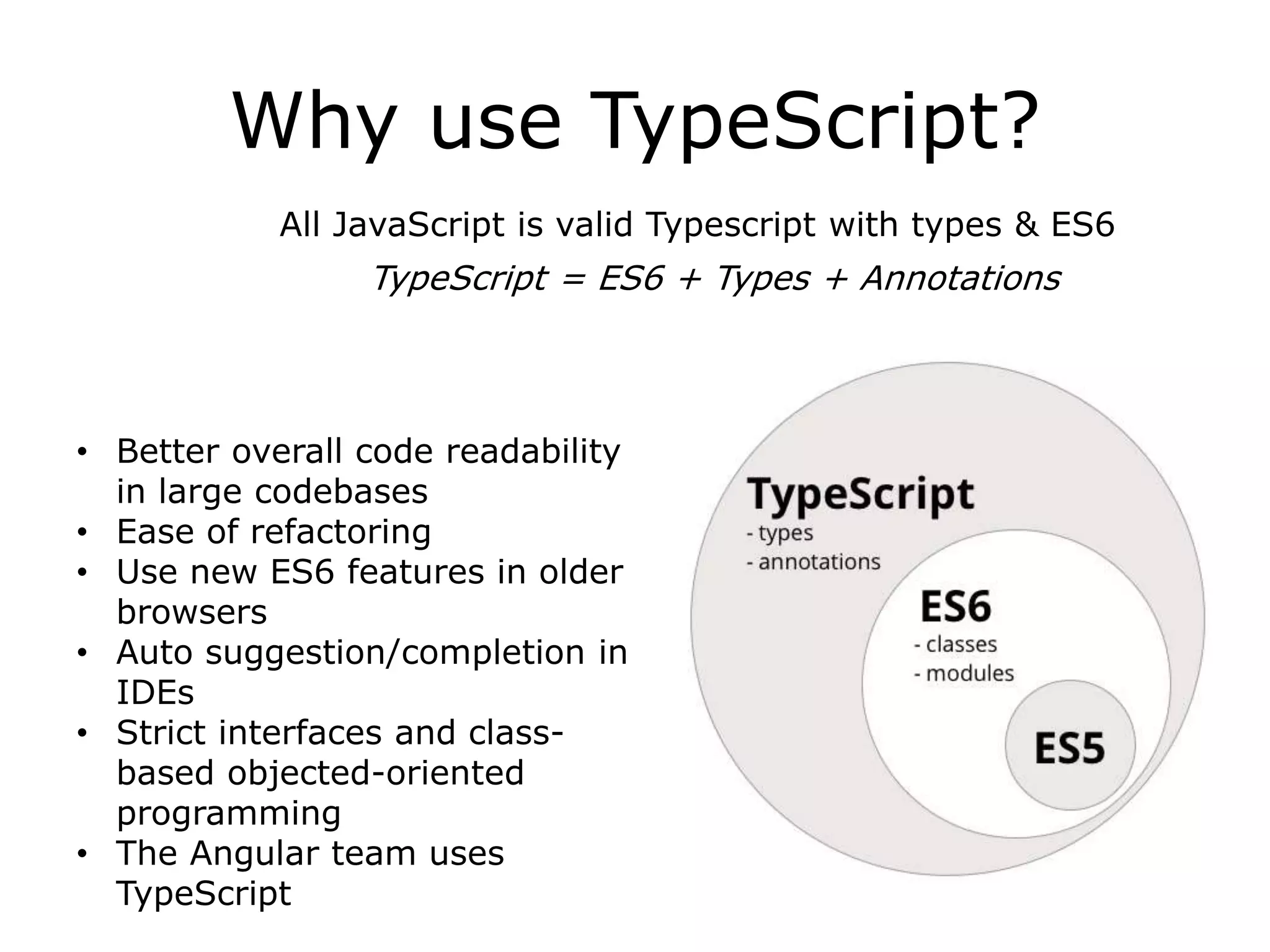
Why use TypeScript?
All JavaScript is valid Typescript with types & ES6
• Better overall code readability
in large codebases
• Ease of refactoring
• Use new ES6 features in older
browsers
• Auto suggestion/completion in
IDEs
• Strict interfaces and class-
based objected-oriented
programming
• The Angular team uses
TypeScript
TypeScript = ES6 + Types + Annotations
There are 8 key parts to
Angular
• Templates
properties define inside
Components - annotations in
many language
(came from AtScript)
• Decorators (metadata)
• Directives
• Data Binding
• Components • Services
• Modules
• Dependency Injection
creating DOM objects
“Banana / Football in a box”
[()]
import files & functionalities -
ES6
basically a ‘using’ or
‘namespacing’ statement in
many language
passing
data
visuals (think widgets) of
application - has logic which
contains JavaScript &
TypeScript
HTML of
application
class to share
logic
figures out the dependency
tree and supplies the
dependencies of another
object to be used
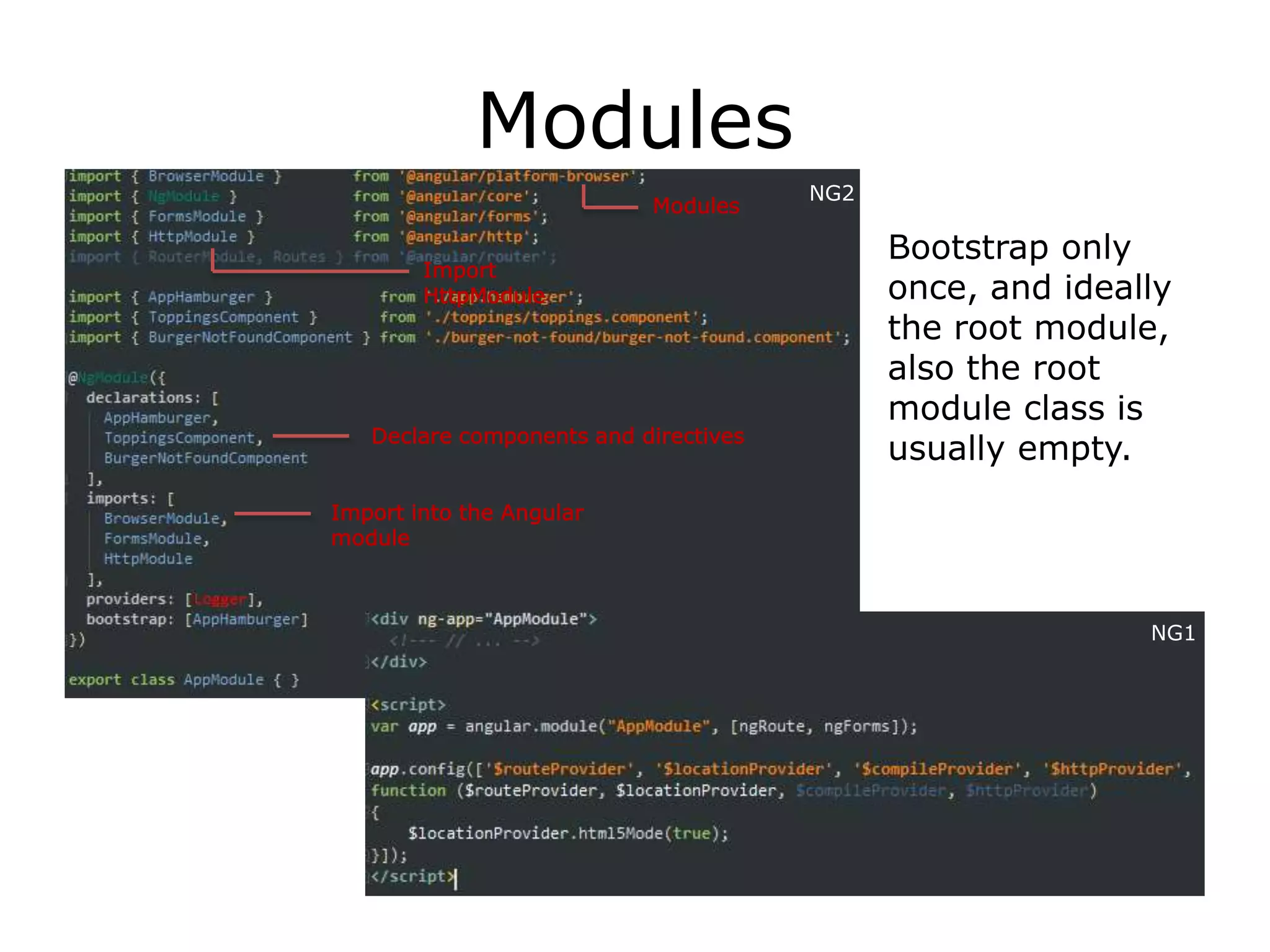
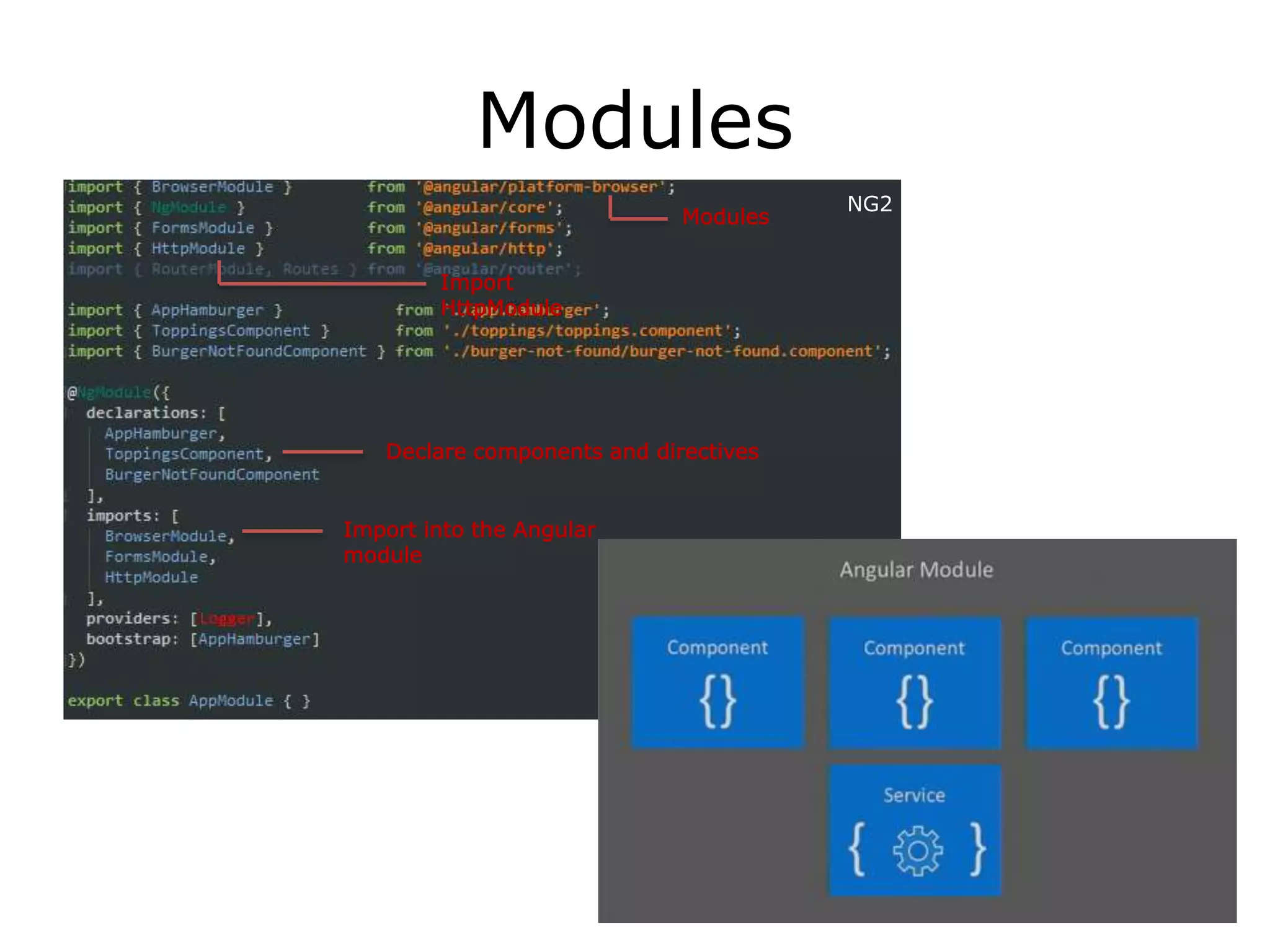
Modules
Bootstrap only
once, and ideally
the root module,
also the root
module class is
usually empty.
Import
HttpModule
Modules
Import into the Angular
module
NG2
Declare components and directives
NG1
Modules
NG1
Import
HttpModule
Modules
Import into the Angular
module
NG2
Declare components and directives
Decorators & Components
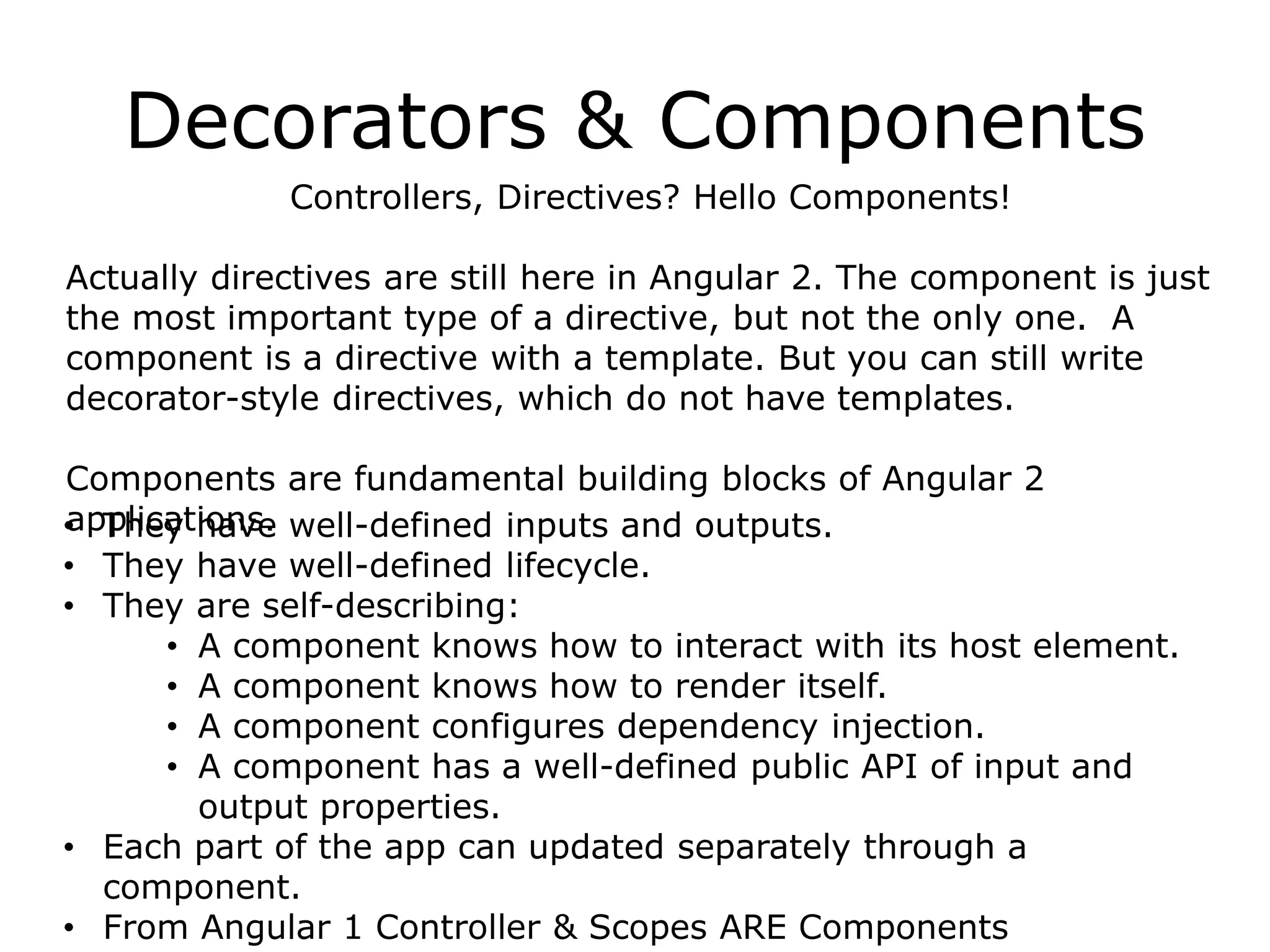
Controllers, Directives? Hello Components!
Actually directives are still here in Angular 2. The component is just
the most important type of a directive, but not the only one. A
component is a directive with a template. But you can still write
decorator-style directives, which do not have templates.
Components are fundamental building blocks of Angular 2
applications.• They have well-defined inputs and outputs.
• They have well-defined lifecycle.
• They are self-describing:
• A component knows how to interact with its host element.
• A component knows how to render itself.
• A component configures dependency injection.
• A component has a well-defined public API of input and
output properties.
• Each part of the app can updated separately through a
component.
• From Angular 1 Controller & Scopes ARE Components
Decorators & Components
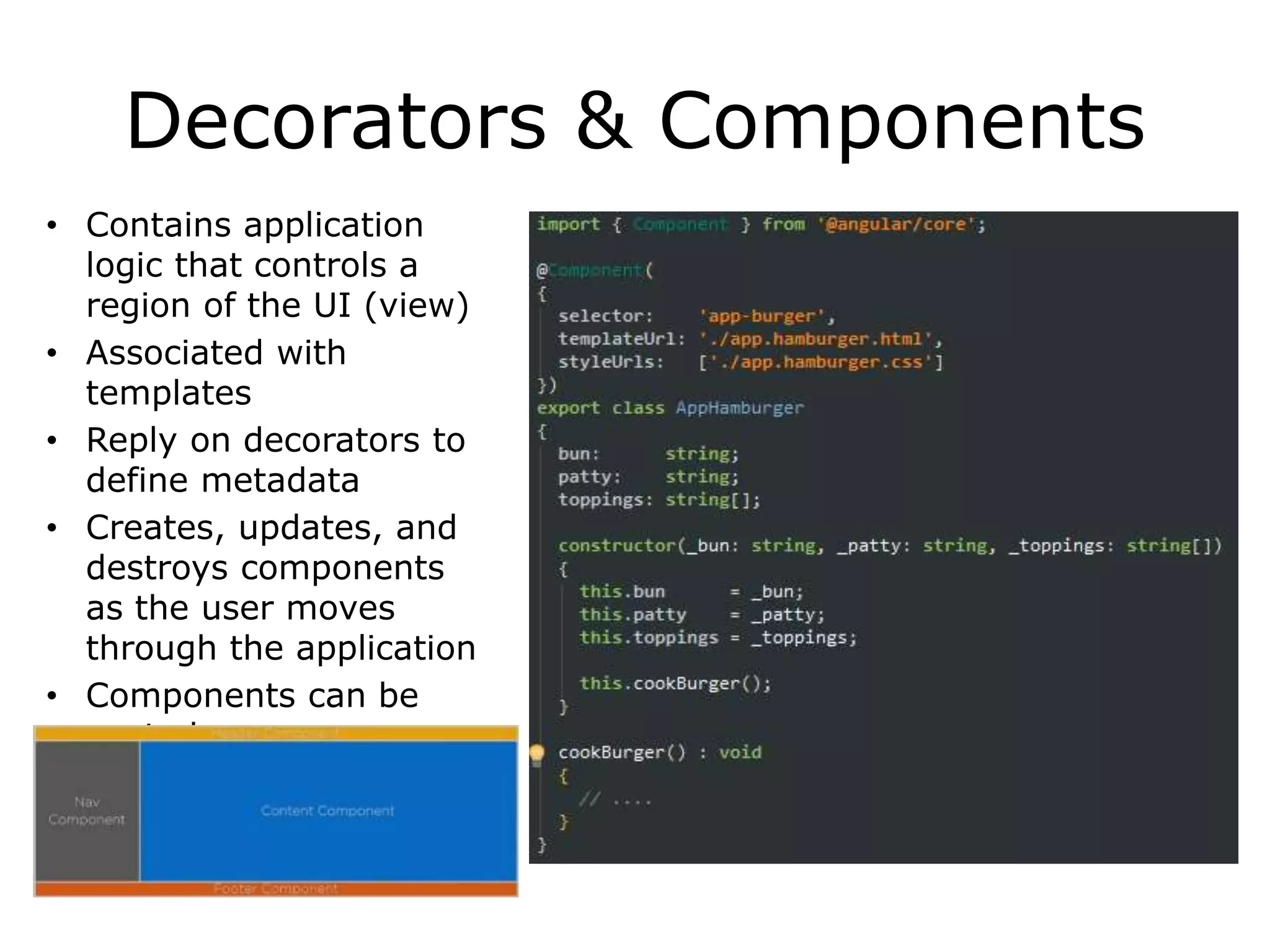
• Contains application
logic that controls a
region of the UI (view)
• Associated with
templates
• Reply on decorators to
define metadata
• Creates, updates, and
destroys components
as the user moves
through the application
• Components can be
nested
Templates
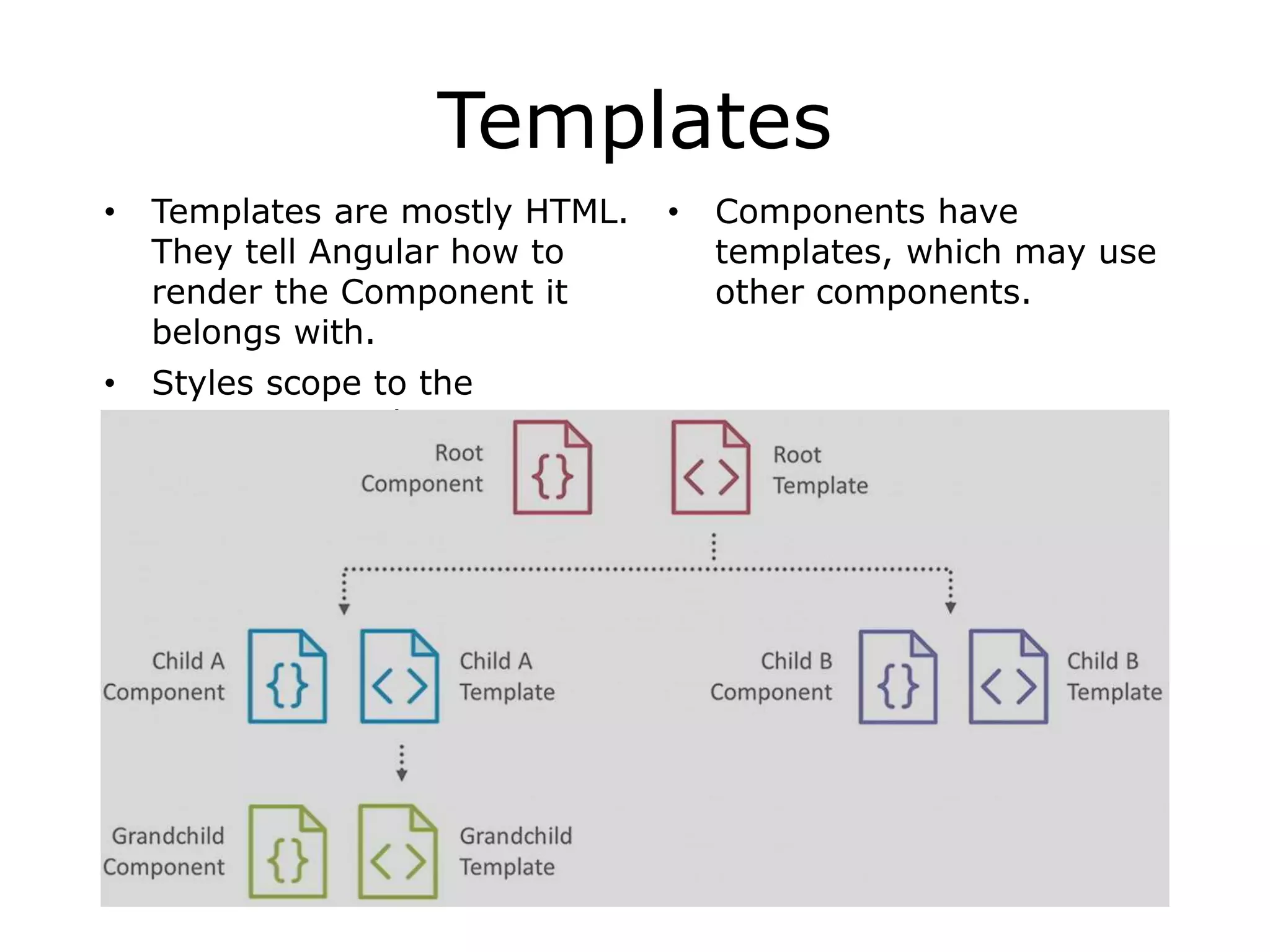
• Templates are mostly HTML.
They tell Angular how to
render the Component it
belongs with.
• Styles scope to the
component only.
• Components have
templates, which may use
other components.
Directives
Easier 3rd Party widget integration
Built-in directives like *ngIf *ngFor and ngClass are in CommonModu
When Angular renders templates, it transforms the DOM according
to instructions from Directives
*ngFor
• Structural directive
• Shows an element n number of times
• Let declares a local variable
*ngIf
• Structural directive
• Conditionally removes elements from DOM
• Use [style.visibility]=“isVisible()” to hide
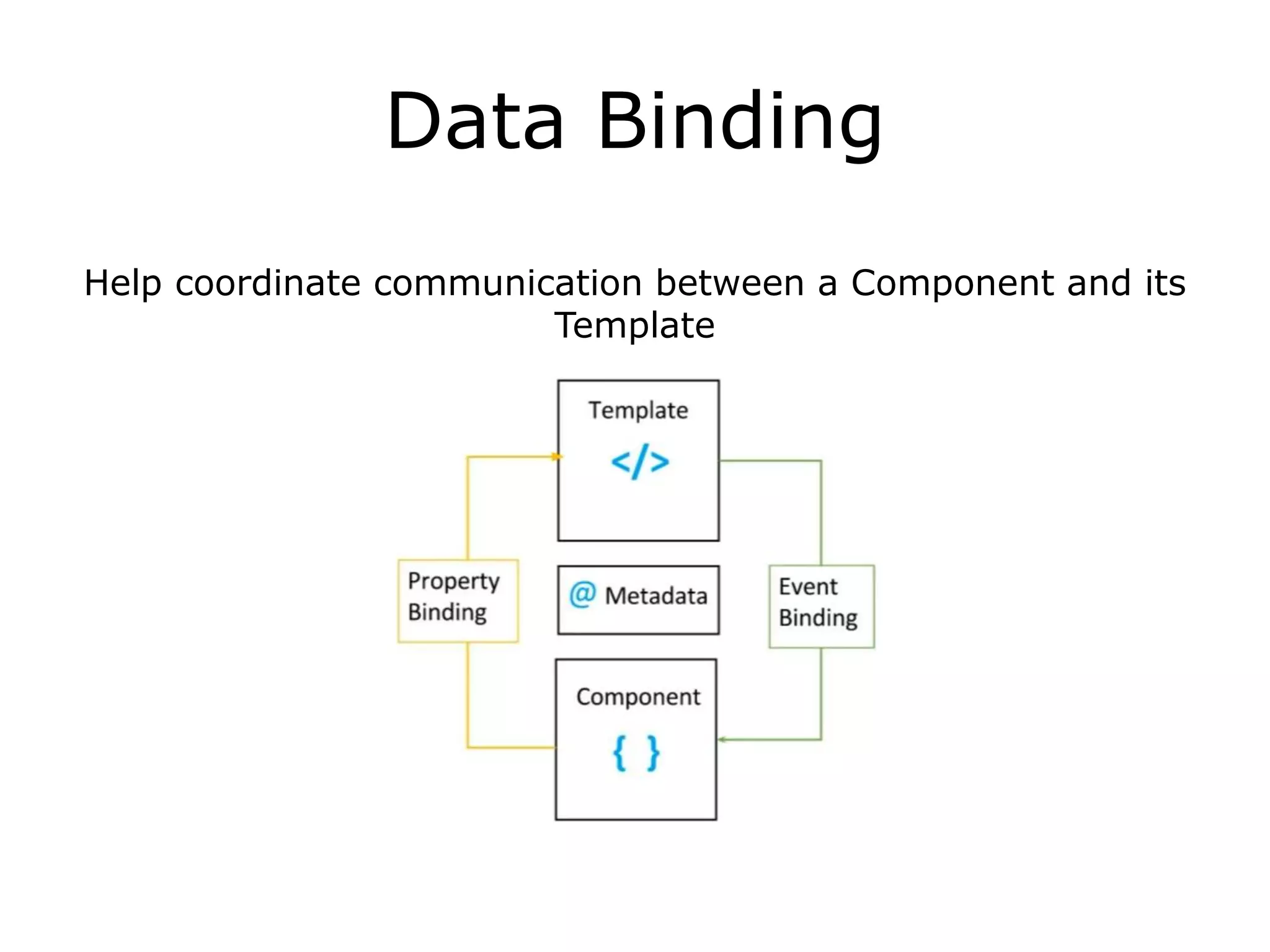
Data Binding
Help coordinate communication between a Component and its
Template
Data Binding
DOM Component
Interpolation
One Way Binding
Event Binding
Two Way Binding
Evaluate an expression between double curly braces
{{ expression }}
Bind to element, Component or a directive property
[property]=“expression”
Execute an expression when an event occurs
(event-target)=“statement”
[(ngModel) ]=“property”
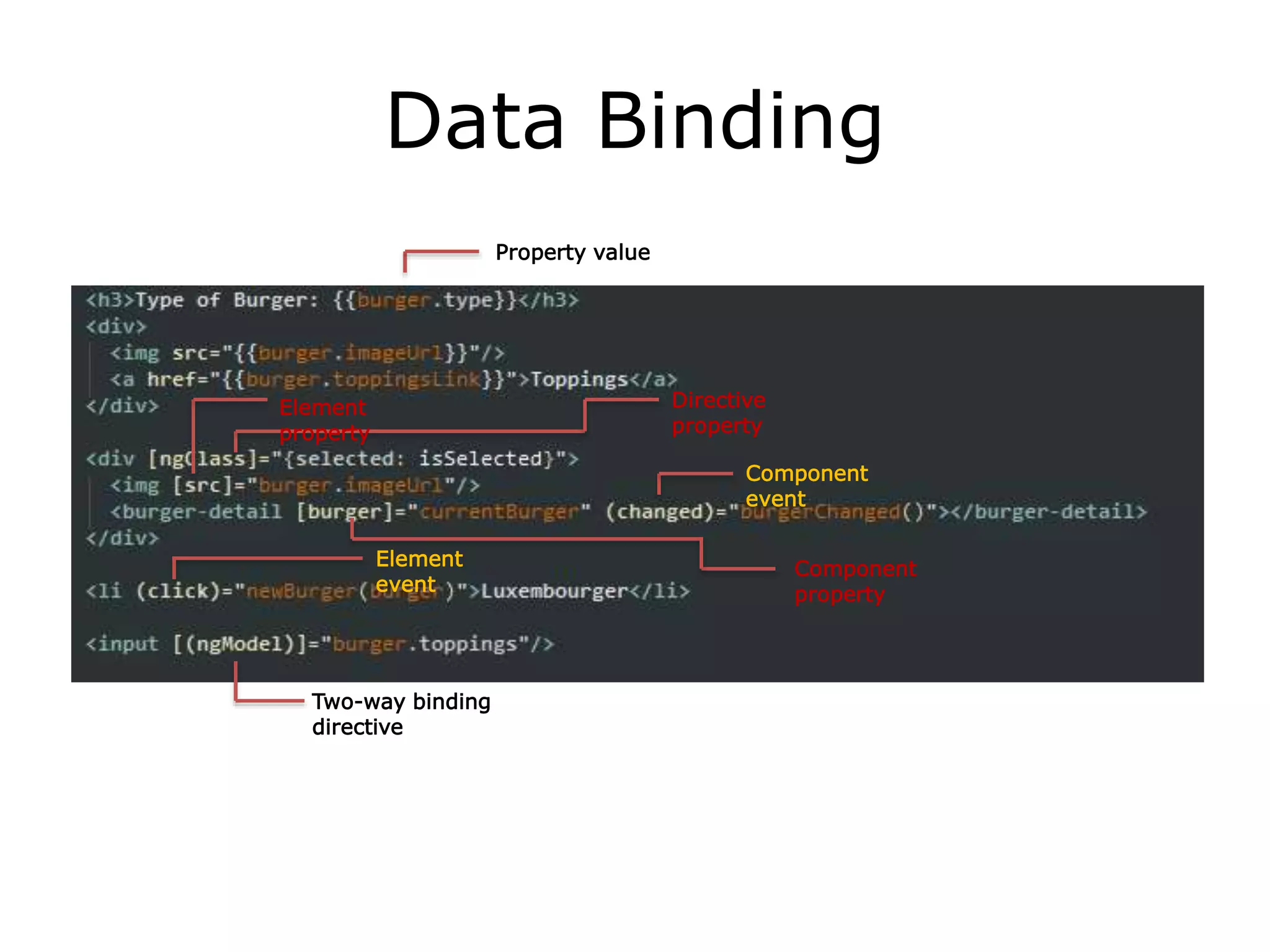
Data Binding
Element
event
Component
event
Directive
property
Element
property
Component
property
Two-way binding
directive
Property value
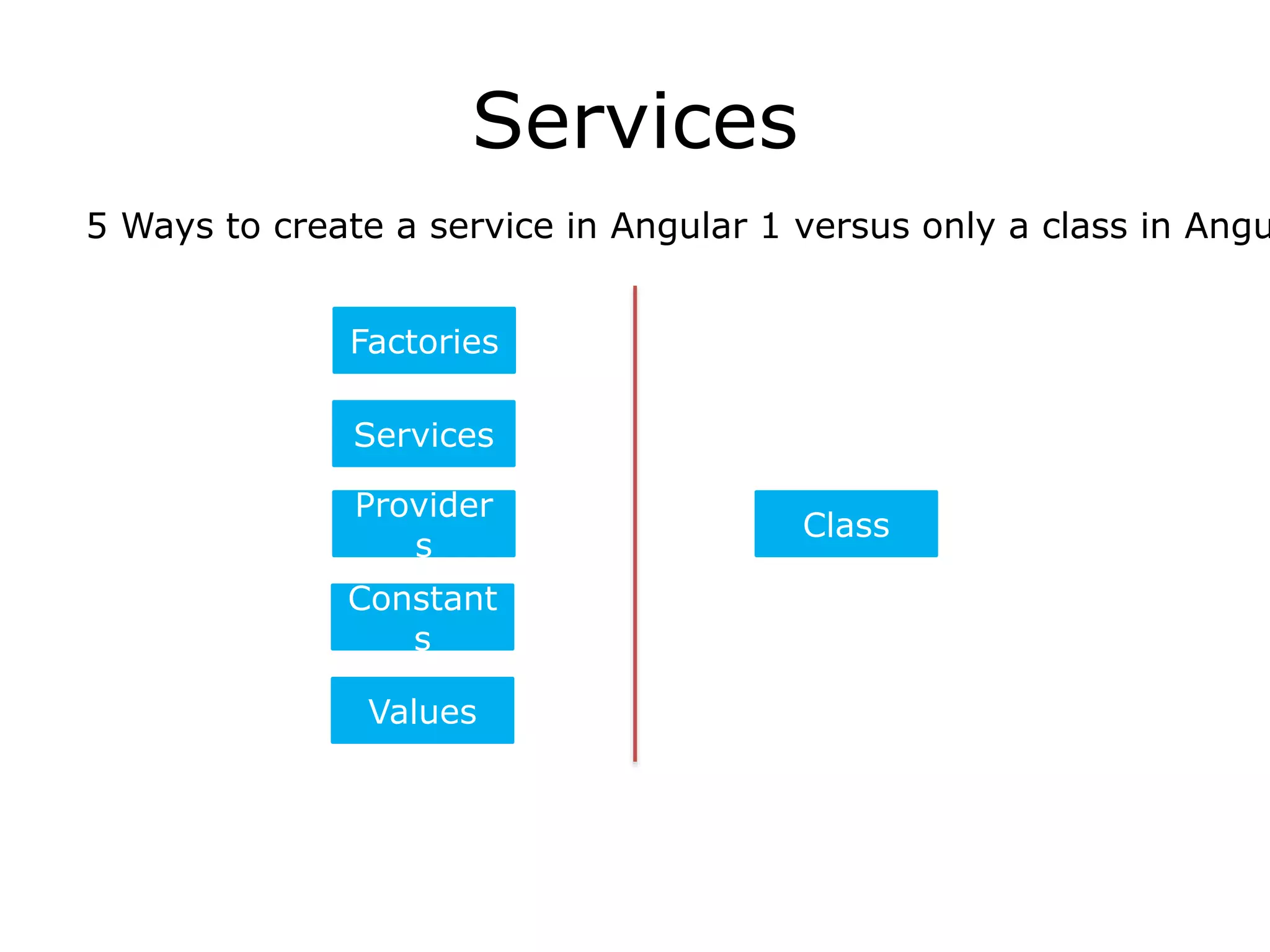
Services
5 Ways to create a service in Angular 1 versus only a class in Angu
Provider
s
Constant
s
Values
Services
Factories
Class
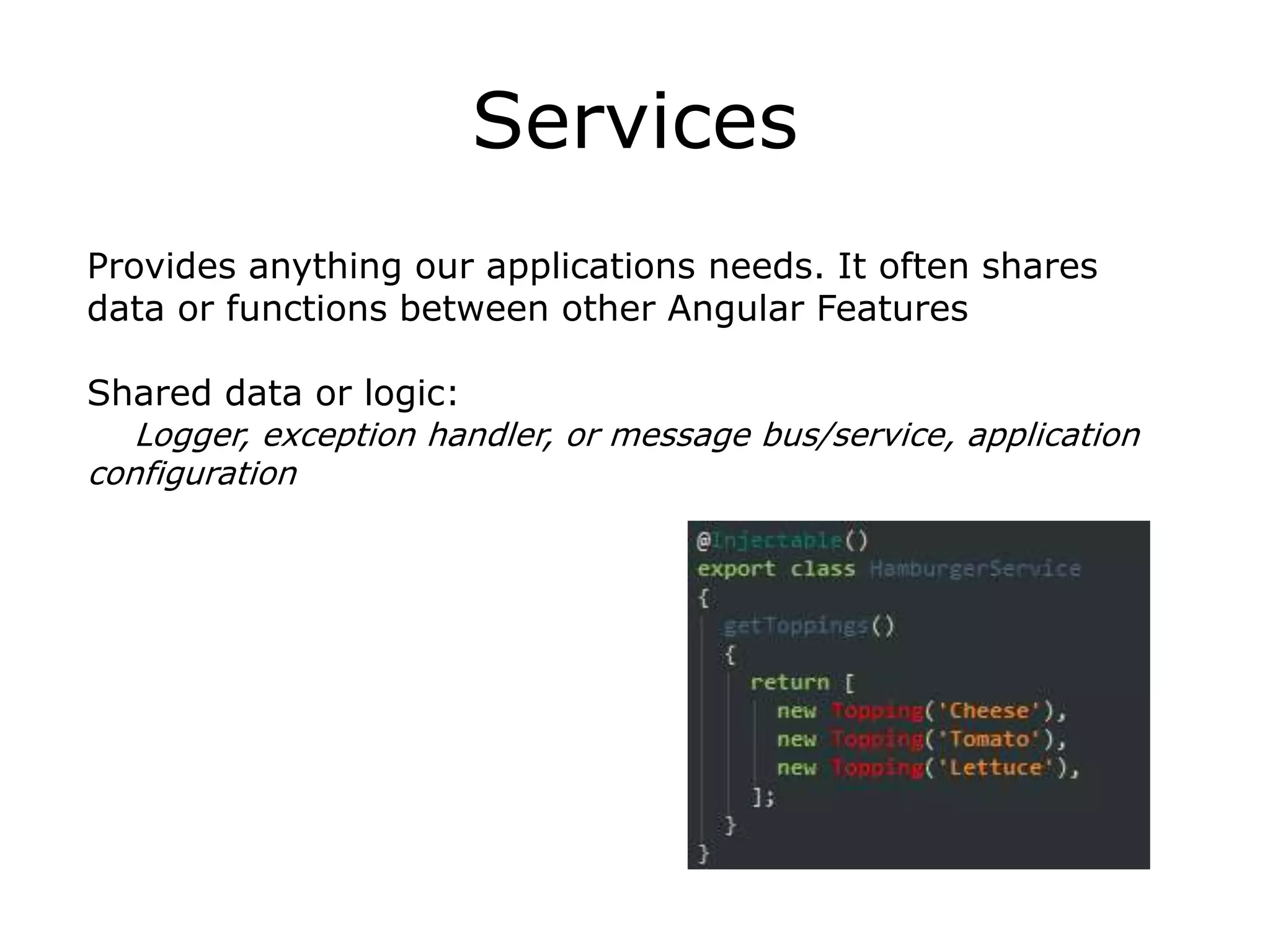
Services
Provides anything our applications needs. It often shares
data or functions between other Angular Features
Shared data or logic:
Logger, exception handler, or message bus/service, application
configuration
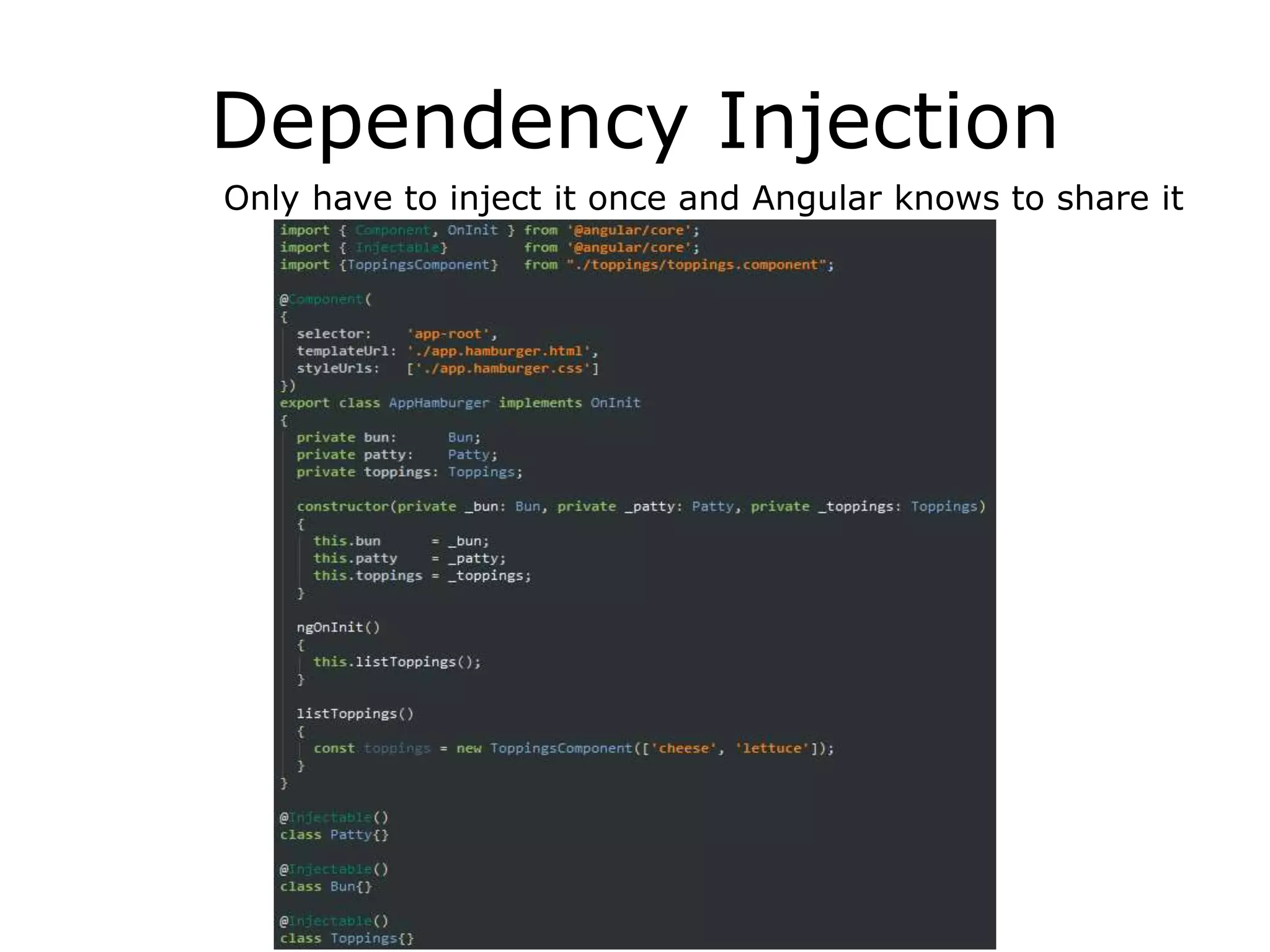
Dependency Injection
Only have to inject it once and Angular knows to share it
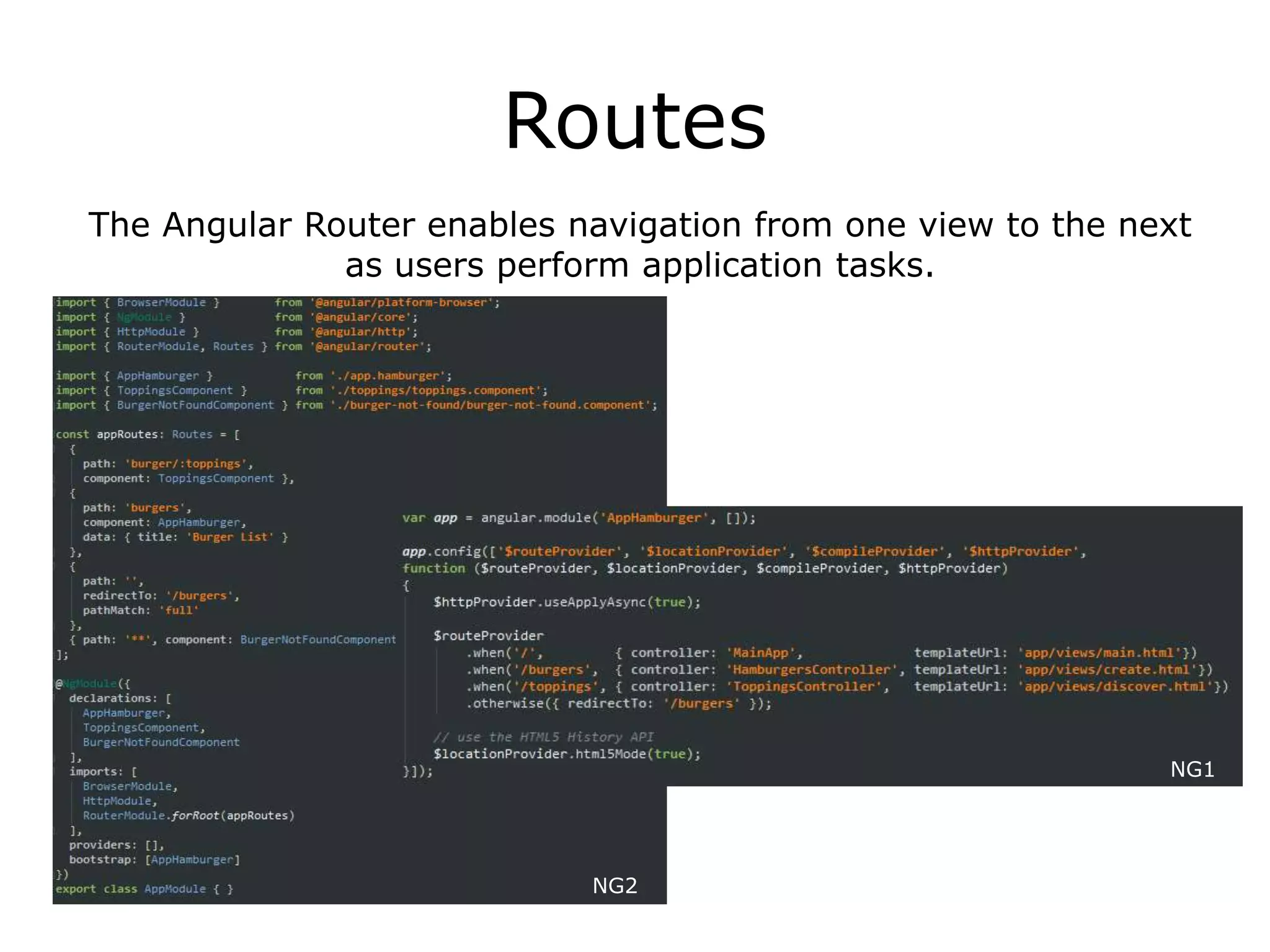
Routes
The Angular Router enables navigation from one view to the next
as users perform application tasks.
NG2
NG1
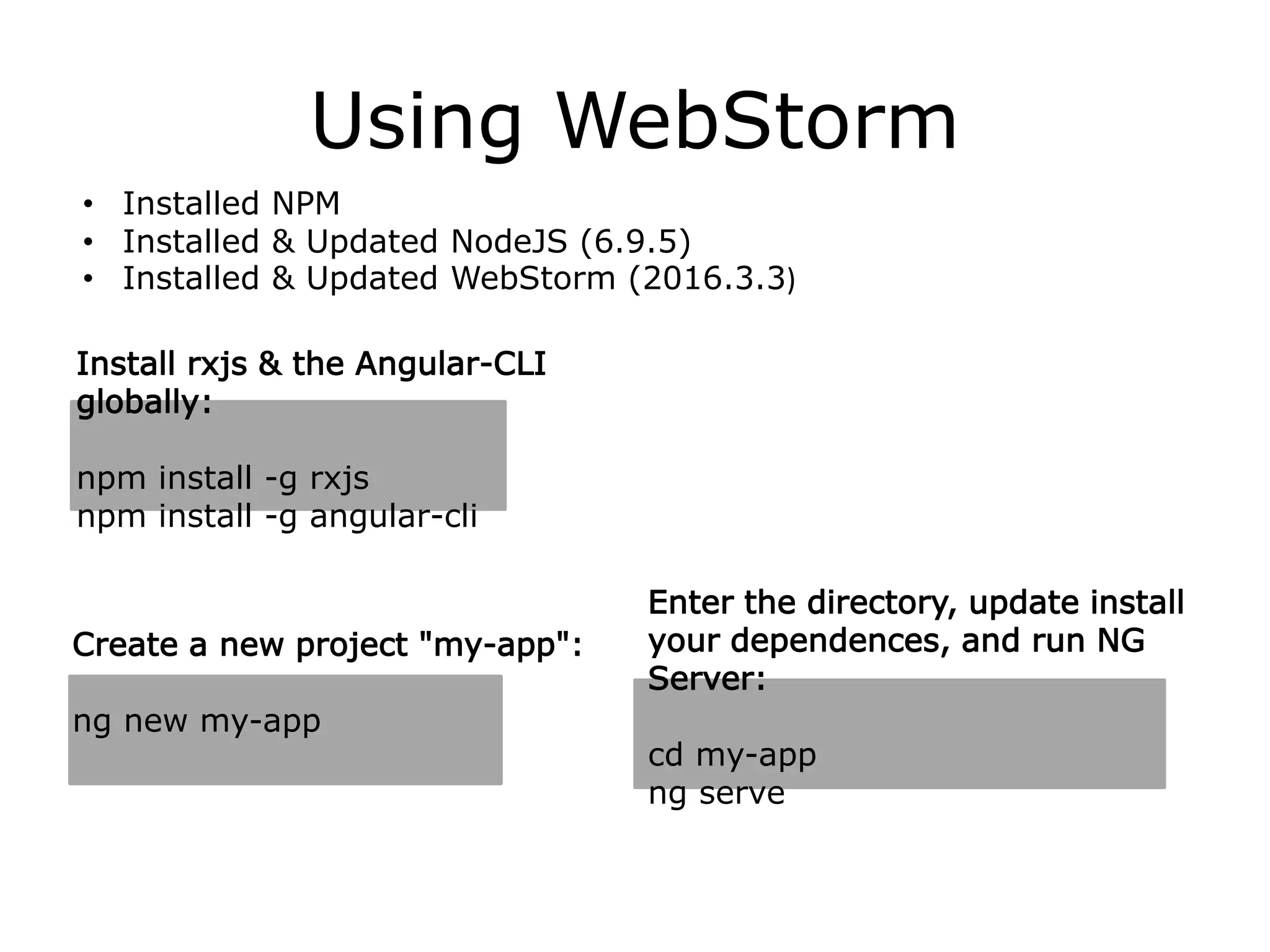
Using WebStorm
• Installed NPM
• Installed & Updated NodeJS (6.9.5)
• Installed & Updated WebStorm (2016.3.3)
Install rxjs & the Angular-CLI
globally:
npm install -g rxjs
npm install -g angular-cli
Create a new project "my-app":
ng new my-app
Enter the directory, update install
your dependences, and run NG
Server:
cd my-app
ng serve
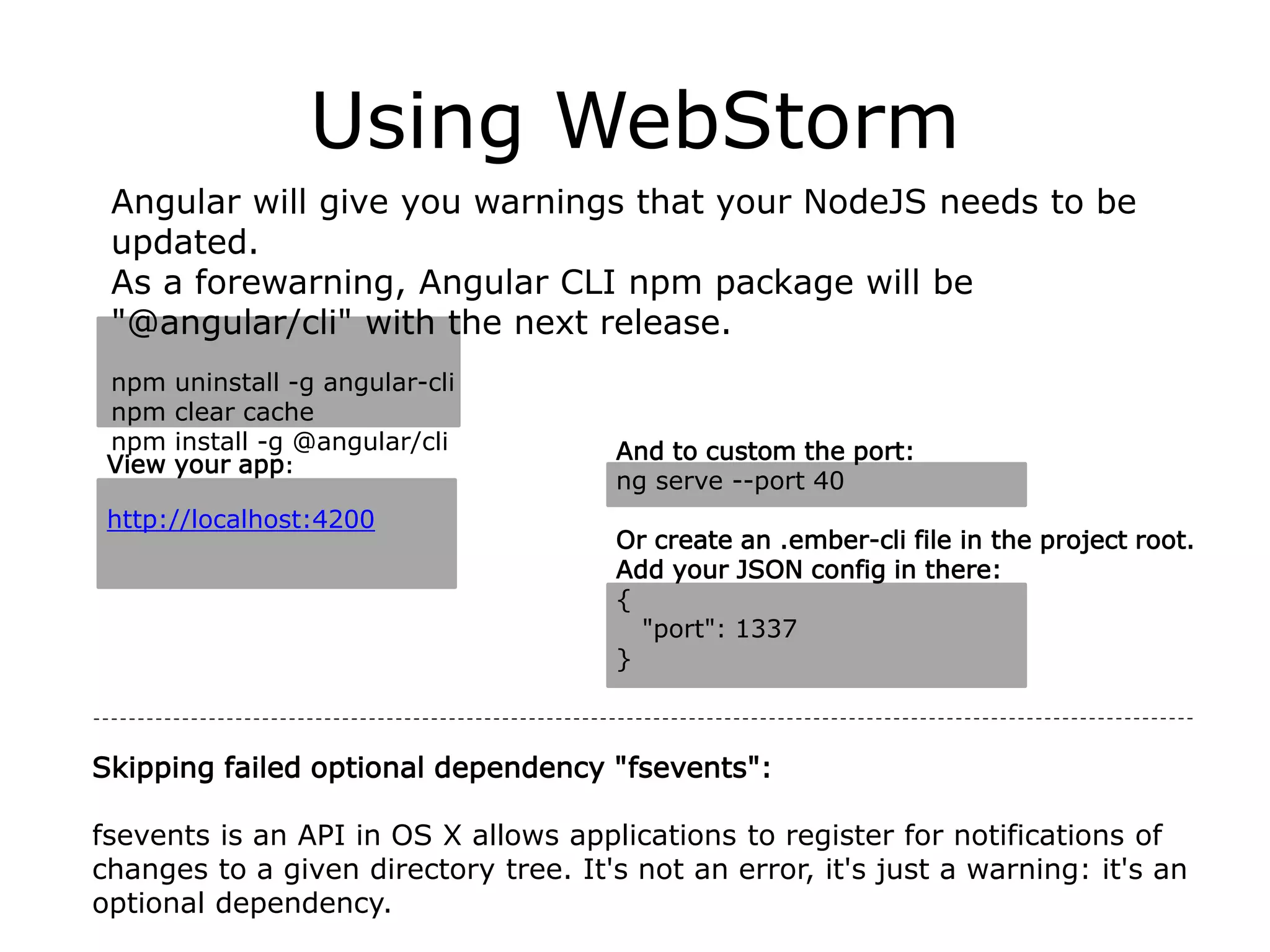
Using WebStorm
Angular will give you warnings that your NodeJS needs to be
updated.
As a forewarning, Angular CLI npm package will be
"@angular/cli" with the next release.
npm uninstall -g angular-cli
npm clear cache
npm install -g @angular/cli And to custom the port:
ng serve --port 40
Or create an .ember-cli file in the project root.
Add your JSON config in there:
{
"port": 1337
}
View your app:
http://localhost:4200
Skipping failed optional dependency "fsevents":
fsevents is an API in OS X allows applications to register for notifications of
changes to a given directory tree. It's not an error, it's just a warning: it's an
optional dependency.
Future Talks
• In-depth: Extensive Functionality & Features
• Angular-CLI, Webpack & Material 2
• Updating Angular
• Debugging
• Advance Decorators
• Advance Routing
• Forms
• Lazy Loading
• Zones (changes)
• Observables, RxJS & Redux
• Testing with Angular 2
• Building Webview & Responsive Applications with Angular 2
• Building Ionic 2 Applications with Angular 2
• Building NativeScript Applications with Angular 2
Want to Learn Angular 2?
• school.scotch.io/getting-started-with-angular-2
• egghead.io/technologies/angular2
• tutsplus.com/courses/search/Angular+2
Resources:
reddit.com/r/angularjs
(reddit.com/r/angularjs2)
Random, but good:
medium.com/@amcdnl/angular2-things-you-might-not-know-
439ce70d335a
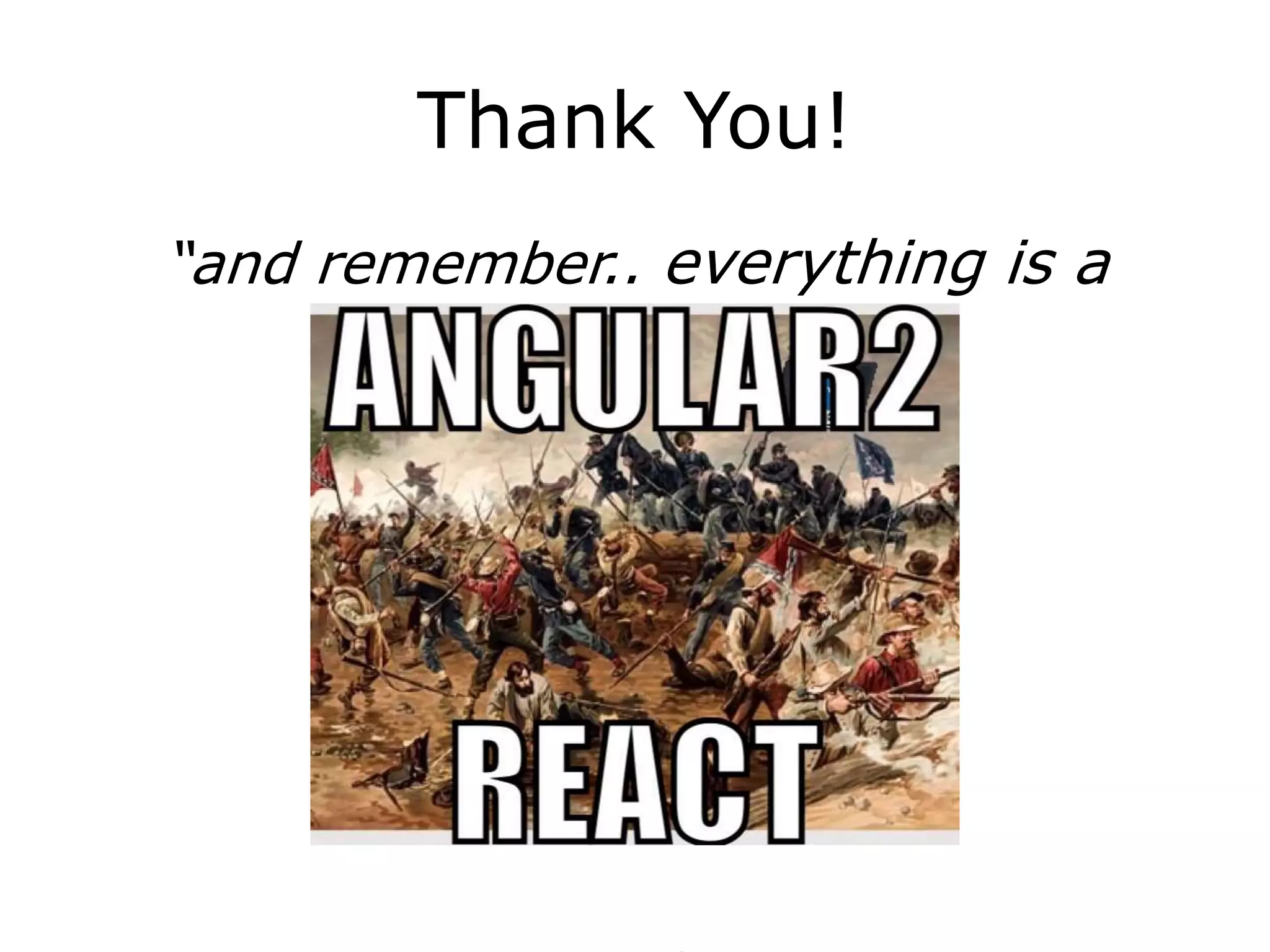
Thank You!
“and remember.. everything is a
component!

Angular 2

  • 1.
    Fundamentals, Functionality &Syntax By, Travis van der Font February 7, 2017
  • 2.
    What is Angular2? Angular is a development platform for building mobile and desktop web applications. It's a platform. It's no longer framework.
  • 3.
    Cross platform • GeneralWeb Applications • Mobile Web (responsive) • Android / iOS: Native with NativeScript & Ionic 2 Native • Windows / Mac / Linux: Desktop using Electron
  • 4.
  • 5.
    Interface: UI Components& CSS Libraries / Frameworks • Angular Material 2 github.com/angular/material2 material.angular.io • Teradata Covalent * teradata.github.io/covalent github.com/Teradata/covalent-quickstart • Bootstrap valor-software.com/ng2-bootstrap ng-bootstrap.github.io github.com/mlaval/angular2-bootstrap • Semantic github.com/vladotesanovic/ngSemantic • Kendo telerik.com/kendo-angular-ui/ • PrimeNG primefaces.org/primeng github.com/primefaces/primeng • Onsen onsen.io/angular2 • Ignite github.com/IgniteUI/igniteui-angular2 • Ionic 2 ionicframework.com • NativeScript nativescript.org docs.nativescript.org/tutorial/ng-chapter-0 • Electron electron.atom.io github.com/angular/angular-electron • React Native angular.github.io/react-native-renderer github.com/angular/react-native-renderer Even more at: angular.io/resources
  • 6.
    Release schedule Patch VersionEvery Week Minor Version Every Month Major Version Every 6 Months
  • 7.
    Release schedule So whatdoes this look like?
  • 8.
  • 9.
    Release schedule Angular 4? Angular4 Betas have started coming out already!
  • 10.
    Release schedule What aboutAngular 3?! There won’t be any Angular 3. Right now the Angular Router version is using the 3.x space already, and is not in sync with the rest of Angular, which is still at 2.x. So, the easiest way to bring Angular back into sync is by skipping version 3, and jumping directly onto version
  • 11.
    Release schedule If youaren’t already using Angular 2, you’re behind…
  • 12.
    Angular 2 isnot a version upgrade, but a complete rewriteThe primary differences in Angular 2 over Angular 1 are: • Mobile development – desktop development is much easier when mobile performance issues are handled first • Modularity – much core functionality has moved to modules, producing a lighter, faster core • Modern browsers only – reducing the need for browser compatibility workarounds • Angular 2 recommends the use of Microsoft's TypeScript language, which introduces the following improvements: • Class-based Object Oriented Programming • Static Typing • Generics • Lambdas • TypeScript is a superset of ES6, and is backwards compatible with ECMAScript 5 (i.e.: JavaScript). Angular 2 also includes the benefits of ES6: • Iterators • For / of loops • Python-style generators • Reflection • Improved dependency injection – bindings make it possible for dependencies to be named • Dynamic loading • Asynchronous template compilation • Simpler Routing • Diary.js logging – measures where time is spent, to identify bottlenecks[25] • Replacing controllers and $scope with components and directives – a component is a directive with a template • Reactive programming support using RxJS • Removals: • No more $apply or $scope • No more repeated digest cycles • No more watchers (unidirectional data flow) • 40+ directives were removed (not needed anymore) Source: en.wikipedia.org/wiki/AngularJS#Angular_2
  • 13.
  • 14.
    From Angular 1to Angular 2 • Mapping Angular 1 Concepts to Angular 2: At a high level, ng2 Components are ng1 directives. • Reduce or eliminate your use of two-way data-binding in favor of a one-way data flow by reducing $scope changes that pass data between directives and instead use services to pass your data around. • Integrate the use of TypeScript within your Angular 1 application • ng-metadata: Angular 2 decorators for Angular 1.x github.com/ngParty/ng-metadata • UpgradeAdapter: Allows Angular 1 and Angular 2+ to co- exist in a single application
  • 15.
    From Angular 1to Angular 2 You can run Angular 2 Apps within an Angular 1 Apps, but it's complex. They will be independent frameworks from each another running in a single application. For 3 times the effort to upgrade it's a difficult decision not to re-write. More info angular.io/docs/js/latest/api/upgrade/index/UpgradeAdapter-class.html Angular 1 to Angular 2 Upgrade Strategy: docs.google.com/document/d/1xvBZoFuNq9hsgRhPPZOJC-Z48AHEbIBPlOCBTSD8m0Y/edit#heading=h.xgjl2srtytjt
  • 16.
    Problems? • Many UIKits still don't support Angular 2 (Foundation 6 / Flat UI) • Too many Build System changes • 3rd party library compatibility • TypeScript requires type definitions for every library • Libraries without NG2 Updates: github.com/blueimp/jQuery-File-Upload/blob/master/angularjs.html github.com/danialfarid/ng-file-upload github.com/patrickmarabeas/ng-fittext.js • Libraries being rewritten – still lacking full features: ngmap.github.io • Complex for beginners and requires direct knowledge of Typescript & MVC • Environment Setup
  • 17.
    Benefits Fast Powerful CleanEasy • Everything from Angular 1 • Cleaner and re-usable code • Speed (Faster than NG1) (Ahead-of-time compilation) • Easy 3rd Party widget integration • Better mobile support • It’s more about JavaScript - take advantage of ES5 & ES6 • Optional static typing ** • Class-based objected-oriented programming • RxJS (Redux Pattern) & Observables • Reactive Extensions for Angular - Speed improvements
  • 18.
    Support 9, 10, 11and Edge 4.1 +
  • 19.
    Size of Angular2 ~27Kb for ‘Hello World’ App
  • 20.
    What Angular 2Offers  HTTPS Services (Get, Post, etc.)  Usage of Components *  ES2015 / ES6, TypeScript  Dynamic HTML  Fast rendering  Forms & input handling  Event handling  Routing
  • 21.
    AoT Angular 1 isa sophisticated HTML compiler that generates code at runtime. Angular 2 has this option too: it can generate the code at runtime, or just in time (JIT). In this case the compilation happens while the application is being bootstrapped. However, it also has another option: it can run the compiler as part of application’s build, or ahead of time (AoT) offline. Why would you want AoT?
  • 22.
    AoT Compiling your applicationahead of time is beneficial for the following reasons: • We no longer have to ship the compiler to the client. And so it happens, the compiler is the largest part of the framework. So it has a positive effect on the download size. • Since the compiled app doesn’t have any HTML, and instead has the generated TypeScript code, the TypeScript compiler can analyze it to produce type errors. In other words, your templates are type safe. • Bundlers (e.g., WebPack, Rollup) can tree shake away everything that is not used in the application. This means that you no longer have to create 50-line node modules to reduce the download size of your application. The bundler will figure out which components are used, and the rest will be removed from the bundle. • Finally, since the most expensive step in the bootstrap of your application is compilation, compiling ahead of time can significantly improve the bootstrap time.
  • 23.
    No Types Types CodingAngular 2 Compile No Compile
  • 24.
    Why use TypeScript? AllJavaScript is valid Typescript with types & ES6 • Better overall code readability in large codebases • Ease of refactoring • Use new ES6 features in older browsers • Auto suggestion/completion in IDEs • Strict interfaces and class- based objected-oriented programming • The Angular team uses TypeScript TypeScript = ES6 + Types + Annotations
  • 25.
    There are 8key parts to Angular • Templates properties define inside Components - annotations in many language (came from AtScript) • Decorators (metadata) • Directives • Data Binding • Components • Services • Modules • Dependency Injection creating DOM objects “Banana / Football in a box” [()] import files & functionalities - ES6 basically a ‘using’ or ‘namespacing’ statement in many language passing data visuals (think widgets) of application - has logic which contains JavaScript & TypeScript HTML of application class to share logic figures out the dependency tree and supplies the dependencies of another object to be used
  • 26.
    Modules Bootstrap only once, andideally the root module, also the root module class is usually empty. Import HttpModule Modules Import into the Angular module NG2 Declare components and directives NG1
  • 27.
    Modules NG1 Import HttpModule Modules Import into theAngular module NG2 Declare components and directives
  • 28.
    Decorators & Components Controllers,Directives? Hello Components! Actually directives are still here in Angular 2. The component is just the most important type of a directive, but not the only one. A component is a directive with a template. But you can still write decorator-style directives, which do not have templates. Components are fundamental building blocks of Angular 2 applications.• They have well-defined inputs and outputs. • They have well-defined lifecycle. • They are self-describing: • A component knows how to interact with its host element. • A component knows how to render itself. • A component configures dependency injection. • A component has a well-defined public API of input and output properties. • Each part of the app can updated separately through a component. • From Angular 1 Controller & Scopes ARE Components
  • 29.
    Decorators & Components •Contains application logic that controls a region of the UI (view) • Associated with templates • Reply on decorators to define metadata • Creates, updates, and destroys components as the user moves through the application • Components can be nested
  • 30.
    Templates • Templates aremostly HTML. They tell Angular how to render the Component it belongs with. • Styles scope to the component only. • Components have templates, which may use other components.
  • 31.
    Directives Easier 3rd Partywidget integration Built-in directives like *ngIf *ngFor and ngClass are in CommonModu When Angular renders templates, it transforms the DOM according to instructions from Directives *ngFor • Structural directive • Shows an element n number of times • Let declares a local variable *ngIf • Structural directive • Conditionally removes elements from DOM • Use [style.visibility]=“isVisible()” to hide
  • 32.
    Data Binding Help coordinatecommunication between a Component and its Template
  • 33.
    Data Binding DOM Component Interpolation OneWay Binding Event Binding Two Way Binding Evaluate an expression between double curly braces {{ expression }} Bind to element, Component or a directive property [property]=“expression” Execute an expression when an event occurs (event-target)=“statement” [(ngModel) ]=“property”
  • 34.
  • 35.
    Services 5 Ways tocreate a service in Angular 1 versus only a class in Angu Provider s Constant s Values Services Factories Class
  • 36.
    Services Provides anything ourapplications needs. It often shares data or functions between other Angular Features Shared data or logic: Logger, exception handler, or message bus/service, application configuration
  • 37.
    Dependency Injection Only haveto inject it once and Angular knows to share it
  • 38.
    Routes The Angular Routerenables navigation from one view to the next as users perform application tasks. NG2 NG1
  • 39.
    Using WebStorm • InstalledNPM • Installed & Updated NodeJS (6.9.5) • Installed & Updated WebStorm (2016.3.3) Install rxjs & the Angular-CLI globally: npm install -g rxjs npm install -g angular-cli Create a new project "my-app": ng new my-app Enter the directory, update install your dependences, and run NG Server: cd my-app ng serve
  • 40.
    Using WebStorm Angular willgive you warnings that your NodeJS needs to be updated. As a forewarning, Angular CLI npm package will be "@angular/cli" with the next release. npm uninstall -g angular-cli npm clear cache npm install -g @angular/cli And to custom the port: ng serve --port 40 Or create an .ember-cli file in the project root. Add your JSON config in there: { "port": 1337 } View your app: http://localhost:4200 Skipping failed optional dependency "fsevents": fsevents is an API in OS X allows applications to register for notifications of changes to a given directory tree. It's not an error, it's just a warning: it's an optional dependency.
  • 41.
    Future Talks • In-depth:Extensive Functionality & Features • Angular-CLI, Webpack & Material 2 • Updating Angular • Debugging • Advance Decorators • Advance Routing • Forms • Lazy Loading • Zones (changes) • Observables, RxJS & Redux • Testing with Angular 2 • Building Webview & Responsive Applications with Angular 2 • Building Ionic 2 Applications with Angular 2 • Building NativeScript Applications with Angular 2
  • 42.
    Want to LearnAngular 2? • school.scotch.io/getting-started-with-angular-2 • egghead.io/technologies/angular2 • tutsplus.com/courses/search/Angular+2 Resources: reddit.com/r/angularjs (reddit.com/r/angularjs2) Random, but good: medium.com/@amcdnl/angular2-things-you-might-not-know- 439ce70d335a
  • 43.
    Thank You! “and remember..everything is a component!