Android Study
Jams
Kotlin
Advantages of Kotlin
Kotlin's Basics
Android Development in Kotlin Course
ASJ
Today's
Agenda
What is Kotlin ?
Kotlin is is a cross-platform, statically typed, general-
purpose programming language
OOPS + FP
It was introduced by JetBrains in 2011.
At Google I/O 2017, Google announced first-class
support for Kotlin on Android and announced Kotlin as
an official language for android development
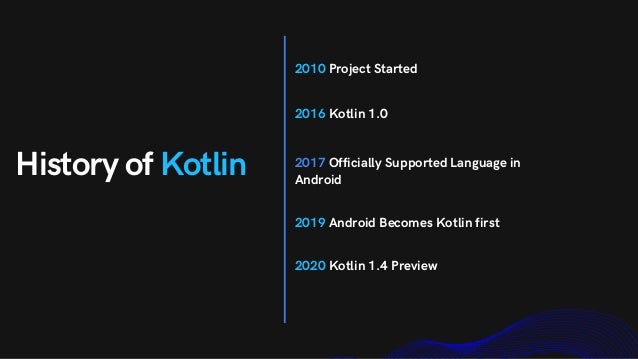
History of Kotlin
2010 Project Started
2016 Kotlin 1.0
2017 Officially Supported Language in
Android
2019 Android Becomes Kotlin first
2020 Kotlin 1.4 Preview
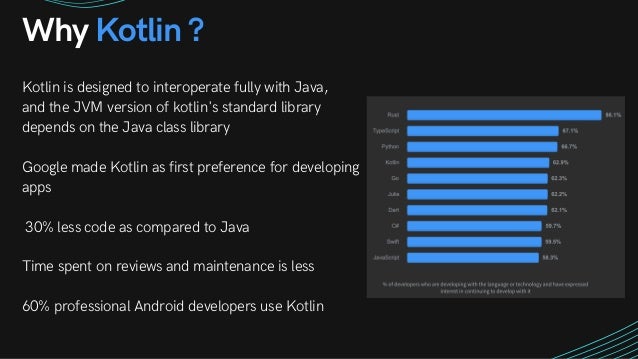
Why Kotlin ?
Kotlin is designed to interoperate fully with Java,
and the JVM version of kotlin's standard library
depends on the Java class library
Google made Kotlin as first preference for developing
apps
30% less code as compared to Java
Time spent on reviews and maintenance is less
60% professional Android developers use Kotlin
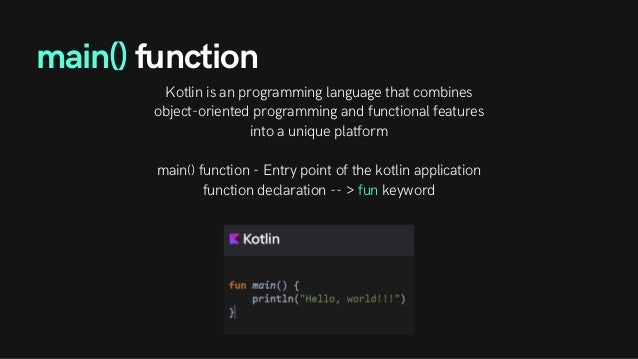
Kotlin is an programming language that combines
object-oriented programming and functional features
into a unique platform


main() function - Entry point of the kotlin application
function declaration -- > fun keyword
main() function
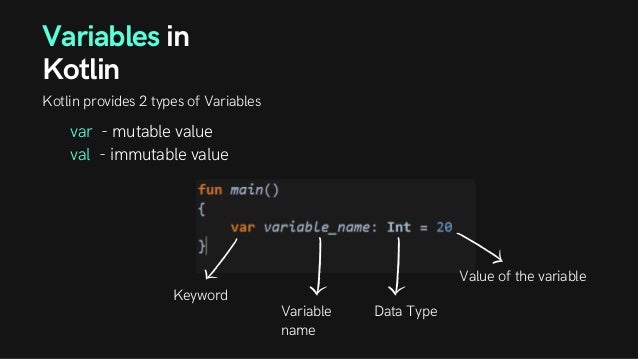
Variables in
Kotlin
Kotlin provides 2 types of Variables
var - mutable value
val - immutable value
Keyword
Variable
name
Data Type
Value of the variable
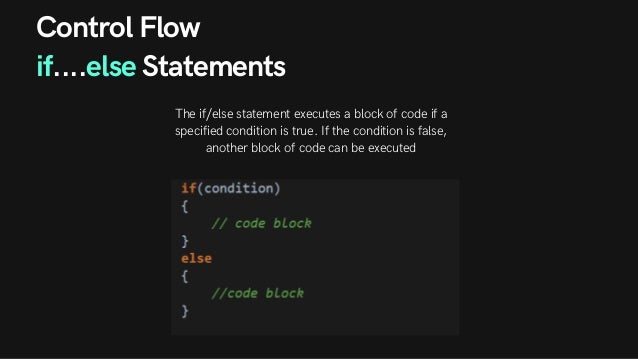
Control Flow
if....else Statements
The if/else statement executes a block of code if a
specified condition is true. If the condition is false,
another block of code can be executed
Control Flow
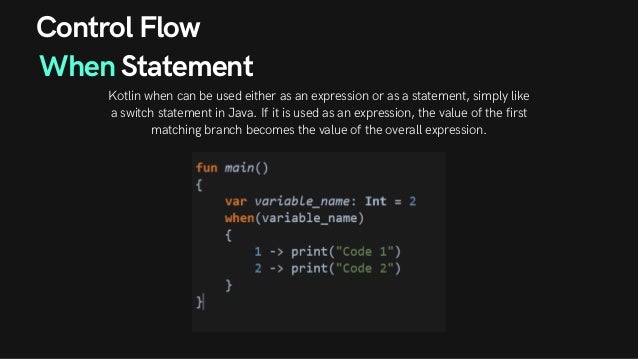
When Statement
Kotlin when can be used either as an expression or as a statement, simply like
a switch statement in Java. If it is used as an expression, the value of the first
matching branch becomes the value of the overall expression.
Loops
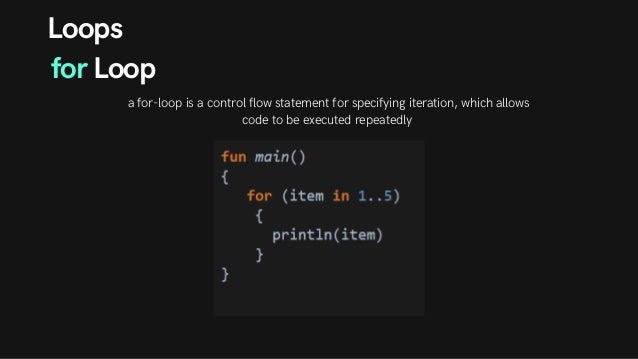
for Loop
a for-loop is a control flow statement for specifying iteration, which allows
code to be executed repeatedly
Loops
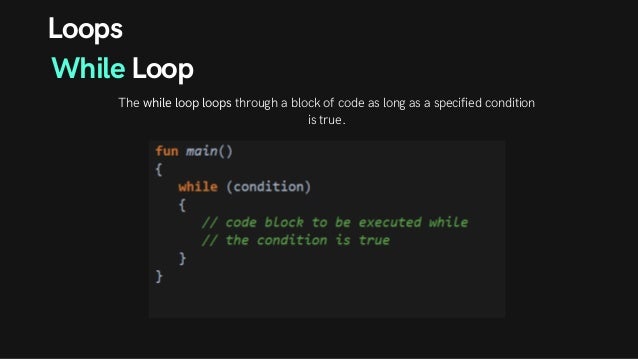
While Loop
The while loop loops through a block of code as long as a specified condition
is true.
Loops
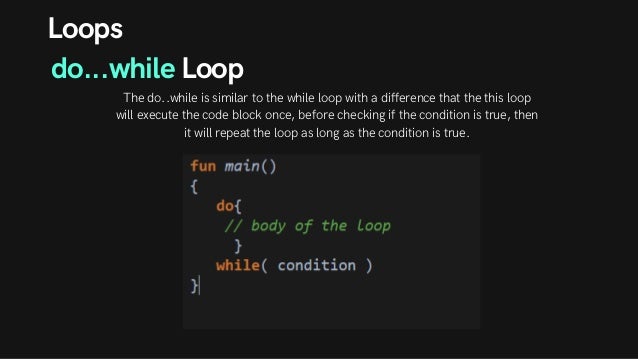
do...while Loop
The do..while is similar to the while loop with a difference that the this loop
will execute the code block once, before checking if the condition is true, then
it will repeat the loop as long as the condition is true.
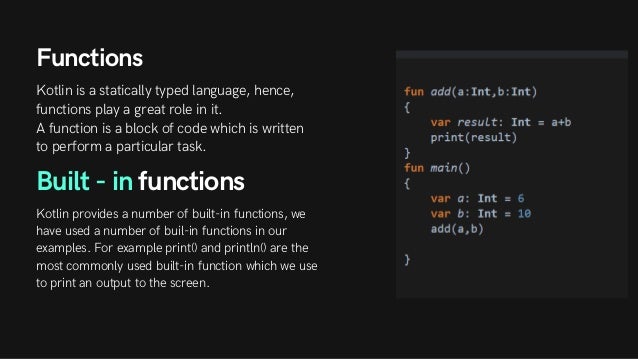
Functions
Kotlin is a statically typed language, hence,
functions play a great role in it.
A function is a block of code which is written
to perform a particular task.
Built - in functions
Kotlin provides a number of built-in functions, we
have used a number of buil-in functions in our
examples. For example print() and println() are the
most commonly used built-in function which we use
to print an output to the screen.
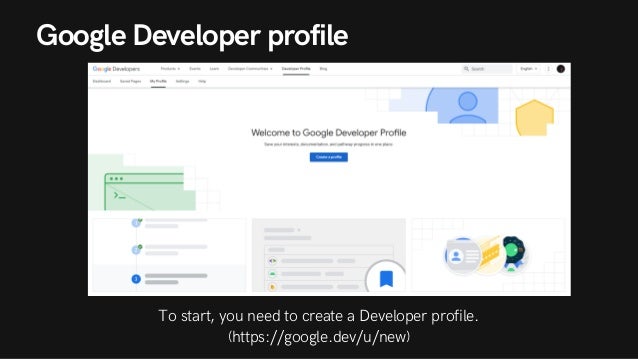
Google Developer profile


To start, you need to create a Developer profile.
(https://google.dev/u/new)
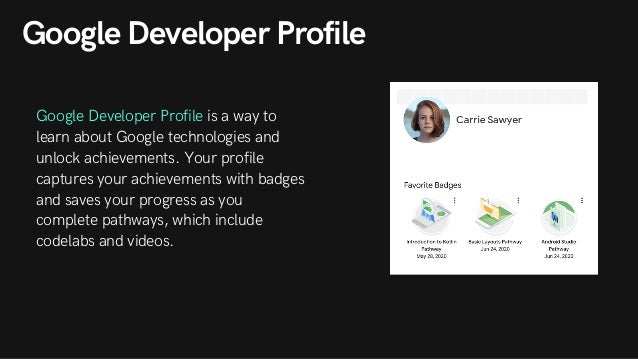
Google Developer Profile
Google Developer Profile is a way to
learn about Google technologies and
unlock achievements. Your profile
captures your achievements with badges
and saves your progress as you
complete pathways, which include
codelabs and videos.
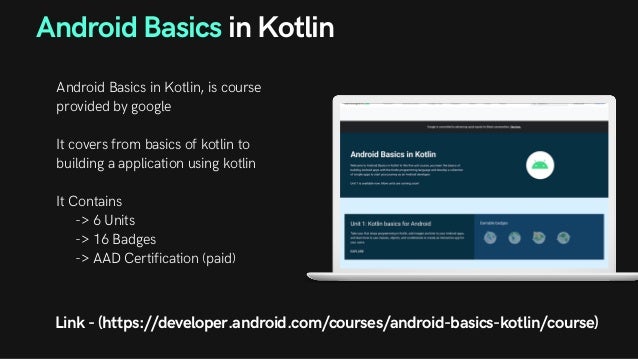
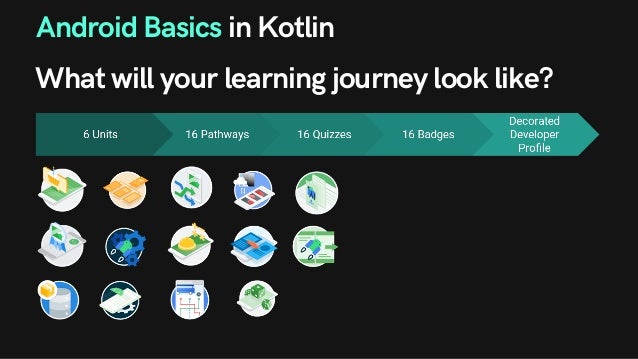
Android Basics in Kotlin
Android Basics in Kotlin, is course
provided by google
It covers from basics of kotlin to
building a application using kotlin
It Contains
-> 6 Units
-> 16 Badges
-> AAD Certification (paid)
Link - (https://developer.android.com/courses/android-basics-kotlin/course)
Android Basics in Kotlin
What will your learning journey look like?
Certificate of Completion
For attendees who successfully complete the entire Android
Basics course as part of Android Study Jams:
Please email your a screenshot of Your Google Developer Profile
with their name and all badges of the course to receive Google's
Certification of Completion
Thank
You!

Android Study Jams- Hands on Experience!(Day 1)

  • 1.
  • 2.
    Kotlin Advantages of Kotlin Kotlin'sBasics Android Development in Kotlin Course ASJ Today's Agenda
  • 3.
    What is Kotlin? Kotlin is is a cross-platform, statically typed, general- purpose programming language OOPS + FP It was introduced by JetBrains in 2011. At Google I/O 2017, Google announced first-class support for Kotlin on Android and announced Kotlin as an official language for android development
  • 4.
    History of Kotlin 2010Project Started 2016 Kotlin 1.0 2017 Officially Supported Language in Android 2019 Android Becomes Kotlin first 2020 Kotlin 1.4 Preview
  • 5.
    Why Kotlin ? Kotlinis designed to interoperate fully with Java, and the JVM version of kotlin's standard library depends on the Java class library Google made Kotlin as first preference for developing apps 30% less code as compared to Java Time spent on reviews and maintenance is less 60% professional Android developers use Kotlin
  • 7.
    Kotlin is anprogramming language that combines object-oriented programming and functional features into a unique platform main() function - Entry point of the kotlin application function declaration -- > fun keyword main() function
  • 8.
    Variables in Kotlin Kotlin provides2 types of Variables var - mutable value val - immutable value Keyword Variable name Data Type Value of the variable
  • 9.
    Control Flow if....else Statements Theif/else statement executes a block of code if a specified condition is true. If the condition is false, another block of code can be executed
  • 10.
    Control Flow When Statement Kotlinwhen can be used either as an expression or as a statement, simply like a switch statement in Java. If it is used as an expression, the value of the first matching branch becomes the value of the overall expression.
  • 11.
    Loops for Loop a for-loopis a control flow statement for specifying iteration, which allows code to be executed repeatedly
  • 12.
    Loops While Loop The whileloop loops through a block of code as long as a specified condition is true.
  • 13.
    Loops do...while Loop The do..whileis similar to the while loop with a difference that the this loop will execute the code block once, before checking if the condition is true, then it will repeat the loop as long as the condition is true.
  • 14.
    Functions Kotlin is astatically typed language, hence, functions play a great role in it. A function is a block of code which is written to perform a particular task. Built - in functions Kotlin provides a number of built-in functions, we have used a number of buil-in functions in our examples. For example print() and println() are the most commonly used built-in function which we use to print an output to the screen.
  • 15.
    Google Developer profile Tostart, you need to create a Developer profile. (https://google.dev/u/new)
  • 16.
    Google Developer Profile GoogleDeveloper Profile is a way to learn about Google technologies and unlock achievements. Your profile captures your achievements with badges and saves your progress as you complete pathways, which include codelabs and videos.
  • 17.
    Android Basics inKotlin Android Basics in Kotlin, is course provided by google It covers from basics of kotlin to building a application using kotlin It Contains -> 6 Units -> 16 Badges -> AAD Certification (paid) Link - (https://developer.android.com/courses/android-basics-kotlin/course)
  • 18.
    Android Basics inKotlin What will your learning journey look like?
  • 19.
    Certificate of Completion Forattendees who successfully complete the entire Android Basics course as part of Android Study Jams: Please email your a screenshot of Your Google Developer Profile with their name and all badges of the course to receive Google's Certification of Completion
  • 20.