





Animator
Charlie@Android Study Group
Charlie Tsai@Android Study Group
cha122977@gmail.com
Individual App Developer &
System Software Engineer@NVIDIA
Today’s source code
https://github.com/chatea/AnimatorDemo
Agenda
• Animation vs Animator
• Concepts and usages of animator
• Class overview
• Features of Animator
• Demo and Live Coding
Animation vs Animator
• Animation:
For View only
xml supported
Modify(animate) the fixed attributes of View
• Animator:
For everything
xml supported
Modify(animate) any value you gave
Animator Go!
What does Animator do?
• Give you a calculated value depends on the time
• It uses Equation (數學方程式) to calculate the value
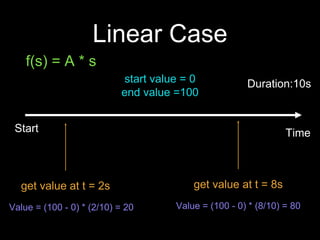
Linear Case
TimeStart
Duration:10sstart value = 0
end value =100
get value at t = 2s
Value = (100 - 0) * (2/10) = 20
get value at t = 8s
Value = (100 - 0) * (8/10) = 80
f(s) = A * s
Abilities of Animator
• Support customized calculation function
• Support modifying class member
(By ObjectAnimator)
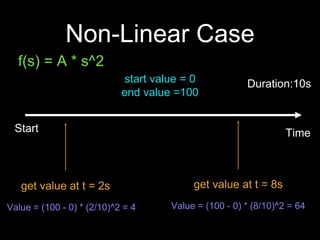
Non-Linear Case
TimeStart
Duration:10sstart value = 0
end value =100
get value at t = 2s
Value = (100 - 0) * (2/10)^2 = 4
get value at t = 8s
Value = (100 - 0) * (8/10)^2 = 64
f(s) = A * s^2
Setup Animator
• Create a Animator
• Set start and end values
• Set duration
• Start!
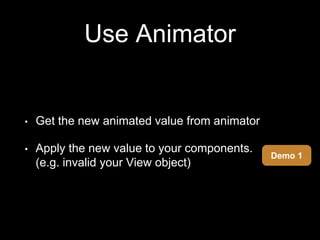
Use Animator
• Get the new animated value from animator
• Apply the new value to your components.
(e.g. invalid your View object)
Demo 1
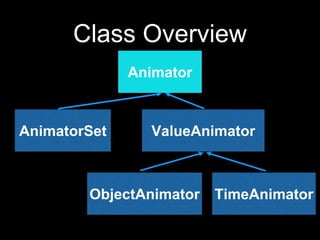
Class Overview
Animator
AnimatorSet ValueAnimator
ObjectAnimator TimeAnimator
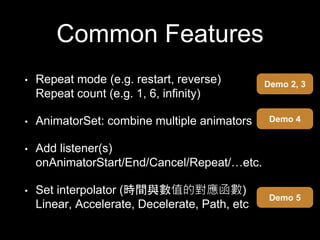
Common Features
• Repeat mode (e.g. restart, reverse)
Repeat count (e.g. 1, 6, infinity)
• AnimatorSet: combine multiple animators
• Add listener(s)
onAnimatorStart/End/Cancel/Repeat/…etc.
• Set interpolator (時間與數值的對應函數)
Linear, Accelerate, Decelerate, Path, etc
Demo 2, 3
Demo 4
Demo 5
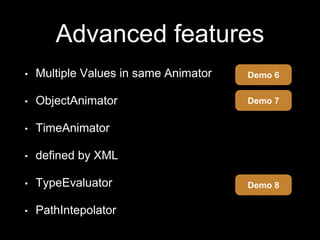
Advanced features
• Multiple Values in same Animator
• ObjectAnimator
• TimeAnimator
• defined by XML
• TypeEvaluator
• PathIntepolator
Demo 6
Demo 8
Demo 7
Live Coding
Demo 9, 10, Live
固定聚會:每週三@菓子咖啡(近捷運南京復興站)
7/30(六)下午將舉辦Workshop:
利用Firebase打造個人專屬聊天app
歡迎想學習Firebase者及其他領域開發者
Question?
Thanks!

Android Animator