Team Emertxe
AWS
Account Creation
●
In order to start pumping data to the cloud, we need to
create a device interface
●
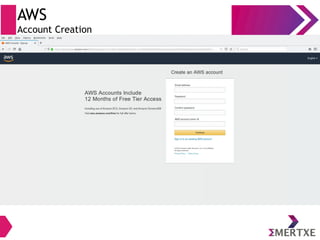
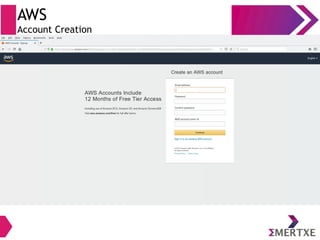
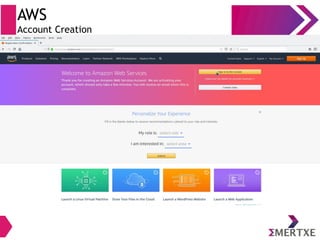
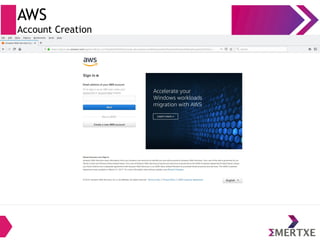
These slides would guide you to create login accounts in
some commonly used AWS
AWS
Account Creation - Introduction
●
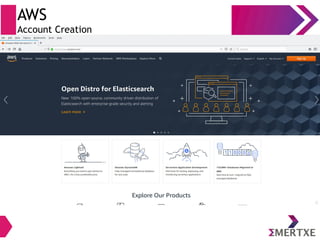
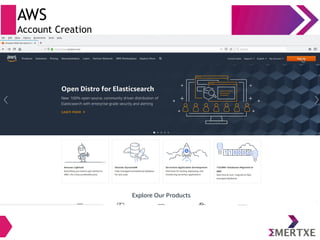
Open your favorite browser and type (or click) the
following URL
https://aws.amazon.com/
●
And proceed to the following slides
Note: The there is a possibility of version updation in the
cloud side, so some slides may vary!
AWS
Account Creation
AWS
Account Creation
AWS
Account Creation
AWS
Account Creation
AWS
Account Creation
|
AWS
Account Creation
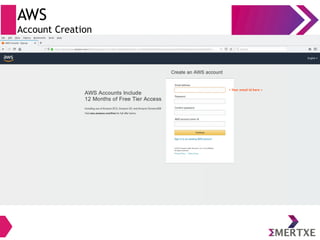
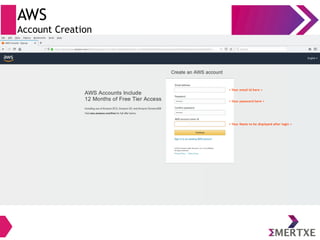
< Your email id here >
AWS
Account Creation
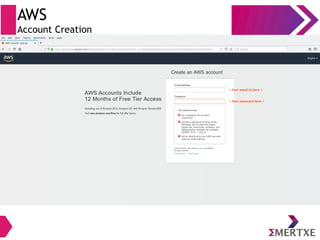
< Your email id here >
< Your password here >
AWS
Account Creation
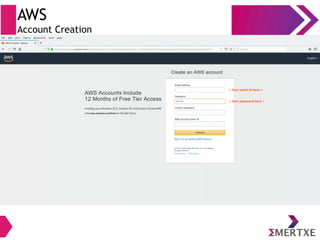
< Your email id here >
< Your password here >
AWS
Account Creation
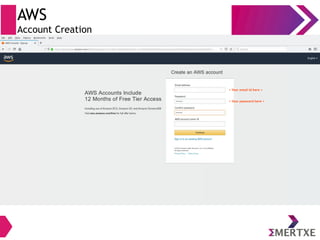
< Your email id here >
< Your password here >
AWS
Account Creation
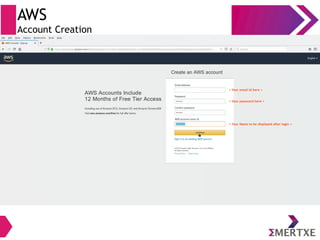
< Your email id here >
< Your Name to be displayed after login >
< Your password here >
AWS
Account Creation
< Your email id here >
< Your password here >
< Your Name to be displayed after login >
AWS
Account Creation
AWS
Account Creation
AWS
Account Creation
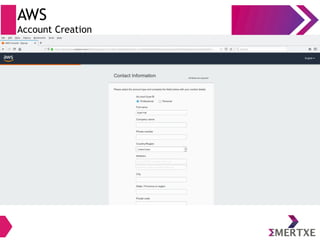
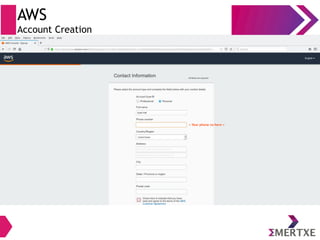
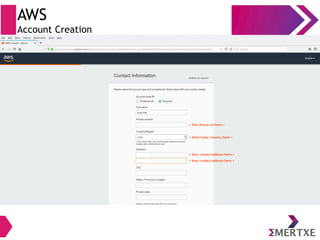
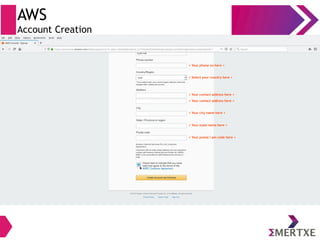
< Your phone no here >
AWS
Account Creation
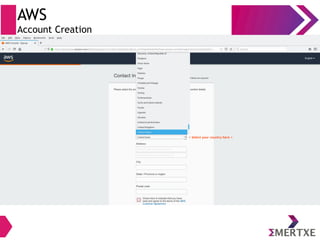
< Select your country here >
AWS
Account Creation
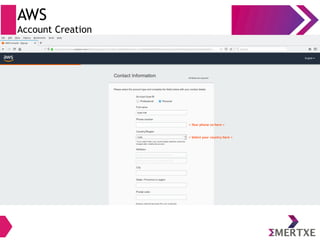
< Select your country here >
< Your phone no here >
AWS
Account Creation
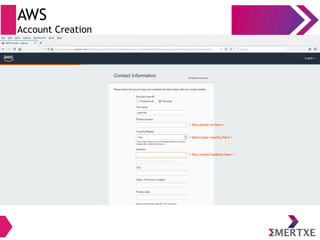
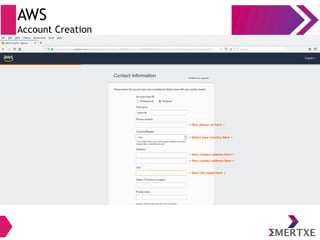
< Your contact address here >
< Select your country here >
< Your phone no here >
AWS
Account Creation
< Your contact address here >
< Select your country here >
< Your phone no here >
AWS
Account Creation
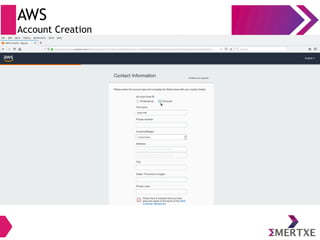
< Your city name here >
< Your contact address here >
< Select your country here >
< Your phone no here >
AWS
Account Creation
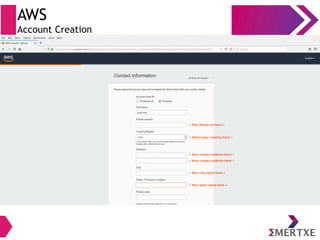
< Your state name here >
< Your city name here >
< Your contact address here >
< Select your country here >
< Your phone no here >
AWS
Account Creation
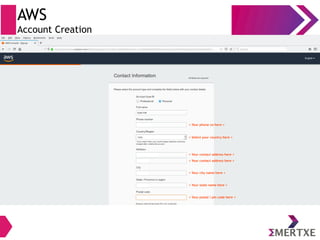
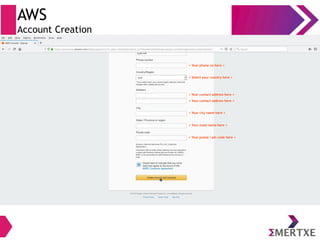
< Your postal / pin code here >
< Your state name here >
< Your city name here >
< Your contact address here >
< Select your country here >
< Your phone no here >
AWS
Account Creation
< Select your country here >
< Your contact address here >
< Your city name here >
< Your state name here >
< Your postal / pin code here >
< Your phone no here >
AWS
Account Creation
< Select your country here >
< Your contact address here >
< Your city name here >
< Your state name here >
< Your postal / pin code here >
< Your phone no here >
AWS
Account Creation
<
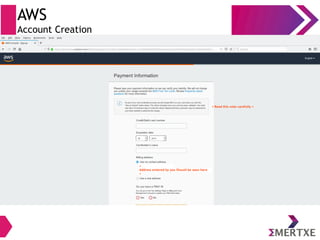
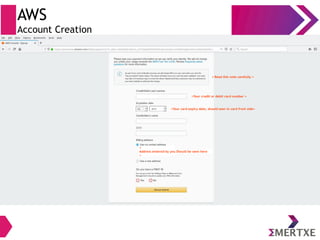
Address entered by you Should be seen here
>
< Read this note carefully >
AWS
Account Creation
<
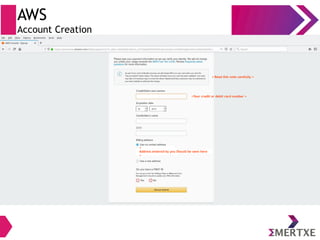
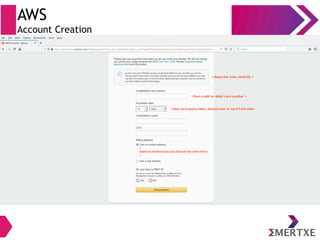
Address entered by you Should be seen here
>
< Read this note carefully >
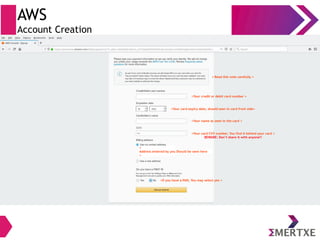
<Your credit or debit card number >
AWS
Account Creation
<
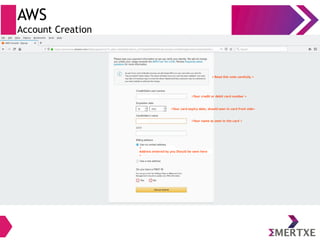
Address entered by you Should be seen here
>
< Read this note carefully >
<Your credit or debit card number >
<Your card expiry date, should seen in card front side>
AWS
Account Creation
<
Address entered by you Should be seen here
>
< Read this note carefully >
<Your credit or debit card number >
<Your card expiry date, should seen in card front side>
AWS
Account Creation
<
Address entered by you Should be seen here
>
< Read this note carefully >
<Your credit or debit card number >
<Your card expiry date, should seen in card front side>
<Your name as seen in the card >
AWS
Account Creation
<
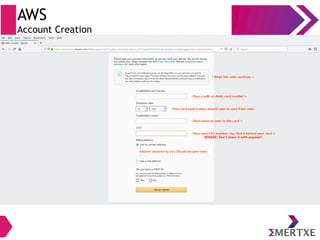
Address entered by you Should be seen here
>
< Read this note carefully >
<Your credit or debit card number >
<Your card expiry date, should seen in card front side>
<Your name as seen in the card >
<Your card CVV number, You find it behind your card >
BEWARE: Don’t share it with anyone!!
AWS
Account Creation
<
Address entered by you Should be seen here
>
< Read this note carefully >
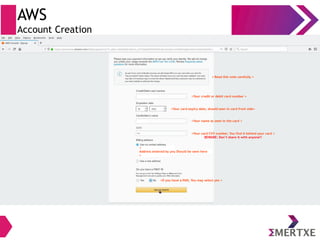
<Your credit or debit card number >
<Your card expiry date, should seen in card front side>
<Your name as seen in the card >
<Your card CVV number, You find it behind your card >
BEWARE: Don’t share it with anyone!!
<If you have a PAN, You may select yes >
AWS
Account Creation
<
Address entered by you Should be seen here
>
< Read this note carefully >
<Your credit or debit card number >
<Your card expiry date, should seen in card front side>
<Your name as seen in the card >
<Your card CVV number, You find it behind your card >
BEWARE: Don’t share it with anyone!!
<If you have a PAN, You may select yes >
AWS
Account Creation
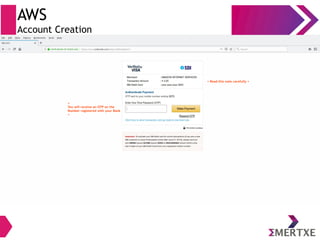
< Read this note carefully >
<
You will receive an OTP on the
Number registered with your Bank
>
AWS
Account Creation
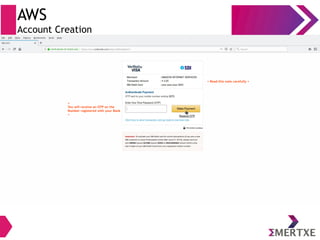
< Read this note carefully >
<
You will receive an OTP on the
Number registered with your Bank
>
AWS
Account Creation
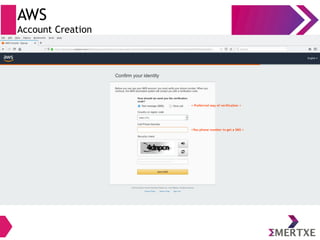
< Preferred way of verification >
<You phone number to get a SMS >
AWS
Account Creation
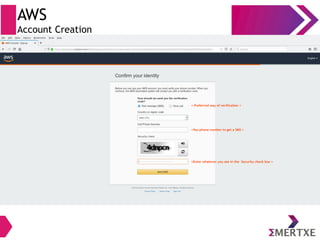
< Preferred way of verification >
<You phone number to get a SMS >
<Enter whatever you see in the Security check box >
AWS
Account Creation
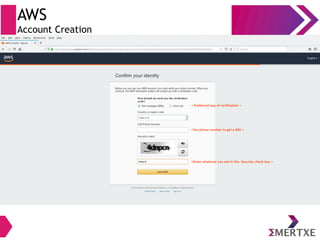
< Preferred way of verification >
<You phone number to get a SMS >
<Enter whatever you see in the Security check box >
AWS
Account Creation
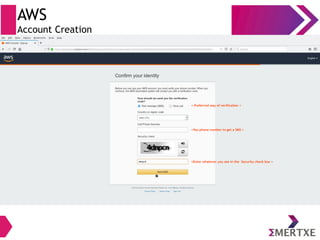
< Preferred way of verification >
<You phone number to get a SMS >
<Enter whatever you see in the Security check box >
AWS
Account Creation
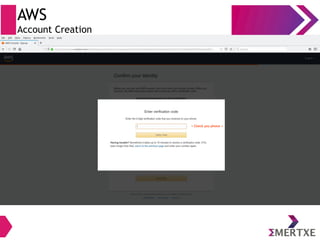
< Check you phone >
AWS
Account Creation
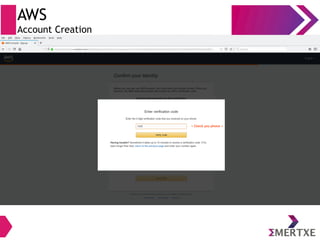
< Check you phone >
AWS
Account Creation
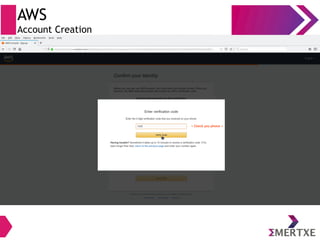
< Check you phone >
AWS
Account Creation
AWS
Account Creation
AWS
Account Creation
AWS
Account Creation
AWS
Account Creation
AWS
Account Creation
AWS
Account Creation
Thank You

Amazon IoT Cloud