Team Emertxe
User Defined Datatypes
Assignment 1
Assignment 1
Assignment 1
WAP to Implement the student record using array of
structures.
Assignment 1
WAP to Implement the student record using array of
structures.
Input:
Assignment 1
WAP to Implement the student record using array of
structures.
Input: Read no of students and no of subjects, Read names of
subjects and read marks for each students
Assignment 1
WAP to Implement the student record using array of
structures.
Input: Read no of students and no of subjects, Read names of
subjects and read marks for each students
Output:
Assignment 1
WAP to Implement the student record using array of
structures.
Input: Read no of students and no of subjects, Read names of
subjects and read marks for each students
Output: Calculate average and decide grade for each student
and print the student’s record based on user’s choice
Examples:-
Assignment 1
Examples:-
 Student record should contain
1. Roll no
2. Name of the student
3. Subject name and marks
4. Grade and Average
Assignment 1
Examples:-
 Step 1: Reading the input:
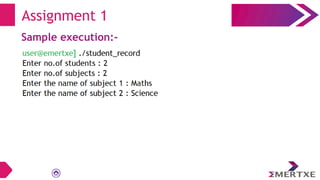
 Step 1.1: Read Number of Students. Assume 2 students.
And declare the array of structures.
Assignment 1
Examples:-
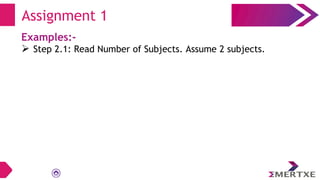
 Step 2.1: Read Number of Subjects. Assume 2 subjects.
Assignment 1
Examples:-
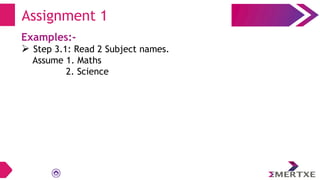
 Step 3.1: Read 2 Subject names.
Assume 1. Maths
2. Science
Assignment 1
Examples:-
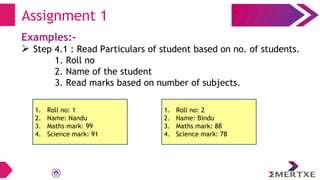
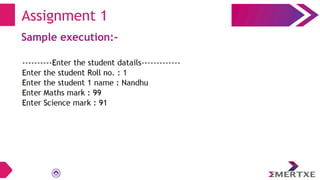
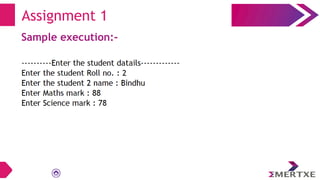
 Step 4.1 : Read Particulars of student based on no. of students.
1. Roll no
2. Name of the student
3. Read marks based on number of subjects.
Assignment 1
1. Roll no: 1
2. Name: Nandu
3. Maths mark: 99
4. Science mark: 91
1. Roll no: 2
2. Name: Bindu
3. Maths mark: 88
4. Science mark: 78
Examples:-
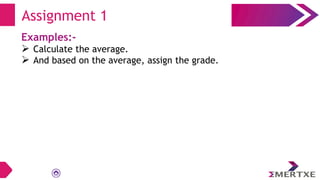
 Calculate the average.
 And based on the average, assign the grade.
Assignment 1
Examples:-
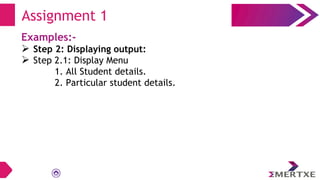
 Step 2: Displaying output:
 Step 2.1: Display Menu
1. All Student details.
2. Particular student details.
Assignment 1
Examples:-
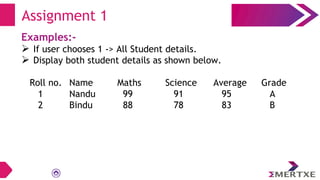
 If user chooses 1 -> All Student details.
 Display both student details as shown below.
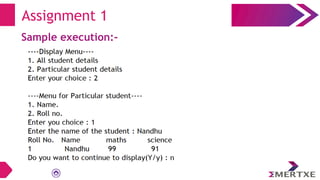
Roll no. Name Maths Science Average Grade
1 Nandu 99 91 95 A
2 Bindu 88 78 83 B
Assignment 1
Examples:-
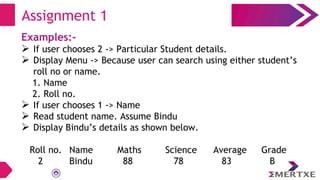
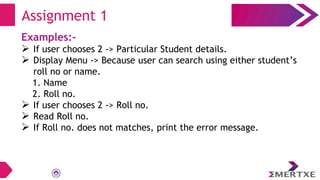
 If user chooses 2 -> Particular Student details.
 Display Menu -> Because user can search using either student’s
roll no or name.
1. Name
2. Roll no.
 If user chooses 1 -> Name
 Read student name. Assume Bindu
 Display Bindu’s details as shown below.
Roll no. Name Maths Science Average Grade
2 Bindu 88 78 83 B
Assignment 1
Examples:-
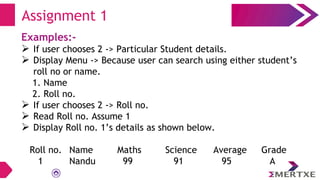
 If user chooses 2 -> Particular Student details.
 Display Menu -> Because user can search using either student’s
roll no or name.
1. Name
2. Roll no.
 If user chooses 2 -> Roll no.
 Read Roll no. Assume 1
 Display Roll no. 1’s details as shown below.
Roll no. Name Maths Science Average Grade
1 Nandu 99 91 95 A
Assignment 1
Examples:-
 If user chooses 2 -> Particular Student details.
 Display Menu -> Because user can search using either student’s
roll no or name.
1. Name
2. Roll no.
 If user chooses 2 -> Roll no.
 Read Roll no.
 If Roll no. does not matches, print the error message.
Assignment 1
Sample execution:-
Assignment 1
Sample execution:-
Assignment 1
Sample execution:-
Assignment 1
Sample execution:-
Assignment 1
Sample execution:-
Assignment 1
Assignment 1
Pre-requisites:-
Assignment 1
Pre-requisites:-
⮚ Structures
Assignment 1
Pre-requisites:-
⮚ Structures
Objective:-
Assignment 1
Pre-requisites:-
⮚ Structures
Objective:-
⮚ To understand the concepts of structures and pointers
Team Emertxe
Thank you

01_student_record.pdf