ADO.Net Data Services Astoria Enabling your data for Web consumption Igor Moochnick IgorShare Consulting [email_address] Blog:  www.igorshare.com/blog
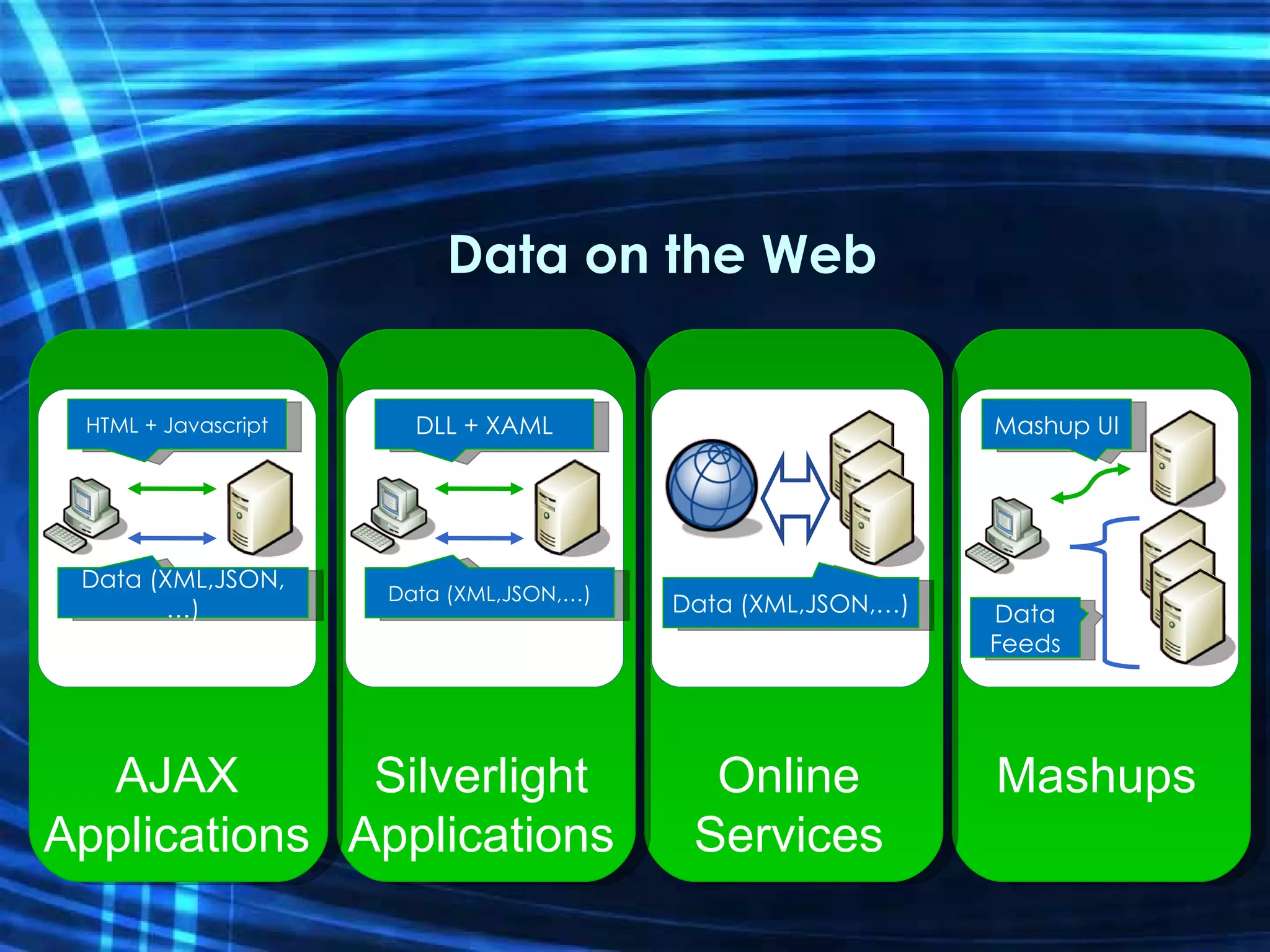
Data on the Web HTML + Javascript Data (XML,JSON,…) DLL + XAML Data (XML,JSON,…) Data (XML,JSON,…) Mashup UI Data Feeds AJAX Applications Silverlight Applications Online Services Mashups
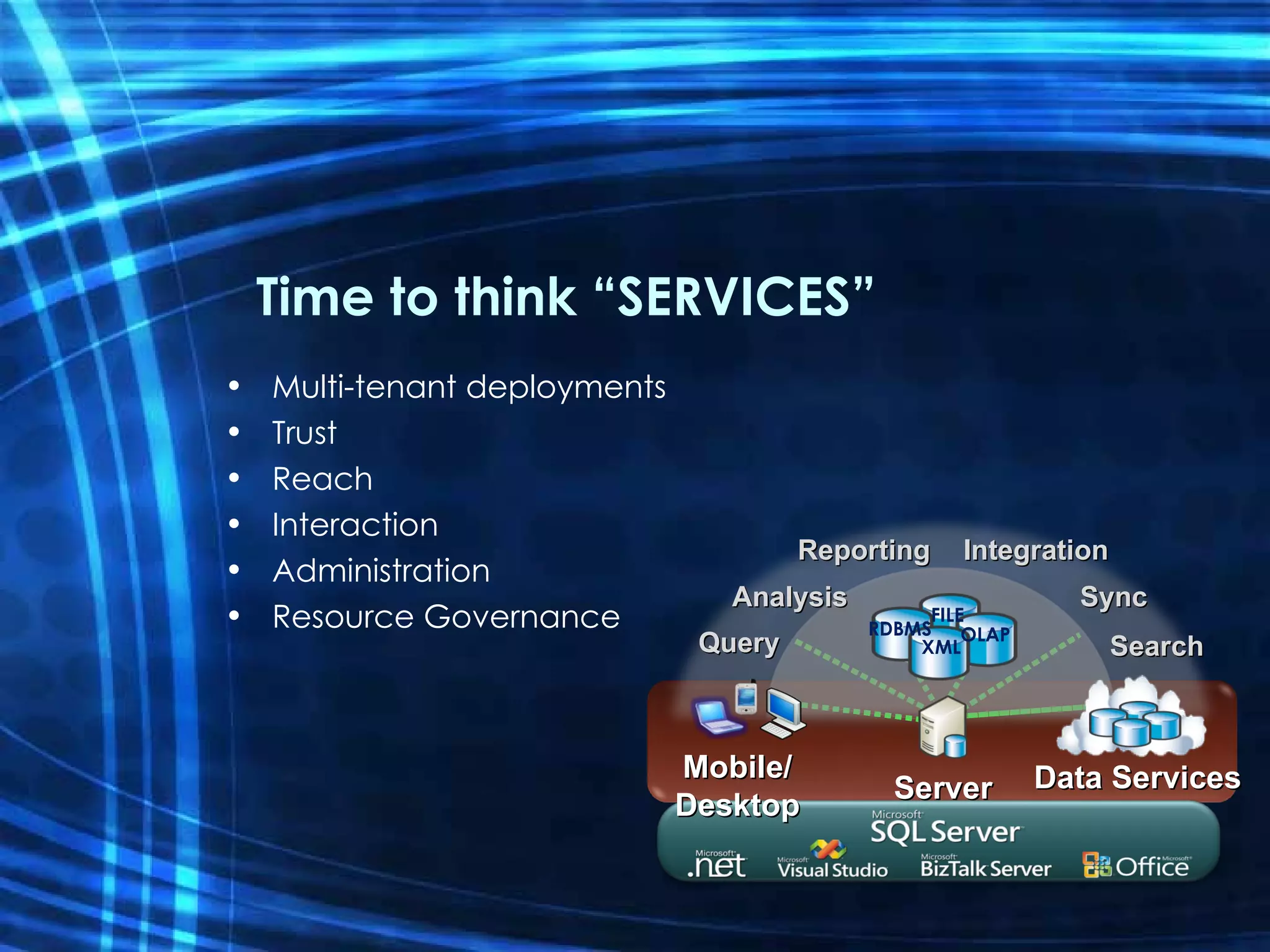
Time to think “SERVICES” Multi-tenant deployments Trust Reach Interaction Administration Resource Governance Mobile/ Desktop OLAP FILE XML RDBMS Query Analysis Reporting Integration Sync Search Server Data   Services
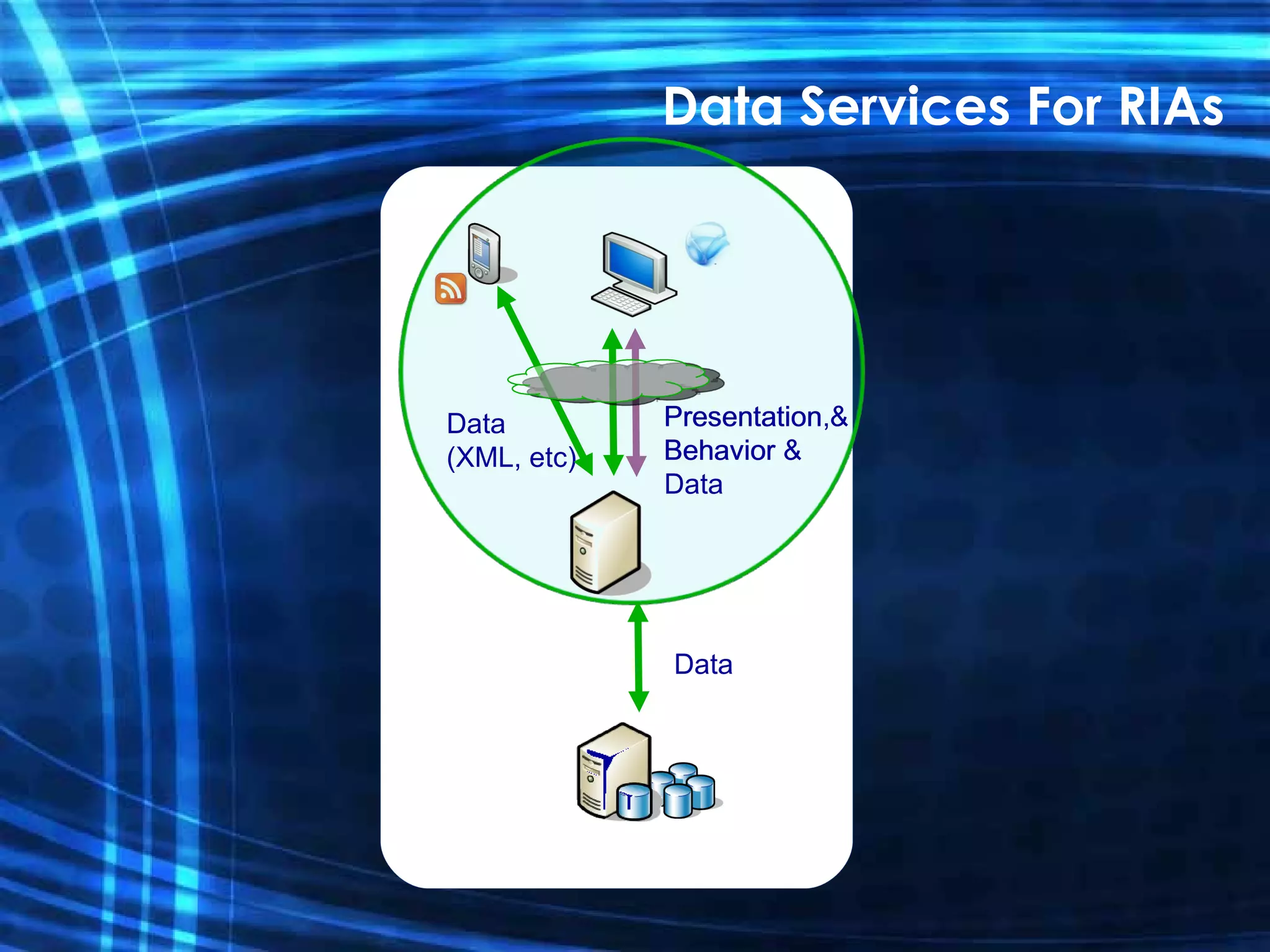
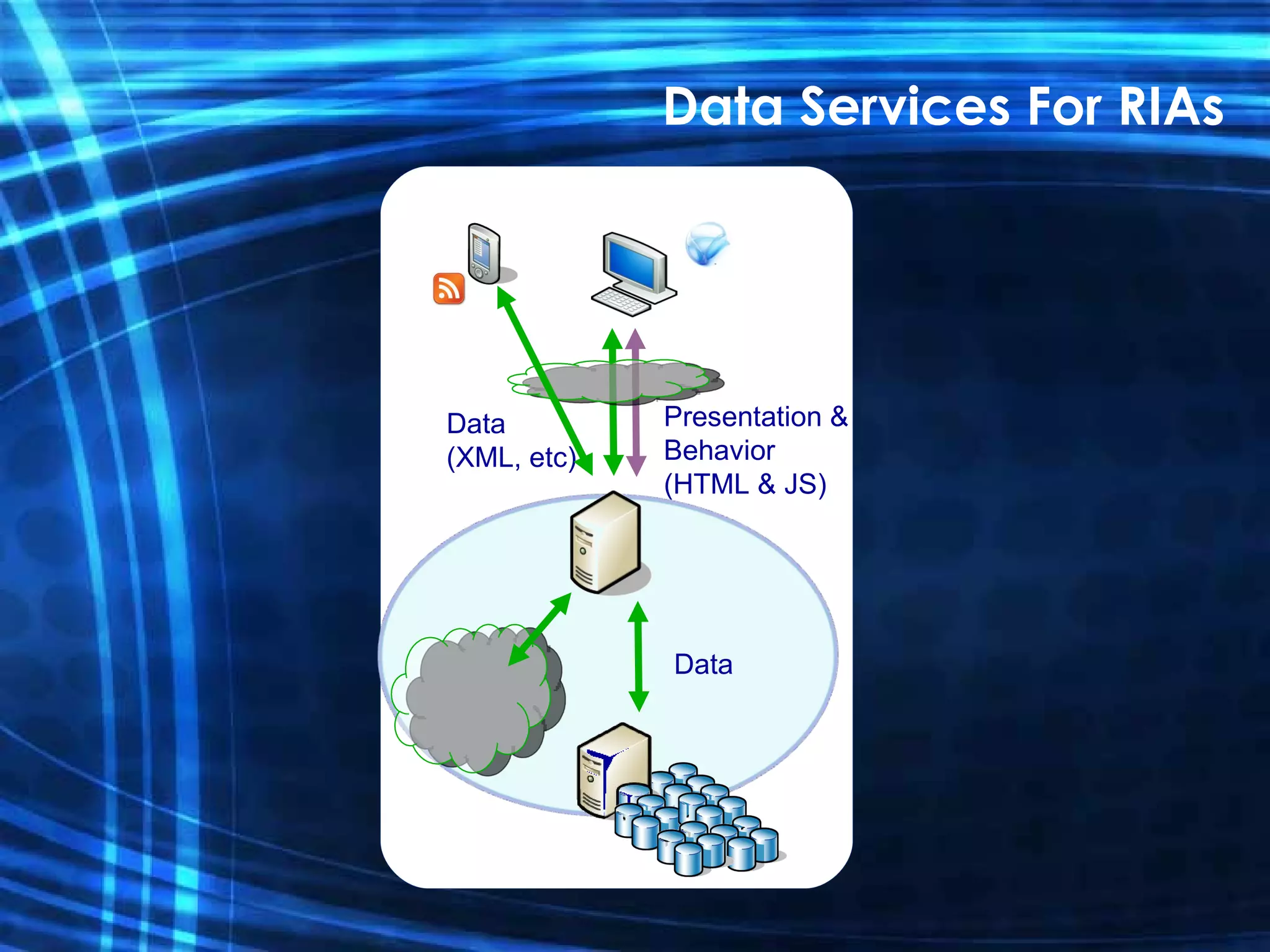
Data Services For RIAs Presentation & Behavior Data (XML, etc) Data Presentation,  Behavior & Data
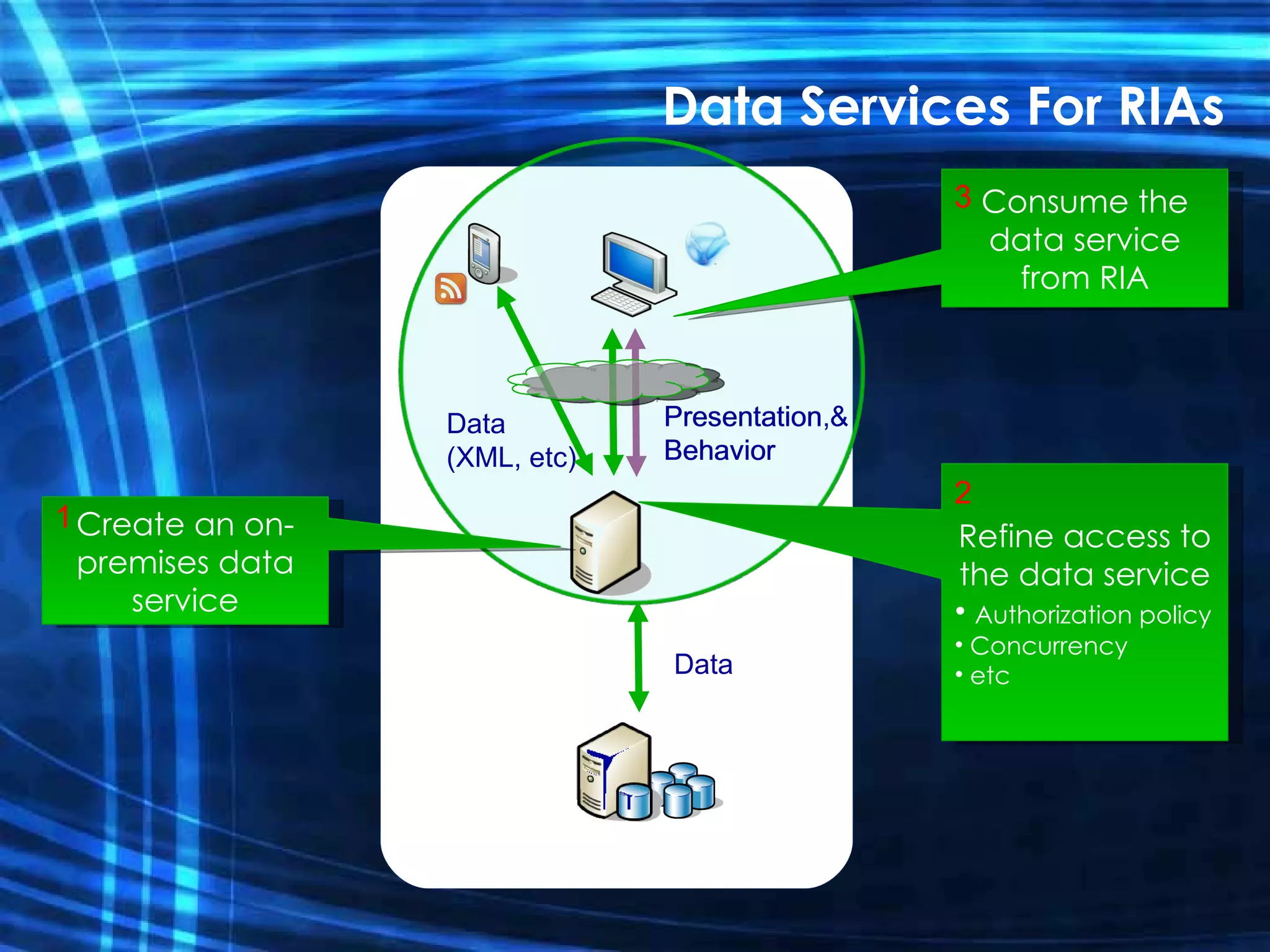
Presentation & Behavior Data (XML, etc) Data Presentation,  Behavior Data Services For RIAs Create an on- premises data service 1 Consume the data service from RIA 3 Refine access to the data service Authorization policy Concurrency etc 2
Presentation & Behavior (HTML & JS) Data (XML, etc) Data Data Services For RIAs
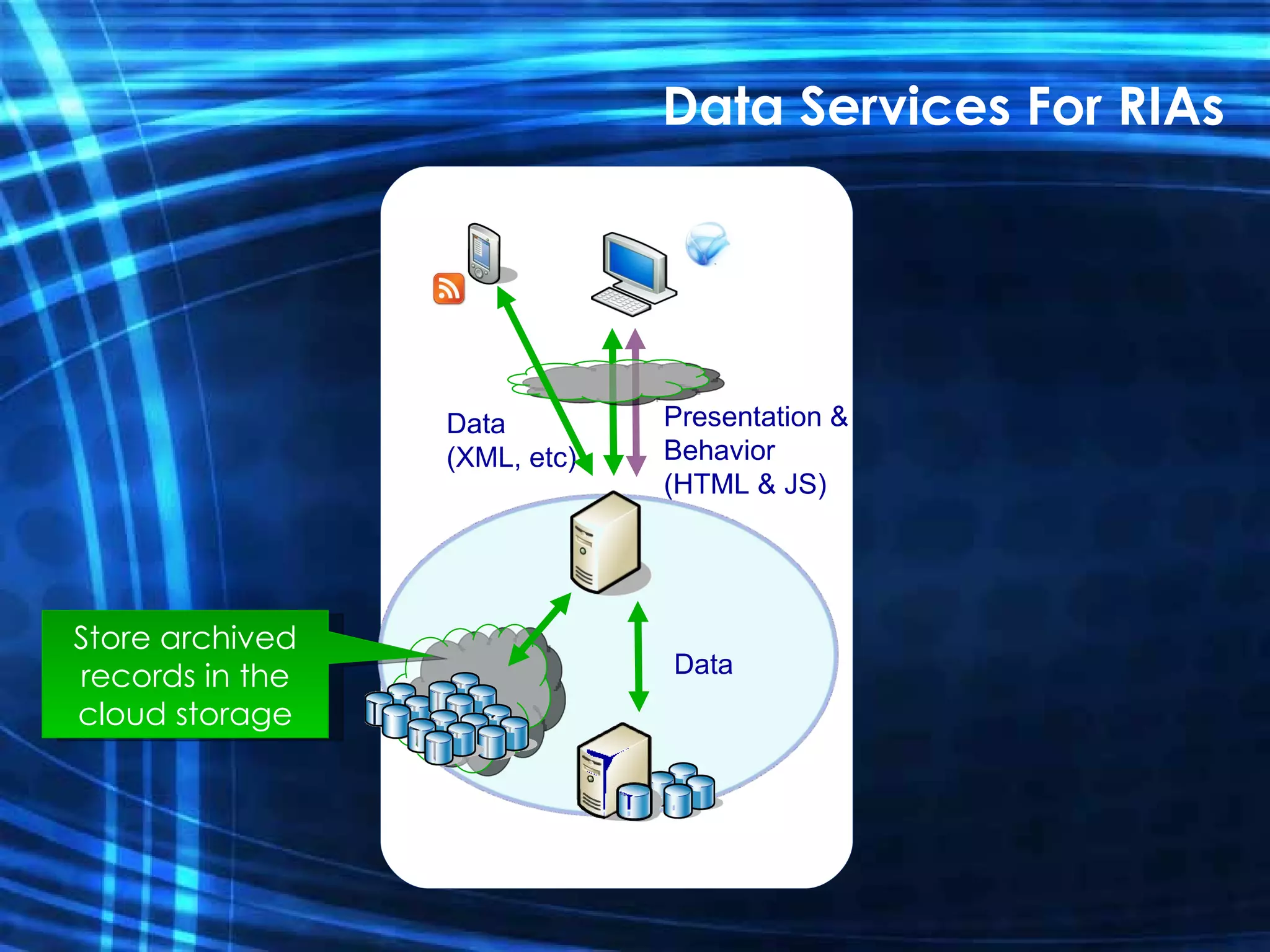
Presentation & Behavior (HTML & JS) Data (XML, etc) Data Store archived records in the cloud storage Data Services For RIAs
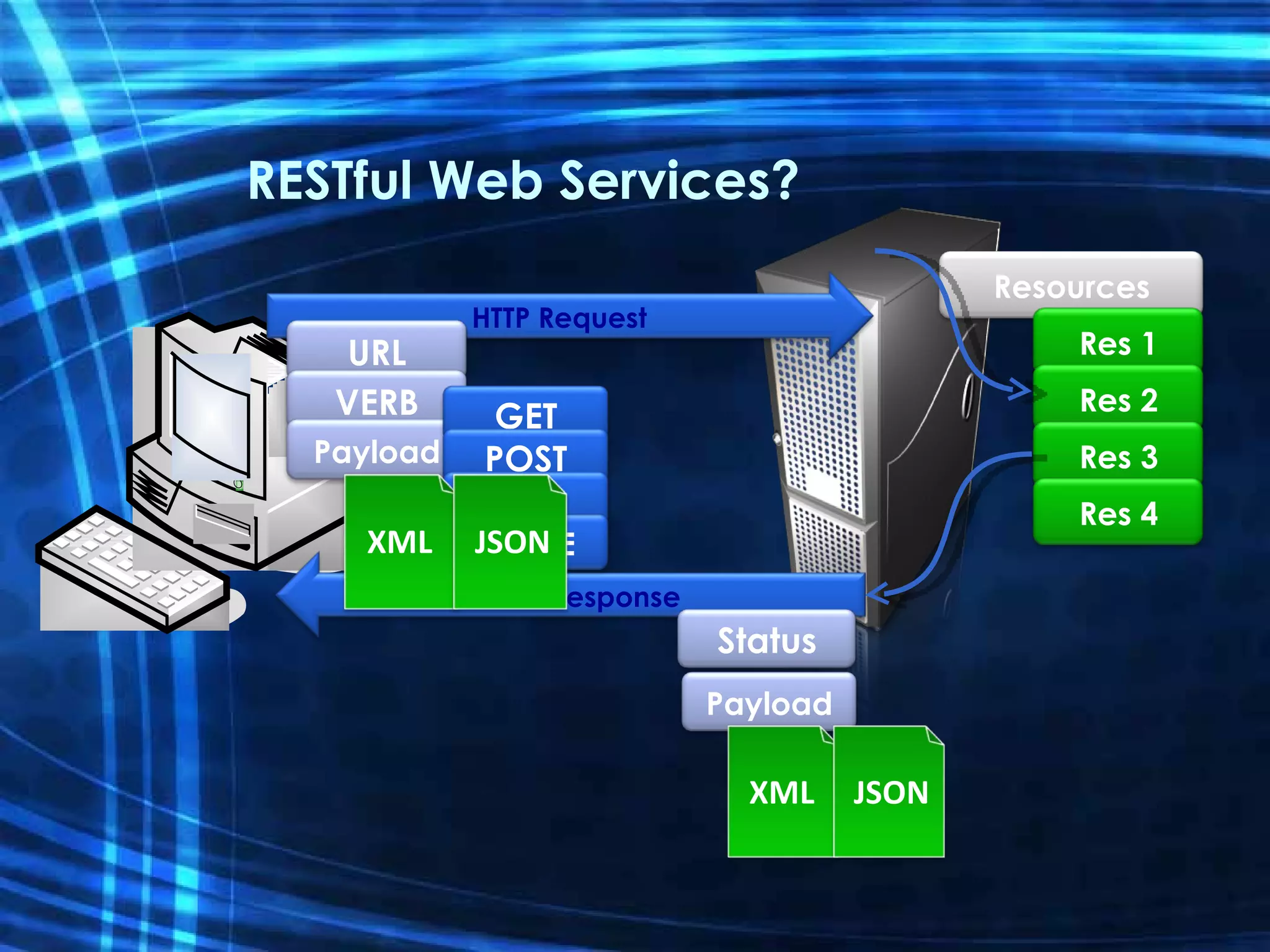
RESTful Web Services? Resources Res 1 Res 2 Res 3 Res 4 HTTP Request URL VERB Payload HTTP Response Status GET POST PUT DELETE XML JSON Payload XML JSON
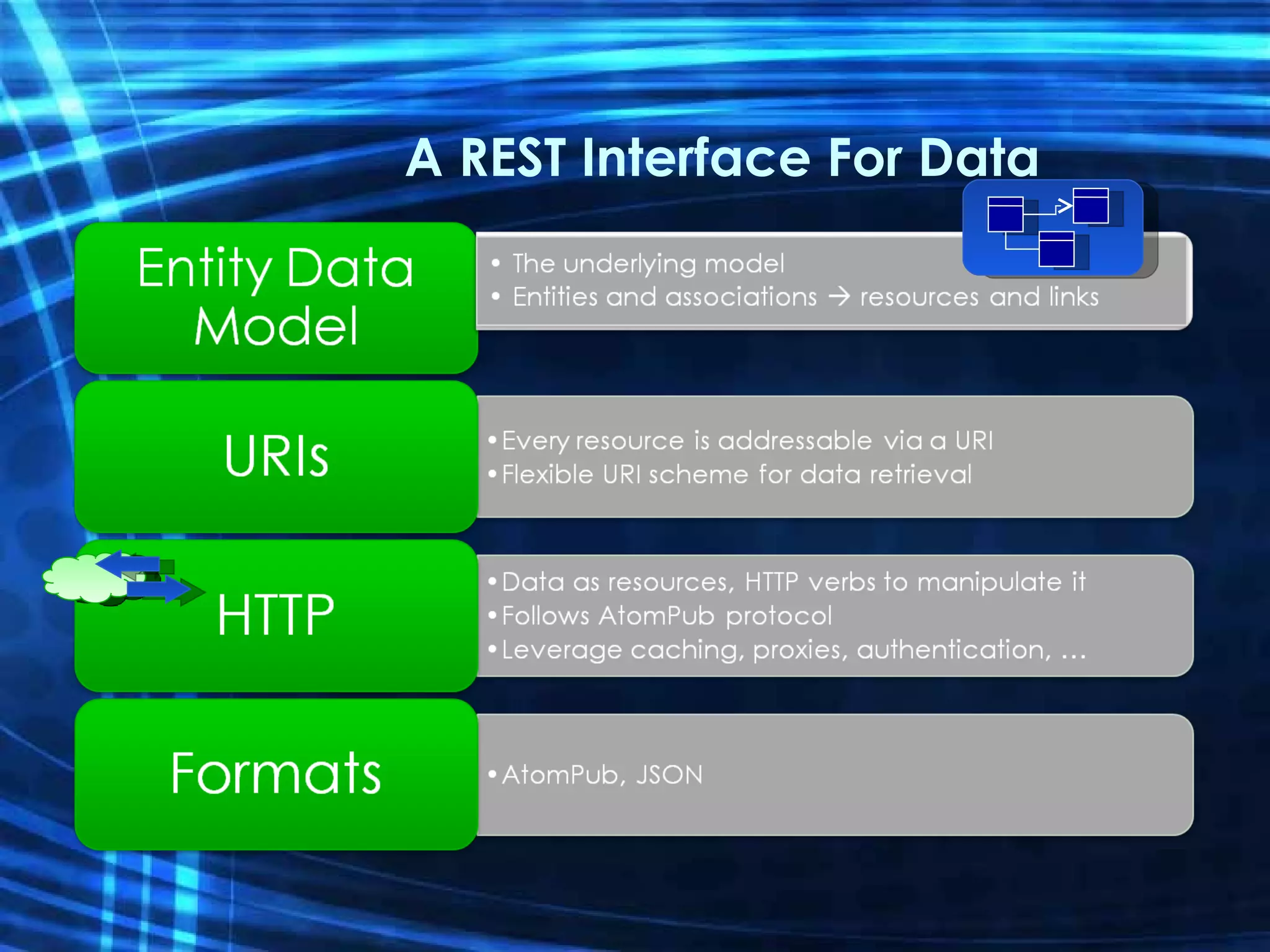
A REST Interface For Data
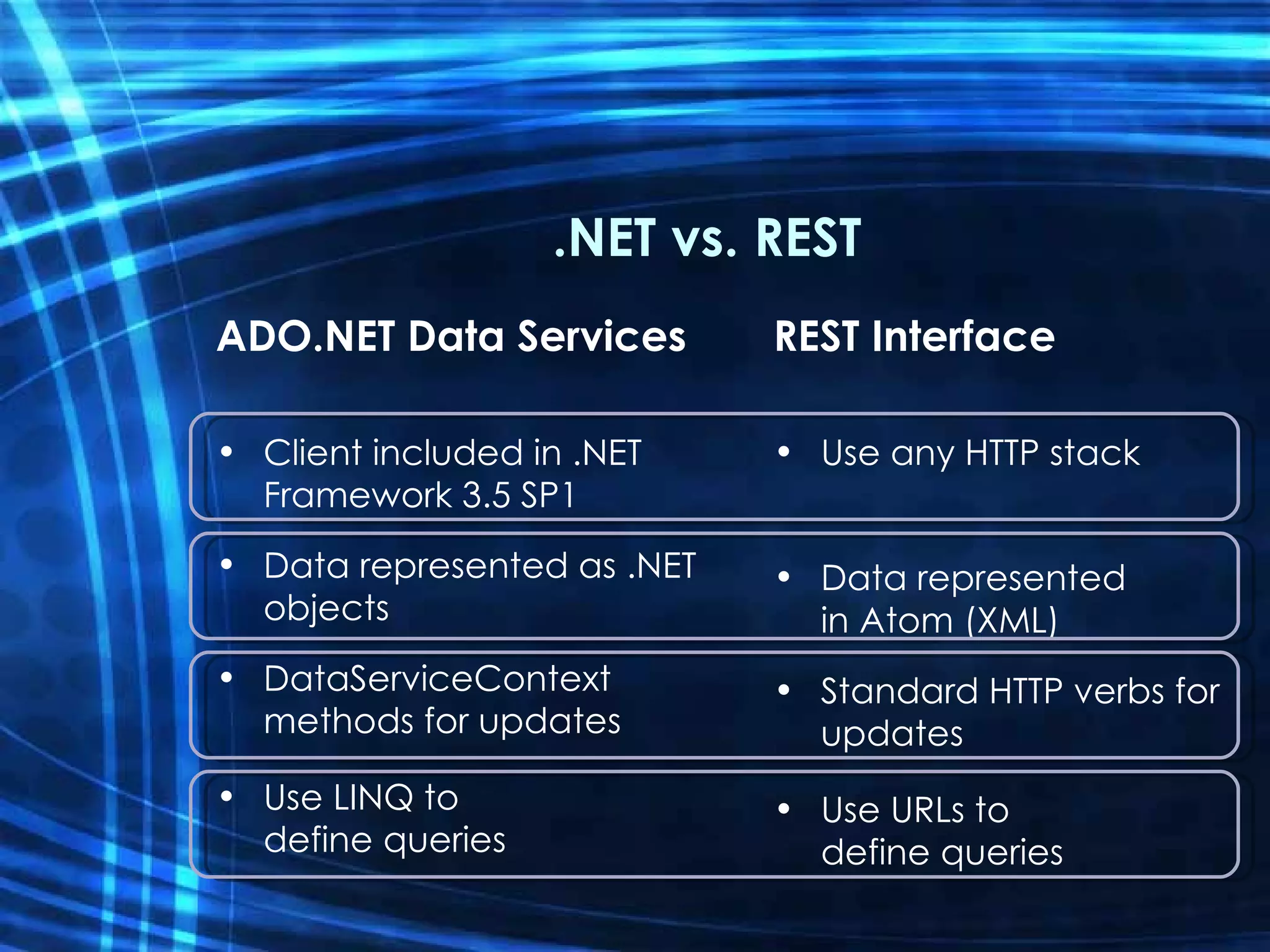
.NET vs. REST ADO.NET Data Services Client included in .NET Framework 3.5 SP1 Data represented as .NET objects DataServiceContext methods for updates Use LINQ to define queries REST Interface Use any HTTP stack Data represented in Atom (XML) Standard HTTP verbs for updates Use URLs to define queries
Creating Data Services Create services directly from Visual Studio Various data sources Entity Framework LINQ providers Model-driven Structural description in Entity Data Model Metadata shapes service Data Access Layer Entity Framework Custom LINQ provider Relational database Other sources Service Runtime Hosting/HTTP listener HTTP IQueryable [+ IUpdatable]
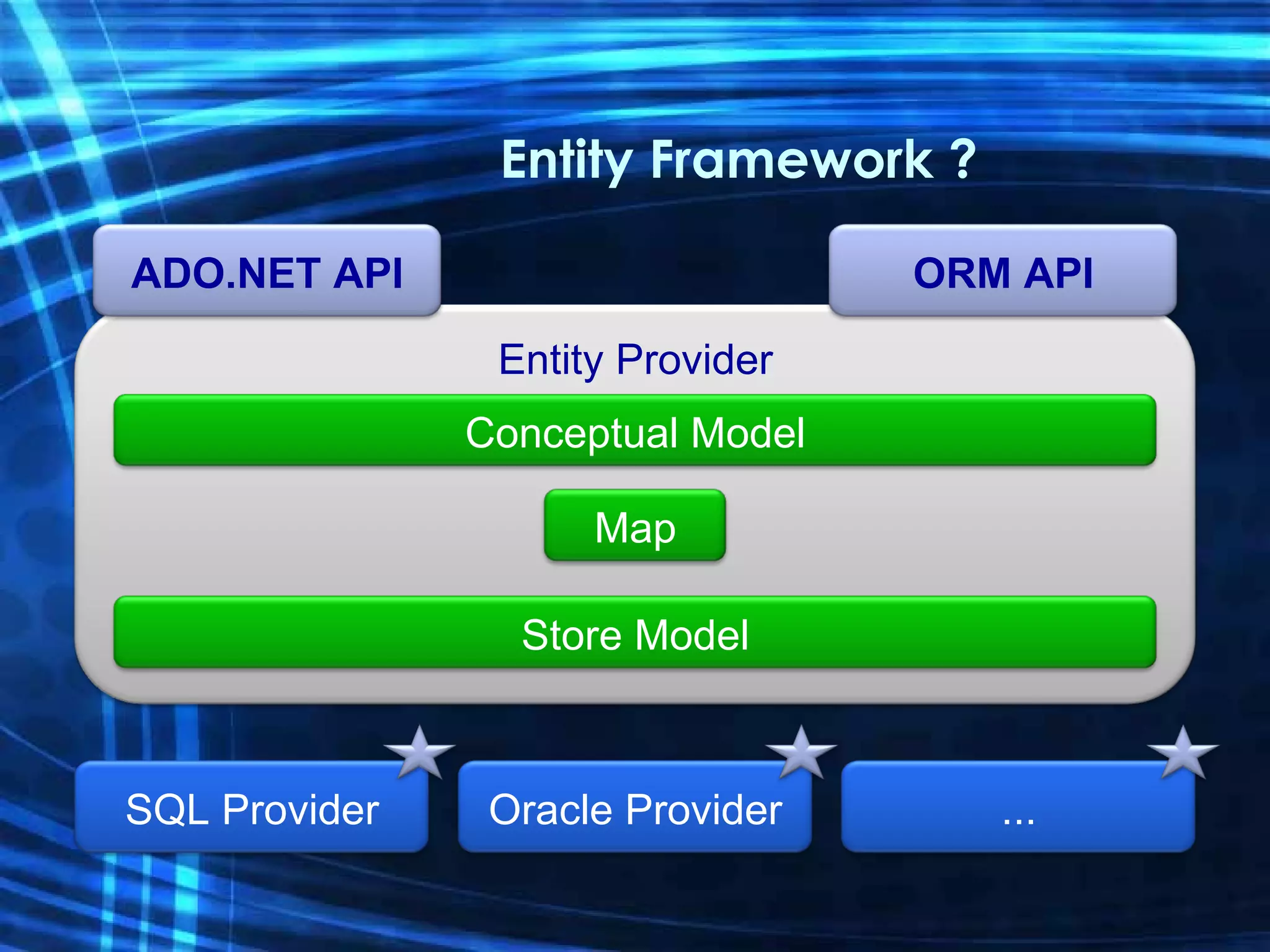
Entity Framework ? SQL Provider Oracle Provider ... Entity Provider Conceptual Model Store Model Map ADO.NET API ORM API
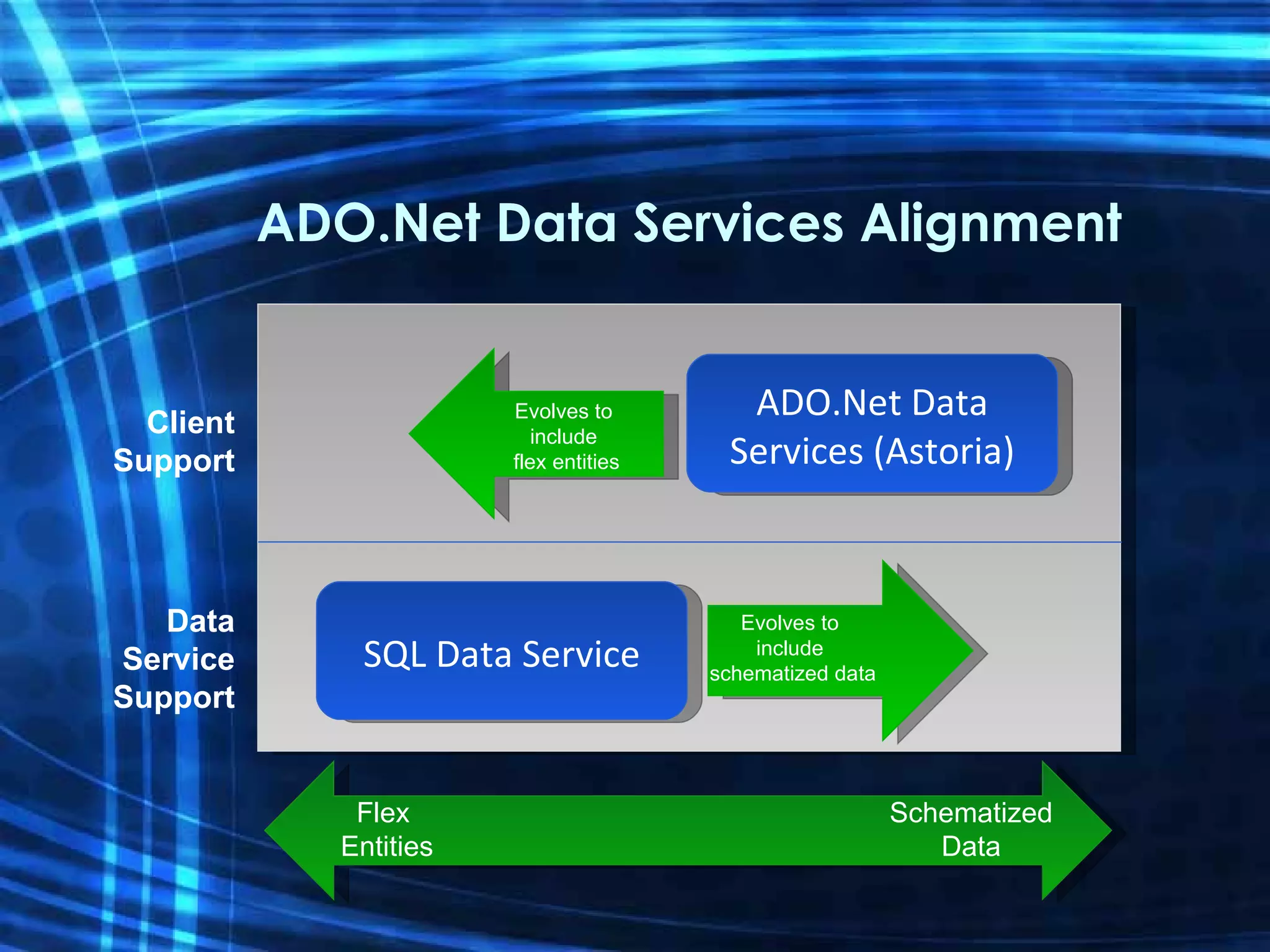
ADO.Net Data Services Alignment Data Service Support Client Support ADO.Net Data Services (Astoria) SQL Data Service Evolves to  include  flex entities Evolves to  include  schematized data Schematized Data Flex  Entities
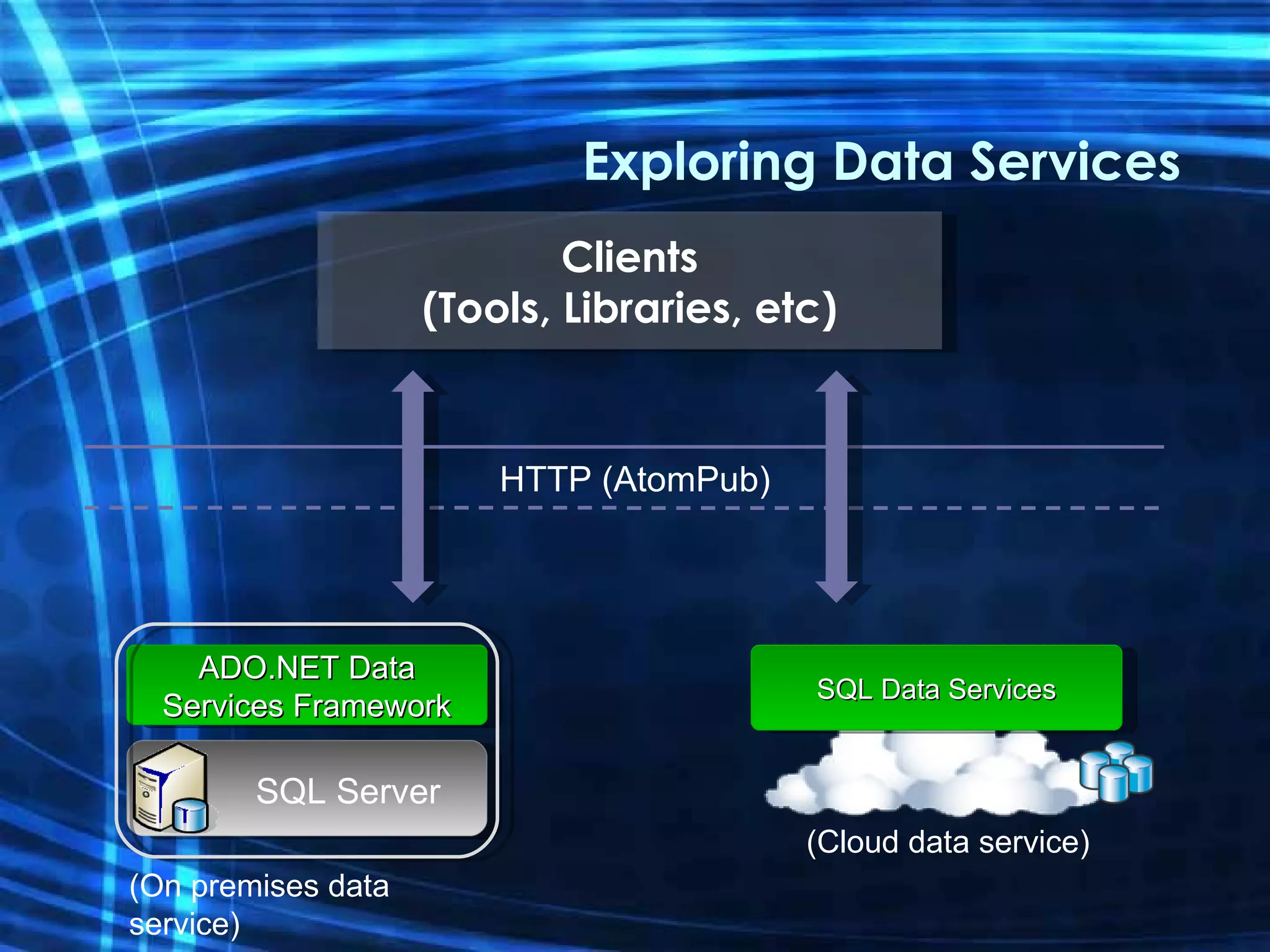
Exploring Data Services HTTP (AtomPub) Clients (Tools, Libraries, etc) SQL Data Services ADO.NET Data Services Framework SQL Server (On premises data service) (Cloud data service)
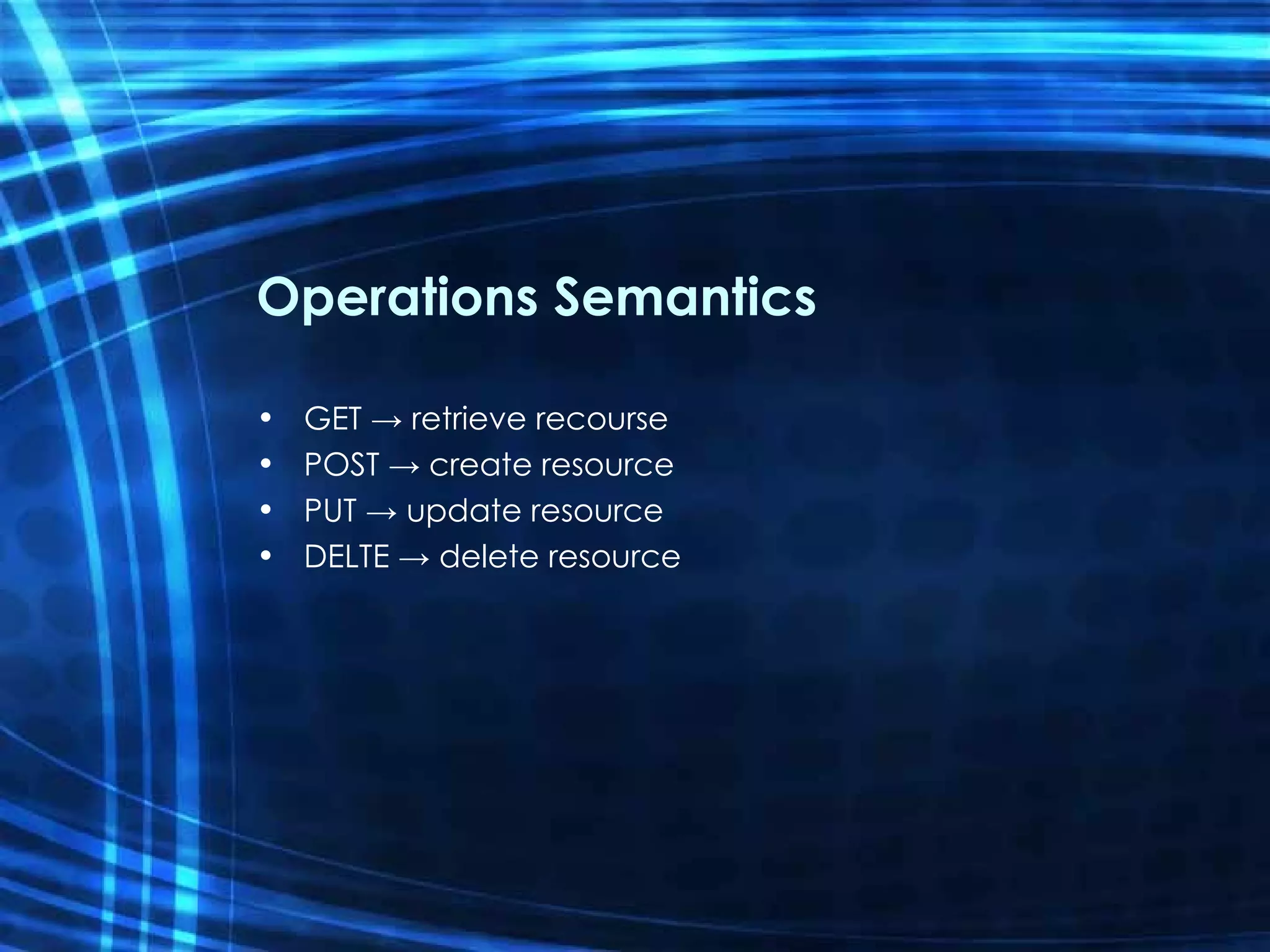
Operations Semantics GET -> retrieve recourse POST -> create resource PUT -> update resource DELTE -> delete resource
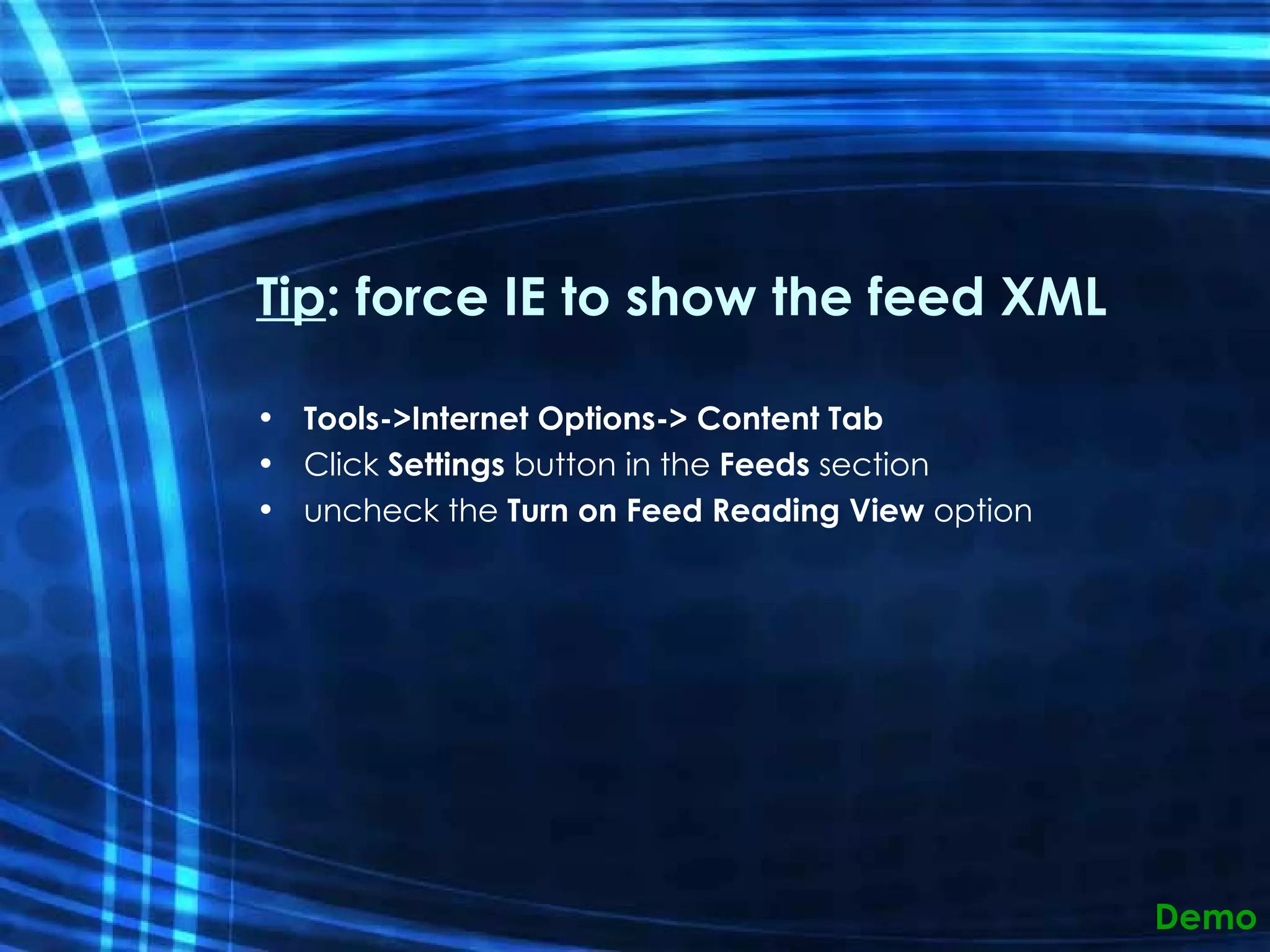
Tip : force IE to show the feed XML Tools->Internet Options-> Content Tab Click  Settings  button in the  Feeds  section uncheck the  Turn on Feed Reading View  option Demo
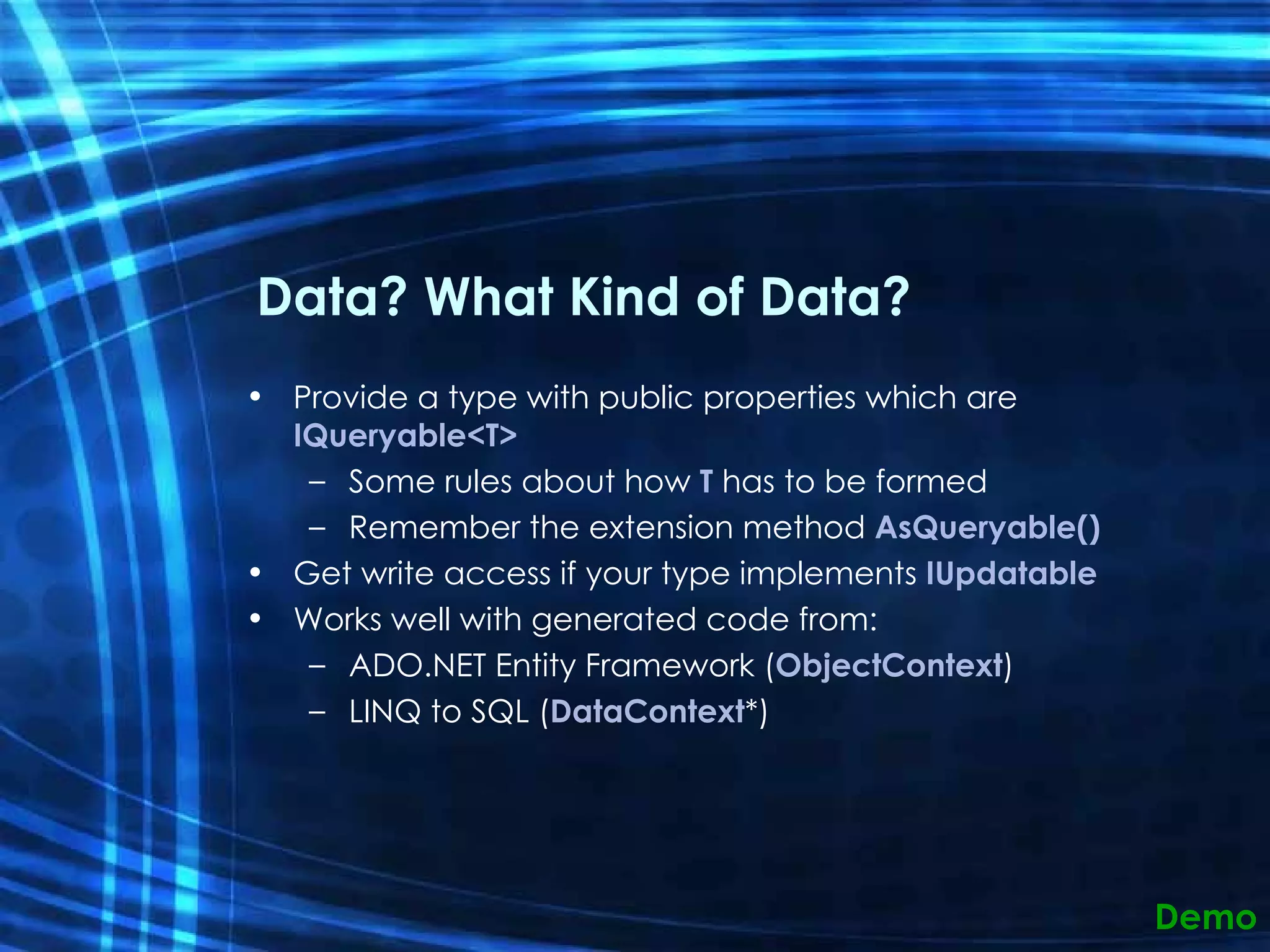
Data? What Kind of Data? Provide a type with public properties which are  IQueryable<T> Some rules about how  T  has to be formed Remember the extension method  AsQueryable() Get write access if your type implements  IUpdatable Works well with generated code from: ADO.NET Entity Framework ( ObjectContext ) LINQ to SQL ( DataContext *) Demo
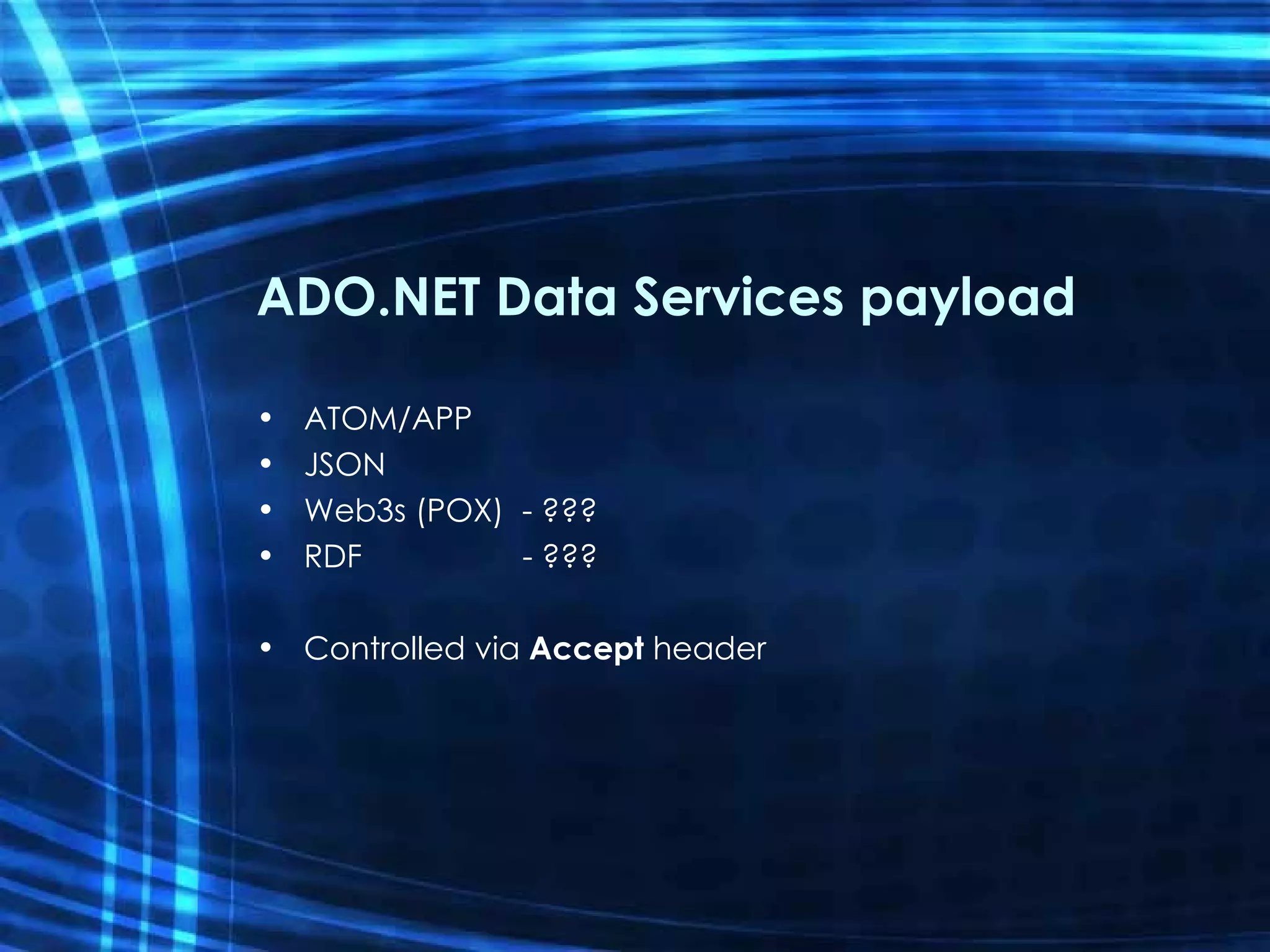
ADO.NET Data Services payload ATOM/APP JSON Web3s (POX)  - ??? RDF  - ??? Controlled via  Accept  header
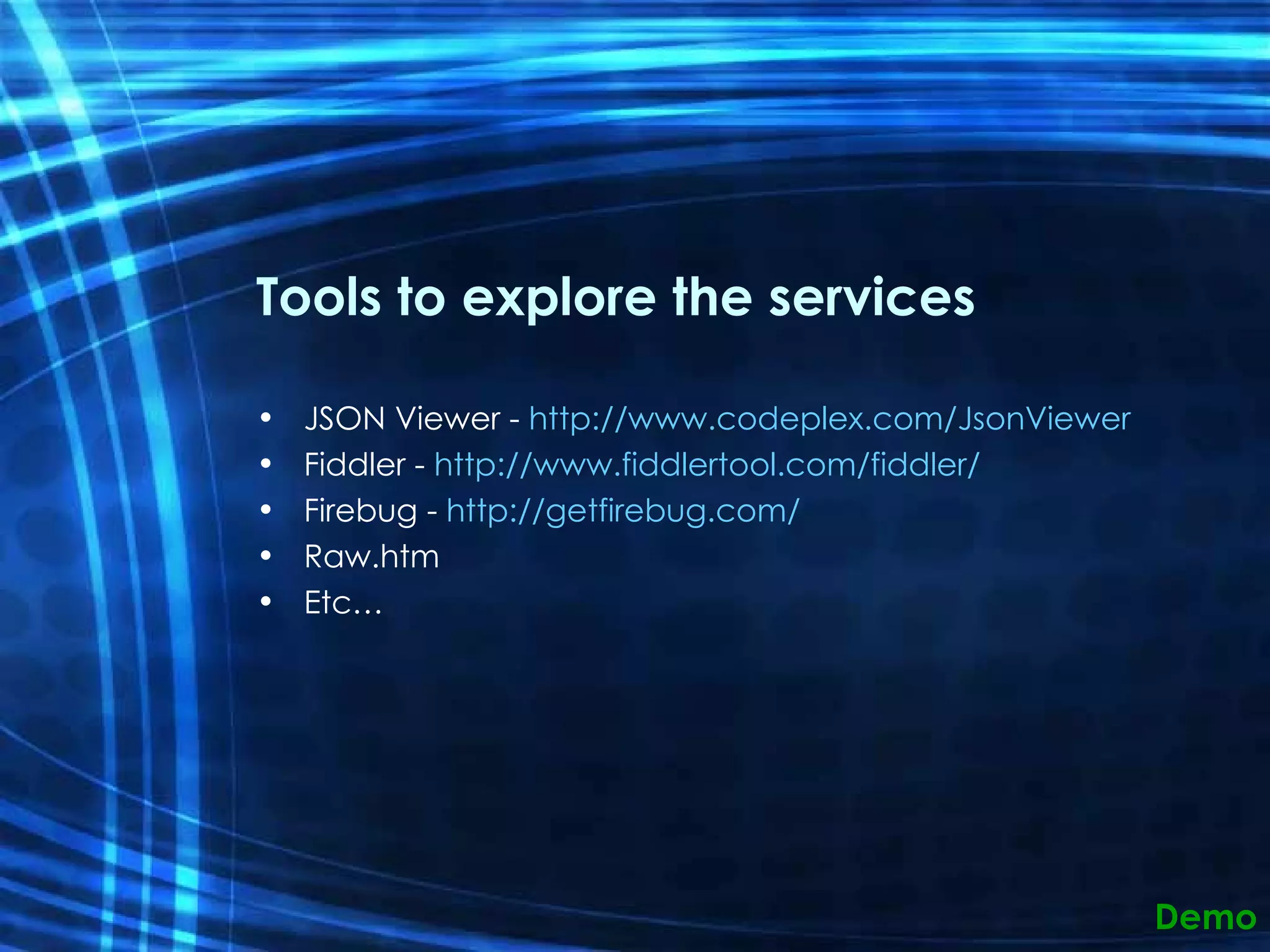
Tools to explore the services JSON Viewer -  http://www.codeplex.com/JsonViewer Fiddler -  http://www.fiddlertool.com/fiddler/   Firebug -  http://getfirebug.com/   Raw.htm Etc… Demo
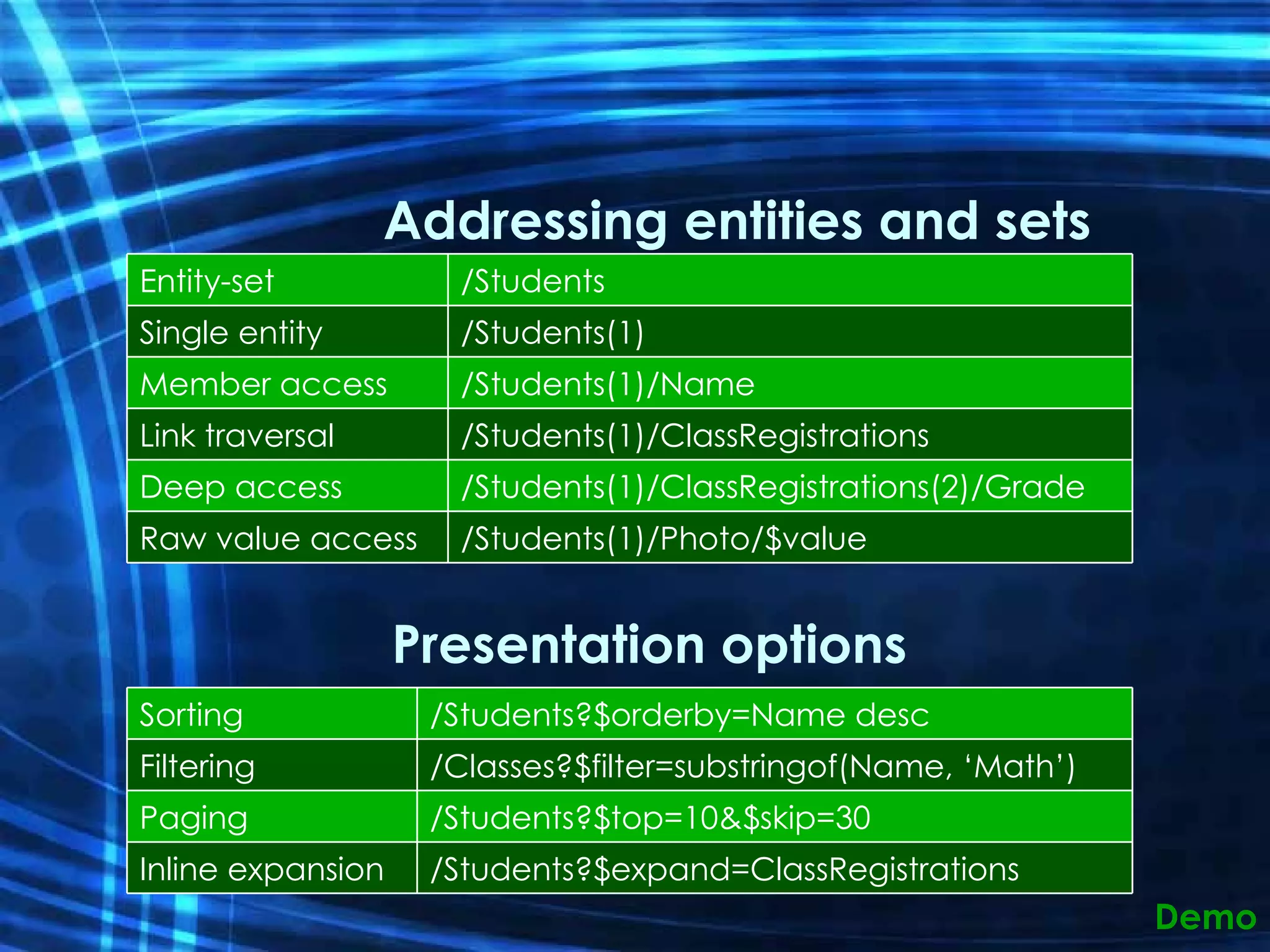
URL Conventions Addressing entities and sets Presentation options Demo Entity-set /Students Single entity /Students(1) Member access /Students(1)/Name Link traversal /Students(1)/ClassRegistrations Deep access /Students(1)/ClassRegistrations(2)/Grade Raw value access /Students(1)/Photo/$value Sorting /Students?$orderby=Name desc Filtering /Classes?$filter=substringof(Name, ‘Math’) Paging /Students?$top=10&$skip=30 Inline expansion /Students?$expand=ClassRegistrations
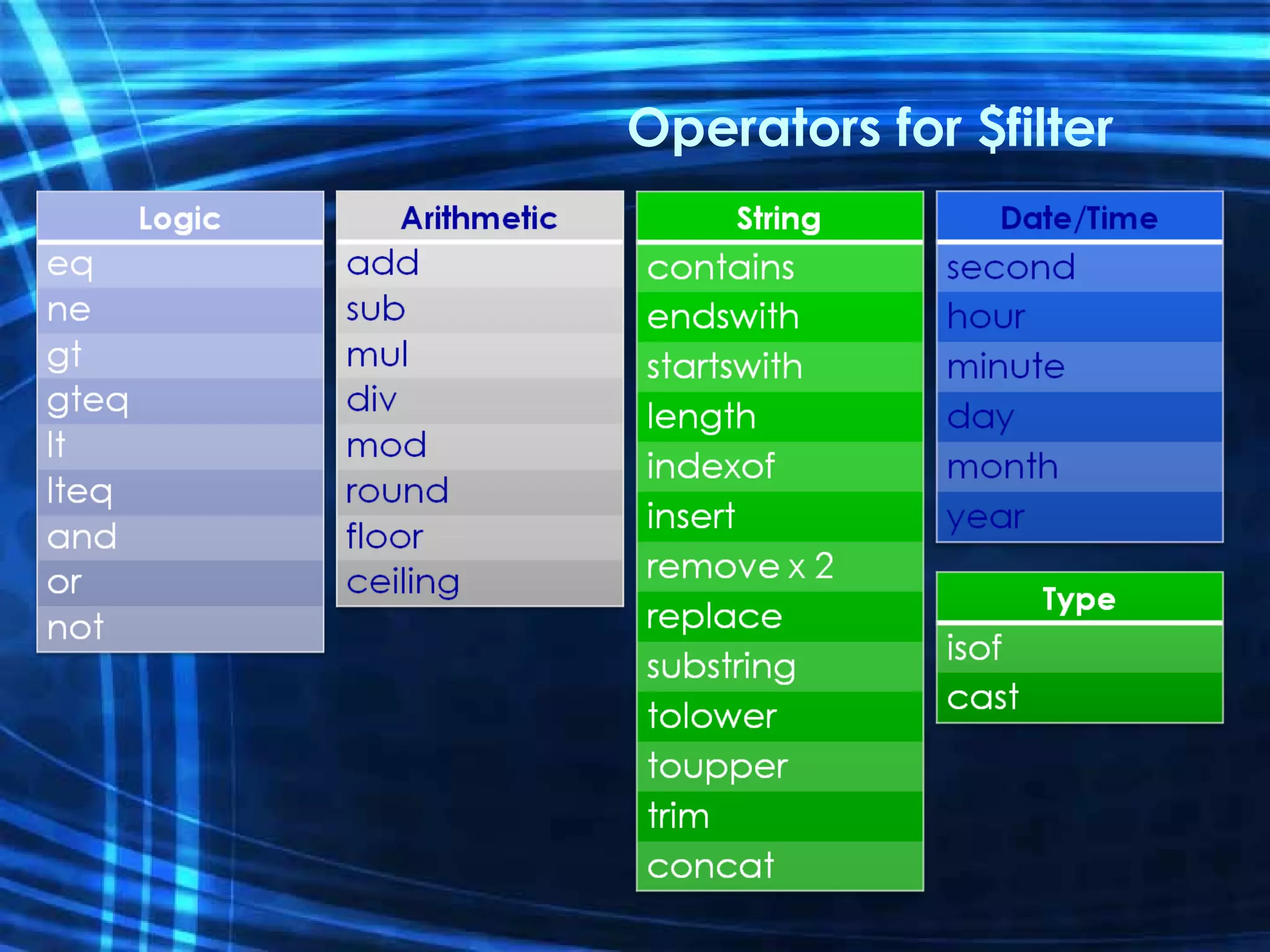
Operators for $filter
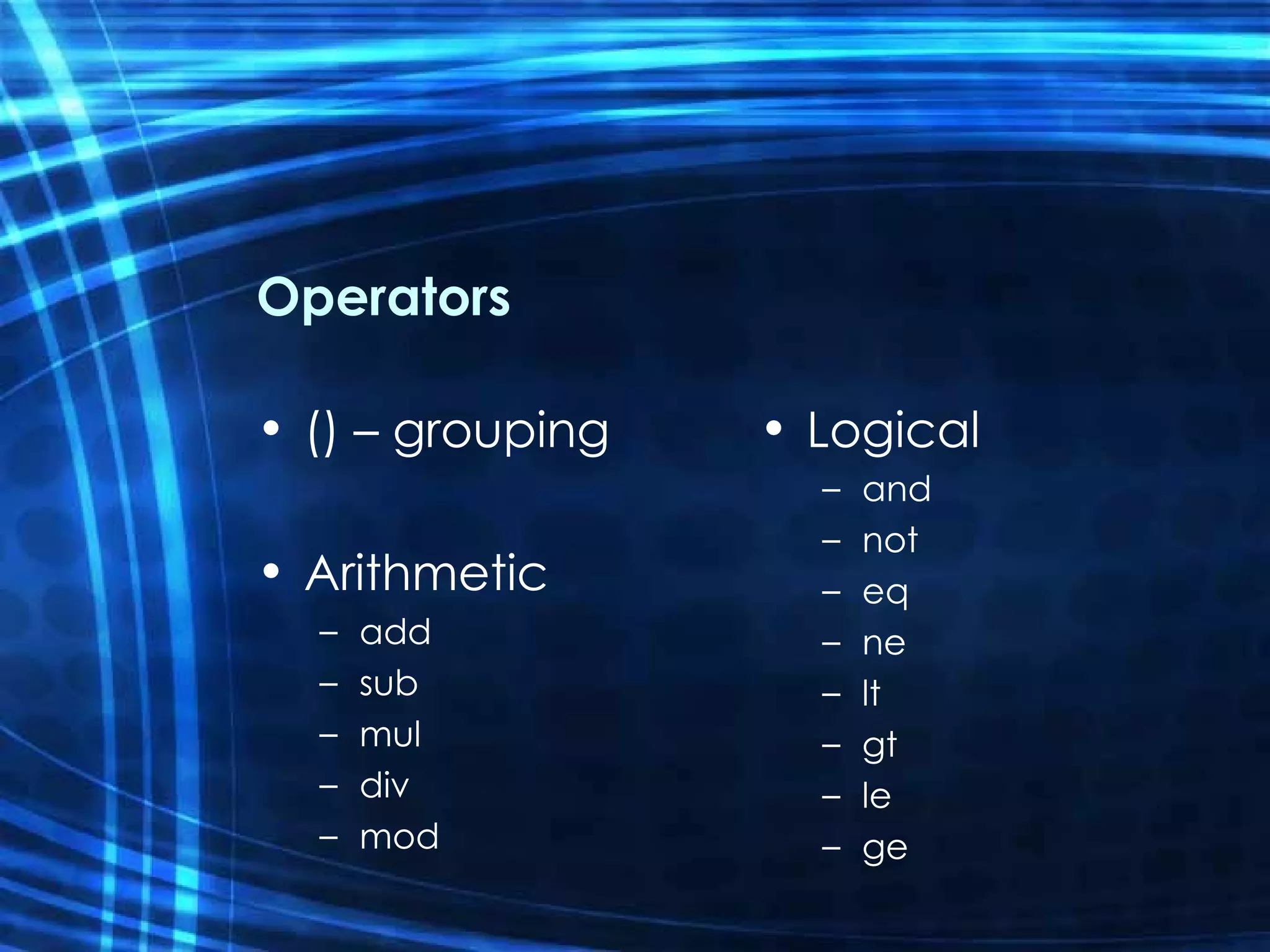
Operators () – grouping Arithmetic add sub mul div mod Logical and not eq ne lt gt le ge
Query operators callback (specific to JSON for AJAX calls) expand - pull related data using EDM associations format - define format of the response (eg xml, json, rdf) keyset- only return the entityKeys orderby (you know what this is) skip (same as in LINQ) top Demo
Addressing Pseudo-Members $metadata AdventureWorks.svc/$metadata $value AdventureWorks.svc/Customers(1)/FirstName/$value $batch AdventureWorks.svc/$batch Demo
Query Options Ordering $orderby [asc | desc] Paging $skip $top Filtering $filter Eager-Loading $expand Demo
&quot;Traditional&quot; Applications Web applications Data services client can be used in ASP.NET ASP.NET data source control for accessing remote services Desktop applications Fully-featured .NET client library Same API in desktop and Silverlight environments
Modern Data-Driven Web Apps AJAX integration AJAX-friendly JSON format in services Javascript library that integrates with the ASP.NET AJAX toolkit Silverlight support .NET programming model for data services Object based, LINQ enabled API Code-gen entity types from metadata
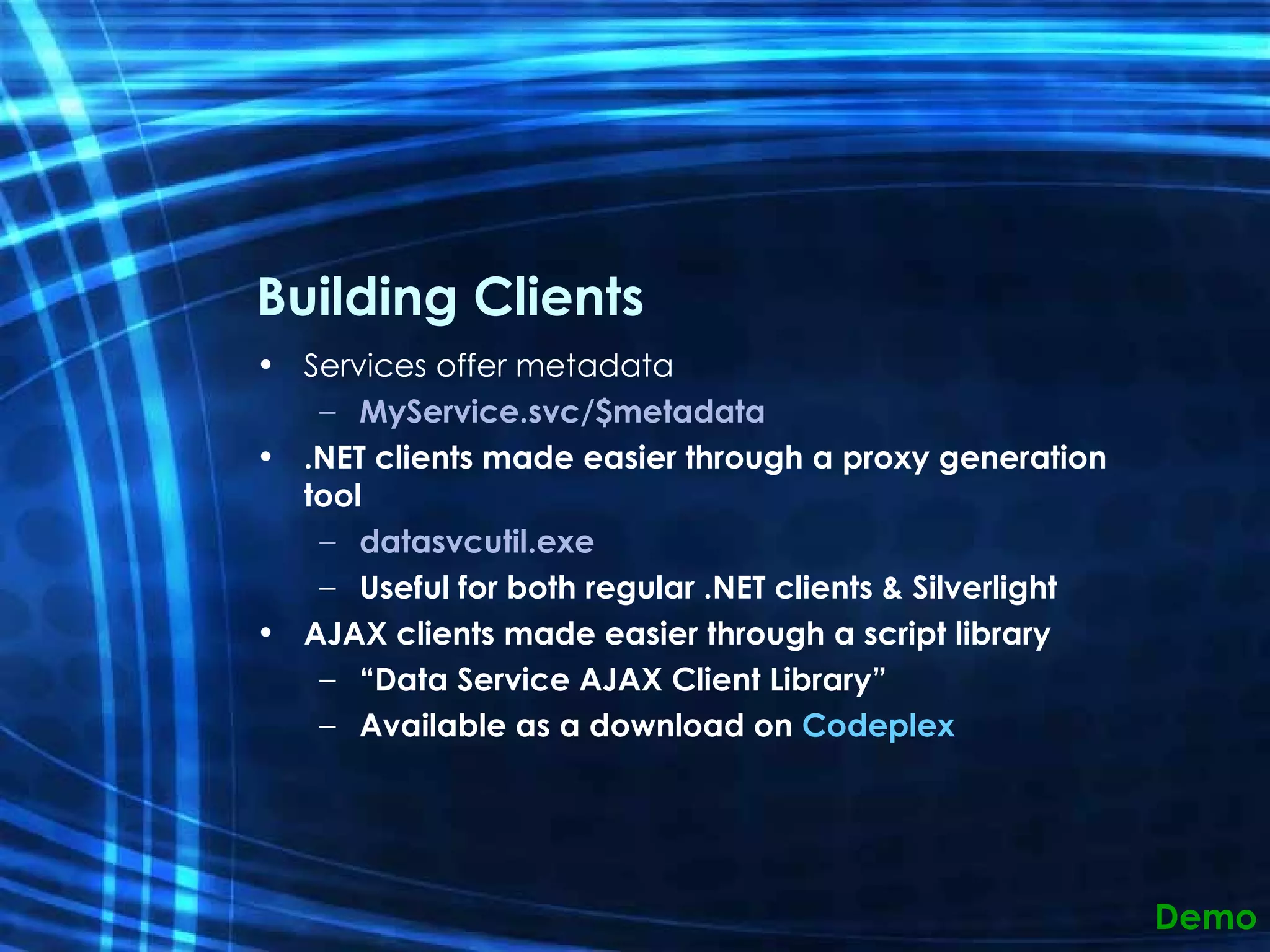
Building Clients Services offer metadata MyService.svc/$metadata .NET clients made easier through a proxy generation tool datasvcutil.exe Useful for both regular .NET clients & Silverlight AJAX clients made easier through a script library “ Data Service AJAX Client Library” Available as a download on  Codeplex Demo
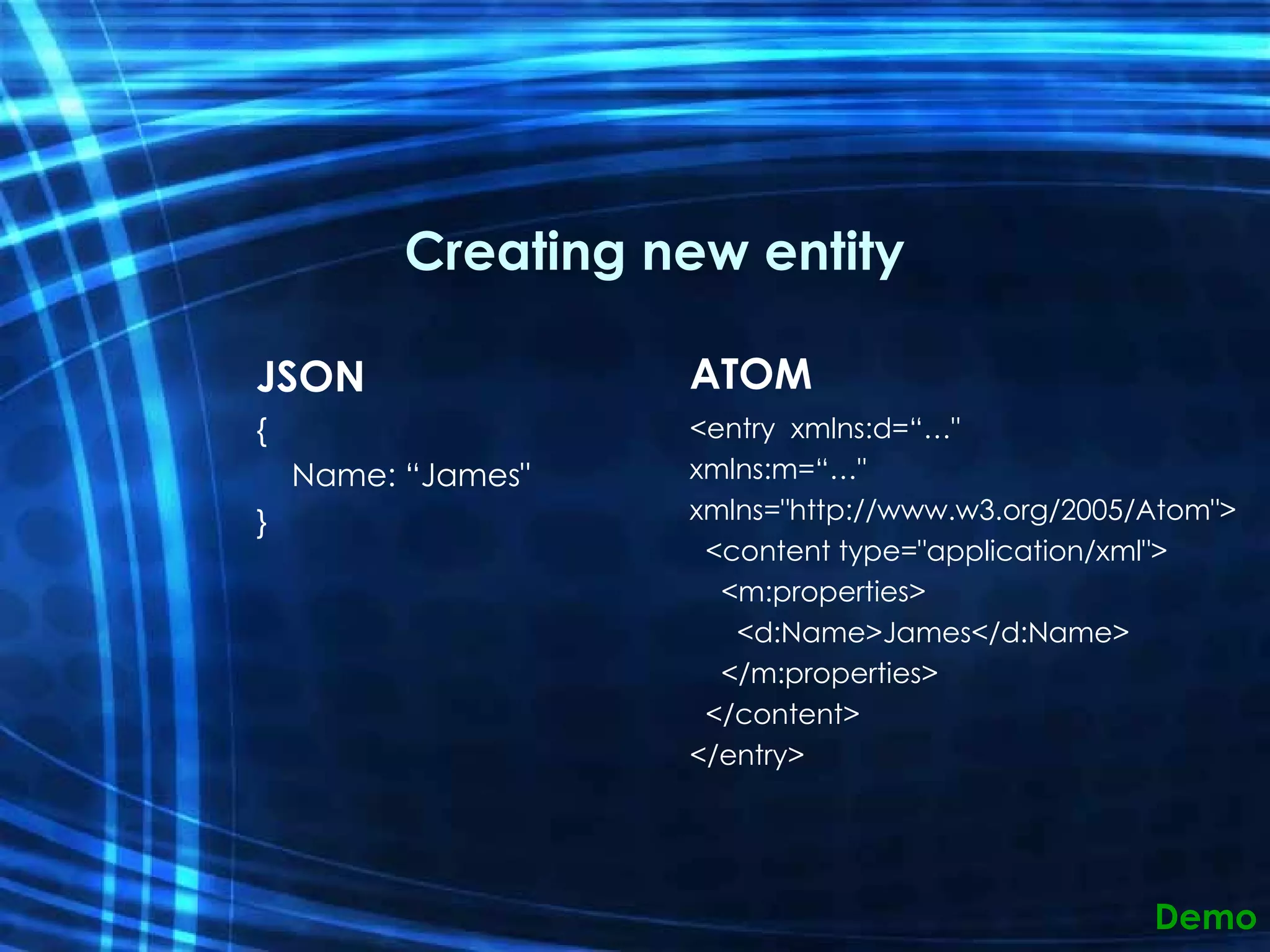
Creating new entity JSON {      Name: “James&quot; } ATOM <entry  xmlns:d=“…&quot; xmlns:m=“…&quot; xmlns=&quot;http://www.w3.org/2005/Atom&quot;>    <content type=&quot;application/xml&quot;>      <m:properties>        <d:Name>James</d:Name>      </m:properties>    </content> </entry> Demo
Debugging tricks [System.ServiceModel.ServiceBehavior(IncludeExceptionDetailInFaults = true)]  InitializeService config.UseVerboseErrors = true; Demo
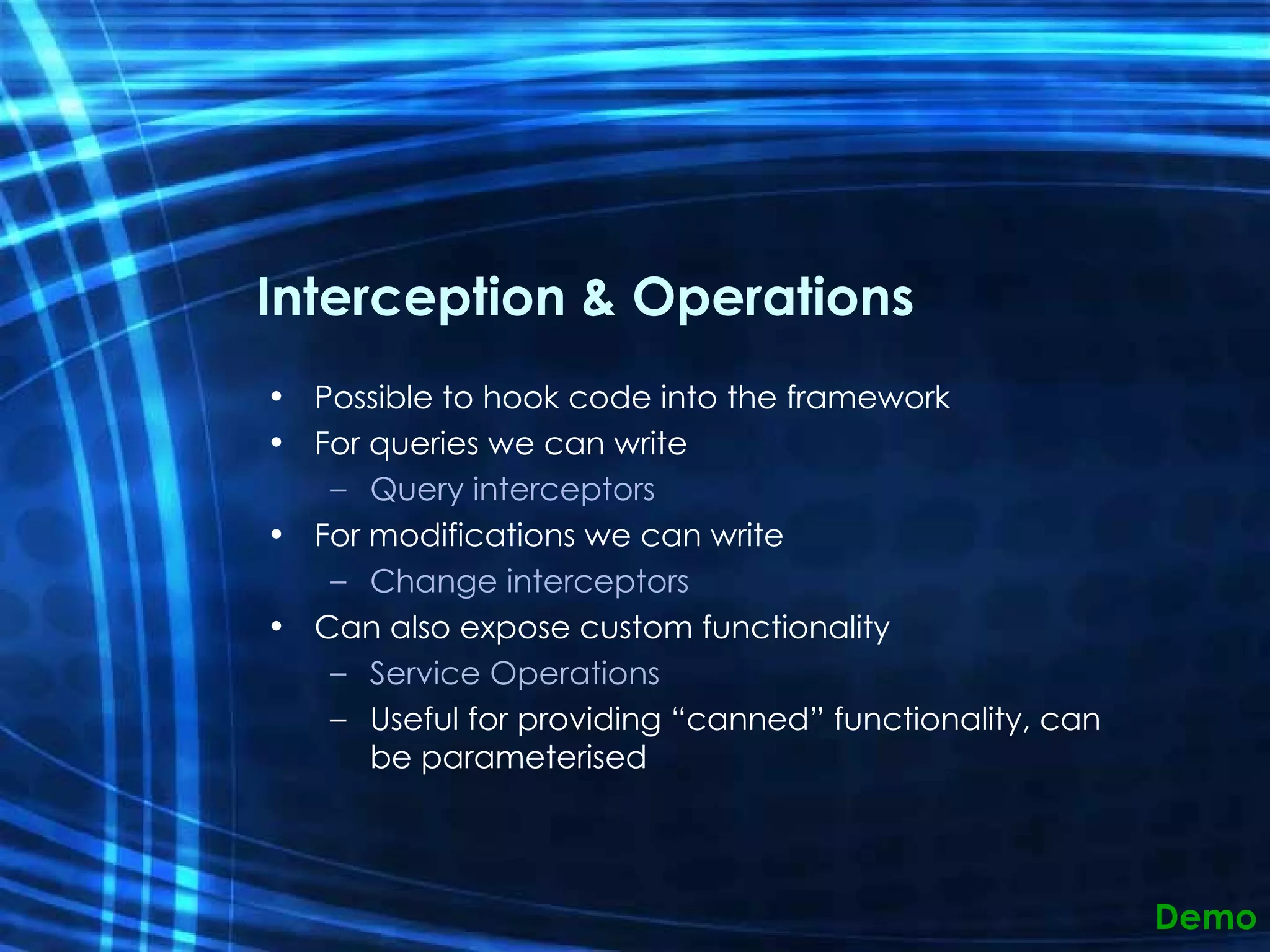
Interception & Operations Possible to hook code into the framework For queries we can write Query interceptors For modifications we can write Change interceptors Can also expose custom functionality Service Operations Useful for providing “canned” functionality, can be parameterised Demo
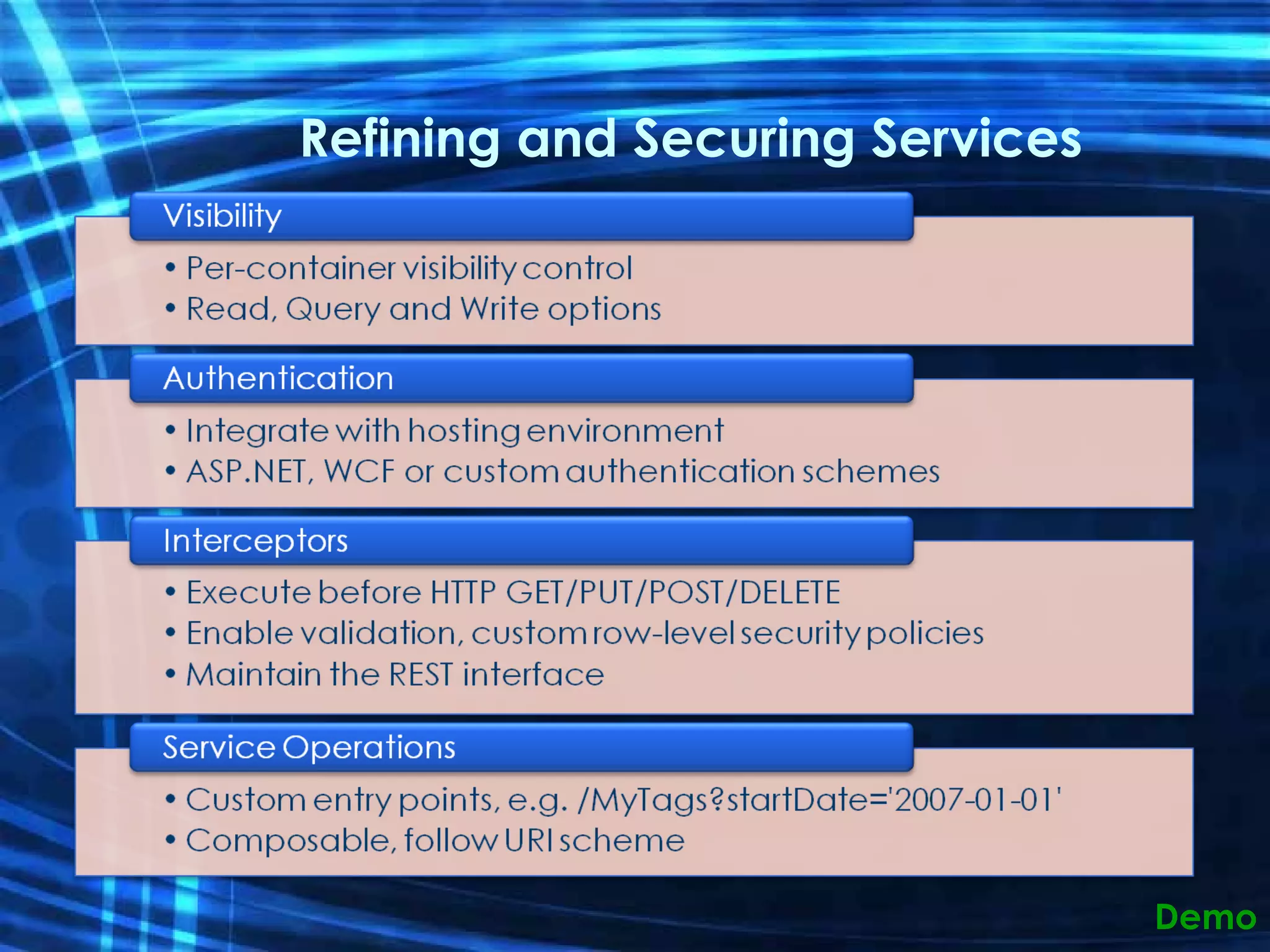
Refining and Securing Services Demo
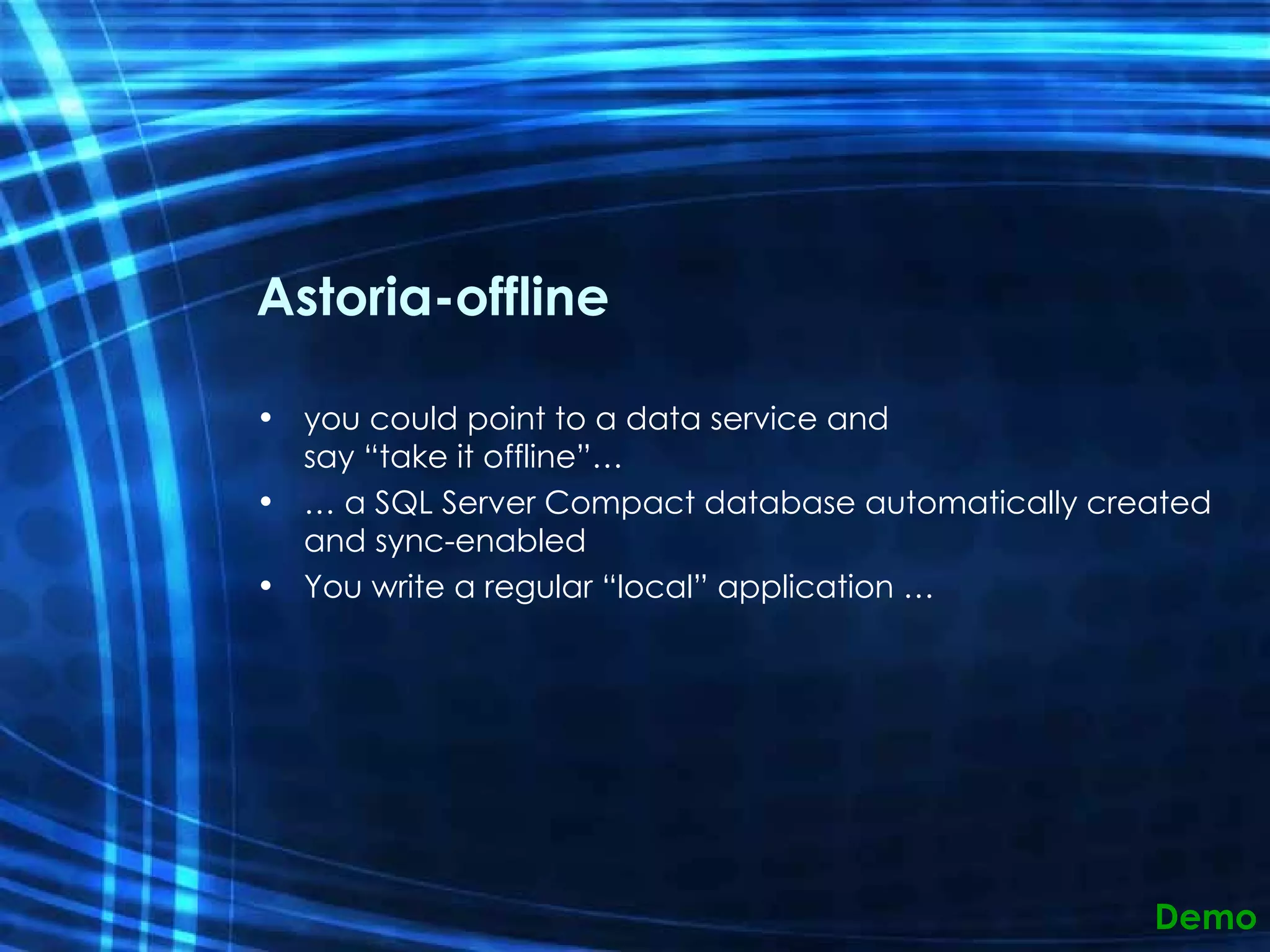
Astoria-offline you could point to a data service and say “take it offline”… …  a SQL Server Compact database automatically created and sync-enabled You write a regular “local” application … Demo
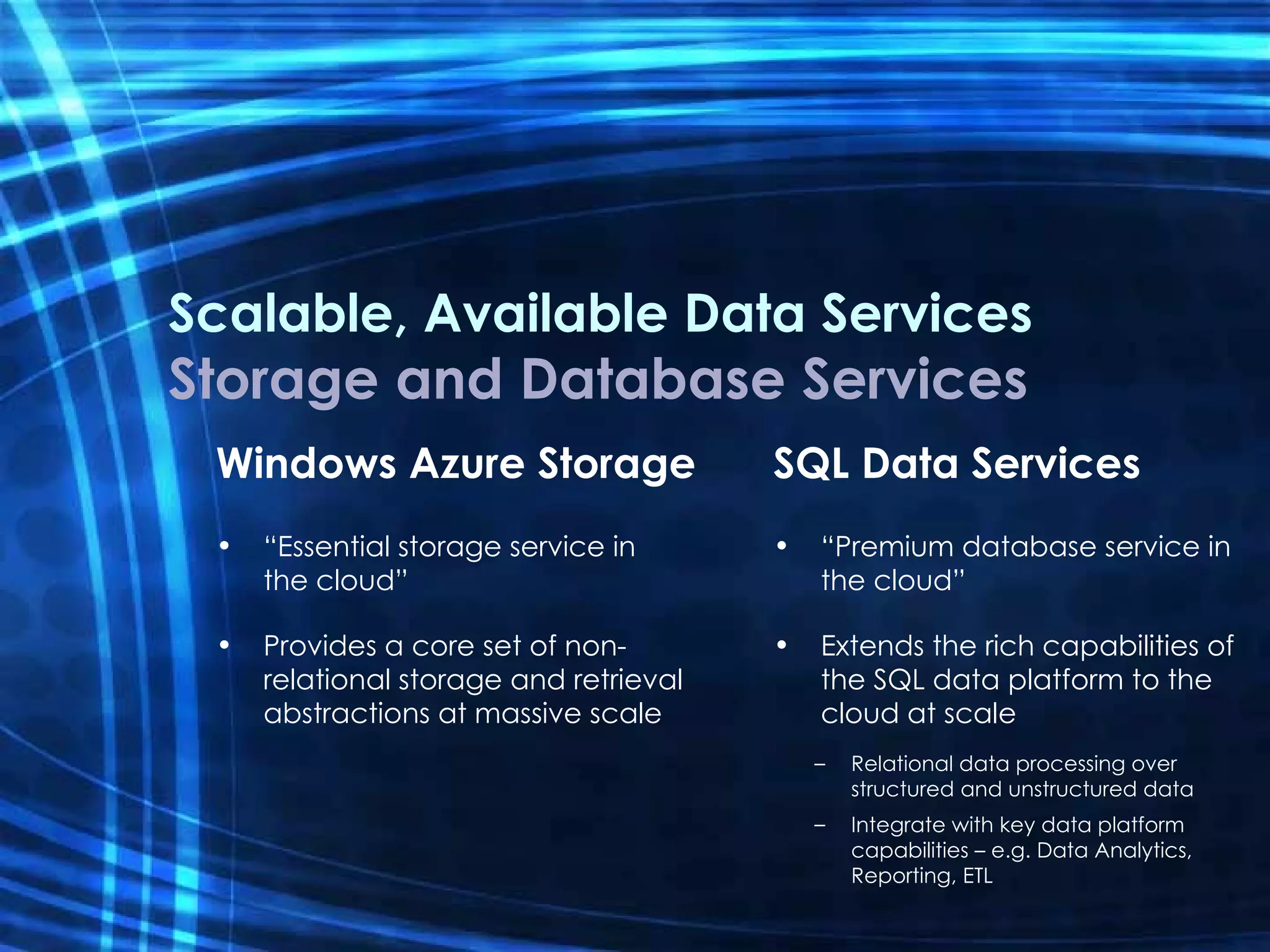
Scalable, Available Data Services Storage and Database Services Windows Azure Storage “ Essential storage service in  the cloud” Provides a core set of non-relational storage and retrieval abstractions at massive scale SQL Data Services “ Premium database service in the cloud” Extends the rich capabilities of the SQL data platform to the cloud at scale Relational data processing over structured and unstructured data Integrate with key data platform capabilities – e.g. Data Analytics, Reporting, ETL
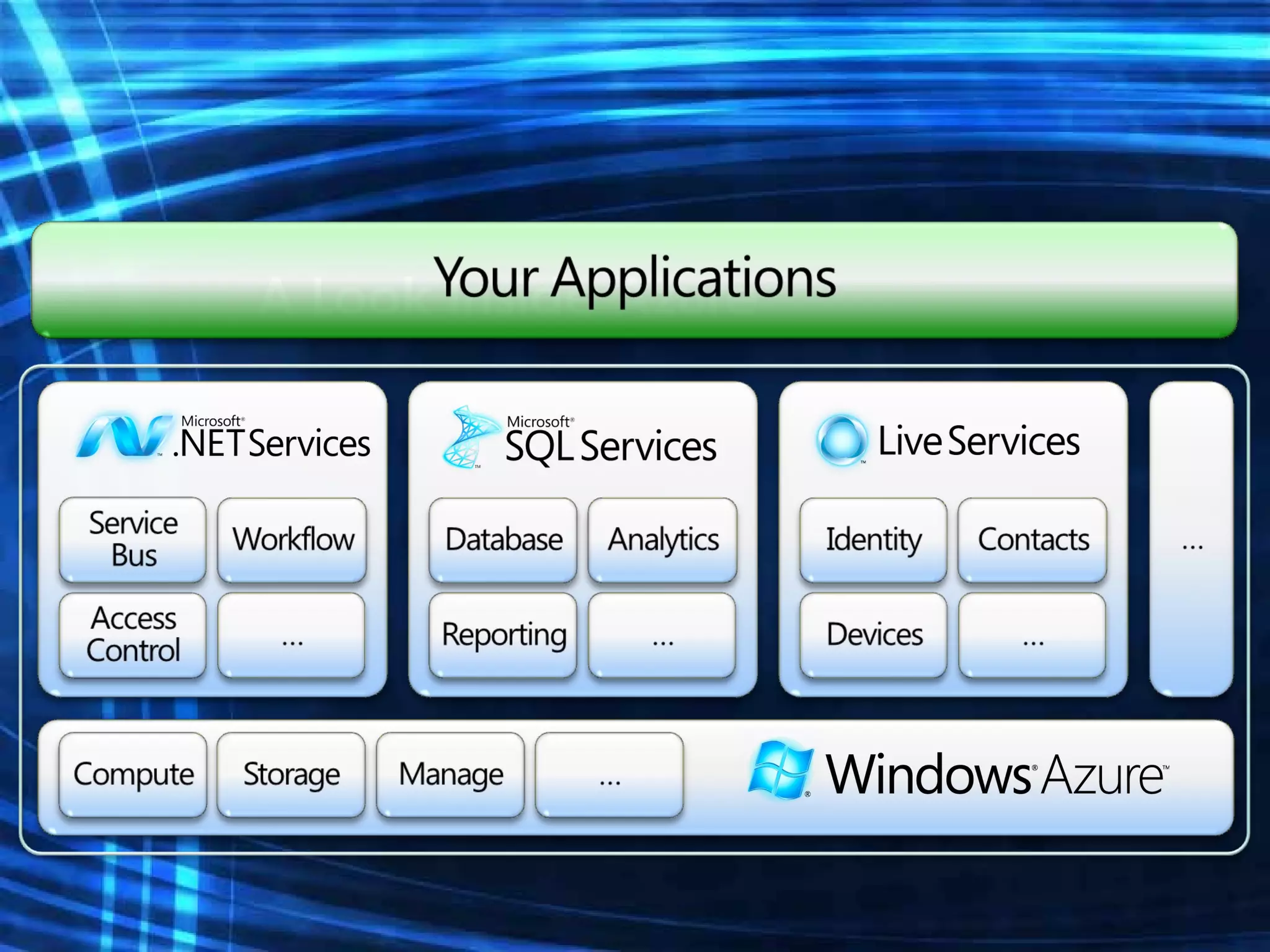
A Look Inside Azure
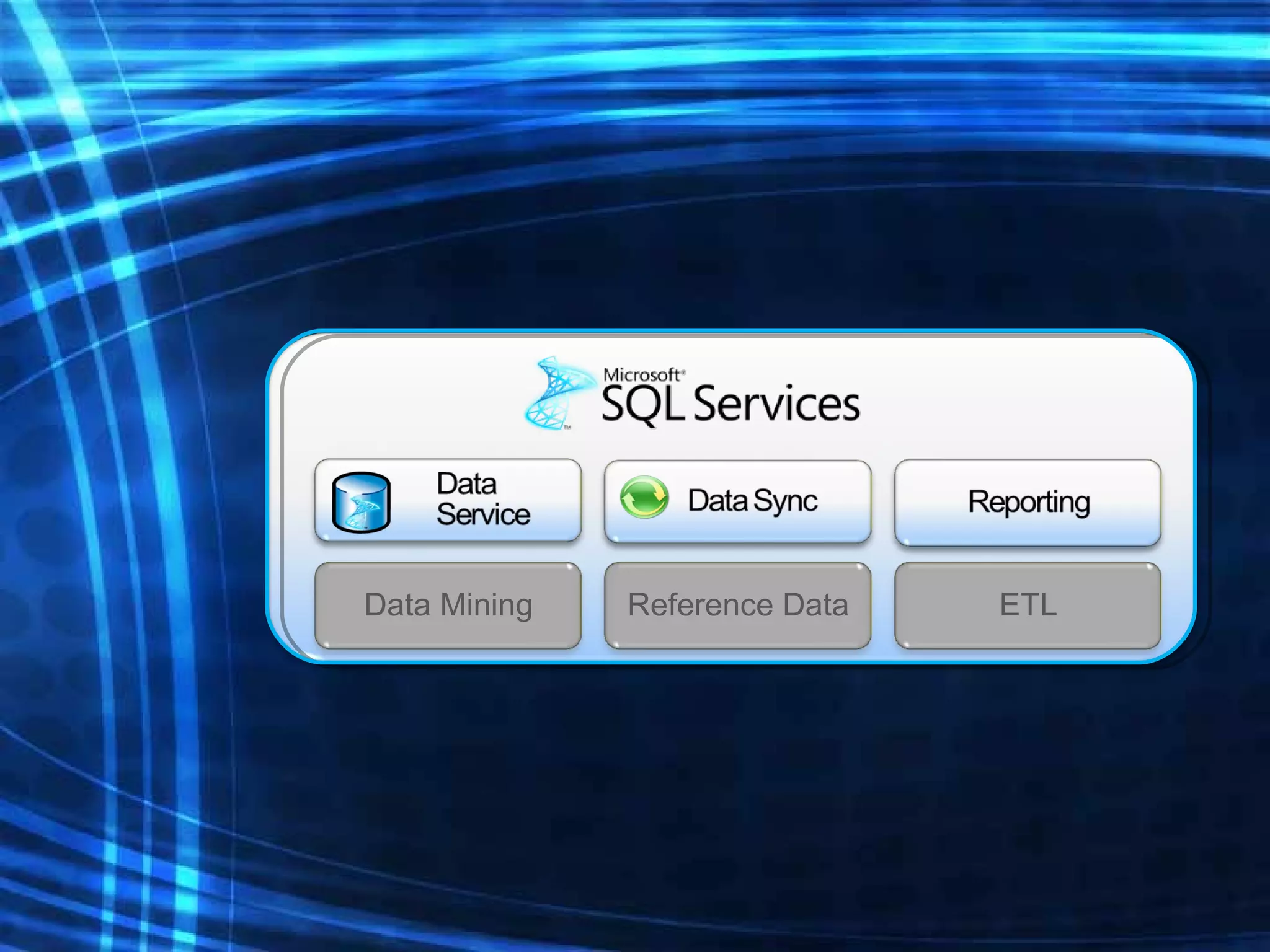
Reference Data ETL Data Mining
Data SYNC Occasionally connected  (or disconnected) clients Mobile Mirroring Future: Integration with ADO.NET Data Services Enterprise Data Hub
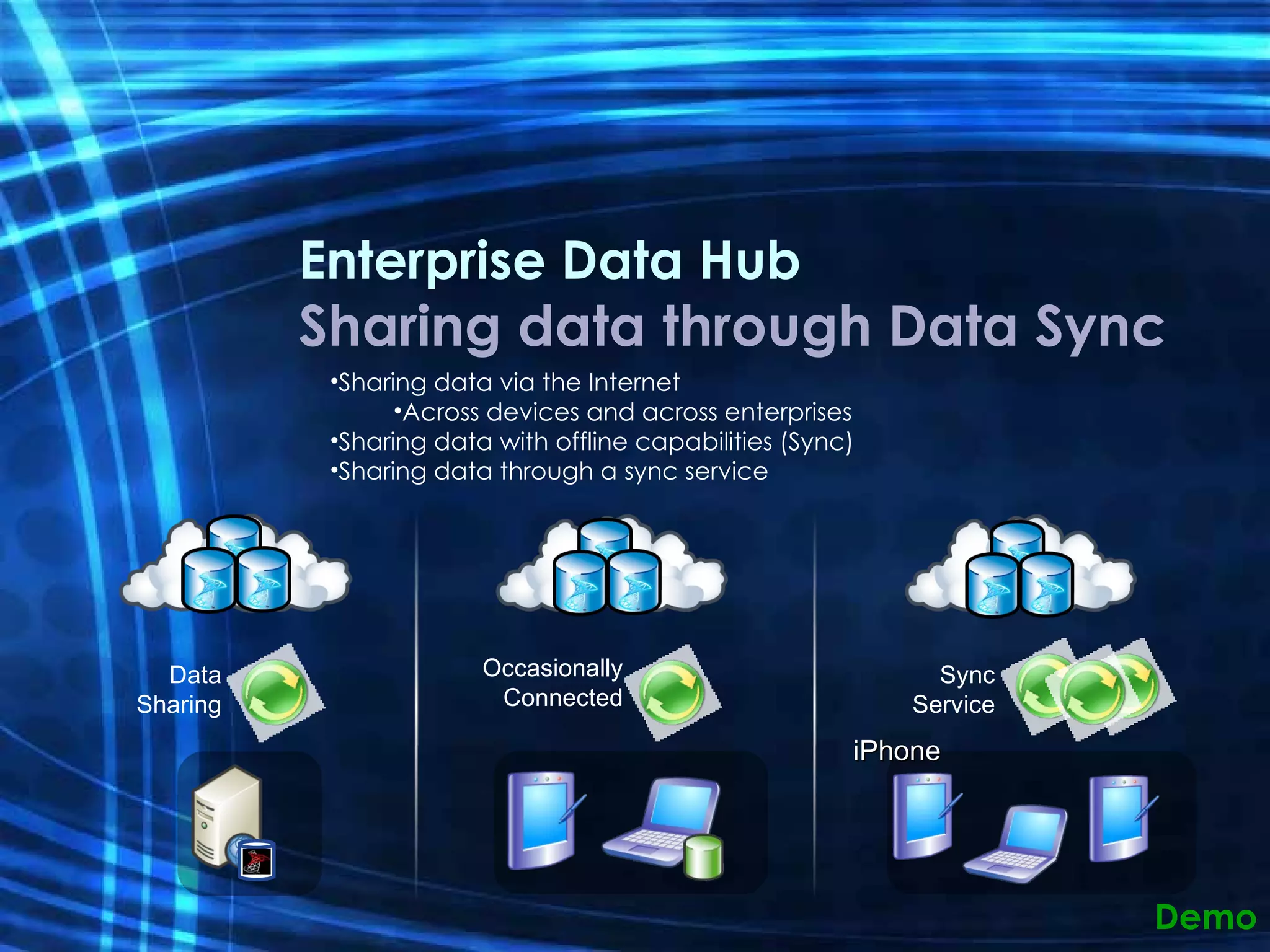
Enterprise Data Hub Sharing data through Data Sync Sharing data via the Internet Across devices and across enterprises Sharing data with offline capabilities (Sync) Sharing data through a sync service Demo Sync Service iPhone Occasionally Connected Data Sharing
Advanced Topics Optimistic concurrency If-Match: * If-None-Match: *
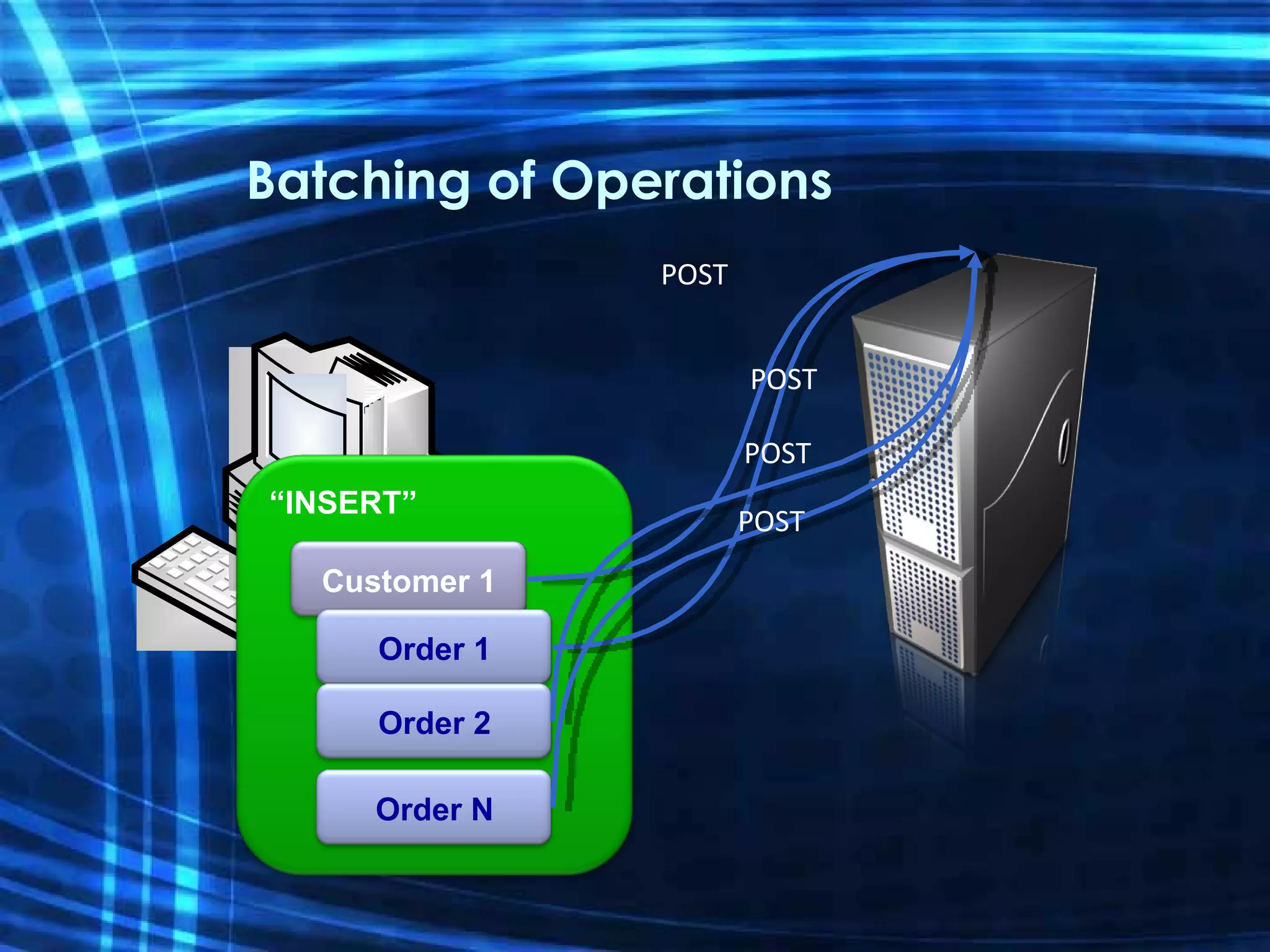
Batching of Operations “ INSERT” Customer 1 POST Order 1 POST Order 2 POST Order N POST
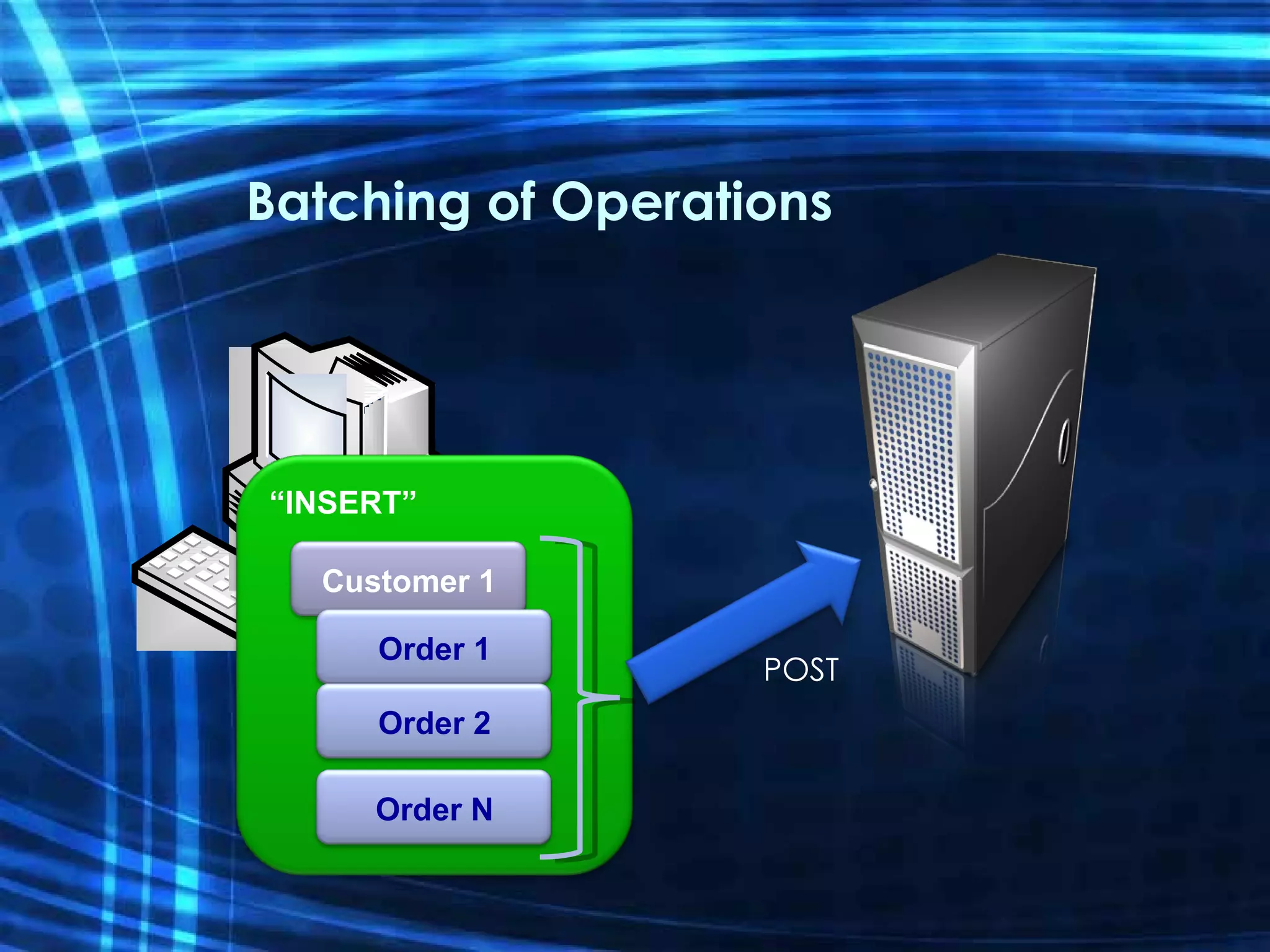
Batching of Operations “ INSERT” Customer 1 Order 1 Order 2 Order N POST
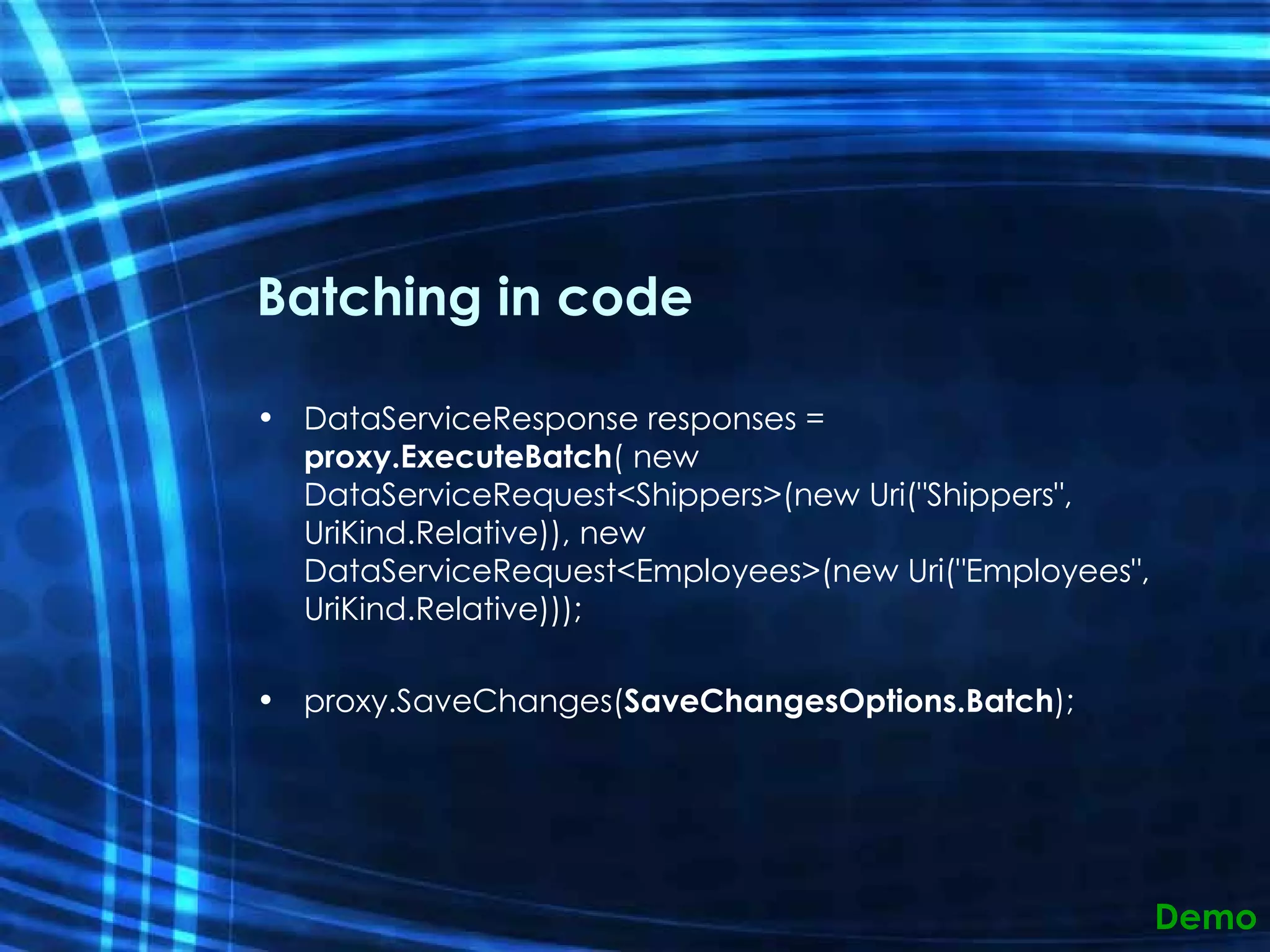
Batching in code DataServiceResponse responses =  proxy.ExecuteBatch ( new DataServiceRequest<Shippers>(new Uri(&quot;Shippers&quot;, UriKind.Relative)), new DataServiceRequest<Employees>(new Uri(&quot;Employees&quot;, UriKind.Relative)));  proxy.SaveChanges( SaveChangesOptions.Batch );  Demo
Batching of Operations Provides a mechanism to process  a batch 0 or more Query operations 0 or more [Create/Update/Delete] operations Uses multipart/mixed MIME type sent to a $batch endpoint Use SaveChanges(SaveChangesOptions.Batch) ExecuteBatch()
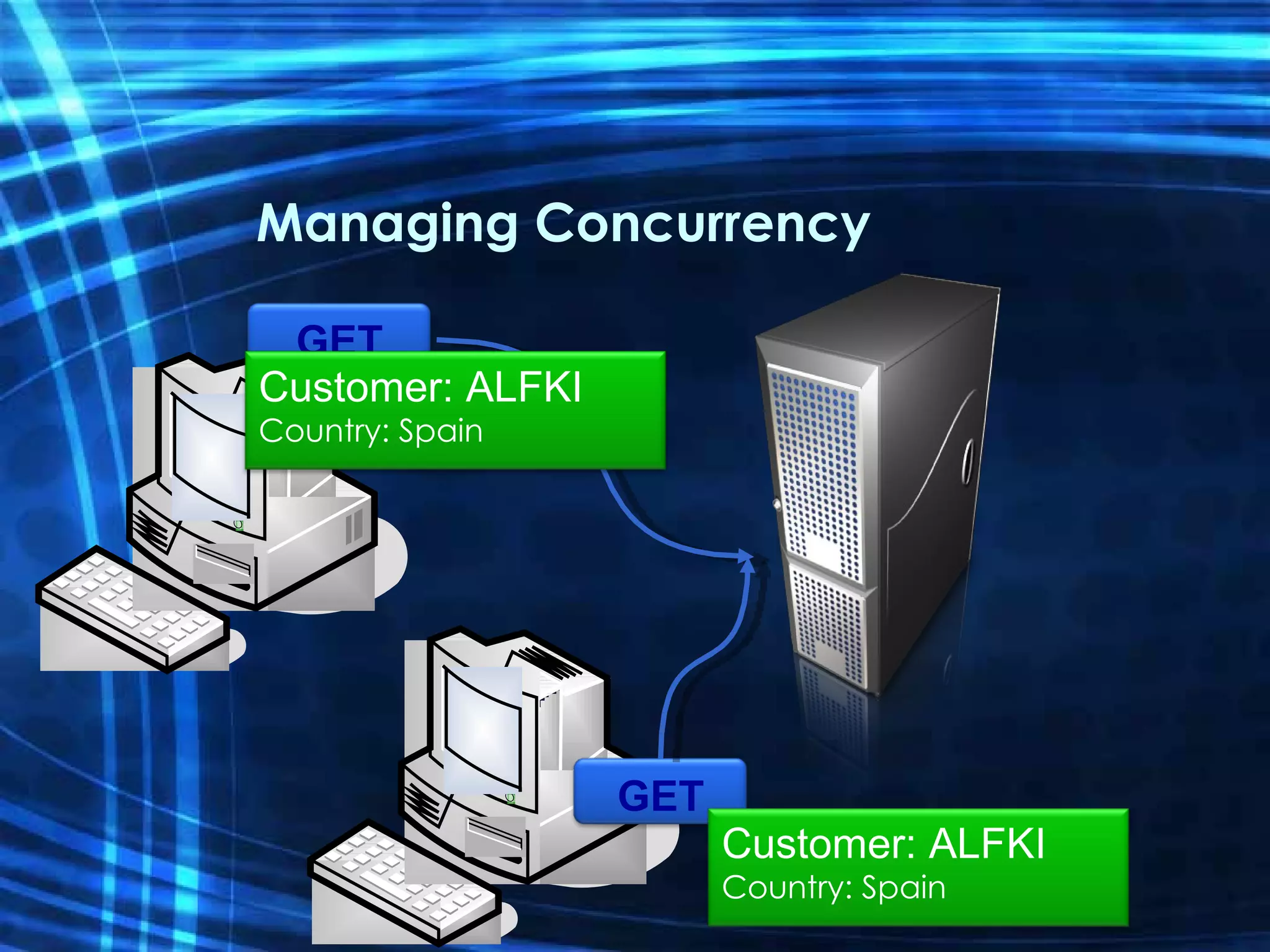
Managing Concurrency GET GET Customer: ALFKI Country: Spain Customer: ALFKI Country: Spain
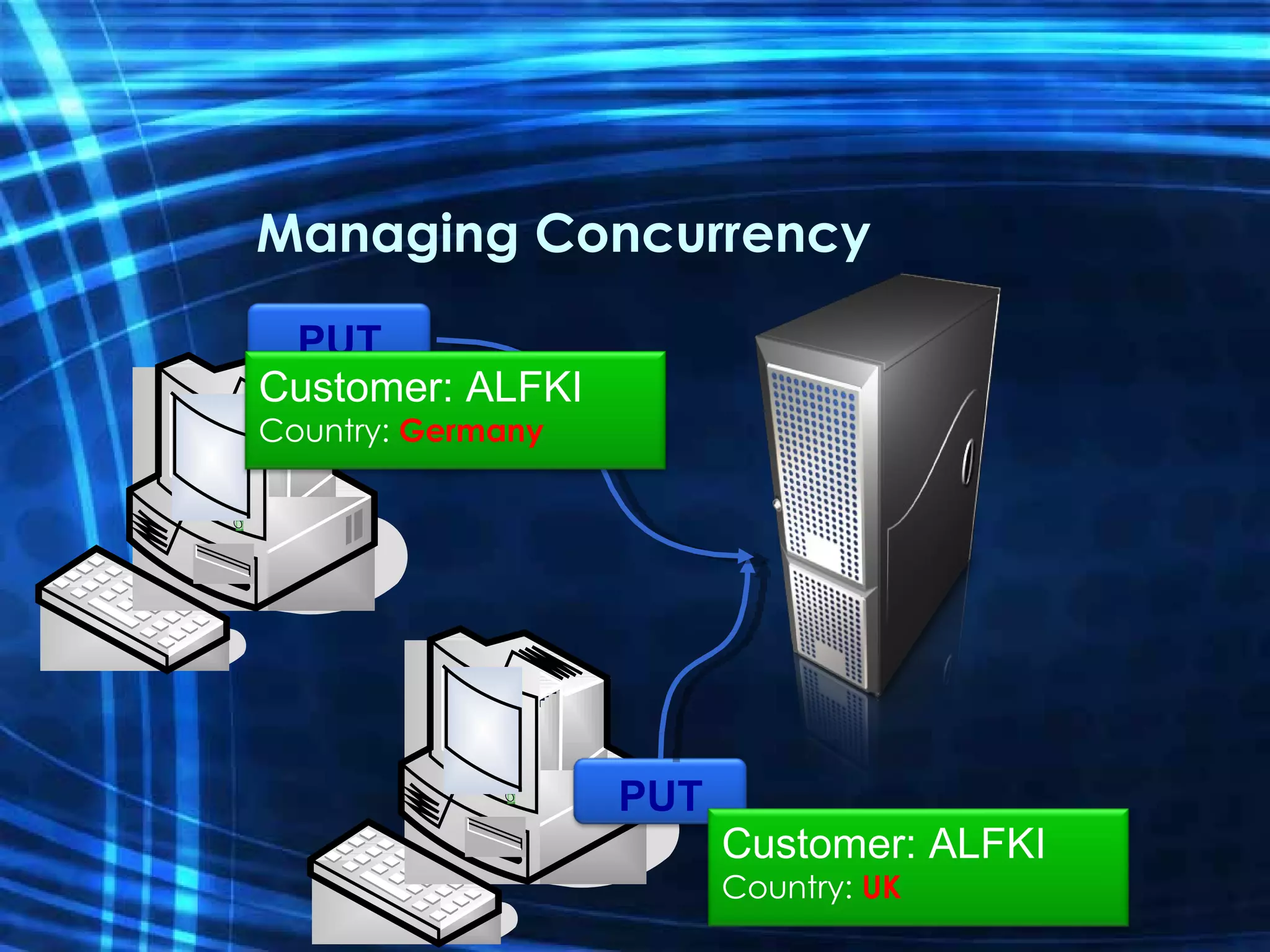
Managing Concurrency PUT Customer: ALFKI Country:  UK PUT Customer: ALFKI Country:  Germany
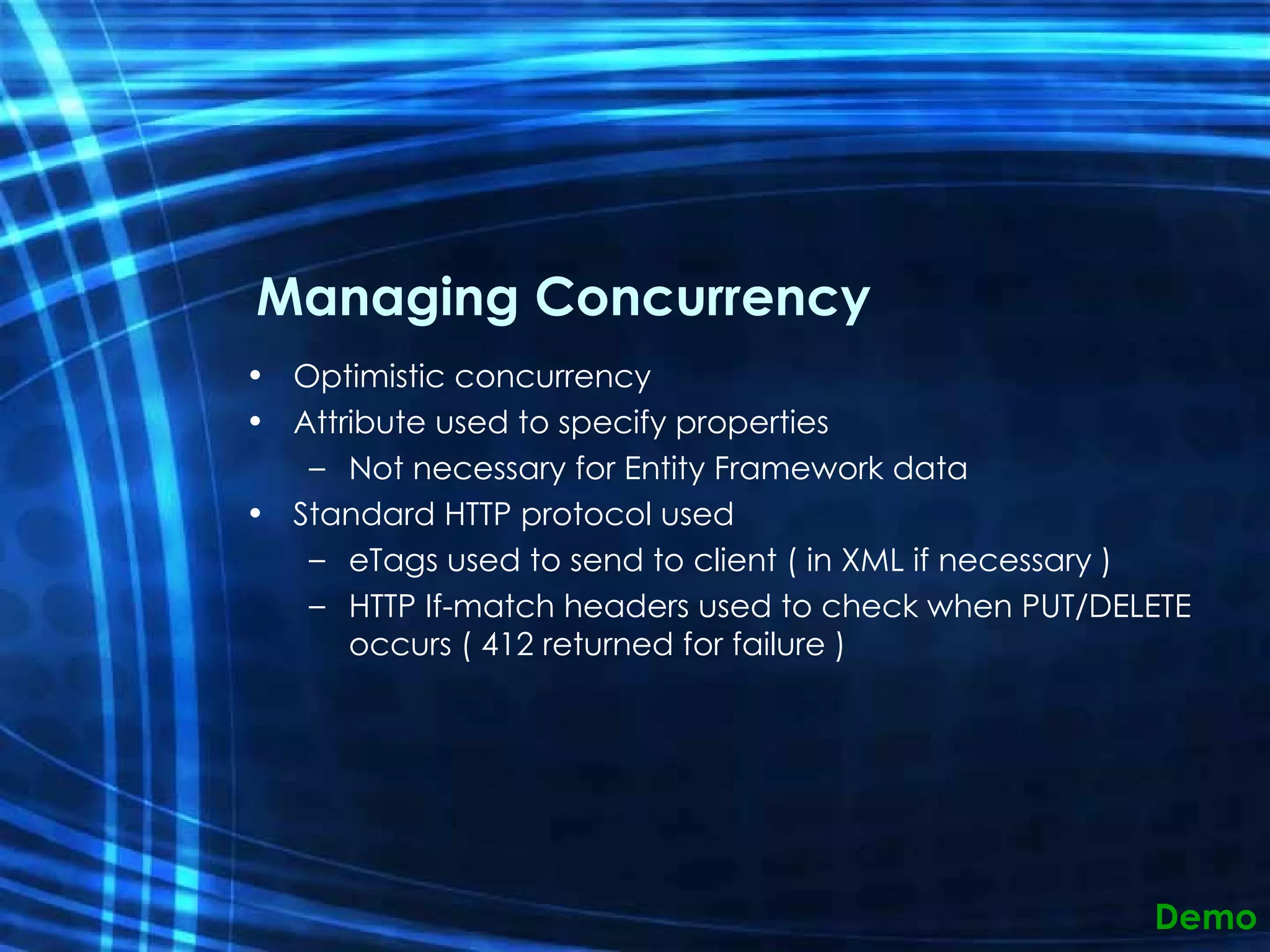
Managing Concurrency Optimistic concurrency Attribute used to specify properties Not necessary for Entity Framework data Standard HTTP protocol used  eTags used to send to client ( in XML if necessary ) HTTP If-match headers used to check when PUT/DELETE occurs ( 412 returned for failure ) Demo
Resources Team Blog: http://blogs.msdn.com/astoriateam Online Forum http://forums.microsoft.com/MSDN/ShowForum.aspx?ForumID=1430&SiteID=1 Using Microsoft ADO.NET Data Services  (MSDN Technical Article) http://msdn.microsoft.com/en-us/library/cc907912.aspx
Q&A
Thank you!
ADO.Net Data Services Astoria Enabling your data for Web consumption Igor Moochnick IgorShare Consulting [email_address] Blog:  www.igorshare.com/blog
 
AZURE TABLES - CODE
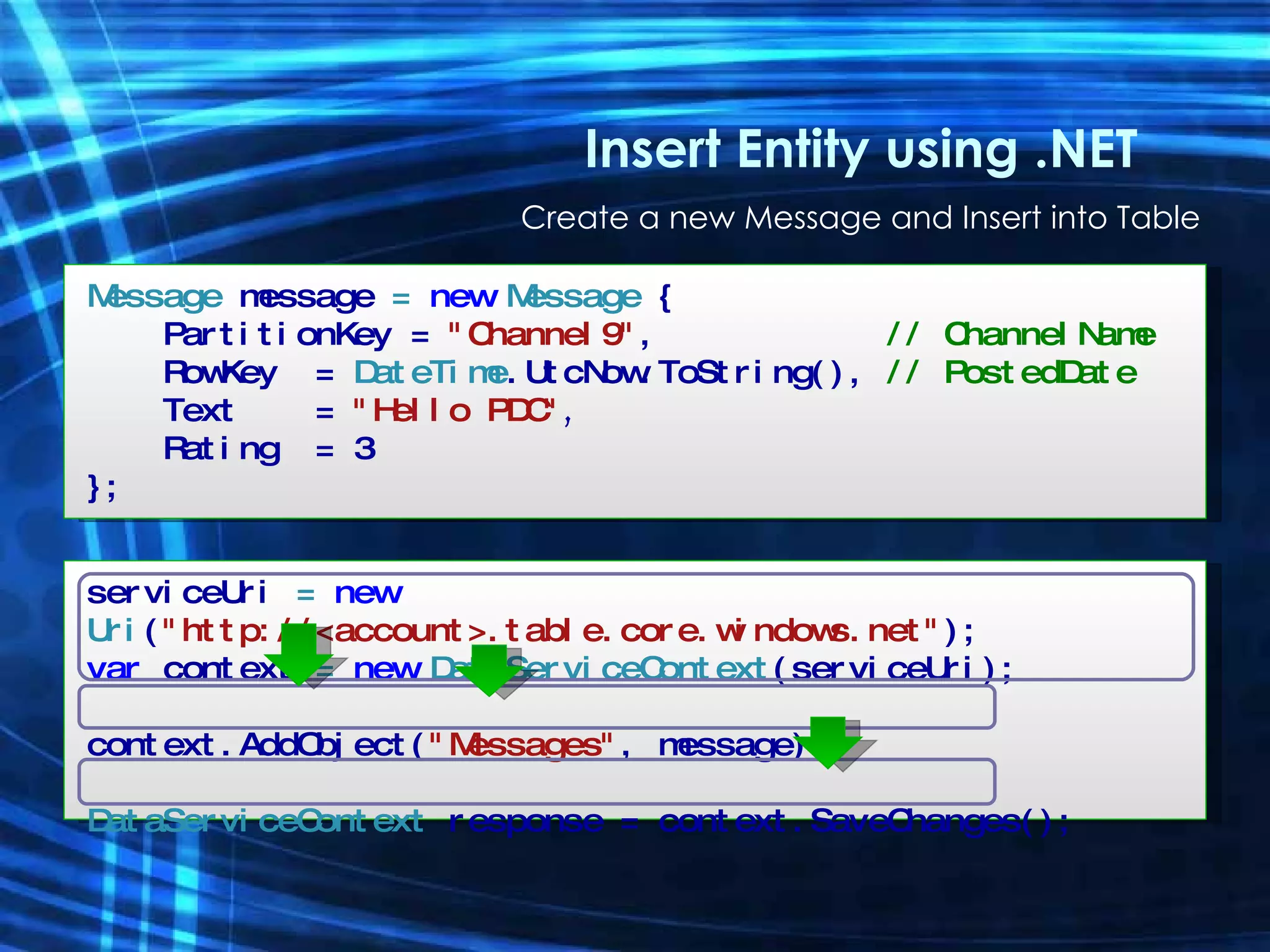
Insert Entity using .NET Create a new Message and Insert into Table Message  message  =  new  Message  { PartitionKey =  &quot;Channel9&quot; ,  // ChannelName  RowKey   =   DateTime .UtcNow.ToString(),  // PostedDate Text   =  &quot;Hello PDC&quot; , Rating  = 3 }; serviceUri  =  new  Uri ( &quot;http://<account>.table.core.windows.net&quot; ); var  context  =  new  DataServiceContext (serviceUri); context.AddObject( &quot;Messages&quot; , message); DataServiceContext  response = context.SaveChanges();
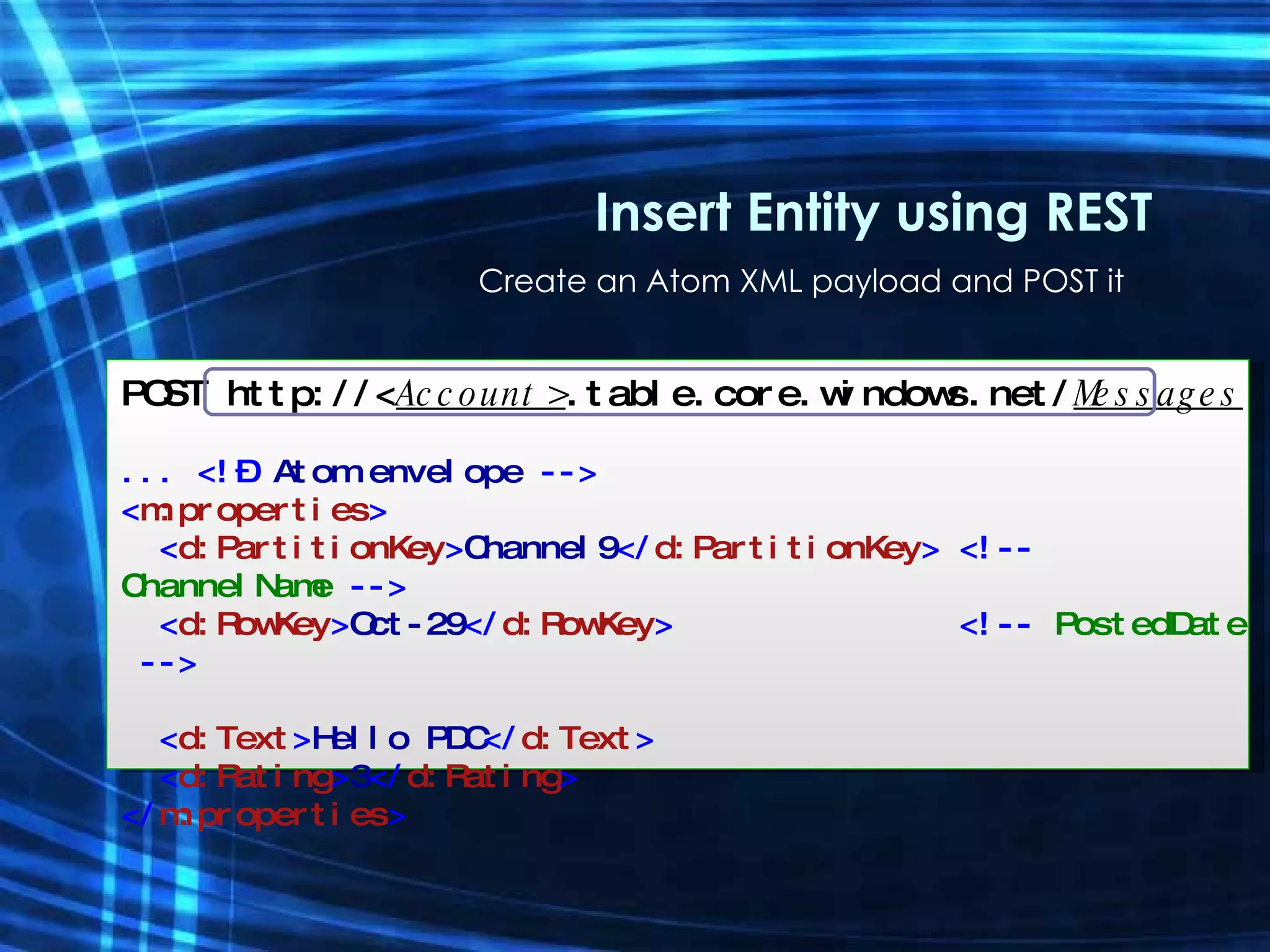
Create an Atom XML payload and POST it Insert Entity using REST POST http://< Account> .table.core.windows.net/ Messages ... <!–  Atom envelope  --> < m:properties > < d:PartitionKey > Channel9 </ d:PartitionKey > <!--  ChannelName  --> < d:RowKey > Oct-29 </ d:RowKey >  <!--  PostedDate  --> < d:Text > Hello PDC </ d:Text > < d:Rating > 3 </ d:Rating > </ m:properties >
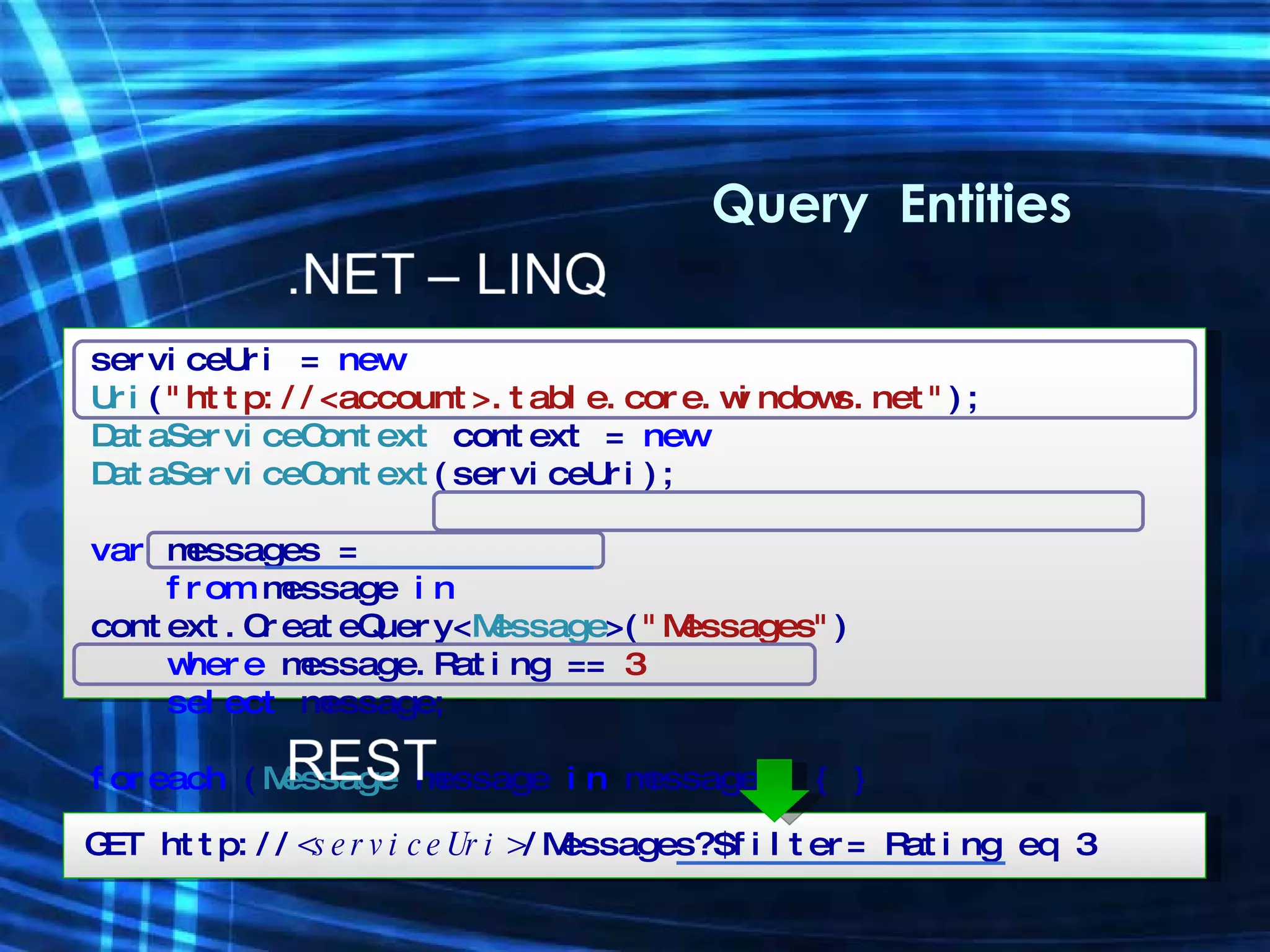
Query  Entities serviceUri =  new  Uri ( &quot;http://<account>.table.core.windows.net&quot; ); DataServiceContext  context =  new  DataServiceContext (serviceUri); var  messages = from  message  in  context.CreateQuery< Message >( &quot;Messages&quot; ) where  message.Rating ==  3 select  message; foreach  ( Message  message   in  messages) { } GET http:// <serviceUri> /Messages?$filter= Rating eq 3
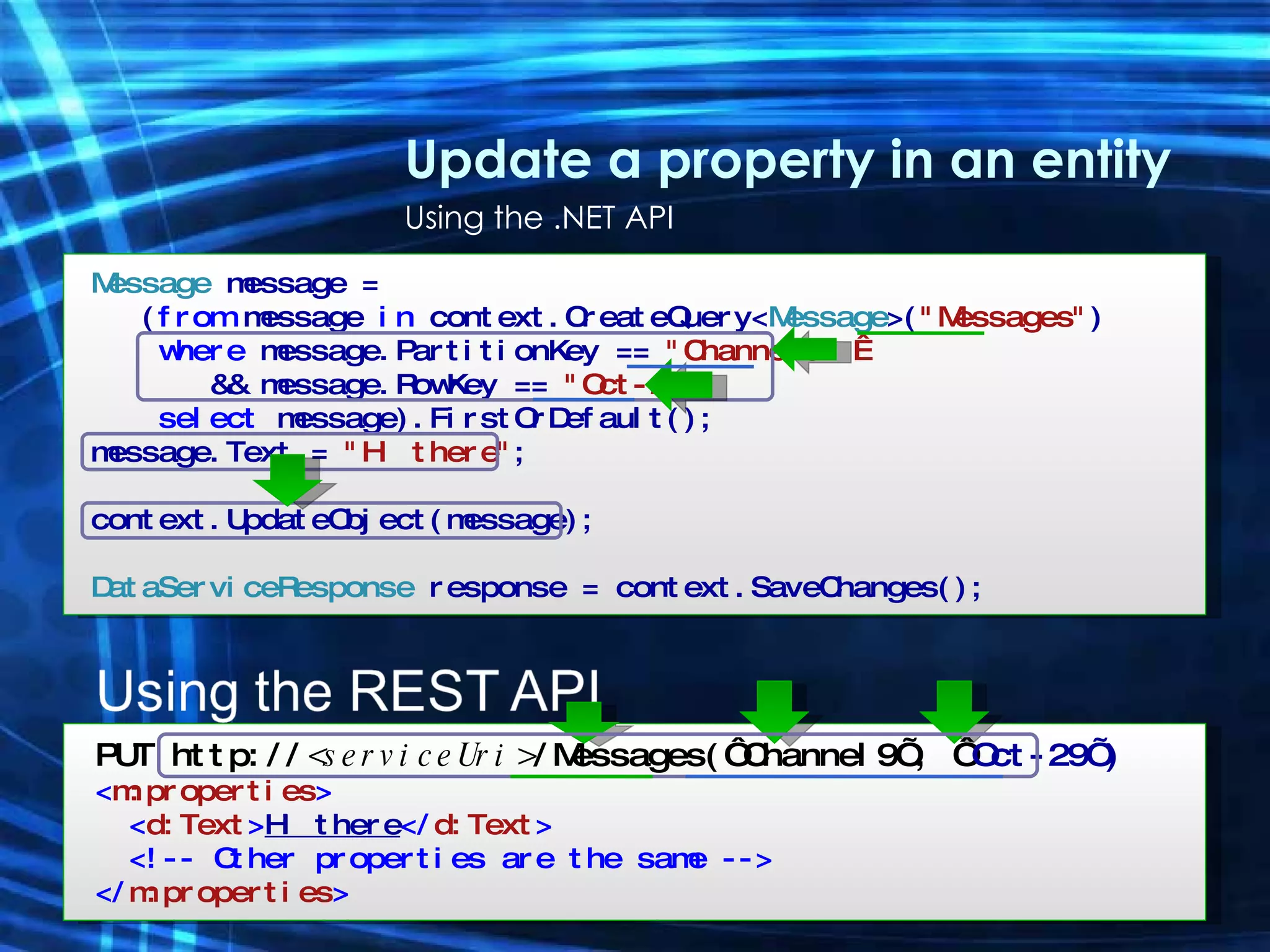
Update a property in an entity Using the .NET API Message  message = ( from  message  in  context.CreateQuery< Message >( &quot;Messages&quot; ) where  message.PartitionKey ==  &quot;Channel9&quot;   &&   message.RowKey ==  &quot;Oct-29&quot; select  message).FirstOrDefault(); message.Text =  &quot;Hi there&quot; ; context.UpdateObject(message); DataServiceResponse  response =  context.SaveChanges(); PUT http:// <serviceUri> /Messages(‘Channel9’, ‘ Oct-29’) < m:properties > < d:Text > Hi there </ d:Text > <!-- Other properties are the same --> </ m:properties >
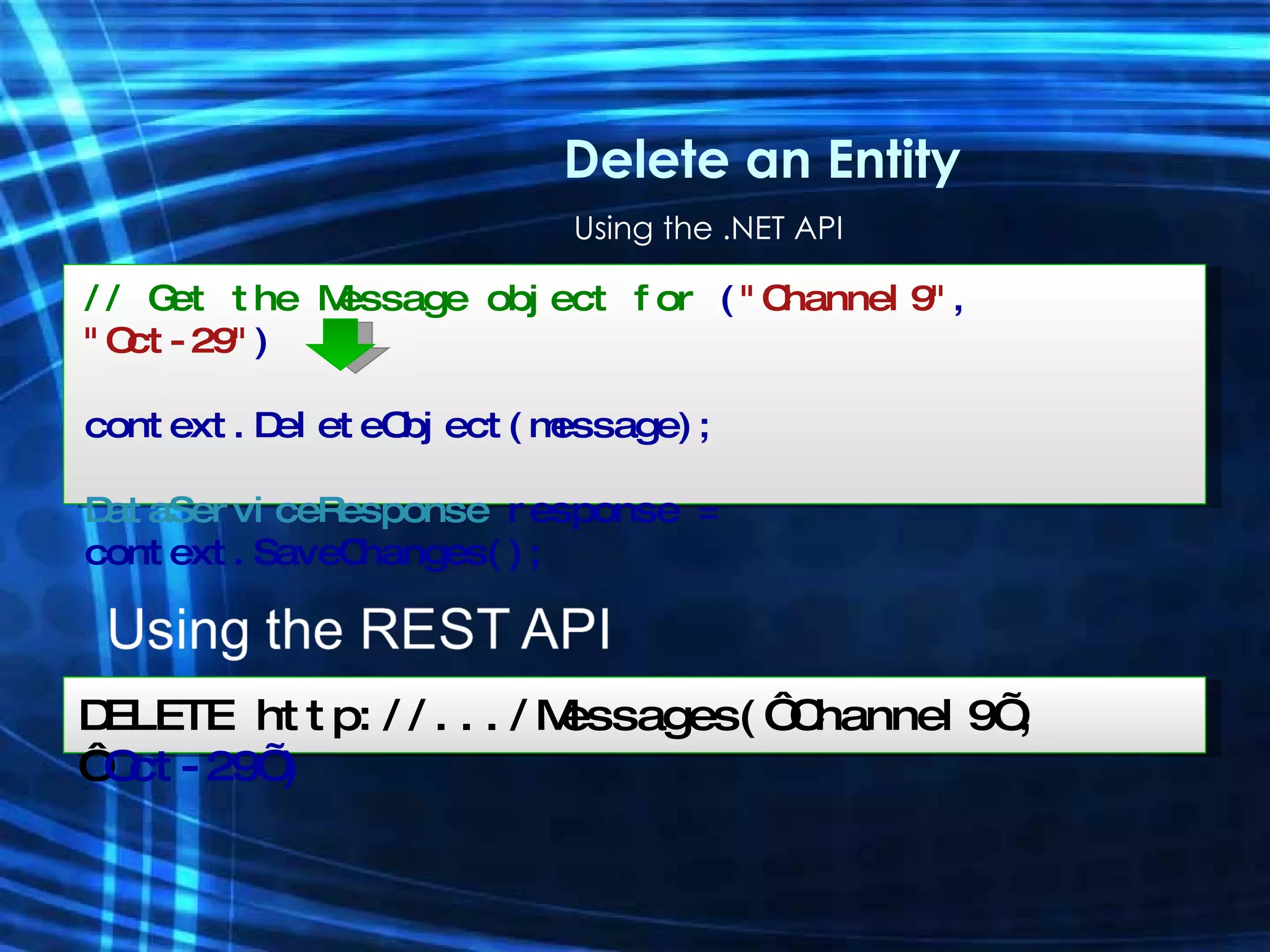
Using the .NET API Delete an Entity // Get the Message object for  ( &quot;Channel9&quot; ,  &quot;Oct-29&quot; ) context.DeleteObject(message); DataServiceResponse  response =  context.SaveChanges(); DELETE http://.../Messages(‘Channel9’, ‘ Oct-29’)
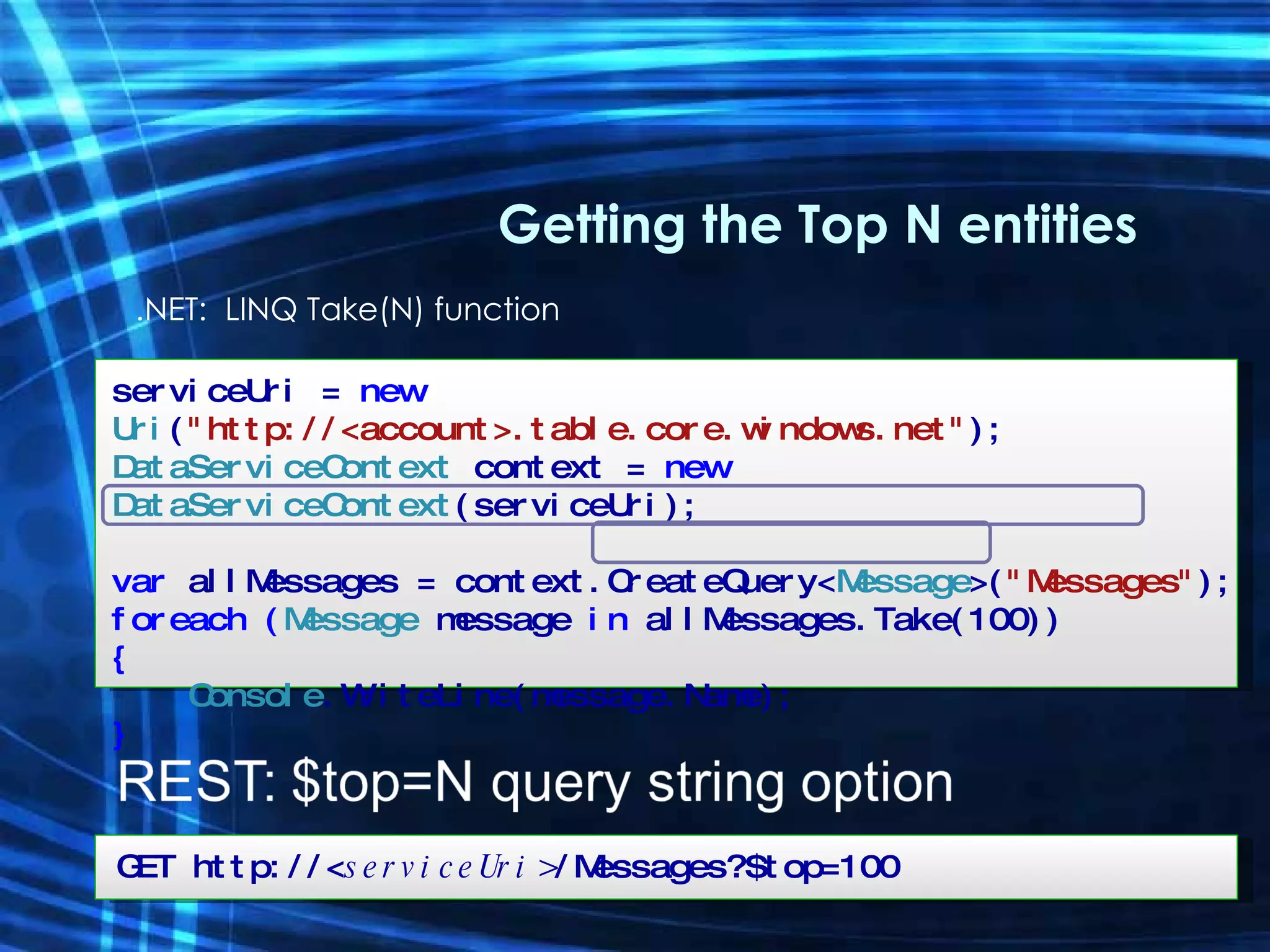
.NET:  LINQ Take(N) function Getting the Top N entities serviceUri =  new  Uri ( &quot;http://<account>.table.core.windows.net&quot; ); DataServiceContext  context =  new  DataServiceContext (serviceUri); var  allMessages = context.CreateQuery< Message >( &quot;Messages&quot; ); foreach ( Message  message   in  allMessages.Take(100)) { Console .WriteLine(message.Name); } GET http://< serviceUri> /Messages?$top=100

Ado.Net Data Services (Astoria)

  • 1.
    ADO.Net Data ServicesAstoria Enabling your data for Web consumption Igor Moochnick IgorShare Consulting [email_address] Blog: www.igorshare.com/blog
  • 2.
    Data on theWeb HTML + Javascript Data (XML,JSON,…) DLL + XAML Data (XML,JSON,…) Data (XML,JSON,…) Mashup UI Data Feeds AJAX Applications Silverlight Applications Online Services Mashups
  • 3.
    Time to think“SERVICES” Multi-tenant deployments Trust Reach Interaction Administration Resource Governance Mobile/ Desktop OLAP FILE XML RDBMS Query Analysis Reporting Integration Sync Search Server Data Services
  • 4.
    Data Services ForRIAs Presentation & Behavior Data (XML, etc) Data Presentation, Behavior & Data
  • 5.
    Presentation & BehaviorData (XML, etc) Data Presentation, Behavior Data Services For RIAs Create an on- premises data service 1 Consume the data service from RIA 3 Refine access to the data service Authorization policy Concurrency etc 2
  • 6.
    Presentation & Behavior(HTML & JS) Data (XML, etc) Data Data Services For RIAs
  • 7.
    Presentation & Behavior(HTML & JS) Data (XML, etc) Data Store archived records in the cloud storage Data Services For RIAs
  • 8.
    RESTful Web Services?Resources Res 1 Res 2 Res 3 Res 4 HTTP Request URL VERB Payload HTTP Response Status GET POST PUT DELETE XML JSON Payload XML JSON
  • 9.
  • 10.
    .NET vs. RESTADO.NET Data Services Client included in .NET Framework 3.5 SP1 Data represented as .NET objects DataServiceContext methods for updates Use LINQ to define queries REST Interface Use any HTTP stack Data represented in Atom (XML) Standard HTTP verbs for updates Use URLs to define queries
  • 11.
    Creating Data ServicesCreate services directly from Visual Studio Various data sources Entity Framework LINQ providers Model-driven Structural description in Entity Data Model Metadata shapes service Data Access Layer Entity Framework Custom LINQ provider Relational database Other sources Service Runtime Hosting/HTTP listener HTTP IQueryable [+ IUpdatable]
  • 12.
    Entity Framework ?SQL Provider Oracle Provider ... Entity Provider Conceptual Model Store Model Map ADO.NET API ORM API
  • 13.
    ADO.Net Data ServicesAlignment Data Service Support Client Support ADO.Net Data Services (Astoria) SQL Data Service Evolves to include flex entities Evolves to include schematized data Schematized Data Flex Entities
  • 14.
    Exploring Data ServicesHTTP (AtomPub) Clients (Tools, Libraries, etc) SQL Data Services ADO.NET Data Services Framework SQL Server (On premises data service) (Cloud data service)
  • 15.
    Operations Semantics GET-> retrieve recourse POST -> create resource PUT -> update resource DELTE -> delete resource
  • 16.
    Tip : forceIE to show the feed XML Tools->Internet Options-> Content Tab Click Settings button in the Feeds section uncheck the Turn on Feed Reading View option Demo
  • 17.
    Data? What Kindof Data? Provide a type with public properties which are IQueryable<T> Some rules about how T has to be formed Remember the extension method AsQueryable() Get write access if your type implements IUpdatable Works well with generated code from: ADO.NET Entity Framework ( ObjectContext ) LINQ to SQL ( DataContext *) Demo
  • 18.
    ADO.NET Data Servicespayload ATOM/APP JSON Web3s (POX) - ??? RDF - ??? Controlled via Accept header
  • 19.
    Tools to explorethe services JSON Viewer - http://www.codeplex.com/JsonViewer Fiddler - http://www.fiddlertool.com/fiddler/ Firebug - http://getfirebug.com/ Raw.htm Etc… Demo
  • 20.
    URL Conventions Addressingentities and sets Presentation options Demo Entity-set /Students Single entity /Students(1) Member access /Students(1)/Name Link traversal /Students(1)/ClassRegistrations Deep access /Students(1)/ClassRegistrations(2)/Grade Raw value access /Students(1)/Photo/$value Sorting /Students?$orderby=Name desc Filtering /Classes?$filter=substringof(Name, ‘Math’) Paging /Students?$top=10&$skip=30 Inline expansion /Students?$expand=ClassRegistrations
  • 21.
  • 22.
    Operators () –grouping Arithmetic add sub mul div mod Logical and not eq ne lt gt le ge
  • 23.
    Query operators callback(specific to JSON for AJAX calls) expand - pull related data using EDM associations format - define format of the response (eg xml, json, rdf) keyset- only return the entityKeys orderby (you know what this is) skip (same as in LINQ) top Demo
  • 24.
    Addressing Pseudo-Members $metadataAdventureWorks.svc/$metadata $value AdventureWorks.svc/Customers(1)/FirstName/$value $batch AdventureWorks.svc/$batch Demo
  • 25.
    Query Options Ordering$orderby [asc | desc] Paging $skip $top Filtering $filter Eager-Loading $expand Demo
  • 26.
    &quot;Traditional&quot; Applications Webapplications Data services client can be used in ASP.NET ASP.NET data source control for accessing remote services Desktop applications Fully-featured .NET client library Same API in desktop and Silverlight environments
  • 27.
    Modern Data-Driven WebApps AJAX integration AJAX-friendly JSON format in services Javascript library that integrates with the ASP.NET AJAX toolkit Silverlight support .NET programming model for data services Object based, LINQ enabled API Code-gen entity types from metadata
  • 28.
    Building Clients Servicesoffer metadata MyService.svc/$metadata .NET clients made easier through a proxy generation tool datasvcutil.exe Useful for both regular .NET clients & Silverlight AJAX clients made easier through a script library “ Data Service AJAX Client Library” Available as a download on Codeplex Demo
  • 29.
    Creating new entityJSON {     Name: “James&quot; } ATOM <entry  xmlns:d=“…&quot; xmlns:m=“…&quot; xmlns=&quot;http://www.w3.org/2005/Atom&quot;>   <content type=&quot;application/xml&quot;>     <m:properties>       <d:Name>James</d:Name>     </m:properties>   </content> </entry> Demo
  • 30.
    Debugging tricks [System.ServiceModel.ServiceBehavior(IncludeExceptionDetailInFaults= true)] InitializeService config.UseVerboseErrors = true; Demo
  • 31.
    Interception & OperationsPossible to hook code into the framework For queries we can write Query interceptors For modifications we can write Change interceptors Can also expose custom functionality Service Operations Useful for providing “canned” functionality, can be parameterised Demo
  • 32.
    Refining and SecuringServices Demo
  • 33.
    Astoria-offline you couldpoint to a data service and say “take it offline”… … a SQL Server Compact database automatically created and sync-enabled You write a regular “local” application … Demo
  • 34.
    Scalable, Available DataServices Storage and Database Services Windows Azure Storage “ Essential storage service in the cloud” Provides a core set of non-relational storage and retrieval abstractions at massive scale SQL Data Services “ Premium database service in the cloud” Extends the rich capabilities of the SQL data platform to the cloud at scale Relational data processing over structured and unstructured data Integrate with key data platform capabilities – e.g. Data Analytics, Reporting, ETL
  • 35.
  • 36.
    Reference Data ETLData Mining
  • 37.
    Data SYNC Occasionallyconnected (or disconnected) clients Mobile Mirroring Future: Integration with ADO.NET Data Services Enterprise Data Hub
  • 38.
    Enterprise Data HubSharing data through Data Sync Sharing data via the Internet Across devices and across enterprises Sharing data with offline capabilities (Sync) Sharing data through a sync service Demo Sync Service iPhone Occasionally Connected Data Sharing
  • 39.
    Advanced Topics Optimisticconcurrency If-Match: * If-None-Match: *
  • 40.
    Batching of Operations“ INSERT” Customer 1 POST Order 1 POST Order 2 POST Order N POST
  • 41.
    Batching of Operations“ INSERT” Customer 1 Order 1 Order 2 Order N POST
  • 42.
    Batching in codeDataServiceResponse responses = proxy.ExecuteBatch ( new DataServiceRequest<Shippers>(new Uri(&quot;Shippers&quot;, UriKind.Relative)), new DataServiceRequest<Employees>(new Uri(&quot;Employees&quot;, UriKind.Relative))); proxy.SaveChanges( SaveChangesOptions.Batch ); Demo
  • 43.
    Batching of OperationsProvides a mechanism to process a batch 0 or more Query operations 0 or more [Create/Update/Delete] operations Uses multipart/mixed MIME type sent to a $batch endpoint Use SaveChanges(SaveChangesOptions.Batch) ExecuteBatch()
  • 44.
    Managing Concurrency GETGET Customer: ALFKI Country: Spain Customer: ALFKI Country: Spain
  • 45.
    Managing Concurrency PUTCustomer: ALFKI Country: UK PUT Customer: ALFKI Country: Germany
  • 46.
    Managing Concurrency Optimisticconcurrency Attribute used to specify properties Not necessary for Entity Framework data Standard HTTP protocol used eTags used to send to client ( in XML if necessary ) HTTP If-match headers used to check when PUT/DELETE occurs ( 412 returned for failure ) Demo
  • 47.
    Resources Team Blog:http://blogs.msdn.com/astoriateam Online Forum http://forums.microsoft.com/MSDN/ShowForum.aspx?ForumID=1430&SiteID=1 Using Microsoft ADO.NET Data Services (MSDN Technical Article) http://msdn.microsoft.com/en-us/library/cc907912.aspx
  • 48.
  • 49.
  • 50.
    ADO.Net Data ServicesAstoria Enabling your data for Web consumption Igor Moochnick IgorShare Consulting [email_address] Blog: www.igorshare.com/blog
  • 51.
  • 52.
  • 53.
    Insert Entity using.NET Create a new Message and Insert into Table Message message = new Message { PartitionKey = &quot;Channel9&quot; , // ChannelName RowKey = DateTime .UtcNow.ToString(), // PostedDate Text = &quot;Hello PDC&quot; , Rating = 3 }; serviceUri = new Uri ( &quot;http://<account>.table.core.windows.net&quot; ); var context = new DataServiceContext (serviceUri); context.AddObject( &quot;Messages&quot; , message); DataServiceContext response = context.SaveChanges();
  • 54.
    Create an AtomXML payload and POST it Insert Entity using REST POST http://< Account> .table.core.windows.net/ Messages ... <!– Atom envelope --> < m:properties > < d:PartitionKey > Channel9 </ d:PartitionKey > <!-- ChannelName --> < d:RowKey > Oct-29 </ d:RowKey > <!-- PostedDate --> < d:Text > Hello PDC </ d:Text > < d:Rating > 3 </ d:Rating > </ m:properties >
  • 55.
    Query EntitiesserviceUri = new Uri ( &quot;http://<account>.table.core.windows.net&quot; ); DataServiceContext context = new DataServiceContext (serviceUri); var messages = from message in context.CreateQuery< Message >( &quot;Messages&quot; ) where message.Rating == 3 select message; foreach ( Message message in messages) { } GET http:// <serviceUri> /Messages?$filter= Rating eq 3
  • 56.
    Update a propertyin an entity Using the .NET API Message message = ( from message in context.CreateQuery< Message >( &quot;Messages&quot; ) where message.PartitionKey == &quot;Channel9&quot;   && message.RowKey == &quot;Oct-29&quot; select message).FirstOrDefault(); message.Text = &quot;Hi there&quot; ; context.UpdateObject(message); DataServiceResponse response = context.SaveChanges(); PUT http:// <serviceUri> /Messages(‘Channel9’, ‘ Oct-29’) < m:properties > < d:Text > Hi there </ d:Text > <!-- Other properties are the same --> </ m:properties >
  • 57.
    Using the .NETAPI Delete an Entity // Get the Message object for ( &quot;Channel9&quot; , &quot;Oct-29&quot; ) context.DeleteObject(message); DataServiceResponse response = context.SaveChanges(); DELETE http://.../Messages(‘Channel9’, ‘ Oct-29’)
  • 58.
    .NET: LINQTake(N) function Getting the Top N entities serviceUri = new Uri ( &quot;http://<account>.table.core.windows.net&quot; ); DataServiceContext context = new DataServiceContext (serviceUri); var allMessages = context.CreateQuery< Message >( &quot;Messages&quot; ); foreach ( Message message in allMessages.Take(100)) { Console .WriteLine(message.Name); } GET http://< serviceUri> /Messages?$top=100