1
ASP History/Components
 Active Server History:
 Introduced July 1996
 Bundled with Internet Information Server (IIS) 3,0
March of 1997
 ASP 2.0 introduced in 1998 Shipped with IIS 4.0
 AS 3.0 shipped as part of Windows 2000 IIS 5.0
 IS considered to be more of a Technology than a
language
 It's syntax is comprised of a ASP, HTML tags and
pure text.
2
ASP Capabilities
 ASP can
 Generates dynamic web pages
 Processes the contents of HTML forms
 Creates database driven web pages
 Tracks user sessions: can store information about
users from the moment they arrived at web site tell
the moment they leave.
 Create searchable web pages
 Detect capability different browsers
 Send e-mail
 Integrate custom components of your Web site
including server side components created with Visual
Basic ,C++ or Java.
Introduction to ASP
 What is ASP?
 ASP stands for Active Server Pages.
 ASP is a program that runs inside IIS.
 IIS stands for Internet Information Services.
 ASP is Microsoft’s solution to building
advanced Web sites.
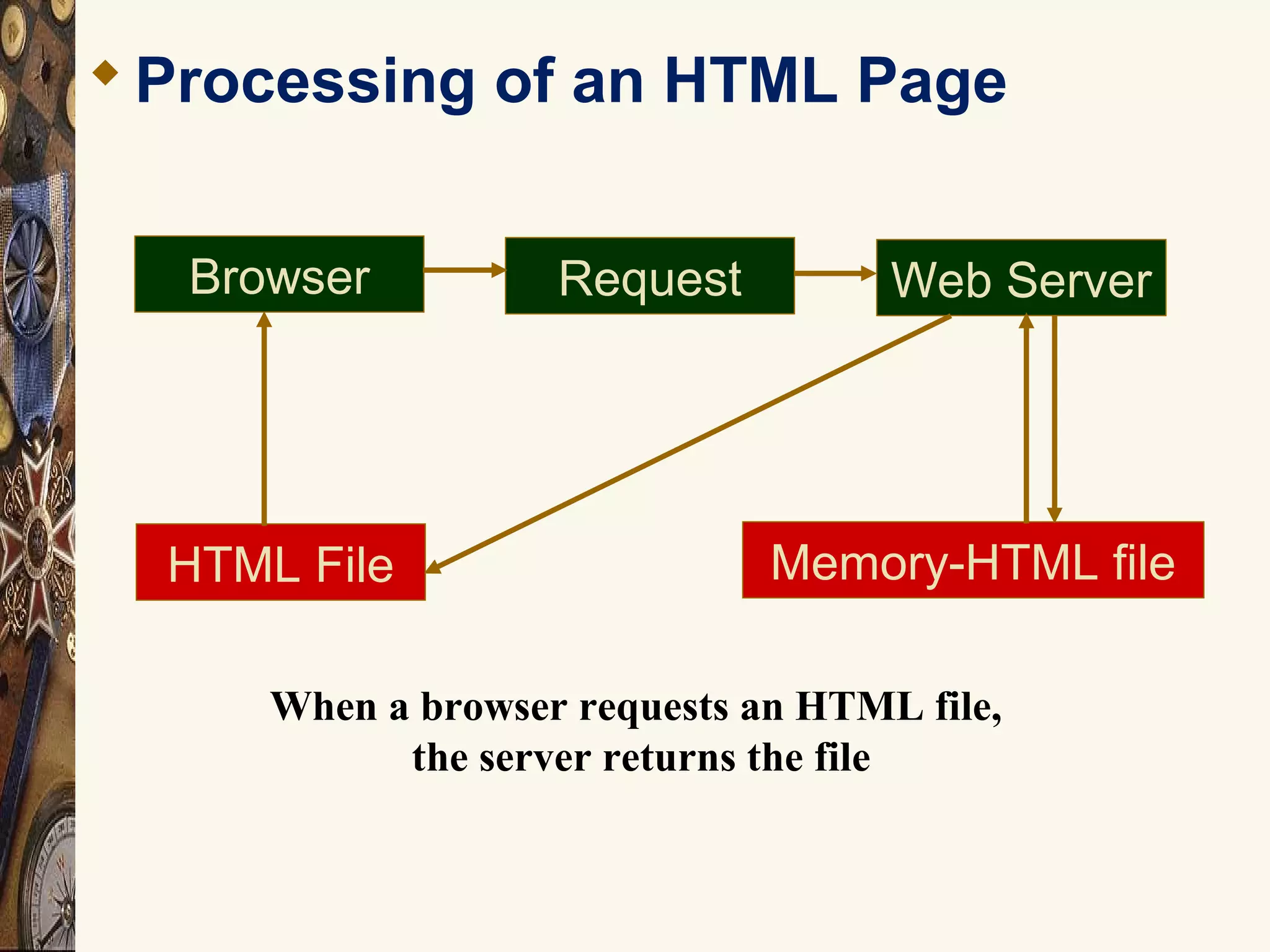
Processing of an HTML Page
RequestBrowser Web Server
Memory-HTML fileHTML File
When a browser requests an HTML file,
the server returns the file
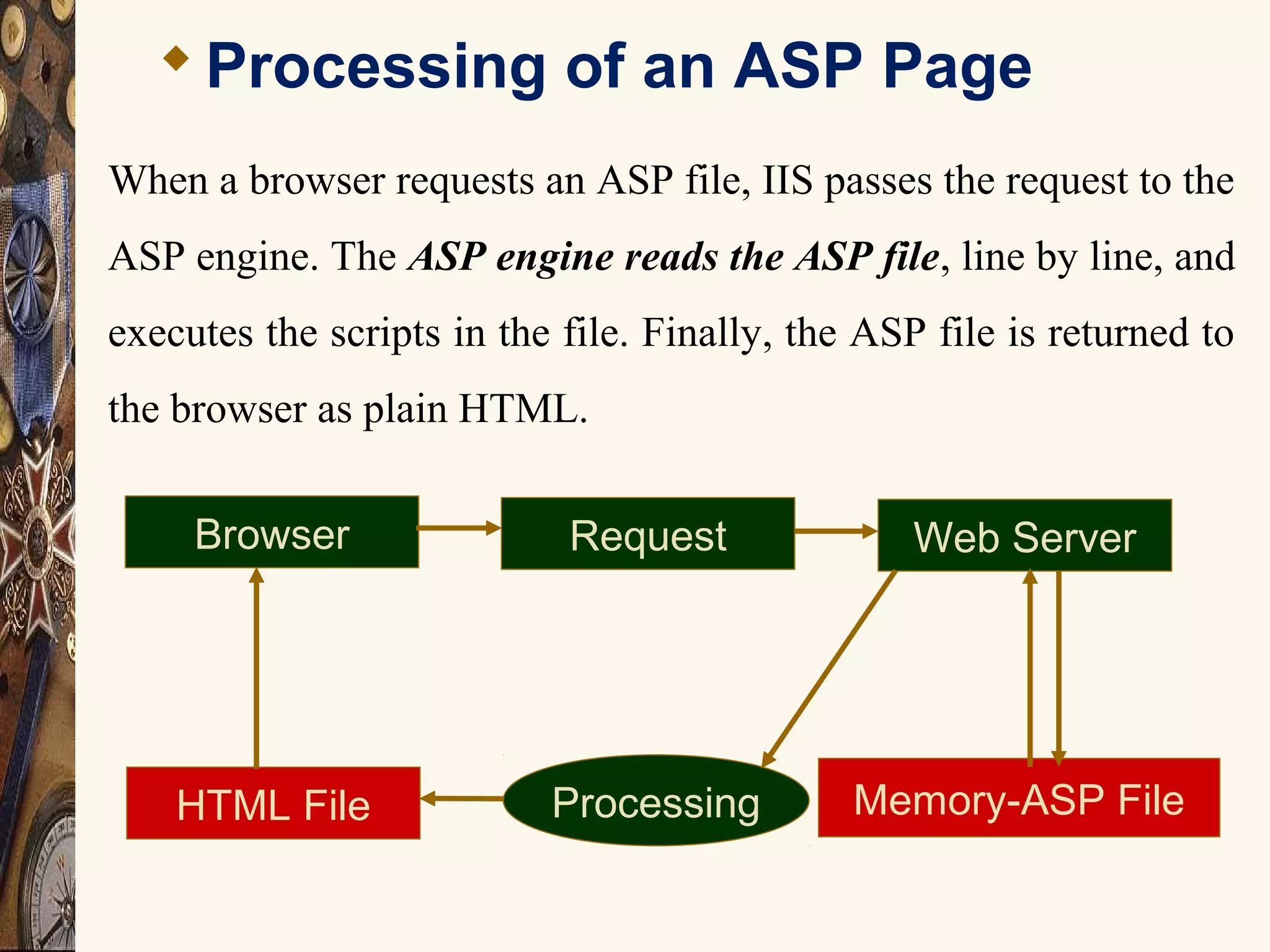
Processing of an ASP Page
RequestBrowser Web Server
Memory-ASP FileHTML File Processing
When a browser requests an ASP file, IIS passes the request to the
ASP engine. The ASP engine reads the ASP file, line by line, and
executes the scripts in the file. Finally, the ASP file is returned to
the browser as plain HTML.
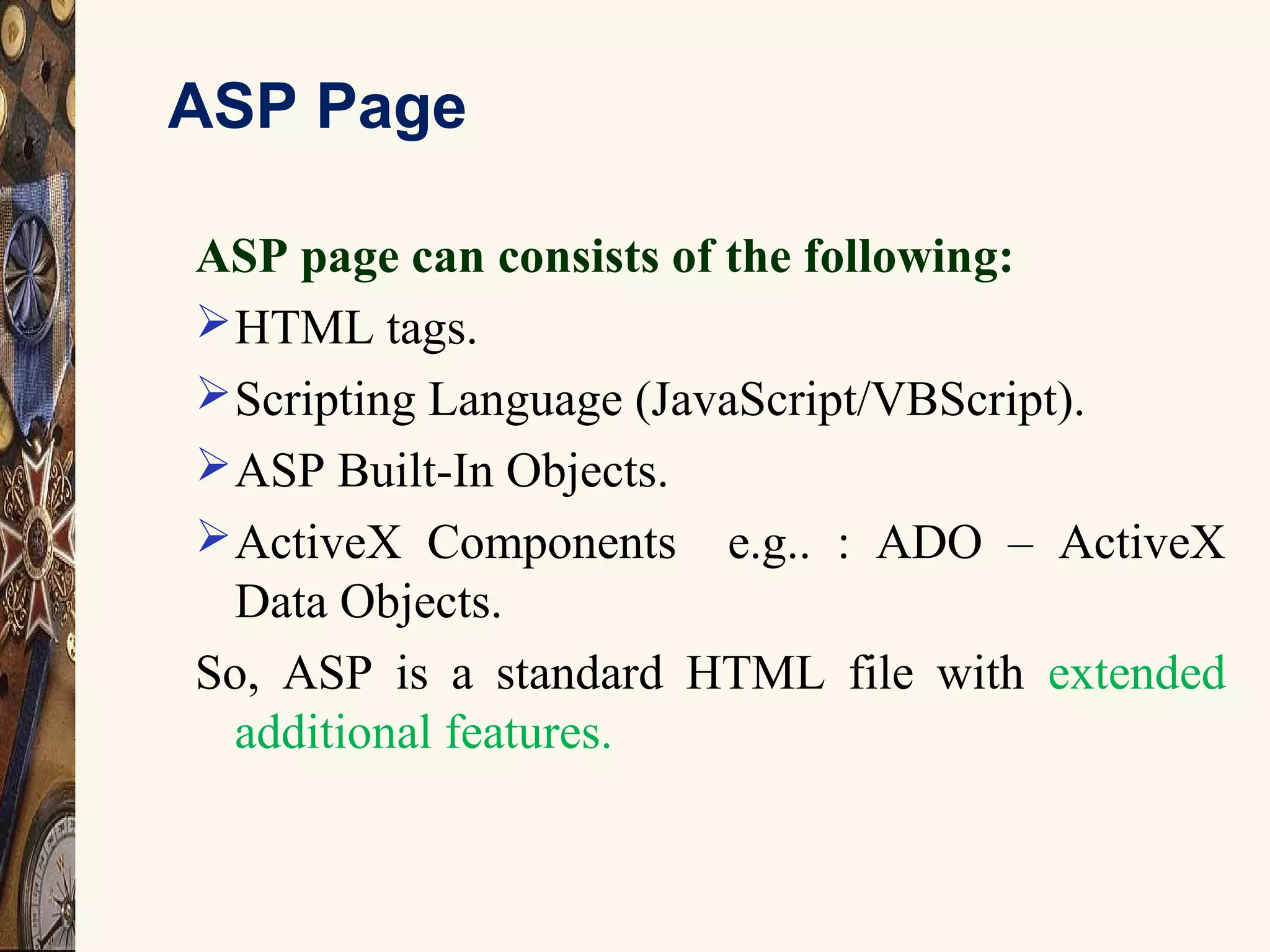
ASP Page
ASP page can consists of the following:
HTML tags.
Scripting Language (JavaScript/VBScript).
ASP Built-In Objects.
ActiveX Components e.g.. : ADO – ActiveX
Data Objects.
So, ASP is a standard HTML file with extended
additional features.
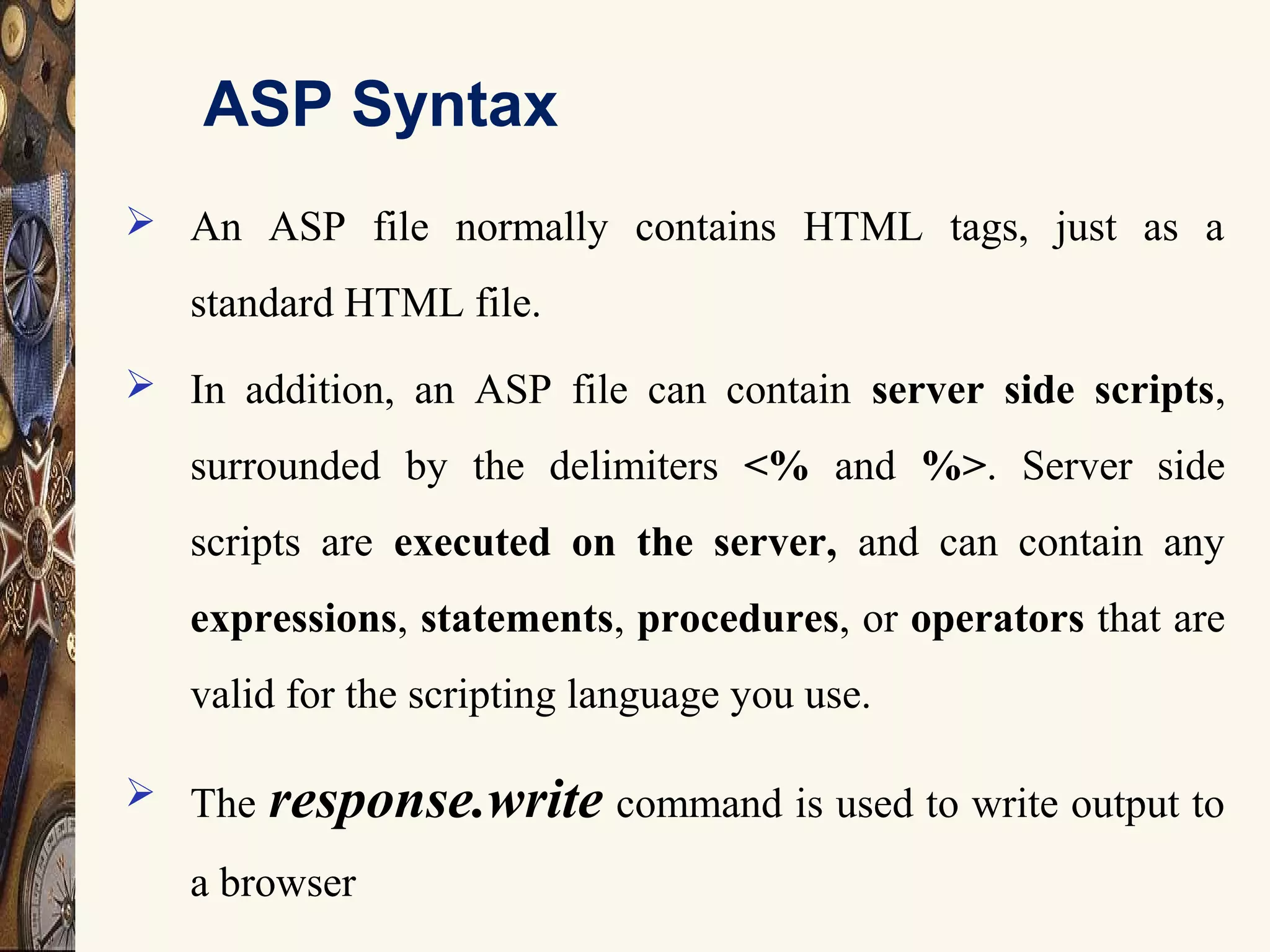
ASP Syntax
 An ASP file normally contains HTML tags, just as a
standard HTML file.
 In addition, an ASP file can contain server side scripts,
surrounded by the delimiters <% and %>. Server side
scripts are executed on the server, and can contain any
expressions, statements, procedures, or operators that are
valid for the scripting language you use.
 The response.write command is used to write output to
a browser
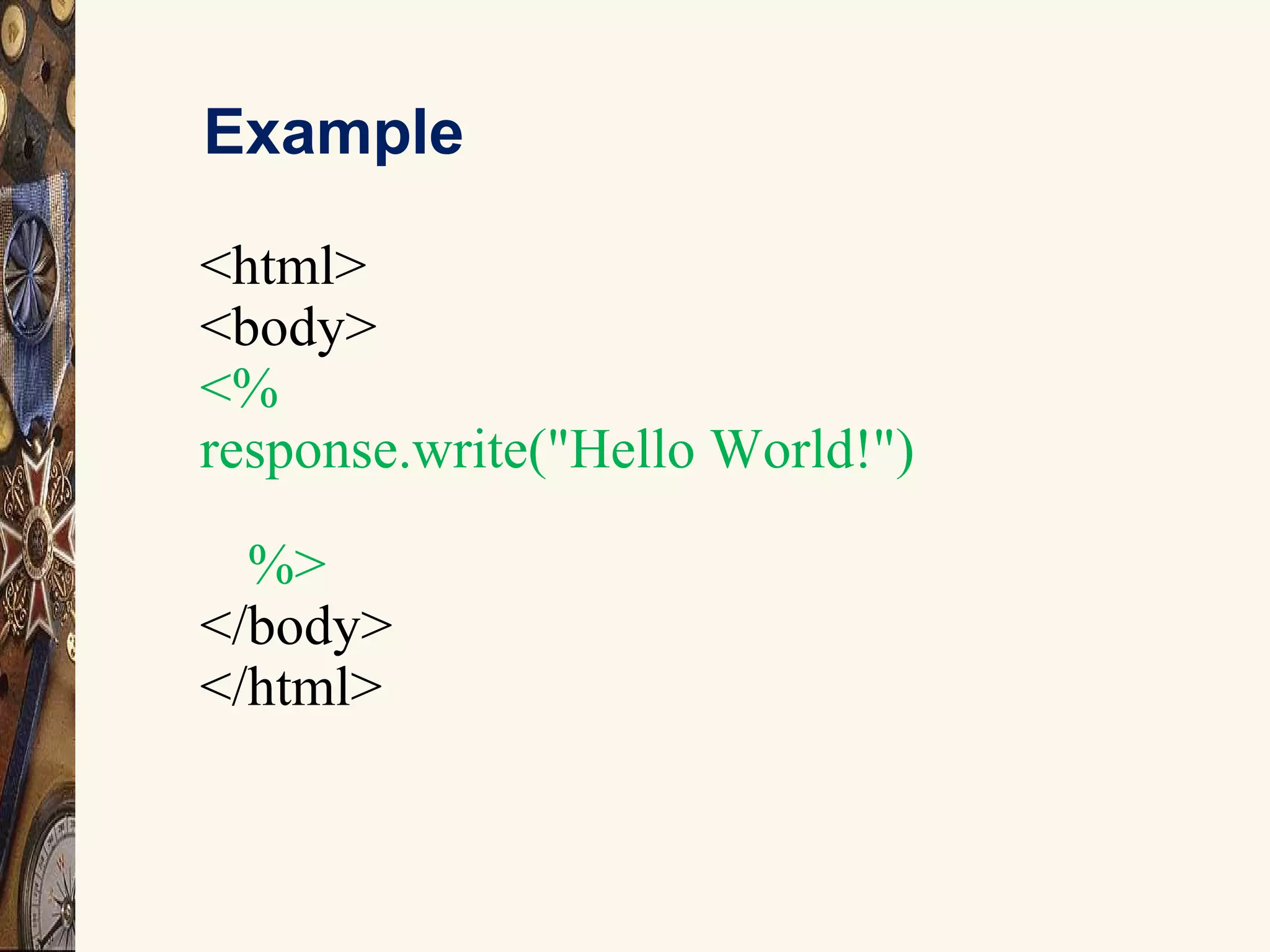
Example
<html>
<body>
<%
response.write("Hello World!")
%>
</body>
</html>
9
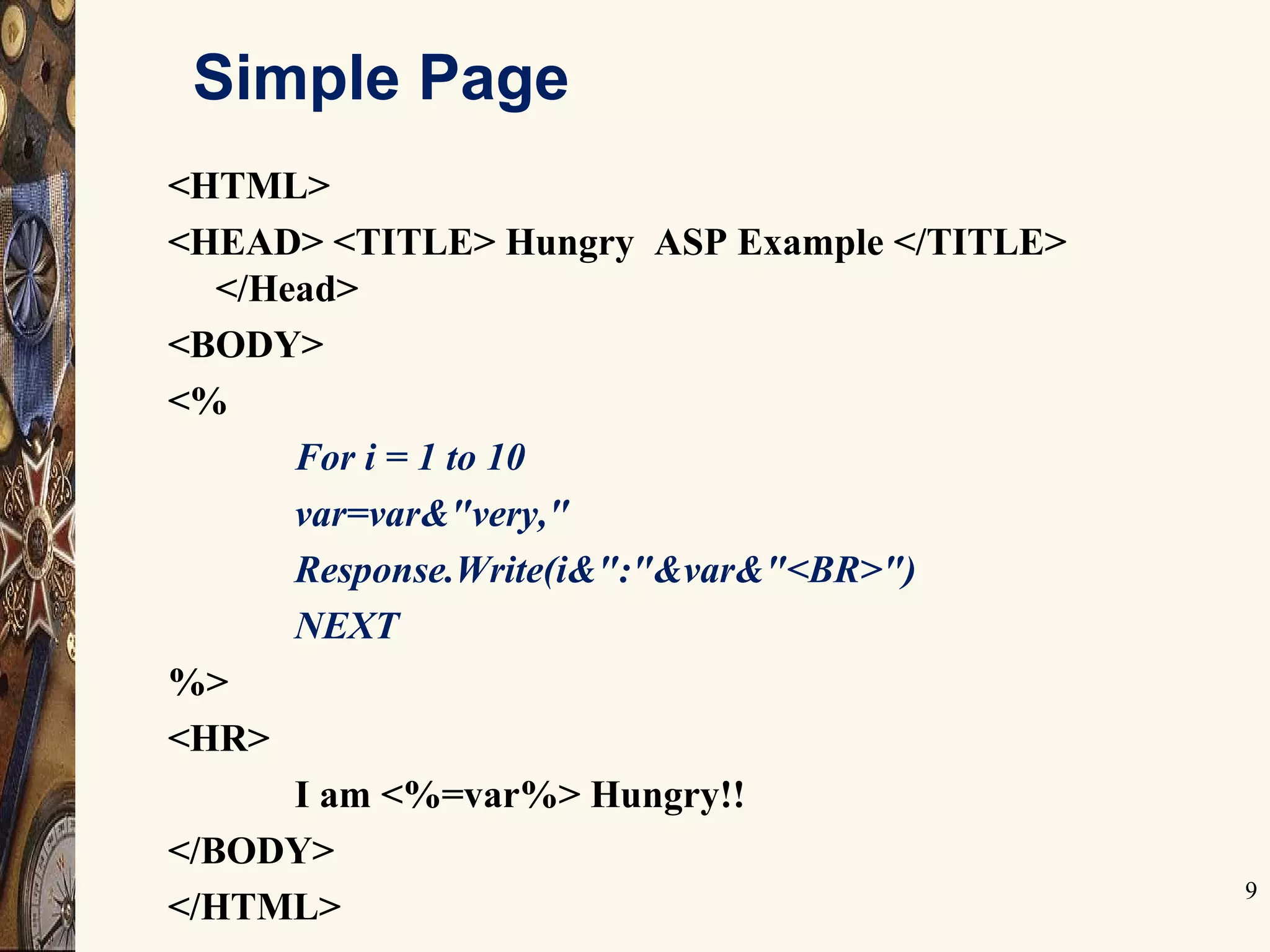
Simple Page
<HTML>
<HEAD> <TITLE> Hungry ASP Example </TITLE>
</Head>
<BODY>
<%
For i = 1 to 10
var=var&"very,"
Response.Write(i&":"&var&"<BR>")
NEXT
%>
<HR>
I am <%=var%> Hungry!!
</BODY>
</HTML>
Server Side Includes
12
 Server-side includes provide a means to add dynamic content to
existing HTML documents.
 SSI (Server Side Includes) are directives that are placed in HTML
pages, and evaluated on the server while the pages are being
served.
 SSI let you add dynamically generated content to an existing HTML
page.
 For example, you might place a directive into an existing HTML
page, such as:
 <!--#echo var="DATE_LOCAL" -->
 And, when the page is served, this fragment will be evaluated and
replaced with its value:
 Tuesday, 15-Jan-2013 19:28:54 EST
13
Object Overview
Objects Contain:
Methods
Determine the things
Properties
Can be used to set the state of and object
Collections
 Constitutes a set of Keys and Value pairs related to
the object.
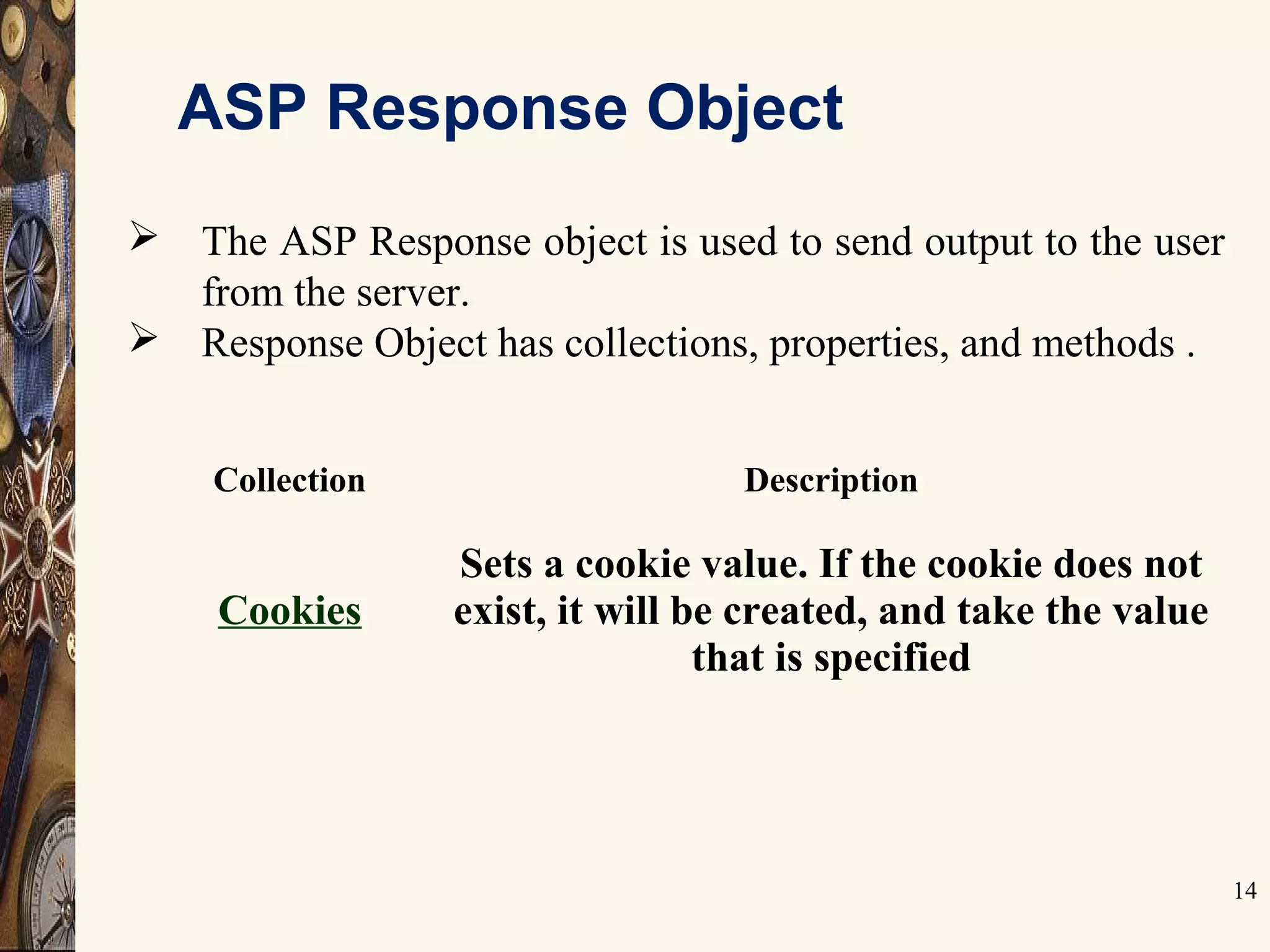
ASP Response Object
14
 The ASP Response object is used to send output to the user
from the server.
 Response Object has collections, properties, and methods .
Collection Description
Cookies
Sets a cookie value. If the cookie does not
exist, it will be created, and take the value
that is specified
ASP Response Object Properties
15
Property Description
Buffer Specifies whether to buffer the page output or not
CacheControl
Sets whether a proxy server can cache the output generated by
ASP or not
Charset
Appends the name of a character-set to the content-type header in
the Response object
ContentType Sets the HTTP content type for the Response object
Expires
Sets how long (in minutes) a page will be cached on a browser
before it expires
ExpiresAbsolute Sets a date and time when a page cached on a browser will expire
IsClientConnected Indicates if the client has disconnected from the server
Pics Appends a value to the PICS label response header
Status Specifies the value of the status line returned by the server
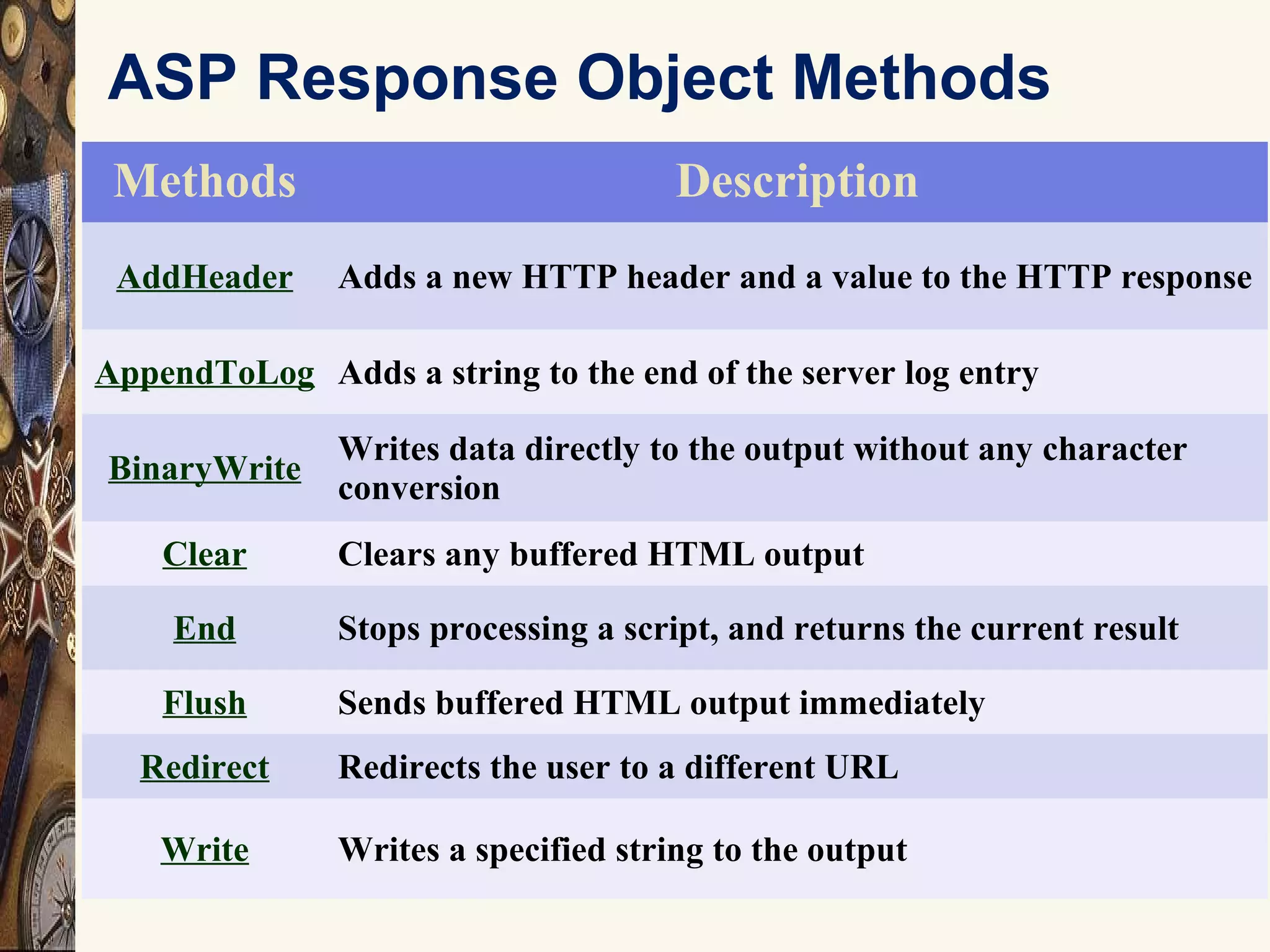
ASP Response Object Methods
16
Methods Description
AddHeader Adds a new HTTP header and a value to the HTTP response
AppendToLog Adds a string to the end of the server log entry
BinaryWrite
Writes data directly to the output without any character
conversion
Clear Clears any buffered HTML output
End Stops processing a script, and returns the current result
Flush Sends buffered HTML output immediately
Redirect Redirects the user to a different URL
Write Writes a specified string to the output
ASP Response Object Properties
17
Methods Description
AddHeader Adds a new HTTP header and a value to the HTTP response
AppendToLog Adds a string to the end of the server log entry
BinaryWrite
Writes data directly to the output without any character
conversion
Clear Clears any buffered HTML output
End Stops processing a script, and returns the current result
Flush Sends buffered HTML output immediately
Redirect Redirects the user to a different URL
Write Writes a specified string to the output
Request Object
18
When a browser asks for a page from a server, it is called a
request. The Request object is used to get information from a
visitor.Collection0 Description
ClientCertificate Contains all the field values stored in the client certificate
Cookies Contains all the cookie values sent in a HTTP request
Form Contains all the form (input) values from a form that uses the
post method
QueryString Contains all the variable values in a HTTP query string
ServerVariables Contains all the server variable values
Property Description
TotalBytes
Returns the total number of bytes the client sent in the body
of the request
Method Description
BinaryRead
Retrieves the data sent to the server from the client as part of a
post request and stores it in a safe array
 Request.QueryString
 This collection is used to retrieve the values of the
variables in the HTTP query string.
 The form data we want resides within the Request Object's
QueryString collection
 Information sent from a form with the GET method is
visible to everybody (in the address field) and the GET
method limits the amount of information to send.
 If a user typed “north" and “campus" in the form example
above, the url sent to the server would look like this:
http://www.asp.com/pg.asp?
fname=north&lname=campus
Request Object - Collections
Request.QueryString
 The ASP file "pg.asp" contains the following script:
<body>
Welcome to
<%
response.write(request.querystring ("fname"))
response.write(request.querystring("lname"))
%>
</body>
 The example above writes this into the body of a document:
Welcome to North Campus
Request Object - Collections
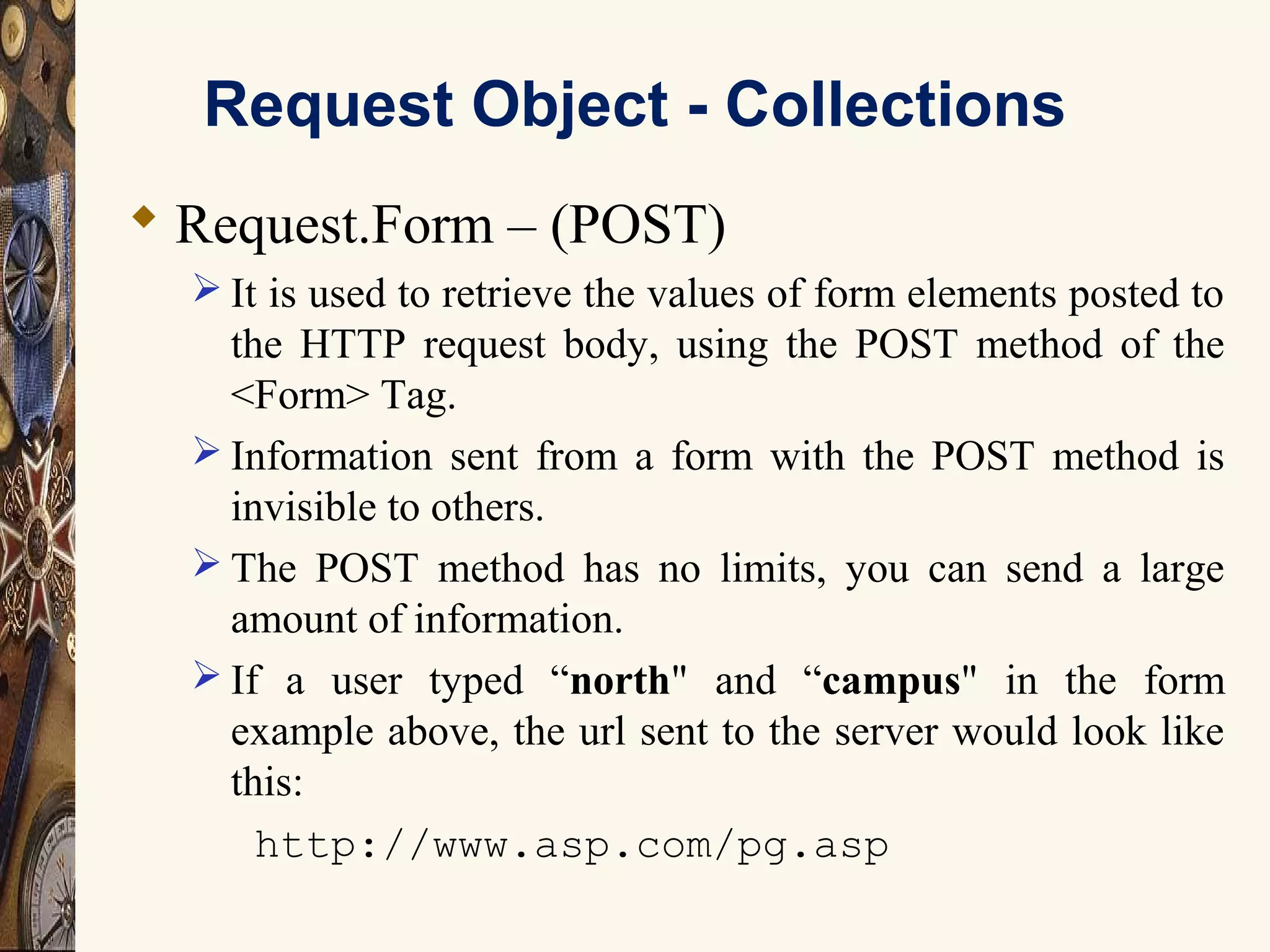
 Request.Form – (POST)
 It is used to retrieve the values of form elements posted to
the HTTP request body, using the POST method of the
<Form> Tag.
 Information sent from a form with the POST method is
invisible to others.
 The POST method has no limits, you can send a large
amount of information.
 If a user typed “north" and “campus" in the form
example above, the url sent to the server would look like
this:
http://www.asp.com/pg.asp
Request Object - Collections
 Request.Form
 The ASP file "pg.asp" contains the following script:
<body>
Welcome to
<%
response.write(request.form("fname"))
response.write("&nbsp;")
response.write(request.form("lname"))
%>
</body>
 The example above writes this into the body of a document:
Welcome to North Campus
ASP Session
 The Session Object
 The Session object is used to store information about
each user entering the Web-Site and are available to all
pages in one application.
 Common information stored in session variables are user’s
name, id, and preferences.
 The server creates a new Session object for each new
user, and destroys the Session object when the session
expires or is abandoned or the user logs out.
ASP Session
 Store and Retrieve Variable Values
The most important thing about the Session object is that
you can store variables in it, like this:
<%
Session("TimeVisited") = Time()
Response.Write("You visited this site at: "&Session("TimeVisited"))
%>
Here we are creating two things actually:
a key and a value. Above we created the key "TimeVisited"
which we assigned the value returned by the Time()
function.
Display:
You visited this site at: 8:26:38 AM
Session Object - Properties
 SessionID
 The SessionID property is a unique identifier that is
generated by the server when the session is first created
and persists throughout the time the user remains at your
web site.
Syntax:
<%Session.SessionID%>
Example:
<%
Dim mySessionID mySessionID = Session.SessionID
%>
ASP Cookies
 ASP Cookies are used to store information specific to a visitor
of your website. This cookie is stored to the user's computer
for an extended amount of time. If you set the expiration date
of the cookie for some day in the future it will remain their
until that day unless manually deleted by the user.
 Creating an ASP cookie is exactly the same process as
creating an ASP Session. We must create a key/value pair
where the key will be the name of our "created cookie". The
created cookie will store the value which contains the actual
data.
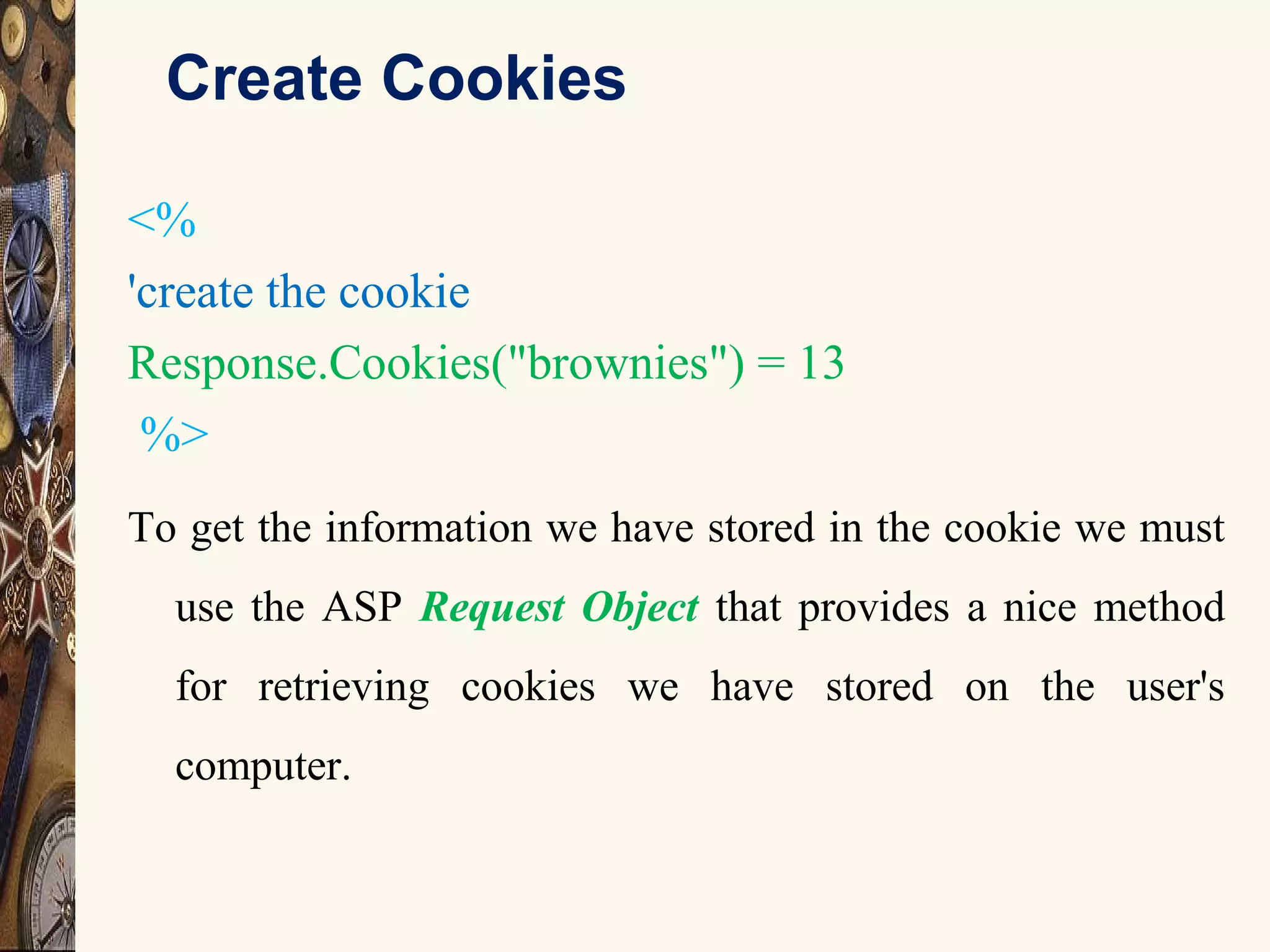
Create Cookies
<%
'create the cookie
Response.Cookies("brownies") = 13
%>
To get the information we have stored in the cookie we must
use the ASP Request Object that provides a nice method
for retrieving cookies we have stored on the user's
computer.
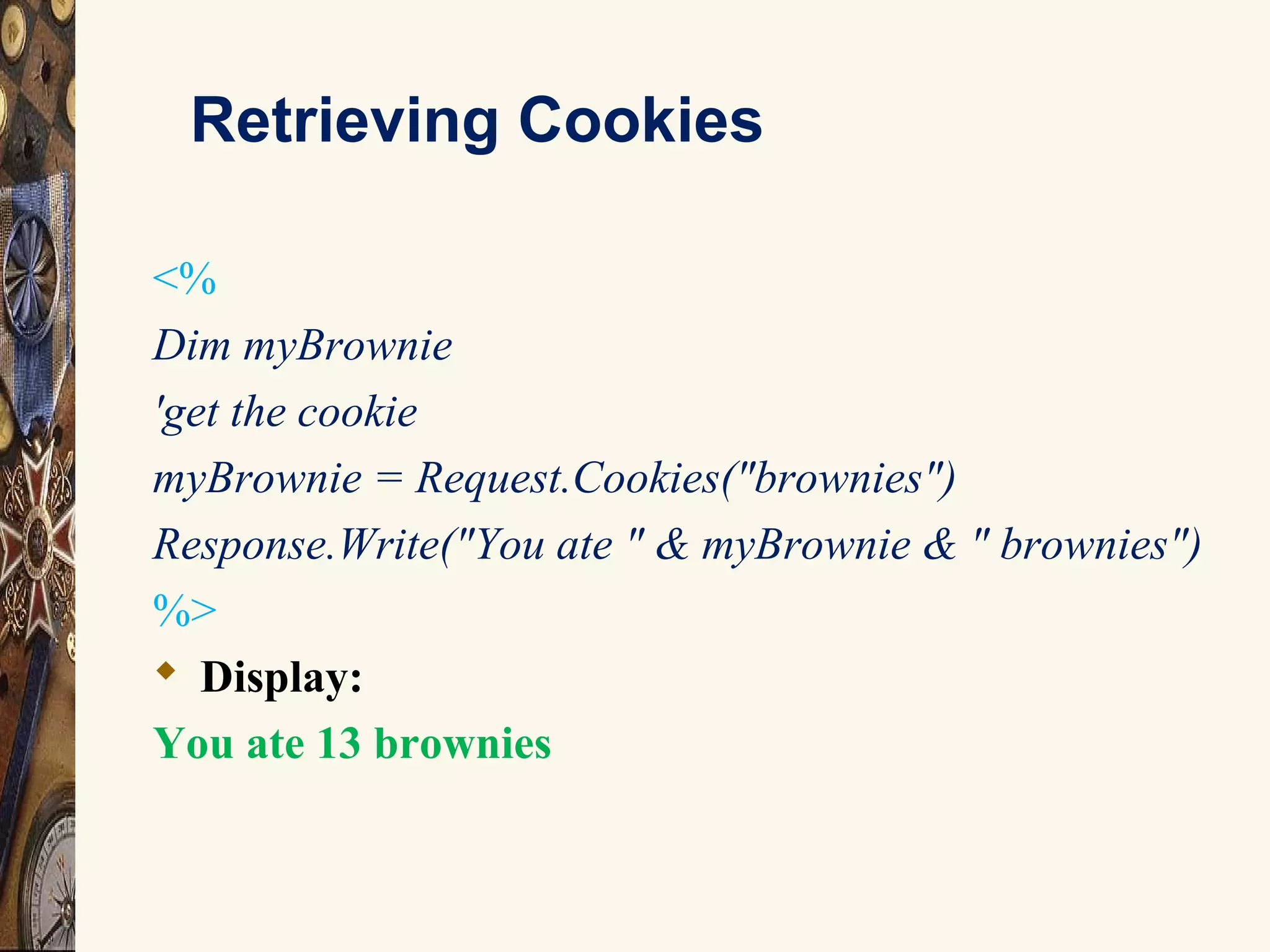
Retrieving Cookies
<%
Dim myBrownie
'get the cookie
myBrownie = Request.Cookies("brownies")
Response.Write("You ate " & myBrownie & " brownies")
%>
 Display:
You ate 13 brownies
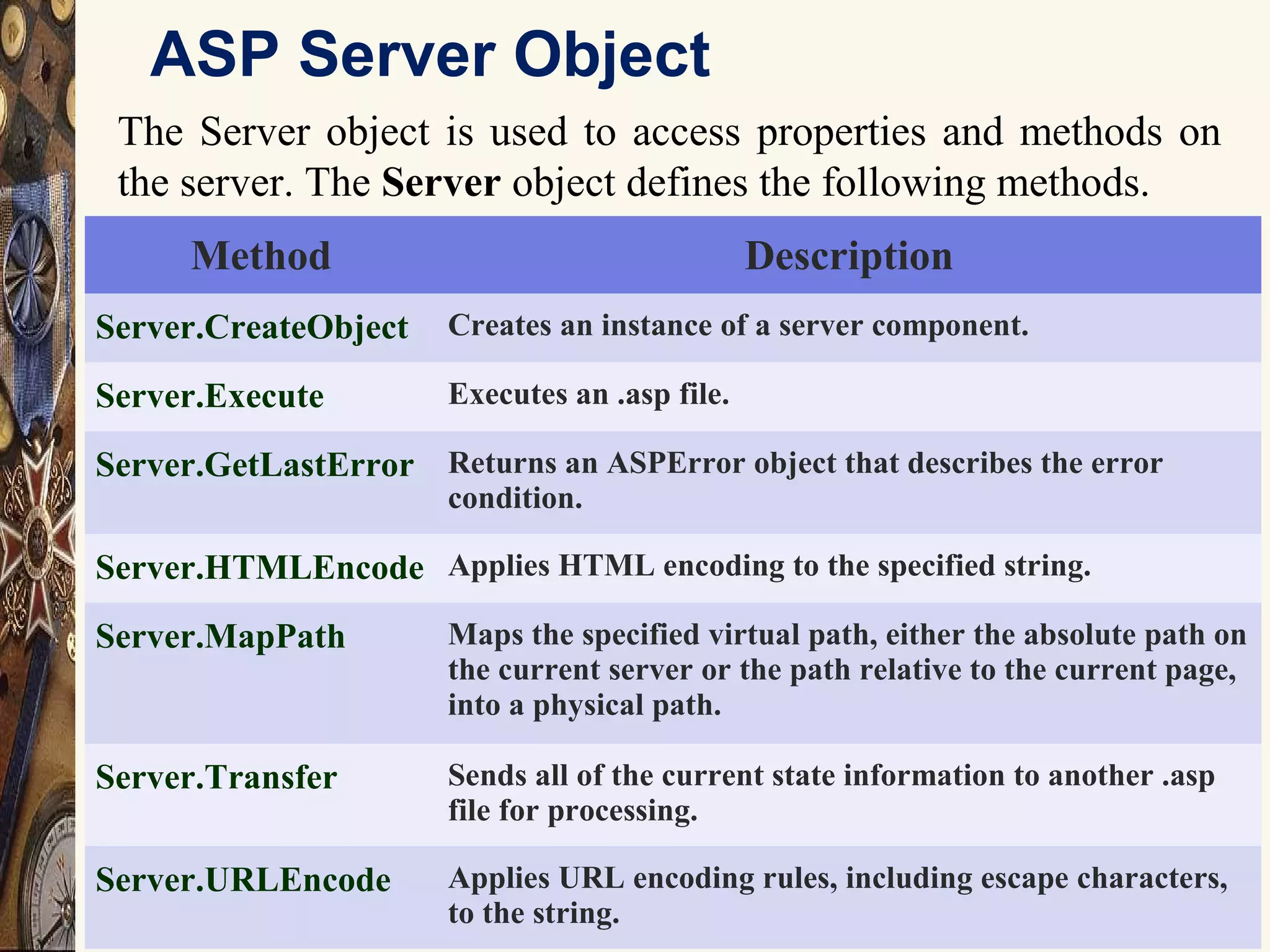
ASP Server Object
29
The Server object is used to access properties and methods on
the server. The Server object defines the following methods.
Method Description
Server.CreateObject Creates an instance of a server component.
Server.Execute Executes an .asp file.
Server.GetLastError Returns an ASPError object that describes the error
condition.
Server.HTMLEncode Applies HTML encoding to the specified string.
Server.MapPath Maps the specified virtual path, either the absolute path on
the current server or the path relative to the current page,
into a physical path.
Server.Transfer Sends all of the current state information to another .asp
file for processing.
Server.URLEncode Applies URL encoding rules, including escape characters,
to the string.
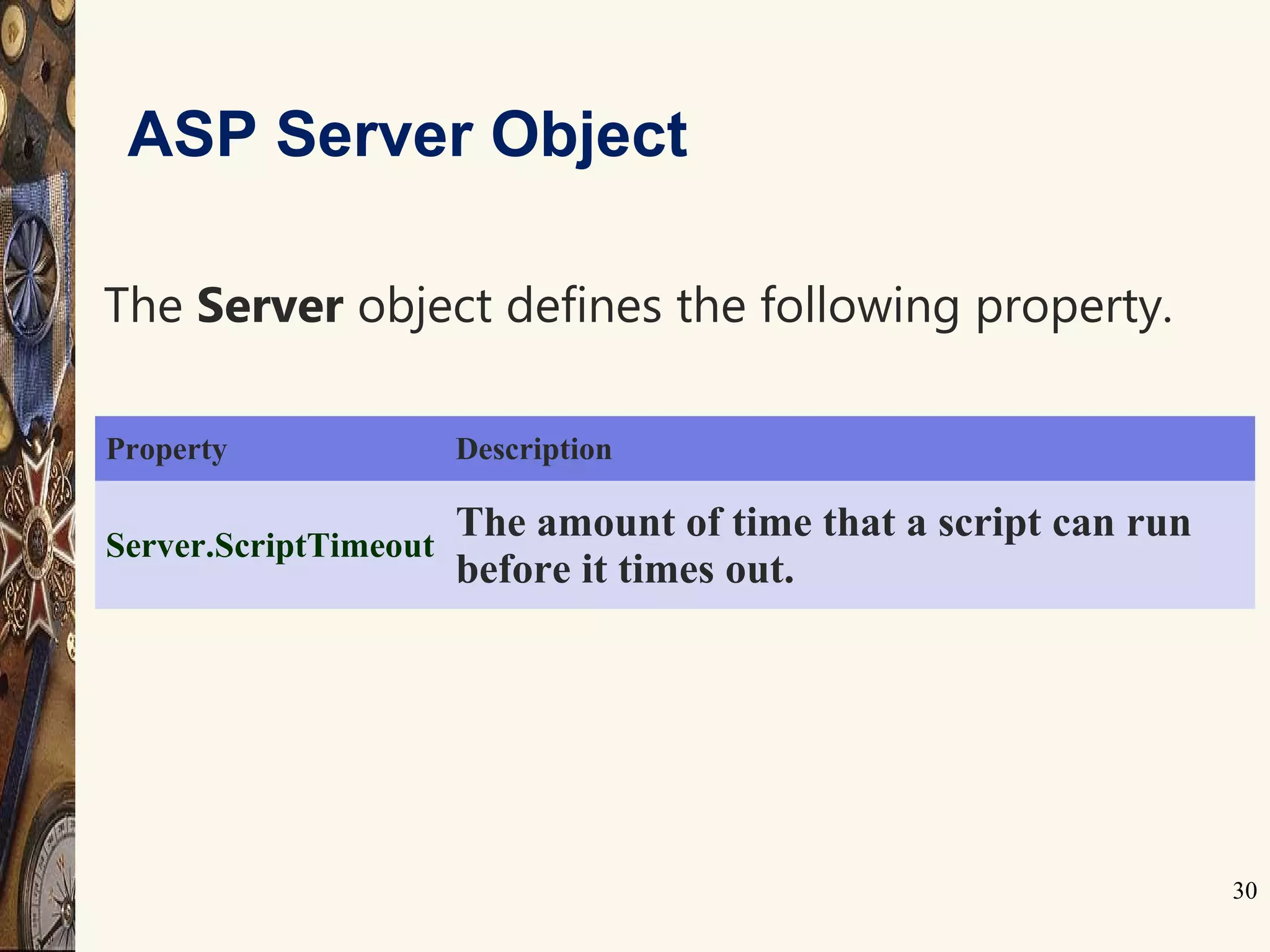
30
Property Description
Server.ScriptTimeout
The amount of time that a script can run
before it times out.
ASP Server Object
The Server object defines the following property.
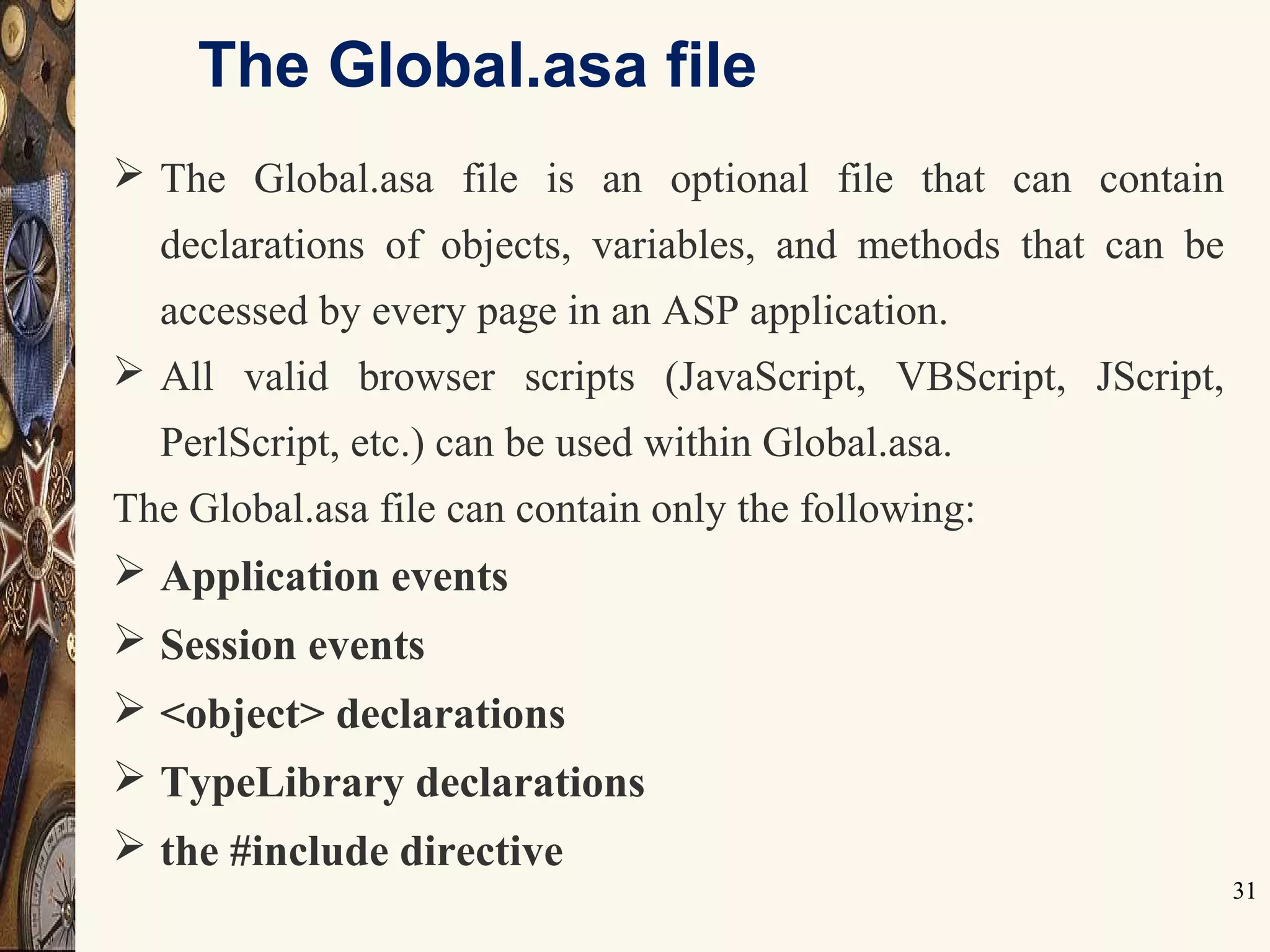
The Global.asa file
31
 The Global.asa file is an optional file that can contain
declarations of objects, variables, and methods that can be
accessed by every page in an ASP application.
 All valid browser scripts (JavaScript, VBScript, JScript,
PerlScript, etc.) can be used within Global.asa.
The Global.asa file can contain only the following:
 Application events
 Session events
 <object> declarations
 TypeLibrary declarations
 the #include directive
The ASPError Object
32
The ASPError object is used to display detailed
information of any error that occurs in scripts in
an ASP page.
Property Description
ASPCode Returns an error code generated by IIS
ASPDescription Returns a detailed description of the error (if the error is ASP-related)
Category Returns the source of the error (was the error generated by ASP? By a
scripting language? By an object?)
Column Returns the column position within the file that generated the error
Description Returns a short description of the error
File Returns the name of the ASP file that generated the error
Line Returns the line number where the error was detected
Number Returns the standard COM error code for the error
Source Returns the actual source code of the line where the error occurred
ASP ObjectContext Object
33
 This object provides the encapsulation for all of the
transaction-handling routines that a developer may need.
 This is exactly the same object that the server components
participating in the transaction will be accessing.
 There are two methods that this component provides that can
be accessed from ASP scripts.
 SetComplete
 SetAbort

Active server pages

  • 1.
    1 ASP History/Components  ActiveServer History:  Introduced July 1996  Bundled with Internet Information Server (IIS) 3,0 March of 1997  ASP 2.0 introduced in 1998 Shipped with IIS 4.0  AS 3.0 shipped as part of Windows 2000 IIS 5.0  IS considered to be more of a Technology than a language  It's syntax is comprised of a ASP, HTML tags and pure text.
  • 2.
    2 ASP Capabilities  ASPcan  Generates dynamic web pages  Processes the contents of HTML forms  Creates database driven web pages  Tracks user sessions: can store information about users from the moment they arrived at web site tell the moment they leave.  Create searchable web pages  Detect capability different browsers  Send e-mail  Integrate custom components of your Web site including server side components created with Visual Basic ,C++ or Java.
  • 3.
    Introduction to ASP What is ASP?  ASP stands for Active Server Pages.  ASP is a program that runs inside IIS.  IIS stands for Internet Information Services.  ASP is Microsoft’s solution to building advanced Web sites.
  • 4.
    Processing of anHTML Page RequestBrowser Web Server Memory-HTML fileHTML File When a browser requests an HTML file, the server returns the file
  • 5.
    Processing of anASP Page RequestBrowser Web Server Memory-ASP FileHTML File Processing When a browser requests an ASP file, IIS passes the request to the ASP engine. The ASP engine reads the ASP file, line by line, and executes the scripts in the file. Finally, the ASP file is returned to the browser as plain HTML.
  • 6.
    ASP Page ASP pagecan consists of the following: HTML tags. Scripting Language (JavaScript/VBScript). ASP Built-In Objects. ActiveX Components e.g.. : ADO – ActiveX Data Objects. So, ASP is a standard HTML file with extended additional features.
  • 7.
    ASP Syntax  AnASP file normally contains HTML tags, just as a standard HTML file.  In addition, an ASP file can contain server side scripts, surrounded by the delimiters <% and %>. Server side scripts are executed on the server, and can contain any expressions, statements, procedures, or operators that are valid for the scripting language you use.  The response.write command is used to write output to a browser
  • 8.
  • 9.
    9 Simple Page <HTML> <HEAD> <TITLE>Hungry ASP Example </TITLE> </Head> <BODY> <% For i = 1 to 10 var=var&"very," Response.Write(i&":"&var&"<BR>") NEXT %> <HR> I am <%=var%> Hungry!! </BODY> </HTML>
  • 10.
    Server Side Includes 12 Server-side includes provide a means to add dynamic content to existing HTML documents.  SSI (Server Side Includes) are directives that are placed in HTML pages, and evaluated on the server while the pages are being served.  SSI let you add dynamically generated content to an existing HTML page.  For example, you might place a directive into an existing HTML page, such as:  <!--#echo var="DATE_LOCAL" -->  And, when the page is served, this fragment will be evaluated and replaced with its value:  Tuesday, 15-Jan-2013 19:28:54 EST
  • 11.
    13 Object Overview Objects Contain: Methods Determinethe things Properties Can be used to set the state of and object Collections  Constitutes a set of Keys and Value pairs related to the object.
  • 12.
    ASP Response Object 14 The ASP Response object is used to send output to the user from the server.  Response Object has collections, properties, and methods . Collection Description Cookies Sets a cookie value. If the cookie does not exist, it will be created, and take the value that is specified
  • 13.
    ASP Response ObjectProperties 15 Property Description Buffer Specifies whether to buffer the page output or not CacheControl Sets whether a proxy server can cache the output generated by ASP or not Charset Appends the name of a character-set to the content-type header in the Response object ContentType Sets the HTTP content type for the Response object Expires Sets how long (in minutes) a page will be cached on a browser before it expires ExpiresAbsolute Sets a date and time when a page cached on a browser will expire ExpiresAbsolute Sets a date and time when a page cached on a browser will expire IsClientConnected Indicates if the client has disconnected from the server Pics Appends a value to the PICS label response header Status Specifies the value of the status line returned by the server
  • 14.
    ASP Response ObjectMethods 16 Methods Description AddHeader Adds a new HTTP header and a value to the HTTP response AppendToLog Adds a string to the end of the server log entry BinaryWrite Writes data directly to the output without any character conversion Clear Clears any buffered HTML output End Stops processing a script, and returns the current result Flush Sends buffered HTML output immediately Redirect Redirects the user to a different URL Write Writes a specified string to the output
  • 15.
    ASP Response ObjectProperties 17 Methods Description AddHeader Adds a new HTTP header and a value to the HTTP response AppendToLog Adds a string to the end of the server log entry BinaryWrite Writes data directly to the output without any character conversion Clear Clears any buffered HTML output End Stops processing a script, and returns the current result Flush Sends buffered HTML output immediately Redirect Redirects the user to a different URL Write Writes a specified string to the output
  • 16.
    Request Object 18 When abrowser asks for a page from a server, it is called a request. The Request object is used to get information from a visitor.Collection0 Description ClientCertificate Contains all the field values stored in the client certificate Cookies Contains all the cookie values sent in a HTTP request Form Contains all the form (input) values from a form that uses the post method QueryString Contains all the variable values in a HTTP query string ServerVariables Contains all the server variable values Property Description TotalBytes Returns the total number of bytes the client sent in the body of the request Method Description BinaryRead Retrieves the data sent to the server from the client as part of a post request and stores it in a safe array
  • 17.
     Request.QueryString  Thiscollection is used to retrieve the values of the variables in the HTTP query string.  The form data we want resides within the Request Object's QueryString collection  Information sent from a form with the GET method is visible to everybody (in the address field) and the GET method limits the amount of information to send.  If a user typed “north" and “campus" in the form example above, the url sent to the server would look like this: http://www.asp.com/pg.asp? fname=north&lname=campus Request Object - Collections
  • 18.
    Request Object -Collections Request.QueryString  The ASP file "pg.asp" contains the following script: <body> Welcome to <% response.write(request.querystring ("fname")) response.write(request.querystring("lname")) %> </body>  The example above writes this into the body of a document: Welcome to North Campus
  • 19.
    Request Object -Collections  Request.Form – (POST)  It is used to retrieve the values of form elements posted to the HTTP request body, using the POST method of the <Form> Tag.  Information sent from a form with the POST method is invisible to others.  The POST method has no limits, you can send a large amount of information.  If a user typed “north" and “campus" in the form example above, the url sent to the server would look like this: http://www.asp.com/pg.asp
  • 20.
    Request Object -Collections  Request.Form  The ASP file "pg.asp" contains the following script: <body> Welcome to <% response.write(request.form("fname")) response.write("&nbsp;") response.write(request.form("lname")) %> </body>  The example above writes this into the body of a document: Welcome to North Campus
  • 21.
    ASP Session  TheSession Object  The Session object is used to store information about each user entering the Web-Site and are available to all pages in one application.  Common information stored in session variables are user’s name, id, and preferences.  The server creates a new Session object for each new user, and destroys the Session object when the session expires or is abandoned or the user logs out.
  • 22.
    ASP Session  Storeand Retrieve Variable Values The most important thing about the Session object is that you can store variables in it, like this: <% Session("TimeVisited") = Time() Response.Write("You visited this site at: "&Session("TimeVisited")) %> Here we are creating two things actually: a key and a value. Above we created the key "TimeVisited" which we assigned the value returned by the Time() function. Display: You visited this site at: 8:26:38 AM
  • 23.
    Session Object -Properties  SessionID  The SessionID property is a unique identifier that is generated by the server when the session is first created and persists throughout the time the user remains at your web site. Syntax: <%Session.SessionID%> Example: <% Dim mySessionID mySessionID = Session.SessionID %>
  • 24.
    ASP Cookies  ASPCookies are used to store information specific to a visitor of your website. This cookie is stored to the user's computer for an extended amount of time. If you set the expiration date of the cookie for some day in the future it will remain their until that day unless manually deleted by the user.  Creating an ASP cookie is exactly the same process as creating an ASP Session. We must create a key/value pair where the key will be the name of our "created cookie". The created cookie will store the value which contains the actual data.
  • 25.
    Create Cookies <% 'create thecookie Response.Cookies("brownies") = 13 %> To get the information we have stored in the cookie we must use the ASP Request Object that provides a nice method for retrieving cookies we have stored on the user's computer.
  • 26.
    Retrieving Cookies <% Dim myBrownie 'getthe cookie myBrownie = Request.Cookies("brownies") Response.Write("You ate " & myBrownie & " brownies") %>  Display: You ate 13 brownies
  • 27.
    ASP Server Object 29 TheServer object is used to access properties and methods on the server. The Server object defines the following methods. Method Description Server.CreateObject Creates an instance of a server component. Server.Execute Executes an .asp file. Server.GetLastError Returns an ASPError object that describes the error condition. Server.HTMLEncode Applies HTML encoding to the specified string. Server.MapPath Maps the specified virtual path, either the absolute path on the current server or the path relative to the current page, into a physical path. Server.Transfer Sends all of the current state information to another .asp file for processing. Server.URLEncode Applies URL encoding rules, including escape characters, to the string.
  • 28.
    30 Property Description Server.ScriptTimeout The amountof time that a script can run before it times out. ASP Server Object The Server object defines the following property.
  • 29.
    The Global.asa file 31 The Global.asa file is an optional file that can contain declarations of objects, variables, and methods that can be accessed by every page in an ASP application.  All valid browser scripts (JavaScript, VBScript, JScript, PerlScript, etc.) can be used within Global.asa. The Global.asa file can contain only the following:  Application events  Session events  <object> declarations  TypeLibrary declarations  the #include directive
  • 30.
    The ASPError Object 32 TheASPError object is used to display detailed information of any error that occurs in scripts in an ASP page. Property Description ASPCode Returns an error code generated by IIS ASPDescription Returns a detailed description of the error (if the error is ASP-related) Category Returns the source of the error (was the error generated by ASP? By a scripting language? By an object?) Column Returns the column position within the file that generated the error Description Returns a short description of the error File Returns the name of the ASP file that generated the error Line Returns the line number where the error was detected Number Returns the standard COM error code for the error Source Returns the actual source code of the line where the error occurred
  • 31.
    ASP ObjectContext Object 33 This object provides the encapsulation for all of the transaction-handling routines that a developer may need.  This is exactly the same object that the server components participating in the transaction will be accessing.  There are two methods that this component provides that can be accessed from ASP scripts.  SetComplete  SetAbort

Editor's Notes

  • #5 Steps involved in HTML page Processing are: A user enters request for Web Page in browser. The browser sends the request for the web page to web server such as IIS. The web server receives the request and recognizes that the request is for an HTML file by examining the extension of the requested file (.Html or .htm ) The Web Server retrieves the proper HTML file from disk or memory and sends the file back to the browser. The HTML file is interpreted by the user’s browser and the results are displayed in the browser window.
  • #6 ASP page processing Steps: A user enters request for Web Page in browser. The browser sends the request for the web page to web server such as IIS. The web server receives the request and recognizes that the request is for an ASP file by examining the extension of the requested file (.asp) The Web Server retrieves the proper ASP file from disk or memory. The Web Server sends the file to a special program named ASP.dll The ASP file is processed from top to bottom and converted to a Standard HTML file by ASP.dll. The HTML file is sent back to the browser. The HTML file is interpreted by the user’s browser and the results are displayed in the browser window.
  • #25 The example will set the Session variable username to Tripti and the Session variable age to 24. The line returns: &amp;quot;Welcome Tripti&amp;quot;.
  • #32 GLOBAL.ASA The global.asa file is a special file that handles session and application events. This file must be spelled exactly as it is here on this page and it must be located in your websites root driectory. This is a very useful file and can be used to accomplish a variety of tasks. For example, we use the global.asa file on this website to display the number of Active Users on our site. Rather than inputting data into a database and keeping a stored record of it, our global.asa file acts as a monitor of how many users are visiting any page our website. There are no records stored in any database or text file, the information just flows in and out.
  • #34 When you are dealing with transactional ASP scripts, you may want to be able to directly affect the outcome of the transaction that the script is encapsulating. As in the server components that support transactions, you will refer to the current transaction using the ObjectContext object. This object provides the encapsulation for all of the transaction-handling routines that a developer may need. This is exactly the same object that the server components participating in the transaction will be accessing. There are two methods that this component provides that can be accessed from ASP scripts. SetCompleteThe SetComplete method declares that the script is not aware of any reason for the transaction not to complete. If all components participating in the transaction also call SetComplete, the transaction will complete. The SetComplete method will be implicitly called when the ASP script reaches the end of the script, andSetAbort has not been called. SetAbortThe SetAbort method declares that the transaction initiated by the script has not completed and the resources should not be updated.