Introduction to Algorithms
The Role of Algorithms in Computing
Course Instructor: Engr. Samina Bilquees
Computational problems
A computational problem specifies
an input-output relationship
 What does the input look like?
 What should the output be for each input?
Example:
 Input: an integer number n
 Output: Is the number prime?
Example:
 Input: A list of names of people
 Output: The same list sorted alphabetically
2
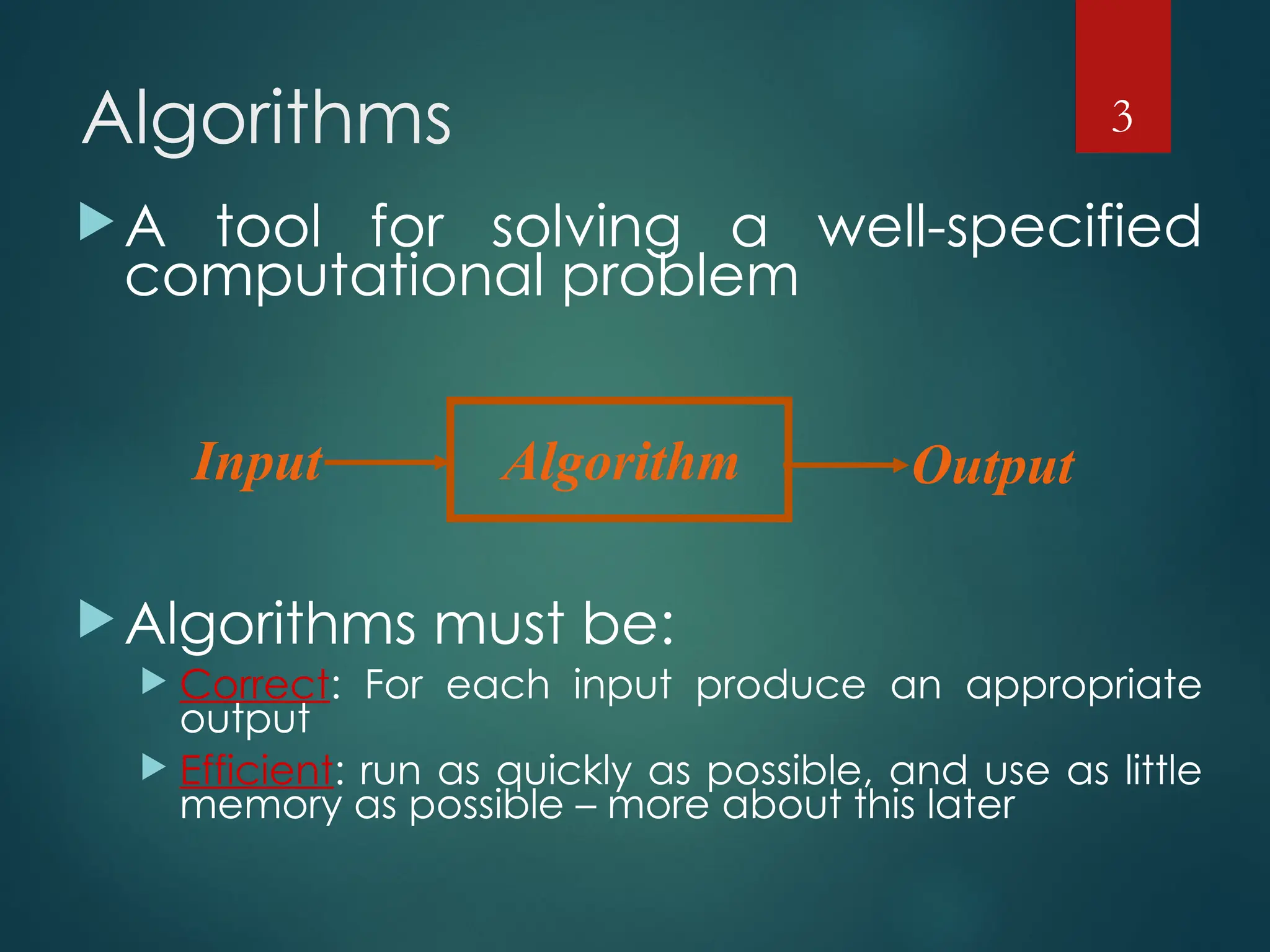
Algorithms
A tool for solving a well-specified
computational problem
Algorithms must be:
 Correct: For each input produce an appropriate
output
 Efficient: run as quickly as possible, and use as little
memory as possible – more about this later
3
Algorithm
Input Output
Algorithms Cont.
 A well-defined computational procedure that takes some
value, or set of values, as input and produces some value, or
set of values, as output.
 Written in a pseudo code which can be implemented in the
language of programmer’s choice.
4
Correct and incorrect
algorithms
 Algorithm is correct if, for every input instance, it
ends with the correct output. We say that a correct
algorithm solves the given computational
problem.
 An incorrect algorithm might not end at all on
some input instances, or it might end with an
answer other than the desired one.
 We shall be concerned only with correct
algorithms.
5
Problems and
Algorithms
 We need to solve a computational problem
 “Convert a weight in pounds to Kg”
 An algorithm specifies how to solve it, e.g.:
 1. Read weight-in-pounds
 2. Calculate weight-in-Kg = weight-in-pounds *
0.455
 3. Print weight-in-Kg
 A computer program is a computer-executable
description of an algorithm
6
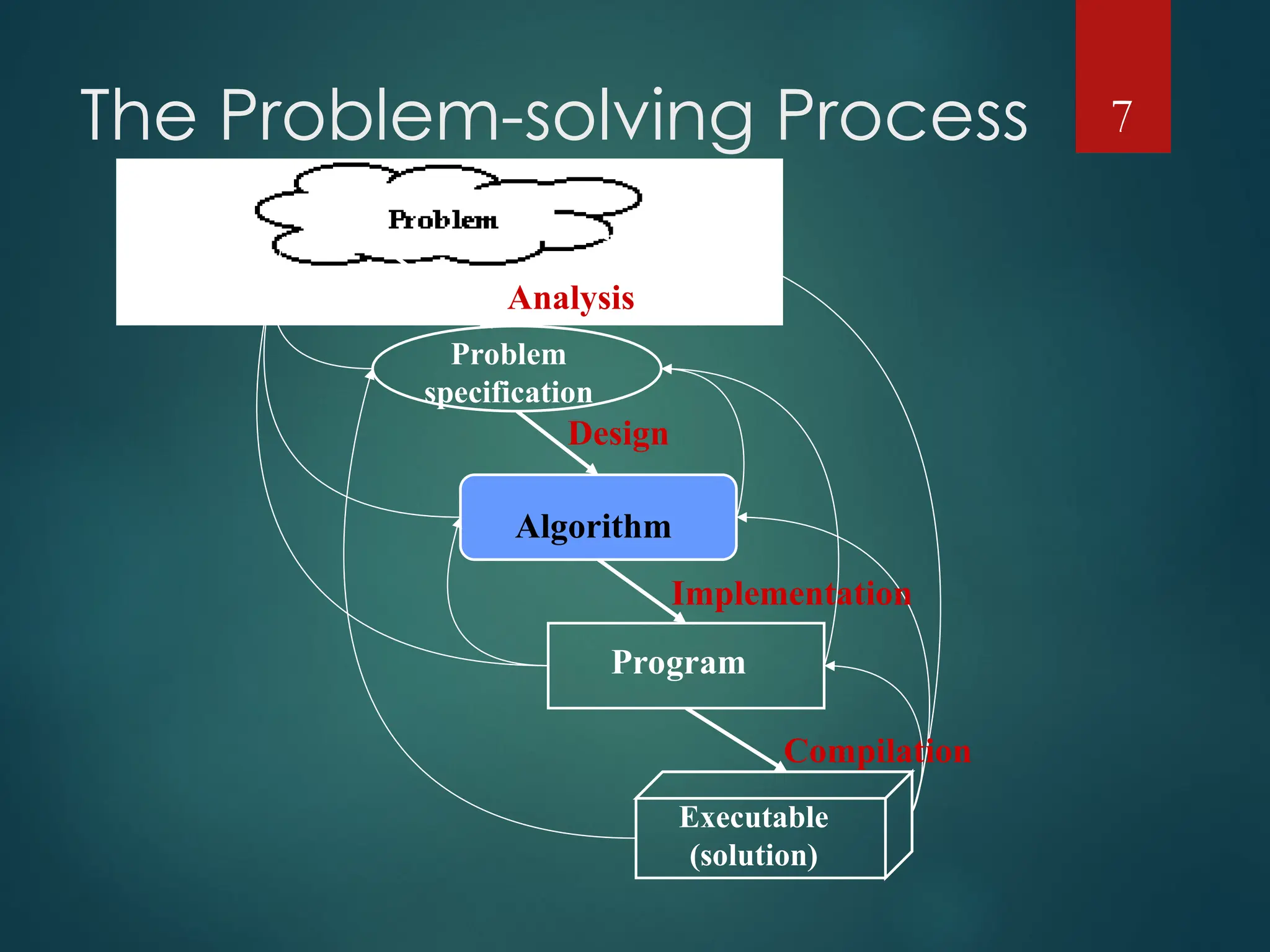
The Problem-solving Process 7
Problem
specification
Algorithm
Program
Executable
(solution)
Analysis
Design
Implementation
Compilation
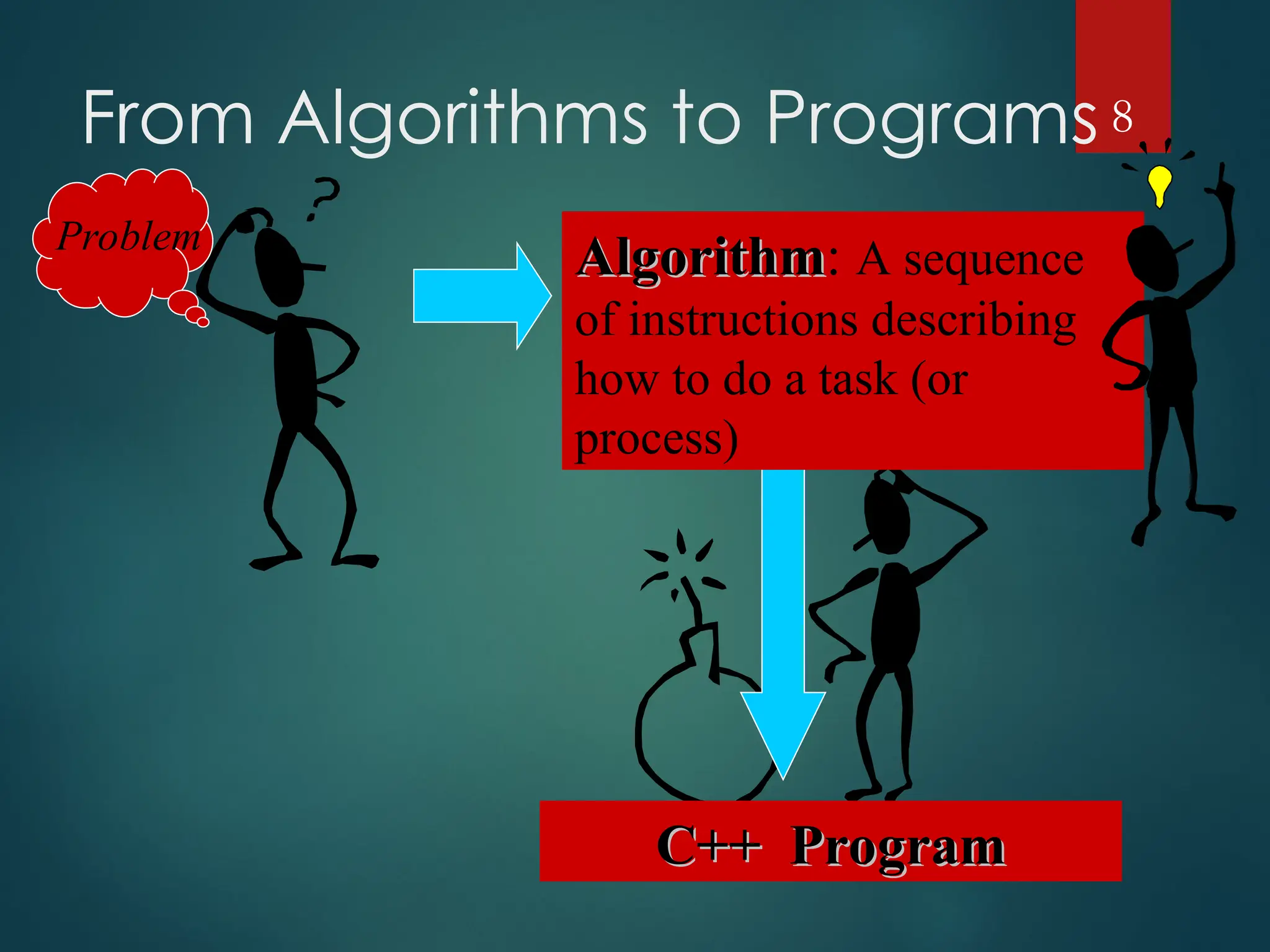
From Algorithms to Programs 8
Problem
C++ Program
C++ Program
Algorithm
Algorithm: A sequence
of instructions describing
how to do a task (or
process)
Practical Examples
 Internet and Networks
􀂄 The need to access large amount of information with the
shortest time.
􀂄 Problems of finding the best routs for the data to travel.
􀂄 Algorithms for searching this large amount of data to
quickly find the pages on which particular information
resides.
 Electronic Commerce
􀂄 The ability of keeping the information (credit card numbers,
passwords, bank statements) private, safe, and secure.
􀂄 Algorithms involves encryption/decryption techniques.
9
Hard problems
 We can identify the Efficiency of an algorithm from its
speed (how long does the algorithm take to produce the
result).
 Some problems have unknown efficient solution.
 These problems are called NP-complete problems.
 If we can show that the problem is NP-complete, we can
spend our time developing an efficient algorithm that gives
a good, but not the best possible solution.
10
Components of an Algorithm
 Variables and values
 Instructions
 Sequences
 A series of instructions
 Procedures
 A named sequence of instructions
 we also use the following words to refer to a “Procedure” :
 Sub-routine
 Module
 Function
11
Components of an
Algorithm Cont.
 Selections
 An instruction that decides which of two possible
sequences is executed
 The decision is based on true/false condition
 Repetitions
 Also known as iteration or loop
 Documentation
 Records what the algorithm does
12
A Simple Algorithm
 INPUT: a sequence of n numbers
 T is an array of n elements
 T[1], T[2], …, T[n]
 OUTPUT: the smallest number among them
 Performance of this algorithm is a function of
n
13
min = T[1]
for i = 2 to n do
{
if T[i] < min
min = T[i]
}
Output min
Greatest Common Divisor
 The first algorithm “invented” in history was
Euclid’s algorithm for finding the greatest
common divisor (GCD) of two natural numbers
 Definition: The GCD of two natural numbers x, y
is the largest integer j that divides both (without
remainder). i.e. mod(j, x)=0, mod(j, y)=0, and j is
the largest integer with this property.
 The GCD Problem:
 Input: natural numbers x, y
 Output: GCD(x,y) – their GCD
14
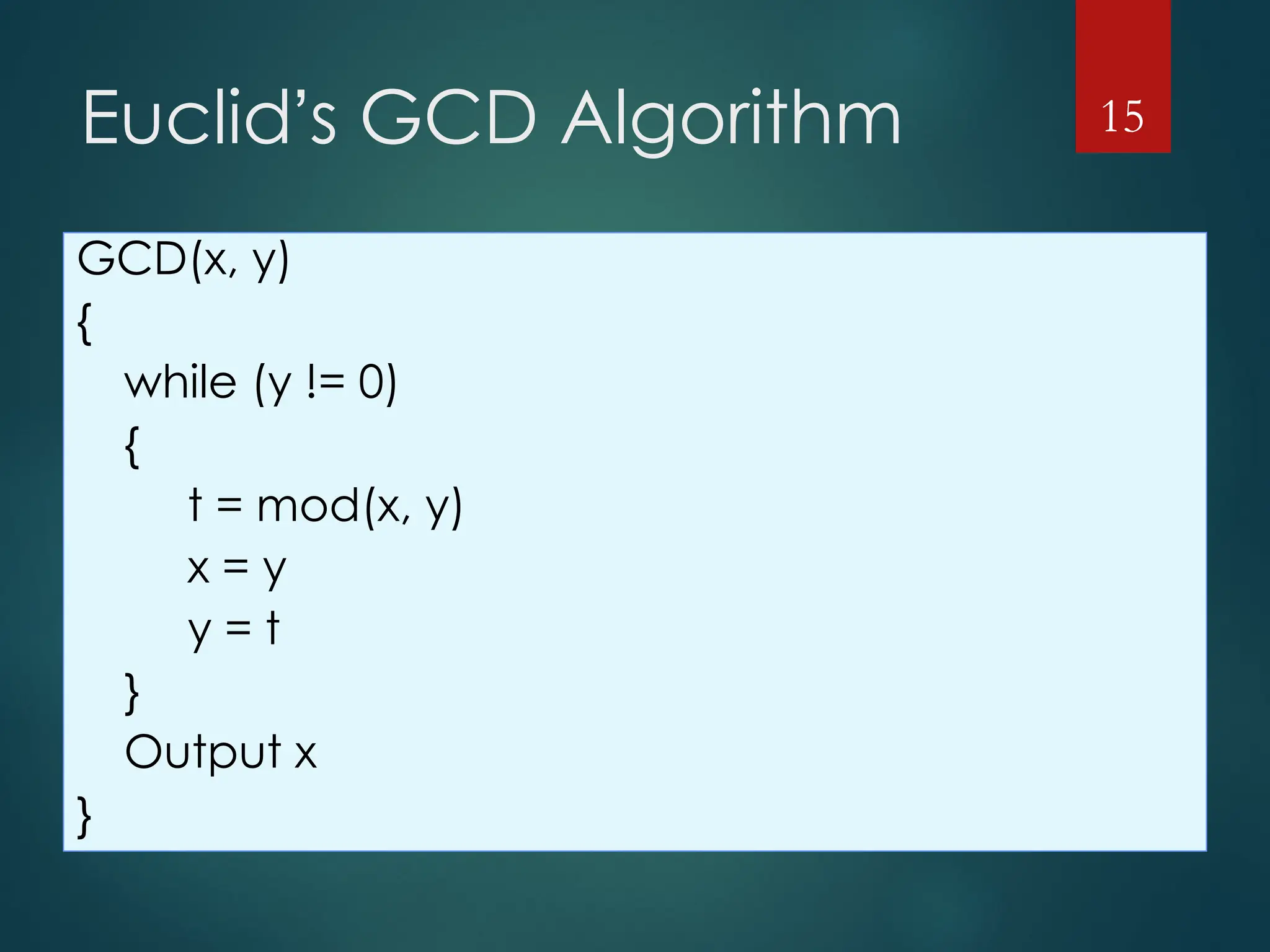
Euclid’s GCD Algorithm
GCD(x, y)
{
while (y != 0)
{
t = mod(x, y)
x = y
y = t
}
Output x
}
15
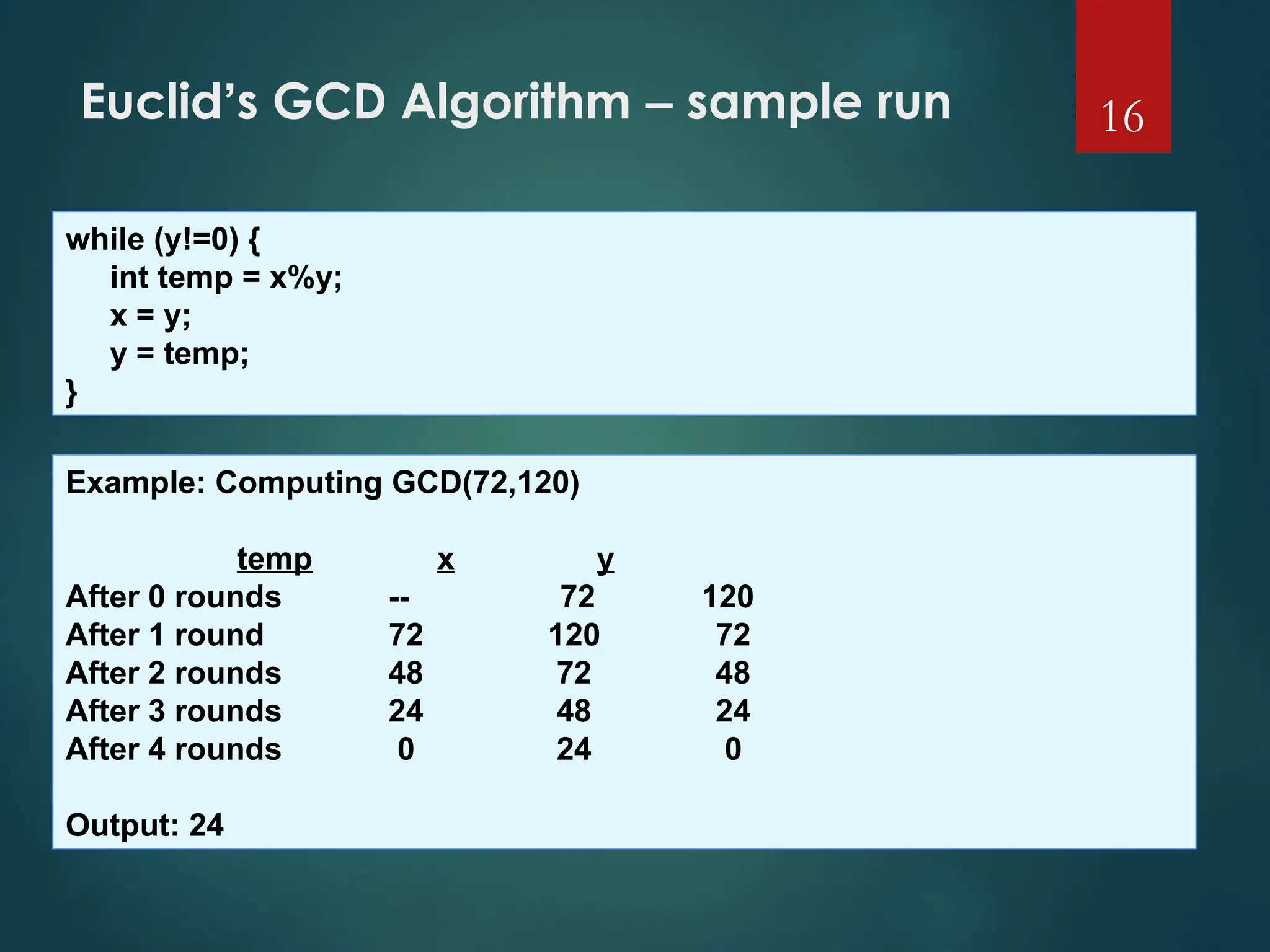
Euclid’s GCD Algorithm – sample run 16
while (y!=0) {
int temp = x%y;
x = y;
y = temp;
}
Example: Computing GCD(72,120)
temp x y
After 0 rounds -- 72 120
After 1 round 72 120 72
After 2 rounds 48 72 48
After 3 rounds 24 48 24
After 4 rounds 0 24 0
Output: 24
Algorithm Efficiency
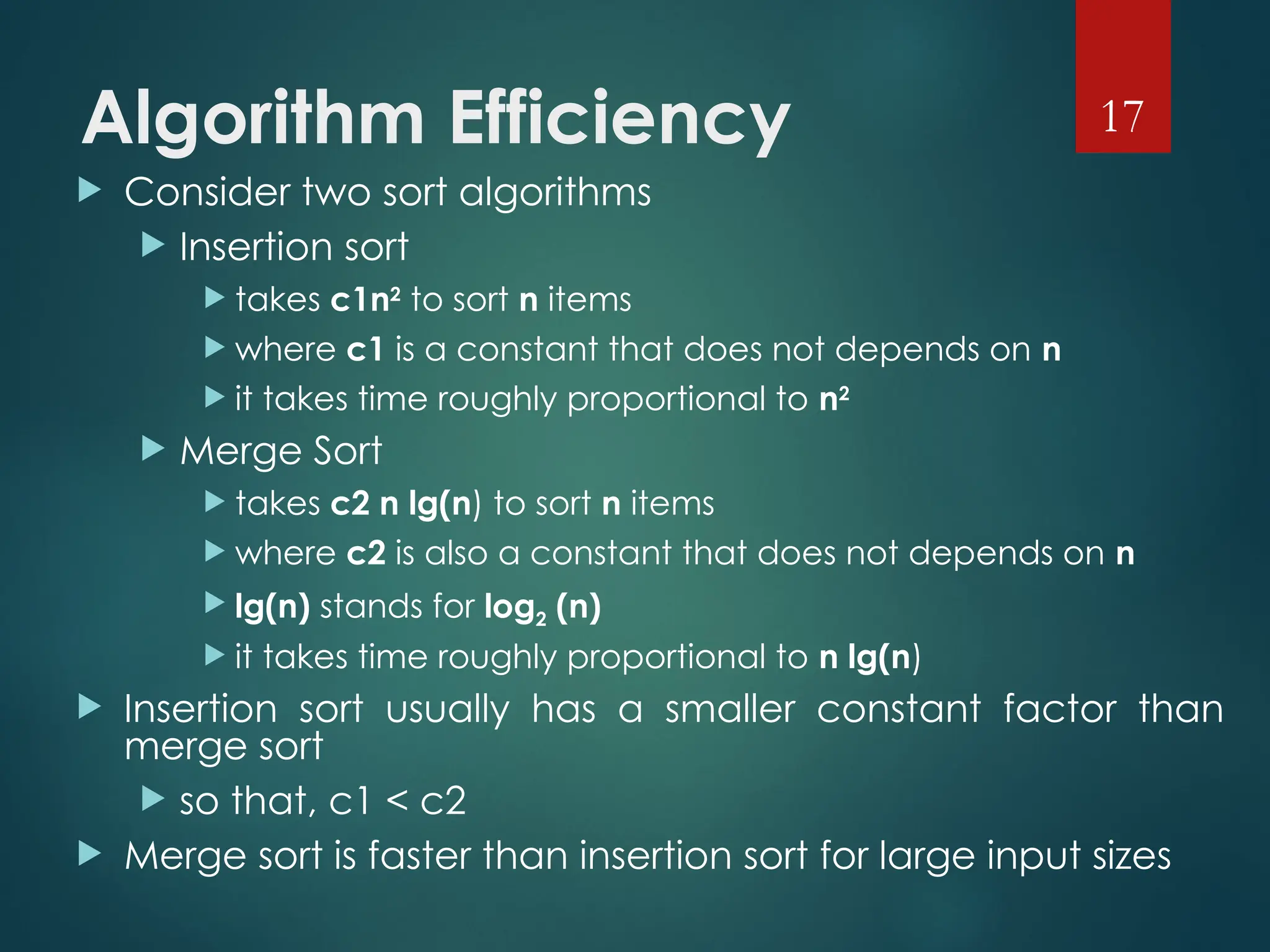
 Consider two sort algorithms
 Insertion sort
 takes c1n2
to sort n items
 where c1 is a constant that does not depends on n
 it takes time roughly proportional to n2
 Merge Sort
 takes c2 n lg(n) to sort n items
 where c2 is also a constant that does not depends on n
 lg(n) stands for log2 (n)
 it takes time roughly proportional to n lg(n)
 Insertion sort usually has a smaller constant factor than
merge sort
 so that, c1 < c2
 Merge sort is faster than insertion sort for large input sizes
17
Algorithm Efficiency Cont.
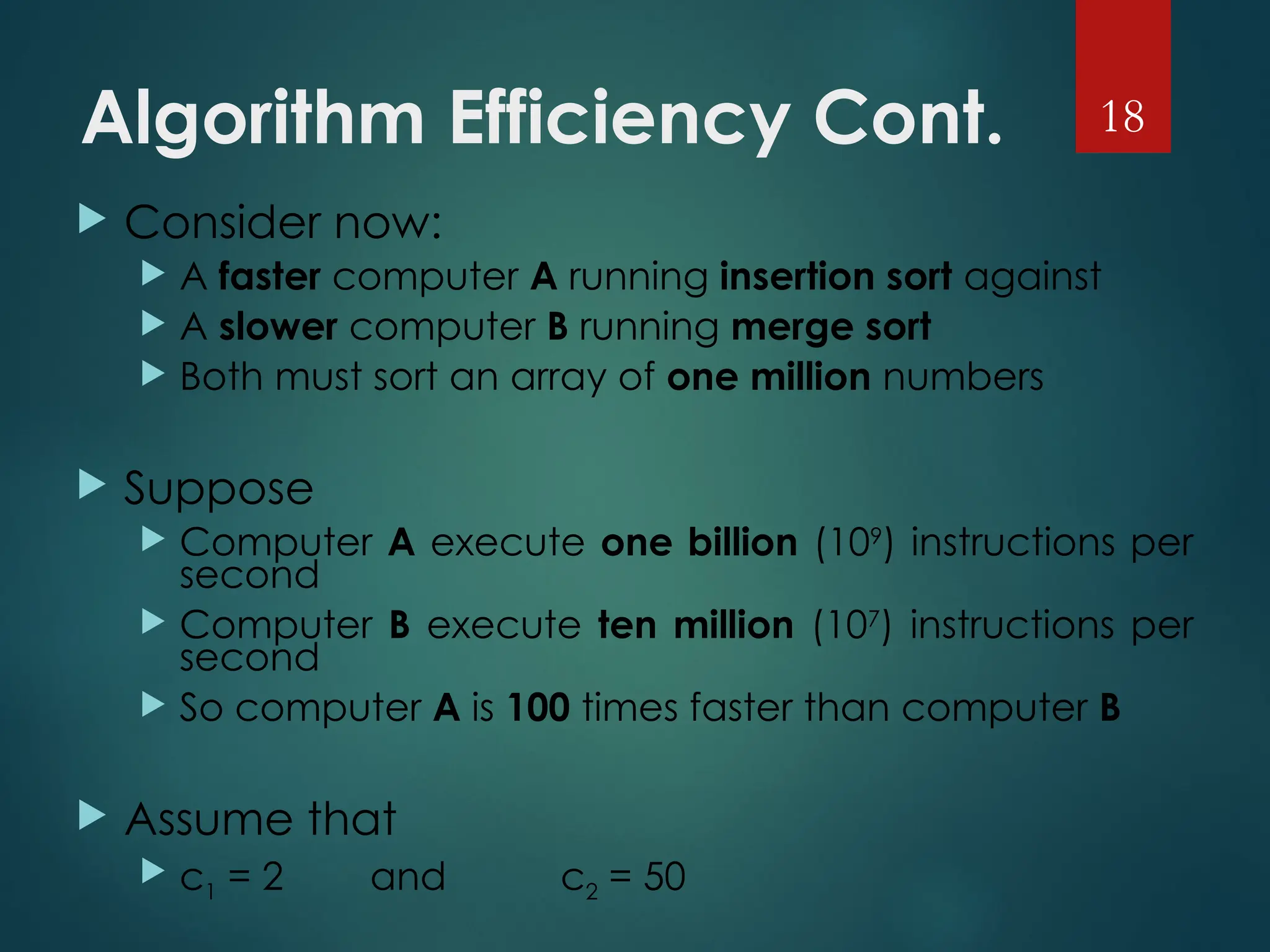
 Consider now:
 A faster computer A running insertion sort against
 A slower computer B running merge sort
 Both must sort an array of one million numbers
 Suppose
 Computer A execute one billion (109
) instructions per
second
 Computer B execute ten million (107
) instructions per
second
 So computer A is 100 times faster than computer B
 Assume that
 c1 = 2 and c2 = 50
18
Algorithm Efficiency Cont.
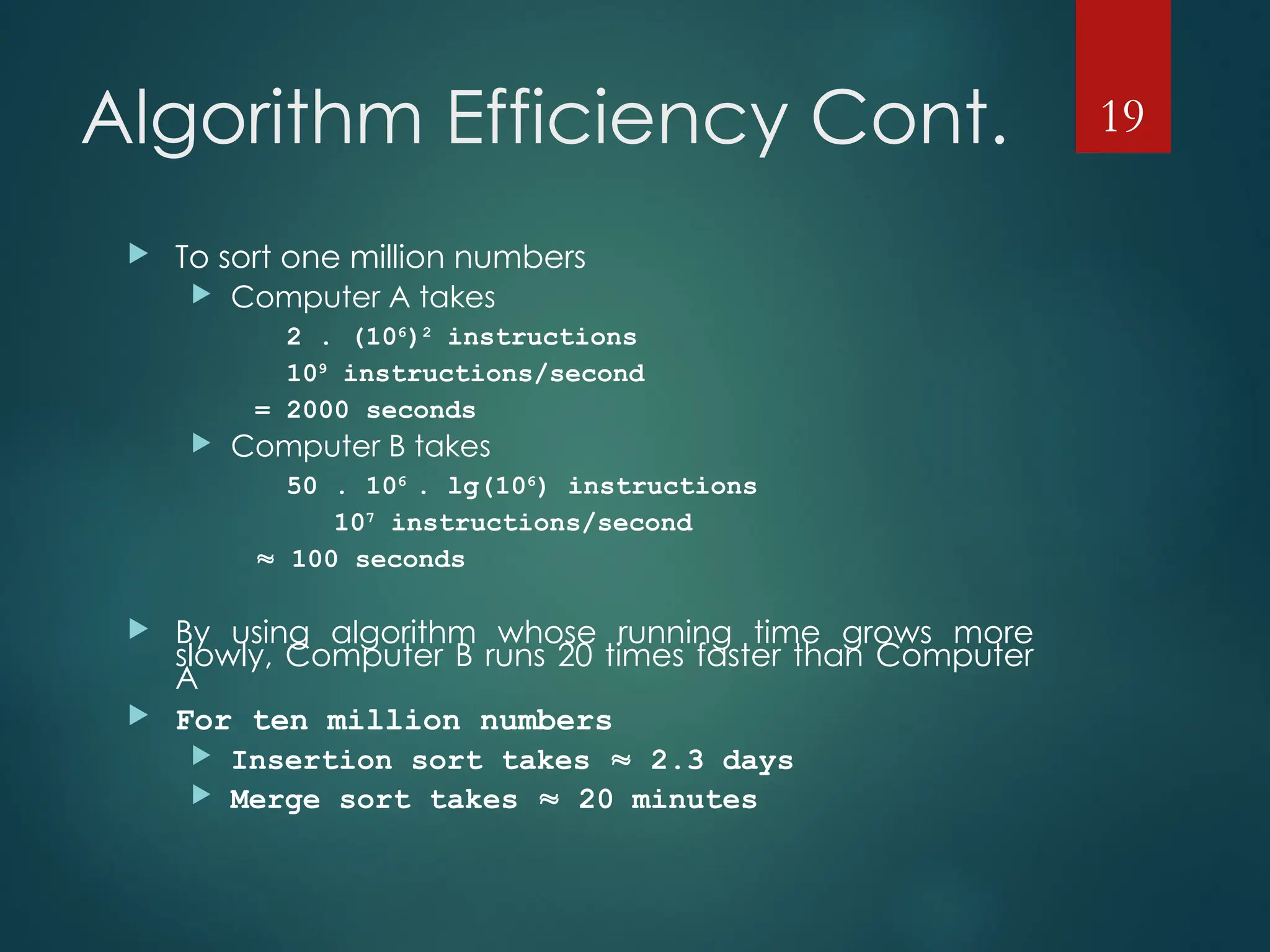
 To sort one million numbers
 Computer A takes
2 . (106
)2
instructions
109
instructions/second
= 2000 seconds
 Computer B takes
50 . 106
. lg(106
) instructions
107
instructions/second
 100 seconds
 By using algorithm whose running time grows more
slowly, Computer B runs 20 times faster than Computer
A
 For ten million numbers
 Insertion sort takes  2.3 days
 Merge sort takes  20 minutes
19
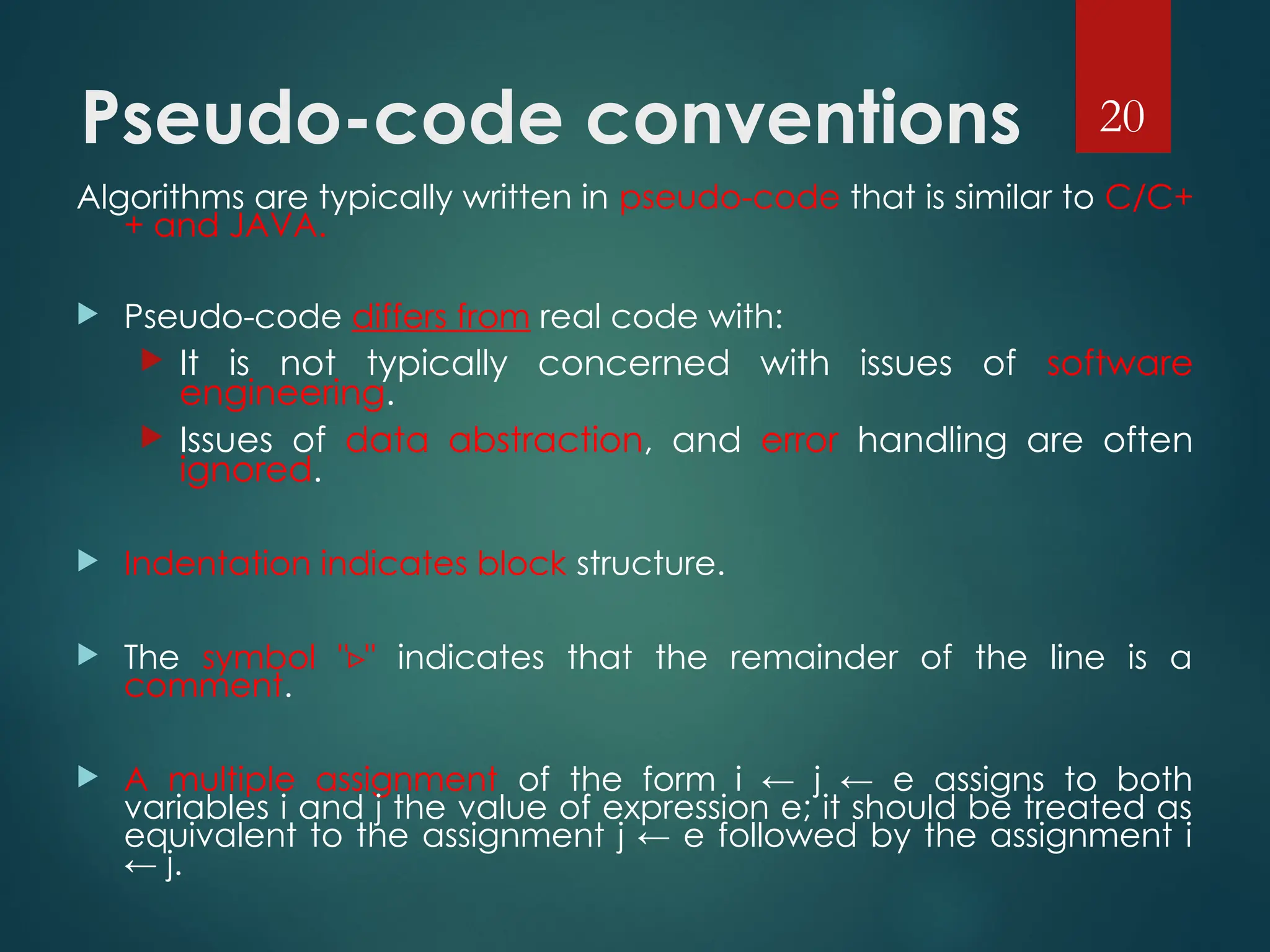
Pseudo-code conventions
Algorithms are typically written in pseudo-code that is similar to C/C+
+ and JAVA.
 Pseudo-code differs from real code with:
 It is not typically concerned with issues of software
engineering.
 Issues of data abstraction, and error handling are often
ignored.
 Indentation indicates block structure.
 The symbol " "
▹ indicates that the remainder of the line is a
comment.
 A multiple assignment of the form i ← j ← e assigns to both
variables i and j the value of expression e; it should be treated as
equivalent to the assignment j ← e followed by the assignment i
← j.
20
Pseudo-code conventions
 Variables ( such as i, j, and key) are local to the given
procedure. We shall not us global variables without explicit
indication.
 Array elements are accessed by specifying the array name
followed by the index in square brackets. For example, A[i]
indicates the ith element of the array A. The notation “…" is
used to indicate a range of values within an array. Thus,
A[1…j] indicates the sub-array of A consisting of the j
elements A[1], A[2], . . . , A[j].
 A particular attributes is accessed using the attributes
name followed by the name of its object in square
brackets.
 For example, we treat an array as an object with the
attribute length indicating how many elements it
contains( length[A]).
21
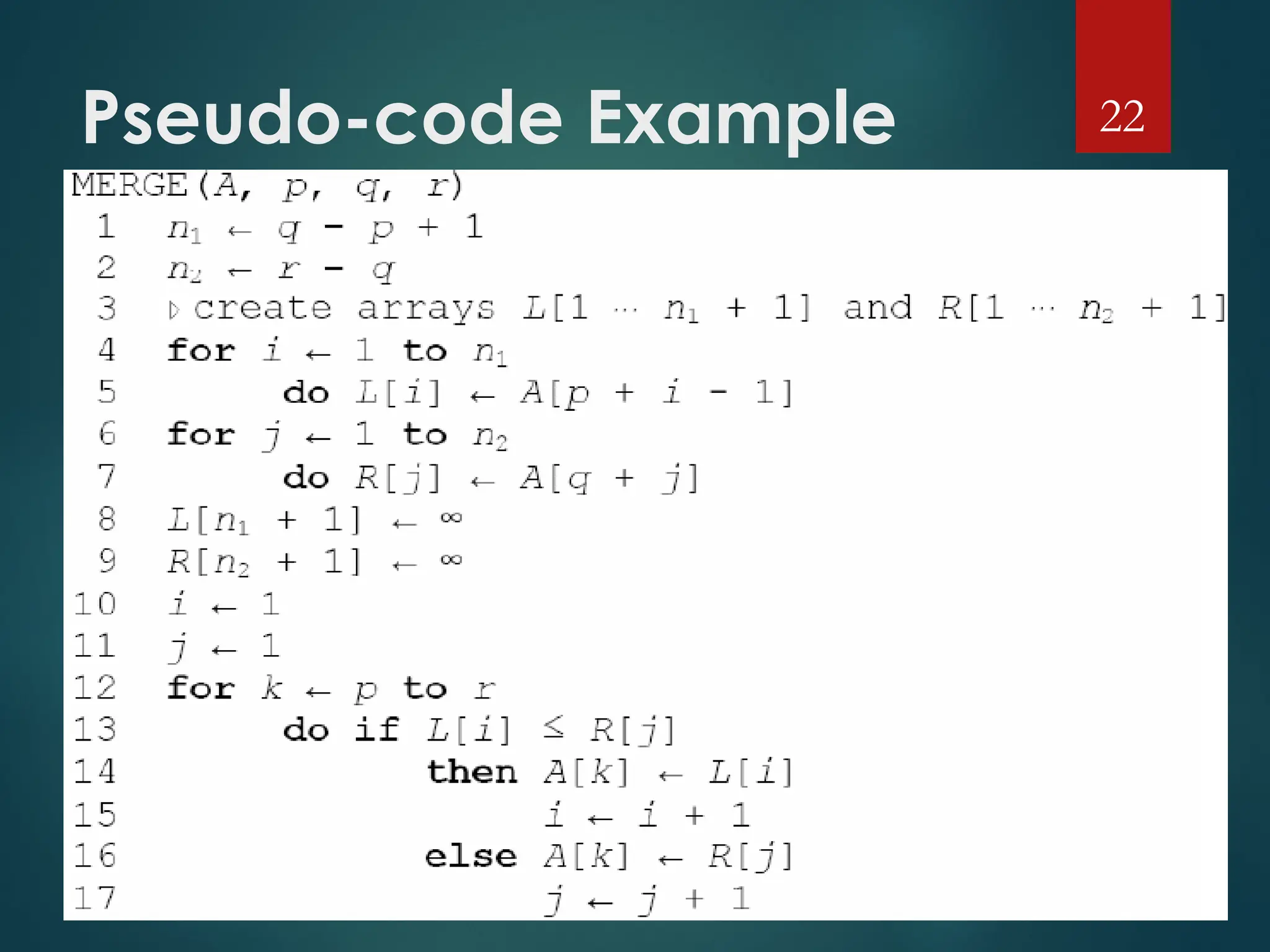
Pseudo-code Example 22
Thanks
 Any Question???
23

AA Lecture 01 of my lecture os ghhhggh.ppt

  • 1.
    Introduction to Algorithms TheRole of Algorithms in Computing Course Instructor: Engr. Samina Bilquees
  • 2.
    Computational problems A computationalproblem specifies an input-output relationship  What does the input look like?  What should the output be for each input? Example:  Input: an integer number n  Output: Is the number prime? Example:  Input: A list of names of people  Output: The same list sorted alphabetically 2
  • 3.
    Algorithms A tool forsolving a well-specified computational problem Algorithms must be:  Correct: For each input produce an appropriate output  Efficient: run as quickly as possible, and use as little memory as possible – more about this later 3 Algorithm Input Output
  • 4.
    Algorithms Cont.  Awell-defined computational procedure that takes some value, or set of values, as input and produces some value, or set of values, as output.  Written in a pseudo code which can be implemented in the language of programmer’s choice. 4
  • 5.
    Correct and incorrect algorithms Algorithm is correct if, for every input instance, it ends with the correct output. We say that a correct algorithm solves the given computational problem.  An incorrect algorithm might not end at all on some input instances, or it might end with an answer other than the desired one.  We shall be concerned only with correct algorithms. 5
  • 6.
    Problems and Algorithms  Weneed to solve a computational problem  “Convert a weight in pounds to Kg”  An algorithm specifies how to solve it, e.g.:  1. Read weight-in-pounds  2. Calculate weight-in-Kg = weight-in-pounds * 0.455  3. Print weight-in-Kg  A computer program is a computer-executable description of an algorithm 6
  • 7.
    The Problem-solving Process7 Problem specification Algorithm Program Executable (solution) Analysis Design Implementation Compilation
  • 8.
    From Algorithms toPrograms 8 Problem C++ Program C++ Program Algorithm Algorithm: A sequence of instructions describing how to do a task (or process)
  • 9.
    Practical Examples  Internetand Networks 􀂄 The need to access large amount of information with the shortest time. 􀂄 Problems of finding the best routs for the data to travel. 􀂄 Algorithms for searching this large amount of data to quickly find the pages on which particular information resides.  Electronic Commerce 􀂄 The ability of keeping the information (credit card numbers, passwords, bank statements) private, safe, and secure. 􀂄 Algorithms involves encryption/decryption techniques. 9
  • 10.
    Hard problems  Wecan identify the Efficiency of an algorithm from its speed (how long does the algorithm take to produce the result).  Some problems have unknown efficient solution.  These problems are called NP-complete problems.  If we can show that the problem is NP-complete, we can spend our time developing an efficient algorithm that gives a good, but not the best possible solution. 10
  • 11.
    Components of anAlgorithm  Variables and values  Instructions  Sequences  A series of instructions  Procedures  A named sequence of instructions  we also use the following words to refer to a “Procedure” :  Sub-routine  Module  Function 11
  • 12.
    Components of an AlgorithmCont.  Selections  An instruction that decides which of two possible sequences is executed  The decision is based on true/false condition  Repetitions  Also known as iteration or loop  Documentation  Records what the algorithm does 12
  • 13.
    A Simple Algorithm INPUT: a sequence of n numbers  T is an array of n elements  T[1], T[2], …, T[n]  OUTPUT: the smallest number among them  Performance of this algorithm is a function of n 13 min = T[1] for i = 2 to n do { if T[i] < min min = T[i] } Output min
  • 14.
    Greatest Common Divisor The first algorithm “invented” in history was Euclid’s algorithm for finding the greatest common divisor (GCD) of two natural numbers  Definition: The GCD of two natural numbers x, y is the largest integer j that divides both (without remainder). i.e. mod(j, x)=0, mod(j, y)=0, and j is the largest integer with this property.  The GCD Problem:  Input: natural numbers x, y  Output: GCD(x,y) – their GCD 14
  • 15.
    Euclid’s GCD Algorithm GCD(x,y) { while (y != 0) { t = mod(x, y) x = y y = t } Output x } 15
  • 16.
    Euclid’s GCD Algorithm– sample run 16 while (y!=0) { int temp = x%y; x = y; y = temp; } Example: Computing GCD(72,120) temp x y After 0 rounds -- 72 120 After 1 round 72 120 72 After 2 rounds 48 72 48 After 3 rounds 24 48 24 After 4 rounds 0 24 0 Output: 24
  • 17.
    Algorithm Efficiency  Considertwo sort algorithms  Insertion sort  takes c1n2 to sort n items  where c1 is a constant that does not depends on n  it takes time roughly proportional to n2  Merge Sort  takes c2 n lg(n) to sort n items  where c2 is also a constant that does not depends on n  lg(n) stands for log2 (n)  it takes time roughly proportional to n lg(n)  Insertion sort usually has a smaller constant factor than merge sort  so that, c1 < c2  Merge sort is faster than insertion sort for large input sizes 17
  • 18.
    Algorithm Efficiency Cont. Consider now:  A faster computer A running insertion sort against  A slower computer B running merge sort  Both must sort an array of one million numbers  Suppose  Computer A execute one billion (109 ) instructions per second  Computer B execute ten million (107 ) instructions per second  So computer A is 100 times faster than computer B  Assume that  c1 = 2 and c2 = 50 18
  • 19.
    Algorithm Efficiency Cont. To sort one million numbers  Computer A takes 2 . (106 )2 instructions 109 instructions/second = 2000 seconds  Computer B takes 50 . 106 . lg(106 ) instructions 107 instructions/second  100 seconds  By using algorithm whose running time grows more slowly, Computer B runs 20 times faster than Computer A  For ten million numbers  Insertion sort takes  2.3 days  Merge sort takes  20 minutes 19
  • 20.
    Pseudo-code conventions Algorithms aretypically written in pseudo-code that is similar to C/C+ + and JAVA.  Pseudo-code differs from real code with:  It is not typically concerned with issues of software engineering.  Issues of data abstraction, and error handling are often ignored.  Indentation indicates block structure.  The symbol " " ▹ indicates that the remainder of the line is a comment.  A multiple assignment of the form i ← j ← e assigns to both variables i and j the value of expression e; it should be treated as equivalent to the assignment j ← e followed by the assignment i ← j. 20
  • 21.
    Pseudo-code conventions  Variables( such as i, j, and key) are local to the given procedure. We shall not us global variables without explicit indication.  Array elements are accessed by specifying the array name followed by the index in square brackets. For example, A[i] indicates the ith element of the array A. The notation “…" is used to indicate a range of values within an array. Thus, A[1…j] indicates the sub-array of A consisting of the j elements A[1], A[2], . . . , A[j].  A particular attributes is accessed using the attributes name followed by the name of its object in square brackets.  For example, we treat an array as an object with the attribute length indicating how many elements it contains( length[A]). 21
  • 22.
  • 23.