Programming in Java
Exception Handling
Lovely Professional University, Punjab
Exception
Introduction
• An exception is an event, which occurs during the
execution of a program, that disrupts the normal flow of
the program's instructions.
• An exception is an abnormal condition that arises in a
code sequence at run time.
• A Java exception is an object that describes an
exceptional (that is, error) condition that has occurred in a
piece of code.
• In other words, “An exception is a run-time error.”
Exception Handling
• statement 1;
• statement 2;
• statement 3;
• statement 4;
• statement 5;//exception occurs
• statement 6;
• statement 7;
• statement 8;
• statement 9;
• statement 10;
• Suppose there is 10 statements in your program and there
occurs an exception at statement 5, rest of the code will not be
executed i.e. statement 6 to 10 will not run.
• If we perform exception handling, rest of the statement will be
executed. That is why we use exception handling in java.
Exception Handling
• An Exception is a run-time error that can be handled
programmatically in the application and does not result
in abnormal program termination.
• Exception handling is a mechanism that facilitates
programmatic handling of run-time errors.
• In java, each run-time error is represented by an object.
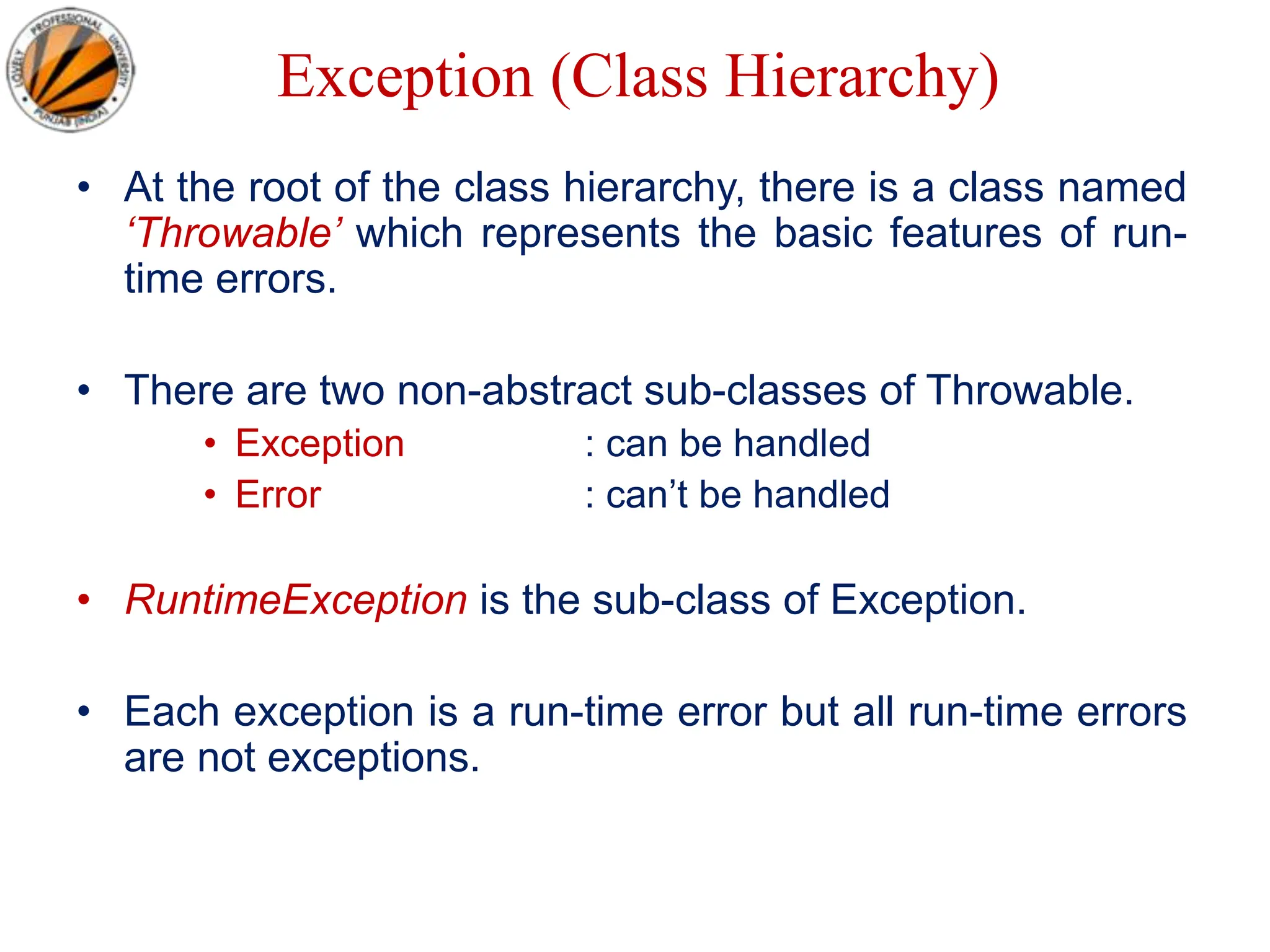
Exception (Class Hierarchy)
• At the root of the class hierarchy, there is a class named
‘Throwable’ which represents the basic features of run-
time errors.
• There are two non-abstract sub-classes of Throwable.
• Exception : can be handled
• Error : can’t be handled
• RuntimeException is the sub-class of Exception.
• Each exception is a run-time error but all run-time errors
are not exceptions.
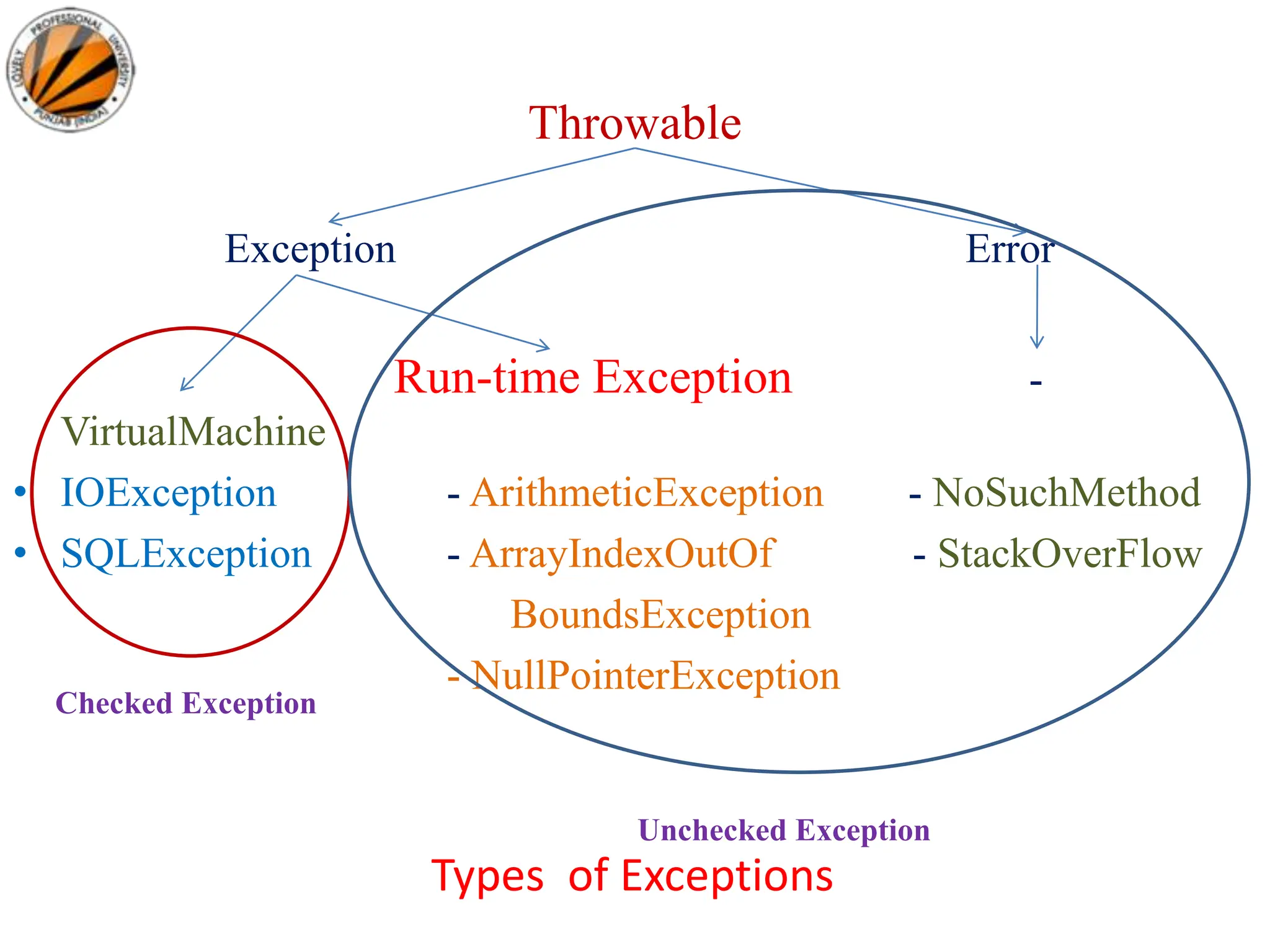
Throwable
Exception Error
Run-time Exception -
VirtualMachine
• IOException - ArithmeticException - NoSuchMethod
• SQLException - ArrayIndexOutOf - StackOverFlow
BoundsException
- NullPointerException
Types of Exceptions
Checked Exception
Unchecked Exception
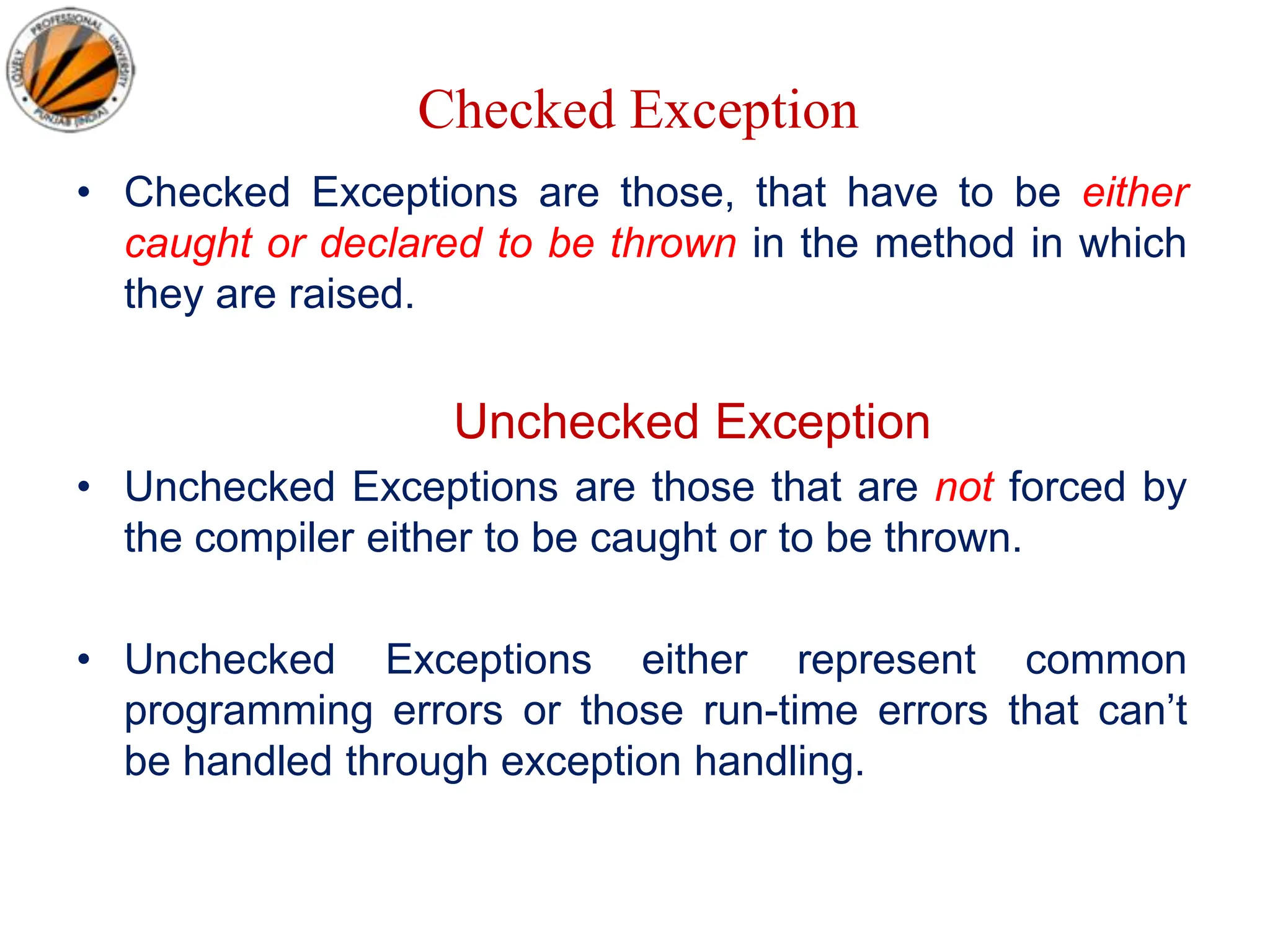
Checked Exception
• Checked Exceptions are those, that have to be either
caught or declared to be thrown in the method in which
they are raised.
Unchecked Exception
• Unchecked Exceptions are those that are not forced by
the compiler either to be caught or to be thrown.
• Unchecked Exceptions either represent common
programming errors or those run-time errors that can’t
be handled through exception handling.
Commonly used sub-classes of Exception
• ArithmeticException
• ArrayIndexOutOfBoundsException
• NumberFormatException
• NullPointerException
• IOException
Commonly used sub-classes of Errors
• VirualMachineError
• StackOverFlowError
• NoClassDefFoundError
• NoSuchMethodError
Scenarios where exceptions may
occur
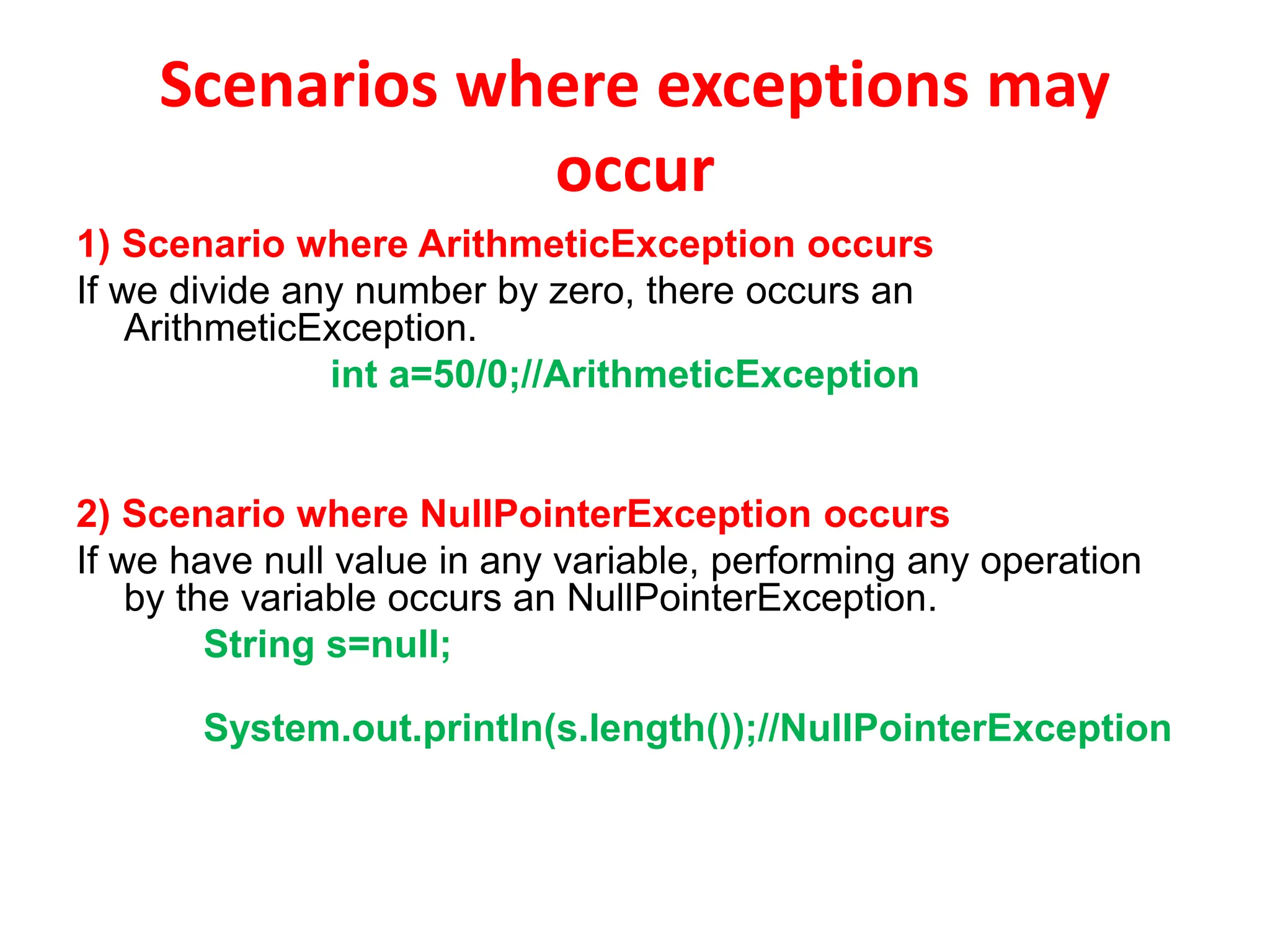
1) Scenario where ArithmeticException occurs
If we divide any number by zero, there occurs an
ArithmeticException.
int a=50/0;//ArithmeticException
2) Scenario where NullPointerException occurs
If we have null value in any variable, performing any operation
by the variable occurs an NullPointerException.
String s=null;
System.out.println(s.length());//NullPointerException
3) Scenario where NumberFormatException occurs
The wrong formatting of any value, may occur
NumberFormatException. Suppose I have a string variable
that have characters, converting this variable into digit will
occur NumberFormatException.
String s="abc";
int i=Integer.parseInt(s);//NumberFormatException
4) Scenario where ArrayIndexOutOfBoundsException
occurs
If you are inserting any value in the wrong index, it would result
ArrayIndexOutOfBoundsException as shown below:
int a[]=new int[5];
a[10]=50; //ArrayIndexOutOfBoundsException
Uncaught Exceptions
class Exception_Demo
{
public static void main(String args[])
{
int d = 0;
int a = 42 / d;
}
}
• When the Java run-time system detects the attempt to divide
by zero, it constructs a new exception object and then throws
this exception.
• Once an exception has been thrown, it must be caught by an
exception handler and dealt with immediately.
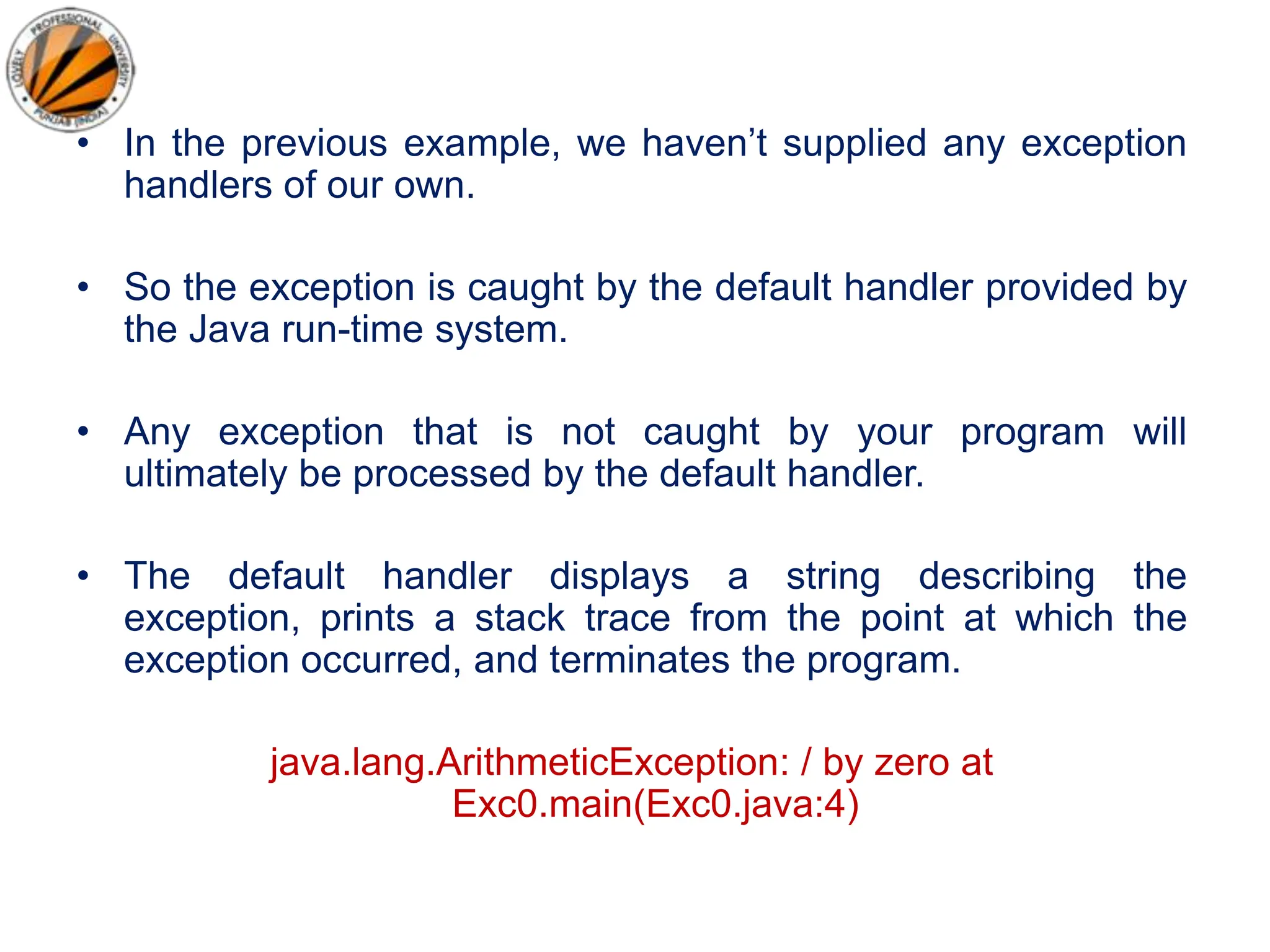
• In the previous example, we haven’t supplied any exception
handlers of our own.
• So the exception is caught by the default handler provided by
the Java run-time system.
• Any exception that is not caught by your program will
ultimately be processed by the default handler.
• The default handler displays a string describing the
exception, prints a stack trace from the point at which the
exception occurred, and terminates the program.
java.lang.ArithmeticException: / by zero at
Exc0.main(Exc0.java:4)
Why Exception Handling?
• When the default exception handler is provided by the
Java run-time system , why Exception Handling?
• Exception Handling is needed because:
– It allows to fix the error, customize the message .
– It prevents the program from automatically terminating
Exception Handling
Keywords for Exception Handling
• try
• catch
• throw
• throws
• finally
Keywords for Exception Handling
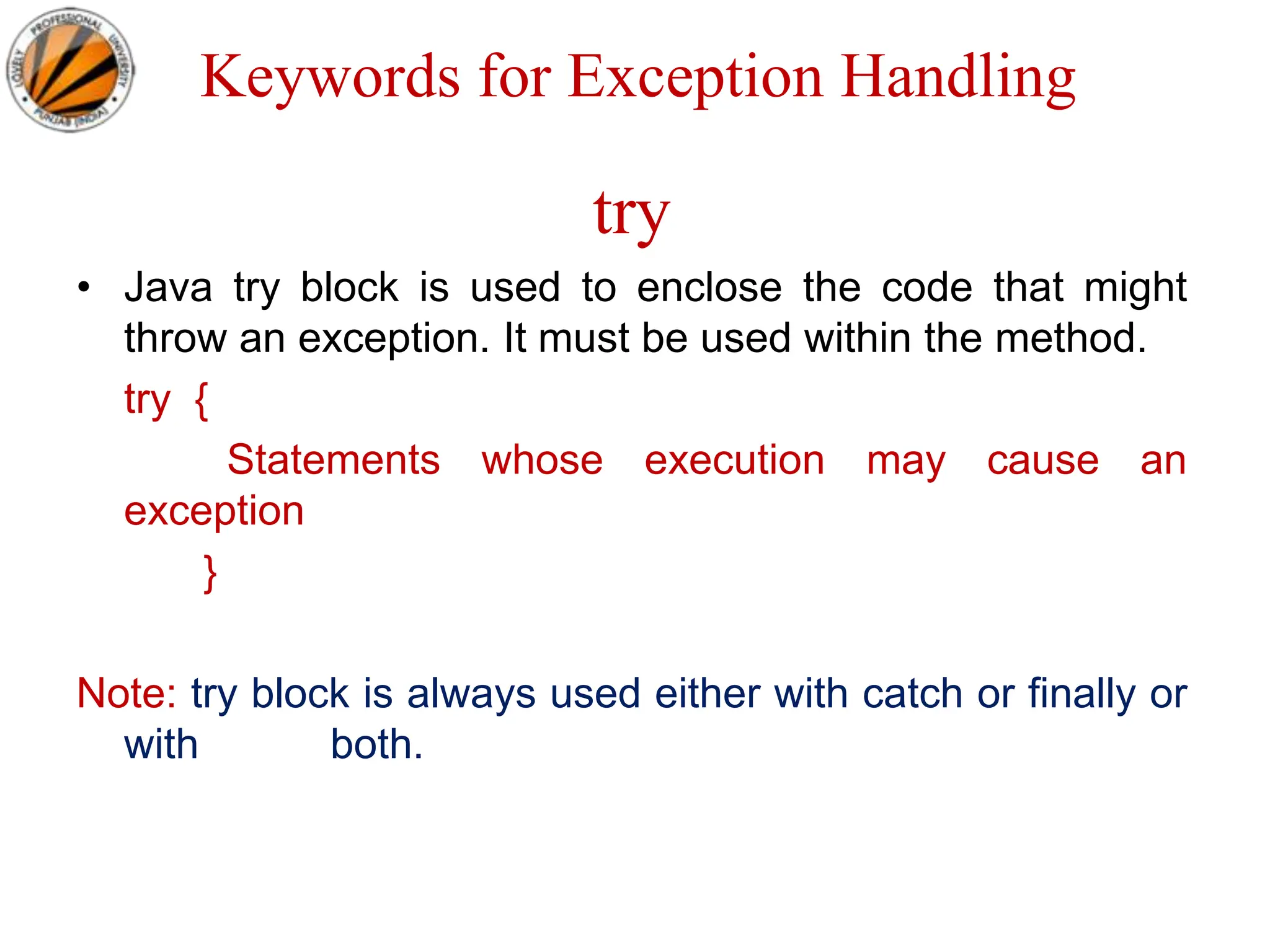
try
• Java try block is used to enclose the code that might
throw an exception. It must be used within the method.
try {
Statements whose execution may cause an
exception
}
Note: try block is always used either with catch or finally or
with both.
Keywords for Exception Handling
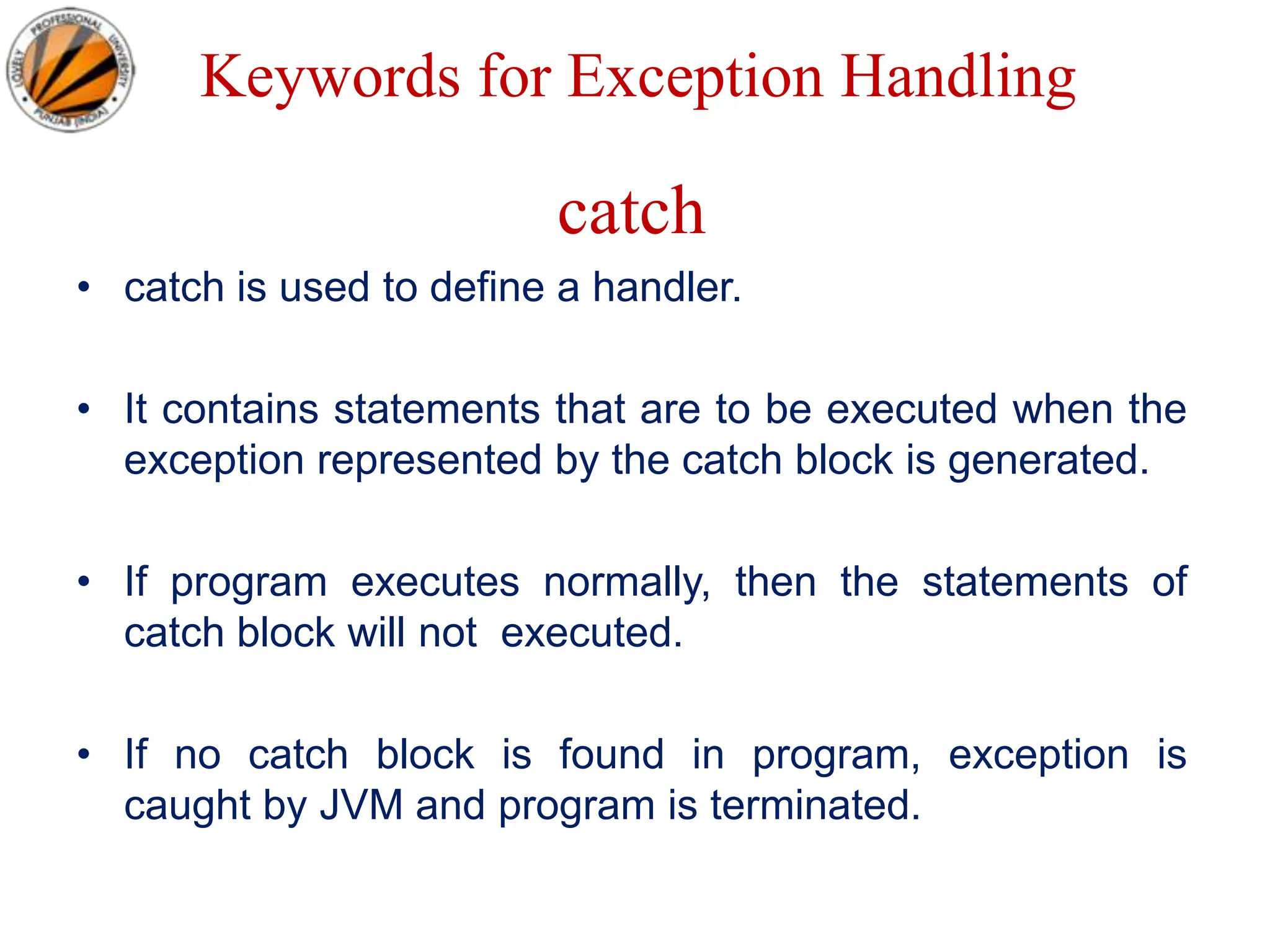
catch
• catch is used to define a handler.
• It contains statements that are to be executed when the
exception represented by the catch block is generated.
• If program executes normally, then the statements of
catch block will not executed.
• If no catch block is found in program, exception is
caught by JVM and program is terminated.
• It must be used after the try block only.
• You can use multiple catch block with a
single try.
Problem without exception handling
public class Testtrycatch1
{
public static void main(String args[])
{
int data=50/0;//may throw exception
System.out.println("rest of the code...");
}
}
Output:
Exception in thread main
java.lang.ArithmeticException:/ by zero
Solution by exception handling
public class Testtrycatch2
{
public static void main(String args[])
{
try
{
int data=50/0;
}
catch(ArithmeticException e){System.out.println(e);}
System.out.println("rest of the code...");
}
}
Output:
Exception in thread main java.lang.ArithmeticException:/ by zero
rest of the code...
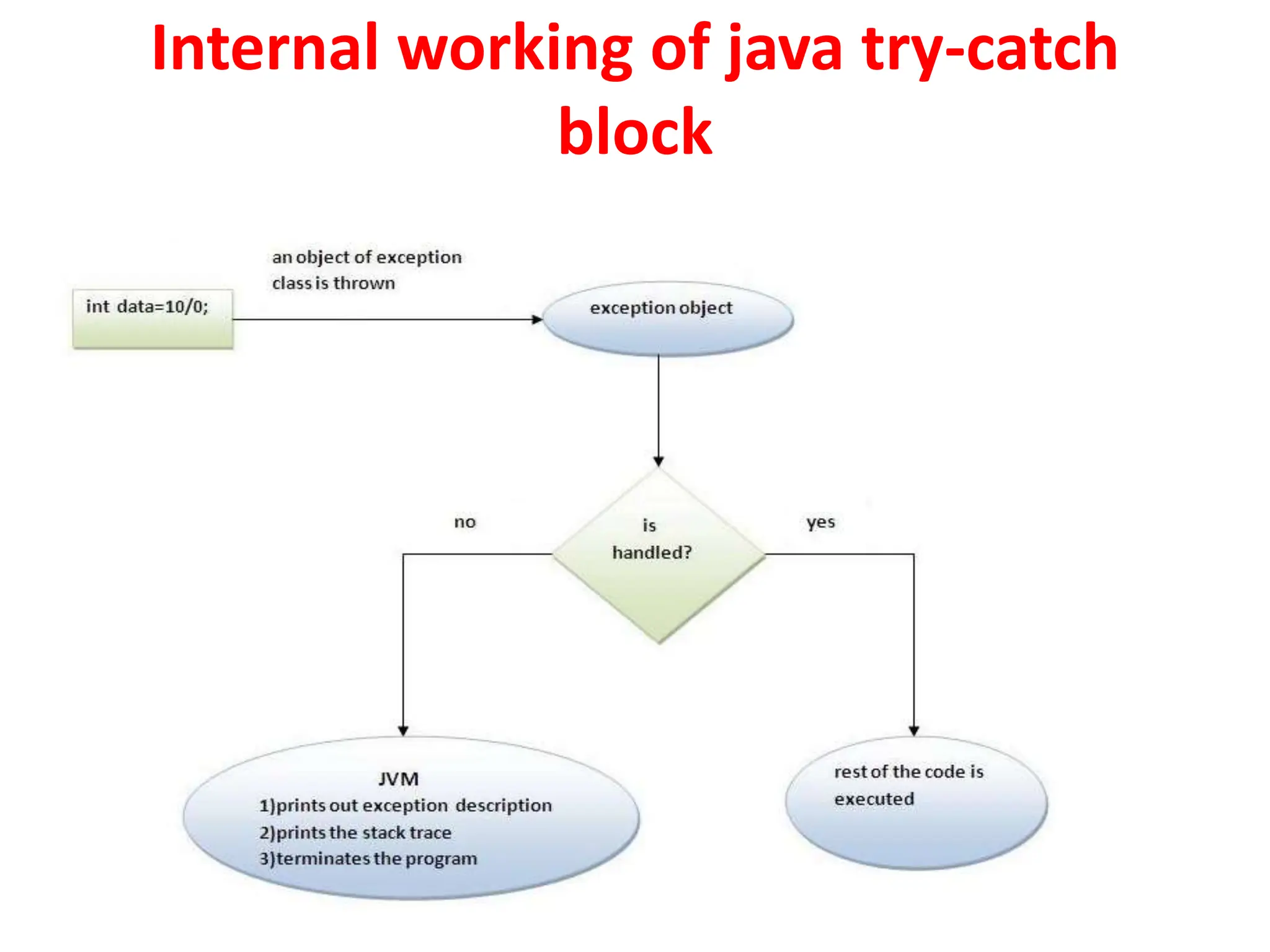
Internal working of java try-catch
block
• The JVM firstly checks whether the exception is
handled or not. If exception is not handled, JVM
provides a default exception handler that performs
the following tasks:
• Prints out exception description.
• Prints the stack trace (Hierarchy of methods where
the exception occurred).
• Causes the program to terminate.
• But if exception is handled by the application
programmer, normal flow of the application is
maintained i.e. rest of the code is executed.
Java Multi catch block
• If you have to perform different tasks at the occurrence of different Exceptions, use java
multi catch block.
public class TestMultipleCatchBlock
{
public static void main(String args[])
{
try
{
int a[]=new int[5];
a[5]=30/0;
}
catch(ArithmeticException e){System.out.println("task1 is completed");}
catch(ArrayIndexOutOfBoundsException e){System.out.println("task 2 completed");}
catch(Exception e){System.out.println("common task completed");}
System.out.println("rest of the code...");
}
}
Output:task1 completed
rest of the code...
• Rule1: At a time only one Exception is occured and at a
time only one catch block is executed.
• Rule2: All catch blocks must be ordered from most
specific to most general i.e. catch for
ArithmeticException must come before catch for
Exception .
class TestMultipleCatchBlock1
{
public static void main(String args[])
{
Try
{
int a[]=new int[5];
a[5]=30/0;
}
catch(Exception e){System.out.println("common task completed");}
catch(ArithmeticException e){System.out.println("task1 is completed");}
catch(ArrayIndexOutOfBoundsException e){System.out.println("task 2 complet
ed");}
System.out.println("rest of the code...");
}
}
Output:
Compile-time error
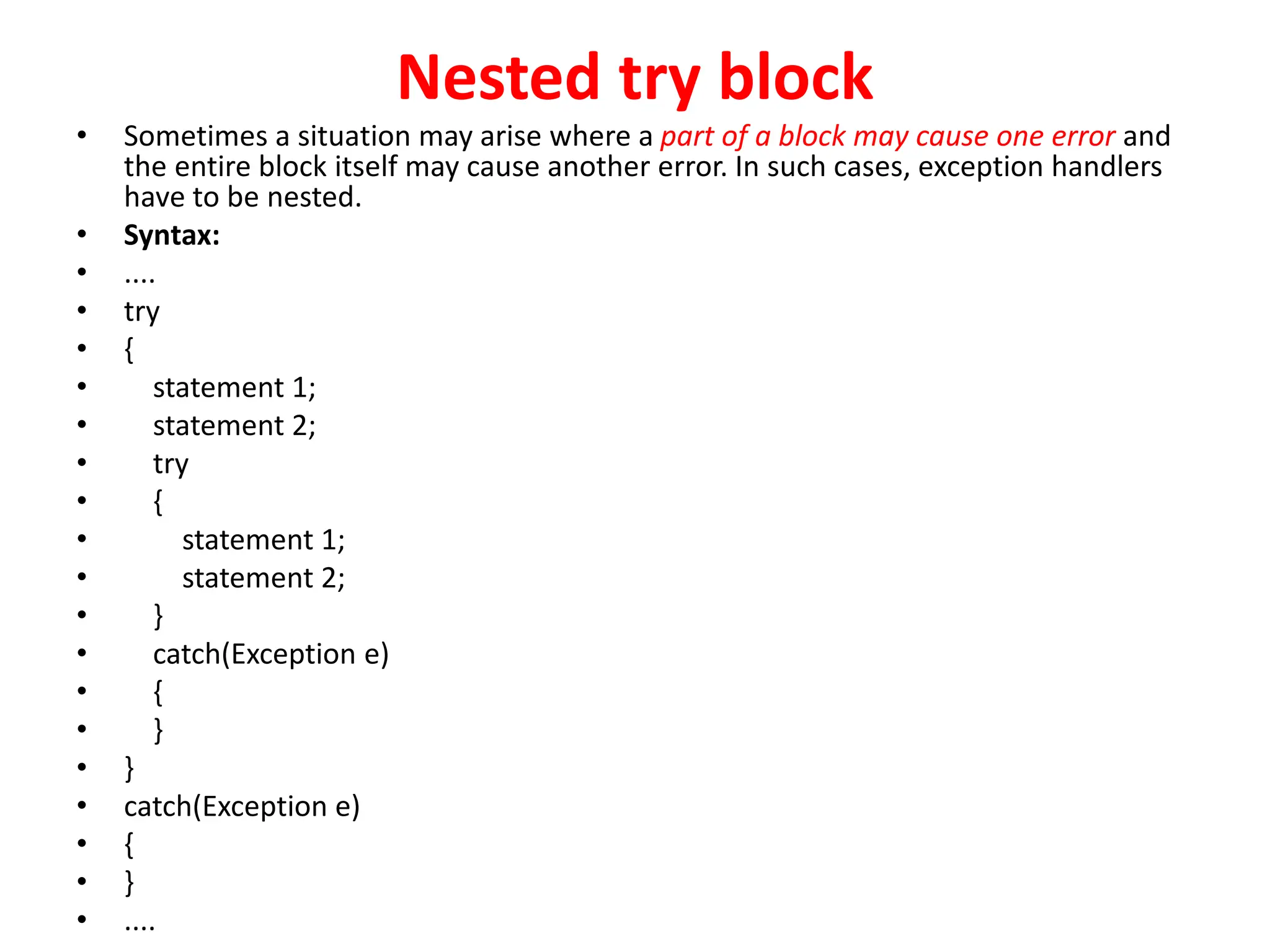
Nested try block
• Sometimes a situation may arise where a part of a block may cause one error and
the entire block itself may cause another error. In such cases, exception handlers
have to be nested.
• Syntax:
• ....
• try
• {
• statement 1;
• statement 2;
• try
• {
• statement 1;
• statement 2;
• }
• catch(Exception e)
• {
• }
• }
• catch(Exception e)
• {
• }
• ....
• class Excep6{
• public static void main(String args[]){
• try{
• try{
• System.out.println("going to divide");
• int b =39/0;
• }catch(ArithmeticException e){System.out.println(e);}
•
• try{
• int a[]=new int[5];
• a[5]=4;
• }catch(ArrayIndexOutOfBoundsException e){System.out.println(e);}
•
• System.out.println("other statement”);
• }catch(Exception e){System.out.println("handeled");}
•
• System.out.println("normal flow..");
• }
• }
Java finally block
• Java finally block is always executed whether
exception is handled or not.
• Java finally block is a block that is used to
execute important code such as closing
connection, stream etc.
• Java finally block follows try or catch block.
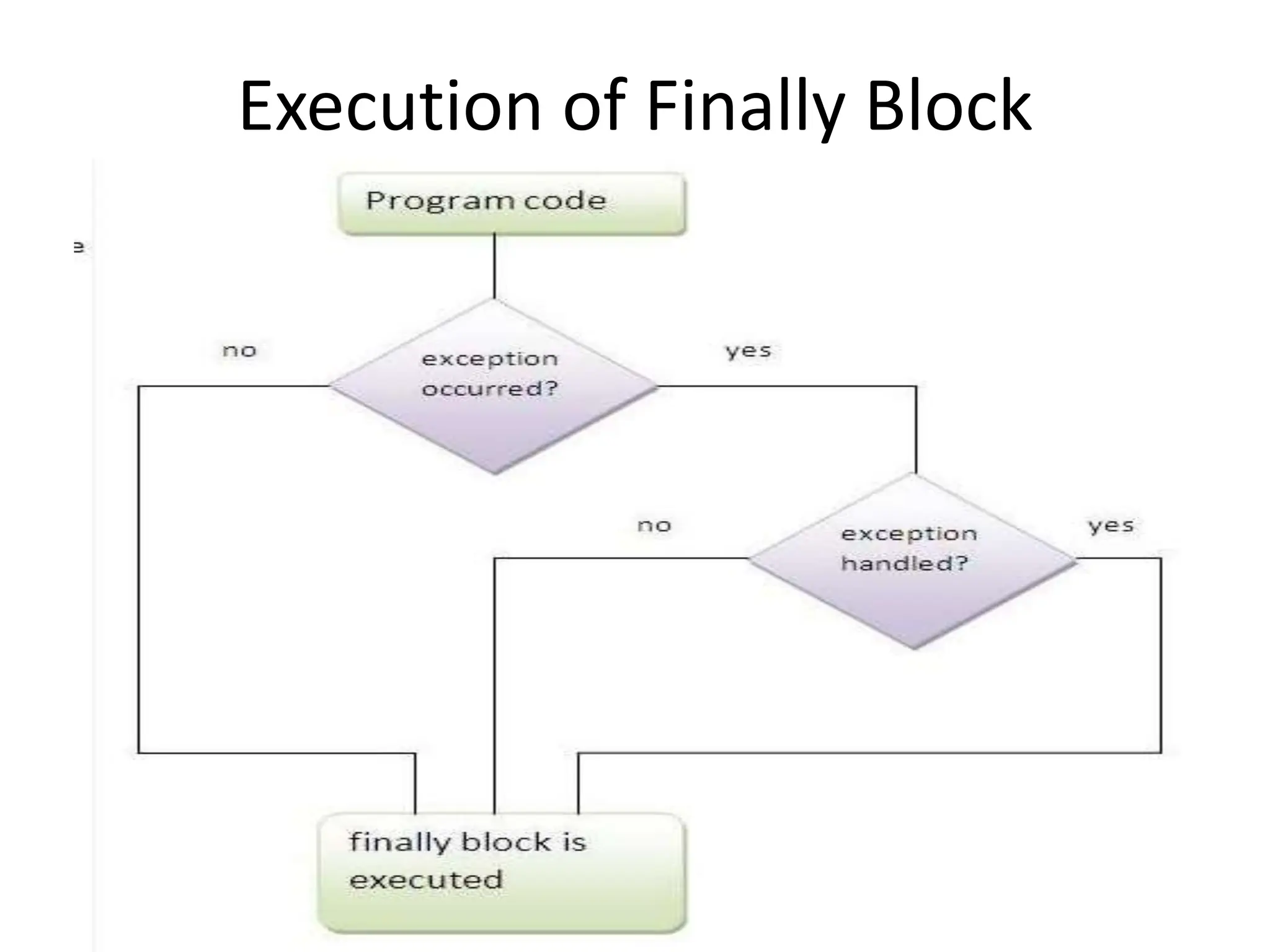
Execution of Finally Block
• Note: If you don't handle exception, before
terminating the program, JVM executes
finally block(if any).
Example: Exception Doesn’t Occur
• class TestFinallyBlock{
• public static void main(String args[]){
• try{
• int data=25/5;
• System.out.println(data);
• }
• catch(NullPointerException e){System.out.println(e);}
• finally{System.out.println("finally block is always executed");}
• System.out.println("rest of the code...");
• }
• }
• Output:5
• finally block is always executed
• rest of the code...
Example: Exception Occurs & Not
Handled
• class TestFinallyBlock1{
• public static void main(String args[]){
• try{
• int data=25/0;
• System.out.println(data);
• }
• catch(NullPointerException e){System.out.println(e);}
• finally{System.out.println("finally block is always executed");}
• System.out.println("rest of the code...");
• }
• }
• Output:finally block is always executed
• Exception in thread main java.lang.ArithmeticException:/ by zero
Example: Exception Occurs & Handled
• public class TestFinallyBlock2{
• public static void main(String args[]){
• try{
• int data=25/0;
• System.out.println(data);
• }
• catch(ArithmeticException e){System.out.println(“Code Executed”);}
• finally{System.out.println("finally block is always executed");}
• System.out.println("rest of the code...");
• }
• }
• Output: Code Executed
• finally block is always executed
• rest of the code...
• Rule: For each try block there can be zero or
more catch blocks, but only one finally block.
• Note: The finally block will not be executed if
program exits(either by calling System.exit() or
by causing a fatal error that causes the
process to abort).
Java throw Exception
• The Java throw keyword is used to explicitly throw an exception.
• We can throw either checked or unchecked exception in java by
throw keyword. The throw keyword is mainly used to throw custom
exception.
• If you are creating your own Exception that is known as custom
exception or user-defined exception. Java custom exceptions are
used to customize the exception according to user need.
• By the help of custom exception, you can have your own exception
and message.
• The syntax of java throw keyword is given below.
throw exception;
throw
• used for explicit exception throwing.
throw(Exception obj);
‘throw’ keyword can be used:
• to throw user defined exception
• to customize the message to be displayed by predefined
exceptions
• to re-throw a caught exception
• Note: System-generated exceptions are automatically thrown
by the Java run-time system.
Example
public class TestThrow1
{
static void validate(int age)
{
if(age<18)
throw new ArithmeticException("not valid");
else
System.out.println("welcome to vote");
}
public static void main(String args[])
{
validate(13);
System.out.println("rest of the code...");
}
}
Output:
Exception in thread main java.lang.ArithmeticException: not valid
Java throws keyword
• The Java throws keyword is used to declare an exception.
• It gives an information to the programmer that there may occur an
exception so it is better for the programmer to provide the exception
handling code so that normal flow can be maintained.
• Exception Handling is mainly used to handle the checked exceptions.
• If there occurs any unchecked exception such as NullPointerException, it is
programmers fault that he is not performing check up before the code
being used.
• Syntax of java throws
return_type method_name() throws exception_class_name
{
//method code
}
• Which exception should be declared
• Ans) checked exception only, because:
• unchecked Exception: under your control so
correct your code.
• error: beyond your control e.g. you are unable to
do anything if there occurs VirtualMachineError
or StackOverflowError.
• Advantage of Java throws keyword
• Now Checked Exception can be propagated
(forwarded in call stack).
• It provides information to the caller of the
method about the exception.
Example
import java.io.IOException;
class Testthrows1{
void m()throws IOException{
throw new IOException("device error");//checked exception
}
void n()throws IOException{
m();
}
void p(){
try{
n();
}catch(Exception e){System.out.println("exception handled");}
}
public static void main(String args[]){
Testthrows1 obj=new Testthrows1();
obj.p();
System.out.println("normal flow...");
} }
Output:
exception handled
normal flow...
• Rule: If you are calling a method that
declares an exception, you must either
caught or declare the exception.
• There are two cases:
• Case1:You caught the exception i.e. handle the
exception using try/catch.
• Case2:You declare the exception i.e. specifying
throws with the method.
Case1:Handle the exception
import java.io.*;
class M
{
void method()throws IOException
{
throw new IOException("device error");
}
}
public class Testthrows2
{
public static void main(String args[])
{
try
{
M m=new M();
m.method();
}
catch(Exception e){System.out.println("exception handled");}
System.out.println("normal flow...");
}
}
Output: exception handled
normal flow...
• Case2: Declare the exception
• A)In case you declare the exception, if exception
does not occur, the code will be executed fine.
• B)In case you declare the exception if exception
occures, an exception will be thrown at runtime
because throws does not handle the exception.
A)Program if exception does not occur
import java.io.*;
class M
{
void method()throws IOException
{
System.out.println("device operation performed");
}
}
class Testthrows3
{
public static void main(String args[])throws IOException
{//declare exception
M m=new M();
m.method();
System.out.println("normal flow...");
}
}
Output: device operation performed
normal flow...
B)Program if exception occurs
import java.io.*;
class M
{
void method()throws IOException
{
throw new IOException("device error");
}
}
class Testthrows4
{
public static void main(String args[]) throws IOException
{//declare exception
M m=new M();
m.method();
System.out.println("normal flow...");
}
}
Output:Runtime Exception
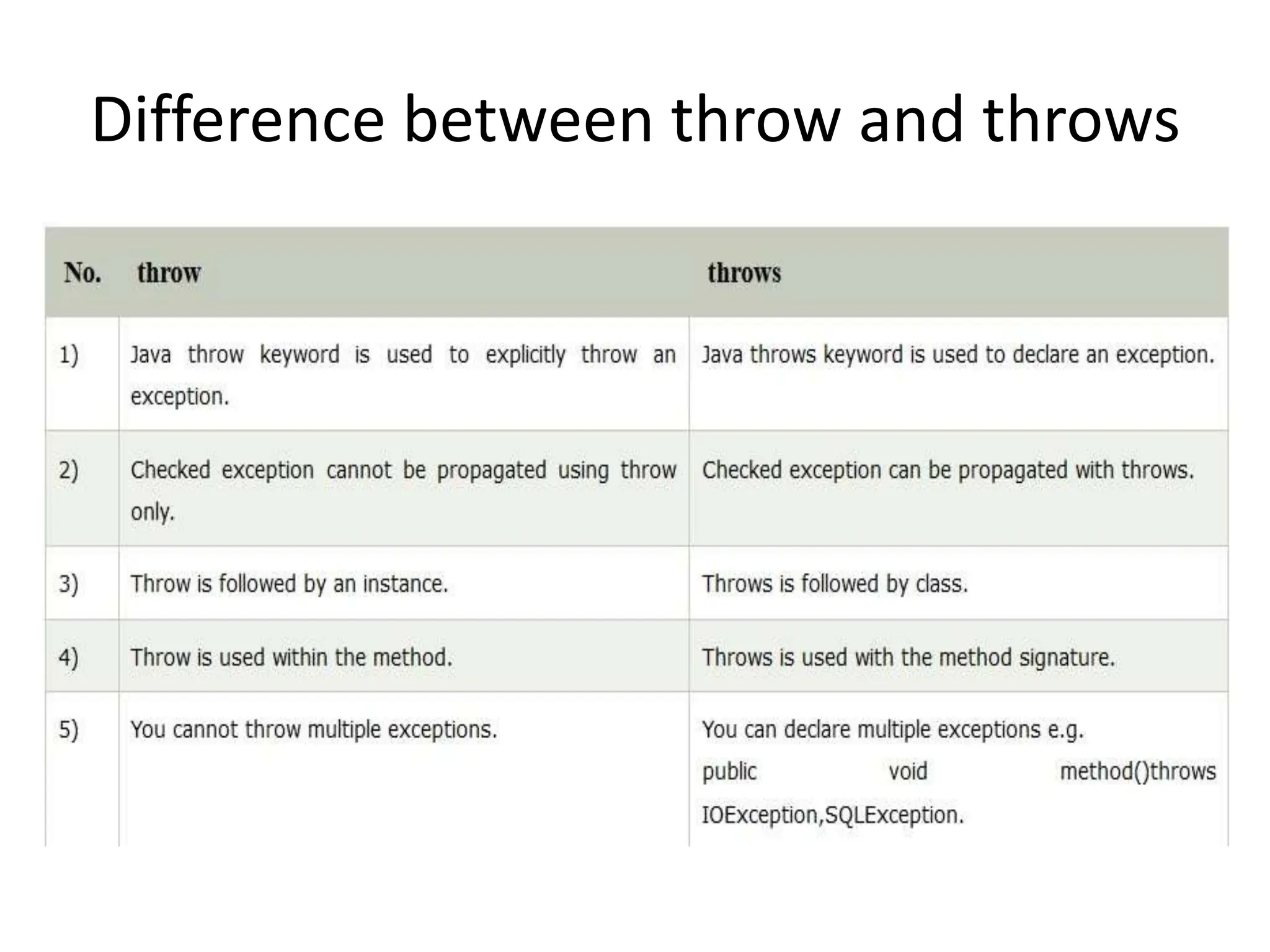
Difference between throw and throws
• Java throw example
void m()
{
throw new ArithmeticException("sorry");
}
• Java throws example
void m()throws ArithmeticException
{
//method code
}
• Java throw and throws example
void m()throws ArithmeticException
{
throw new ArithmeticException("sorry");
}
Java Exception Propagation
• An exception is first thrown from the top of
the stack and if it is not caught, it drops down
the call stack to the previous method,If not
caught there, the exception again drops down
to the previous method, and so on until they
are caught or until they reach the very bottom
of the call stack. This is called exception
propagation.
• Rule: By default Unchecked Exceptions are
forwarded in calling chain (propagated).
• class TestExceptionPropagation1
• {
• void m()
• {
• int data=50/0;
• }
• void n()
• {
• m();
• }
• void p()
• {
• try
• {
• n();
• }catch(Exception e){System.out.println("exception handled");}
• }
• public static void main(String args[])
• {
• TestExceptionPropagation1 obj=new TestExceptionPropagation1();
• obj.p();
• System.out.println("normal flow...");
• }
• }
Output:exception handled
normal flow...
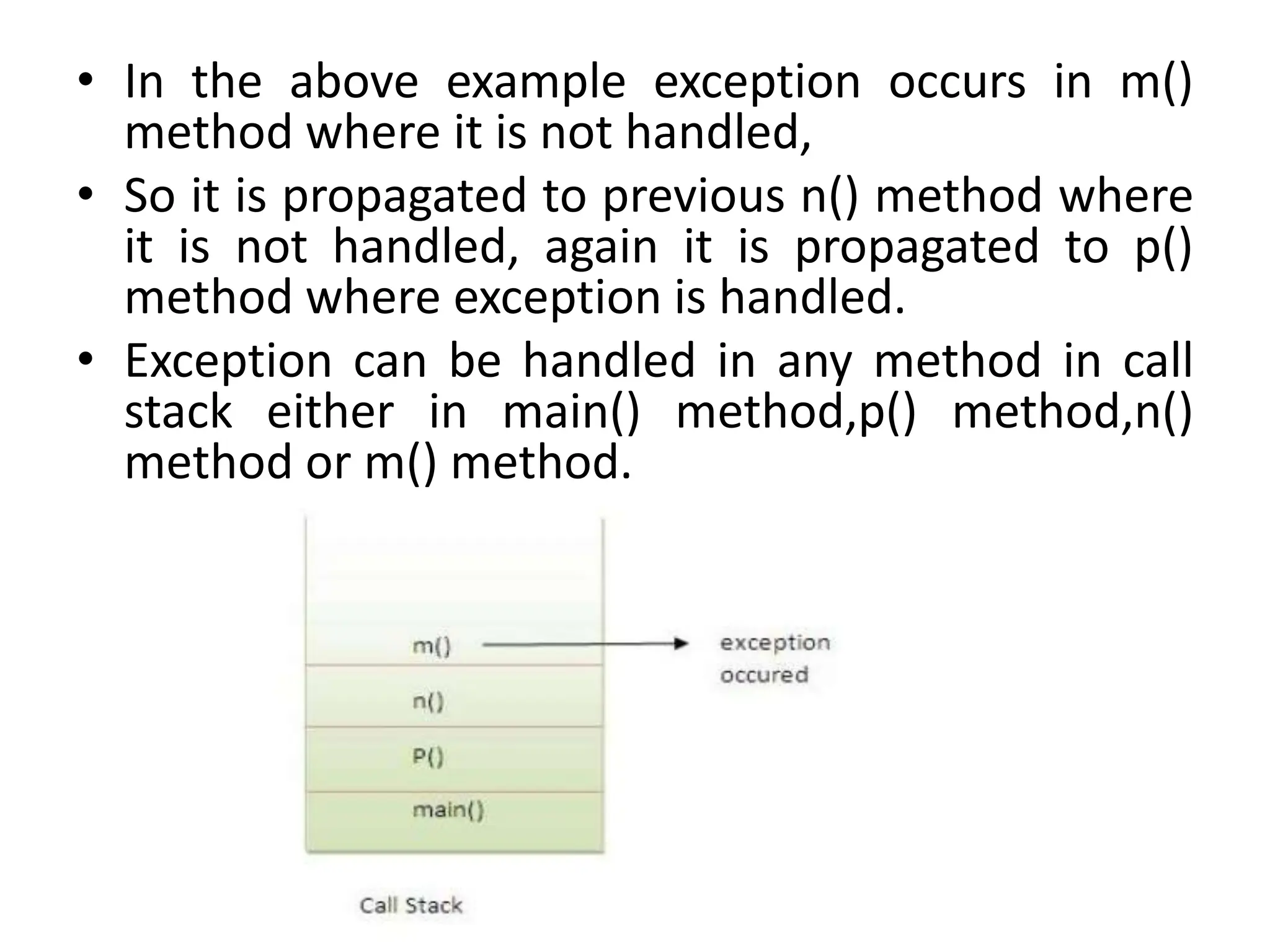
• In the above example exception occurs in m()
method where it is not handled,
• So it is propagated to previous n() method where
it is not handled, again it is propagated to p()
method where exception is handled.
• Exception can be handled in any method in call
stack either in main() method,p() method,n()
method or m() method.
• Rule: By default, Checked Exceptions are not forwarded in calling chain (propagated).
• class TestExceptionPropagation2{
• void m(){
• throw new java.io.IOException("device error");//checked exception
• }
• void n(){
• m();
• }
• void p(){
• try{
• n();
• }catch(Exception e){System.out.println("exception handeled");}
• }
• public static void main(String args[]){
• TestExceptionPropagation2 obj=new TestExceptionPropagation2();
• obj.p();
• System.out.println("normal flow");
• }
• }
• Output:Compile Time Error
Defining Generalized Exception Handler
• A generalized exception handler is one that can handle the
exceptions of all types.
• If a class has a generalized as well as specific exception
handler, then the generalized exception handler must be the
last one.
class Divide{
public static void main(String arr[]){
try {
int a= Integer.parseInt(arr[0]);
int b= Integer.parseInt(arr[1]);
int c = a/b;
System.out.println(“Result is: ”+c);
}
catch (Throwable e)
{
System.out.println(e);
}
}
}
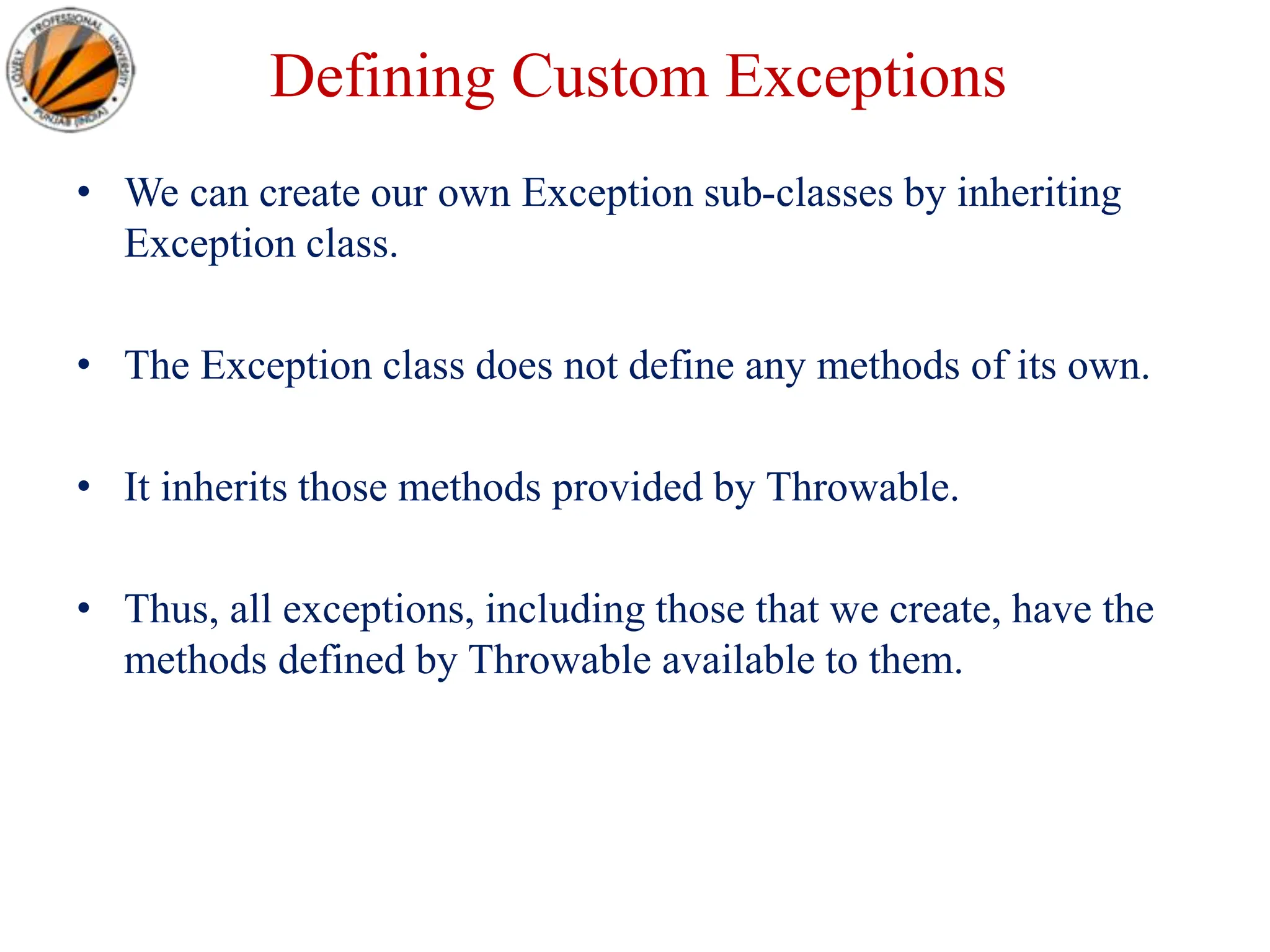
Defining Custom Exceptions
• We can create our own Exception sub-classes by inheriting
Exception class.
• The Exception class does not define any methods of its own.
• It inherits those methods provided by Throwable.
• Thus, all exceptions, including those that we create, have the
methods defined by Throwable available to them.
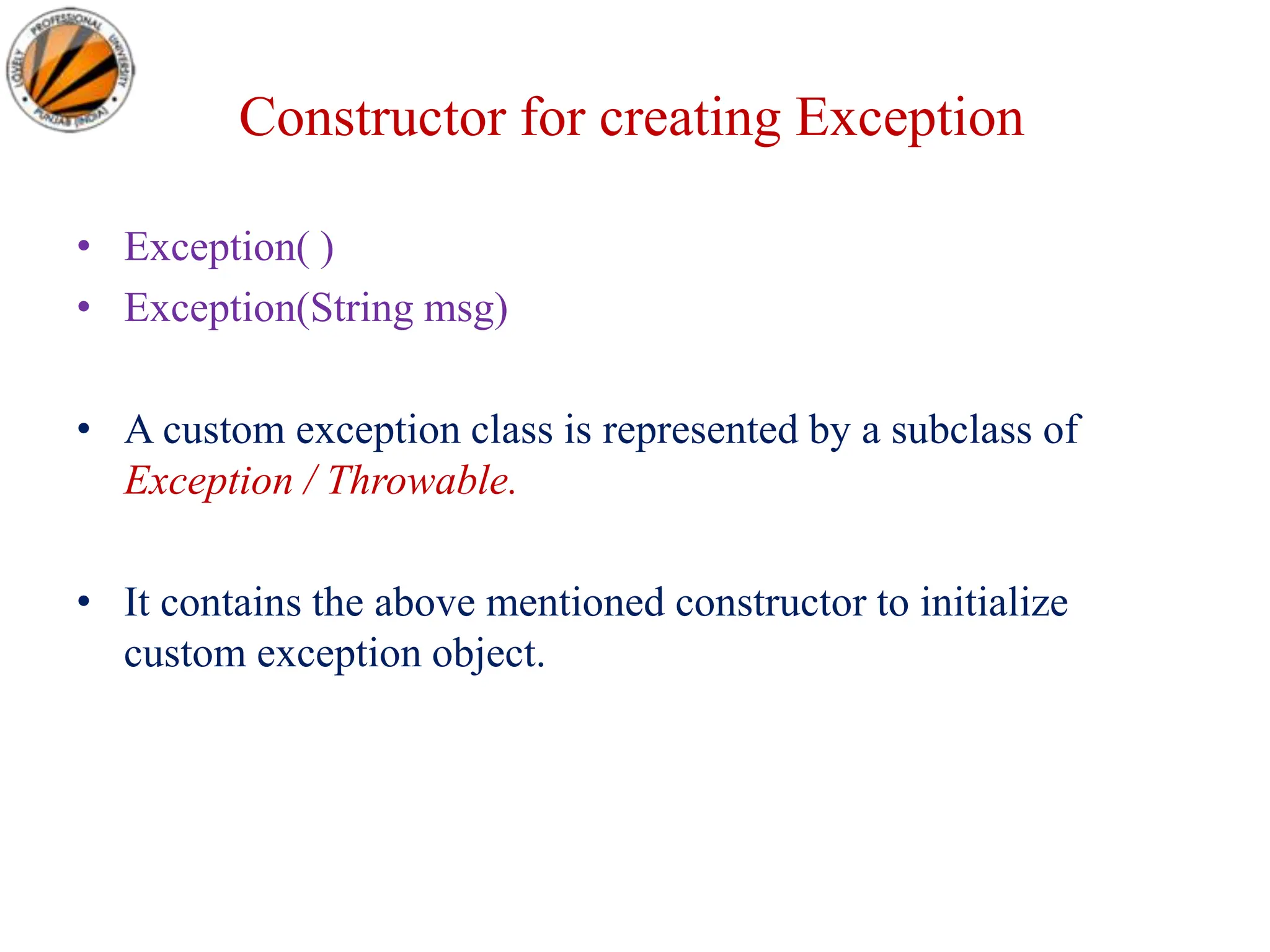
Constructor for creating Exception
• Exception( )
• Exception(String msg)
• A custom exception class is represented by a subclass of
Exception / Throwable.
• It contains the above mentioned constructor to initialize
custom exception object.
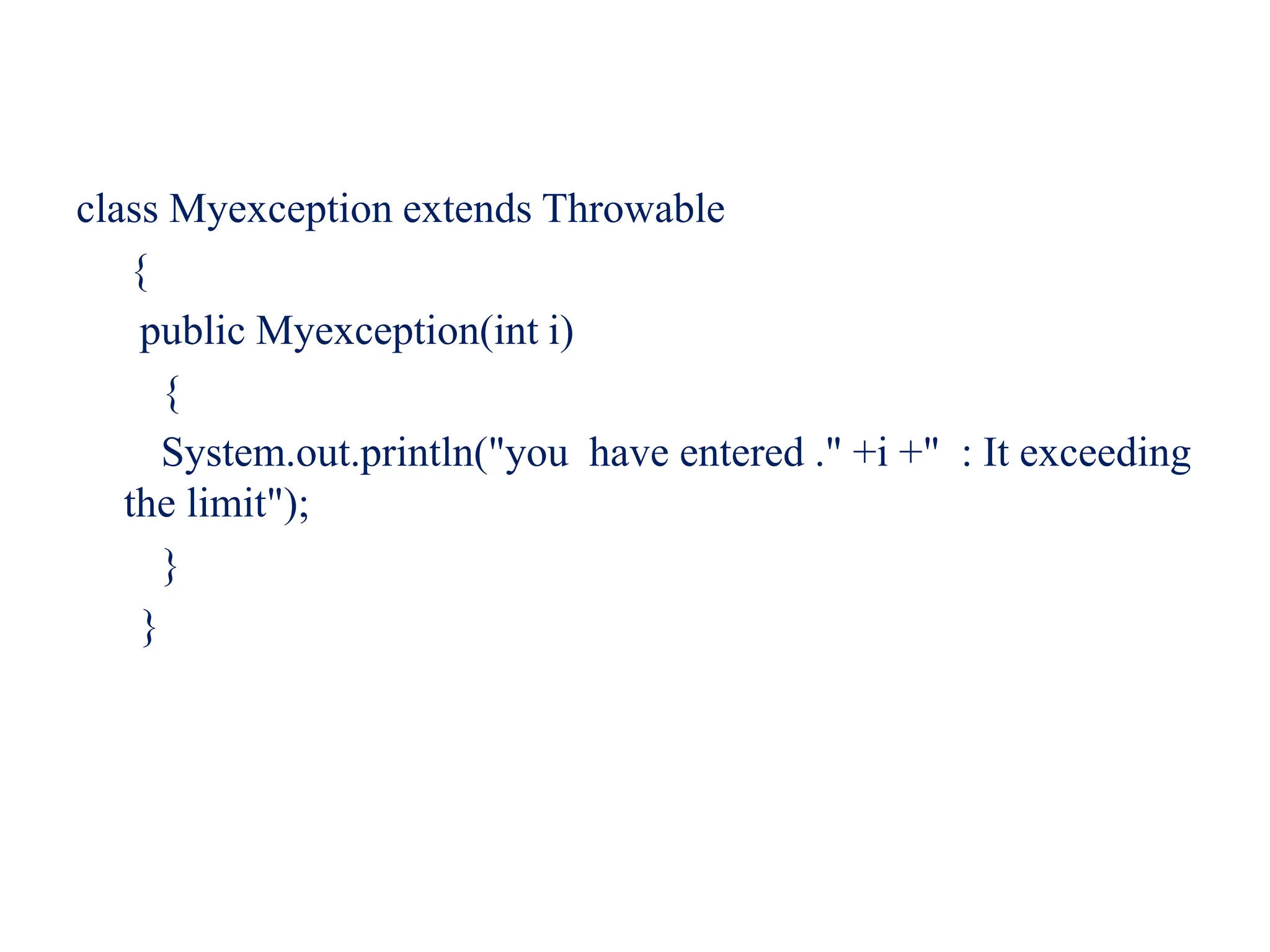
class Myexception extends Throwable
{
public Myexception(int i)
{
System.out.println("you have entered ." +i +" : It exceeding
the limit");
}
}
public class ExceptionTest {
public void show(int i) throws Myexception {
if(i>100)
throw new Myexception(i);
else
System.out.println(+i+" is less then 100 it is ok");
}
public static void main(String []args){
int i=Integer.parseInt(args[0]);
int j=Integer.parseInt(args[1]);
ExceptionTest t=new ExceptionTest();
try{
t.show(i); t.show(j);
}
catch(Throwable e) {
System.out.println("catched exception is "+e);
}
}
}
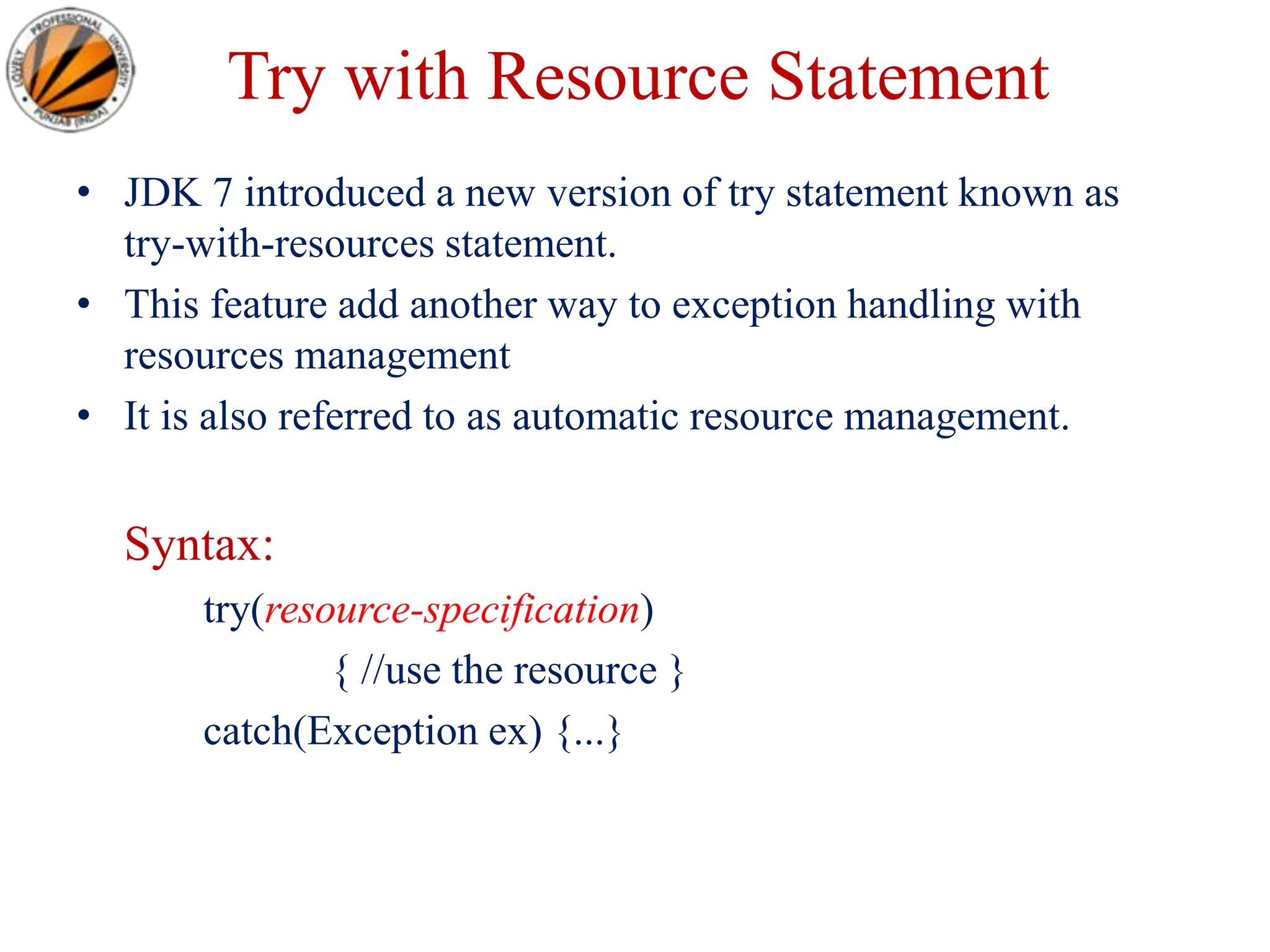
Try with Resource Statement
• JDK 7 introduced a new version of try statement known as
try-with-resources statement.
• This feature add another way to exception handling with
resources management
• It is also referred to as automatic resource management.
Syntax:
try(resource-specification)
{ //use the resource }
catch(Exception ex) {...}
Try with Resource Statement
• The try statement contains a parenthesis in which one or more
resources is declared.
• Any object that implements java.lang.AutoCloseable or
java.io.Closeable, can be passed as a parameter to try
statement.
• A resource is an object that is used in program and must be
closed after the program is finished.
• The try-with-resources statement ensures that each resource is
closed at the end of the statement, you do not have to
explicitly close the resources.
Example
import java.io.*;
class Test {
public static void main(String[] rk) {
try(BufferedReader br=new BufferedReader(
new FileReader("d:myfile.txt")))
{ String str;
while((str=br.readLine())!=null) {
System.out.println(str); }
}catch(IOException ie)
{ System.out.println("exception"); } } }
A36519192_21789_4_2018_Exception Handling.ppt

A36519192_21789_4_2018_Exception Handling.ppt

  • 1.
    Programming in Java ExceptionHandling Lovely Professional University, Punjab
  • 2.
  • 3.
    Introduction • An exceptionis an event, which occurs during the execution of a program, that disrupts the normal flow of the program's instructions. • An exception is an abnormal condition that arises in a code sequence at run time. • A Java exception is an object that describes an exceptional (that is, error) condition that has occurred in a piece of code. • In other words, “An exception is a run-time error.”
  • 4.
    Exception Handling • statement1; • statement 2; • statement 3; • statement 4; • statement 5;//exception occurs • statement 6; • statement 7; • statement 8; • statement 9; • statement 10; • Suppose there is 10 statements in your program and there occurs an exception at statement 5, rest of the code will not be executed i.e. statement 6 to 10 will not run. • If we perform exception handling, rest of the statement will be executed. That is why we use exception handling in java.
  • 5.
    Exception Handling • AnException is a run-time error that can be handled programmatically in the application and does not result in abnormal program termination. • Exception handling is a mechanism that facilitates programmatic handling of run-time errors. • In java, each run-time error is represented by an object.
  • 6.
    Exception (Class Hierarchy) •At the root of the class hierarchy, there is a class named ‘Throwable’ which represents the basic features of run- time errors. • There are two non-abstract sub-classes of Throwable. • Exception : can be handled • Error : can’t be handled • RuntimeException is the sub-class of Exception. • Each exception is a run-time error but all run-time errors are not exceptions.
  • 7.
    Throwable Exception Error Run-time Exception- VirtualMachine • IOException - ArithmeticException - NoSuchMethod • SQLException - ArrayIndexOutOf - StackOverFlow BoundsException - NullPointerException Types of Exceptions Checked Exception Unchecked Exception
  • 8.
    Checked Exception • CheckedExceptions are those, that have to be either caught or declared to be thrown in the method in which they are raised. Unchecked Exception • Unchecked Exceptions are those that are not forced by the compiler either to be caught or to be thrown. • Unchecked Exceptions either represent common programming errors or those run-time errors that can’t be handled through exception handling.
  • 9.
    Commonly used sub-classesof Exception • ArithmeticException • ArrayIndexOutOfBoundsException • NumberFormatException • NullPointerException • IOException
  • 10.
    Commonly used sub-classesof Errors • VirualMachineError • StackOverFlowError • NoClassDefFoundError • NoSuchMethodError
  • 11.
    Scenarios where exceptionsmay occur 1) Scenario where ArithmeticException occurs If we divide any number by zero, there occurs an ArithmeticException. int a=50/0;//ArithmeticException 2) Scenario where NullPointerException occurs If we have null value in any variable, performing any operation by the variable occurs an NullPointerException. String s=null; System.out.println(s.length());//NullPointerException
  • 12.
    3) Scenario whereNumberFormatException occurs The wrong formatting of any value, may occur NumberFormatException. Suppose I have a string variable that have characters, converting this variable into digit will occur NumberFormatException. String s="abc"; int i=Integer.parseInt(s);//NumberFormatException 4) Scenario where ArrayIndexOutOfBoundsException occurs If you are inserting any value in the wrong index, it would result ArrayIndexOutOfBoundsException as shown below: int a[]=new int[5]; a[10]=50; //ArrayIndexOutOfBoundsException
  • 13.
    Uncaught Exceptions class Exception_Demo { publicstatic void main(String args[]) { int d = 0; int a = 42 / d; } } • When the Java run-time system detects the attempt to divide by zero, it constructs a new exception object and then throws this exception. • Once an exception has been thrown, it must be caught by an exception handler and dealt with immediately.
  • 14.
    • In theprevious example, we haven’t supplied any exception handlers of our own. • So the exception is caught by the default handler provided by the Java run-time system. • Any exception that is not caught by your program will ultimately be processed by the default handler. • The default handler displays a string describing the exception, prints a stack trace from the point at which the exception occurred, and terminates the program. java.lang.ArithmeticException: / by zero at Exc0.main(Exc0.java:4)
  • 15.
    Why Exception Handling? •When the default exception handler is provided by the Java run-time system , why Exception Handling? • Exception Handling is needed because: – It allows to fix the error, customize the message . – It prevents the program from automatically terminating
  • 16.
  • 17.
    Keywords for ExceptionHandling • try • catch • throw • throws • finally
  • 18.
    Keywords for ExceptionHandling try • Java try block is used to enclose the code that might throw an exception. It must be used within the method. try { Statements whose execution may cause an exception } Note: try block is always used either with catch or finally or with both.
  • 19.
    Keywords for ExceptionHandling catch • catch is used to define a handler. • It contains statements that are to be executed when the exception represented by the catch block is generated. • If program executes normally, then the statements of catch block will not executed. • If no catch block is found in program, exception is caught by JVM and program is terminated.
  • 20.
    • It mustbe used after the try block only. • You can use multiple catch block with a single try.
  • 21.
    Problem without exceptionhandling public class Testtrycatch1 { public static void main(String args[]) { int data=50/0;//may throw exception System.out.println("rest of the code..."); } } Output: Exception in thread main java.lang.ArithmeticException:/ by zero
  • 22.
    Solution by exceptionhandling public class Testtrycatch2 { public static void main(String args[]) { try { int data=50/0; } catch(ArithmeticException e){System.out.println(e);} System.out.println("rest of the code..."); } } Output: Exception in thread main java.lang.ArithmeticException:/ by zero rest of the code...
  • 23.
    Internal working ofjava try-catch block
  • 24.
    • The JVMfirstly checks whether the exception is handled or not. If exception is not handled, JVM provides a default exception handler that performs the following tasks: • Prints out exception description. • Prints the stack trace (Hierarchy of methods where the exception occurred). • Causes the program to terminate. • But if exception is handled by the application programmer, normal flow of the application is maintained i.e. rest of the code is executed.
  • 25.
    Java Multi catchblock • If you have to perform different tasks at the occurrence of different Exceptions, use java multi catch block. public class TestMultipleCatchBlock { public static void main(String args[]) { try { int a[]=new int[5]; a[5]=30/0; } catch(ArithmeticException e){System.out.println("task1 is completed");} catch(ArrayIndexOutOfBoundsException e){System.out.println("task 2 completed");} catch(Exception e){System.out.println("common task completed");} System.out.println("rest of the code..."); } } Output:task1 completed rest of the code...
  • 26.
    • Rule1: Ata time only one Exception is occured and at a time only one catch block is executed. • Rule2: All catch blocks must be ordered from most specific to most general i.e. catch for ArithmeticException must come before catch for Exception .
  • 27.
    class TestMultipleCatchBlock1 { public staticvoid main(String args[]) { Try { int a[]=new int[5]; a[5]=30/0; } catch(Exception e){System.out.println("common task completed");} catch(ArithmeticException e){System.out.println("task1 is completed");} catch(ArrayIndexOutOfBoundsException e){System.out.println("task 2 complet ed");} System.out.println("rest of the code..."); } } Output: Compile-time error
  • 28.
    Nested try block •Sometimes a situation may arise where a part of a block may cause one error and the entire block itself may cause another error. In such cases, exception handlers have to be nested. • Syntax: • .... • try • { • statement 1; • statement 2; • try • { • statement 1; • statement 2; • } • catch(Exception e) • { • } • } • catch(Exception e) • { • } • ....
  • 29.
    • class Excep6{ •public static void main(String args[]){ • try{ • try{ • System.out.println("going to divide"); • int b =39/0; • }catch(ArithmeticException e){System.out.println(e);} • • try{ • int a[]=new int[5]; • a[5]=4; • }catch(ArrayIndexOutOfBoundsException e){System.out.println(e);} • • System.out.println("other statement”); • }catch(Exception e){System.out.println("handeled");} • • System.out.println("normal flow.."); • } • }
  • 30.
    Java finally block •Java finally block is always executed whether exception is handled or not. • Java finally block is a block that is used to execute important code such as closing connection, stream etc. • Java finally block follows try or catch block.
  • 31.
  • 32.
    • Note: Ifyou don't handle exception, before terminating the program, JVM executes finally block(if any).
  • 33.
    Example: Exception Doesn’tOccur • class TestFinallyBlock{ • public static void main(String args[]){ • try{ • int data=25/5; • System.out.println(data); • } • catch(NullPointerException e){System.out.println(e);} • finally{System.out.println("finally block is always executed");} • System.out.println("rest of the code..."); • } • } • Output:5 • finally block is always executed • rest of the code...
  • 34.
    Example: Exception Occurs& Not Handled • class TestFinallyBlock1{ • public static void main(String args[]){ • try{ • int data=25/0; • System.out.println(data); • } • catch(NullPointerException e){System.out.println(e);} • finally{System.out.println("finally block is always executed");} • System.out.println("rest of the code..."); • } • } • Output:finally block is always executed • Exception in thread main java.lang.ArithmeticException:/ by zero
  • 35.
    Example: Exception Occurs& Handled • public class TestFinallyBlock2{ • public static void main(String args[]){ • try{ • int data=25/0; • System.out.println(data); • } • catch(ArithmeticException e){System.out.println(“Code Executed”);} • finally{System.out.println("finally block is always executed");} • System.out.println("rest of the code..."); • } • } • Output: Code Executed • finally block is always executed • rest of the code...
  • 36.
    • Rule: Foreach try block there can be zero or more catch blocks, but only one finally block. • Note: The finally block will not be executed if program exits(either by calling System.exit() or by causing a fatal error that causes the process to abort).
  • 37.
    Java throw Exception •The Java throw keyword is used to explicitly throw an exception. • We can throw either checked or unchecked exception in java by throw keyword. The throw keyword is mainly used to throw custom exception. • If you are creating your own Exception that is known as custom exception or user-defined exception. Java custom exceptions are used to customize the exception according to user need. • By the help of custom exception, you can have your own exception and message. • The syntax of java throw keyword is given below. throw exception;
  • 38.
    throw • used forexplicit exception throwing. throw(Exception obj); ‘throw’ keyword can be used: • to throw user defined exception • to customize the message to be displayed by predefined exceptions • to re-throw a caught exception • Note: System-generated exceptions are automatically thrown by the Java run-time system.
  • 39.
    Example public class TestThrow1 { staticvoid validate(int age) { if(age<18) throw new ArithmeticException("not valid"); else System.out.println("welcome to vote"); } public static void main(String args[]) { validate(13); System.out.println("rest of the code..."); } } Output: Exception in thread main java.lang.ArithmeticException: not valid
  • 40.
    Java throws keyword •The Java throws keyword is used to declare an exception. • It gives an information to the programmer that there may occur an exception so it is better for the programmer to provide the exception handling code so that normal flow can be maintained. • Exception Handling is mainly used to handle the checked exceptions. • If there occurs any unchecked exception such as NullPointerException, it is programmers fault that he is not performing check up before the code being used. • Syntax of java throws return_type method_name() throws exception_class_name { //method code }
  • 41.
    • Which exceptionshould be declared • Ans) checked exception only, because: • unchecked Exception: under your control so correct your code. • error: beyond your control e.g. you are unable to do anything if there occurs VirtualMachineError or StackOverflowError. • Advantage of Java throws keyword • Now Checked Exception can be propagated (forwarded in call stack). • It provides information to the caller of the method about the exception.
  • 42.
    Example import java.io.IOException; class Testthrows1{ voidm()throws IOException{ throw new IOException("device error");//checked exception } void n()throws IOException{ m(); } void p(){ try{ n(); }catch(Exception e){System.out.println("exception handled");} } public static void main(String args[]){ Testthrows1 obj=new Testthrows1(); obj.p(); System.out.println("normal flow..."); } } Output: exception handled normal flow...
  • 43.
    • Rule: Ifyou are calling a method that declares an exception, you must either caught or declare the exception. • There are two cases: • Case1:You caught the exception i.e. handle the exception using try/catch. • Case2:You declare the exception i.e. specifying throws with the method.
  • 44.
    Case1:Handle the exception importjava.io.*; class M { void method()throws IOException { throw new IOException("device error"); } } public class Testthrows2 { public static void main(String args[]) { try { M m=new M(); m.method(); } catch(Exception e){System.out.println("exception handled");} System.out.println("normal flow..."); } } Output: exception handled normal flow...
  • 45.
    • Case2: Declarethe exception • A)In case you declare the exception, if exception does not occur, the code will be executed fine. • B)In case you declare the exception if exception occures, an exception will be thrown at runtime because throws does not handle the exception.
  • 46.
    A)Program if exceptiondoes not occur import java.io.*; class M { void method()throws IOException { System.out.println("device operation performed"); } } class Testthrows3 { public static void main(String args[])throws IOException {//declare exception M m=new M(); m.method(); System.out.println("normal flow..."); } } Output: device operation performed normal flow...
  • 47.
    B)Program if exceptionoccurs import java.io.*; class M { void method()throws IOException { throw new IOException("device error"); } } class Testthrows4 { public static void main(String args[]) throws IOException {//declare exception M m=new M(); m.method(); System.out.println("normal flow..."); } } Output:Runtime Exception
  • 48.
  • 49.
    • Java throwexample void m() { throw new ArithmeticException("sorry"); } • Java throws example void m()throws ArithmeticException { //method code } • Java throw and throws example void m()throws ArithmeticException { throw new ArithmeticException("sorry"); }
  • 50.
    Java Exception Propagation •An exception is first thrown from the top of the stack and if it is not caught, it drops down the call stack to the previous method,If not caught there, the exception again drops down to the previous method, and so on until they are caught or until they reach the very bottom of the call stack. This is called exception propagation. • Rule: By default Unchecked Exceptions are forwarded in calling chain (propagated).
  • 51.
    • class TestExceptionPropagation1 •{ • void m() • { • int data=50/0; • } • void n() • { • m(); • } • void p() • { • try • { • n(); • }catch(Exception e){System.out.println("exception handled");} • } • public static void main(String args[]) • { • TestExceptionPropagation1 obj=new TestExceptionPropagation1(); • obj.p(); • System.out.println("normal flow..."); • } • } Output:exception handled normal flow...
  • 52.
    • In theabove example exception occurs in m() method where it is not handled, • So it is propagated to previous n() method where it is not handled, again it is propagated to p() method where exception is handled. • Exception can be handled in any method in call stack either in main() method,p() method,n() method or m() method.
  • 53.
    • Rule: Bydefault, Checked Exceptions are not forwarded in calling chain (propagated). • class TestExceptionPropagation2{ • void m(){ • throw new java.io.IOException("device error");//checked exception • } • void n(){ • m(); • } • void p(){ • try{ • n(); • }catch(Exception e){System.out.println("exception handeled");} • } • public static void main(String args[]){ • TestExceptionPropagation2 obj=new TestExceptionPropagation2(); • obj.p(); • System.out.println("normal flow"); • } • } • Output:Compile Time Error
  • 54.
    Defining Generalized ExceptionHandler • A generalized exception handler is one that can handle the exceptions of all types. • If a class has a generalized as well as specific exception handler, then the generalized exception handler must be the last one.
  • 55.
    class Divide{ public staticvoid main(String arr[]){ try { int a= Integer.parseInt(arr[0]); int b= Integer.parseInt(arr[1]); int c = a/b; System.out.println(“Result is: ”+c); } catch (Throwable e) { System.out.println(e); } } }
  • 56.
    Defining Custom Exceptions •We can create our own Exception sub-classes by inheriting Exception class. • The Exception class does not define any methods of its own. • It inherits those methods provided by Throwable. • Thus, all exceptions, including those that we create, have the methods defined by Throwable available to them.
  • 57.
    Constructor for creatingException • Exception( ) • Exception(String msg) • A custom exception class is represented by a subclass of Exception / Throwable. • It contains the above mentioned constructor to initialize custom exception object.
  • 58.
    class Myexception extendsThrowable { public Myexception(int i) { System.out.println("you have entered ." +i +" : It exceeding the limit"); } }
  • 59.
    public class ExceptionTest{ public void show(int i) throws Myexception { if(i>100) throw new Myexception(i); else System.out.println(+i+" is less then 100 it is ok"); } public static void main(String []args){ int i=Integer.parseInt(args[0]); int j=Integer.parseInt(args[1]); ExceptionTest t=new ExceptionTest(); try{ t.show(i); t.show(j); } catch(Throwable e) { System.out.println("catched exception is "+e); } } }
  • 60.
    Try with ResourceStatement • JDK 7 introduced a new version of try statement known as try-with-resources statement. • This feature add another way to exception handling with resources management • It is also referred to as automatic resource management. Syntax: try(resource-specification) { //use the resource } catch(Exception ex) {...}
  • 61.
    Try with ResourceStatement • The try statement contains a parenthesis in which one or more resources is declared. • Any object that implements java.lang.AutoCloseable or java.io.Closeable, can be passed as a parameter to try statement. • A resource is an object that is used in program and must be closed after the program is finished. • The try-with-resources statement ensures that each resource is closed at the end of the statement, you do not have to explicitly close the resources.
  • 62.
    Example import java.io.*; class Test{ public static void main(String[] rk) { try(BufferedReader br=new BufferedReader( new FileReader("d:myfile.txt"))) { String str; while((str=br.readLine())!=null) { System.out.println(str); } }catch(IOException ie) { System.out.println("exception"); } } }

Editor's Notes