WE’RE SPENDING AN HOUR ON EXISTENTIALISM. HOPE YOU BROUGHT A SNACK.
MAT “WILTO” MARQUIS


twitter.com/ wilto
github.com/ wilto
dribbble.com/ wilto
mat@matmarquis.com
IF ANYONE MENTIONS THE MARQUEE TAG THEY WILL BE ASKED TO LEAVE.
•   New semantically-rich markup
•   Changes to the markup you know and love
•   New semantically-rich markup
•   Changes to the markup you know and love
•   APIs that can access device-specific features
•   New semantically-rich markup
•   Changes to the markup you know and love
•   APIs that can access device-specific features
•   APIs for caching and storing items in the browser
•   New semantically-rich markup
•   Changes to the markup you know and love
•   APIs that can access device-specific features
•   APIs for caching and storing items in the browser
•   CSS3
•   New semantically-rich markup
•   Changes to the markup you know and love
•   APIs that can access device-specific features
•   APIs for caching and storing items in the browser
•   CSS3
“ HTML5 DOES NOT INCLUDE
   JAVASCRIPT APIS, CSS3,
                               “
AMPERSANDS, OR CAT PICTURES!
SHOULDN’T YOU BE MAKING WEBSITES RIGHT NOW?
REMEMBER “CAPTAIN PLANET?” LIKE THAT, BUT WITHOUT THE MULLET.
EVERYTHING MAKES SENSE NOW.
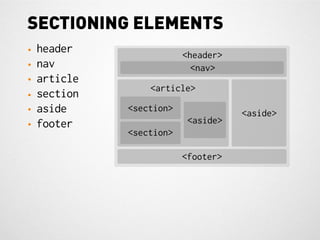
SECTIONING ELEMENTS
•   header                <header>
•   nav                     <nav>
•   article
                  <article>
•   section
•   aside     <section>              <aside>
•   footer                 <aside>
              <section>

                          <footer>
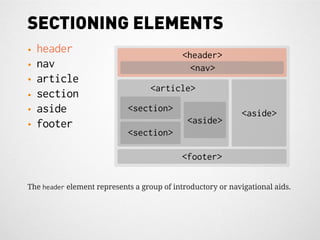
SECTIONING ELEMENTS
•   header                                  <header>
•   nav                                       <nav>
•   article
                                   <article>
•   section
•   aside                   <section>                       <aside>
•   footer                                   <aside>
                            <section>

                                            <footer>

The header element represents a group of introductory or navigational aids.

SECTIONING ELEMENTS
•   header                                  <header>
•   nav                                       <nav>
•   article
                                   <article>
•   section
•   aside                   <section>                        <aside>
•   footer                                   <aside>
                            <section>

                                            <footer>

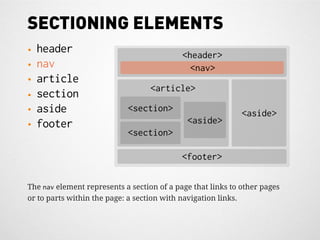
The nav element represents a section of a page that links to other pages
or to parts within the page: a section with navigation links.
SECTIONING ELEMENTS
•   header                                <header>
•   nav                                     <nav>
•   article
                                 <article>
•   section
•   aside                  <section>                      <aside>
•   footer                                 <aside>
                           <section>

                                          <footer>

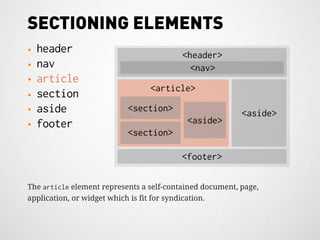
The article element represents a self-contained document, page,
application, or widget which is fit for syndication.
SECTIONING ELEMENTS
•   header                                <header>
•   nav                                     <nav>
•   article
                                 <article>
•   section
•   aside                  <section>                      <aside>
•   footer                                 <aside>
                           <section>

                                          <footer>

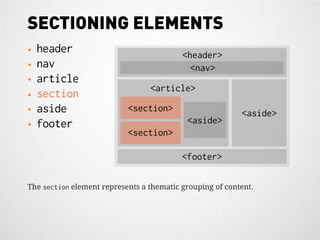
The section element represents a thematic grouping of content.
SECTIONING ELEMENTS
•   header                                 <header>
•   nav                                      <nav>
•   article
                                  <article>
•   section
•   aside                   <section>                       <aside>
•   footer                                  <aside>
                            <section>

                                           <footer>

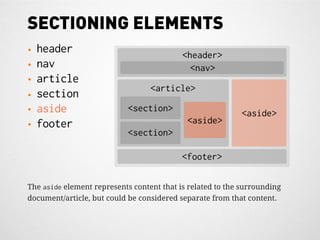
The aside element represents content that is related to the surrounding
document/article, but could be considered separate from that content.
SECTIONING ELEMENTS
•   header                                  <header>
•   nav                                       <nav>
•   article
                                  <article>
•   section
•   aside                   <section>                       <aside>
•   footer                                   <aside>
                            <section>

                                           <footer>

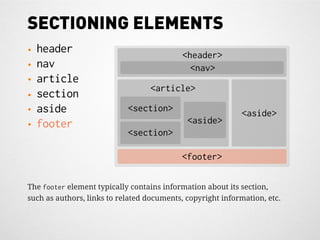
The footer element typically contains information about its section,
such as authors, links to related documents, copyright information, etc.
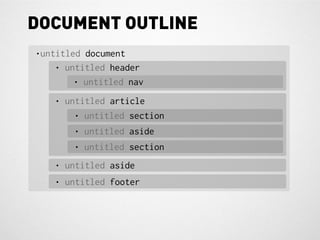
DOCUMENT OUTLINE
•untitled document
    • untitled header
        • untitled nav
   • untitled article
       • untitled section
       • untitled aside
       • untitled section
   • untitled aside
   • untitled footer
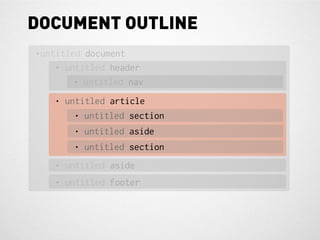
DOCUMENT OUTLINE
•untitled document
    • untitled header
        • untitled nav
   • untitled article
       • untitled section
       • untitled aside
       • untitled section
   • untitled aside
   • untitled footer
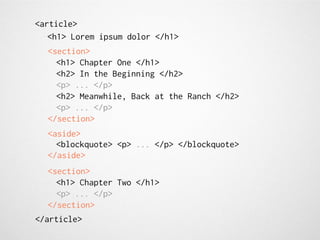
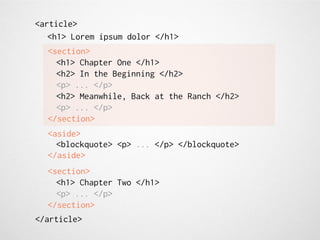
<article>
   <h1> Lorem ipsum dolor </h1>
  <section>
    <h1> Chapter One </h1>
    <h2> In the Beginning </h2>
    <p> ... </p>
    <h2> Meanwhile, Back at the Ranch </h2>
    <p> ... </p>
  </section>
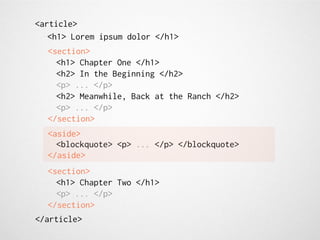
  <aside>
    <blockquote> <p> ... </p> </blockquote>
  </aside>
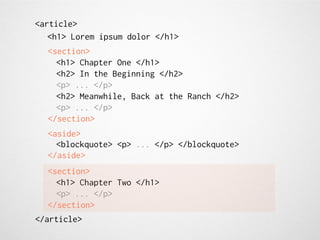
  <section>
    <h1> Chapter Two </h1>
    <p> ... </p>
  </section>
</article>
<article>
   <h1> Lorem ipsum dolor </h1>
  <section>
    <h1> Chapter One </h1>
    <h2> In the Beginning </h2>
    <p> ... </p>
    <h2> Meanwhile, Back at the Ranch </h2>
    <p> ... </p>
  </section>
  <aside>
    <blockquote> <p> ... </p> </blockquote>
  </aside>
  <section>
    <h1> Chapter Two </h1>
    <p> ... </p>
  </section>
</article>
<article>
   <h1> Lorem ipsum dolor </h1>
  <section>
    <h1> Chapter One </h1>
    <h2> In the Beginning </h2>
    <p> ... </p>
    <h2> Meanwhile, Back at the Ranch </h2>
    <p> ... </p>
  </section>
  <aside>
    <blockquote> <p> ... </p> </blockquote>
  </aside>
  <section>
    <h1> Chapter Two </h1>
    <p> ... </p>
  </section>
</article>
<article>
   <h1> Lorem ipsum dolor </h1>
  <section>
    <h1> Chapter One </h1>
    <h2> In the Beginning </h2>
    <p> ... </p>
    <h2> Meanwhile, Back at the Ranch </h2>
    <p> ... </p>
  </section>
  <aside>
    <blockquote> <p> ... </p> </blockquote>
  </aside>
  <section>
    <h1> Chapter Two </h1>
    <p> ... </p>
  </section>
</article>
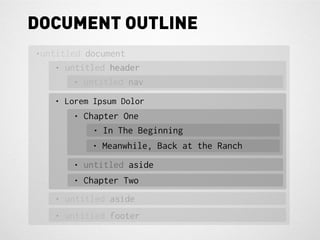
DOCUMENT OUTLINE
•untitled document
    • untitled header
        • untitled nav
   • Lorem Ipsum Dolor
       • Chapter One
           • In The Beginning
           • Meanwhile, Back at the Ranch
       • untitled aside
       • Chapter Two
   • untitled aside
   • untitled footer
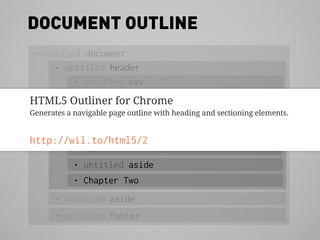
DOCUMENT OUTLINE
 •untitled document
     • untitled header
         • untitled nav
HTML5 Outliner for Chrome
   • Lorem Ipsum Dolor
Generates a navigable page outline with heading and sectioning elements.
            • Chapter One
                 • In The Beginning
http://wil.to/html5/2 Back at the Ranch
           • Meanwhile,
            • untitled aside
            • Chapter Two
       • untitled aside
       • untitled footer
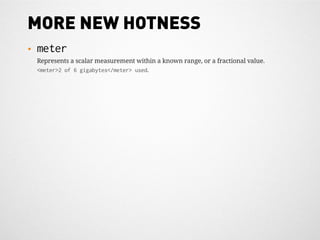
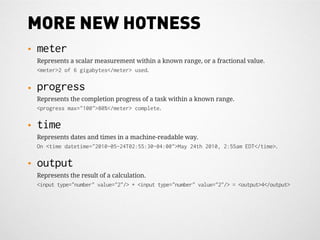
MORE NEW HOTNESS
•   meter
    Represents a scalar measurement within a known range, or a fractional value.
    <meter>2 of 6 gigabytes</meter> used.
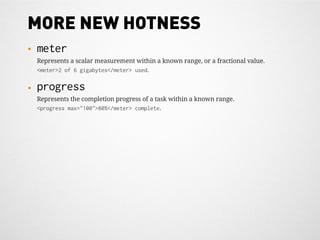
MORE NEW HOTNESS
•   meter
    Represents a scalar measurement within a known range, or a fractional value.
    <meter>2 of 6 gigabytes</meter> used.

•   progress
    Represents the completion progress of a task within a known range.
    <progress max="100">80%</meter> complete.
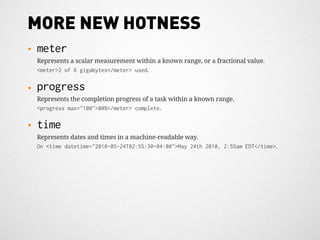
MORE NEW HOTNESS
•   meter
    Represents a scalar measurement within a known range, or a fractional value.
    <meter>2 of 6 gigabytes</meter> used.

•   progress
    Represents the completion progress of a task within a known range.
    <progress max="100">80%</meter> complete.

•   time
    Represents dates and times in a machine-readable way.
    On <time datetime="2010-05-24T02:55:30-04:00">May 24th 2010, 2:55am EDT</time>.
MORE NEW HOTNESS
•   meter
    Represents a scalar measurement within a known range, or a fractional value.
    <meter>2 of 6 gigabytes</meter> used.

•   progress
    Represents the completion progress of a task within a known range.
    <progress max="100">80%</meter> complete.

•   time
    Represents dates and times in a machine-readable way.
    On <time datetime="2010-05-24T02:55:30-04:00">May 24th 2010, 2:55am EDT</time>.

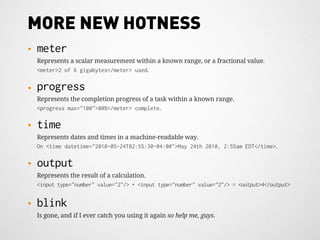
•   output
    Represents the result of a calculation.
    <input type="number" value="2"/> + <input type="number" value="2"/> = <output>4</output>
MORE NEW HOTNESS
•   meter
    Represents a scalar measurement within a known range, or a fractional value.
    <meter>2 of 6 gigabytes</meter> used.

•   progress
    Represents the completion progress of a task within a known range.
    <progress max="100">80%</meter> complete.

•   time
    Represents dates and times in a machine-readable way.
    On <time datetime="2010-05-24T02:55:30-04:00">May 24th 2010, 2:55am EDT</time>.

•   output
    Represents the result of a calculation.
    <input type="number" value="2"/> + <input type="number" value="2"/> = <output>4</output>


•   blink
    Is gone, and if I ever catch you using it again so help me, guys.
MORE NEW HOTNESS
•   meter
    Represents a scalar measurement within a known range, or a fractional value.
    <meter>2 of 6 gigabytes</meter> used.

•   progress
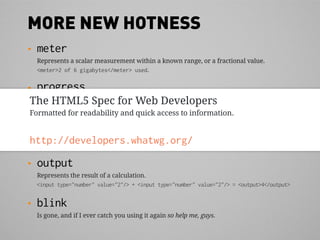
The HTML5 Spec progress of a task within a known range.
 Represents the completion for Web Developers
    <progress max="100">80%</meter> complete.
Formatted for readability and quick access to information.
•   time
 Represents dates and times in a machine-readable way.
http://developers.whatwg.org/ 2010, 2:55am EDT</time>.
 On <time datetime="2010-05-24T02:55:30-04:00">May 24th

•   output
    Represents the result of a calculation.
    <input type="number" value="2"/> + <input type="number" value="2"/> = <output>4</output>


•   blink
    Is gone, and if I ever catch you using it again so help me, guys.
YOU KNEW IT WOULD COME UP EVENTUALLY
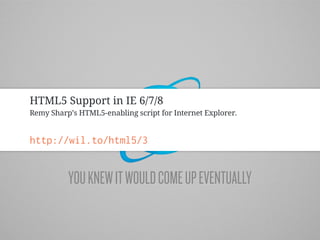
HTML5 Support in IE 6/7/8
Remy Sharp’s HTML5-enabling script for Internet Explorer.


http://wil.to/html5/3


          YOU KNEW IT WOULD COME UP EVENTUALLY
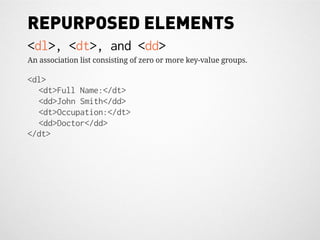
REPURPOSED ELEMENTS
<dl>, <dt>, and <dd>
An association list consisting of zero or more key-value groups.

<dl>
  <dt>Full Name:</dt>
  <dd>John Smith</dd>
  <dt>Occupation:</dt>
  <dd>Doctor</dd>
</dt>
REPURPOSED ELEMENTS
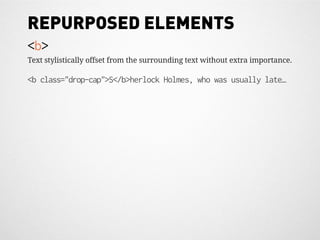
<b>
Text stylistically offset from the surrounding text without extra importance.

<b class="drop-cap">S</b>herlock Holmes, who was usually late…
REPURPOSED ELEMENTS
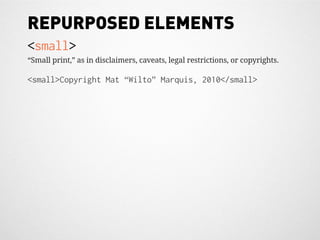
<small>
“Small print,” as in disclaimers, caveats, legal restrictions, or copyrights.

<small>Copyright Mat “Wilto” Marquis, 2010</small>
REPURPOSED ELEMENTS
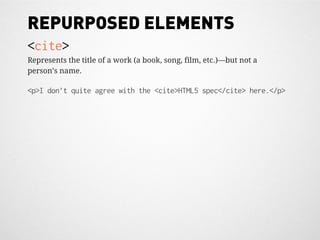
<cite>
Represents the title of a work (a book, song, film, etc.)—but not a
person’s name.

<p>I don’t quite agree with the <cite>HTML5 spec</cite> here.</p>
REPURPOSED ELEMENTS
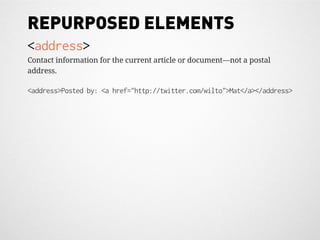
<address>
Contact information for the current article or document—not a postal
address.

<address>Posted by: <a href="http://twitter.com/wilto">Mat</a></address>
STOP ME IF YOU’VE HEARD OF THIS ONE
BORDER-RADIUS
BOX-SHADOW
NOT PARTICULARLY EXCITING
VENDOR PREFIXES
VENDOR PREFIXES
•   -webkit-
VENDOR PREFIXES
•   -webkit-
•   -moz-
VENDOR PREFIXES
•   -webkit-
•   -moz-
•   -o-
VENDOR PREFIXES
•   -webkit-
•   -moz-
•   -o-
•   -ms-
TRANSITIONS
a {
   color: #777;
   -webkit-transition: color .2s linear;
   -moz-transition: color .2s linear;
   -ms-transition: color .2s linear;
   -o-transition: color .2s linear;
   transition: color .2s linear;
}
a:hover {
   color: #bada55;
}
TRANSITIONS
a {
   color: #777;
   -webkit-transition: color .2s linear;
   -moz-transition: color .2s linear;
   -ms-transition: color .2s linear;
 Transition Demo .2s linear;
   -o-transition: color
   transition: color .2s linear;
}
a:hover {
 http://wil.to/html5/transitions
   color: #bada55;
}
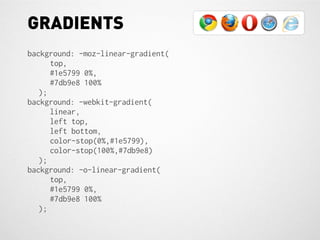
GRADIENTS
background: -moz-linear-gradient(
      top,
      #1e5799 0%,
      #7db9e8 100%
   );
background: -webkit-gradient(
      linear,
      left top,
      left bottom,
      color-stop(0%,#1e5799),
      color-stop(100%,#7db9e8)
   );
background: -o-linear-gradient(
      top,
      #1e5799 0%,
      #7db9e8 100%
   );
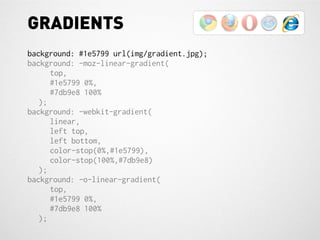
GRADIENTS
background: #1e5799 url(img/gradient.jpg);
background: -moz-linear-gradient(
      top,
      #1e5799 0%,
      #7db9e8 100%
   );
background: -webkit-gradient(
      linear,
      left top,
      left bottom,
      color-stop(0%,#1e5799),
      color-stop(100%,#7db9e8)
   );
background: -o-linear-gradient(
      top,
      #1e5799 0%,
      #7db9e8 100%
   );
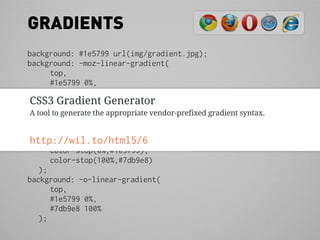
GRADIENTS
background: #1e5799 url(img/gradient.jpg);
background: -moz-linear-gradient(
       top,
       #1e5799 0%,
       #7db9e8 100%
 CSS3 Gradient Generator
    );
background: -webkit-gradient(
 A tool to generate the appropriate vendor-prefixed gradient syntax.
       linear,
       left top,
 http://wil.to/html5/6
       left bottom,
       color-stop(0%,#1e5799),
       color-stop(100%,#7db9e8)
    );
background: -o-linear-gradient(
       top,
       #1e5799 0%,
       #7db9e8 100%
    );
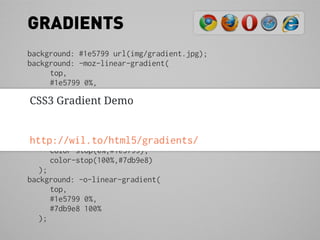
GRADIENTS
background: #1e5799 url(img/gradient.jpg);
background: -moz-linear-gradient(
      top,
      #1e5799 0%,
      #7db9e8 100%
 CSS3 Gradient Demo
   );
background: -webkit-gradient(
      linear,
      left top,
 http://wil.to/html5/gradients/
      left bottom,
      color-stop(0%,#1e5799),
      color-stop(100%,#7db9e8)
   );
background: -o-linear-gradient(
      top,
      #1e5799 0%,
      #7db9e8 100%
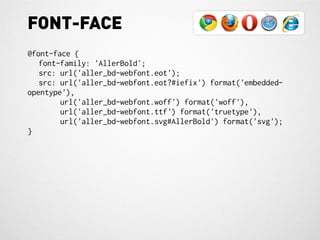
   );
FONT-FACE
@font-face {
   font-family: 'AllerBold';
   src: url('aller_bd-webfont.eot');
   src: url('aller_bd-webfont.eot?#iefix') format('embedded-
opentype'),
        url('aller_bd-webfont.woff') format('woff'),
        url('aller_bd-webfont.ttf') format('truetype'),
        url('aller_bd-webfont.svg#AllerBold') format('svg');
}
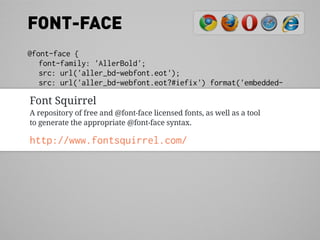
FONT-FACE
@font-face {
    font-family: 'AllerBold';
    src: url('aller_bd-webfont.eot');
    src: url('aller_bd-webfont.eot?#iefix') format('embedded-
opentype'),
 Font Squirrel
          url('aller_bd-webfont.woff') format('woff'),
          url('aller_bd-webfont.ttf') format('truetype'),
 A repository of free and @font-face licensed fonts, as well as a tool
          url('aller_bd-webfont.svg#AllerBold') format('svg');
 to generate the appropriate @font-face syntax.
}
http://www.fontsquirrel.com/
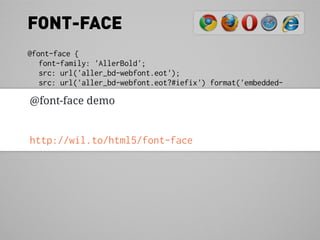
FONT-FACE
@font-face {
   font-family: 'AllerBold';
   src: url('aller_bd-webfont.eot');
   src: url('aller_bd-webfont.eot?#iefix') format('embedded-
opentype'),
 @font-face demo
        url('aller_bd-webfont.woff') format('woff'),
        url('aller_bd-webfont.ttf') format('truetype'),
        url('aller_bd-webfont.svg#AllerBold') format('svg');
}
http://wil.to/html5/font-face
GO-GO-GADGET: AWESOME.
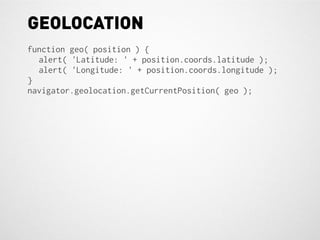
GEOLOCATION
function geo( position ) {
  alert( 'Latitude: ' + position.coords.latitude );
  alert( 'Longitude: ' + position.coords.longitude );
}
navigator.geolocation.getCurrentPosition( geo );
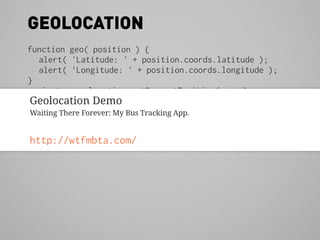
GEOLOCATION
function geo( position ) {
  alert( 'Latitude: ' + position.coords.latitude );
  alert( 'Longitude: ' + position.coords.longitude );
}
navigator.geolocation.getCurrentPosition( geo );
Geolocation Demo
Waiting There Forever: My Bus Tracking App.


http://wtfmbta.com/
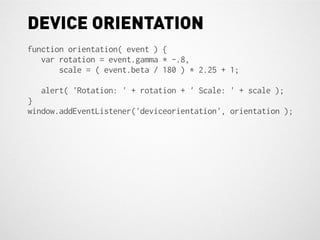
DEVICE ORIENTATION
function orientation( event ) {
   var rotation = event.gamma * -.8,
       scale = ( event.beta / 180 ) * 2.25 + 1;

  alert( 'Rotation: ' + rotation + ' Scale: ' + scale );
}
window.addEventListener('deviceorientation', orientation );
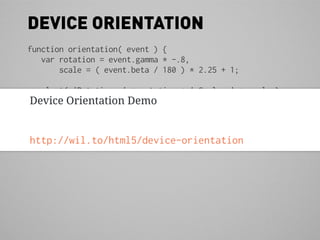
DEVICE ORIENTATION
function orientation( event ) {
   var rotation = event.gamma * -.8,
       scale = ( event.beta / 180 ) * 2.25 + 1;

  alert( 'Rotation: ' + rotation + ' Scale: ' + scale );
Device Orientation Demo
}
window.addEventListener('deviceorientation', orientation );


http://wil.to/html5/device-orientation
HAVE YOU GUYS EVER BEEN “OFFLINE?” IT’S SCARY.
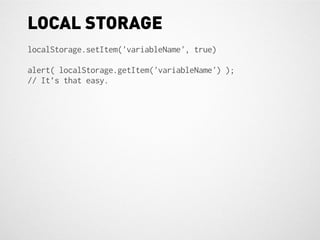
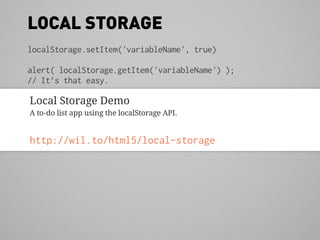
LOCAL STORAGE
localStorage.setItem('variableName', true)

alert( localStorage.getItem('variableName') );
// It’s that easy.
LOCAL STORAGE
localStorage.setItem('variableName', true)

alert( localStorage.getItem('variableName') );
// It’s that easy.

Local Storage Demo
A to-do list app using the localStorage API.


http://wil.to/html5/local-storage
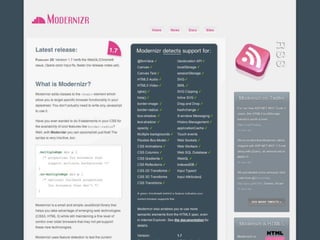
Modernizr
A library of tests to check for CSS3 and HTML5 API support on the client side.


http://www.modernizr.com/
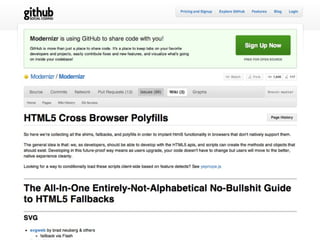
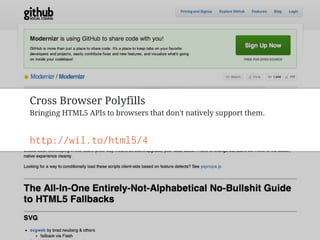
Cross Browser Polyfills
Bringing HTML5 APIs to browsers that don't natively support them.


http://wil.to/html5/4
YOU MAY NOW ADD “HTML5 GURU” TO YOUR RESUME.
RESOURCES


wil.to/html5
http://developers.whatwg.org
pester me on the internet (@wilto)

A Practical Guide to HTML5

  • 2.
    WE’RE SPENDING ANHOUR ON EXISTENTIALISM. HOPE YOU BROUGHT A SNACK.
  • 3.
    MAT “WILTO” MARQUIS twitter.com/wilto github.com/ wilto dribbble.com/ wilto mat@matmarquis.com
  • 4.
    IF ANYONE MENTIONSTHE MARQUEE TAG THEY WILL BE ASKED TO LEAVE.
  • 5.
    New semantically-rich markup
  • 6.
    New semantically-rich markup • Changes to the markup you know and love
  • 7.
    New semantically-rich markup • Changes to the markup you know and love • APIs that can access device-specific features
  • 8.
    New semantically-rich markup • Changes to the markup you know and love • APIs that can access device-specific features • APIs for caching and storing items in the browser
  • 9.
    New semantically-rich markup • Changes to the markup you know and love • APIs that can access device-specific features • APIs for caching and storing items in the browser • CSS3
  • 10.
    New semantically-rich markup • Changes to the markup you know and love • APIs that can access device-specific features • APIs for caching and storing items in the browser • CSS3
  • 11.
    “ HTML5 DOESNOT INCLUDE JAVASCRIPT APIS, CSS3, “ AMPERSANDS, OR CAT PICTURES!
  • 12.
    SHOULDN’T YOU BEMAKING WEBSITES RIGHT NOW?
  • 13.
    REMEMBER “CAPTAIN PLANET?”LIKE THAT, BUT WITHOUT THE MULLET.
  • 14.
  • 15.
    SECTIONING ELEMENTS • header <header> • nav <nav> • article <article> • section • aside <section> <aside> • footer <aside> <section> <footer>
  • 16.
    SECTIONING ELEMENTS • header <header> • nav <nav> • article <article> • section • aside <section> <aside> • footer <aside> <section> <footer> The header element represents a group of introductory or navigational aids.
  • 17.
    SECTIONING ELEMENTS • header <header> • nav <nav> • article <article> • section • aside <section> <aside> • footer <aside> <section> <footer> The nav element represents a section of a page that links to other pages or to parts within the page: a section with navigation links.
  • 18.
    SECTIONING ELEMENTS • header <header> • nav <nav> • article <article> • section • aside <section> <aside> • footer <aside> <section> <footer> The article element represents a self-contained document, page, application, or widget which is fit for syndication.
  • 19.
    SECTIONING ELEMENTS • header <header> • nav <nav> • article <article> • section • aside <section> <aside> • footer <aside> <section> <footer> The section element represents a thematic grouping of content.
  • 20.
    SECTIONING ELEMENTS • header <header> • nav <nav> • article <article> • section • aside <section> <aside> • footer <aside> <section> <footer> The aside element represents content that is related to the surrounding document/article, but could be considered separate from that content.
  • 21.
    SECTIONING ELEMENTS • header <header> • nav <nav> • article <article> • section • aside <section> <aside> • footer <aside> <section> <footer> The footer element typically contains information about its section, such as authors, links to related documents, copyright information, etc.
  • 22.
    DOCUMENT OUTLINE •untitled document • untitled header • untitled nav • untitled article • untitled section • untitled aside • untitled section • untitled aside • untitled footer
  • 23.
    DOCUMENT OUTLINE •untitled document • untitled header • untitled nav • untitled article • untitled section • untitled aside • untitled section • untitled aside • untitled footer
  • 24.
    <article> <h1> Lorem ipsum dolor </h1> <section> <h1> Chapter One </h1> <h2> In the Beginning </h2> <p> ... </p> <h2> Meanwhile, Back at the Ranch </h2> <p> ... </p> </section> <aside> <blockquote> <p> ... </p> </blockquote> </aside> <section> <h1> Chapter Two </h1> <p> ... </p> </section> </article>
  • 25.
    <article> <h1> Lorem ipsum dolor </h1> <section> <h1> Chapter One </h1> <h2> In the Beginning </h2> <p> ... </p> <h2> Meanwhile, Back at the Ranch </h2> <p> ... </p> </section> <aside> <blockquote> <p> ... </p> </blockquote> </aside> <section> <h1> Chapter Two </h1> <p> ... </p> </section> </article>
  • 26.
    <article> <h1> Lorem ipsum dolor </h1> <section> <h1> Chapter One </h1> <h2> In the Beginning </h2> <p> ... </p> <h2> Meanwhile, Back at the Ranch </h2> <p> ... </p> </section> <aside> <blockquote> <p> ... </p> </blockquote> </aside> <section> <h1> Chapter Two </h1> <p> ... </p> </section> </article>
  • 27.
    <article> <h1> Lorem ipsum dolor </h1> <section> <h1> Chapter One </h1> <h2> In the Beginning </h2> <p> ... </p> <h2> Meanwhile, Back at the Ranch </h2> <p> ... </p> </section> <aside> <blockquote> <p> ... </p> </blockquote> </aside> <section> <h1> Chapter Two </h1> <p> ... </p> </section> </article>
  • 28.
    DOCUMENT OUTLINE •untitled document • untitled header • untitled nav • Lorem Ipsum Dolor • Chapter One • In The Beginning • Meanwhile, Back at the Ranch • untitled aside • Chapter Two • untitled aside • untitled footer
  • 29.
    DOCUMENT OUTLINE •untitleddocument • untitled header • untitled nav HTML5 Outliner for Chrome • Lorem Ipsum Dolor Generates a navigable page outline with heading and sectioning elements. • Chapter One • In The Beginning http://wil.to/html5/2 Back at the Ranch • Meanwhile, • untitled aside • Chapter Two • untitled aside • untitled footer
  • 30.
    MORE NEW HOTNESS • meter Represents a scalar measurement within a known range, or a fractional value. <meter>2 of 6 gigabytes</meter> used.
  • 31.
    MORE NEW HOTNESS • meter Represents a scalar measurement within a known range, or a fractional value. <meter>2 of 6 gigabytes</meter> used. • progress Represents the completion progress of a task within a known range. <progress max="100">80%</meter> complete.
  • 32.
    MORE NEW HOTNESS • meter Represents a scalar measurement within a known range, or a fractional value. <meter>2 of 6 gigabytes</meter> used. • progress Represents the completion progress of a task within a known range. <progress max="100">80%</meter> complete. • time Represents dates and times in a machine-readable way. On <time datetime="2010-05-24T02:55:30-04:00">May 24th 2010, 2:55am EDT</time>.
  • 33.
    MORE NEW HOTNESS • meter Represents a scalar measurement within a known range, or a fractional value. <meter>2 of 6 gigabytes</meter> used. • progress Represents the completion progress of a task within a known range. <progress max="100">80%</meter> complete. • time Represents dates and times in a machine-readable way. On <time datetime="2010-05-24T02:55:30-04:00">May 24th 2010, 2:55am EDT</time>. • output Represents the result of a calculation. <input type="number" value="2"/> + <input type="number" value="2"/> = <output>4</output>
  • 34.
    MORE NEW HOTNESS • meter Represents a scalar measurement within a known range, or a fractional value. <meter>2 of 6 gigabytes</meter> used. • progress Represents the completion progress of a task within a known range. <progress max="100">80%</meter> complete. • time Represents dates and times in a machine-readable way. On <time datetime="2010-05-24T02:55:30-04:00">May 24th 2010, 2:55am EDT</time>. • output Represents the result of a calculation. <input type="number" value="2"/> + <input type="number" value="2"/> = <output>4</output> • blink Is gone, and if I ever catch you using it again so help me, guys.
  • 35.
    MORE NEW HOTNESS • meter Represents a scalar measurement within a known range, or a fractional value. <meter>2 of 6 gigabytes</meter> used. • progress The HTML5 Spec progress of a task within a known range. Represents the completion for Web Developers <progress max="100">80%</meter> complete. Formatted for readability and quick access to information. • time Represents dates and times in a machine-readable way. http://developers.whatwg.org/ 2010, 2:55am EDT</time>. On <time datetime="2010-05-24T02:55:30-04:00">May 24th • output Represents the result of a calculation. <input type="number" value="2"/> + <input type="number" value="2"/> = <output>4</output> • blink Is gone, and if I ever catch you using it again so help me, guys.
  • 37.
    YOU KNEW ITWOULD COME UP EVENTUALLY
  • 38.
    HTML5 Support inIE 6/7/8 Remy Sharp’s HTML5-enabling script for Internet Explorer. http://wil.to/html5/3 YOU KNEW IT WOULD COME UP EVENTUALLY
  • 39.
    REPURPOSED ELEMENTS <dl>, <dt>,and <dd> An association list consisting of zero or more key-value groups. <dl> <dt>Full Name:</dt> <dd>John Smith</dd> <dt>Occupation:</dt> <dd>Doctor</dd> </dt>
  • 40.
    REPURPOSED ELEMENTS <b> Text stylisticallyoffset from the surrounding text without extra importance. <b class="drop-cap">S</b>herlock Holmes, who was usually late…
  • 41.
    REPURPOSED ELEMENTS <small> “Small print,”as in disclaimers, caveats, legal restrictions, or copyrights. <small>Copyright Mat “Wilto” Marquis, 2010</small>
  • 42.
    REPURPOSED ELEMENTS <cite> Represents thetitle of a work (a book, song, film, etc.)—but not a person’s name. <p>I don’t quite agree with the <cite>HTML5 spec</cite> here.</p>
  • 43.
    REPURPOSED ELEMENTS <address> Contact informationfor the current article or document—not a postal address. <address>Posted by: <a href="http://twitter.com/wilto">Mat</a></address>
  • 44.
    STOP ME IFYOU’VE HEARD OF THIS ONE
  • 46.
  • 47.
  • 48.
  • 49.
  • 50.
  • 51.
    VENDOR PREFIXES • -webkit- • -moz-
  • 52.
    VENDOR PREFIXES • -webkit- • -moz- • -o-
  • 53.
    VENDOR PREFIXES • -webkit- • -moz- • -o- • -ms-
  • 54.
    TRANSITIONS a { color: #777; -webkit-transition: color .2s linear; -moz-transition: color .2s linear; -ms-transition: color .2s linear; -o-transition: color .2s linear; transition: color .2s linear; } a:hover { color: #bada55; }
  • 55.
    TRANSITIONS a { color: #777; -webkit-transition: color .2s linear; -moz-transition: color .2s linear; -ms-transition: color .2s linear; Transition Demo .2s linear; -o-transition: color transition: color .2s linear; } a:hover { http://wil.to/html5/transitions color: #bada55; }
  • 56.
    GRADIENTS background: -moz-linear-gradient( top, #1e5799 0%, #7db9e8 100% ); background: -webkit-gradient( linear, left top, left bottom, color-stop(0%,#1e5799), color-stop(100%,#7db9e8) ); background: -o-linear-gradient( top, #1e5799 0%, #7db9e8 100% );
  • 57.
    GRADIENTS background: #1e5799 url(img/gradient.jpg); background:-moz-linear-gradient( top, #1e5799 0%, #7db9e8 100% ); background: -webkit-gradient( linear, left top, left bottom, color-stop(0%,#1e5799), color-stop(100%,#7db9e8) ); background: -o-linear-gradient( top, #1e5799 0%, #7db9e8 100% );
  • 58.
    GRADIENTS background: #1e5799 url(img/gradient.jpg); background:-moz-linear-gradient( top, #1e5799 0%, #7db9e8 100% CSS3 Gradient Generator ); background: -webkit-gradient( A tool to generate the appropriate vendor-prefixed gradient syntax. linear, left top, http://wil.to/html5/6 left bottom, color-stop(0%,#1e5799), color-stop(100%,#7db9e8) ); background: -o-linear-gradient( top, #1e5799 0%, #7db9e8 100% );
  • 59.
    GRADIENTS background: #1e5799 url(img/gradient.jpg); background:-moz-linear-gradient( top, #1e5799 0%, #7db9e8 100% CSS3 Gradient Demo ); background: -webkit-gradient( linear, left top, http://wil.to/html5/gradients/ left bottom, color-stop(0%,#1e5799), color-stop(100%,#7db9e8) ); background: -o-linear-gradient( top, #1e5799 0%, #7db9e8 100% );
  • 60.
    FONT-FACE @font-face { font-family: 'AllerBold'; src: url('aller_bd-webfont.eot'); src: url('aller_bd-webfont.eot?#iefix') format('embedded- opentype'), url('aller_bd-webfont.woff') format('woff'), url('aller_bd-webfont.ttf') format('truetype'), url('aller_bd-webfont.svg#AllerBold') format('svg'); }
  • 61.
    FONT-FACE @font-face { font-family: 'AllerBold'; src: url('aller_bd-webfont.eot'); src: url('aller_bd-webfont.eot?#iefix') format('embedded- opentype'), Font Squirrel url('aller_bd-webfont.woff') format('woff'), url('aller_bd-webfont.ttf') format('truetype'), A repository of free and @font-face licensed fonts, as well as a tool url('aller_bd-webfont.svg#AllerBold') format('svg'); to generate the appropriate @font-face syntax. } http://www.fontsquirrel.com/
  • 62.
    FONT-FACE @font-face { font-family: 'AllerBold'; src: url('aller_bd-webfont.eot'); src: url('aller_bd-webfont.eot?#iefix') format('embedded- opentype'), @font-face demo url('aller_bd-webfont.woff') format('woff'), url('aller_bd-webfont.ttf') format('truetype'), url('aller_bd-webfont.svg#AllerBold') format('svg'); } http://wil.to/html5/font-face
  • 63.
  • 64.
    GEOLOCATION function geo( position) { alert( 'Latitude: ' + position.coords.latitude ); alert( 'Longitude: ' + position.coords.longitude ); } navigator.geolocation.getCurrentPosition( geo );
  • 65.
    GEOLOCATION function geo( position) { alert( 'Latitude: ' + position.coords.latitude ); alert( 'Longitude: ' + position.coords.longitude ); } navigator.geolocation.getCurrentPosition( geo ); Geolocation Demo Waiting There Forever: My Bus Tracking App. http://wtfmbta.com/
  • 66.
    DEVICE ORIENTATION function orientation(event ) { var rotation = event.gamma * -.8, scale = ( event.beta / 180 ) * 2.25 + 1; alert( 'Rotation: ' + rotation + ' Scale: ' + scale ); } window.addEventListener('deviceorientation', orientation );
  • 67.
    DEVICE ORIENTATION function orientation(event ) { var rotation = event.gamma * -.8, scale = ( event.beta / 180 ) * 2.25 + 1; alert( 'Rotation: ' + rotation + ' Scale: ' + scale ); Device Orientation Demo } window.addEventListener('deviceorientation', orientation ); http://wil.to/html5/device-orientation
  • 68.
    HAVE YOU GUYSEVER BEEN “OFFLINE?” IT’S SCARY.
  • 69.
    LOCAL STORAGE localStorage.setItem('variableName', true) alert(localStorage.getItem('variableName') ); // It’s that easy.
  • 70.
    LOCAL STORAGE localStorage.setItem('variableName', true) alert(localStorage.getItem('variableName') ); // It’s that easy. Local Storage Demo A to-do list app using the localStorage API. http://wil.to/html5/local-storage
  • 72.
    Modernizr A library oftests to check for CSS3 and HTML5 API support on the client side. http://www.modernizr.com/
  • 74.
    Cross Browser Polyfills BringingHTML5 APIs to browsers that don't natively support them. http://wil.to/html5/4
  • 75.
    YOU MAY NOWADD “HTML5 GURU” TO YOUR RESUME.
  • 76.