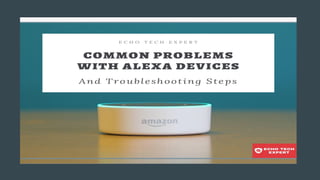
Amazon Alexa is a voice search personal assistant that operates
on a series of Amazon devices, including Echo Dot, Echo Kid,
Echo Show, and several other variations. Alexa is developed by
Amazon, one of the easiest devices to interact with
natural-language processing systems.
Most Common
Problems With
Alexa Devices
Here are the most common
problems with Alexa Amazon
Echo and how to solve them.
1. Alexa Is Not Responding
2. Alexa Plays Music On The
Wrong Device
3. Streaming Problems With Alexa
4. Echo Device Doesn’t Connect to
Wi-Fi
5. The inconvenience with Alexa
Calling
6. Bluetooth Issues
Alexa Is Not Responding
Alexa is not responding, this
situation comes when you
give a voice command and
Amazon echo not gives the
response to your commands.
Here are the Basic
Troubleshooting
Solutions:
● Check the Microphone Button
● Restart Amazon Echo
● Hard Reset Echo Device
● Disable or Enable Alexa Privacy
Alexa Plays Music On The Wrong Device
This issue with amazon echo
arises when the echo devices
are not correctly grouped
together. This is also the one
of the common problems
with Alexa.
To resolve the problem, you
first need to ungroup
offending devices and then
regroup them.
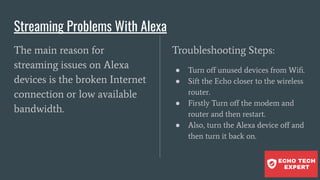
Streaming Problems With Alexa
The main reason for
streaming issues on Alexa
devices is the broken Internet
connection or low available
bandwidth.
Troubleshooting Steps:
● Turn off unused devices from Wifi.
● Sift the Echo closer to the wireless
router.
● Firstly Turn off the modem and
router and then restart.
● Also, turn the Alexa device off and
then turn it back on.
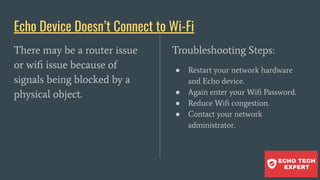
Echo Device Doesn’t Connect to Wi-Fi
There may be a router issue
or wifi issue because of
signals being blocked by a
physical object.
Troubleshooting Steps:
● Restart your network hardware
and Echo device.
● Again enter your Wifi Password.
● Reduce Wifi congestion.
● Contact your network
administrator.
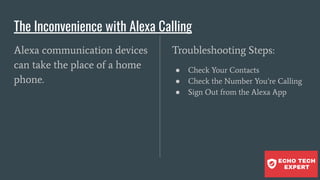
The Inconvenience with Alexa Calling
Alexa communication devices
can take the place of a home
phone.
Troubleshooting Steps:
● Check Your Contacts
● Check the Number You’re Calling
● Sign Out from the Alexa App
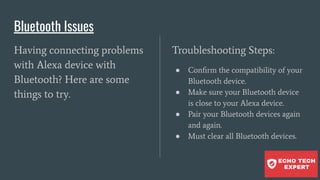
Bluetooth Issues
Having connecting problems
with Alexa device with
Bluetooth? Here are some
things to try.
Troubleshooting Steps:
● Confirm the compatibility of your
Bluetooth device.
● Make sure your Bluetooth device
is close to your Alexa device.
● Pair your Bluetooth devices again
and again.
● Must clear all Bluetooth devices.
Thank You
Visit: https://echotechexpert.com

6 Common Problems With Alexa – And How to Fix

  • 2.
    Amazon Alexa isa voice search personal assistant that operates on a series of Amazon devices, including Echo Dot, Echo Kid, Echo Show, and several other variations. Alexa is developed by Amazon, one of the easiest devices to interact with natural-language processing systems.
  • 3.
    Most Common Problems With AlexaDevices Here are the most common problems with Alexa Amazon Echo and how to solve them. 1. Alexa Is Not Responding 2. Alexa Plays Music On The Wrong Device 3. Streaming Problems With Alexa 4. Echo Device Doesn’t Connect to Wi-Fi 5. The inconvenience with Alexa Calling 6. Bluetooth Issues
  • 4.
    Alexa Is NotResponding Alexa is not responding, this situation comes when you give a voice command and Amazon echo not gives the response to your commands. Here are the Basic Troubleshooting Solutions: ● Check the Microphone Button ● Restart Amazon Echo ● Hard Reset Echo Device ● Disable or Enable Alexa Privacy
  • 5.
    Alexa Plays MusicOn The Wrong Device This issue with amazon echo arises when the echo devices are not correctly grouped together. This is also the one of the common problems with Alexa. To resolve the problem, you first need to ungroup offending devices and then regroup them.
  • 6.
    Streaming Problems WithAlexa The main reason for streaming issues on Alexa devices is the broken Internet connection or low available bandwidth. Troubleshooting Steps: ● Turn off unused devices from Wifi. ● Sift the Echo closer to the wireless router. ● Firstly Turn off the modem and router and then restart. ● Also, turn the Alexa device off and then turn it back on.
  • 7.
    Echo Device Doesn’tConnect to Wi-Fi There may be a router issue or wifi issue because of signals being blocked by a physical object. Troubleshooting Steps: ● Restart your network hardware and Echo device. ● Again enter your Wifi Password. ● Reduce Wifi congestion. ● Contact your network administrator.
  • 8.
    The Inconvenience withAlexa Calling Alexa communication devices can take the place of a home phone. Troubleshooting Steps: ● Check Your Contacts ● Check the Number You’re Calling ● Sign Out from the Alexa App
  • 9.
    Bluetooth Issues Having connectingproblems with Alexa device with Bluetooth? Here are some things to try. Troubleshooting Steps: ● Confirm the compatibility of your Bluetooth device. ● Make sure your Bluetooth device is close to your Alexa device. ● Pair your Bluetooth devices again and again. ● Must clear all Bluetooth devices.
  • 10.