Secrets of a Successful Dynamics 365 Implementation:
Expert Tips and Best Practices
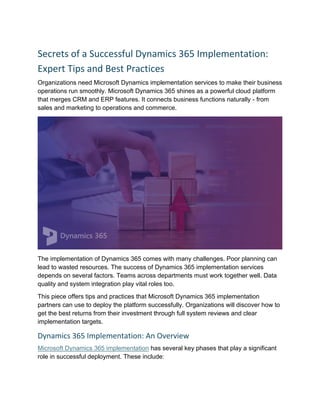
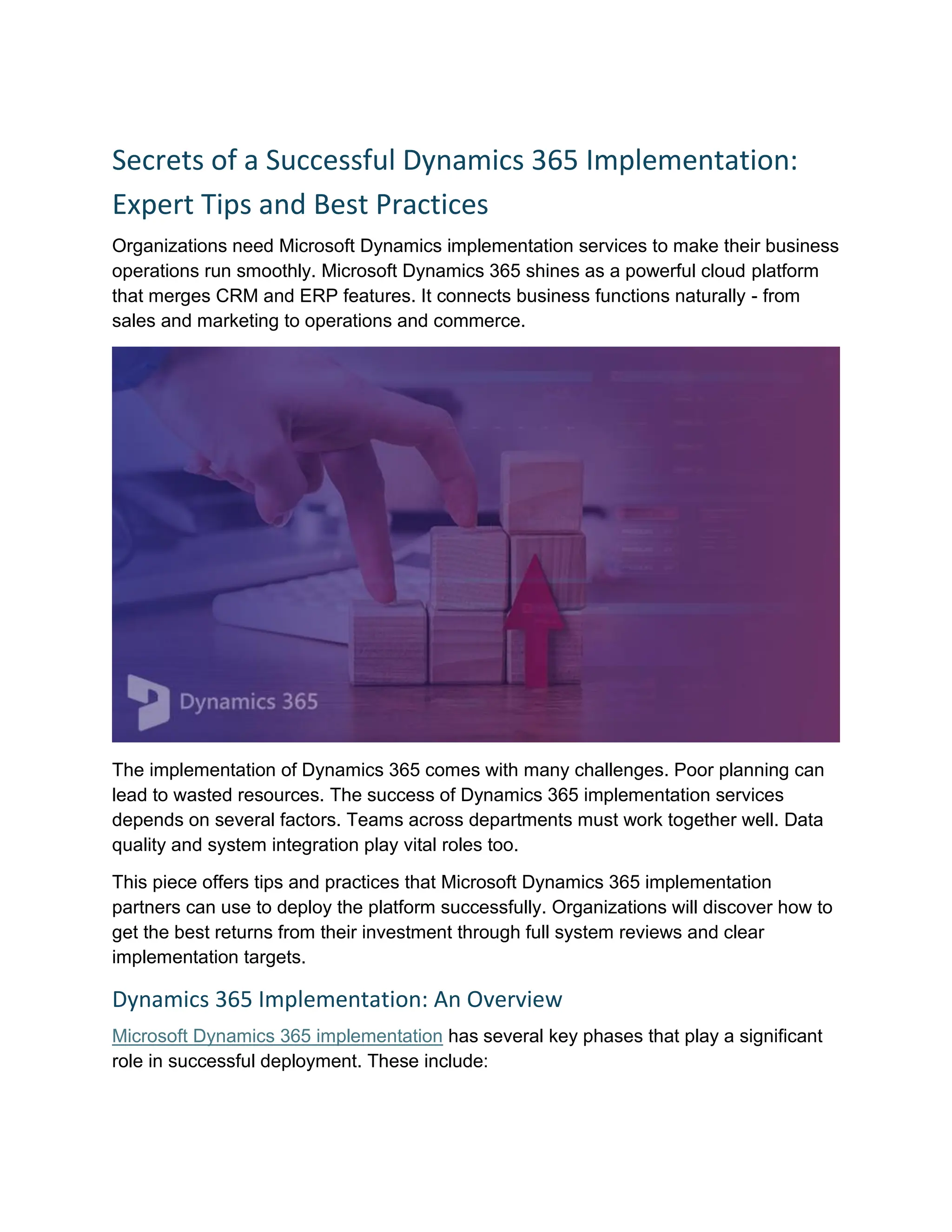
Organizations need Microsoft Dynamics implementation services to make their business
operations run smoothly. Microsoft Dynamics 365 shines as a powerful cloud platform
that merges CRM and ERP features. It connects business functions naturally - from
sales and marketing to operations and commerce.
The implementation of Dynamics 365 comes with many challenges. Poor planning can
lead to wasted resources. The success of Dynamics 365 implementation services
depends on several factors. Teams across departments must work together well. Data
quality and system integration play vital roles too.
This piece offers tips and practices that Microsoft Dynamics 365 implementation
partners can use to deploy the platform successfully. Organizations will discover how to
get the best returns from their investment through full system reviews and clear
implementation targets.
Dynamics 365 Implementation: An Overview
Microsoft Dynamics 365 implementation has several key phases that play a significant
role in successful deployment. These include:
1. Planning and Assessment
A solid foundation starts with planning and assessment. This stage sets up the whole
project with these key steps:
• Defining Project Scope - The project needs clear outlines about which modules
of Dynamics 365 you'll use, and which business processes will change. This
helps the project stay focused.
• Establishing Business Goals - You need to know what you want to achieve
with Dynamics 365. Better efficiency, simplified processes, or deeper customer
understanding can guide your decisions throughout the project.
• Evaluating IT Infrastructure - Current hardware, software, and network
resources need assessment to support Dynamics 365. This helps spot needed
upgrades before you begin.
• Conducting In-Depth Assessment - The existing systems and tools need to be
reviewed to understand the pain points and reasons for switching to Dynamics
365. This step needs input from everyone - from management to end-users.
2. Design Phase
The design phase creates a blueprint for Dynamics 365 implementation. This phase
has:
• Solution Blueprint Creation - Your vision and architecture should line up with
processes from the planning phase.
• Module Configuration - Dynamics 365 modules need to align with your
organization's specific processes. This might mean custom fields, views, and
workflows that fit your needs.
• Integration Planning - Identify systems that need to be connected with
Dynamics 365 and plan for smooth data transfer.
• Custom Development Scoping - Standard modules might not meet all needs,
so plan custom integrations for unique business processes.
3. Development and Customization
The development phase kicks in after design approval. This stage covers:
• Module Configuration - The design specs guide the configuration of Dynamics
365 modules.
• Data Integration - The existing systems need proper integration with Dynamics
365.
• Custom Development - Your specific business needs might require custom
extensions or plugins.
• Iterative Development - Quick delivery of working components and updates
based on feedback works best.
4. Data Migration
Moving your business data accurately to the new system is vital. This phase includes:
• Data Migration Planning - Moving old data needs a detailed transfer plan.
• Data Cleansing and Preparation - Clean and standardized data ensures
accuracy in the new system.
• Migration Execution - Special tools help move the actual data.
• Data Validation - The migrated data needs thorough checking in Dynamics 365.
5. Testing
The system needs proper testing before full rollout. This phase covers:
• User Acceptance Testing (UAT) - Key people in your organization should test
the system.
• Functional Testing - All system functions need verification against
requirements.
• Integration Testing - System connections and data flow need proper checks.
• Performance Testing - The system should handle expected workloads well.
6. Deployment
This phase moves from preparation to real implementation:
• Go-Live Planning - Your organization needs a detailed rollout plan.
• Phased Rollout - A gradual switch from old to new systems often works best.
• Final Data Migration - The latest data needs to be transferred from old systems.
7. Post-Implementation Support and Optimization
Success continues after deployment with:
• Go-Live Support - Users need immediate help in the first few weeks.
• Performance Monitoring - System performance and user adoption need
constant watching.
• Ongoing Training - Users should learn about new features and best practices.
• System Refinement - User feedback and changing needs guide system
updates.
Microsoft Dynamics 365 implementation partners are great guides through this complex
process. They bring knowledge that helps organizations get the most value.
Keep in mind that these phases often overlap and repeat. Organizations might revisit
earlier stages as they learn more or their needs change. This flexibility helps improve
the solution and keeps it in line with business goals.
Microsoft Dynamics 365 Implementation: Tips and Best Practices
Microsoft Dynamics 365's successful implementation needs strategic planning. It is
possible to maximize the value of Microsoft Dynamics implementation services and
make a smooth switch to this powerful business solution by following these practices:
I. Conduct an In-Depth Assessment of Existing Systems
A detailed assessment of your IT landscape should come first before you begin
Dynamics 365 implementation. This assessment builds the foundation of a winning
implementation strategy.
Document all your business processes and identify pain points that your current
systems face. This detailed review helps determine which operations will benefit most
from Dynamics 365's capabilities.
Your current IT infrastructure needs assessment. This includes hardware, software, and
network resources. The step confirms if your setup supports Dynamics 365 and spots
necessary upgrades before implementation starts.
Different departments' stakeholders should give their input about specific needs and
challenges. This team effort makes sure the implementation meets each business unit's
needs and promotes organization-wide acceptance.
A gap analysis will spot differences between your current processes and Dynamics
365's standard features. This analysis shows which areas might need customization or
extra modules to match your business needs.
II. Identify and Establish Implementation Goals
Clear, measurable goals guide your Dynamics 365 implementation. These goals should
match your business objectives and help create an implementation roadmap.
Define specific objectives for implementation. Key stakeholders should help prioritize
these objectives based on how well they fit with your organization's vision. This priority
list helps focus implementation efforts on critical areas first.
Set key performance indicators (KPIs) for each goal to track implementation success.
These KPIs could include faster customer response time, better sales conversion rates,
or improved inventory turnover.
Both short-term and long-term goals matter for your implementation. Quick wins build
momentum and show value. Long-term objectives ensure lasting benefits.
III. Prepare Your Data to Ensure a Smooth Transfer
Data migration plays a vital role in any Dynamics 365 implementation. Good preparation
and execution of this process affect your implementation's success.
Start with a complete inventory of existing data sources. Pick which data needs
migration to Dynamics 365 and which you can archive or remove. This step cuts down
migration complexity and ensures only relevant, quality data moves to the new system.
Data cleansing and standardization come next. Fix inaccuracies, remove duplicates,
and make all data sets consistent. This process improves data quality. It also prevents
issues during and after migration.
Create a detailed data migration plan. Include detailed steps, timelines, and
responsibilities in this plan.
Try a phased approach to data migration. Start with a small data subset to test the
process before handling larger sets. This method helps spot and fix issues early, which
cuts down the risks of data loss or corruption.
IV. Emphasize Security and Compliance
Security and compliance stand as top priorities in any Dynamics 365 implementation.
Your data must stay protected as you switch to this cloud platform, and your
implementation should meet all regulatory requirements.
A thorough security assessment of current systems and processes comes first. Spot
potential weak points and build a detailed security strategy. This strategy should cover
data encryption, access controls, and network security.
Use Dynamics 365's built-in security features like role-based access control to protect
your data. These features ensure users access only necessary information. Regular
updates of security settings maintain strong protection.
Learn about Dynamics 365's compliance features and certifications. Microsoft offers
resources to help meet regulatory requirements like GDPR, HIPAA, and SOC 2. The
implementation process should use these features fully to stay compliant.
V. Don't Neglect Documentation and User Training
Good documentation and user training drive long-term success and user adoption of
Dynamics 365. Still, many users overlook these aspects.
Create detailed records of the implementation process. These records should include
system setups, customizations, and integrations. Such documentation helps with
maintenance, troubleshooting, and new team member training.
User guides and standard operating procedures (SOPs) should explain common tasks
in Dynamics 365. Each team member needs access to relevant, clear instructions
tailored to their role and department.
Train "super users" in each department as internal Dynamics 365 champions. These
people can help their colleagues and drive adoption across teams.
Schedule regular training sessions and updates for continuous learning. Keep your
team current with new features as Dynamics 365 evolves to use the platform's full
potential.
Experienced Dynamics 365 implementation partners can help organizations direct
implementation complexities and ensure a strong ROI from their investment.
Conclusion
Microsoft Dynamics 365 implementation needs careful planning and focused execution.
Organizations that follow the implementation steps and best practices set themselves
up for success with this powerful business solution.
A full picture of the system, clear goals, and precise data preparation build strong
foundations. The right security measures, compliance protocols, and complete user
training help maintain success after deployment. The implementation process has its
challenges, but organizations that focus on documentation and welcome improvements
see the most important benefits.
The successful Dynamics 365 implementation ended up reshaping business operations
through increased efficiency, better decisions, and improved customer experiences.
Companies that spend time on proper planning and execution definitely get better
results, which makes their digital change worth the effort.
Content source - https://bipny.com/secrets-of-a-successful-dynamics-365-
implementation-expert-tips-and-best-practices

5 Critical Steps for Dynamics 365 Success

  • 1.
    Secrets of aSuccessful Dynamics 365 Implementation: Expert Tips and Best Practices Organizations need Microsoft Dynamics implementation services to make their business operations run smoothly. Microsoft Dynamics 365 shines as a powerful cloud platform that merges CRM and ERP features. It connects business functions naturally - from sales and marketing to operations and commerce. The implementation of Dynamics 365 comes with many challenges. Poor planning can lead to wasted resources. The success of Dynamics 365 implementation services depends on several factors. Teams across departments must work together well. Data quality and system integration play vital roles too. This piece offers tips and practices that Microsoft Dynamics 365 implementation partners can use to deploy the platform successfully. Organizations will discover how to get the best returns from their investment through full system reviews and clear implementation targets. Dynamics 365 Implementation: An Overview Microsoft Dynamics 365 implementation has several key phases that play a significant role in successful deployment. These include:
  • 2.
    1. Planning andAssessment A solid foundation starts with planning and assessment. This stage sets up the whole project with these key steps: • Defining Project Scope - The project needs clear outlines about which modules of Dynamics 365 you'll use, and which business processes will change. This helps the project stay focused. • Establishing Business Goals - You need to know what you want to achieve with Dynamics 365. Better efficiency, simplified processes, or deeper customer understanding can guide your decisions throughout the project. • Evaluating IT Infrastructure - Current hardware, software, and network resources need assessment to support Dynamics 365. This helps spot needed upgrades before you begin. • Conducting In-Depth Assessment - The existing systems and tools need to be reviewed to understand the pain points and reasons for switching to Dynamics 365. This step needs input from everyone - from management to end-users. 2. Design Phase The design phase creates a blueprint for Dynamics 365 implementation. This phase has: • Solution Blueprint Creation - Your vision and architecture should line up with processes from the planning phase. • Module Configuration - Dynamics 365 modules need to align with your organization's specific processes. This might mean custom fields, views, and workflows that fit your needs. • Integration Planning - Identify systems that need to be connected with Dynamics 365 and plan for smooth data transfer. • Custom Development Scoping - Standard modules might not meet all needs, so plan custom integrations for unique business processes. 3. Development and Customization The development phase kicks in after design approval. This stage covers: • Module Configuration - The design specs guide the configuration of Dynamics 365 modules. • Data Integration - The existing systems need proper integration with Dynamics 365. • Custom Development - Your specific business needs might require custom extensions or plugins.
  • 3.
    • Iterative Development- Quick delivery of working components and updates based on feedback works best. 4. Data Migration Moving your business data accurately to the new system is vital. This phase includes: • Data Migration Planning - Moving old data needs a detailed transfer plan. • Data Cleansing and Preparation - Clean and standardized data ensures accuracy in the new system. • Migration Execution - Special tools help move the actual data. • Data Validation - The migrated data needs thorough checking in Dynamics 365. 5. Testing The system needs proper testing before full rollout. This phase covers: • User Acceptance Testing (UAT) - Key people in your organization should test the system. • Functional Testing - All system functions need verification against requirements. • Integration Testing - System connections and data flow need proper checks. • Performance Testing - The system should handle expected workloads well. 6. Deployment This phase moves from preparation to real implementation: • Go-Live Planning - Your organization needs a detailed rollout plan. • Phased Rollout - A gradual switch from old to new systems often works best. • Final Data Migration - The latest data needs to be transferred from old systems. 7. Post-Implementation Support and Optimization Success continues after deployment with: • Go-Live Support - Users need immediate help in the first few weeks. • Performance Monitoring - System performance and user adoption need constant watching. • Ongoing Training - Users should learn about new features and best practices. • System Refinement - User feedback and changing needs guide system updates. Microsoft Dynamics 365 implementation partners are great guides through this complex process. They bring knowledge that helps organizations get the most value.
  • 4.
    Keep in mindthat these phases often overlap and repeat. Organizations might revisit earlier stages as they learn more or their needs change. This flexibility helps improve the solution and keeps it in line with business goals. Microsoft Dynamics 365 Implementation: Tips and Best Practices Microsoft Dynamics 365's successful implementation needs strategic planning. It is possible to maximize the value of Microsoft Dynamics implementation services and make a smooth switch to this powerful business solution by following these practices: I. Conduct an In-Depth Assessment of Existing Systems A detailed assessment of your IT landscape should come first before you begin Dynamics 365 implementation. This assessment builds the foundation of a winning implementation strategy. Document all your business processes and identify pain points that your current systems face. This detailed review helps determine which operations will benefit most from Dynamics 365's capabilities. Your current IT infrastructure needs assessment. This includes hardware, software, and network resources. The step confirms if your setup supports Dynamics 365 and spots necessary upgrades before implementation starts. Different departments' stakeholders should give their input about specific needs and challenges. This team effort makes sure the implementation meets each business unit's needs and promotes organization-wide acceptance. A gap analysis will spot differences between your current processes and Dynamics 365's standard features. This analysis shows which areas might need customization or extra modules to match your business needs. II. Identify and Establish Implementation Goals Clear, measurable goals guide your Dynamics 365 implementation. These goals should match your business objectives and help create an implementation roadmap. Define specific objectives for implementation. Key stakeholders should help prioritize these objectives based on how well they fit with your organization's vision. This priority list helps focus implementation efforts on critical areas first. Set key performance indicators (KPIs) for each goal to track implementation success. These KPIs could include faster customer response time, better sales conversion rates, or improved inventory turnover.
  • 5.
    Both short-term andlong-term goals matter for your implementation. Quick wins build momentum and show value. Long-term objectives ensure lasting benefits. III. Prepare Your Data to Ensure a Smooth Transfer Data migration plays a vital role in any Dynamics 365 implementation. Good preparation and execution of this process affect your implementation's success. Start with a complete inventory of existing data sources. Pick which data needs migration to Dynamics 365 and which you can archive or remove. This step cuts down migration complexity and ensures only relevant, quality data moves to the new system. Data cleansing and standardization come next. Fix inaccuracies, remove duplicates, and make all data sets consistent. This process improves data quality. It also prevents issues during and after migration. Create a detailed data migration plan. Include detailed steps, timelines, and responsibilities in this plan. Try a phased approach to data migration. Start with a small data subset to test the process before handling larger sets. This method helps spot and fix issues early, which cuts down the risks of data loss or corruption. IV. Emphasize Security and Compliance Security and compliance stand as top priorities in any Dynamics 365 implementation. Your data must stay protected as you switch to this cloud platform, and your implementation should meet all regulatory requirements. A thorough security assessment of current systems and processes comes first. Spot potential weak points and build a detailed security strategy. This strategy should cover data encryption, access controls, and network security. Use Dynamics 365's built-in security features like role-based access control to protect your data. These features ensure users access only necessary information. Regular updates of security settings maintain strong protection. Learn about Dynamics 365's compliance features and certifications. Microsoft offers resources to help meet regulatory requirements like GDPR, HIPAA, and SOC 2. The implementation process should use these features fully to stay compliant. V. Don't Neglect Documentation and User Training Good documentation and user training drive long-term success and user adoption of Dynamics 365. Still, many users overlook these aspects.
  • 6.
    Create detailed recordsof the implementation process. These records should include system setups, customizations, and integrations. Such documentation helps with maintenance, troubleshooting, and new team member training. User guides and standard operating procedures (SOPs) should explain common tasks in Dynamics 365. Each team member needs access to relevant, clear instructions tailored to their role and department. Train "super users" in each department as internal Dynamics 365 champions. These people can help their colleagues and drive adoption across teams. Schedule regular training sessions and updates for continuous learning. Keep your team current with new features as Dynamics 365 evolves to use the platform's full potential. Experienced Dynamics 365 implementation partners can help organizations direct implementation complexities and ensure a strong ROI from their investment. Conclusion Microsoft Dynamics 365 implementation needs careful planning and focused execution. Organizations that follow the implementation steps and best practices set themselves up for success with this powerful business solution. A full picture of the system, clear goals, and precise data preparation build strong foundations. The right security measures, compliance protocols, and complete user training help maintain success after deployment. The implementation process has its challenges, but organizations that focus on documentation and welcome improvements see the most important benefits. The successful Dynamics 365 implementation ended up reshaping business operations through increased efficiency, better decisions, and improved customer experiences. Companies that spend time on proper planning and execution definitely get better results, which makes their digital change worth the effort. Content source - https://bipny.com/secrets-of-a-successful-dynamics-365- implementation-expert-tips-and-best-practices