 An array is a collection of elements of the same
type that are referenced by a common name.
 Compared to the basic data type (int, float &
char) it is an aggregate or derived data type.
 All the elements of an array occupy a set of
contiguous memory locations.
ARRAYS
ARRAYS
 Why need to use array type?
 Consider the following issue:
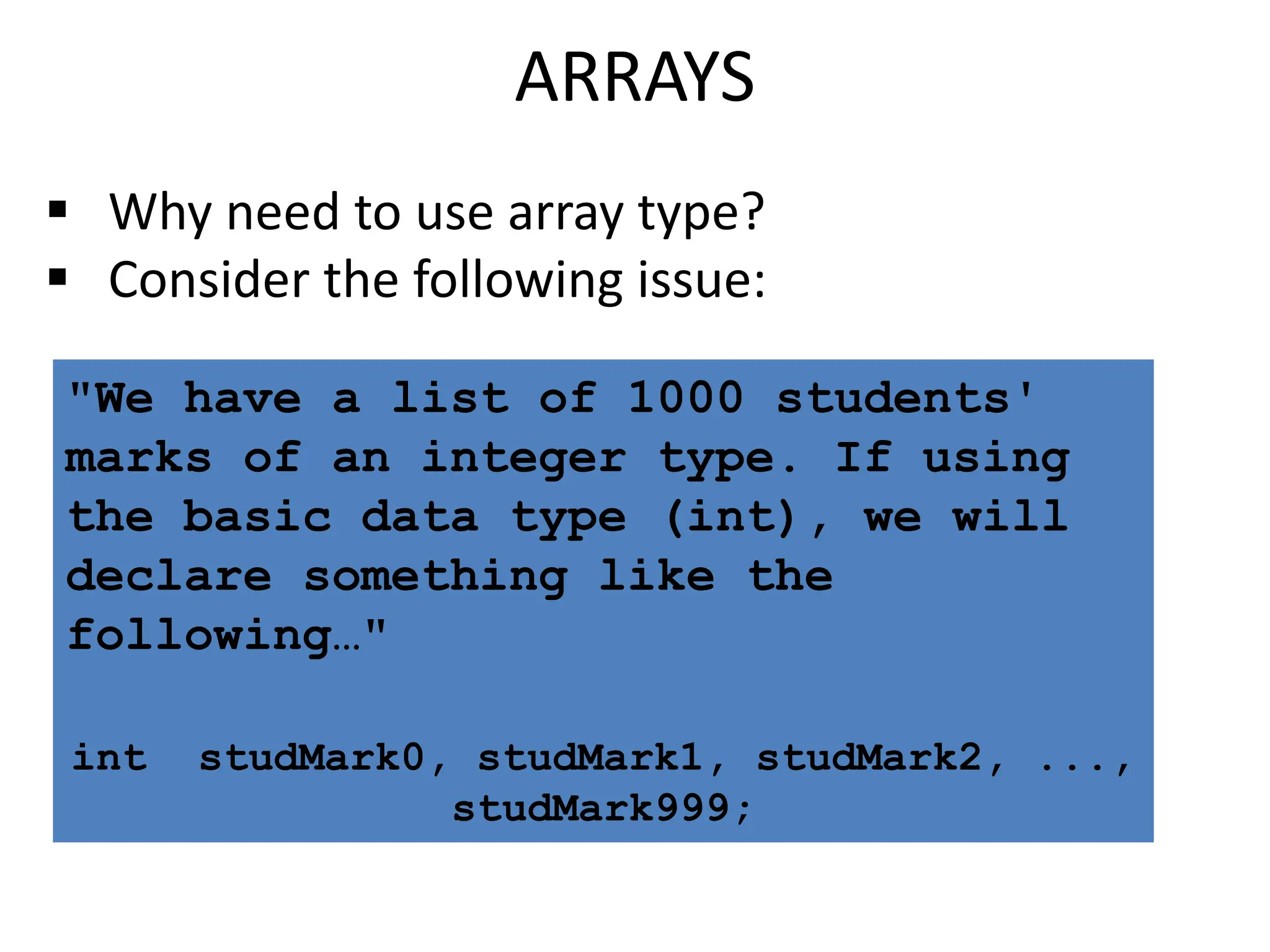
"We have a list of 1000 students'
marks of an integer type. If using
the basic data type (int), we will
declare something like the
following…"
int studMark0, studMark1, studMark2, ...,
studMark999;
ARRAYS
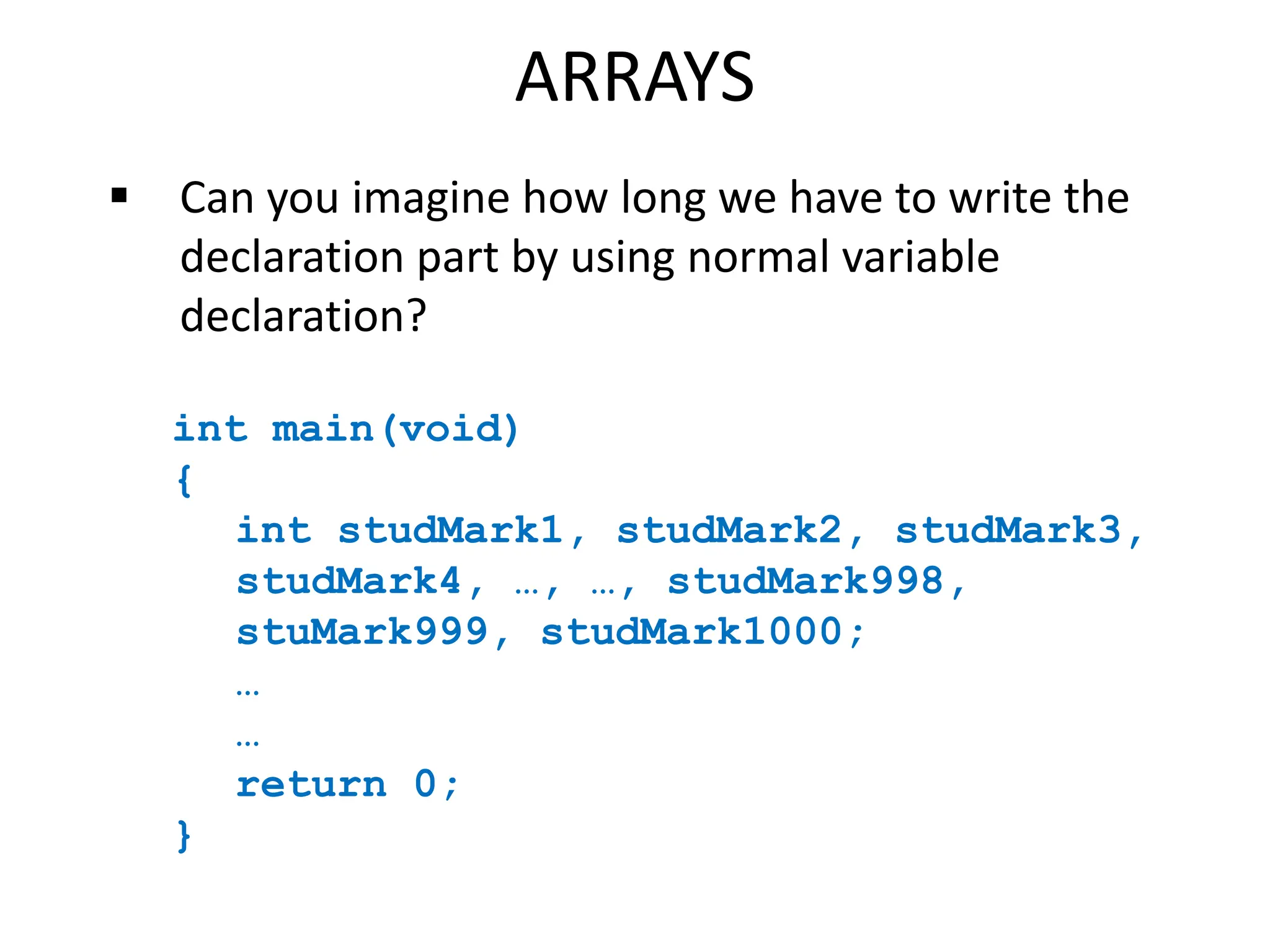
 Can you imagine how long we have to write the
declaration part by using normal variable
declaration?
int main(void)
{
int studMark1, studMark2, studMark3,
studMark4, …, …, studMark998,
stuMark999, studMark1000;
…
…
return 0;
}
ARRAYS
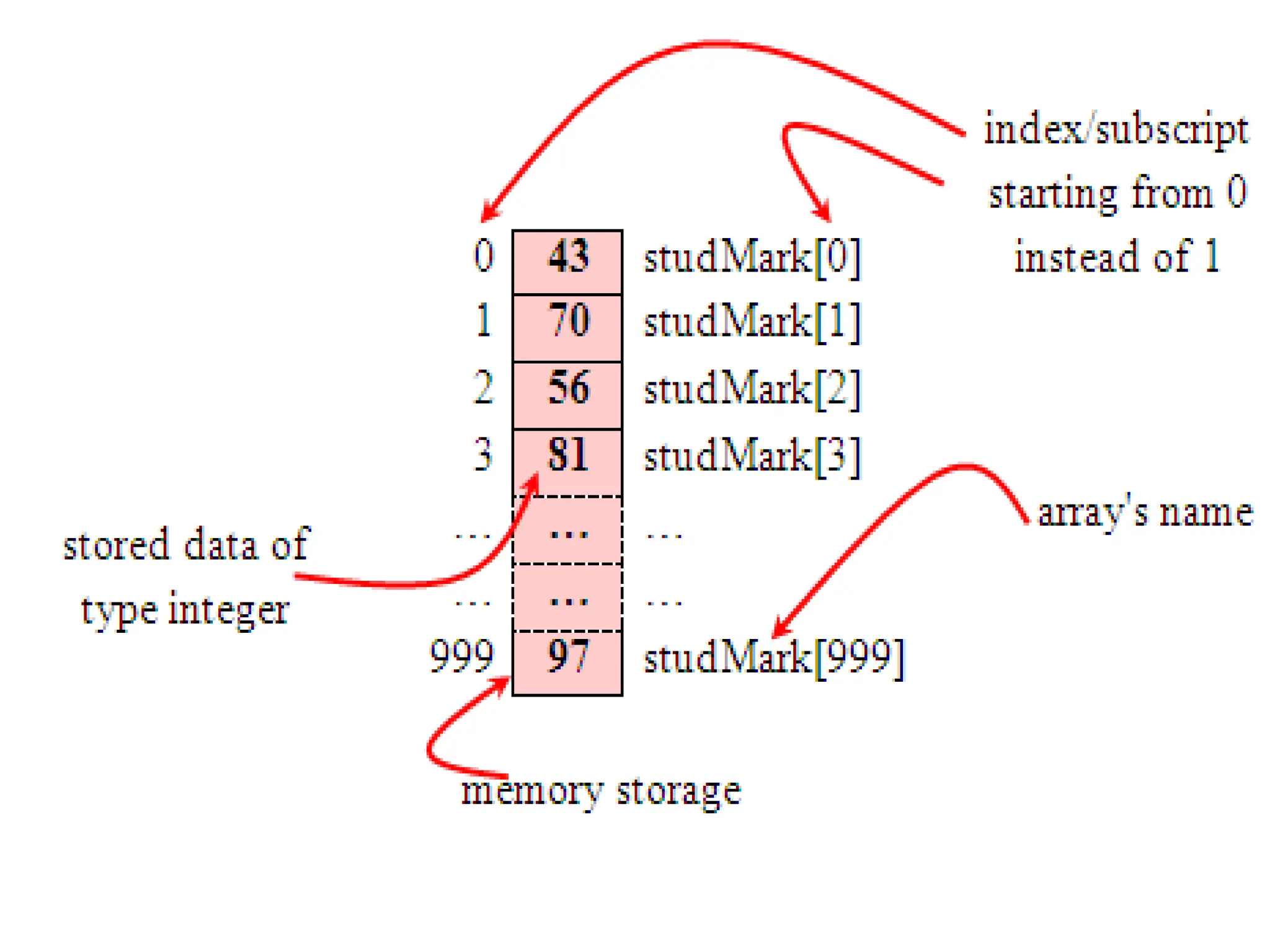
 By using an array, we just declare like this,
int studMark[1000];
 This will reserve 1000 contiguous memory
locations for storing the students’ marks.
 Graphically, this can be depicted as in the
following figure.
ARRAYS
 This absolutely has simplified our
declaration of the variables.
 We can use index or subscript to
identify each element or location in the
memory.
 Hence, if we have an index of jIndex,
studMark[jIndex] would refer to
the jIndexth element in the array of
studMark.
 For example, studMark[0] will refer to
the first element of the array.
 Thus by changing the value of jIndex, we
could refer to any element in the array.
 So, array has simplified our declaration and
of course, manipulation of the data.
ARRAYS
One Dimensional Array: Declaration
 Dimension refers to the array's size, which is how big the
array is.
 A single or one dimensional array declaration has the
following form,
array_element_data_type array_name[array_size];
 Here, array_element_data_type define the base type of the
array, which is the type of each element in the array.
 array_name is any valid C / C++ identifier name that obeys
the same rule for the identifier naming.
 array_size defines how many elements the array will hold.
ARRAYS
 For example, to declare an array of 30 characters, that
construct a people name, we could declare,
char cName[30];
 Which can be depicted as follows,
 In this statement, the array character can store
up to 30 characters with the first character
occupying location cName[0] and the last
character occupying cName[29].
 Note that the index runs from 0 to 29. In C,
an index always starts from 0 and ends with
array's (size-1).
 So, take note the difference between the array
size and subscript/index terms.
ARRAYS
 Examples of the one-dimensional array
declarations,
int xNum[20], yNum[50];
float fPrice[10];
char chLetter[70];
 The first example declares two arrays named
xNum and yNum of type int. Array xNum can
store up to 20 integer numbers while yNum can
store up to 50 numbers.
 The second line declares the array fPrice of
type float. It can store up to 10 floating-
point values.
 The third line declares the array chLetter of
type char. It can store a string up to 69
characters.
 Why 69 instead of 70? Remember, a string has
a null terminating character (0) at the end, so
we must reserve for it.
ARRAYS
ARRAYS
Array Initialization
 An array may be initialized at the time of declaration.
 Giving initial values to an array.
 Initialization of an array may take the following form,
type array_name[size] =
{a_list_of_value};
 For example:
int idNum[7] = {1, 2, 3, 4, 5, 6, 7};
 It declares an integer array idNum and it immediately
assigns the values 1, 2, 3, ..., 7 to idNum[0],
idNum[1], idNum[2],..., idNum[6] respectively.
float fFloatNum[5] = {5.6, 5.7, 5.8,
5.9, 6.1};
 It declares a float array and assigns the values 5.6 to
fFloatNum[0], 5.7 to fFloatNum[1], and so
on.
 char chVowel[6] = {'a', 'e', 'i',
'o', 'u', '0'};
 Similarly the third line assigns the characters 'a' to
chVowel[0], 'e' to chVowel[1], and so on. Note
again, for characters we must use the single
apostrophe/quote (') to enclose them.
 Also, the last character in chVowel is NULL character
('0').
ARRAYS
ARRAYS
 Initialization of an array of type char for holding strings may
take the following form,
char array_name[size] =
"string_lateral_constant";
 For example, the array chVowel in the previous example could
have been written more compactly as follows,
char chVowel[6] = "aeiou";
 When the value assigned to a character array is a string (which
must be enclosed in double quotes), the compiler automatically
supplies the NULL character but we still have to reserve one
extra place for the NULL.
 For unsized array (variable sized), we can
declare as follow,
char chName[ ] = "Mr. Dracula";
 C compiler automatically creates an array
which is big enough to hold all the initializer.
ARRAYS
ARRAYS
Two Dimensional/2D Arrays
 A two dimensional array has two subscripts/indexes.
 The first subscript refers to the row, and the second, to the
column.
 Its declaration has the following form,
data_type array_name[1st dimension size][2nd dimension
size];
 For examples,
int xInteger[3][4];
float matrixNum[20][25];
 The first line declares xInteger as an integer array with 3
rows and 4 columns.
 Second line declares a matrixNum as a floating-point array
with 20 rows and 25 columns.
ARRAYS
 If we assign initial string values for the 2D array it
will look something like the following,
char Name[6][10] = {"Mr. Bean", "Mr. Bush",
"Nicole", "Kidman", "Arnold", "Jodie"};
 Here, we can initialize the array with 6 strings, each
with maximum 9 characters long.
 If depicted in rows and columns it will look
something like the following and can be considered
as contiguous arrangement in the memory.
ARRAYS
 Take note that for strings the null character (0) still
needed.
 From the shaded square area of the figure we can
determine the size of the array.
 For an array Name[6][10], the array size is 6 x 10 = 60
and equal to the number of the colored square. In
general, for
array_name[x][y];
 The array size is = First index x second index = xy.
 This also true for other array dimension, for example three
dimensional array,
array_name[x][y][z]; => First index x second index x third
index = xyz
 For example,
ThreeDimArray[2][4][7] = 2 x 4 x 7 = 56.
 And if you want to illustrate the 3D array, it could be a
cube with wide, long and height dimensions.
ARRAYS
Programs:
1. Sum of array’s element.
2. Searching the smallest value.
3. Searching the biggest value.
4. Searching the location for the given value in an
array.
5. Write a C program to find the sum of diagonal
elements in matrix(2 dimentional matrix).
6. Swapping of two array elements.
7. Program to count no.of vowels in given string.
8. Write a program in C to copy the elements of one
array into another array.
9. Write a program in C to count a total number of
duplicate elements in an array.
Programs:
1. Write a program in C to print all unique elements in
an array. (Note: All are positive numbers)
2. Write a program in C to separate odd and even
integers in separate arrays.
3. Reversing of array elements and print.
4. Program to find the frequency of a characters in a
given string.
5. Program to Rotate the array
6. Program to add two dimensional matrices.
7. Program to find the transpose of a matrix.
8. Program to remove duplicates from a string.
9. Program to print individual words reverse of a
sentence.
Pointers
Pointers
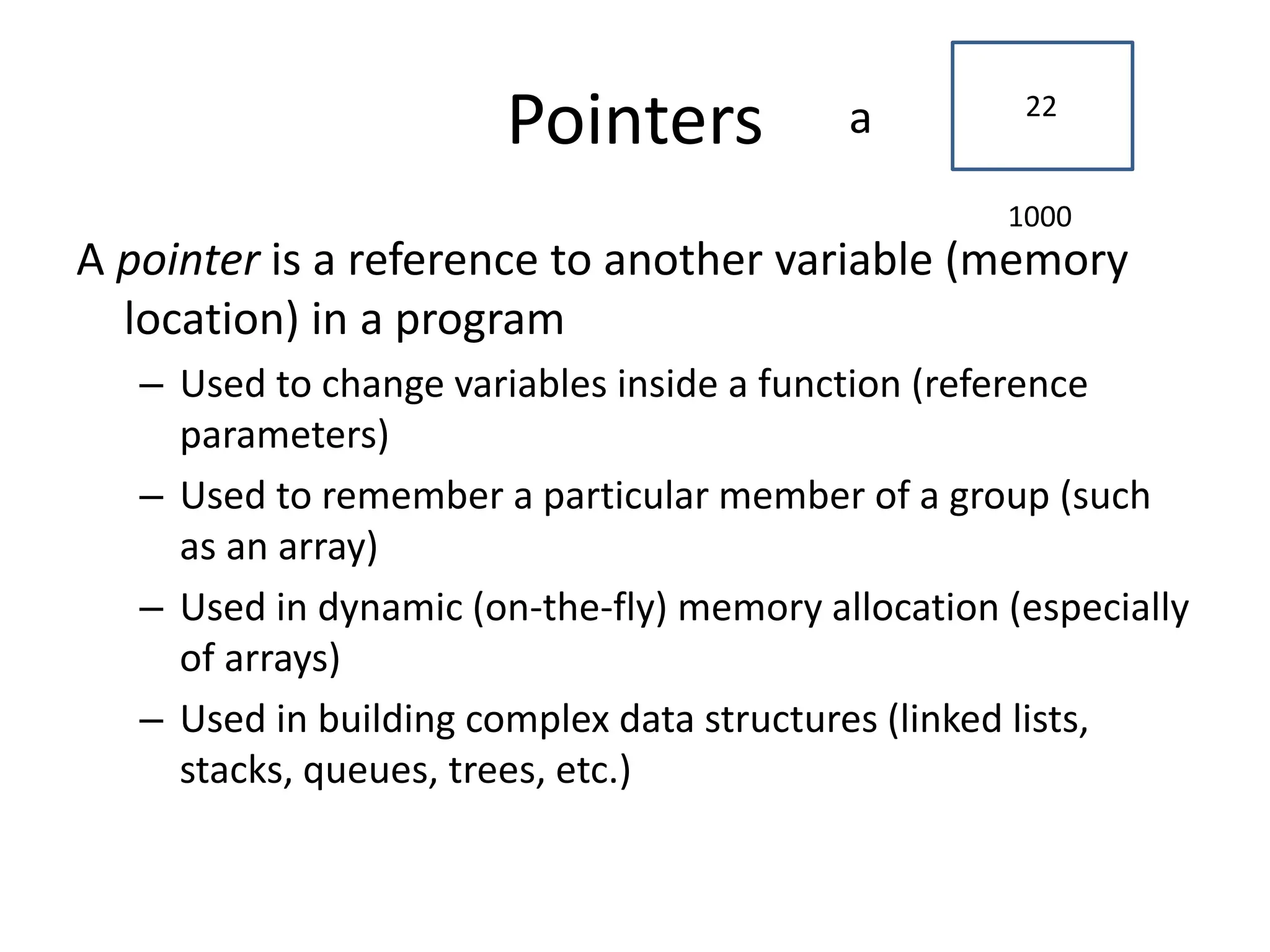
A pointer is a reference to another variable (memory
location) in a program
– Used to change variables inside a function (reference
parameters)
– Used to remember a particular member of a group (such
as an array)
– Used in dynamic (on-the-fly) memory allocation (especially
of arrays)
– Used in building complex data structures (linked lists,
stacks, queues, trees, etc.)
1000
22
a
Pointers
Variables are allocated at addresses in computer memory
(address depends on computer/operating system)
Name of the variable is a reference to that memory address
A pointer variable contains a representation of an address of
another variable (P is a pointer variable in the following):
1000
1000
Pointer Variable Definition
Basic syntax: Type *Name
Examples:
int *P; /* P is variable that can point to an int var */
float *Q; /* Q is a float pointer */
char *R; /* R is a char pointer */
Complex example:
int *AP[5]; /* AP is an array of 5 pointers to int values */
– more on how to read complex declarations later
Address (&) Operator
The address (&) operator can be used in front of any
variable in C -- the result of the operation is the
location in memory of the variable
Syntax: &VariableReference
Examples:
int V;
int *P;
int A[5];
&V - memory location of integer variable V
&(A[2]) - memory location of array element 2 in array A
&P - memory location of pointer variable P
Pointer Variable Initialization/Assignment
NULL - pointer lit constant to non-existent address
– used to indicate pointer points to nothing
Can initialize/assign pointer variables to NULL or use
the address (&) op to get address of a variable
– variable in the address operator must be of the right
type for the pointer (an integer pointer points only at
integer variables)
Examples:
int V;
int *P = &V;
int A[5];
P = &(A[2]);
Programs:
1. Program to swap two numbers using pointers.
2. Program to print a string using pointer.
3. Searching the biggest value using pointers.
4. Searching the location for the given value in an array
using pointers.
5. Reversing of array elements and print.
6. Printing an two dimensional elements using pointers.

3.ArraysandPointers.pptx

  • 2.
     An arrayis a collection of elements of the same type that are referenced by a common name.  Compared to the basic data type (int, float & char) it is an aggregate or derived data type.  All the elements of an array occupy a set of contiguous memory locations. ARRAYS
  • 3.
    ARRAYS  Why needto use array type?  Consider the following issue: "We have a list of 1000 students' marks of an integer type. If using the basic data type (int), we will declare something like the following…" int studMark0, studMark1, studMark2, ..., studMark999;
  • 4.
    ARRAYS  Can youimagine how long we have to write the declaration part by using normal variable declaration? int main(void) { int studMark1, studMark2, studMark3, studMark4, …, …, studMark998, stuMark999, studMark1000; … … return 0; }
  • 5.
    ARRAYS  By usingan array, we just declare like this, int studMark[1000];  This will reserve 1000 contiguous memory locations for storing the students’ marks.  Graphically, this can be depicted as in the following figure.
  • 7.
    ARRAYS  This absolutelyhas simplified our declaration of the variables.  We can use index or subscript to identify each element or location in the memory.  Hence, if we have an index of jIndex, studMark[jIndex] would refer to the jIndexth element in the array of studMark.
  • 8.
     For example,studMark[0] will refer to the first element of the array.  Thus by changing the value of jIndex, we could refer to any element in the array.  So, array has simplified our declaration and of course, manipulation of the data.
  • 9.
    ARRAYS One Dimensional Array:Declaration  Dimension refers to the array's size, which is how big the array is.  A single or one dimensional array declaration has the following form, array_element_data_type array_name[array_size];  Here, array_element_data_type define the base type of the array, which is the type of each element in the array.  array_name is any valid C / C++ identifier name that obeys the same rule for the identifier naming.  array_size defines how many elements the array will hold.
  • 10.
    ARRAYS  For example,to declare an array of 30 characters, that construct a people name, we could declare, char cName[30];  Which can be depicted as follows,  In this statement, the array character can store up to 30 characters with the first character occupying location cName[0] and the last character occupying cName[29].  Note that the index runs from 0 to 29. In C, an index always starts from 0 and ends with array's (size-1).  So, take note the difference between the array size and subscript/index terms.
  • 11.
    ARRAYS  Examples ofthe one-dimensional array declarations, int xNum[20], yNum[50]; float fPrice[10]; char chLetter[70];  The first example declares two arrays named xNum and yNum of type int. Array xNum can store up to 20 integer numbers while yNum can store up to 50 numbers.
  • 12.
     The secondline declares the array fPrice of type float. It can store up to 10 floating- point values.  The third line declares the array chLetter of type char. It can store a string up to 69 characters.  Why 69 instead of 70? Remember, a string has a null terminating character (0) at the end, so we must reserve for it. ARRAYS
  • 13.
    ARRAYS Array Initialization  Anarray may be initialized at the time of declaration.  Giving initial values to an array.  Initialization of an array may take the following form, type array_name[size] = {a_list_of_value};  For example: int idNum[7] = {1, 2, 3, 4, 5, 6, 7};  It declares an integer array idNum and it immediately assigns the values 1, 2, 3, ..., 7 to idNum[0], idNum[1], idNum[2],..., idNum[6] respectively.
  • 14.
    float fFloatNum[5] ={5.6, 5.7, 5.8, 5.9, 6.1};  It declares a float array and assigns the values 5.6 to fFloatNum[0], 5.7 to fFloatNum[1], and so on.  char chVowel[6] = {'a', 'e', 'i', 'o', 'u', '0'};  Similarly the third line assigns the characters 'a' to chVowel[0], 'e' to chVowel[1], and so on. Note again, for characters we must use the single apostrophe/quote (') to enclose them.  Also, the last character in chVowel is NULL character ('0'). ARRAYS
  • 15.
    ARRAYS  Initialization ofan array of type char for holding strings may take the following form, char array_name[size] = "string_lateral_constant";  For example, the array chVowel in the previous example could have been written more compactly as follows, char chVowel[6] = "aeiou";  When the value assigned to a character array is a string (which must be enclosed in double quotes), the compiler automatically supplies the NULL character but we still have to reserve one extra place for the NULL.
  • 16.
     For unsizedarray (variable sized), we can declare as follow, char chName[ ] = "Mr. Dracula";  C compiler automatically creates an array which is big enough to hold all the initializer. ARRAYS
  • 17.
    ARRAYS Two Dimensional/2D Arrays A two dimensional array has two subscripts/indexes.  The first subscript refers to the row, and the second, to the column.  Its declaration has the following form, data_type array_name[1st dimension size][2nd dimension size];  For examples, int xInteger[3][4]; float matrixNum[20][25];  The first line declares xInteger as an integer array with 3 rows and 4 columns.  Second line declares a matrixNum as a floating-point array with 20 rows and 25 columns.
  • 18.
    ARRAYS  If weassign initial string values for the 2D array it will look something like the following, char Name[6][10] = {"Mr. Bean", "Mr. Bush", "Nicole", "Kidman", "Arnold", "Jodie"};  Here, we can initialize the array with 6 strings, each with maximum 9 characters long.  If depicted in rows and columns it will look something like the following and can be considered as contiguous arrangement in the memory.
  • 19.
    ARRAYS  Take notethat for strings the null character (0) still needed.  From the shaded square area of the figure we can determine the size of the array.  For an array Name[6][10], the array size is 6 x 10 = 60 and equal to the number of the colored square. In general, for array_name[x][y];  The array size is = First index x second index = xy.
  • 20.
     This alsotrue for other array dimension, for example three dimensional array, array_name[x][y][z]; => First index x second index x third index = xyz  For example, ThreeDimArray[2][4][7] = 2 x 4 x 7 = 56.  And if you want to illustrate the 3D array, it could be a cube with wide, long and height dimensions. ARRAYS
  • 21.
    Programs: 1. Sum ofarray’s element. 2. Searching the smallest value. 3. Searching the biggest value. 4. Searching the location for the given value in an array. 5. Write a C program to find the sum of diagonal elements in matrix(2 dimentional matrix). 6. Swapping of two array elements. 7. Program to count no.of vowels in given string. 8. Write a program in C to copy the elements of one array into another array. 9. Write a program in C to count a total number of duplicate elements in an array.
  • 22.
    Programs: 1. Write aprogram in C to print all unique elements in an array. (Note: All are positive numbers) 2. Write a program in C to separate odd and even integers in separate arrays. 3. Reversing of array elements and print. 4. Program to find the frequency of a characters in a given string. 5. Program to Rotate the array 6. Program to add two dimensional matrices. 7. Program to find the transpose of a matrix. 8. Program to remove duplicates from a string. 9. Program to print individual words reverse of a sentence.
  • 23.
  • 24.
    Pointers A pointer isa reference to another variable (memory location) in a program – Used to change variables inside a function (reference parameters) – Used to remember a particular member of a group (such as an array) – Used in dynamic (on-the-fly) memory allocation (especially of arrays) – Used in building complex data structures (linked lists, stacks, queues, trees, etc.) 1000 22 a
  • 25.
    Pointers Variables are allocatedat addresses in computer memory (address depends on computer/operating system) Name of the variable is a reference to that memory address A pointer variable contains a representation of an address of another variable (P is a pointer variable in the following): 1000 1000
  • 26.
    Pointer Variable Definition Basicsyntax: Type *Name Examples: int *P; /* P is variable that can point to an int var */ float *Q; /* Q is a float pointer */ char *R; /* R is a char pointer */ Complex example: int *AP[5]; /* AP is an array of 5 pointers to int values */ – more on how to read complex declarations later
  • 27.
    Address (&) Operator Theaddress (&) operator can be used in front of any variable in C -- the result of the operation is the location in memory of the variable Syntax: &VariableReference Examples: int V; int *P; int A[5]; &V - memory location of integer variable V &(A[2]) - memory location of array element 2 in array A &P - memory location of pointer variable P
  • 28.
    Pointer Variable Initialization/Assignment NULL- pointer lit constant to non-existent address – used to indicate pointer points to nothing Can initialize/assign pointer variables to NULL or use the address (&) op to get address of a variable – variable in the address operator must be of the right type for the pointer (an integer pointer points only at integer variables) Examples: int V; int *P = &V; int A[5]; P = &(A[2]);
  • 29.
    Programs: 1. Program toswap two numbers using pointers. 2. Program to print a string using pointer. 3. Searching the biggest value using pointers. 4. Searching the location for the given value in an array using pointers. 5. Reversing of array elements and print. 6. Printing an two dimensional elements using pointers.