AWS Certified SysOps
Administrator -
Associate (SOA-C02)
Version: Demo
[ Total Questions: 10]
Web: www.dumpscafe.com
Email: support@dumpscafe.com
Amazon Web Services
SOA-C02
IMPORTANT NOTICE
Feedback
We have developed quality product and state-of-art service to ensure our customers interest. If you have any
suggestions, please feel free to contact us at feedback@dumpscafe.com
Support
If you have any questions about our product, please provide the following items:
exam code
screenshot of the question
login id/email
please contact us at and our technical experts will provide support within 24 hours.
support@dumpscafe.com
Copyright
The product of each order has its own encryption code, so you should use it independently. Any unauthorized
changes will inflict legal punishment. We reserve the right of final explanation for this statement.
Amazon Web Services - SOA-C02
Pass Exam
1 of 16
Verified Solution - 100% Result
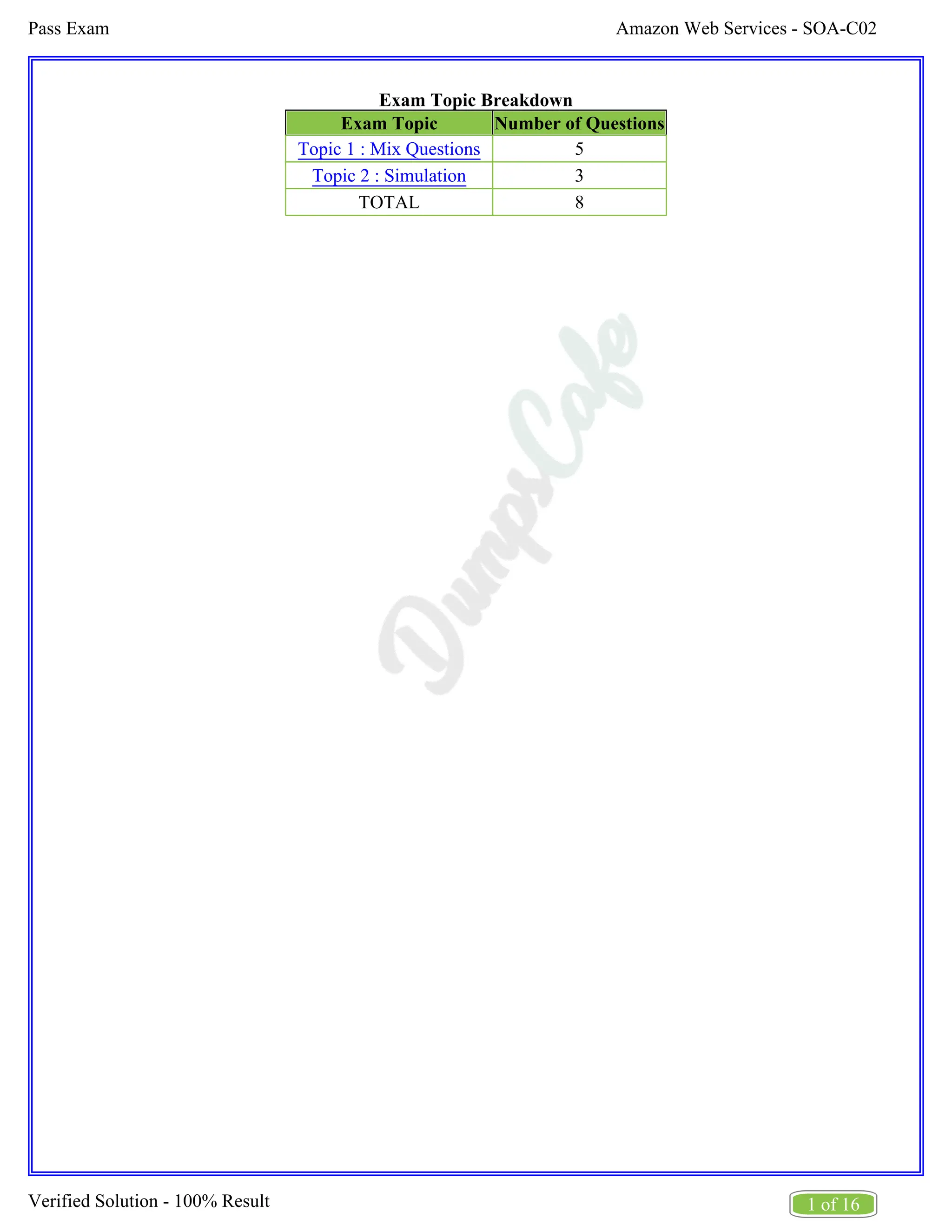
Exam Topic Breakdown
Exam Topic Number of Questions
Topic 1 : Mix Questions 5
Topic 2 : Simulation 3
TOTAL 8
Amazon Web Services - SOA-C02
Pass Exam
2 of 16
Verified Solution - 100% Result
A.
B.
C.
D.
Topic 1, Mix Questions
Question #:1 - (Exam Topic 1)
A company has a secure website running on Amazon EC2 instances behind an Application Load Balancer
(ALB). An SSL certificate from AWS Certificate Manager (ACM) is used on the ALB. Users with legacy
web browsers are experiencing issues with the website.
How should the SysOps administrator resolve these issues in the MOST operationally efficient manner?
Create a new SSL certificate in ACM and install the new certificate on the ALB to support legacy web
browsers.
Create a second ALB and install a custom SSL certificate with a different domain name on the second
ALB to support legacy web browsers.
Remove the ALB from the configuration and install a custom SSL certificate on each web server.
Update the SSL negotiation configuration of the ALB with a security policy that contains ciphers for
legacy web browsers.
Answer: D
Explanation
The issues experienced by users with legacy browsers typically stem from the SSL/TLS ciphers that are
supported or enforced by the ALB. Modern security policies may exclude older ciphers that are necessary for
compatibility with older browsers. Here’s how to resolve it:
Access the ALB Settings: Go to the AWS Management Console, navigate to the ALB settings, and
locate the SSL negotiation configurations.
Modify Security Policy: Update the SSL/TLS security policy on the ALB to include ciphers that are
compatible with legacy browsers. AWS provides predefined security policies, and some of these
policies are designed to support older ciphers while still maintaining a level of security that complies
with general best practices.
Apply Changes: Once the security policy is updated, the ALB will start using this new configuration,
which should resolve compatibility issues with legacy browsers without needing to replace the SSL
certificate or alter the infrastructure.
This solution maintains the operational efficiency of the setup and avoids the need for additional resources
like a second ALB or new certificates.
Question #:2 - (Exam Topic 1)
Amazon Web Services - SOA-C02
Pass Exam
3 of 16
Verified Solution - 100% Result
A.
B.
C.
D.
A company's SysOps administrator is troubleshooting communication between the components of an
application. The company configured VPC flow logs to be published to Amazon CloudWatch Logs However,
there are no logs in CloudWatch Logs
What could be blocking the VPC flow logs from being published to CloudWatch Logs?
The 1AM policy that is attached to the 1AM role for the flow log is missing the logs:CreateLogGroup
permission.
The 1AM policy that is attached to the 1AM role for the flow log is missing the logs:CreateExportTask
permission.
The VPC is configured for IPv6 addresses.
The VPC is peered with another VPC in the AWS account.
Answer: A
Explanation
Objective:
Publish VPC flow logs to Amazon CloudWatch Logs.
Root Cause:
VPC flow logs require an IAM role with permissions to create log groups, log streams, and write logs to
CloudWatch Logs.
If the logs:CreateLogGroup permission is missing, the flow log cannot create the required log group,
and logs will not appear in CloudWatch.
Solution Implementation:
Step 1: Verify the IAM role attached to the VPC flow logs.
Step 2: Add the following permissions to the IAM policy:
logs:CreateLogGroup
logs:CreateLogStream
logs:PutLogEvents
Step 3: Update the IAM role policy and retry creating flow logs.
AWS References:
VPC Flow Logs Permissions:Permissions for VPC Flow Logs
Amazon Web Services - SOA-C02
Pass Exam
4 of 16
Verified Solution - 100% Result
A.
B.
C.
D.
Why Other Options Are Incorrect:
Option B: logs:CreateExportTask is for exporting logs from CloudWatch to S3, not for creating log
groups.
Option C: IPv6 addresses do not impact the publishing of flow logs to CloudWatch Logs.
Option D: VPC peering does not block flow log functionality.
Question #:3 - (Exam Topic 1)
A SysOps administrator launches an Amazon EC2 instance in a private subnet of a VPC. When the SysOps
administrator attempts a curl command from the command line of the EC2 instance, the SysOps administrator
cannot connect to https:www.example.com.
What should the SysOps administrator do to resolve this issue?
Ensure that there is an outbound security group for port 443 to 0.0.0.0/0.
Ensure that there is an inbound security group for port 443 from 0.0.0.0/0.
Ensure that there is an outbound network ACL for ephemeral ports 1024-66535 to 0.0.0.0/0.
Ensure that there is an outbound network ACL for port 80 to 0.0.0.0/0.
Answer: A
Explanation
To resolve the issue of the EC2 instance in a private subnet not being able to connect to external websites via
HTTPS (port 443), it is necessary to adjust the security group settings:
Outbound Security Group Rules: Verify that the security group associated with the EC2 instance
allows outbound traffic on port 443 to any destination (0.0.0.0/0). This rule is crucial because it enables
the instance to initiate HTTPS connections to external websites.
Network ACLs: While the primary concern here is the security group, ensure also that the Network
Access Control List (ACL) associated with the subnet permits outbound HTTPS traffic. However, the
ACLs by default allow all outbound traffic unless specifically restricted.
Internet Connectivity: Since the instance is in a private subnet, ensure that it has a route to the internet
through a NAT Gateway or NAT Instance located in a public subnet. Without this, the instance won't be
able to reach external networks even if the security groups and ACLs are correctly configured.
By ensuring that the security group permits outbound HTTPS traffic, you address the most common
configuration oversight that would prevent such connectivity.
Question #:4 - (Exam Topic 1)
Amazon Web Services - SOA-C02
Pass Exam
5 of 16
Verified Solution - 100% Result
A.
B.
C.
D.
A company has mandated the use of multi-factor authentication (MFA) for all IAM users, and requires users
to make all API calls using the CLI. However. users are not prompted to enter MFA tokens, and are able to
run CLI commands without MFA. In an attempt to enforce MFA, the company attached an IAM policy to all
users that denies API calls that have not been authenticated with MFA.
What additional step must be taken to ensure that API calls are authenticated using MFA?
Enable MFA on IAM roles, and require IAM users to use role credentials to sign API calls.
Ask the IAM users to log into the AWS Management Console with MFA before making API calls
using the CLI.
Restrict the IAM users to use of the console, as MFA is not supported for CLI use.
Require users to use temporary credentials from the get-session token command to sign API calls.
Answer: D
Explanation
To enforce MFA for API calls using the AWS CLI, the users must use temporary security credentials
obtained through the get-session-token command. Here’s how to do it:
Enable MFA for IAM Users:
Ensure that MFA is enabled and properly configured for each IAM user.
Configure IAM Policy for MFA Enforcement:
Attach an IAM policy that denies API calls unless MFA is used. This policy should be attached to
all users.
Obtain Temporary Security Credentials Using MFA:
Users need to use the aws sts get-session-token command to obtain temporary credentials. This
command requires the MFA token.
sh
Copy code
aws sts get-session-token --serial-number arn:aws:iam::123456789012:mfa/user --token-code 123456
Use Temporary Credentials for API Calls:
After obtaining the temporary credentials, set them as environment variables or configure them in
the AWS CLI profile to make API calls.
export AWS_ACCESS_KEY_ID=...
export AWS_SECRET_ACCESS_KEY=...
Amazon Web Services - SOA-C02
Pass Exam
6 of 16
Verified Solution - 100% Result
A.
B.
C.
D.
export AWS_SESSION_TOKEN=...
References:
Enabling MFA for IAM Users
Using Temporary Security Credentials
AWS CLI get-session-token
Question #:5 - (Exam Topic 1)
A company wants to create an automated solution for all accounts managed by AWS Organizations to detect
any worry groups that urn 0.0.0.0/0 as the source address for inbound traffic. The company also wants to
automatically remediate any noncompliant security groups by restricting access to a specific CIDR block
corresponds with the company's intranet.
Create an AWS Config rule to detect noncompliant security groups. Set up automatic remediation to
change the 0.0.0.0/0 source address to the approved CIDK block.
Create an IAM policy to deny the creation of security groups that have 0.0.0.0/0 as the source address
Attach this 1AM policy to every user in the company.
Create an AWS Lambda function to inspect now and existing security groups check for a noncompliant
0.0.0.0A) source address and change the source address to the approved CIDR block.
Create a service control policy (SCP) for the organizational unit (OU) to deny the creation of security
groups that have the 0.0.0.0/0 source address. Set up automatic remediation to change Vie 0.0.0.0/0
source address to the approved CIDR block.
Answer: A
Explanation
AWS Config rules can be used to automatically detect and remediate noncompliant resources, such as security
groups that allow inbound traffic from 0.0.0.0/0.
Steps:
Create a Custom AWS Config Rule:
Open the AWS Config console.
Choose "Rules" and then "Add rule".
Create a custom rule or use a predefined rule such as security-group-rule-restricted.
Configure Remediation:
Amazon Web Services - SOA-C02
Pass Exam
7 of 16
Verified Solution - 100% Result
Use AWS Config to set up automatic remediation.
Define an AWS Systems Manager Automation document that changes the source address from
0.0.0.0/0 to the approved CIDR block.
Associate this automation document with the AWS Config rule.
Deploy Across Accounts:
Use AWS Config Aggregator to aggregate the compliance data across multiple accounts.
Ensure the remediation actions are consistently applied across all accounts.
References:
AWS Config Rules
AWS Config Remediation
Creating a Custom AWS Config Rule
Amazon Web Services - SOA-C02
Pass Exam
8 of 16
Verified Solution - 100% Result
Topic 2, Simulation
Question #:6 - (Exam Topic 2)
A webpage is stored in an Amazon S3 bucket behind an Application Load Balancer (ALB). Configure the SS
bucket to serve a static error page in the event of a failure at the primary site.
1. Use the us-east-2 Region for all resources.
2. Unless specified below, use the default configuration settings.
3. There is an existing hosted zone named lab-
751906329398-26023898.com that contains an A record with a simple routing policy that routes traffic to an
existing ALB.
4. Configure the existing S3 bucket named lab-751906329398-26023898.com as a static hosted website using
the object named index.html as the index document
5. For the index-html object, configure the S3 ACL to allow for public read access. Ensure public access to
the S3 bucketjs allowed.
6. In Amazon Route 53, change the A record for domain lab-751906329398-26023898.com to a primary
record for a failover routing policy. Configure the record so that it evaluates the health of the ALB to
determine failover.
7. Create a new secondary failover alias record for the domain lab-751906329398-26023898.com that routes
traffic to the existing 53 bucket.
See the Explanation for solution.
Explanation
Here are the steps to configure an Amazon S3 bucket to serve a static error page in the event of a failure at the
primary site:
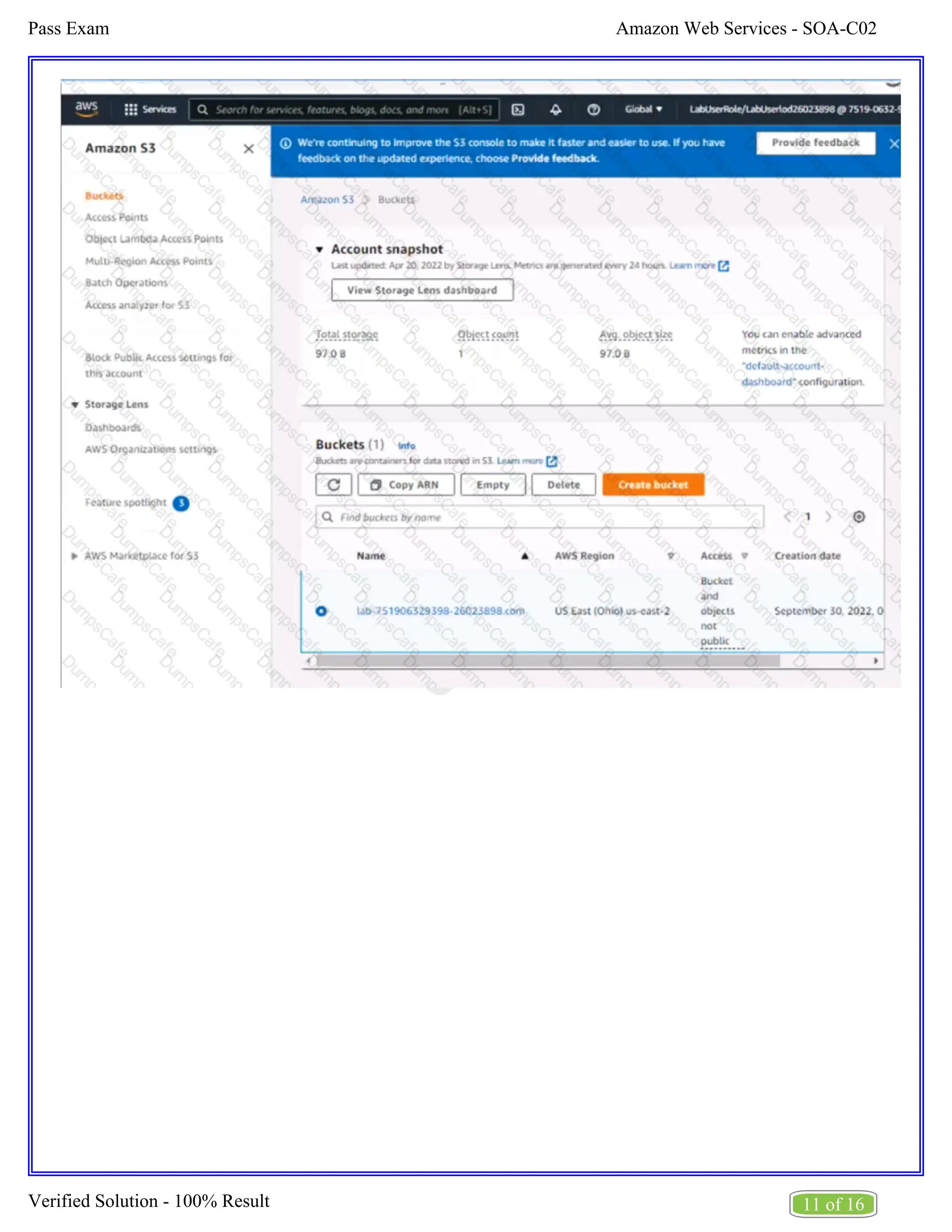
Log in to the AWS Management Console and navigate to the S3 service in the us-east-2 Region.
Find the existing S3 bucket named lab-751906329398-26023898.com and click on it.
In the "Properties" tab, click on "Static website hosting" and select "Use this bucket to host a website".
In "Index Document" field, enter the name of the object that you want to use as the index document, in
this case, "index.html"
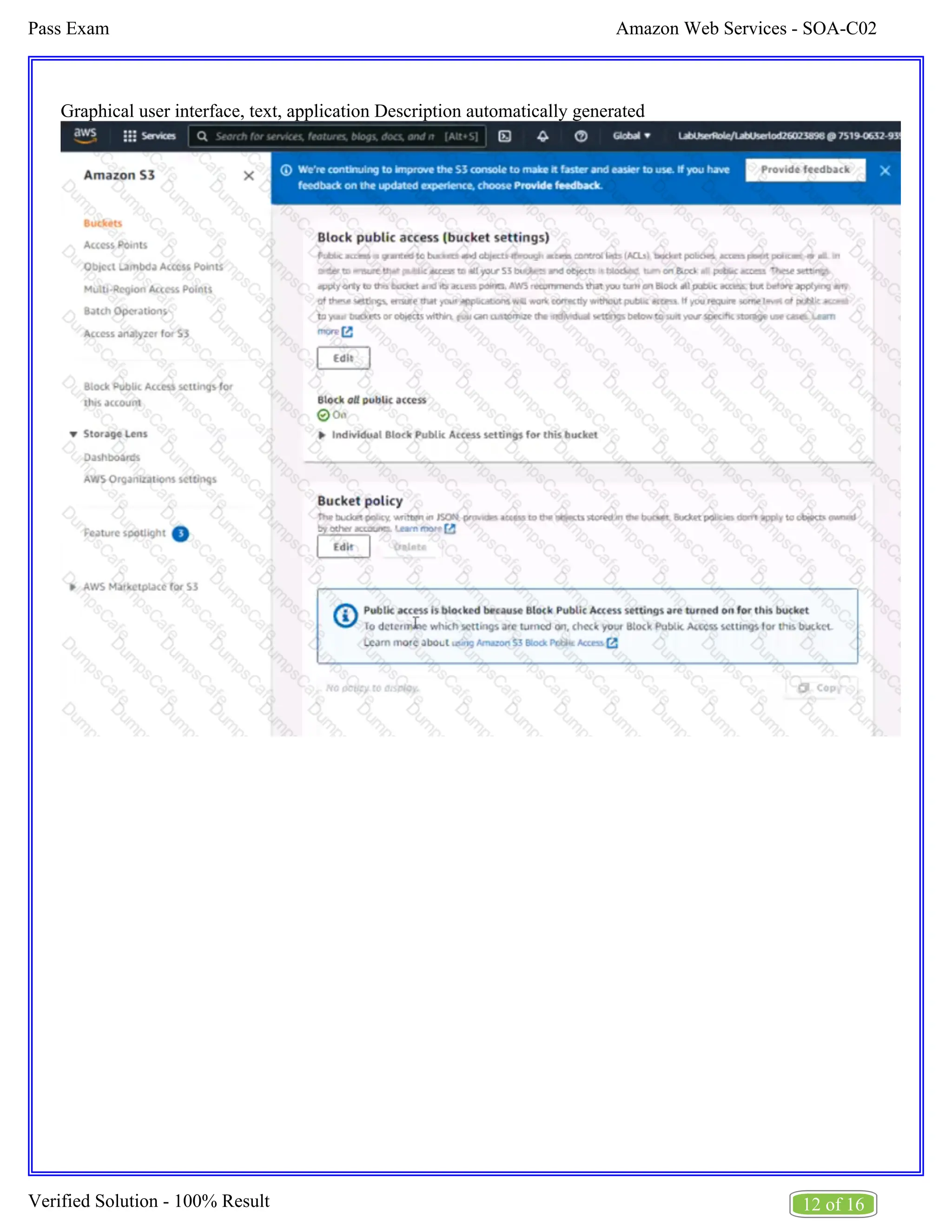
In the "Permissions" tab, click on "Block Public Access", and make sure that "Block all public access"
is turned OFF.
Amazon Web Services - SOA-C02
Pass Exam
9 of 16
Verified Solution - 100% Result
Click on "Bucket Policy" and add the following policy to allow public read access:
{
"Version": "2012-10-17",
"Statement": [
{
"Sid": "PublicReadGetObject",
"Effect": "Allow",
"Principal": "*",
"Action": "s3:GetObject",
"Resource": "arn:aws:s3:::lab-751906329398-26023898.com/*"
}
]
}
Now navigate to the Amazon Route 53 service, and find the existing hosted zone named lab-
751906329398-26023898.com.
Click on the "A record" and update the routing policy to "Primary - Failover" and add the existing ALB
as the primary record.
Click on "Create Record" button and create a new secondary failover alias record for the domain lab-
751906329398-26023898.com that routes traffic to the existing S3 bucket.
Now, when the primary site (ALB) goes down, traffic will be automatically routed to the S3 bucket
serving the static error page.
Note:
You can use CloudWatch to monitor the health of your ALB.
You can use Amazon S3 to host a static website.
You can use Amazon Route 53 for routing traffic to different resources based on health checks.
You can refer to the AWS documentation for more information on how to configure and use these
services:
https://aws.amazon.com/s3/
Amazon Web Services - SOA-C02
Pass Exam
10 of 16
Verified Solution - 100% Result
https://aws.amazon.com/route53/
https://aws.amazon.com/cloudwatch/
Amazon Web Services - SOA-C02
Pass Exam
11 of 16
Verified Solution - 100% Result
Amazon Web Services - SOA-C02
Pass Exam
12 of 16
Verified Solution - 100% Result
Graphical user interface, text, application Description automatically generated
Amazon Web Services - SOA-C02
Pass Exam
13 of 16
Verified Solution - 100% Result
Graphical user interface, application, Teams Description automatically generated
Question #:7 - (Exam Topic 2)
You need to update an existing AWS CloudFormation stack. If needed, a copy to the CloudFormation
template is available in an Amazon SB bucket named cloudformation-bucket
1. Use the us-east-2 Region for all resources.
2. Unless specified below, use the default configuration settings.
3. update the Amazon EQ instance named Devinstance by making the following changes to the stack named
1700182:
a) Change the EC2 instance type to us-east-t2.nano.
b) Allow SSH to connect to the EC2 instance from the IP address range
192.168.100.0/30.
c) Replace the instance profile IAM role with IamRoleB.
Amazon Web Services - SOA-C02
Pass Exam
14 of 16
Verified Solution - 100% Result
4. Deploy the changes by updating the stack using the CFServiceR01e role.
5. Edit the stack options to prevent accidental deletion.
6. Using the output from the stack, enter the value of the Prodlnstanceld in the text box below:
See the Explanation for solution.
Explanation
Here are the steps to update an existing AWS CloudFormation stack:
Log in to the AWS Management Console and navigate to the CloudFormation service in the us-east-2
Region.
Find the existing stack named 1700182 and click on it.
Click on the "Update" button.
Choose "Replace current template" and upload the updated CloudFormation template from the Amazon
S3 bucket named "cloudformation-bucket"
In the "Parameter" section, update the EC2 instance type to us-east-t2.nano and add the IP address
range 192.168.100.0/30 for SSH access.
Replace the instance profile IAM role with IamRoleB.
In the "Capabilities" section, check the checkbox for "IAM Resources"
Choose the role CFServiceR01e and click on "Update Stack"
Wait for the stack to be updated.
Once the update is complete, navigate to the stack and click on the "Stack options" button, and select
"Prevent updates to prevent accidental deletion"
To get the value of the Prodlnstanceld , navigate to the "Outputs" tab in the CloudFormation stack and
find the key "Prodlnstanceld". The value corresponding to it is the value that you need to enter in the
text box below.
Note:
You can use AWS CloudFormation to update an existing stack.
You can use the AWS CloudFormation service role to deploy updates.
You can refer to the AWS CloudFormation documentation for more information on how to update and
manage stacks: https://aws.amazon.com/cloudformation/
Question #:8 - (Exam Topic 2)
Amazon Web Services - SOA-C02
Pass Exam
15 of 16
Verified Solution - 100% Result
If your AWS Management Console browser does not show that you are logged in to an AWS account, close
the browser and relaunch the
console by using the AWS Management Console shortcut from the VM desktop.
If the copy-paste functionality is not working in your environment, refer to the instructions file on the VM
desktop and use Ctrl+C, Ctrl+V or Command-C , Command-V.
Configure Amazon EventBridge to meet the following requirements.
1. use the us-east-2 Region for all resources,
2. Unless specified below, use the default configuration settings.
3. Use your own resource naming unless a resource
name is specified below.
4. Ensure all Amazon EC2 events in the default event
bus are replayable for the past 90 days.
5. Create a rule named RunFunction to send the exact message every 1 5 minutes to an existing AWS Lambda
function named LogEventFunction.
6. Create a rule named SpotWarning to send a notification to a new standard Amazon SNS topic named
TopicEvents whenever an Amazon EC2
Spot Instance is interrupted. Do NOT create any topic subscriptions. The notification must match the
following structure:
Input Path:
{“instance” : “$.detail.instance-id”}
Input template:
“ The EC2 Spot Instance <instance> has been on account.
See the Explanation for solution.
Explanation
Here are the steps to configure Amazon EventBridge to meet the above requirements:
Log in to the AWS Management Console by using the AWS Management Console shortcut from the
VM desktop. Make sure that you are logged in to the desired AWS account.
Go to the EventBridge service in the us-east-2 Region.
Amazon Web Services - SOA-C02
Pass Exam
16 of 16
Verified Solution - 100% Result
In the EventBridge service, navigate to the "Event buses" page.
Click on the "Create event bus" button.
Give a name to your event bus, and select "default" as the event source type.
Navigate to "Rules" page and create a new rule named "RunFunction"
In the "Event pattern" section, select "Schedule" as the event source and set the schedule to run every
15 minutes.
In the "Actions" section, select "Send to Lambda" and choose the existing AWS Lambda function
named "LogEventFunction"
Create another rule named "SpotWarning"
In the "Event pattern" section, select "EC2" as the event source, and filter the events on "EC2 Spot
Instance interruption"
In the "Actions" section, select "Send to SNS topic" and create a new standard Amazon SNS topic
named "TopicEvents"
In the "Input Transformer" section, set the Input Path to {“instance” : “$.detail.instance-id”} and Input
template to “The EC2 Spot Instance <instance> has been interrupted on account.
Now all Amazon EC2 events in the default event bus will be replayable for past 90 days.
Note:
You can use the AWS Management Console, AWS CLI, or SDKs to create and manage EventBridge
resources.
You can use CloudTrail event history to replay events from the past 90 days.
You can refer to the AWS EventBridge documentation for more information on how to configure and
use the service: https://aws.amazon.com/eventbridge/
About dumpscafe.com
dumpscafe.com was founded in 2007. We provide latest & high quality IT / Business Certification Training Exam
Questions, Study Guides, Practice Tests.
We help you pass any IT / Business Certification Exams with 100% Pass Guaranteed or Full Refund. Especially
Cisco, CompTIA, Citrix, EMC, HP, Oracle, VMware, Juniper, Check Point, LPI, Nortel, EXIN and so on.
View list of all certification exams: All vendors
We prepare state-of-the art practice tests for certification exams. You can reach us at any of the email addresses
listed below.
Sales: sales@dumpscafe.com
Feedback: feedback@dumpscafe.com
Support: support@dumpscafe.com
Any problems about IT certification or our products, You can write us back and we will get back to you within 24
hours.

2025 DumpsCafe Amazon Web Services-SOA-C02

  • 1.
    AWS Certified SysOps Administrator- Associate (SOA-C02) Version: Demo [ Total Questions: 10] Web: www.dumpscafe.com Email: support@dumpscafe.com Amazon Web Services SOA-C02
  • 2.
    IMPORTANT NOTICE Feedback We havedeveloped quality product and state-of-art service to ensure our customers interest. If you have any suggestions, please feel free to contact us at feedback@dumpscafe.com Support If you have any questions about our product, please provide the following items: exam code screenshot of the question login id/email please contact us at and our technical experts will provide support within 24 hours. support@dumpscafe.com Copyright The product of each order has its own encryption code, so you should use it independently. Any unauthorized changes will inflict legal punishment. We reserve the right of final explanation for this statement.
  • 3.
    Amazon Web Services- SOA-C02 Pass Exam 1 of 16 Verified Solution - 100% Result Exam Topic Breakdown Exam Topic Number of Questions Topic 1 : Mix Questions 5 Topic 2 : Simulation 3 TOTAL 8
  • 4.
    Amazon Web Services- SOA-C02 Pass Exam 2 of 16 Verified Solution - 100% Result A. B. C. D. Topic 1, Mix Questions Question #:1 - (Exam Topic 1) A company has a secure website running on Amazon EC2 instances behind an Application Load Balancer (ALB). An SSL certificate from AWS Certificate Manager (ACM) is used on the ALB. Users with legacy web browsers are experiencing issues with the website. How should the SysOps administrator resolve these issues in the MOST operationally efficient manner? Create a new SSL certificate in ACM and install the new certificate on the ALB to support legacy web browsers. Create a second ALB and install a custom SSL certificate with a different domain name on the second ALB to support legacy web browsers. Remove the ALB from the configuration and install a custom SSL certificate on each web server. Update the SSL negotiation configuration of the ALB with a security policy that contains ciphers for legacy web browsers. Answer: D Explanation The issues experienced by users with legacy browsers typically stem from the SSL/TLS ciphers that are supported or enforced by the ALB. Modern security policies may exclude older ciphers that are necessary for compatibility with older browsers. Here’s how to resolve it: Access the ALB Settings: Go to the AWS Management Console, navigate to the ALB settings, and locate the SSL negotiation configurations. Modify Security Policy: Update the SSL/TLS security policy on the ALB to include ciphers that are compatible with legacy browsers. AWS provides predefined security policies, and some of these policies are designed to support older ciphers while still maintaining a level of security that complies with general best practices. Apply Changes: Once the security policy is updated, the ALB will start using this new configuration, which should resolve compatibility issues with legacy browsers without needing to replace the SSL certificate or alter the infrastructure. This solution maintains the operational efficiency of the setup and avoids the need for additional resources like a second ALB or new certificates. Question #:2 - (Exam Topic 1)
  • 5.
    Amazon Web Services- SOA-C02 Pass Exam 3 of 16 Verified Solution - 100% Result A. B. C. D. A company's SysOps administrator is troubleshooting communication between the components of an application. The company configured VPC flow logs to be published to Amazon CloudWatch Logs However, there are no logs in CloudWatch Logs What could be blocking the VPC flow logs from being published to CloudWatch Logs? The 1AM policy that is attached to the 1AM role for the flow log is missing the logs:CreateLogGroup permission. The 1AM policy that is attached to the 1AM role for the flow log is missing the logs:CreateExportTask permission. The VPC is configured for IPv6 addresses. The VPC is peered with another VPC in the AWS account. Answer: A Explanation Objective: Publish VPC flow logs to Amazon CloudWatch Logs. Root Cause: VPC flow logs require an IAM role with permissions to create log groups, log streams, and write logs to CloudWatch Logs. If the logs:CreateLogGroup permission is missing, the flow log cannot create the required log group, and logs will not appear in CloudWatch. Solution Implementation: Step 1: Verify the IAM role attached to the VPC flow logs. Step 2: Add the following permissions to the IAM policy: logs:CreateLogGroup logs:CreateLogStream logs:PutLogEvents Step 3: Update the IAM role policy and retry creating flow logs. AWS References: VPC Flow Logs Permissions:Permissions for VPC Flow Logs
  • 6.
    Amazon Web Services- SOA-C02 Pass Exam 4 of 16 Verified Solution - 100% Result A. B. C. D. Why Other Options Are Incorrect: Option B: logs:CreateExportTask is for exporting logs from CloudWatch to S3, not for creating log groups. Option C: IPv6 addresses do not impact the publishing of flow logs to CloudWatch Logs. Option D: VPC peering does not block flow log functionality. Question #:3 - (Exam Topic 1) A SysOps administrator launches an Amazon EC2 instance in a private subnet of a VPC. When the SysOps administrator attempts a curl command from the command line of the EC2 instance, the SysOps administrator cannot connect to https:www.example.com. What should the SysOps administrator do to resolve this issue? Ensure that there is an outbound security group for port 443 to 0.0.0.0/0. Ensure that there is an inbound security group for port 443 from 0.0.0.0/0. Ensure that there is an outbound network ACL for ephemeral ports 1024-66535 to 0.0.0.0/0. Ensure that there is an outbound network ACL for port 80 to 0.0.0.0/0. Answer: A Explanation To resolve the issue of the EC2 instance in a private subnet not being able to connect to external websites via HTTPS (port 443), it is necessary to adjust the security group settings: Outbound Security Group Rules: Verify that the security group associated with the EC2 instance allows outbound traffic on port 443 to any destination (0.0.0.0/0). This rule is crucial because it enables the instance to initiate HTTPS connections to external websites. Network ACLs: While the primary concern here is the security group, ensure also that the Network Access Control List (ACL) associated with the subnet permits outbound HTTPS traffic. However, the ACLs by default allow all outbound traffic unless specifically restricted. Internet Connectivity: Since the instance is in a private subnet, ensure that it has a route to the internet through a NAT Gateway or NAT Instance located in a public subnet. Without this, the instance won't be able to reach external networks even if the security groups and ACLs are correctly configured. By ensuring that the security group permits outbound HTTPS traffic, you address the most common configuration oversight that would prevent such connectivity. Question #:4 - (Exam Topic 1)
  • 7.
    Amazon Web Services- SOA-C02 Pass Exam 5 of 16 Verified Solution - 100% Result A. B. C. D. A company has mandated the use of multi-factor authentication (MFA) for all IAM users, and requires users to make all API calls using the CLI. However. users are not prompted to enter MFA tokens, and are able to run CLI commands without MFA. In an attempt to enforce MFA, the company attached an IAM policy to all users that denies API calls that have not been authenticated with MFA. What additional step must be taken to ensure that API calls are authenticated using MFA? Enable MFA on IAM roles, and require IAM users to use role credentials to sign API calls. Ask the IAM users to log into the AWS Management Console with MFA before making API calls using the CLI. Restrict the IAM users to use of the console, as MFA is not supported for CLI use. Require users to use temporary credentials from the get-session token command to sign API calls. Answer: D Explanation To enforce MFA for API calls using the AWS CLI, the users must use temporary security credentials obtained through the get-session-token command. Here’s how to do it: Enable MFA for IAM Users: Ensure that MFA is enabled and properly configured for each IAM user. Configure IAM Policy for MFA Enforcement: Attach an IAM policy that denies API calls unless MFA is used. This policy should be attached to all users. Obtain Temporary Security Credentials Using MFA: Users need to use the aws sts get-session-token command to obtain temporary credentials. This command requires the MFA token. sh Copy code aws sts get-session-token --serial-number arn:aws:iam::123456789012:mfa/user --token-code 123456 Use Temporary Credentials for API Calls: After obtaining the temporary credentials, set them as environment variables or configure them in the AWS CLI profile to make API calls. export AWS_ACCESS_KEY_ID=... export AWS_SECRET_ACCESS_KEY=...
  • 8.
    Amazon Web Services- SOA-C02 Pass Exam 6 of 16 Verified Solution - 100% Result A. B. C. D. export AWS_SESSION_TOKEN=... References: Enabling MFA for IAM Users Using Temporary Security Credentials AWS CLI get-session-token Question #:5 - (Exam Topic 1) A company wants to create an automated solution for all accounts managed by AWS Organizations to detect any worry groups that urn 0.0.0.0/0 as the source address for inbound traffic. The company also wants to automatically remediate any noncompliant security groups by restricting access to a specific CIDR block corresponds with the company's intranet. Create an AWS Config rule to detect noncompliant security groups. Set up automatic remediation to change the 0.0.0.0/0 source address to the approved CIDK block. Create an IAM policy to deny the creation of security groups that have 0.0.0.0/0 as the source address Attach this 1AM policy to every user in the company. Create an AWS Lambda function to inspect now and existing security groups check for a noncompliant 0.0.0.0A) source address and change the source address to the approved CIDR block. Create a service control policy (SCP) for the organizational unit (OU) to deny the creation of security groups that have the 0.0.0.0/0 source address. Set up automatic remediation to change Vie 0.0.0.0/0 source address to the approved CIDR block. Answer: A Explanation AWS Config rules can be used to automatically detect and remediate noncompliant resources, such as security groups that allow inbound traffic from 0.0.0.0/0. Steps: Create a Custom AWS Config Rule: Open the AWS Config console. Choose "Rules" and then "Add rule". Create a custom rule or use a predefined rule such as security-group-rule-restricted. Configure Remediation:
  • 9.
    Amazon Web Services- SOA-C02 Pass Exam 7 of 16 Verified Solution - 100% Result Use AWS Config to set up automatic remediation. Define an AWS Systems Manager Automation document that changes the source address from 0.0.0.0/0 to the approved CIDR block. Associate this automation document with the AWS Config rule. Deploy Across Accounts: Use AWS Config Aggregator to aggregate the compliance data across multiple accounts. Ensure the remediation actions are consistently applied across all accounts. References: AWS Config Rules AWS Config Remediation Creating a Custom AWS Config Rule
  • 10.
    Amazon Web Services- SOA-C02 Pass Exam 8 of 16 Verified Solution - 100% Result Topic 2, Simulation Question #:6 - (Exam Topic 2) A webpage is stored in an Amazon S3 bucket behind an Application Load Balancer (ALB). Configure the SS bucket to serve a static error page in the event of a failure at the primary site. 1. Use the us-east-2 Region for all resources. 2. Unless specified below, use the default configuration settings. 3. There is an existing hosted zone named lab- 751906329398-26023898.com that contains an A record with a simple routing policy that routes traffic to an existing ALB. 4. Configure the existing S3 bucket named lab-751906329398-26023898.com as a static hosted website using the object named index.html as the index document 5. For the index-html object, configure the S3 ACL to allow for public read access. Ensure public access to the S3 bucketjs allowed. 6. In Amazon Route 53, change the A record for domain lab-751906329398-26023898.com to a primary record for a failover routing policy. Configure the record so that it evaluates the health of the ALB to determine failover. 7. Create a new secondary failover alias record for the domain lab-751906329398-26023898.com that routes traffic to the existing 53 bucket. See the Explanation for solution. Explanation Here are the steps to configure an Amazon S3 bucket to serve a static error page in the event of a failure at the primary site: Log in to the AWS Management Console and navigate to the S3 service in the us-east-2 Region. Find the existing S3 bucket named lab-751906329398-26023898.com and click on it. In the "Properties" tab, click on "Static website hosting" and select "Use this bucket to host a website". In "Index Document" field, enter the name of the object that you want to use as the index document, in this case, "index.html" In the "Permissions" tab, click on "Block Public Access", and make sure that "Block all public access" is turned OFF.
  • 11.
    Amazon Web Services- SOA-C02 Pass Exam 9 of 16 Verified Solution - 100% Result Click on "Bucket Policy" and add the following policy to allow public read access: { "Version": "2012-10-17", "Statement": [ { "Sid": "PublicReadGetObject", "Effect": "Allow", "Principal": "*", "Action": "s3:GetObject", "Resource": "arn:aws:s3:::lab-751906329398-26023898.com/*" } ] } Now navigate to the Amazon Route 53 service, and find the existing hosted zone named lab- 751906329398-26023898.com. Click on the "A record" and update the routing policy to "Primary - Failover" and add the existing ALB as the primary record. Click on "Create Record" button and create a new secondary failover alias record for the domain lab- 751906329398-26023898.com that routes traffic to the existing S3 bucket. Now, when the primary site (ALB) goes down, traffic will be automatically routed to the S3 bucket serving the static error page. Note: You can use CloudWatch to monitor the health of your ALB. You can use Amazon S3 to host a static website. You can use Amazon Route 53 for routing traffic to different resources based on health checks. You can refer to the AWS documentation for more information on how to configure and use these services: https://aws.amazon.com/s3/
  • 12.
    Amazon Web Services- SOA-C02 Pass Exam 10 of 16 Verified Solution - 100% Result https://aws.amazon.com/route53/ https://aws.amazon.com/cloudwatch/
  • 13.
    Amazon Web Services- SOA-C02 Pass Exam 11 of 16 Verified Solution - 100% Result
  • 14.
    Amazon Web Services- SOA-C02 Pass Exam 12 of 16 Verified Solution - 100% Result Graphical user interface, text, application Description automatically generated
  • 15.
    Amazon Web Services- SOA-C02 Pass Exam 13 of 16 Verified Solution - 100% Result Graphical user interface, application, Teams Description automatically generated Question #:7 - (Exam Topic 2) You need to update an existing AWS CloudFormation stack. If needed, a copy to the CloudFormation template is available in an Amazon SB bucket named cloudformation-bucket 1. Use the us-east-2 Region for all resources. 2. Unless specified below, use the default configuration settings. 3. update the Amazon EQ instance named Devinstance by making the following changes to the stack named 1700182: a) Change the EC2 instance type to us-east-t2.nano. b) Allow SSH to connect to the EC2 instance from the IP address range 192.168.100.0/30. c) Replace the instance profile IAM role with IamRoleB.
  • 16.
    Amazon Web Services- SOA-C02 Pass Exam 14 of 16 Verified Solution - 100% Result 4. Deploy the changes by updating the stack using the CFServiceR01e role. 5. Edit the stack options to prevent accidental deletion. 6. Using the output from the stack, enter the value of the Prodlnstanceld in the text box below: See the Explanation for solution. Explanation Here are the steps to update an existing AWS CloudFormation stack: Log in to the AWS Management Console and navigate to the CloudFormation service in the us-east-2 Region. Find the existing stack named 1700182 and click on it. Click on the "Update" button. Choose "Replace current template" and upload the updated CloudFormation template from the Amazon S3 bucket named "cloudformation-bucket" In the "Parameter" section, update the EC2 instance type to us-east-t2.nano and add the IP address range 192.168.100.0/30 for SSH access. Replace the instance profile IAM role with IamRoleB. In the "Capabilities" section, check the checkbox for "IAM Resources" Choose the role CFServiceR01e and click on "Update Stack" Wait for the stack to be updated. Once the update is complete, navigate to the stack and click on the "Stack options" button, and select "Prevent updates to prevent accidental deletion" To get the value of the Prodlnstanceld , navigate to the "Outputs" tab in the CloudFormation stack and find the key "Prodlnstanceld". The value corresponding to it is the value that you need to enter in the text box below. Note: You can use AWS CloudFormation to update an existing stack. You can use the AWS CloudFormation service role to deploy updates. You can refer to the AWS CloudFormation documentation for more information on how to update and manage stacks: https://aws.amazon.com/cloudformation/ Question #:8 - (Exam Topic 2)
  • 17.
    Amazon Web Services- SOA-C02 Pass Exam 15 of 16 Verified Solution - 100% Result If your AWS Management Console browser does not show that you are logged in to an AWS account, close the browser and relaunch the console by using the AWS Management Console shortcut from the VM desktop. If the copy-paste functionality is not working in your environment, refer to the instructions file on the VM desktop and use Ctrl+C, Ctrl+V or Command-C , Command-V. Configure Amazon EventBridge to meet the following requirements. 1. use the us-east-2 Region for all resources, 2. Unless specified below, use the default configuration settings. 3. Use your own resource naming unless a resource name is specified below. 4. Ensure all Amazon EC2 events in the default event bus are replayable for the past 90 days. 5. Create a rule named RunFunction to send the exact message every 1 5 minutes to an existing AWS Lambda function named LogEventFunction. 6. Create a rule named SpotWarning to send a notification to a new standard Amazon SNS topic named TopicEvents whenever an Amazon EC2 Spot Instance is interrupted. Do NOT create any topic subscriptions. The notification must match the following structure: Input Path: {“instance” : “$.detail.instance-id”} Input template: “ The EC2 Spot Instance <instance> has been on account. See the Explanation for solution. Explanation Here are the steps to configure Amazon EventBridge to meet the above requirements: Log in to the AWS Management Console by using the AWS Management Console shortcut from the VM desktop. Make sure that you are logged in to the desired AWS account. Go to the EventBridge service in the us-east-2 Region.
  • 18.
    Amazon Web Services- SOA-C02 Pass Exam 16 of 16 Verified Solution - 100% Result In the EventBridge service, navigate to the "Event buses" page. Click on the "Create event bus" button. Give a name to your event bus, and select "default" as the event source type. Navigate to "Rules" page and create a new rule named "RunFunction" In the "Event pattern" section, select "Schedule" as the event source and set the schedule to run every 15 minutes. In the "Actions" section, select "Send to Lambda" and choose the existing AWS Lambda function named "LogEventFunction" Create another rule named "SpotWarning" In the "Event pattern" section, select "EC2" as the event source, and filter the events on "EC2 Spot Instance interruption" In the "Actions" section, select "Send to SNS topic" and create a new standard Amazon SNS topic named "TopicEvents" In the "Input Transformer" section, set the Input Path to {“instance” : “$.detail.instance-id”} and Input template to “The EC2 Spot Instance <instance> has been interrupted on account. Now all Amazon EC2 events in the default event bus will be replayable for past 90 days. Note: You can use the AWS Management Console, AWS CLI, or SDKs to create and manage EventBridge resources. You can use CloudTrail event history to replay events from the past 90 days. You can refer to the AWS EventBridge documentation for more information on how to configure and use the service: https://aws.amazon.com/eventbridge/
  • 19.
    About dumpscafe.com dumpscafe.com wasfounded in 2007. We provide latest & high quality IT / Business Certification Training Exam Questions, Study Guides, Practice Tests. We help you pass any IT / Business Certification Exams with 100% Pass Guaranteed or Full Refund. Especially Cisco, CompTIA, Citrix, EMC, HP, Oracle, VMware, Juniper, Check Point, LPI, Nortel, EXIN and so on. View list of all certification exams: All vendors We prepare state-of-the art practice tests for certification exams. You can reach us at any of the email addresses listed below. Sales: sales@dumpscafe.com Feedback: feedback@dumpscafe.com Support: support@dumpscafe.com Any problems about IT certification or our products, You can write us back and we will get back to you within 24 hours.