Download free for 30 days
Sign in
Upload
Language (EN)
Support
Business
Mobile
Social Media
Marketing
Technology
Art & Photos
Career
Design
Education
Presentations & Public Speaking
Government & Nonprofit
Healthcare
Internet
Law
Leadership & Management
Automotive
Engineering
Software
Recruiting & HR
Retail
Sales
Services
Science
Small Business & Entrepreneurship
Food
Environment
Economy & Finance
Data & Analytics
Investor Relations
Sports
Spiritual
News & Politics
Travel
Self Improvement
Real Estate
Entertainment & Humor
Health & Medicine
Devices & Hardware
Lifestyle
Change Language
Language
English
Español
Português
Français
Deutsche
Cancel
Save
EN
Uploaded by
re4lfl0w
2,095 views
20151219_(python_korea)_How_to_automate_webhacking.kr_with_Python_presentation
20151219_(python_korea)_How_to_automate_webhacking.kr_with_Python_presentation
Software
◦
Read more
29
Save
Share
Embed
Embed presentation
1
/ 160
2
/ 160
3
/ 160
4
/ 160
5
/ 160
6
/ 160
7
/ 160
8
/ 160
9
/ 160
10
/ 160
11
/ 160
12
/ 160
13
/ 160
14
/ 160
15
/ 160
16
/ 160
17
/ 160
18
/ 160
19
/ 160
20
/ 160
21
/ 160
22
/ 160
23
/ 160
24
/ 160
25
/ 160
26
/ 160
27
/ 160
28
/ 160
29
/ 160
30
/ 160
31
/ 160
32
/ 160
33
/ 160
34
/ 160
35
/ 160
36
/ 160
37
/ 160
38
/ 160
39
/ 160
40
/ 160
41
/ 160
42
/ 160
43
/ 160
44
/ 160
45
/ 160
46
/ 160
47
/ 160
48
/ 160
49
/ 160
50
/ 160
51
/ 160
52
/ 160
53
/ 160
54
/ 160
55
/ 160
56
/ 160
57
/ 160
58
/ 160
59
/ 160
60
/ 160
61
/ 160
62
/ 160
63
/ 160
64
/ 160
65
/ 160
66
/ 160
67
/ 160
68
/ 160
69
/ 160
70
/ 160
71
/ 160
72
/ 160
73
/ 160
74
/ 160
75
/ 160
76
/ 160
77
/ 160
78
/ 160
79
/ 160
80
/ 160
81
/ 160
82
/ 160
83
/ 160
84
/ 160
85
/ 160
86
/ 160
87
/ 160
88
/ 160
89
/ 160
90
/ 160
91
/ 160
92
/ 160
93
/ 160
94
/ 160
95
/ 160
96
/ 160
97
/ 160
98
/ 160
99
/ 160
100
/ 160
101
/ 160
102
/ 160
103
/ 160
104
/ 160
105
/ 160
106
/ 160
107
/ 160
108
/ 160
109
/ 160
110
/ 160
111
/ 160
112
/ 160
113
/ 160
114
/ 160
115
/ 160
116
/ 160
117
/ 160
118
/ 160
119
/ 160
120
/ 160
121
/ 160
122
/ 160
123
/ 160
124
/ 160
125
/ 160
126
/ 160
127
/ 160
128
/ 160
129
/ 160
130
/ 160
131
/ 160
132
/ 160
133
/ 160
134
/ 160
135
/ 160
136
/ 160
137
/ 160
138
/ 160
139
/ 160
140
/ 160
141
/ 160
142
/ 160
143
/ 160
144
/ 160
145
/ 160
146
/ 160
147
/ 160
148
/ 160
149
/ 160
150
/ 160
151
/ 160
152
/ 160
153
/ 160
154
/ 160
155
/ 160
156
/ 160
157
/ 160
158
/ 160
159
/ 160
160
/ 160
More Related Content
PDF
파이썬 생존 안내서 (자막)
by
Heungsub Lee
PDF
SMARTSTUDY Django 오픈 세션 2012-08
by
Hyun-woo Park
PDF
Python Recipes for django girls seoul
by
Joeun Park
PDF
장고로 웹서비스 만들기 기초
by
Kwangyoun Jung
PDF
AngularJS In Production
by
MooYeol Lee
PPTX
Python 이해하기 20160815
by
Yong Joon Moon
PDF
간단한 블로그를 만들며 Django 이해하기
by
Kyoung Up Jung
PPTX
Python 생태계의 이해
by
용 최
파이썬 생존 안내서 (자막)
by
Heungsub Lee
SMARTSTUDY Django 오픈 세션 2012-08
by
Hyun-woo Park
Python Recipes for django girls seoul
by
Joeun Park
장고로 웹서비스 만들기 기초
by
Kwangyoun Jung
AngularJS In Production
by
MooYeol Lee
Python 이해하기 20160815
by
Yong Joon Moon
간단한 블로그를 만들며 Django 이해하기
by
Kyoung Up Jung
Python 생태계의 이해
by
용 최
Viewers also liked
PDF
파이썬 튜토리얼 (Python tutorial)
by
민지 김
PPTX
파이썬 반복자 생성자 이해하기
by
Yong Joon Moon
PPT
Dark Circle - Translation : The cool way to contribute to F/OSS #2(우분투와 번역 이야...
by
Ubuntu Korea Community
PPTX
Python 내장 함수
by
용 최
PDF
파이썬 라이브러리로 쉽게 시작하는 데이터 분석
by
Heekyung Yoon
PPTX
141103 최창원 파이썬 확장 프로그래밍
by
Changwon Choe
PDF
Character Encoding in python
by
daesung7kang
PDF
5G Coding
by
Sung-Jin (James) Kim
PDF
병렬 프로그래밍
by
준혁 이
PDF
라즈베리파이 와 스카이로버 나노에 만남
by
Jae Sang Lee
PPTX
병렬 프로그래밍 패러다임
by
codenavy
PPTX
Python의 계산성능 향상을 위해 Fortran, C, CUDA-C, OpenCL-C 코드들과 연동하기
by
Ki-Hwan Kim
PDF
openstack, devops and people
by
Andrew Yongjoon Kong
PPTX
Java와 Python의 만남: Jython과 Sikuli
by
용 최
PDF
병렬프로그래밍과 Cuda
by
Seok-joon Yun
PDF
Python korea(emacs)
by
Johnny Cho
PDF
PyCon 12월 세미나 - 실전 파이썬 프로그래밍 책 홍보
by
Young Hoo Kim
PPTX
파이썬 병렬프로그래밍
by
Yong Joon Moon
PPTX
Python on Android
by
용 최
PPTX
파이썬 확률과 통계 기초 이해하기
by
Yong Joon Moon
파이썬 튜토리얼 (Python tutorial)
by
민지 김
파이썬 반복자 생성자 이해하기
by
Yong Joon Moon
Dark Circle - Translation : The cool way to contribute to F/OSS #2(우분투와 번역 이야...
by
Ubuntu Korea Community
Python 내장 함수
by
용 최
파이썬 라이브러리로 쉽게 시작하는 데이터 분석
by
Heekyung Yoon
141103 최창원 파이썬 확장 프로그래밍
by
Changwon Choe
Character Encoding in python
by
daesung7kang
5G Coding
by
Sung-Jin (James) Kim
병렬 프로그래밍
by
준혁 이
라즈베리파이 와 스카이로버 나노에 만남
by
Jae Sang Lee
병렬 프로그래밍 패러다임
by
codenavy
Python의 계산성능 향상을 위해 Fortran, C, CUDA-C, OpenCL-C 코드들과 연동하기
by
Ki-Hwan Kim
openstack, devops and people
by
Andrew Yongjoon Kong
Java와 Python의 만남: Jython과 Sikuli
by
용 최
병렬프로그래밍과 Cuda
by
Seok-joon Yun
Python korea(emacs)
by
Johnny Cho
PyCon 12월 세미나 - 실전 파이썬 프로그래밍 책 홍보
by
Young Hoo Kim
파이썬 병렬프로그래밍
by
Yong Joon Moon
Python on Android
by
용 최
파이썬 확률과 통계 기초 이해하기
by
Yong Joon Moon
Similar to 20151219_(python_korea)_How_to_automate_webhacking.kr_with_Python_presentation
PDF
생활 코딩 #2(Simple Web Scraping with Python #2)
by
SeungYong Baek
PPTX
파이썬 플라스크 이해하기
by
Yong Joon Moon
PPTX
141118 최창원 웹크롤러제작
by
Changwon Choe
PPTX
업무자동화를 위한 파이썬
by
성주 이
PPTX
웹 크롤링 (Web scraping) 의 이해
by
2minchul
PDF
HTTP 완벽 가이드 9~10장
by
Hyejin Oh
PDF
웹표준과 자동화의 약속된 승리
by
Young-Ho Cha
PDF
How to evaluate accessibility with automatic
by
NHN Technology Services / Korea
PDF
인생은 짧아요, 엑셀 대신 파이썬
by
Seung-June Lee
PPTX
The beginner’s guide to 웹 크롤링 (스크래핑)
by
Eunjeong (Lucy) Park
PPTX
[Http완벽가이드] 9장 웹로봇
by
Minchul Jung
PDF
[PyConKR 2014] 30분만에 따라하는 동시성 스크래퍼
by
Cheol Kang
PDF
파이콘 2017 그만퇴근합시다_이지호
by
Jiho Lee
PPTX
Flask! - python web framework flask 튜토리얼
by
mangonamu
PPTX
web study 1day
by
준호 우
PPTX
파이썬 크롤링 모듈
by
Yong Joon Moon
PDF
KPW2012::LT::spot
by
도성 최
PDF
Deview2013 a11y automation
by
NAVER D2
PDF
Python을 활용한 챗봇 서비스 개발 1일차
by
Taekyung Han
PDF
용기와심심해서하는오픈소스
by
LINE株式会社
생활 코딩 #2(Simple Web Scraping with Python #2)
by
SeungYong Baek
파이썬 플라스크 이해하기
by
Yong Joon Moon
141118 최창원 웹크롤러제작
by
Changwon Choe
업무자동화를 위한 파이썬
by
성주 이
웹 크롤링 (Web scraping) 의 이해
by
2minchul
HTTP 완벽 가이드 9~10장
by
Hyejin Oh
웹표준과 자동화의 약속된 승리
by
Young-Ho Cha
How to evaluate accessibility with automatic
by
NHN Technology Services / Korea
인생은 짧아요, 엑셀 대신 파이썬
by
Seung-June Lee
The beginner’s guide to 웹 크롤링 (스크래핑)
by
Eunjeong (Lucy) Park
[Http완벽가이드] 9장 웹로봇
by
Minchul Jung
[PyConKR 2014] 30분만에 따라하는 동시성 스크래퍼
by
Cheol Kang
파이콘 2017 그만퇴근합시다_이지호
by
Jiho Lee
Flask! - python web framework flask 튜토리얼
by
mangonamu
web study 1day
by
준호 우
파이썬 크롤링 모듈
by
Yong Joon Moon
KPW2012::LT::spot
by
도성 최
Deview2013 a11y automation
by
NAVER D2
Python을 활용한 챗봇 서비스 개발 1일차
by
Taekyung Han
용기와심심해서하는오픈소스
by
LINE株式会社
20151219_(python_korea)_How_to_automate_webhacking.kr_with_Python_presentation
1.
How to automate
webhacking.kr with python How to automate webhacking.kr with Python © 조근영 2015 1
2.
Who are you? •
조근영, 남자사람 • Python 좋아함 • Data Analysis, TDD, Penetration Testing, DevOps, Machine Learning, NLP 관심 • githubgithub • 파으리썬 운영자euripy euripy http://euripy.github.io github https://github.com/re4lfl0w/ How to automate webhacking.kr with Python © 조근영 2015 2
3.
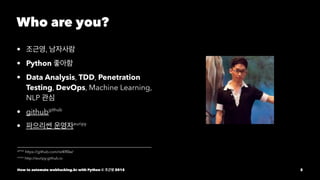
Casting • 리뷰1 1 Hardware Hacking
Training Epilogue How to automate webhacking.kr with Python © 조근영 2015 3
4.
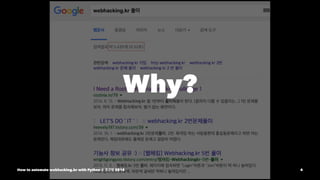
Why? How to automate
webhacking.kr with Python © 조근영 2015 4
5.
헐... How to automate
webhacking.kr with Python © 조근영 2015 5
6.
5000 개... How to
automate webhacking.kr with Python © 조근영 2015 6
7.
일반적인 풀이는 너무
많다!! 좋아? 그렇다면 차별화를 하기 위해서는?? How to automate webhacking.kr with Python © 조근영 2015 7
8.
Python How to automate
webhacking.kr with Python © 조근영 2015 8
9.
Python How to automate
webhacking.kr with Python © 조근영 2015 9
10.
Python How to automate
webhacking.kr with Python © 조근영 2015 10
11.
Python!! How to automate
webhacking.kr with Python © 조근영 2015 11
12.
좋아... Webhacking.kr 사냥하러
가보자 일단 목차를 한 번 봐볼까 How to automate webhacking.kr with Python © 조근영 2015 12
13.
1일차 • 이론 및
실습 준비 • 난이도 하 문제 풀이(자바스크립트, 파라미터 변조) How to automate webhacking.kr with Python © 조근영 2015 13
14.
2일차 • 난이도 중
문제 풀이(파라미터 변조, XSS 등) How to automate webhacking.kr with Python © 조근영 2015 14
15.
3일차 • 난이도 중
~ 상 문제 풀이(SQL Injection) How to automate webhacking.kr with Python © 조근영 2015 15
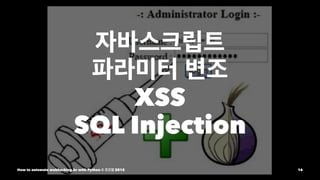
16.
자바스크립트 파라미터 변조 XSS SQL Injection How
to automate webhacking.kr with Python © 조근영 2015 16
17.
책으로는 많이 봤는데
문제 풀이는 많이 해보지 않음 좋아! 도전이다 How to automate webhacking.kr with Python © 조근영 2015 17
18.
Key Point How to
automate webhacking.kr with Python © 조근영 2015 18
19.
Key Point • 내가
말하고자 하는것은 문제를 마주쳤을 때 어떻게 해결하는지? How to automate webhacking.kr with Python © 조근영 2015 19
20.
Key Point • 내가
말하고자 하는것은 문제를 마주쳤을 때 어떻게 해결하는지? • 암묵지에 있는 사고의 과정을 보여주는데 초점 How to automate webhacking.kr with Python © 조근영 2015 20
21.
Key Point • 내가
말하고자 하는것은 문제를 마주쳤을 때 어떻게 해결하는지? • 암묵지에 있는 사고의 과정을 보여주는데 초점 • 결과를 만들어서 대단하지? 라는게 이 슬라이드에서 원하는게 아님 How to automate webhacking.kr with Python © 조근영 2015 21
22.
Key Point • 내가
말하고자 하는것은 문제를 마주쳤을 때 어떻게 해결하는지? • 암묵지에 있는 사고의 과정을 보여주는데 초점 • 결과를 만들어서 대단하지? 라는게 이 슬라이드에서 원하는게 아님 • 직관, 의사결정, 상황파악 등을 어떻게 했는지 보여주는게 Point How to automate webhacking.kr with Python © 조근영 2015 22
23.
자동화에 필요한 순서 1.
로그인 2. 문제 보기 • Highlight 문제 • 정렬 문제 3. 문제 소스 보기 4. 인증하기 How to automate webhacking.kr with Python © 조근영 2015 23
24.
1. 로그인 How to
automate webhacking.kr with Python © 조근영 2015 24
25.
webhacking.kr은 로그인이 되어있지
않으면 로그인 페이지로 돌려보냄 How to automate webhacking.kr with Python © 조근영 2015 25
26.
자동화를 하기 위해서는
로그인 정보가 필요함 How to automate webhacking.kr with Python © 조근영 2015 26
27.
로그인 정보를 유지하기
위한 파이썬 라이브러 리가 뭐가 있지? How to automate webhacking.kr with Python © 조근영 2015 27
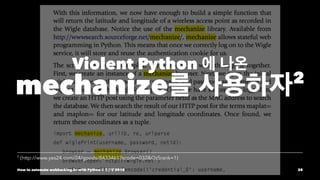
28.
Violent Python 에
나온 mechanize를 사용하자2 2 (http://www.yes24.com/24/goods/8433461?scode=032&OzSrank=1) How to automate webhacking.kr with Python © 조근영 2015 28
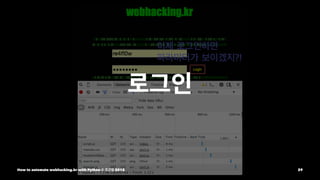
29.
로그인 How to automate
webhacking.kr with Python © 조근영 2015 29
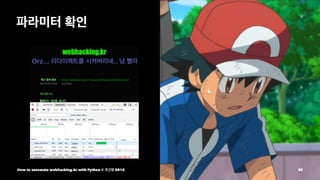
30.
파라미터 확인 How to
automate webhacking.kr with Python © 조근영 2015 30
31.
좋아, 너로 정했다! How to
automate webhacking.kr with Python © 조근영 2015 31
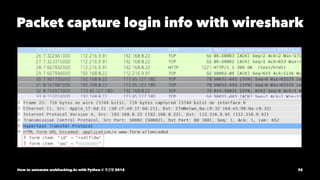
32.
Packet capture login
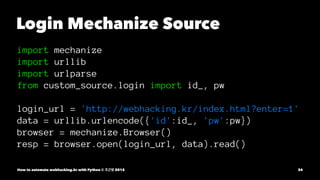
info with wireshark How to automate webhacking.kr with Python © 조근영 2015 32
33.
아하! POST method로 id, pw를
인자로 넘기는구나. How to automate webhacking.kr with Python © 조근영 2015 33
34.
Login Mechanize Source import
mechanize import urllib import urlparse from custom_source.login import id_, pw login_url = 'http://webhacking.kr/index.html?enter=1' data = urllib.urlencode({'id':id_, 'pw':pw}) browser = mechanize.Browser() resp = browser.open(login_url, data).read() How to automate webhacking.kr with Python © 조근영 2015 34
35.
2. 문제 보기 How
to automate webhacking.kr with Python © 조근영 2015 35
36.
No. 15 • 목적:
자바스크립트 소스 확인 How to automate webhacking.kr with Python © 조근영 2015 36
37.
Print source resp =
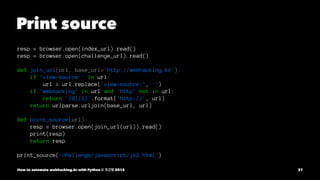
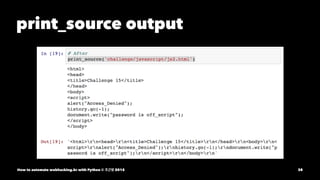
browser.open(index_url).read() resp = browser.open(challenge_url).read() def join_url(url, base_url='http://webhacking.kr'): if 'view-source:' in url: url = url.replace('view-source:', '') if 'webhacking' in url and 'http' not in url: return '{0}{1}'.format('http://', url) return urlparse.urljoin(base_url, url) def print_source(url): resp = browser.open(join_url(url)).read() print(resp) return resp print_source('challenge/javascript/js2.html') How to automate webhacking.kr with Python © 조근영 2015 37
38.
print_source output How to
automate webhacking.kr with Python © 조근영 2015 38
39.
print_source output 자 여기에서
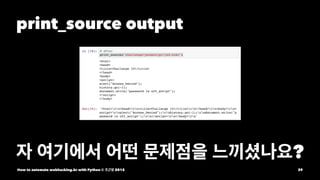
어떤 문제점을 느끼셨나요? How to automate webhacking.kr with Python © 조근영 2015 39
40.
Colorful 하지도 않고, Syntax
Highlight도 안되어 있고, Python 유저에게는 그저 고난과 역경 How to automate webhacking.kr with Python © 조근영 2015 40
41.
좋아, Syntax Highlight 가
되는 것을 찾아보자! How to automate webhacking.kr with Python © 조근영 2015 41
42.
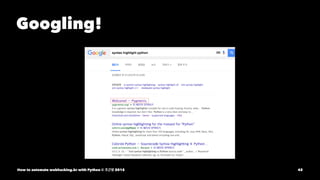
Googling! How to automate
webhacking.kr with Python © 조근영 2015 42
43.
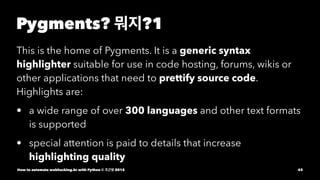
Pygments? 뭐지?1 This is
the home of Pygments. It is a generic syntax highlighter suitable for use in code hosting, forums, wikis or other applications that need to prettify source code. Highlights are: • a wide range of over 300 languages and other text formats is supported • special attention is paid to details that increase highlighting quality How to automate webhacking.kr with Python © 조근영 2015 43
44.
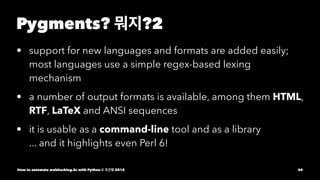
Pygments? 뭐지?2 • support
for new languages and formats are added easily; most languages use a simple regex-based lexing mechanism • a number of output formats is available, among them HTML, RTF, LaTeX and ANSI sequences • it is usable as a command-line tool and as a library ... and it highlights even Perl 6! How to automate webhacking.kr with Python © 조근영 2015 44
45.
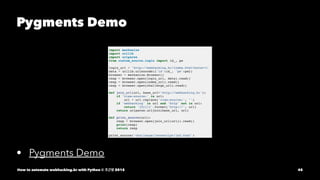
Pygments Demo • Pygments
Demo How to automate webhacking.kr with Python © 조근영 2015 45
46.
깔끔한데..? 근데 이걸 어떻게
내 프로젝트에 적용하지? How to automate webhacking.kr with Python © 조근영 2015 46
47.
처음에는 이해가 안되었다.. How
to automate webhacking.kr with Python © 조근영 2015 47
48.
여기저기 구글링 하면서
찾아다니다 어디서 봤는지는 기억이 나지 않지만 예제를 찾았다. 심 봤다! How to automate webhacking.kr with Python © 조근영 2015 48
49.
적용하기 위한 사전
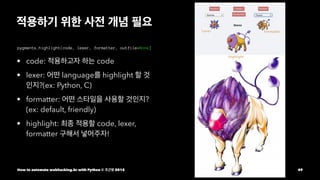
개념 필요 pygments.highlight(code, lexer, formatter, outfile=None) • code: 적용하고자 하는 code • lexer: 어떤 language를 highlight 할 것 인지?(ex: Python, C) • formatter: 어떤 스타일을 사용할 것인지? (ex: default, friendly) • highlight: 최종 적용할 code, lexer, formatter 구해서 넣어주자! How to automate webhacking.kr with Python © 조근영 2015 49
50.
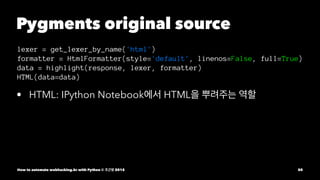
Pygments original source lexer
= get_lexer_by_name('html') formatter = HtmlFormatter(style='default', linenos=False, full=True) data = highlight(response, lexer, formatter) HTML(data=data) • HTML: IPython Notebook에서 HTML을 뿌려주는 역할 How to automate webhacking.kr with Python © 조근영 2015 50
51.
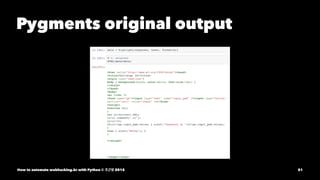
Pygments original output How
to automate webhacking.kr with Python © 조근영 2015 51
52.
오오오... highlight가 된다. How to
automate webhacking.kr with Python © 조근영 2015 52
53.
근데 아직 정렬이
안됐다. How to automate webhacking.kr with Python © 조근영 2015 53
54.
근데 아직 정렬이
안됐다. 이제 소스에 정렬해주는 beautifier를 붙여보자 How to automate webhacking.kr with Python © 조근영 2015 54
55.
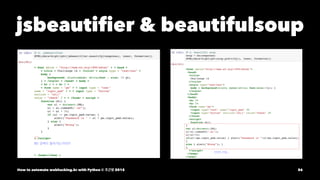
beautifier 후보군 1. original 2.
jsbeautifier 3. beautifulsoup How to automate webhacking.kr with Python © 조근영 2015 55
56.
jsbeautifier & beautifulsoup How
to automate webhacking.kr with Python © 조근영 2015 56
57.
beautifier 후보군 문제점 1.
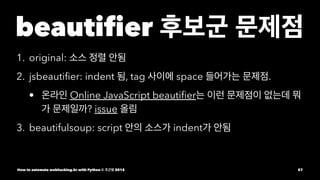
original: 소스 정렬 안됨 2. jsbeautifier: indent 됨, tag 사이에 space 들어가는 문제점. • 온라인 Online JavaScript beautifier는 이런 문제점이 없는데 뭐 가 문제일까? issue 올림 3. beautifulsoup: script 안의 소스가 indent가 안됨 How to automate webhacking.kr with Python © 조근영 2015 57
58.
그만 타협하자... How to
automate webhacking.kr with Python © 조근영 2015 58
59.
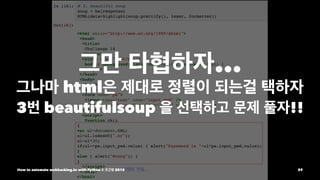
그만 타협하자... 그나마 html은
제대로 정렬이 되는걸 택하자 3번 beautifulsoup 을 선택하고 문제 풀자!! How to automate webhacking.kr with Python © 조근영 2015 59
60.
No.15 Source에서 password is
off_script How to automate webhacking.kr with Python © 조근영 2015 60
61.
No.15 Auth • 문제점이:
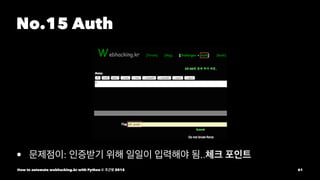
인증받기 위해 일일이 입력해야 됨..체크 포인트 How to automate webhacking.kr with Python © 조근영 2015 61
62.
No. 17 • 목적:
자바스크립트 변수 값 확인 How to automate webhacking.kr with Python © 조근영 2015 62
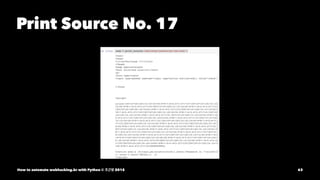
63.
Print Source No.
17 How to automate webhacking.kr with Python © 조근영 2015 63
64.
두둥... mechanize에서 javascript를 실행할
수 있는가? How to automate webhacking.kr with Python © 조근영 2015 64
65.
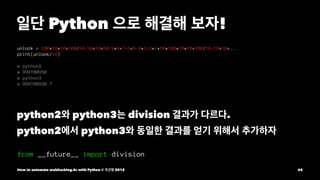
일단 Python 으로
해결해 보자! unlock = 100*10*10+100/10-10+10+50-9*8+7-6+5-4*3-2*1*10*100*10*10+100/10-10+10+... print(unlock/10) # python2 # 999780950 # python3 # 999780930.7 python2와 python3는 division 결과가 다르다. python2에서 python3와 동일한 결과를 얻기 위해서 추가하자 from __future__ import division How to automate webhacking.kr with Python © 조근영 2015 65
66.
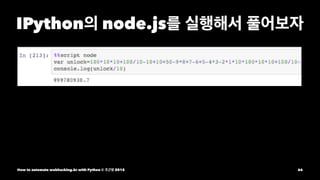
IPython의 node.js를 실행해서
풀어보자 How to automate webhacking.kr with Python © 조근영 2015 66
67.
헥헥... 어쨌든 Python 으로
해결하긴 했지만 다음에는 어떻게 해결해야 할지... How to automate webhacking.kr with Python © 조근영 2015 67
68.
No. 14 • 목적:
변수와 함수, onclick() 사용법 How to automate webhacking.kr with Python © 조근영 2015 68
69.
Print Source No.14 resp
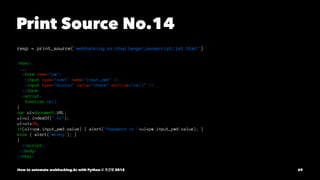
= print_source('webhacking.kr/challenge/javascript/js1.html') <html> ... <form name="pw"> <input type="text" name="input_pwd" /> <input type="button" value="check" onclick="ck()" /> </form> <script> function ck() { var ul=document.URL; ul=ul.indexOf(".kr"); ul=ul*30; if(ul==pw.input_pwd.value) { alert("Password is "+ul*pw.input_pwd.value); } else { alert("Wrong"); } } </script> </body> </html> How to automate webhacking.kr with Python © 조근영 2015 69
70.
Chrome Development Tool
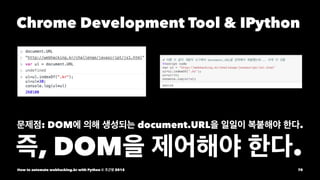
& IPython 문제점: DOM에 의해 생성되는 document.URL을 일일이 복붙해야 한다. 즉, DOM을 제어해야 한다. How to automate webhacking.kr with Python © 조근영 2015 70
71.
털썩... 드디어 DOM이 나왔구나4 어떻게
해결해야 하지? 4 DOM(Document Object Model) How to automate webhacking.kr with Python © 조근영 2015 71
72.
Document Object Model HTML과
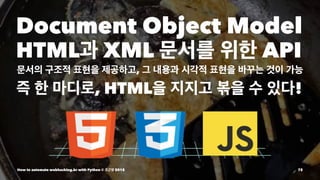
XML 문서를 위한 API 문서의 구조적 표현을 제공하고, 그 내용과 시각적 표현을 바꾸는 것이 가능 즉 한 마디로, HTML을 지지고 볶을 수 있다! How to automate webhacking.kr with Python © 조근영 2015 72
73.
자... 현재까지 오면서
어떤 문제점을 느끼셨나요? How to automate webhacking.kr with Python © 조근영 2015 73
74.
자... 현재까지 오면서
어떤 문제점을 느끼셨나요? 자동화하기 위한 구간이 보이시나요? How to automate webhacking.kr with Python © 조근영 2015 74
75.
현재까지 나타난 문제점 1.
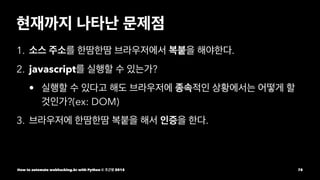
소스 주소를 한땀한땀 브라우저에서 복붙을 해야한다. 2. javascript를 실행할 수 있는가? • 실행할 수 있다고 해도 브라우저에 종속적인 상황에서는 어떻게 할 것인가?(ex: DOM) 3. 브라우저에 한땀한땀 복붙을 해서 인증을 한다. How to automate webhacking.kr with Python © 조근영 2015 75
76.
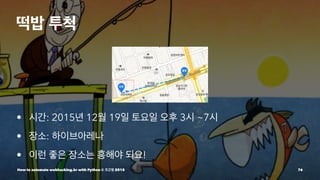
떡밥 투척 • 시간:
2015년 12월 19일 토요일 오후 3시 ~7시 • 장소: 하이브아레나 • 이런 좋은 장소는 흥해야 되요! How to automate webhacking.kr with Python © 조근영 2015 76
77.
How to automate
webhacking.kr with Python © 조근영 2015 77
78.
Browser Controller Selenium How to
automate webhacking.kr with Python © 조근영 2015 78
79.
넌 무슨 듣보잡이야?! How
to automate webhacking.kr with Python © 조근영 2015 79
80.
구글이 선택한 Test
Framework How to automate webhacking.kr with Python © 조근영 2015 80
81.
천마디의 말보다 한
번 보는 게 더 낫다 뭐하는 놈인지는 먼저 보고나서 고민 How to automate webhacking.kr with Python © 조근영 2015 81
82.
Demo Time How to
automate webhacking.kr with Python © 조근영 2015 82
83.
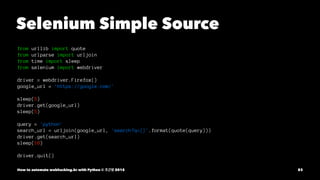
Selenium Simple Source from
urllib import quote from urlparse import urljoin from time import sleep from selenium import webdriver driver = webdriver.Firefox() google_url = 'https://google.com/' sleep(5) driver.get(google_url) sleep(5) query = 'python' search_url = urljoin(google_url, 'search?q={}'.format(quote(query))) driver.get(search_url) sleep(10) driver.quit() How to automate webhacking.kr with Python © 조근영 2015 83
84.
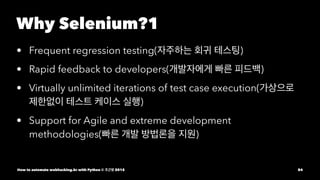
Why Selenium?1 • Frequent
regression testing(자주하는 회귀 테스팅) • Rapid feedback to developers(개발자에게 빠른 피드백) • Virtually unlimited iterations of test case execution(가상으로 제한없이 테스트 케이스 실행) • Support for Agile and extreme development methodologies(빠른 개발 방법론을 지원) How to automate webhacking.kr with Python © 조근영 2015 84
85.
Why Selenium?2 • Disciplined
documentation of test cases(규격화 된 테스트 케이 스의 문서화) • Customized defect reporting(개개인의 요구에 맞춘 리포팅) • Finding defects missed by manual testing(수동 테스트로 생기 는 결함을 찾기) How to automate webhacking.kr with Python © 조근영 2015 85
86.
말이 굉장히 어렵다... UI
버그를 빠른 시간내에 잡기 위해서 테스트 한다는 개념으로 보면 됨 사용자 스토리에 따라서 테스트하는 Function Testing에도 사용 됨 난 '그저 자동화 도구'로서의 시각으로 바라봄 How to automate webhacking.kr with Python © 조근영 2015 86
87.
문제점을 다시 한
번 살펴보자. How to automate webhacking.kr with Python © 조근영 2015 87
88.
현재까지 나타난 문제점 1.
소스 주소를 한땀한땀 브라우저에서 복붙을 해야한다. 2. javascript를 실행할 수 있는가? • 실행할 수 있다고 해도 브라우저에 종속적인 상황에서는 어떻게 할 것인가?(ex: DOM) 3. 브라우저에 한땀한땀 복붙을 해서 인증을 한다. How to automate webhacking.kr with Python © 조근영 2015 88
89.
1. 소스 주소
복붙 문제 How to automate webhacking.kr with Python © 조근영 2015 89
90.
브라우저는 어차피 source를
받아와서 How to automate webhacking.kr with Python © 조근영 2015 90
91.
브라우저는 어차피 source를
받아와서 rendering 해주는 것밖에 없잖아? How to automate webhacking.kr with Python © 조근영 2015 91
92.
브라우저는 어차피 source를
받아와서 rendering 해주는 것밖에 없잖아? 그렇다면 내가 source에서 주소를 얻어오면 되지않나?! How to automate webhacking.kr with Python © 조근영 2015 92
93.
좋아 고고씽! How to
automate webhacking.kr with Python © 조근영 2015 93
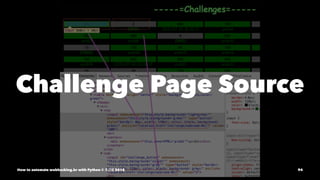
94.
Challenge Page Source How
to automate webhacking.kr with Python © 조근영 2015 94
95.
보이는가? How to automate
webhacking.kr with Python © 조근영 2015 95
96.
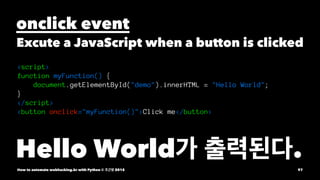
보이는가?onclick event로 location.href
함수가 호출된다. How to automate webhacking.kr with Python © 조근영 2015 96
97.
onclick event Excute a
JavaScript when a button is clicked <script> function myFunction() { document.getElementById("demo").innerHTML = "Hello World"; } </script> <button onclick="myFunction()">Click me</button> Hello World가 출력된다. How to automate webhacking.kr with Python © 조근영 2015 97
98.
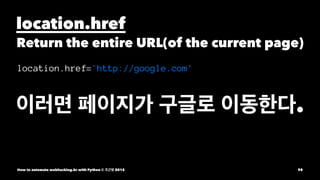
location.href Return the entire
URL(of the current page) location.href='http://google.com' 이러면 페이지가 구글로 이동한다. How to automate webhacking.kr with Python © 조근영 2015 98
99.
해석하자면 onclick="location.href='challenge/web/web-01/'" click event가 발생했을
때 http://webhacking.kr/challenge/web/web-01/ 페이지로 이동한다. You got it? How to automate webhacking.kr with Python © 조근영 2015 99
100.
그렇다면... 저 onclick의 속성을
추출한 후에 location.href의 속성을 추출하면 challenge/web/web-01/ 만 얻어진다는 말씀? How to automate webhacking.kr with Python © 조근영 2015 100
101.
상대주소를 추출하기 위해서는
DOM을 제어해야 되는데 DOM을 어떻게 제어해야 되는거냐? How to automate webhacking.kr with Python © 조근영 2015 101
102.
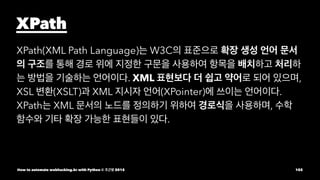
XPath XPath(XML Path Language)는
W3C의 표준으로 확장 생성 언어 문서 의 구조를 통해 경로 위에 지정한 구문을 사용하여 항목을 배치하고 처리하 는 방법을 기술하는 언어이다. XML 표현보다 더 쉽고 약어로 되어 있으며, XSL 변환(XSLT)과 XML 지시자 언어(XPointer)에 쓰이는 언어이다. XPath는 XML 문서의 노드를 정의하기 위하여 경로식을 사용하며, 수학 함수와 기타 확장 가능한 표현들이 있다. How to automate webhacking.kr with Python © 조근영 2015 102
103.
역시 언제나 딱딱한
정의는 어려워.. 이해하기 쉽게 example을 보자 How to automate webhacking.kr with Python © 조근영 2015 103
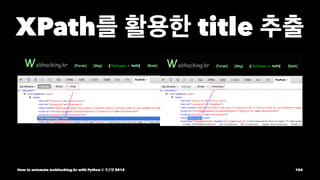
104.
XPath를 활용한 title
추출 How to automate webhacking.kr with Python © 조근영 2015 104
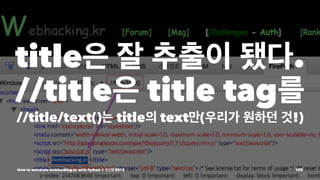
105.
title은 잘 추출이
됐다. //title은 title tag를 //title/text()는 title의 text만(우리가 원하던 것!) How to automate webhacking.kr with Python © 조근영 2015 105
106.
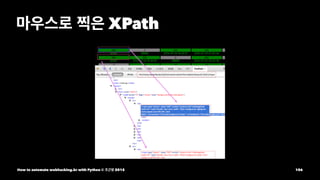
마우스로 찍은 XPath How
to automate webhacking.kr with Python © 조근영 2015 106
107.
마우스로 찍은 XPath를
보니 굉장히 어렵게 나타나 있다. html/body/table/tbody/tr[2]/td/center/center/form/table/tbody/tr[1]/td[1]/input How to automate webhacking.kr with Python © 조근영 2015 107
108.
마우스로 찍은 XPath를
보니 굉장히 어렵게 나타나 있다. html/body/table/tbody/tr[2]/td/center/center/form/table/tbody/tr[1]/td[1]/input 이거 가지고 뭔가 추출하기란 굉장히 어려울 것 같다. 너무 specific 해. 큰 틀만 파악하고 변형해보자! How to automate webhacking.kr with Python © 조근영 2015 108
109.
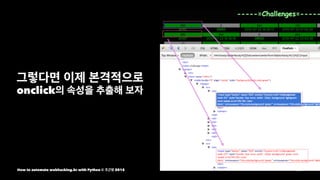
그렇다면 이제 본격적으로 onclick의
속성을 추출해 보자 How to automate webhacking.kr with Python © 조근영 2015 109
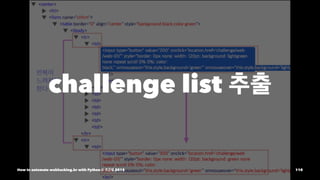
110.
challenge list 추출 How
to automate webhacking.kr with Python © 조근영 2015 110
111.
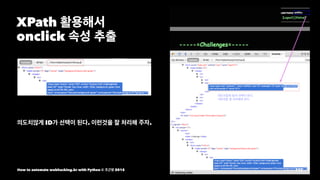
XPath 활용해서 onclick 속성
추출 의도치않게 ID가 선택이 된다. 이런것을 잘 처리해 주자. How to automate webhacking.kr with Python © 조근영 2015 111
112.
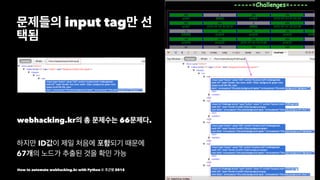
문제들의 input tag만
선 택됨 webhacking.kr의 총 문제수는 66문제다. 하지만 ID값이 제일 처음에 포함되기 때문에 67개의 노드가 추출된 것을 확인 가능 How to automate webhacking.kr with Python © 조근영 2015 112
113.
문제의 tag들을 추출했다..!! How
to automate webhacking.kr with Python © 조근영 2015 113
114.
다들 알고 있겠지만
그래도 확인하는 차원에서 Tag와 Attribute와의 차이점을 알고가자 How to automate webhacking.kr with Python © 조근영 2015 114
115.
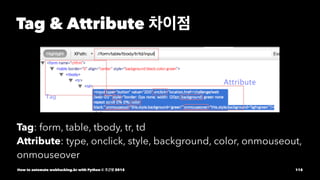
Tag & Attribute
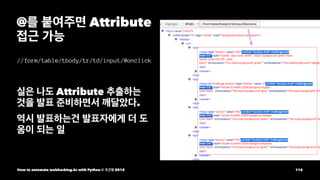
차이점 Tag: form, table, tbody, tr, td Attribute: type, onclick, style, background, color, onmouseout, onmouseover How to automate webhacking.kr with Python © 조근영 2015 115
116.
@를 붙여주면 Attribute 접근
가능 //form/table/tbody/tr/td/input/@onclick 실은 나도 Attribute 추출하는 것을 발표 준비하면서 깨달았다. 역시 발표하는건 발표자에게 더 도 움이 되는 일 How to automate webhacking.kr with Python © 조근영 2015 116
117.
그럼 이제 source단에서
Parsing이 가능하므로 복붙을 하지 않아도 된다. How to automate webhacking.kr with Python © 조근영 2015 117
118.
현재까지 나타난 문제점 1.
소스 주소를 한땀한땀 브라우저에서 복붙을 해야한다. 2. javascript를 실행할 수 있는가? • 실행할 수 있다고 해도 브라우저에 종속적인 상황에서는 어떻게 할 것인가?(ex: DOM) 3. 브라우저에 한땀한땀 복붙을 해서 인증을 한다. How to automate webhacking.kr with Python © 조근영 2015 118
119.
그럼 이제 어느
정도 준비가 끝난것 같다. Selenium 으로 로그인부터 다시! How to automate webhacking.kr with Python © 조근영 2015 119
120.
로그인 구현은 mechanize로
해봤는데 Selenium은 다른 방식이다. How to automate webhacking.kr with Python © 조근영 2015 120
121.
Selenium은 우리가 일반적으로
Browser를 사용하는 방식과 똑같이 사용하면 된다. How to automate webhacking.kr with Python © 조근영 2015 121
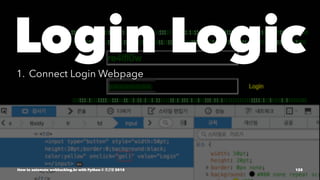
122.
Login Logic1. Connect
Login Webpage How to automate webhacking.kr with Python © 조근영 2015 122
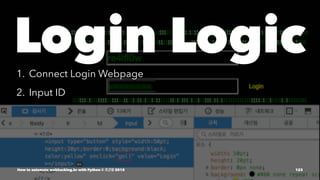
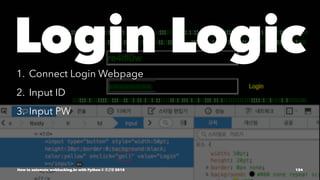
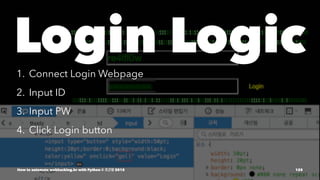
123.
Login Logic1. Connect
Login Webpage 2. Input ID How to automate webhacking.kr with Python © 조근영 2015 123
124.
Login Logic1. Connect
Login Webpage 2. Input ID 3. Input PW How to automate webhacking.kr with Python © 조근영 2015 124
125.
Login Logic1. Connect
Login Webpage 2. Input ID 3. Input PW 4. Click Login button How to automate webhacking.kr with Python © 조근영 2015 125
126.
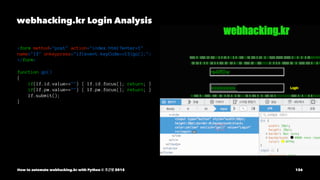
webhacking.kr Login Analysis <form
method="post" action="index.html?enter=1" name="lf" onkeypress="if(event.keyCode==13)go();"> </form> function go() { if(lf.id.value=="") { lf.id.focus(); return; } if(lf.pw.value=="") { lf.pw.focus(); return; } lf.submit(); } How to automate webhacking.kr with Python © 조근영 2015 126
127.
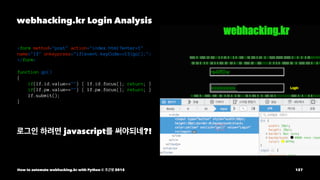
webhacking.kr Login Analysis <form
method="post" action="index.html?enter=1" name="lf" onkeypress="if(event.keyCode==13)go();"> </form> function go() { if(lf.id.value=="") { lf.id.focus(); return; } if(lf.pw.value=="") { lf.pw.focus(); return; } lf.submit(); } 로그인 하려면 javascript를 써야되네?! How to automate webhacking.kr with Python © 조근영 2015 127
128.
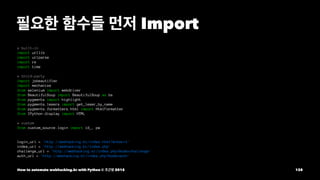
필요한 함수들 먼저
Import # built-in import urllib import urlparse import re import time # third-party import jsbeautifier import mechanize from selenium import webdriver from BeautifulSoup import BeautifulSoup as bs from pygments import highlight from pygments.lexers import get_lexer_by_name from pygments.formatters.html import HtmlFormatter from IPython.display import HTML # custom from custom_source.login import id_, pw login_url = 'http://webhacking.kr/index.html?enter=1' index_url = 'http://webhacking.kr/index.php' challenge_url = 'http://webhacking.kr/index.php?mode=challenge' auth_url = 'http://webhacking.kr/index.php?mode=auth' How to automate webhacking.kr with Python © 조근영 2015 128
129.
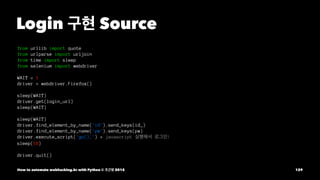
Login 구현 Source from
urllib import quote from urlparse import urljoin from time import sleep from selenium import webdriver WAIT = 1 driver = webdriver.Firefox() sleep(WAIT) driver.get(login_url) sleep(WAIT) sleep(WAIT) driver.find_element_by_name('id').send_keys(id_) driver.find_element_by_name('pw').send_keys(pw) driver.execute_script('go();') # javascript 실행해서 로그인! sleep(10) driver.quit() How to automate webhacking.kr with Python © 조근영 2015 129
130.
Demo Time How to
automate webhacking.kr with Python © 조근영 2015 130
131.
Login 구현하면서 javascript
문제까지 해결!! How to automate webhacking.kr with Python © 조근영 2015 131
132.
현재까지 나타난 문제점 1.
소스 주소를 한땀한땀 브라우저에서 복붙을 해야한다. 2. javascript를 실행할 수 있는가? • 실행할 수 있다고 해도 브라우저에 종속적인 상황에서는 어떻게 할 것인가?(ex: DOM) 3. 브라우저에 한땀한땀 복붙을 해서 인증을 한다. How to automate webhacking.kr with Python © 조근영 2015 132
133.
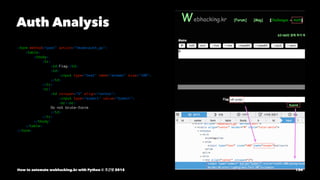
이제 인증만 해결하면
된다! How to automate webhacking.kr with Python © 조근영 2015 133
134.
Auth Analysis <form method="post"
action="?mode=auth_go"> <table> <tbody> <tr> <td>Flag</td> <td> <input type="text" name="answer" size="100"> </td> </tr> <tr> <td colspan="2" align="center"> <input type="submit" value="Submit"> <br><br> Do not brute-force </td> </tr> </tbody> </table> </form> How to automate webhacking.kr with Python © 조근영 2015 134
135.
Auth 구현 Source sleep(WAIT) driver.get(auth_url) sleep(WAIT) sleep(WAIT) answer
= 'off_script' driver.find_element_by_name('answer').send_keys(answer) # name으로도 선택 가능 # css selector로도 선택 가능 driver.find_elements_by_css_selector('form table tbody tr td input')[-1].click() sleep(WAIT) sleep(10) driver.switch_to.alert.accept() # 중요! alert창 없애줘야 한다! sleep(10) How to automate webhacking.kr with Python © 조근영 2015 135
136.
Demo Time How to
automate webhacking.kr with Python © 조근영 2015 136
137.
현재까지 나타난 문제점 1.
소스 주소를 한땀한땀 브라우저에서 복붙을 해야한다. 2. javascript를 실행할 수 있는가? • 실행할 수 있다고 해도 브라우저에 종속적인 상황에서는 어떻게 할 것인가?(ex: DOM) 3. 브라우저에 한땀한땀 복붙을 해서 인증을 한다. How to automate webhacking.kr with Python © 조근영 2015 137
138.
후... 드디어 문제점을 모두
해결했다. How to automate webhacking.kr with Python © 조근영 2015 138
139.
일단 문제점은 해결됐지만 How
to automate webhacking.kr with Python © 조근영 2015 139
140.
일단 문제점은 해결됐지만 재사용하기
편한 클래스로 변환해야 한다. How to automate webhacking.kr with Python © 조근영 2015 140
141.
일단 문제점은 해결됐지만 재사용하기
편한 클래스로 변환해야 한다. Refactoring의 시간 How to automate webhacking.kr with Python © 조근영 2015 141
142.
Refactoring 1. login: login
구현. 사용자 id, pw 입력 How to automate webhacking.kr with Python © 조근영 2015 142
143.
Refactoring 1. login: login
구현. 사용자 id, pw 입력 2. view_challenge: challenge.html 을 파싱해서 문제들 주소 추출 How to automate webhacking.kr with Python © 조근영 2015 143
144.
Refactoring 1. login: login
구현. 사용자 id, pw 입력 2. view_challenge: challenge.html 을 파싱해서 문제들 주소 추출 3. print_problem_source: 소스 출력 How to automate webhacking.kr with Python © 조근영 2015 144
145.
Refactoring 1. login: login
구현. 사용자 id, pw 입력 2. view_challenge: challenge.html 을 파싱해서 문제들 주소 추출 3. print_problem_source: 소스 출력 4. print_index_phps: 문제 페이지 안의 소스 출력 How to automate webhacking.kr with Python © 조근영 2015 145
146.
Refactoring 1. login: login
구현. 사용자 id, pw 입력 2. view_challenge: challenge.html 을 파싱해서 문제들 주소 추출 3. print_problem_source: 소스 출력 4. print_index_phps: 문제 페이지 안의 소스 출력 5. auth: 인증 페이지 How to automate webhacking.kr with Python © 조근영 2015 146
147.
Refactoring 1. login: login
구현. 사용자 id, pw 입력 2. view_challenge: challenge.html 을 파싱해서 문제들 주소 추출 3. print_problem_source: 소스 출력 4. print_index_phps: 문제 페이지 안의 소스 출력 5. auth: 인증 페이지 6. accept_alert: 인증 페이지에서 확인 버튼 클릭하기 How to automate webhacking.kr with Python © 조근영 2015 147
148.
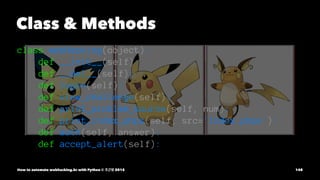
Class & Methods class
webHacking(object): def __init__(self): def __del__(self): def login(self): def view_challenge(self): def print_problem_source(self, num): def print_index_phps(self, src='index.phps'): def auth(self, answer): def accept_alert(self): How to automate webhacking.kr with Python © 조근영 2015 148
149.
Mechanize 푹 쉬어! How
to automate webhacking.kr with Python © 조근영 2015 149
150.
근데 느꼈나..? How to
automate webhacking.kr with Python © 조근영 2015 150
151.
처음부터 저렇게 짜임새있는
구조가 나온건 아니야. 삽질 하다보니까 저렇게 하면 편할것 같아서 나온 구조.. How to automate webhacking.kr with Python © 조근영 2015 151
152.
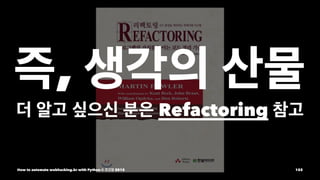
즉, 생각의 산물 더
알고 싶으신 분은 Refactoring 참고 How to automate webhacking.kr with Python © 조근영 2015 152
153.
Demo Time How to
automate webhacking.kr with Python © 조근영 2015 153
154.
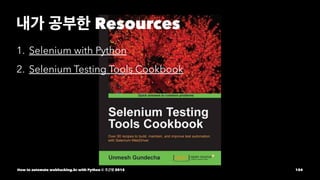
내가 공부한 Resources 1.
Selenium with Python 2. Selenium Testing Tools Cookbook How to automate webhacking.kr with Python © 조근영 2015 154
155.
포켓몬 사진 출처 포켓몬스터
베스트위시 시즌2 23화 사토시 대 코테츠! 비밀병기 사잔드 라!! 리뷰 포켓몬스터 베스트위시 시즌2 24화 결착 잇슈리그! How to automate webhacking.kr with Python © 조근영 2015 155
156.
포켓몬 모티브 덕들은 성장하는
게임을 좋아하잖아?ㅎㅎ 그리고 생각의 흐름을 표현해주는 문서가 그렇게 많지 않더라고 1차 감수는 애자일 과정을 진행하시는 김창준님께! How to automate webhacking.kr with Python © 조근영 2015 156
157.
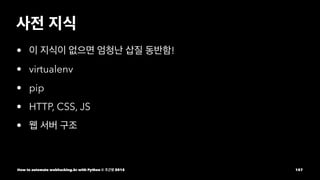
사전 지식 • 이
지식이 없으면 엄청난 삽질 동반함! • virtualenv • pip • HTTP, CSS, JS • 웹 서버 구조 How to automate webhacking.kr with Python © 조근영 2015 157
158.
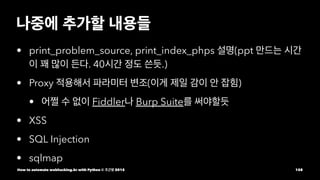
나중에 추가할 내용들 •
print_problem_source, print_index_phps 설명(ppt 만드는 시간 이 꽤 많이 든다. 40시간 정도 쓴듯.) • Proxy 적용해서 파라미터 변조(이게 제일 감이 안 잡힘) • 어쩔 수 없이 Fiddler나 Burp Suite를 써야할듯 • XSS • SQL Injection • sqlmap How to automate webhacking.kr with Python © 조근영 2015 158
159.
감사합니다 How to automate
webhacking.kr with Python © 조근영 2015 159
160.
Q&AHow to automate
webhacking.kr with Python © 조근영 2015 160
















































![마우스로 찍은 XPath를 보니 굉장히 어렵게 나타나 있다.
html/body/table/tbody/tr[2]/td/center/center/form/table/tbody/tr[1]/td[1]/input
How to automate webhacking.kr with Python © 조근영 2015 107](https://image.slidesharecdn.com/20140904cybersecurityhowtoautomatewebhacking-150922084854-lva1-app6891/85/20151219_-python_korea-_How_to_automate_webhacking-kr_with_Python_presentation-107-320.jpg)
![마우스로 찍은 XPath를 보니 굉장히 어렵게 나타나 있다.
html/body/table/tbody/tr[2]/td/center/center/form/table/tbody/tr[1]/td[1]/input
이거 가지고 뭔가 추출하기란 굉장히 어려울 것 같다. 너무 specific 해.
큰 틀만 파악하고 변형해보자!
How to automate webhacking.kr with Python © 조근영 2015 108](https://image.slidesharecdn.com/20140904cybersecurityhowtoautomatewebhacking-150922084854-lva1-app6891/85/20151219_-python_korea-_How_to_automate_webhacking-kr_with_Python_presentation-108-320.jpg)







![Auth 구현 Source
sleep(WAIT)
driver.get(auth_url)
sleep(WAIT)
sleep(WAIT)
answer = 'off_script'
driver.find_element_by_name('answer').send_keys(answer) # name으로도 선택 가능
# css selector로도 선택 가능
driver.find_elements_by_css_selector('form table tbody tr td input')[-1].click()
sleep(WAIT)
sleep(10)
driver.switch_to.alert.accept() # 중요! alert창 없애줘야 한다!
sleep(10)
How to automate webhacking.kr with Python © 조근영 2015 135](https://image.slidesharecdn.com/20140904cybersecurityhowtoautomatewebhacking-150922084854-lva1-app6891/85/20151219_-python_korea-_How_to_automate_webhacking-kr_with_Python_presentation-135-320.jpg)















![[Http완벽가이드] 9장 웹로봇](https://cdn.slidesharecdn.com/ss_thumbnails/http9-160326061330-thumbnail.jpg?width=640&height=640&fit=bounds)
![[PyConKR 2014] 30분만에 따라하는 동시성 스크래퍼](https://cdn.slidesharecdn.com/ss_thumbnails/presentation-140830104844-phpapp01-thumbnail.jpg?width=640&height=640&fit=bounds)


