Building a Django
App with Heroku
Get your project up and running in 20 minutes
or less.
What is Heroku?
● Platform-as-a-Service (PaaS)
● Acquired by salesforce.com in 2010
Why Heroku?
●
●
●
●

Focus on developer productivity
100% free plan includes hosting & db
No need to think about servers
Easily scales
Prerequisites
Familiarity with:
● command line
● git
Prerequisites
Install:
● pip
http://www.pip-installer.org
● Postgres
pip install psycopg2
http://initd.org/psycopg/
Prerequisites
Install:
● Virtualenv
pip install virtualenv
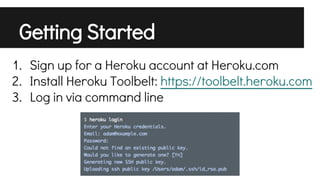
Getting Started
1. Sign up for a Heroku account at Heroku.com
2. Install Heroku Toolbelt: https://toolbelt.heroku.com
3. Log in via command line
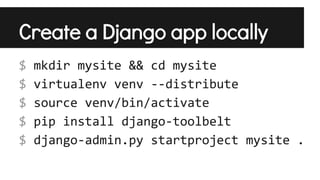
Create a Django app locally
$
$
$
$
$

mkdir mysite && cd mysite
virtualenv venv --distribute
source venv/bin/activate
pip install django-toolbelt
django-admin.py startproject mysite .
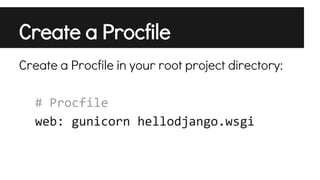
Create a Procfile
Create a Procfile in your root project directory:
# Procfile
web: gunicorn hellodjango.wsgi
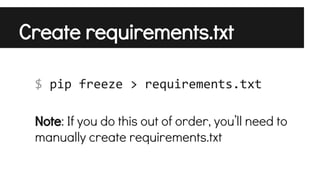
Create requirements.txt
$ pip freeze > requirements.txt
Note: If you do this out of order, you’ll need to
manually create requirements.txt
Modify settings.py
import dj_database_url
DATABASES['default'] =

dj_database_url.config()

SECURE_PROXY_SSL_HEADER = ('HTTP_X_FORWARDED_PROTO', 'https')
ALLOWED_HOSTS = ['*']
# Static asset configuration
import os
BASE_DIR = os.path.dirname(os.path.abspath(__file__))
STATIC_ROOT = 'staticfiles'
STATIC_URL = '/static/'
STATICFILES_DIRS = (
os.path.join(BASE_DIR, 'static'),
)
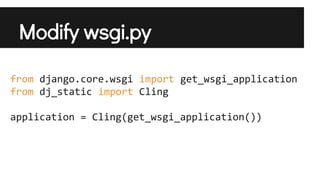
Modify wsgi.py
from django.core.wsgi import get_wsgi_application
from dj_static import Cling
application = Cling(get_wsgi_application())
Store your app in git
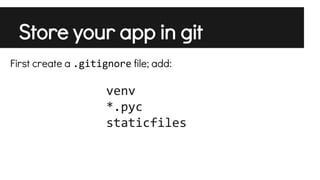
First create a .gitignore file; add:

venv
*.pyc
staticfiles
Store your app in git
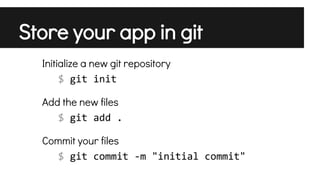
Initialize a new git repository
$ git init
Add the new files
$ git add .
Commit your files
$ git commit -m "initial commit"
Push your code to Heroku
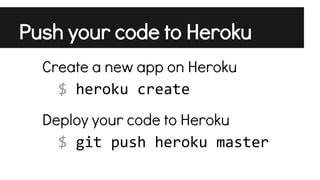
Create a new app on Heroku
$ heroku create
Deploy your code to Heroku
$ git push heroku master
Start your app

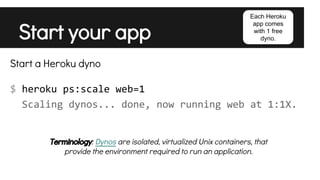
Each Heroku
app comes
with 1 free
dyno.

Start a Heroku dyno
$ heroku ps:scale web=1
Scaling dynos... done, now running web at 1:1X.
Terminology: Dynos are isolated, virtualized Unix containers, that
provide the environment required to run an application.
Visit your app
$ heroku open
Visit your app
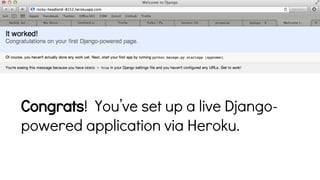
Congrats! You’ve set up a live Djangopowered application via Heroku.

Building a Django App with Heroku