








a 10 MINUTES intro
to Heroku PHP hosting
a 10 MINUTES intro
to Heroku PHP hosting
So you made a
shiny new app
And you installed on
a dedicated server.
YOU MAY
HAVE ISSUES
Failing hardware
○ RAID drives down
○ Fan broken
○ Network card KO
○ Motherboard burnt
○ DDOS
Software to patch
○ PHP
○ Apache / Nginx
○ MySQL, MongoDB
○ Linux
○ Bash
○ OpenSSL
○ ...
Hi !
I am Olivier Garcia
I am here because I’ve been
through that before.
You can find me at:
@0livier
SOMETIMES, it’s better to
○ Delegate hardware & platform management
○ Focus on code & customers, not technical scaling
Platform As A Service
Run Web applications without building and
maintaining the infrastructure
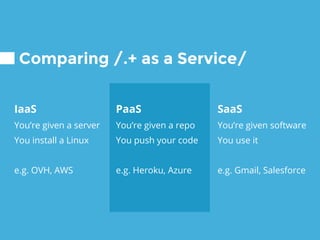
PaaS
You’re given a repo
You push your code
e.g. Heroku, Azure
IaaS
You’re given a server
You install a Linux
e.g. OVH, AWS
Comparing /.+ as a Service/
SaaS
You’re given software
You use it
e.g. Gmail, Salesforce
Introducing
Heroku
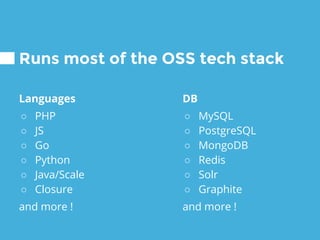
Languages
○ PHP
○ JS
○ Go
○ Python
○ Java/Scale
○ Closure
and more !
Runs most of the OSS tech stack
DB
○ MySQL
○ PostgreSQL
○ MongoDB
○ Redis
○ Solr
○ Graphite
and more !
○ Everything can be
done in CLI &
automated
Insanely easy to work with
○ Great documentation
○ Huge list of add-ons
Load balancing
Requests are load
balanced on all
nodes, no custom
rules can be made
When it’s is not the right solution
Custom components
It may take some
time/skills to add
special components
eg. mod_deflate for Apache
Size
Your app must hold
in 100MB
Caching
You may need
Varnish and a CDN
on top of your app
When it’s is not the right solution
No custom hardware
The only way to get
more RAM or CPU is
to buy new instances
Price
With a lot of traffic or
processing, the
hosting will get
expensive quickly
Some cost
examples
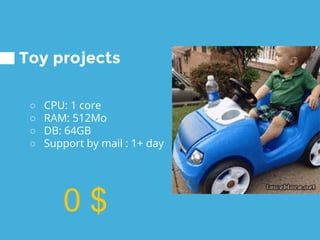
Toy projects
0 $
○ CPU: 1 core
○ RAM: 512Mo
○ DB: 64GB
○ Support by mail : 1+ day
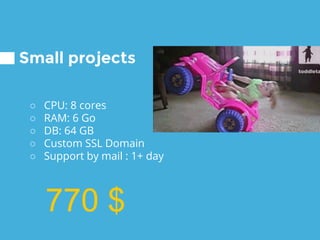
Small projects
○ CPU: 8 cores
○ RAM: 6 Go
○ DB: 64 GB
○ Custom SSL Domain
○ Support by mail : 1+ day
770 $
Big projects
○ CPU: 4 x 8 cores
○ RAM: 4 x 6 Go
○ DB: 1 TB
○ Custom SSL Domain
○ Support in 1H
5220 $
DEMO
I previously
○ Created an account
○ Installed the heroku pkg
DEMO FALLBACK
Well, it’s not working as
planned, let’s fall back on
slides...
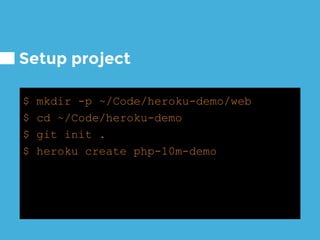
Setup project
$ mkdir -p ~/Code/heroku-demo/web
$ cd ~/Code/heroku-demo
$ git init .
$ heroku create php-10m-demo
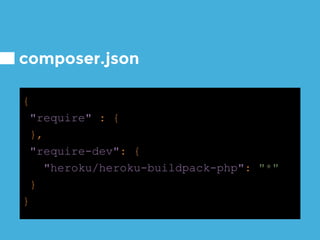
composer.json
{
"require" : {
},
"require-dev": {
"heroku/heroku-buildpack-php": "*"
}
}
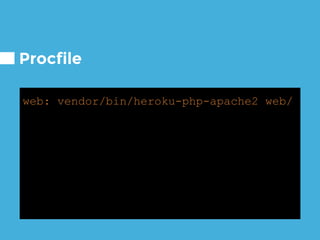
Procfile
web: vendor/bin/heroku-php-apache2 web/
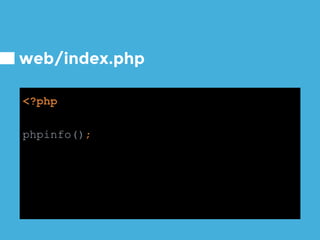
web/index.php
<?php
phpinfo();
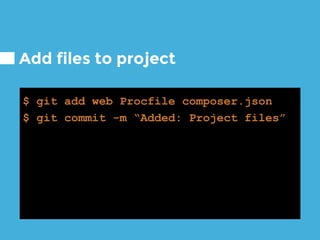
Add files to project
$ git add web Procfile composer.json
$ git commit -m “Added: Project files”
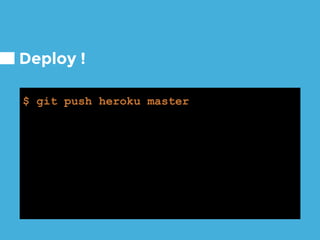
Deploy !
$ git push heroku master
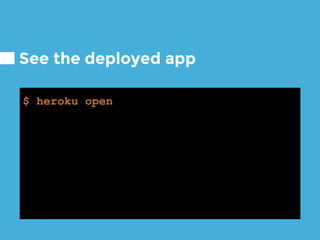
See the deployed app
$ heroku open
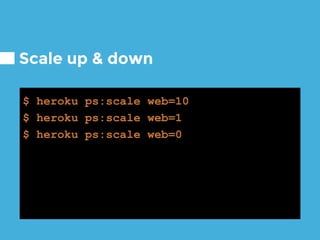
Scale up & down
$ heroku ps:scale web=10
$ heroku ps:scale web=1
$ heroku ps:scale web=0
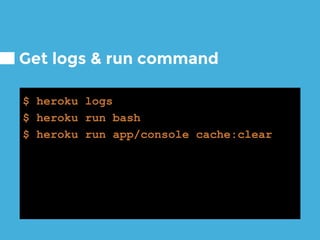
Get logs & run command
$ heroku logs
$ heroku run bash
$ heroku run app/console cache:clear
THANKS!
Any questions?
You can find me at:
@0livier (with a zero not a o)
olivier@lol.cat
CREDITS
Special thanks to all the people who made and
released these awesome resources:
○ Various GIF from reactiongifs.com and gif.lol.cat
○ Presentation template by SlidesCarnival
○ Photographs by Unsplash

A practical 10m intro to PHP on Heroku