20 BEST CRM SOFTWARE BASED ON PRICE AND EASE OF USE
What is CRM?
According to a reliable website, Investopedia, Customer Relationship Management,
best known as CRM, is essentially a technology that generates a simple menu
system for a collection of data, allowing businesses to identify and systemically
interact with customers.
Why is CRM important for a company?
1. Efficiency - Storing all company data in one place improves workflow, team
communication, and project management.
2. Relationship - Improve the whole customer experience to keep customers
coming back so that a company can build a loyal customer base.
3. Performance - Increasing sales and sales productivity through organizing
data, automating tasks, and evaluating sales data via CRM.
Where does CRM usually get used?
Retail, banking, hotels, financial services, insurance, consulting, and agriculture are
among the business sectors that utilize CRM the most frequently. CRM helps these
sectors manage their everyday operations and improve client attention.
About 3 types of CRM technology can be found in the industry.
CRM Analytical ● It enables employees to communicate with
customers, anticipate their needs, take note of
customer updates, and evaluate sales success
targets.
● Effective and productive interactions
CRM Collaborative ● As long as a computer, smartphone, laptop, or
tablet are connected to the internet, it can
deliver actual data to sales representatives in
the office and the field.
● Costs higher than in-house programs.
CRM Operational ● It is better for programmes to organise data in a
way that people can easily understand and use
with effective management and decision-making
from humans.
● Improve CRM operations by speeding sales
cycles, optimizing pricing and distribution
logistics, minimizing support call expenses,
enhancing resolution rates, and avoiding loss
through fraud detection.
CRM is adaptable to almost every business type since it is available in various
techniques and applications. Here’s our selection of the best 20 CRM software on the
market that you might not be aware of that offers the best pricing and ease of use.
If you're interested in either of these two topics, check out our articles on the best
credit cards in Singapore or the best interior design in Singapore.
EASY TO USE
1. Scoro
What is Scoro?
Scoro is a software-as-a-service cloud platform for professional and creative services.
Release Dates 2013
Key Features ● All-in-one company management software (project
management, time and team management, sales, billing,
dashboards and reports, and professional services
automation)
● Connected to the calendar application and dozens of apps
as expected.
● Unlimited dashboards - obtain a detailed view of all aspects
of the business.
● You can develop your integrations and submit them to the
Scoro Marketplace.
Benefits Tracking customers
● Get a full view of each customer on a single page, including
contact information, communication history, projects, files,
quotations, and invoices.
● Create customized PDFs of quotations and invoices with
only a few clicks.
Tracking sales and performances
● Gain insight into the tasks that may be improved and the
activities that use the majority of your team's time during the
workday.
Boosting the sales process
● Utilizing customizable dashboards, tracking sales budgets
as well as individual and team goals.
● Utilize customer profiles, standard quotations, and
customized multi-currency rate cards to standardize and
streamline quoting.
Which industries can use Scoro?
Government Agencies & Non-profits
Legal Services
Financial Services
Professional Services
Architecture
Building & Construction
Marketing Agencies
Educational Institutions
Training Providers
Accountacies
Business Consultancies
Information Technology
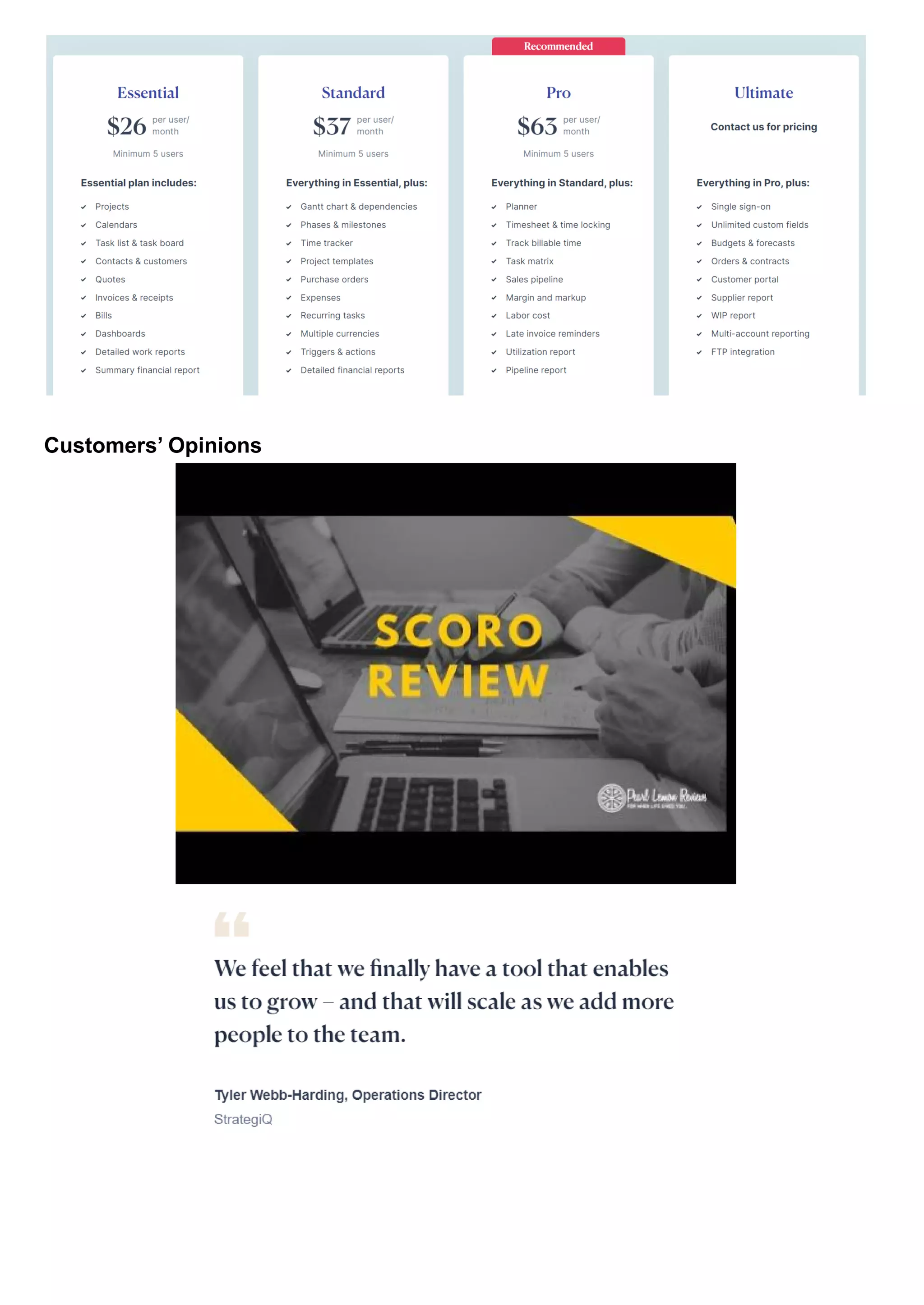
How much does it cost?
Customers’ Opinions
Interested? Click here for a fully-featured 14-day trial. No credit card is
required.
2. Sugar CRM
What is Sugar CRM?
SugarCRM is a cloud-based platform and open-source CRM solution. It was initially
released in 2004, and SugarCRM, Inc. has since continued to develop and support it.
They've developed to include all of the key aspects of client management and the
sales cycle. It is ideal for larger companies with capable IT teams.
Release Dates 2004
Key Features ● Customizable home pages.
● Downloadable plug-ins.
● Users can create multiple customized dashboards to
manage for short and long goals.
● Focus on sales-force automation, marketing campaigns,
customer support, collaboration, Mobile CRM, Social CRM,
and reporting.
● Compatible with all renowned operating systems, including
Apple OS X, Windows, and Linux.
● Sugar CRM for mobile is available for Android, iOS, and
Windows.
Benefits ● Developing a user-friendly and effective back-end system
enabling employees to address customer issues without
rerouting them across the entire firm.
● Workers can work and get clients’ data on the same
platform.
● Use the Wizard to collect information and distribute forms
throughout the engagement campaign.
● A program that supports several currencies and languages.
● Summarize current activity and provide simple data sheets.
● Can construct dashboards and search them using various
filters.
Which industries can use Sugar CRM?
Manufacturing
Public Sector
Insurance
Telecom
Technology & Software
Credit Unions
Financial Services
Wealth Management
Staffing & Recruiting (HR)
Consulting & Business Services
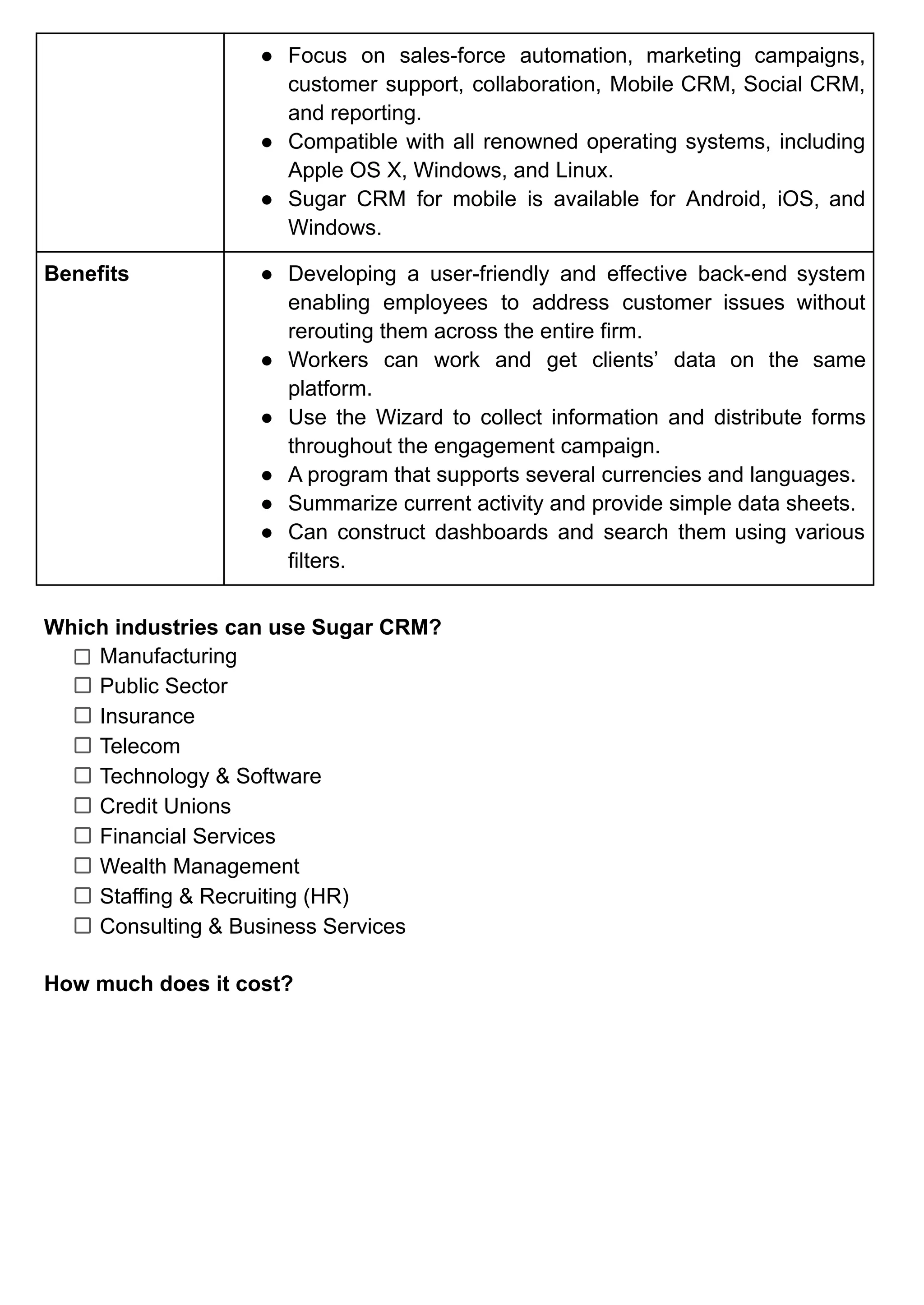
How much does it cost?
Customers’ Opinions
Interested? By requesting a demo of Sugar CRM, you will be able to automate
and expedite anything.
3. Salesforce
What is Salesforce?
Salesforce, Inc. is a well-known American cloud-based software firm that offers CRM
services and tools to support, sales, and marketing teams all over the world.
Salesforce began as a Software as a Service (SaaS) CRM company and currently
offers a variety of software solutions as well as a platform for developers and users to
create and distribute customized software.
Release Dates 1999
Key Features ● Provide services, understand your customers, market, use
collaboration tools, and develop applications.
● Assists in customer loyalty and relationship development.
● Excellent marketing tools for contact management, lead
collection, lead management, campaign management,
reporting and analytics, lead nurturing, and monitoring.
● Provides a data security model that allows business owners
and managers to select which workers have access to their
data.
Benefits ● Log in to Salesforce using simply Wi-Fi to submit your
necessary work within the cloud service.
● Customization of platform with just once click.
● With AppExchange, you can create your personal app or
choose from hundreds of ready-to-install options.
● Businesses of all sizes benefit from utilizing a single
platform and infrastructure.
● Portable for staff working outside the office to have access
to software and communicate with clients more quickly.
Which industries can use Salesforce?
Automotive
Communications
Consumer Goods
Financial Services
Government
Manufacturing
Media
Retail
Nonprofit
Higher Education
Transportation & Hospitality
Healthcare & Life Sciences
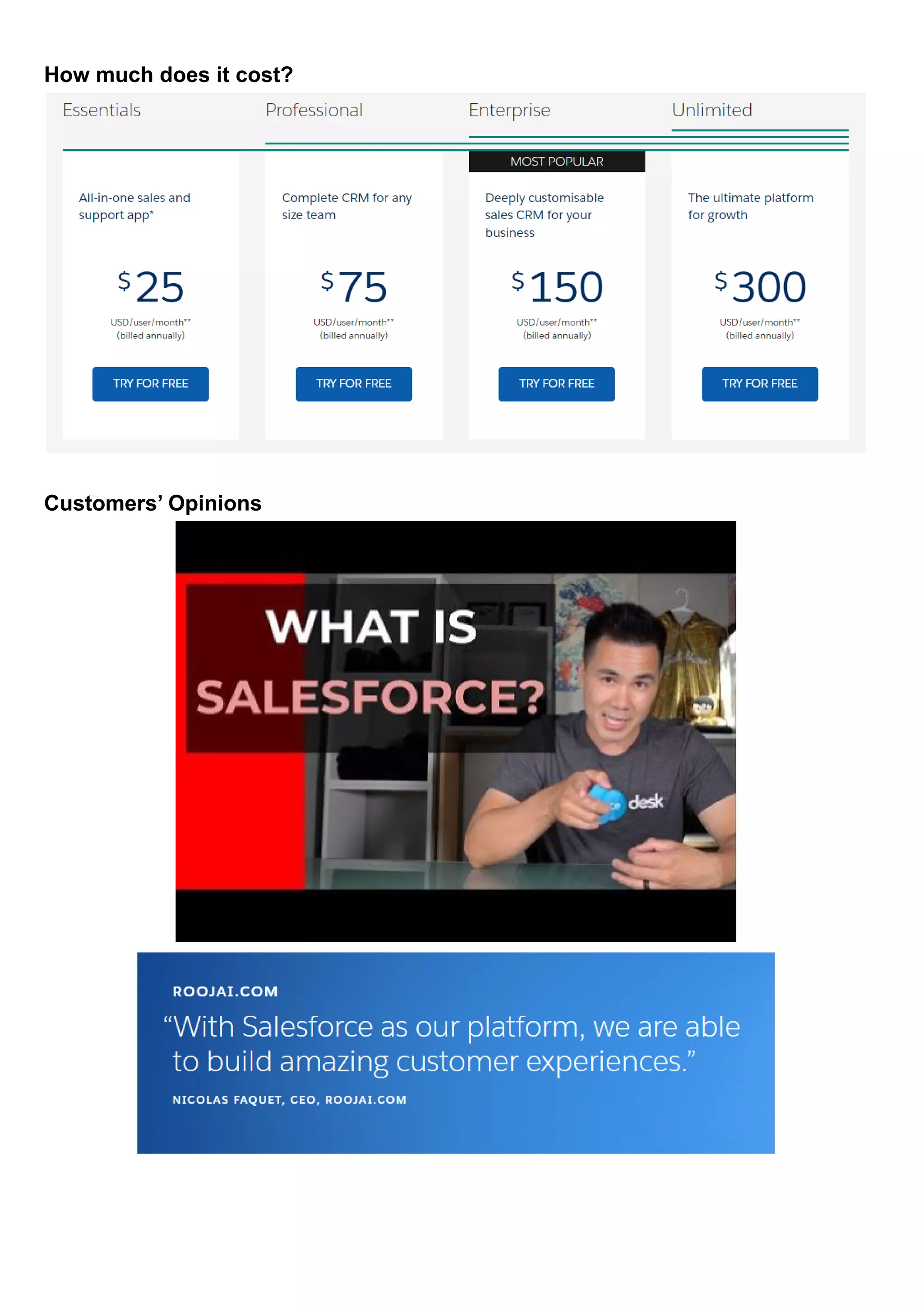
How much does it cost?
Customers’ Opinions
Interested? Click here for a 30-day free trial.
No credit card required, no software to install.
4. Pipedrive
What is Pipedrive?
Pipedrive is a web-based sales CRM and pipeline management tool that gives
companies the ability to schedule sales activity and keep track of opportunities.
Release Dates 2010
Key Features ● Automation task
● Smart features connection with clients
● Integration syncing
● Customizable pipeline
Benefits ● Pipedrive sales hub can be accessed via Android and iOS
applications, transforming it into a mobile CRM that
maintains all of your leads, contacts, and deals at your
fingertips.
● Utilize the lead generating chatbot to automatically engage
your website visitors around-the-clock.
● Pipedrive allows you to enter transactions, their values, win
probability, and estimated closing date, and then arrange
and track them based on pipeline phases.
● Maintain a record of all your subscriptions and recurring
clients.
● With a single click, you may discover important information
about your contacts.
Which industries can use Pipedrive?
Call Center
Higher education
Hospitality
Insurance
Marketing
Nonprofit
Recruitment
Travel
Real estate & property
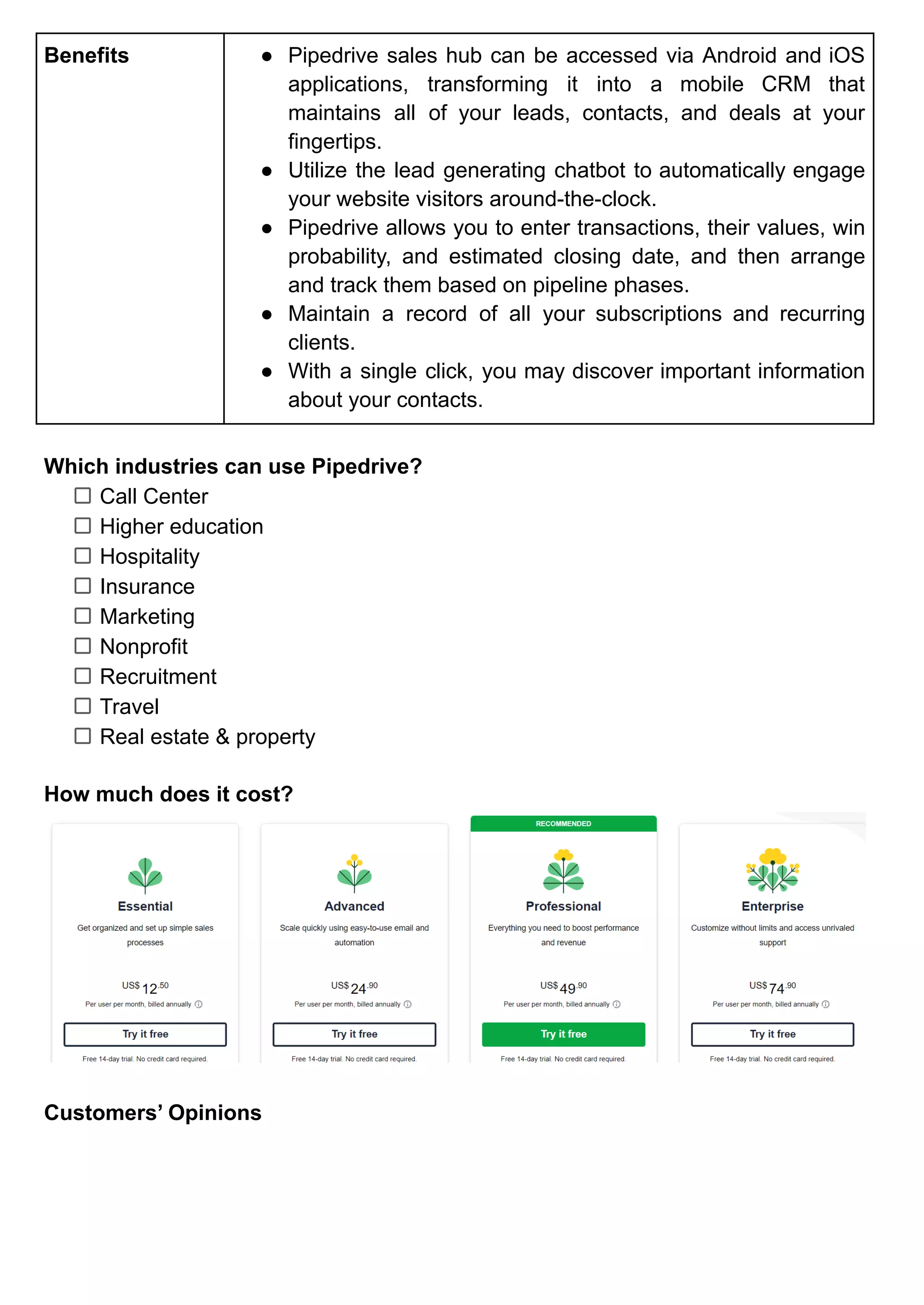
How much does it cost?
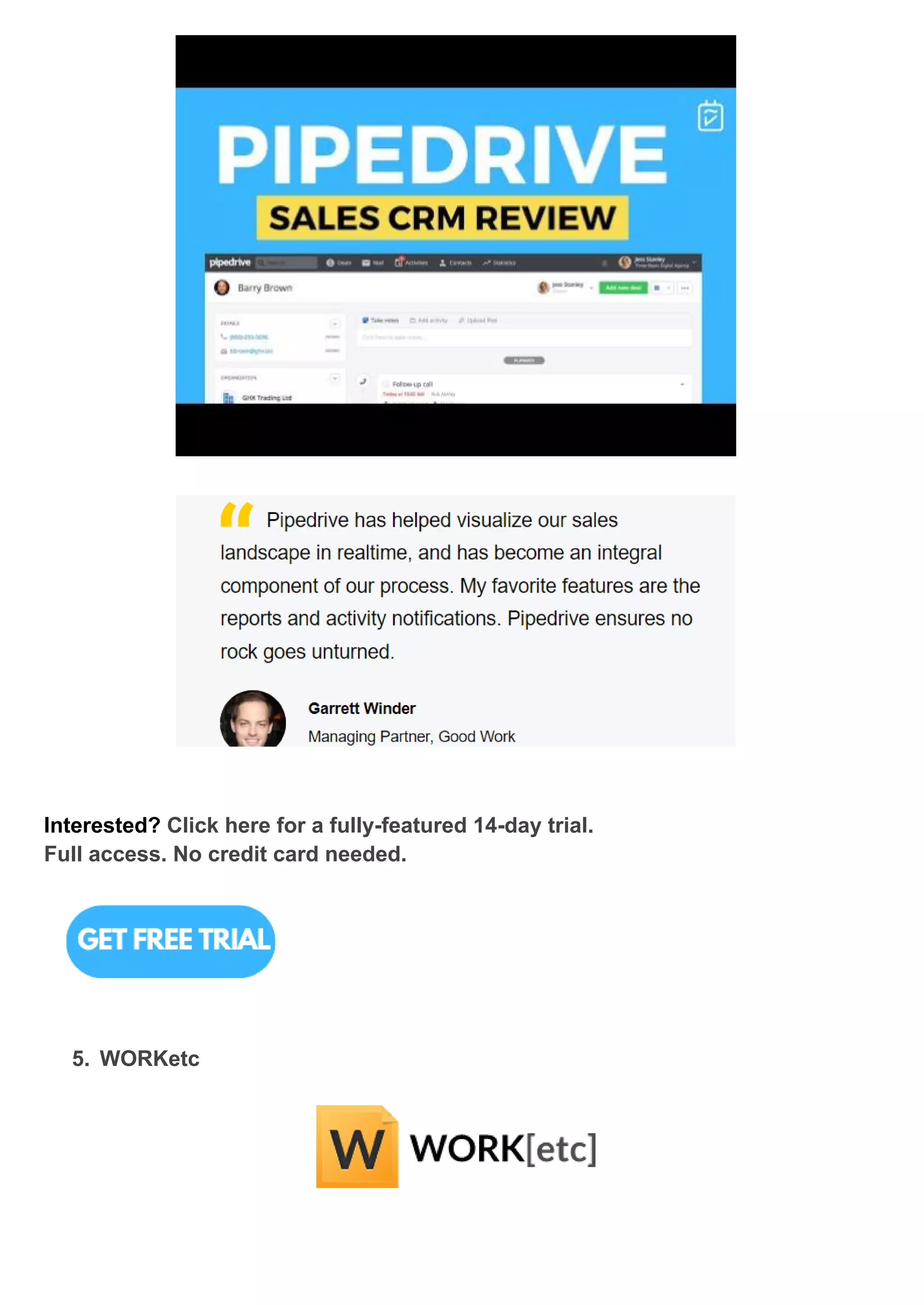
Customers’ Opinions
Interested? Click here for a fully-featured 14-day trial.
Full access. No credit card needed.
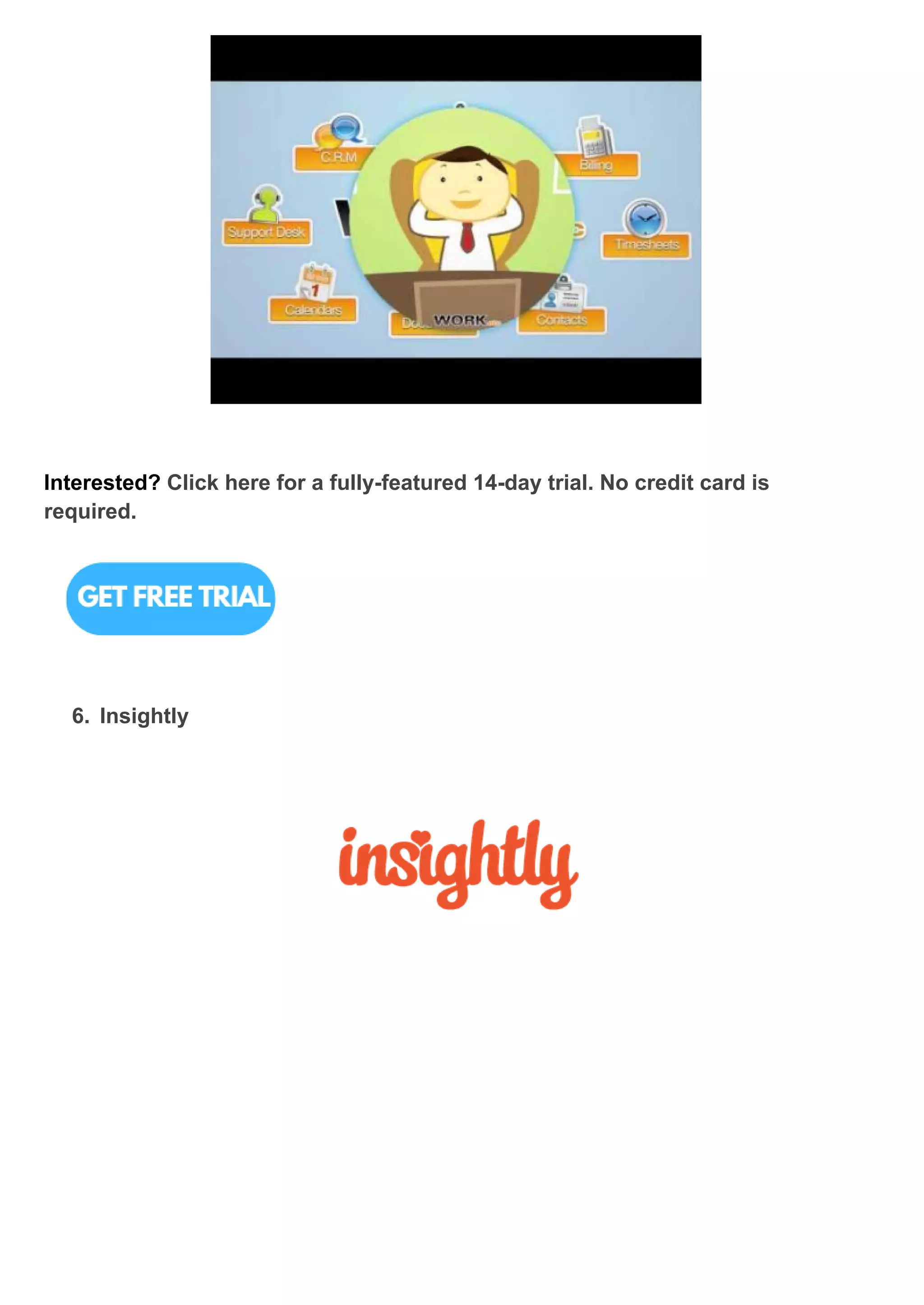
5. WORKetc
What is WORKetc?
WORKetc is a single cloud computing platform with integrated features for CRM,
projects, billing, technical support, reporting, and collaboration. It is a SaaS
programme that integrates CRM, project management, billing, help desk, and
collaboration elements into a single corporate management platform. WORKetc is
based in Australia, although it functions as a micro-multinational organisation with a
staff of 12 people based in Australia, America, Canada, China, and the Philippines.
Release Dates 2009
Key Features ● Finance & management, Suppliers, Outsourced
contractions, Customer support, Marketing & sales team,
Project management.
● Lower overall cost than buying separate tools
● Get rid of expensive integrations and numerous logins.
● Instead of several systems, train and support only one.
● Maintain constant communication with everyone.
● Examine each and every client encounter
Benefits ● Without ever leaving Gmail or Outlook, you can update
projects, issue support tickets, or generate a sales lead.
● Give remote workers the tools they need to thrive without
the cost of maintaining VPNs and servers.
● Establish workgroups and distribute tasks, leaders, support
cases, and other duties.
● View a full activity history of every action an employee does
to generate productivity reports.
● Reduce group emails by having online conversations about
any activity.
● Access your whole business from a one location.
Which industries can use WORKetc?
Financial Services
Recruiting & Staffing
Management Consulting
Business Services
Higher Education
Construction
Hospital & Healthcare
Marketing & Advertising
Mechanical Engineering
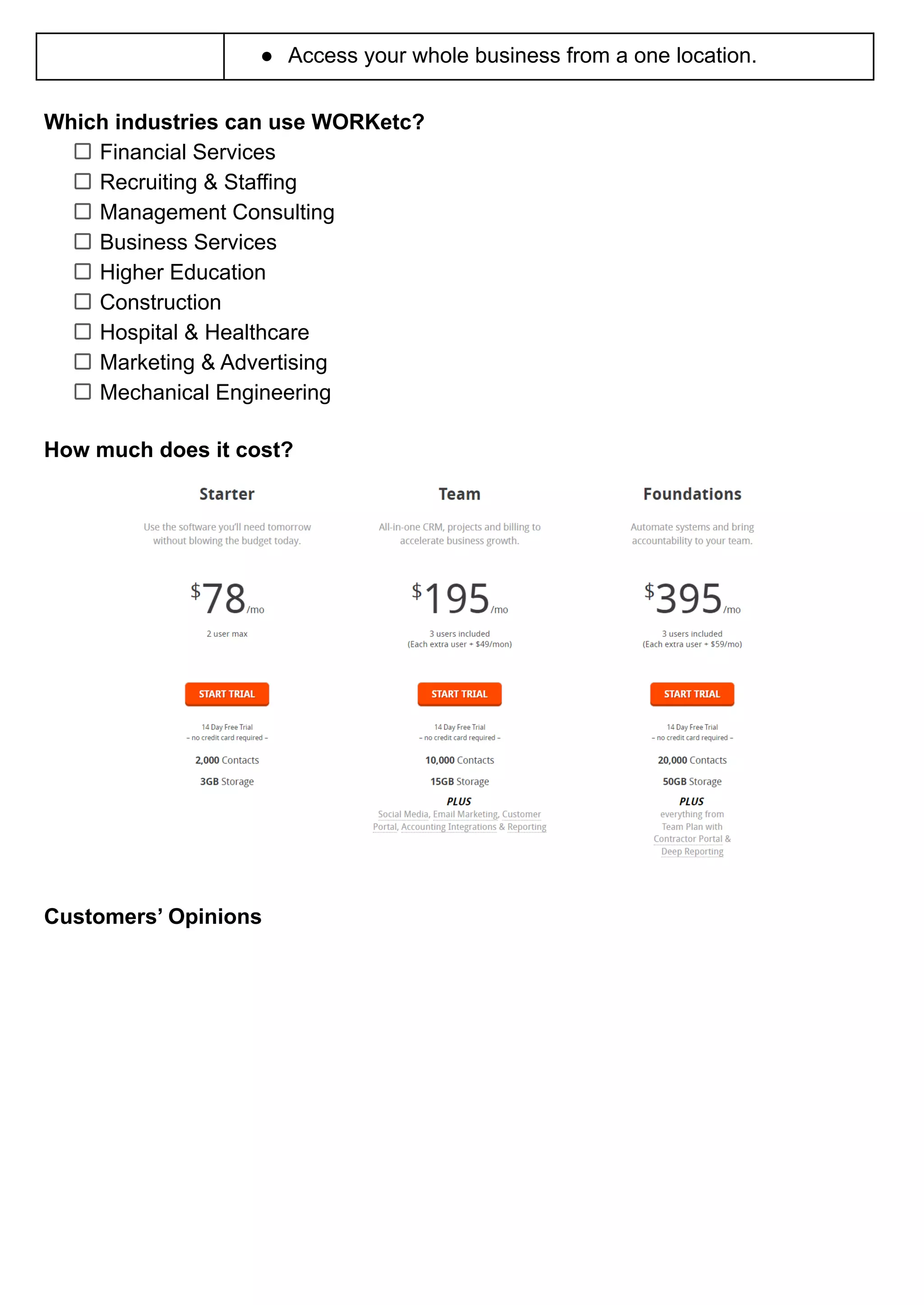
How much does it cost?
Customers’ Opinions
Interested? Click here for a fully-featured 14-day trial. No credit card is
required.
6. Insightly
What is Insightly?
Insightly Inc. provides small and medium organisations using simple cloud-based
customer relationship management (CRM) and project management applications.
Insightly uses a freemium model to deliver its CRM and project management products
to clients.
Release Dates 2009
Key Features ● Lead routing ensures effective lead handling.
● Automation of work processes
● Email administration
● Linking Relationships
Benefits ● The free for 2 users plan from Insightly allows you and a
business partner to manage contacts, sales, and projects all
in one site.
● Organize your teams around a single supplier of customer
data.
● Create customised marketing campaigns quickly to help
your business flourish.
● Increase your sales by modelling and automating your CRM
business processes.
● Develop trust by consistently delivering on your promises.
Which industries can use Insightly?
Consulting
Software & Technology
Nonprofit
Professional Services
PR & Communications
Health & Wellness
Education
Marketing & Advertising
Online Media
Manufacturing
Retail
Real Estate
IT & Services
Music
Transportation
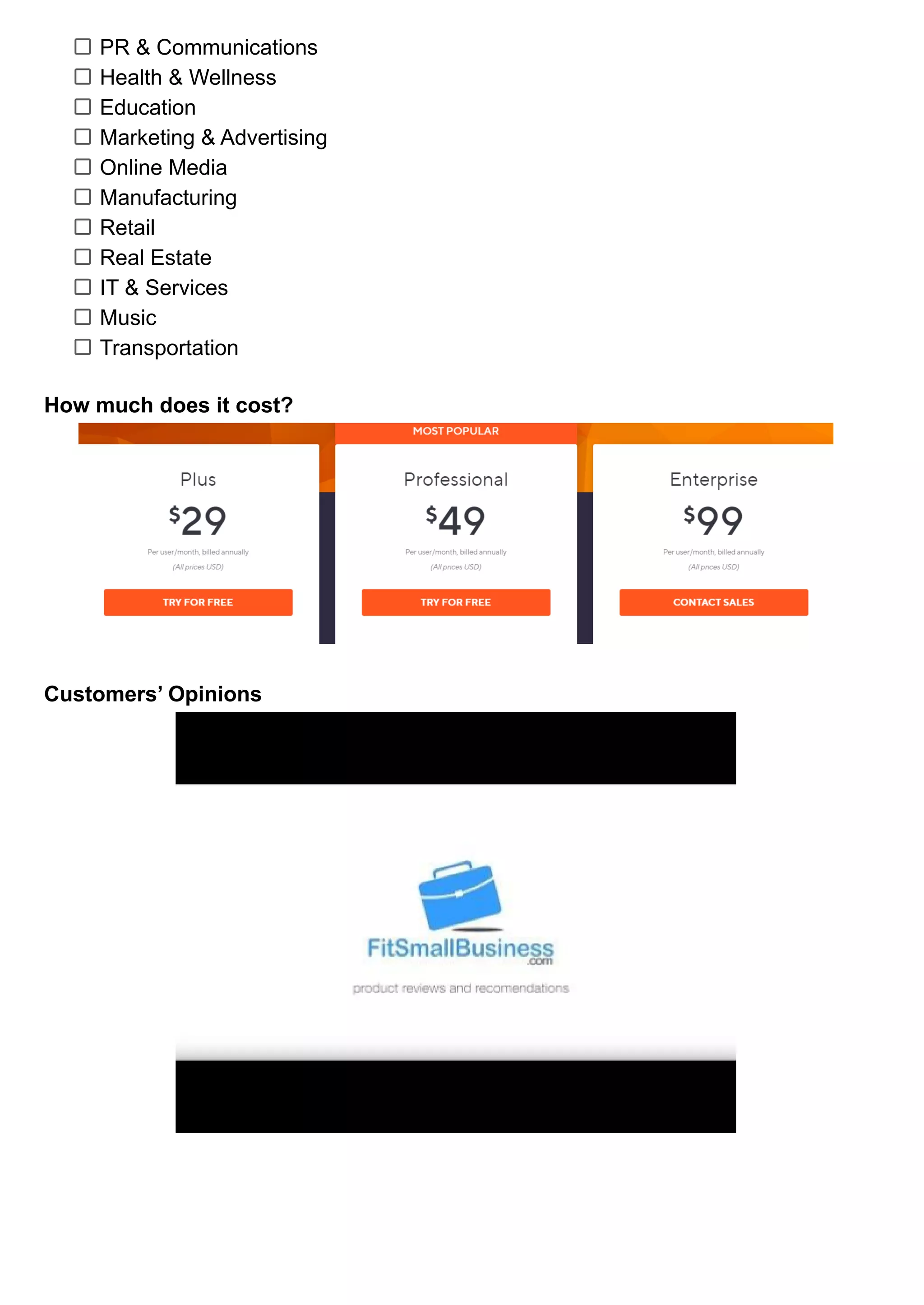
How much does it cost?
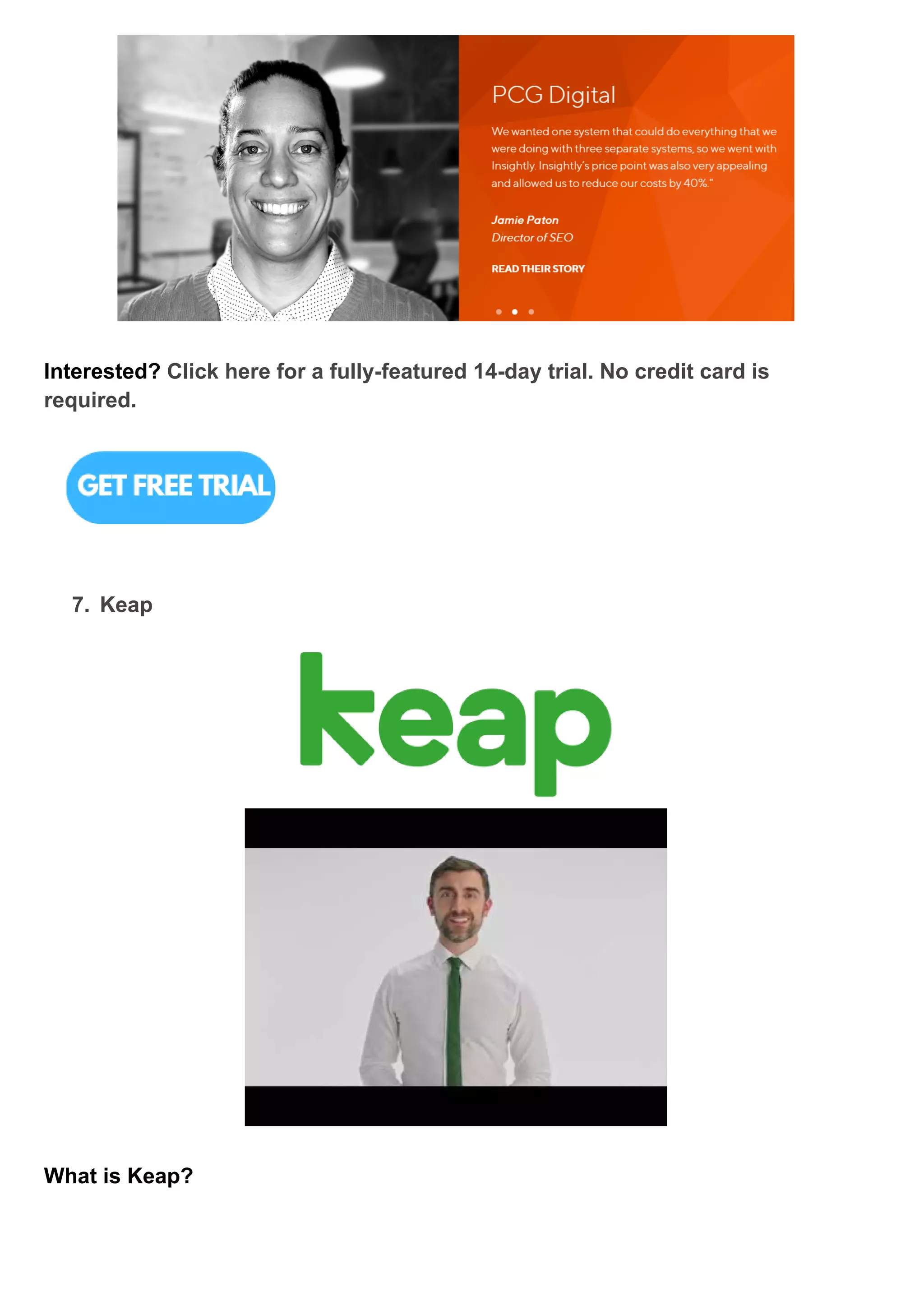
Customers’ Opinions
Interested? Click here for a fully-featured 14-day trial. No credit card is
required.
7. Keap
What is Keap?
Keap is a Arizona-based private firm that provides a small business e-mail marketing
and sales platform, as well as tools for customer management, customer relationship
management, advertising, and e-commerce.
Release Dates 2001
Key Features ● Built-in appointment scheduling.
● Easy to setup automation system.
● Text features + Free Business Number
● One-on-one training upon using the platform.
Benefits ● Automatically brings their information from website/social
media into the CRM.
● Identifies who’s most likely to buy then send automated
emails and move them through CRM.
● Segment clients through advanced automation in every
different way - activities, preference.
● Automatically sends quotes, invoices, and payment
reminders,
● Keeping repeat customers through sending automated
grateful messagers, loyalty offers, and ask for referral
request.
Which industries can use Keap?
Accounting
Coaches
Consultants
Financial Advisor
Insurance
Marketing Agencies
Nonprofits
Photography
Professional Services
Real Estate
Startups
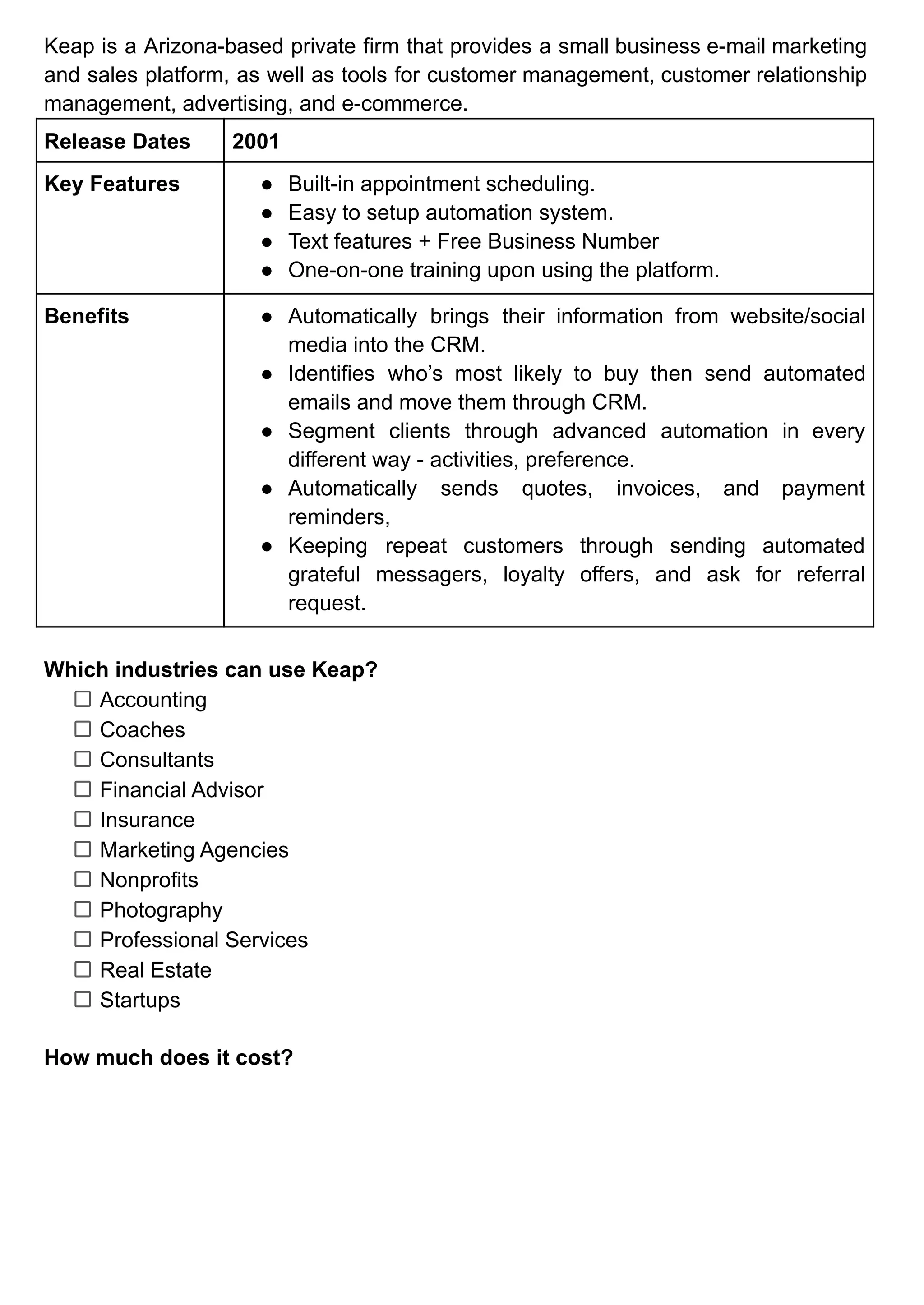
How much does it cost?
*Inquire with the businesses about the Max Classic price plan.
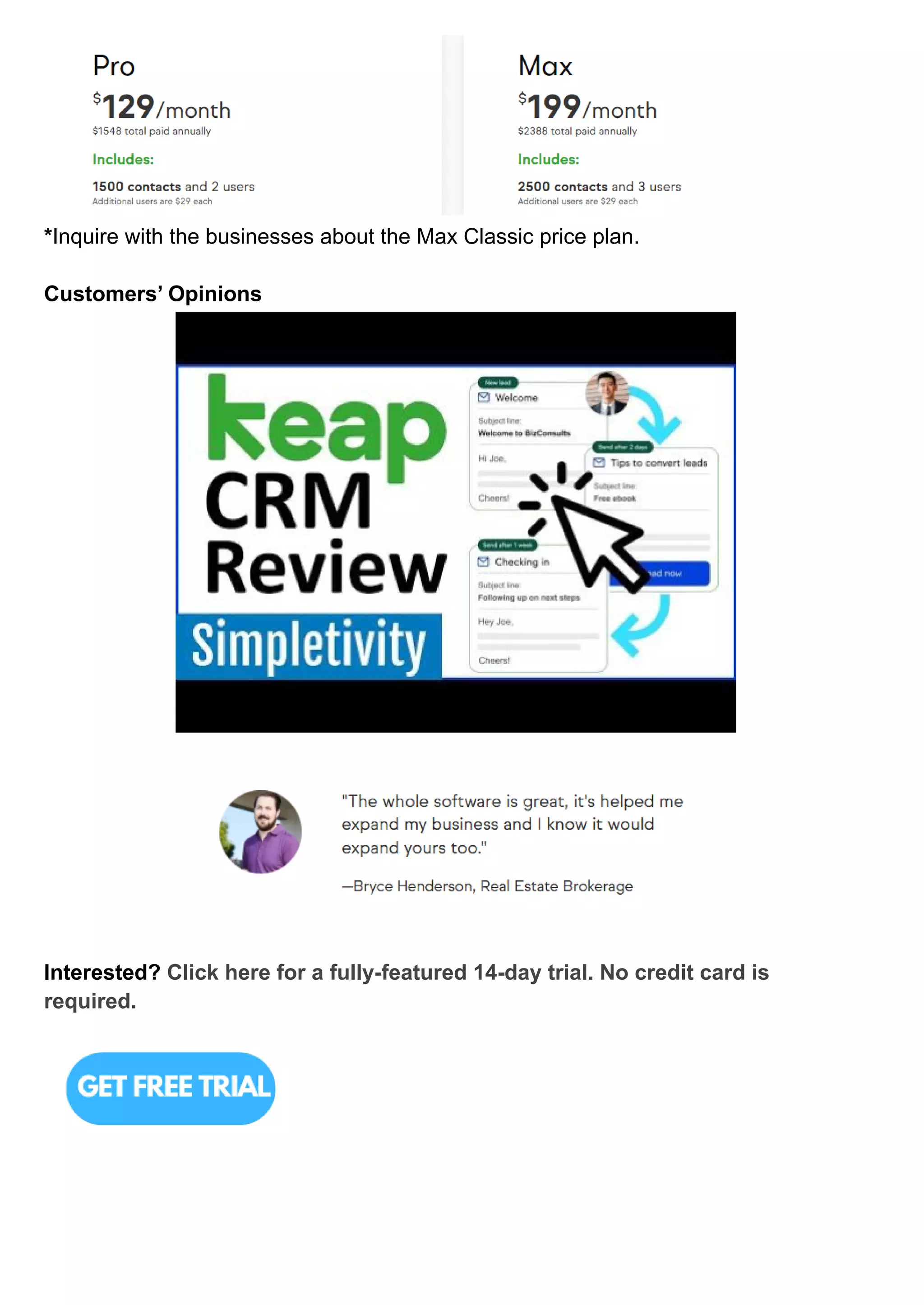
Customers’ Opinions
Interested? Click here for a fully-featured 14-day trial. No credit card is
required.
8. Freshworks (Freshdesk)
What is Freshworks?
Freshdesk was launched in October 2010 and renamed as Freshworks in 2017.
Freshworks provides a variety of customer service and sales applications. Freshdesk,
Freshservice, Freshchat, and others are the examples.
Release Dates 2010
Key Features ● With the Freshsales CRM mobile app, you can access all of
your client data at your fingertips.
● From a single page, you can access clients' social profiles,
identify customer touchpoints (website, product,
interactions), and more.
● Update leads, contacts, and accounts automatically using
social profile and general information that is publicly
available on the internet.
● Create service tasks for issues that require a field team
response and track their status until they are completed.
● Obtain signatures with a simple swipe of the Freshdesk
mobile app and attach them to the service job.
● Notify customers and agents automatically of updates to
their tickets.
Benefits ● Save time by eliminating repeated tasks.
● With workforce automation, agents can quickly address
consumer concerns.
● With AI-powered chatbots, companies can help customers
obtain answers quickly.
● Integrate a variety of conversational experiences, such as
live chat, online, mobile, and call center assistance.
● Provide real-time updates to consumers through
conversational bots and streamlined appointment booking.
Which industries can use Freshworks?
Real estate
Small business
Hospitality
Insurance
Agency
Retail
Manufacturing
Logistics
Finance
SAAS Businesses
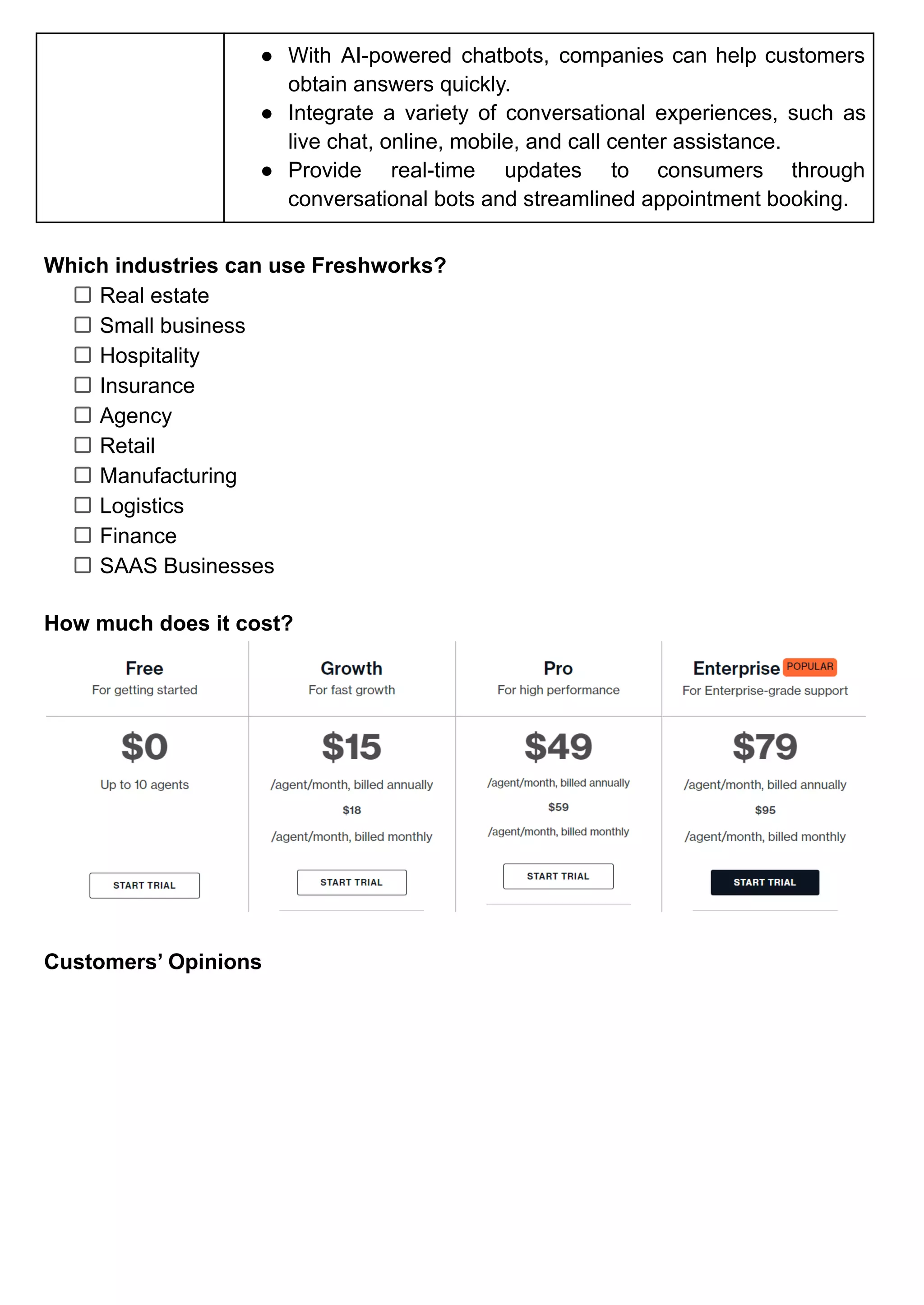
How much does it cost?
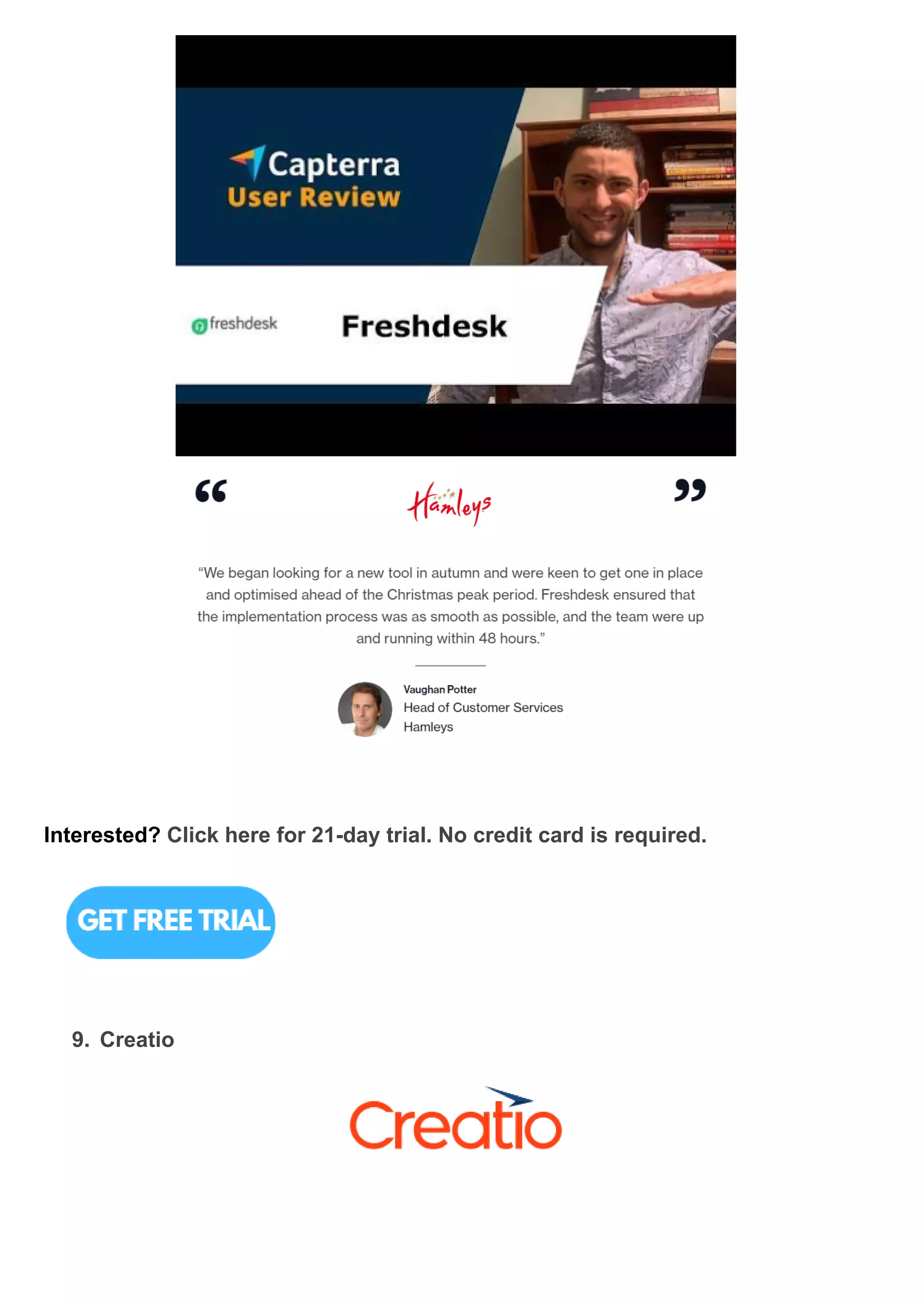
Customers’ Opinions
Interested? Click here for 21-day trial. No credit card is required.
9. Creatio
What is Creatio?
For marketing, sales, and service, Creatio provides three perfectly integrated
products on a single platform that may be utilized alone or as a package.
Release Dates 2011
Key Features ● Unified CRM experience
● 360-degree customer view
● Unrestricted customization
● Creating apps without writing a single line of code
● A universe of ready-to-use applications
● End-to-end workflow automation
Benefits ● Improve customer and prospect engagement by
streamlining lead management operations and creating
tailored marketing campaigns.
● Maintain close contact with the sales team to ensure that all
leads are qualified and sent on to sales managers on time.
● In a single interface, you can plan, manage, and optimise
complicated multichannel marketing initiatives.
● Track human-assisted chats and chatbot engagements,
monitor calls, and analyze social media data.
● Keep track of all client interactions, evaluate historical data,
and use AI/ML-powered technologies to provide targeted
offers and product recommendations via relevant marketing
channels.
● Track individual sales rep performance, as well as measure
sales team effectiveness and discover top performers.
● Manage multiple sales channels from a single location
(agent desktop), with a 360-degree view of client data and a
comprehensive engagement history.
Which industries can use Creatio?
Financial Services
Manufacturing
High Tech
Transportation
Business Services
Retail
Pharmacy
Telecom
Public Sector
Media& advertising
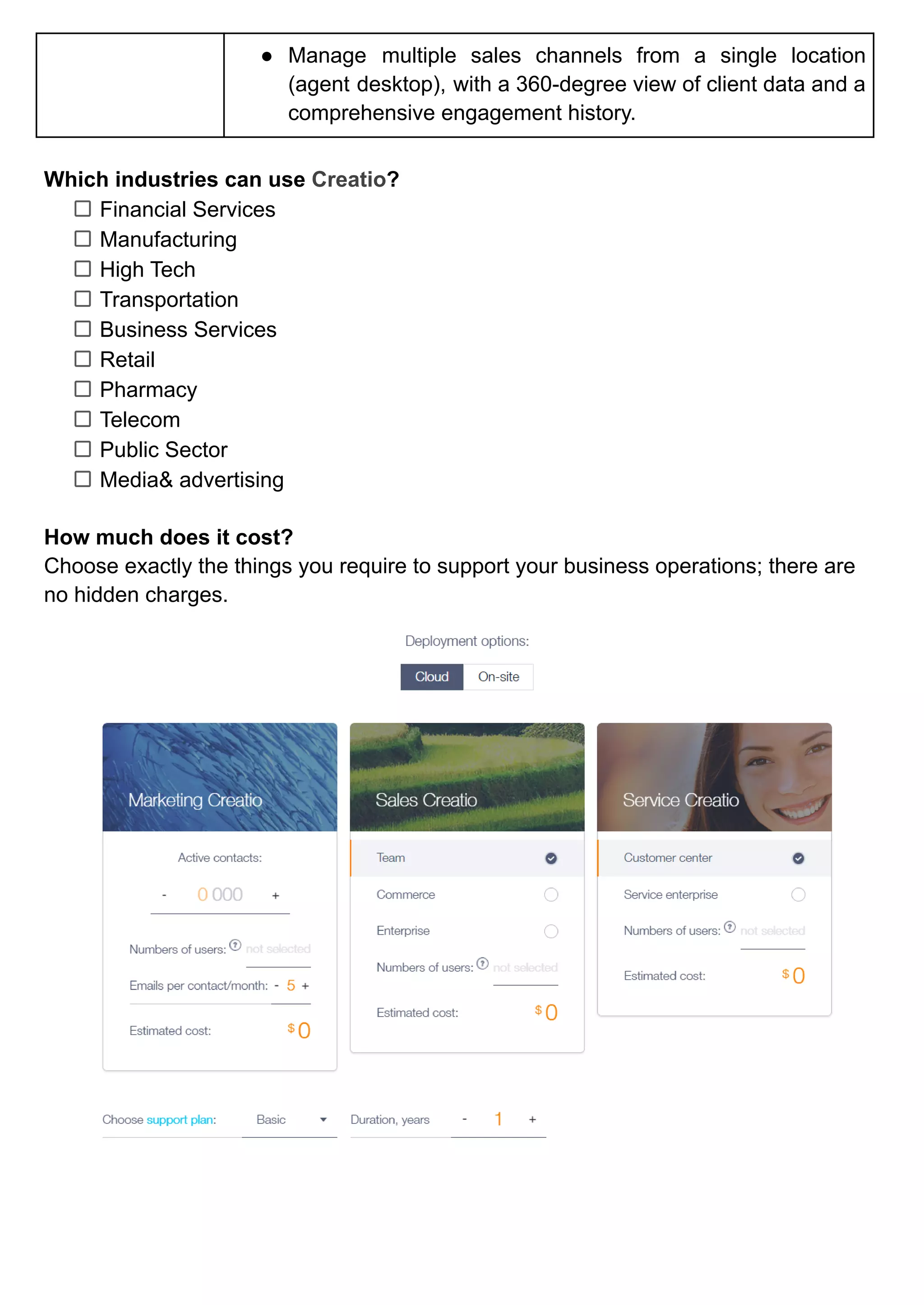
How much does it cost?
Choose exactly the things you require to support your business operations; there are
no hidden charges.
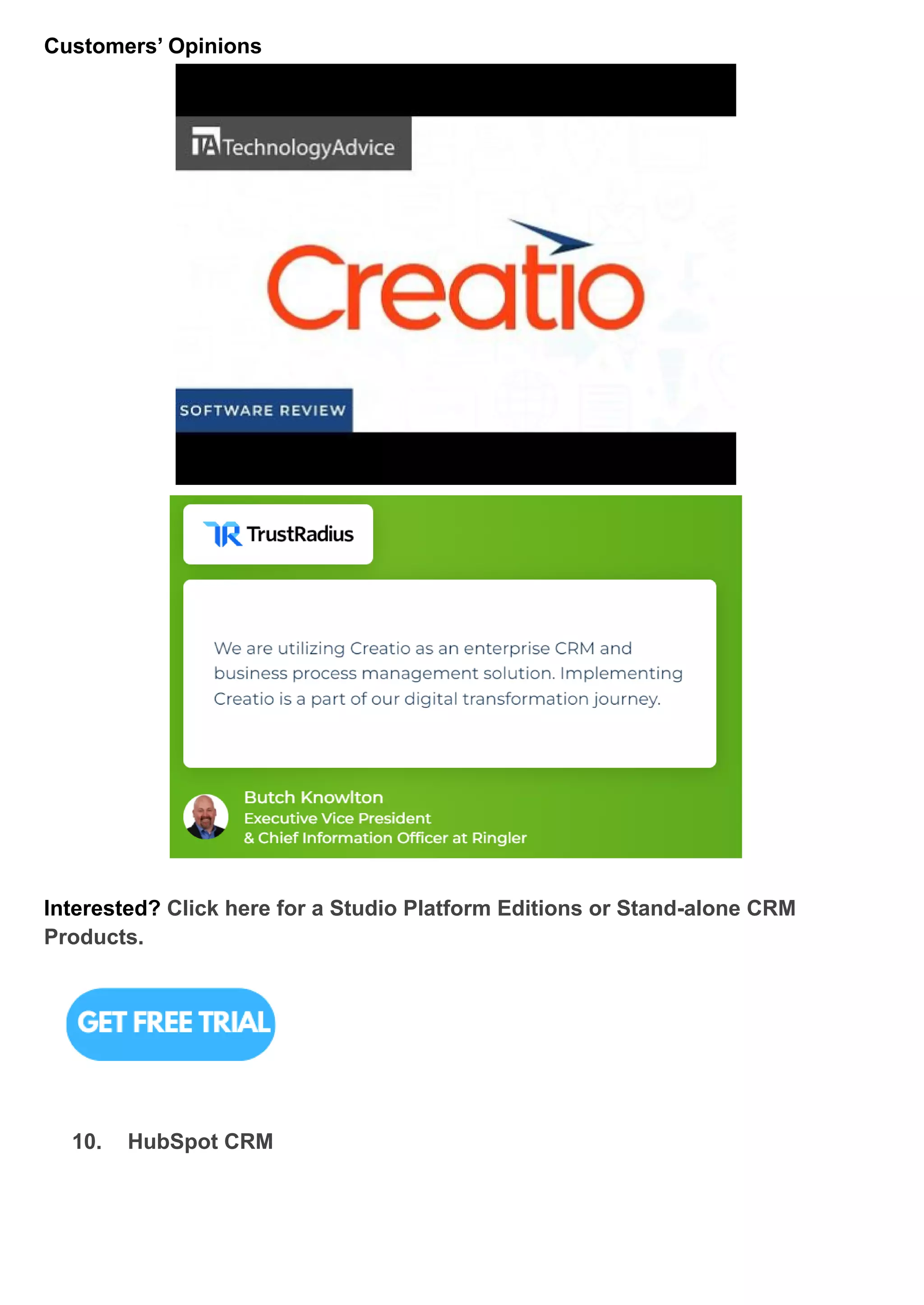
Customers’ Opinions
Interested? Click here for a Studio Platform Editions or Stand-alone CRM
Products.
10. HubSpot CRM
What is HubSpot CRM?
HubSpot CRM is a software-as-a-service cloud platform for professional and creative
services.
Release Dates 2006
Key Features ● Maintain complete visibility over your pipeline.
● Automatically track sales activities
● See all of a lead's details in one place
Benefits ● Operate an effective inbound marketing approach that
increases traffic, converts prospects, and demonstrates
ROI.
● Increase sales productivity, reduce deal cycles, and
humanize your sales process.
● Makes it simple to engage with clients, assist them in
succeeding, and convert them into advocates of your
company.
● It is adaptable for marketers, powerful for developers, and
provides a tailored, safe experience for customers.
● Synchronize and manage consumer data, and automate
business processes to keep your teams on track.
Which industries can use HubSpot CRM?
Professional Services
Manufacturing
Banking
Financial Services
Government
Oil & Gas
Education
Distribution
Healthcare
Communications
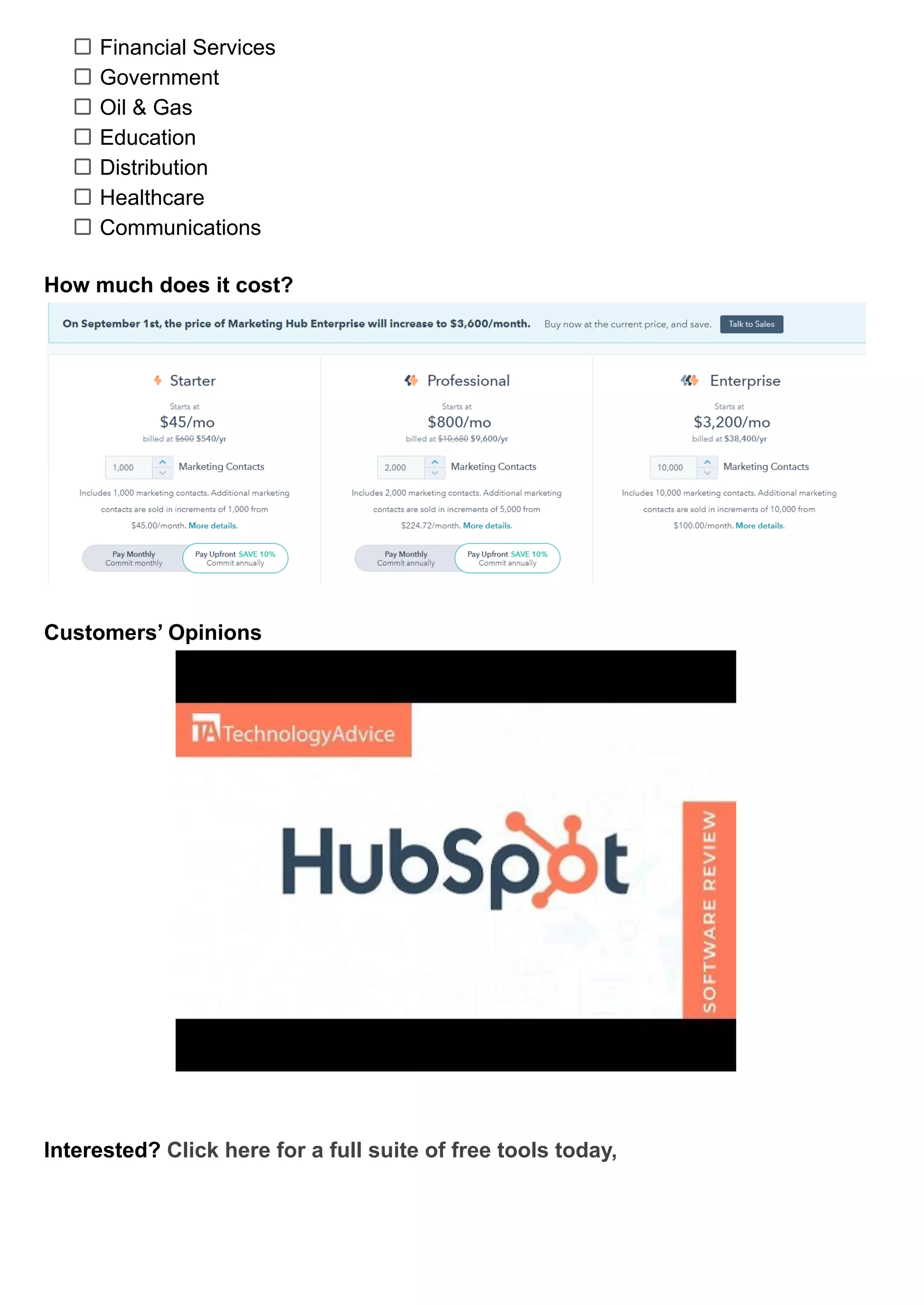
How much does it cost?
Customers’ Opinions
Interested? Click here for a full suite of free tools today,
BASED ON PRICE
11. OnePageCRM
What is OnePageCRM?
OnePageCRM is a cloud-based sales customer relationship management (CRM)
system for small and medium-sized enterprises that allows them to automatically
schedule follow-ups with prospects, provide a dashboard with sales activities for the
day, and automate admin to boost productivity.
Release Dates 2010
Key Features ● Manage contacts, deals and customer profiles.
● Unlimited contacts, notes & deals
● Email marketing
● Sales automation:
● Bulk emails
● Pipeline management
● No more manual data input or administrative responsibilities
Benefits ● Manage all sales-related issues.
● Allows you to access your client's whole profile from a
single location.
● Follow up on your lead as soon as possible with the best
solution.
● Focus on pleasing the consumer even after you've signed a
deal with them.
● Assist you in tracking the gaps in your sales funnels,
conversions, and general activity.
● Can remove a lot of time-consuming physical labour.
● Utilize app connectors to streamline your work.
Which industries can use Scoro?
Software Companies
Financial Services
Real Estate
Manufacturing
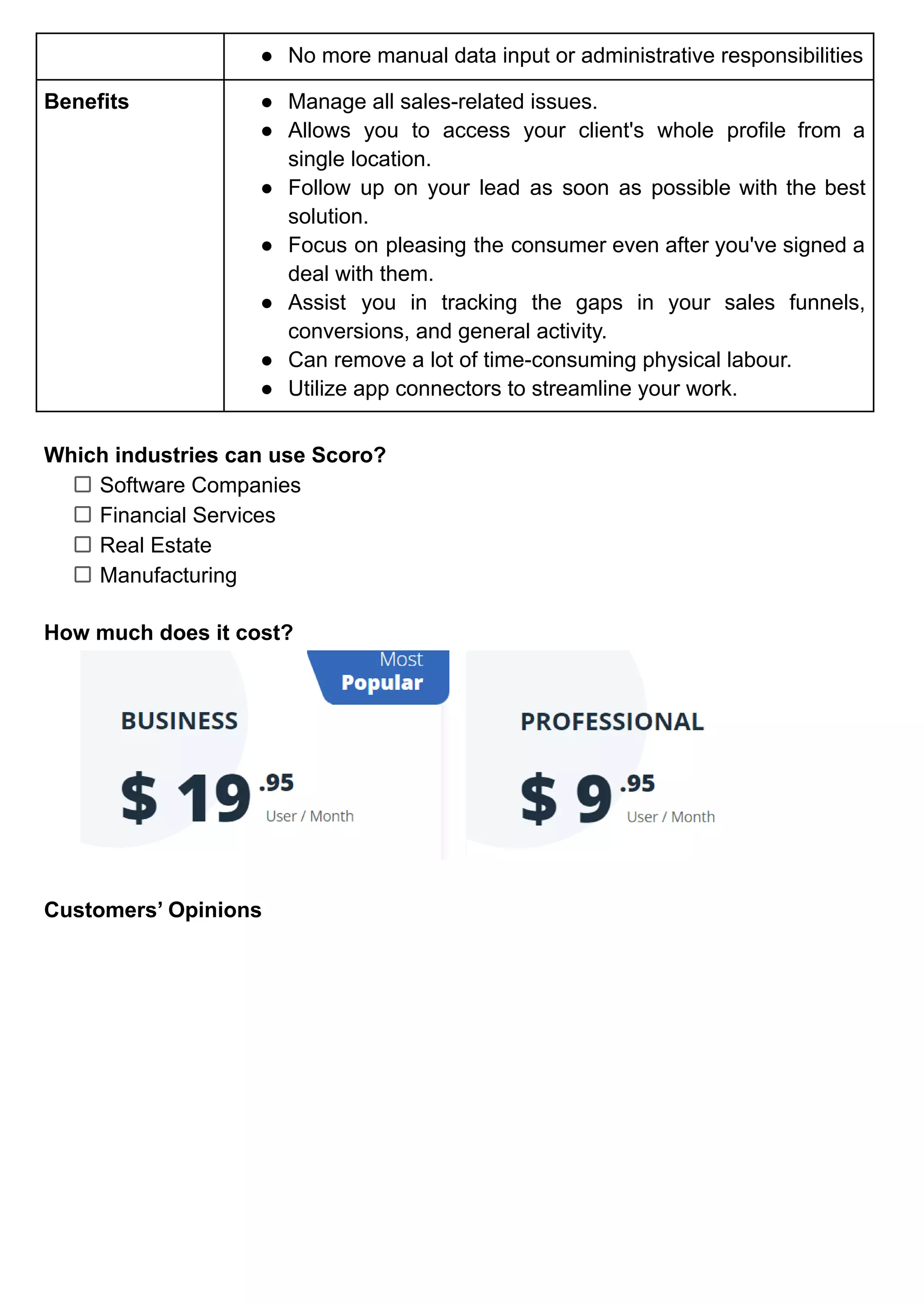
How much does it cost?
Customers’ Opinions
Interested? Click here for a 21-day free trial. No credit card is required.
12. Capsule CRM
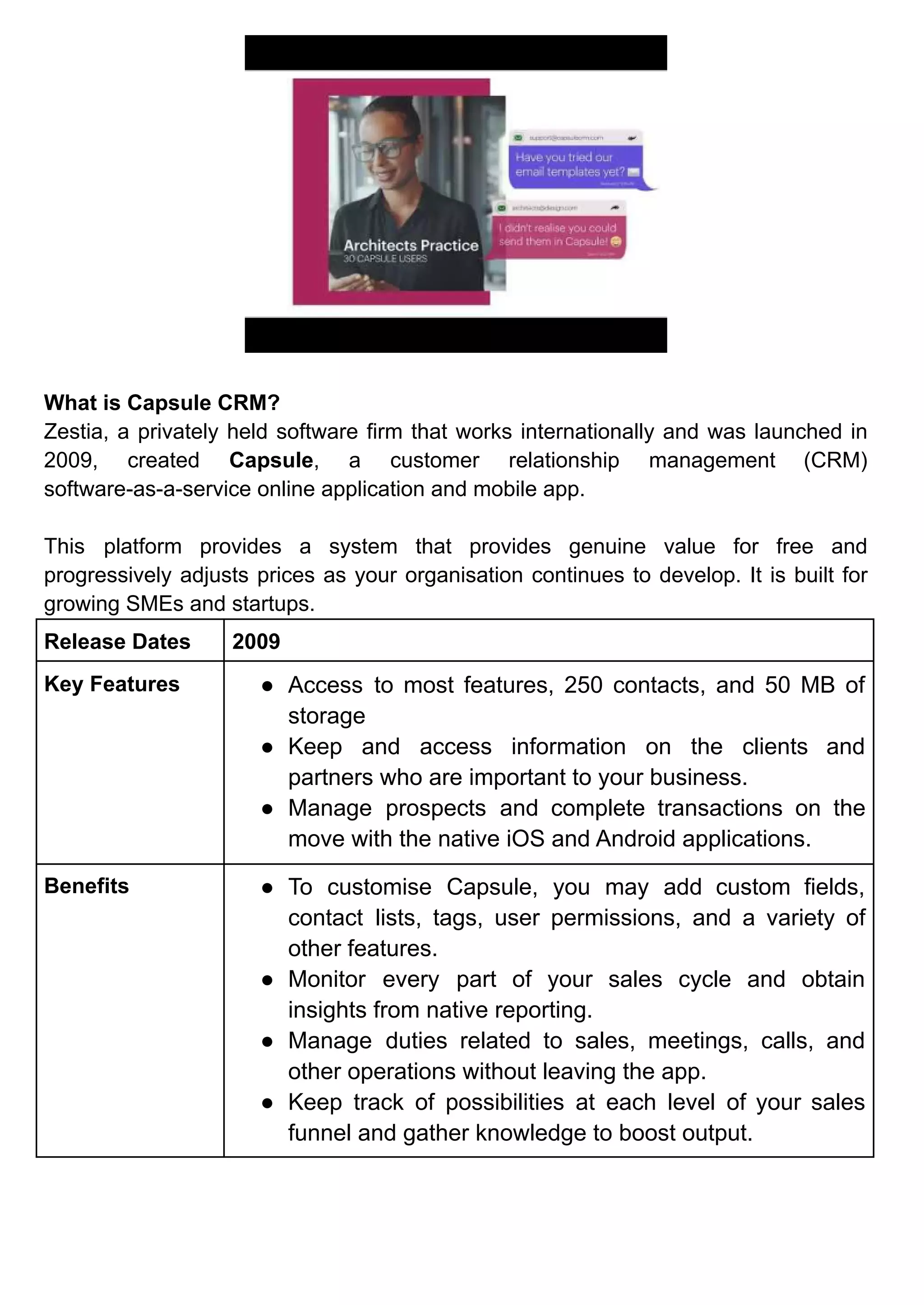
What is Capsule CRM?
Zestia, a privately held software firm that works internationally and was launched in
2009, created Capsule, a customer relationship management (CRM)
software-as-a-service online application and mobile app.
This platform provides a system that provides genuine value for free and
progressively adjusts prices as your organisation continues to develop. It is built for
growing SMEs and startups.
Release Dates 2009
Key Features ● Access to most features, 250 contacts, and 50 MB of
storage
● Keep and access information on the clients and
partners who are important to your business.
● Manage prospects and complete transactions on the
move with the native iOS and Android applications.
Benefits ● To customise Capsule, you may add custom fields,
contact lists, tags, user permissions, and a variety of
other features.
● Monitor every part of your sales cycle and obtain
insights from native reporting.
● Manage duties related to sales, meetings, calls, and
other operations without leaving the app.
● Keep track of possibilities at each level of your sales
funnel and gather knowledge to boost output.
Which industries can use Capsule CRM?
Professional Services
IT & Technology
Construction
Accountants
Hospitality
Real Estate
Travel Agencies
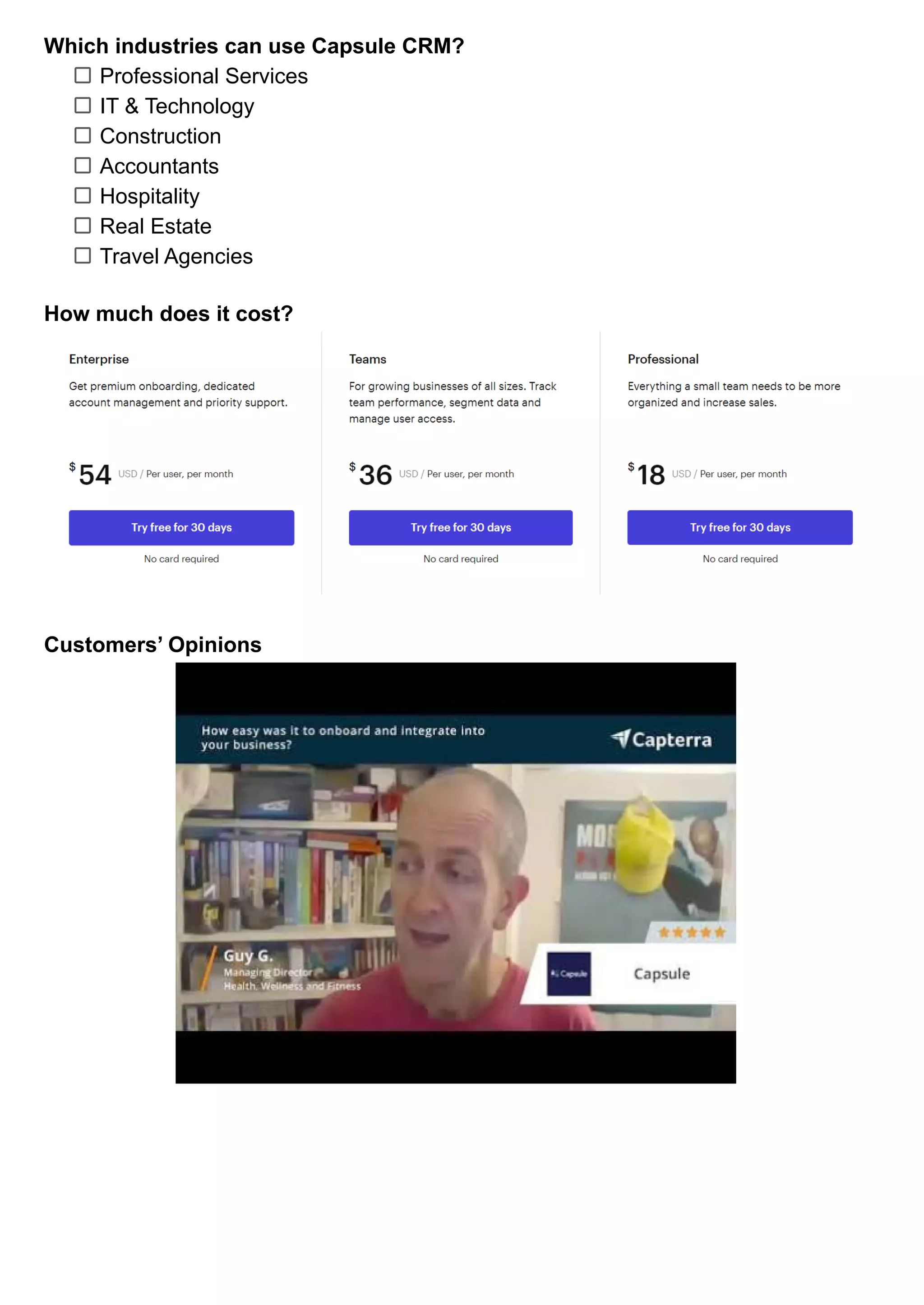
How much does it cost?
Customers’ Opinions
Interested? Click here for a CRM with basic features for up to 2 users and 250
contacts.
13. Company Hub
What is Company Hub?
CompanyHub is a 2020-founded Indian 1 click integration platform. It provides a
solitary, consolidated platform from which sales teams may control lead and sales
pipeline activities. This best CRM companies seeks to create a smart CRM system by
including email monitoring, email scheduling, and reporting technologies.
The CRM offered by them is a highly customizable platform, and the company
supports a wide range of specialty markets, from insurance companies to roofing
companies, as well as agencies, startups, and non-profits.
Release Dates 2020
Key Features ● Utilize email sign-up forms on your website to collect leads.
● Allow your customers to plan appointments on your website
and your team to manage them on CompanyHub.
● All plans include standard email templates.
● Every subscription includes unlimited email tracking.
● You may send emails from both CompanyHub and your
email client using 2-way email sync.
● With the help of native chatbots, collect leads from your
website.
Benefits ● Manage leads throughout the customer journey.
● Follow up on unanswered emails by setting up reminders
that go off when no response is received after a certain
amount of time.
● Send emails in mass without having to manually rewrite and
send them.
● On the cheapest plan, a single transaction pipeline is
managed; on higher levels, numerous deal pipelines are
managed.
● Utilize custom fields, columns, filters, and reports to
manage customer data in the manner that best suits you.
Which industries can use Company Hub?
Automotive
Insurance
Mortgage
Real Estate
Nonpfits
Marketing Agency
Startups
Accounting
Education
Pharmaceutical
Roofing
Contractor
Rental Management
Porpert Management
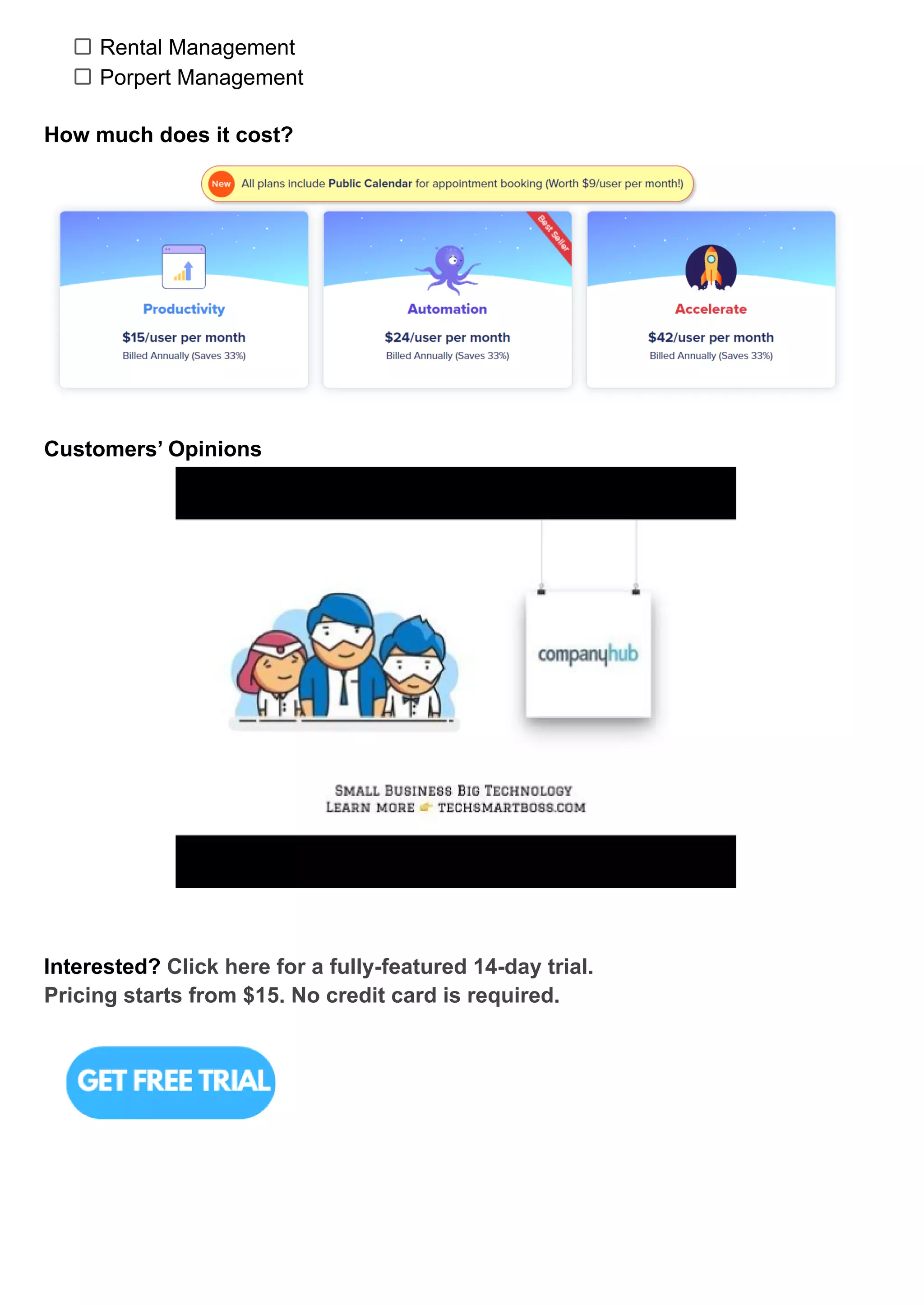
How much does it cost?
Customers’ Opinions
Interested? Click here for a fully-featured 14-day trial.
Pricing starts from $15. No credit card is required.
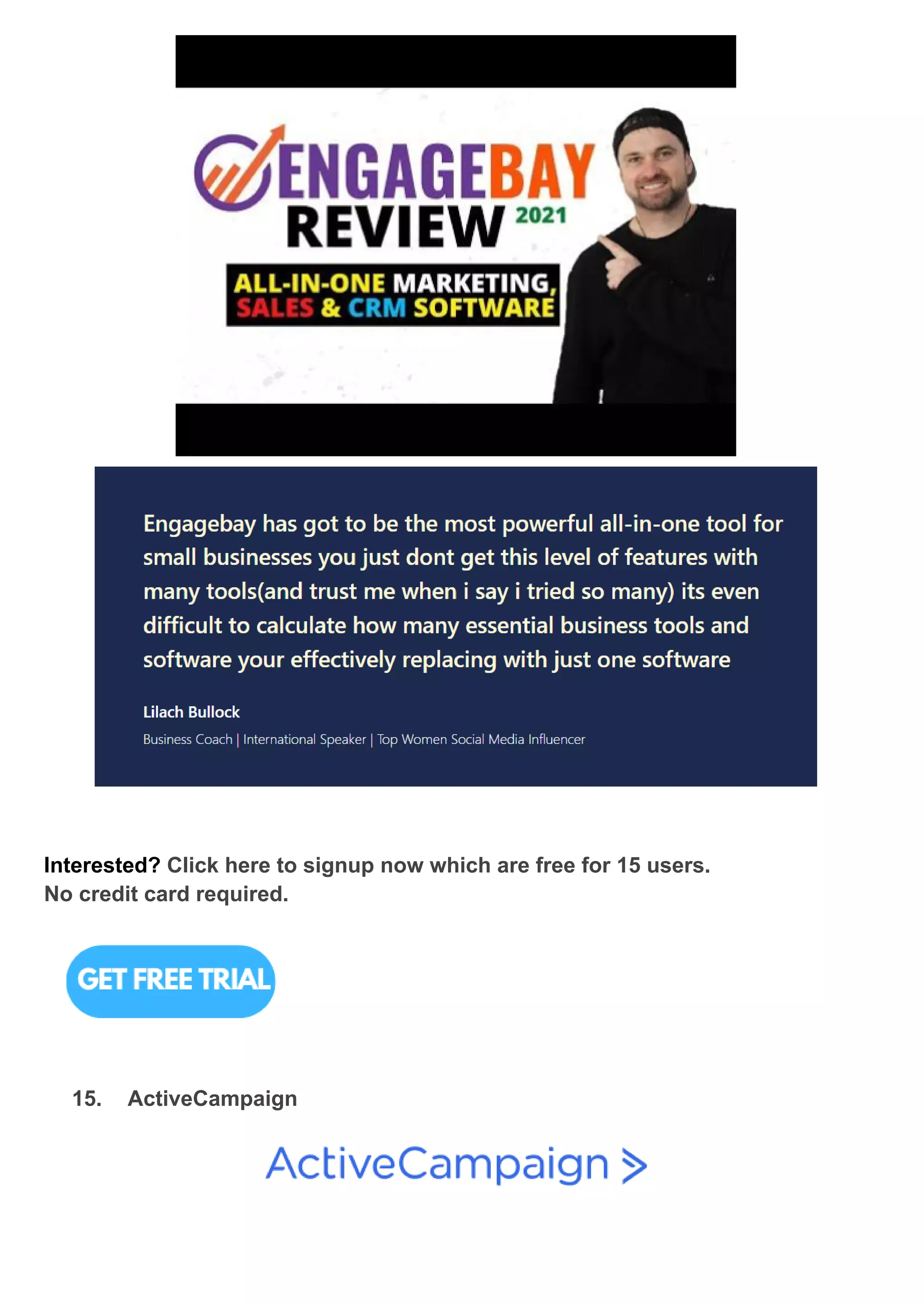
14. EngageBay
What is EngageBay?
EngageBay is the best affordable all-in-one CRM alternative for small businesses,
starting with one of the most freemium plans available and offering unexpectedly
cheap price on its premium plans.
Release Dates 2017
Key Features ● Email sequences, landing sites, live chat, and more features
are available for free.
● 1000 contacts, 1000 branded emails, 500MB storage
space.
● Basic lead scoring is accessible for free, with more detailed
reporting available on subscription programmes.
● Create and modify graphic email templates (limited access
on the free plan).
Benefits ● Manage contacts, transactions, and tasks across the client
lifecycle.
● Add a helpdesk to your website to manage tickets and
address issues.
● Create landing pages on your website to capture leads
(limited to 1 landing page on the free version).
● With marketing automation, you can create profiles for each
of your clients.
● Establishing a relationship between a marketing and sales
team to avoid inadvertent confrontation.
● Analytics reports can be used to track the delivery and
success of your automated marketing strategy.
● You can also schedule your social media posts with an
EngageBay account so that you never miss out on prime
interaction time.
● Respond to email inquiries from consumers and leads
automatically.
Which industries can use EngageBay?
Information & Technology
Marketing & Advertising
Computer Software
Financial Services
Internet
Construction
Hospital & Healthcare
Real Estate
Retail
Education Management
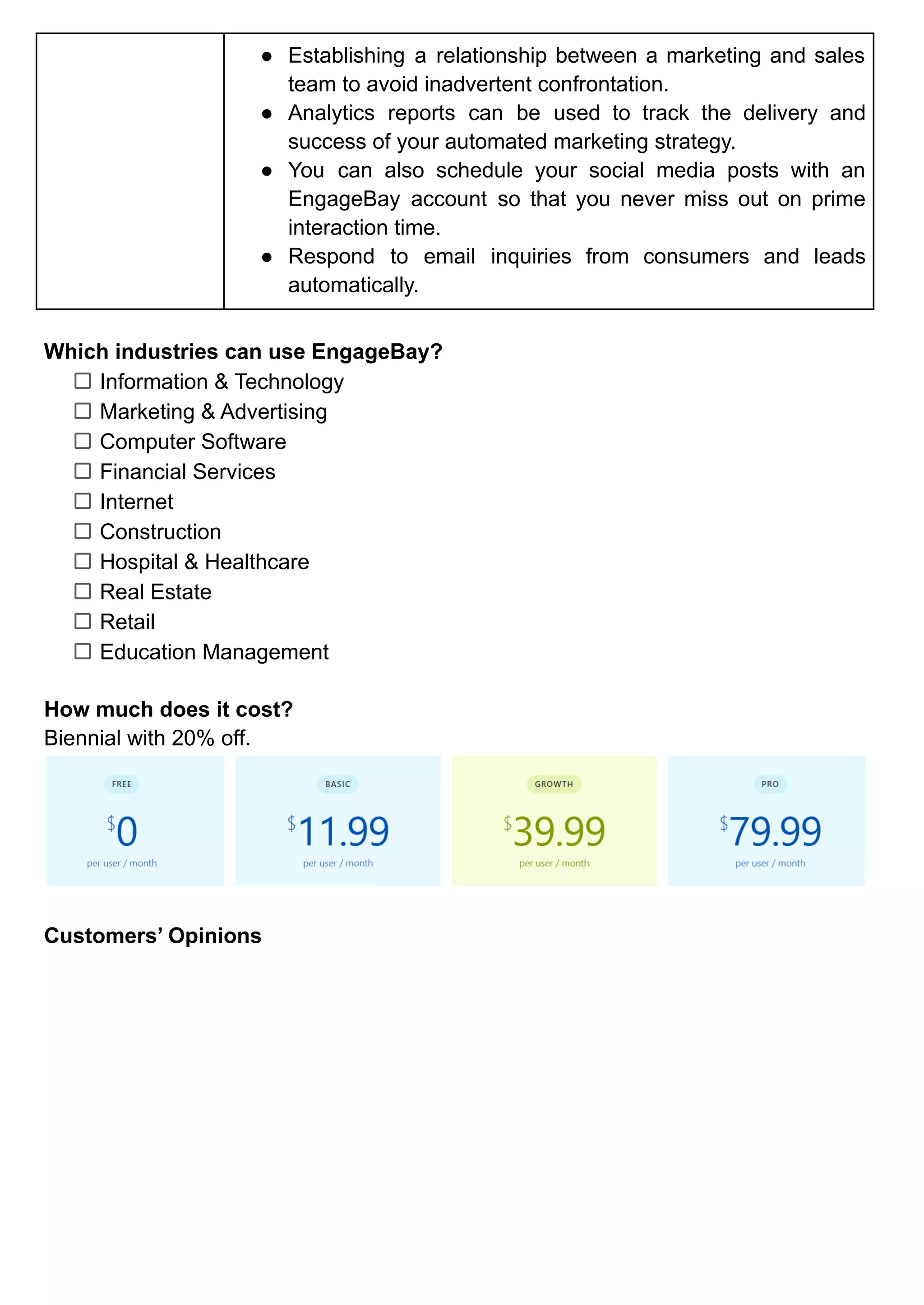
How much does it cost?
Biennial with 20% off.
Customers’ Opinions
Interested? Click here to signup now which are free for 15 users.
No credit card required.
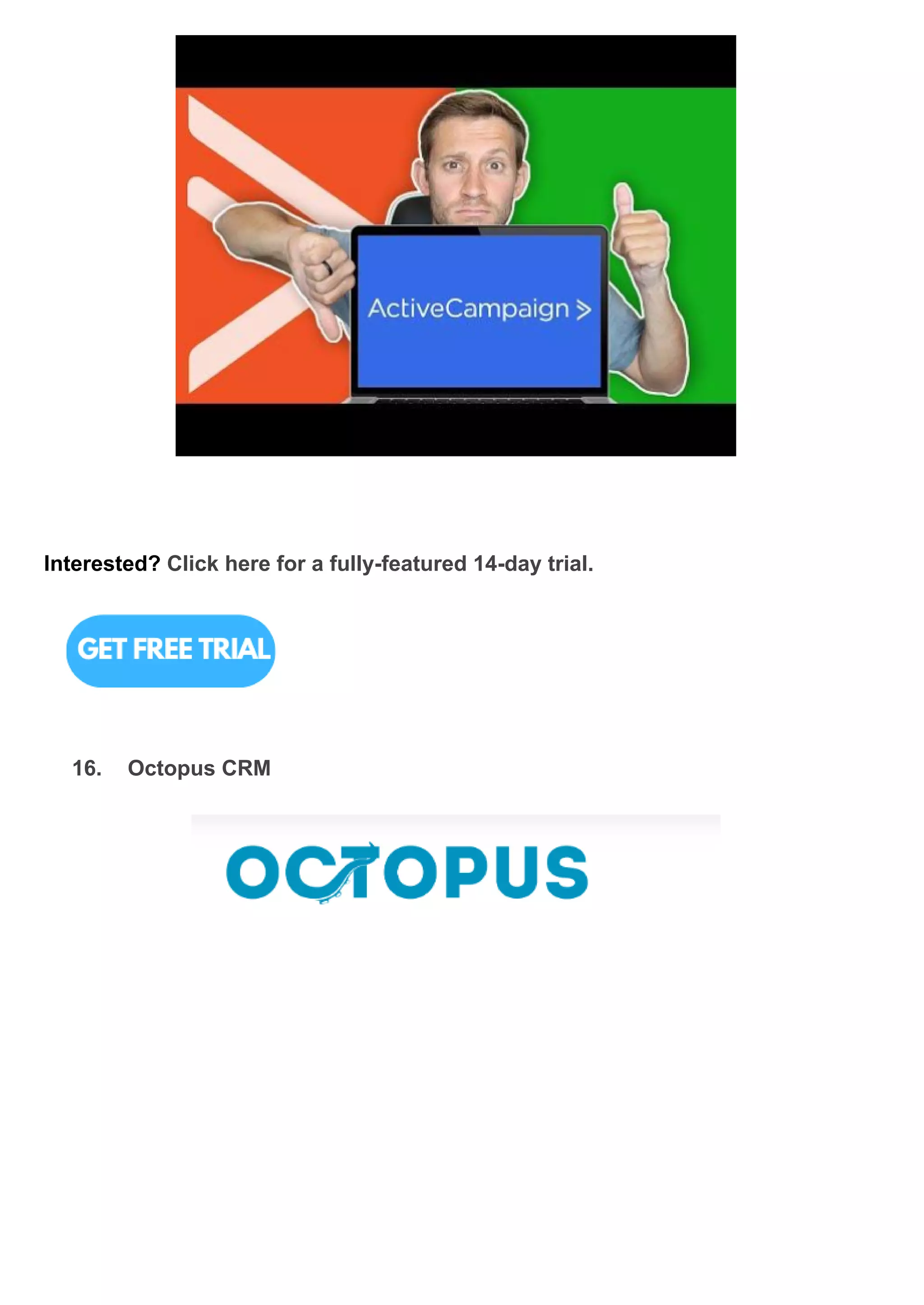
15. ActiveCampaign
What is ActiveCampaign?
Active Campaign is a software-as-a-service cloud platform for professional and
creative services.
Release Dates 2003
Key Features ● Manage contacts and automatically update information
without requiring any intervention.
● Customer service is available via email and chat.
● Email marketing efforts that are advanced in nature, such
as broadcast emails, triggered emails, targeted emails, and
so on.
● On any subscription, you can send an unlimited amount of
emails to contacts.
● Every plan includes drag-and-drop email builder.
● Create campaigns easily by using or editing email
templates.
Benefits ● Send fast or delayed email answers to prospects.
● You can send exactly what your contacts want to see via
segmentation.
● You can easily review performance reports with a bird's-eye
perspective of your marketing automation platform.
● Automated tasks, notifications, and reminders reduce the
manual workload in sales.
● Prioritize leads to focus your marketing and sales efforts on
the most valuable prospects.
● Track user activity on your website to attribute campaign
success and send relevant messages depending on user
activities.
● The built-in sales and marketing automation improves the
user experience by requiring less human input from team
members to execute activities and update data.
● To automate the marketing that no one has time for, collect
data from every offline and digital channel (social media,
live chat, landing sites, text messaging, and everywhere
else).
● Find out what your top customers like to buy by tracking
past email clicks, sales, and live conversations throughout
the ActiveCampaign platform.
Which industries can use ActiveCampaign?
Technology
Blogger & Influencer
Education
Agency
Small Business
Travel & Hospitality
Non-profit
Healthcare
Real Estate
Fitness &Nutrition
Enterprise
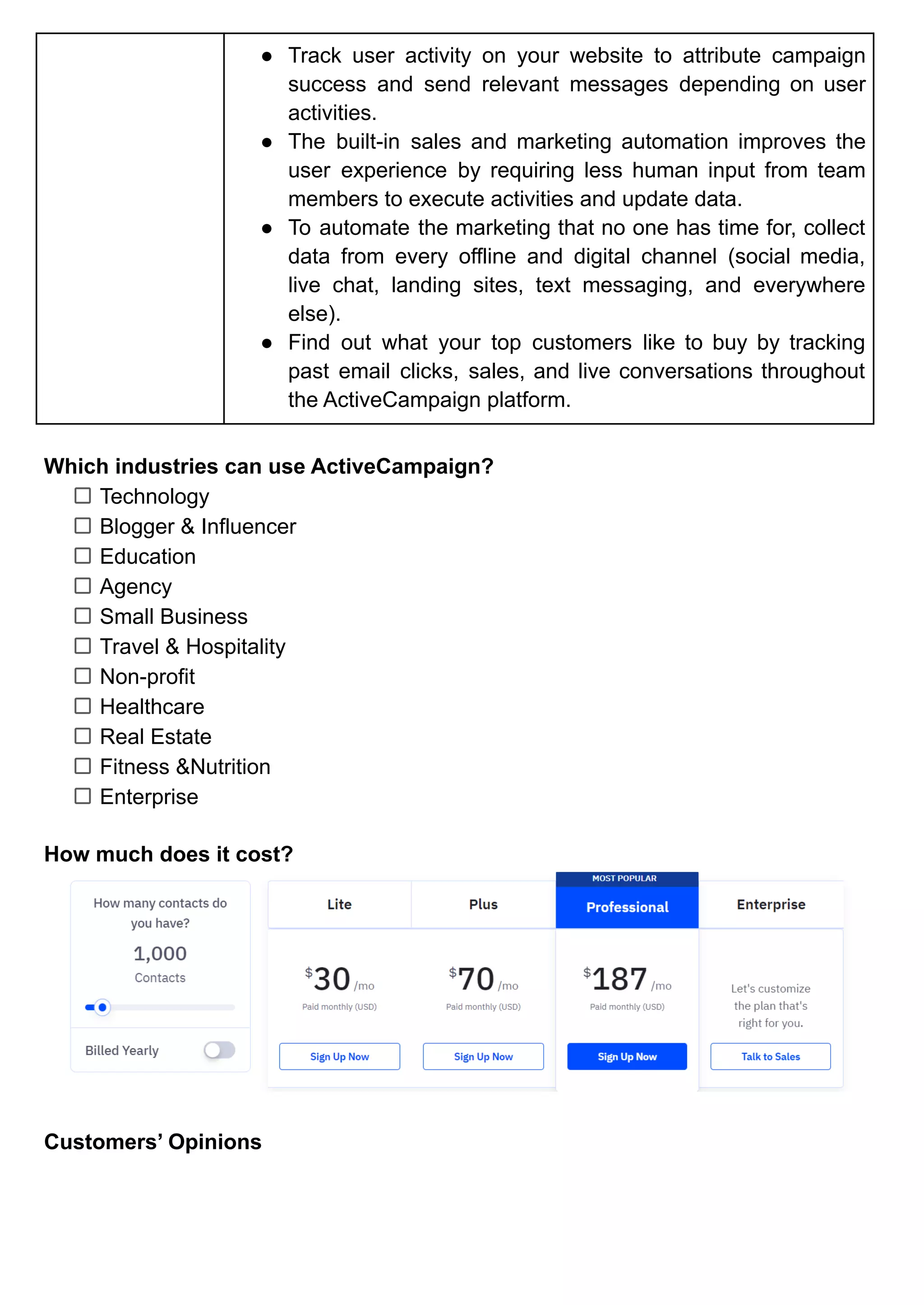
How much does it cost?
Customers’ Opinions
Interested? Click here for a fully-featured 14-day trial.
16. Octopus CRM
What is Octopus CRM?
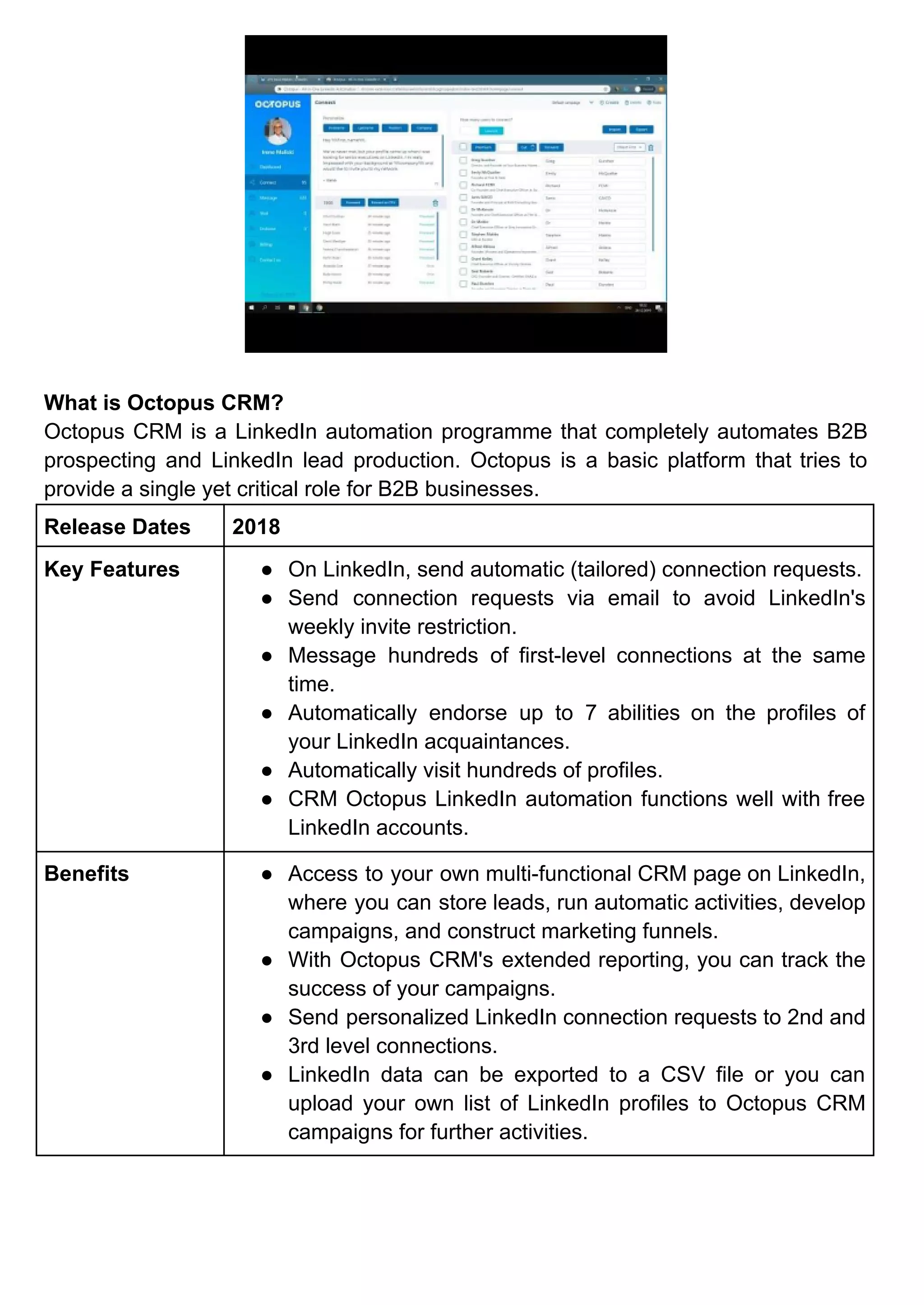
Octopus CRM is a LinkedIn automation programme that completely automates B2B
prospecting and LinkedIn lead production. Octopus is a basic platform that tries to
provide a single yet critical role for B2B businesses.
Release Dates 2018
Key Features ● On LinkedIn, send automatic (tailored) connection requests.
● Send connection requests via email to avoid LinkedIn's
weekly invite restriction.
● Message hundreds of first-level connections at the same
time.
● Automatically endorse up to 7 abilities on the profiles of
your LinkedIn acquaintances.
● Automatically visit hundreds of profiles.
● CRM Octopus LinkedIn automation functions well with free
LinkedIn accounts.
Benefits ● Access to your own multi-functional CRM page on LinkedIn,
where you can store leads, run automatic activities, develop
campaigns, and construct marketing funnels.
● With Octopus CRM's extended reporting, you can track the
success of your campaigns.
● Send personalized LinkedIn connection requests to 2nd and
3rd level connections.
● LinkedIn data can be exported to a CSV file or you can
upload your own list of LinkedIn profiles to Octopus CRM
campaigns for further activities.
● In just a few clicks, you can integrate your Octopus CRM
campaigns with Zapier to transmit data and activities from
LinkedIn to Zapier, Google Docs, Hubspot, or other apps.
● LinkedIn automation features from Octopus CRM can be
utilized on LinkedIn Free, Premium, Sales Navigator, and
even Recruiter Lite accounts.
● Allow the Octopus CRM LinkedIn automation tool to monitor
your LinkedIn activity and notify you right away.
Which industries can use Octopus CRM?
Business Owners
Marketing Agencies
Recruiters
Sales Teams
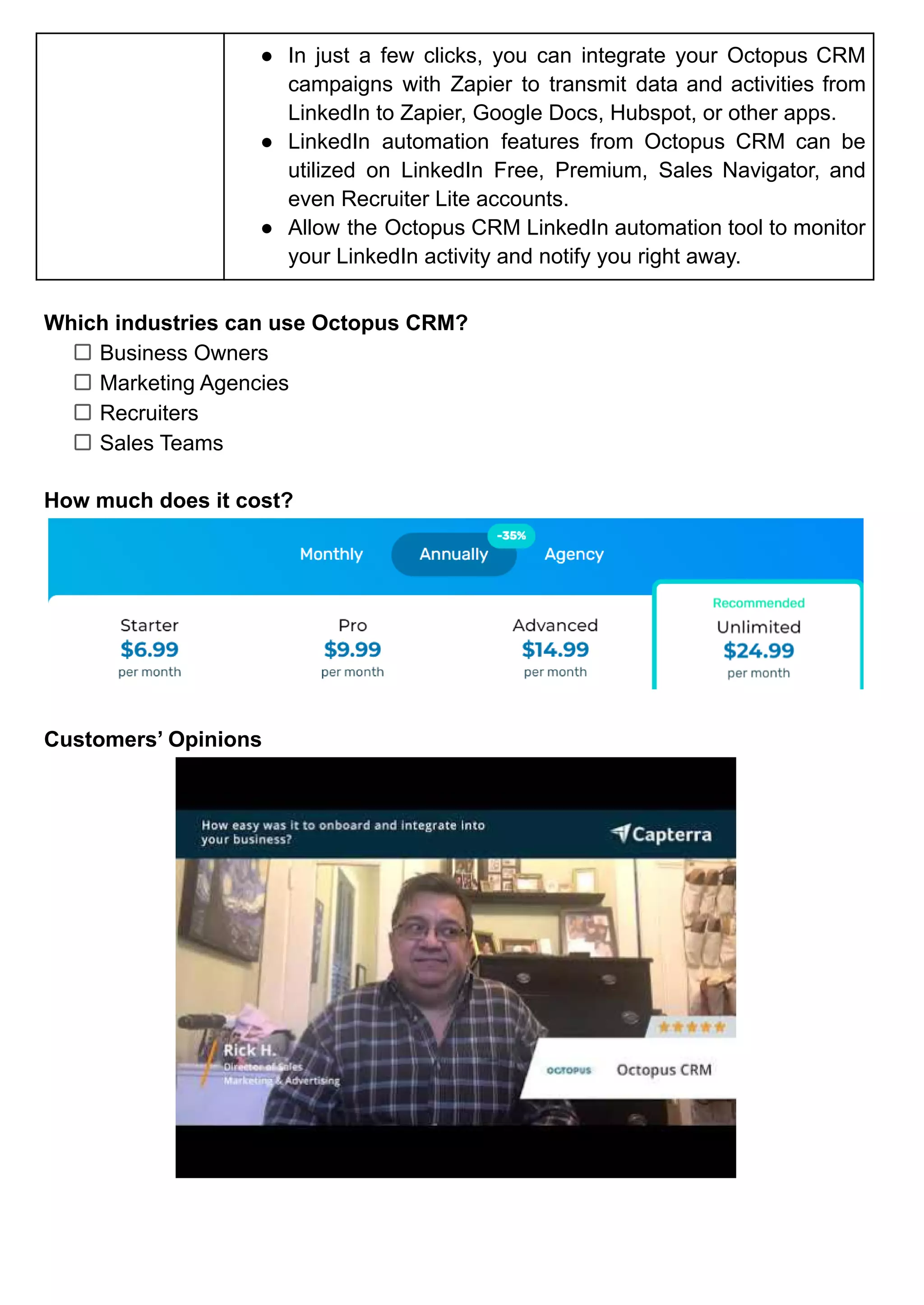
How much does it cost?
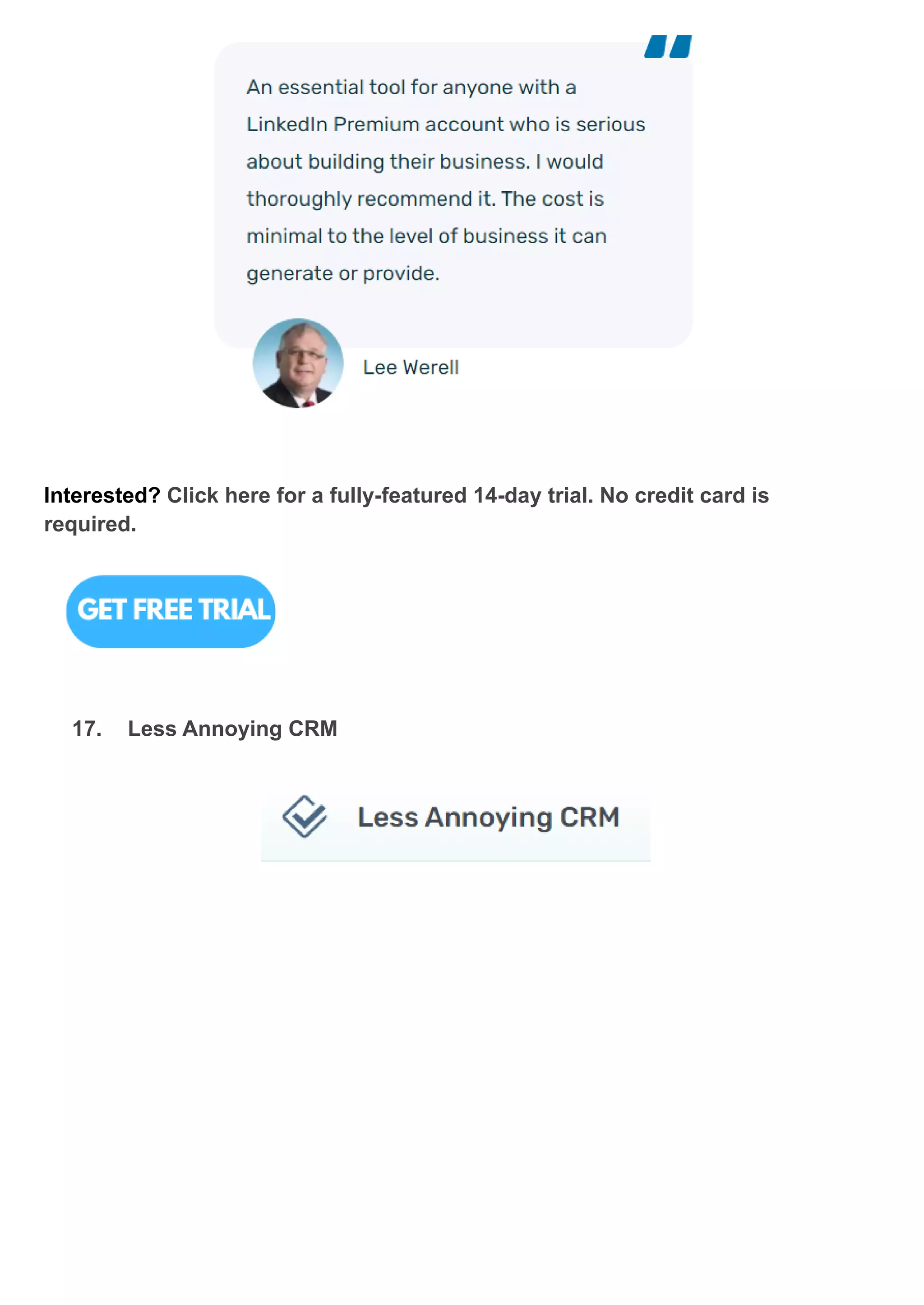
Customers’ Opinions
Interested? Click here for a fully-featured 14-day trial. No credit card is
required.
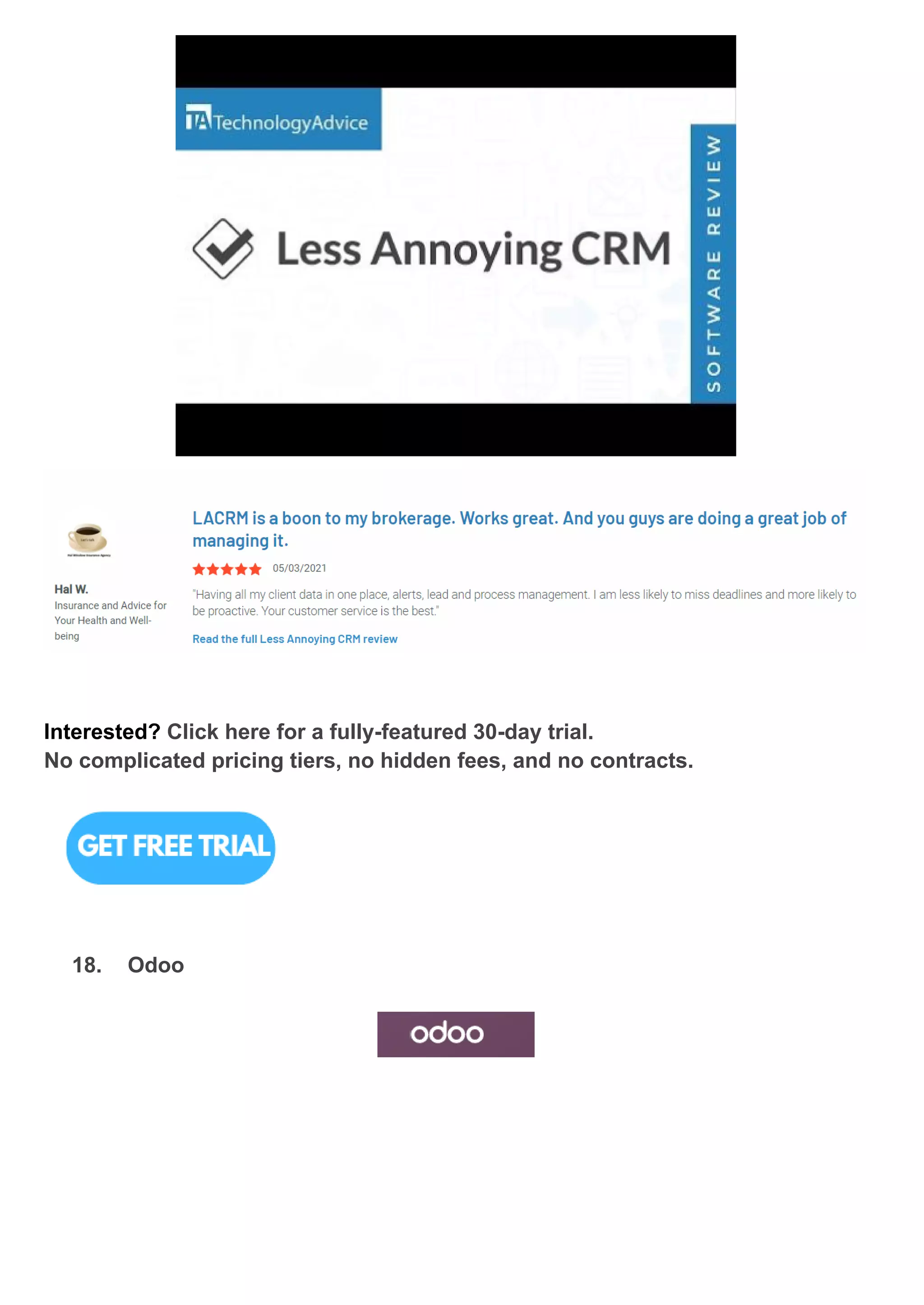
17. Less Annoying CRM
What is Less Annoying CRM?
Less Annoying CRM started out with the specific goal of creating user-friendly,
cost-effective CRM software. If you're a small business trying to grow sales and be
organised, but the CRMs you've tried have been too difficult, this is the solution. You
can test out this software for free for 30 days, and it comes with a personal Coach
who will assist set you up and respond to any of your inquiries.
Release Dates 2009
Key Features ● A site to save all of your contacts' information
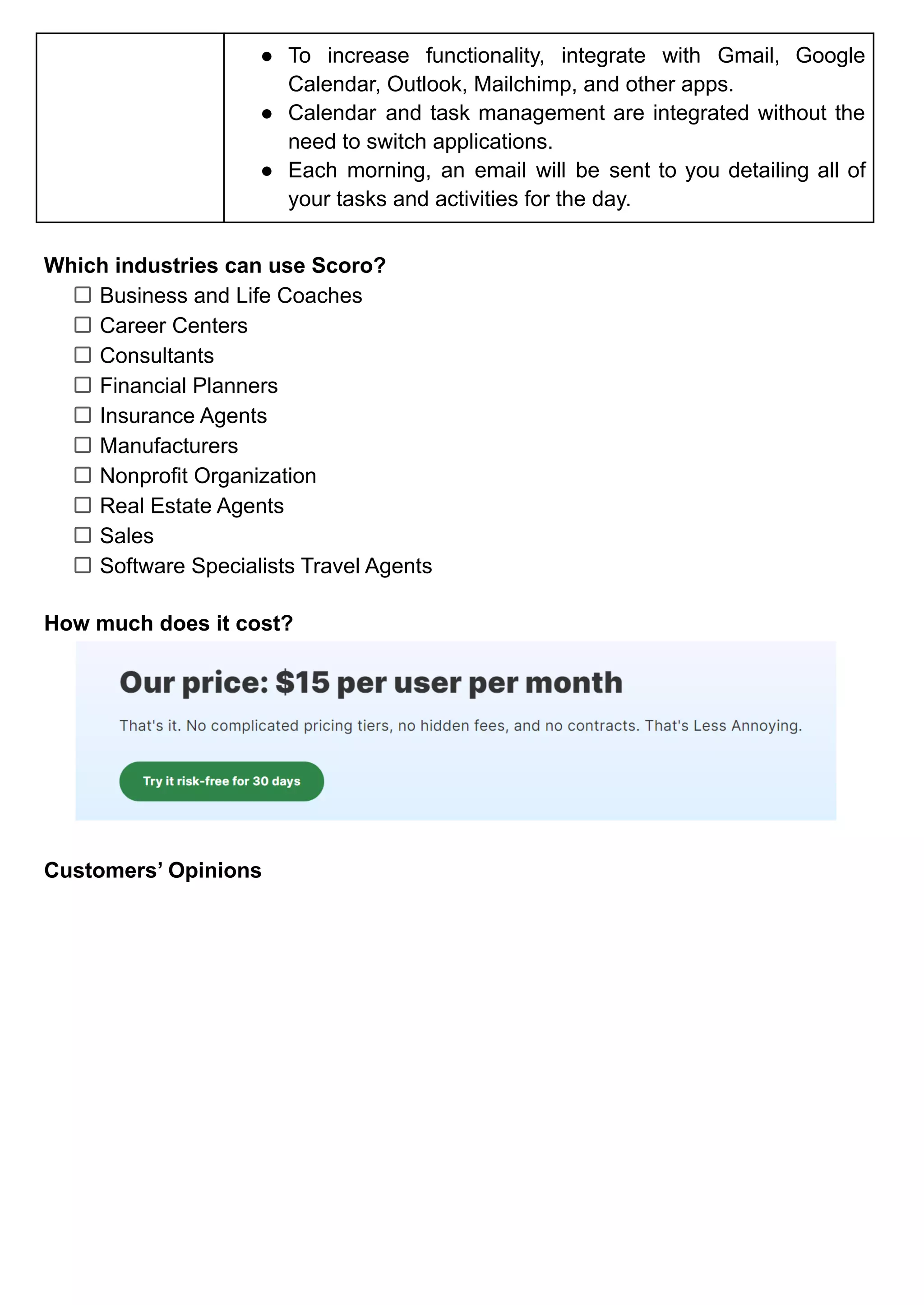
● For only $15 per user each month, you may add however
many employees from your company you like.
● Complete control in a matter of minutes.
● Because it is entirely web-based, you may access it from
any computer, tablet, or smartphone in the globe.
● Future free updates.
● Always backed up.
● Easy importing.
● One-click export.
Benefits ● You may sync with Google Calendar for fast access from
your phone.
● You can even share with other corporate users so that
everyone is on the same page.
● A constant list of all the leads you have in your pipeline,
along with contact information, notes from previous
conversations, and information about their status and
priority.
● To increase functionality, integrate with Gmail, Google
Calendar, Outlook, Mailchimp, and other apps.
● Calendar and task management are integrated without the
need to switch applications.
● Each morning, an email will be sent to you detailing all of
your tasks and activities for the day.
Which industries can use Scoro?
Business and Life Coaches
Career Centers
Consultants
Financial Planners
Insurance Agents
Manufacturers
Nonprofit Organization
Real Estate Agents
Sales
Software Specialists Travel Agents
How much does it cost?
Customers’ Opinions
Interested? Click here for a fully-featured 30-day trial.
No complicated pricing tiers, no hidden fees, and no contracts.
18. Odoo
What is Odoo?
Odoo is a package of open source business applications for all your business
requirements, including CRM, eCommerce, finance, inventory, point of sale, and
project management.
Release Dates NA
Key Features ● Contact & Account Management
● Opportunity & Pipeline Management
● Task / Activity Management
● Territory & Quota Management
● Desktop Integration Product & Price
● List Management
● Quote & Order Management
● Customer Contract Management
● Lead Management
● Marketing automation
● Reporting & Forecasting
Benefits ● Improves sales teams' success by allowing them to
conveniently track their main potentials.
● By centralising customer emails, you can analyse lead
quality, make faster choices, and save time.
● Tracking messages can be sent or tracking actions can be
scheduled directly on a track.
● As part of the application, manage renewal requests and
cancellations.
● Create tracks from emails in your Outlook inbox and store
the material as internal notes.
● Automate manual operations performed by users
throughout a sales flow.
● Search for prospects by entering information such as their
email address, phone number, company name, and so on.
Which industries can use Odoo?
Industrial Services
Manufacturing & Assembly
Wholesale &Retail Trade
Real Estate Management
Project Development
Others
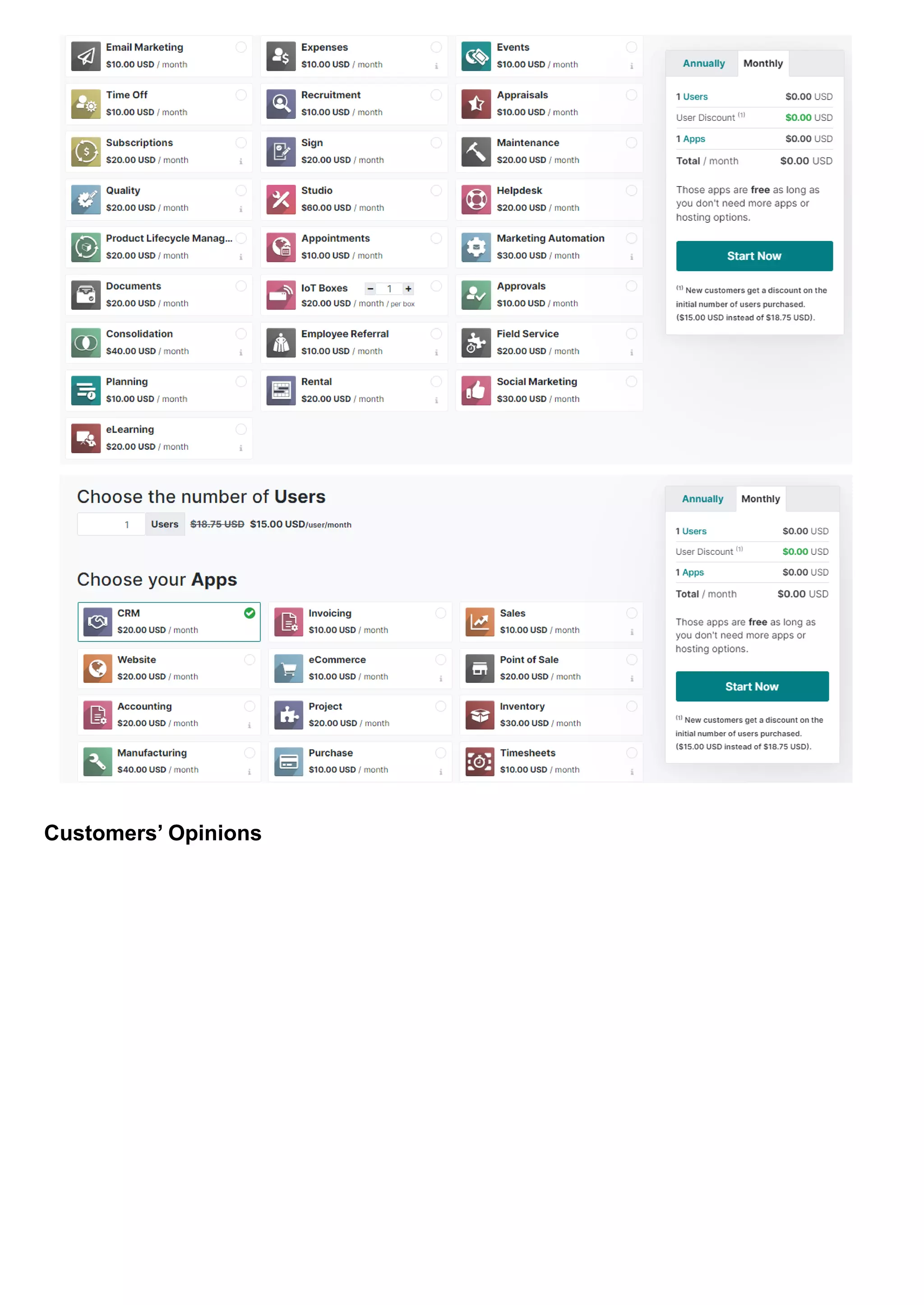
How much does it cost?
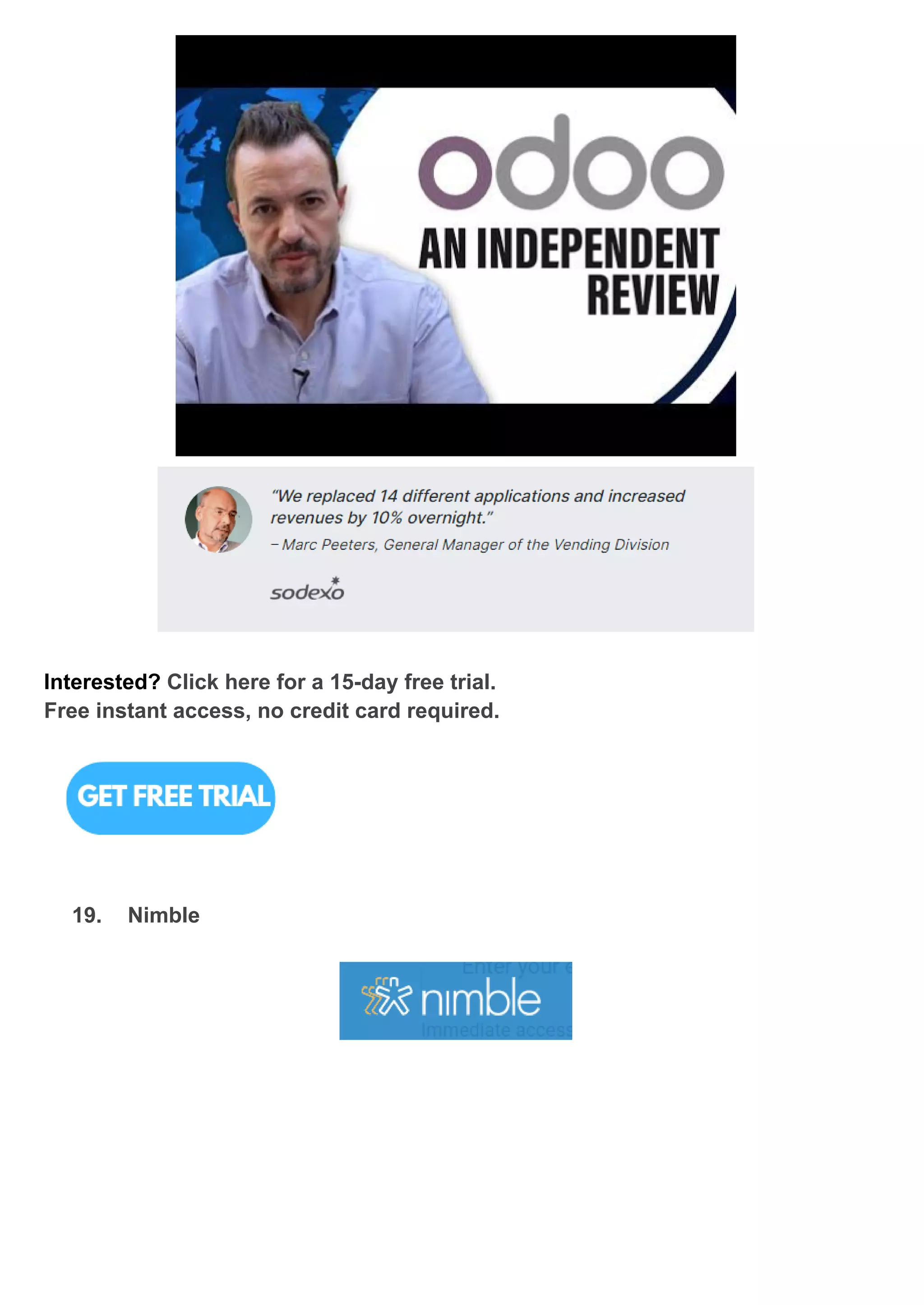
Customers’ Opinions
Interested? Click here for a 15-day free trial.
Free instant access, no credit card required.
19. Nimble
What is Nimble?
Nimble CRM is a social CRM (customer relationship management) application that
also has sales and marketing capabilities. They were also used for contact
organization and storage, pipeline management, project and follow-up reminders,
tracking, reporting, advertising to specified lists, and social analytics.
Release Dates NA
Key Features ● Smart Summaries
● Simple Search.
● Customer Support.
● Unify your contact information.
● Contact records that can be used.
● Maintain your organisation.
● Engage on a large scale.
● Organize your team's tasks.
Benefits ● Data from social media networks is gathered to give
actionable information.
● Displayed in a way that encourages consumer interaction.
● Displays lists of social media interactions with your
company, making it easy to stay up to date on the most
recent and important topics.
● Strong contact segmentation that allows users to send
messages while remaining in the application.
● More social connectors than most other CRM systems,
including Zoho CRM and Zendesk.
● The Nimble Prospector allows you to access your CRM's
advantages from inboxes, social sites, and any online
browser app, including Outlook.
Which industries can use Nimble?
Computer Software
Marketing & Advertising
Non-profit
Cosmestics
Professional Training & Coaching
Fine Arts
Sales
Management
Consulting
Event Planning
Real Estate
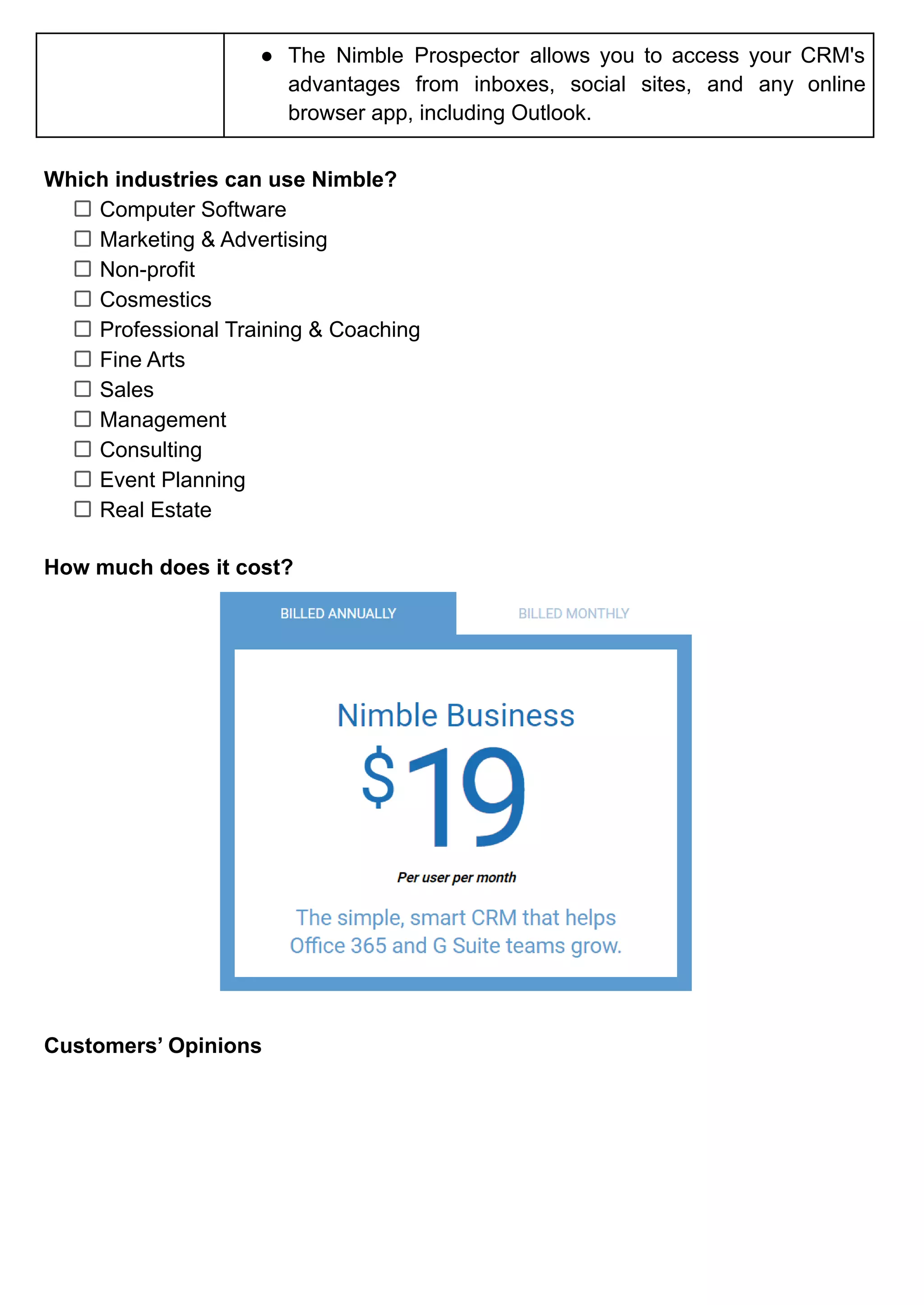
How much does it cost?
Customers’ Opinions
Interested? Click here for a fully-featured 14-day trial.
During your trial time, you can test Nimble with up to 5 licences.
No credit card is required.
20. Zoho CRM
What is Zoho CRM?
Zoho CRM is a competent CRM software; its connection with the suite's other
products makes it a highly powerful solution, excellent for improving SMEs' business
procedures. They provide an astonishing selection of services, including CRM, video,
email management, a chat module, and even a lightweight CMS for quickly creating
mini-sites.
Zoho CRM is aimed at small and medium-sized organisations in order to assist them
manage customer/vendor data, improve customer interaction, and boost conversion
rates.
Release Dates 2006
Key Features ● Ease of use
● Easy to set up
● Customer service
● Integrations
● Value for money
● Document management integration
● Omnichannel communication on a single system
● Vendor and contractor management
● Sales order and purchasing order generation
● Payments and billing
● Lead generation using marketing automation
● Campaign administration
Benefits ● Allows a user to install third-party CRM plugins and
extensions as needed by their organisation.
● Businesses can save a significant amount of time since staff
no longer have to manually enter information.
● Allows you to engage with your consumer in real time
whenever necessary.
● Comes with the promise of automating and streamlining
your company procedures to eliminate manual effort and
hence boost business productivity.
Which industries can use Zoho CRM?
Accounting and Taxes
Automotive
Real Estate
Tourism
Rettail
Insurance
Telecommunications
Customer service
Education
Legal Software Development
How much does it cost?
Customers’ Opinions
Interested? Click here for a fully-featured 30-day trial. No credit card is
required.
SUMMARY
Check out our summary with detailed information about the best CRM software.
Summary of the 20 best CRM software
FAQ on CRM
1. What is the most popular CRM?
There are various well-known CRM technologies in the market, but Salesforce CRM,
SAP CRM, ZOHO CRM, Oracle CRM, Microsoft Dynamics CRM, Nimble CRM, Sugar
CRM, Hub spot CRM, PIPEDRIVE CRM, and CRM Creatio are the most well-known
and widely utilized.
2. Which company has the best CRM?
There are websites that claim Salesforce is the best market-leading CRM, but you
can judge for yourself when you use it, especially when you’re able to choose the
right CRM that helps with contact management, lead management, sales forecasting,
instant messaging between employees, email tracking and integration with Outlook
and Gmail, file and content sharing, and dashboard-based analytics.
3. What is the best CRM software for small businesses?
Based on our list, the best CRM software for small businesses are Zoho CRM,
Insightly, Salesforce, Pipedrive, Hubspot, Freshworks, Capsule, SugarCRM, and
Nimble.

20 BEST CRM SOFTWARE BASED ON PRICE AND EASE OF USE.pdf

  • 1.
    20 BEST CRMSOFTWARE BASED ON PRICE AND EASE OF USE What is CRM? According to a reliable website, Investopedia, Customer Relationship Management, best known as CRM, is essentially a technology that generates a simple menu system for a collection of data, allowing businesses to identify and systemically interact with customers. Why is CRM important for a company? 1. Efficiency - Storing all company data in one place improves workflow, team communication, and project management. 2. Relationship - Improve the whole customer experience to keep customers coming back so that a company can build a loyal customer base. 3. Performance - Increasing sales and sales productivity through organizing data, automating tasks, and evaluating sales data via CRM. Where does CRM usually get used? Retail, banking, hotels, financial services, insurance, consulting, and agriculture are among the business sectors that utilize CRM the most frequently. CRM helps these sectors manage their everyday operations and improve client attention. About 3 types of CRM technology can be found in the industry. CRM Analytical ● It enables employees to communicate with customers, anticipate their needs, take note of customer updates, and evaluate sales success targets. ● Effective and productive interactions CRM Collaborative ● As long as a computer, smartphone, laptop, or tablet are connected to the internet, it can deliver actual data to sales representatives in
  • 2.
    the office andthe field. ● Costs higher than in-house programs. CRM Operational ● It is better for programmes to organise data in a way that people can easily understand and use with effective management and decision-making from humans. ● Improve CRM operations by speeding sales cycles, optimizing pricing and distribution logistics, minimizing support call expenses, enhancing resolution rates, and avoiding loss through fraud detection. CRM is adaptable to almost every business type since it is available in various techniques and applications. Here’s our selection of the best 20 CRM software on the market that you might not be aware of that offers the best pricing and ease of use. If you're interested in either of these two topics, check out our articles on the best credit cards in Singapore or the best interior design in Singapore.
  • 3.
    EASY TO USE 1.Scoro What is Scoro? Scoro is a software-as-a-service cloud platform for professional and creative services. Release Dates 2013 Key Features ● All-in-one company management software (project management, time and team management, sales, billing, dashboards and reports, and professional services automation) ● Connected to the calendar application and dozens of apps as expected. ● Unlimited dashboards - obtain a detailed view of all aspects of the business. ● You can develop your integrations and submit them to the Scoro Marketplace. Benefits Tracking customers ● Get a full view of each customer on a single page, including contact information, communication history, projects, files, quotations, and invoices.
  • 4.
    ● Create customizedPDFs of quotations and invoices with only a few clicks. Tracking sales and performances ● Gain insight into the tasks that may be improved and the activities that use the majority of your team's time during the workday. Boosting the sales process ● Utilizing customizable dashboards, tracking sales budgets as well as individual and team goals. ● Utilize customer profiles, standard quotations, and customized multi-currency rate cards to standardize and streamline quoting. Which industries can use Scoro? Government Agencies & Non-profits Legal Services Financial Services Professional Services Architecture Building & Construction Marketing Agencies Educational Institutions Training Providers Accountacies Business Consultancies Information Technology How much does it cost?
  • 5.
  • 6.
    Interested? Click herefor a fully-featured 14-day trial. No credit card is required. 2. Sugar CRM What is Sugar CRM? SugarCRM is a cloud-based platform and open-source CRM solution. It was initially released in 2004, and SugarCRM, Inc. has since continued to develop and support it. They've developed to include all of the key aspects of client management and the sales cycle. It is ideal for larger companies with capable IT teams. Release Dates 2004 Key Features ● Customizable home pages. ● Downloadable plug-ins. ● Users can create multiple customized dashboards to manage for short and long goals.
  • 7.
    ● Focus onsales-force automation, marketing campaigns, customer support, collaboration, Mobile CRM, Social CRM, and reporting. ● Compatible with all renowned operating systems, including Apple OS X, Windows, and Linux. ● Sugar CRM for mobile is available for Android, iOS, and Windows. Benefits ● Developing a user-friendly and effective back-end system enabling employees to address customer issues without rerouting them across the entire firm. ● Workers can work and get clients’ data on the same platform. ● Use the Wizard to collect information and distribute forms throughout the engagement campaign. ● A program that supports several currencies and languages. ● Summarize current activity and provide simple data sheets. ● Can construct dashboards and search them using various filters. Which industries can use Sugar CRM? Manufacturing Public Sector Insurance Telecom Technology & Software Credit Unions Financial Services Wealth Management Staffing & Recruiting (HR) Consulting & Business Services How much does it cost?
  • 8.
  • 9.
    Interested? By requestinga demo of Sugar CRM, you will be able to automate and expedite anything. 3. Salesforce What is Salesforce?
  • 10.
    Salesforce, Inc. isa well-known American cloud-based software firm that offers CRM services and tools to support, sales, and marketing teams all over the world. Salesforce began as a Software as a Service (SaaS) CRM company and currently offers a variety of software solutions as well as a platform for developers and users to create and distribute customized software. Release Dates 1999 Key Features ● Provide services, understand your customers, market, use collaboration tools, and develop applications. ● Assists in customer loyalty and relationship development. ● Excellent marketing tools for contact management, lead collection, lead management, campaign management, reporting and analytics, lead nurturing, and monitoring. ● Provides a data security model that allows business owners and managers to select which workers have access to their data. Benefits ● Log in to Salesforce using simply Wi-Fi to submit your necessary work within the cloud service. ● Customization of platform with just once click. ● With AppExchange, you can create your personal app or choose from hundreds of ready-to-install options. ● Businesses of all sizes benefit from utilizing a single platform and infrastructure. ● Portable for staff working outside the office to have access to software and communicate with clients more quickly. Which industries can use Salesforce? Automotive Communications Consumer Goods Financial Services Government Manufacturing Media Retail Nonprofit Higher Education Transportation & Hospitality Healthcare & Life Sciences
  • 11.
    How much doesit cost? Customers’ Opinions
  • 12.
    Interested? Click herefor a 30-day free trial. No credit card required, no software to install. 4. Pipedrive What is Pipedrive? Pipedrive is a web-based sales CRM and pipeline management tool that gives companies the ability to schedule sales activity and keep track of opportunities. Release Dates 2010 Key Features ● Automation task ● Smart features connection with clients ● Integration syncing ● Customizable pipeline
  • 13.
    Benefits ● Pipedrivesales hub can be accessed via Android and iOS applications, transforming it into a mobile CRM that maintains all of your leads, contacts, and deals at your fingertips. ● Utilize the lead generating chatbot to automatically engage your website visitors around-the-clock. ● Pipedrive allows you to enter transactions, their values, win probability, and estimated closing date, and then arrange and track them based on pipeline phases. ● Maintain a record of all your subscriptions and recurring clients. ● With a single click, you may discover important information about your contacts. Which industries can use Pipedrive? Call Center Higher education Hospitality Insurance Marketing Nonprofit Recruitment Travel Real estate & property How much does it cost? Customers’ Opinions
  • 14.
    Interested? Click herefor a fully-featured 14-day trial. Full access. No credit card needed. 5. WORKetc
  • 15.
    What is WORKetc? WORKetcis a single cloud computing platform with integrated features for CRM, projects, billing, technical support, reporting, and collaboration. It is a SaaS programme that integrates CRM, project management, billing, help desk, and collaboration elements into a single corporate management platform. WORKetc is based in Australia, although it functions as a micro-multinational organisation with a staff of 12 people based in Australia, America, Canada, China, and the Philippines. Release Dates 2009 Key Features ● Finance & management, Suppliers, Outsourced contractions, Customer support, Marketing & sales team, Project management. ● Lower overall cost than buying separate tools ● Get rid of expensive integrations and numerous logins. ● Instead of several systems, train and support only one. ● Maintain constant communication with everyone. ● Examine each and every client encounter Benefits ● Without ever leaving Gmail or Outlook, you can update projects, issue support tickets, or generate a sales lead. ● Give remote workers the tools they need to thrive without the cost of maintaining VPNs and servers. ● Establish workgroups and distribute tasks, leaders, support cases, and other duties. ● View a full activity history of every action an employee does to generate productivity reports. ● Reduce group emails by having online conversations about any activity.
  • 16.
    ● Access yourwhole business from a one location. Which industries can use WORKetc? Financial Services Recruiting & Staffing Management Consulting Business Services Higher Education Construction Hospital & Healthcare Marketing & Advertising Mechanical Engineering How much does it cost? Customers’ Opinions
  • 17.
    Interested? Click herefor a fully-featured 14-day trial. No credit card is required. 6. Insightly
  • 18.
    What is Insightly? InsightlyInc. provides small and medium organisations using simple cloud-based customer relationship management (CRM) and project management applications. Insightly uses a freemium model to deliver its CRM and project management products to clients. Release Dates 2009 Key Features ● Lead routing ensures effective lead handling. ● Automation of work processes ● Email administration ● Linking Relationships Benefits ● The free for 2 users plan from Insightly allows you and a business partner to manage contacts, sales, and projects all in one site. ● Organize your teams around a single supplier of customer data. ● Create customised marketing campaigns quickly to help your business flourish. ● Increase your sales by modelling and automating your CRM business processes. ● Develop trust by consistently delivering on your promises. Which industries can use Insightly? Consulting Software & Technology Nonprofit Professional Services
  • 19.
    PR & Communications Health& Wellness Education Marketing & Advertising Online Media Manufacturing Retail Real Estate IT & Services Music Transportation How much does it cost? Customers’ Opinions
  • 20.
    Interested? Click herefor a fully-featured 14-day trial. No credit card is required. 7. Keap What is Keap?
  • 21.
    Keap is aArizona-based private firm that provides a small business e-mail marketing and sales platform, as well as tools for customer management, customer relationship management, advertising, and e-commerce. Release Dates 2001 Key Features ● Built-in appointment scheduling. ● Easy to setup automation system. ● Text features + Free Business Number ● One-on-one training upon using the platform. Benefits ● Automatically brings their information from website/social media into the CRM. ● Identifies who’s most likely to buy then send automated emails and move them through CRM. ● Segment clients through advanced automation in every different way - activities, preference. ● Automatically sends quotes, invoices, and payment reminders, ● Keeping repeat customers through sending automated grateful messagers, loyalty offers, and ask for referral request. Which industries can use Keap? Accounting Coaches Consultants Financial Advisor Insurance Marketing Agencies Nonprofits Photography Professional Services Real Estate Startups How much does it cost?
  • 22.
    *Inquire with thebusinesses about the Max Classic price plan. Customers’ Opinions Interested? Click here for a fully-featured 14-day trial. No credit card is required.
  • 23.
    8. Freshworks (Freshdesk) Whatis Freshworks? Freshdesk was launched in October 2010 and renamed as Freshworks in 2017. Freshworks provides a variety of customer service and sales applications. Freshdesk, Freshservice, Freshchat, and others are the examples. Release Dates 2010 Key Features ● With the Freshsales CRM mobile app, you can access all of your client data at your fingertips. ● From a single page, you can access clients' social profiles, identify customer touchpoints (website, product, interactions), and more. ● Update leads, contacts, and accounts automatically using social profile and general information that is publicly available on the internet. ● Create service tasks for issues that require a field team response and track their status until they are completed. ● Obtain signatures with a simple swipe of the Freshdesk mobile app and attach them to the service job. ● Notify customers and agents automatically of updates to their tickets. Benefits ● Save time by eliminating repeated tasks. ● With workforce automation, agents can quickly address consumer concerns.
  • 24.
    ● With AI-poweredchatbots, companies can help customers obtain answers quickly. ● Integrate a variety of conversational experiences, such as live chat, online, mobile, and call center assistance. ● Provide real-time updates to consumers through conversational bots and streamlined appointment booking. Which industries can use Freshworks? Real estate Small business Hospitality Insurance Agency Retail Manufacturing Logistics Finance SAAS Businesses How much does it cost? Customers’ Opinions
  • 25.
    Interested? Click herefor 21-day trial. No credit card is required. 9. Creatio
  • 26.
    What is Creatio? Formarketing, sales, and service, Creatio provides three perfectly integrated products on a single platform that may be utilized alone or as a package. Release Dates 2011 Key Features ● Unified CRM experience ● 360-degree customer view ● Unrestricted customization ● Creating apps without writing a single line of code ● A universe of ready-to-use applications ● End-to-end workflow automation Benefits ● Improve customer and prospect engagement by streamlining lead management operations and creating tailored marketing campaigns. ● Maintain close contact with the sales team to ensure that all leads are qualified and sent on to sales managers on time. ● In a single interface, you can plan, manage, and optimise complicated multichannel marketing initiatives. ● Track human-assisted chats and chatbot engagements, monitor calls, and analyze social media data. ● Keep track of all client interactions, evaluate historical data, and use AI/ML-powered technologies to provide targeted offers and product recommendations via relevant marketing channels. ● Track individual sales rep performance, as well as measure sales team effectiveness and discover top performers.
  • 27.
    ● Manage multiplesales channels from a single location (agent desktop), with a 360-degree view of client data and a comprehensive engagement history. Which industries can use Creatio? Financial Services Manufacturing High Tech Transportation Business Services Retail Pharmacy Telecom Public Sector Media& advertising How much does it cost? Choose exactly the things you require to support your business operations; there are no hidden charges.
  • 28.
    Customers’ Opinions Interested? Clickhere for a Studio Platform Editions or Stand-alone CRM Products. 10. HubSpot CRM
  • 29.
    What is HubSpotCRM? HubSpot CRM is a software-as-a-service cloud platform for professional and creative services. Release Dates 2006 Key Features ● Maintain complete visibility over your pipeline. ● Automatically track sales activities ● See all of a lead's details in one place Benefits ● Operate an effective inbound marketing approach that increases traffic, converts prospects, and demonstrates ROI. ● Increase sales productivity, reduce deal cycles, and humanize your sales process. ● Makes it simple to engage with clients, assist them in succeeding, and convert them into advocates of your company. ● It is adaptable for marketers, powerful for developers, and provides a tailored, safe experience for customers. ● Synchronize and manage consumer data, and automate business processes to keep your teams on track. Which industries can use HubSpot CRM? Professional Services Manufacturing Banking
  • 30.
    Financial Services Government Oil &Gas Education Distribution Healthcare Communications How much does it cost? Customers’ Opinions Interested? Click here for a full suite of free tools today,
  • 31.
    BASED ON PRICE 11.OnePageCRM What is OnePageCRM? OnePageCRM is a cloud-based sales customer relationship management (CRM) system for small and medium-sized enterprises that allows them to automatically schedule follow-ups with prospects, provide a dashboard with sales activities for the day, and automate admin to boost productivity. Release Dates 2010 Key Features ● Manage contacts, deals and customer profiles. ● Unlimited contacts, notes & deals ● Email marketing ● Sales automation: ● Bulk emails ● Pipeline management
  • 32.
    ● No moremanual data input or administrative responsibilities Benefits ● Manage all sales-related issues. ● Allows you to access your client's whole profile from a single location. ● Follow up on your lead as soon as possible with the best solution. ● Focus on pleasing the consumer even after you've signed a deal with them. ● Assist you in tracking the gaps in your sales funnels, conversions, and general activity. ● Can remove a lot of time-consuming physical labour. ● Utilize app connectors to streamline your work. Which industries can use Scoro? Software Companies Financial Services Real Estate Manufacturing How much does it cost? Customers’ Opinions
  • 33.
    Interested? Click herefor a 21-day free trial. No credit card is required. 12. Capsule CRM
  • 34.
    What is CapsuleCRM? Zestia, a privately held software firm that works internationally and was launched in 2009, created Capsule, a customer relationship management (CRM) software-as-a-service online application and mobile app. This platform provides a system that provides genuine value for free and progressively adjusts prices as your organisation continues to develop. It is built for growing SMEs and startups. Release Dates 2009 Key Features ● Access to most features, 250 contacts, and 50 MB of storage ● Keep and access information on the clients and partners who are important to your business. ● Manage prospects and complete transactions on the move with the native iOS and Android applications. Benefits ● To customise Capsule, you may add custom fields, contact lists, tags, user permissions, and a variety of other features. ● Monitor every part of your sales cycle and obtain insights from native reporting. ● Manage duties related to sales, meetings, calls, and other operations without leaving the app. ● Keep track of possibilities at each level of your sales funnel and gather knowledge to boost output.
  • 35.
    Which industries canuse Capsule CRM? Professional Services IT & Technology Construction Accountants Hospitality Real Estate Travel Agencies How much does it cost? Customers’ Opinions
  • 36.
    Interested? Click herefor a CRM with basic features for up to 2 users and 250 contacts. 13. Company Hub What is Company Hub? CompanyHub is a 2020-founded Indian 1 click integration platform. It provides a solitary, consolidated platform from which sales teams may control lead and sales pipeline activities. This best CRM companies seeks to create a smart CRM system by including email monitoring, email scheduling, and reporting technologies.
  • 37.
    The CRM offeredby them is a highly customizable platform, and the company supports a wide range of specialty markets, from insurance companies to roofing companies, as well as agencies, startups, and non-profits. Release Dates 2020 Key Features ● Utilize email sign-up forms on your website to collect leads. ● Allow your customers to plan appointments on your website and your team to manage them on CompanyHub. ● All plans include standard email templates. ● Every subscription includes unlimited email tracking. ● You may send emails from both CompanyHub and your email client using 2-way email sync. ● With the help of native chatbots, collect leads from your website. Benefits ● Manage leads throughout the customer journey. ● Follow up on unanswered emails by setting up reminders that go off when no response is received after a certain amount of time. ● Send emails in mass without having to manually rewrite and send them. ● On the cheapest plan, a single transaction pipeline is managed; on higher levels, numerous deal pipelines are managed. ● Utilize custom fields, columns, filters, and reports to manage customer data in the manner that best suits you. Which industries can use Company Hub? Automotive Insurance Mortgage Real Estate Nonpfits Marketing Agency Startups Accounting Education Pharmaceutical Roofing Contractor
  • 38.
    Rental Management Porpert Management Howmuch does it cost? Customers’ Opinions Interested? Click here for a fully-featured 14-day trial. Pricing starts from $15. No credit card is required.
  • 39.
    14. EngageBay What isEngageBay? EngageBay is the best affordable all-in-one CRM alternative for small businesses, starting with one of the most freemium plans available and offering unexpectedly cheap price on its premium plans. Release Dates 2017 Key Features ● Email sequences, landing sites, live chat, and more features are available for free. ● 1000 contacts, 1000 branded emails, 500MB storage space. ● Basic lead scoring is accessible for free, with more detailed reporting available on subscription programmes. ● Create and modify graphic email templates (limited access on the free plan). Benefits ● Manage contacts, transactions, and tasks across the client lifecycle. ● Add a helpdesk to your website to manage tickets and address issues. ● Create landing pages on your website to capture leads (limited to 1 landing page on the free version). ● With marketing automation, you can create profiles for each of your clients.
  • 40.
    ● Establishing arelationship between a marketing and sales team to avoid inadvertent confrontation. ● Analytics reports can be used to track the delivery and success of your automated marketing strategy. ● You can also schedule your social media posts with an EngageBay account so that you never miss out on prime interaction time. ● Respond to email inquiries from consumers and leads automatically. Which industries can use EngageBay? Information & Technology Marketing & Advertising Computer Software Financial Services Internet Construction Hospital & Healthcare Real Estate Retail Education Management How much does it cost? Biennial with 20% off. Customers’ Opinions
  • 41.
    Interested? Click hereto signup now which are free for 15 users. No credit card required. 15. ActiveCampaign
  • 42.
    What is ActiveCampaign? ActiveCampaign is a software-as-a-service cloud platform for professional and creative services. Release Dates 2003 Key Features ● Manage contacts and automatically update information without requiring any intervention. ● Customer service is available via email and chat. ● Email marketing efforts that are advanced in nature, such as broadcast emails, triggered emails, targeted emails, and so on. ● On any subscription, you can send an unlimited amount of emails to contacts. ● Every plan includes drag-and-drop email builder. ● Create campaigns easily by using or editing email templates. Benefits ● Send fast or delayed email answers to prospects. ● You can send exactly what your contacts want to see via segmentation. ● You can easily review performance reports with a bird's-eye perspective of your marketing automation platform. ● Automated tasks, notifications, and reminders reduce the manual workload in sales. ● Prioritize leads to focus your marketing and sales efforts on the most valuable prospects.
  • 43.
    ● Track useractivity on your website to attribute campaign success and send relevant messages depending on user activities. ● The built-in sales and marketing automation improves the user experience by requiring less human input from team members to execute activities and update data. ● To automate the marketing that no one has time for, collect data from every offline and digital channel (social media, live chat, landing sites, text messaging, and everywhere else). ● Find out what your top customers like to buy by tracking past email clicks, sales, and live conversations throughout the ActiveCampaign platform. Which industries can use ActiveCampaign? Technology Blogger & Influencer Education Agency Small Business Travel & Hospitality Non-profit Healthcare Real Estate Fitness &Nutrition Enterprise How much does it cost? Customers’ Opinions
  • 44.
    Interested? Click herefor a fully-featured 14-day trial. 16. Octopus CRM
  • 45.
    What is OctopusCRM? Octopus CRM is a LinkedIn automation programme that completely automates B2B prospecting and LinkedIn lead production. Octopus is a basic platform that tries to provide a single yet critical role for B2B businesses. Release Dates 2018 Key Features ● On LinkedIn, send automatic (tailored) connection requests. ● Send connection requests via email to avoid LinkedIn's weekly invite restriction. ● Message hundreds of first-level connections at the same time. ● Automatically endorse up to 7 abilities on the profiles of your LinkedIn acquaintances. ● Automatically visit hundreds of profiles. ● CRM Octopus LinkedIn automation functions well with free LinkedIn accounts. Benefits ● Access to your own multi-functional CRM page on LinkedIn, where you can store leads, run automatic activities, develop campaigns, and construct marketing funnels. ● With Octopus CRM's extended reporting, you can track the success of your campaigns. ● Send personalized LinkedIn connection requests to 2nd and 3rd level connections. ● LinkedIn data can be exported to a CSV file or you can upload your own list of LinkedIn profiles to Octopus CRM campaigns for further activities.
  • 46.
    ● In justa few clicks, you can integrate your Octopus CRM campaigns with Zapier to transmit data and activities from LinkedIn to Zapier, Google Docs, Hubspot, or other apps. ● LinkedIn automation features from Octopus CRM can be utilized on LinkedIn Free, Premium, Sales Navigator, and even Recruiter Lite accounts. ● Allow the Octopus CRM LinkedIn automation tool to monitor your LinkedIn activity and notify you right away. Which industries can use Octopus CRM? Business Owners Marketing Agencies Recruiters Sales Teams How much does it cost? Customers’ Opinions
  • 47.
    Interested? Click herefor a fully-featured 14-day trial. No credit card is required. 17. Less Annoying CRM
  • 48.
    What is LessAnnoying CRM? Less Annoying CRM started out with the specific goal of creating user-friendly, cost-effective CRM software. If you're a small business trying to grow sales and be organised, but the CRMs you've tried have been too difficult, this is the solution. You can test out this software for free for 30 days, and it comes with a personal Coach who will assist set you up and respond to any of your inquiries. Release Dates 2009 Key Features ● A site to save all of your contacts' information ● For only $15 per user each month, you may add however many employees from your company you like. ● Complete control in a matter of minutes. ● Because it is entirely web-based, you may access it from any computer, tablet, or smartphone in the globe. ● Future free updates. ● Always backed up. ● Easy importing. ● One-click export. Benefits ● You may sync with Google Calendar for fast access from your phone. ● You can even share with other corporate users so that everyone is on the same page. ● A constant list of all the leads you have in your pipeline, along with contact information, notes from previous conversations, and information about their status and priority.
  • 49.
    ● To increasefunctionality, integrate with Gmail, Google Calendar, Outlook, Mailchimp, and other apps. ● Calendar and task management are integrated without the need to switch applications. ● Each morning, an email will be sent to you detailing all of your tasks and activities for the day. Which industries can use Scoro? Business and Life Coaches Career Centers Consultants Financial Planners Insurance Agents Manufacturers Nonprofit Organization Real Estate Agents Sales Software Specialists Travel Agents How much does it cost? Customers’ Opinions
  • 50.
    Interested? Click herefor a fully-featured 30-day trial. No complicated pricing tiers, no hidden fees, and no contracts. 18. Odoo
  • 51.
    What is Odoo? Odoois a package of open source business applications for all your business requirements, including CRM, eCommerce, finance, inventory, point of sale, and project management. Release Dates NA Key Features ● Contact & Account Management ● Opportunity & Pipeline Management ● Task / Activity Management ● Territory & Quota Management ● Desktop Integration Product & Price ● List Management ● Quote & Order Management ● Customer Contract Management ● Lead Management ● Marketing automation ● Reporting & Forecasting Benefits ● Improves sales teams' success by allowing them to conveniently track their main potentials. ● By centralising customer emails, you can analyse lead quality, make faster choices, and save time. ● Tracking messages can be sent or tracking actions can be scheduled directly on a track. ● As part of the application, manage renewal requests and cancellations. ● Create tracks from emails in your Outlook inbox and store the material as internal notes.
  • 52.
    ● Automate manualoperations performed by users throughout a sales flow. ● Search for prospects by entering information such as their email address, phone number, company name, and so on. Which industries can use Odoo? Industrial Services Manufacturing & Assembly Wholesale &Retail Trade Real Estate Management Project Development Others How much does it cost?
  • 53.
  • 54.
    Interested? Click herefor a 15-day free trial. Free instant access, no credit card required. 19. Nimble
  • 55.
    What is Nimble? NimbleCRM is a social CRM (customer relationship management) application that also has sales and marketing capabilities. They were also used for contact organization and storage, pipeline management, project and follow-up reminders, tracking, reporting, advertising to specified lists, and social analytics. Release Dates NA Key Features ● Smart Summaries ● Simple Search. ● Customer Support. ● Unify your contact information. ● Contact records that can be used. ● Maintain your organisation. ● Engage on a large scale. ● Organize your team's tasks. Benefits ● Data from social media networks is gathered to give actionable information. ● Displayed in a way that encourages consumer interaction. ● Displays lists of social media interactions with your company, making it easy to stay up to date on the most recent and important topics. ● Strong contact segmentation that allows users to send messages while remaining in the application. ● More social connectors than most other CRM systems, including Zoho CRM and Zendesk.
  • 56.
    ● The NimbleProspector allows you to access your CRM's advantages from inboxes, social sites, and any online browser app, including Outlook. Which industries can use Nimble? Computer Software Marketing & Advertising Non-profit Cosmestics Professional Training & Coaching Fine Arts Sales Management Consulting Event Planning Real Estate How much does it cost? Customers’ Opinions
  • 57.
    Interested? Click herefor a fully-featured 14-day trial. During your trial time, you can test Nimble with up to 5 licences. No credit card is required. 20. Zoho CRM
  • 58.
    What is ZohoCRM? Zoho CRM is a competent CRM software; its connection with the suite's other products makes it a highly powerful solution, excellent for improving SMEs' business procedures. They provide an astonishing selection of services, including CRM, video, email management, a chat module, and even a lightweight CMS for quickly creating mini-sites. Zoho CRM is aimed at small and medium-sized organisations in order to assist them manage customer/vendor data, improve customer interaction, and boost conversion rates. Release Dates 2006 Key Features ● Ease of use ● Easy to set up ● Customer service ● Integrations ● Value for money ● Document management integration ● Omnichannel communication on a single system ● Vendor and contractor management ● Sales order and purchasing order generation ● Payments and billing ● Lead generation using marketing automation ● Campaign administration Benefits ● Allows a user to install third-party CRM plugins and extensions as needed by their organisation.
  • 59.
    ● Businesses cansave a significant amount of time since staff no longer have to manually enter information. ● Allows you to engage with your consumer in real time whenever necessary. ● Comes with the promise of automating and streamlining your company procedures to eliminate manual effort and hence boost business productivity. Which industries can use Zoho CRM? Accounting and Taxes Automotive Real Estate Tourism Rettail Insurance Telecommunications Customer service Education Legal Software Development How much does it cost? Customers’ Opinions
  • 60.
    Interested? Click herefor a fully-featured 30-day trial. No credit card is required. SUMMARY Check out our summary with detailed information about the best CRM software. Summary of the 20 best CRM software
  • 61.
    FAQ on CRM 1.What is the most popular CRM? There are various well-known CRM technologies in the market, but Salesforce CRM, SAP CRM, ZOHO CRM, Oracle CRM, Microsoft Dynamics CRM, Nimble CRM, Sugar CRM, Hub spot CRM, PIPEDRIVE CRM, and CRM Creatio are the most well-known and widely utilized. 2. Which company has the best CRM? There are websites that claim Salesforce is the best market-leading CRM, but you can judge for yourself when you use it, especially when you’re able to choose the right CRM that helps with contact management, lead management, sales forecasting, instant messaging between employees, email tracking and integration with Outlook and Gmail, file and content sharing, and dashboard-based analytics. 3. What is the best CRM software for small businesses? Based on our list, the best CRM software for small businesses are Zoho CRM, Insightly, Salesforce, Pipedrive, Hubspot, Freshworks, Capsule, SugarCRM, and Nimble.